
SoapUI では、要求ウィンドウに SOAP エンベロープヘッダーが表示されます。要求から SOAP ヘッダーを取得する手順は、次のとおりです。
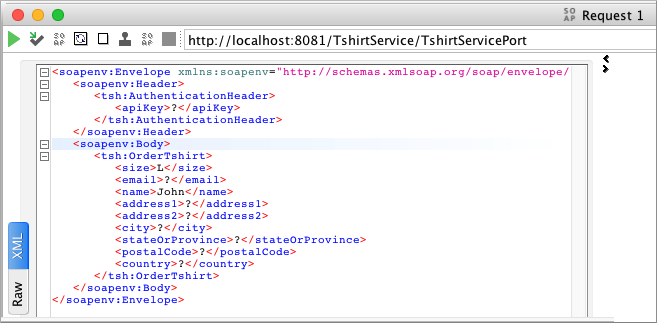
-
SoapUI で、API キーの値を入力して
OrderTshirt 要求を変更します。たとえば、
<apiKey> タグの間に 987654321 を入力します。 -
Studio で、
OrderTshirt:\soapkit-config フローの Transform Message を選択します。 -
DataWeave コードを編集して API キー (ヘッダープロパティ) を取得します。
%dw 2.0 output application/java ns ns0 http://mulesoft.org/tshirt-service --- { body : { ns0#OrderTshirtResponse: { orderId: "I got a request from " ++ payload.body.ns0#OrderTshirt.name ++ " using the following auth header " ++ (payload.headers["AuthenticationHeader"].ns0#AuthenticationHeader.apiKey default "") } } write "application/xml" } -
保存してプロジェクトをもう一度実行します。
-
SoapUI で、
OrderTshirt エンドポイントに要求を送信します。 + 次の応答が表示されます。<soap:Body> <soap:Envelope xmlns:soap="http://schemas.xmlsoap.org/soap/envelope/"> <ns0:OrderTshirtResponse xmlns:ns0="http://mulesoft.org/tshirt-service"> <orderId>I got a request from John, using the following auth header 987654321</orderId> </ns0:OrderTshirtResponse> </soap:Body> </soap:Envelope>