---
schema_version: "1"
id: 551eed38bc8f74194f354a76e3b1939e20f8760973b3b47e1b5bf7116b170031
title: Patch the Embedded Mule Runtime Engine Version in MUnit
collection: mulesoft
version: current
locale: en-us
portal_url: https://docs.salesforce.com/mulesoft/current/en-us/munit/latest/runtime-patching.md
canonical_url: https://docs.mulesoft.com/munit/latest/runtime-patching
source_site: docs.mulesoft.com
content_type: documentation
content_hash: 303d373a5cf7758ba5e6e4774e87acafed7fdc985d57df9ba8d3bc1c01acecec
description: MuleSoft Documentation Site
release: "3.7"
latest: true
---
---
product: MUnit
version: 3.7
is-latest-version: true
---
# Patch the Embedded Mule Runtime Engine Version in MUnit
> For the full documentation index, see: https://docs.mulesoft.com/llms.txt
Anypoint Code
Builder
Anypoint Studio
Patch the embedded Mule runtime engine version that MUnit uses to run tests, overriding the default
version defined in your `mule-artifact.json` file. You can configure the patched version from Maven
or Anypoint Studio.
## Patch MUnit Using Maven
By default, MUnit runs against the Mule version corresponding to the `minMuleVersion` defined in the
`mule-artifact.json` file. You can override this version by using the `munit.runtimeversion`
property in the `munit-maven-plugin` artifact configuration:
```xml
com.mulesoft.munit.toolsmunit-maven-plugin${munit.version}testtesttest4.3.0-20200727 (1)
```
1
Be sure to replace the placeholder version in this example with your version, as provided by MuleSoft.
The `munit.runtimeversion` property replaces the deprecated `runtimeVersion` property. The
`runtimeVersion` property remains supported for backward compatibility. If you use `runtimeVersion`,
MUnit displays a warning message that indicates the property is deprecated and that you must migrate
to `munit.runtimeversion`.
## Patch MUnit Using Studio
By default, MUnit runs in Anypoint Studio with the Mule runtime engine version of the project
server. You can override this version by specifying the patched Mule version in the MUnit run
configuration menu:
1. In the menu bar, select **Run** and **Run Configurations**.
2. Under **MUnit**, select your MUnit test file.
3. In the **Mule Runtime Version** field under **Advanced Settings**, type the Mule patched version
to use.
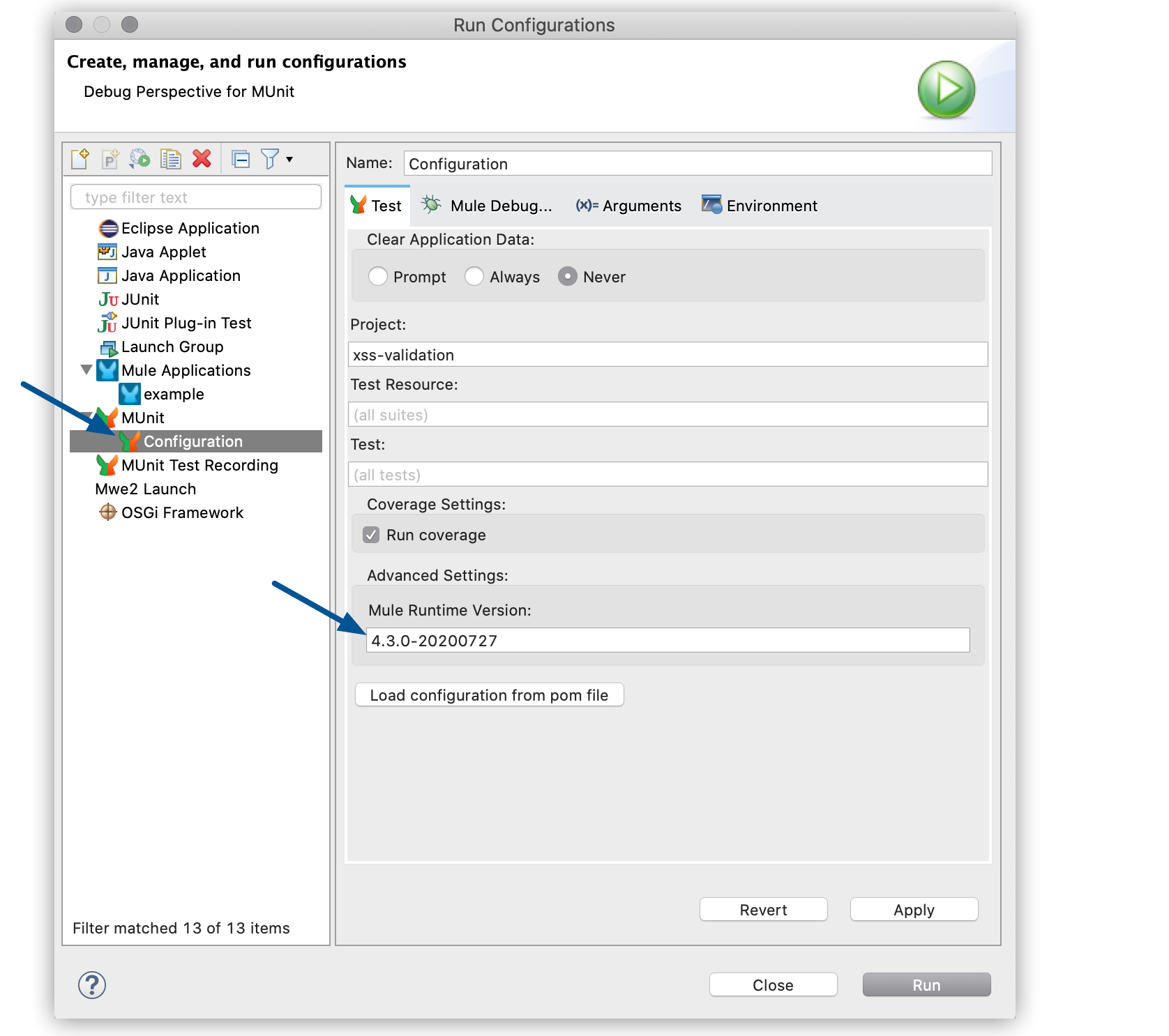
If you already set the `munit.runtimeversion` property in the POM file of your project, click **Load
configuration from POM file** to automatically load this version into the **Mule Runtime Version**
field.
## See Also
- [Mule Runtime Release Notes](https://docs.mulesoft.com/release-notes/mule-runtime/mule-esb)
- [MUnit Maven Plugin](https://docs.mulesoft.com/munit/latest/munit-maven-plugin)