---
schema_version: "1"
id: 0b12dbef2e1e1fc727820648183a72bc02d8a6f1664dca058be4744f37e5ccaa
title: Test Domain-Based Applications
collection: mulesoft
version: current
locale: en-us
portal_url: https://docs.salesforce.com/mulesoft/current/en-us/munit/3.6/domain-based-application-cookbook.md
canonical_url: https://docs.mulesoft.com/munit/3.6/domain-based-application-cookbook
source_site: docs.mulesoft.com
content_type: documentation
content_hash: af5661a8e4f967912cfc6069213ed5459709d44239f0d4e289b97968cefa8e03
description: MuleSoft Documentation Site
release: "3.6"
latest: false
---
---
product: MUnit
version: 3.6
---
# Test Domain-Based Applications
> For the full documentation index, see: https://docs.mulesoft.com/llms.txt
Anypoint Studio
MUnit 2.x enables you to write MUnit test suites for your Mule applications that share their
resources with a Mule domain, without you performing any additional configuration. To understand how
this works, it is helpful to consider a specific scenario populated with actual values, and then use
those values in steps that illustrate how to write such a test.
## Example Domain-Based Mule Application to Be Tested
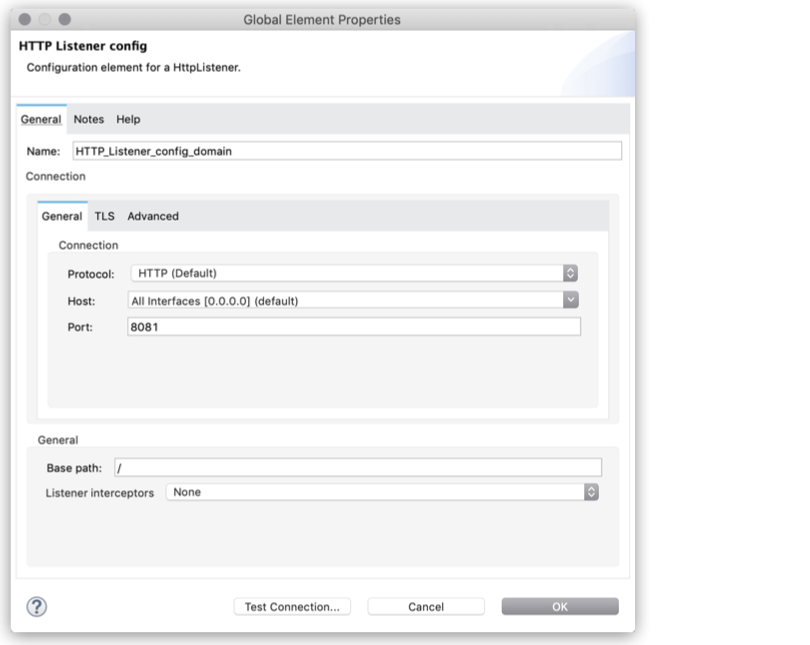
Consider a Mule domain called `domain-config` that defines a global configuration for the HTTP
listeners of all the Mule applications within it:
##### Studio Visual Editor
##### XML Editor
Mule domain
```XML
```
Mule domain pom.xml file
```XML
com.mycompany
domain-config
1.0.0-SNAPSHOT
mule-domain
domain-config
```
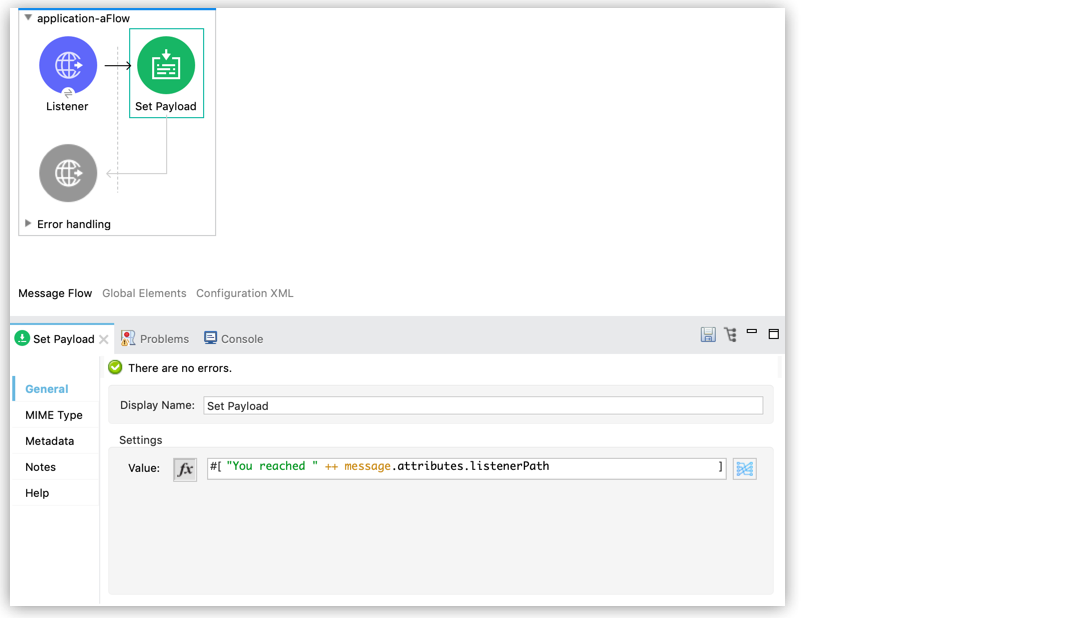
Consider also a basic Mule application that returns the path being pinged:
##### Studio Visual Editor
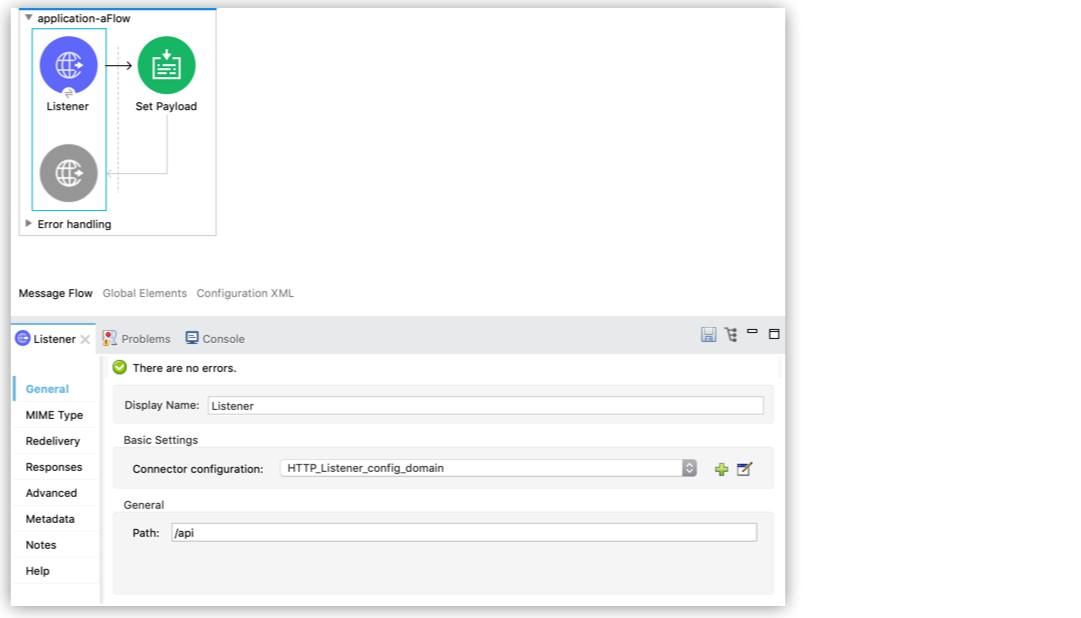
Note that this application does not define a HTTP listener global configuration because it inherits
it from its Mule domain (`HTTP_Listener_config_domain`).
##### XML Editor
```XML
```
Note that this application does not define an `http:listener-config` global element because it
inherits it from its Mule domain (`HTTP_Listener_config_domain`). The application declares the
domain dependency in its `pom.xml` file:
```XML
...
com.mycompany
domain-config
1.0.0
mule-domain
provided
...
```
## Write an MUnit Test of the Example Domain-Based Application
Because the Mule domain is a dependency of the Mule application, MUnit can start the Mule domain to
retrieve the necessary global elements configuration for the application that it’s testing.
Assume an MUnit test to validate that the path being pinged is indeed the expected `/api` path:
##### Studio Visual Editor
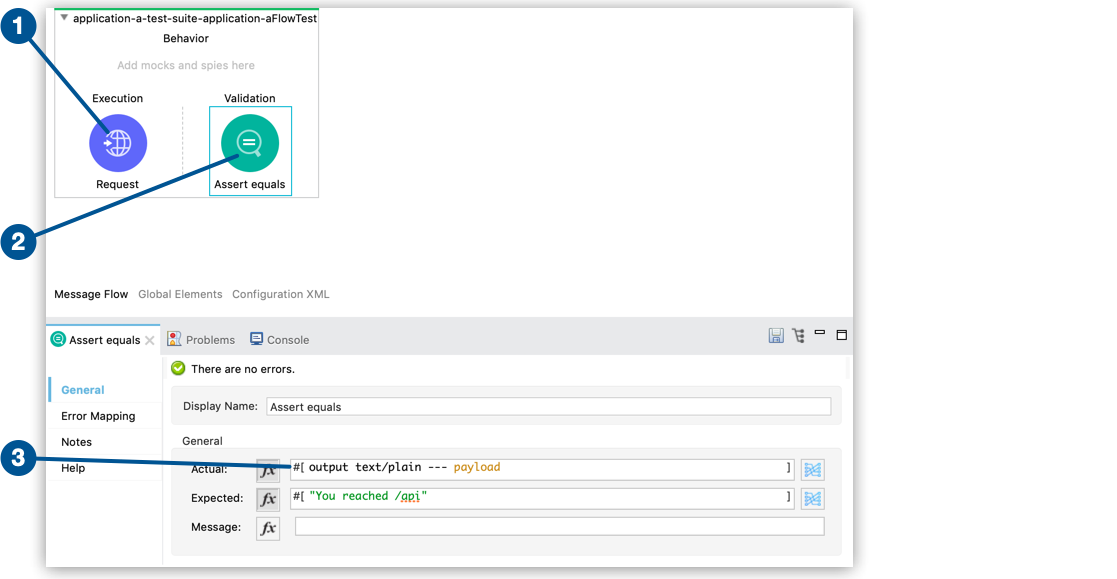
1. Inside the `execution` scope, an HTTP requester sends a `GET` request to your application’s
endpoint.
2. Inside the `validation` scope, set up an Assert Equals\` processor to assert the response from
the `execution` scope against your expected response.
3. To compare the response against the expected text, you must convert the payload to plain text.
##### XML Editor
```XML
(1)
```
1. Inside the `execution` scope, an HTTP requester sends a `GET` request to your application’s
endpoint.
2. Inside the `validation` scope, you decide to set up an `assert-equals` processor to assert the
response from the `execution` scope against your expected response.
3. To compare the response against the expected text, you must convert the payload to plain text.