---
schema_version: "1"
id: a675f5bdd253bda5d8ae18ec171e0258e1cb2d9be54debf0f68fe71453611108
title: Enable Flow Sources
collection: mulesoft
version: current
locale: en-us
portal_url: https://docs.salesforce.com/mulesoft/current/en-us/munit/2.3/enable-flow-sources-concept.md
canonical_url: https://docs.mulesoft.com/munit/2.3/enable-flow-sources-concept
source_site: docs.mulesoft.com
content_type: documentation
content_hash: 113227d820706676a2c2584f98a31b4849acf544bb9fba0cd52eed7a43fcad38
description: MuleSoft Documentation Site
release: "2.3"
latest: false
---
---
product: MUnit
version: 2.3
keywords: munit, test, flow sources
---
# Enable Flow Sources
> For the full documentation index, see: https://docs.mulesoft.com/llms.txt
The Enable Flow Sources element within the MUnit test tells MUnit which flow sources to load and
execute for the test.
By default, MUnit does not start any of the event sources (flow sources such as triggers, and
listeners). You must configure which flow sources must start for your tests.
Assume that your application has a flow with an HTTP listener that returns a specific payload:
```xml
```
For MUnit to be able to invoke that listener you must enable the `http-example-flow` in your
`enable-flow-source` property within your MUnit test:
```xml
```
If the `http-example-flow` value is not listed as an enabled flow source, your MUnit test fails
because it cannot initialize the HTTP listener configuration.
MUnit starts flow sources at the beginning of the test, and stops them at the end of the test. Flow
sources are not executed during the before-suite/before-test, nor during the
after-test/after-suite.
See [Before/After scopes](https://docs.mulesoft.com/munit/2.3/before-after-scopes-reference) for more information.
## Enable Flow Sources from Anypoint Studio
You can define flow sources using the **Mule Properties** view of your MUnit test in Studio:
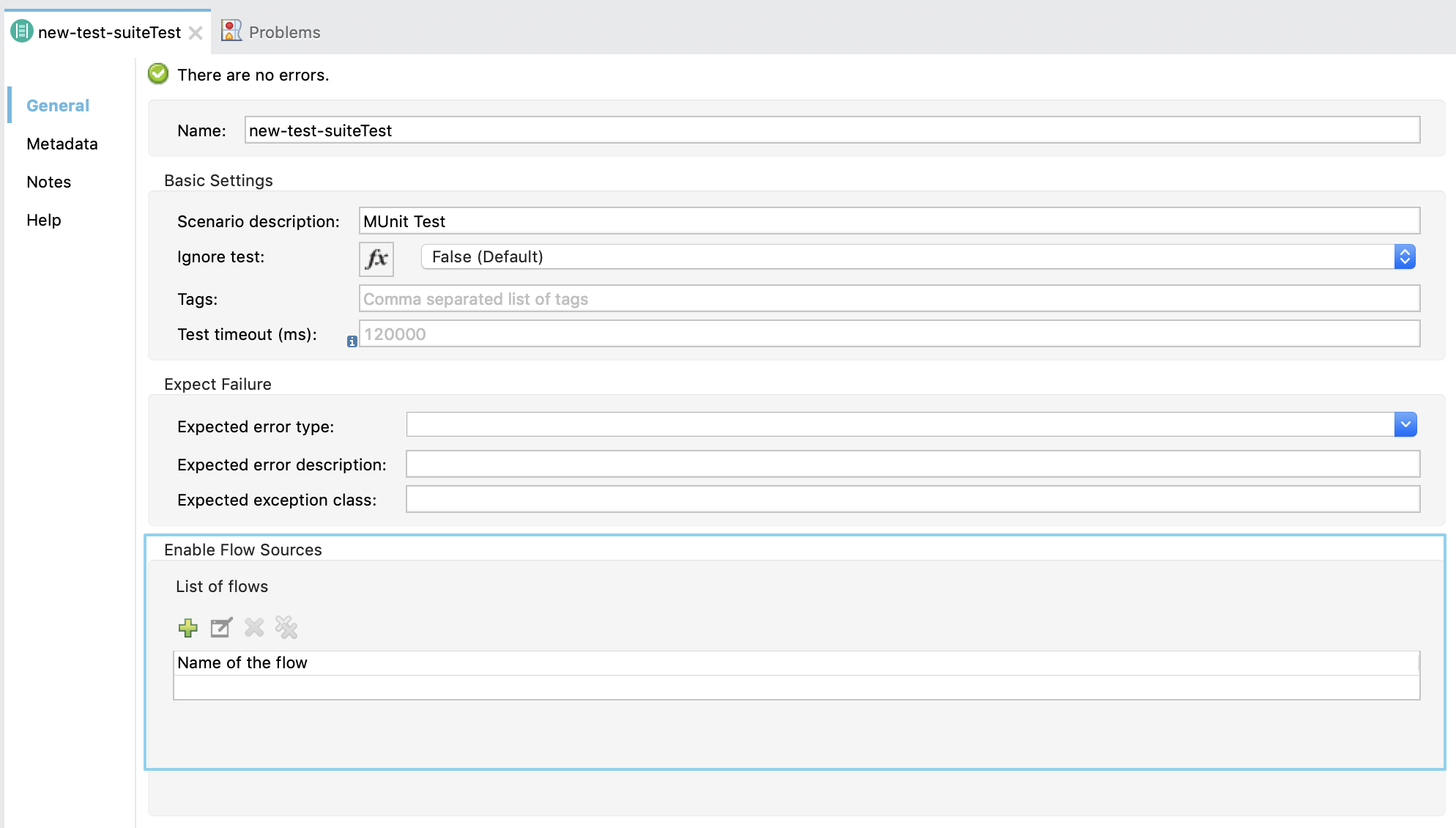
1. Click **Add**.
2. Select the name of the flow you want to enable from the **Name of the flow** drop-down menu.