---
schema_version: "1"
id: a1a19eaee925c67664c99cba9bbfdbafb6f2378c76060e02983ee167e109b639
title: Store Application Data Using Object Stores
collection: mulesoft
version: current
locale: en-us
portal_url: https://docs.salesforce.com/mulesoft/current/en-us/mule-runtime/4.4/mule-object-stores.md
canonical_url: https://docs.mulesoft.com/mule-runtime/4.4/mule-object-stores
source_site: docs.mulesoft.com
content_type: documentation
content_hash: 634d7d2771bf13bbc30862325f4c780c2ece620528a08917f67b1add973d34b2
description: MuleSoft Documentation Site
release: "4.4"
latest: false
---
---
product: Mule Runtime
version: 4.4
keywords: mule, object, store
---
# Store Application Data Using Object Stores
> For the full documentation index, see: https://docs.mulesoft.com/llms.txt
An object store is a facility for storing objects in or across Mule applications. Mule runtime
engine (Mule) uses object stores to persist data for eventual retrieval. Internally, Mule uses
object stores in various filters, routers, and other message processors that need to store states
between messages.
Object stores are available in all deployment targets. If you deploy your application to CloudHub,
you can also use Object Store V2.
## Use Cases
You can configure a custom object store to use in the following scenarios:
- When configuring an Idempotent Message Validator, to store the unique IDs in the specified object
store.
- When configuring a Redelivery policy in a listener (HTTP, File, JMS, VM, Socket), to store the
redelivery count in the specified object store.
- When configuring a Cache scope that uses a custom caching strategy, to store the cached data in
the specified object store.
- When a custom component uses an object store to persist information.
- When storing or retrieving information from a Mule flow, by using Anypoint Connector for Object
Store (Object Store Connector).
## Object Store Configuration
By default, each Mule application has an object store that is persistent and is always available to
the app. You can also create custom object stores, which can be persistent or in-memory.
You can configure an object store as a global element, to be accessible for any component in your
app, or configure a custom object store for a specific component that supports its usage.
### Configure a Global Object Store
To configure a global object store that can be referenced by other components in your application,
follow these steps in Anypoint Studio:
1. Open the **Global Elements** tab.
2. Click **Create**.
3. Select **Component configurations** > **Object Store**.
4. Complete the required configuration attributes and click **OK**.
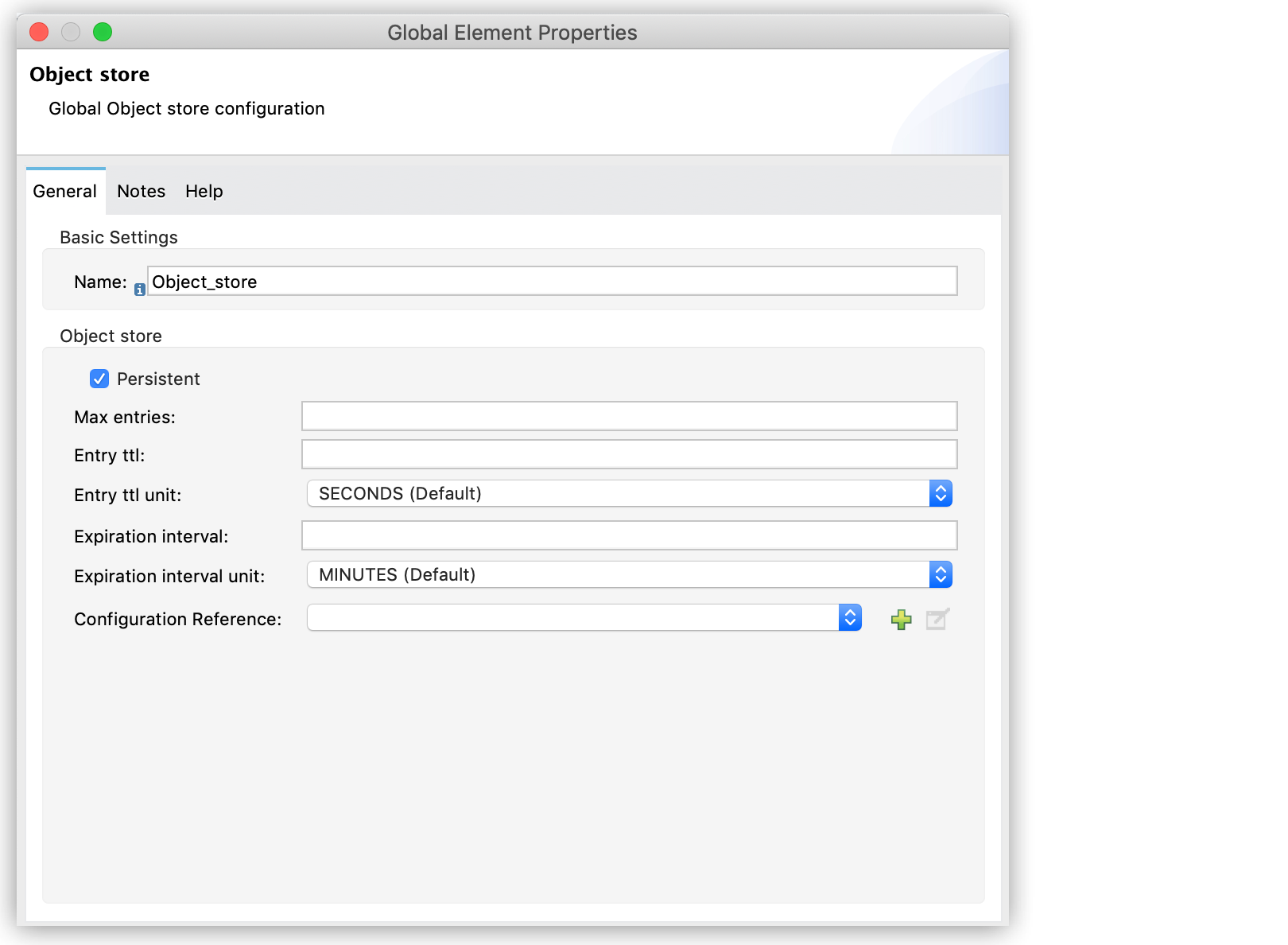
Alternatively, you can create a global object store by including the following code as a top-level
element in your application XML:
```xml
```
Configure each attribute with the desired value.
See [Object Store Reference](https://docs.mulesoft.com/object-store-connector/latest/object-store-connector-reference#objectStore)
for a definition of each XML attribute.
## Configure an Object Store for a Specific Component
You can configure an object store that is available only for a specific component. For example, to
configure an object store for an Idempotent Message Validator, follow these steps in Anypoint
Studio:
1. Open the **Idempotent Message Validator** properties.
2. In **Object Store**, select **Edit Inline**.
3. Complete the required configuration attributes and click **OK**.
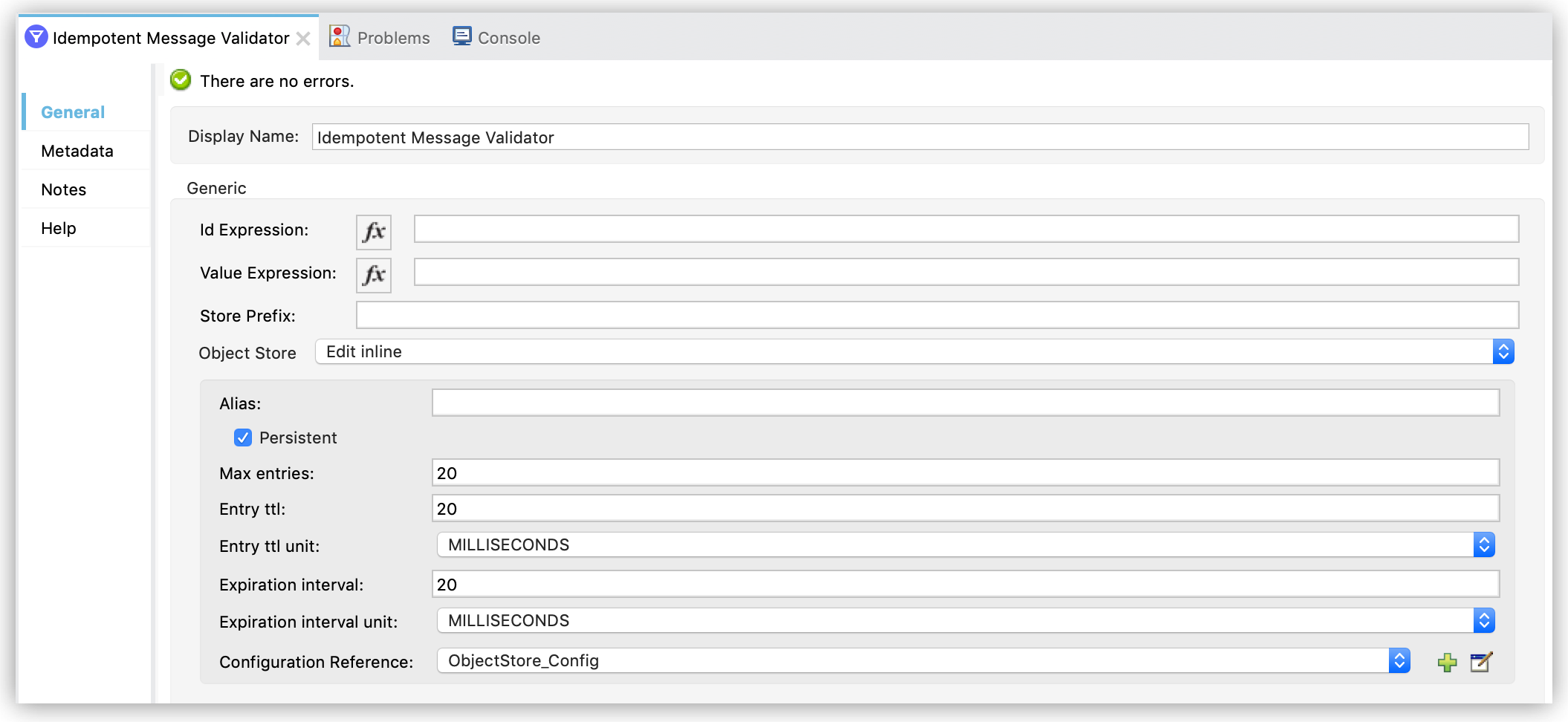
Alternatively, you can create the object store by including the object store configuration inside
the component element in the XML configuration file:
```xml
```
## Manage Data Using the Object Store Connector
The Object Store connector enables you to perform different operations to interact with the object
stores in your Mule application. Example operations include Store, Retrieve and Remove.
See the [Object Store Connector](https://docs.mulesoft.com/object-store-connector/latest/) documentation for details
about available operations and configuration examples.
## See Also
- [Examples: Defining Object Stores](https://docs.mulesoft.com/object-store-connector/latest/object-store-to-define-a-new-os)
- [Object Store V2](https://docs.mulesoft.com/object-store/)
- [Idempotent Message Validator](https://docs.mulesoft.com/mule-runtime/4.4/idempotent-message-validator)
- [Redelivery Policy](https://docs.mulesoft.com/mule-runtime/4.4/redelivery-policy)
- [Cache Scope](https://docs.mulesoft.com/mule-runtime/4.4/cache-scope)