---
schema_version: "1"
id: c31730c9d29cbbbfc6fd1bca7103f7a77ba11c9682c542978f11f5e4795c098f
title: Microsoft Outlook 365 1.3 Examples
collection: mulesoft
version: current
locale: en-us
portal_url: https://docs.salesforce.com/mulesoft/current/en-us/microsoft-outlook-365-connector/latest/microsoft-outlook-365-connector-examples.md
canonical_url: https://docs.mulesoft.com/microsoft-outlook-365-connector/latest/microsoft-outlook-365-connector-examples
source_site: docs.mulesoft.com
content_type: documentation
content_hash: ca671d5d383568b38687ad1cfc83c6dd3b4d9e2a90a3d3f351bc964516307baf
description: MuleSoft Documentation Site
release: "1.3"
latest: true
---
---
product: Microsoft Outlook 365 Connector
version: 1.3
is-latest-version: true
---

# Microsoft Outlook 365 1.3 Examples

> For the full documentation index, see: https://docs.mulesoft.com/llms.txt

The following examples show how to perform operations that interact with messages, events, and
attachment resources in Microsoft Outlook 365 Connector:

- [Create Message](#create-message)

- [Delete Message](#delete-message)

- [Get Message](#get-message)

- [List Messages](#list-messages)

- [Delete Event](#delete-event)

- [Create Event](#create-event)

- [Update Event](#update-event)

- [List Events](#list-events)

- [Get Event](#get-event)

- [Forward Event](#forward-event)

- [Cancel Event](#cancel-event)

- [Accept Event](#accept-event)

- [Decline Event](#decline-event)

- [List Event Attachments](#list-event-attachments)

- [Add Event Attachment](#add-event-attachment)

- [Add Message Attachment](#add-message-attachment)

- [List Message Attachments](#list-message-attachments)

- [Get Message Attachment](#get-message-attachment)

- [Get Event Attachment](#get-event-attachment)

- [Send Message](#send-message)

- [Send Mail](#send-mail)

- [Create Reply All to Message](#create-reply-all-to-message)

- [Reply All to Message](#reply-all-to-message)

> [!NOTE] Some operations need prerequisite data, for example, to get a message or an event based on
> its ID, you must create a message or an event first.

## Create Message

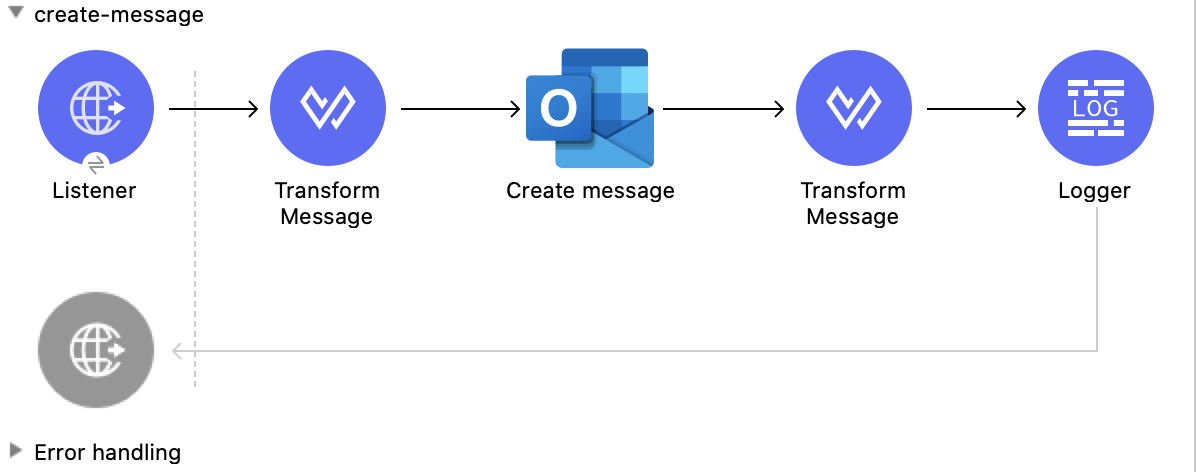
This Mule flow creates a message to send later. The message is saved in the Drafts folder.

This example uses the following operations:

- **HTTP Listener**  
  Accepts data from HTTP requests

- **Transform Message**  
  Transforms the HTTP input used to create a message

- **Create message**  
  Creates a draft of the message

- **Transform Message**  
  Outputs the results of the **Create message** operation in JSON format

- **Logger**  
  Shows the HTTP response from the **Create message** operation
![Studio Flow for the Create Message operation](/mulesoft/current/en-us/microsoft-outlook-365-connector/latest/_images/create-message.png)

### XML for This Example

Paste this code into the Studio XML editor to quickly load the flow for this example into your Mule
app:

```xml
<?xml version="1.0" encoding="UTF-8"?>

<mule xmlns:tableau-specialist="http://www.mulesoft.org/schema/mule/tableau-specialist" xmlns:email="http://www.mulesoft.org/schema/mule/email"
	  xmlns:ee="http://www.mulesoft.org/schema/mule/ee/core"
	  xmlns:http="http://www.mulesoft.org/schema/mule/http" xmlns:outlook365="http://www.mulesoft.org/schema/mule/outlook365" xmlns:salesforce="http://www.mulesoft.org/schema/mule/salesforce" xmlns="http://www.mulesoft.org/schema/mule/core" xmlns:doc="http://www.mulesoft.org/schema/mule/documentation" xmlns:xsi="http://www.w3.org/2001/XMLSchema-instance" xsi:schemaLocation="http://www.mulesoft.org/schema/mule/core http://www.mulesoft.org/schema/mule/core/current/mule.xsd
http://www.mulesoft.org/schema/mule/outlook365 http://www.mulesoft.org/schema/mule/outlook365/current/mule-outlook365.xsd
http://www.mulesoft.org/schema/mule/http http://www.mulesoft.org/schema/mule/http/current/mule-http.xsd
http://www.mulesoft.org/schema/mule/ee/core http://www.mulesoft.org/schema/mule/ee/core/current/mule-ee.xsd
http://www.mulesoft.org/schema/mule/email http://www.mulesoft.org/schema/mule/email/current/mule-email.xsd
http://www.mulesoft.org/schema/mule/tableau-specialist http://www.mulesoft.org/schema/mule/tableau-specialist/current/mule-tableau-specialist.xsd">
	<http:listener-config name="HTTP_Listener_config" doc:name="HTTP Listener config" doc:id="7ca945b4-7657-4688-90bf-5b9b8aa9b78b" >
		<http:listener-connection host="0.0.0.0" port="8083" />
	</http:listener-config>

	<outlook365:outlook365-config name="outlook365_client_credentials" doc:name="Outlook365 Outlook365 Config" doc:id="1ae40dd0-f924-457e-b702-946d5e896ec2" >
		<outlook365:oauth-client-credentials-connection >
			<outlook365:oauth-client-credentials clientId="${oauth-client-credentials.clientId}" clientSecret="${oauth-client-credentials.clientSecret}" tokenUrl="${oauth-client-credentials.tokenUrl}" scopes="${oauth-client-credentials.scopes}" />
		</outlook365:oauth-client-credentials-connection>
	</outlook365:outlook365-config>

	<flow name="create-message" doc:id="e5a15ff1-0ded-45ae-9c20-bf71b3367edd" >
		<http:listener doc:name="Listener" doc:id="493d0ed4-3f5a-4777-ba2c-454e6e640461" path="/create-msg" config-ref="HTTP_Listener_config"/>
		<ee:transform doc:name="Transform Message" doc:id="47b52140-9bb6-4d15-9e4d-d480ebb3dcd8" >
			<ee:message >
				<ee:set-payload ><![CDATA[%dw 2.0
output application/json
---
{
 "subject":"Last night game - Test - Ignore please",
"importance":"Low",
"body":{
"contentType":"HTML",
"content":"They were <b>awesome</b>!"
},
"toRecipients":[
{
    "emailAddress":{
        "address":"muletest@mulesoft.com"
     }
},
{
    "emailAddress":{
        "address":"muletest@mulesoft.com"
     }
}
    ]
}]]></ee:set-payload>
			</ee:message>
		</ee:transform>
		<outlook365:create-message doc:name="Create message" doc:id="4723c105-b33b-40b7-a480-118e7b486f97" config-ref="outlook365_client_credentials" userId="88f176b2-84ca-4cfe-828c-954db0096efa">
		</outlook365:create-message>
		<ee:transform doc:name="Transform Message" doc:id="e23d752c-1c63-4c9b-b664-e94fa2f274fc" >
			<ee:message >
				<ee:set-payload ><![CDATA[%dw 2.0
output application/json
---
payload]]></ee:set-payload>
			</ee:message>
		</ee:transform>
		<logger level="INFO" doc:name="Logger" doc:id="88008b17-7027-4142-a8e4-a2a59f949756" message="#[payload]"/>
	</flow>
</mule>
```

### Steps for Running This Example

1.  Verify that your connector is configured.

2.  Save the project.

3.  From a web browser, test the application by entering
    `[http://localhost:8083/create-msg](http://localhost:8083/create-msg)`.

## Delete Message

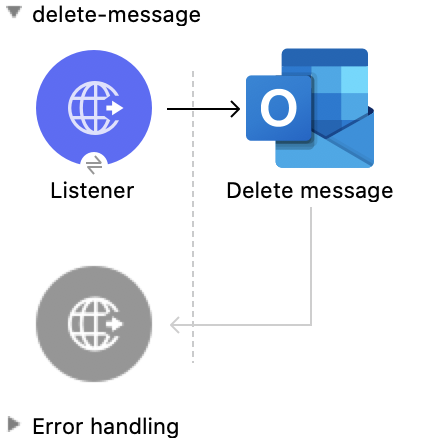
This Mule flow deletes an existing message.

This example uses the following operations:

- **HTTP Listener**  
  Accepts data from HTTP requests

- **Delete message**  
  Deletes a message from the specified user’s mailbox
![Studio Flow for the Delete Message operation](/mulesoft/current/en-us/microsoft-outlook-365-connector/latest/_images/delete-message.png)

### XML for This Example

Paste this code into the Studio XML editor to quickly load the flow for this example into your Mule
app:

```xml
<?xml version="1.0" encoding="UTF-8"?>

<mule xmlns:tableau-specialist="http://www.mulesoft.org/schema/mule/tableau-specialist" xmlns:email="http://www.mulesoft.org/schema/mule/email"
	  xmlns:ee="http://www.mulesoft.org/schema/mule/ee/core"
	  xmlns:http="http://www.mulesoft.org/schema/mule/http" xmlns:outlook365="http://www.mulesoft.org/schema/mule/outlook365" xmlns:salesforce="http://www.mulesoft.org/schema/mule/salesforce" xmlns="http://www.mulesoft.org/schema/mule/core" xmlns:doc="http://www.mulesoft.org/schema/mule/documentation" xmlns:xsi="http://www.w3.org/2001/XMLSchema-instance" xsi:schemaLocation="http://www.mulesoft.org/schema/mule/core http://www.mulesoft.org/schema/mule/core/current/mule.xsd
http://www.mulesoft.org/schema/mule/outlook365 http://www.mulesoft.org/schema/mule/outlook365/current/mule-outlook365.xsd
http://www.mulesoft.org/schema/mule/http http://www.mulesoft.org/schema/mule/http/current/mule-http.xsd
http://www.mulesoft.org/schema/mule/ee/core http://www.mulesoft.org/schema/mule/ee/core/current/mule-ee.xsd
http://www.mulesoft.org/schema/mule/email http://www.mulesoft.org/schema/mule/email/current/mule-email.xsd
http://www.mulesoft.org/schema/mule/tableau-specialist http://www.mulesoft.org/schema/mule/tableau-specialist/current/mule-tableau-specialist.xsd">
	<http:listener-config name="HTTP_Listener_config" doc:name="HTTP Listener config" doc:id="7ca945b4-7657-4688-90bf-5b9b8aa9b78b" >
		<http:listener-connection host="0.0.0.0" port="8083" />
	</http:listener-config>

	<outlook365:outlook365-config name="outlook365_client_credentials" doc:name="Outlook365 Outlook365 Config" doc:id="1ae40dd0-f924-457e-b702-946d5e896ec2" >
		<outlook365:oauth-client-credentials-connection >
			<outlook365:oauth-client-credentials clientId="${oauth-client-credentials.clientId}" clientSecret="${oauth-client-credentials.clientSecret}" tokenUrl="${oauth-client-credentials.tokenUrl}" scopes="${oauth-client-credentials.scopes}" />
		</outlook365:oauth-client-credentials-connection>
	</outlook365:outlook365-config>

	<flow name="delete-message" doc:id="f5a345c9-3adb-4371-a420-d4f103f8b514" >
		<http:listener doc:name="Listener" doc:id="2d56056f-ebb3-4759-aabe-4c0e97d5a4d9" config-ref="HTTP_Listener_config" path="/delete-msg"/>
		<outlook365:delete-message doc:name="Delete message" doc:id="98511d16-2de9-4d3e-abc3-41239eeefe36" config-ref="outlook365_client_credentials" userId="88f176b2-84ca-4cfe-828c-954db0096efa" messageId="AAMkADg5NjIxODNkLWRkNzAtNGFkNC04YjUwLWFjOTEyMzg0YzA5NgBGAAAAAADzzlN7RptORYu7QgvFkvQJBwCthX8I2XTFT5_USx5R95fIAAAAAAEPAACthX8I2XTFT5_USx5R95fIAAFXpn4vAAA="/>
	</flow>
</mule>
```

### Steps for Running This Example

1.  Verify that your connector is configured.

2.  Save the project.

3.  From a web browser, test the application by entering
    `[http://localhost:8083/delete-msg](http://localhost:8083/delete-msg)`.

## Get Message

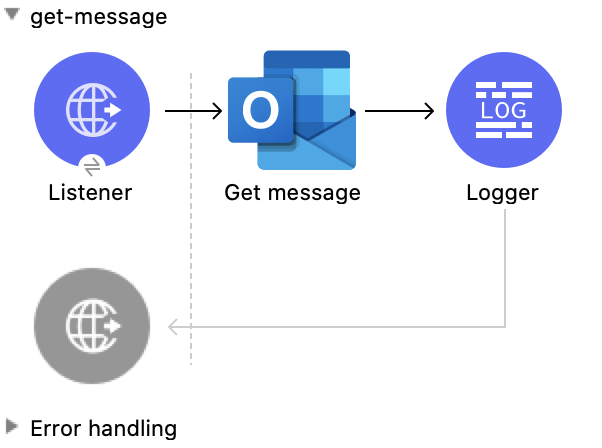
This Mule flow retrieves an existing message.

This example uses the following operations:

- **HTTP Listener**  
  Accepts data from HTTP requests

- **Get message**  
  Retrieves the properties and relationships of a message object
![Studio Flow for the Get Message operation](/mulesoft/current/en-us/microsoft-outlook-365-connector/latest/_images/get-message.png)

### XML for This Example

Paste this code into the Studio XML editor to quickly load the flow for this example into your Mule
app:

```xml
<?xml version="1.0" encoding="UTF-8"?>

<mule xmlns:tableau-specialist="http://www.mulesoft.org/schema/mule/tableau-specialist" xmlns:email="http://www.mulesoft.org/schema/mule/email"
	  xmlns:ee="http://www.mulesoft.org/schema/mule/ee/core"
	  xmlns:http="http://www.mulesoft.org/schema/mule/http" xmlns:outlook365="http://www.mulesoft.org/schema/mule/outlook365" xmlns:salesforce="http://www.mulesoft.org/schema/mule/salesforce" xmlns="http://www.mulesoft.org/schema/mule/core" xmlns:doc="http://www.mulesoft.org/schema/mule/documentation" xmlns:xsi="http://www.w3.org/2001/XMLSchema-instance" xsi:schemaLocation="http://www.mulesoft.org/schema/mule/core http://www.mulesoft.org/schema/mule/core/current/mule.xsd
http://www.mulesoft.org/schema/mule/outlook365 http://www.mulesoft.org/schema/mule/outlook365/current/mule-outlook365.xsd
http://www.mulesoft.org/schema/mule/http http://www.mulesoft.org/schema/mule/http/current/mule-http.xsd
http://www.mulesoft.org/schema/mule/ee/core http://www.mulesoft.org/schema/mule/ee/core/current/mule-ee.xsd
http://www.mulesoft.org/schema/mule/email http://www.mulesoft.org/schema/mule/email/current/mule-email.xsd
http://www.mulesoft.org/schema/mule/tableau-specialist http://www.mulesoft.org/schema/mule/tableau-specialist/current/mule-tableau-specialist.xsd">
	<http:listener-config name="HTTP_Listener_config" doc:name="HTTP Listener config" doc:id="7b5e348d-2f1c-4a09-b73a-7b1f84d89060" >
		<http:listener-connection host="0.0.0.0" port="8083" />
	</http:listener-config>

	<outlook365:outlook365-config name="outlook365_client_credentials" doc:name="Outlook365 Outlook365 Config" doc:id="ab1353ac-79b8-4718-a96c-a2c9e9d1d996" >
		<outlook365:oauth-client-credentials-connection >
			<outlook365:oauth-client-credentials clientId="${oauth-client-credentials.clientId}" clientSecret="${oauth-client-credentials.clientSecret}" tokenUrl="${oauth-client-credentials.tokenUrl}" scopes="${oauth-client-credentials.scopes}" />
		</outlook365:oauth-client-credentials-connection>
	</outlook365:outlook365-config>

	<flow name="get-message" doc:id="f4d095f0-3841-4b6e-b8ab-73986a37339d" >
		<http:listener doc:name="Listener" doc:id="744e331c-a530-41b2-b6a1-a7b251248578" config-ref="HTTP_Listener_config" path="/get-msg"/>
		<outlook365:get-message doc:name="Get message" doc:id="67f75fea-3c1a-4dbc-a4fe-00503d68565b" config-ref="outlook365_client_credentials" userId="88f176b2-84ca-4cfe-828c-954db0096efa" messageId="AAMkADg5NjIxODNkLWRkNzAtNGFkNC04YjUwLWFjOTEyMzg0YzA5NgBGAAAAAADzzlN7RptORYu7QgvFkvQJBwCthX8I2XTFT5_USx5R95fIAAAAAAEPAACthX8I2XTFT5_USx5R95fIAAFXpn4vAAA=" getMIMEContent="true"/>
		<logger level="INFO" doc:name="Logger" doc:id="191b1e4b-1acf-452c-b1af-62c7d14fc06d" message="#[payload]"/>
	</flow>
</mule>
```

### Steps for Running This Example

1.  Verify that your connector is configured.

2.  Save the project.

3.  From a web browser, test the application by entering
    `[http://localhost:8083/get-msg](http://localhost:8083/get-msg)`.

## List Messages

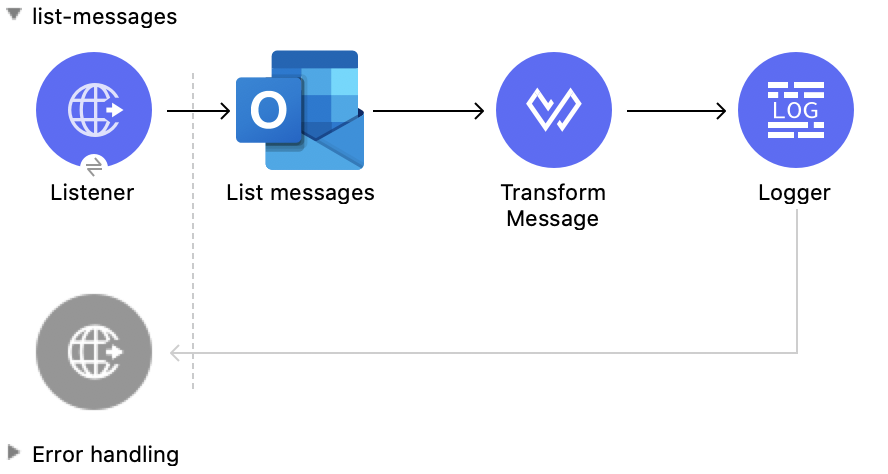
This Mule flow retrieves all of the messages from the signed-in user’s mailbox.

This example uses the following operations:

- **HTTP Listener**  
  Accepts data from HTTP requests

- **List messages**  
  Retrieves messages from the signed-in user’s mailbox, including messages from the Deleted Items
  and Clutter folders
![Studio Flow for the List Messages operation](/mulesoft/current/en-us/microsoft-outlook-365-connector/latest/_images/list-messages.png)

### XML for This Example

Paste this code into the Studio XML editor to quickly load the flow for this example into your Mule
app:

```xml
<?xml version="1.0" encoding="UTF-8"?>

<mule xmlns:tableau-specialist="http://www.mulesoft.org/schema/mule/tableau-specialist" xmlns:email="http://www.mulesoft.org/schema/mule/email"
	  xmlns:ee="http://www.mulesoft.org/schema/mule/ee/core"
	  xmlns:http="http://www.mulesoft.org/schema/mule/http" xmlns:outlook365="http://www.mulesoft.org/schema/mule/outlook365" xmlns:salesforce="http://www.mulesoft.org/schema/mule/salesforce" xmlns="http://www.mulesoft.org/schema/mule/core" xmlns:doc="http://www.mulesoft.org/schema/mule/documentation" xmlns:xsi="http://www.w3.org/2001/XMLSchema-instance" xsi:schemaLocation="http://www.mulesoft.org/schema/mule/core http://www.mulesoft.org/schema/mule/core/current/mule.xsd
http://www.mulesoft.org/schema/mule/outlook365 http://www.mulesoft.org/schema/mule/outlook365/current/mule-outlook365.xsd
http://www.mulesoft.org/schema/mule/http http://www.mulesoft.org/schema/mule/http/current/mule-http.xsd
http://www.mulesoft.org/schema/mule/ee/core http://www.mulesoft.org/schema/mule/ee/core/current/mule-ee.xsd
http://www.mulesoft.org/schema/mule/email http://www.mulesoft.org/schema/mule/email/current/mule-email.xsd
http://www.mulesoft.org/schema/mule/tableau-specialist http://www.mulesoft.org/schema/mule/tableau-specialist/current/mule-tableau-specialist.xsd">
	<http:listener-config name="HTTP_Listener_config" doc:name="HTTP Listener config" doc:id="7b5e348d-2f1c-4a09-b73a-7b1f84d89060" >
		<http:listener-connection host="0.0.0.0" port="8083" />
	</http:listener-config>

	<outlook365:outlook365-config name="outlook365_client_credentials" doc:name="Outlook365 Outlook365 Config" doc:id="ab1353ac-79b8-4718-a96c-a2c9e9d1d996" >
		<outlook365:oauth-client-credentials-connection >
			<outlook365:oauth-client-credentials clientId="${oauth-client-credentials.clientId}" clientSecret="${oauth-client-credentials.clientSecret}" tokenUrl="${oauth-client-credentials.tokenUrl}" scopes="${oauth-client-credentials.scopes}" />
		</outlook365:oauth-client-credentials-connection>
	</outlook365:outlook365-config>

	<flow name="list-messages" doc:id="bd553217-a020-415a-a313-edb2cb42e551" >
		<http:listener doc:name="Listener" doc:id="b3414782-db80-40e0-895b-e7fd33109238" config-ref="HTTP_Listener_config" path="/list-messages"/>
		<outlook365:list-messages doc:name="List messages" doc:id="ebc105a3-438d-4b72-9e07-10799b760abd" config-ref="outlook365_client_credentials" userId="88f176b2-84ca-4cfe-828c-954db0096efa">
			<outlook365:o-data-query-params orderBy="createdDateTime desc" />
		</outlook365:list-messages>
		<ee:transform doc:name="Transform Message" doc:id="6cddacd2-044e-45fa-b2a0-8e0388cc4d1c" >
			<ee:message >
				<ee:set-payload ><![CDATA[%dw 2.0
output application/json
---
payload]]></ee:set-payload>
			</ee:message>
		</ee:transform>
		<logger level="INFO" doc:name="Logger" doc:id="3a8707e4-a258-42d1-96db-3dd47f7bbf8a" message="#[payload]"/>
	</flow>
</mule>
```

### Steps for Running This Example

1.  Verify that your connector is configured.

2.  Save the project.

3.  From a web browser, test the application by entering
    `[http://localhost:8083/list-messages](http://localhost:8083/list-messages)`.

## Delete Event

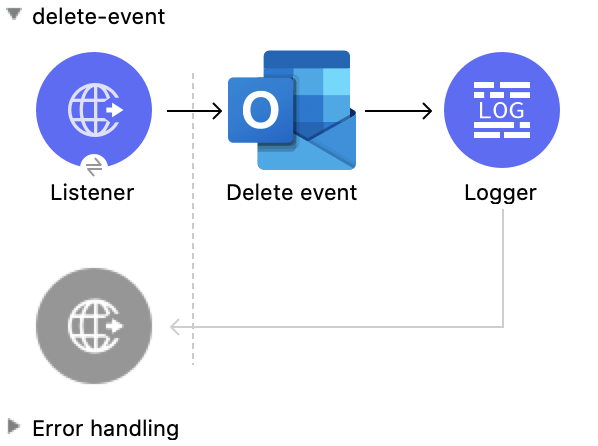
This Mule flow deletes an existing event.

This example uses the following operations:

- **HTTP Listener**  
  Accepts data from HTTP requests

- **Delete event**  
  Removes the specified event from the calendar

- **Logger**  
  Shows the HTTP response from the **Delete event** operation
![Studio Flow for the Delete Event operation](/mulesoft/current/en-us/microsoft-outlook-365-connector/latest/_images/delete-event.png)

### XML for This Example

Paste this code into the Studio XML editor to quickly load the flow for this example into your Mule
app:

```xml
<?xml version="1.0" encoding="UTF-8"?>

<mule xmlns:tableau-specialist="http://www.mulesoft.org/schema/mule/tableau-specialist" xmlns:email="http://www.mulesoft.org/schema/mule/email"
	  xmlns:ee="http://www.mulesoft.org/schema/mule/ee/core"
	  xmlns:http="http://www.mulesoft.org/schema/mule/http" xmlns:outlook365="http://www.mulesoft.org/schema/mule/outlook365" xmlns:salesforce="http://www.mulesoft.org/schema/mule/salesforce" xmlns="http://www.mulesoft.org/schema/mule/core" xmlns:doc="http://www.mulesoft.org/schema/mule/documentation" xmlns:xsi="http://www.w3.org/2001/XMLSchema-instance" xsi:schemaLocation="http://www.mulesoft.org/schema/mule/core http://www.mulesoft.org/schema/mule/core/current/mule.xsd
http://www.mulesoft.org/schema/mule/outlook365 http://www.mulesoft.org/schema/mule/outlook365/current/mule-outlook365.xsd
http://www.mulesoft.org/schema/mule/http http://www.mulesoft.org/schema/mule/http/current/mule-http.xsd
http://www.mulesoft.org/schema/mule/ee/core http://www.mulesoft.org/schema/mule/ee/core/current/mule-ee.xsd
http://www.mulesoft.org/schema/mule/email http://www.mulesoft.org/schema/mule/email/current/mule-email.xsd
http://www.mulesoft.org/schema/mule/tableau-specialist http://www.mulesoft.org/schema/mule/tableau-specialist/current/mule-tableau-specialist.xsd">
	<http:listener-config name="HTTP_Listener_config" doc:name="HTTP Listener config" doc:id="7b5e348d-2f1c-4a09-b73a-7b1f84d89060" >
		<http:listener-connection host="0.0.0.0" port="8083" />
	</http:listener-config>

	<outlook365:outlook365-config name="outlook365_client_credentials" doc:name="Outlook365 Outlook365 Config" doc:id="ab1353ac-79b8-4718-a96c-a2c9e9d1d996" >
		<outlook365:oauth-client-credentials-connection >
			<outlook365:oauth-client-credentials clientId="${oauth-client-credentials.clientId}" clientSecret="${oauth-client-credentials.clientSecret}" tokenUrl="${oauth-client-credentials.tokenUrl}" scopes="${oauth-client-credentials.scopes}" />
		</outlook365:oauth-client-credentials-connection>
	</outlook365:outlook365-config>

	<flow name="delete-event" doc:id="52cb41b0-d1b7-4ea6-9794-325ce76330a2" >
		<http:listener doc:name="Listener" doc:id="105e968f-dd1e-438b-ae7a-4931b143f4ec" config-ref="HTTP_Listener_config" path="/delete-event"/>
		<outlook365:delete-event doc:name="Delete event" doc:id="dbd4e75f-9380-4e83-9218-604ee5d696ec" config-ref="outlook365_client_credentials" eventId="AAMkADg5NjIxODNkLWRkNzAtNGFkNC04YjUwLWFjOTEyMzg0YzA5NgBGAAAAAADzzlN7RptORYu7QgvFkvQJBwCthX8I2XTFT5_USx5R95fIAAAAAAENAACthX8I2XTFT5_USx5R95fIAAFXpoYNAAA=" userId="88f176b2-84ca-4cfe-828c-954db0096efa"/>
		<logger level="INFO" doc:name="Logger" doc:id="81bea8fa-22ec-42e3-ac58-156fa59e8ebb" message="#[payload]"/>
	</flow>
</mule>
```

### Steps for Running This Example

1.  Verify that your connector is configured.

2.  Save the project.

3.  From a web browser, test the application by entering
    `[http://localhost:8083/delete-event](http://localhost:8083/delete-event)`.

## Create Event

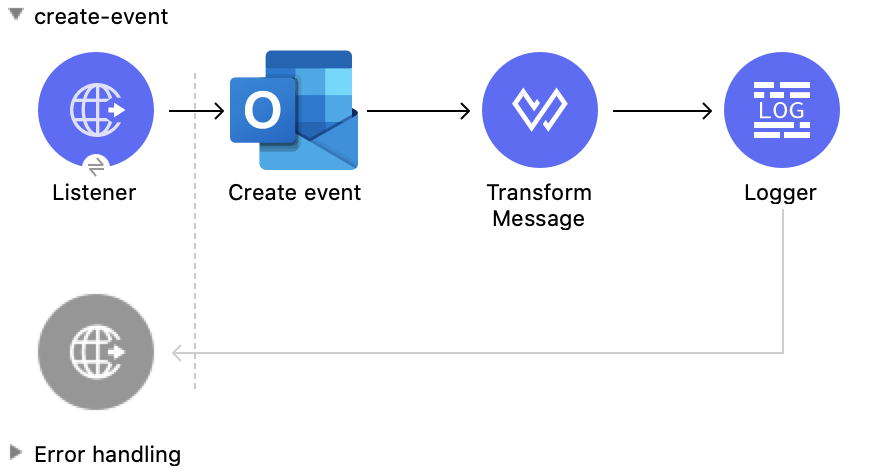
This Mule flow creates an event in a default user’s calendar or in a specified calendar.

This example uses the following operations:

- **HTTP Listener**  
  Accepts data from HTTP requests

- **Create event**  
  Creates an event in a default user’s calendar or in a specified calendar

- **Transform Message**  
  Outputs the results of the **Create event** operation in JSON format

- **Logger**  
  Shows the HTTP response from the **Create event** operation
![Studio Flow for the Create Event operation](/mulesoft/current/en-us/microsoft-outlook-365-connector/latest/_images/create-event.png)

### XML for This Example

Paste this code into the Studio XML editor to quickly load the flow for this example into your Mule
app:

```xml
<?xml version="1.0" encoding="UTF-8"?>

<mule xmlns:tableau-specialist="http://www.mulesoft.org/schema/mule/tableau-specialist" xmlns:email="http://www.mulesoft.org/schema/mule/email"
	  xmlns:ee="http://www.mulesoft.org/schema/mule/ee/core"
	  xmlns:http="http://www.mulesoft.org/schema/mule/http" xmlns:outlook365="http://www.mulesoft.org/schema/mule/outlook365" xmlns:salesforce="http://www.mulesoft.org/schema/mule/salesforce" xmlns="http://www.mulesoft.org/schema/mule/core" xmlns:doc="http://www.mulesoft.org/schema/mule/documentation" xmlns:xsi="http://www.w3.org/2001/XMLSchema-instance" xsi:schemaLocation="http://www.mulesoft.org/schema/mule/core http://www.mulesoft.org/schema/mule/core/current/mule.xsd
http://www.mulesoft.org/schema/mule/outlook365 http://www.mulesoft.org/schema/mule/outlook365/current/mule-outlook365.xsd
http://www.mulesoft.org/schema/mule/http http://www.mulesoft.org/schema/mule/http/current/mule-http.xsd
http://www.mulesoft.org/schema/mule/ee/core http://www.mulesoft.org/schema/mule/ee/core/current/mule-ee.xsd
http://www.mulesoft.org/schema/mule/email http://www.mulesoft.org/schema/mule/email/current/mule-email.xsd
http://www.mulesoft.org/schema/mule/tableau-specialist http://www.mulesoft.org/schema/mule/tableau-specialist/current/mule-tableau-specialist.xsd">
	<http:listener-config name="HTTP_Listener_config" doc:name="HTTP Listener config" doc:id="7b5e348d-2f1c-4a09-b73a-7b1f84d89060" >
		<http:listener-connection host="0.0.0.0" port="8083" />
	</http:listener-config>

	<outlook365:outlook365-config name="outlook365_client_credentials" doc:name="Outlook365 Outlook365 Config" doc:id="ab1353ac-79b8-4718-a96c-a2c9e9d1d996" >
		<outlook365:oauth-client-credentials-connection >
			<outlook365:oauth-client-credentials clientId="${oauth-client-credentials.clientId}" clientSecret="${oauth-client-credentials.clientSecret}" tokenUrl="${oauth-client-credentials.tokenUrl}" scopes="${oauth-client-credentials.scopes}" />
		</outlook365:oauth-client-credentials-connection>
	</outlook365:outlook365-config>

	<flow name="create-event" doc:id="53b324a6-02e7-45ab-8ba6-29861daf34c9" >
		<http:listener doc:name="Listener" doc:id="e5ad9b28-c411-4ae7-8b12-ee95a0a4f145" config-ref="HTTP_Listener_config" path="/create-event"/>
		<outlook365:create-event doc:name="Create event" doc:id="def0e304-1e18-4f92-806f-f9654b064b1e" config-ref="outlook365_client_credentials" userId="88f176b2-84ca-4cfe-828c-954db0096efa" calendarId="AQMkADg5NjIxODNkLWRkADcwLTRhZDQtOGI1MC1hYzkxMjM4NGMwOTYARgAAA-POU3tGm05Fi7tCC8WS9AkHAK2FfwjZdMVPn5RLHlH3l8gAAAIBBgAAAK2FfwjZdMVPn5RLHlH3l8gAAAKEKAAAAA==">
			<outlook365:event ><![CDATA[#[{
  "subject": "Let's go for lunch again in July",
  "body": {
    "contentType": "HTML",
    "content": "Does noon work for you?"
  },
  "start": {
      "dateTime": "2018-04-15T12:00:00",
      "timeZone": "Pacific Standard Time"
  },
  "end": {
      "dateTime": "2018-04-15T14:00:00",
      "timeZone": "Pacific Standard Time"
  },
  "location":{
      "displayName":"Harry's Bar"
  },
  "attendees": [
    {
      "emailAddress": {
        "address":"muletest@mulesoft.com",
        "name": "Mule Test"
      },
      "type": "required"
    }
  ],
  "allowNewTimeProposals": true
}]]]></outlook365:event>
		</outlook365:create-event>
		<ee:transform doc:name="Transform Message" doc:id="24c6fb20-0288-421c-994d-30de24eaef35" >
			<ee:message >
				<ee:set-payload ><![CDATA[%dw 2.0
output application/json
---
payload]]></ee:set-payload>
			</ee:message>
		</ee:transform>
		<logger level="INFO" doc:name="Logger" doc:id="2c57de93-d25b-46a9-8874-83570527d694" message="#[payload]"/>
	</flow>
</mule>
```

### Steps for Running This Example

1.  Verify that your connector is configured.

2.  Save the project.

3.  From a web browser, test the application by entering
    `[http://localhost:8083/create-event](http://localhost:8083/create-event)`.

## Update Event

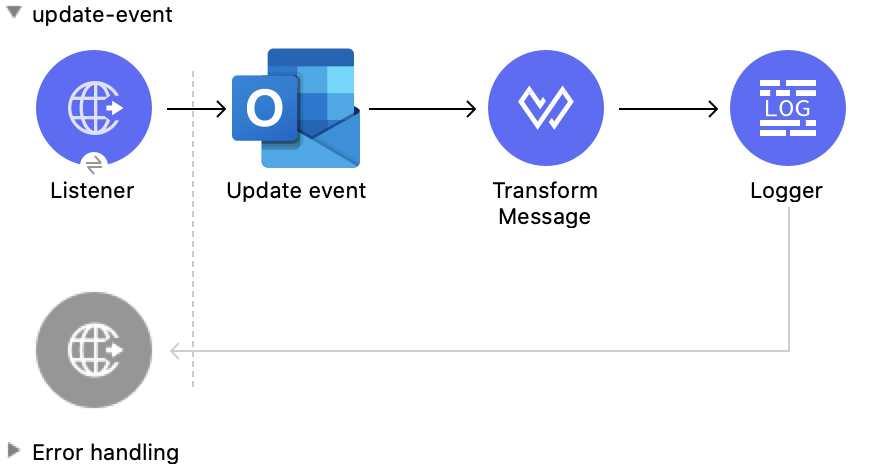
This Mule flow updates an existing event.

This example uses the following operations:

- **HTTP Listener**  
  Accepts data from HTTP requests

- **Update event**  
  Updates the properties of the event object

- **Transform Message**  
  Outputs the results of the **Update event** operation in JSON format

- **Logger**  
  Shows the HTTP response from the **Update event** operation
![Studio Flow for the Update Event operation](/mulesoft/current/en-us/microsoft-outlook-365-connector/latest/_images/update-event.png)

### XML for This Example

Paste this code into the Studio XML editor to quickly load the flow for this example into your Mule
app:

```xml
<?xml version="1.0" encoding="UTF-8"?>

<mule xmlns:tableau-specialist="http://www.mulesoft.org/schema/mule/tableau-specialist" xmlns:email="http://www.mulesoft.org/schema/mule/email"
	  xmlns:ee="http://www.mulesoft.org/schema/mule/ee/core"
	  xmlns:http="http://www.mulesoft.org/schema/mule/http" xmlns:outlook365="http://www.mulesoft.org/schema/mule/outlook365" xmlns:salesforce="http://www.mulesoft.org/schema/mule/salesforce" xmlns="http://www.mulesoft.org/schema/mule/core" xmlns:doc="http://www.mulesoft.org/schema/mule/documentation" xmlns:xsi="http://www.w3.org/2001/XMLSchema-instance" xsi:schemaLocation="http://www.mulesoft.org/schema/mule/core http://www.mulesoft.org/schema/mule/core/current/mule.xsd
http://www.mulesoft.org/schema/mule/outlook365 http://www.mulesoft.org/schema/mule/outlook365/current/mule-outlook365.xsd
http://www.mulesoft.org/schema/mule/http http://www.mulesoft.org/schema/mule/http/current/mule-http.xsd
http://www.mulesoft.org/schema/mule/ee/core http://www.mulesoft.org/schema/mule/ee/core/current/mule-ee.xsd
http://www.mulesoft.org/schema/mule/email http://www.mulesoft.org/schema/mule/email/current/mule-email.xsd
http://www.mulesoft.org/schema/mule/tableau-specialist http://www.mulesoft.org/schema/mule/tableau-specialist/current/mule-tableau-specialist.xsd">
	<http:listener-config name="HTTP_Listener_config" doc:name="HTTP Listener config" doc:id="7b5e348d-2f1c-4a09-b73a-7b1f84d89060" >
		<http:listener-connection host="0.0.0.0" port="8083" />
	</http:listener-config>

	<outlook365:outlook365-config name="outlook365_client_credentials" doc:name="Outlook365 Outlook365 Config" doc:id="ab1353ac-79b8-4718-a96c-a2c9e9d1d996" >
		<outlook365:oauth-client-credentials-connection >
			<outlook365:oauth-client-credentials clientId="${oauth-client-credentials.clientId}" clientSecret="${oauth-client-credentials.clientSecret}" tokenUrl="${oauth-client-credentials.tokenUrl}" scopes="${oauth-client-credentials.scopes}" />
		</outlook365:oauth-client-credentials-connection>
	</outlook365:outlook365-config>

	<flow name="update-event" doc:id="36e43afe-dc2b-4895-b03e-eb4ba43233dd" >
		<http:listener doc:name="Listener" doc:id="3cabeba4-5be7-43dc-b768-ca09b6f88a69" config-ref="HTTP_Listener_config" path="/update-event"/>
		<outlook365:update-event doc:name="Update event" doc:id="bbaf5f53-e697-4b18-8df8-f4ce844f8656" config-ref="outlook365_client_credentials" eventId="AAMkADg5NjIxODNkLWRkNzAtNGFkNC04YjUwLWFjOTEyMzg0YzA5NgBGAAAAAADzzlN7RptORYu7QgvFkvQJBwCthX8I2XTFT5_USx5R95fIAAAAAAENAACthX8I2XTFT5_USx5R95fIAAFXpoYNAAA=" userId="88f176b2-84ca-4cfe-828c-954db0096efa">
			<outlook365:event-fields-to-be-updated ><![CDATA[#[{
	"categories": ["Red category", "Vlad category"]
}]]]></outlook365:event-fields-to-be-updated>
		</outlook365:update-event>
		<ee:transform doc:name="Transform Message" doc:id="f1220217-7036-4128-afaf-43cec2f9fa0f" >
			<ee:message >
				<ee:set-payload ><![CDATA[%dw 2.0
output application/json
---
payload]]></ee:set-payload>
			</ee:message>
		</ee:transform>
		<logger level="INFO" doc:name="Logger" doc:id="33205271-6e16-4162-83a2-c88897c4b030" message="#[payload]"/>
	</flow>
</mule>
```

### Steps for Running This Example

1.  Verify that your connector is configured.

2.  Save the project.

3.  From a web browser, test the application by entering
    `[http://localhost:8083/update-event](http://localhost:8083/update-event)`.

## List Events

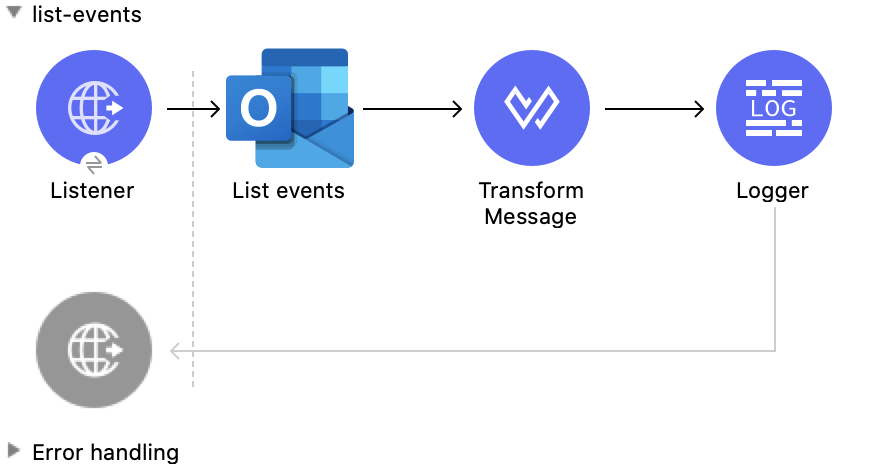
This Mule flow lists all events.

This example uses the following operations:

- **HTTP Listener**  
  Accepts data from HTTP requests

- **List events**  
  Retrieves a list of event objects from the user’s mailbox

- **Transform Message**  
  Outputs the results of the **List events** operation in JSON format

- **Logger**  
  Shows the HTTP response from the **List events** operation
![Studio Flow for the List Events operation](/mulesoft/current/en-us/microsoft-outlook-365-connector/latest/_images/list-events.png)

### XML for This Example

Paste this code into the Studio XML editor to quickly load the flow for this example into your Mule
app:

```xml
<?xml version="1.0" encoding="UTF-8"?>

<mule xmlns:tableau-specialist="http://www.mulesoft.org/schema/mule/tableau-specialist" xmlns:email="http://www.mulesoft.org/schema/mule/email"
	  xmlns:ee="http://www.mulesoft.org/schema/mule/ee/core"
	  xmlns:http="http://www.mulesoft.org/schema/mule/http" xmlns:outlook365="http://www.mulesoft.org/schema/mule/outlook365" xmlns:salesforce="http://www.mulesoft.org/schema/mule/salesforce" xmlns="http://www.mulesoft.org/schema/mule/core" xmlns:doc="http://www.mulesoft.org/schema/mule/documentation" xmlns:xsi="http://www.w3.org/2001/XMLSchema-instance" xsi:schemaLocation="http://www.mulesoft.org/schema/mule/core http://www.mulesoft.org/schema/mule/core/current/mule.xsd
http://www.mulesoft.org/schema/mule/outlook365 http://www.mulesoft.org/schema/mule/outlook365/current/mule-outlook365.xsd
http://www.mulesoft.org/schema/mule/http http://www.mulesoft.org/schema/mule/http/current/mule-http.xsd
http://www.mulesoft.org/schema/mule/ee/core http://www.mulesoft.org/schema/mule/ee/core/current/mule-ee.xsd
http://www.mulesoft.org/schema/mule/email http://www.mulesoft.org/schema/mule/email/current/mule-email.xsd
http://www.mulesoft.org/schema/mule/tableau-specialist http://www.mulesoft.org/schema/mule/tableau-specialist/current/mule-tableau-specialist.xsd">
	<http:listener-config name="HTTP_Listener_config" doc:name="HTTP Listener config" doc:id="7b5e348d-2f1c-4a09-b73a-7b1f84d89060" >
		<http:listener-connection host="0.0.0.0" port="8083" />
	</http:listener-config>

	<outlook365:outlook365-config name="outlook365_client_credentials" doc:name="Outlook365 Outlook365 Config" doc:id="ab1353ac-79b8-4718-a96c-a2c9e9d1d996" >
		<outlook365:oauth-client-credentials-connection >
			<outlook365:oauth-client-credentials clientId="${oauth-client-credentials.clientId}" clientSecret="${oauth-client-credentials.clientSecret}" tokenUrl="${oauth-client-credentials.tokenUrl}" scopes="${oauth-client-credentials.scopes}" />
		</outlook365:oauth-client-credentials-connection>
	</outlook365:outlook365-config>

	<flow name="list-events" doc:id="7eb6a6e3-9ec5-41be-8d66-87d645edc07d" >
		<http:listener doc:name="Listener" doc:id="416b9729-d390-439d-93a6-d3a024af7fc0" config-ref="HTTP_Listener_config" path="/list-events"/>
		<outlook365:list-events doc:name="List events" doc:id="a72dc766-a4f1-4038-a2d1-0c7a9e225dce" config-ref="outlook365_client_credentials" userId="sharepoint-teams@muleconnector.onmicrosoft.com" calendarId="AQMkADg5NjIxODNkLWRkADcwLTRhZDQtOGI1MC1hYzkxMjM4NGMwOTYARgAAA-POU3tGm05Fi7tCC8WS9AkHAK2FfwjZdMVPn5RLHlH3l8gAAAIBBgAAAK2FfwjZdMVPn5RLHlH3l8gAAAKEKAAAAA==">
		</outlook365:list-events>
		<ee:transform doc:name="Transform Message" doc:id="df5c6914-b3c0-4539-a84a-9abaa6c9e6d3" >
			<ee:message >
				<ee:set-payload ><![CDATA[%dw 2.0
output application/json
---
payload]]></ee:set-payload>
			</ee:message>
		</ee:transform>
		<logger level="INFO" doc:name="Logger" doc:id="21d29450-0e7f-4f7f-b063-37b7af31f1aa" message="#[payload]"/>
	</flow>
</mule>
```

### Steps for Running This Example

1.  Verify that your connector is configured.

2.  Save the project.

3.  From a web browser, test the application by entering
    `[http://localhost:8083/list-events](http://localhost:8083/list-events)`.

## Get Event

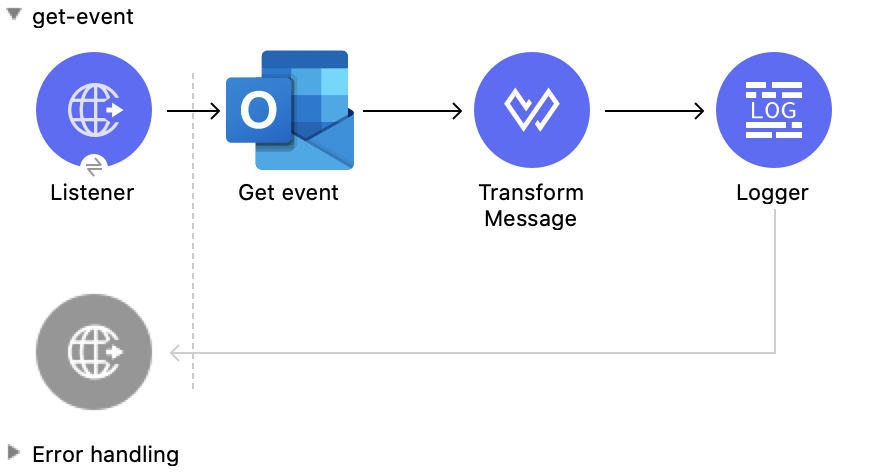
This Mule flow retrieves an existing event.

This example uses the following operations:

- **HTTP Listener**  
  Accepts data from HTTP requests

- **Get event**  
  Gets the properties and relationships of the specified event object

- **Transform Message**  
  Outputs the results of the **Get event** operation in JSON format

- **Logger**  
  Shows the HTTP response from the **Get event** operation
![Studio Flow for the Get Event operation](/mulesoft/current/en-us/microsoft-outlook-365-connector/latest/_images/get-event.png)

### XML for This Example

Paste this code into the Studio XML editor to quickly load the flow for this example into your Mule
app:

```xml
<?xml version="1.0" encoding="UTF-8"?>

<mule xmlns:tableau-specialist="http://www.mulesoft.org/schema/mule/tableau-specialist" xmlns:email="http://www.mulesoft.org/schema/mule/email"
	  xmlns:ee="http://www.mulesoft.org/schema/mule/ee/core"
	  xmlns:http="http://www.mulesoft.org/schema/mule/http" xmlns:outlook365="http://www.mulesoft.org/schema/mule/outlook365" xmlns:salesforce="http://www.mulesoft.org/schema/mule/salesforce" xmlns="http://www.mulesoft.org/schema/mule/core" xmlns:doc="http://www.mulesoft.org/schema/mule/documentation" xmlns:xsi="http://www.w3.org/2001/XMLSchema-instance" xsi:schemaLocation="http://www.mulesoft.org/schema/mule/core http://www.mulesoft.org/schema/mule/core/current/mule.xsd
http://www.mulesoft.org/schema/mule/outlook365 http://www.mulesoft.org/schema/mule/outlook365/current/mule-outlook365.xsd
http://www.mulesoft.org/schema/mule/http http://www.mulesoft.org/schema/mule/http/current/mule-http.xsd
http://www.mulesoft.org/schema/mule/ee/core http://www.mulesoft.org/schema/mule/ee/core/current/mule-ee.xsd
http://www.mulesoft.org/schema/mule/email http://www.mulesoft.org/schema/mule/email/current/mule-email.xsd
http://www.mulesoft.org/schema/mule/tableau-specialist http://www.mulesoft.org/schema/mule/tableau-specialist/current/mule-tableau-specialist.xsd">
	<http:listener-config name="HTTP_Listener_config" doc:name="HTTP Listener config" doc:id="7b5e348d-2f1c-4a09-b73a-7b1f84d89060" >
		<http:listener-connection host="0.0.0.0" port="8083" />
	</http:listener-config>

	<outlook365:outlook365-config name="outlook365_client_credentials" doc:name="Outlook365 Outlook365 Config" doc:id="ab1353ac-79b8-4718-a96c-a2c9e9d1d996" >
		<outlook365:oauth-client-credentials-connection >
			<outlook365:oauth-client-credentials clientId="${oauth-client-credentials.clientId}" clientSecret="${oauth-client-credentials.clientSecret}" tokenUrl="${oauth-client-credentials.tokenUrl}" scopes="${oauth-client-credentials.scopes}" />
		</outlook365:oauth-client-credentials-connection>
	</outlook365:outlook365-config>

	<flow name="get-event" doc:id="0aa74710-8f47-426f-bd5d-2feefb06040d" >
		<http:listener doc:name="Listener" doc:id="84e0a134-a20d-470f-ab41-d941f092d90c" config-ref="HTTP_Listener_config" path="/get-event"/>
		<outlook365:get-event doc:name="Get event" doc:id="2f6f1dc9-3a8a-4ed4-8348-3d25f807967e" config-ref="outlook365_client_credentials" eventId="AAMkADg5NjIxODNkLWRkNzAtNGFkNC04YjUwLWFjOTEyMzg0YzA5NgBGAAAAAADzzlN7RptORYu7QgvFkvQJBwCthX8I2XTFT5_USx5R95fIAAAAAAENAACthX8I2XTFT5_USx5R95fIAAFXpoYMAAA=" userId="88f176b2-84ca-4cfe-828c-954db0096efa" calendarId="AAMkADg5NjIxODNkLWRkNzAtNGFkNC04YjUwLWFjOTEyMzg0YzA5NgBGAAAAAADzzlN7RptORYu7QgvFkvQJBwCthX8I2XTFT5_USx5R95fIAAAAAAEGAACthX8I2XTFT5_USx5R95fIAADmNDgwAAA=" outlookTimeZone="Fiji Standard Time"/>
		<ee:transform doc:name="Transform Message" doc:id="2e206f7f-492f-4a42-ad58-1819cdbfb602" >
			<ee:message >
				<ee:set-payload ><![CDATA[%dw 2.0
output application/json
---
payload]]></ee:set-payload>
			</ee:message>
		</ee:transform>
		<logger level="INFO" doc:name="Logger" doc:id="d21f3b2c-5837-4329-b8eb-a84433cea076" message="#[payload]"/>
	</flow>
</mule>
```

### Steps for Running This Example

1.  Verify that your connector is configured.

2.  Save the project.

3.  From a web browser, test the application by entering
    `[http://localhost:8083/get-event](http://localhost:8083/get-event)`.

## Forward Event

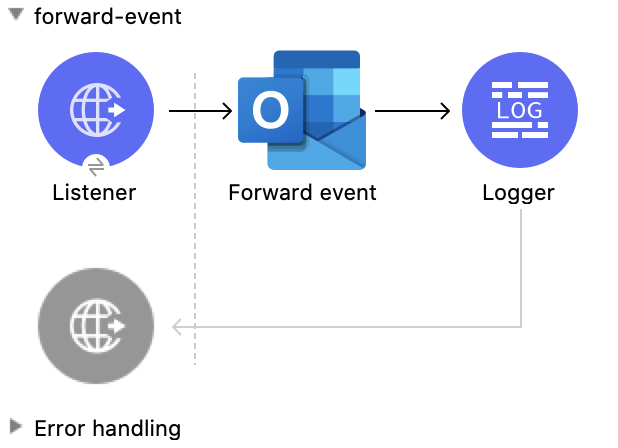
This Mule flow forwards an existing event.

This example uses the following operations:

- **HTTP Listener**  
  Accepts data from HTTP requests

- **Forward event**  
  Forwards the meeting request to a new recipient

- **Logger**  
  Shows the HTTP response from the **Forward event** operation
![Studio Flow for the Forward Event operation](/mulesoft/current/en-us/microsoft-outlook-365-connector/latest/_images/forward-event.png)

### XML for This Example

Paste this code into the Studio XML editor to quickly load the flow for this example into your Mule
app:

```xml
<?xml version="1.0" encoding="UTF-8"?>

<mule xmlns:tableau-specialist="http://www.mulesoft.org/schema/mule/tableau-specialist" xmlns:email="http://www.mulesoft.org/schema/mule/email"
	  xmlns:ee="http://www.mulesoft.org/schema/mule/ee/core"
	  xmlns:http="http://www.mulesoft.org/schema/mule/http" xmlns:outlook365="http://www.mulesoft.org/schema/mule/outlook365" xmlns:salesforce="http://www.mulesoft.org/schema/mule/salesforce" xmlns="http://www.mulesoft.org/schema/mule/core" xmlns:doc="http://www.mulesoft.org/schema/mule/documentation" xmlns:xsi="http://www.w3.org/2001/XMLSchema-instance" xsi:schemaLocation="http://www.mulesoft.org/schema/mule/core http://www.mulesoft.org/schema/mule/core/current/mule.xsd
http://www.mulesoft.org/schema/mule/outlook365 http://www.mulesoft.org/schema/mule/outlook365/current/mule-outlook365.xsd
http://www.mulesoft.org/schema/mule/http http://www.mulesoft.org/schema/mule/http/current/mule-http.xsd
http://www.mulesoft.org/schema/mule/ee/core http://www.mulesoft.org/schema/mule/ee/core/current/mule-ee.xsd
http://www.mulesoft.org/schema/mule/email http://www.mulesoft.org/schema/mule/email/current/mule-email.xsd
http://www.mulesoft.org/schema/mule/tableau-specialist http://www.mulesoft.org/schema/mule/tableau-specialist/current/mule-tableau-specialist.xsd">
	<http:listener-config name="HTTP_Listener_config" doc:name="HTTP Listener config" doc:id="7b5e348d-2f1c-4a09-b73a-7b1f84d89060" >
		<http:listener-connection host="0.0.0.0" port="8083" />
	</http:listener-config>

	<outlook365:outlook365-config name="outlook365_client_credentials" doc:name="Outlook365 Outlook365 Config" doc:id="ab1353ac-79b8-4718-a96c-a2c9e9d1d996" >
		<outlook365:oauth-client-credentials-connection >
			<outlook365:oauth-client-credentials clientId="${oauth-client-credentials.clientId}" clientSecret="${oauth-client-credentials.clientSecret}" tokenUrl="${oauth-client-credentials.tokenUrl}" scopes="${oauth-client-credentials.scopes}" />
		</outlook365:oauth-client-credentials-connection>
	</outlook365:outlook365-config>

	<flow name="forward-event" doc:id="e283a9a8-75f8-4c82-a598-4858a99ee9c2" >
		<http:listener doc:name="Listener" doc:id="248bbf13-316d-43d0-bb05-04be5bc0c25a" config-ref="HTTP_Listener_config" path="/forward-event"/>
		<outlook365:forward-event doc:name="Forward event" doc:id="bc49959a-69f2-4603-a5d1-b8f3420feae6" config-ref="outlook365_client_credentials" eventId="AAMkADg5NjIxODNkLWRkNzAtNGFkNC04YjUwLWFjOTEyMzg0YzA5NgBGAAAAAADzzlN7RptORYu7QgvFkvQJBwCthX8I2XTFT5_USx5R95fIAAAAAAENAACthX8I2XTFT5_USx5R95fIAAFXpoYMAAA=" userId="88f176b2-84ca-4cfe-828c-954db0096efa">
			<outlook365:forward-event-properties ><![CDATA[#[{
  "ToRecipients":[
      {
        "emailAddress": {
          "address":"muletest@mulesoft.com",
          "name":"Mule Test"
        }
      }
     ],
  "Comment": "Dana, hope you can make this meeting."
}]]]></outlook365:forward-event-properties>
		</outlook365:forward-event>
		<logger level="INFO" doc:name="Logger" doc:id="26c1b6ea-6431-4046-9f66-a4787e80942a" />
	</flow>
</mule>
```

### Steps for Running This Example

1.  Verify that your connector is configured.

2.  Save the project.

3.  From a web browser, test the application by entering
    `[http://localhost:8083/forward-event](http://localhost:8083/forward-event)`.

## Cancel Event

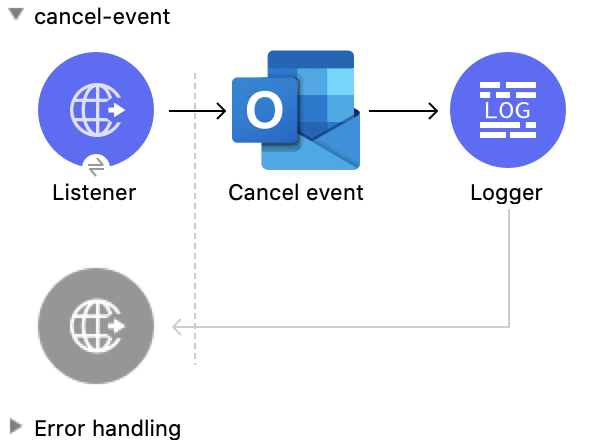
This Mule flow cancels an existing event.

This example uses the following operations:

- **HTTP Listener**  
  Accepts data from HTTP requests

- **Cancel event**  
  Cancels the specified event from a user’s calendar

- **Logger**  
  Shows the HTTP response from the **Cancel event** operation
![Studio Flow for the Cancel Event operation](/mulesoft/current/en-us/microsoft-outlook-365-connector/latest/_images/cancel-event.png)

### XML for This Example

Paste this code into the Studio XML editor to quickly load the flow for this example into your Mule
app:

```xml
<?xml version="1.0" encoding="UTF-8"?>

<mule xmlns:tableau-specialist="http://www.mulesoft.org/schema/mule/tableau-specialist" xmlns:email="http://www.mulesoft.org/schema/mule/email"
	  xmlns:ee="http://www.mulesoft.org/schema/mule/ee/core"
	  xmlns:http="http://www.mulesoft.org/schema/mule/http" xmlns:outlook365="http://www.mulesoft.org/schema/mule/outlook365" xmlns:salesforce="http://www.mulesoft.org/schema/mule/salesforce" xmlns="http://www.mulesoft.org/schema/mule/core" xmlns:doc="http://www.mulesoft.org/schema/mule/documentation" xmlns:xsi="http://www.w3.org/2001/XMLSchema-instance" xsi:schemaLocation="http://www.mulesoft.org/schema/mule/core http://www.mulesoft.org/schema/mule/core/current/mule.xsd
http://www.mulesoft.org/schema/mule/outlook365 http://www.mulesoft.org/schema/mule/outlook365/current/mule-outlook365.xsd
http://www.mulesoft.org/schema/mule/http http://www.mulesoft.org/schema/mule/http/current/mule-http.xsd
http://www.mulesoft.org/schema/mule/ee/core http://www.mulesoft.org/schema/mule/ee/core/current/mule-ee.xsd
http://www.mulesoft.org/schema/mule/email http://www.mulesoft.org/schema/mule/email/current/mule-email.xsd
http://www.mulesoft.org/schema/mule/tableau-specialist http://www.mulesoft.org/schema/mule/tableau-specialist/current/mule-tableau-specialist.xsd">
	<http:listener-config name="HTTP_Listener_config" doc:name="HTTP Listener config" doc:id="7b5e348d-2f1c-4a09-b73a-7b1f84d89060" >
		<http:listener-connection host="0.0.0.0" port="8083" />
	</http:listener-config>

	<outlook365:outlook365-config name="outlook365_client_credentials" doc:name="Outlook365 Outlook365 Config" doc:id="ab1353ac-79b8-4718-a96c-a2c9e9d1d996" >
		<outlook365:oauth-client-credentials-connection >
			<outlook365:oauth-client-credentials clientId="${oauth-client-credentials.clientId}" clientSecret="${oauth-client-credentials.clientSecret}" tokenUrl="${oauth-client-credentials.tokenUrl}" scopes="${oauth-client-credentials.scopes}" />
		</outlook365:oauth-client-credentials-connection>
	</outlook365:outlook365-config>

	<flow name="cancel-event" doc:id="96f49b9f-fd57-4f54-a946-fbf3545f8091" >
		<http:listener doc:name="Listener" doc:id="08256991-d387-4d45-ac28-b9efc56ff9ae" config-ref="HTTP_Listener_config" path="/cancel-event"/>
		<outlook365:cancel-event doc:name="Cancel event" doc:id="3f19035c-040b-4cf9-854b-23d54748900d" config-ref="outlook365_client_credentials" eventId="AAMkADg5NjIxODNkLWRkNzAtNGFkNC04YjUwLWFjOTEyMzg0YzA5NgBGAAAAAADzzlN7RptORYu7QgvFkvQJBwCthX8I2XTFT5_USx5R95fIAAAAAAENAACthX8I2XTFT5_USx5R95fIAAFXpoYMAAA=" userId="88f176b2-84ca-4cfe-828c-954db0096efa"/>
		<logger level="INFO" doc:name="Logger" doc:id="c90dab5c-b0e4-438c-8ea0-e3802759921e" message="#[payload]"/>
	</flow>
</mule>
```

### Steps for Running This Example

1.  Verify that your connector is configured.

2.  Save the project.

3.  From a web browser, test the application by entering
    `[http://localhost:8083/cancel-event](http://localhost:8083/cancel-event)`.

## Accept Event

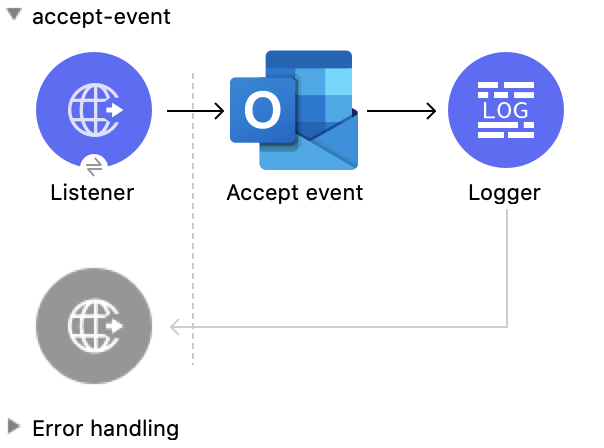
This Mule flow accepts an existing event.

This example uses the following operations:

- **HTTP Listener**  
  Accepts data from HTTP requests

- **Accept event**  
  Accepts the specified event from a user’s calendar

- **Logger**  
  Shows the HTTP response from the **Accept event** operation
![Studio Flow for the Accept Event operation](/mulesoft/current/en-us/microsoft-outlook-365-connector/latest/_images/accept-event.png)

### XML for This Example

Paste this code into the Studio XML editor to quickly load the flow for this example into your Mule
app:

```xml
<?xml version="1.0" encoding="UTF-8"?>

<mule xmlns:tableau-specialist="http://www.mulesoft.org/schema/mule/tableau-specialist" xmlns:email="http://www.mulesoft.org/schema/mule/email"
	  xmlns:ee="http://www.mulesoft.org/schema/mule/ee/core"
	  xmlns:http="http://www.mulesoft.org/schema/mule/http" xmlns:outlook365="http://www.mulesoft.org/schema/mule/outlook365" xmlns:salesforce="http://www.mulesoft.org/schema/mule/salesforce" xmlns="http://www.mulesoft.org/schema/mule/core" xmlns:doc="http://www.mulesoft.org/schema/mule/documentation" xmlns:xsi="http://www.w3.org/2001/XMLSchema-instance" xsi:schemaLocation="http://www.mulesoft.org/schema/mule/core http://www.mulesoft.org/schema/mule/core/current/mule.xsd
http://www.mulesoft.org/schema/mule/outlook365 http://www.mulesoft.org/schema/mule/outlook365/current/mule-outlook365.xsd
http://www.mulesoft.org/schema/mule/http http://www.mulesoft.org/schema/mule/http/current/mule-http.xsd
http://www.mulesoft.org/schema/mule/ee/core http://www.mulesoft.org/schema/mule/ee/core/current/mule-ee.xsd
http://www.mulesoft.org/schema/mule/email http://www.mulesoft.org/schema/mule/email/current/mule-email.xsd
http://www.mulesoft.org/schema/mule/tableau-specialist http://www.mulesoft.org/schema/mule/tableau-specialist/current/mule-tableau-specialist.xsd">
	<http:listener-config name="HTTP_Listener_config" doc:name="HTTP Listener config" doc:id="7b5e348d-2f1c-4a09-b73a-7b1f84d89060" >
		<http:listener-connection host="0.0.0.0" port="8083" />
	</http:listener-config>

	<outlook365:outlook365-config name="outlook365_client_credentials" doc:name="Outlook365 Outlook365 Config" doc:id="ab1353ac-79b8-4718-a96c-a2c9e9d1d996" >
		<outlook365:oauth-client-credentials-connection >
			<outlook365:oauth-client-credentials clientId="${oauth-client-credentials.clientId}" clientSecret="${oauth-client-credentials.clientSecret}" tokenUrl="${oauth-client-credentials.tokenUrl}" scopes="${oauth-client-credentials.scopes}" />
		</outlook365:oauth-client-credentials-connection>
	</outlook365:outlook365-config>

	<flow name="accept-event" doc:id="1078eca8-fa88-4072-98b4-107427b1ac83" >
		<http:listener doc:name="Listener" doc:id="49aa293c-9ec0-43d2-b45e-78e8e4fc5091" config-ref="HTTP_Listener_config" path="/accept-event"/>
		<outlook365:accept-event doc:name="Accept event" doc:id="2a0aba0e-b970-420c-8df2-cf64d13a1079" config-ref="outlook365_client_credentials" eventId="AAMkADg5NjIxODNkLWRkNzAtNGFkNC04YjUwLWFjOTEyMzg0YzA5NgBGAAAAAADzzlN7RptORYu7QgvFkvQJBwCthX8I2XTFT5_USx5R95fIAAAAAAENAACthX8I2XTFT5_USx5R95fIAAFXpoYKAAA=" userId="88f176b2-84ca-4cfe-828c-954db0096efa" calendarId="AAMkADg5NjIxODNkLWRkNzAtNGFkNC04YjUwLWFjOTEyMzg0YzA5NgBGAAAAAADzzlN7RptORYu7QgvFkvQJBwCthX8I2XTFT5_USx5R95fIAAAAAAEGAACthX8I2XTFT5_USx5R95fIAADmNDgwAAA=">
		</outlook365:accept-event>
		<logger level="INFO" doc:name="Logger" doc:id="af2bf8e8-b43d-45c4-9459-a29d0230308d" message="#[payload]"/>
	</flow>
</mule>
```

### Steps for Running This Example

1.  Verify that your connector is configured.

2.  Save the project.

3.  From a web browser, test the application by entering
    `[http://localhost:8083/accept-event](http://localhost:8083/accept-event)`.

## Decline Event

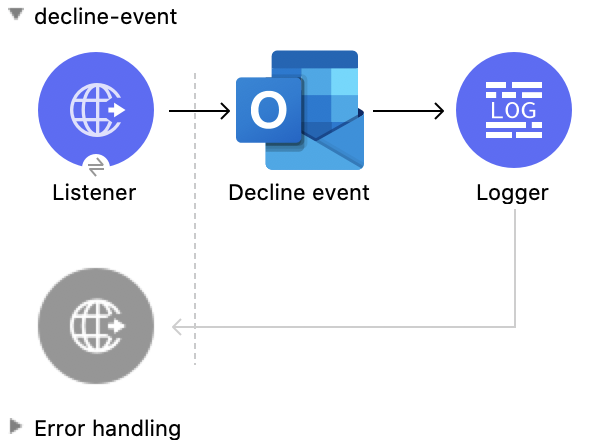
This Mule flow declines an existing event.

This example uses the following operations:

- **HTTP Listener**  
  Accepts data from HTTP requests

- **Decline event**  
  Declines the specified event from a user’s calendar

- **Logger**  
  Shows the HTTP response from the **Decline event** operation
![Studio Flow for the Decline Event operation](/mulesoft/current/en-us/microsoft-outlook-365-connector/latest/_images/decline-event.png)

### XML for This Example

Paste this code into the Studio XML editor to quickly load the flow for this example into your Mule
app:

```xml
<?xml version="1.0" encoding="UTF-8"?>

<mule xmlns:tableau-specialist="http://www.mulesoft.org/schema/mule/tableau-specialist" xmlns:email="http://www.mulesoft.org/schema/mule/email"
	  xmlns:ee="http://www.mulesoft.org/schema/mule/ee/core"
	  xmlns:http="http://www.mulesoft.org/schema/mule/http" xmlns:outlook365="http://www.mulesoft.org/schema/mule/outlook365" xmlns:salesforce="http://www.mulesoft.org/schema/mule/salesforce" xmlns="http://www.mulesoft.org/schema/mule/core" xmlns:doc="http://www.mulesoft.org/schema/mule/documentation" xmlns:xsi="http://www.w3.org/2001/XMLSchema-instance" xsi:schemaLocation="http://www.mulesoft.org/schema/mule/core http://www.mulesoft.org/schema/mule/core/current/mule.xsd
http://www.mulesoft.org/schema/mule/outlook365 http://www.mulesoft.org/schema/mule/outlook365/current/mule-outlook365.xsd
http://www.mulesoft.org/schema/mule/http http://www.mulesoft.org/schema/mule/http/current/mule-http.xsd
http://www.mulesoft.org/schema/mule/ee/core http://www.mulesoft.org/schema/mule/ee/core/current/mule-ee.xsd
http://www.mulesoft.org/schema/mule/email http://www.mulesoft.org/schema/mule/email/current/mule-email.xsd
http://www.mulesoft.org/schema/mule/tableau-specialist http://www.mulesoft.org/schema/mule/tableau-specialist/current/mule-tableau-specialist.xsd">
	<http:listener-config name="HTTP_Listener_config" doc:name="HTTP Listener config" doc:id="7b5e348d-2f1c-4a09-b73a-7b1f84d89060" >
		<http:listener-connection host="0.0.0.0" port="8083" />
	</http:listener-config>

	<outlook365:outlook365-config name="outlook365_client_credentials" doc:name="Outlook365 Outlook365 Config" doc:id="ab1353ac-79b8-4718-a96c-a2c9e9d1d996" >
		<outlook365:oauth-client-credentials-connection >
			<outlook365:oauth-client-credentials clientId="${oauth-client-credentials.clientId}" clientSecret="${oauth-client-credentials.clientSecret}" tokenUrl="${oauth-client-credentials.tokenUrl}" scopes="${oauth-client-credentials.scopes}" />
		</outlook365:oauth-client-credentials-connection>
	</outlook365:outlook365-config>

	<flow name="decline-event" doc:id="5f8072e7-f703-4309-a22c-fdcbd307c51d" >
		<http:listener doc:name="Listener" doc:id="73b3f688-8159-42b5-857b-e8f19186ecfd" config-ref="HTTP_Listener_config" path="/decline-event"/>
		<outlook365:decline-event doc:name="Decline event" doc:id="752343c1-b0c2-41b2-b1c2-dbbbe563b419" config-ref="outlook365_client_credentials" eventId="AAMkADg5NjIxODNkLWRkNzAtNGFkNC04YjUwLWFjOTEyMzg0YzA5NgBGAAAAAADzzlN7RptORYu7QgvFkvQJBwCthX8I2XTFT5_USx5R95fIAAAAAAENAACthX8I2XTFT5_USx5R95fIAAElkjSCAAA=" userId="88f176b2-84ca-4cfe-828c-954db0096efa"/>
		<logger level="INFO" doc:name="Logger" doc:id="2f3e9117-760a-4003-a03f-b34026b233c7" message="#[payload]"/>
	</flow>
</mule>
```

### Steps for Running This Example

1.  Verify that your connector is configured.

2.  Save the project.

3.  From a web browser, test the application by entering
    `[http://localhost:8083/decline-event](http://localhost:8083/decline-event)`.

## List Event Attachments

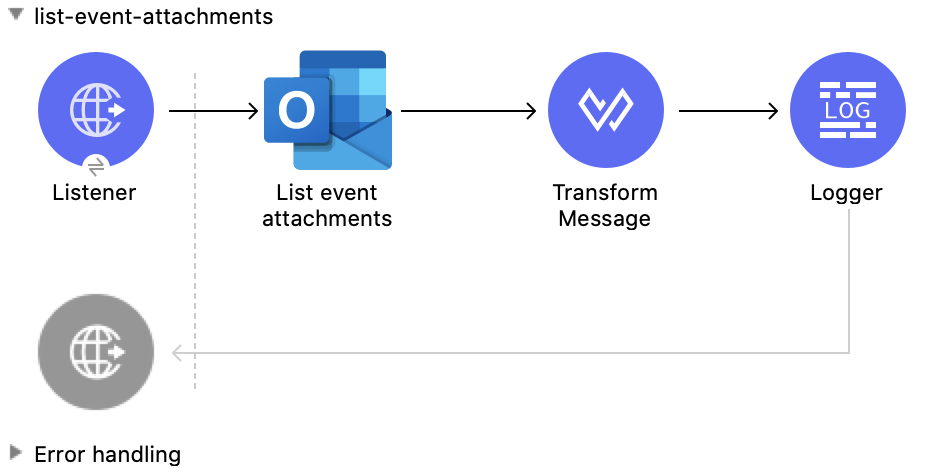
This Mule flow lists the attachments of an existing event.

This example uses the following operations:

- **HTTP Listener**  
  Accepts data from HTTP requests

- **List event attachments**  
  Retrieves a list of attachment objects attached to an event

- **Transform Message**  
  Outputs the results of the **List event attachments** operation in JSON format

- **Logger**  
  Shows the HTTP response from the **List event attachments** operation
![Studio Flow for the List Event Attachments operation](/mulesoft/current/en-us/microsoft-outlook-365-connector/latest/_images/list-event-attachments.png)

### XML for This Example

Paste this code into the Studio XML editor to quickly load the flow for this example into your Mule
app:

```xml
<?xml version="1.0" encoding="UTF-8"?>

<mule xmlns:tableau-specialist="http://www.mulesoft.org/schema/mule/tableau-specialist" xmlns:email="http://www.mulesoft.org/schema/mule/email"
	  xmlns:ee="http://www.mulesoft.org/schema/mule/ee/core"
	  xmlns:http="http://www.mulesoft.org/schema/mule/http" xmlns:outlook365="http://www.mulesoft.org/schema/mule/outlook365" xmlns:salesforce="http://www.mulesoft.org/schema/mule/salesforce" xmlns="http://www.mulesoft.org/schema/mule/core" xmlns:doc="http://www.mulesoft.org/schema/mule/documentation" xmlns:xsi="http://www.w3.org/2001/XMLSchema-instance" xsi:schemaLocation="http://www.mulesoft.org/schema/mule/core http://www.mulesoft.org/schema/mule/core/current/mule.xsd
http://www.mulesoft.org/schema/mule/outlook365 http://www.mulesoft.org/schema/mule/outlook365/current/mule-outlook365.xsd
http://www.mulesoft.org/schema/mule/http http://www.mulesoft.org/schema/mule/http/current/mule-http.xsd
http://www.mulesoft.org/schema/mule/ee/core http://www.mulesoft.org/schema/mule/ee/core/current/mule-ee.xsd
http://www.mulesoft.org/schema/mule/email http://www.mulesoft.org/schema/mule/email/current/mule-email.xsd
http://www.mulesoft.org/schema/mule/tableau-specialist http://www.mulesoft.org/schema/mule/tableau-specialist/current/mule-tableau-specialist.xsd">
	<http:listener-config name="HTTP_Listener_config" doc:name="HTTP Listener config" doc:id="7b5e348d-2f1c-4a09-b73a-7b1f84d89060" >
		<http:listener-connection host="0.0.0.0" port="8083" />
	</http:listener-config>

	<outlook365:outlook365-config name="outlook365_client_credentials" doc:name="Outlook365 Outlook365 Config" doc:id="ab1353ac-79b8-4718-a96c-a2c9e9d1d996" >
		<outlook365:oauth-client-credentials-connection >
			<outlook365:oauth-client-credentials clientId="${oauth-client-credentials.clientId}" clientSecret="${oauth-client-credentials.clientSecret}" tokenUrl="${oauth-client-credentials.tokenUrl}" scopes="${oauth-client-credentials.scopes}" />
		</outlook365:oauth-client-credentials-connection>
	</outlook365:outlook365-config>

	<flow name="list-event-attachments" doc:id="d6e2c77e-1e14-48d9-a555-4ad0e8384850" >
		<http:listener doc:name="Listener" doc:id="3f1db425-2751-474c-ab5f-8ea77aa4c2f6" config-ref="HTTP_Listener_config" path="/list-event-attachments"/>
		<outlook365:list-event-attachments doc:name="List event attachments" doc:id="bb3b3e63-0443-4de9-ad46-39ec836146d2" config-ref="outlook365_client_credentials" eventId="AAMkADg5NjIxODNkLWRkNzAtNGFkNC04YjUwLWFjOTEyMzg0YzA5NgBGAAAAAADzzlN7RptORYu7QgvFkvQJBwCthX8I2XTFT5_USx5R95fIAAAAAAENAACthX8I2XTFT5_USx5R95fIAAE8i1INAAA=" userId="88f176b2-84ca-4cfe-828c-954db0096efa"/>
		<ee:transform doc:name="Transform Message" doc:id="b4c1aee0-f17b-4a15-817e-5070d5f15491" >
			<ee:message >
				<ee:set-payload ><![CDATA[%dw 2.0
output application/json
---
payload]]></ee:set-payload>
			</ee:message>
		</ee:transform>
		<logger level="INFO" doc:name="Logger" doc:id="ae6157a3-7c41-44a8-bf9d-4b666a5b10b6" message="#[payload]"/>
	</flow>
</mule>
```

### Steps for Running This Example

1.  Verify that your connector is configured.

2.  Save the project.

3.  From a web browser, test the application by entering
    `[http://localhost:8083/list-event-attachments](http://localhost:8083/list-event-attachments)`.

## Add Event Attachment

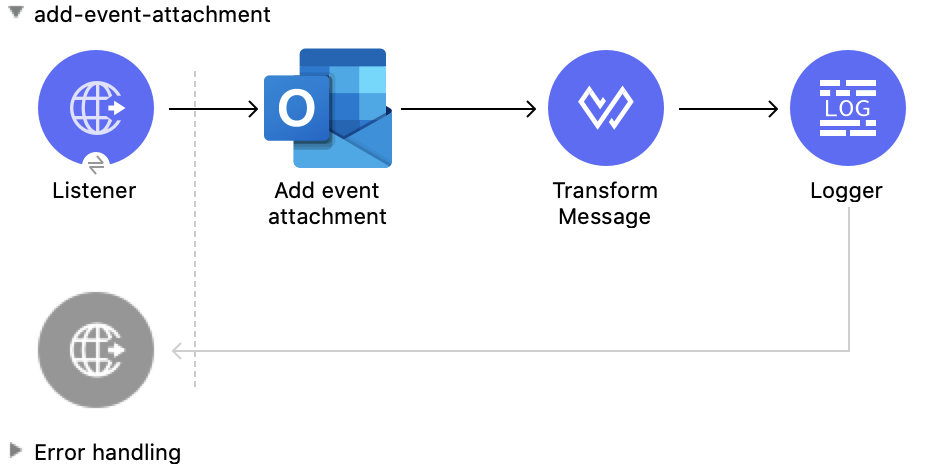
This Mule flow adds an attachment to an existing event.

This example uses the following operations:

- **HTTP Listener**  
  Accepts data from HTTP requests

- **Add event attachment**  
  Adds an attachment to an event

- **Transform Message**  
  Outputs the results of the **Add event attachment** operation in JSON format

- **Logger**  
  Shows the HTTP response from the **Add event attachment** operation
![Studio Flow for the Add Event Attachment operation](/mulesoft/current/en-us/microsoft-outlook-365-connector/latest/_images/add-event-attachment.png)

### XML for This Example

Paste this code into the Studio XML editor to quickly load the flow for this example into your Mule
app:

```xml
<?xml version="1.0" encoding="UTF-8"?>

<mule xmlns:tableau-specialist="http://www.mulesoft.org/schema/mule/tableau-specialist" xmlns:email="http://www.mulesoft.org/schema/mule/email"
	  xmlns:ee="http://www.mulesoft.org/schema/mule/ee/core"
	  xmlns:http="http://www.mulesoft.org/schema/mule/http" xmlns:outlook365="http://www.mulesoft.org/schema/mule/outlook365" xmlns:salesforce="http://www.mulesoft.org/schema/mule/salesforce" xmlns="http://www.mulesoft.org/schema/mule/core" xmlns:doc="http://www.mulesoft.org/schema/mule/documentation" xmlns:xsi="http://www.w3.org/2001/XMLSchema-instance" xsi:schemaLocation="http://www.mulesoft.org/schema/mule/core http://www.mulesoft.org/schema/mule/core/current/mule.xsd
http://www.mulesoft.org/schema/mule/outlook365 http://www.mulesoft.org/schema/mule/outlook365/current/mule-outlook365.xsd
http://www.mulesoft.org/schema/mule/http http://www.mulesoft.org/schema/mule/http/current/mule-http.xsd
http://www.mulesoft.org/schema/mule/ee/core http://www.mulesoft.org/schema/mule/ee/core/current/mule-ee.xsd
http://www.mulesoft.org/schema/mule/email http://www.mulesoft.org/schema/mule/email/current/mule-email.xsd
http://www.mulesoft.org/schema/mule/tableau-specialist http://www.mulesoft.org/schema/mule/tableau-specialist/current/mule-tableau-specialist.xsd">
	<http:listener-config name="HTTP_Listener_config" doc:name="HTTP Listener config" doc:id="7b5e348d-2f1c-4a09-b73a-7b1f84d89060" >
		<http:listener-connection host="0.0.0.0" port="8083" />
	</http:listener-config>

	<outlook365:outlook365-config name="outlook365_client_credentials" doc:name="Outlook365 Outlook365 Config" doc:id="ab1353ac-79b8-4718-a96c-a2c9e9d1d996" >
		<outlook365:oauth-client-credentials-connection >
			<outlook365:oauth-client-credentials clientId="${oauth-client-credentials.clientId}" clientSecret="${oauth-client-credentials.clientSecret}" tokenUrl="${oauth-client-credentials.tokenUrl}" scopes="${oauth-client-credentials.scopes}" />
		</outlook365:oauth-client-credentials-connection>
	</outlook365:outlook365-config>

	<flow name="add-event-attachment" doc:id="da5d88b0-08ac-4ea9-a267-03f4ef1978dd" >
		<http:listener doc:name="Listener" doc:id="2c78cdb1-1f8c-410b-9f25-f1810c9cf8ac" config-ref="HTTP_Listener_config" path="/add-event-attachment"/>
		<outlook365:add-event-attachment doc:name="Add event attachment" doc:id="df2f4976-bd7a-46df-9594-4c7b3c6ffbd5" userId="88f176b2-84ca-4cfe-828c-954db0096efa" config-ref="outlook365_client_credentials" eventId="AAMkADg5NjIxODNkLWRkNzAtNGFkNC04YjUwLWFjOTEyMzg0YzA5NgBGAAAAAADzzlN7RptORYu7QgvFkvQJBwCthX8I2XTFT5_USx5R95fIAAAAAAENAACthX8I2XTFT5_USx5R95fIAAE8i1INAAA=" calendarId="AAMkADg5NjIxODNkLWRkNzAtNGFkNC04YjUwLWFjOTEyMzg0YzA5NgBGAAAAAADzzlN7RptORYu7QgvFkvQJBwCthX8I2XTFT5_USx5R95fIAAAAAAEGAACthX8I2XTFT5_USx5R95fIAADk2CUpAAA=">
			<outlook365:attachment-for-event ><![CDATA[#[%dw 2.0
output application/json
---
{
  "@odata.type": "#microsoft.graph.fileAttachment",
  "name": "smile",
  "contentBytes": "VGhlIHF1aWNrIGJyb3duIGZveCBqdW1wcyBvdmVyIDEzIGxhenkgZG9ncy4="
}]]]></outlook365:attachment-for-event>
		</outlook365:add-event-attachment>
		<ee:transform doc:name="Transform Message" doc:id="f81537d5-01dd-4373-be50-d5de61d5c81f" >
			<ee:message >
				<ee:set-payload ><![CDATA[%dw 2.0
output application/json
---
payload]]></ee:set-payload>
			</ee:message>
		</ee:transform>
		<logger level="INFO" doc:name="Logger" doc:id="ccaa4716-6441-4291-985a-8cef8cf7e186" message="#[payload]"/>
	</flow>
</mule>
```

### Steps for Running This Example

1.  Verify that your connector is configured.

2.  Save the project.

3.  From a web browser, test the application by entering
    `[http://localhost:8083/add-event-attachment](http://localhost:8083/add-event-attachment)`.

## Add Message Attachment

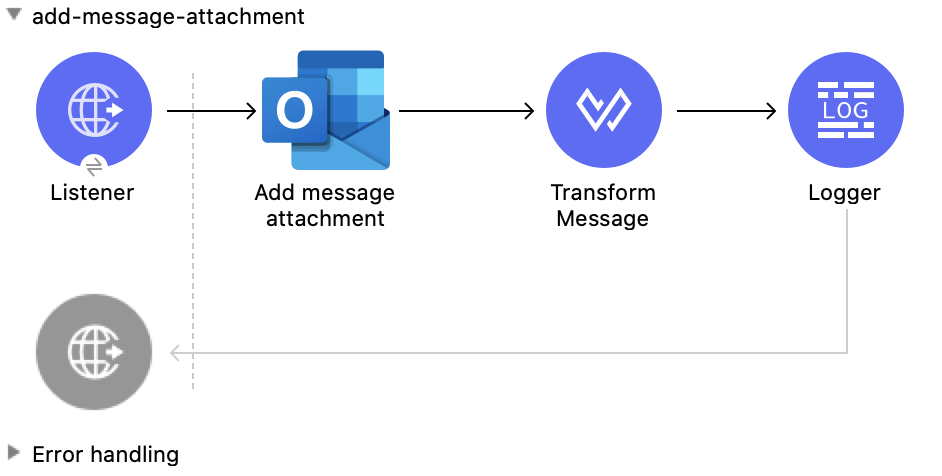
This Mule flow adds an attachment to an existing message.

This example uses the following operations:

- **HTTP Listener**  
  Accepts data from HTTP requests

- **Add message attachment**  
  Adds an attachment to a message

- **Transform Message**  
  Outputs the results of the **Add message attachment** operation in JSON format

- **Logger**  
  Shows the HTTP response from the **Add message attachment** operation
![Studio Flow for the Add Message Attachment operation](/mulesoft/current/en-us/microsoft-outlook-365-connector/latest/_images/add-message-attachment.png)

### XML for This Example

Paste this code into the Studio XML editor to quickly load the flow for this example into your Mule
app:

```xml
<?xml version="1.0" encoding="UTF-8"?>

<mule xmlns:tableau-specialist="http://www.mulesoft.org/schema/mule/tableau-specialist" xmlns:email="http://www.mulesoft.org/schema/mule/email"
	  xmlns:ee="http://www.mulesoft.org/schema/mule/ee/core"
	  xmlns:http="http://www.mulesoft.org/schema/mule/http" xmlns:outlook365="http://www.mulesoft.org/schema/mule/outlook365" xmlns:salesforce="http://www.mulesoft.org/schema/mule/salesforce" xmlns="http://www.mulesoft.org/schema/mule/core" xmlns:doc="http://www.mulesoft.org/schema/mule/documentation" xmlns:xsi="http://www.w3.org/2001/XMLSchema-instance" xsi:schemaLocation="http://www.mulesoft.org/schema/mule/core http://www.mulesoft.org/schema/mule/core/current/mule.xsd
http://www.mulesoft.org/schema/mule/outlook365 http://www.mulesoft.org/schema/mule/outlook365/current/mule-outlook365.xsd
http://www.mulesoft.org/schema/mule/http http://www.mulesoft.org/schema/mule/http/current/mule-http.xsd
http://www.mulesoft.org/schema/mule/ee/core http://www.mulesoft.org/schema/mule/ee/core/current/mule-ee.xsd
http://www.mulesoft.org/schema/mule/email http://www.mulesoft.org/schema/mule/email/current/mule-email.xsd
http://www.mulesoft.org/schema/mule/tableau-specialist http://www.mulesoft.org/schema/mule/tableau-specialist/current/mule-tableau-specialist.xsd">
	<http:listener-config name="HTTP_Listener_config" doc:name="HTTP Listener config" doc:id="7b5e348d-2f1c-4a09-b73a-7b1f84d89060" >
		<http:listener-connection host="0.0.0.0" port="8083" />
	</http:listener-config>

	<outlook365:outlook365-config name="outlook365_client_credentials" doc:name="Outlook365 Outlook365 Config" doc:id="ab1353ac-79b8-4718-a96c-a2c9e9d1d996" >
		<outlook365:oauth-client-credentials-connection >
			<outlook365:oauth-client-credentials clientId="${oauth-client-credentials.clientId}" clientSecret="${oauth-client-credentials.clientSecret}" tokenUrl="${oauth-client-credentials.tokenUrl}" scopes="${oauth-client-credentials.scopes}" />
		</outlook365:oauth-client-credentials-connection>
	</outlook365:outlook365-config>

	<flow name="add-message-attachment" doc:id="0a662a35-6cb1-43f6-8585-00c9496b0d6b" >
		<http:listener doc:name="Listener" doc:id="1377bbf5-0db5-42e5-a61a-48c8ecebd0f7" config-ref="HTTP_Listener_config" path="/add-msg-attachment"/>
		<outlook365:add-message-attachment doc:name="Add message attachment" doc:id="1024c88f-110b-40fe-8079-90c35e0a2b7e" config-ref="outlook365_client_credentials" userId="88f176b2-84ca-4cfe-828c-954db0096efa" messageId="AAMkADg5NjIxODNkLWRkNzAtNGFkNC04YjUwLWFjOTEyMzg0YzA5NgBGAAAAAADzzlN7RptORYu7QgvFkvQJBwCthX8I2XTFT5_USx5R95fIAAAAAAEMAACthX8I2XTFT5_USx5R95fIAAEwN5RlAAA=">
			<outlook365:attachment-for-message ><![CDATA[#[%dw 2.0
output application/json
---
{
  "@odata.type": "#microsoft.graph.fileAttachment",
  "name": "smile",
  "contentBytes": "VGhlIHF1aWNrIGJyb3duIGZveCBqdW1wcyBvdmVyIDEzIGxhenkgZG9ncy4="
}]]]></outlook365:attachment-for-message>
		</outlook365:add-message-attachment>
		<ee:transform doc:name="Transform Message" doc:id="8fc0abfd-7193-429c-bf94-b6287de873f1" >
			<ee:message >
				<ee:set-payload ><![CDATA[%dw 2.0
output application/json
---
payload]]></ee:set-payload>
			</ee:message>
		</ee:transform>
		<logger level="INFO" doc:name="Logger" doc:id="ddd2f6c8-bc4d-4716-9bc3-1285b95bd7e6" message="#[payload]"/>
	</flow>
</mule>
```

### Steps for Running This Example

1.  Verify that your connector is configured.

2.  Save the project.

3.  From a web browser, test the application by entering
    `[http://localhost:8083/add-message-attachment](http://localhost:8083/add-message-attachment)`.

## List Message Attachments

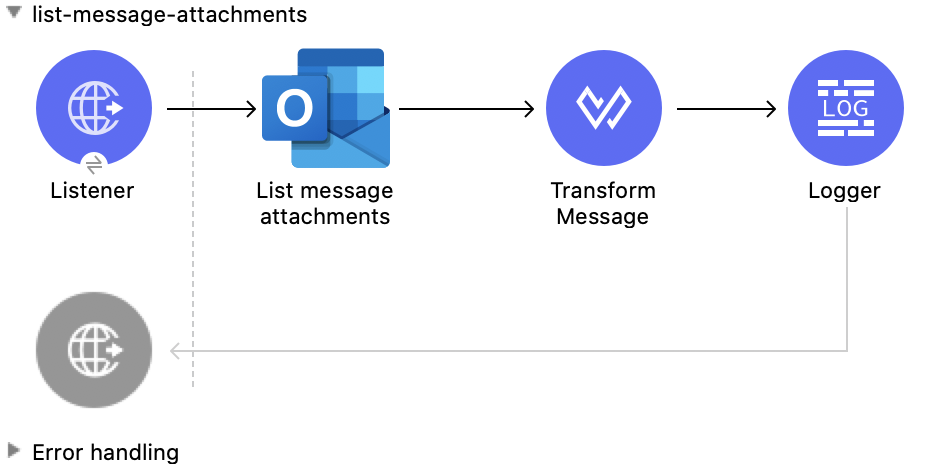
This Mule flow lists all of the attachments of an existing message.

This example uses the following operations:

- **HTTP Listener**  
  Accepts data from HTTP requests

- **List message attachments**  
  Retrieves a list of attachment objects attached to a message

- **Transform Message**  
  Outputs the results of the **List message attachments** operation in JSON format

- **Logger**  
  Shows the HTTP response from the **List message attachments** operation
![Studio Flow for the List Message Attachments operation](/mulesoft/current/en-us/microsoft-outlook-365-connector/latest/_images/list-message-attachments.png)

### XML for This Example

Paste this code into the Studio XML editor to quickly load the flow for this example into your Mule
app:

```xml
<?xml version="1.0" encoding="UTF-8"?>

<mule xmlns:tableau-specialist="http://www.mulesoft.org/schema/mule/tableau-specialist" xmlns:email="http://www.mulesoft.org/schema/mule/email"
	  xmlns:ee="http://www.mulesoft.org/schema/mule/ee/core"
	  xmlns:http="http://www.mulesoft.org/schema/mule/http" xmlns:outlook365="http://www.mulesoft.org/schema/mule/outlook365" xmlns:salesforce="http://www.mulesoft.org/schema/mule/salesforce" xmlns="http://www.mulesoft.org/schema/mule/core" xmlns:doc="http://www.mulesoft.org/schema/mule/documentation" xmlns:xsi="http://www.w3.org/2001/XMLSchema-instance" xsi:schemaLocation="http://www.mulesoft.org/schema/mule/core http://www.mulesoft.org/schema/mule/core/current/mule.xsd
http://www.mulesoft.org/schema/mule/outlook365 http://www.mulesoft.org/schema/mule/outlook365/current/mule-outlook365.xsd
http://www.mulesoft.org/schema/mule/http http://www.mulesoft.org/schema/mule/http/current/mule-http.xsd
http://www.mulesoft.org/schema/mule/ee/core http://www.mulesoft.org/schema/mule/ee/core/current/mule-ee.xsd
http://www.mulesoft.org/schema/mule/email http://www.mulesoft.org/schema/mule/email/current/mule-email.xsd
http://www.mulesoft.org/schema/mule/tableau-specialist http://www.mulesoft.org/schema/mule/tableau-specialist/current/mule-tableau-specialist.xsd">
	<http:listener-config name="HTTP_Listener_config" doc:name="HTTP Listener config" doc:id="7b5e348d-2f1c-4a09-b73a-7b1f84d89060" >
		<http:listener-connection host="0.0.0.0" port="8083" />
	</http:listener-config>

	<outlook365:outlook365-config name="outlook365_client_credentials" doc:name="Outlook365 Outlook365 Config" doc:id="ab1353ac-79b8-4718-a96c-a2c9e9d1d996" >
		<outlook365:oauth-client-credentials-connection >
			<outlook365:oauth-client-credentials clientId="${oauth-client-credentials.clientId}" clientSecret="${oauth-client-credentials.clientSecret}" tokenUrl="${oauth-client-credentials.tokenUrl}" scopes="${oauth-client-credentials.scopes}" />
		</outlook365:oauth-client-credentials-connection>
	</outlook365:outlook365-config>

	<flow name="list-message-attachments" doc:id="f5669f25-f382-46f5-bdc6-455206f0e4a4" >
		<http:listener doc:name="Listener" doc:id="1c38582a-eed8-40ab-8398-e502beeeba99" config-ref="HTTP_Listener_config" path="/list-attachments-for-msgs"/>
		<outlook365:list-message-attachments doc:name="List message attachments" doc:id="b1db9405-7c4f-436d-9e4a-e07be85cc95f" config-ref="outlook365_client_credentials" userId="88f176b2-84ca-4cfe-828c-954db0096efa" messageId="AAMkADg5NjIxODNkLWRkNzAtNGFkNC04YjUwLWFjOTEyMzg0YzA5NgBGAAAAAADzzlN7RptORYu7QgvFkvQJBwCthX8I2XTFT5_USx5R95fIAAAAAAEMAACthX8I2XTFT5_USx5R95fIAAEwN5RlAAA="/>
		<ee:transform doc:name="Transform Message" doc:id="96fa5ba5-e3df-4964-88d2-251355b42d94" >
			<ee:message >
				<ee:set-payload ><![CDATA[%dw 2.0
output application/json
---
payload]]></ee:set-payload>
			</ee:message>
		</ee:transform>
		<logger level="INFO" doc:name="Logger" doc:id="aa5314be-67e6-4785-b8fc-8b5a11aad79a" message="#[payload]"/>
	</flow>
</mule>
```

### Steps for Running This Example

1.  Verify that your connector is configured.

2.  Save the project.

3.  From a web browser, test the application by entering
    `[http://localhost:8083/list-message-attachments](http://localhost:8083/list-message-attachments)`.

## Get Message Attachment

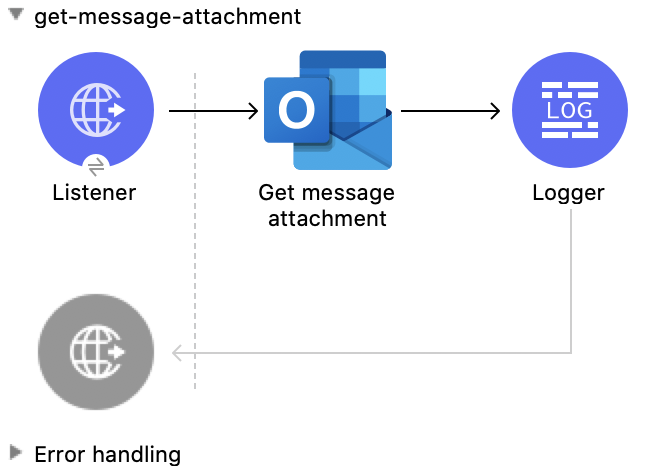
This Mule flow retrieves an attachment from an existing message.

This example uses the following operations:

- **HTTP Listener**  
  Accepts data from HTTP requests

- **Get message attachment**  
  Reads the properties and relationships of an attachment that is attached to a user message

- **Logger**  
  Shows the HTTP response from the **Get message attachment** operation
![Studio Flow for the Get Message Attachment operation](/mulesoft/current/en-us/microsoft-outlook-365-connector/latest/_images/get-message-attachment.png)

### XML for This Example

Paste this code into the Studio XML editor to quickly load the flow for this example into your Mule
app:

```xml
<?xml version="1.0" encoding="UTF-8"?>

<mule xmlns:tableau-specialist="http://www.mulesoft.org/schema/mule/tableau-specialist" xmlns:email="http://www.mulesoft.org/schema/mule/email"
	  xmlns:ee="http://www.mulesoft.org/schema/mule/ee/core"
	  xmlns:http="http://www.mulesoft.org/schema/mule/http" xmlns:outlook365="http://www.mulesoft.org/schema/mule/outlook365" xmlns:salesforce="http://www.mulesoft.org/schema/mule/salesforce" xmlns="http://www.mulesoft.org/schema/mule/core" xmlns:doc="http://www.mulesoft.org/schema/mule/documentation" xmlns:xsi="http://www.w3.org/2001/XMLSchema-instance" xsi:schemaLocation="http://www.mulesoft.org/schema/mule/core http://www.mulesoft.org/schema/mule/core/current/mule.xsd
http://www.mulesoft.org/schema/mule/outlook365 http://www.mulesoft.org/schema/mule/outlook365/current/mule-outlook365.xsd
http://www.mulesoft.org/schema/mule/http http://www.mulesoft.org/schema/mule/http/current/mule-http.xsd
http://www.mulesoft.org/schema/mule/ee/core http://www.mulesoft.org/schema/mule/ee/core/current/mule-ee.xsd
http://www.mulesoft.org/schema/mule/email http://www.mulesoft.org/schema/mule/email/current/mule-email.xsd
http://www.mulesoft.org/schema/mule/tableau-specialist http://www.mulesoft.org/schema/mule/tableau-specialist/current/mule-tableau-specialist.xsd">
	<http:listener-config name="HTTP_Listener_config" doc:name="HTTP Listener config" doc:id="7b5e348d-2f1c-4a09-b73a-7b1f84d89060" >
		<http:listener-connection host="0.0.0.0" port="8083" />
	</http:listener-config>

	<outlook365:outlook365-config name="outlook365_client_credentials" doc:name="Outlook365 Outlook365 Config" doc:id="ab1353ac-79b8-4718-a96c-a2c9e9d1d996" >
		<outlook365:oauth-client-credentials-connection >
			<outlook365:oauth-client-credentials clientId="${oauth-client-credentials.clientId}" clientSecret="${oauth-client-credentials.clientSecret}" tokenUrl="${oauth-client-credentials.tokenUrl}" scopes="${oauth-client-credentials.scopes}" />
		</outlook365:oauth-client-credentials-connection>
	</outlook365:outlook365-config>

	<flow name="get-message-attachment" doc:id="41bd505f-6a0d-4079-bb81-8b79083fc336" >
		<http:listener doc:name="Listener" doc:id="858ac6db-7fbb-496c-b630-bb86c2958b63" config-ref="HTTP_Listener_config" path="/get-msg-attachment"/>
		<outlook365:get-message-attachment doc:name="Get message attachment" doc:id="519415c5-0205-487a-bbfc-802207b90b1e" config-ref="outlook365_client_credentials" userId="88f176b2-84ca-4cfe-828c-954db0096efa" messageId="AAMkADg5NjIxODNkLWRkNzAtNGFkNC04YjUwLWFjOTEyMzg0YzA5NgBGAAAAAADzzlN7RptORYu7QgvFkvQJBwCthX8I2XTFT5_USx5R95fIAAAAAAEMAACthX8I2XTFT5_USx5R95fIAAEwN5RlAAA=" attachmentId="AAMkADg5NjIxODNkLWRkNzAtNGFkNC04YjUwLWFjOTEyMzg0YzA5NgBGAAAAAADzzlN7RptORYu7QgvFkvQJBwCthX8I2XTFT5_USx5R95fIAAAAAAEMAACthX8I2XTFT5_USx5R95fIAAEwN5RlAAABEgAQAD9EH3Atqb9MpCb3Zov2FdQ="/>
		<logger level="INFO" doc:name="Logger" doc:id="52de1ce6-db8c-40ba-be19-3fb5358b2928" message="#[payload]"/>
	</flow>
</mule>
```

### Steps for Running This Example

1.  Verify that your connector is configured.

2.  Save the project.

3.  From a web browser, test the application by entering
    `[http://localhost:8083/get-message-attachment](http://localhost:8083/get-message-attachment)`.

## Get Event Attachment

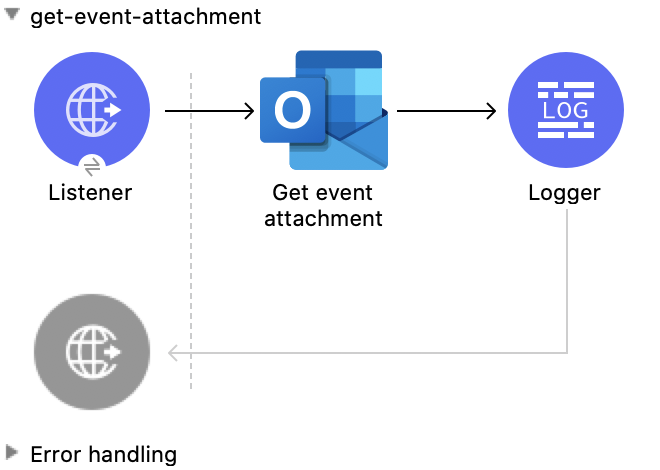
This Mule flow retrieves an attachment from an existing event.

This example uses the following operations:

- **HTTP Listener**  
  Accepts data from HTTP requests

- **Get event attachment**  
  Reads the properties and relationships of an attachment that is attached to an event

- **Logger**  
  Shows the HTTP response from the **Get event attachment** operation
![Studio Flow for the Get Event Attachment operation](/mulesoft/current/en-us/microsoft-outlook-365-connector/latest/_images/get-event-attachment.png)

### XML for This Example

Paste this code into the Studio XML editor to quickly load the flow for this example into your Mule
app:

```xml
<?xml version="1.0" encoding="UTF-8"?>

<mule xmlns:tableau-specialist="http://www.mulesoft.org/schema/mule/tableau-specialist" xmlns:email="http://www.mulesoft.org/schema/mule/email"
	  xmlns:ee="http://www.mulesoft.org/schema/mule/ee/core"
	  xmlns:http="http://www.mulesoft.org/schema/mule/http" xmlns:outlook365="http://www.mulesoft.org/schema/mule/outlook365" xmlns:salesforce="http://www.mulesoft.org/schema/mule/salesforce" xmlns="http://www.mulesoft.org/schema/mule/core" xmlns:doc="http://www.mulesoft.org/schema/mule/documentation" xmlns:xsi="http://www.w3.org/2001/XMLSchema-instance" xsi:schemaLocation="http://www.mulesoft.org/schema/mule/core http://www.mulesoft.org/schema/mule/core/current/mule.xsd
http://www.mulesoft.org/schema/mule/outlook365 http://www.mulesoft.org/schema/mule/outlook365/current/mule-outlook365.xsd
http://www.mulesoft.org/schema/mule/http http://www.mulesoft.org/schema/mule/http/current/mule-http.xsd
http://www.mulesoft.org/schema/mule/ee/core http://www.mulesoft.org/schema/mule/ee/core/current/mule-ee.xsd
http://www.mulesoft.org/schema/mule/email http://www.mulesoft.org/schema/mule/email/current/mule-email.xsd
http://www.mulesoft.org/schema/mule/tableau-specialist http://www.mulesoft.org/schema/mule/tableau-specialist/current/mule-tableau-specialist.xsd">
	<http:listener-config name="HTTP_Listener_config" doc:name="HTTP Listener config" doc:id="7b5e348d-2f1c-4a09-b73a-7b1f84d89060" >
		<http:listener-connection host="0.0.0.0" port="8083" />
	</http:listener-config>

	<outlook365:outlook365-config name="outlook365_client_credentials" doc:name="Outlook365 Outlook365 Config" doc:id="ab1353ac-79b8-4718-a96c-a2c9e9d1d996" >
		<outlook365:oauth-client-credentials-connection >
			<outlook365:oauth-client-credentials clientId="${oauth-client-credentials.clientId}" clientSecret="${oauth-client-credentials.clientSecret}" tokenUrl="${oauth-client-credentials.tokenUrl}" scopes="${oauth-client-credentials.scopes}" />
		</outlook365:oauth-client-credentials-connection>
	</outlook365:outlook365-config>

	<flow name="get-event-attachment" doc:id="eabf42a3-5a13-4e62-8ac0-f42fe3af7b46" >
		<http:listener doc:name="Listener" doc:id="5a126e2a-4707-48da-a451-33d2102b9e14" config-ref="HTTP_Listener_config" path="/get-event-attachment"/>
		<outlook365:get-event-attachment doc:name="Get event attachment" doc:id="92b1c180-41e5-4306-8a9b-0d69dbf6f57e" userId="88f176b2-84ca-4cfe-828c-954db0096efa" eventId="AAMkADg5NjIxODNkLWRkNzAtNGFkNC04YjUwLWFjOTEyMzg0YzA5NgBGAAAAAADzzlN7RptORYu7QgvFkvQJBwCthX8I2XTFT5_USx5R95fIAAAAAAENAACthX8I2XTFT5_USx5R95fIAAE8i1INAAA=" attachmentId="AAMkADg5NjIxODNkLWRkNzAtNGFkNC04YjUwLWFjOTEyMzg0YzA5NgBGAAAAAADzzlN7RptORYu7QgvFkvQJBwCthX8I2XTFT5_USx5R95fIAAAAAAENAACthX8I2XTFT5_USx5R95fIAAE8i1INAAABEgAQACmxgKifl79Lvzb1cpzml1o=" config-ref="outlook365_client_credentials" getRawContent="true"/>
		<logger level="INFO" doc:name="Logger" doc:id="88a52a69-b04e-4b34-b976-8f80f291bbbb" message="#[payload]"/>
	</flow>
</mule>
```

### Steps for Running This Example

1.  Verify that your connector is configured.

2.  Save the project.

3.  From a web browser, test the application by entering
    `[http://localhost:8083/get-event-attachment](http://localhost:8083/get-event-attachment)`.

## Send Message

This Mule flow sends a message from the Drafts folder, which the **Create message** operation
created previously.

This example uses the following operations:

- **HTTP Listener**  
  Accepts data from HTTP requests

- **Send message**  
  Sends a message from the Drafts folder

- **Logger**  
  Shows the HTTP response from the **Send message** operation
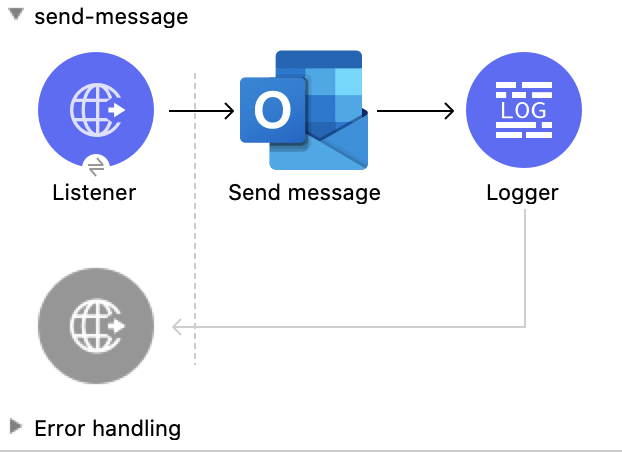
![Studio Flow for the Send Message operation](/mulesoft/current/en-us/microsoft-outlook-365-connector/latest/_images/send-message.png)

### XML for This Example

Paste this code into the Studio XML editor to quickly load the flow for this example into your Mule
app:

```xml
<?xml version="1.0" encoding="UTF-8"?>

<mule xmlns:tableau-specialist="http://www.mulesoft.org/schema/mule/tableau-specialist" xmlns:email="http://www.mulesoft.org/schema/mule/email"
	  xmlns:ee="http://www.mulesoft.org/schema/mule/ee/core"
	  xmlns:http="http://www.mulesoft.org/schema/mule/http" xmlns:outlook365="http://www.mulesoft.org/schema/mule/outlook365" xmlns:salesforce="http://www.mulesoft.org/schema/mule/salesforce" xmlns="http://www.mulesoft.org/schema/mule/core" xmlns:doc="http://www.mulesoft.org/schema/mule/documentation" xmlns:xsi="http://www.w3.org/2001/XMLSchema-instance" xsi:schemaLocation="http://www.mulesoft.org/schema/mule/core http://www.mulesoft.org/schema/mule/core/current/mule.xsd
http://www.mulesoft.org/schema/mule/outlook365 http://www.mulesoft.org/schema/mule/outlook365/current/mule-outlook365.xsd
http://www.mulesoft.org/schema/mule/http http://www.mulesoft.org/schema/mule/http/current/mule-http.xsd
http://www.mulesoft.org/schema/mule/ee/core http://www.mulesoft.org/schema/mule/ee/core/current/mule-ee.xsd
http://www.mulesoft.org/schema/mule/email http://www.mulesoft.org/schema/mule/email/current/mule-email.xsd
http://www.mulesoft.org/schema/mule/tableau-specialist http://www.mulesoft.org/schema/mule/tableau-specialist/current/mule-tableau-specialist.xsd">
	<http:listener-config name="HTTP_Listener_config" doc:name="HTTP Listener config" doc:id="7b5e348d-2f1c-4a09-b73a-7b1f84d89060" >
		<http:listener-connection host="0.0.0.0" port="8083" />
	</http:listener-config>

	<outlook365:outlook365-config name="outlook365_client_credentials" doc:name="Outlook365 Outlook365 Config" doc:id="ab1353ac-79b8-4718-a96c-a2c9e9d1d996" >
		<outlook365:oauth-client-credentials-connection >
			<outlook365:oauth-client-credentials clientId="${oauth-client-credentials.clientId}" clientSecret="${oauth-client-credentials.clientSecret}" tokenUrl="${oauth-client-credentials.tokenUrl}" scopes="${oauth-client-credentials.scopes}" />
		</outlook365:oauth-client-credentials-connection>
	</outlook365:outlook365-config>

	<flow name="send-message" doc:id="c664597a-6d88-4816-b502-f786a959d1f9" >
		<http:listener doc:name="Listener" doc:id="6fb79b3f-395a-4b9f-a702-ea7a127573f7" config-ref="HTTP_Listener_config" path="/send-msg"/>
		<outlook365:send-message doc:name="Send message" doc:id="71da69e5-6ec3-4fe1-beec-7ef4ce625527" config-ref="outlook365_client_credentials" userId="88f176b2-84ca-4cfe-828c-954db0096efa" messageId="AAMkADg5NjIxODNkLWRkNzAtNGFkNC04YjUwLWFjOTEyMzg0YzA5NgBGAAAAAADzzlN7RptORYu7QgvFkvQJBwCthX8I2XTFT5_USx5R95fIAAAAAAEPAACthX8I2XTFT5_USx5R95fIAAFXpn5uAAA="/>
		<logger level="INFO" doc:name="Logger" doc:id="f6f311e4-92e6-4eff-93b9-e3f0bd1d346c" message="#[payload]"/>
	</flow>
</mule>
```

### Steps for Running This Example

1.  Verify that your connector is configured.

2.  Save the project.

3.  From a web browser, test the application by entering
    `[http://localhost:8083/send-message](http://localhost:8083/send-message)`.

## Send Mail

This Mule flow sends a message without creating a draft message first.

This example uses the following operations:

- **HTTP Listener**  
  Accepts data from HTTP requests

- **Send mail**  
  Sends the message specified in the request body

- **Logger**  
  Shows the HTTP response from the **Send mail** operation
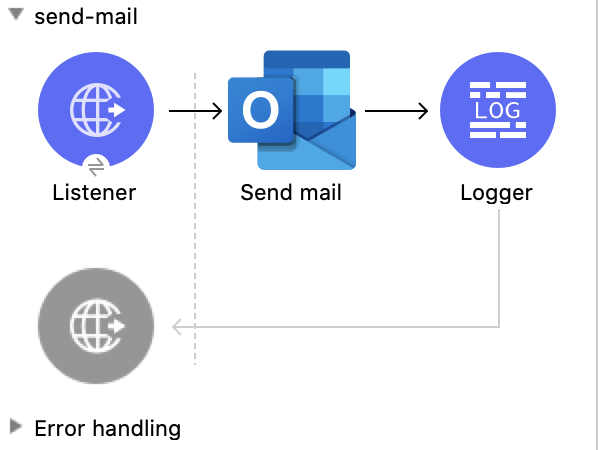
![Studio Flow for the Send Mail operation](/mulesoft/current/en-us/microsoft-outlook-365-connector/latest/_images/send-mail.png)

### XML for This Example

Paste this code into the Studio XML editor to quickly load the flow for this example into your Mule
app:

```xml
<?xml version="1.0" encoding="UTF-8"?>

<mule xmlns:tableau-specialist="http://www.mulesoft.org/schema/mule/tableau-specialist" xmlns:email="http://www.mulesoft.org/schema/mule/email"
	  xmlns:ee="http://www.mulesoft.org/schema/mule/ee/core"
	  xmlns:http="http://www.mulesoft.org/schema/mule/http" xmlns:outlook365="http://www.mulesoft.org/schema/mule/outlook365" xmlns:salesforce="http://www.mulesoft.org/schema/mule/salesforce" xmlns="http://www.mulesoft.org/schema/mule/core" xmlns:doc="http://www.mulesoft.org/schema/mule/documentation" xmlns:xsi="http://www.w3.org/2001/XMLSchema-instance" xsi:schemaLocation="http://www.mulesoft.org/schema/mule/core http://www.mulesoft.org/schema/mule/core/current/mule.xsd
http://www.mulesoft.org/schema/mule/outlook365 http://www.mulesoft.org/schema/mule/outlook365/current/mule-outlook365.xsd
http://www.mulesoft.org/schema/mule/http http://www.mulesoft.org/schema/mule/http/current/mule-http.xsd
http://www.mulesoft.org/schema/mule/ee/core http://www.mulesoft.org/schema/mule/ee/core/current/mule-ee.xsd
http://www.mulesoft.org/schema/mule/email http://www.mulesoft.org/schema/mule/email/current/mule-email.xsd
http://www.mulesoft.org/schema/mule/tableau-specialist http://www.mulesoft.org/schema/mule/tableau-specialist/current/mule-tableau-specialist.xsd">
	<http:listener-config name="HTTP_Listener_config" doc:name="HTTP Listener config" doc:id="7b5e348d-2f1c-4a09-b73a-7b1f84d89060" >
		<http:listener-connection host="0.0.0.0" port="8083" />
	</http:listener-config>

	<outlook365:outlook365-config name="outlook365_client_credentials" doc:name="Outlook365 Outlook365 Config" doc:id="ab1353ac-79b8-4718-a96c-a2c9e9d1d996" >
		<outlook365:oauth-client-credentials-connection >
			<outlook365:oauth-client-credentials clientId="${oauth-client-credentials.clientId}" clientSecret="${oauth-client-credentials.clientSecret}" tokenUrl="${oauth-client-credentials.tokenUrl}" scopes="${oauth-client-credentials.scopes}" />
		</outlook365:oauth-client-credentials-connection>
	</outlook365:outlook365-config>

	<flow name="send-mail" doc:id="8c2eb7ec-b811-4598-bd84-8cdc5453563c" >
		<http:listener doc:name="Listener" doc:id="290e3637-9b48-421b-bfb1-2b6fd717bbf5" config-ref="HTTP_Listener_config" path="/send-mail"/>
		<outlook365:send-mail doc:name="Send mail" doc:id="1179a8b1-faca-42a1-8728-4398236f884e" config-ref="outlook365_client_credentials" userId="88f176b2-84ca-4cfe-828c-954db0096efa" requestBodyContentFormat="MIME">
			<outlook365:message ><![CDATA[RnJvbTogU2hhcmVwb2ludCBUZWFtcyA8c2hhcmVwb2ludC10ZWFtc0BtdWxlY29ubmVjdG9yLm9ubWljcm9zb2Z0LmNvbT4KVG86IE11bGUgVGVzdCA8bXVsZXRlc3RAbXVsZXNvZnQuY29tPgpTdWJqZWN0OiBUZXN0IE91dGxvb2szNjUgY29ubmVjdG9yIC0gcGxlYXNlIGlnbm9yZQpEYXRlOiBTdW4sIDI4IEZlYiAyMDIxIDA3OjE1OjAwICswMDAw]]></outlook365:message>
		</outlook365:send-mail>
		<logger level="INFO" doc:name="Logger" doc:id="ca16b61a-efda-45b6-aae9-f9cf0fc237eb" message="#[payload]"/>
	</flow>
</mule>
```

### Steps for Running This Example

1.  Verify that your connector is configured.

2.  Save the project.

3.  From a web browser, test the application by entering
    `[http://localhost:8083/send-mail](http://localhost:8083/send-mail)`.

## Create Reply All to Message

This Mule flow creates a reply-all message that is saved in the Drafts folder. The message can then
be sent using the **Send message** operation.

This example uses the following operations:

- **HTTP Listener**  
  Accepts data from HTTP requests

- **Create reply all to message**  
  Creates a draft to reply to the sender and all the recipients of the specified message

- **Transform Message**  
  Outputs the results of the **Create reply all to message** operation in JSON format

- **Logger**  
  Shows the HTTP response from the **Create reply all to message** operation
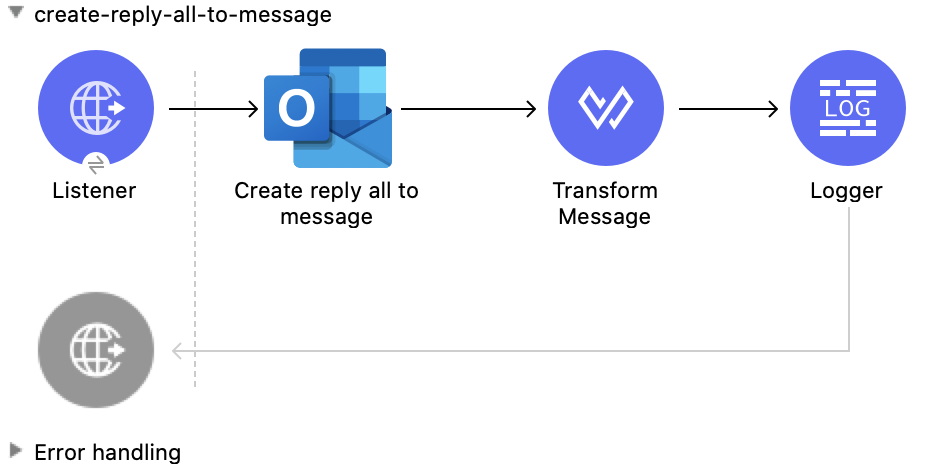
![Studio Flow for the Create Reply All to Message operation](/mulesoft/current/en-us/microsoft-outlook-365-connector/latest/_images/create-reply-all-to-message.png)

### XML for This Example

Paste this code into the Studio XML editor to quickly load the flow for this example into your Mule
app:

```xml
<?xml version="1.0" encoding="UTF-8"?>

<mule xmlns:tableau-specialist="http://www.mulesoft.org/schema/mule/tableau-specialist" xmlns:email="http://www.mulesoft.org/schema/mule/email"
	  xmlns:ee="http://www.mulesoft.org/schema/mule/ee/core"
	  xmlns:http="http://www.mulesoft.org/schema/mule/http" xmlns:outlook365="http://www.mulesoft.org/schema/mule/outlook365" xmlns:salesforce="http://www.mulesoft.org/schema/mule/salesforce" xmlns="http://www.mulesoft.org/schema/mule/core" xmlns:doc="http://www.mulesoft.org/schema/mule/documentation" xmlns:xsi="http://www.w3.org/2001/XMLSchema-instance" xsi:schemaLocation="http://www.mulesoft.org/schema/mule/core http://www.mulesoft.org/schema/mule/core/current/mule.xsd
http://www.mulesoft.org/schema/mule/outlook365 http://www.mulesoft.org/schema/mule/outlook365/current/mule-outlook365.xsd
http://www.mulesoft.org/schema/mule/http http://www.mulesoft.org/schema/mule/http/current/mule-http.xsd
http://www.mulesoft.org/schema/mule/ee/core http://www.mulesoft.org/schema/mule/ee/core/current/mule-ee.xsd
http://www.mulesoft.org/schema/mule/email http://www.mulesoft.org/schema/mule/email/current/mule-email.xsd
http://www.mulesoft.org/schema/mule/tableau-specialist http://www.mulesoft.org/schema/mule/tableau-specialist/current/mule-tableau-specialist.xsd">
	<http:listener-config name="HTTP_Listener_config" doc:name="HTTP Listener config" doc:id="98f35d79-9083-46d1-b1a5-27f954c8b437" >
		<http:listener-connection host="0.0.0.0" port="8083" />
	</http:listener-config>

	<outlook365:outlook365-config name="outlook365_client_credentials" doc:name="Outlook365 Outlook365 Config" doc:id="a5a23cc1-c8ec-400c-b2be-9590ebcf49ac" >
		<outlook365:oauth-client-credentials-connection >
			<outlook365:oauth-client-credentials clientId="${oauth-client-credentials.clientId}" clientSecret="${oauth-client-credentials.clientSecret}" tokenUrl="${oauth-client-credentials.tokenUrl}" scopes="${oauth-client-credentials.scopes}" />
		</outlook365:oauth-client-credentials-connection>
	</outlook365:outlook365-config>

	<flow name="create-reply-all-to-message" doc:id="2584d71b-c2fb-4a8d-8c79-957ca4900e06" >
		<http:listener doc:name="Listener" doc:id="02424960-2abd-4c16-8caa-5d9c233189d3" config-ref="HTTP_Listener_config" path="/create-reply-all"/>
		<outlook365:create-reply-all-to-message doc:name="Create reply all to message" doc:id="2cd08725-03a6-4945-98c0-3cfa559a16c8" config-ref="outlook365_client_credentials" userId="88f176b2-84ca-4cfe-828c-954db0096efa" messageId="AAMkADg5NjIxODNkLWRkNzAtNGFkNC04YjUwLWFjOTEyMzg0YzA5NgBGAAAAAADzzlN7RptORYu7QgvFkvQJBwCthX8I2XTFT5_USx5R95fIAAAAAAEJAACthX8I2XTFT5_USx5R95fIAAFD3jMsAAA=">
			<outlook365:reply ><![CDATA[#[%dw 2.0
output application/json
---
{
  "blabla": "sssscomment-value"
}]]]></outlook365:reply>
		</outlook365:create-reply-all-to-message>
		<ee:transform doc:name="Transform Message" doc:id="43f037d7-2d48-42e1-b504-9ffda49b3175" >
			<ee:message >
				<ee:set-payload ><![CDATA[%dw 2.0
output application/json
---
payload]]></ee:set-payload>
			</ee:message>
		</ee:transform>
		<logger level="INFO" doc:name="Logger" doc:id="3bdce785-d6d3-496b-8f8c-b2c7460293a0" message="#[payload]"/>
	</flow>
</mule>
```

### Steps for Running This Example

1.  Verify that your connector is configured.

2.  Save the project.

3.  From a web browser, test the application by entering
    `[http://localhost:8083/create-reply-all-to-message](http://localhost:8083/create-reply-all-to-message)`.

## Reply All to Message

This Mule flow creates a reply-all message, which is sent without creating it first in the Drafts
folder using the **Create message** operation.

This example uses the following operations:

- **HTTP Listener**  
  Accepts data from HTTP requests

- **Reply all to message**  
  Replies to all recipients of a message

- **Logger**  
  Shows the HTTP response from the **Reply all to message** operation
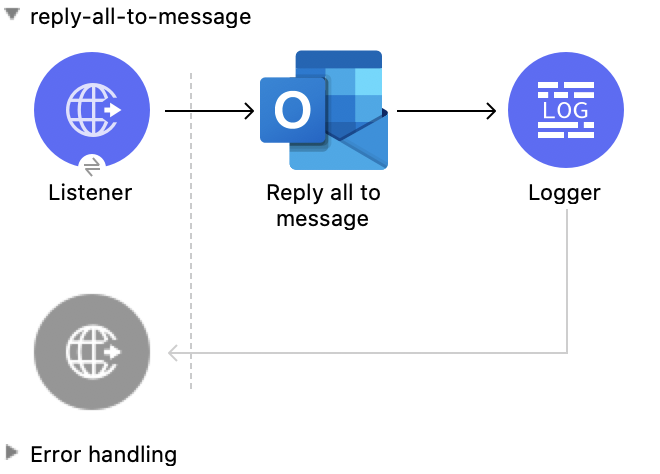
![Studio Flow for the Reply All to Message operation](/mulesoft/current/en-us/microsoft-outlook-365-connector/latest/_images/reply-all-to-message.png)

### XML for This Example

Paste this code into the Studio XML editor to quickly load the flow for this example into your Mule
app:

```xml
<?xml version="1.0" encoding="UTF-8"?>

<mule xmlns:tableau-specialist="http://www.mulesoft.org/schema/mule/tableau-specialist" xmlns:email="http://www.mulesoft.org/schema/mule/email"
	  xmlns:ee="http://www.mulesoft.org/schema/mule/ee/core"
	  xmlns:http="http://www.mulesoft.org/schema/mule/http" xmlns:outlook365="http://www.mulesoft.org/schema/mule/outlook365" xmlns:salesforce="http://www.mulesoft.org/schema/mule/salesforce" xmlns="http://www.mulesoft.org/schema/mule/core" xmlns:doc="http://www.mulesoft.org/schema/mule/documentation" xmlns:xsi="http://www.w3.org/2001/XMLSchema-instance" xsi:schemaLocation="http://www.mulesoft.org/schema/mule/core http://www.mulesoft.org/schema/mule/core/current/mule.xsd
http://www.mulesoft.org/schema/mule/outlook365 http://www.mulesoft.org/schema/mule/outlook365/current/mule-outlook365.xsd
http://www.mulesoft.org/schema/mule/http http://www.mulesoft.org/schema/mule/http/current/mule-http.xsd
http://www.mulesoft.org/schema/mule/ee/core http://www.mulesoft.org/schema/mule/ee/core/current/mule-ee.xsd
http://www.mulesoft.org/schema/mule/email http://www.mulesoft.org/schema/mule/email/current/mule-email.xsd
http://www.mulesoft.org/schema/mule/tableau-specialist http://www.mulesoft.org/schema/mule/tableau-specialist/current/mule-tableau-specialist.xsd">
	<http:listener-config name="HTTP_Listener_config" doc:name="HTTP Listener config" doc:id="98f35d79-9083-46d1-b1a5-27f954c8b437" >
		<http:listener-connection host="0.0.0.0" port="8083" />
	</http:listener-config>

	<outlook365:outlook365-config name="outlook365_client_credentials" doc:name="Outlook365 Outlook365 Config" doc:id="a5a23cc1-c8ec-400c-b2be-9590ebcf49ac" >
		<outlook365:oauth-client-credentials-connection >
			<outlook365:oauth-client-credentials clientId="${oauth-client-credentials.clientId}" clientSecret="${oauth-client-credentials.clientSecret}" tokenUrl="${oauth-client-credentials.tokenUrl}" scopes="${oauth-client-credentials.scopes}" />
		</outlook365:oauth-client-credentials-connection>
	</outlook365:outlook365-config>

	<flow name="reply-all-to-message" doc:id="74d00afa-c238-4a4a-90d8-c7639dd1bb2b" >
		<http:listener doc:name="Listener" doc:id="545d0bae-9e20-48f6-9dd5-4a36ecade538" config-ref="HTTP_Listener_config" path="/reply-all"/>
		<outlook365:reply-all-to-message doc:name="Reply all to message" doc:id="44693b84-7bba-4f61-a5f2-481c05d8a3d8" config-ref="outlook365_client_credentials" userId="88f176b2-84ca-4cfe-828c-954db0096efa" messageId="AAMkADg5NjIxODNkLWRkNzAtNGFkNC04YjUwLWFjOTEyMzg0YzA5NgBGAAAAAADzzlN7RptORYu7QgvFkvQJBwCthX8I2XTFT5_USx5R95fIAAAAAAEJAACthX8I2XTFT5_USx5R95fIAAFD3jMsAAA="/>
		<logger level="INFO" doc:name="Logger" doc:id="e2e303d6-d17d-4940-910d-e9a95a2728b0" message="#[payload]"/>
	</flow>
</mule>
```

### Steps for Running This Example

1.  Verify that your connector is configured.

2.  Save the project.

3.  From a web browser, test the application by entering
    `[http://localhost:8083/reply-all-to-message](http://localhost:8083/reply-all-to-message)`.

## See Also

- [Introduction to Anypoint Connectors](https://docs.mulesoft.com/connectors/introduction/introduction-to-anypoint-connectors)

- [Salesforce Help](https://help.salesforce.com)
