---
schema_version: "1"
id: c60d5b277b881b0d3e8a8486bc9273a5f1fcc79bb14761a57b31ac14e0b421c6
title: Tune JMS Connector for Performance
collection: mulesoft
version: current
locale: en-us
portal_url: https://docs.salesforce.com/mulesoft/current/en-us/jms-connector/latest/jms-performance.md
canonical_url: https://docs.mulesoft.com/jms-connector/latest/jms-performance
source_site: docs.mulesoft.com
content_type: documentation
content_hash: c0dabb7f2f5f058ef15374c9bfdc3278ee315e5545ee33ed86b6515383cf6244
description: MuleSoft Documentation Site
release: "2.0"
latest: true
---
---
product: JMS Connector
version: 2.0
is-latest-version: true
keywords: jms, connector, consume, message, source, listener
---
# Tune JMS Connector for Performance
> For the full documentation index, see: https://docs.mulesoft.com/llms.txt
Performance is sometimes negatively impacted by message . The following recommendations can help you
get the most of Anypoint Connector for JMS (JMS Connector) for your Mule applications.
## Connections Caching Reuse
Because connections are expensive to create, reuse them as much as you can. By default, JMS
Connector uses a caching strategy that reuses as many consumers and producers as possible. To avoid
performance degradation, do not disable connection caching.
## Increased Concurrent Messages Processing
To improve the performance of your application, increase the number of consumers that receive
messages from the same destination. JMS Connector enables you to increase the number of consumers by
configuring the **Number of consumers** field in the **On New Message** source. By default, this
source enables four consumers to receive messages concurrently on the same destination, but you can
increase this number to the one that best fits your needs.
In the following example, you increase the number of consumers receiving messages concurrently:
1. In Studio, select the **On New Message** source from your flow.
2. In the **On New Message** source configuration screen, set the **Number of consumers** field to
`20`.
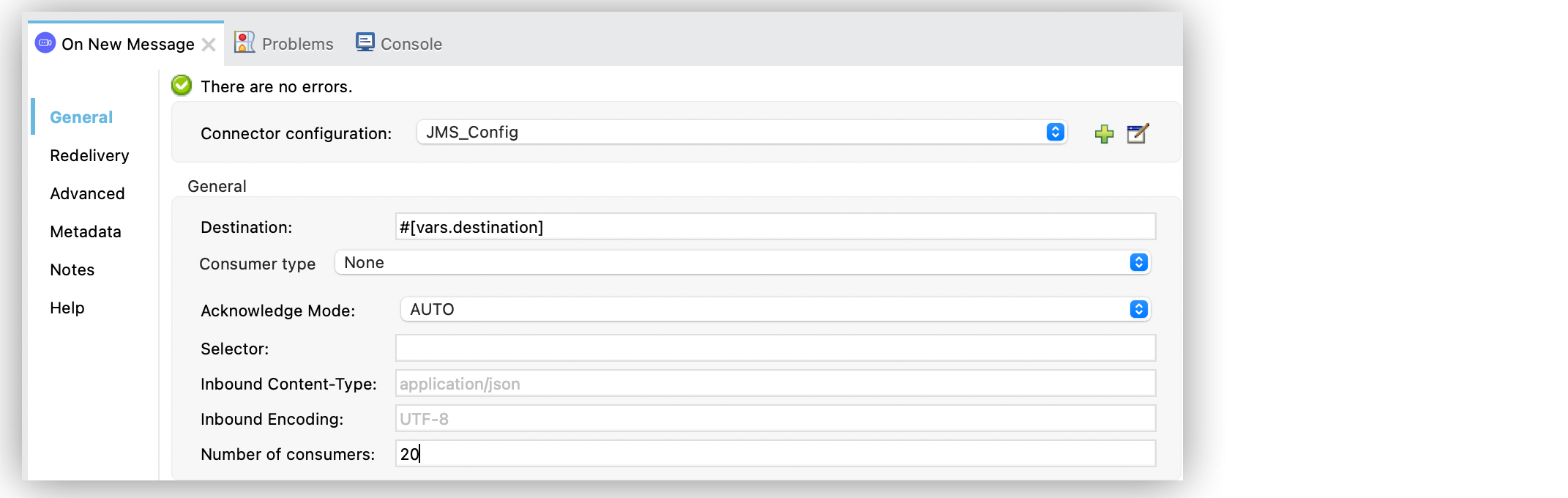
Figure 1. JMS Connector Number of consumers Configuration
In the XML editor, the `numberOfConsumers` configuration looks like this:
```xml
```
## Cluster Configuration Optimization
For applications running in clusters, consider the primary node and how the connector behaves. When
the app runs in a cluster, the **On New Message** source default behavior receives messages only in
the primary node, no matter what kind of destination the app consumes.
When consuming messages from a queue, the default connector behavior is to receive messages in all
the cluster’s nodes, not just the primary node. JMS Connector enables you to configure the **Primary
node only** field in the **On New Message** source. When the connector consumes from a queue in a
cluster, do not select the **Primary node only** field, which defaults to `false`.
In the following example, you configure the connector to receive messages in all the nodes:
1. In Studio, select the **On New Message** source from your flow.
2. In the **Advanced** tab, leave unselected the **Primary node only** field.
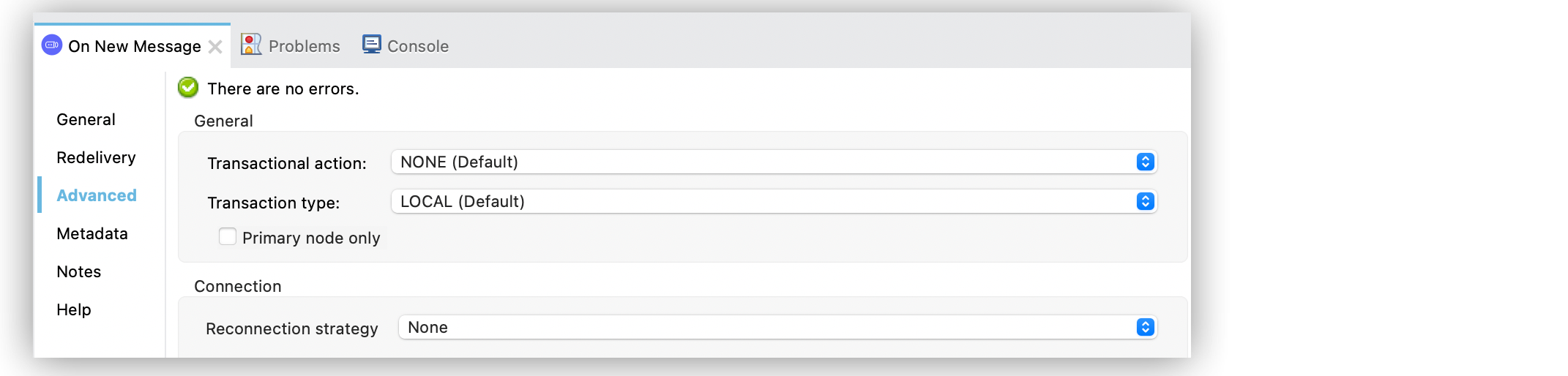
Figure 2. JMS Connector Primary Node only Configuration
In the XML editor, the `primaryNodeOnly` configuration looks like this:
```xml
```
When consuming messages from a topic, the default connector behavior is to receive messages only in
the primary node, which avoids processing the same message multiple times across the cluster.
When consuming messages from a topic in a cluster, the configuration of **Primary node only**
unselected causes the cluster to process the same message more than once, unless you also configure
shared subscriptions.
If you are using the JMS 2.0 shared subscriptions mechanism, then change the cluster configuration
to consume from all the nodes, again setting the **Primary node only** field to `false`.
In the following example, you configure the connector using 2.0 spec shared-subscriptions mechanism:
1. In Studio, select the **On New Message** source from your flow.
2. In the **On New Message** source configuration screen, select **Topic consumer**.
3. Select the **Shared** option.
4. Set the **Subscription name** to `clusteredEventListener`.
5. In the **Advanced** tab, leave unselected the **Primary node only** field.
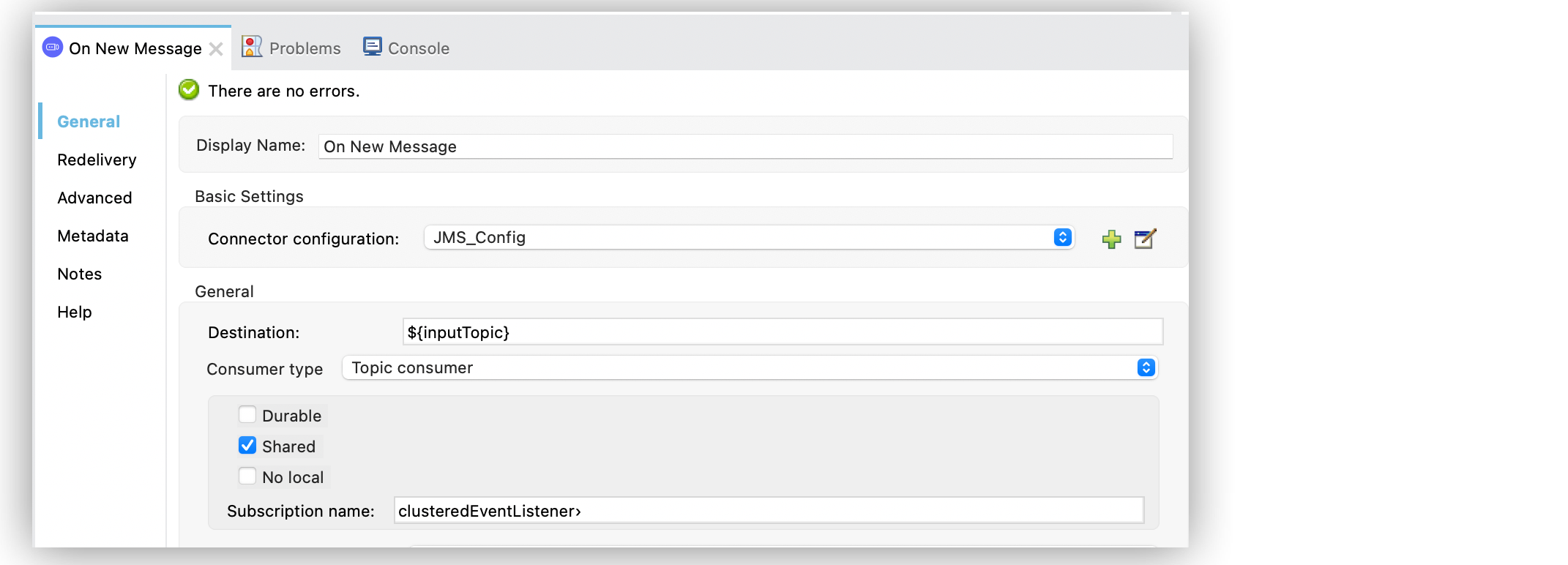
Figure 3. JMS Connector Primary Node only Configuration
In the XML editor, the `jms:topic-consumer`, `shared`, and `primaryNodeOnly` configurations look
like this:
```xml
```
## Configure Prefetch for JMS Connector
For JMS Connector, when using ActiveMQ client, you configure prefetch on the server connection URL.
Refer to the
[ActiveMQ documentation](https://activemq.apache.org/components/classic/documentation/what-is-the-prefetch-limit-for#:~:text=Specifying%20the%20PrefetchPolicy)
for details.
For example, consider these connection URLs with the `jms.prefetchPolicy.all` parameter:
```xml
tcp://localhost:61616?jms.prefetchPolicy.all=50
tcp://localhost:61616?jms.prefetchPolicy.queuePrefetch=1
```
In the JMS Connector XML configuration, the configuration of the connection `brokenUrl` looks like
this:
```xml
```
Increase prefetch values for high performance with high message volumes. However, for lower message
volumes, where each message takes a long time to process, set the prefetch to `1`. This ensures that
a consumer is only processing one message at a time. Specifying a prefetch limit of zero, however,
causes the consumer to poll for messages, one at a time, instead of the message being pushed to the
consumer.
## See Also
- [Consume Messages](https://docs.mulesoft.com/jms-connector/latest/jms-consume)
- [Configure Topic Subscriptions](https://docs.mulesoft.com/jms-connector/latest/jms-topic-subscription)