---
schema_version: "1"
id: fe82ed113d12bc5b9e28d77f47426398d933932ae68b0be65163a1b9fb378393
title: Validating Query Parameters and Headers
collection: mulesoft
version: current
locale: en-us
portal_url: https://docs.salesforce.com/mulesoft/current/en-us/apikit/latest/validate-4-task.md
canonical_url: https://docs.mulesoft.com/apikit/latest/validate-4-task
source_site: docs.mulesoft.com
content_type: documentation
content_hash: 66a5501e64a6ac97090dc80d2bc69f92f711de2e5735319c3976b8b8d499ac56
description: MuleSoft Documentation Site
release: 4.x
latest: true
---
---
product: APIkit
version: 4.x
is-latest-version: true
---
# Validating Query Parameters and Headers
> For the full documentation index, see: https://docs.mulesoft.com/llms.txt
Restrict query parameters and headers on APIkit for REST to the names your RAML or OpenAPI
Specification defines. Turn on strict validation in the **APIkit Router** configuration in Studio,
or set the matching attributes on `apikit:config` in XML when you need repeatable deployments.
1. In Studio, select **APIkit Router**.

2. Click **Edit** for your router configuration.
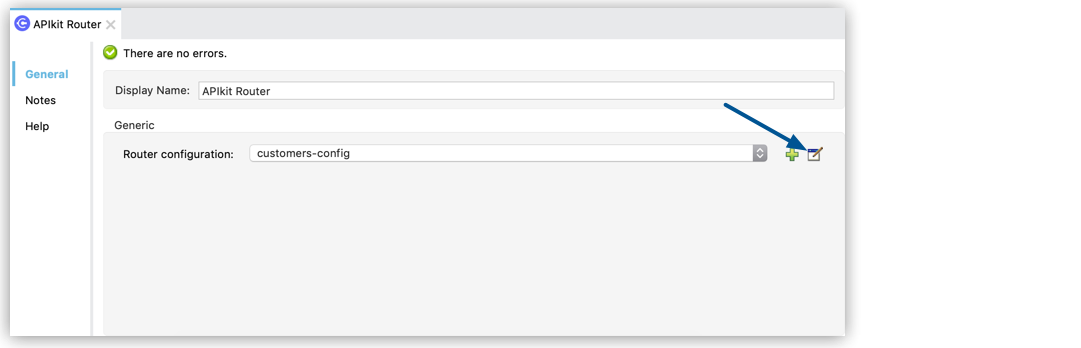
3. Select **Query Parameters Strict Validations** to restrict the usage of query parameters to the
ones defined in your API specification.
4. Select **Headers Strict Validations** to limit the headers to the ones specified in your API
specification.
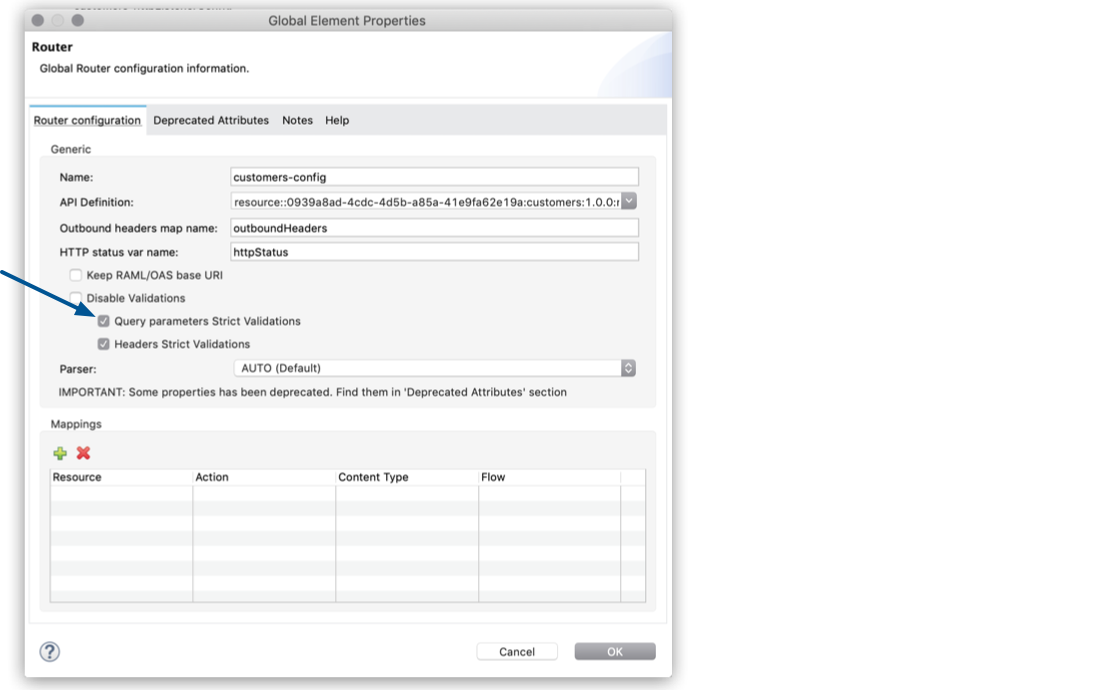
You can also configure **APIkit Router** to validate headers and query parameters by updating the
APIkit configuration in XML:
```xml
```
## Disable Validation of Query Parameters and Headers
Disable the validation of query parameters and headers to minimize latency.
1. In Studio, select **APIkit Router**.

2. Click **Edit** for your router configuration.

3. Select **Disable Validations**.
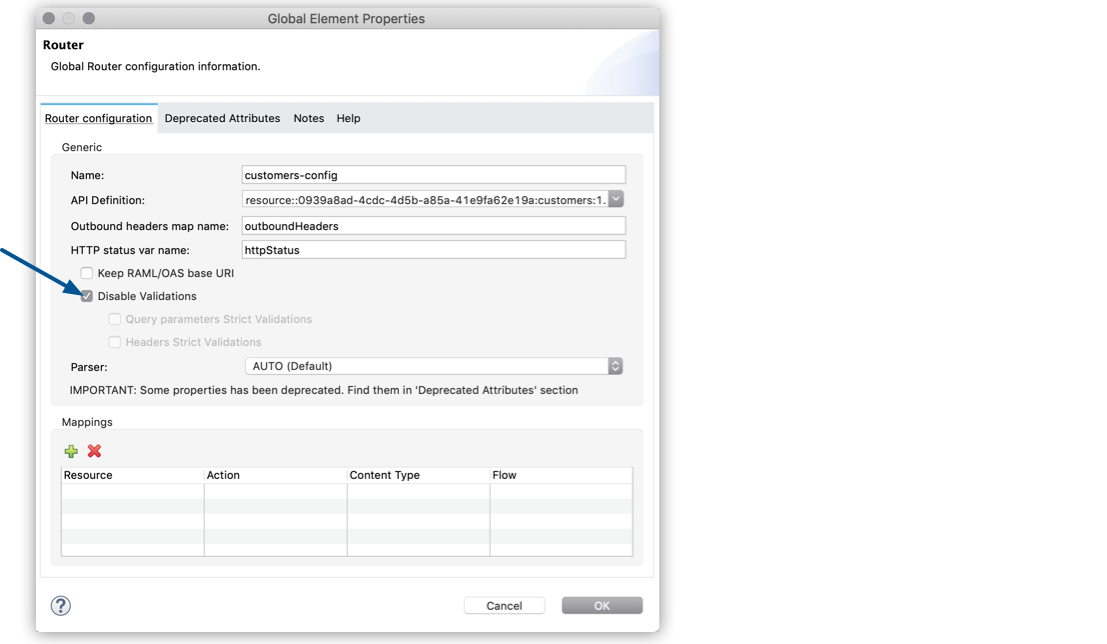
You can also disable the validation of query parameters and headers to minimize latency by updating
the APIkit configuration in XML:
```xml
```
## See Also
- [Configuring the Response Headers and Status Code](https://docs.mulesoft.com/apikit/latest/configure-headers4-task)
- [Configure the Service URI](https://docs.mulesoft.com/apikit/latest/configure-service-uri-task)