
 **Results**
The agent executes a cross-system workflow as a coherent, supervised sequence and not a fire-and-forget script. Each step’s result is evaluated before the next step is invoked, so the agent detects failures at the earliest possible point instead of discovering partial completion after the fact.
The host system (Salesforce CRM) is updated only after the remote operation has confirmed the status (success or failure). Identifiers and state returned by external systems, like billing account numbers, transaction IDs, confirmation codes are propagated through the chain and persisted, creating a complete, traceable record of the workflow outcome.
The agent is responsible for reasoning over results and sequencing decisions. Each action is responsible only for its own operation and for returning a structured result. Neither layer encodes the other’s logic.
**Design Considerations**
Platform-agnostic Guidance
- Make sure that each action in the chain carries a semantic description written in intent-based language and not as a technical method signature. The agent selects actions based on these descriptions. A description that reads "calls the billing API" is less useful than one that reads "creates a billing account in the billing system and returns the new account identifier."
- Make all write operations in the chain idempotent. The agent’s reasoning loop may retry an action if it receives an ambiguous response. The action must produce the same outcome on repeated invocation.
- Validate all LLM inferred input parameters defensively at the action boundary. Never assume that parameters passed by the agent are well formed, within range, or of the expected type.
- Design each action for a single responsibility. An action that creates a billing account and sends a confirmation email in the same call is harder to retry, harder to test, and harder for the agent to reason over than two discrete actions.
Salesforce Implementation Notes
- **For Apex Actions**, annotate with @InvocableMethod(label=’...’ description=’...’). The “description” is read by the agent to determine when to invoke the action. Declare all input and output variables with @InvocableVariable using descriptive “label” and “description” fields. Return structured result objects with explicit success/failure indicators and human-readable error messages.
- **For Flow Actions**, use Autolaunched Flows exclusively; screen flows aren’t supported in autonomous agent contexts. Keep each flow atomic; one action, one responsibility. Configure fault paths on every external callout element to catch integration errors and return actionable error messages to the agent instead of letting uncaught exceptions terminate the session.
- **For External Services**, import the target system’s OpenAPI specification and register the generated actions in the Agentforce Topic. Wrap the generated stubs in Named Credentials to avoid hardcoding endpoints or credentials in the action definition.
- **For all external callouts**, set explicit callout timeouts. A callout that hangs without a timeout will block the agent’s reasoning cycle until the session limit is reached. Return a graceful failure with a descriptive error message when the timeout is exceeded. All external callouts have a configurable timeout of up to 120 seconds. They're also subject to Apex synchronous transaction governor limits, so make sure to mitigate the risk of instantiating more than 50 transactions that run for more than five seconds each.
**Error Handling and Recovery**
- The agent gates each step on the explicit success of the step’s predecessor. Actions must return a structured result that includes a clear success or failure indicator. The agent can't reliably infer failure from a missing or null response alone.
- When an action fails, the agent uses the error message returned by the action to determine its next move: prompt the user for corrected input, attempt a self-healing retry with adjusted parameters, or halt the chain and log the failure for human review. Therefore, error messages must be specific and actionable: "Invalid date range: endDate cannot precede startDate" is usable; 400 status code alone is not.
- For chains where partial completion creates inconsistent state (for example, the billing account was created but the CRM record was not updated), the agent invokes a compensation action to roll back or flag the partial state before surfacing the failure. Design compensation paths as named actions alongside the forward path.
- If a write action potentially succeeded, but returned an ambiguous response (network timeout, no acknowledgment), the retry must use the same idempotency key or external reference ID as the original call. Never issue an unchecked retry on a non-idempotent write.
**Security Considerations**
- Wrap all external callouts in named credentials. Never hardcode endpoints or credentials in Apex code or Flow configurations. These must be managed through the platform’s secure credential store and rotated without code changes.
- Apply the least-privilege principle to the integration user or connected app used by each action. An action that only reads order data shouldn't hold write permissions on the billing system. Scope credentials to the minimum operations the action requires.
- Log the invocation of each action in the chain with its session ID, input parameters (sanitized of sensitive values), and outcome. If the result is disputed, this audit trail is the primary mechanism for reconstructing why the agent executed a given sequence of actions.
- Sanitize all input parameters that originate from user-provided text before passing them to external systems. User input passed through the agent into an external API callout is a potential injection vector. Validate type, format, and range at the action boundary before the callout is made.
**Example**
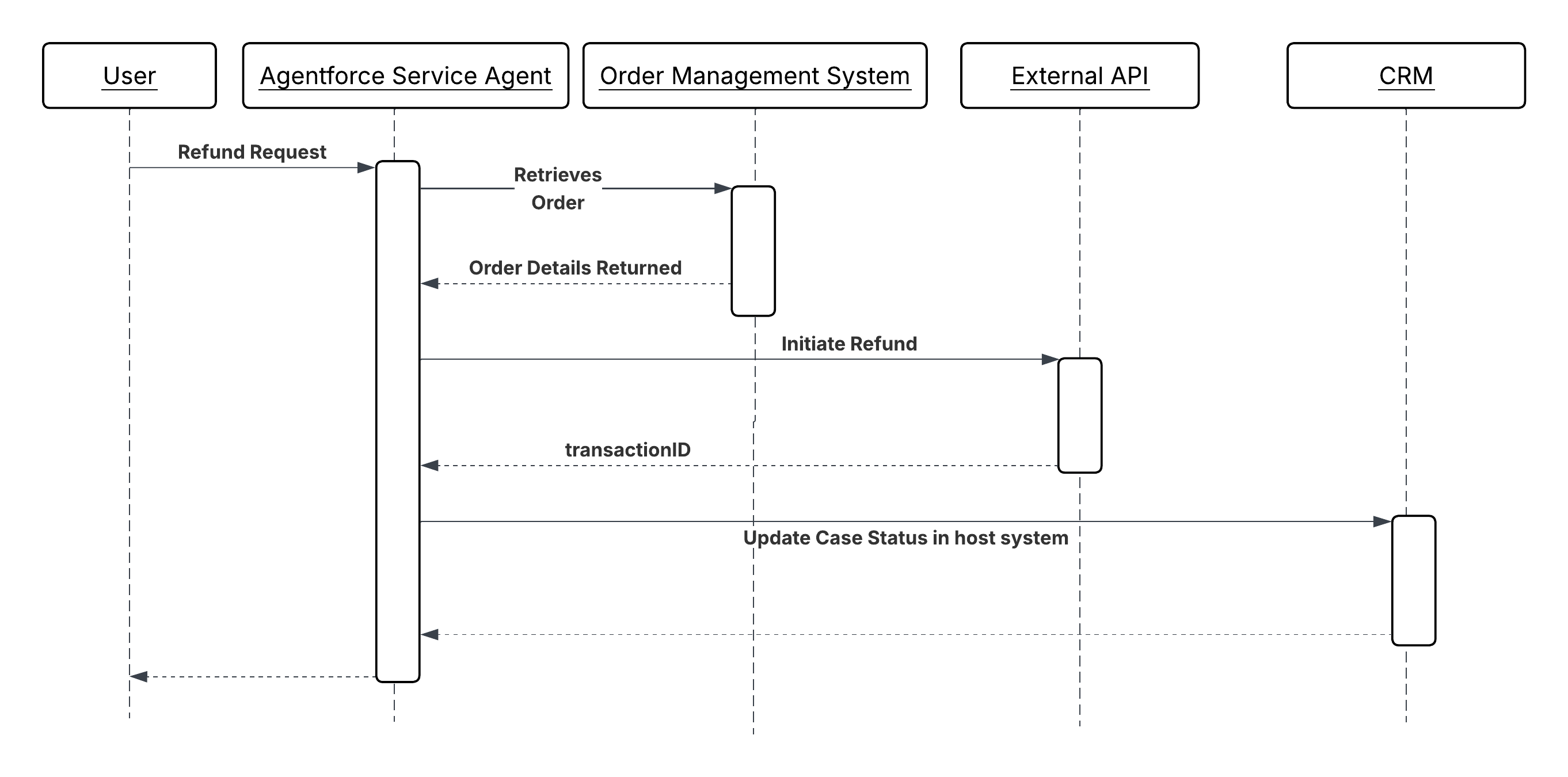
A customer service agent handling a refund request executes a four-step sequential chain:
1. `GetOrderDetails` (Apex Action) retrieves the order record from the Order Management System using the order ID provided by the user. It returns order status, line items, purchase date, and payment method. The agent evaluates whether the order is in a refundable state before proceeding.
2. `ValidateRefundEligibility` (Autolaunched Flow) applies the business rules for refund eligibility, including return window, product category restrictions, and prior refund history. It returns an “eligible” boolean and, if ineligible, a plain-language reason the agent can surface to the user.
3. `InitiateRefund` (Apex Action) calls the external payment gateway API with the order ID and refund amount. Returns a “refundTransactionId” on success. This action is idempotent. If called a second time with the same order ID, it returns the existing transaction ID rather than creating a duplicate refund.
4. `UpdateCaseStatus` (Autolaunched Flow) updates the CRM case record with the refund transaction ID, sets the case status to "Resolved Refund Issued," and creates a follow-up task for the account owner. This step executes only after “InitiateRefund” has returned a confirmed transaction ID.
If `InitiateRefund` times out or returns an error, the agent halts the chain, does not invoke `UpdateCaseStatus`, and surfaces an actionable message to the user. The case remains open and unresolved, preserving accurate state in the CRM.
## Parallel Action Invocation (Outbound)
**Context**
Sequential action chains are efficient when execution steps are dependent on each other. One step gates the next. But many workflows contain a set of steps that have no interdependencies. For example, steps that include retrieving product inventory, fetching customer entitlements, and checking a shipping estimate can all happen simultaneously, as no step’s input requires the output of another. Executing these steps sequentially wastes time proportional to the number of steps.
In a parallel invocation pattern, the agent identifies that a set of actions are independent and invokes them concurrently rather than in sequence. The overall workflow time is bound by the slowest individual action rather than the sum of all action times. Once all results are returned, the agent aggregates them into a single coherent response or uses them together as inputs to the next stage of reasoning.
The key architectural challenge isn't the parallel invocation itself. It's managing fan-out within platform concurrency constraints and ensuring that the aggregation step handles partial failures gracefully, without discarding the results that did succeed.
**Problem**
How does an agent efficiently orchestrate the simultaneous execution of multiple, independent capabilities and aggregate the individual results into a single, cohesive response for the user or subsequent steps?
**Forces**
When applying this pattern, answer the following questions:
- What are the considerations for actions regarding thread safety and sharing of mutable state?
- How will the solution manage and avoid hitting Salesforce governor limits for parallel Apex callouts within a single transaction?
- Is there a need to use asynchronous patterns (like Queueable Apex or Platform Events) to avoid governor limits?
- Is synchronous aggregation of the results required before the agent can proceed?
**Salesforce Pattern Application**
| Solution | Fit | Comments |
| ------------------- | --------------------------------------------------------------------- | ------------------------------------------------------------------------------------------------------------------------------------------------------------------------------------------------------------------------------------------------------------------------------------------------------------------------------------------------------------------------------------------- |
| Middleware Approach | Best for high fan outs (\>5 endpoints) and cross-platform aggregation | You need a middleware layer. The agent makes one callout to the middleware. Then, the middleware fans that out to 10 systems in parallel, aggregates the data, and sends a single response back to the agent. This is preferred when the agent must call many heterogeneous external systems. The middleware absorbs fan-out complexity and returns a single aggregated response. |
| Queueable Apex | Best for Salesforce internal parallelism | You need to fire multiple queueable jobs. While Salesforce manages the queue, if you have enough "slots" in your concurrency limit, these can execute at the same time.Use when parallel operations are within the Salesforce org and concurrency slots are available. This isn't suitable when immediate aggregated response is required. |
| Platform Events | Best for fire-forget or eventual consistency | Results don't need to be aggregated synchronously. Each event triggers an isolated transaction, maximizing throughput but requiring downstream reconciliation. Use this mechanism when eventual consistency is acceptable and throughput is more important than response latency. |
**Sketch**
_Sequence Diagram for Parallel Action Invocation_
**Results**
The agent executes a cross-system workflow as a coherent, supervised sequence and not a fire-and-forget script. Each step’s result is evaluated before the next step is invoked, so the agent detects failures at the earliest possible point instead of discovering partial completion after the fact.
The host system (Salesforce CRM) is updated only after the remote operation has confirmed the status (success or failure). Identifiers and state returned by external systems, like billing account numbers, transaction IDs, confirmation codes are propagated through the chain and persisted, creating a complete, traceable record of the workflow outcome.
The agent is responsible for reasoning over results and sequencing decisions. Each action is responsible only for its own operation and for returning a structured result. Neither layer encodes the other’s logic.
**Design Considerations**
Platform-agnostic Guidance
- Make sure that each action in the chain carries a semantic description written in intent-based language and not as a technical method signature. The agent selects actions based on these descriptions. A description that reads "calls the billing API" is less useful than one that reads "creates a billing account in the billing system and returns the new account identifier."
- Make all write operations in the chain idempotent. The agent’s reasoning loop may retry an action if it receives an ambiguous response. The action must produce the same outcome on repeated invocation.
- Validate all LLM inferred input parameters defensively at the action boundary. Never assume that parameters passed by the agent are well formed, within range, or of the expected type.
- Design each action for a single responsibility. An action that creates a billing account and sends a confirmation email in the same call is harder to retry, harder to test, and harder for the agent to reason over than two discrete actions.
Salesforce Implementation Notes
- **For Apex Actions**, annotate with @InvocableMethod(label=’...’ description=’...’). The “description” is read by the agent to determine when to invoke the action. Declare all input and output variables with @InvocableVariable using descriptive “label” and “description” fields. Return structured result objects with explicit success/failure indicators and human-readable error messages.
- **For Flow Actions**, use Autolaunched Flows exclusively; screen flows aren’t supported in autonomous agent contexts. Keep each flow atomic; one action, one responsibility. Configure fault paths on every external callout element to catch integration errors and return actionable error messages to the agent instead of letting uncaught exceptions terminate the session.
- **For External Services**, import the target system’s OpenAPI specification and register the generated actions in the Agentforce Topic. Wrap the generated stubs in Named Credentials to avoid hardcoding endpoints or credentials in the action definition.
- **For all external callouts**, set explicit callout timeouts. A callout that hangs without a timeout will block the agent’s reasoning cycle until the session limit is reached. Return a graceful failure with a descriptive error message when the timeout is exceeded. All external callouts have a configurable timeout of up to 120 seconds. They're also subject to Apex synchronous transaction governor limits, so make sure to mitigate the risk of instantiating more than 50 transactions that run for more than five seconds each.
**Error Handling and Recovery**
- The agent gates each step on the explicit success of the step’s predecessor. Actions must return a structured result that includes a clear success or failure indicator. The agent can't reliably infer failure from a missing or null response alone.
- When an action fails, the agent uses the error message returned by the action to determine its next move: prompt the user for corrected input, attempt a self-healing retry with adjusted parameters, or halt the chain and log the failure for human review. Therefore, error messages must be specific and actionable: "Invalid date range: endDate cannot precede startDate" is usable; 400 status code alone is not.
- For chains where partial completion creates inconsistent state (for example, the billing account was created but the CRM record was not updated), the agent invokes a compensation action to roll back or flag the partial state before surfacing the failure. Design compensation paths as named actions alongside the forward path.
- If a write action potentially succeeded, but returned an ambiguous response (network timeout, no acknowledgment), the retry must use the same idempotency key or external reference ID as the original call. Never issue an unchecked retry on a non-idempotent write.
**Security Considerations**
- Wrap all external callouts in named credentials. Never hardcode endpoints or credentials in Apex code or Flow configurations. These must be managed through the platform’s secure credential store and rotated without code changes.
- Apply the least-privilege principle to the integration user or connected app used by each action. An action that only reads order data shouldn't hold write permissions on the billing system. Scope credentials to the minimum operations the action requires.
- Log the invocation of each action in the chain with its session ID, input parameters (sanitized of sensitive values), and outcome. If the result is disputed, this audit trail is the primary mechanism for reconstructing why the agent executed a given sequence of actions.
- Sanitize all input parameters that originate from user-provided text before passing them to external systems. User input passed through the agent into an external API callout is a potential injection vector. Validate type, format, and range at the action boundary before the callout is made.
**Example**
A customer service agent handling a refund request executes a four-step sequential chain:
1. `GetOrderDetails` (Apex Action) retrieves the order record from the Order Management System using the order ID provided by the user. It returns order status, line items, purchase date, and payment method. The agent evaluates whether the order is in a refundable state before proceeding.
2. `ValidateRefundEligibility` (Autolaunched Flow) applies the business rules for refund eligibility, including return window, product category restrictions, and prior refund history. It returns an “eligible” boolean and, if ineligible, a plain-language reason the agent can surface to the user.
3. `InitiateRefund` (Apex Action) calls the external payment gateway API with the order ID and refund amount. Returns a “refundTransactionId” on success. This action is idempotent. If called a second time with the same order ID, it returns the existing transaction ID rather than creating a duplicate refund.
4. `UpdateCaseStatus` (Autolaunched Flow) updates the CRM case record with the refund transaction ID, sets the case status to "Resolved Refund Issued," and creates a follow-up task for the account owner. This step executes only after “InitiateRefund” has returned a confirmed transaction ID.
If `InitiateRefund` times out or returns an error, the agent halts the chain, does not invoke `UpdateCaseStatus`, and surfaces an actionable message to the user. The case remains open and unresolved, preserving accurate state in the CRM.
## Parallel Action Invocation (Outbound)
**Context**
Sequential action chains are efficient when execution steps are dependent on each other. One step gates the next. But many workflows contain a set of steps that have no interdependencies. For example, steps that include retrieving product inventory, fetching customer entitlements, and checking a shipping estimate can all happen simultaneously, as no step’s input requires the output of another. Executing these steps sequentially wastes time proportional to the number of steps.
In a parallel invocation pattern, the agent identifies that a set of actions are independent and invokes them concurrently rather than in sequence. The overall workflow time is bound by the slowest individual action rather than the sum of all action times. Once all results are returned, the agent aggregates them into a single coherent response or uses them together as inputs to the next stage of reasoning.
The key architectural challenge isn't the parallel invocation itself. It's managing fan-out within platform concurrency constraints and ensuring that the aggregation step handles partial failures gracefully, without discarding the results that did succeed.
**Problem**
How does an agent efficiently orchestrate the simultaneous execution of multiple, independent capabilities and aggregate the individual results into a single, cohesive response for the user or subsequent steps?
**Forces**
When applying this pattern, answer the following questions:
- What are the considerations for actions regarding thread safety and sharing of mutable state?
- How will the solution manage and avoid hitting Salesforce governor limits for parallel Apex callouts within a single transaction?
- Is there a need to use asynchronous patterns (like Queueable Apex or Platform Events) to avoid governor limits?
- Is synchronous aggregation of the results required before the agent can proceed?
**Salesforce Pattern Application**
| Solution | Fit | Comments |
| ------------------- | --------------------------------------------------------------------- | ------------------------------------------------------------------------------------------------------------------------------------------------------------------------------------------------------------------------------------------------------------------------------------------------------------------------------------------------------------------------------------------- |
| Middleware Approach | Best for high fan outs (\>5 endpoints) and cross-platform aggregation | You need a middleware layer. The agent makes one callout to the middleware. Then, the middleware fans that out to 10 systems in parallel, aggregates the data, and sends a single response back to the agent. This is preferred when the agent must call many heterogeneous external systems. The middleware absorbs fan-out complexity and returns a single aggregated response. |
| Queueable Apex | Best for Salesforce internal parallelism | You need to fire multiple queueable jobs. While Salesforce manages the queue, if you have enough "slots" in your concurrency limit, these can execute at the same time.Use when parallel operations are within the Salesforce org and concurrency slots are available. This isn't suitable when immediate aggregated response is required. |
| Platform Events | Best for fire-forget or eventual consistency | Results don't need to be aggregated synchronously. Each event triggers an isolated transaction, maximizing throughput but requiring downstream reconciliation. Use this mechanism when eventual consistency is acceptable and throughput is more important than response latency. |
**Sketch**
_Sequence Diagram for Parallel Action Invocation_
 **Results**
When independent actions are executed in parallel, the end-to-end workflow time is bound by the slowest individual action rather than the sum of all actions. For a workflow with three independent callouts averaging 300 ms each, parallel execution completes in \~300 ms; sequential execution takes \~900 ms. At scale, this difference compounds across every agent session running concurrently.
**Design Considerations**
Platform-agnostic Guidance
- Confirm independence before parallelizing. Actions are safe to run in parallel only if neither action reads the state written by the other, and neither action's failure should cancel the other. If a dependency exists, even a soft one, use sequential chaining instead.
- Design the aggregation step explicitly. Define in advance what a complete result set looks like, what a partial result set means for downstream reasoning, and whether the agent should wait for all results or proceed once a threshold (for example, five out of seven total calls) has returned.
- All parallel write operations must be idempotent. Each operation runs in isolation without a shared transaction boundary, so retrying any individual branch cannot duplicate side effects.
Salesforce Implementation Notes
- **For Queueable Apex:** Submit all jobs within a single transaction to maximize the chance of concurrent execution. Be aware that available concurrency slots are shared across the org; design with the assumption that slots may not always be available and build a fallback to sequential execution when they’re not.
- **For Platform Events:** Write each operation's result to a dedicated staging record (keyed by a shared correlation ID) rather than updating the target record directly. A final aggregation Flow or Apex trigger reads all staging records once the expected count is reached, then applies the consolidated update atomically.
- **For Middleware Fan-Out:** Set an explicit timeout on the single callout that’s longer than the expected worst-case response time of the slowest backend, but still within the Salesforce callout timeout limit. The middleware returns partial results with a clear indication of which backends failed, rather than timing out the entire response.
**Error Handling and Recovery**
- Treat partial success as a first-class outcome. If three or four parallel operations succeed, the agent uses the three successful results and handles the failure explicitly surfacing it to the user, logging it for retry, or invoking a compensating action rather than discarding all results or proceeding as if the failure didn’t occur.
- For Queueable and Platform Event patterns, use a correlation ID (generated at the point of fan-out) to link all parallel branches back to the originating agent session. This ID is required to reassemble results and to trace failures back to their source in logs.
- If a parallel branch fails and the operation is safe to retry, re-queue only the failed branch using the original correlation ID and idempotency key. Don’t re-invoke all branches.
- Define a timeout threshold for the aggregation step. If not all results arrive within the threshold, proceed with available results and flag the incomplete set instead of waiting indefinitely.
**Security Considerations**
- Each parallel execution context, whether a queueable job, a platform event trigger, or a middleware callout, must apply the same access controls as a sequential callout. Parallelism does not relax data access rules. Each branch must operate under the same least-privilege credential as it would if invoked alone.
- For middleware fan-out, the middleware layer doesn't cache or log response payloads from individual backends beyond the aggregation window. Each backend's response may contain sensitive data that shouldn't persist outside the scope of the immediate operation.
- Ensure that the staging records used for platform event aggregation are not readable by the agent's end user. These records may contain intermediate, partially-formed data that is not yet fit for consumption.
**Example**
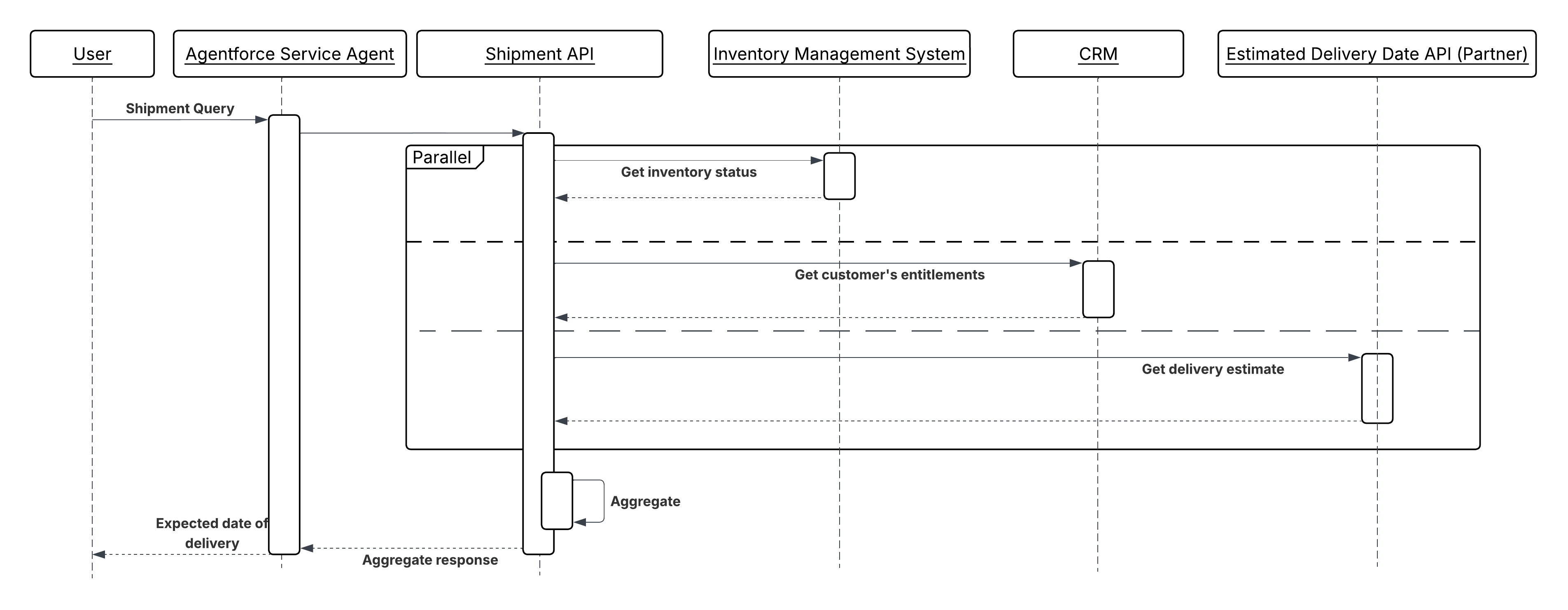
A service agent answers a complex fulfillment question: "Can you ship this order to me by Friday?" The answer requires data from all the independent systems simultaneously, as explained below:
1. The agent identifies three independent data needs: the current inventory level, the customer's active entitlements, and the carrier's estimated delivery window for the customer's location.
2. Three actions are invoked in parallel: `GetInventoryStatus` (from the external inventory system via middleware), `GetCustomerEntitlements` (from Salesforce CRM), and `GetDeliveryEstimate` (from the carrier API via middleware).
3. Each action returns independently. The agent waits until all three responses are received (or the aggregation timeout is reached).
4. With all three results available, the agent reasons over the combined data, assessing whether inventory is sufficient, the customer's entitlement covers express shipping, and the carrier confirms Friday delivery is feasible for the customer's postcode.
5. The agent returns a single, grounded answer to the user, drawn from three systems, in the time it took the slowest of the three calls to respond.
## Asynchronous Action Invocation (Outbound)
**Context**
Some agent-initiated operations do not produce a result the agent needs to continue its current reasoning cycle. Sending a notification, triggering a downstream batch process, publishing an event to a message queue, or submitting a long-running job are all operations where the agent's obligation ends at dispatch; the downstream system takes ownership and completes the work independently.
In traditional automation, these are modeled as fire-and-forget callouts or platform event publishes. In an agentic system, the agent decides during reasoning that the operation is non-blocking, dispatches it, records confirmation of dispatch, and continues or concludes the turn without waiting for the downstream outcome.
This pattern is the agentic counterpart to [Remote Process Invocation – Fire and Forget](https://architect.salesforce.com/docs/architect/fundamentals/guide/integration-patterns#remote-process-invocation--fire-and-forget) from the Integration Patterns guide. The agentic pattern extends it by making the dispatch decision part of the agent's reasoning, and by ensuring the dispatch is traceable even though no response is returned to the agent.
**Problem**
When an agent needs to initiate a downstream operation that runs beyond the agent's session or reasoning cycle, three challenges must be addressed:
- **Non-blocking Invocation:** The agent must fire the operation and confirm delivery without holding the reasoning cycle open waiting for a result.
- **Delivery Confirmation:** The agent must distinguish between a successful dispatch (the message was accepted) and a successful outcome (the downstream process completed). It can only assert the former.
- **Traceability:** Because the agent receives no result, the operation must be observable through logs, event records, or platform monitoring independent of the agent session.
**Forces**
When applying this pattern, answer the following questions:
- Does the agent need the result of this operation to complete its current turn?
If yes, this is not the right pattern. Use Sequential Action Invocation instead.
- Is the downstream system capable of receiving and reliably processing the dispatched message or event without a synchronous acknowledgment?
The target system must be durable. It must not lose the message if it is temporarily unavailable.
- Is the operation idempotent or does duplicate dispatch need to be guarded?
Network-level retries and agent reasoning retries can cause the same dispatch to be attempted more than once. If the downstream operation is not idempotent, the action must carry a deduplication key.
- Does the user or a downstream process need to know when the operation completes?
The agent can only confirm dispatch. If completion status is required, design a separate notification or follow-up mechanism. A Platform Event, a case update, or a callback \- which is outside this reasoning cycle.
**Salesforce Pattern Application**
| Solution | Fit | Comments |
| ------------------------------------ | ---------------------------------------------------- | ---------------------------------------------------------------------------------------------------------------------------------------------------------------------------------------------------------------------------------------------------------------------------------------------------------------------------------------------------------------------------------------------------------------------------------------------- |
| Pub/Sub API | Best for high-throughput or external event streaming | The agent invokes an Apex action that publishes an event to the Salesforce Pub/Sub API over gRPC. The action returns a `PublishResult` replayId to the agent as confirmation of dispatch. Use when the downstream consumers are external systems subscribing via the Pub/Sub API rather than Salesforce-native Flow or Apex triggers, or when high-throughput event streaming is required. |
| Platform Events (Apex Action) | Best for intra-Salesforce async dispatch | The agent invokes an Apex action that publishes a Platform Event. The event is delivered to all subscribers asynchronously. The action returns a publish confirmation to the agent; it does not return a processing outcome. Used when the downstream consumer is within the Salesforce platform. The agent invokes an Apex action that calls `EventBus.publish()`. The action returns a `SaveResult` confirming acceptance. |
| Apex Queueable / Batch (Apex Action) | Best for long-running background processing | The agent invokes an Apex action that enqueues a Queueable or Batch job. The job runs outside the agent's transaction. The action returns a job ID the agent can surface to the user as a reference. Used when the downstream work is a long-running Salesforce operation data processing, multi-object updates, or external callouts that exceed synchronous limits. `System.enqueueJob()` returns a job ID the agent records as a reference. |
| MuleSoft Async Flow | Best for external message queue dispatch | The agent invokes a MuleSoft-exposed action that places a message on an external queue (Kafka, JMS, SQS). MuleSoft handles protocol translation and delivery acknowledgment. The agent receives confirmation that the message was accepted by MuleSoft, not that it was processed downstream. |
| External REST Endpoint (Apex Action) | Best for external system event submission | The target system exposes an endpoint that accepts a submission and returns an acknowledgment ID immediately, completing processing asynchronously. The agent receives the acknowledgment ID and records it. |
**Sketch**
_Sequence Diagram for Asynchronous Action Invocation_
**Results**
When independent actions are executed in parallel, the end-to-end workflow time is bound by the slowest individual action rather than the sum of all actions. For a workflow with three independent callouts averaging 300 ms each, parallel execution completes in \~300 ms; sequential execution takes \~900 ms. At scale, this difference compounds across every agent session running concurrently.
**Design Considerations**
Platform-agnostic Guidance
- Confirm independence before parallelizing. Actions are safe to run in parallel only if neither action reads the state written by the other, and neither action's failure should cancel the other. If a dependency exists, even a soft one, use sequential chaining instead.
- Design the aggregation step explicitly. Define in advance what a complete result set looks like, what a partial result set means for downstream reasoning, and whether the agent should wait for all results or proceed once a threshold (for example, five out of seven total calls) has returned.
- All parallel write operations must be idempotent. Each operation runs in isolation without a shared transaction boundary, so retrying any individual branch cannot duplicate side effects.
Salesforce Implementation Notes
- **For Queueable Apex:** Submit all jobs within a single transaction to maximize the chance of concurrent execution. Be aware that available concurrency slots are shared across the org; design with the assumption that slots may not always be available and build a fallback to sequential execution when they’re not.
- **For Platform Events:** Write each operation's result to a dedicated staging record (keyed by a shared correlation ID) rather than updating the target record directly. A final aggregation Flow or Apex trigger reads all staging records once the expected count is reached, then applies the consolidated update atomically.
- **For Middleware Fan-Out:** Set an explicit timeout on the single callout that’s longer than the expected worst-case response time of the slowest backend, but still within the Salesforce callout timeout limit. The middleware returns partial results with a clear indication of which backends failed, rather than timing out the entire response.
**Error Handling and Recovery**
- Treat partial success as a first-class outcome. If three or four parallel operations succeed, the agent uses the three successful results and handles the failure explicitly surfacing it to the user, logging it for retry, or invoking a compensating action rather than discarding all results or proceeding as if the failure didn’t occur.
- For Queueable and Platform Event patterns, use a correlation ID (generated at the point of fan-out) to link all parallel branches back to the originating agent session. This ID is required to reassemble results and to trace failures back to their source in logs.
- If a parallel branch fails and the operation is safe to retry, re-queue only the failed branch using the original correlation ID and idempotency key. Don’t re-invoke all branches.
- Define a timeout threshold for the aggregation step. If not all results arrive within the threshold, proceed with available results and flag the incomplete set instead of waiting indefinitely.
**Security Considerations**
- Each parallel execution context, whether a queueable job, a platform event trigger, or a middleware callout, must apply the same access controls as a sequential callout. Parallelism does not relax data access rules. Each branch must operate under the same least-privilege credential as it would if invoked alone.
- For middleware fan-out, the middleware layer doesn't cache or log response payloads from individual backends beyond the aggregation window. Each backend's response may contain sensitive data that shouldn't persist outside the scope of the immediate operation.
- Ensure that the staging records used for platform event aggregation are not readable by the agent's end user. These records may contain intermediate, partially-formed data that is not yet fit for consumption.
**Example**
A service agent answers a complex fulfillment question: "Can you ship this order to me by Friday?" The answer requires data from all the independent systems simultaneously, as explained below:
1. The agent identifies three independent data needs: the current inventory level, the customer's active entitlements, and the carrier's estimated delivery window for the customer's location.
2. Three actions are invoked in parallel: `GetInventoryStatus` (from the external inventory system via middleware), `GetCustomerEntitlements` (from Salesforce CRM), and `GetDeliveryEstimate` (from the carrier API via middleware).
3. Each action returns independently. The agent waits until all three responses are received (or the aggregation timeout is reached).
4. With all three results available, the agent reasons over the combined data, assessing whether inventory is sufficient, the customer's entitlement covers express shipping, and the carrier confirms Friday delivery is feasible for the customer's postcode.
5. The agent returns a single, grounded answer to the user, drawn from three systems, in the time it took the slowest of the three calls to respond.
## Asynchronous Action Invocation (Outbound)
**Context**
Some agent-initiated operations do not produce a result the agent needs to continue its current reasoning cycle. Sending a notification, triggering a downstream batch process, publishing an event to a message queue, or submitting a long-running job are all operations where the agent's obligation ends at dispatch; the downstream system takes ownership and completes the work independently.
In traditional automation, these are modeled as fire-and-forget callouts or platform event publishes. In an agentic system, the agent decides during reasoning that the operation is non-blocking, dispatches it, records confirmation of dispatch, and continues or concludes the turn without waiting for the downstream outcome.
This pattern is the agentic counterpart to [Remote Process Invocation – Fire and Forget](https://architect.salesforce.com/docs/architect/fundamentals/guide/integration-patterns#remote-process-invocation--fire-and-forget) from the Integration Patterns guide. The agentic pattern extends it by making the dispatch decision part of the agent's reasoning, and by ensuring the dispatch is traceable even though no response is returned to the agent.
**Problem**
When an agent needs to initiate a downstream operation that runs beyond the agent's session or reasoning cycle, three challenges must be addressed:
- **Non-blocking Invocation:** The agent must fire the operation and confirm delivery without holding the reasoning cycle open waiting for a result.
- **Delivery Confirmation:** The agent must distinguish between a successful dispatch (the message was accepted) and a successful outcome (the downstream process completed). It can only assert the former.
- **Traceability:** Because the agent receives no result, the operation must be observable through logs, event records, or platform monitoring independent of the agent session.
**Forces**
When applying this pattern, answer the following questions:
- Does the agent need the result of this operation to complete its current turn?
If yes, this is not the right pattern. Use Sequential Action Invocation instead.
- Is the downstream system capable of receiving and reliably processing the dispatched message or event without a synchronous acknowledgment?
The target system must be durable. It must not lose the message if it is temporarily unavailable.
- Is the operation idempotent or does duplicate dispatch need to be guarded?
Network-level retries and agent reasoning retries can cause the same dispatch to be attempted more than once. If the downstream operation is not idempotent, the action must carry a deduplication key.
- Does the user or a downstream process need to know when the operation completes?
The agent can only confirm dispatch. If completion status is required, design a separate notification or follow-up mechanism. A Platform Event, a case update, or a callback \- which is outside this reasoning cycle.
**Salesforce Pattern Application**
| Solution | Fit | Comments |
| ------------------------------------ | ---------------------------------------------------- | ---------------------------------------------------------------------------------------------------------------------------------------------------------------------------------------------------------------------------------------------------------------------------------------------------------------------------------------------------------------------------------------------------------------------------------------------- |
| Pub/Sub API | Best for high-throughput or external event streaming | The agent invokes an Apex action that publishes an event to the Salesforce Pub/Sub API over gRPC. The action returns a `PublishResult` replayId to the agent as confirmation of dispatch. Use when the downstream consumers are external systems subscribing via the Pub/Sub API rather than Salesforce-native Flow or Apex triggers, or when high-throughput event streaming is required. |
| Platform Events (Apex Action) | Best for intra-Salesforce async dispatch | The agent invokes an Apex action that publishes a Platform Event. The event is delivered to all subscribers asynchronously. The action returns a publish confirmation to the agent; it does not return a processing outcome. Used when the downstream consumer is within the Salesforce platform. The agent invokes an Apex action that calls `EventBus.publish()`. The action returns a `SaveResult` confirming acceptance. |
| Apex Queueable / Batch (Apex Action) | Best for long-running background processing | The agent invokes an Apex action that enqueues a Queueable or Batch job. The job runs outside the agent's transaction. The action returns a job ID the agent can surface to the user as a reference. Used when the downstream work is a long-running Salesforce operation data processing, multi-object updates, or external callouts that exceed synchronous limits. `System.enqueueJob()` returns a job ID the agent records as a reference. |
| MuleSoft Async Flow | Best for external message queue dispatch | The agent invokes a MuleSoft-exposed action that places a message on an external queue (Kafka, JMS, SQS). MuleSoft handles protocol translation and delivery acknowledgment. The agent receives confirmation that the message was accepted by MuleSoft, not that it was processed downstream. |
| External REST Endpoint (Apex Action) | Best for external system event submission | The target system exposes an endpoint that accepts a submission and returns an acknowledgment ID immediately, completing processing asynchronously. The agent receives the acknowledgment ID and records it. |
**Sketch**
_Sequence Diagram for Asynchronous Action Invocation_
 **Results**
The agent invokes a downstream operation without blocking its reasoning cycle on the outcome. The turn completes with confirmation that the operation was accepted, not that it completed. The downstream system takes full ownership of execution. The dispatched operation is traceable through platform event subscribers, job IDs, or external queue acknowledgment IDs that are recorded in the CRM at dispatch time. If the downstream operation fails, that failure is surfaced through the downstream system's own monitoring, not through the agent session that initiated it.
**Design Considerations**
Platform-agnostic Guidance
- Write action descriptions in intent-based language. For example, "Submits a renewal notification to the messaging queue and returns a dispatch reference ID" is more useful to the agent than "calls the notification endpoint."
- Never describe a dispatch action as "sends and confirms delivery of." The agent can only confirm acceptance. Downstream delivery and processing are outside the agent's observability.
Salesforce Implementation Notes
- Return a reference ID from every invocation action for example a Platform Event `ReplayId`, a Queueable job ID, a Pub/Sub API `PublishResult` replayId, or an external acknowledgment token. Record it in a CRM record at invocation time. This is the only audit trail the agent session will produce.
- For Pub/Sub API, the agent invokes an Apex action that makes a gRPC callout to the Pub/Sub API ‘/Publish’ endpoint. The action must handle the schema registration step \- events must be serialized in Avro format against the registered schema. Return the `PublishResult ‘replayId’` to the agent as the dispatch reference.
- For Platform Events, call `EventBus.publish()` inside the Apex action and check the SaveResult for errors before returning a success indicator to the agent. Do not assume publish success; validate it.
- For Queueable Jobs, implement the Queueable interface and call System.enqueueJob() from within the action. Return the resulting AsyncApexJob ID to the agent.
- For external async endpoints, the target endpoint must return an acknowledgment immediately (HTTP 202 Accepted) with a reference ID. If the endpoint blocks until processing is complete, it’s synchronous and this pattern does not apply.
**Error Handling and Recovery**
- An invocation action must distinguish between dispatch failure (the message was not accepted) and processing failure (the message was accepted but the downstream operation failed later). The agent can only handle the former.
- If invocation fails, the action must return a structured failure with a clear reason. The agent can retry the dispatch, escalate to a human, or log a failed dispatch record, but it cannot recover a downstream processing failure within the same session.
- For operations where downstream failure must eventually be surfaced, design a separate feedback loop like a Platform Event published by the downstream process, a scheduled flow that checks job status, or a follow-up case which are outside the agent session.
**Security Considerations**
- Wrap all external async callouts in named credentials. The invocation action doesn’t embed endpoint URLs or credentials in code.
- Validate and sanitize all parameters passed to the invocation action before they are embedded in the event payload or message body. User-supplied text passed into an async message is a potential injection vector in the downstream consumer.
- Log every dispatch with session ID, reference ID, and sanitized payload at the time of dispatch. Because no response returns to the agent, this log is the primary mechanism for reconstructing what the agent initiated.
- Apply least-privilege to the integration user or connected app. A dispatch action that publishes to a notification queue should not hold credentials that permit reads or writes on unrelated systems.
**Example**
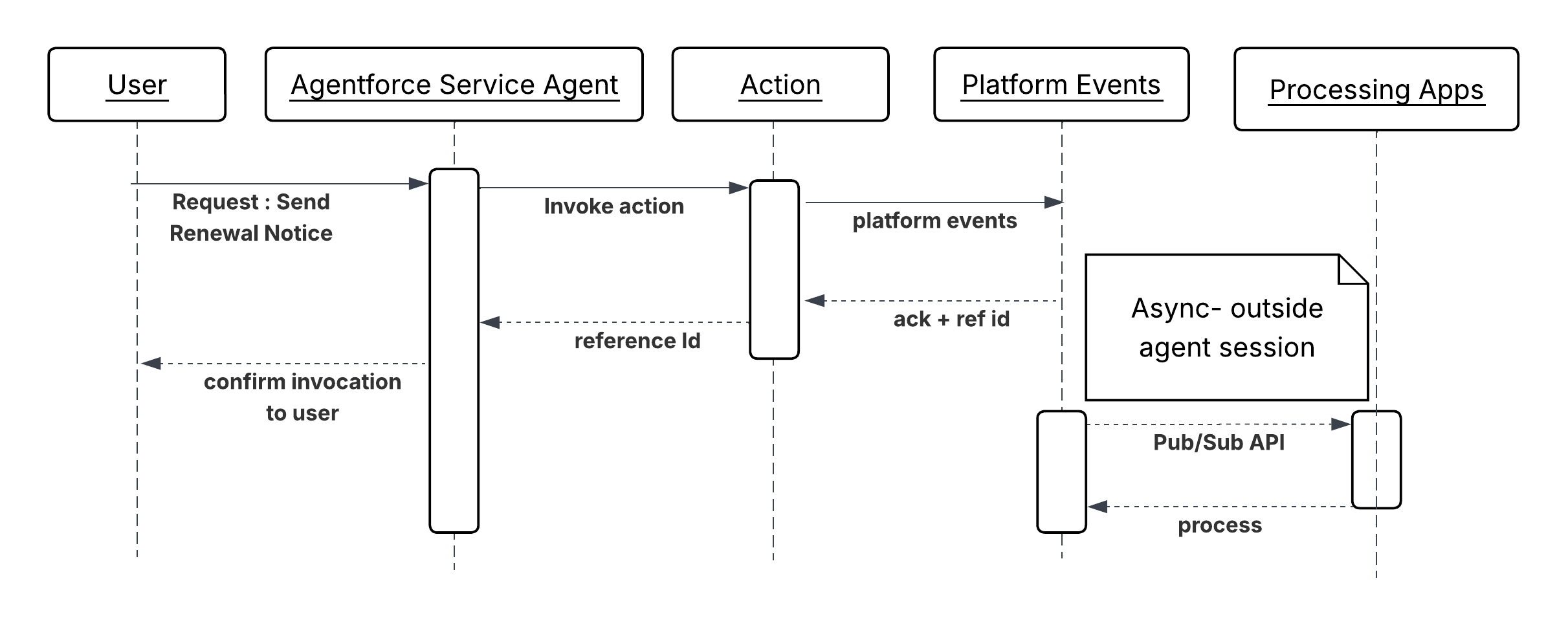
A renewal management agent handling a contract approaching expiration determines that the customer qualifies for an auto-renewal notification. The agent does not need confirmation that the email was delivered before concluding the turn.
1. `CheckRenewalEligibility` (Autolaunched Flow) evaluates contract terms, customer tier, and opt-out status. Returns an "eligible" boolean and the preferred notification channel.
2. `DispatchRenewalNotification` (Apex Action) publishes a `RenewalNotification\_\_e` Platform Event containing the contract ID, customer ID, notification channel, and a generated idempotency key. Returns a ReplayId confirming the event was accepted by the platform.
3. `UpdateContractRecord` (Autolaunched Flow) writes the `ReplayId` and dispatch timestamp to the Contract record and sets a "Notification Dispatched" status flag.
## On-Demand Agent Invocation (Inbound)
**Context**
External applications like customer portals, mobile apps, third-party SaaS platforms, and partner systems, need to invoke agents programmatically to handle service requests, initiate workflows, or surface AI-driven responses within their own interfaces. The agent acts as an intelligent backend service. The external system provides context, the agent reasons and acts, and the caller consumes the response.
Increasingly, the caller is itself an AI agent or orchestrator rather than a human-facing application. In these AI-to-AI patterns, an orchestrating agent delegates a reasoning step, CRM lookup, or action to Agentforce as a discrete tool call. We need to expose a Model Context Protocol (MCP) server to support this pattern.
**Problem**
When an external system or AI agent needs to leverage an Agentforce agent's capabilities on demand, how does it authenticate, create an agent session, pass the necessary conversational and contextual data, and reliably receive the agent's structured response to drive its own downstream logic?
**Forces**
When applying this pattern, answer the following questions:
- Is the external caller expecting a synchronous, low-latency response, or is an asynchronous callback acceptable?
- How is the caller's identity established and propagated into the agent's execution context for data access and personalization?
- What’s the expected volume of concurrent API-triggered sessions, and how does that interact with Salesforce API rate and concurrency limits?
- Does the external system need to maintain session continuity across multiple turns (multi-turn conversation), or is each request stateless?
- How should the agent's response be structured so that the calling system can parse and act on it programmatically?
- Is the caller a human-facing application requiring direct REST integration, or an AI agent or orchestrator that can invoke Agentforce as a tool via a standard protocol, such as MCP?
**Salesforce Pattern Application**
| Solution | Fit | Comments |
| ------------------------------------------------------- | ------------------------------------------------------------------------- | ----------------------------------------------------------------------------------------------------------------------------------------------------------------------------------------------------------------------------------------------------------------------------------------------------------------------------------------------------------------------------------------------------------------------------------------------------------------------------------------------------------------------------------------------------------------------------------------------------------------------------------------------------------------------------------------------------------------------------------------------------------------------------------------------------------------------------------------------------------------------------------- |
| Agentforce Agent API \- Single-Turn (Synchronous) | Best for stateless, request-response integrations | The calling system requires an immediate, structured response and the agent's reasoning is expected to complete within the caller's timeout tolerance. The calling system manages the full session lifecycle phases \- creation, turns, and termination. The external system authenticates, creates a session with context variables, sends a single message, receives the agent's response, and closes the session. This Agentforce API is the primary REST interface through which external systems create sessions, exchange messages, and close sessions programmatically. The entire exchange completes within one HTTP request-response cycle. Responses include the agent's natural-language output and any structured output variables produced by actions the agent invoked during reasoning. |
| Agentforce Agent API \- Multi-Turn (Session Continuity) | Best for conversational integrations requiring state across turns | The external interface is conversational (for example, a chat widget or voice interface) and the interaction requires multiple exchanges to reach a resolution. The external system creates a session once and reuses the session ID across multiple message exchanges. The agent retains conversational context between turns like prior questions, retrieved data, decisions made without the caller re-supplying it. |
| Asynchronous with Polling or Webhook Callback | Best for high-latency reasoning workflows or time-sensitive UIs | The agent processing time is non-trivial and holding an open HTTP connection would degrade the caller's user experience or trigger upstream timeouts. The external system submits the request and immediately receives an acknowledgment with a job or session ID. It then polls a status endpoint or registers a webhook to receive the agent's response when reasoning is complete. Currently, this pattern can be implemented with a wrapper API hosted on a middleware like MuleSoft. External consumer invokes this Wrapper API and registers the webhook endpoint. Wrapper API sends the acknowledgement back to the external system after invoking Agentforce agent. This wrapper API also maintains the Agentforce agent session, and returns the response back to the external system using the registered webhook endpoint once the agent responds. |
| Agentforce via MCP (AIforce\) | Best for AI-to-AI invocation where the caller is an MCP-compatible client | The calling MCP client invokes Agentforce as a tool through the out-of-the-box MCP server provided by AIforce\. Session lifecycle is managed transparently by the MCP server, and the calling agent interacts through standard tool-call without building a custom REST integration. Use this solution when the caller is an MCP client that needs to delegate reasoning, CRM context retrieval, or action execution to Agentforce as a discrete step in a broader agentic workflow. |
**Sketch**
_Sequence Diagram for On-Demand Agent Invocation_
**Results**
The agent invokes a downstream operation without blocking its reasoning cycle on the outcome. The turn completes with confirmation that the operation was accepted, not that it completed. The downstream system takes full ownership of execution. The dispatched operation is traceable through platform event subscribers, job IDs, or external queue acknowledgment IDs that are recorded in the CRM at dispatch time. If the downstream operation fails, that failure is surfaced through the downstream system's own monitoring, not through the agent session that initiated it.
**Design Considerations**
Platform-agnostic Guidance
- Write action descriptions in intent-based language. For example, "Submits a renewal notification to the messaging queue and returns a dispatch reference ID" is more useful to the agent than "calls the notification endpoint."
- Never describe a dispatch action as "sends and confirms delivery of." The agent can only confirm acceptance. Downstream delivery and processing are outside the agent's observability.
Salesforce Implementation Notes
- Return a reference ID from every invocation action for example a Platform Event `ReplayId`, a Queueable job ID, a Pub/Sub API `PublishResult` replayId, or an external acknowledgment token. Record it in a CRM record at invocation time. This is the only audit trail the agent session will produce.
- For Pub/Sub API, the agent invokes an Apex action that makes a gRPC callout to the Pub/Sub API ‘/Publish’ endpoint. The action must handle the schema registration step \- events must be serialized in Avro format against the registered schema. Return the `PublishResult ‘replayId’` to the agent as the dispatch reference.
- For Platform Events, call `EventBus.publish()` inside the Apex action and check the SaveResult for errors before returning a success indicator to the agent. Do not assume publish success; validate it.
- For Queueable Jobs, implement the Queueable interface and call System.enqueueJob() from within the action. Return the resulting AsyncApexJob ID to the agent.
- For external async endpoints, the target endpoint must return an acknowledgment immediately (HTTP 202 Accepted) with a reference ID. If the endpoint blocks until processing is complete, it’s synchronous and this pattern does not apply.
**Error Handling and Recovery**
- An invocation action must distinguish between dispatch failure (the message was not accepted) and processing failure (the message was accepted but the downstream operation failed later). The agent can only handle the former.
- If invocation fails, the action must return a structured failure with a clear reason. The agent can retry the dispatch, escalate to a human, or log a failed dispatch record, but it cannot recover a downstream processing failure within the same session.
- For operations where downstream failure must eventually be surfaced, design a separate feedback loop like a Platform Event published by the downstream process, a scheduled flow that checks job status, or a follow-up case which are outside the agent session.
**Security Considerations**
- Wrap all external async callouts in named credentials. The invocation action doesn’t embed endpoint URLs or credentials in code.
- Validate and sanitize all parameters passed to the invocation action before they are embedded in the event payload or message body. User-supplied text passed into an async message is a potential injection vector in the downstream consumer.
- Log every dispatch with session ID, reference ID, and sanitized payload at the time of dispatch. Because no response returns to the agent, this log is the primary mechanism for reconstructing what the agent initiated.
- Apply least-privilege to the integration user or connected app. A dispatch action that publishes to a notification queue should not hold credentials that permit reads or writes on unrelated systems.
**Example**
A renewal management agent handling a contract approaching expiration determines that the customer qualifies for an auto-renewal notification. The agent does not need confirmation that the email was delivered before concluding the turn.
1. `CheckRenewalEligibility` (Autolaunched Flow) evaluates contract terms, customer tier, and opt-out status. Returns an "eligible" boolean and the preferred notification channel.
2. `DispatchRenewalNotification` (Apex Action) publishes a `RenewalNotification\_\_e` Platform Event containing the contract ID, customer ID, notification channel, and a generated idempotency key. Returns a ReplayId confirming the event was accepted by the platform.
3. `UpdateContractRecord` (Autolaunched Flow) writes the `ReplayId` and dispatch timestamp to the Contract record and sets a "Notification Dispatched" status flag.
## On-Demand Agent Invocation (Inbound)
**Context**
External applications like customer portals, mobile apps, third-party SaaS platforms, and partner systems, need to invoke agents programmatically to handle service requests, initiate workflows, or surface AI-driven responses within their own interfaces. The agent acts as an intelligent backend service. The external system provides context, the agent reasons and acts, and the caller consumes the response.
Increasingly, the caller is itself an AI agent or orchestrator rather than a human-facing application. In these AI-to-AI patterns, an orchestrating agent delegates a reasoning step, CRM lookup, or action to Agentforce as a discrete tool call. We need to expose a Model Context Protocol (MCP) server to support this pattern.
**Problem**
When an external system or AI agent needs to leverage an Agentforce agent's capabilities on demand, how does it authenticate, create an agent session, pass the necessary conversational and contextual data, and reliably receive the agent's structured response to drive its own downstream logic?
**Forces**
When applying this pattern, answer the following questions:
- Is the external caller expecting a synchronous, low-latency response, or is an asynchronous callback acceptable?
- How is the caller's identity established and propagated into the agent's execution context for data access and personalization?
- What’s the expected volume of concurrent API-triggered sessions, and how does that interact with Salesforce API rate and concurrency limits?
- Does the external system need to maintain session continuity across multiple turns (multi-turn conversation), or is each request stateless?
- How should the agent's response be structured so that the calling system can parse and act on it programmatically?
- Is the caller a human-facing application requiring direct REST integration, or an AI agent or orchestrator that can invoke Agentforce as a tool via a standard protocol, such as MCP?
**Salesforce Pattern Application**
| Solution | Fit | Comments |
| ------------------------------------------------------- | ------------------------------------------------------------------------- | ----------------------------------------------------------------------------------------------------------------------------------------------------------------------------------------------------------------------------------------------------------------------------------------------------------------------------------------------------------------------------------------------------------------------------------------------------------------------------------------------------------------------------------------------------------------------------------------------------------------------------------------------------------------------------------------------------------------------------------------------------------------------------------------------------------------------------------------------------------------------------------- |
| Agentforce Agent API \- Single-Turn (Synchronous) | Best for stateless, request-response integrations | The calling system requires an immediate, structured response and the agent's reasoning is expected to complete within the caller's timeout tolerance. The calling system manages the full session lifecycle phases \- creation, turns, and termination. The external system authenticates, creates a session with context variables, sends a single message, receives the agent's response, and closes the session. This Agentforce API is the primary REST interface through which external systems create sessions, exchange messages, and close sessions programmatically. The entire exchange completes within one HTTP request-response cycle. Responses include the agent's natural-language output and any structured output variables produced by actions the agent invoked during reasoning. |
| Agentforce Agent API \- Multi-Turn (Session Continuity) | Best for conversational integrations requiring state across turns | The external interface is conversational (for example, a chat widget or voice interface) and the interaction requires multiple exchanges to reach a resolution. The external system creates a session once and reuses the session ID across multiple message exchanges. The agent retains conversational context between turns like prior questions, retrieved data, decisions made without the caller re-supplying it. |
| Asynchronous with Polling or Webhook Callback | Best for high-latency reasoning workflows or time-sensitive UIs | The agent processing time is non-trivial and holding an open HTTP connection would degrade the caller's user experience or trigger upstream timeouts. The external system submits the request and immediately receives an acknowledgment with a job or session ID. It then polls a status endpoint or registers a webhook to receive the agent's response when reasoning is complete. Currently, this pattern can be implemented with a wrapper API hosted on a middleware like MuleSoft. External consumer invokes this Wrapper API and registers the webhook endpoint. Wrapper API sends the acknowledgement back to the external system after invoking Agentforce agent. This wrapper API also maintains the Agentforce agent session, and returns the response back to the external system using the registered webhook endpoint once the agent responds. |
| Agentforce via MCP (AIforce\) | Best for AI-to-AI invocation where the caller is an MCP-compatible client | The calling MCP client invokes Agentforce as a tool through the out-of-the-box MCP server provided by AIforce\. Session lifecycle is managed transparently by the MCP server, and the calling agent interacts through standard tool-call without building a custom REST integration. Use this solution when the caller is an MCP client that needs to delegate reasoning, CRM context retrieval, or action execution to Agentforce as a discrete step in a broader agentic workflow. |
**Sketch**
_Sequence Diagram for On-Demand Agent Invocation_
 **Results**
This pattern exposes Agentforce as a callable AI service. External systems gain access to the agent's reasoning, tools, and CRM context without replicating that logic. The caller remains responsible for session lifecycle management and rendering the response. The agent remains responsible for all reasoning, tool selection, and response synthesis.
When the caller is an AI agent or orchestrator, the Agentforce via MCP mechanism (available out of the box via AIforce\) removes the need for a custom REST integration entirely. The MCP server handles session lifecycle on behalf of the calling agent, enabling Agentforce to participate as a first-class tool in multi-agent workflows with no additional plumbing.
**Design Considerations**
Platform-agnostic Guidance
- Avoid making the external API call synchronous and blocking in time-sensitive UI flows. Adopt a polling or webhook callback pattern where agent response times are non-trivial, to decouple the user experience from the agent's processing time.
- Select the calling mechanism based on the nature of the caller, not availability. Human-facing applications and system integrations should use the Agent API directly. Tools that support MCPs should use the Agentforce MCP server. Mixing mechanisms for the same caller type adds unnecessary complexity without architectural benefit.
Salesforce Implementation Notes
- Inject session context in the session creation POST request, not in the first user message. When the external system creates the session, it has an opportunity to pass structured context variables (account ID, entitlement data, prior interaction summary) directly as named session parameters. These variables are available to the agent before it processes a single turn, so it begins reasoning from a grounded state without issuing lookup calls to establish who the customer is or what they’re entitled to. Passing the same data inside the message body instead forces the agent to parse unstructured text to extract facts it could have received as typed variables \- increasing latency, introducing extraction errors, and consuming reasoning steps that add no business value.
- Design agent responses to be structured and machine-parsable. Use output variable conventions and prompt instructions that guide the agent to return JSON-friendly or clearly delimited responses when the caller is a system instead of a human.
- Manage session lifecycle explicitly. Terminate sessions promptly after use `DELETE /einstein/ai-agent/v1/sessions/{sessionId}` to free concurrency slots and avoid stale context persisting across unrelated interactions.
- Account for Salesforce concurrent session limits. For high-throughput scenarios, implement a session pool or a queuing layer in the calling system to prevent request rejection during peak load.
- When invoking Agentforce via MCP, pass context as tool input parameters rather than as session variables. The MCP server manages the session lifecycle transparently, so the calling agent cannot set named session parameters directly at creation time. Ensure all required context (record IDs, user identity, entitlement data) is included in the tool call payload so the agent begins reasoning from a grounded state.
- Treat the MCP server's transparent session management as a convenience, not a concurrency bypass. Each tool invocation still consumes a Salesforce agent session slot. High-frequency orchestrators calling Agentforce via MCP at scale must account for the same concurrent session limits that apply to direct Agent API callers.
**Error Handling and Recovery**
- The Agent API returns standard HTTP error codes. The calling system must handle “429 Too Many Requests” (rate limit) with exponential backoff and “503 Service Unavailable” with retry logic.
- When the agent itself encounters an unresolvable tool failure, it returns a graceful natural-language error in the response body. The calling system detects these sentinel responses (for example, checking for an “error” status field in the response) and routes accordingly either by retrying with additional context, presenting a fallback experience, or escalating to a human.
- When invoking via MCP, errors surface at two distinct layers: MCP transport errors (malformed tool calls, server unavailability) and Agentforce reasoning failures (tool execution errors, unresolvable actions). The orchestrating agent must handle both layers independently. MCP transport errors should trigger retries at the protocol level; Agentforce reasoning failures returned in the tool response should be handled by the orchestrator's own fallback or escalation logic.
**Security Considerations**
- Use the narrowest possible OAuth scopes for the external client app. An integration that only needs to invoke an agent shouldn't hold scopes for data access beyond what the agent itself requires.
- Validate and sanitize all inputs from the external system before injecting them as session variables. External inputs are an attack surface for prompt injection. For example, a malicious caller can craft a “customerQuery” field designed to override agent instructions.
- Apply IP allowlisting on the external client app to restrict which external systems can authenticate and call the Agent API.
- Log all inbound API-triggered sessions with caller identity, session ID, and request/response metadata for audit and security purposes.
- When Agentforce is invoked via MCP, the MCP server authenticates to Salesforce on behalf of the calling user. Make sure the MCP server's connected app credentials are scoped to the minimum required permissions, and that the end user’s identity (using MCP tools like Claude) \- identity is propagated into the session context explicitly via tool input parameters.
**Example**
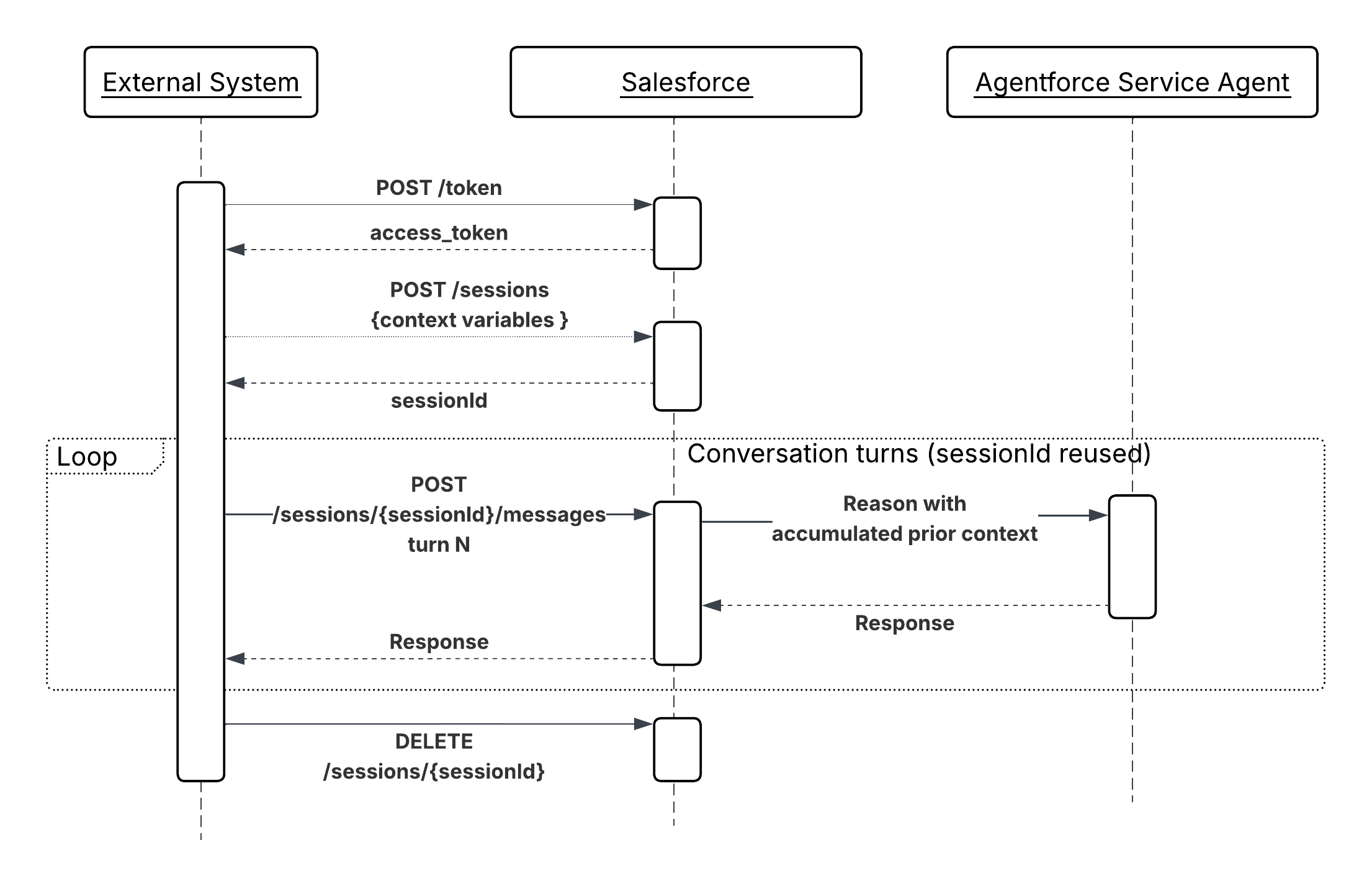
A financial services portal triggers an Agentforce agent to handle a mortgage inquiry.
1. The portal authenticates using the Client Credentials OAuth flow and obtains a bearer token.
2. It calls “POST /einstein/ai-agent/v1/sessions” with session variables: “{ "accountId": "001xx...", "productType": "mortgage", "loanAmount": 450000 }”.
3. The user submits their question: "What documents do I need to complete my application?"
4. The portal calls “POST /einstein/ai-agent/v1/sessions/{sessionId}/messages” with the user's text.
5. The Agentforce agent invokes a “GetDocumentChecklist” Flow action, retrieves the loan-type-specific requirements, and returns a structured list.
6. The portal renders the agent's response inline and closes the session on user exit.
## Autonomous Event-Driven Agent Execution (Inbound)
**Context**
Not all agentic workflows originate from a human request. Business-critical signals like a sudden drop in product usage metrics, a high-value cart abandonment, or a payment failure crossing a risk threshold, occur frequently in operational data. When these signals require intelligent, multi-step responses, waiting for a human to notice and act introduces latency that compounds into real business cost.
This pattern describes how real-time events serve as autonomous entry points for agents. The agent is invoked by a data condition rather than a user, reasons over the event context, and executes a response workflow all without human initiation.
**Problem**
When a real-time business event occurs in Data 360 or the Salesforce platform, how can that event autonomously instantiate an agent session, supply the event payload as grounding context, and drive a non-conversational action workflow to completion without a human initiating or guiding the interaction?
**Forces**
When applying this pattern, answer the following questions:
- Is a response required immediately at the moment the event fires, or is near-real-time processing (seconds to minutes) acceptable?
- Does the event payload contain sufficient context to ground the agent, or does the agent need to perform additional lookups before it can reason effectively?
- What’s the expected event volume and frequency? High-throughput event streams require rate management to avoid exhausting agent concurrency limits.
- Can the same event fire more than once for the same business entity (at-least-once delivery)? If so, actions must be idempotent.
- Is there a human escalation path if the agent can't resolve the event autonomously?
- How should failed event processing be surfaced? With a dead-letter queue, an alert, or case creation?
**Salesforce Pattern Application**
| Solution | Fit | Comments |
| -------------------------------------------- | -------------------------------------------------- | -------------------------------------------------------------------------------------------------------------------------------------------------------------------------------------------------------------------------------------------------------------------------------------------------------------------------------------------------------------------------- |
| Data 360-Triggered Flows | Best for behavioral and metric-based signals | This is best fit when the trigger condition is defined as a Data 360 segment membership change or metric threshold. Data 360 detects the business condition (for example, cart abandonment, usage drop) and fires a triggered flow. The flow maps event payload attributes to agent session variables and creates the Agentforce session. |
| Platform Events \+ Autolaunched Flow or Apex | Best for platform-internal and cross-system events | Use this solution when the event source is within the Salesforce platform or when a middleware layer publishes the event after detecting the condition in an external system. A platform event published by any Salesforce process or external system triggers an Apex trigger or Autolaunched Flow, which constructs the agent session with the event payload as context. |
**Sketch**
_Sequence Diagram for Event-Driven Agent Execution_
**Results**
This pattern exposes Agentforce as a callable AI service. External systems gain access to the agent's reasoning, tools, and CRM context without replicating that logic. The caller remains responsible for session lifecycle management and rendering the response. The agent remains responsible for all reasoning, tool selection, and response synthesis.
When the caller is an AI agent or orchestrator, the Agentforce via MCP mechanism (available out of the box via AIforce\) removes the need for a custom REST integration entirely. The MCP server handles session lifecycle on behalf of the calling agent, enabling Agentforce to participate as a first-class tool in multi-agent workflows with no additional plumbing.
**Design Considerations**
Platform-agnostic Guidance
- Avoid making the external API call synchronous and blocking in time-sensitive UI flows. Adopt a polling or webhook callback pattern where agent response times are non-trivial, to decouple the user experience from the agent's processing time.
- Select the calling mechanism based on the nature of the caller, not availability. Human-facing applications and system integrations should use the Agent API directly. Tools that support MCPs should use the Agentforce MCP server. Mixing mechanisms for the same caller type adds unnecessary complexity without architectural benefit.
Salesforce Implementation Notes
- Inject session context in the session creation POST request, not in the first user message. When the external system creates the session, it has an opportunity to pass structured context variables (account ID, entitlement data, prior interaction summary) directly as named session parameters. These variables are available to the agent before it processes a single turn, so it begins reasoning from a grounded state without issuing lookup calls to establish who the customer is or what they’re entitled to. Passing the same data inside the message body instead forces the agent to parse unstructured text to extract facts it could have received as typed variables \- increasing latency, introducing extraction errors, and consuming reasoning steps that add no business value.
- Design agent responses to be structured and machine-parsable. Use output variable conventions and prompt instructions that guide the agent to return JSON-friendly or clearly delimited responses when the caller is a system instead of a human.
- Manage session lifecycle explicitly. Terminate sessions promptly after use `DELETE /einstein/ai-agent/v1/sessions/{sessionId}` to free concurrency slots and avoid stale context persisting across unrelated interactions.
- Account for Salesforce concurrent session limits. For high-throughput scenarios, implement a session pool or a queuing layer in the calling system to prevent request rejection during peak load.
- When invoking Agentforce via MCP, pass context as tool input parameters rather than as session variables. The MCP server manages the session lifecycle transparently, so the calling agent cannot set named session parameters directly at creation time. Ensure all required context (record IDs, user identity, entitlement data) is included in the tool call payload so the agent begins reasoning from a grounded state.
- Treat the MCP server's transparent session management as a convenience, not a concurrency bypass. Each tool invocation still consumes a Salesforce agent session slot. High-frequency orchestrators calling Agentforce via MCP at scale must account for the same concurrent session limits that apply to direct Agent API callers.
**Error Handling and Recovery**
- The Agent API returns standard HTTP error codes. The calling system must handle “429 Too Many Requests” (rate limit) with exponential backoff and “503 Service Unavailable” with retry logic.
- When the agent itself encounters an unresolvable tool failure, it returns a graceful natural-language error in the response body. The calling system detects these sentinel responses (for example, checking for an “error” status field in the response) and routes accordingly either by retrying with additional context, presenting a fallback experience, or escalating to a human.
- When invoking via MCP, errors surface at two distinct layers: MCP transport errors (malformed tool calls, server unavailability) and Agentforce reasoning failures (tool execution errors, unresolvable actions). The orchestrating agent must handle both layers independently. MCP transport errors should trigger retries at the protocol level; Agentforce reasoning failures returned in the tool response should be handled by the orchestrator's own fallback or escalation logic.
**Security Considerations**
- Use the narrowest possible OAuth scopes for the external client app. An integration that only needs to invoke an agent shouldn't hold scopes for data access beyond what the agent itself requires.
- Validate and sanitize all inputs from the external system before injecting them as session variables. External inputs are an attack surface for prompt injection. For example, a malicious caller can craft a “customerQuery” field designed to override agent instructions.
- Apply IP allowlisting on the external client app to restrict which external systems can authenticate and call the Agent API.
- Log all inbound API-triggered sessions with caller identity, session ID, and request/response metadata for audit and security purposes.
- When Agentforce is invoked via MCP, the MCP server authenticates to Salesforce on behalf of the calling user. Make sure the MCP server's connected app credentials are scoped to the minimum required permissions, and that the end user’s identity (using MCP tools like Claude) \- identity is propagated into the session context explicitly via tool input parameters.
**Example**
A financial services portal triggers an Agentforce agent to handle a mortgage inquiry.
1. The portal authenticates using the Client Credentials OAuth flow and obtains a bearer token.
2. It calls “POST /einstein/ai-agent/v1/sessions” with session variables: “{ "accountId": "001xx...", "productType": "mortgage", "loanAmount": 450000 }”.
3. The user submits their question: "What documents do I need to complete my application?"
4. The portal calls “POST /einstein/ai-agent/v1/sessions/{sessionId}/messages” with the user's text.
5. The Agentforce agent invokes a “GetDocumentChecklist” Flow action, retrieves the loan-type-specific requirements, and returns a structured list.
6. The portal renders the agent's response inline and closes the session on user exit.
## Autonomous Event-Driven Agent Execution (Inbound)
**Context**
Not all agentic workflows originate from a human request. Business-critical signals like a sudden drop in product usage metrics, a high-value cart abandonment, or a payment failure crossing a risk threshold, occur frequently in operational data. When these signals require intelligent, multi-step responses, waiting for a human to notice and act introduces latency that compounds into real business cost.
This pattern describes how real-time events serve as autonomous entry points for agents. The agent is invoked by a data condition rather than a user, reasons over the event context, and executes a response workflow all without human initiation.
**Problem**
When a real-time business event occurs in Data 360 or the Salesforce platform, how can that event autonomously instantiate an agent session, supply the event payload as grounding context, and drive a non-conversational action workflow to completion without a human initiating or guiding the interaction?
**Forces**
When applying this pattern, answer the following questions:
- Is a response required immediately at the moment the event fires, or is near-real-time processing (seconds to minutes) acceptable?
- Does the event payload contain sufficient context to ground the agent, or does the agent need to perform additional lookups before it can reason effectively?
- What’s the expected event volume and frequency? High-throughput event streams require rate management to avoid exhausting agent concurrency limits.
- Can the same event fire more than once for the same business entity (at-least-once delivery)? If so, actions must be idempotent.
- Is there a human escalation path if the agent can't resolve the event autonomously?
- How should failed event processing be surfaced? With a dead-letter queue, an alert, or case creation?
**Salesforce Pattern Application**
| Solution | Fit | Comments |
| -------------------------------------------- | -------------------------------------------------- | -------------------------------------------------------------------------------------------------------------------------------------------------------------------------------------------------------------------------------------------------------------------------------------------------------------------------------------------------------------------------- |
| Data 360-Triggered Flows | Best for behavioral and metric-based signals | This is best fit when the trigger condition is defined as a Data 360 segment membership change or metric threshold. Data 360 detects the business condition (for example, cart abandonment, usage drop) and fires a triggered flow. The flow maps event payload attributes to agent session variables and creates the Agentforce session. |
| Platform Events \+ Autolaunched Flow or Apex | Best for platform-internal and cross-system events | Use this solution when the event source is within the Salesforce platform or when a middleware layer publishes the event after detecting the condition in an external system. A platform event published by any Salesforce process or external system triggers an Apex trigger or Autolaunched Flow, which constructs the agent session with the event payload as context. |
**Sketch**
_Sequence Diagram for Event-Driven Agent Execution_
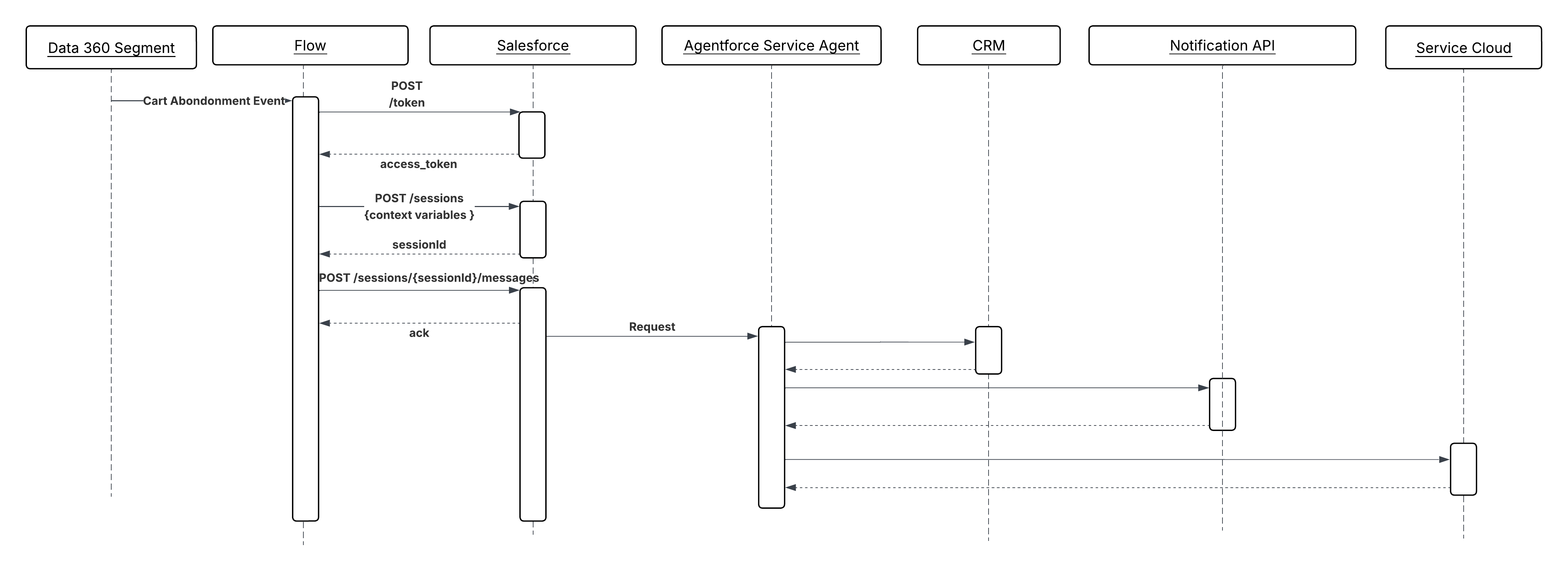 **Results**
Agents become reactive participants in real-time business operations, not passive responders to human requests. Event-triggered agents can execute recovery, triage, and escalation workflows at the speed of data instead of the speed of human attention.
The triggering system (Data 360 or platform events) remains responsible for event detection and payload formation. The agent remains responsible for reasoning over that payload and selecting the correct action chain. No conversational turn is required; the event payload is the complete input.
**Design Considerations**
Platform-agnostic Guidance
- Design all actions for non-conversational invocation. There is no user turn; the agent must reach a resolution from the initial grounding context alone. Actions should return structured, deterministic outputs rather than prompting for clarification.
- Make sure the event payload carries sufficient grounding context before the agent session is created. A lean payload that forces the agent to make multiple lookup calls before it can reason increases latency and concurrency consumption.
- Make all write operations triggered by event-driven agents idempotent. Event delivery systems typically provide at-least-once guarantees. Duplicate event processing cannot produce duplicate side effects.
Salesforce Implementation Notes
- In Data 360 Triggered Flows, map event payload attributes (for example, “accountId”, “eventType”, “metricValue”, “productIds”) directly to named session variables at session creation time. This grounds the agent from the first reasoning step without requiring a retrieval action.
- For platform event triggers, use an Autolaunched Flow rather than a screen flow. Screen flows are not supported in autonomous, non-conversational contexts.
- Set an explicit session timeout on event-triggered sessions. Unlike conversational sessions, there’s no user to extend the interaction; a session that stalls on a failed action shouldn't hold a concurrency slot indefinitely.
- Use flow fault paths to handle agent session creation failures. If the session can't be created, the fault path should publish a compensating event or create a case for human follow-up rather than silently dropping the event.
**Error Handling and Recovery**
- Events that fail to trigger an agent session successfully due to concurrency limits, session creation errors, or payload validation failures should be routed to a fault path that creates a case, fires an alert, or publishes the event to a dead-letter queue for reprocessing.
- Agent failures mid-execution (for example, time-out of a required action) should be logged with the originating event ID. Since the triggering is asynchronous and there is no waiting caller, the error surface is entirely observability based: logs, dashboards, and alert thresholds.
- Implement a retry ceiling. If an event reliably causes agent failure, unbounded retries will exhaust concurrency limits. After a configurable maximum number of attempts, route the event to a human review queue with full context attached.
- Track the event ID through the full agent session lifecycle. This tracking enables correlation between the originating data signal and all downstream actions for audit and debugging.
**Security Considerations**
- Validate and sanitize all event payload attributes before injecting them as agent session variables. Event payloads from Data 360 or external publishers are an attack surface for prompt injection. For example, a crafted payload field can be designed to override agent instructions.
- Run event-triggered agent sessions under a dedicated, least-privilege integration user rather than a high-privilege admin identity. The agent only holds the permissions required to execute its defined action set.
- Log all event-triggered sessions with the originating event ID, event type, and the session variables injected at creation. This audit trail is required to reconstruct why the agent took a given action if the outcome is disputed.
**Example**
A retail company uses Data 360 to track real-time cart behavior. When a cart with a value above a defined threshold is abandoned:
1. Data 360 detects the abandonment signal and fires a triggered Flow with the event payload: “customerId”, “cartValue”, “productIds”, and “abandonmentTimestamp”.
2. The Flow maps these attributes to Agentforce session variables and creates a new agent session. No user interaction is required.
3. The agent evaluates the customer's purchase history, current entitlements, and cart composition using its available retrieval actions.
4. The agent invokes a `SelectRecoveryOffer` action, which applies the appropriate discount tier based on customer segment, and `SendProactiveNotification` action to deliver the offer via the customer's preferred channel.
5. The agent invokes `CreateFollowUpTask` to log the interaction in the CRM for the account owner's visibility.
6. The session closes automatically after the action chain completes. The originating event ID is preserved in the session log for traceability.
## Knowledge Grounding from Enterprise Content (Outbound)
**Context**
LLMs are trained on public data. They have no knowledge of your organization's products, policies, case history, or contracts unless that information is explicitly supplied at reasoning time. Without grounding, an agent asked about a customer's service entitlement or the terms of a specific contract will either hallucinate an answer or admit it doesn't know. Neither outcome is acceptable in an enterprise context.
Retrieval-Augmented Generation (RAG) solves this by retrieving relevant documents from an enterprise knowledge store and injecting them into the agent's context window before it generates a response. The agent reasons over retrieved content like a knowledge article, a past case resolution, a product specification as if it had been given that information directly. The LLM supplies the reasoning; the retrieval layer supplies the facts.
For example, a service agent handling a complex warranty claim does not need to have warranty policy terms embedded in its instructions. Instead, when the customer describes their issue, the agent performs a semantic search or hybrid search (keyword search \+ semantic search) against a vector index of warranty documentation, retrieves the applicable terms, and uses them to determine eligibility and next steps. The answer is grounded in the current, authoritative policy document, not the model's training data.
**Problem**
An agent needs to answer a question or make a decision that depends on proprietary organizational knowledge like policies, contracts, product documentation, or historical case data that wasn’t part of the LLM's training data. How does the agent retrieve the most relevant content at reasoning time, ensure that retrieved content is current and authoritative, and inject it into context with sufficient precision to avoid noise?
**Forces**
When applying this pattern, answer the following questions
- Is the knowledge content static and infrequently updated (for example, product manuals), or does it change continuously (for example, case resolutions, inventory descriptions)? Update frequency determines the ingestion pipeline design.
- How large is the content? A small knowledge base can be retrieved exhaustively; a large one requires chunking, embedding, and semantic indexing to return only the most relevant passages.
- Does the query benefit from a single focused retrieval, or would combining results from multiple knowledge sources (for example, documentation and past cases simultaneously) produce a better-grounded answer? The latter requires ensemble retrieval.
- Is there a need to filter retrieved content by metadata before semantic ranking, for example, restricting results to documents relevant to the customer's product tier or geography?
- How sensitive is the knowledge content? Retrieved content is injected into the LLM context window and influences the agent's response; content that shouldn't be surfaced to certain users must be governed at the retrieval layer, not assumed to be filtered by the LLM.
**Salesforce Pattern Application**
| Solution | Fit | Comments |
| -------------------------------------------------- | ---------------------------------------------------------------- | ---------------------------------------------------------------------------------------------------------------------------------------------------------------------------------------------------------------------------------------------------------------------------------------------------------------------------------------------------------------------------------------------------------------------------------------------------------------------------------------------------------------------------------------------------------------------------------------------------------------------------------------------------------------------------------------------------------------------------------------------------------------------------------------------------------------------------------------------------------------------------------------------------------------------------------------------------------------------------------------------------------------------------------------------------------------------------------------------------------------------------------------------------------------------------------------------------------------------------------------------------------------------------------------------------------------------------------------------------------------------------------------------------------------------------------------------------------------------------------------------------------------------------------------------------------------------------------------------------------------------------------------------------------------------------------------------------------------------------------------------------------------------------------------------------------------------------------------------------------------------------------------------------------------------------------------------------------------------------------------------------------------------------------------------------------------------------------------------------------------------------------------------------------------------------------------------------------- |
| Retrieval-Augmented Generation (RAG) with Data 360 | Best for enterprise use cases | The agent performs a semantic search against Data 360 vector indexes before generating a response. The retrieved content like knowledge articles, past cases, product documentation is injected into the LLM context as grounding. This can be called using Retriever actions, Flow, or custom Apex. Note that Data 360 supports an integrated pipeline from raw content to agent-ready context, not just a vector store:
**Results**
Agents become reactive participants in real-time business operations, not passive responders to human requests. Event-triggered agents can execute recovery, triage, and escalation workflows at the speed of data instead of the speed of human attention.
The triggering system (Data 360 or platform events) remains responsible for event detection and payload formation. The agent remains responsible for reasoning over that payload and selecting the correct action chain. No conversational turn is required; the event payload is the complete input.
**Design Considerations**
Platform-agnostic Guidance
- Design all actions for non-conversational invocation. There is no user turn; the agent must reach a resolution from the initial grounding context alone. Actions should return structured, deterministic outputs rather than prompting for clarification.
- Make sure the event payload carries sufficient grounding context before the agent session is created. A lean payload that forces the agent to make multiple lookup calls before it can reason increases latency and concurrency consumption.
- Make all write operations triggered by event-driven agents idempotent. Event delivery systems typically provide at-least-once guarantees. Duplicate event processing cannot produce duplicate side effects.
Salesforce Implementation Notes
- In Data 360 Triggered Flows, map event payload attributes (for example, “accountId”, “eventType”, “metricValue”, “productIds”) directly to named session variables at session creation time. This grounds the agent from the first reasoning step without requiring a retrieval action.
- For platform event triggers, use an Autolaunched Flow rather than a screen flow. Screen flows are not supported in autonomous, non-conversational contexts.
- Set an explicit session timeout on event-triggered sessions. Unlike conversational sessions, there’s no user to extend the interaction; a session that stalls on a failed action shouldn't hold a concurrency slot indefinitely.
- Use flow fault paths to handle agent session creation failures. If the session can't be created, the fault path should publish a compensating event or create a case for human follow-up rather than silently dropping the event.
**Error Handling and Recovery**
- Events that fail to trigger an agent session successfully due to concurrency limits, session creation errors, or payload validation failures should be routed to a fault path that creates a case, fires an alert, or publishes the event to a dead-letter queue for reprocessing.
- Agent failures mid-execution (for example, time-out of a required action) should be logged with the originating event ID. Since the triggering is asynchronous and there is no waiting caller, the error surface is entirely observability based: logs, dashboards, and alert thresholds.
- Implement a retry ceiling. If an event reliably causes agent failure, unbounded retries will exhaust concurrency limits. After a configurable maximum number of attempts, route the event to a human review queue with full context attached.
- Track the event ID through the full agent session lifecycle. This tracking enables correlation between the originating data signal and all downstream actions for audit and debugging.
**Security Considerations**
- Validate and sanitize all event payload attributes before injecting them as agent session variables. Event payloads from Data 360 or external publishers are an attack surface for prompt injection. For example, a crafted payload field can be designed to override agent instructions.
- Run event-triggered agent sessions under a dedicated, least-privilege integration user rather than a high-privilege admin identity. The agent only holds the permissions required to execute its defined action set.
- Log all event-triggered sessions with the originating event ID, event type, and the session variables injected at creation. This audit trail is required to reconstruct why the agent took a given action if the outcome is disputed.
**Example**
A retail company uses Data 360 to track real-time cart behavior. When a cart with a value above a defined threshold is abandoned:
1. Data 360 detects the abandonment signal and fires a triggered Flow with the event payload: “customerId”, “cartValue”, “productIds”, and “abandonmentTimestamp”.
2. The Flow maps these attributes to Agentforce session variables and creates a new agent session. No user interaction is required.
3. The agent evaluates the customer's purchase history, current entitlements, and cart composition using its available retrieval actions.
4. The agent invokes a `SelectRecoveryOffer` action, which applies the appropriate discount tier based on customer segment, and `SendProactiveNotification` action to deliver the offer via the customer's preferred channel.
5. The agent invokes `CreateFollowUpTask` to log the interaction in the CRM for the account owner's visibility.
6. The session closes automatically after the action chain completes. The originating event ID is preserved in the session log for traceability.
## Knowledge Grounding from Enterprise Content (Outbound)
**Context**
LLMs are trained on public data. They have no knowledge of your organization's products, policies, case history, or contracts unless that information is explicitly supplied at reasoning time. Without grounding, an agent asked about a customer's service entitlement or the terms of a specific contract will either hallucinate an answer or admit it doesn't know. Neither outcome is acceptable in an enterprise context.
Retrieval-Augmented Generation (RAG) solves this by retrieving relevant documents from an enterprise knowledge store and injecting them into the agent's context window before it generates a response. The agent reasons over retrieved content like a knowledge article, a past case resolution, a product specification as if it had been given that information directly. The LLM supplies the reasoning; the retrieval layer supplies the facts.
For example, a service agent handling a complex warranty claim does not need to have warranty policy terms embedded in its instructions. Instead, when the customer describes their issue, the agent performs a semantic search or hybrid search (keyword search \+ semantic search) against a vector index of warranty documentation, retrieves the applicable terms, and uses them to determine eligibility and next steps. The answer is grounded in the current, authoritative policy document, not the model's training data.
**Problem**
An agent needs to answer a question or make a decision that depends on proprietary organizational knowledge like policies, contracts, product documentation, or historical case data that wasn’t part of the LLM's training data. How does the agent retrieve the most relevant content at reasoning time, ensure that retrieved content is current and authoritative, and inject it into context with sufficient precision to avoid noise?
**Forces**
When applying this pattern, answer the following questions
- Is the knowledge content static and infrequently updated (for example, product manuals), or does it change continuously (for example, case resolutions, inventory descriptions)? Update frequency determines the ingestion pipeline design.
- How large is the content? A small knowledge base can be retrieved exhaustively; a large one requires chunking, embedding, and semantic indexing to return only the most relevant passages.
- Does the query benefit from a single focused retrieval, or would combining results from multiple knowledge sources (for example, documentation and past cases simultaneously) produce a better-grounded answer? The latter requires ensemble retrieval.
- Is there a need to filter retrieved content by metadata before semantic ranking, for example, restricting results to documents relevant to the customer's product tier or geography?
- How sensitive is the knowledge content? Retrieved content is injected into the LLM context window and influences the agent's response; content that shouldn't be surfaced to certain users must be governed at the retrieval layer, not assumed to be filtered by the LLM.
**Salesforce Pattern Application**
| Solution | Fit | Comments |
| -------------------------------------------------- | ---------------------------------------------------------------- | ---------------------------------------------------------------------------------------------------------------------------------------------------------------------------------------------------------------------------------------------------------------------------------------------------------------------------------------------------------------------------------------------------------------------------------------------------------------------------------------------------------------------------------------------------------------------------------------------------------------------------------------------------------------------------------------------------------------------------------------------------------------------------------------------------------------------------------------------------------------------------------------------------------------------------------------------------------------------------------------------------------------------------------------------------------------------------------------------------------------------------------------------------------------------------------------------------------------------------------------------------------------------------------------------------------------------------------------------------------------------------------------------------------------------------------------------------------------------------------------------------------------------------------------------------------------------------------------------------------------------------------------------------------------------------------------------------------------------------------------------------------------------------------------------------------------------------------------------------------------------------------------------------------------------------------------------------------------------------------------------------------------------------------------------------------------------------------------------------------------------------------------------------------------------------------------------------------- |
| Retrieval-Augmented Generation (RAG) with Data 360 | Best for enterprise use cases | The agent performs a semantic search against Data 360 vector indexes before generating a response. The retrieved content like knowledge articles, past cases, product documentation is injected into the LLM context as grounding. This can be called using Retriever actions, Flow, or custom Apex. Note that Data 360 supports an integrated pipeline from raw content to agent-ready context, not just a vector store: 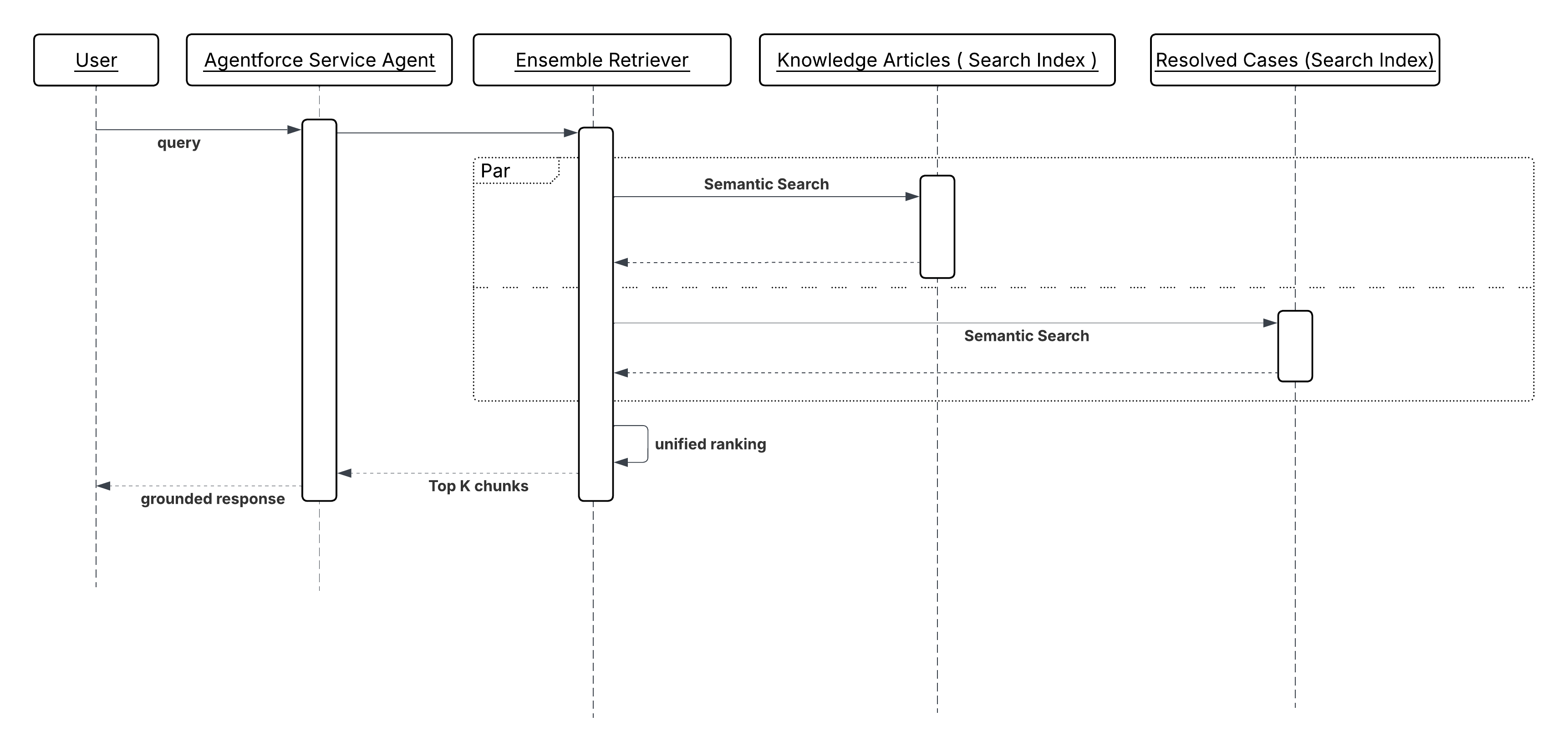 **Results**
The agent's responses are anchored to the organization's current, authoritative knowledge rather than the LLM's training data. Hallucination risk on factual questions like policy terms, product specifications, entitlement details is reduced because the model is reasoning over retrieved evidence, not generating from memory.
The knowledge content remains independently maintainable. Updating a policy document or adding a new case resolution to the index takes effect immediately for all subsequent agent interactions, without retraining or redeploying the model.
Retrieval also provides an implicit audit trail. Because the agent's answer is derived from specific retrieved documents, the source content can be logged alongside the response, making it possible to trace why the agent gave a particular answer.
**Design Considerations**
Platform-agnostic Guidance
- Chunk and embed knowledge content at the right granularity. Chunks that are too large dilute relevance. Chunks that are too small lose the surrounding context the LLM needs to reason correctly. For most enterprise document types, paragraph-level chunking with overlapping context windows produces the best retrieval quality.
- Treat retrieval precision as a first-class design concern. Injecting low-relevance content into the agent's context window isn't neutral. It introduces noise that degrades response quality. Tune retrieval thresholds and top-k limits to balance recall against precision for each knowledge domain.
- Ingestion latency is an operational SLA. If a policy document is updated but the vector index hasn’t been refreshed, the agent retrieves and acts on stale information. Define acceptable staleness tolerance for each type of content, and design ingestion pipelines accordingly.
Salesforce Implementation Notes
- Populate Data 360 vector indexes via the appropriate ingestion pipeline for the content update frequency. Use batch ingestion for static documents, and streaming or Change Data Capture (CDC) for records that change continuously.
- For Ensemble Retrievers, configure the relevance ranking weights per source. A resolved-cases index may need a recency bias; a policy documentation index may not. Tune weights based on the query types the agent is expected to handle.
- Use metadata filters in custom Apex or flow retrievers to scope retrieval before semantic search executes. Filtering by product line, region, or document type before ranking reduces noise and improves the precision of what is injected into context.
- Don't inject the full retrieved document into the LLM context. Pass only the relevant chunks or excerpts. Large context injections consume token budget, increase latency, and reduce the proportion of the context window available for the agent's reasoning.
**Error Handling and Recovery**
- If retrieval returns no results, return an explicit "no results found" status instead of proceeding ungrounded. The agent can then broaden the query, ask the user for clarification, or escalate to a human.
- Each returned chunk from the retrievers contains a relevance score. Depending on the use case, a certain threshold confidence/relevance value should be configured above which the agent should treat the retrieval as confident otherwise it should fall back to clarification or escalation.
- If the vector index or retrieval service is temporarily unavailable, the retriever action or Apex callout should return a structured error with a descriptive reason. Log the failure with the session ID and query so that retrieval gaps can be identified and the index or service can be monitored for availability.
- For time-sensitive knowledge domains, implement a freshness check as part of the retrieval response. If the most recent matching document was last updated beyond a defined staleness threshold, flag this to the agent so it can qualify its response or prompt for verification.
**Security Considerations**
- Retrieval must respect the data access permissions of the user on whose behalf the agent is acting. An agent session running in the context of a customer-facing interaction must not retrieve internal operational documents, pricing strategy notes, or records the end user would not otherwise have access to. Apply field-level and record-level security at the retrieval layer. Don’t rely on the LLM to withhold sensitive retrieved content.
- Retrieved content is injected into the LLM context window and may influence or appear in the agent's response. Treat every document in the retrieval content as potentially visible to the end user and govern content membership accordingly.
- Log all retrieval queries and the document identifiers of retrieved chunks alongside the session ID. This audit trail enables reconstruction of the evidence the agent used when responding, which may be required for compliance, dispute resolution, or explainability obligations.
**Example**
A financial services agent handles a customer query about early redemption penalties on a fixed-term savings product:
1. The customer asks: "What penalty would I incur if I withdraw my funds six months early?"
2. The agent invokes an Individual Retriever Action configured against a vector index of product terms and conditions documents.
3. The retriever performs a semantic search using the query context, like product type and customer account, and the specific question and returns the three most relevant document chunks \- the early redemption clause, the penalty calculation table, and the exceptions applicable to hardship cases.
4. The retrieved chunks are injected into the agent's context window alongside the customer's question.
5. The agent reasons over the retrieved terms, identifies the applicable penalty rate for the customer's product tier and redemption timeline, and returns a precise, policy-grounded answer, citing the effective date of the terms it used.
6. The document identifiers of the retrieved chunks are logged with the session record for auditability.
## Verified Customer Context Injection (Outbound)
**Context**
LLMs are probabilistic by nature. When asked to reason about a specific customer, they infer, estimate, or hallucinate facts they weren’t explicitly given. An agent invoking a pricing action without knowing that the customer is a high-value enterprise account on a preferred tier may apply the wrong discount logic. An agent escalating a support case without knowing the customer's churn risk score may deprioritize an account that is days away from churning.
Verified Customer Context Injection addresses this by pre-populating action input parameters with verified, structured attributes from the unified profile before the agent invokes an action. The agent doesn’t infer the customer's segment, lifetime value, or customer satisfaction (CSAT) trend. It receives those facts as grounding inputs and reasons over them. This pattern reduces hallucination risk on customer-specific decisions and eliminates redundant lookup calls during the reasoning cycle.
For example, before a pricing agent invokes a “GenerateQuote” action, the subagent configuration automatically injects the customer's segment, tier, and lifetime value from their unified profile. The action receives verified facts rather than LLM-inferred approximations, and the quote is anchored to the customer's actual commercial relationship.
This is not an alternative to the “Knowledge Grounding from Enterprise Content” pattern. A well-designed agent may use both: “Knowledge Grounding from Enterprise Content” provides document-based knowledge, while “Verified Customer Context Injection” establishes customer identity.
**Problem**
How do you make sure that an agent has accurate, customer-specific facts like segment, tier, lifetime value, churn risk, or other profile attributes before it takes an action, rather than guessing those facts on its own?
**Forces**
When applying this patter, answer the following questions:
- Which action input parameters represent customer-specific facts that, if inferred rather than sourced, would produce incorrect or inconsistent outcomes?
- Are the required profile attributes available as standard Data 360 unified profile fields, or do they require calculated insights derived from raw behavioral and transactional data?
- How frequently do the relevant profile attributes change? Attributes like churn risk score or CSAT trend require a freshness guarantee; stale profile data leads to the same incorrect outcomes as hallucinated data.
- Should profile attributes be injected at session creation time (constant for the session's duration) or fetched fresh at the point of action invocation (to reflect state changes mid-session)?
- Does the agent need to reason over the profile attributes directly, or are they consumed only by the action and opaque to the agent's reasoning loop?
**Salesforce Pattern Application**
| Solution | Fit | Comments |
| --------------------------------------------------- | --------------------------------------- | -------------------------------------------------------------------------------------------------------------------------------------------------------------------------------------------------------------------------------------------------------------------------------------------------------------------------------------------------------------------------------------------------------------- |
| Subagent Configuration \- Profile Attribute Mapping | Best for static session-level grounding | Best fit when the profile attributes are stable within a single interaction. Map Data 360 unified profile attributes (for example, “customerSegment”, “tier”, “lifetimeValue”) directly to action input parameters in the Agentforce subagents configuration. Attributes are resolved at session creation and held constant for the session's duration. |
| Data 360 Connected Flows | Best for dynamic or mid-session refresh | Use when profile attributes change frequently or when the action requires the most current state. Use a Data 360-connected flow as an action step to surface the latest profile state at the point of invocation.The flow queries the unified profile, applies any necessary transformation, and returns the attributes as output variables consumed by the next action in the chain. |
| Calculated Insights as Action Inputs | Best for complex derived metrics | Use when Agents need to reason over computed business metrics (churn risk score, CSAT trends, product adoption index) rather than interpreting raw data. Defined in Data 360 as derived metrics computed over behavioral, transactional, and engagement data. Calculated Insights are surfaced as queryable profile attributes and can be mapped to action inputs via topic configuration or a connected flow. |
**Sketch**
_Sequence Diagram for Verified Customer Context Injection_
**Results**
The agent's responses are anchored to the organization's current, authoritative knowledge rather than the LLM's training data. Hallucination risk on factual questions like policy terms, product specifications, entitlement details is reduced because the model is reasoning over retrieved evidence, not generating from memory.
The knowledge content remains independently maintainable. Updating a policy document or adding a new case resolution to the index takes effect immediately for all subsequent agent interactions, without retraining or redeploying the model.
Retrieval also provides an implicit audit trail. Because the agent's answer is derived from specific retrieved documents, the source content can be logged alongside the response, making it possible to trace why the agent gave a particular answer.
**Design Considerations**
Platform-agnostic Guidance
- Chunk and embed knowledge content at the right granularity. Chunks that are too large dilute relevance. Chunks that are too small lose the surrounding context the LLM needs to reason correctly. For most enterprise document types, paragraph-level chunking with overlapping context windows produces the best retrieval quality.
- Treat retrieval precision as a first-class design concern. Injecting low-relevance content into the agent's context window isn't neutral. It introduces noise that degrades response quality. Tune retrieval thresholds and top-k limits to balance recall against precision for each knowledge domain.
- Ingestion latency is an operational SLA. If a policy document is updated but the vector index hasn’t been refreshed, the agent retrieves and acts on stale information. Define acceptable staleness tolerance for each type of content, and design ingestion pipelines accordingly.
Salesforce Implementation Notes
- Populate Data 360 vector indexes via the appropriate ingestion pipeline for the content update frequency. Use batch ingestion for static documents, and streaming or Change Data Capture (CDC) for records that change continuously.
- For Ensemble Retrievers, configure the relevance ranking weights per source. A resolved-cases index may need a recency bias; a policy documentation index may not. Tune weights based on the query types the agent is expected to handle.
- Use metadata filters in custom Apex or flow retrievers to scope retrieval before semantic search executes. Filtering by product line, region, or document type before ranking reduces noise and improves the precision of what is injected into context.
- Don't inject the full retrieved document into the LLM context. Pass only the relevant chunks or excerpts. Large context injections consume token budget, increase latency, and reduce the proportion of the context window available for the agent's reasoning.
**Error Handling and Recovery**
- If retrieval returns no results, return an explicit "no results found" status instead of proceeding ungrounded. The agent can then broaden the query, ask the user for clarification, or escalate to a human.
- Each returned chunk from the retrievers contains a relevance score. Depending on the use case, a certain threshold confidence/relevance value should be configured above which the agent should treat the retrieval as confident otherwise it should fall back to clarification or escalation.
- If the vector index or retrieval service is temporarily unavailable, the retriever action or Apex callout should return a structured error with a descriptive reason. Log the failure with the session ID and query so that retrieval gaps can be identified and the index or service can be monitored for availability.
- For time-sensitive knowledge domains, implement a freshness check as part of the retrieval response. If the most recent matching document was last updated beyond a defined staleness threshold, flag this to the agent so it can qualify its response or prompt for verification.
**Security Considerations**
- Retrieval must respect the data access permissions of the user on whose behalf the agent is acting. An agent session running in the context of a customer-facing interaction must not retrieve internal operational documents, pricing strategy notes, or records the end user would not otherwise have access to. Apply field-level and record-level security at the retrieval layer. Don’t rely on the LLM to withhold sensitive retrieved content.
- Retrieved content is injected into the LLM context window and may influence or appear in the agent's response. Treat every document in the retrieval content as potentially visible to the end user and govern content membership accordingly.
- Log all retrieval queries and the document identifiers of retrieved chunks alongside the session ID. This audit trail enables reconstruction of the evidence the agent used when responding, which may be required for compliance, dispute resolution, or explainability obligations.
**Example**
A financial services agent handles a customer query about early redemption penalties on a fixed-term savings product:
1. The customer asks: "What penalty would I incur if I withdraw my funds six months early?"
2. The agent invokes an Individual Retriever Action configured against a vector index of product terms and conditions documents.
3. The retriever performs a semantic search using the query context, like product type and customer account, and the specific question and returns the three most relevant document chunks \- the early redemption clause, the penalty calculation table, and the exceptions applicable to hardship cases.
4. The retrieved chunks are injected into the agent's context window alongside the customer's question.
5. The agent reasons over the retrieved terms, identifies the applicable penalty rate for the customer's product tier and redemption timeline, and returns a precise, policy-grounded answer, citing the effective date of the terms it used.
6. The document identifiers of the retrieved chunks are logged with the session record for auditability.
## Verified Customer Context Injection (Outbound)
**Context**
LLMs are probabilistic by nature. When asked to reason about a specific customer, they infer, estimate, or hallucinate facts they weren’t explicitly given. An agent invoking a pricing action without knowing that the customer is a high-value enterprise account on a preferred tier may apply the wrong discount logic. An agent escalating a support case without knowing the customer's churn risk score may deprioritize an account that is days away from churning.
Verified Customer Context Injection addresses this by pre-populating action input parameters with verified, structured attributes from the unified profile before the agent invokes an action. The agent doesn’t infer the customer's segment, lifetime value, or customer satisfaction (CSAT) trend. It receives those facts as grounding inputs and reasons over them. This pattern reduces hallucination risk on customer-specific decisions and eliminates redundant lookup calls during the reasoning cycle.
For example, before a pricing agent invokes a “GenerateQuote” action, the subagent configuration automatically injects the customer's segment, tier, and lifetime value from their unified profile. The action receives verified facts rather than LLM-inferred approximations, and the quote is anchored to the customer's actual commercial relationship.
This is not an alternative to the “Knowledge Grounding from Enterprise Content” pattern. A well-designed agent may use both: “Knowledge Grounding from Enterprise Content” provides document-based knowledge, while “Verified Customer Context Injection” establishes customer identity.
**Problem**
How do you make sure that an agent has accurate, customer-specific facts like segment, tier, lifetime value, churn risk, or other profile attributes before it takes an action, rather than guessing those facts on its own?
**Forces**
When applying this patter, answer the following questions:
- Which action input parameters represent customer-specific facts that, if inferred rather than sourced, would produce incorrect or inconsistent outcomes?
- Are the required profile attributes available as standard Data 360 unified profile fields, or do they require calculated insights derived from raw behavioral and transactional data?
- How frequently do the relevant profile attributes change? Attributes like churn risk score or CSAT trend require a freshness guarantee; stale profile data leads to the same incorrect outcomes as hallucinated data.
- Should profile attributes be injected at session creation time (constant for the session's duration) or fetched fresh at the point of action invocation (to reflect state changes mid-session)?
- Does the agent need to reason over the profile attributes directly, or are they consumed only by the action and opaque to the agent's reasoning loop?
**Salesforce Pattern Application**
| Solution | Fit | Comments |
| --------------------------------------------------- | --------------------------------------- | -------------------------------------------------------------------------------------------------------------------------------------------------------------------------------------------------------------------------------------------------------------------------------------------------------------------------------------------------------------------------------------------------------------- |
| Subagent Configuration \- Profile Attribute Mapping | Best for static session-level grounding | Best fit when the profile attributes are stable within a single interaction. Map Data 360 unified profile attributes (for example, “customerSegment”, “tier”, “lifetimeValue”) directly to action input parameters in the Agentforce subagents configuration. Attributes are resolved at session creation and held constant for the session's duration. |
| Data 360 Connected Flows | Best for dynamic or mid-session refresh | Use when profile attributes change frequently or when the action requires the most current state. Use a Data 360-connected flow as an action step to surface the latest profile state at the point of invocation.The flow queries the unified profile, applies any necessary transformation, and returns the attributes as output variables consumed by the next action in the chain. |
| Calculated Insights as Action Inputs | Best for complex derived metrics | Use when Agents need to reason over computed business metrics (churn risk score, CSAT trends, product adoption index) rather than interpreting raw data. Defined in Data 360 as derived metrics computed over behavioral, transactional, and engagement data. Calculated Insights are surfaced as queryable profile attributes and can be mapped to action inputs via topic configuration or a connected flow. |
**Sketch**
_Sequence Diagram for Verified Customer Context Injection_
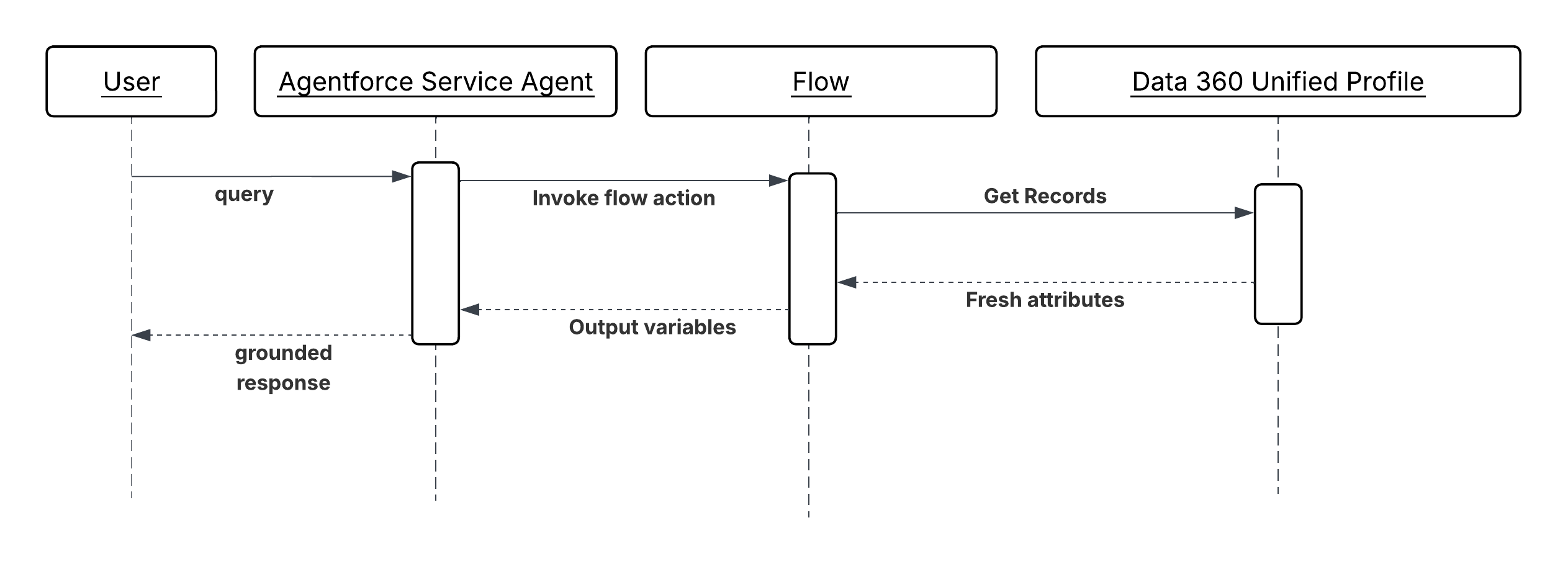 **Results**
Actions receive verified, structured customer facts rather than LLM-inferred approximations. The agent's reasoning is anchored to the customer's actual profile state, reducing hallucination risk on decisions where factual accuracy determines outcome quality like pricing, entitlement checks, escalation routing, retention offers.
Profile grounding also reduces reasoning latency. When the agent doesn’t need to issue lookup calls to establish basic customer context, the reasoning cycle is shorter and concurrency is consumed for fewer turns.
The Data 360 unified profile remains the authoritative source of customer facts. The subagent configuration or connected flow is the integration seam. The agent is responsible for reasoning over those facts and selecting actions, not for sourcing the facts themselves.
**Design Considerations**
Platform-agnostic Guidance
- Identify all action inputs that carry hallucination risk—where LLM inference could produce a wrong outcome instead of a verified value. Inputs with hallucination risk are candidates for profile grounding. Not every input requires grounding; over-injecting profile data adds noise to the agent's context window.
- Treat profile freshness as a design decision, not an afterthought. Define the acceptable staleness tolerance for each grounded attribute and choose the injection mechanism accordingly: session-level mapping for stable attributes, flow-based refresh for volatile ones.
- Calculated Insights should encode business logic, not raw metrics. An agent reasoning over a “churnRiskScore” of 0.87 is more effective than an agent reasoning over 14 raw behavioral signals. Compute the interpretation in Data 360; pass the result to the agent.
Salesforce Implementation Notes
- Profile grounding is only as trustworthy as the unification behind it. For example, the value of the Unified Profile depends entirely on the quality of identity resolution upstream. If a customer has fragmented identities across source systems that haven't been unified, the profile attributes the agent receives will be incomplete or they represent only a partial view (for example, Lifetime Value computed with data from one channel but not another).
- For Data 360 connected Flows, use the Get Records element with a filter on the current session's “recordId” or “accountId” to retrieve only the relevant profile record. Return only the attributes required by the downstream action; don't return the full profile object.
- Calculated Insights must be kept current via Data 360 ingestion pipelines. Set up streaming or near-real-time refresh for insights used in time-sensitive decisions (for example, churn risk in a retention workflow). Batch-refreshed insights are acceptable for slower-moving attributes (for example, annual contract value tier).
- Validate that mapped profile attributes are non-null before action invocation. A null “customerTier“ passed to a pricing action is as harmful as a hallucinated value. Use flow decision elements to detect missing profile data and route to a fallback that either retrieves a default or prompts for clarification.
- In the subagent configuration, map profile attributes to action input parameters using descriptive, semantically clear variable names (for example, “customerTier”, “lifetimeValueUSD”, “churnRiskScore”). The LLM reads these names when selecting and composing actions; ambiguous names degrade selection accuracy.
**Error Handling and Recovery**
- If a required profile attribute is null or unavailable at the time of action invocation, the agent shouldn't proceed with a potentially incorrect default. The action should return a structured error indicating the missing attribute, and the agent should either prompt the user for clarification or escalate to a human if operating non-conversationally.
- If a Data 360-connected flow fails to retrieve profile data (for example, due to a Data 360 service interruption), the flow's fault path should return a structured error to the agent with the specific failure reason. The agent can then decide whether to retry, proceed with a degraded experience, or surface the failure to the user.
- Log all profile attribute values injected at session creation or action invocation alongside the session ID. This ensures that any disputed agent decision can be reconstructed with the exact customer facts the agent was given at the time.
**Security Considerations**
- Profile attributes injected into agent context are subject to the same data access controls as any CRM record. Make sure that the integration user or connected app used to resolve profile attributes holds only the field-level permissions required for the attributes being surfaced and not broader profile read access.
- Calculated Insights that encode sensitive derived metrics (for example, predicted health score, financial risk tier) should be treated as sensitive fields and governed by the same access controls as the underlying data. Surfacing a high churn risk score to an agent operating in a customer-facing context requires careful consideration of what the agent may communicate.
- Don't surface profile attributes that are not required by the action. Each additional attribute in the agent's context window is an additional data element that could be reproduced in the agent's response. Apply a minimum-necessary principle to profile grounding.
- Audit all sessions in which Calculated Insights or sensitive profile attributes were injected as inputs. These sessions represent decisions made on the basis of derived customer intelligence and may be subject to explainability or regulatory requirements in certain industries.
**Example**
A telecommunications company uses Agentforce to handle retention conversations with customers who have initiated a cancellation request.
- When a cancellation case is opened, the agent session is created with the customer's “accountId” as context.
- The subagent configuration maps three Data 360 Unified Profile attributes to session variables at creation time: “customerTier” (Enterprise), “lifetimeValueUSD” (42,000), and “contractRenewalDate” (60 days).
- A Calculated Insight like “churnRiskScore” (0.91, computed from usage decline, support ticket frequency, and NPS trend) is mapped as an additional session variable via a Data 360-connected flow invoked as the first action step.
- The agent, now grounded in verified customer facts, invokes a “SelectRetentionOffer” action. Because the inputs include “customerTier \= Enterprise”, “lifetimeValueUSD \= 42000”, and “churnRiskScore \= 0.91”, the action returns the maximum-tier retention offer rather than a standard one.
- The agent invokes “PresentOffer” to deliver the offer in the conversation and “LogRetentionAttempt” to record the interaction in the CRM with all grounded attributes preserved for auditability.
## Cross-System Tool Integration (Outbound)
**Context**
Enterprise data is fragmented. An agent that can only act on what lives inside the Salesforce platform is limited to a fraction of the information it needs to reason effectively. Answering a service question may require reading a customer’s open ticket in Service Cloud. Preparing a proposal may require retrieving a file from Google Drive. Analyzing product usage may require querying a data warehouse. Each of these systems has its own APIs, its own authentication model, and its own data schema and the cost of writing tailored integration code for each one is what has historically made agent-to-system connectivity expensive and fragile.
MCP is an open standard that addresses this directly. It defines a uniform interface through which an agent can discover and invoke tools exposed by any MCP-compliant server, regardless of the underlying system. Each MCP Server acts as an adapter: it wraps a target system’s native interfaces in a standardized, tool-centric interface that the agent can query, invoke, and compose without knowing anything about the system’s specific protocols or schemas.
From the agent’s perspective, connecting to Slack, a Structured Query Language (SQL) database, and a document management system looks identical, three MCP Servers, each exposing a set of described, callable tools. The agent selects and sequences them based on their semantic descriptions and the goal it's trying to achieve.
**Problem**
When an agent needs to retrieve information or trigger actions across multiple external systems- each with different APIs, authentication, and schemas \- how can it discover, invoke, and compose their capabilities without tailored integration code per system or tight coupling to any system's implementation?
**Forces**
When applying this pattern, answer the following questions:
- Does the agent need to reach systems outside the Salesforce platform like document stores, collaboration tools, databases, third-party SaaS, whose APIs are not natively represented as Agentforce actions?
- Is dynamic tool discovery required, where the agent identifies the right integration endpoint at reasoning time based on the current request, rather than having integrations hardcoded in its configuration?
- Does the integration landscape change frequently; new systems added, existing ones updated, and other changes may demand such that a tailored-per-system approach would create unsustainable maintenance overhead?
- Is there a need to decouple the agent’s reasoning layer from the implementation details of downstream systems, so that a change in a target system’s API does not require changes to the agent’s instructions or subagent configuration?
- Are the target systems owned by different teams or vendors, each responsible for exposing their own capabilities, making a provider-side MCP Server model more practical than a consumer-side integration per agent?
**Salesforce Pattern Application**
| Solution | Fit | Comments |
| --------------------------- | ----------------------------------------------------- | ----------------------------------------------------------------------------------------------------------------------------------------------------------------------------------------------------------------------------------------------------------------------------------------------------------------------------------------------------------------------------------------------------------------------------------------------------------------------------------------------------------------------------------------------------------------- |
| Salesforce MCP Servers | Best for Salesforce-ecosystem targets | Use when the target system is within the Salesforce ecosystem and a first-party MCP Server is available. AIforce provides MCP Servers for its own platform capabilities, exposing CRM data, flows, and platform actions as MCP-compliant tools. Reduces implementation effort to configuration rather than development. **Note**: Currently, Salesforce MCP servers support only end-user credentials for authentication and authorization. |
| Custom MuleSoft MCP Servers | Best when no first-party MCP Server exists | Use for legacy systems, proprietary internal applications, or third-party SaaS platforms predate the MCP standard. When a target system doesn’t provide its own MCP Server, a MuleSoft integration layer can be wrapped in a custom MCP Server that exposes the system’s capabilities as tools. It can be also used with Salesforce APIs if MCPs are required for agents to be consumed with system user credentials only. MuleSoft handles protocol translation, authentication, and data transformation; the MCP layer makes the result discoverable by agents. |
| Third-Party MCP Servers | Best for commodity systems with active MCP ecosystems | A vendor-maintained MCP server exists for your platform (GitHub, Google Workspace) and meets security and maintenance requirements. An increasing number of enterprise platforms like GitHub, Google Workspace, and others publish their own MCP Servers. Where a production-ready, vendor-maintained server exists, prefer it over building a custom one. Evaluate for security posture and maintenance commitment before adopting. |
**Sketch**
_Sequence Diagram for Verified Customer Context Injection_
**Results**
Actions receive verified, structured customer facts rather than LLM-inferred approximations. The agent's reasoning is anchored to the customer's actual profile state, reducing hallucination risk on decisions where factual accuracy determines outcome quality like pricing, entitlement checks, escalation routing, retention offers.
Profile grounding also reduces reasoning latency. When the agent doesn’t need to issue lookup calls to establish basic customer context, the reasoning cycle is shorter and concurrency is consumed for fewer turns.
The Data 360 unified profile remains the authoritative source of customer facts. The subagent configuration or connected flow is the integration seam. The agent is responsible for reasoning over those facts and selecting actions, not for sourcing the facts themselves.
**Design Considerations**
Platform-agnostic Guidance
- Identify all action inputs that carry hallucination risk—where LLM inference could produce a wrong outcome instead of a verified value. Inputs with hallucination risk are candidates for profile grounding. Not every input requires grounding; over-injecting profile data adds noise to the agent's context window.
- Treat profile freshness as a design decision, not an afterthought. Define the acceptable staleness tolerance for each grounded attribute and choose the injection mechanism accordingly: session-level mapping for stable attributes, flow-based refresh for volatile ones.
- Calculated Insights should encode business logic, not raw metrics. An agent reasoning over a “churnRiskScore” of 0.87 is more effective than an agent reasoning over 14 raw behavioral signals. Compute the interpretation in Data 360; pass the result to the agent.
Salesforce Implementation Notes
- Profile grounding is only as trustworthy as the unification behind it. For example, the value of the Unified Profile depends entirely on the quality of identity resolution upstream. If a customer has fragmented identities across source systems that haven't been unified, the profile attributes the agent receives will be incomplete or they represent only a partial view (for example, Lifetime Value computed with data from one channel but not another).
- For Data 360 connected Flows, use the Get Records element with a filter on the current session's “recordId” or “accountId” to retrieve only the relevant profile record. Return only the attributes required by the downstream action; don't return the full profile object.
- Calculated Insights must be kept current via Data 360 ingestion pipelines. Set up streaming or near-real-time refresh for insights used in time-sensitive decisions (for example, churn risk in a retention workflow). Batch-refreshed insights are acceptable for slower-moving attributes (for example, annual contract value tier).
- Validate that mapped profile attributes are non-null before action invocation. A null “customerTier“ passed to a pricing action is as harmful as a hallucinated value. Use flow decision elements to detect missing profile data and route to a fallback that either retrieves a default or prompts for clarification.
- In the subagent configuration, map profile attributes to action input parameters using descriptive, semantically clear variable names (for example, “customerTier”, “lifetimeValueUSD”, “churnRiskScore”). The LLM reads these names when selecting and composing actions; ambiguous names degrade selection accuracy.
**Error Handling and Recovery**
- If a required profile attribute is null or unavailable at the time of action invocation, the agent shouldn't proceed with a potentially incorrect default. The action should return a structured error indicating the missing attribute, and the agent should either prompt the user for clarification or escalate to a human if operating non-conversationally.
- If a Data 360-connected flow fails to retrieve profile data (for example, due to a Data 360 service interruption), the flow's fault path should return a structured error to the agent with the specific failure reason. The agent can then decide whether to retry, proceed with a degraded experience, or surface the failure to the user.
- Log all profile attribute values injected at session creation or action invocation alongside the session ID. This ensures that any disputed agent decision can be reconstructed with the exact customer facts the agent was given at the time.
**Security Considerations**
- Profile attributes injected into agent context are subject to the same data access controls as any CRM record. Make sure that the integration user or connected app used to resolve profile attributes holds only the field-level permissions required for the attributes being surfaced and not broader profile read access.
- Calculated Insights that encode sensitive derived metrics (for example, predicted health score, financial risk tier) should be treated as sensitive fields and governed by the same access controls as the underlying data. Surfacing a high churn risk score to an agent operating in a customer-facing context requires careful consideration of what the agent may communicate.
- Don't surface profile attributes that are not required by the action. Each additional attribute in the agent's context window is an additional data element that could be reproduced in the agent's response. Apply a minimum-necessary principle to profile grounding.
- Audit all sessions in which Calculated Insights or sensitive profile attributes were injected as inputs. These sessions represent decisions made on the basis of derived customer intelligence and may be subject to explainability or regulatory requirements in certain industries.
**Example**
A telecommunications company uses Agentforce to handle retention conversations with customers who have initiated a cancellation request.
- When a cancellation case is opened, the agent session is created with the customer's “accountId” as context.
- The subagent configuration maps three Data 360 Unified Profile attributes to session variables at creation time: “customerTier” (Enterprise), “lifetimeValueUSD” (42,000), and “contractRenewalDate” (60 days).
- A Calculated Insight like “churnRiskScore” (0.91, computed from usage decline, support ticket frequency, and NPS trend) is mapped as an additional session variable via a Data 360-connected flow invoked as the first action step.
- The agent, now grounded in verified customer facts, invokes a “SelectRetentionOffer” action. Because the inputs include “customerTier \= Enterprise”, “lifetimeValueUSD \= 42000”, and “churnRiskScore \= 0.91”, the action returns the maximum-tier retention offer rather than a standard one.
- The agent invokes “PresentOffer” to deliver the offer in the conversation and “LogRetentionAttempt” to record the interaction in the CRM with all grounded attributes preserved for auditability.
## Cross-System Tool Integration (Outbound)
**Context**
Enterprise data is fragmented. An agent that can only act on what lives inside the Salesforce platform is limited to a fraction of the information it needs to reason effectively. Answering a service question may require reading a customer’s open ticket in Service Cloud. Preparing a proposal may require retrieving a file from Google Drive. Analyzing product usage may require querying a data warehouse. Each of these systems has its own APIs, its own authentication model, and its own data schema and the cost of writing tailored integration code for each one is what has historically made agent-to-system connectivity expensive and fragile.
MCP is an open standard that addresses this directly. It defines a uniform interface through which an agent can discover and invoke tools exposed by any MCP-compliant server, regardless of the underlying system. Each MCP Server acts as an adapter: it wraps a target system’s native interfaces in a standardized, tool-centric interface that the agent can query, invoke, and compose without knowing anything about the system’s specific protocols or schemas.
From the agent’s perspective, connecting to Slack, a Structured Query Language (SQL) database, and a document management system looks identical, three MCP Servers, each exposing a set of described, callable tools. The agent selects and sequences them based on their semantic descriptions and the goal it's trying to achieve.
**Problem**
When an agent needs to retrieve information or trigger actions across multiple external systems- each with different APIs, authentication, and schemas \- how can it discover, invoke, and compose their capabilities without tailored integration code per system or tight coupling to any system's implementation?
**Forces**
When applying this pattern, answer the following questions:
- Does the agent need to reach systems outside the Salesforce platform like document stores, collaboration tools, databases, third-party SaaS, whose APIs are not natively represented as Agentforce actions?
- Is dynamic tool discovery required, where the agent identifies the right integration endpoint at reasoning time based on the current request, rather than having integrations hardcoded in its configuration?
- Does the integration landscape change frequently; new systems added, existing ones updated, and other changes may demand such that a tailored-per-system approach would create unsustainable maintenance overhead?
- Is there a need to decouple the agent’s reasoning layer from the implementation details of downstream systems, so that a change in a target system’s API does not require changes to the agent’s instructions or subagent configuration?
- Are the target systems owned by different teams or vendors, each responsible for exposing their own capabilities, making a provider-side MCP Server model more practical than a consumer-side integration per agent?
**Salesforce Pattern Application**
| Solution | Fit | Comments |
| --------------------------- | ----------------------------------------------------- | ----------------------------------------------------------------------------------------------------------------------------------------------------------------------------------------------------------------------------------------------------------------------------------------------------------------------------------------------------------------------------------------------------------------------------------------------------------------------------------------------------------------------------------------------------------------- |
| Salesforce MCP Servers | Best for Salesforce-ecosystem targets | Use when the target system is within the Salesforce ecosystem and a first-party MCP Server is available. AIforce provides MCP Servers for its own platform capabilities, exposing CRM data, flows, and platform actions as MCP-compliant tools. Reduces implementation effort to configuration rather than development. **Note**: Currently, Salesforce MCP servers support only end-user credentials for authentication and authorization. |
| Custom MuleSoft MCP Servers | Best when no first-party MCP Server exists | Use for legacy systems, proprietary internal applications, or third-party SaaS platforms predate the MCP standard. When a target system doesn’t provide its own MCP Server, a MuleSoft integration layer can be wrapped in a custom MCP Server that exposes the system’s capabilities as tools. It can be also used with Salesforce APIs if MCPs are required for agents to be consumed with system user credentials only. MuleSoft handles protocol translation, authentication, and data transformation; the MCP layer makes the result discoverable by agents. |
| Third-Party MCP Servers | Best for commodity systems with active MCP ecosystems | A vendor-maintained MCP server exists for your platform (GitHub, Google Workspace) and meets security and maintenance requirements. An increasing number of enterprise platforms like GitHub, Google Workspace, and others publish their own MCP Servers. Where a production-ready, vendor-maintained server exists, prefer it over building a custom one. Evaluate for security posture and maintenance commitment before adopting. |
**Sketch**
_Sequence Diagram for Verified Customer Context Injection_
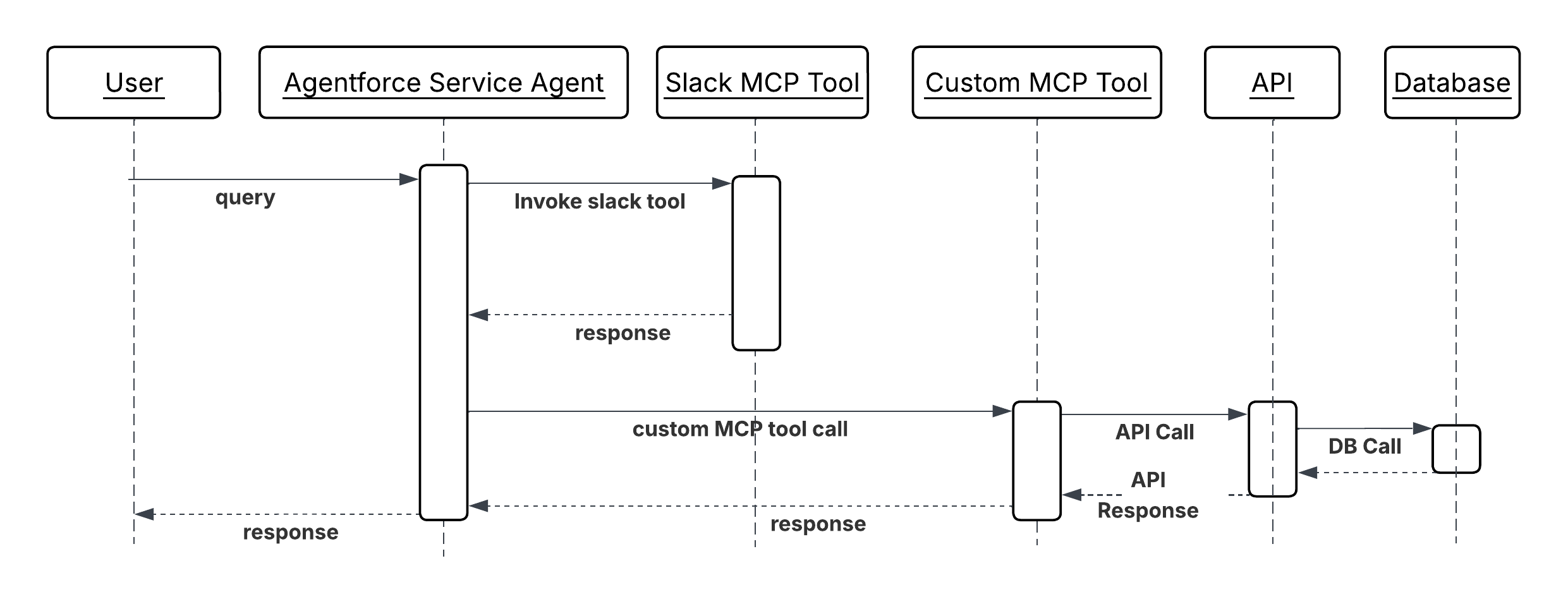 **Results**
The agent’s reachable surface area expands without growing its integration complexity. Adding a new external system means deploying or configuring an MCP Server for it and not writing tailored Apex callouts or flow integrations per agent. The agent’s reasoning layer remains unchanged; it discovers and invokes the new tools based on their semantic descriptions alone.
The MCP standard also creates a clean separation of ownership: the team responsible for a system exposes its capabilities as an MCP Server; the agent team consumes those capabilities without needing to understand the system’s internals. This boundary reduces coordination overhead as the number of integrated systems grows.
Tool composability is a direct outcome. Because all tools share the same invocation interface, the agent can chain tools from different systems, retrieve a file from Google Drive, extract data from it, and write the result to a CRM record as naturally as chaining actions within one system.
**Design Considerations**
Platform-agnostic Guidance
- Tool descriptions are the agent’s only basis for deciding whether and how to invoke a tool. Write descriptions in clear, intent-based language that states what the tool does, when it applies, and what it returns. A description that says "queries the CRM database" is less useful than "retrieves the account’s open cases, ordered by priority, for a given account ID." Poor descriptions produce poor tool selection.
- Scope each MCP tool to a single, atomic capability. A tool that retrieves a document and also writes a summary back to the source system is harder for the agent to reason about, harder to retry on failure, and harder to secure than two discrete tools. One tool, one responsibility.
- Design tools so that outputs are composable inputs. The result of a retrieval tool should be structured in a way that maps naturally to the input parameters of the action tools that typically follow it, reducing the transformation work the agent must perform between steps.
- Remote-host MCP Servers. Local binary installations create deployment and versioning complexity that grows with the number of agent environments. A remote-hosted server can be updated independently of the agents that consume it.
Salesforce Implementation Notes
- If you want consistent MCP authentication, rate limit, payload validations across all outbound MCP calls, use AI Gateway like MuleSoft Omni Gateway supporting MCP servers and configure it before exposing any MCP Server to agents.
- Use OAuth 2.0 credentials for all credentials required by MCP Server connections. Credentials must not appear in tool parameters, action configurations, or Apex code.
- Some MCP tools may need end-user credentials for taking some actions depending on the business use case (like fund transfer). To propagate end user identity tokens, use [OAuth 2.0 On Behalf Of Credentials Injection](https://docs.mulesoft.com/gateway/latest/policies-outbound-oauth-obo?_ga=2.13731188.2103534092.1779677345-1473519780.1778951013) policy which is currently supported with MuleSoft Omni Gateway.
- For custom MuleSoft MCP Servers: define the MCP tool schema in MuleSoft’s API specification and register the server’s endpoint in the Agentforce tool catalog. Test tool descriptions against representative agent queries to verify that the agent selects the right tool for the right task before deploying to production.
**Error Handling and Recovery**
- When an MCP tool call returns an error, the agent inspects the machine-readable error code to determine the appropriate recovery action: requesting missing parameters from the user, retrying with corrected input, or escalating to a human. It never silently consumes errors or continues reasoning as though the tool call succeeded.
- The agent implements retry logic for transient failures directly.
- Log every MCP tool invocation from the client side with the tool name, sanitized input parameters, and the outcome. This client-side trace combined with server-side logs is the primary mechanism for diagnosing why an agent took a particular action path when a workflow doesn’t produce the expected result.
**Security Considerations**
- All outbound MCP server connections pass through the gateway. The gateway enforces authentication verification, rate limiting to prevent tool abuse, and payload inspection to detect prompt injection attempts in tool parameters. Direct, unmediated connections from agents to MCP Servers bypass these controls and aren’t permitted.
- Scope each agent's MCP server connections to only the servers whose tools that agent actually requires. An agent configured with access to all available MCP servers has a larger attack surface than one connected only to the tools its defined tasks demand.
- Validate and sanitize tool input parameters before passing them to the tool, particularly when parameter values derive from user-provided text or LLM-generated content. Don’t pass unvalidated LLM output directly as tool parameters; an attacker who can influence the agent's reasoning can use that path to inject malicious values into downstream system calls.
- Treat the agent’s list of connected MCP Servers and their tool inventories as sensitive configuration. An attacker who knows which tools an agent has available and what parameters they accept has a map for crafting prompt injection payloads designed to abuse those tools.
**Example**
A sales agent prepares a comprehensive account briefing before a high-value customer call:
1. The agent receives the request: "Prepare a briefing on Acme Corp ahead of tomorrow’s renewal discussion."
2. The agent queries the MCP tool catalog and identifies three relevant tools across two MCP Servers: `GetRecentEmails`, `GetOpenOpportunities`, and `GetSupportTicketSummary`.
3. The agent invokes all three tools in parallel. Each MCP Server translates the call to its target system’s native API, retrieves the relevant data, and returns a structured result.
4. The agent receives the three results. Recent email threads, the open renewal opportunity with deal size and stage, and a summary of open support tickets by priority, and synthesises them into a structured account briefing.
5. The agent invokes `CreateAccountNote` to save the briefing to the account record and returns a summary to the requesting user.
6. All four MCP tool invocations are logged by the gateway with tool names, server identities, and outcomes for the session audit record.
## Business Capabilities as Callable Tools (Inbound)
**Context**
The outbound MCP pattern describes an Agentforce agent consuming tools from external MCP Servers. The inbound pattern inverts this. Salesforce platform capabilities like CRM records, flows, Apex logic, and Data 360 insights are exposed as MCP tools that external agents, running on any LLM framework, can discover and invoke.
This pattern matters because enterprise AI deployments are rarely single-vendor. A partner's agent built on a different framework may need to look up a customer's account status in Salesforce. An internal data science team running a Python-based agent may need to trigger a Salesforce flow to kick off an approval process. Without a standardized exposure mechanism, each external consumer requires a tailored integration. Exposing Salesforce capabilities as an MCP Server gives every MCP-compatible agent a uniform, discoverable interface to the platform's tools regardless of how the calling agent is built.
For example, a partner's procurement agent, built on a third-party framework, needs to verify a supplier's contract status in Salesforce before approving a purchase order. Rather than building a direct REST integration, it invokes a `GetContractStatus` tool on the Salesforce MCP Server. The tool enforces the same access controls as any native Salesforce operation; the calling agent only sees the result.
**Problem**
When an external agent built on a different framework, owned by a partner, or otherwise running outside the Salesforce platform needs to invoke Salesforce capabilities as part of its own workflow, how can those capabilities be exposed in a standardized, discoverable, and securely governed way that does not require a tailored integration per external consumer?
**Forces**
When applying this pattern, answer the following questions:
- Are the external agents that need to consume Salesforce capabilities built on frameworks that support the MCP standard? If not, a REST API or a webhook approach may be more appropriate than MCP.
- Which Salesforce capabilities need to be exposed \- read-only data retrieval, write operations, flow invocations, or a combination? The scope of exposure directly determines the security surface area that must be governed.
- How should the identity of the external calling agent be verified, and what Salesforce permissions should its invocations run under? Agent-to-platform calls must not inherit broader permissions than the specific operation requires.
- Is the Salesforce MCP Server intended for internal consumers (other teams' agents within the same organization) or external consumers (partner and customer agents)? The trust model and authentication requirements differ significantly between these audiences.
- How will the set of exposed tools evolve over time? New Salesforce capabilities added to the MCP Server become immediately discoverable by all connected agents; unintended tool exposure must be governed through a deliberate publication process.
**Salesforce Pattern Application**
| Solution | Fit | Comments |
| --------------------------------- | ---------------------------------------------------------------- | ------------------------------------------------------------------------------------------------------------------------------------------------------------------------------------------------------------------------------------------------------------------------------------------------------------------------------------------------------------------------------------------------------------------------------------------------------------------------------------------------------------------------------------------------------------------------------------------------------------------------------------------------------------------------------------------------------------------------------------------------- |
| Salesforce as MCP Server (Native) | Best for exposing first-party Salesforce capabilities | Use when the tools to be exposed map directly to existing Salesforce platform operations and the calling agents are MCP-compatible. AIforce's native MCP server capability allows platform operations like record queries, flow invocations, and Apex actions to be declared as MCP tools and exposed to any MCP compatible external agent. Access is governed by the Salesforce permission model. Note that these AIforce MCP servers can be accessed only with end-user credentials currently. |
| MuleSoft as MCP Server Facade | Best when transformation or multi-system aggregation is required | Use when the calling agent needs a capability that requires data from more than one Salesforce object, transformation before delivery, or composition with data from other systems. The MCP interface remains clean and simple; the complexity is absorbed by MuleSoft. A MuleSoft MCP layer sits in front of Salesforce and exposes the aggregated result of multiple platform operations as a single MCP tool. This solution can be also used by agents where the end-user identity can’t be propagated for Salesforce authentication and authorization. For example, if Agentforce Agents need MCP servers with system credentials, we will have to rely on custom MCP servers like one built with and hosted on MuleSoft. |
**Sketch**
_Sequence Diagram for Business Capabilities as Callable Tool_
**Results**
The agent’s reachable surface area expands without growing its integration complexity. Adding a new external system means deploying or configuring an MCP Server for it and not writing tailored Apex callouts or flow integrations per agent. The agent’s reasoning layer remains unchanged; it discovers and invokes the new tools based on their semantic descriptions alone.
The MCP standard also creates a clean separation of ownership: the team responsible for a system exposes its capabilities as an MCP Server; the agent team consumes those capabilities without needing to understand the system’s internals. This boundary reduces coordination overhead as the number of integrated systems grows.
Tool composability is a direct outcome. Because all tools share the same invocation interface, the agent can chain tools from different systems, retrieve a file from Google Drive, extract data from it, and write the result to a CRM record as naturally as chaining actions within one system.
**Design Considerations**
Platform-agnostic Guidance
- Tool descriptions are the agent’s only basis for deciding whether and how to invoke a tool. Write descriptions in clear, intent-based language that states what the tool does, when it applies, and what it returns. A description that says "queries the CRM database" is less useful than "retrieves the account’s open cases, ordered by priority, for a given account ID." Poor descriptions produce poor tool selection.
- Scope each MCP tool to a single, atomic capability. A tool that retrieves a document and also writes a summary back to the source system is harder for the agent to reason about, harder to retry on failure, and harder to secure than two discrete tools. One tool, one responsibility.
- Design tools so that outputs are composable inputs. The result of a retrieval tool should be structured in a way that maps naturally to the input parameters of the action tools that typically follow it, reducing the transformation work the agent must perform between steps.
- Remote-host MCP Servers. Local binary installations create deployment and versioning complexity that grows with the number of agent environments. A remote-hosted server can be updated independently of the agents that consume it.
Salesforce Implementation Notes
- If you want consistent MCP authentication, rate limit, payload validations across all outbound MCP calls, use AI Gateway like MuleSoft Omni Gateway supporting MCP servers and configure it before exposing any MCP Server to agents.
- Use OAuth 2.0 credentials for all credentials required by MCP Server connections. Credentials must not appear in tool parameters, action configurations, or Apex code.
- Some MCP tools may need end-user credentials for taking some actions depending on the business use case (like fund transfer). To propagate end user identity tokens, use [OAuth 2.0 On Behalf Of Credentials Injection](https://docs.mulesoft.com/gateway/latest/policies-outbound-oauth-obo?_ga=2.13731188.2103534092.1779677345-1473519780.1778951013) policy which is currently supported with MuleSoft Omni Gateway.
- For custom MuleSoft MCP Servers: define the MCP tool schema in MuleSoft’s API specification and register the server’s endpoint in the Agentforce tool catalog. Test tool descriptions against representative agent queries to verify that the agent selects the right tool for the right task before deploying to production.
**Error Handling and Recovery**
- When an MCP tool call returns an error, the agent inspects the machine-readable error code to determine the appropriate recovery action: requesting missing parameters from the user, retrying with corrected input, or escalating to a human. It never silently consumes errors or continues reasoning as though the tool call succeeded.
- The agent implements retry logic for transient failures directly.
- Log every MCP tool invocation from the client side with the tool name, sanitized input parameters, and the outcome. This client-side trace combined with server-side logs is the primary mechanism for diagnosing why an agent took a particular action path when a workflow doesn’t produce the expected result.
**Security Considerations**
- All outbound MCP server connections pass through the gateway. The gateway enforces authentication verification, rate limiting to prevent tool abuse, and payload inspection to detect prompt injection attempts in tool parameters. Direct, unmediated connections from agents to MCP Servers bypass these controls and aren’t permitted.
- Scope each agent's MCP server connections to only the servers whose tools that agent actually requires. An agent configured with access to all available MCP servers has a larger attack surface than one connected only to the tools its defined tasks demand.
- Validate and sanitize tool input parameters before passing them to the tool, particularly when parameter values derive from user-provided text or LLM-generated content. Don’t pass unvalidated LLM output directly as tool parameters; an attacker who can influence the agent's reasoning can use that path to inject malicious values into downstream system calls.
- Treat the agent’s list of connected MCP Servers and their tool inventories as sensitive configuration. An attacker who knows which tools an agent has available and what parameters they accept has a map for crafting prompt injection payloads designed to abuse those tools.
**Example**
A sales agent prepares a comprehensive account briefing before a high-value customer call:
1. The agent receives the request: "Prepare a briefing on Acme Corp ahead of tomorrow’s renewal discussion."
2. The agent queries the MCP tool catalog and identifies three relevant tools across two MCP Servers: `GetRecentEmails`, `GetOpenOpportunities`, and `GetSupportTicketSummary`.
3. The agent invokes all three tools in parallel. Each MCP Server translates the call to its target system’s native API, retrieves the relevant data, and returns a structured result.
4. The agent receives the three results. Recent email threads, the open renewal opportunity with deal size and stage, and a summary of open support tickets by priority, and synthesises them into a structured account briefing.
5. The agent invokes `CreateAccountNote` to save the briefing to the account record and returns a summary to the requesting user.
6. All four MCP tool invocations are logged by the gateway with tool names, server identities, and outcomes for the session audit record.
## Business Capabilities as Callable Tools (Inbound)
**Context**
The outbound MCP pattern describes an Agentforce agent consuming tools from external MCP Servers. The inbound pattern inverts this. Salesforce platform capabilities like CRM records, flows, Apex logic, and Data 360 insights are exposed as MCP tools that external agents, running on any LLM framework, can discover and invoke.
This pattern matters because enterprise AI deployments are rarely single-vendor. A partner's agent built on a different framework may need to look up a customer's account status in Salesforce. An internal data science team running a Python-based agent may need to trigger a Salesforce flow to kick off an approval process. Without a standardized exposure mechanism, each external consumer requires a tailored integration. Exposing Salesforce capabilities as an MCP Server gives every MCP-compatible agent a uniform, discoverable interface to the platform's tools regardless of how the calling agent is built.
For example, a partner's procurement agent, built on a third-party framework, needs to verify a supplier's contract status in Salesforce before approving a purchase order. Rather than building a direct REST integration, it invokes a `GetContractStatus` tool on the Salesforce MCP Server. The tool enforces the same access controls as any native Salesforce operation; the calling agent only sees the result.
**Problem**
When an external agent built on a different framework, owned by a partner, or otherwise running outside the Salesforce platform needs to invoke Salesforce capabilities as part of its own workflow, how can those capabilities be exposed in a standardized, discoverable, and securely governed way that does not require a tailored integration per external consumer?
**Forces**
When applying this pattern, answer the following questions:
- Are the external agents that need to consume Salesforce capabilities built on frameworks that support the MCP standard? If not, a REST API or a webhook approach may be more appropriate than MCP.
- Which Salesforce capabilities need to be exposed \- read-only data retrieval, write operations, flow invocations, or a combination? The scope of exposure directly determines the security surface area that must be governed.
- How should the identity of the external calling agent be verified, and what Salesforce permissions should its invocations run under? Agent-to-platform calls must not inherit broader permissions than the specific operation requires.
- Is the Salesforce MCP Server intended for internal consumers (other teams' agents within the same organization) or external consumers (partner and customer agents)? The trust model and authentication requirements differ significantly between these audiences.
- How will the set of exposed tools evolve over time? New Salesforce capabilities added to the MCP Server become immediately discoverable by all connected agents; unintended tool exposure must be governed through a deliberate publication process.
**Salesforce Pattern Application**
| Solution | Fit | Comments |
| --------------------------------- | ---------------------------------------------------------------- | ------------------------------------------------------------------------------------------------------------------------------------------------------------------------------------------------------------------------------------------------------------------------------------------------------------------------------------------------------------------------------------------------------------------------------------------------------------------------------------------------------------------------------------------------------------------------------------------------------------------------------------------------------------------------------------------------------------------------------------------------- |
| Salesforce as MCP Server (Native) | Best for exposing first-party Salesforce capabilities | Use when the tools to be exposed map directly to existing Salesforce platform operations and the calling agents are MCP-compatible. AIforce's native MCP server capability allows platform operations like record queries, flow invocations, and Apex actions to be declared as MCP tools and exposed to any MCP compatible external agent. Access is governed by the Salesforce permission model. Note that these AIforce MCP servers can be accessed only with end-user credentials currently. |
| MuleSoft as MCP Server Facade | Best when transformation or multi-system aggregation is required | Use when the calling agent needs a capability that requires data from more than one Salesforce object, transformation before delivery, or composition with data from other systems. The MCP interface remains clean and simple; the complexity is absorbed by MuleSoft. A MuleSoft MCP layer sits in front of Salesforce and exposes the aggregated result of multiple platform operations as a single MCP tool. This solution can be also used by agents where the end-user identity can’t be propagated for Salesforce authentication and authorization. For example, if Agentforce Agents need MCP servers with system credentials, we will have to rely on custom MCP servers like one built with and hosted on MuleSoft. |
**Sketch**
_Sequence Diagram for Business Capabilities as Callable Tool_
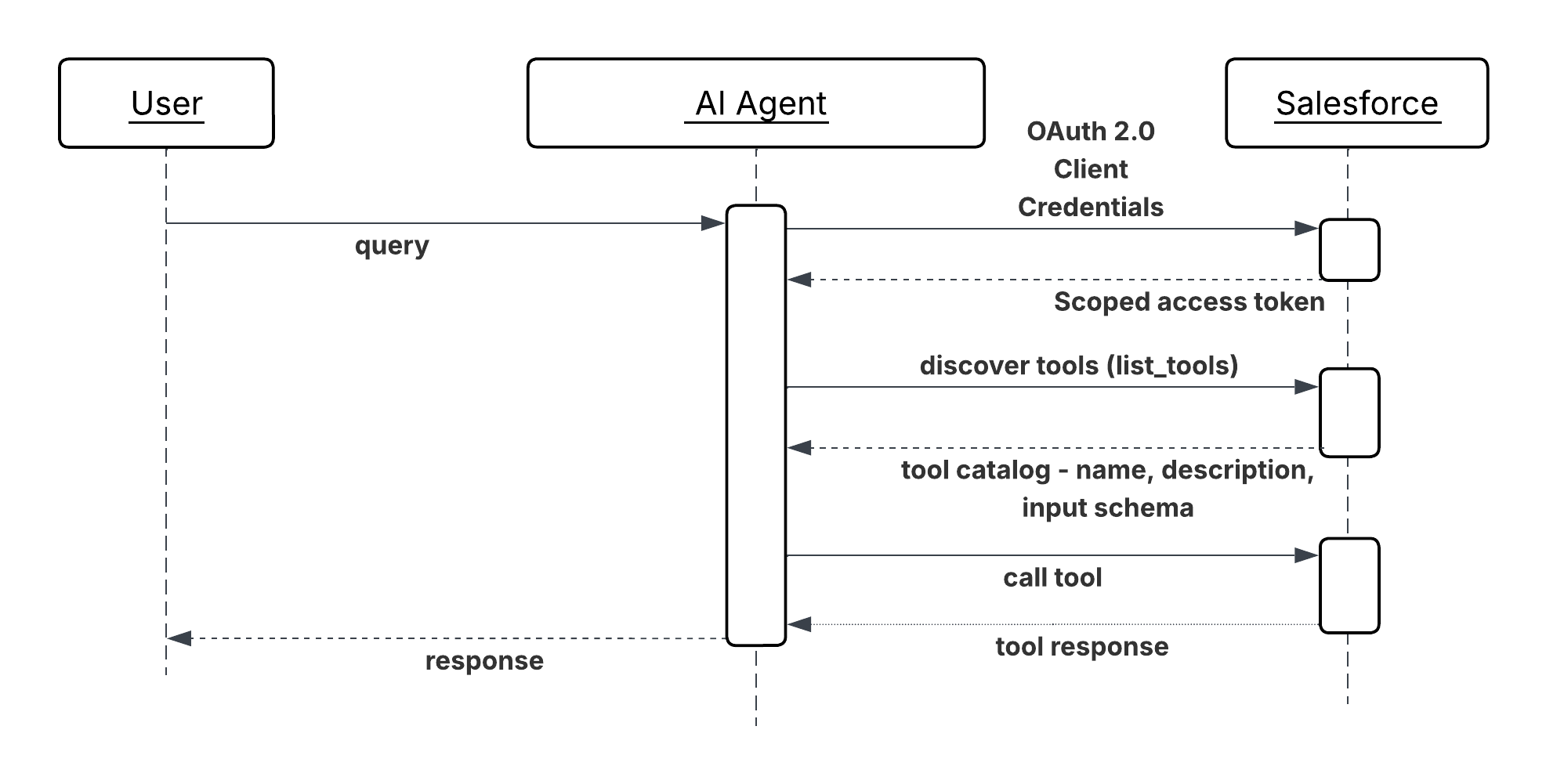 **Results**
Salesforce becomes a first-class participant in multi-vendor agent ecosystems. External agents can discover and consume platform capabilities without requiring a custom REST integration per consumer or per use case. The number of consumers can grow without proportional growth in integration maintenance overhead.
With AIforce, the Salesforce permission model governs every inbound tool invocation. External MCP clients don't bypass existing data access controls; they operate within them. This means the security posture of exposing capabilities via MCP is equivalent to exposing them via any other authenticated API surface.
Tool discoverability is a compound benefit. As new Salesforce capabilities are added to the MCP Server's tool catalog, they become immediately available to all connected external agents without requiring those agents to update their configurations.
**Design Considerations**
Platform-agnostic Guidance
- Publish only what external agents need. Every tool added to the MCP Server's catalog expands the attack surface and the governance burden. Audit the tool inventory deliberately. Define which capabilities are approved for external consumption, and treat unapproved exposure as a configuration gap, not a default.
- Write tool descriptions for external consumers. An external agent's operator has no knowledge of your internal data model or naming conventions. Keep descriptions self-contained: what the tool does, what each parameter means, what the result represents, and any constraints or prerequisites the caller must satisfy.
- Version tools explicitly when their input or output schemas change. An external agent that depends on a tool's current schema will break silently if the schema changes without notice. Treat breaking changes to an MCP tool's interface with the same discipline as a breaking change to a public REST API.
Salesforce Implementation Notes
- Run every inbound Salesforce Out-of-the-Box (OOTB) MCP (AIforce\) tool invocation under an end user whose permissions are scoped to only the operations the exposed tools require. Don't run inbound agent calls under a high-privilege admin identity.
- To apply authentication, rate limiting, schema validation, and personally identifiable information (PII) detection consistently across all MCP tools, use AI Gateway like MuleSoft Omni Gateway.
- For MuleSoft MCP Facades, define the MCP tool schema in MuleSoft independently of the underlying Salesforce API schema. The MCP interface should reflect the calling agent's conceptual need and not the shape of the Salesforce object that backs it. This decoupling allows the Salesforce implementation to evolve without breaking the external tool contract.
**Error Handling and Recovery**
- Tool invocation failures must return structured MCP error responses with a machine-readable code and a plain-language description. The calling external agent has no visibility into the Salesforce platform's internals like error messages must be self-contained and actionable without requiring knowledge of Salesforce-specific error codes or object models.
- Rate limit errors and authentication failures must be returned promptly with enough information for the external agent's operator to diagnose and remediate which rate limit was hit, or which credential was rejected without exposing internal configuration details.
- Log all inbound MCP tool invocations at the Omni Gateway with the calling agent's identity, the tool invoked, the input parameters (sanitized of sensitive values), and the outcome. This log is the primary evidence trail for diagnosing failures reported by external consumers and for auditing what external agents have accessed.
**Security Considerations**
- Every inbound MCP connection must authenticate before any tool is reachable. Don’t permit unauthenticated discovery of the tool catalog; the list of exposed capabilities is itself sensitive information.
- Apply tool-level authorization in addition to connection-level authentication. A registered external agent should only be able to invoke the specific tools it has been explicitly granted access to, not the full catalog. Enforce this at the gateway, not at the application layer.
- Validate and sanitize all inbound tool parameters before passing them to Salesforce platform operations. Parameters from external agents are an untrusted input surface–a maliciously crafted parameter could attempt to override query filters, inject Salesforce Object Query Language (SOQL) fragments, or influence flow variables. Validate type, format, and range at the MCP Server or facade boundary.
- Conduct a periodic access review of registered external consumers. Revoke credentials for agents that are no longer active or whose access scope has changed. A dormant but valid credential for a decommissioned partner integration is an unnecessary standing risk.
- Guard against violating platform limits by rate limiting inbound MCP messages in the gateway. Curtail the traffic of non-critical agents when under load using SLA based tiering policies.
**Example**
A procurement agent operated by a logistics partner needs to verify a supplier's contract and credit status before approving a high-value purchase order:
1. The partner's agent authenticates to the gateway using its registered OAuth 2.0 client credentials and receives a scoped access token.
2. The agent queries the Salesforce MCP Server's tool catalog and identifies two relevant tools: `GetSupplierContractStatus` and `GetAccountCreditSummary`.
3. The agent invokes `GetSupplierContractStatus` with the supplier's identifier. The MCP Server translates this to a Salesforce record query, applies the integration user's field-level security, and returns the contract's current status, expiry date, and any flagged compliance holds.
4. The agent invokes `GetAccountCreditSummary`, which routes through the MuleSoft MCP Facade. The facade aggregates the supplier's outstanding invoice balance and payment history from two Salesforce objects and returns a single composite credit summary.
5. With both results, the partner's agent determines that the contract is active and the credit position is within acceptable limits, and approves the purchase order in its own system.
6. Both tool invocations are logged by the gateway with the partner agent's identity, the tools invoked, and the outcomes creating an auditable record of what external access was granted and what data was returned.
## Cross-Agent Delegation (Outbound)
**Context**
Enterprise systems now rely on collaborative agent swarms or networks, where complex requests are decomposed and delegated to specialized agents across different domains or vendor platforms. These agents, each with its own role, capabilities, and tools, need a standardized, secure communication method to coordinate toward shared goals without requiring human intervention at every step.
**Problem**
How can a calling AI agent dynamically discover, securely interact with, and delegate complex or domain-specific tasks to a remote peer agent which may be built on a different framework or operated by a different vendor and receive structured results to complete a larger enterprise workflow?
**Forces**
When applying this pattern, answer the following questions:
- How do agents, developed using diverse frameworks or operating across siloed application estates, interoperate?
- How can agents collaborate and delegate tasks without exposing their internal logic, memory, or proprietary tools?
- How do agents support complex, long-running tasks while providing real-time state updates, streaming, and push notifications?
- How do agents enforce enterprise-grade security (authentication, authorization) and policy adherence for cross-agent communication?
- How do agents handle structured task workflows (initiation, progression, completion) that go beyond simple API calls?
**Salesforce Pattern Application**
The A2A Protocol is an open standard that enables agents to discover, delegate to, and collaborate with other agents as peers. It provides a common language for agents to securely exchange information and coordinate actions across different platforms and vendors. A2A focuses on peer-to-peer communication, complementing MCP, which focuses on connecting agents to tools and APIs.
| Solution | Fit | Comments |
| ------------------------------------------- | ----------------------------------------------------------------------------------- | --------------------------------------------------------------------------------------------------------------------------------------------------------------------------------------------------------------------------------------------------------------------------------------------------------------------------------------------------------------------------------------------------------------------------------------------------------------------------------------------------------------------------------------------------------- |
| Single-Org Multi-Agent Orchestration (SOMA) | Best when all domain agents live in one org and no cross-vendor routing is required | A superagent (orchestrator) decomposes requests and routes to up to \~7 connected subagents using LLM-based routing (Atlas Reasoning Engine reads subagent descriptions) or deterministic routing (Agent Script). This is the default recommended pattern before reaching for A2A. Supported combinations: Agentforce Service Agent→Agentforce Service Agent Agentforce Employee Agent→ Agentforce Employee Agent Agentforce Employee Agent→Agentforce Service Agent Only the orchestrator can escalate to a human; subagents cannot. |
| Orchestrator-Led Multi-Agent Delegation | Best for complex workflows requiring multiple specialised agents | Use when the workflow spans multiple domains for example, sourcing, verification, and approval each owned by a different agent. An orchestrator agent decomposes the top-level request and delegates sub-tasks to two or more peer agents in sequence or in parallel. Each peer agent executes its specialised domain function and returns an artifact; the orchestrator aggregates results and drives the next step. |
**Sketch**
The architecture involves a calling agent initiating communication, facilitated by an agent catalog/registry for discovery:
_Sequence Diagram for Cross Agent Delegation_
**Results**
Salesforce becomes a first-class participant in multi-vendor agent ecosystems. External agents can discover and consume platform capabilities without requiring a custom REST integration per consumer or per use case. The number of consumers can grow without proportional growth in integration maintenance overhead.
With AIforce, the Salesforce permission model governs every inbound tool invocation. External MCP clients don't bypass existing data access controls; they operate within them. This means the security posture of exposing capabilities via MCP is equivalent to exposing them via any other authenticated API surface.
Tool discoverability is a compound benefit. As new Salesforce capabilities are added to the MCP Server's tool catalog, they become immediately available to all connected external agents without requiring those agents to update their configurations.
**Design Considerations**
Platform-agnostic Guidance
- Publish only what external agents need. Every tool added to the MCP Server's catalog expands the attack surface and the governance burden. Audit the tool inventory deliberately. Define which capabilities are approved for external consumption, and treat unapproved exposure as a configuration gap, not a default.
- Write tool descriptions for external consumers. An external agent's operator has no knowledge of your internal data model or naming conventions. Keep descriptions self-contained: what the tool does, what each parameter means, what the result represents, and any constraints or prerequisites the caller must satisfy.
- Version tools explicitly when their input or output schemas change. An external agent that depends on a tool's current schema will break silently if the schema changes without notice. Treat breaking changes to an MCP tool's interface with the same discipline as a breaking change to a public REST API.
Salesforce Implementation Notes
- Run every inbound Salesforce Out-of-the-Box (OOTB) MCP (AIforce\) tool invocation under an end user whose permissions are scoped to only the operations the exposed tools require. Don't run inbound agent calls under a high-privilege admin identity.
- To apply authentication, rate limiting, schema validation, and personally identifiable information (PII) detection consistently across all MCP tools, use AI Gateway like MuleSoft Omni Gateway.
- For MuleSoft MCP Facades, define the MCP tool schema in MuleSoft independently of the underlying Salesforce API schema. The MCP interface should reflect the calling agent's conceptual need and not the shape of the Salesforce object that backs it. This decoupling allows the Salesforce implementation to evolve without breaking the external tool contract.
**Error Handling and Recovery**
- Tool invocation failures must return structured MCP error responses with a machine-readable code and a plain-language description. The calling external agent has no visibility into the Salesforce platform's internals like error messages must be self-contained and actionable without requiring knowledge of Salesforce-specific error codes or object models.
- Rate limit errors and authentication failures must be returned promptly with enough information for the external agent's operator to diagnose and remediate which rate limit was hit, or which credential was rejected without exposing internal configuration details.
- Log all inbound MCP tool invocations at the Omni Gateway with the calling agent's identity, the tool invoked, the input parameters (sanitized of sensitive values), and the outcome. This log is the primary evidence trail for diagnosing failures reported by external consumers and for auditing what external agents have accessed.
**Security Considerations**
- Every inbound MCP connection must authenticate before any tool is reachable. Don’t permit unauthenticated discovery of the tool catalog; the list of exposed capabilities is itself sensitive information.
- Apply tool-level authorization in addition to connection-level authentication. A registered external agent should only be able to invoke the specific tools it has been explicitly granted access to, not the full catalog. Enforce this at the gateway, not at the application layer.
- Validate and sanitize all inbound tool parameters before passing them to Salesforce platform operations. Parameters from external agents are an untrusted input surface–a maliciously crafted parameter could attempt to override query filters, inject Salesforce Object Query Language (SOQL) fragments, or influence flow variables. Validate type, format, and range at the MCP Server or facade boundary.
- Conduct a periodic access review of registered external consumers. Revoke credentials for agents that are no longer active or whose access scope has changed. A dormant but valid credential for a decommissioned partner integration is an unnecessary standing risk.
- Guard against violating platform limits by rate limiting inbound MCP messages in the gateway. Curtail the traffic of non-critical agents when under load using SLA based tiering policies.
**Example**
A procurement agent operated by a logistics partner needs to verify a supplier's contract and credit status before approving a high-value purchase order:
1. The partner's agent authenticates to the gateway using its registered OAuth 2.0 client credentials and receives a scoped access token.
2. The agent queries the Salesforce MCP Server's tool catalog and identifies two relevant tools: `GetSupplierContractStatus` and `GetAccountCreditSummary`.
3. The agent invokes `GetSupplierContractStatus` with the supplier's identifier. The MCP Server translates this to a Salesforce record query, applies the integration user's field-level security, and returns the contract's current status, expiry date, and any flagged compliance holds.
4. The agent invokes `GetAccountCreditSummary`, which routes through the MuleSoft MCP Facade. The facade aggregates the supplier's outstanding invoice balance and payment history from two Salesforce objects and returns a single composite credit summary.
5. With both results, the partner's agent determines that the contract is active and the credit position is within acceptable limits, and approves the purchase order in its own system.
6. Both tool invocations are logged by the gateway with the partner agent's identity, the tools invoked, and the outcomes creating an auditable record of what external access was granted and what data was returned.
## Cross-Agent Delegation (Outbound)
**Context**
Enterprise systems now rely on collaborative agent swarms or networks, where complex requests are decomposed and delegated to specialized agents across different domains or vendor platforms. These agents, each with its own role, capabilities, and tools, need a standardized, secure communication method to coordinate toward shared goals without requiring human intervention at every step.
**Problem**
How can a calling AI agent dynamically discover, securely interact with, and delegate complex or domain-specific tasks to a remote peer agent which may be built on a different framework or operated by a different vendor and receive structured results to complete a larger enterprise workflow?
**Forces**
When applying this pattern, answer the following questions:
- How do agents, developed using diverse frameworks or operating across siloed application estates, interoperate?
- How can agents collaborate and delegate tasks without exposing their internal logic, memory, or proprietary tools?
- How do agents support complex, long-running tasks while providing real-time state updates, streaming, and push notifications?
- How do agents enforce enterprise-grade security (authentication, authorization) and policy adherence for cross-agent communication?
- How do agents handle structured task workflows (initiation, progression, completion) that go beyond simple API calls?
**Salesforce Pattern Application**
The A2A Protocol is an open standard that enables agents to discover, delegate to, and collaborate with other agents as peers. It provides a common language for agents to securely exchange information and coordinate actions across different platforms and vendors. A2A focuses on peer-to-peer communication, complementing MCP, which focuses on connecting agents to tools and APIs.
| Solution | Fit | Comments |
| ------------------------------------------- | ----------------------------------------------------------------------------------- | --------------------------------------------------------------------------------------------------------------------------------------------------------------------------------------------------------------------------------------------------------------------------------------------------------------------------------------------------------------------------------------------------------------------------------------------------------------------------------------------------------------------------------------------------------- |
| Single-Org Multi-Agent Orchestration (SOMA) | Best when all domain agents live in one org and no cross-vendor routing is required | A superagent (orchestrator) decomposes requests and routes to up to \~7 connected subagents using LLM-based routing (Atlas Reasoning Engine reads subagent descriptions) or deterministic routing (Agent Script). This is the default recommended pattern before reaching for A2A. Supported combinations: Agentforce Service Agent→Agentforce Service Agent Agentforce Employee Agent→ Agentforce Employee Agent Agentforce Employee Agent→Agentforce Service Agent Only the orchestrator can escalate to a human; subagents cannot. |
| Orchestrator-Led Multi-Agent Delegation | Best for complex workflows requiring multiple specialised agents | Use when the workflow spans multiple domains for example, sourcing, verification, and approval each owned by a different agent. An orchestrator agent decomposes the top-level request and delegates sub-tasks to two or more peer agents in sequence or in parallel. Each peer agent executes its specialised domain function and returns an artifact; the orchestrator aggregates results and drives the next step. |
**Sketch**
The architecture involves a calling agent initiating communication, facilitated by an agent catalog/registry for discovery:
_Sequence Diagram for Cross Agent Delegation_
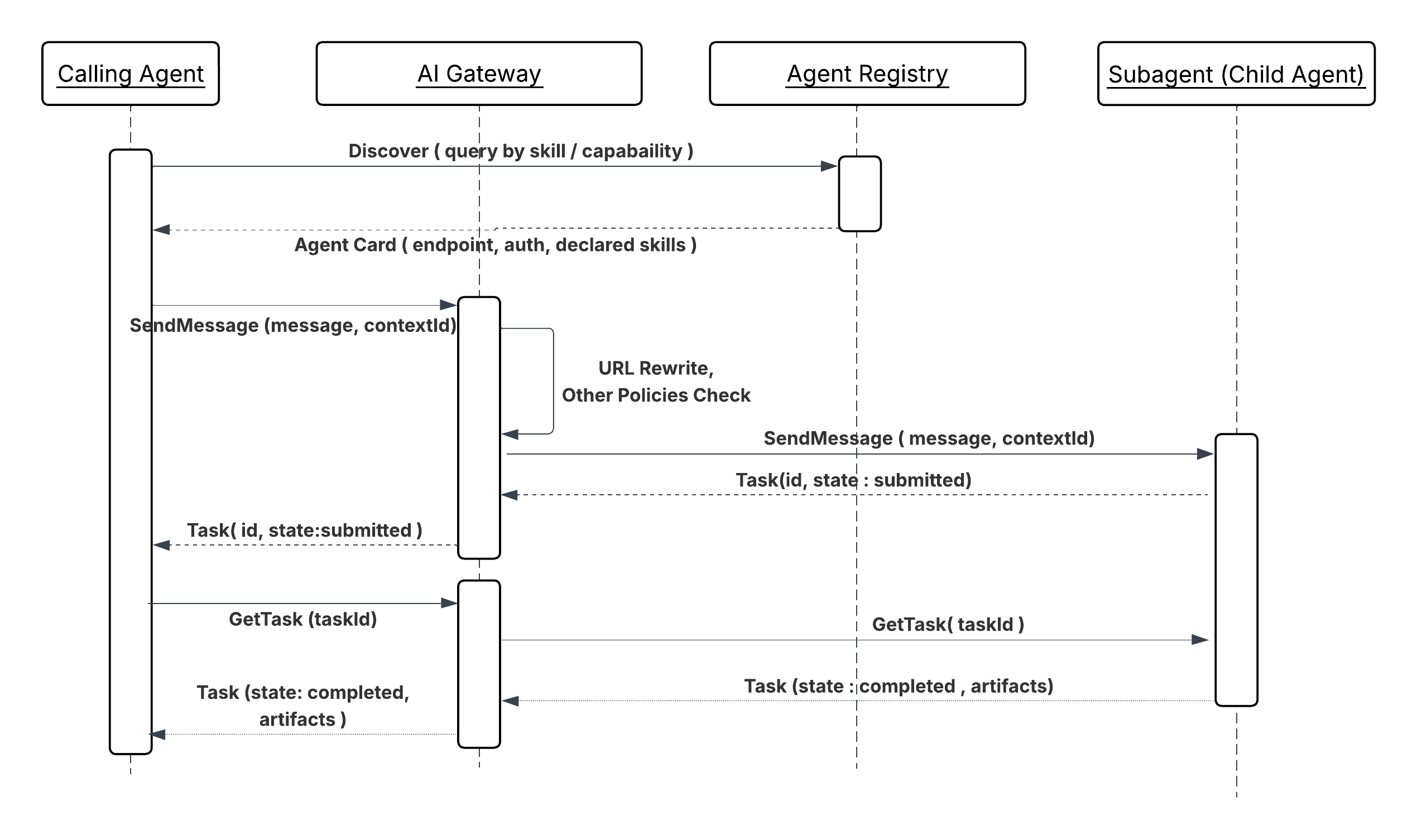 The peer agent processes the request using its domain-specific logic, memory, and tools, then returns structured results to the calling agent.
**Results**
A2A delegation separates domain ownership from workflow orchestration. The calling agent doesn’t need to know how the peer agent is built, what platform it runs on, or what tools it uses internally; it delegates a task and receives a structured artifact. This boundary means that a specialist agent (background verification, financial risk scoring, logistics routing) can be developed, deployed, and improved independently of the workflows that invoke it.
The protocol's task lifecycle model (submitted, working, completed, failed) supports
long-running operations natively. The calling agent can register for state updates rather
than holding a blocking connection, which means A2A tasks can span minutes or hours
without requiring the orchestrating agent to remain active throughout.
**Design Considerations**
Platform-agnostic Guidance
- In complex scenarios, an agent broker can act as an intelligent routing service or "smart switchboard" to coordinate task delegation across specialized agents and manage multi-step processes.
- Since A2A supports long-running tasks, the communication must be oriented toward task completion, defining a lifecycle for the task object and providing real-time state updates and notifications.
- The protocol is designed to support various content types, including text, files, structured data, audio, and video streaming.
- The relationships and dependencies between agents and their capabilities are declaratively defined in a configuration file (for example, “agent-network.yaml”) and published to the agent registry.
Salesforce Implementation Notes
- For effective SOMA orchestration, keep connected subagents below 7 to preserve routing quality.
- Currently, only the single delegation layer is supported (superagent → subagent); deeper chains push latency to an "untenable rate". Currently, subagents cannot delegate to other connected subagents.
- Human handoff is supported only at orchestrator level; subagents cannot escalate.
- Within SOMA, use Agent Script when LLM-based routing produces misrouting on ambiguous inputs for deterministic routing. Agent Script enables curated shared context between agents.
**Error Handling and Recovery**
The A2A protocol defines comprehensive error codes to facilitate robust debugging and error management.
- **Recovery Logic:** Agents should incorporate retry policies (retries), failover logic to alternative capable agents, and explicit timeouts.
- **Task State Tracking:** The task management workflow ensures that agents can stay in sync with the latest status of a task, facilitating recovery in case of interruption.
- **Observability:** Logging interaction details, like latency, success rates, and error frequencies, is critical for monitoring quality and troubleshooting.
**Security Considerations**
- **Enterprise-Grade Authentication:** A2A is designed to align with enterprise-grade authentication and authorization standards, such as OAuth 2.0 and JWT, often managed by external platforms like Okta.
- **Gateway to protect A2A:** A gateway (for example, MuleSoft Omni Gateway) is essential to enforce policies on all A2A communications, acting as both an ingress and egress gateway to protect agents and control outbound traffic to external agents and services.
- **Policy Enforcement:** Agent Card Rewrite, Schema Validation, Spike Control, PII Detector, and other policies should be applied for A2A server and data protection.
**Example**
**Candidate Sourcing Workflow**
A hiring manager tasks their central orchestrator agent to find candidates matching a job listing and skill set.
1. **Discovery:** The orchestrator agent queries the agent registry and discovers a specialized recruiting agent and a background check agent (both peer agents).
2. **Delegation (A2A):** The orchestrator agent sends a structured task request (A2A message) to the recruiting agent to source candidates.
3. **Peer Processing:** The recruiting agent executes its own workflow (for example, calling an external LinkedIn tool via MCP).
4. **Artifact Return (A2A):** The recruiting agent returns a list of suggested candidates (the artifact).
5. **Sequential Delegation:** The orchestrator agent then delegates another task (A2A) to the background check agent for the top candidate. This agent performs the check and returns the result, completing the overall task.
## Agents as Callable Services (Inbound)
**Context**
Complex enterprise workflows often require specialized agents hosted on external platforms or partner systems to initiate tasks, delegate queries, or provide updates to internal agents (for example, those on the Salesforce platform). This pattern addresses how an internal Agentforce agent securely and reliably receives and processes requests from a remote, peer agent to execute a domain-specific capability.
**Problem**
How can an internal specialized AI agent (for example, a background check agent on Agentforce) securely expose its domain-specific functionality to external peer agents, process an incoming, structured A2A request, and manage the task lifecycle (including real-time status updates) to return structured artifacts to the remote calling agent?
**Forces**
When applying this pattern, answer the following questions:
- How do you securely expose internal agent capabilities to external agents without compromising internal logic or tools?
- How do you enforce enterprise-grade security policies to verify the calling agent's identity and delegated authority before processing requests?
- How do you handle long-running inbound tasks while providing structured, asynchronous state updates?
- How do you ensure seamless interaction with agents built on diverse, external frameworks?
**Salesforce Pattern Application**
The A2A Protocol provides the open standard for secure, peer-to-peer delegation and collaboration. The internal agent acts as the peer agent, advertising its capabilities through an Agent Catalog/Registry and using A2A over secure channels (HTTPS/SSE) to receive and respond to structured requests.
| Solution | Fit | Comments |
| ------------------------------------ | -------------------------------------------------------------------------------------------------------------------------------------------------------------------- | --------------------------------------------------------------------------------------------------------------------------------------------------------------------------------------------------------------------------------------------------------------------------------------------------------------------------------------------------------------------------------------------------------------------------------------------------------------------------------------------------------------------------------------------------------------------------------------------------------------------------------------------------------------------------------------------------------------------------------------------------------------------------------------- |
| Agentforce Connected Subagent (SOMA) | Best when the calling agent is another Agentforce agent in the same org | Use when both agents live in the same Salesforce org and the caller is an Agentforce orchestrator. The agent is connected as a subagent via Agentforce Builder and exposed to the orchestrator through its description and declared actions. The orchestrator routes tasks using LLM-based routing (Atlas Reasoning Engine) or deterministic routing (Agent Script). No A2A protocol, gateway, or external registration is required. Supported combinations: Agentforce Service Agent→Agentforce Service Agent Agentforce Employee Agent→ Agentforce Employee Agent Agentforce Employee Agent→Agentforce Service Agent Only the orchestrator can escalate to a human; subagents cannot. |
| Agent Broker Routing (Inbound) | Best when the organization hosts multiple Agentforce agents with complementary capabilities and the calling agent _can_ not or _should_ not select a specific target | Use when the calling agent is external to Salesforce or another Salesforce Org and should not need to know which specific internal agent (Agentforce or other vendor agents) handles its request. A MuleSoft agent broker sits between the MuleSoft Omni Gateway and the pool of internal Agentforce agents. It receives the inbound A2A task, evaluates the declared capabilities of available internal agents against the task's requirements, and routes the request to the best-fit agent. The broker also handles failover if the primary target agent is unavailable or returns a failure, the broker redirects to an equivalent agent without surfacing the retry to the external caller; the external caller is never aware of internal routing decisions or retries. |
**Sketch**
_Sequence Diagram for Agents as Callable Services_
The peer agent processes the request using its domain-specific logic, memory, and tools, then returns structured results to the calling agent.
**Results**
A2A delegation separates domain ownership from workflow orchestration. The calling agent doesn’t need to know how the peer agent is built, what platform it runs on, or what tools it uses internally; it delegates a task and receives a structured artifact. This boundary means that a specialist agent (background verification, financial risk scoring, logistics routing) can be developed, deployed, and improved independently of the workflows that invoke it.
The protocol's task lifecycle model (submitted, working, completed, failed) supports
long-running operations natively. The calling agent can register for state updates rather
than holding a blocking connection, which means A2A tasks can span minutes or hours
without requiring the orchestrating agent to remain active throughout.
**Design Considerations**
Platform-agnostic Guidance
- In complex scenarios, an agent broker can act as an intelligent routing service or "smart switchboard" to coordinate task delegation across specialized agents and manage multi-step processes.
- Since A2A supports long-running tasks, the communication must be oriented toward task completion, defining a lifecycle for the task object and providing real-time state updates and notifications.
- The protocol is designed to support various content types, including text, files, structured data, audio, and video streaming.
- The relationships and dependencies between agents and their capabilities are declaratively defined in a configuration file (for example, “agent-network.yaml”) and published to the agent registry.
Salesforce Implementation Notes
- For effective SOMA orchestration, keep connected subagents below 7 to preserve routing quality.
- Currently, only the single delegation layer is supported (superagent → subagent); deeper chains push latency to an "untenable rate". Currently, subagents cannot delegate to other connected subagents.
- Human handoff is supported only at orchestrator level; subagents cannot escalate.
- Within SOMA, use Agent Script when LLM-based routing produces misrouting on ambiguous inputs for deterministic routing. Agent Script enables curated shared context between agents.
**Error Handling and Recovery**
The A2A protocol defines comprehensive error codes to facilitate robust debugging and error management.
- **Recovery Logic:** Agents should incorporate retry policies (retries), failover logic to alternative capable agents, and explicit timeouts.
- **Task State Tracking:** The task management workflow ensures that agents can stay in sync with the latest status of a task, facilitating recovery in case of interruption.
- **Observability:** Logging interaction details, like latency, success rates, and error frequencies, is critical for monitoring quality and troubleshooting.
**Security Considerations**
- **Enterprise-Grade Authentication:** A2A is designed to align with enterprise-grade authentication and authorization standards, such as OAuth 2.0 and JWT, often managed by external platforms like Okta.
- **Gateway to protect A2A:** A gateway (for example, MuleSoft Omni Gateway) is essential to enforce policies on all A2A communications, acting as both an ingress and egress gateway to protect agents and control outbound traffic to external agents and services.
- **Policy Enforcement:** Agent Card Rewrite, Schema Validation, Spike Control, PII Detector, and other policies should be applied for A2A server and data protection.
**Example**
**Candidate Sourcing Workflow**
A hiring manager tasks their central orchestrator agent to find candidates matching a job listing and skill set.
1. **Discovery:** The orchestrator agent queries the agent registry and discovers a specialized recruiting agent and a background check agent (both peer agents).
2. **Delegation (A2A):** The orchestrator agent sends a structured task request (A2A message) to the recruiting agent to source candidates.
3. **Peer Processing:** The recruiting agent executes its own workflow (for example, calling an external LinkedIn tool via MCP).
4. **Artifact Return (A2A):** The recruiting agent returns a list of suggested candidates (the artifact).
5. **Sequential Delegation:** The orchestrator agent then delegates another task (A2A) to the background check agent for the top candidate. This agent performs the check and returns the result, completing the overall task.
## Agents as Callable Services (Inbound)
**Context**
Complex enterprise workflows often require specialized agents hosted on external platforms or partner systems to initiate tasks, delegate queries, or provide updates to internal agents (for example, those on the Salesforce platform). This pattern addresses how an internal Agentforce agent securely and reliably receives and processes requests from a remote, peer agent to execute a domain-specific capability.
**Problem**
How can an internal specialized AI agent (for example, a background check agent on Agentforce) securely expose its domain-specific functionality to external peer agents, process an incoming, structured A2A request, and manage the task lifecycle (including real-time status updates) to return structured artifacts to the remote calling agent?
**Forces**
When applying this pattern, answer the following questions:
- How do you securely expose internal agent capabilities to external agents without compromising internal logic or tools?
- How do you enforce enterprise-grade security policies to verify the calling agent's identity and delegated authority before processing requests?
- How do you handle long-running inbound tasks while providing structured, asynchronous state updates?
- How do you ensure seamless interaction with agents built on diverse, external frameworks?
**Salesforce Pattern Application**
The A2A Protocol provides the open standard for secure, peer-to-peer delegation and collaboration. The internal agent acts as the peer agent, advertising its capabilities through an Agent Catalog/Registry and using A2A over secure channels (HTTPS/SSE) to receive and respond to structured requests.
| Solution | Fit | Comments |
| ------------------------------------ | -------------------------------------------------------------------------------------------------------------------------------------------------------------------- | --------------------------------------------------------------------------------------------------------------------------------------------------------------------------------------------------------------------------------------------------------------------------------------------------------------------------------------------------------------------------------------------------------------------------------------------------------------------------------------------------------------------------------------------------------------------------------------------------------------------------------------------------------------------------------------------------------------------------------------------------------------------------------------- |
| Agentforce Connected Subagent (SOMA) | Best when the calling agent is another Agentforce agent in the same org | Use when both agents live in the same Salesforce org and the caller is an Agentforce orchestrator. The agent is connected as a subagent via Agentforce Builder and exposed to the orchestrator through its description and declared actions. The orchestrator routes tasks using LLM-based routing (Atlas Reasoning Engine) or deterministic routing (Agent Script). No A2A protocol, gateway, or external registration is required. Supported combinations: Agentforce Service Agent→Agentforce Service Agent Agentforce Employee Agent→ Agentforce Employee Agent Agentforce Employee Agent→Agentforce Service Agent Only the orchestrator can escalate to a human; subagents cannot. |
| Agent Broker Routing (Inbound) | Best when the organization hosts multiple Agentforce agents with complementary capabilities and the calling agent _can_ not or _should_ not select a specific target | Use when the calling agent is external to Salesforce or another Salesforce Org and should not need to know which specific internal agent (Agentforce or other vendor agents) handles its request. A MuleSoft agent broker sits between the MuleSoft Omni Gateway and the pool of internal Agentforce agents. It receives the inbound A2A task, evaluates the declared capabilities of available internal agents against the task's requirements, and routes the request to the best-fit agent. The broker also handles failover if the primary target agent is unavailable or returns a failure, the broker redirects to an equivalent agent without surfacing the retry to the external caller; the external caller is never aware of internal routing decisions or retries. |
**Sketch**
_Sequence Diagram for Agents as Callable Services_
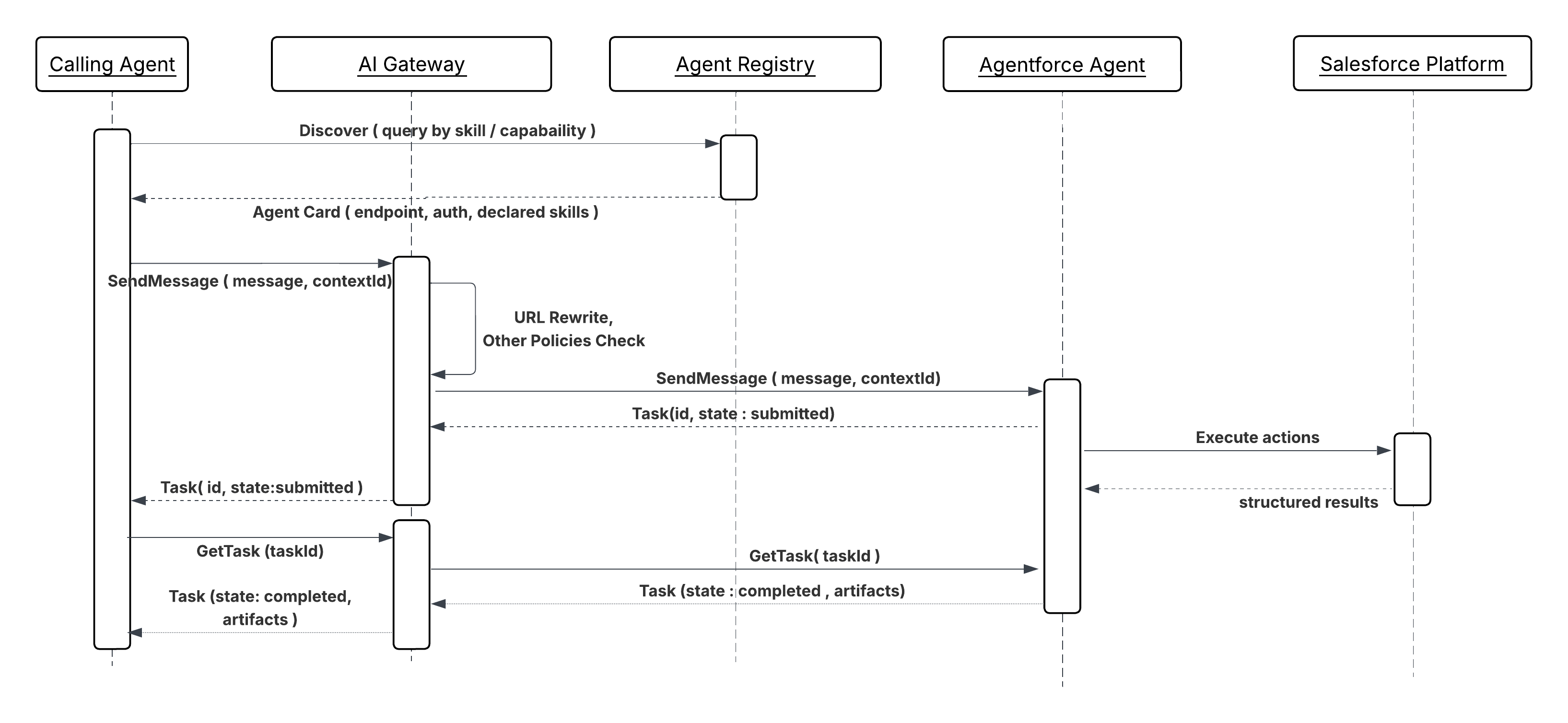 **Results**
This pattern exposes internal agents as specialized services within a multi-agent network. External agents can securely delegate tasks to internal capabilities while the organization maintains control, auditability, and policy enforcement.
**Design Considerations**
Platform-agnostic Guidance
- A gateway (for example, MuleSoft Omni Gateway) must be positioned as an ingress point to enforce policies, including rate limiting, authentication, and payload validation, on all incoming A2A requests.
- Internal agents must manage the state of the task object from external initiation to completion, ensuring the remote calling agent receives consistent, verifiable status updates.
- Make sure the agent's published capabilities in the agent card are clear, intent-based, and include necessary security scopes for delegation.
**Error Handling and Recovery**
- **Structured Error Codes:** Upon failure, the internal agent must return A2A-compliant structured error messages to the calling agent to enable remote retry logic or alternative failover mechanisms.
- **Idempotency:** The agent must verify that any side effects triggered by a retried A2A request from an external agent (due to network interruption or recovery) are idempotent.
**Security Considerations**
- **Inbound Policy Enforcement**: The gateway must enforce policies for allowlisting/blocklisting external agents and validating JWT/OAuth 2.0 tokens to verify the identity and delegated authority of the _calling agent_.
- **Input Sanitization:** Validate and sanitize all incoming request payloads to mitigate potential prompt injection or malicious data attacks.
- **Identity Propagation:** Securely map the external agent's identity and its delegated authority to internal security contexts (for example, Salesforce user profiles) before executing actions against internal systems.
**Example**
_External System Inquiry_
1. **Request:** A Recruitment Agent on a partner system sends an A2A task request to an internal Employee Verification Agent (peer agent) on Agentforce to confirm the employment status of a new candidate.
2. **Processing:** The Employee Verification Agent receives the request via the gateway, verifies the partner agent's credentials, executes its internal workflow (for example, calling an internal HR system), and formats the response.
3. **Response:** The Peer Agent returns a structured A2A artifact (for example, employment start date and job title) to the remote Recruitment Agent, which then proceeds with its external workflow.
## Other Security Considerations
1. **Gateway for protection of MCPs, A2As, and APIs**
A gateway is required as the single enforcement point for all agent-to-system and system-to-agent traffic.
- **Secured Connections**: A gateway ensures only authenticated and authorized agents interact with MCP, A2A, and API endpoints by restricting access.
- **Enforced SLAs:** A gateway can enforce rate limits, helping organizations meet performance requirements and preventing MCP and A2A server overload.
- **Simplified Governance:** A gateway offers centralized visibility and control over all server interactions, simplifying agent activity management and monitoring.
- **Data Consistency and Protection:** Policies, like schema validation, enforce data consistency, and PII detection can protect sensitive information.
**MueleSoft Omni Gateway**
**Results**
This pattern exposes internal agents as specialized services within a multi-agent network. External agents can securely delegate tasks to internal capabilities while the organization maintains control, auditability, and policy enforcement.
**Design Considerations**
Platform-agnostic Guidance
- A gateway (for example, MuleSoft Omni Gateway) must be positioned as an ingress point to enforce policies, including rate limiting, authentication, and payload validation, on all incoming A2A requests.
- Internal agents must manage the state of the task object from external initiation to completion, ensuring the remote calling agent receives consistent, verifiable status updates.
- Make sure the agent's published capabilities in the agent card are clear, intent-based, and include necessary security scopes for delegation.
**Error Handling and Recovery**
- **Structured Error Codes:** Upon failure, the internal agent must return A2A-compliant structured error messages to the calling agent to enable remote retry logic or alternative failover mechanisms.
- **Idempotency:** The agent must verify that any side effects triggered by a retried A2A request from an external agent (due to network interruption or recovery) are idempotent.
**Security Considerations**
- **Inbound Policy Enforcement**: The gateway must enforce policies for allowlisting/blocklisting external agents and validating JWT/OAuth 2.0 tokens to verify the identity and delegated authority of the _calling agent_.
- **Input Sanitization:** Validate and sanitize all incoming request payloads to mitigate potential prompt injection or malicious data attacks.
- **Identity Propagation:** Securely map the external agent's identity and its delegated authority to internal security contexts (for example, Salesforce user profiles) before executing actions against internal systems.
**Example**
_External System Inquiry_
1. **Request:** A Recruitment Agent on a partner system sends an A2A task request to an internal Employee Verification Agent (peer agent) on Agentforce to confirm the employment status of a new candidate.
2. **Processing:** The Employee Verification Agent receives the request via the gateway, verifies the partner agent's credentials, executes its internal workflow (for example, calling an internal HR system), and formats the response.
3. **Response:** The Peer Agent returns a structured A2A artifact (for example, employment start date and job title) to the remote Recruitment Agent, which then proceeds with its external workflow.
## Other Security Considerations
1. **Gateway for protection of MCPs, A2As, and APIs**
A gateway is required as the single enforcement point for all agent-to-system and system-to-agent traffic.
- **Secured Connections**: A gateway ensures only authenticated and authorized agents interact with MCP, A2A, and API endpoints by restricting access.
- **Enforced SLAs:** A gateway can enforce rate limits, helping organizations meet performance requirements and preventing MCP and A2A server overload.
- **Simplified Governance:** A gateway offers centralized visibility and control over all server interactions, simplifying agent activity management and monitoring.
- **Data Consistency and Protection:** Policies, like schema validation, enforce data consistency, and PII detection can protect sensitive information.
**MueleSoft Omni Gateway**
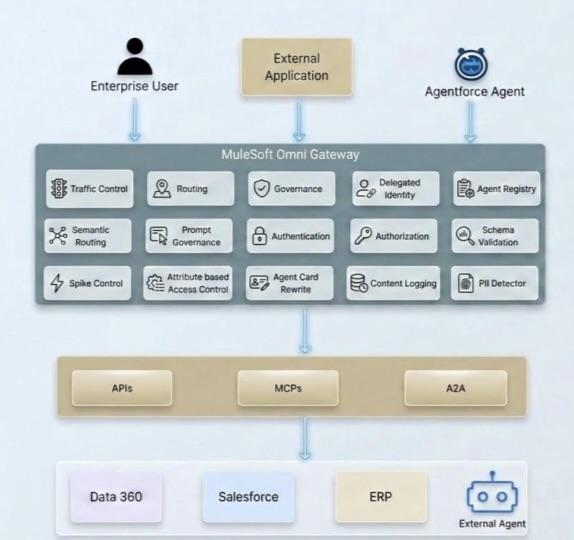 2. **Identity Propagation Chain**
As enterprises embrace the agentic paradigm, a new security challenge emerges: How does end-user identity flow through a network of autonomous AI agents? In traditional API architectures, a user authenticates once and the application calls backend services on the user’s behalf. The identity chain is short, well-understood, and typically managed within a single trust domain.
Agentic architectures, however, feature much longer chains where a single request fans out across various agents, services, and MCP servers, each potentially crossing service boundaries, trust domains, and even organizational borders. Without a deliberate strategy for identity propagation, enterprises face a choice between security and functionality–a dilemma no architect needs to address.
MuleSoft addresses the complexities of identity propagation with its [Trusted Agent Identity](https://www.mulesoft.com/ai/trusted-agent-identity/announcement) feature. This solution utilizes a policy-based, gateway-managed strategy to ensure end-user identity is maintained across various interaction types including A2A protocols, MCP tool calls, and REST API requests. By centralizing identity management at the Omni Gateway layer through [outbound authentication policies](https://docs.mulesoft.com/gateway/latest/policies-outbound-directory), enterprises can secure their entire agent network without modifying backend services or agents. For more details, see [Trusted Agent Identity for the Agentic Enterprise](https://architect.salesforce.com/docs/architect/fundamentals/guide/end-user-identity-propagation).
3. **RAG security in Data 360**
Data 360 supports attribute-based access control (ABAC) at the object, field, and row levels via Data Governance Policy settings. This is the primary way to control what data is visible to whom, including within RAG search indexes. For structured data, user access conditions are implemented using user attributes and permission sets. For unstructured data, metadata filtering (pre-filters on search indexes) can restrict what gets retrieved.
Communication with the LLM goes through the Einstein Trust Layer, which masks confidential/PII information before it reaches the model protecting data privacy not just during search but also before generation.
To protect against RAG poisoning, ensure strict data governance and validation rules are applied before data becomes available for vector search. The Einstein Trust Layer can also enforce prompt masking/toxicity checks. You can apply strict Permission Sets on the Agent User profile.
4. **New Named Credential Model**
Salesforce has revamped its authentication architecture by introducing a two-tier Named Credentials model that cleanly separates concerns between connectivity and identity. Use this whenever making callouts through Apex and avoid creating your own authentication protocol. This model also provides extensibility and enhanced security.
External Credentials sit at the foundation of this model. They store the actual authentication details and support a rich set of protocols including OAuth 2.0 Client Credentials, JWT Bearer, and AWS Signature V4, while also defining how principals are mapped: either as a single Named Principal (shared across all users) or as Per-User Principals (where each user authenticates with their own identity).
Named Credentials, in turn, act as the endpoint layer. They define the callout URL and reference an External Credential to handle the authentication handshake, keeping endpoint configuration cleanly decoupled from credential management.
To enable per-user authentication flows, administrators map Permission Sets to the appropriate External Credential principal, so that only users with the right Permission Set assignment can invoke callouts under their own identity. This two-tier design not only simplifies secure callout configuration but also gives architects far greater flexibility and governance control over how integrations authenticate across Salesforce-connected systems. For more details, see the [Named Credentials documentation](https://help.salesforce.com/s/articleView?id=xcloud.named_credentials_about.htm&type=5).
## Compliance Considerations
This section maps the architecture's data handling patterns to the compliance obligations most commonly encountered in regulated enterprise deployments.
**Access control:** The least-privilege integration user model described throughout the integration patterns (scoped Named Credentials, per-agent OAuth 2.0 scopes, gateway allowlists) maps directly to logical access controls. Maintain evidence that each agent's credential scope is reviewed and approved.
**Audit logging:** Per-pattern audit logging requirements (session ID, tool invocations, input parameters sanitized of sensitive values, outcomes) satisfy the monitoring and logging controls. Make sure logs are tamper-evident, retained for the required period, and accessible to the security team without requiring access to production systems.
**Change management:** MCP tool schema changes and A2A agent card updates that affect consumers constitute interface changes and should be subject to change management controls. Version tools explicitly (mentioned in MCP inbound pattern) and treat breaking changes as configuration events that require approval.
**Availability:** Agent concurrency limits, retry ceilings on event-triggered patterns, and dead-letter routing for failed events constitute availability controls. Document the expected throughput envelope and failure behavior for each deployed pattern as part of the availability evidence package.
**Note**: This list doesn’t represent a complete guide for ensuring the compliance of your agentic solutions. All applicable regulatory requirements must be met.
## Resources
- [Get Started with Agent API](https://developer.salesforce.com/docs/ai/agentforce/guide/agent-api-get-started.html)
- [Enable Trusted Agents with Data 360](https://trailhead.salesforce.com/content/learn/modules/data-cloud-powered-agentforce/enable-trusted-agents-with-data-cloud)
- [MuleSoft Omni Gateway Overview](https://docs.mulesoft.com/gateway/latest/)
- [OAuth 2.0 On-Behalf-Of Credential Injection Policy](https://docs.mulesoft.com/gateway/latest/policies-outbound-oauth-obo)
- [Trusted Agent Identity for the Agentic Enterprise](https://architect.salesforce.com/docs/architect/fundamentals/guide/end-user-identity-propagation)
## About the Authors
Gulal Kumar is a Software Engineering Architect at Salesforce with over 20 years of experience. His expertise spans AI, integration, APIs, and enterprise architecture, with a focus on driving business transformation through secure, resilient, and innovative AI solutions. Connect with him on [LinkedIn](https://www.linkedin.com/in/gulal/).
# Abstract
The paradigm of software is shifting from direct manipulation to goal-oriented delegation. At the forefront of this transformation are AI agents—autonomous, intelligent entities capable of understanding, reasoning, and acting on behalf of users. This whitepaper provides a technical exploration of the primary types of AI agents: Conversational, Proactive, Ambient, Autonomous, and Collaborative. It defines each type, presents specific Customer Relationship Management (CRM) use cases, and provides an architectural blueprint for building these agents on the Salesforce _Agentforce_ Platform, complete with technical examples leveraging Flow, Apex, Data 360, Agent2Agent (A2A) communication, and Model Context Protocol (MCP) interoperability.
## Chapter 1: A Taxonomy of AI Agents
An AI agent is a system that perceives its environment and takes actions to achieve specific goals. While the concept is not new, the advent of powerful Large Language Models (LLMs) has supercharged their capabilities. We can categorize agents based on their primary mode of operation and interaction.
### 1.1 Conversational Agents
**Definition:** Conversational agents are the most familiar type of agent. They operate in a reactive, request–response manner, primarily through natural language interfaces (text or voice). Their core function is to understand user intent and provide a relevant response, whether it's answering a question, fetching information, or executing a simple command.
**Importance:** Conversational agents are the digital front doors to an organization. They excel at handling well-defined, repetitive tasks, thus freeing up human resources. Their effectiveness is measured by their ability to resolve user intent quickly and accurately, and to take actions on behalf of users.
2. **Identity Propagation Chain**
As enterprises embrace the agentic paradigm, a new security challenge emerges: How does end-user identity flow through a network of autonomous AI agents? In traditional API architectures, a user authenticates once and the application calls backend services on the user’s behalf. The identity chain is short, well-understood, and typically managed within a single trust domain.
Agentic architectures, however, feature much longer chains where a single request fans out across various agents, services, and MCP servers, each potentially crossing service boundaries, trust domains, and even organizational borders. Without a deliberate strategy for identity propagation, enterprises face a choice between security and functionality–a dilemma no architect needs to address.
MuleSoft addresses the complexities of identity propagation with its [Trusted Agent Identity](https://www.mulesoft.com/ai/trusted-agent-identity/announcement) feature. This solution utilizes a policy-based, gateway-managed strategy to ensure end-user identity is maintained across various interaction types including A2A protocols, MCP tool calls, and REST API requests. By centralizing identity management at the Omni Gateway layer through [outbound authentication policies](https://docs.mulesoft.com/gateway/latest/policies-outbound-directory), enterprises can secure their entire agent network without modifying backend services or agents. For more details, see [Trusted Agent Identity for the Agentic Enterprise](https://architect.salesforce.com/docs/architect/fundamentals/guide/end-user-identity-propagation).
3. **RAG security in Data 360**
Data 360 supports attribute-based access control (ABAC) at the object, field, and row levels via Data Governance Policy settings. This is the primary way to control what data is visible to whom, including within RAG search indexes. For structured data, user access conditions are implemented using user attributes and permission sets. For unstructured data, metadata filtering (pre-filters on search indexes) can restrict what gets retrieved.
Communication with the LLM goes through the Einstein Trust Layer, which masks confidential/PII information before it reaches the model protecting data privacy not just during search but also before generation.
To protect against RAG poisoning, ensure strict data governance and validation rules are applied before data becomes available for vector search. The Einstein Trust Layer can also enforce prompt masking/toxicity checks. You can apply strict Permission Sets on the Agent User profile.
4. **New Named Credential Model**
Salesforce has revamped its authentication architecture by introducing a two-tier Named Credentials model that cleanly separates concerns between connectivity and identity. Use this whenever making callouts through Apex and avoid creating your own authentication protocol. This model also provides extensibility and enhanced security.
External Credentials sit at the foundation of this model. They store the actual authentication details and support a rich set of protocols including OAuth 2.0 Client Credentials, JWT Bearer, and AWS Signature V4, while also defining how principals are mapped: either as a single Named Principal (shared across all users) or as Per-User Principals (where each user authenticates with their own identity).
Named Credentials, in turn, act as the endpoint layer. They define the callout URL and reference an External Credential to handle the authentication handshake, keeping endpoint configuration cleanly decoupled from credential management.
To enable per-user authentication flows, administrators map Permission Sets to the appropriate External Credential principal, so that only users with the right Permission Set assignment can invoke callouts under their own identity. This two-tier design not only simplifies secure callout configuration but also gives architects far greater flexibility and governance control over how integrations authenticate across Salesforce-connected systems. For more details, see the [Named Credentials documentation](https://help.salesforce.com/s/articleView?id=xcloud.named_credentials_about.htm&type=5).
## Compliance Considerations
This section maps the architecture's data handling patterns to the compliance obligations most commonly encountered in regulated enterprise deployments.
**Access control:** The least-privilege integration user model described throughout the integration patterns (scoped Named Credentials, per-agent OAuth 2.0 scopes, gateway allowlists) maps directly to logical access controls. Maintain evidence that each agent's credential scope is reviewed and approved.
**Audit logging:** Per-pattern audit logging requirements (session ID, tool invocations, input parameters sanitized of sensitive values, outcomes) satisfy the monitoring and logging controls. Make sure logs are tamper-evident, retained for the required period, and accessible to the security team without requiring access to production systems.
**Change management:** MCP tool schema changes and A2A agent card updates that affect consumers constitute interface changes and should be subject to change management controls. Version tools explicitly (mentioned in MCP inbound pattern) and treat breaking changes as configuration events that require approval.
**Availability:** Agent concurrency limits, retry ceilings on event-triggered patterns, and dead-letter routing for failed events constitute availability controls. Document the expected throughput envelope and failure behavior for each deployed pattern as part of the availability evidence package.
**Note**: This list doesn’t represent a complete guide for ensuring the compliance of your agentic solutions. All applicable regulatory requirements must be met.
## Resources
- [Get Started with Agent API](https://developer.salesforce.com/docs/ai/agentforce/guide/agent-api-get-started.html)
- [Enable Trusted Agents with Data 360](https://trailhead.salesforce.com/content/learn/modules/data-cloud-powered-agentforce/enable-trusted-agents-with-data-cloud)
- [MuleSoft Omni Gateway Overview](https://docs.mulesoft.com/gateway/latest/)
- [OAuth 2.0 On-Behalf-Of Credential Injection Policy](https://docs.mulesoft.com/gateway/latest/policies-outbound-oauth-obo)
- [Trusted Agent Identity for the Agentic Enterprise](https://architect.salesforce.com/docs/architect/fundamentals/guide/end-user-identity-propagation)
## About the Authors
Gulal Kumar is a Software Engineering Architect at Salesforce with over 20 years of experience. His expertise spans AI, integration, APIs, and enterprise architecture, with a focus on driving business transformation through secure, resilient, and innovative AI solutions. Connect with him on [LinkedIn](https://www.linkedin.com/in/gulal/).
# Abstract
The paradigm of software is shifting from direct manipulation to goal-oriented delegation. At the forefront of this transformation are AI agents—autonomous, intelligent entities capable of understanding, reasoning, and acting on behalf of users. This whitepaper provides a technical exploration of the primary types of AI agents: Conversational, Proactive, Ambient, Autonomous, and Collaborative. It defines each type, presents specific Customer Relationship Management (CRM) use cases, and provides an architectural blueprint for building these agents on the Salesforce _Agentforce_ Platform, complete with technical examples leveraging Flow, Apex, Data 360, Agent2Agent (A2A) communication, and Model Context Protocol (MCP) interoperability.
## Chapter 1: A Taxonomy of AI Agents
An AI agent is a system that perceives its environment and takes actions to achieve specific goals. While the concept is not new, the advent of powerful Large Language Models (LLMs) has supercharged their capabilities. We can categorize agents based on their primary mode of operation and interaction.
### 1.1 Conversational Agents
**Definition:** Conversational agents are the most familiar type of agent. They operate in a reactive, request–response manner, primarily through natural language interfaces (text or voice). Their core function is to understand user intent and provide a relevant response, whether it's answering a question, fetching information, or executing a simple command.
**Importance:** Conversational agents are the digital front doors to an organization. They excel at handling well-defined, repetitive tasks, thus freeing up human resources. Their effectiveness is measured by their ability to resolve user intent quickly and accurately, and to take actions on behalf of users.
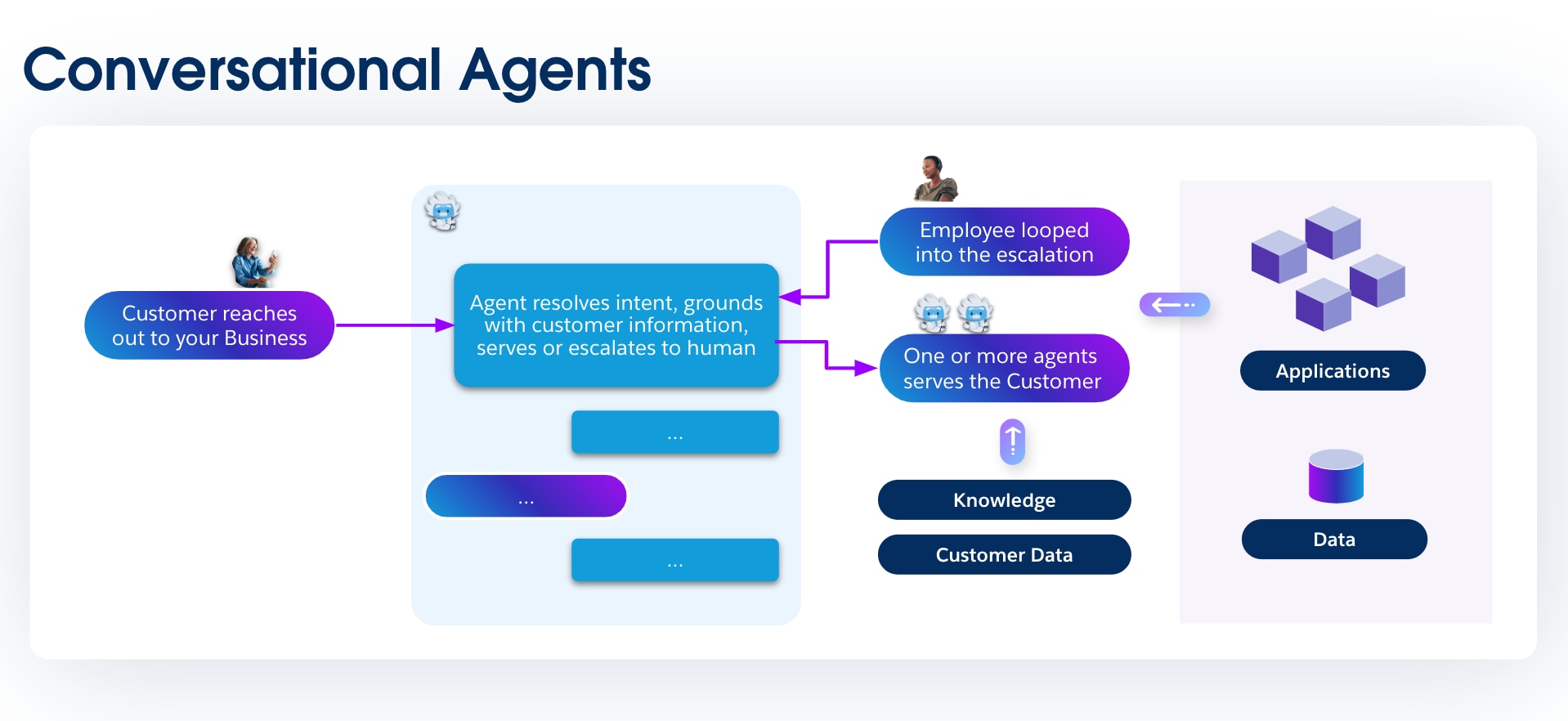 ### 1.2 Proactive Agents
**Definition:** Unlike conversational agents that wait for a prompt, proactive agents act as vigilant observers. They are triggered by specific events, data changes, or predefined conditions within a system. When triggered, they execute a task or initiate a workflow without requiring direct user interaction.
**Importance:** Proactive agents transform a system from a passive repository of data into an active participant in business processes. They identify opportunities and risks as they emerge, enabling businesses to act on critical signals in real time.
### 1.2 Proactive Agents
**Definition:** Unlike conversational agents that wait for a prompt, proactive agents act as vigilant observers. They are triggered by specific events, data changes, or predefined conditions within a system. When triggered, they execute a task or initiate a workflow without requiring direct user interaction.
**Importance:** Proactive agents transform a system from a passive repository of data into an active participant in business processes. They identify opportunities and risks as they emerge, enabling businesses to act on critical signals in real time.
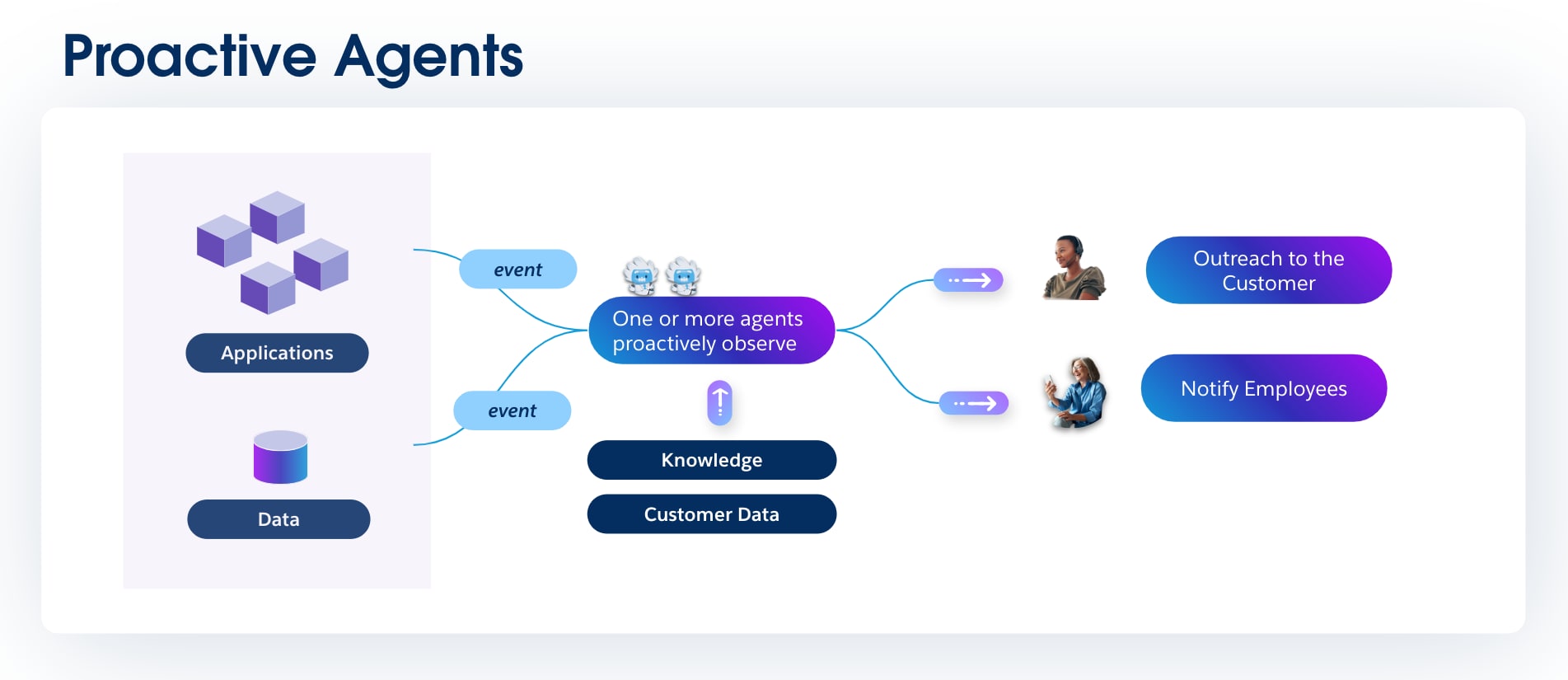 ### 1.3 Ambient Agents
**Definition:** Ambient agents are a specific type of proactive agents that operate continuously in the background of a user's workflow without requiring explicit commands. Users often benefit from their actions without being consciously aware of their operation, because they are designed to augment human capabilities while maintaining a low profile.
**Importance:** The goal of an ambient agent is to reduce the cognitive load on users by automating the mundane "work about work." They make processes more efficient by seamlessly integrating into the tools employees use every day, capturing and structuring information automatically.
### 1.3 Ambient Agents
**Definition:** Ambient agents are a specific type of proactive agents that operate continuously in the background of a user's workflow without requiring explicit commands. Users often benefit from their actions without being consciously aware of their operation, because they are designed to augment human capabilities while maintaining a low profile.
**Importance:** The goal of an ambient agent is to reduce the cognitive load on users by automating the mundane "work about work." They make processes more efficient by seamlessly integrating into the tools employees use every day, capturing and structuring information automatically.
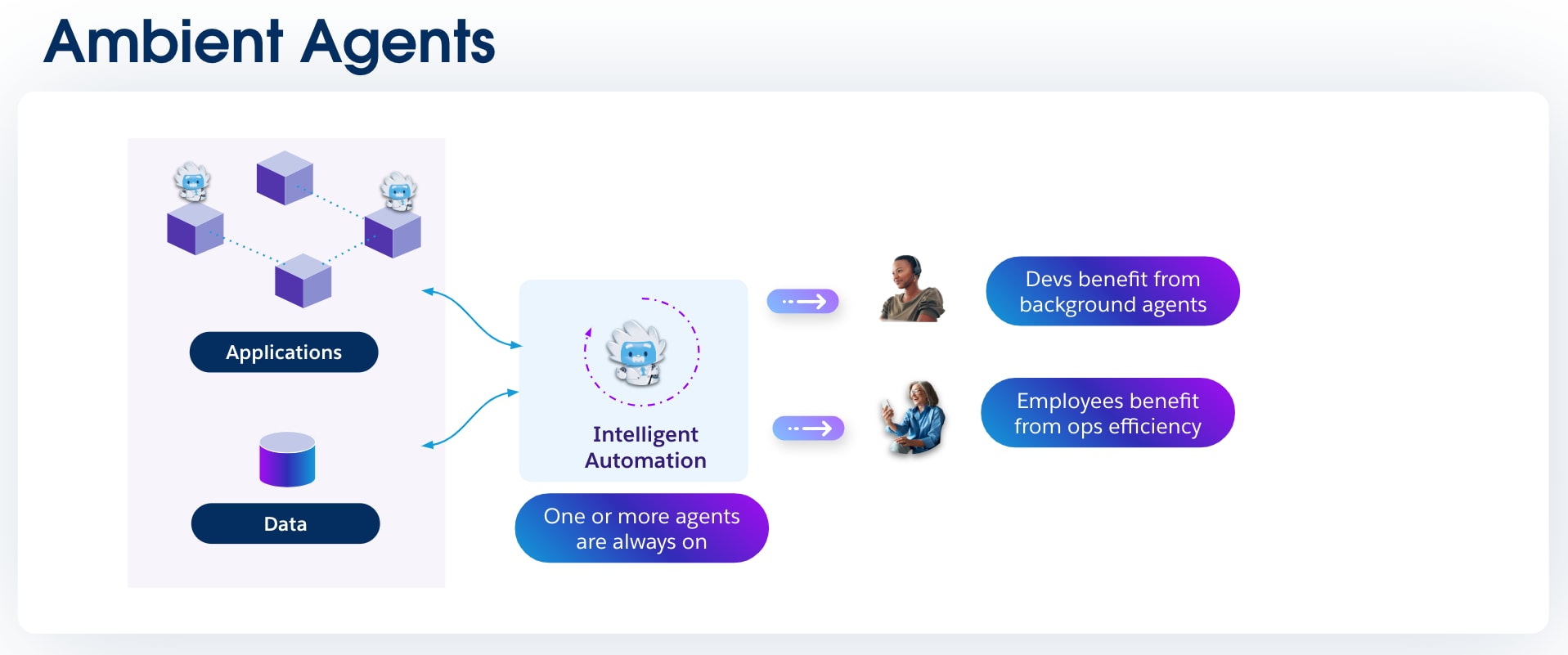 ### 1.4 Autonomous Agents
**Definition:** Autonomous agents represent a significant leap in complexity. They are given a high-level goal and are capable of independently planning and executing a sequence of steps to achieve that goal. They can reason, make decisions, and even learn from their actions to improve performance over time.
**Importance:** This is the closest we get to a true digital employee. Autonomous agents can be delegated a complex, multi-step objective, such as "Generate 50 new qualified leads in the manufacturing sector this quarter," and be trusted to formulate and execute a plan to achieve it.
### 1.4 Autonomous Agents
**Definition:** Autonomous agents represent a significant leap in complexity. They are given a high-level goal and are capable of independently planning and executing a sequence of steps to achieve that goal. They can reason, make decisions, and even learn from their actions to improve performance over time.
**Importance:** This is the closest we get to a true digital employee. Autonomous agents can be delegated a complex, multi-step objective, such as "Generate 50 new qualified leads in the manufacturing sector this quarter," and be trusted to formulate and execute a plan to achieve it.
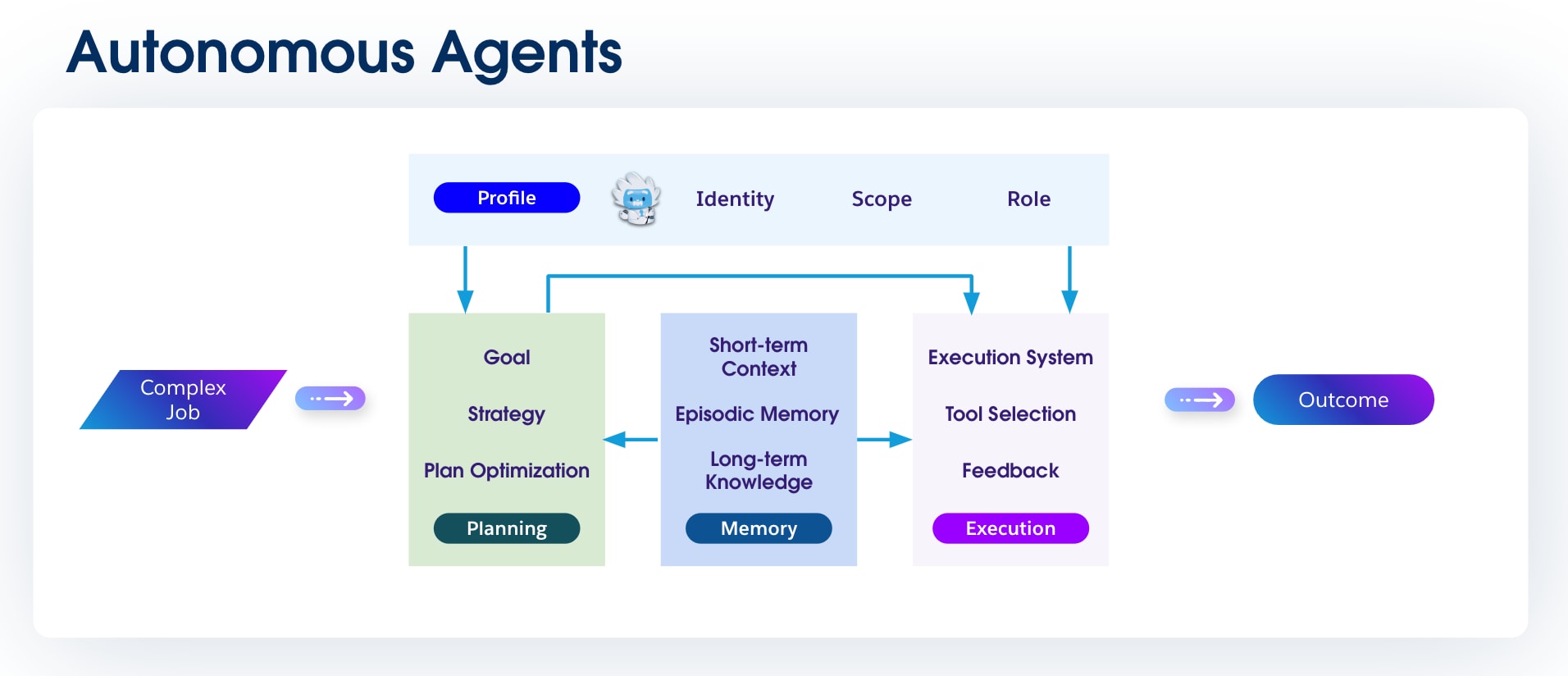 ### 1.5 Collaborative Agents (Agent Swarms)
**Definition:** Collaborative agents, often called "agent swarms," are a collection of specialized agents that work together to solve a problem that is too complex for any single agent to handle. An "orchestrator" or "master" agent often decomposes a large task, delegates subtasks to the appropriate specialized agents, and then synthesizes their outputs. A robust Agent2Agent (A2A) communication protocol achieves this.
**Importance:** This approach mirrors a human team. By breaking down a complex problem, each specialized agent can bring its unique skills to bear: one specializes in data analysis, another in customer communication, and a third in system integration, leading to a more robust and comprehensive solution.
### 1.5 Collaborative Agents (Agent Swarms)
**Definition:** Collaborative agents, often called "agent swarms," are a collection of specialized agents that work together to solve a problem that is too complex for any single agent to handle. An "orchestrator" or "master" agent often decomposes a large task, delegates subtasks to the appropriate specialized agents, and then synthesizes their outputs. A robust Agent2Agent (A2A) communication protocol achieves this.
**Importance:** This approach mirrors a human team. By breaking down a complex problem, each specialized agent can bring its unique skills to bear: one specializes in data analysis, another in customer communication, and a third in system integration, leading to a more robust and comprehensive solution.
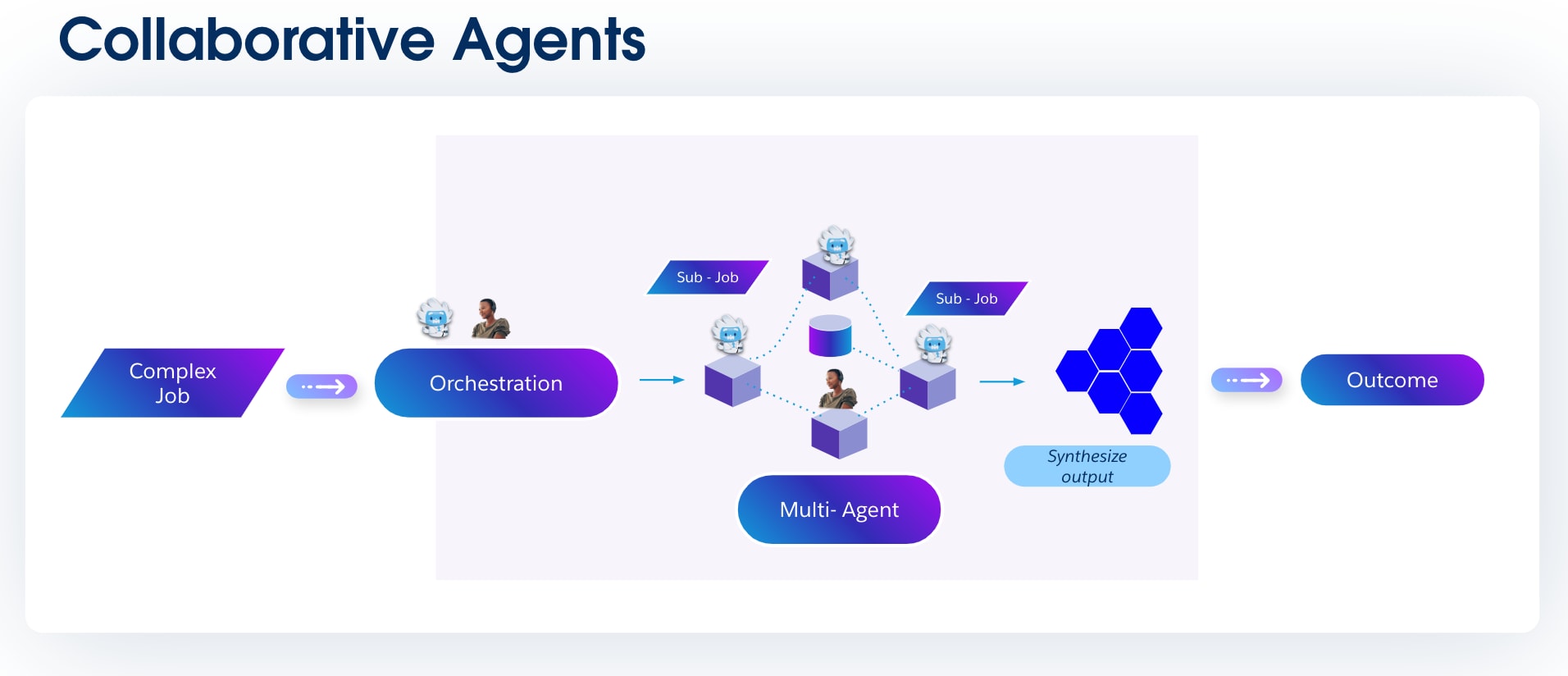 ## Chapter 2: Agentforce Architecture Patterns
Having explored the taxonomy of AI agents, a crucial question remains: how do we combine these elements to solve real-world business problems efficiently and reliably? This chapter answers that question by providing a repository of common agentic design patterns. Each pattern is a proven solution to a recurring challenge, offering a blueprint for everything from simple, single-purpose agents to complex, collaborative agent swarms.
### 2.1 Conversational Agent Patterns
Conversational agents are often the front door to an organization's AI capabilities. They are defined by their ability to engage in a stateful, multi-turn dialog, acting as the primary interface through which users perform tasks and retrieve information using natural language. This section presents two essential recipes for building conversational agents, each tailored to a specific channel: one for the rapid, interactive exchanges of messaging clients, and another for the structured, asynchronous nature of email.
A conversational agent's intelligence is derived from its ability to access and reason over the right data at the right time. This pattern relies on a sophisticated data foundation that connects to customer records, knowledge articles, and business analytics. The complete, reusable recipes for these integrations are available in [Chapter 4: Integration Patterns](#chapter-4-integration-patterns-for-agents).
#### 2.1.a Conversational Agent: Interactive Messaging Client Pattern
**Problem**
Customers engage across many digital channels and expect **instant, contextual, and intelligent responses.** Traditional chatbots are either **scripted** or **data-blind,** which leads to poor personalization, early escalations to humans, and high service costs.
**Context**
- Your organization has multi-channel digital engagement (WhatsApp, SMS, Slack, and Salesforce Experience Cloud).
- Your organization's customers interact with your organization in [multiple languages](https://help.salesforce.com/s/articleView?id=ai.service_agent_considerations.htm&type=5).
- Your organization needs to augment service and sales workflows with agents that:
- Pull from real-time, trusted customer data
- Respect guardrails and compliance requirements
- Escalate to human agents only when necessary
## Chapter 2: Agentforce Architecture Patterns
Having explored the taxonomy of AI agents, a crucial question remains: how do we combine these elements to solve real-world business problems efficiently and reliably? This chapter answers that question by providing a repository of common agentic design patterns. Each pattern is a proven solution to a recurring challenge, offering a blueprint for everything from simple, single-purpose agents to complex, collaborative agent swarms.
### 2.1 Conversational Agent Patterns
Conversational agents are often the front door to an organization's AI capabilities. They are defined by their ability to engage in a stateful, multi-turn dialog, acting as the primary interface through which users perform tasks and retrieve information using natural language. This section presents two essential recipes for building conversational agents, each tailored to a specific channel: one for the rapid, interactive exchanges of messaging clients, and another for the structured, asynchronous nature of email.
A conversational agent's intelligence is derived from its ability to access and reason over the right data at the right time. This pattern relies on a sophisticated data foundation that connects to customer records, knowledge articles, and business analytics. The complete, reusable recipes for these integrations are available in [Chapter 4: Integration Patterns](#chapter-4-integration-patterns-for-agents).
#### 2.1.a Conversational Agent: Interactive Messaging Client Pattern
**Problem**
Customers engage across many digital channels and expect **instant, contextual, and intelligent responses.** Traditional chatbots are either **scripted** or **data-blind,** which leads to poor personalization, early escalations to humans, and high service costs.
**Context**
- Your organization has multi-channel digital engagement (WhatsApp, SMS, Slack, and Salesforce Experience Cloud).
- Your organization's customers interact with your organization in [multiple languages](https://help.salesforce.com/s/articleView?id=ai.service_agent_considerations.htm&type=5).
- Your organization needs to augment service and sales workflows with agents that:
- Pull from real-time, trusted customer data
- Respect guardrails and compliance requirements
- Escalate to human agents only when necessary
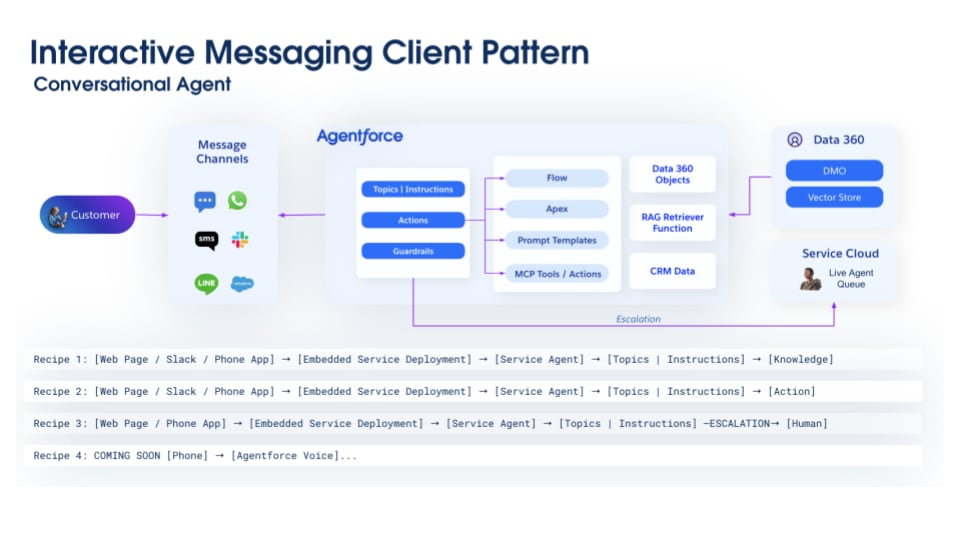 **Key Components**
- **Channel abstraction:** The Service Cloud Enhanced Chat (formerly Messaging for In-App and Web) allows the agent to communicate across multiple channels through a single experience.
- **Agentforce Service Agent:** The agent's behavior and purpose are defined by the following components.
- **Topics and instructions:** Defines the agent's persona and conversational purpose for direct user interaction. This includes its core mission (for example, "You are an expert at solving customer support issues"), instructions on maintaining an empathetic and professional tone, and clear guardrails on the scope of inquiries it's authorized to handle.
- **Actions:** Service-oriented actions that are tools the agent uses to diagnose and resolve customer issues in real time. These tools are designed to execute tasks like checking an order's status, searching a knowledge base for solutions, or creating a new support case directly from the conversational interface.
- **Guardrails:** Guardrails act as a set of configurable rules and runtime checks that constrain the agent's behavior. Acts as a safety layer that can intercept prompts, validate the agent's proposed actions, and filter its final response to prevent harmful content, enforce business rules, and ensure the agent operates within its designated scope.
- **Prompt Templates:** Reusable templates that are dynamically populated with live CRM data via merge fields or semantic data from Data 360 RAG Retrievers. These templates allow agents to generate contextual, on-brand content while the Einstein Trust Layer securely masks sensitive information before the instructions are sent to the LLM.
- **Data 360**
- Data 360 components, including DLOs, DMOs, vector store, and RAG retrievers, provide the agent with a unified view of all relevant enterprise data, from structured customer records to unstructured knowledge articles, ensuring responses are accurate and contextually grounded.
- **Service Cloud**
- **CRM data:** Connects the agent to the complete case history, providing crucial context on account details, contact records, and entitlements
- **Live Agent queue:** Support for escalation and routing to a human service rep with the full conversation context injected
**Interactions**
1. Your organization's customer initiates conversation via a channel.
2. The message routes to **Agentforce,** which determines scope (topics) and applies guardrails.
3. AI composes responses using **prompt templates,** while Flow or Apex may trigger backend logic.
4. Context is retrieved from **Data 360 objects, vector store, and CRM** via RAG retriever.
5. AI returns a contextual answer.
6. If AI cannot resolve, the conversation escalates to the **Service Cloud Live Agent.**
**Trade-Offs**
**Key Components**
- **Channel abstraction:** The Service Cloud Enhanced Chat (formerly Messaging for In-App and Web) allows the agent to communicate across multiple channels through a single experience.
- **Agentforce Service Agent:** The agent's behavior and purpose are defined by the following components.
- **Topics and instructions:** Defines the agent's persona and conversational purpose for direct user interaction. This includes its core mission (for example, "You are an expert at solving customer support issues"), instructions on maintaining an empathetic and professional tone, and clear guardrails on the scope of inquiries it's authorized to handle.
- **Actions:** Service-oriented actions that are tools the agent uses to diagnose and resolve customer issues in real time. These tools are designed to execute tasks like checking an order's status, searching a knowledge base for solutions, or creating a new support case directly from the conversational interface.
- **Guardrails:** Guardrails act as a set of configurable rules and runtime checks that constrain the agent's behavior. Acts as a safety layer that can intercept prompts, validate the agent's proposed actions, and filter its final response to prevent harmful content, enforce business rules, and ensure the agent operates within its designated scope.
- **Prompt Templates:** Reusable templates that are dynamically populated with live CRM data via merge fields or semantic data from Data 360 RAG Retrievers. These templates allow agents to generate contextual, on-brand content while the Einstein Trust Layer securely masks sensitive information before the instructions are sent to the LLM.
- **Data 360**
- Data 360 components, including DLOs, DMOs, vector store, and RAG retrievers, provide the agent with a unified view of all relevant enterprise data, from structured customer records to unstructured knowledge articles, ensuring responses are accurate and contextually grounded.
- **Service Cloud**
- **CRM data:** Connects the agent to the complete case history, providing crucial context on account details, contact records, and entitlements
- **Live Agent queue:** Support for escalation and routing to a human service rep with the full conversation context injected
**Interactions**
1. Your organization's customer initiates conversation via a channel.
2. The message routes to **Agentforce,** which determines scope (topics) and applies guardrails.
3. AI composes responses using **prompt templates,** while Flow or Apex may trigger backend logic.
4. Context is retrieved from **Data 360 objects, vector store, and CRM** via RAG retriever.
5. AI returns a contextual answer.
6. If AI cannot resolve, the conversation escalates to the **Service Cloud Live Agent.**
**Trade-Offs**
| Aspect | Gain | Cost |
|---|---|---|
| Response Speed | Always-on instant replies | 2+ seconds latency for complex queries |
| Accuracy | Grounded in real data via RAG | Requires curated, up-to-date vector store |
| Scalability | Near-infinite concurrent conversations | Costs must be optimized through caching, qualifying, and filtering |
| Flexibility | Handles open-ended queries | Requires sophisticated prompt engineering |
| Human Touch | Human service reps handle only complex cases | Customer frustration if escalation thresholds are wrong |
| Conversation Diversity | Large number of intents that requires different knowledge, skills, and tools | Requires continuous topic and instructions tuning to optimize accuracy and latency |
 **Key Components**
- **Email channel:** Handles capturing inbound messages, parsing their content and attachments, and maintaining thread continuity to enable asynchronous conversations.
- **Agentforce SDR Agent:** The agent's behavior and purpose are defined by the following components.
- **Topics and instructions:** Defines the agent's mission to engage and qualify inbound leads through conversation. This includes instructions for understanding prospect needs, gathering key qualification data (for example, budget, authority, and timeline), and guiding the conversation toward a clear next step, such as scheduling a meeting with an account executive.
- **Actions:** Specialized sales actions that enable the agent to manage the lead lifecycle. These tools are designed to execute core SDR tasks, such as enriching lead data, sending templated follow-up emails, or integrating with calendar systems to book discovery calls.
- **Guardrails:** Guardrails act as a set of configurable rules and runtime checks that constrain the agent's behavior. Acts as a safety layer that can intercept prompts, validate the agent's proposed actions, and filter its final response to prevent harmful content, enforce business rules, and ensure the agent operates within its designated scope.
- **Prompt templates:** Reusable templates that are dynamically populated with live CRM data via merge fields or semantic data from Data 360 RAG Retrievers. These templates allow agents to generate contextual, on-brand content while the Einstein Trust Layer securely masks sensitive information before the instructions are sent to the LLM.
- **Data 360**
- Data 360 components, including DLOs, DMOs, vector store, and RAG retrievers, provide the agent with a unified view of all relevant enterprise data, from structured customer records to unstructured knowledge articles, ensuring responses are accurate and contextually grounded.
- **Sales Cloud**
- **CRM data:** Connects the agent to the complete case history, providing crucial context on account details, contact records, and entitlements
- **Schedule meeting between customer and SDR:** SDR Live Agent handoff can be configured to set up a live meeting using Task and Meeting Scheduling (Next Actions).
- **Activity logging:** Capture events, tasks, and email activities, and relate it to leads, accounts, and opportunities as a result of SDR agent interactions.
**Interactions**
1. The customer sends and receives email through the channel, which routes to Agentforce.
2. Agentforce applies topics, actions, and guardrails to parse intent.
3. Agentforce drafts contextual responses using prompt templates enriched with CRM and Data 360 context.
4. A multi-turn email conversation continues until resolution or policy guidelines.
5. For qualified leads, Agentforce schedules a meeting and updates CRM.
6. If intent exceeds AI scope, Agentforce escalates to Sales Cloud SDR for a human service rep response.
**Trade-Offs**
**Key Components**
- **Email channel:** Handles capturing inbound messages, parsing their content and attachments, and maintaining thread continuity to enable asynchronous conversations.
- **Agentforce SDR Agent:** The agent's behavior and purpose are defined by the following components.
- **Topics and instructions:** Defines the agent's mission to engage and qualify inbound leads through conversation. This includes instructions for understanding prospect needs, gathering key qualification data (for example, budget, authority, and timeline), and guiding the conversation toward a clear next step, such as scheduling a meeting with an account executive.
- **Actions:** Specialized sales actions that enable the agent to manage the lead lifecycle. These tools are designed to execute core SDR tasks, such as enriching lead data, sending templated follow-up emails, or integrating with calendar systems to book discovery calls.
- **Guardrails:** Guardrails act as a set of configurable rules and runtime checks that constrain the agent's behavior. Acts as a safety layer that can intercept prompts, validate the agent's proposed actions, and filter its final response to prevent harmful content, enforce business rules, and ensure the agent operates within its designated scope.
- **Prompt templates:** Reusable templates that are dynamically populated with live CRM data via merge fields or semantic data from Data 360 RAG Retrievers. These templates allow agents to generate contextual, on-brand content while the Einstein Trust Layer securely masks sensitive information before the instructions are sent to the LLM.
- **Data 360**
- Data 360 components, including DLOs, DMOs, vector store, and RAG retrievers, provide the agent with a unified view of all relevant enterprise data, from structured customer records to unstructured knowledge articles, ensuring responses are accurate and contextually grounded.
- **Sales Cloud**
- **CRM data:** Connects the agent to the complete case history, providing crucial context on account details, contact records, and entitlements
- **Schedule meeting between customer and SDR:** SDR Live Agent handoff can be configured to set up a live meeting using Task and Meeting Scheduling (Next Actions).
- **Activity logging:** Capture events, tasks, and email activities, and relate it to leads, accounts, and opportunities as a result of SDR agent interactions.
**Interactions**
1. The customer sends and receives email through the channel, which routes to Agentforce.
2. Agentforce applies topics, actions, and guardrails to parse intent.
3. Agentforce drafts contextual responses using prompt templates enriched with CRM and Data 360 context.
4. A multi-turn email conversation continues until resolution or policy guidelines.
5. For qualified leads, Agentforce schedules a meeting and updates CRM.
6. If intent exceeds AI scope, Agentforce escalates to Sales Cloud SDR for a human service rep response.
**Trade-Offs**
| Aspect | Gain | Cost |
|---|---|---|
| Response Speed | <5 min first response (vs. 8–24 hrs) | Less personalized initial outreach when compared to phone |
| SDR Capacity | 2–5x increase in lead coverage | Loss of early relationship-building touchpoints |
| Qualification Consistency | Asynchronously acquire budget, authority, need, and timeline (BANT) coverage | May miss nuanced signals |
| Content Accuracy | RAG ensures up-to-date info | Requires curated sales product and enablement library. Multi-turn can be strenuous |
| Meeting Conversion | Significantly higher conversion | Some meetings with lower-quality leads if there are BANT gaps |
| Cost Efficiency | More cost-efficient than human SDR | Development and maintenance costs |
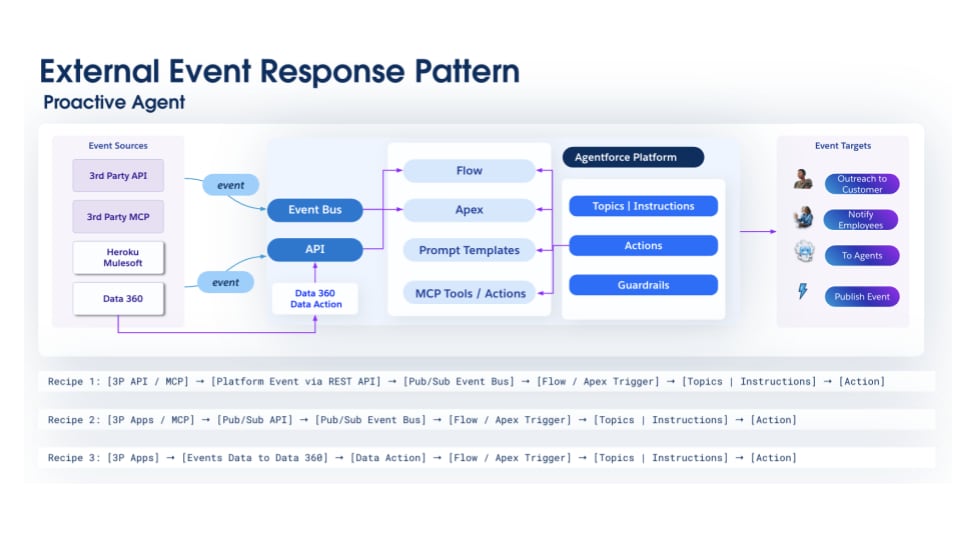 **Key Components**
- **Event source**
- Data Action triggered events after external data has been ingested into Data 360
- Third-party or Salesforce Heroku MCP servers capable of sending events to Salesforce via the Salesforce Pub/Sub API
- External application capable of sending event notifications via the Salesforce Pub/Sub API
- **Optional middleware:** MuleSoft or Data 360 for transformations
- **Agentforce Agent:** The agent's behavior and purpose are defined by the following components.
- **Topics and instructions:** Specifies the agent's core mission and its triggers, including defining its primary objective (for example, "Monitor all high-priority cases and prevent SLA breaches"). Contains the specific events or data conditions that the agent should listen for to initiate its tasks
- **Actions:** Event-triggered and scheduled actions designed to respond to external events. While these actions operate autonomously for routine tasks, they often include the ability to orchestrate workflows that involve human intervention, escalating to users for review, approval, or handling scenarios that require human judgment.
- **Guardrails:** Guardrails act as a set of configurable rules and runtime checks that constrain the agent's behavior. Acts as a safety layer that can intercept prompts, validate the agent's proposed actions, and filter its final response to prevent harmful content, enforce business rules, and ensure the agent operates within its designated scope.
- **Prompt Templates:** Reusable templates that are dynamically populated with live CRM data via merge fields or semantic data from Data 360 RAG Retrievers. These templates allow agents to generate contextual, on-brand content while the Einstein Trust Layer securely masks sensitive information before the instructions are sent to the LLM.
- **Data 360**
- Data 360 components, including **DLOs and DMOs,** that store event data [generated by external systems and sent to salesforce](https://developer.salesforce.com/docs/data/data-cloud-int/guide/c360-a-create-eventbusconnector-data-stream.html), transforming and building streaming or real-time insights
- **Calculated, streaming, and real-time insights** supply agents with immediate, pertinent data regarding customers. This enables preemptive problem resolution, mitigating escalation. **Data graphs** proactively surface relationships and insights from disparate data sources, enabling early detection of patterns or anomalies relevant to the customer engagement, activity, and profile.
- **Data 360 vector store and RAG** retrievers provide the agent with a unified view of all relevant enterprise data and unstructured knowledge articles, ensuring responses are accurate and contextually grounded.
- **Event targets**
- Proactively notify employees or reach out to customers
- Extensible to agents (see [Ambient Agent](#23-ambient-agent-patterns) and [Autonomous Agent](#25-autonomous-agent-patterns) patterns)
**Interactions**
1. A notable change occurs in the external system.
2. The external system emits an event and publishes it to Salesforce Event Bus via API (creates a platform event) or Pub/Sub API, or Event data is streamed to Data 360.
3. Subscribers of the event are triggered. A Flow is triggered.
4. The Flow calls [Agent Action](https://help.salesforce.com/s/articleView?id=platform.automate_flow_ref_elements_actions_generate_ai_agent_response.htm&type=5) with the event data. The agent determines the right course of action and executes it.
5. The outcome is a notification or a workflow being triggered. Notifications are delivered to a user in a collaboration tool (such as Slack). Tasks or events are also generated. Further, actions can call external systems. The events, therefore, are not lost but are proactively executed, signaled, and actioned, removing human overhead or complex automation to discover them.
**Trade-Offs**
**Key Components**
- **Event source**
- Data Action triggered events after external data has been ingested into Data 360
- Third-party or Salesforce Heroku MCP servers capable of sending events to Salesforce via the Salesforce Pub/Sub API
- External application capable of sending event notifications via the Salesforce Pub/Sub API
- **Optional middleware:** MuleSoft or Data 360 for transformations
- **Agentforce Agent:** The agent's behavior and purpose are defined by the following components.
- **Topics and instructions:** Specifies the agent's core mission and its triggers, including defining its primary objective (for example, "Monitor all high-priority cases and prevent SLA breaches"). Contains the specific events or data conditions that the agent should listen for to initiate its tasks
- **Actions:** Event-triggered and scheduled actions designed to respond to external events. While these actions operate autonomously for routine tasks, they often include the ability to orchestrate workflows that involve human intervention, escalating to users for review, approval, or handling scenarios that require human judgment.
- **Guardrails:** Guardrails act as a set of configurable rules and runtime checks that constrain the agent's behavior. Acts as a safety layer that can intercept prompts, validate the agent's proposed actions, and filter its final response to prevent harmful content, enforce business rules, and ensure the agent operates within its designated scope.
- **Prompt Templates:** Reusable templates that are dynamically populated with live CRM data via merge fields or semantic data from Data 360 RAG Retrievers. These templates allow agents to generate contextual, on-brand content while the Einstein Trust Layer securely masks sensitive information before the instructions are sent to the LLM.
- **Data 360**
- Data 360 components, including **DLOs and DMOs,** that store event data [generated by external systems and sent to salesforce](https://developer.salesforce.com/docs/data/data-cloud-int/guide/c360-a-create-eventbusconnector-data-stream.html), transforming and building streaming or real-time insights
- **Calculated, streaming, and real-time insights** supply agents with immediate, pertinent data regarding customers. This enables preemptive problem resolution, mitigating escalation. **Data graphs** proactively surface relationships and insights from disparate data sources, enabling early detection of patterns or anomalies relevant to the customer engagement, activity, and profile.
- **Data 360 vector store and RAG** retrievers provide the agent with a unified view of all relevant enterprise data and unstructured knowledge articles, ensuring responses are accurate and contextually grounded.
- **Event targets**
- Proactively notify employees or reach out to customers
- Extensible to agents (see [Ambient Agent](#23-ambient-agent-patterns) and [Autonomous Agent](#25-autonomous-agent-patterns) patterns)
**Interactions**
1. A notable change occurs in the external system.
2. The external system emits an event and publishes it to Salesforce Event Bus via API (creates a platform event) or Pub/Sub API, or Event data is streamed to Data 360.
3. Subscribers of the event are triggered. A Flow is triggered.
4. The Flow calls [Agent Action](https://help.salesforce.com/s/articleView?id=platform.automate_flow_ref_elements_actions_generate_ai_agent_response.htm&type=5) with the event data. The agent determines the right course of action and executes it.
5. The outcome is a notification or a workflow being triggered. Notifications are delivered to a user in a collaboration tool (such as Slack). Tasks or events are also generated. Further, actions can call external systems. The events, therefore, are not lost but are proactively executed, signaled, and actioned, removing human overhead or complex automation to discover them.
**Trade-Offs**
| Aspect | Gain | Cost |
|---|---|---|
| Real-Time Integration | Events trigger actions within seconds. | API ingress complexity (partner SLA variability) |
| Intelligent Response | AI-powered decisions with CRM and external context | Enrichment adds latency and stale data (such as out-of-order events). |
| Loose Coupling | External systems independent of Salesforce logic | Async processing leads to eventual consistency. |
| Scalability | Handles burst events | API limits, event storage costs |
| Bidirectional | Salesforce can respond to external systems. | External API dependencies, failure scenarios |
| Security | Signed verified events, least (or zero) privilege access by external systems | Replay protection, key rotation, and operational overhead |
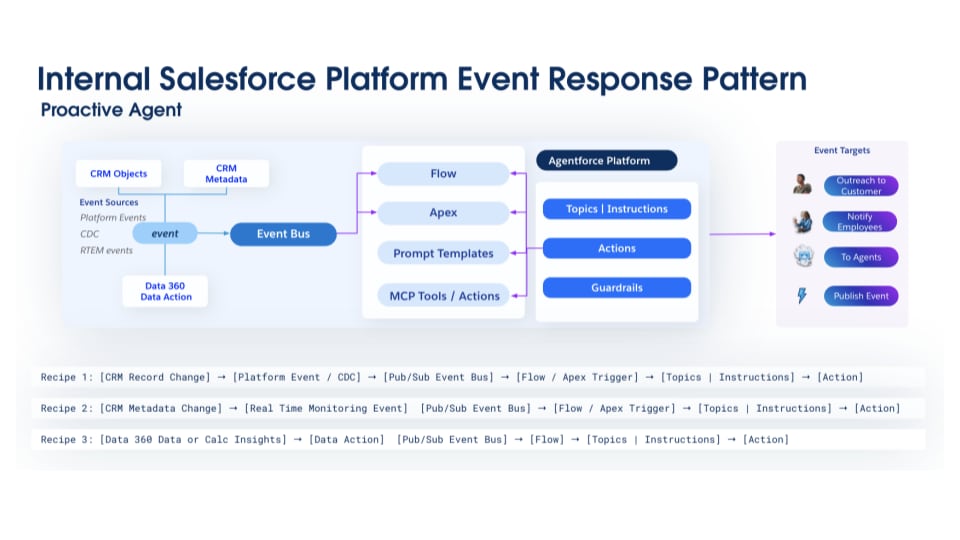 **Key Components**
- **Event source layer**
- CRM data, Platform Events, Change Data Capture (CDC) data, and Real-Time Event Monitoring (RTEM) data from low-level platform activity
- **Data 360**
- Data 360 components, including **DLOs and DMOs,** that store event data [generated by CRM or platform events](https://developer.salesforce.com/docs/data/data-cloud-int/guide/c360-a-create-eventbusconnector-data-stream.html), transforming and building streaming or real-time insights
- **Calculated, streaming, and real-time insights** supply agents with immediate, pertinent data regarding the customer, employee activity, or metadata changes in the system. This enables preemptive problem resolution, mitigating escalation. This real-time situational awareness empowers agents to deliver timely interventions for governance and compliance operational throughput.
- **Data Graphs** proactively surface relationships and insights from disparate data sources, enabling early detection of patterns or anomalies relevant to the customer engagement, activity, and profile.
- **Data 360 vector store and RAG** retrievers provide the agent with a unified view of all relevant enterprise data and unstructured knowledge articles, ensuring responses are accurate and contextually grounded.
- **Agentforce Agent:** The agent's behavior and purpose are defined by the following components.
- **Topics and instructions:** Specifies the agent's mission to enforce business rules and automate processes based on data changes within Salesforce. It defines the agent's objective (for example, "Ensure all opportunities are updated with a primary contact before reaching the negotiation stage") and the specific record creations, field updates, and so on that trigger the agent.
- **Actions:** Event-triggered and scheduled actions designed to respond to internal Salesforce events. While these actions operate autonomously for routine tasks, they often include the ability to orchestrate workflows that involve human intervention, escalating to users for review, approval, or handling scenarios that require human judgment.
- **Guardrails:** Guardrails act as a set of configurable rules and runtime checks that constrain the agent's behavior. Acts as a safety layer that can intercept prompts, validate the agent's proposed actions, and filter its final response to prevent harmful content, enforce business rules, and ensure the agent operates within its designated scope.
- **Prompt Templates:** Reusable templates that are dynamically populated with live CRM data via merge fields or semantic data from Data 360 RAG Retrievers. These templates allow agents to generate contextual, on-brand content while the Einstein Trust Layer securely masks sensitive information before the instructions are sent to the LLM.
- **Event targets**
- Proactively notify employees or reach out to customers.
- Extensible to call other agents (see [ambient AI](#23-ambient-agent-patterns) and [autonomous AI](#25-autonomous-agent-patterns) patterns)
**Interactions**
1. A notable change occurs within the internal system, such as an update to a CRM record, a metadata modification, or a data action triggered from Data 360.
2. The internal system emits an event and publishes it to Salesforce Event Bus via API (creates a platform event) or Pub/Sub API, or event data is streamed to Data 360.
3. Subscribers of the event are triggered and activate a Flow or Apex.
4. The activated Flow or Apex calls [Agent Action](https://help.salesforce.com/s/articleView?id=platform.automate_flow_ref_elements_actions_generate_ai_agent_response.htm&type=5).
5. The outcome is a notification or a workflow being triggered. Notifications are delivered to a user in a collaboration tool (such as Slack). Tasks or events are also generated. Further, actions can call external systems.
6. The events, therefore, are not lost but are proactively executed, signaled, and actioned, removing human overhead or complex automation to discover them.
**Trade-Offs**
**Key Components**
- **Event source layer**
- CRM data, Platform Events, Change Data Capture (CDC) data, and Real-Time Event Monitoring (RTEM) data from low-level platform activity
- **Data 360**
- Data 360 components, including **DLOs and DMOs,** that store event data [generated by CRM or platform events](https://developer.salesforce.com/docs/data/data-cloud-int/guide/c360-a-create-eventbusconnector-data-stream.html), transforming and building streaming or real-time insights
- **Calculated, streaming, and real-time insights** supply agents with immediate, pertinent data regarding the customer, employee activity, or metadata changes in the system. This enables preemptive problem resolution, mitigating escalation. This real-time situational awareness empowers agents to deliver timely interventions for governance and compliance operational throughput.
- **Data Graphs** proactively surface relationships and insights from disparate data sources, enabling early detection of patterns or anomalies relevant to the customer engagement, activity, and profile.
- **Data 360 vector store and RAG** retrievers provide the agent with a unified view of all relevant enterprise data and unstructured knowledge articles, ensuring responses are accurate and contextually grounded.
- **Agentforce Agent:** The agent's behavior and purpose are defined by the following components.
- **Topics and instructions:** Specifies the agent's mission to enforce business rules and automate processes based on data changes within Salesforce. It defines the agent's objective (for example, "Ensure all opportunities are updated with a primary contact before reaching the negotiation stage") and the specific record creations, field updates, and so on that trigger the agent.
- **Actions:** Event-triggered and scheduled actions designed to respond to internal Salesforce events. While these actions operate autonomously for routine tasks, they often include the ability to orchestrate workflows that involve human intervention, escalating to users for review, approval, or handling scenarios that require human judgment.
- **Guardrails:** Guardrails act as a set of configurable rules and runtime checks that constrain the agent's behavior. Acts as a safety layer that can intercept prompts, validate the agent's proposed actions, and filter its final response to prevent harmful content, enforce business rules, and ensure the agent operates within its designated scope.
- **Prompt Templates:** Reusable templates that are dynamically populated with live CRM data via merge fields or semantic data from Data 360 RAG Retrievers. These templates allow agents to generate contextual, on-brand content while the Einstein Trust Layer securely masks sensitive information before the instructions are sent to the LLM.
- **Event targets**
- Proactively notify employees or reach out to customers.
- Extensible to call other agents (see [ambient AI](#23-ambient-agent-patterns) and [autonomous AI](#25-autonomous-agent-patterns) patterns)
**Interactions**
1. A notable change occurs within the internal system, such as an update to a CRM record, a metadata modification, or a data action triggered from Data 360.
2. The internal system emits an event and publishes it to Salesforce Event Bus via API (creates a platform event) or Pub/Sub API, or event data is streamed to Data 360.
3. Subscribers of the event are triggered and activate a Flow or Apex.
4. The activated Flow or Apex calls [Agent Action](https://help.salesforce.com/s/articleView?id=platform.automate_flow_ref_elements_actions_generate_ai_agent_response.htm&type=5).
5. The outcome is a notification or a workflow being triggered. Notifications are delivered to a user in a collaboration tool (such as Slack). Tasks or events are also generated. Further, actions can call external systems.
6. The events, therefore, are not lost but are proactively executed, signaled, and actioned, removing human overhead or complex automation to discover them.
**Trade-Offs**
| Aspect | Gain | Cost |
|---|---|---|
| Real-Time Integration | Events trigger actions within seconds. | More layers may cause latency for simple event handling. |
| Intelligent Response | AI-powered decisions with CRM and external context | Enrichment adds latency and stale data (for example, out-of-order events). |
| Loose Coupling | Fan out (more subscribers) and extensible | Async processing leads to eventual consistency across subscribers. |
| Scalability | Handle burst events | API limits |
| Security | Platform-provided Trust layer | Non-negotiable operational overhead |
| Aspect | Gain | Cost |
|---|---|---|
| Window Size | Small window—lower latency, faster coaching | Also has less context, lower accuracy |
| Processing Mode | Real-time presents an immediate assistant opportunity. | Resource intensive |
| Stream Resolution | High quality audio and video can have better accuracy but increase latency. | More storage and compute |
| Retention Period | Vast amounts of data can be used for training and compliance. | More storage costs, can lead to noise |
| Multi-Modal | Richer context, holistic understanding | Sync complexity |
| Ambience | Can provide consistent support to the human user | Privacy/policy enforcement |
| Aspect | Gain | Cost |
|---|---|---|
| Scope | Wide set of activity coverage, agent can share the context in different modals (email, calendars, app pages) | Computation cost |
| Intelligent Automation | Can be a module and extend to fully autonomous AI and can eliminate humans out of the loop where policy is clear | More agent evaluation. Risk of false positives or errors, can go undetected in a reasonable timeframe |
| Interception Complexity | Can benefit from real time analytics. For example, can detect fraud or threat and stop transactions from occurring | Need agent and human workflows synchronized |
| Context Depth | Deeper context leads to intelligent decisions | Need to be context-complete |
| Agent Autonomy | Headless agents work in the background without user prompting, so reduces friction | Less transparency into agent decision-making, more audit trails |
| Multi-agent | Headless agents can work together to form specialized agents | Headless orchestration and additional complexity |
| Aspect | Gain | Cost |
|---|---|---|
| Native Collaboration Surfaces | Agents can participate and immediately contribute to human flow of work | User adoption requires additional training and enablement |
| Bidirectional context sharing | Agents can surface and share context with all parties, making information available to all. | Intentional asymmetric sensitive information requires additional safeguards. |
| Collaboration | Agents enable real-time collaboration, delivering immediate feedback and faster resolution time. | Faster resolutions means more active work in the queue for humans potentially leading to fatigue |
| Specialization | Domain specific agents offer high-value assistance. | Increased bounded context needs and domain specificity. Complexity to adapt to changes |
| Observability | Provide reasoning, audit trails, Agent Evaluations build trust | Increased telemetry costs |
| Aspect | Gain | Cost |
|---|---|---|
| Speed | Agents complete the tasks in hours to days rather than weeks to months | Requires enablement for autonomous agentic operation |
| Autonomy | Agents achieve full execution without human intervention | Intervention is limited and costly during execution |
| Scalability | Agents scale easily | Rate limits must be established to prevent locking of resources. |
| Consistency | Agents adhere to policies via guardrails | New scenario handling requires inspection to ensure the correct outcome. |
| Cost | Agents avoid human in the loop | The process is expensive to build |
| Human resources | Agents free up critical and expert resources | Experts lack experiential visibility through doing, reducing ability to identify process improvements |
| Quality control | Can monitor and review | Remediation costs are high if agent errors are not caught immediately |
| Accuracy | Agents can use context and policies to make the right decision. | Context and data must be curated and maintained to remove any ambiguity or staleness. |
| Set up Enhanced Chat | → | Create Service agent | → | Define Support Orders topic | → | Create Get Order action |
| ↓ | ||||||
| Add outbound escalation Omni-Channel flow | ← | Create Escalate topic | ← | Add actions to topics | ← | Create Get Status action |
| ↓ | ||||||
| Publish the agent |
| Configure Omni-Channel | → | Define escalation rules in instructions | → | Set priorities and capacity | → | Test and validate |
| Map context data | → | Create MuleSoft API credentials | → | Register MuleSoft external service |
| Create custom Contact field | → | Define new platform event |
| Create AWS S3 credentials | → | Create new S3 Data Stream | → | Configure and deploy stream | → | Create Search Index |
| ↓ | ||||||
| Test retrieval function | ← | Configure and deploy index |
| Create agent from template | → | Add Recover VIP Cart topic | → | Add topic instructions | → | Create Slack alert action |
| ↓ | ||||||
| Add actions to topic | ← | Create journey enrollment action | ← | Create discount offer action | ← | Create cart recovery task |
| Create event-triggered flow | → | Subscribe to platform event | → | Add agent invocable action | → | Pass event data to agent |
| Customer abandons cart | → | Commerce Cloud publishes event | → | Platform event triggers Flow | → | Flow invokes Employee Agent |
| ↓ | ||||||
| Analyzes for discount offer | ← | Creates task for manager | ← | Alerts manager in Slack | ← | Agent executes Recovery topic |
| ↓ | ||||||
| Enrolls customer in journey | → | Customer redeems the offer | → | Agent analyzes outcome for feedback |
| Create agent from template | → | Add Assist Call topic | → | Add topic instructions | → | Create transcript analysis action |
| ↓ | ||||||
| Add actions to topic | ← | Create Slack insights action | ← | Create product spec action |
| Create new data library | → | Add knowledge articles | → | System chunks and indexes | → | Ground library in action |
| Server receives audio transcript | → | Server publishes platform event |
| Create event-triggered flow | → | Subscribe to Transcript event | → | Add agent invocable action | → | Send payload to agent |
| ↓ | ||||||
| Agent sends Slack DM |
| User starts Zoom call | → | Server transcribes and publishes | → | Flow invokes Response agent | → | Agent queries knowledge base |
| ↓ | ||||||
| Analytics refine agent performance | ← | Agent compiles call summary | ← | Agent continues listening | ← | Agent sends Slack DM |
| Research agent gathers intelligence | → | Qualification agent scores lead | → | SDR agent begins outreach |
| Create new Data Space | → | Ingest Salesforce CRM data | → | Ingest ZoomInfo data | → | Ingest supplier database data |
| Create new platform event |
| Create agent from template | → | Add Parse Goal topic | → | Add topic instructions | → | Create Goal Event action |
| ↓ | ||||||
| Add action to topic |
| Create Research topic | → | Create deduplication action | → | Create lead enrichment action | → | Create lead scoring action |
| ↓ | ||||||
| Add actions to topic | ← | Create lead qualification action |
| Create SDR agent from template | → | Configure agent knowledge base | → | Configure agent email settings | → | Set lead assignment rules |
| ↓ | ||||||
| Define qualifying lead criteria |
| Create event-triggered flow | → | Subscribe to Agent Goal event | → | Add agent invocable action |
| User assigns high-level goal | → | Orchestrator agent creates event | → | Flow routes goal to agent | → | Research agent qualifies lead |
| ↓ | ||||||
| Monitor agent with analytics | ← | SDR agent schedules meeting | ← | SDR agent begins outreach |
| Create agent from template | → | Define Billing Inquiry Topic | → | Create custom flow action | → | Add action to topic |
| Create agent from template | → | Define Shipping Verification topic | → | Create custom flow action | → | Add action to topic |
| Create agent from template | → | Define Service Check topic | → | Create custom Flow action | → | Add action to topic |
| Expose agents via MuleSoft | → | Register agents in registry |
| Create Service Agent | → | Define Investigation topic | → | Create notification action | → | Define Orchestration topic |
| ↓ | ||||||
| Define Escalation topic | ← | Create Create Case action | ← | Create Call Agent action | ← | Create agent orchestration flow |
| ↓ | ||||||
| Create Omni-Channel flow | → | Connect flow for escalation |
| Agentforce Help Agent | → | MuleSoft Agent Broker | → | Billing Agent as A2A server | → | Logistics Agent as A2A server |
| ↓ | ||||||
| Help Agent gets response | ← | Broker aggregates response | ← | Procurement Agent as A2A server |
| Customer starts chat | → | Customer states multiple issues | → | Agent investigates order details | → | Orchestrator calls specialist agents |
| ↓ | ||||||
| Orchestrator synthesizes resolution plan | ← | Provisioning Agent finds issue | ← | Logistics Agent confirms error | ← | Billing Agent finds discrepancy |
| ↓ | ||||||
| Agent escalates to service rep | → | Service rep offers resolution | → | System agent executes tasks | → | Agent updates and closes case |
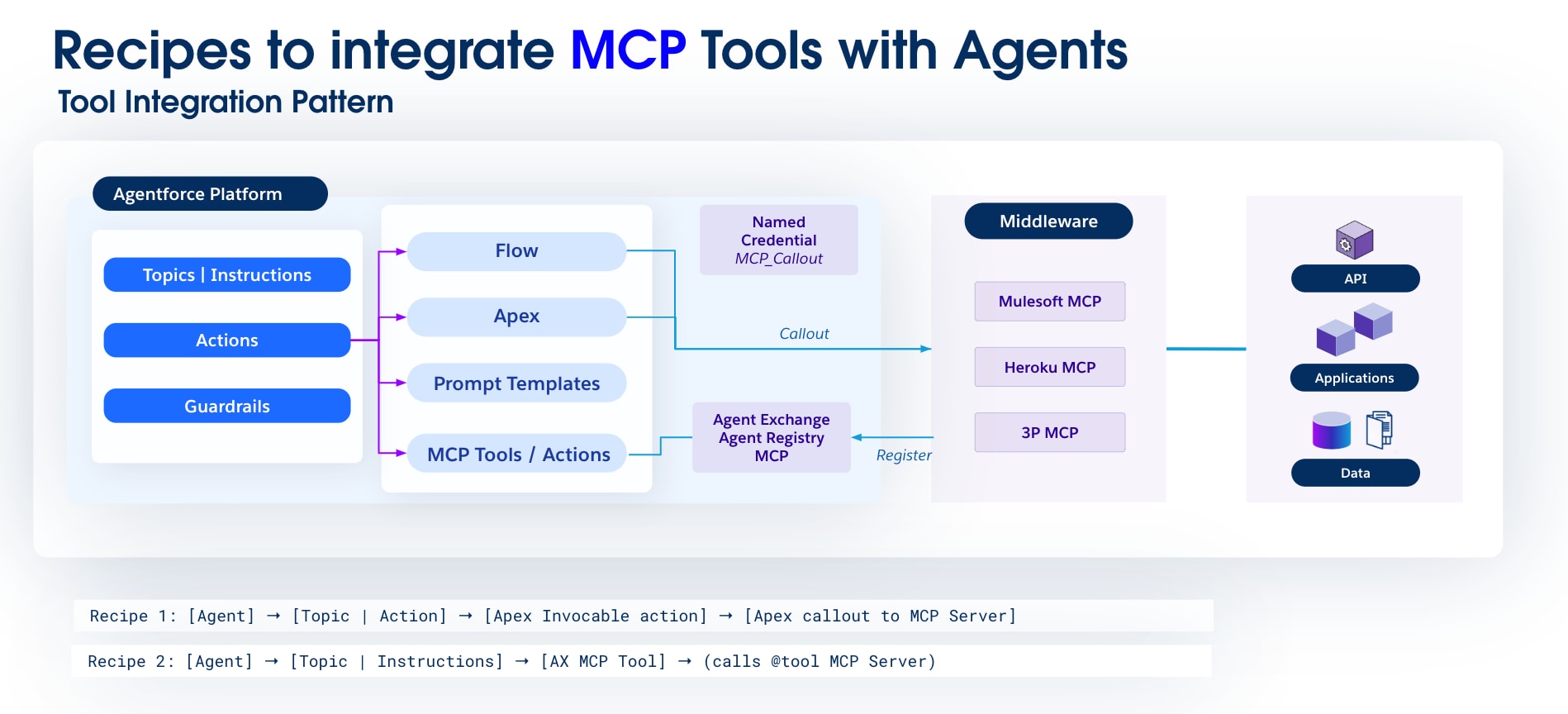 **Recipe 1:** **Enabling External Tools with MCP**
**Problem**
Organizations run on a mix of legacy ERPs and modern SaaS, but integrating them with an agent is hard because there's no common protocol—each tool has its own APIs, authentication, and data model. Developers end up building and maintaining custom point-to-point connectors for every tool, producing fragile, unscalable, and costly integrations.
**Pattern**
The agent invokes an external tool (exposed via MCP) through a structured action, allowing it to use specialized tools beyond the Salesforce platform.
**Context**
- The agent acts as a proxy for a set of tools that exist outside the Salesforce platform.
- These external tools may have diverse APIs, authentication mechanisms, and data formats.
- A standardized communication protocol is required to enable seamless interaction between the agent and these external tools.
- Reusability is a key concern, as the same external tools may be utilized by multiple agents for different purposes.
**Interactions**
1. **Trigger:** A user request or an internal event within Agentforce necessitates the use of an external tool.
2. **Intent to act:** The Agentforce Agent identifies the intent and determines that an external MCP-based tool is required.
3. **Planner (internal):** The Agentforce Agent's planner selects the appropriate MCP tool or action based on its configured instructions and available tools.
4. **Execution:** The Agentforce Agent sends an MCP-compliant request to the external MCP server (for example, via an Apex callout to a MuleSoft endpoint, which then routes to the external MCP server).
5. **External processing:** The external MCP server processes the request, interacts with the underlying external application, and prepares an MCP-compliant response.
6. **Result**: The external MCP server returns the response to the Agentforce Agent.
7. **Follow-up:** The Agentforce Agent processes the response, updates its internal state, and continues its task or provides feedback to the user.
**Trade-Offs**
**Recipe 1:** **Enabling External Tools with MCP**
**Problem**
Organizations run on a mix of legacy ERPs and modern SaaS, but integrating them with an agent is hard because there's no common protocol—each tool has its own APIs, authentication, and data model. Developers end up building and maintaining custom point-to-point connectors for every tool, producing fragile, unscalable, and costly integrations.
**Pattern**
The agent invokes an external tool (exposed via MCP) through a structured action, allowing it to use specialized tools beyond the Salesforce platform.
**Context**
- The agent acts as a proxy for a set of tools that exist outside the Salesforce platform.
- These external tools may have diverse APIs, authentication mechanisms, and data formats.
- A standardized communication protocol is required to enable seamless interaction between the agent and these external tools.
- Reusability is a key concern, as the same external tools may be utilized by multiple agents for different purposes.
**Interactions**
1. **Trigger:** A user request or an internal event within Agentforce necessitates the use of an external tool.
2. **Intent to act:** The Agentforce Agent identifies the intent and determines that an external MCP-based tool is required.
3. **Planner (internal):** The Agentforce Agent's planner selects the appropriate MCP tool or action based on its configured instructions and available tools.
4. **Execution:** The Agentforce Agent sends an MCP-compliant request to the external MCP server (for example, via an Apex callout to a MuleSoft endpoint, which then routes to the external MCP server).
5. **External processing:** The external MCP server processes the request, interacts with the underlying external application, and prepares an MCP-compliant response.
6. **Result**: The external MCP server returns the response to the Agentforce Agent.
7. **Follow-up:** The Agentforce Agent processes the response, updates its internal state, and continues its task or provides feedback to the user.
**Trade-Offs**
| Aspect | Gain | Cost |
|---|---|---|
| Flexibility | Access to diverse external capabilities | Initial development for MCP server/integration layer |
| Modularity | Agent capabilities are decoupled from external tools | Requires careful API design and versioning |
| Scalability | Uses external system's scalability | External system's performance becomes a dependency |
| Standardization | Standardized protocol (MCP) | Adoption and/or wrapper |
| Security | Centralized security for external access | Management of credentials and access policies for external systems |
| Maintainability | Updates to external tools do not require agent changes. MCP can signal changes | Cost of frequent changes |
| Aspect | Gain | Cost |
|---|---|---|
| Speed | One tool call | More governance overhead |
| Idempotency and Safety | Safe retries | Implementation to support dedupe and idempotency |
| Scalability | Can scale easily | Connection overhead |
| Consistency | Clear and explicit | Atomic |
| Safety | Guardrails and policies can be implemented. | Operation overhead to cascade policy changes |
| Observability | Correlation and audit are available for operation. | Increased telemetry costs |
| Aspect | Gain | Cost |
|---|---|---|
| Speed | One call for multiple distributed operations | Development and operational overhead |
| Idempotency and Safety | Safe retries/SAGA support | Complexity |
| Scalability | Can scale easily, can be async | Eventual consistency for Async |
| Safety | Policies in API layer | Operation overhead to cascade policy changes |
| Observability | Correlation and audit available for tracing | Increased telemetry costs |
| Aspect | Gain | Cost |
|---|---|---|
| Data Movement | None; zero copy | Compute cost |
| Latency | From days or weeks to near-real-time | SLAs |
| Scalability | Unlimited data volume | Compute cost |
| Aspect | Gain | Cost |
|---|---|---|
| Latency | Available in seconds | Compute and implementation cost |
| Coupling | Producers are independent of consumers. | Harder to debug and trace |
| Scalability | Can scale | Limits |
| Ordering | Incremental context build | Out-of-order arrival |
| Value | Near-real-time insight | Governance and compliance overhead |
| Aspect | Gain | Cost |
|---|---|---|
| Accuracy | Higher trust (grounded answers with citation) | Document curation and hygiene |
| Retrieval | Handles natural language and keywords | More storage, tuning effort |
| Security | Can enforce privileged access | Runtime overhead, cache complexity |
| Chunking | Better relevance | More preprocessing and tuning |
| Versioning | Filters outdated knowledge | Maintenance and governance costs |
| Aspect | Gain | Cost |
|---|---|---|
| Accuracy | Higher trust (grounded answers with verifiable relations) | Data harmonization and graph modeling effort |
| Retrieval | Handles complex relational queries | Graph traversal can be computationally expensive for very large graphs |
| Security | Can enforce privileged access based on relationships | Runtime overhead, complex access control |
| Context Depth | Rich, holistic understanding of entities and their connections | More preprocessing and tuning for graph optimization |
| Maintainability | Centralized data model for relationships | Continuous alignment of DMOs with evolving business needs |
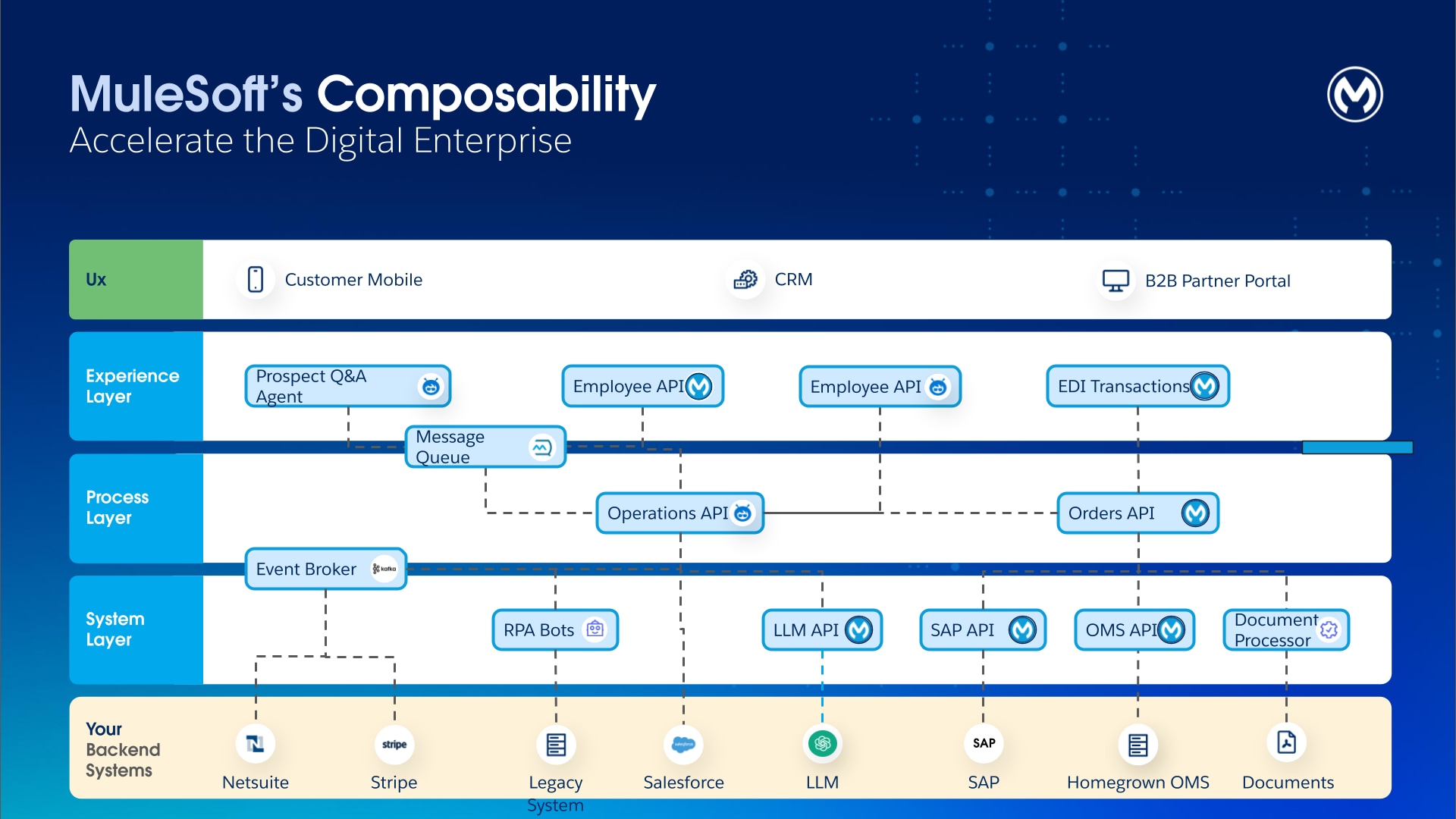 The established three-layered approach of API-led connectivity \- System, Process, and Experience APIs \- provides a powerful framework for structuring agent actionability.
- **System APIs** offer a consistent, secure, and abstracted interface to underlying systems of record. They decouple agents from the complexity of backend protocols and data models, which ensures that all agent actions are performed on governed, reliable endpoints.
- **Process APIs** encapsulate complex, multi-step business logic. Agents don’t need to understand the intricate orchestration that’s behind creating sales orders, checking inventory, or initiating shipments. They can use Process APIs (for example, "Process Order") without having to handle the underlying complexities. Process APIs provide a safe, transactional, and auditable mechanism for agents to execute business processes, which dramatically reduces the agent reasoning required and ensures that business rules are consistently enforced.
- **Experience APIs** were traditionally designed to serve specific UI applications (for example, Order Management App); however, they can also be repurposed as context-rich actions for agents. This provides agents with essential information to perform a given task without requiring multiple calls to downstream systems.
## 1. Generative Creation: Accelerate Development of Agent-Ready Assets
To meet the rising demand for agent-ready tools and capabilities, enterprises must accelerate the development of the APIs and integrations that form the composable foundation. _MuleSoft_ addresses this challenge by embedding generative AI directly into the development lifecycle, which creates a virtuous cycle that uses AI to build the high-quality assets that other agents consume.
### **1.1 MuleSoft Vibes**
For developers, [MuleSoft Vibes](https://www.mulesoft.com/platform/api/anypoint-code-builder/announcing-mulesoft-vibes) acts as an intelligent partner by automating the most repetitive aspects of integration development and providing a unified, agentic interface for the entire software development lifecycle. Through MuleSoft Vibes in [Anypoint Code Builder](https://docs.mulesoft.com/anypoint-code-builder/), developers interact with generative capabilities that are powered by the [trusted _Einstein AI Pipelines_](https://blogs.mulesoft.com/automation/how-mulesoft-turns-generative-output-into-value/), which makes the AI-assisted development process smooth and efficient. This pipeline \- the _Inference Graph Execution Service (IGES)_ \- is a multi-stage process that’s used to achieve high-quality results. It consists of grounding, validation, error correction, and rigorous evaluation.
The established three-layered approach of API-led connectivity \- System, Process, and Experience APIs \- provides a powerful framework for structuring agent actionability.
- **System APIs** offer a consistent, secure, and abstracted interface to underlying systems of record. They decouple agents from the complexity of backend protocols and data models, which ensures that all agent actions are performed on governed, reliable endpoints.
- **Process APIs** encapsulate complex, multi-step business logic. Agents don’t need to understand the intricate orchestration that’s behind creating sales orders, checking inventory, or initiating shipments. They can use Process APIs (for example, "Process Order") without having to handle the underlying complexities. Process APIs provide a safe, transactional, and auditable mechanism for agents to execute business processes, which dramatically reduces the agent reasoning required and ensures that business rules are consistently enforced.
- **Experience APIs** were traditionally designed to serve specific UI applications (for example, Order Management App); however, they can also be repurposed as context-rich actions for agents. This provides agents with essential information to perform a given task without requiring multiple calls to downstream systems.
## 1. Generative Creation: Accelerate Development of Agent-Ready Assets
To meet the rising demand for agent-ready tools and capabilities, enterprises must accelerate the development of the APIs and integrations that form the composable foundation. _MuleSoft_ addresses this challenge by embedding generative AI directly into the development lifecycle, which creates a virtuous cycle that uses AI to build the high-quality assets that other agents consume.
### **1.1 MuleSoft Vibes**
For developers, [MuleSoft Vibes](https://www.mulesoft.com/platform/api/anypoint-code-builder/announcing-mulesoft-vibes) acts as an intelligent partner by automating the most repetitive aspects of integration development and providing a unified, agentic interface for the entire software development lifecycle. Through MuleSoft Vibes in [Anypoint Code Builder](https://docs.mulesoft.com/anypoint-code-builder/), developers interact with generative capabilities that are powered by the [trusted _Einstein AI Pipelines_](https://blogs.mulesoft.com/automation/how-mulesoft-turns-generative-output-into-value/), which makes the AI-assisted development process smooth and efficient. This pipeline \- the _Inference Graph Execution Service (IGES)_ \- is a multi-stage process that’s used to achieve high-quality results. It consists of grounding, validation, error correction, and rigorous evaluation.
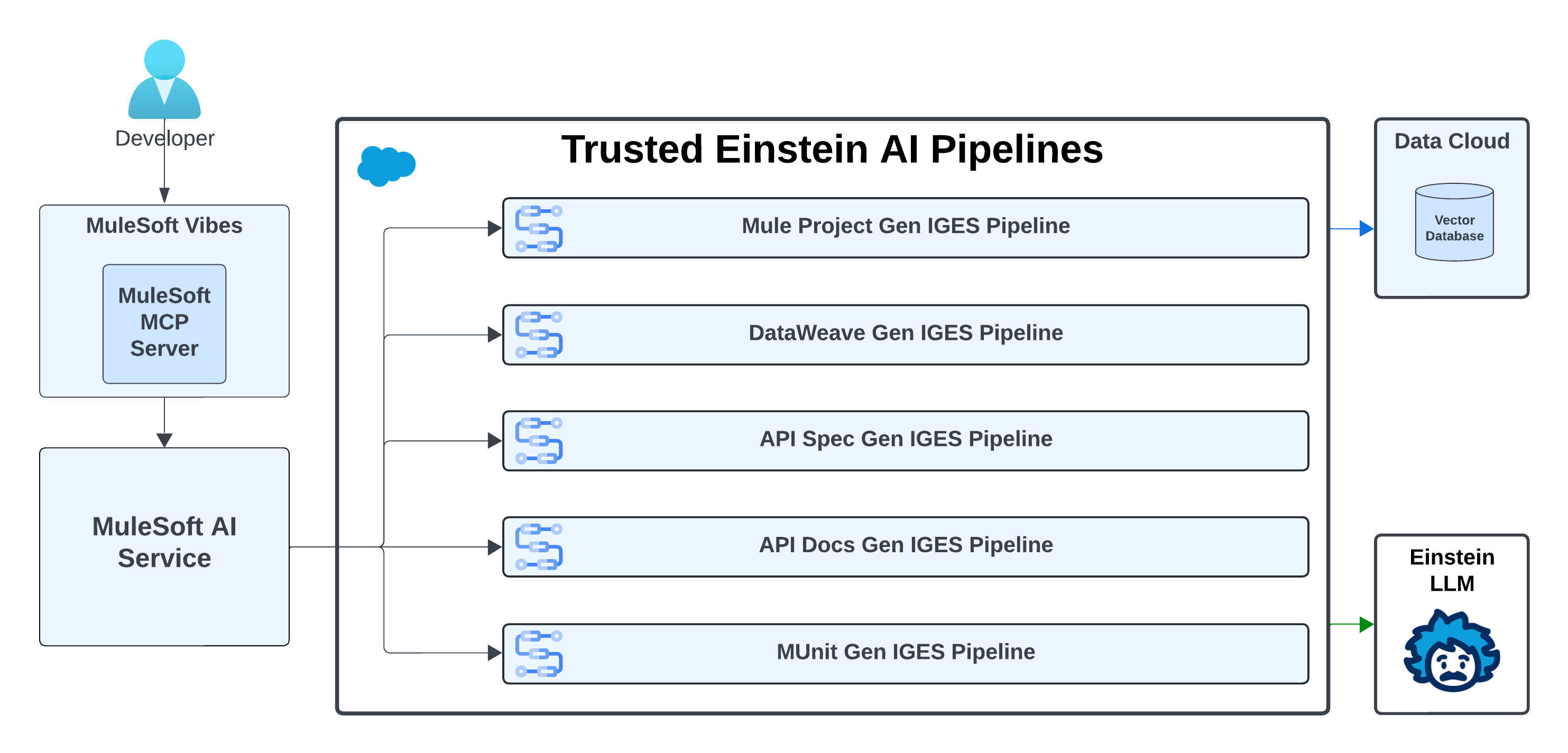 - [**Generative Flows**](https://blogs.mulesoft.com/dev-guides/einstein-for-acb/) capability in _MuleSoft Vibes_ is built on the _Agentforce AI_ framework. It transforms natural language business logic (User Prompts) into functional Mule applications. The _IGES Pipeline_ consists of following steps:
- **Conversation History Summarization:** The LLM analyzes the current prompt and the user’s prior messages to create a summarized prompt that captures user intent and conversation history. This consolidated prompt improves the accuracy of subsequent data retrieval and generation steps.
- **Flow Semantic Retrieval from a Vector Database:** The system takes the summarized prompt from the previous step and performs a semantic search against a vector database that contains 200+ connectors, 7,000+ connector operations, and 7,000+ sample code snippets. It retrieves the most relevant connectors, operations, and code examples to ground the generation process using accurate data and ensures that outputs are aligned with MuleSoft’s extensive connector ecosystem. Since MuleSoft is the industry standard for connectors and operations, this grounding provides the model with rich context and domain accuracy that generic LLMs lack.
- **Augmentation:** The retrieved content and conversation history messages are then combined with the summarized prompt. This augmented prompt guides the LLM to reduce hallucinations. It also includes instructions to prevent the generation of toxic content.
- **Flow Generation:** This step leverages the _Einstein AI LLM_ model to generate raw XML code that’s based on the context and examples that are provided. This is the core step of the generation pipeline.
- **Post-processing and Validation:** The post-processor and validator checks the code to ensure correct syntax and the use of valid connector operations while a separate toxicity check flags harmful content.
- **Multi-Step Error Correction:** If all of the initial generations are invalid, the automated error correction mechanism analyzes the error messages to detect patterns. Then, it resubmits the prompt to the LLM along with enriched error messages and corrective metadata.
- **Config File Generation:** This step extracts relevant connector metadata, augments the prompt, and sends it to the LLM to generate accurate connector configurations. Lastly, all POM and XML namespaces are generated deterministically using the latest version of each dependency, which eliminates hallucinations and ensures consistency.
- [**DataWeave Transformation Generation**](https://blogs.mulesoft.com/dev-guides/dataweave-generative-transformation/)**:** Data transformation is often the most time-consuming part of integration development. _MuleSoft Vibes_ tackles this process using the multi-step approach that’s similar to the _Mule Flow XML_ generation.
- **Intention Reasoning:** The LLM analyzes user input and output data samples to infer and articulate high-level transformation logic in natural language. This step separates the user's goal from the literal data values that may have been provided in the prompt.
- **DataWeave Semantic Retrieval:** To find the most semantically relevant DataWeave function documentation and complete transformation examples, the system uses the generated prompt from the previous step as a query to the vector database. This grounds the generation process in high-quality, verified information.
- **Augmentation:** The retrieved functions and examples are combined with the original user prompt to create a context-aware set of instructions for the subsequent LLM call, which influences the LLM's behavior to reduce hallucinations.
- **DataWeave Generation:** This step leverages the LLM model to generate a DataWeave transformation script and an accompanying explanation that’s based on the provided context and examples. This is the core step of the generation pipeline.
- **Post-processing and Validation** The generated script is evaluated against two specific metrics: validity and correctness. The script must compile without syntax errors (validity) and produce the expected output when it’s run using the sample input (correctness).
- **Multi-Step Error Correction:** If the initial validation fails, then this plugin identifies the error categories and corrects the issues in the generated script. This refinement helps improve the overall success rate and accuracy of the system.
- **Final Post-processing and Validation** The corrected script from the error-correction module undergoes a re-validation process to ensure that it’s syntactically valid and functionally correct. This final quality gate ensures that the output is accurate and reliable before sending it back to the user.
- [**API Specification**](https://docs.mulesoft.com/anypoint-code-builder/api-ai-create-spec) **and [Documentation Generation](https://docs.mulesoft.com/exchange/generating-documentation-with-ai):** Developers can generate fully-validated _OpenAPI (OAS)_ or _RAML_ specifications by describing the desired API in natural language. _MuleSoft Vibes_ ingests the prompt (which includes details on resources, methods, security schemes, and parameters) and produces a valid, syntactically correct API definition. After generation, it can create documentation for the API in _Anypoint Exchange_, which covers everything from authentication to endpoint details and error handling, freeing developers from these types of tedious tasks.
- **AI-Assisted MUnit Generation:** Quality assurance is paramount for assets that are consumed by autonomous agents. _MuleSoft Vibes_ helps generate MUnit test cases directly from the Mule Flow Code. This helps to mock external dependencies and assertions, and identify common testing gaps, which drastically reduces the manual effort that’s required to achieve high test coverage and ensure the reliability of the integration logic.
### **1.2 MuleSoft Your Way**
Developers thrive in their preferred environments. That’s why _MuleSoft_ meets developers where they are, which allows them to build integrations in their AI IDE of choice. [MuleSoft’s Model Context Protocol (MCP) Server](https://www.npmjs.com/package/@mulesoft/mcp-server) exposes development, deployment, and management capabilities as MCP Tools that any VS Code-based AI-native IDE (for example, Cursor, Windsurf, or Trae) can consume to interact with the _Anypoint Platform_ using natural language.
By packaging its core IDE functionality into a [standard VS Code extension](https://marketplace.visualstudio.com/items?itemName=salesforce.mule-dx-extension-pack), _MuleSoft_ decouples its tools from a branded IDE shell, which enables development tooling to be IDE agnostic. Instead of competing with the fast-paced evolution of IDEs, this architecture choice allows MuleSoft’s development tools to stay compatible and accessible across the growing ecosystem of modern, AI-powered IDEs.
## 2\. Enable Actionability: Transform APIs into Tools for Agents
In an Agentic Enterprise, having a robust foundation of composable APIs is necessary, but insufficient. The next critical step is to ensure that these assets are discoverable, understandable, and invocable by AI agents. This requires an "actionability layer" that’s built on open standards that are designed specifically for agentic communication. _MuleSoft_ provides enterprise-grade tooling for the two dominant emerging protocols:
- **MCP** for agent-to-system interactions
- **A2A** for agent-to-agent interactions
- [**Generative Flows**](https://blogs.mulesoft.com/dev-guides/einstein-for-acb/) capability in _MuleSoft Vibes_ is built on the _Agentforce AI_ framework. It transforms natural language business logic (User Prompts) into functional Mule applications. The _IGES Pipeline_ consists of following steps:
- **Conversation History Summarization:** The LLM analyzes the current prompt and the user’s prior messages to create a summarized prompt that captures user intent and conversation history. This consolidated prompt improves the accuracy of subsequent data retrieval and generation steps.
- **Flow Semantic Retrieval from a Vector Database:** The system takes the summarized prompt from the previous step and performs a semantic search against a vector database that contains 200+ connectors, 7,000+ connector operations, and 7,000+ sample code snippets. It retrieves the most relevant connectors, operations, and code examples to ground the generation process using accurate data and ensures that outputs are aligned with MuleSoft’s extensive connector ecosystem. Since MuleSoft is the industry standard for connectors and operations, this grounding provides the model with rich context and domain accuracy that generic LLMs lack.
- **Augmentation:** The retrieved content and conversation history messages are then combined with the summarized prompt. This augmented prompt guides the LLM to reduce hallucinations. It also includes instructions to prevent the generation of toxic content.
- **Flow Generation:** This step leverages the _Einstein AI LLM_ model to generate raw XML code that’s based on the context and examples that are provided. This is the core step of the generation pipeline.
- **Post-processing and Validation:** The post-processor and validator checks the code to ensure correct syntax and the use of valid connector operations while a separate toxicity check flags harmful content.
- **Multi-Step Error Correction:** If all of the initial generations are invalid, the automated error correction mechanism analyzes the error messages to detect patterns. Then, it resubmits the prompt to the LLM along with enriched error messages and corrective metadata.
- **Config File Generation:** This step extracts relevant connector metadata, augments the prompt, and sends it to the LLM to generate accurate connector configurations. Lastly, all POM and XML namespaces are generated deterministically using the latest version of each dependency, which eliminates hallucinations and ensures consistency.
- [**DataWeave Transformation Generation**](https://blogs.mulesoft.com/dev-guides/dataweave-generative-transformation/)**:** Data transformation is often the most time-consuming part of integration development. _MuleSoft Vibes_ tackles this process using the multi-step approach that’s similar to the _Mule Flow XML_ generation.
- **Intention Reasoning:** The LLM analyzes user input and output data samples to infer and articulate high-level transformation logic in natural language. This step separates the user's goal from the literal data values that may have been provided in the prompt.
- **DataWeave Semantic Retrieval:** To find the most semantically relevant DataWeave function documentation and complete transformation examples, the system uses the generated prompt from the previous step as a query to the vector database. This grounds the generation process in high-quality, verified information.
- **Augmentation:** The retrieved functions and examples are combined with the original user prompt to create a context-aware set of instructions for the subsequent LLM call, which influences the LLM's behavior to reduce hallucinations.
- **DataWeave Generation:** This step leverages the LLM model to generate a DataWeave transformation script and an accompanying explanation that’s based on the provided context and examples. This is the core step of the generation pipeline.
- **Post-processing and Validation** The generated script is evaluated against two specific metrics: validity and correctness. The script must compile without syntax errors (validity) and produce the expected output when it’s run using the sample input (correctness).
- **Multi-Step Error Correction:** If the initial validation fails, then this plugin identifies the error categories and corrects the issues in the generated script. This refinement helps improve the overall success rate and accuracy of the system.
- **Final Post-processing and Validation** The corrected script from the error-correction module undergoes a re-validation process to ensure that it’s syntactically valid and functionally correct. This final quality gate ensures that the output is accurate and reliable before sending it back to the user.
- [**API Specification**](https://docs.mulesoft.com/anypoint-code-builder/api-ai-create-spec) **and [Documentation Generation](https://docs.mulesoft.com/exchange/generating-documentation-with-ai):** Developers can generate fully-validated _OpenAPI (OAS)_ or _RAML_ specifications by describing the desired API in natural language. _MuleSoft Vibes_ ingests the prompt (which includes details on resources, methods, security schemes, and parameters) and produces a valid, syntactically correct API definition. After generation, it can create documentation for the API in _Anypoint Exchange_, which covers everything from authentication to endpoint details and error handling, freeing developers from these types of tedious tasks.
- **AI-Assisted MUnit Generation:** Quality assurance is paramount for assets that are consumed by autonomous agents. _MuleSoft Vibes_ helps generate MUnit test cases directly from the Mule Flow Code. This helps to mock external dependencies and assertions, and identify common testing gaps, which drastically reduces the manual effort that’s required to achieve high test coverage and ensure the reliability of the integration logic.
### **1.2 MuleSoft Your Way**
Developers thrive in their preferred environments. That’s why _MuleSoft_ meets developers where they are, which allows them to build integrations in their AI IDE of choice. [MuleSoft’s Model Context Protocol (MCP) Server](https://www.npmjs.com/package/@mulesoft/mcp-server) exposes development, deployment, and management capabilities as MCP Tools that any VS Code-based AI-native IDE (for example, Cursor, Windsurf, or Trae) can consume to interact with the _Anypoint Platform_ using natural language.
By packaging its core IDE functionality into a [standard VS Code extension](https://marketplace.visualstudio.com/items?itemName=salesforce.mule-dx-extension-pack), _MuleSoft_ decouples its tools from a branded IDE shell, which enables development tooling to be IDE agnostic. Instead of competing with the fast-paced evolution of IDEs, this architecture choice allows MuleSoft’s development tools to stay compatible and accessible across the growing ecosystem of modern, AI-powered IDEs.
## 2\. Enable Actionability: Transform APIs into Tools for Agents
In an Agentic Enterprise, having a robust foundation of composable APIs is necessary, but insufficient. The next critical step is to ensure that these assets are discoverable, understandable, and invocable by AI agents. This requires an "actionability layer" that’s built on open standards that are designed specifically for agentic communication. _MuleSoft_ provides enterprise-grade tooling for the two dominant emerging protocols:
- **MCP** for agent-to-system interactions
- **A2A** for agent-to-agent interactions
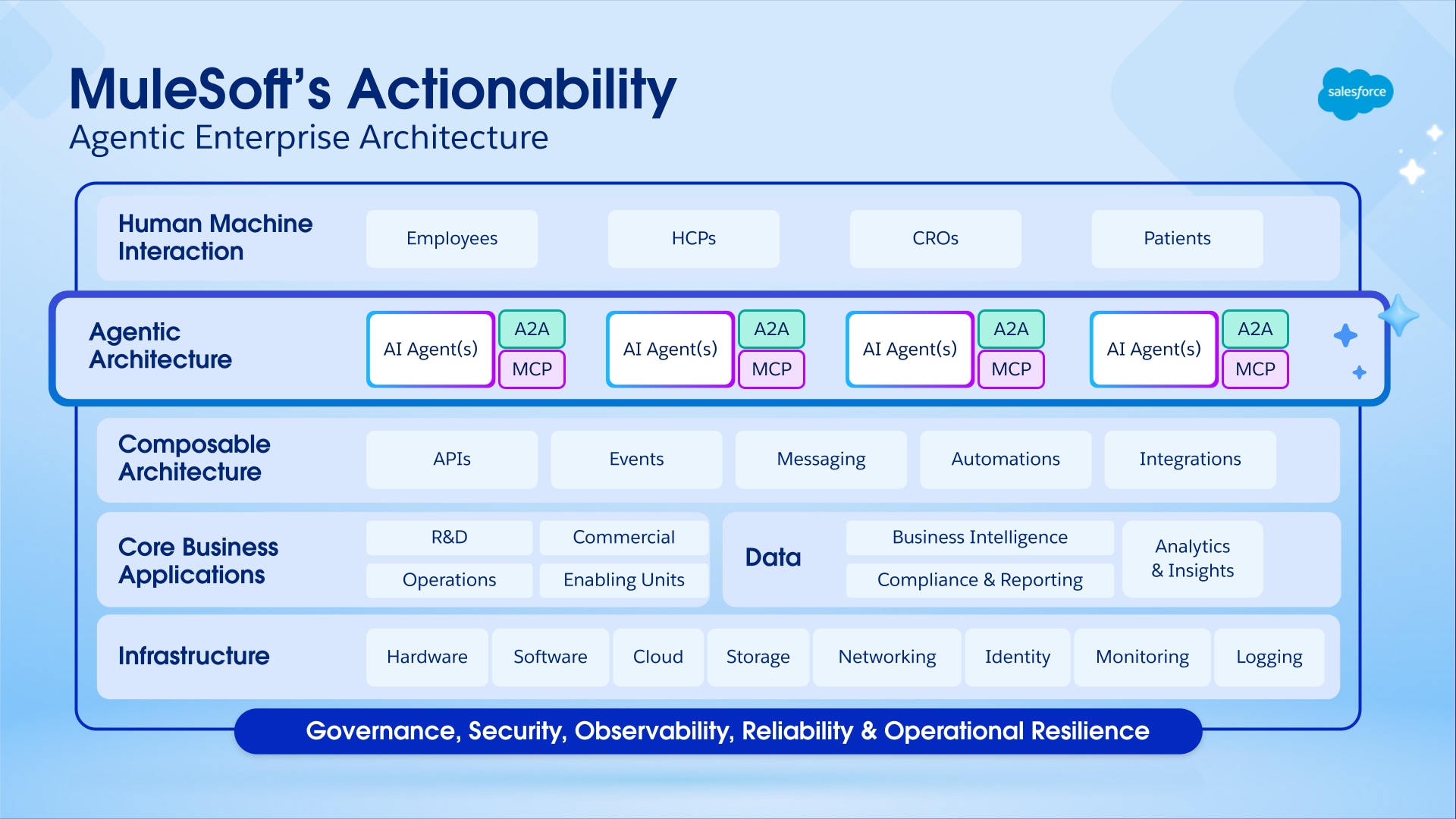 ### **2.1 Model Context Protocol (MCP)**
_MCP_ has rapidly emerged as the industry standard for agent-to-tool communication, which is analogous to what _REST_ became for web services. _MCP_ allows AI agents to dynamically discover a system's capabilities, understand its inputs and outputs, and invoke it to perform an action, all without requiring pre-programmed or hard-coded logic.
The [MuleSoft MCP Connector](https://docs.mulesoft.com/mcp-connector/latest/) allows any API that’s implemented as a Mule application to be published as an MCP server. Since _MuleSoft_ provides hundreds of pre-built connectors to virtually every major enterprise system (for example, SaaS, legacy, and databases), this instantly transforms an organization's APIs and applications into a set of agent-ready tools. An API that’s designed to check inventory in SAP, a flow that processes a new lead in Salesforce, or a custom application that’s connected via _MuleSoft_ can all be made available to AI agents as atomic, governed tools using the _MCP Connector_.
### **2.2 Agent-to-Agent Protocol (A2A)**
While the _MCP_ excels at hierarchical, agent-invoking-tool interactions, complex business processes often require collaboration between multiple specialized agents. The _Agent-to-Agent (A2A)_ protocol is the emerging open standard that’s designed to facilitate peer-to-peer communication that enables sophisticated, multi-agent workflows.
MuleSoft's support for A2A allows enterprises to design and build advanced systems with the same level of governance and reliability that they expect for their APIs. The [MuleSoft A2A Connector](https://docs.mulesoft.com/a2a-connector/latest/) allows developers to easily expose any agent as an A2A server, or invoke any A2A compliant agent from a Mule application. For example, a mortgage application process may be orchestrated across a "Credit Check Agent," a "Document Signature Agent," and a "Regulatory Compliance Agent," with each agent discovering and invoking the others' capabilities (as needed) to move the application forward.
By providing robust, enterprise-grade tooling for MCP and A2A, MuleSoft supports building a flexible ecosystem that consists of direct agent-to-system interactions (via MCP tools) and agent-to-agent (A2A) interactions. Regardless of how the AI landscape evolves, this approach positions _MuleSoft_ as the underlying foundation that connects all forms of agentic communication.
## 3\. MuleSoft Agent Fabric: The Central Nervous System of the Agentic Enterprise
As enterprises adopt agentic AI, they inevitably face the challenge of agent sprawl. To prevent this from devolving into chaos, a dedicated orchestration layer is required. [MuleSoft Agent Fabric](https://docs.mulesoft.com/agent-fabric/) ([demo](https://www.youtube.com/watch?v=GAqwPie16ic)) is a comprehensive architectural solution that’s designed to address this challenge head-on. It provides a central management plane to discover, govern, orchestrate, and observe the entire network of AI agents, regardless of where they’re built or how they operate. Functioning as the "air traffic controller" for the enterprise's digital workforce, _MuleSoft Agent Fabric_ transforms a collection of fragmented, siloed agents into a cohesive, secure, and high-performing intelligence network.
_MuleSoft Agent Fabric_ is built upon four integrated pillars that cover the complete lifecycle management for agents as first-class enterprise assets.
### **3.1 Agent Registry (Discover)**
The foundation of any managed ecosystem is discoverability. The _Agent Registry_ serves as the universal, centralized catalog for every agentic asset within the enterprise. This includes custom-built agents, agents that are embedded in SaaS applications, MCP servers that expose legacy systems, and A2A endpoints for inter-agent collaboration. By providing a single source of truth, the _Agent Registry_ solves the critical discovery problem by preventing teams from building redundant capabilities, and enabling human developers and other AI agents to dynamically find and reuse existing assets at scale.
### **2.1 Model Context Protocol (MCP)**
_MCP_ has rapidly emerged as the industry standard for agent-to-tool communication, which is analogous to what _REST_ became for web services. _MCP_ allows AI agents to dynamically discover a system's capabilities, understand its inputs and outputs, and invoke it to perform an action, all without requiring pre-programmed or hard-coded logic.
The [MuleSoft MCP Connector](https://docs.mulesoft.com/mcp-connector/latest/) allows any API that’s implemented as a Mule application to be published as an MCP server. Since _MuleSoft_ provides hundreds of pre-built connectors to virtually every major enterprise system (for example, SaaS, legacy, and databases), this instantly transforms an organization's APIs and applications into a set of agent-ready tools. An API that’s designed to check inventory in SAP, a flow that processes a new lead in Salesforce, or a custom application that’s connected via _MuleSoft_ can all be made available to AI agents as atomic, governed tools using the _MCP Connector_.
### **2.2 Agent-to-Agent Protocol (A2A)**
While the _MCP_ excels at hierarchical, agent-invoking-tool interactions, complex business processes often require collaboration between multiple specialized agents. The _Agent-to-Agent (A2A)_ protocol is the emerging open standard that’s designed to facilitate peer-to-peer communication that enables sophisticated, multi-agent workflows.
MuleSoft's support for A2A allows enterprises to design and build advanced systems with the same level of governance and reliability that they expect for their APIs. The [MuleSoft A2A Connector](https://docs.mulesoft.com/a2a-connector/latest/) allows developers to easily expose any agent as an A2A server, or invoke any A2A compliant agent from a Mule application. For example, a mortgage application process may be orchestrated across a "Credit Check Agent," a "Document Signature Agent," and a "Regulatory Compliance Agent," with each agent discovering and invoking the others' capabilities (as needed) to move the application forward.
By providing robust, enterprise-grade tooling for MCP and A2A, MuleSoft supports building a flexible ecosystem that consists of direct agent-to-system interactions (via MCP tools) and agent-to-agent (A2A) interactions. Regardless of how the AI landscape evolves, this approach positions _MuleSoft_ as the underlying foundation that connects all forms of agentic communication.
## 3\. MuleSoft Agent Fabric: The Central Nervous System of the Agentic Enterprise
As enterprises adopt agentic AI, they inevitably face the challenge of agent sprawl. To prevent this from devolving into chaos, a dedicated orchestration layer is required. [MuleSoft Agent Fabric](https://docs.mulesoft.com/agent-fabric/) ([demo](https://www.youtube.com/watch?v=GAqwPie16ic)) is a comprehensive architectural solution that’s designed to address this challenge head-on. It provides a central management plane to discover, govern, orchestrate, and observe the entire network of AI agents, regardless of where they’re built or how they operate. Functioning as the "air traffic controller" for the enterprise's digital workforce, _MuleSoft Agent Fabric_ transforms a collection of fragmented, siloed agents into a cohesive, secure, and high-performing intelligence network.
_MuleSoft Agent Fabric_ is built upon four integrated pillars that cover the complete lifecycle management for agents as first-class enterprise assets.
### **3.1 Agent Registry (Discover)**
The foundation of any managed ecosystem is discoverability. The _Agent Registry_ serves as the universal, centralized catalog for every agentic asset within the enterprise. This includes custom-built agents, agents that are embedded in SaaS applications, MCP servers that expose legacy systems, and A2A endpoints for inter-agent collaboration. By providing a single source of truth, the _Agent Registry_ solves the critical discovery problem by preventing teams from building redundant capabilities, and enabling human developers and other AI agents to dynamically find and reuse existing assets at scale.
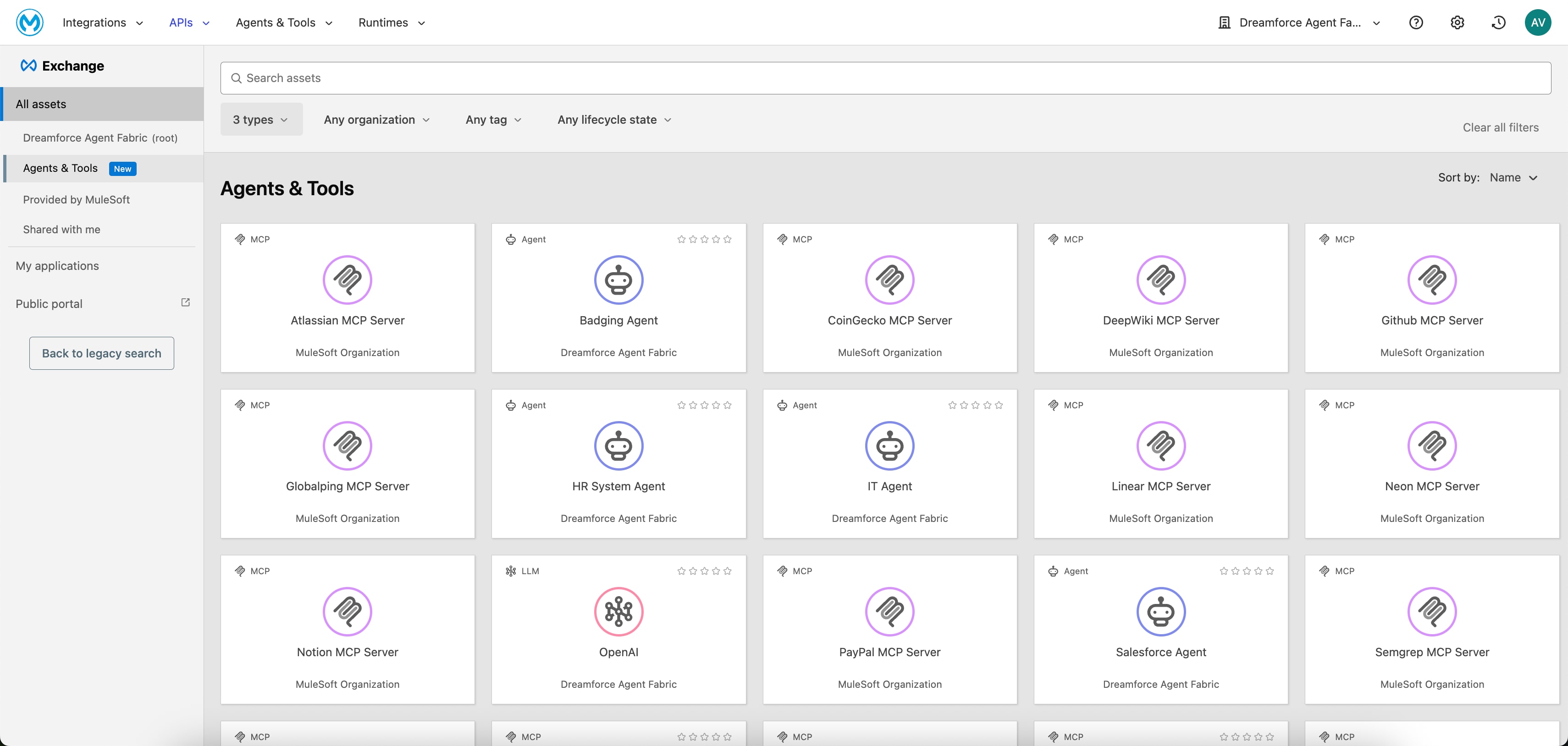 The _Agent Registry_ is built upon _Anypoint Exchange,_ and it adds three new asset types: Agents, MCP Servers, and LLMs. It captures information about these assets, including MCP tools, transport protocols, and agent cards, as well as the dependencies between agents and the MCP servers and tools that they consume. Developers can create and manage assets directly within the registry. They can also programmatically discover and reuse existing assets within MuleSoft Vibes (via the _MuleSoft MCP Server’s_ search_asset tool) when creating new orchestrations. This equips developers with all of the information they need to understand and consume these assets.
### **3.2 Agent Broker (Orchestrate)**
Once assets are discoverable, they must be orchestrated to perform useful work. The _Agent Broker_ is an orchestration service that executes multi-step business processes. It uses a configurable LLM to interpret high-level tasks and generate corresponding workflows. The _Agent Broker_ dynamically discovers, sequences, and invokes the required agents and tools to complete these processes.
The _Agent Registry_ is built upon _Anypoint Exchange,_ and it adds three new asset types: Agents, MCP Servers, and LLMs. It captures information about these assets, including MCP tools, transport protocols, and agent cards, as well as the dependencies between agents and the MCP servers and tools that they consume. Developers can create and manage assets directly within the registry. They can also programmatically discover and reuse existing assets within MuleSoft Vibes (via the _MuleSoft MCP Server’s_ search_asset tool) when creating new orchestrations. This equips developers with all of the information they need to understand and consume these assets.
### **3.2 Agent Broker (Orchestrate)**
Once assets are discoverable, they must be orchestrated to perform useful work. The _Agent Broker_ is an orchestration service that executes multi-step business processes. It uses a configurable LLM to interpret high-level tasks and generate corresponding workflows. The _Agent Broker_ dynamically discovers, sequences, and invokes the required agents and tools to complete these processes.
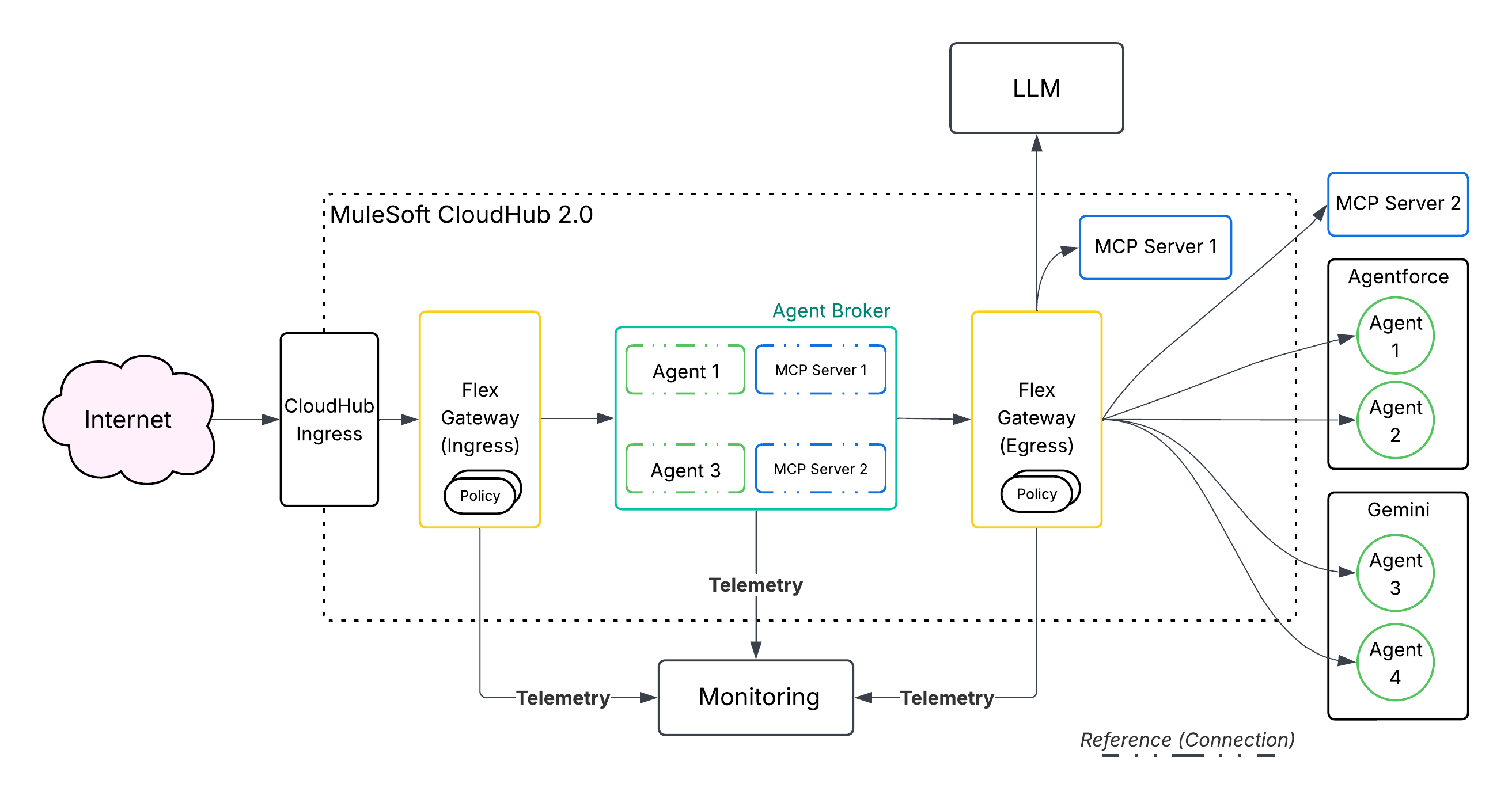 Connectivity is managed via the _MCP_ for tools and an _A2A_ protocol for agents. This allows the system to organize agents into business-specific domains (for example, Supply Chain or Finance) and route tasks across all of them. A single, natural-language prompt (for example, ”Onboard an Employee.”) is decomposed into a sequence of discrete actions that are executed by different agents or tools across multiple backend systems. Agent Broker Orchestration includes:
- **Dynamic Orchestration Pattern:** This is an Agent-Loop pattern that determines sub-tasks and orchestrates them across the most suitable agents and tools to achieve the overall goal. By leveraging this pattern, [collaborative agents](/docs/architect/fundamentals/guide/agentic-patterns#15-collaborative-agents-agent-swarms) can be built to solve complex use cases (for example, [handling a complex service escalation](/docs/architect/fundamentals/guide/agentic-patterns#35-collaborative-agent-use-case-complex-service-escalation)).
- **LLM-Powered Reasoning:** Uses an LLM to interpret natural language goals and generate execution plans, which removes the need for hard-coded, rigid workflow logic.
- **Configurable LLM Model:** Allows developers to specify which LLM model to use, which provides control over cost, performance, and capabilities.
- **Natural Language Development:** _Agent Broker_ logic can be defined using natural language via _MuleSoft Vibes_.
- **Observability:** _Anypoint Monitoring_ provides logging and tracing upon deployment to help users understand and debug Agent Broker’s reasoning and interactions with _MCP_ tools and _A2A_ Agents.
- **Managed Deployment:** _Agent Broker_ is a containerized application that’s backed by _Mule Runtime_, which manages availability and scalability of the deployment.
### **3.3 Flex Gateway for MCP and A2A (Govern)**
The _Anypoint Flex Gateway_ is the mechanism through which certain policies are technically enforced. _MuleSoft Agent Fabric_ leverages the _Anypoint Flex Gateway_ to [secure, inspect, and manage every agentic interaction](https://docs.mulesoft.com/gateway/latest/flex-agent-secure) that happens via _MCP_ and _A2A_ protocols. This allows organizations to apply a rich [set of enterprise-grade policies](https://docs.mulesoft.com/gateway/latest/flex-agent-policies) to all agentic traffic to ensure that every action is secure, compliant, and auditable prior to its execution. To safely and responsibly scale AI adoption, these guardrails are critical.
| Policy Name | Protocol(s) | Description |
| :----------------------------------------------------- | :---------- | :-------------------------------------------------------------------------------------------------------------------------------------------------------------------------------------------- |
| **JWT Validation Policy/Client ID Enforcement Policy** | A2A, MCP | The **JWT Validation Policy/Client ID Enforcement Policy** secures _A2A_ agents and _MCP_ servers by restricting access to authenticated callers only. |
| **Schema Validation** | A2A, MCP | **Schema Validation** ensures that incoming agent requests conform to the _A2A_ or _MCP_ specification, which prevents malformed traffic. |
| **A2A PII Detector** | A2A | **A2A PII Detector** identifies _Personally Identifiable Information (PII)_ in requests and responses, and enables logging or blocking to meet compliance requirements. |
| **A2A Prompt Decorator** | A2A | **A2A Prompt Decorator** injects custom context or instructions into prompts that are sent to agents to guide their behavior and enforce guardrails. |
| **MCP Attribute-Based Access Control** | MCP | **MCP Attribute-Based Access Control** regulates access to specific tools and resources that are exposed by an _MCP_ server based on user attributes (for example, Tiers, IP, or JWT claims). |
| **SSE Logging** | A2A, MCP | **SSE Logging** records the content of _Server-Sent Events (SSE)_ streams that are used by agentic protocols for comprehensive auditing and traceability. |
| **Rate Limiting and Spike Control** | A2A, MCP | The **Rate Limiting and Spike Control** protects backend agents and systems from traffic surges and denial-of-service attacks by enforcing request limits. |
| **A2A Agent Card** | A2A | The **A2A Agent Card** rewrites the Agent Card URL to ensure that all traffic is correctly proxied through the governed Flex Gateway instance. |
**Enterprise Governance Policies for Agentic Protocols**
In addition to governing inbound requests, the _Anypoint Flex Gateway_ also manages all outgoing connections and requests from an agent to external services (for example, _MCP_ Servers and Tools or other agents). This includes:
- **Logging:** Provides a centralized observability point to monitor and log all outbound agent requests for auditing and troubleshooting.
- **Security:** Prevents sensitive data leakage by inspecting outbound traffic.
- **Authentication:** Manages credentials for external systems by applying outbound authentication mechanisms, including API Keys, OAuth, and ClientId/ClientSecret from a single point.
The _Anypoint Flex Gateway_ [**Policy Development Kit (PDK**)](https://docs.mulesoft.com/pdk/latest/policies-pdk-overview) allows users to create custom policies when out-of-the-box policies don’t meet specific requirements. By using the _PDK_, developers can write policy logic in the _Rust_ programming language and compile it into a _WebAssembly (WASM)_ module. The self-contained module is then loaded into the _Anypoint Flex Gateway_ to enforce unique security rules, custom data transformations, or specialized integration logic directly at the API edge. This provides a powerful, high-performance way to extend gateway functionality for unique or complex use cases.
Here are the four key components of the _PDK_:
- **Anypoint CLI PDK Plugin:** This plugin creates the _PDK_ project and uploads the compiled policy to _Exchange_. It also generates a _Makefile_ that simplifies the development process by providing a clear set of commands to build and manage the policy.
- **Policy Template:** When a new project is created, the _PDK_ generates a basic scaffold or template. This structure includes all of the necessary files and configuration that are required to successfully compile the policy, which gives developers a starting point for custom logic.
- **SDK Building Tools:** These tools abstract the complex, event-driven architecture of the underlying _Envoy_ proxy. By using reactor and executor patterns, the _SDK_ provides a straightforward, linear coding method. This helps to reduce complexity, improve debugging, and lower the learning curve for developers.
- **Policy Management:** The [MuleSoft MCP Server](https://docs.mulesoft.com/mulesoft-mcp-server/reference-mcp-tools) provides _MCP_ tools to help users manage the custom policy lifecycle. Examples of these tools include:
- get_flex_gateway_policy_example
- manage_api_instance_policy
- manage_flex_gateway_policy_project
### **3.4 Agent Visualizer (Observe)**
Connectivity is managed via the _MCP_ for tools and an _A2A_ protocol for agents. This allows the system to organize agents into business-specific domains (for example, Supply Chain or Finance) and route tasks across all of them. A single, natural-language prompt (for example, ”Onboard an Employee.”) is decomposed into a sequence of discrete actions that are executed by different agents or tools across multiple backend systems. Agent Broker Orchestration includes:
- **Dynamic Orchestration Pattern:** This is an Agent-Loop pattern that determines sub-tasks and orchestrates them across the most suitable agents and tools to achieve the overall goal. By leveraging this pattern, [collaborative agents](/docs/architect/fundamentals/guide/agentic-patterns#15-collaborative-agents-agent-swarms) can be built to solve complex use cases (for example, [handling a complex service escalation](/docs/architect/fundamentals/guide/agentic-patterns#35-collaborative-agent-use-case-complex-service-escalation)).
- **LLM-Powered Reasoning:** Uses an LLM to interpret natural language goals and generate execution plans, which removes the need for hard-coded, rigid workflow logic.
- **Configurable LLM Model:** Allows developers to specify which LLM model to use, which provides control over cost, performance, and capabilities.
- **Natural Language Development:** _Agent Broker_ logic can be defined using natural language via _MuleSoft Vibes_.
- **Observability:** _Anypoint Monitoring_ provides logging and tracing upon deployment to help users understand and debug Agent Broker’s reasoning and interactions with _MCP_ tools and _A2A_ Agents.
- **Managed Deployment:** _Agent Broker_ is a containerized application that’s backed by _Mule Runtime_, which manages availability and scalability of the deployment.
### **3.3 Flex Gateway for MCP and A2A (Govern)**
The _Anypoint Flex Gateway_ is the mechanism through which certain policies are technically enforced. _MuleSoft Agent Fabric_ leverages the _Anypoint Flex Gateway_ to [secure, inspect, and manage every agentic interaction](https://docs.mulesoft.com/gateway/latest/flex-agent-secure) that happens via _MCP_ and _A2A_ protocols. This allows organizations to apply a rich [set of enterprise-grade policies](https://docs.mulesoft.com/gateway/latest/flex-agent-policies) to all agentic traffic to ensure that every action is secure, compliant, and auditable prior to its execution. To safely and responsibly scale AI adoption, these guardrails are critical.
| Policy Name | Protocol(s) | Description |
| :----------------------------------------------------- | :---------- | :-------------------------------------------------------------------------------------------------------------------------------------------------------------------------------------------- |
| **JWT Validation Policy/Client ID Enforcement Policy** | A2A, MCP | The **JWT Validation Policy/Client ID Enforcement Policy** secures _A2A_ agents and _MCP_ servers by restricting access to authenticated callers only. |
| **Schema Validation** | A2A, MCP | **Schema Validation** ensures that incoming agent requests conform to the _A2A_ or _MCP_ specification, which prevents malformed traffic. |
| **A2A PII Detector** | A2A | **A2A PII Detector** identifies _Personally Identifiable Information (PII)_ in requests and responses, and enables logging or blocking to meet compliance requirements. |
| **A2A Prompt Decorator** | A2A | **A2A Prompt Decorator** injects custom context or instructions into prompts that are sent to agents to guide their behavior and enforce guardrails. |
| **MCP Attribute-Based Access Control** | MCP | **MCP Attribute-Based Access Control** regulates access to specific tools and resources that are exposed by an _MCP_ server based on user attributes (for example, Tiers, IP, or JWT claims). |
| **SSE Logging** | A2A, MCP | **SSE Logging** records the content of _Server-Sent Events (SSE)_ streams that are used by agentic protocols for comprehensive auditing and traceability. |
| **Rate Limiting and Spike Control** | A2A, MCP | The **Rate Limiting and Spike Control** protects backend agents and systems from traffic surges and denial-of-service attacks by enforcing request limits. |
| **A2A Agent Card** | A2A | The **A2A Agent Card** rewrites the Agent Card URL to ensure that all traffic is correctly proxied through the governed Flex Gateway instance. |
**Enterprise Governance Policies for Agentic Protocols**
In addition to governing inbound requests, the _Anypoint Flex Gateway_ also manages all outgoing connections and requests from an agent to external services (for example, _MCP_ Servers and Tools or other agents). This includes:
- **Logging:** Provides a centralized observability point to monitor and log all outbound agent requests for auditing and troubleshooting.
- **Security:** Prevents sensitive data leakage by inspecting outbound traffic.
- **Authentication:** Manages credentials for external systems by applying outbound authentication mechanisms, including API Keys, OAuth, and ClientId/ClientSecret from a single point.
The _Anypoint Flex Gateway_ [**Policy Development Kit (PDK**)](https://docs.mulesoft.com/pdk/latest/policies-pdk-overview) allows users to create custom policies when out-of-the-box policies don’t meet specific requirements. By using the _PDK_, developers can write policy logic in the _Rust_ programming language and compile it into a _WebAssembly (WASM)_ module. The self-contained module is then loaded into the _Anypoint Flex Gateway_ to enforce unique security rules, custom data transformations, or specialized integration logic directly at the API edge. This provides a powerful, high-performance way to extend gateway functionality for unique or complex use cases.
Here are the four key components of the _PDK_:
- **Anypoint CLI PDK Plugin:** This plugin creates the _PDK_ project and uploads the compiled policy to _Exchange_. It also generates a _Makefile_ that simplifies the development process by providing a clear set of commands to build and manage the policy.
- **Policy Template:** When a new project is created, the _PDK_ generates a basic scaffold or template. This structure includes all of the necessary files and configuration that are required to successfully compile the policy, which gives developers a starting point for custom logic.
- **SDK Building Tools:** These tools abstract the complex, event-driven architecture of the underlying _Envoy_ proxy. By using reactor and executor patterns, the _SDK_ provides a straightforward, linear coding method. This helps to reduce complexity, improve debugging, and lower the learning curve for developers.
- **Policy Management:** The [MuleSoft MCP Server](https://docs.mulesoft.com/mulesoft-mcp-server/reference-mcp-tools) provides _MCP_ tools to help users manage the custom policy lifecycle. Examples of these tools include:
- get_flex_gateway_policy_example
- manage_api_instance_policy
- manage_flex_gateway_policy_project
### **3.4 Agent Visualizer (Observe)**
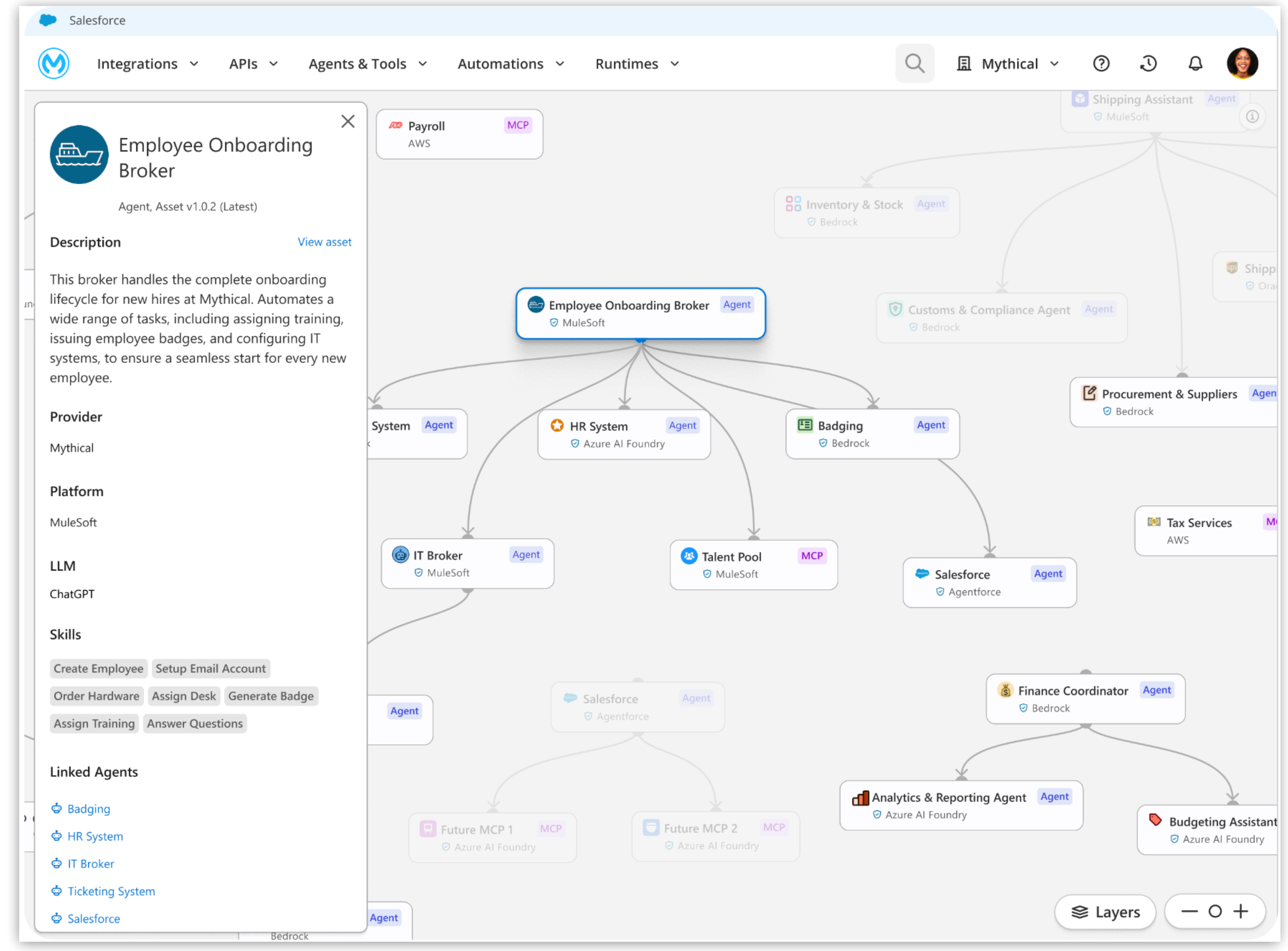 The _Agent Visualizer_ provides a real-time, dynamic map of the entire agent network, turning what could be a "black box" of AI interactions into a fully-observable system. Architects and operations teams can use the _Agent Visualizer_ to review how agents are connected, trace their decision flows, monitor their health and performance, and identify dependencies. This level of visibility is crucial to optimize performance, troubleshooting failures efficiently, detect bottlenecks, and build confidence in deployed agents.
## **4\. Salesforce Platform Unification**
### **4.1 API Catalog and Topic Center**
The _MuleSoft API Catalog_ and _Topic Center_ are designed to improve how APIs are discovered, used, and managed, particularly in conjunction with _Agentforce_.
All of the _MuleSoft_ APIs that are designed and published can be made discoverable and consumable via the [API Catalog](https://help.salesforce.com/s/articleView?id=platform.api_catalog.htm&type=5) in the _Salesforce Platform_. The _API Catalog_ serves as the centralized repository, and it unifies all of an organization's APIs from _MuleSoft_, _Salesforce_, _Heroku_, and other clouds into a single view. This makes it easy for developers and administrators to discover, understand, and reuse existing APIs by enabling them to be used in automations (for example, _Agentforce_, _Flow_, and _Apex_).
The [MuleSoft for Agentforce: Topic Center](https://blogs.mulesoft.com/news/mulesoft-for-agentforce-topic-center/) allows developers to structure their APIs around specific business use cases by defining Agentforce **Topics** and **Actions** metadata at design time itself. This includes:
- **Actions**, which are the tasks that an agent can perform
- **Instructions**, which guide the agent on how to apply certain actions
By [adding this semantic layer](https://docs.mulesoft.com/anypoint-code-builder/ai-enabling-api-project-topic-center), the _Topic Center_ makes APIs understandable and consumable by _Agentforce_, which ensures that it can interact with enterprise systems effectively.
The _Agent Visualizer_ provides a real-time, dynamic map of the entire agent network, turning what could be a "black box" of AI interactions into a fully-observable system. Architects and operations teams can use the _Agent Visualizer_ to review how agents are connected, trace their decision flows, monitor their health and performance, and identify dependencies. This level of visibility is crucial to optimize performance, troubleshooting failures efficiently, detect bottlenecks, and build confidence in deployed agents.
## **4\. Salesforce Platform Unification**
### **4.1 API Catalog and Topic Center**
The _MuleSoft API Catalog_ and _Topic Center_ are designed to improve how APIs are discovered, used, and managed, particularly in conjunction with _Agentforce_.
All of the _MuleSoft_ APIs that are designed and published can be made discoverable and consumable via the [API Catalog](https://help.salesforce.com/s/articleView?id=platform.api_catalog.htm&type=5) in the _Salesforce Platform_. The _API Catalog_ serves as the centralized repository, and it unifies all of an organization's APIs from _MuleSoft_, _Salesforce_, _Heroku_, and other clouds into a single view. This makes it easy for developers and administrators to discover, understand, and reuse existing APIs by enabling them to be used in automations (for example, _Agentforce_, _Flow_, and _Apex_).
The [MuleSoft for Agentforce: Topic Center](https://blogs.mulesoft.com/news/mulesoft-for-agentforce-topic-center/) allows developers to structure their APIs around specific business use cases by defining Agentforce **Topics** and **Actions** metadata at design time itself. This includes:
- **Actions**, which are the tasks that an agent can perform
- **Instructions**, which guide the agent on how to apply certain actions
By [adding this semantic layer](https://docs.mulesoft.com/anypoint-code-builder/ai-enabling-api-project-topic-center), the _Topic Center_ makes APIs understandable and consumable by _Agentforce_, which ensures that it can interact with enterprise systems effectively.
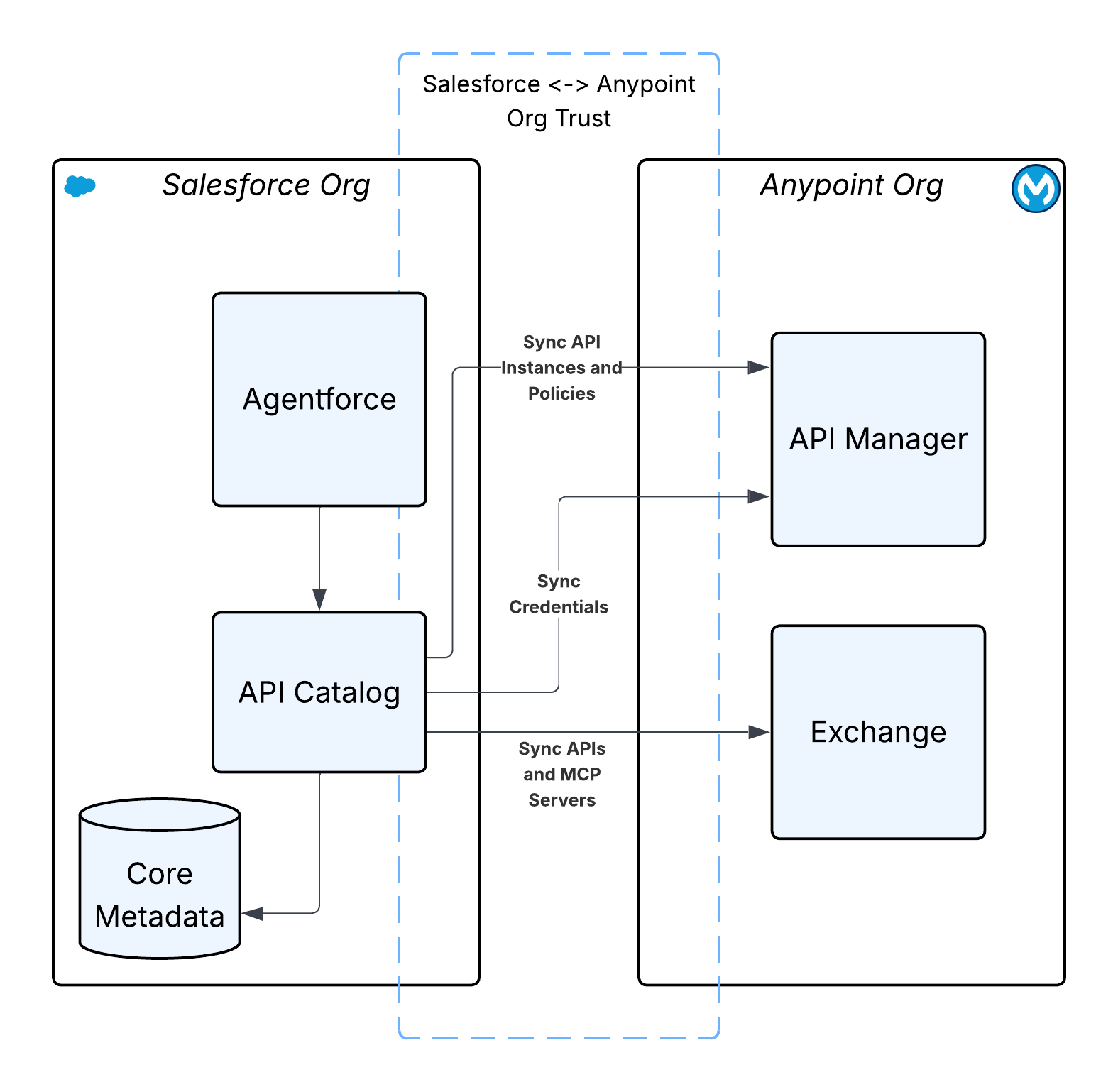 ### **4.2 Agentforce Gateway**
The _Agentforce Gateway_ is a centralized governance layer that’s designed to manage and secure interactions within the expanding _Agentforce_ ecosystem. As _Agentforce_ integrates with additional third-party APIs and tools via protocols like _MCP_, the primary function of the _Agentforce Gateway_ is to enforce policies (for example, rate limits and tool restrictions) on all outbound traffic that’s initiated by _Agentforce_, and audit all of the outgoing requests.
The _Agentforce Gateway_ leverages the existing _MuleSoft_ API governance policy engine, which is built natively into the _Salesforce Platform_. This _Envoy_\-based policy engine intercepts agent traffic, applies configured policies (for example, attribute-based access control and quota limits), and manages authentication and authorization, all without requiring customers to install additional gateway infrastructure.
### **4.2 Agentforce Gateway**
The _Agentforce Gateway_ is a centralized governance layer that’s designed to manage and secure interactions within the expanding _Agentforce_ ecosystem. As _Agentforce_ integrates with additional third-party APIs and tools via protocols like _MCP_, the primary function of the _Agentforce Gateway_ is to enforce policies (for example, rate limits and tool restrictions) on all outbound traffic that’s initiated by _Agentforce_, and audit all of the outgoing requests.
The _Agentforce Gateway_ leverages the existing _MuleSoft_ API governance policy engine, which is built natively into the _Salesforce Platform_. This _Envoy_\-based policy engine intercepts agent traffic, applies configured policies (for example, attribute-based access control and quota limits), and manages authentication and authorization, all without requiring customers to install additional gateway infrastructure.
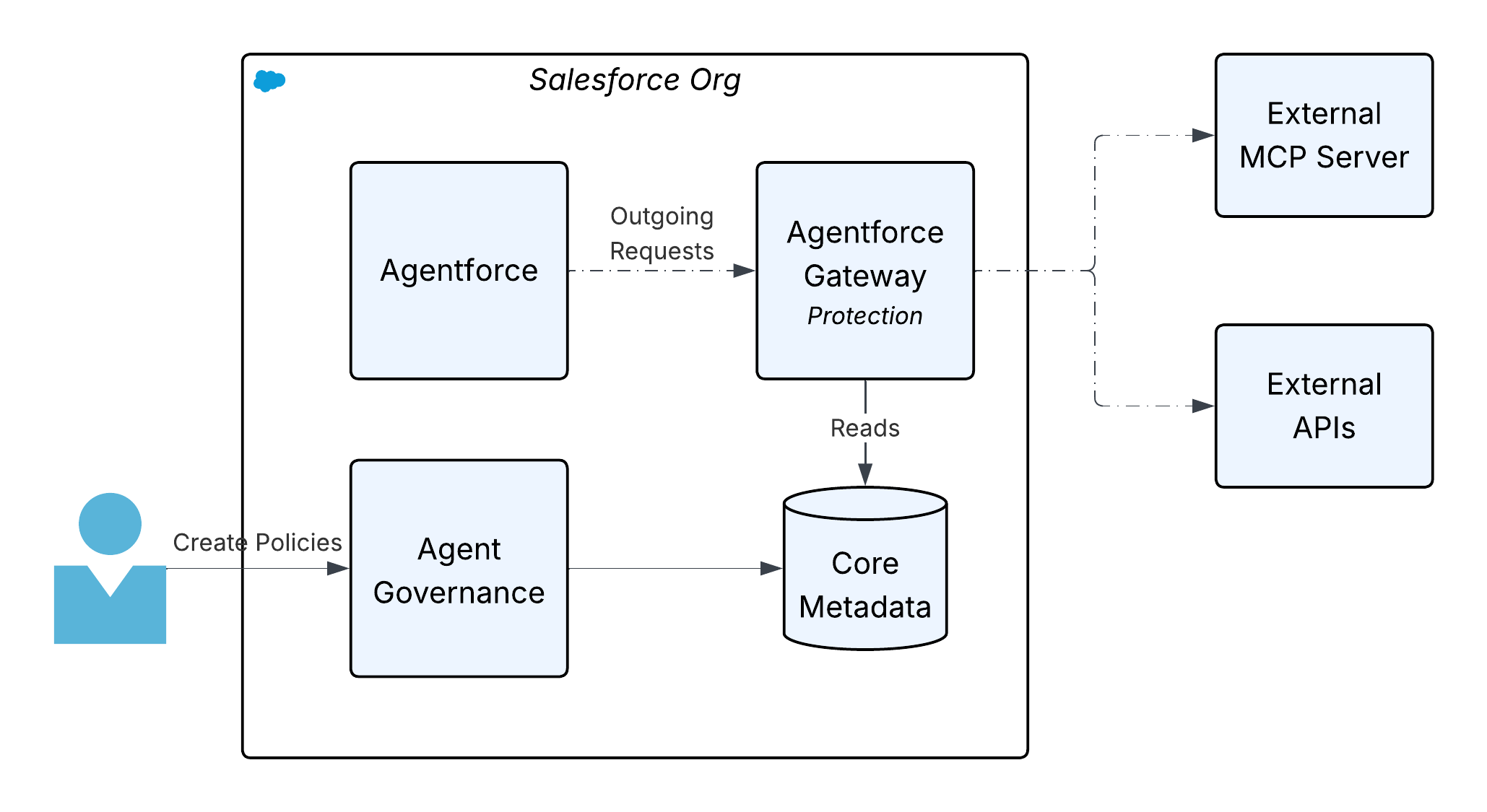 ### **4.3 Integration Intelligence**
Deploying a governed network of agents is a landmark achievement. However, it introduces new "Day 2" operational challenges. It requires an enhanced level of operational intelligence to monitor, measure, and troubleshoot a dynamic, distributed system of autonomous actors. The ultimate architectural vision is a system where AI isn’t only used to execute business processes but also to monitor, manage, and heal the very infrastructure that it runs on.
_MuleSoft’s_ vision for integration intelligence leverages the power of the broader _Salesforce_ ecosystem to provide deep, customizable insights into the performance of the integration fabric and the agentic network. By capturing and storing [OpenTelemetry (OTEL) compliant](https://opentelemetry.io/) data \- the emerging standard for observability \- in **Salesforce Data 360**, organizations can create a unified repository for logs, metrics, and traces across their entire landscape. This data can be viewed in **Tableau** via pre-built dashboards and custom visualizations to gain detailed insights into API performance, agent interaction patterns, and overall system health.
### **4.3 Integration Intelligence**
Deploying a governed network of agents is a landmark achievement. However, it introduces new "Day 2" operational challenges. It requires an enhanced level of operational intelligence to monitor, measure, and troubleshoot a dynamic, distributed system of autonomous actors. The ultimate architectural vision is a system where AI isn’t only used to execute business processes but also to monitor, manage, and heal the very infrastructure that it runs on.
_MuleSoft’s_ vision for integration intelligence leverages the power of the broader _Salesforce_ ecosystem to provide deep, customizable insights into the performance of the integration fabric and the agentic network. By capturing and storing [OpenTelemetry (OTEL) compliant](https://opentelemetry.io/) data \- the emerging standard for observability \- in **Salesforce Data 360**, organizations can create a unified repository for logs, metrics, and traces across their entire landscape. This data can be viewed in **Tableau** via pre-built dashboards and custom visualizations to gain detailed insights into API performance, agent interaction patterns, and overall system health.
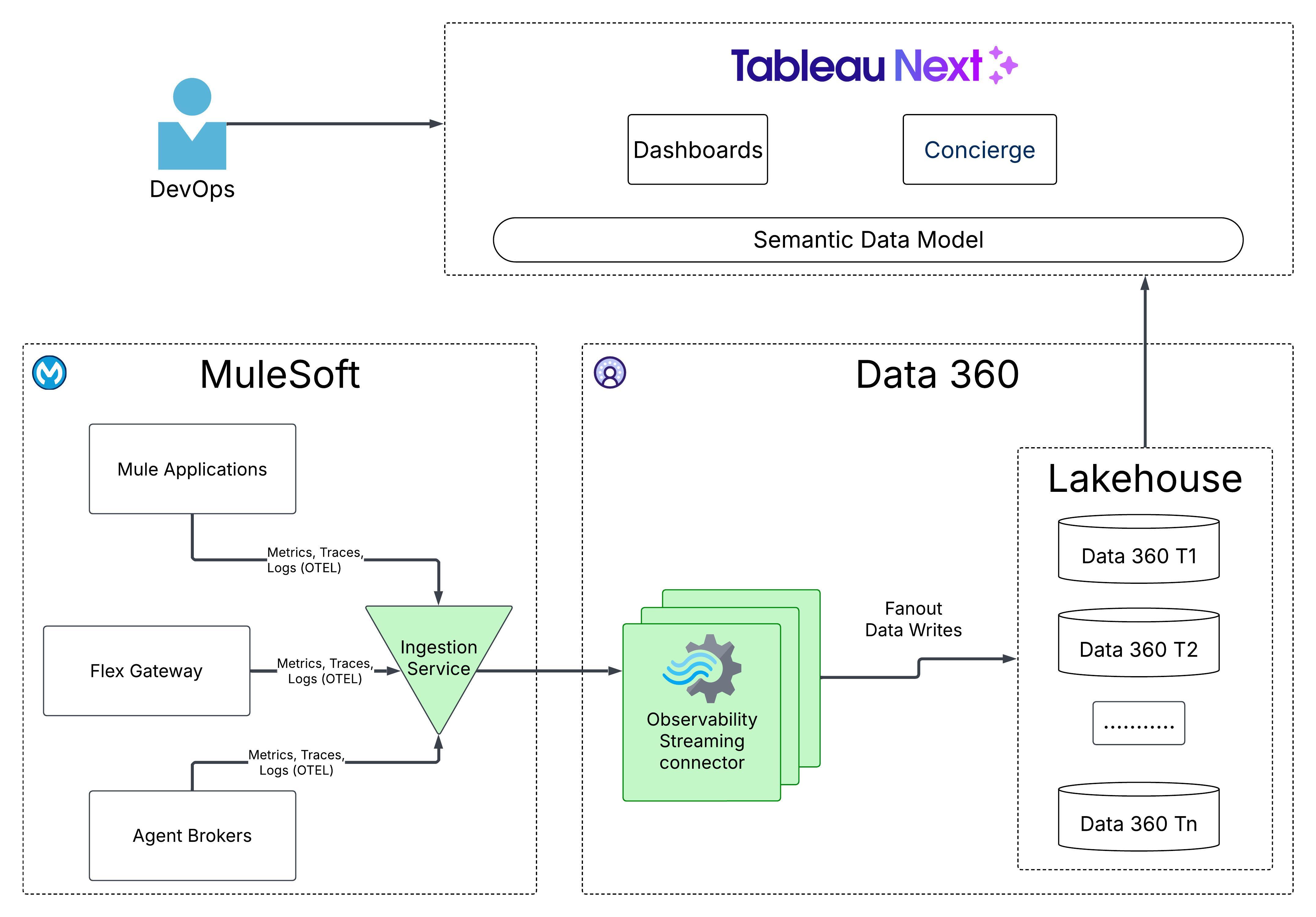 This system has three key components:
1. **Ingestion:** The ingestion service is the centralized entry point for collecting and processing telemetry data from various _Mule_ applications, _Agent Brokers_, and _Flex Gateways_. It performs schema validation, data normalization, and filtering to maintain data quality and consistency across various applications. In addition, it enforces controls (for example, authentication, encryption, tenant fairness, and rate limiting) in the ingestion pipeline.
2. **Storage:** A high-throughput streaming job runs in _Data 360_ that reads data from multi-tenant _Kafka_ topics, and transforms it into the _OTEL_ format. OTEL data is then committed to the tenant’s _Data 360_ in the _TelemetryTraceSpan_, _TelemetryLogs_, and _TelemetryMetrics DMOs_ in the _Lakehouse_.
3. **Visualization/Consumption:** With the telemetry data available in _Data 360_, customers can review system health and gain insights by using pre-built or custom dashboards via _Tableau Next_. Customers can also leverage the [Tableau Concierge](https://help.salesforce.com/s/articleView?id=analytics.tua_metric_questions.htm&type=5), which is a pre-built, agentic analytics skill within _Tableau Next_, that allows users to ask questions about telemetry data in natural language and receive trusted, actionable answers with visualizations. Customers may also export the data to existing _Application Performance Management (APM)_ systems (for example, _DynaTrace_, _Datadog_, _Splunk_, and so on).
## **Conclusion**
The transition to an Agentic Enterprise is not merely an IT upgrade; it is a fundamental architectural inflection point. A fragmented, siloed deployment of AI agents is a direct path to operational chaos, shadow IT, and unmanageable technical debt. The only sustainable path forward is through a unified, composable architecture. By building on the proven foundation of API-led connectivity, the _MuleSoft Agent Fabric_ delivers the 'central nervous system' required to manage this new digital workforce. It provides the critical capabilities for discovery, orchestration, enterprise-grade governance, and end-to-end observability. This is how we move beyond AI experimentation and begin to architect a truly intelligent, automated, and secure enterprise, transforming autonomous potential into tangible, governed business outcomes.
## **Technical Guides and References**
- [Getting Started with Anypoint Code Builder](https://docs.mulesoft.com/anypoint-code-builder/start-acb)
- [Technical Guide to Einstein for Anypoint Code Builder: Generative Flows](https://blogs.mulesoft.com/dev-guides/einstein-for-acb/)
- [DataWeave Generative Transformation Deep Dive: AI Innovation for Rapid Data Transformation](https://blogs.mulesoft.com/dev-guides/dataweave-generative-transformation/)
- [Creating API Specs with MuleSoft Dev Agent](https://docs.mulesoft.com/anypoint-code-builder/api-ai-create-spec)
- [Generating API Documentation With Einstein Generative AI](https://docs.mulesoft.com/exchange/generating-documentation-with-ai)
- [MuleSoft MCP Server Overview](https://docs.mulesoft.com/mulesoft-mcp-server/)
- [MuleSoft MCP Server Tools](https://docs.mulesoft.com/mulesoft-mcp-server/reference-mcp-tools)
- [MCP Connector](https://docs.mulesoft.com/mcp-connector/latest/)
- [A2A Connector](https://docs.mulesoft.com/a2a-connector/latest/)
- [Get Started with Agent Fabric](https://docs.mulesoft.com/agent-fabric/learning-map-agent-fabric)
- [Securing Agent Interactions with Flex Gateway](https://docs.mulesoft.com/gateway/latest/flex-agent-secure)
- [Flex Gateway Agent Policies](https://docs.mulesoft.com/gateway/latest/flex-agent-policies)
- [Flex Gateway Policy Development Kit (PDK) Overview](https://docs.mulesoft.com/pdk/latest/policies-pdk-overview)
- [MuleSoft API Catalog for Salesforce](https://help.salesforce.com/s/articleView?id=platform.api_catalog.htm&type=5)
- [Enabling an API Project for Topics and Agent Actions](https://docs.mulesoft.com/anypoint-code-builder/ai-enabling-api-project-topic-center)
- [Work with Tableau Next](https://help.salesforce.com/s/articleView?id=analytics.tua_consume.htm&type=5)
- [OpenTelemetry](https://opentelemetry.io/)
- [Model Context Protocol](https://modelcontextprotocol.io/docs/getting-started/intro)
- [Agent2Agent (A2A) Protocol](https://a2a-protocol.org/latest/)
## About The Author
Nikhil Aggarwal is a Principal Architect at Salesforce, where he leads architecture for MuleSoft and Salesforce Automation Clouds. Nikhil brings over 18 years of experience delivering large-scale products and is passionate about scalable architecture, intuitive developer experiences, and building high-performing teams. Prior to Salesforce, he led multiple initiatives in Microsoft Power Platform, Dataverse and Office 365 from concept to launch. His work continues to shape how modern enterprises connect systems, automate workflows, and unlock business value in the AI-first era.
## Executive Summary
In large-scale Salesforce Field Service (SFS) environments, managing external contractor networks requires a delicate balance between platform security and scheduling performance. This guide compares two primary architectural patterns\: the traditional **territory-based** pattern and the new **account-based sharing** pattern for governing external contractors' access and management. In this paper, we review both in depth to help organizations choose the foundational structure that best supports their operational goals, and to understand the trade-offs of each option.
This pattern choice affects scheduling efficiency, resource utilization, and dispatcher productivity. By selecting the right approach, companies ensure a seamless experience for both internal staff and external partners while maintaining the long-term scalability of their solution.
Beyond immediate operational gains, this foundational choice determines an organization's readiness for autonomous service. The account-based sharing pattern provides the unified data visibility required for Agentforce, and specifically the Scheduling Agent for Field Service, to perform holistic evaluation without being restricted by artificial data silos. Account-based sharing also enables Data Cloud to aggregate contractor performance metrics more effectively, allowing for seamless competitive benchmarking while maintaining the rigorous data isolation required in multi-vendor environments.
### Takeaways
- **Select your pattern based on competitive overlap.** If external contractors compete with internal or other external resources on shared territories, account-based sharing is likely the architecturally correct choice. Territory-based sharing is appropriate only when contractors receive exclusive, non-overlapping service areas/jobs.
- **Avoid territory sprawl.** Creating dedicated contractor territories to achieve data isolation when not necessary introduces hierarchy bloat that degrades scheduling efficiency and performance, and significantly increases administrative overhead at scale. Account-based sharing eliminates this problem pattern.
- **Build the foundation for AI-driven scheduling.** The Scheduling Agent for Field Service and the Optimization engine will have better performance when they have full resource-pool visibility. Territory-based sharing siloed structure prevents this; Account-based sharing is the desired architectural foundation.
## Introduction - The Evolution of Contractor Networks
Over the past decade, contractor networks in field service have evolved from ad hoc extensions of internal teams to strategic, deliberately structured ecosystems across industries including telecommunications, utilities, home services and more. Many field operations now rely on contractors alongside full-time employees, requiring clear rules for access, visibility, and dispatch control.
As organizations scale on Salesforce Field Service, the way they design and manage these external resources—whether through territory-style pattern, account-centric sharing, or hybrids—directly shapes how securely and efficiently they can schedule work across a blended workforce.
## Audience
This guide is intended for technical and strategic stakeholders responsible for the design, performance, and scalability of Salesforce Field Service implementations\:
- **Solution and Technical Architects\:** To evaluate the impact of different sharing patterns on scheduling and optimization efficiency.
- **Field Service Operations Leaders\:** To understand the trade-offs between different contractor personas, such as Named Contractors, Contractor Companies, and Occasional Workers.
- **Salesforce Administrators\:** To gain insight into how Service Territories and platform sharing tables are used to manage complex security requirements.
## Defining the SFS Contractor
The contractor persona in scope directly determines the appropriate sharing architecture. Each category carries distinct implications for how record-level access is structured, how the Optimizer perceives resource availability, and how the solution scales\:
- **Named Contractor\:** An individual external resource who is treated similarly to an internal employee. A named contractor requires a dedicated user license. The sharing model mirrors internal technician access patterns, making this the lowest-complexity contractor persona to support.
- **Contractor Company\:** A third-party entity that manages its own workforce. In SFS, contractor companies are represented as Capacity-Based Resources, where the parent organization schedules and assigns work to the company rather than a specific individual.
- **Occasional Worker\:** A user who temporarily operates across multiple territories. The most architecturally complex persona. Transient, multi-territory relationships mean that territory-based sharing boundaries break down, so visibility is managed dynamically at the record level rather than through static geographic assignment.
## Understanding the Contractor Complexity
### Why Contractor Management is Complex
These patterns are complex because the parent organization and the goals of the contractor are often technically at odds.
1. **Divergent Goals\:** The parent organization primarily focuses on customer satisfaction and contractual work/agreement (for example, resource preferences, servicing quickly and timely, and managing how work and hours are distributed across contractors). Contractors, by contrast, typically focus on maximizing assigned work while minimizing travel time and operational cost.
2. **Competition\:** Unlike internal employees, different contractor companies are often direct competitors. While the parent organization needs a holistic view of the region (transparency), the contractors require strict isolation from each other's operations (isolation).
3. **Brand Integrity\:** To the end customer, the worker represents your brand, which often requires the parent company to see real-time status updates. However, contractors often guard their internal operations in a closed system, or "black box."
4. **Visibility and Security\:** While a shared service territory typically implies universal visibility of all assigned resources, multi-contractor environments require a more nuanced security pattern. To maintain competitive integrity and data privacy, it's essential to prevent contractors from accessing each other's proprietary names, schedules, or resource information.
### The Core Tension - Transparency vs. Isolation
| Role | Requirement |
| -------------------- | ------------------------------------------------------------------------------------------------------------------------------------------------------------------------------------------------------------------- |
| **The Organization** | Requires visibility into all technicians, both external (including contractors) and internal, and wants the scheduling and optimization engine to consider them together for full regional optimization. |
| **The Contractors** | Operate as a closed system, or "black box" to protect proprietary operations and require strict isolation toward competitors operating in the same region, or toward the internal technicians of the organizations. |
| **The Challenge** | Designing a system that provides both efficiency and transparency for the organization while maintaining required visibility and access for partners. |
### The Contractor Complexity Matrix
Contractor design within Salesforce Field Service spans three distinct operating models, each affecting resource visibility, dispatch ownership, and licensing\:
1. External Capacity Allocation
2. Partner Self-Scheduling
3. Internal-Led Dispatch
**External Capacity Allocation (Off-Platform Capacity)\:** The contractor manages their workforce externally and provides a defined capacity (for example, 10 available hours) rather than individual technician schedules. This capacity is treated as a bucket of hours or work items for scheduling purposes.
**Partner Self-Scheduling\:** Contractor managers log into Salesforce via an Experience Site to schedule their own teams. They require strict isolation from other partners.
**Internal-Led Dispatch\:** Internal dispatchers schedule contractor technicians directly. Contractors use the Field Service Mobile App for execution.
:::warning
A full SFS license is required for the internal dispatcher. Contractor technicians in this model only require a Field Service Mobile license (or Community license with mobile access).
:::
| Dimension | External Capacity Allocation | Partner Self-Scheduling | Internal-Led Dispatch |
| ----------------------- | ---------------------------- | -------------------------- | -------------------------------------------------------- |
| **Resource Visibility** | Capacity Only | Partner-Owned | Full Internal |
| **Who Dispatches** | Contractor (External) | Contractor (In Salesforce) | Internal Dispatcher |
| **Salesforce Licenses** | Minimal | Experience Cloud | Full SFS (Dispatcher); Community (Contractor Technician) |
### Pattern in Scope
| Pattern Name | Description |
| --------------------------- | ----------------------------------------------------------------------------------------------------------------------------------------------------------------------------------------------------------- |
| **Territory-Based Sharing** | Contractors are assigned to dedicated, isolated service territories. Record visibility is governed by territory membership. Each contractor company or group operates within a hard geographic boundary. |
| **Account-Based Sharing** | Contractors operate within the standard geographic territory structure alongside internal/other external resources. Record-level visibility is governed by sharing rules, enabling a unified resource pool. |
## Sharing and Visibility - Territory-Based Sharing
In this pattern, the **Service Territory** serves as the primary security boundary. Each Contractor Company is assigned to its own unique "Child" territory.
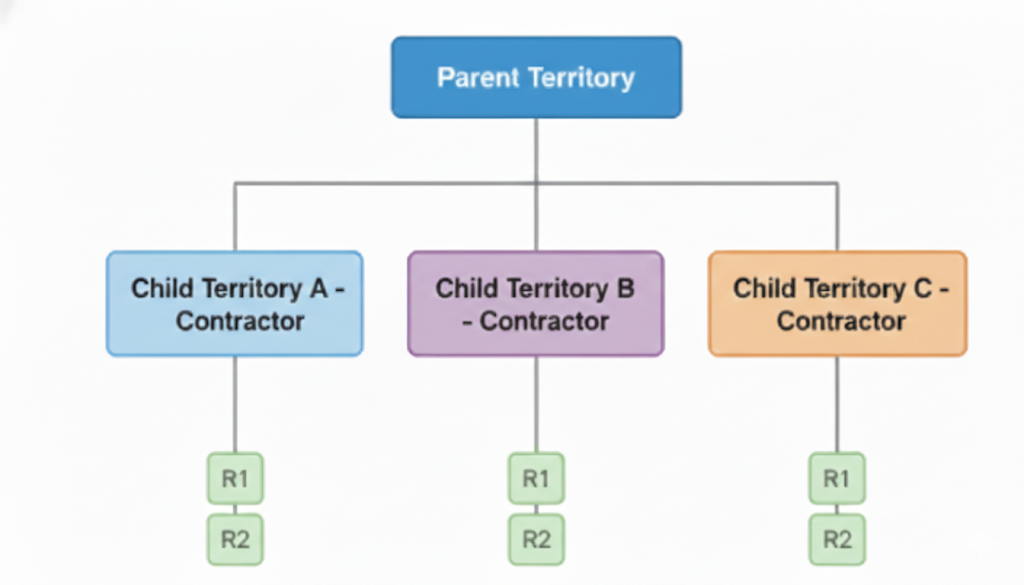
### Common Use Cases
- Small-scale partner networks
- Partners with strictly non-overlapping geographical regions
- Situations where contractor work is fundamentally different from internal resource work, eliminating competition (for example, external contractors handle only "Type A installations", while internal resources handle all other work types)
### Advantages
- **Simplified configuration\:** Uses standard User Territory setup and automation.
- **Clear data bucketing\:** Makes sure of easy data visibility and simplified security management through standard Service Territory objects.
### Disadvantages and Technical Debt
- **Optimization Efficiency\:** The engine cannot evaluate resources across territory boundaries, preventing optimal scheduling and efficient routing.
- **Territory Sprawl\:** Creating a larger number of territories for a very low number of resources leads to scheduling overhead.
- **Gantt Performance\:** Large hierarchies (1K+ territories) can cause significant performance bottlenecks as well as risks of hitting platform limits.
## Sharing and Visibility - Account-Based Sharing
This guide introduces a new solution approach\: **Account-based sharing** (implemented via Salesforce's native criteria-based sharing rules, the same platform mechanism used to grant record access based on field values). Account-based sharing decouples **visibility** from **geography**. Territories remain large and continuous, while visibility is managed through the platform's sharing tables based on an account relationship. In practical terms, criteria-based sharing rules evaluate a field on the record (such as `ServiceResource.Company`) and automatically share that record with the appropriate group. Criteria-based sharing is the engine that makes Account-based sharing work without custom code at the record level.
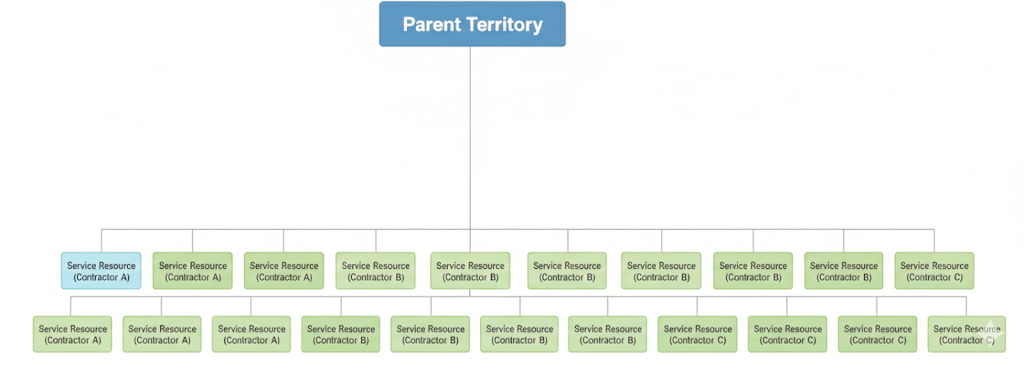
### Common Use Cases
- Large-scale ecosystems where a significant proportion of the workforce consists of external resources
- Urban areas where multiple contractors cover the same zip codes
- Scenarios where both internal and external resources are capable of executing the same work (for example, "Type A installations"), but business rules dictate a specific logic for resource selection (for example, internal resource preference in certain scenarios)
### Advantages
- **Maximum utilization and ROI\:** The engine evaluates the entire regional pool, finding the "best" resource for every job
- **Scalability\:** Supports a large number of contractors/external resources without increasing territory counts
- **Consolidated Management\:** Internal staff manage one view rather than hundreds of siloed folders (child territories)
### Disadvantages and Technical Debt
- **Development Effort\:** Requires custom automation (Flow or Apex) to manage the Sharing tables
- **Membership Sharing\:** Requires explicit sharing of Service Territory Member (STM) records
:::tip
**The Scalability Impact**
Organizations managing a large pool of contractor partners without a unified regional pool often face coverage gaps, where the closest technician is invisible to the scheduling logic because each partner is managed in a geographical and administrative silo. By moving to a unified pool (account-based sharing), organizations can reduce travel by more than 20% through holistic scheduling and accelerate time-to-serve by identifying the closest available technician across the entire resource pool.
:::
## Capacity-Based Resources
For external workforce (External Capacity Allocation dimension), architects can use [**Capacity-Based Resources**](https://help.salesforce.com/s/articleView?id=service.fs_define_resource_capacity.htm&type=5) to represent the "summary" of a contractor's workforce.
### When to use Capacity vs. Individual
- **Capacity\:** Use this when the contractor manages their own dispatching and routing. Your primary focus is on the total volume of work they can fulfill rather than the specific person performing it.
- **Individual\:** Use this when you need granular visibility into a technician's day. Individual-based resources allow you to manage their exact location, real-time availability, and specific job assignments as if they were internal staff.
## Contractor Sharing Pattern Selection
Before designing your Field Service contractor pattern, use this decision tree to determine the appropriate sharing architecture.
**Contractor Sharing Pattern Selection Decision Tree**
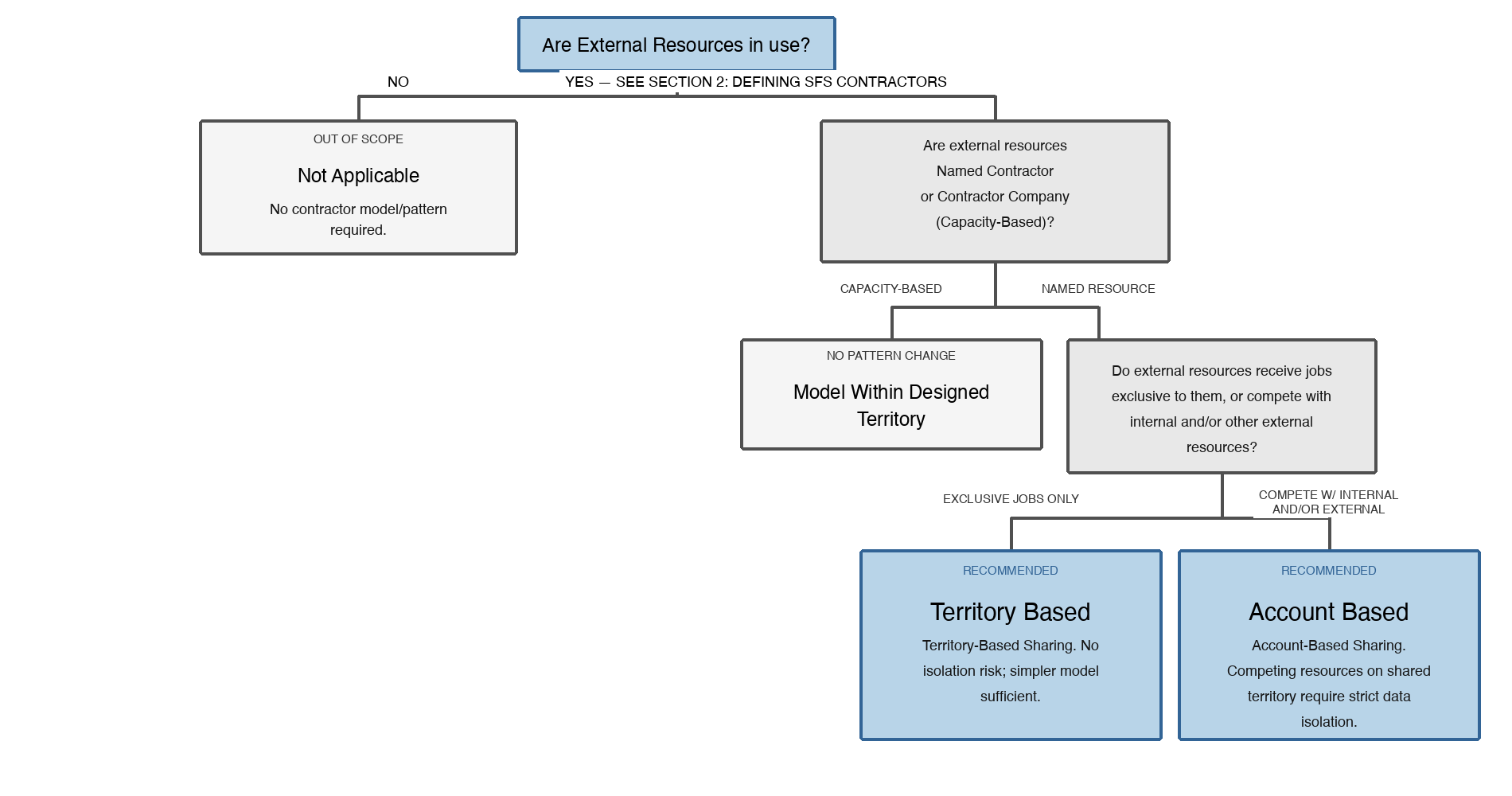
_Decision tree for selecting a contractor sharing pattern in Salesforce Field Service. Starting from whether external resources are in use, the tree branches through resource type and job exclusivity to recommend either territory-based sharing or account-based sharing._
### Choosing the Right Pattern
| Territory-Based Sharing | Account-Based Sharing |
| --------------------------------------------------------------------- | ---------------------------------------------------------------------------------------------- |
| External resources with exclusive, non-competing job assignments | Named external resources competing with internal or other external resources |
| No overlap with other external partners in the same geographical area | Multiple partners operating within the same geographical area |
| Lower complexity; faster to implement and maintain | Higher complexity; additional steps required to implement and maintain record-level visibility |
## Implementation Guidance - Account-Based Sharing Logic
The core of this pattern is an automation layer that converts the `ServiceResource.AccountId` or `ServiceResource.Company` (Contractor Company) relationship into platform sharing records.
### The Three Pillars of Access
To verify proper access for the dispatcher and the service resource in an Experience Site, access needs to be controlled via\:
- **Service Resource Sharing Rule\:** Grants access based on a criteria (account/company)
- **Service Territory Sharing Rule\:** Grants access based on a criteria (territory name/ID)
## Advanced Considerations - Mobile Worker Experience
When using account-based sharing, be sure to account for the **Field Service Mobile experience** and record visibility for assigned technicians.
- **Assigned Resource Sharing\:** Standard SFS functionality automatically grants an assigned resource access to the Service Appointment and its parent Work Order. This setup gives the technician the necessary information to execute the job without requiring additional custom sharing rules for assigned work.
- **Visibility Risks\:** While assigned work is handled natively, be cautious about unassigned or future appointments that lack an Account or Territory association. If Organization-Wide Defaults (OWDs) aren't strictly managed, or if sharing sets are too broad, unassigned appointments could be visible to all users in a consolidated territory.
- **Account-Territory Association\:** Make sure that all service appointments are explicitly linked to an account and territory. This linking allows clean filtering within the mobile app and verifies that data leakage does not occur for unassigned work sitting in the regional pool.
## Practical Business Scenarios
### Scenario 1 - The Urban Hub
- **Requirement\:** 10 different contractors provide fiber installation in London.
- **Context\:** In the territory-based sharing approach, London would be split into 10 overlapping territories. Dispatchers would struggle to see nearby availability, leading to high travel times.
- **Recommendation\:** **Account-based sharing**. Implement a unified "Greater London" service territory utilizing account-based sharing to maintain granular data security. Account-based sharing keeps Contractor A's management siloed to their respective resources, while the SFS Optimizer maintains cross-functional visibility of all internal and external technicians. This complete scheduling approach facilitates a more efficient routing logic that can reduce travel by more than 20% through complete scheduling (directional estimate based on field observations across SFS customer deployments), creating immediate improvements in resource utilization and enhanced service responsiveness.
### Scenario 2 - The Capacity-Based Availability
- **Requirement\:** A vendor provides up to 40 "slots" for boiler repairs daily but manages their own technician dispatching.
- **Context\:** Managing 40 individual resource records adds unnecessary overhead.
- **Recommendation\: Capacity-based resource** linked to the vendor account. One resource record represents the vendor's total daily capacity, keeping the Gantt clean and avoiding the need to manage individual contractor technician records.
### Scenario 3 - Seasonal Capacity Scaling
- **Requirement\:** A utility company onboards 50 small local contractors during storm season to handle surge repairs.
- **Context\:** Creating and deleting 50 territories every season is a major administrative burden, and it negatively impacts the flexibility of the scheduling and optimization engine.
- **Recommendation\:** **Account-based sharing**. Create a permanent "Overflow" Geographical Territory. When a contractor is onboarded, simply create their account and link their resources to it. The automation layer handles visibility instantly without requiring a territory hierarchy redesign.
### Scenario 4 - Multi-Vendor Emergency Coverage
- **Requirement\:** For high-priority gas leaks, the closest technician must be dispatched regardless of which contractor they work for.
- **Context\:** Territory-based sharing creates coverage gaps where the closest tech might be in a different territory, and therefore unreachable to the scheduling logic.
- **Recommendation\:** **Account-based sharing**. By consolidating vendors into a single large territory, the engine performs a complete search based on travel across the entire multi-vendor pool, reducing response times for critical safety incidents.
### Scenario 5 - The Exclusive Regional Franchise
- **Requirement\:** A specialized HVAC partner has a 10-year exclusive legal right to service a remote area or rural county.
- **Context\:** There are no other contractors operating in this geography, and the partner manages their own scheduling and dispatching entirely.
- **Recommendation\:** **Territory-based sharing**. In this scenario, a dedicated Service Territory is the most efficient choice. Since there is no geographical overlap with other partners, the isolation provided by the territory boundary matches the legal and operational requirements perfectly without further sharing automation.
## Implementation Guidance - Sharing Automation Layer
Account-based sharing separates visibility from geography by tying record-level access to a common account/company identifier shared between the dispatcher user and their Service Resource records. The platform's native criteria-based sharing engine evaluates this field and automatically grants or revokes access without changing the territory hierarchy.
### The Three Architectural Components Required
The three architectural components required are\:
1. A common identifier field on both User and Service Resource objects linking them to their contractor account.
2. Public Groups aggregating all Dispatcher users per contractor company, so sharing rules apply uniformly.
3. Criteria-based sharing rules that evaluate the identifier and grant the appropriate Public Group access to relevant records.
### Public Groups
Rather than using territories as boundaries, use Public Groups to aggregate dispatchers who require the same visibility. Dispatchers see specific Territories, Work Orders, and Service Appointments via membership in territory-based Public Groups.
- **Group Creation\:** Create a Public Group for each contractor company.
- **Member Assignment\:** Add the relevant Partner Community Users (dispatchers) to their respective contractor Public Group.
### Criteria-Based Sharing Rules
Leverage criteria-based sharing rules to grant the Public Group's access to specific records.
- **Service Resource Sharing Criteria\:** Service resource sharing rules enforce per-contractor technician visibility by matching the company/account identifier on the Service Resource record to the corresponding contractor Public Group.
- Access level permits read/write to allow dispatchers to schedule and update assignments.
- **Service Territory Sharing Criteria\:** Use the service territory sharing criteria to set up the logic for territory restricted access. Grant dispatchers access the broad geographical territories where they are authorized to work. Example\:
- **Criteria\:** ServiceTerritory.Name EQUALS "Atlanta".
- **Shared With\:** Relevant Contractor Public Groups (for example, Contractor A, Contractor B, Contractor C).
- **Access Level\:** Read/Write
For detailed implementation guidance, refer to the official Salesforce documentation\:
- [Criteria-Based Sharing Rules](https://help.salesforce.com/s/articleView?id=sf.security_sharing_rules_criteria.htm)
- [Public Groups](https://help.salesforce.com/s/articleView?id=sf.user_groups.htm)
- [Apex Triggers for automated share record management](https://developer.salesforce.com/docs/atlas.en-us.apexcode.meta/apexcode/apex_triggers.htm)
### Implementation Result
When correctly implemented, account-based sharing delivers\:
- **Unified Visibility\:** Dispatchers see all relevant resources across the full territory without manual territory reassignment.
- **Dynamic Access\:** As contractor assignments change, sharing rules automatically adjust visibility without administrator intervention.
- **Competitive Isolation\:** Each contractor only sees their own resources, maintaining data privacy.
- **Scalable Architecture\:** New contractors can be onboarded by simply creating an account and public group, with sharing rules handling the rest automatically.
## ROI Framework\: Measuring Success
| KPI Category | Metric | Targeted Impact (Account-Based Sharing) |
| -------------------------- | ----------------------------- | ------------------------------------------------------------------------------------------------------------------------------------------------------------------------------------------------------------------------------------------------------------------------------------------------------------------------------ |
| **Operational Efficiency** | Travel Time Reduction | By moving to a unified pool (account-based sharing), organizations reduce travel by more than 20% through complete scheduling (directional estimate based on field observations across SFS customer deployments) and accelerate time-to-serve by identifying the closest available technician across the entire resource pool. |
| **Resource Productivity** | Technician Utilization Rate | Better productivity by optimizing the true best resource and reducing travel |
| **Customer Experience** | Response Time / SLA Adherence | 25%+ improvement in response time (directional estimate based on field observations across SFS customer deployments) |
## Strategic Recommendation and Long-Term Value
### Future-Proofing\: AI, Automation, and Scalability
As field service organizations shift from reactive to proactive models, their choice of architectural pattern sets the "innovation ceiling" for long-term operational agility.
- **Enabling AI and Machine Learning\:** Account-based sharing verifies the engine has visibility into the entire resource pool to find the best match rather than being restricted by data silos. Because it avoids inefficient territory silos, the Scheduling Agent for Field Service (AI-powered scheduling assistant within Salesforce) provides more logical travel patterns and technician assignments without being limited by isolated micro-territories. This approach maximizes full optimization, directly improving travel KPIs and technician readiness. Account-based sharing supports AI-driven scheduling by giving the engine visibility into the entire resource pool, allowing for "true best" matching rather than being restricted by artificial data silos.
- **Architectural Scalability\:** Territory-based sharing often encounters a "performance wall" due to its reliance on isolated territories. As the contractor network grows, the scheduling engine's effectiveness is neutralized by artificial boundaries that prevent it from reaching available capacity in adjacent territories. Furthermore, where territory-based sharing requires a new territory and manual adjustments for every partner, account-based sharing simplifies growth. Organizations onboard hundreds of contractor partners by simply creating an Account and associated Service Resource records, leaving the core geographic territory structure untouched and performant.
### Final Decision Matrix\: Comparing Architectures
| Decision Driver | Territory-Based Isolation | Account-Based Sharing (Proposed) |
| ------------------------------------------ | -------------------------------------------------------------------------- | -------------------------------------------------------------------------------------------------- |
| **Scheduling and Optimization Efficiency** | Low (siloed resources) | High (aggregated pool) |
| **Operational Performance** | Low (siloed territories and resources covering the same geographical area) | High (maximizing utilization, travel time minimization, accelerating responsiveness/time-to-serve) |
| **Territory Scalability** | Poor (risk of "hierarchy sprawl") | Excellent (static geography) |
| **Complexity of Setup** | Low (declarative/OOTB) | Medium (Flow/Apex required) |
| **Partner Data Security** | High (hard boundaries) | High (platform sharing rules) |
| **Internal Management** | High (dispatcher manually toggles between views) | Low (consolidated regional view) |
### Brownfield Migration\: Transitioning from Territory-Based Sharing to Account-Based Sharing
This guide has focused primarily on net-new implementations. However, many organizations are already running Territory-based sharing at scale and carry significant territory hierarchy debt. Migrating from territory-based sharing to account-based sharing in a live production environment introduces distinct architectural risks to assess before any transition work begins. This section addresses the three critical dimensions of an existing-system migration\: evaluating the current state, determining transition strategy, and managing migration risks.
- **Assessing Territory Sprawl\:** Before any migration planning, quantify the current territory hierarchy. The key diagnostic questions are\: How many territories exist solely to enforce contractor isolation versus genuine geographic boundaries? What is the ratio of contractor-specific child territories to operational parent territories? Are any territories shared between internal and external resources, or have they been fully siloed? This audit distinguishes true geographic structure from accumulated isolation debt. Territories created exclusively for partner visibility control are strong candidates for elimination under account-based sharing. Territories that encode genuine operational geography (scheduling zones, SLA regions, regulatory boundaries) are preserved and aren't conflated with access control.
- **Hybrid Transition Viability\:** For organizations at scale, a full cutover from territory-based sharing to account-based sharing is rarely advisable; instead, a hybrid transition reduces risk by onboarding new contractors under account-based sharing while maintaining legacy territory-based sharing cohorts until their next renewal window. The hybrid approach is architecturally viable provided the account-based sharing automation is strictly scoped to the account/company identifier, allowing resources without that ID to remain on territory-based access without disruption. Treat the hybrid state as a temporary architecture—not a permanent operating model.
- **Key Migration Risks\:** Existing-system migrations introduce three critical architectural risks that require proactive mitigation. First, sharing table rebuilds triggered by new criteria-based rules are resource-intensive; schedule cutovers during low-activity windows to prevent dispatcher visibility gaps caused by long-running recalculations. Second, in-flight work orders risk visibility loss during the transition; maintain parallel territory memberships or pre-populate sharing for active records until they are closed. Finally, tune optimization and scheduling policies as removing child territories shifts the resource pool. Test, take baseline runs, and capture metrics to confirm geographic boundaries remain effective and that efficiency gains are actually realized.
## General Recommendation
Given the scalability and optimization ROI, we recommend the **account-based sharing** approach for high-growth Field Service organizations that manage multiple competing contractors in overlapping geographic regions. While territory-based sharing offers a simpler, declarative setup, account-based sharing allows organizations to unlock the full potential of the Scheduling and Optimization engine. By decoupling visibility from geography, organizations can maintain a territory setup that scales with the business and delivers these outcomes\:
- **Operational Efficiency\:** Aggregating resources into a single pool allows the engine to find the true "best" technician for every job, reducing travel time and operational costs.
- **Enhanced Service Levels\:** Comprehensive scheduling reduces service delays by identifying which contracted resource is most available/closest, accelerating time-to-serve and directly improving customer satisfaction.
- **Dispatcher Productivity\:** Internal staff can manage a consolidated regional view rather than toggling between siloed "child" territories.
Territory-based sharing is best suited for highly siloed contractor operations with strictly non-overlapping geographic territories/areas.
## Implementation Checklist\: Next Steps and Engagement
Choosing an architectural pattern is the first step. Successful execution requires continuous alignment with Salesforce best practices and the platform capabilities.
**Next Steps\:**
- **Audit Your Landscape\:** Review your current territory hierarchy and external resource utilization. Identify any "contractor territories" created solely for partner isolation — if your hierarchy is cluttered with such silos, evaluate the benefits and effort of migrating to account-based sharing.
- **Sandbox Validation\:** Prototype the account-based sharing pattern in a full or partial sandbox and test visibility end-to-end from all angles\:
- **Internal Users (admins, dispatchers, and internal technicians)\:** Confirm appropriate access. Some internal users should have access across the board.
- **The Contractor Manager User\:** Verify visibility is scoped strictly to their own workforce.
- **Contractor's technicians (the external resources)\:** Confirm access is properly restricted to their assigned work only.
- _Rigorous testing of organizational visibility is essential to prevent data leakage between competing partners._
- **Performance Benchmarking and ROI evaluation\:** Leverage Optimization Hub and Field Service Intelligence Dashboards to get insights into travel time reduction, resource utilization, and response time improvements, providing the data needed to justify the architectural shift to stakeholders. This before-and-after analysis can also be repeated in production once the transition is underway.
- **Pilot Phase\:** Once sandbox testing is complete, launch a phased pilot in one or two territories where internal and external resources geographically overlap, ideally, mirroring those tested in the sandbox. Validate sharing logic with a small, controlled user group before broader rollout is recommended before full deployment.
- **Scalability of the Solution\:** Confirm that any custom automation (Flow or Apex) required to manage Sharing Tables and Service Territory Member (STM) records is engineered for long-term sustainability. The solution should utilize modular design patterns (for example, Trigger Frameworks) and ensure the logic is built to handle high-volume resource assignments seamlessly within platform governor limits.
## Architectural Note
_All patterns in this guide require validation in a sandbox environment before production deployment. Implementation behavior may vary based on org configuration, data volume, and business rules._
## References and Further Reading
**Platform Documentation (Salesforce Official)\:**
- [Field Service Developer Guide\:](https://developer.salesforce.com/docs/atlas.en-us.field_service_dev.meta/field_service_dev/fsl_dev_introduction.htm) Core reference for Field Service data objects, APIs, and customization
- [ServiceResource Object Reference\:](https://developer.salesforce.com/docs/atlas.en-us.field_service_dev.meta/field_service_dev/sforce_api_objects_serviceresource.htm) API documentation for the SR object
- [ServiceTerritoryMember Object Reference\:](https://developer.salesforce.com/docs/atlas.en-us.field_service_dev.meta/field_service_dev/sforce_api_objects_serviceterritorymember.htm) API documentation for the STM object
- [Criteria-Based Sharing Rules\:](https://developer.salesforce.com/docs/atlas.en-us.securityImplGuide.meta/securityImplGuide/security_sharing_rules_criteria.htm) Official security guide for implementing the sharing rules underpinning account-based sharing
- [Apex Triggers Developer Guide\:](https://developer.salesforce.com/docs/atlas.en-us.apexcode.meta/apexcode/apex_triggers.htm) Reference for the custom automation layer required by account-based sharing
- [Apex Trigger Best Practices\:](https://developer.salesforce.com/docs/atlas.en-us.apexcode.meta/apexcode/apex_triggers_bestpract.htm) Salesforce recommended patterns for scalable trigger development
**Salesforce Help Articles**
- [Guidelines for Setting Up Field Service Contractors\:](https://help.salesforce.com/s/articleView?id=service.fs_setting_up_contractors.htm&type=5) Guidance for configuring contractor resources on the Salesforce Field Service
- [Define Capacity-Based Resources\:](https://help.salesforce.com/s/articleView?id=service.fs_define_resource_capacity.htm&type=5) Official documentation for setting up capacity-based resources referenced in the article
- [How Does the Field Service Optimization Engine Work?](https://help.salesforce.com/s/articleView?id=service.fs_start_optimization.htm&type=5) Field Service Optimization reference. Guidance for optimization runs, also relevant to account-based sharing advantages and ROI referenced in the article.
- [Set Up Optimization Hub](https://help.salesforce.com/s/articleView?id=service.pfs_optimization_hub_set_up.htm&language=en_US&type=5)\: Configuration guide for Optimization Hub referenced in the Next Steps section
- [Experience Cloud Overview\:](https://help.salesforce.com/s/articleView?id=experience.networks_overview.htm&language=en_US&type=5) Partner Community setup for account-based sharing (On-Platform Management)
**Salesforce Trailhead/Learning**
- [Field Service Basics\:](https://trailhead.salesforce.com/content/learn/modules/field_service_basics) Foundational module covering territories, resources, and operating hours
- [Field Service Scheduling\:](https://trailhead.salesforce.com/content/learn/modules/field-service-lightning-scheduling-basics) Scheduling concepts that underpin the optimization discussion in this guide
- [Field Service Optimization\:](https://trailhead.salesforce.com/content/learn/modules/field-service-lightning-optimization) Deep dive into optimization setup and scheduling policies
- [Salesforce Security and Who Sees What\:](https://trailhead.salesforce.com/content/learn/modules/data_security/data_security_sharing_rules) Sharing rules and data security fundamentals
- [Customize Your Experience Cloud Site\:](https://trailhead.salesforce.com/content/learn/trails/customize-your-community) Trailhead trail covering the Experience Cloud site setup behind a partner portal like the one referenced in the article
**Industry and Strategic Context**
- [Salesforce State of Service Report, 7th Edition\:](https://www.salesforce.com/resources/research-reports/state-of-service/) The most recent edition, surveying 6,500 service professionals worldwide, with dedicated insights on Field Service, AI adoption, and technician productivity trends directly relevant to the ROI arguments in this paper.
- [Agentforce for Field Service\:](https://www.salesforce.com/news/stories/agentforce-for-field-service-announcement/) Salesforce's AI-powered field service platform, directly relevant to the AI and future-proofing discussion in Section 13. Account-based sharing unified resource pool is maximizing Agentforce's scheduling intelligence.
- [Gartner Market Guide for Field Service Management\:](https://www.gartner.com/en/documents/6311147) The most current Gartner analysis of the FSM market landscape (Gartner subscription required).
## About the Authors
**Mor Epstein**
_Senior Success Architect, Salesforce Field Service_
With an Industrial Engineering background from Georgia Tech and an MBA, Mor is a trusted advisor with a proven track record of unblocking and accelerating mission-critical Field Service implementations. Her global customer-facing experience, combined with hands-on, data-driven problem solving, positions her as a go-to resource for field service organizations worldwide. Mor excels at guiding customers through the Scheduling and Optimization journey, helping organizations unlock the full potential of intelligent scheduling to achieve measurable gains in efficiency and service delivery.
**Lee Ephrati**
_Senior Success Architect, Salesforce Field Service_
Lee is a highly experienced Technical Architect with over 10 years of Salesforce delivery and advisory experience, specializing in Field Service architectures and mobile solution design. Lee focuses on aligning complex organizational structures with the native SFS platform and mobile application to drive maximum operational ROI for global enterprises. With a customer-first mindset and comprehensive platform knowledge, Lee brings a consultative approach that consistently delivers lasting value for Salesforce customers worldwide.
# Introduction
The Salesforce Customer 360 Platform provides a powerful [multitenant, metadata-driven architecture](/docs/architect/fundamentals/guide/platform-multitenant-architecture) to every individual Salesforce tenant instance (aka ‘org’). This architecture basics document provides an overview of areas where the underlying architecture of the Salesforce Platform creates a key consideration for the architectures of solutions built on the platform.
There are three essential areas to understand when designing architectures on the Salesforce Platform:
- [Transactions](/docs/architect/fundamentals/guide/architecture-basics#transactions)
- [Metadata Versus Data](/docs/architect/fundamentals/guide/architecture-basics#metadata-versus-data)
- [Platform APIs](/docs/architect/fundamentals/guide/architecture-basics#platform-apis)
## Transactions
On the Salesforce Platform, a transaction can be instantiated by code execution and/or a database operation. A fundamental competency for architecting on Salesforce is understanding how the platform defines and controls transactions for tenants. In order to maintain resources for all tenants, Salesforce imposes limits upon every tenant, calculated on a per transaction and per org basis.
At the transactional level, Salesforce sets [governor and execution limits](https://developer.salesforce.com/docs/atlas.en-us.apexcode.meta/apexcode/apex_gov_limits.htm) to ensure individual instances of code execution and database transactions don’t monopolize shared compute resources. At the org-wide level, Salesforce sets limits based on [edition and feature type](https://help.salesforce.com/s/articleView?id=sf.overview_limits_general.htm&type=5). Org-wide limits also include a rolling calculation of API usage across all transactions in the org, which are subject to [API limits](https://developer.salesforce.com/docs/atlas.en-us.salesforce_app_limits_cheatsheet.meta/salesforce_app_limits_cheatsheet/salesforce_app_limits_platform_api.htm).
Let's look more closely at two key parts of transactions on the Salesforce Platform: execution context and database manipulation.
### Execution Context
Salesforce calculates transactional limits based on a concept of [execution context](https://trailhead.salesforce.com/content/learn/modules/apex_basics_dotnet/execution_context). It is important to understand that for Salesforce applications, this is not exclusive to executions of custom code within a single Salesforce org. Execution context is based on the platform runtime engine, and all code available to the runtime engine for a particular tenant. This means custom code defined within a tenant’s org, code from packages installed with that org, as well as code contained within Salesforce platform services can all instantiate a transaction. The platform does distinguish between different kinds of Apex code and calculates governor limits based on those distinctions.
See the Apex developer’s guide for more about [Apex transaction limits](https://developer.salesforce.com/docs/atlas.en-us.apexcode.meta/apexcode/apex_gov_limits.htm).
### Database Manipulation
When a transaction involves database manipulation, a built-in [order of execution](https://developer.salesforce.com/docs/atlas.en-us.apexcode.meta/apexcode/apex_triggers_order_of_execution.htm) prescribes how different parts of your org’s configuration and code will behave. A key to understanding how to correctly use the order of execution in your Salesforce applications is understanding the robust data integrity this behavior provides for your Salesforce applications.
This system has three key components:
1. **Ingestion:** The ingestion service is the centralized entry point for collecting and processing telemetry data from various _Mule_ applications, _Agent Brokers_, and _Flex Gateways_. It performs schema validation, data normalization, and filtering to maintain data quality and consistency across various applications. In addition, it enforces controls (for example, authentication, encryption, tenant fairness, and rate limiting) in the ingestion pipeline.
2. **Storage:** A high-throughput streaming job runs in _Data 360_ that reads data from multi-tenant _Kafka_ topics, and transforms it into the _OTEL_ format. OTEL data is then committed to the tenant’s _Data 360_ in the _TelemetryTraceSpan_, _TelemetryLogs_, and _TelemetryMetrics DMOs_ in the _Lakehouse_.
3. **Visualization/Consumption:** With the telemetry data available in _Data 360_, customers can review system health and gain insights by using pre-built or custom dashboards via _Tableau Next_. Customers can also leverage the [Tableau Concierge](https://help.salesforce.com/s/articleView?id=analytics.tua_metric_questions.htm&type=5), which is a pre-built, agentic analytics skill within _Tableau Next_, that allows users to ask questions about telemetry data in natural language and receive trusted, actionable answers with visualizations. Customers may also export the data to existing _Application Performance Management (APM)_ systems (for example, _DynaTrace_, _Datadog_, _Splunk_, and so on).
## **Conclusion**
The transition to an Agentic Enterprise is not merely an IT upgrade; it is a fundamental architectural inflection point. A fragmented, siloed deployment of AI agents is a direct path to operational chaos, shadow IT, and unmanageable technical debt. The only sustainable path forward is through a unified, composable architecture. By building on the proven foundation of API-led connectivity, the _MuleSoft Agent Fabric_ delivers the 'central nervous system' required to manage this new digital workforce. It provides the critical capabilities for discovery, orchestration, enterprise-grade governance, and end-to-end observability. This is how we move beyond AI experimentation and begin to architect a truly intelligent, automated, and secure enterprise, transforming autonomous potential into tangible, governed business outcomes.
## **Technical Guides and References**
- [Getting Started with Anypoint Code Builder](https://docs.mulesoft.com/anypoint-code-builder/start-acb)
- [Technical Guide to Einstein for Anypoint Code Builder: Generative Flows](https://blogs.mulesoft.com/dev-guides/einstein-for-acb/)
- [DataWeave Generative Transformation Deep Dive: AI Innovation for Rapid Data Transformation](https://blogs.mulesoft.com/dev-guides/dataweave-generative-transformation/)
- [Creating API Specs with MuleSoft Dev Agent](https://docs.mulesoft.com/anypoint-code-builder/api-ai-create-spec)
- [Generating API Documentation With Einstein Generative AI](https://docs.mulesoft.com/exchange/generating-documentation-with-ai)
- [MuleSoft MCP Server Overview](https://docs.mulesoft.com/mulesoft-mcp-server/)
- [MuleSoft MCP Server Tools](https://docs.mulesoft.com/mulesoft-mcp-server/reference-mcp-tools)
- [MCP Connector](https://docs.mulesoft.com/mcp-connector/latest/)
- [A2A Connector](https://docs.mulesoft.com/a2a-connector/latest/)
- [Get Started with Agent Fabric](https://docs.mulesoft.com/agent-fabric/learning-map-agent-fabric)
- [Securing Agent Interactions with Flex Gateway](https://docs.mulesoft.com/gateway/latest/flex-agent-secure)
- [Flex Gateway Agent Policies](https://docs.mulesoft.com/gateway/latest/flex-agent-policies)
- [Flex Gateway Policy Development Kit (PDK) Overview](https://docs.mulesoft.com/pdk/latest/policies-pdk-overview)
- [MuleSoft API Catalog for Salesforce](https://help.salesforce.com/s/articleView?id=platform.api_catalog.htm&type=5)
- [Enabling an API Project for Topics and Agent Actions](https://docs.mulesoft.com/anypoint-code-builder/ai-enabling-api-project-topic-center)
- [Work with Tableau Next](https://help.salesforce.com/s/articleView?id=analytics.tua_consume.htm&type=5)
- [OpenTelemetry](https://opentelemetry.io/)
- [Model Context Protocol](https://modelcontextprotocol.io/docs/getting-started/intro)
- [Agent2Agent (A2A) Protocol](https://a2a-protocol.org/latest/)
## About The Author
Nikhil Aggarwal is a Principal Architect at Salesforce, where he leads architecture for MuleSoft and Salesforce Automation Clouds. Nikhil brings over 18 years of experience delivering large-scale products and is passionate about scalable architecture, intuitive developer experiences, and building high-performing teams. Prior to Salesforce, he led multiple initiatives in Microsoft Power Platform, Dataverse and Office 365 from concept to launch. His work continues to shape how modern enterprises connect systems, automate workflows, and unlock business value in the AI-first era.
## Executive Summary
In large-scale Salesforce Field Service (SFS) environments, managing external contractor networks requires a delicate balance between platform security and scheduling performance. This guide compares two primary architectural patterns\: the traditional **territory-based** pattern and the new **account-based sharing** pattern for governing external contractors' access and management. In this paper, we review both in depth to help organizations choose the foundational structure that best supports their operational goals, and to understand the trade-offs of each option.
This pattern choice affects scheduling efficiency, resource utilization, and dispatcher productivity. By selecting the right approach, companies ensure a seamless experience for both internal staff and external partners while maintaining the long-term scalability of their solution.
Beyond immediate operational gains, this foundational choice determines an organization's readiness for autonomous service. The account-based sharing pattern provides the unified data visibility required for Agentforce, and specifically the Scheduling Agent for Field Service, to perform holistic evaluation without being restricted by artificial data silos. Account-based sharing also enables Data Cloud to aggregate contractor performance metrics more effectively, allowing for seamless competitive benchmarking while maintaining the rigorous data isolation required in multi-vendor environments.
### Takeaways
- **Select your pattern based on competitive overlap.** If external contractors compete with internal or other external resources on shared territories, account-based sharing is likely the architecturally correct choice. Territory-based sharing is appropriate only when contractors receive exclusive, non-overlapping service areas/jobs.
- **Avoid territory sprawl.** Creating dedicated contractor territories to achieve data isolation when not necessary introduces hierarchy bloat that degrades scheduling efficiency and performance, and significantly increases administrative overhead at scale. Account-based sharing eliminates this problem pattern.
- **Build the foundation for AI-driven scheduling.** The Scheduling Agent for Field Service and the Optimization engine will have better performance when they have full resource-pool visibility. Territory-based sharing siloed structure prevents this; Account-based sharing is the desired architectural foundation.
## Introduction - The Evolution of Contractor Networks
Over the past decade, contractor networks in field service have evolved from ad hoc extensions of internal teams to strategic, deliberately structured ecosystems across industries including telecommunications, utilities, home services and more. Many field operations now rely on contractors alongside full-time employees, requiring clear rules for access, visibility, and dispatch control.
As organizations scale on Salesforce Field Service, the way they design and manage these external resources—whether through territory-style pattern, account-centric sharing, or hybrids—directly shapes how securely and efficiently they can schedule work across a blended workforce.
## Audience
This guide is intended for technical and strategic stakeholders responsible for the design, performance, and scalability of Salesforce Field Service implementations\:
- **Solution and Technical Architects\:** To evaluate the impact of different sharing patterns on scheduling and optimization efficiency.
- **Field Service Operations Leaders\:** To understand the trade-offs between different contractor personas, such as Named Contractors, Contractor Companies, and Occasional Workers.
- **Salesforce Administrators\:** To gain insight into how Service Territories and platform sharing tables are used to manage complex security requirements.
## Defining the SFS Contractor
The contractor persona in scope directly determines the appropriate sharing architecture. Each category carries distinct implications for how record-level access is structured, how the Optimizer perceives resource availability, and how the solution scales\:
- **Named Contractor\:** An individual external resource who is treated similarly to an internal employee. A named contractor requires a dedicated user license. The sharing model mirrors internal technician access patterns, making this the lowest-complexity contractor persona to support.
- **Contractor Company\:** A third-party entity that manages its own workforce. In SFS, contractor companies are represented as Capacity-Based Resources, where the parent organization schedules and assigns work to the company rather than a specific individual.
- **Occasional Worker\:** A user who temporarily operates across multiple territories. The most architecturally complex persona. Transient, multi-territory relationships mean that territory-based sharing boundaries break down, so visibility is managed dynamically at the record level rather than through static geographic assignment.
## Understanding the Contractor Complexity
### Why Contractor Management is Complex
These patterns are complex because the parent organization and the goals of the contractor are often technically at odds.
1. **Divergent Goals\:** The parent organization primarily focuses on customer satisfaction and contractual work/agreement (for example, resource preferences, servicing quickly and timely, and managing how work and hours are distributed across contractors). Contractors, by contrast, typically focus on maximizing assigned work while minimizing travel time and operational cost.
2. **Competition\:** Unlike internal employees, different contractor companies are often direct competitors. While the parent organization needs a holistic view of the region (transparency), the contractors require strict isolation from each other's operations (isolation).
3. **Brand Integrity\:** To the end customer, the worker represents your brand, which often requires the parent company to see real-time status updates. However, contractors often guard their internal operations in a closed system, or "black box."
4. **Visibility and Security\:** While a shared service territory typically implies universal visibility of all assigned resources, multi-contractor environments require a more nuanced security pattern. To maintain competitive integrity and data privacy, it's essential to prevent contractors from accessing each other's proprietary names, schedules, or resource information.
### The Core Tension - Transparency vs. Isolation
| Role | Requirement |
| -------------------- | ------------------------------------------------------------------------------------------------------------------------------------------------------------------------------------------------------------------- |
| **The Organization** | Requires visibility into all technicians, both external (including contractors) and internal, and wants the scheduling and optimization engine to consider them together for full regional optimization. |
| **The Contractors** | Operate as a closed system, or "black box" to protect proprietary operations and require strict isolation toward competitors operating in the same region, or toward the internal technicians of the organizations. |
| **The Challenge** | Designing a system that provides both efficiency and transparency for the organization while maintaining required visibility and access for partners. |
### The Contractor Complexity Matrix
Contractor design within Salesforce Field Service spans three distinct operating models, each affecting resource visibility, dispatch ownership, and licensing\:
1. External Capacity Allocation
2. Partner Self-Scheduling
3. Internal-Led Dispatch
**External Capacity Allocation (Off-Platform Capacity)\:** The contractor manages their workforce externally and provides a defined capacity (for example, 10 available hours) rather than individual technician schedules. This capacity is treated as a bucket of hours or work items for scheduling purposes.
**Partner Self-Scheduling\:** Contractor managers log into Salesforce via an Experience Site to schedule their own teams. They require strict isolation from other partners.
**Internal-Led Dispatch\:** Internal dispatchers schedule contractor technicians directly. Contractors use the Field Service Mobile App for execution.
:::warning
A full SFS license is required for the internal dispatcher. Contractor technicians in this model only require a Field Service Mobile license (or Community license with mobile access).
:::
| Dimension | External Capacity Allocation | Partner Self-Scheduling | Internal-Led Dispatch |
| ----------------------- | ---------------------------- | -------------------------- | -------------------------------------------------------- |
| **Resource Visibility** | Capacity Only | Partner-Owned | Full Internal |
| **Who Dispatches** | Contractor (External) | Contractor (In Salesforce) | Internal Dispatcher |
| **Salesforce Licenses** | Minimal | Experience Cloud | Full SFS (Dispatcher); Community (Contractor Technician) |
### Pattern in Scope
| Pattern Name | Description |
| --------------------------- | ----------------------------------------------------------------------------------------------------------------------------------------------------------------------------------------------------------- |
| **Territory-Based Sharing** | Contractors are assigned to dedicated, isolated service territories. Record visibility is governed by territory membership. Each contractor company or group operates within a hard geographic boundary. |
| **Account-Based Sharing** | Contractors operate within the standard geographic territory structure alongside internal/other external resources. Record-level visibility is governed by sharing rules, enabling a unified resource pool. |
## Sharing and Visibility - Territory-Based Sharing
In this pattern, the **Service Territory** serves as the primary security boundary. Each Contractor Company is assigned to its own unique "Child" territory.

### Common Use Cases
- Small-scale partner networks
- Partners with strictly non-overlapping geographical regions
- Situations where contractor work is fundamentally different from internal resource work, eliminating competition (for example, external contractors handle only "Type A installations", while internal resources handle all other work types)
### Advantages
- **Simplified configuration\:** Uses standard User Territory setup and automation.
- **Clear data bucketing\:** Makes sure of easy data visibility and simplified security management through standard Service Territory objects.
### Disadvantages and Technical Debt
- **Optimization Efficiency\:** The engine cannot evaluate resources across territory boundaries, preventing optimal scheduling and efficient routing.
- **Territory Sprawl\:** Creating a larger number of territories for a very low number of resources leads to scheduling overhead.
- **Gantt Performance\:** Large hierarchies (1K+ territories) can cause significant performance bottlenecks as well as risks of hitting platform limits.
## Sharing and Visibility - Account-Based Sharing
This guide introduces a new solution approach\: **Account-based sharing** (implemented via Salesforce's native criteria-based sharing rules, the same platform mechanism used to grant record access based on field values). Account-based sharing decouples **visibility** from **geography**. Territories remain large and continuous, while visibility is managed through the platform's sharing tables based on an account relationship. In practical terms, criteria-based sharing rules evaluate a field on the record (such as `ServiceResource.Company`) and automatically share that record with the appropriate group. Criteria-based sharing is the engine that makes Account-based sharing work without custom code at the record level.

### Common Use Cases
- Large-scale ecosystems where a significant proportion of the workforce consists of external resources
- Urban areas where multiple contractors cover the same zip codes
- Scenarios where both internal and external resources are capable of executing the same work (for example, "Type A installations"), but business rules dictate a specific logic for resource selection (for example, internal resource preference in certain scenarios)
### Advantages
- **Maximum utilization and ROI\:** The engine evaluates the entire regional pool, finding the "best" resource for every job
- **Scalability\:** Supports a large number of contractors/external resources without increasing territory counts
- **Consolidated Management\:** Internal staff manage one view rather than hundreds of siloed folders (child territories)
### Disadvantages and Technical Debt
- **Development Effort\:** Requires custom automation (Flow or Apex) to manage the Sharing tables
- **Membership Sharing\:** Requires explicit sharing of Service Territory Member (STM) records
:::tip
**The Scalability Impact**
Organizations managing a large pool of contractor partners without a unified regional pool often face coverage gaps, where the closest technician is invisible to the scheduling logic because each partner is managed in a geographical and administrative silo. By moving to a unified pool (account-based sharing), organizations can reduce travel by more than 20% through holistic scheduling and accelerate time-to-serve by identifying the closest available technician across the entire resource pool.
:::
## Capacity-Based Resources
For external workforce (External Capacity Allocation dimension), architects can use [**Capacity-Based Resources**](https://help.salesforce.com/s/articleView?id=service.fs_define_resource_capacity.htm&type=5) to represent the "summary" of a contractor's workforce.
### When to use Capacity vs. Individual
- **Capacity\:** Use this when the contractor manages their own dispatching and routing. Your primary focus is on the total volume of work they can fulfill rather than the specific person performing it.
- **Individual\:** Use this when you need granular visibility into a technician's day. Individual-based resources allow you to manage their exact location, real-time availability, and specific job assignments as if they were internal staff.
## Contractor Sharing Pattern Selection
Before designing your Field Service contractor pattern, use this decision tree to determine the appropriate sharing architecture.
**Contractor Sharing Pattern Selection Decision Tree**

_Decision tree for selecting a contractor sharing pattern in Salesforce Field Service. Starting from whether external resources are in use, the tree branches through resource type and job exclusivity to recommend either territory-based sharing or account-based sharing._
### Choosing the Right Pattern
| Territory-Based Sharing | Account-Based Sharing |
| --------------------------------------------------------------------- | ---------------------------------------------------------------------------------------------- |
| External resources with exclusive, non-competing job assignments | Named external resources competing with internal or other external resources |
| No overlap with other external partners in the same geographical area | Multiple partners operating within the same geographical area |
| Lower complexity; faster to implement and maintain | Higher complexity; additional steps required to implement and maintain record-level visibility |
## Implementation Guidance - Account-Based Sharing Logic
The core of this pattern is an automation layer that converts the `ServiceResource.AccountId` or `ServiceResource.Company` (Contractor Company) relationship into platform sharing records.
### The Three Pillars of Access
To verify proper access for the dispatcher and the service resource in an Experience Site, access needs to be controlled via\:
- **Service Resource Sharing Rule\:** Grants access based on a criteria (account/company)
- **Service Territory Sharing Rule\:** Grants access based on a criteria (territory name/ID)
## Advanced Considerations - Mobile Worker Experience
When using account-based sharing, be sure to account for the **Field Service Mobile experience** and record visibility for assigned technicians.
- **Assigned Resource Sharing\:** Standard SFS functionality automatically grants an assigned resource access to the Service Appointment and its parent Work Order. This setup gives the technician the necessary information to execute the job without requiring additional custom sharing rules for assigned work.
- **Visibility Risks\:** While assigned work is handled natively, be cautious about unassigned or future appointments that lack an Account or Territory association. If Organization-Wide Defaults (OWDs) aren't strictly managed, or if sharing sets are too broad, unassigned appointments could be visible to all users in a consolidated territory.
- **Account-Territory Association\:** Make sure that all service appointments are explicitly linked to an account and territory. This linking allows clean filtering within the mobile app and verifies that data leakage does not occur for unassigned work sitting in the regional pool.
## Practical Business Scenarios
### Scenario 1 - The Urban Hub
- **Requirement\:** 10 different contractors provide fiber installation in London.
- **Context\:** In the territory-based sharing approach, London would be split into 10 overlapping territories. Dispatchers would struggle to see nearby availability, leading to high travel times.
- **Recommendation\:** **Account-based sharing**. Implement a unified "Greater London" service territory utilizing account-based sharing to maintain granular data security. Account-based sharing keeps Contractor A's management siloed to their respective resources, while the SFS Optimizer maintains cross-functional visibility of all internal and external technicians. This complete scheduling approach facilitates a more efficient routing logic that can reduce travel by more than 20% through complete scheduling (directional estimate based on field observations across SFS customer deployments), creating immediate improvements in resource utilization and enhanced service responsiveness.
### Scenario 2 - The Capacity-Based Availability
- **Requirement\:** A vendor provides up to 40 "slots" for boiler repairs daily but manages their own technician dispatching.
- **Context\:** Managing 40 individual resource records adds unnecessary overhead.
- **Recommendation\: Capacity-based resource** linked to the vendor account. One resource record represents the vendor's total daily capacity, keeping the Gantt clean and avoiding the need to manage individual contractor technician records.
### Scenario 3 - Seasonal Capacity Scaling
- **Requirement\:** A utility company onboards 50 small local contractors during storm season to handle surge repairs.
- **Context\:** Creating and deleting 50 territories every season is a major administrative burden, and it negatively impacts the flexibility of the scheduling and optimization engine.
- **Recommendation\:** **Account-based sharing**. Create a permanent "Overflow" Geographical Territory. When a contractor is onboarded, simply create their account and link their resources to it. The automation layer handles visibility instantly without requiring a territory hierarchy redesign.
### Scenario 4 - Multi-Vendor Emergency Coverage
- **Requirement\:** For high-priority gas leaks, the closest technician must be dispatched regardless of which contractor they work for.
- **Context\:** Territory-based sharing creates coverage gaps where the closest tech might be in a different territory, and therefore unreachable to the scheduling logic.
- **Recommendation\:** **Account-based sharing**. By consolidating vendors into a single large territory, the engine performs a complete search based on travel across the entire multi-vendor pool, reducing response times for critical safety incidents.
### Scenario 5 - The Exclusive Regional Franchise
- **Requirement\:** A specialized HVAC partner has a 10-year exclusive legal right to service a remote area or rural county.
- **Context\:** There are no other contractors operating in this geography, and the partner manages their own scheduling and dispatching entirely.
- **Recommendation\:** **Territory-based sharing**. In this scenario, a dedicated Service Territory is the most efficient choice. Since there is no geographical overlap with other partners, the isolation provided by the territory boundary matches the legal and operational requirements perfectly without further sharing automation.
## Implementation Guidance - Sharing Automation Layer
Account-based sharing separates visibility from geography by tying record-level access to a common account/company identifier shared between the dispatcher user and their Service Resource records. The platform's native criteria-based sharing engine evaluates this field and automatically grants or revokes access without changing the territory hierarchy.
### The Three Architectural Components Required
The three architectural components required are\:
1. A common identifier field on both User and Service Resource objects linking them to their contractor account.
2. Public Groups aggregating all Dispatcher users per contractor company, so sharing rules apply uniformly.
3. Criteria-based sharing rules that evaluate the identifier and grant the appropriate Public Group access to relevant records.
### Public Groups
Rather than using territories as boundaries, use Public Groups to aggregate dispatchers who require the same visibility. Dispatchers see specific Territories, Work Orders, and Service Appointments via membership in territory-based Public Groups.
- **Group Creation\:** Create a Public Group for each contractor company.
- **Member Assignment\:** Add the relevant Partner Community Users (dispatchers) to their respective contractor Public Group.
### Criteria-Based Sharing Rules
Leverage criteria-based sharing rules to grant the Public Group's access to specific records.
- **Service Resource Sharing Criteria\:** Service resource sharing rules enforce per-contractor technician visibility by matching the company/account identifier on the Service Resource record to the corresponding contractor Public Group.
- Access level permits read/write to allow dispatchers to schedule and update assignments.
- **Service Territory Sharing Criteria\:** Use the service territory sharing criteria to set up the logic for territory restricted access. Grant dispatchers access the broad geographical territories where they are authorized to work. Example\:
- **Criteria\:** ServiceTerritory.Name EQUALS "Atlanta".
- **Shared With\:** Relevant Contractor Public Groups (for example, Contractor A, Contractor B, Contractor C).
- **Access Level\:** Read/Write
For detailed implementation guidance, refer to the official Salesforce documentation\:
- [Criteria-Based Sharing Rules](https://help.salesforce.com/s/articleView?id=sf.security_sharing_rules_criteria.htm)
- [Public Groups](https://help.salesforce.com/s/articleView?id=sf.user_groups.htm)
- [Apex Triggers for automated share record management](https://developer.salesforce.com/docs/atlas.en-us.apexcode.meta/apexcode/apex_triggers.htm)
### Implementation Result
When correctly implemented, account-based sharing delivers\:
- **Unified Visibility\:** Dispatchers see all relevant resources across the full territory without manual territory reassignment.
- **Dynamic Access\:** As contractor assignments change, sharing rules automatically adjust visibility without administrator intervention.
- **Competitive Isolation\:** Each contractor only sees their own resources, maintaining data privacy.
- **Scalable Architecture\:** New contractors can be onboarded by simply creating an account and public group, with sharing rules handling the rest automatically.
## ROI Framework\: Measuring Success
| KPI Category | Metric | Targeted Impact (Account-Based Sharing) |
| -------------------------- | ----------------------------- | ------------------------------------------------------------------------------------------------------------------------------------------------------------------------------------------------------------------------------------------------------------------------------------------------------------------------------ |
| **Operational Efficiency** | Travel Time Reduction | By moving to a unified pool (account-based sharing), organizations reduce travel by more than 20% through complete scheduling (directional estimate based on field observations across SFS customer deployments) and accelerate time-to-serve by identifying the closest available technician across the entire resource pool. |
| **Resource Productivity** | Technician Utilization Rate | Better productivity by optimizing the true best resource and reducing travel |
| **Customer Experience** | Response Time / SLA Adherence | 25%+ improvement in response time (directional estimate based on field observations across SFS customer deployments) |
## Strategic Recommendation and Long-Term Value
### Future-Proofing\: AI, Automation, and Scalability
As field service organizations shift from reactive to proactive models, their choice of architectural pattern sets the "innovation ceiling" for long-term operational agility.
- **Enabling AI and Machine Learning\:** Account-based sharing verifies the engine has visibility into the entire resource pool to find the best match rather than being restricted by data silos. Because it avoids inefficient territory silos, the Scheduling Agent for Field Service (AI-powered scheduling assistant within Salesforce) provides more logical travel patterns and technician assignments without being limited by isolated micro-territories. This approach maximizes full optimization, directly improving travel KPIs and technician readiness. Account-based sharing supports AI-driven scheduling by giving the engine visibility into the entire resource pool, allowing for "true best" matching rather than being restricted by artificial data silos.
- **Architectural Scalability\:** Territory-based sharing often encounters a "performance wall" due to its reliance on isolated territories. As the contractor network grows, the scheduling engine's effectiveness is neutralized by artificial boundaries that prevent it from reaching available capacity in adjacent territories. Furthermore, where territory-based sharing requires a new territory and manual adjustments for every partner, account-based sharing simplifies growth. Organizations onboard hundreds of contractor partners by simply creating an Account and associated Service Resource records, leaving the core geographic territory structure untouched and performant.
### Final Decision Matrix\: Comparing Architectures
| Decision Driver | Territory-Based Isolation | Account-Based Sharing (Proposed) |
| ------------------------------------------ | -------------------------------------------------------------------------- | -------------------------------------------------------------------------------------------------- |
| **Scheduling and Optimization Efficiency** | Low (siloed resources) | High (aggregated pool) |
| **Operational Performance** | Low (siloed territories and resources covering the same geographical area) | High (maximizing utilization, travel time minimization, accelerating responsiveness/time-to-serve) |
| **Territory Scalability** | Poor (risk of "hierarchy sprawl") | Excellent (static geography) |
| **Complexity of Setup** | Low (declarative/OOTB) | Medium (Flow/Apex required) |
| **Partner Data Security** | High (hard boundaries) | High (platform sharing rules) |
| **Internal Management** | High (dispatcher manually toggles between views) | Low (consolidated regional view) |
### Brownfield Migration\: Transitioning from Territory-Based Sharing to Account-Based Sharing
This guide has focused primarily on net-new implementations. However, many organizations are already running Territory-based sharing at scale and carry significant territory hierarchy debt. Migrating from territory-based sharing to account-based sharing in a live production environment introduces distinct architectural risks to assess before any transition work begins. This section addresses the three critical dimensions of an existing-system migration\: evaluating the current state, determining transition strategy, and managing migration risks.
- **Assessing Territory Sprawl\:** Before any migration planning, quantify the current territory hierarchy. The key diagnostic questions are\: How many territories exist solely to enforce contractor isolation versus genuine geographic boundaries? What is the ratio of contractor-specific child territories to operational parent territories? Are any territories shared between internal and external resources, or have they been fully siloed? This audit distinguishes true geographic structure from accumulated isolation debt. Territories created exclusively for partner visibility control are strong candidates for elimination under account-based sharing. Territories that encode genuine operational geography (scheduling zones, SLA regions, regulatory boundaries) are preserved and aren't conflated with access control.
- **Hybrid Transition Viability\:** For organizations at scale, a full cutover from territory-based sharing to account-based sharing is rarely advisable; instead, a hybrid transition reduces risk by onboarding new contractors under account-based sharing while maintaining legacy territory-based sharing cohorts until their next renewal window. The hybrid approach is architecturally viable provided the account-based sharing automation is strictly scoped to the account/company identifier, allowing resources without that ID to remain on territory-based access without disruption. Treat the hybrid state as a temporary architecture—not a permanent operating model.
- **Key Migration Risks\:** Existing-system migrations introduce three critical architectural risks that require proactive mitigation. First, sharing table rebuilds triggered by new criteria-based rules are resource-intensive; schedule cutovers during low-activity windows to prevent dispatcher visibility gaps caused by long-running recalculations. Second, in-flight work orders risk visibility loss during the transition; maintain parallel territory memberships or pre-populate sharing for active records until they are closed. Finally, tune optimization and scheduling policies as removing child territories shifts the resource pool. Test, take baseline runs, and capture metrics to confirm geographic boundaries remain effective and that efficiency gains are actually realized.
## General Recommendation
Given the scalability and optimization ROI, we recommend the **account-based sharing** approach for high-growth Field Service organizations that manage multiple competing contractors in overlapping geographic regions. While territory-based sharing offers a simpler, declarative setup, account-based sharing allows organizations to unlock the full potential of the Scheduling and Optimization engine. By decoupling visibility from geography, organizations can maintain a territory setup that scales with the business and delivers these outcomes\:
- **Operational Efficiency\:** Aggregating resources into a single pool allows the engine to find the true "best" technician for every job, reducing travel time and operational costs.
- **Enhanced Service Levels\:** Comprehensive scheduling reduces service delays by identifying which contracted resource is most available/closest, accelerating time-to-serve and directly improving customer satisfaction.
- **Dispatcher Productivity\:** Internal staff can manage a consolidated regional view rather than toggling between siloed "child" territories.
Territory-based sharing is best suited for highly siloed contractor operations with strictly non-overlapping geographic territories/areas.
## Implementation Checklist\: Next Steps and Engagement
Choosing an architectural pattern is the first step. Successful execution requires continuous alignment with Salesforce best practices and the platform capabilities.
**Next Steps\:**
- **Audit Your Landscape\:** Review your current territory hierarchy and external resource utilization. Identify any "contractor territories" created solely for partner isolation — if your hierarchy is cluttered with such silos, evaluate the benefits and effort of migrating to account-based sharing.
- **Sandbox Validation\:** Prototype the account-based sharing pattern in a full or partial sandbox and test visibility end-to-end from all angles\:
- **Internal Users (admins, dispatchers, and internal technicians)\:** Confirm appropriate access. Some internal users should have access across the board.
- **The Contractor Manager User\:** Verify visibility is scoped strictly to their own workforce.
- **Contractor's technicians (the external resources)\:** Confirm access is properly restricted to their assigned work only.
- _Rigorous testing of organizational visibility is essential to prevent data leakage between competing partners._
- **Performance Benchmarking and ROI evaluation\:** Leverage Optimization Hub and Field Service Intelligence Dashboards to get insights into travel time reduction, resource utilization, and response time improvements, providing the data needed to justify the architectural shift to stakeholders. This before-and-after analysis can also be repeated in production once the transition is underway.
- **Pilot Phase\:** Once sandbox testing is complete, launch a phased pilot in one or two territories where internal and external resources geographically overlap, ideally, mirroring those tested in the sandbox. Validate sharing logic with a small, controlled user group before broader rollout is recommended before full deployment.
- **Scalability of the Solution\:** Confirm that any custom automation (Flow or Apex) required to manage Sharing Tables and Service Territory Member (STM) records is engineered for long-term sustainability. The solution should utilize modular design patterns (for example, Trigger Frameworks) and ensure the logic is built to handle high-volume resource assignments seamlessly within platform governor limits.
## Architectural Note
_All patterns in this guide require validation in a sandbox environment before production deployment. Implementation behavior may vary based on org configuration, data volume, and business rules._
## References and Further Reading
**Platform Documentation (Salesforce Official)\:**
- [Field Service Developer Guide\:](https://developer.salesforce.com/docs/atlas.en-us.field_service_dev.meta/field_service_dev/fsl_dev_introduction.htm) Core reference for Field Service data objects, APIs, and customization
- [ServiceResource Object Reference\:](https://developer.salesforce.com/docs/atlas.en-us.field_service_dev.meta/field_service_dev/sforce_api_objects_serviceresource.htm) API documentation for the SR object
- [ServiceTerritoryMember Object Reference\:](https://developer.salesforce.com/docs/atlas.en-us.field_service_dev.meta/field_service_dev/sforce_api_objects_serviceterritorymember.htm) API documentation for the STM object
- [Criteria-Based Sharing Rules\:](https://developer.salesforce.com/docs/atlas.en-us.securityImplGuide.meta/securityImplGuide/security_sharing_rules_criteria.htm) Official security guide for implementing the sharing rules underpinning account-based sharing
- [Apex Triggers Developer Guide\:](https://developer.salesforce.com/docs/atlas.en-us.apexcode.meta/apexcode/apex_triggers.htm) Reference for the custom automation layer required by account-based sharing
- [Apex Trigger Best Practices\:](https://developer.salesforce.com/docs/atlas.en-us.apexcode.meta/apexcode/apex_triggers_bestpract.htm) Salesforce recommended patterns for scalable trigger development
**Salesforce Help Articles**
- [Guidelines for Setting Up Field Service Contractors\:](https://help.salesforce.com/s/articleView?id=service.fs_setting_up_contractors.htm&type=5) Guidance for configuring contractor resources on the Salesforce Field Service
- [Define Capacity-Based Resources\:](https://help.salesforce.com/s/articleView?id=service.fs_define_resource_capacity.htm&type=5) Official documentation for setting up capacity-based resources referenced in the article
- [How Does the Field Service Optimization Engine Work?](https://help.salesforce.com/s/articleView?id=service.fs_start_optimization.htm&type=5) Field Service Optimization reference. Guidance for optimization runs, also relevant to account-based sharing advantages and ROI referenced in the article.
- [Set Up Optimization Hub](https://help.salesforce.com/s/articleView?id=service.pfs_optimization_hub_set_up.htm&language=en_US&type=5)\: Configuration guide for Optimization Hub referenced in the Next Steps section
- [Experience Cloud Overview\:](https://help.salesforce.com/s/articleView?id=experience.networks_overview.htm&language=en_US&type=5) Partner Community setup for account-based sharing (On-Platform Management)
**Salesforce Trailhead/Learning**
- [Field Service Basics\:](https://trailhead.salesforce.com/content/learn/modules/field_service_basics) Foundational module covering territories, resources, and operating hours
- [Field Service Scheduling\:](https://trailhead.salesforce.com/content/learn/modules/field-service-lightning-scheduling-basics) Scheduling concepts that underpin the optimization discussion in this guide
- [Field Service Optimization\:](https://trailhead.salesforce.com/content/learn/modules/field-service-lightning-optimization) Deep dive into optimization setup and scheduling policies
- [Salesforce Security and Who Sees What\:](https://trailhead.salesforce.com/content/learn/modules/data_security/data_security_sharing_rules) Sharing rules and data security fundamentals
- [Customize Your Experience Cloud Site\:](https://trailhead.salesforce.com/content/learn/trails/customize-your-community) Trailhead trail covering the Experience Cloud site setup behind a partner portal like the one referenced in the article
**Industry and Strategic Context**
- [Salesforce State of Service Report, 7th Edition\:](https://www.salesforce.com/resources/research-reports/state-of-service/) The most recent edition, surveying 6,500 service professionals worldwide, with dedicated insights on Field Service, AI adoption, and technician productivity trends directly relevant to the ROI arguments in this paper.
- [Agentforce for Field Service\:](https://www.salesforce.com/news/stories/agentforce-for-field-service-announcement/) Salesforce's AI-powered field service platform, directly relevant to the AI and future-proofing discussion in Section 13. Account-based sharing unified resource pool is maximizing Agentforce's scheduling intelligence.
- [Gartner Market Guide for Field Service Management\:](https://www.gartner.com/en/documents/6311147) The most current Gartner analysis of the FSM market landscape (Gartner subscription required).
## About the Authors
**Mor Epstein**
_Senior Success Architect, Salesforce Field Service_
With an Industrial Engineering background from Georgia Tech and an MBA, Mor is a trusted advisor with a proven track record of unblocking and accelerating mission-critical Field Service implementations. Her global customer-facing experience, combined with hands-on, data-driven problem solving, positions her as a go-to resource for field service organizations worldwide. Mor excels at guiding customers through the Scheduling and Optimization journey, helping organizations unlock the full potential of intelligent scheduling to achieve measurable gains in efficiency and service delivery.
**Lee Ephrati**
_Senior Success Architect, Salesforce Field Service_
Lee is a highly experienced Technical Architect with over 10 years of Salesforce delivery and advisory experience, specializing in Field Service architectures and mobile solution design. Lee focuses on aligning complex organizational structures with the native SFS platform and mobile application to drive maximum operational ROI for global enterprises. With a customer-first mindset and comprehensive platform knowledge, Lee brings a consultative approach that consistently delivers lasting value for Salesforce customers worldwide.
# Introduction
The Salesforce Customer 360 Platform provides a powerful [multitenant, metadata-driven architecture](/docs/architect/fundamentals/guide/platform-multitenant-architecture) to every individual Salesforce tenant instance (aka ‘org’). This architecture basics document provides an overview of areas where the underlying architecture of the Salesforce Platform creates a key consideration for the architectures of solutions built on the platform.
There are three essential areas to understand when designing architectures on the Salesforce Platform:
- [Transactions](/docs/architect/fundamentals/guide/architecture-basics#transactions)
- [Metadata Versus Data](/docs/architect/fundamentals/guide/architecture-basics#metadata-versus-data)
- [Platform APIs](/docs/architect/fundamentals/guide/architecture-basics#platform-apis)
## Transactions
On the Salesforce Platform, a transaction can be instantiated by code execution and/or a database operation. A fundamental competency for architecting on Salesforce is understanding how the platform defines and controls transactions for tenants. In order to maintain resources for all tenants, Salesforce imposes limits upon every tenant, calculated on a per transaction and per org basis.
At the transactional level, Salesforce sets [governor and execution limits](https://developer.salesforce.com/docs/atlas.en-us.apexcode.meta/apexcode/apex_gov_limits.htm) to ensure individual instances of code execution and database transactions don’t monopolize shared compute resources. At the org-wide level, Salesforce sets limits based on [edition and feature type](https://help.salesforce.com/s/articleView?id=sf.overview_limits_general.htm&type=5). Org-wide limits also include a rolling calculation of API usage across all transactions in the org, which are subject to [API limits](https://developer.salesforce.com/docs/atlas.en-us.salesforce_app_limits_cheatsheet.meta/salesforce_app_limits_cheatsheet/salesforce_app_limits_platform_api.htm).
Let's look more closely at two key parts of transactions on the Salesforce Platform: execution context and database manipulation.
### Execution Context
Salesforce calculates transactional limits based on a concept of [execution context](https://trailhead.salesforce.com/content/learn/modules/apex_basics_dotnet/execution_context). It is important to understand that for Salesforce applications, this is not exclusive to executions of custom code within a single Salesforce org. Execution context is based on the platform runtime engine, and all code available to the runtime engine for a particular tenant. This means custom code defined within a tenant’s org, code from packages installed with that org, as well as code contained within Salesforce platform services can all instantiate a transaction. The platform does distinguish between different kinds of Apex code and calculates governor limits based on those distinctions.
See the Apex developer’s guide for more about [Apex transaction limits](https://developer.salesforce.com/docs/atlas.en-us.apexcode.meta/apexcode/apex_gov_limits.htm).
### Database Manipulation
When a transaction involves database manipulation, a built-in [order of execution](https://developer.salesforce.com/docs/atlas.en-us.apexcode.meta/apexcode/apex_triggers_order_of_execution.htm) prescribes how different parts of your org’s configuration and code will behave. A key to understanding how to correctly use the order of execution in your Salesforce applications is understanding the robust data integrity this behavior provides for your Salesforce applications.
| Behavior | Data | Metadata |
|---|---|---|
| Copied from production into sandbox environments | No* | Yes |
| Migrate by Metadata API | No | Yes** |
| Migrate by data load | Yes | No |
| Can be included in packages | No | Yes** |
| Counts against data storage limits | Yes | No |
| *Full copy and partial copy sandboxes allow for data replication from production. **Some metadata types are not available for use with the Metadata API and/or packages. You can find exceptions in the Metadata Coverage Report. |
||
|
The Salesforce Lightning Platform is a comprehensive, AI-driven platform that unifies employees, autonomous AI agents, company data, and applications into a single, trusted system to enhance productivity and customer experience. It enables the creation of an "agentic enterprise" by connecting Customer 360 apps, Data Cloud, and Slack for end-to-end automation. |
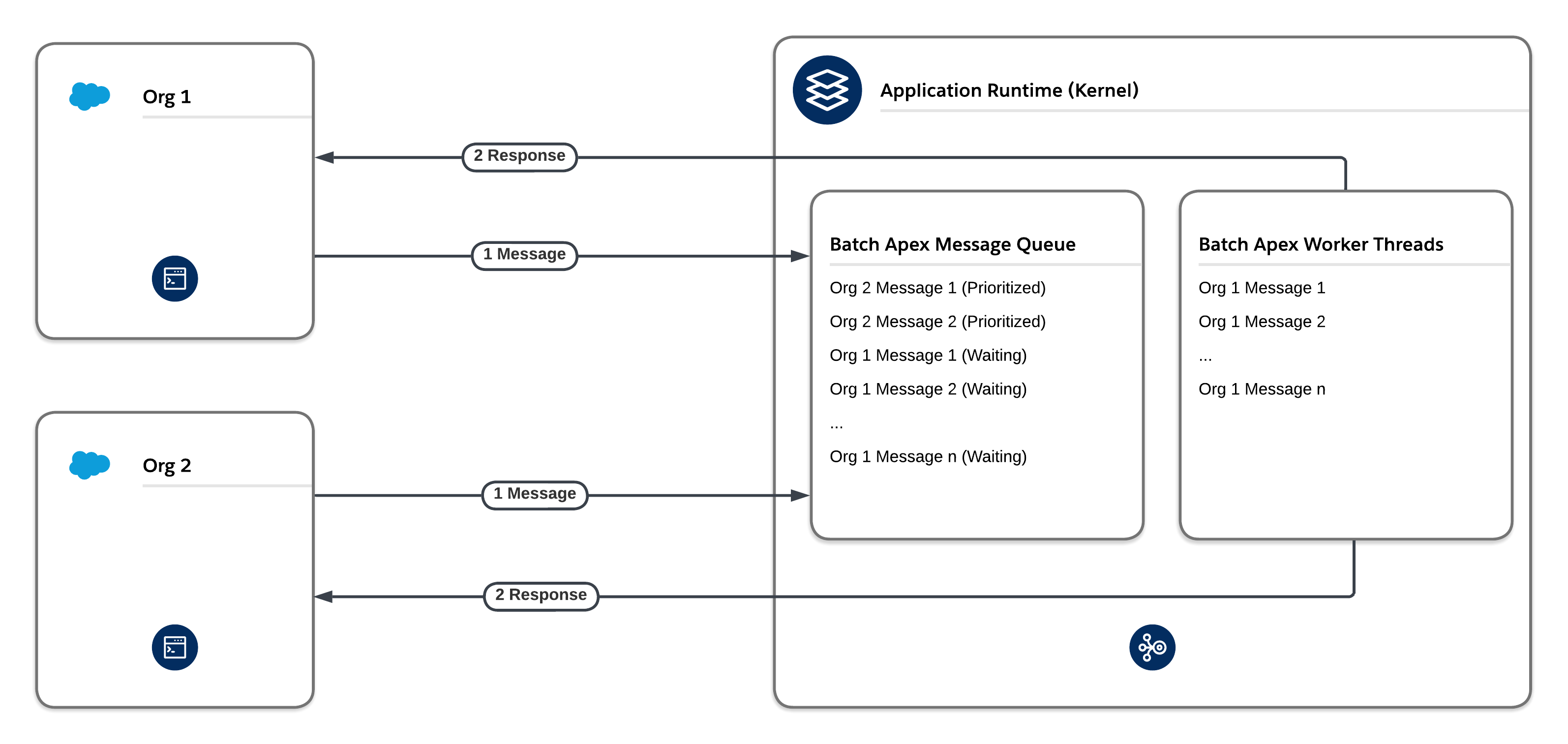 #### Fair Usage
The platform’s fair usage mechanism implements a tier-based system. The system ensures that each org on the Salesforce Platform gets a fair share of processing time for a given message type, including Future, Queueable, and Batch message types. If one org dominates a given message type during the same time that other orgs are waiting to perform work on the same message type, the fair usage algorithm reduces the number of threads that the org has available for that particular message type.
#### Fair Usage
The platform’s fair usage mechanism implements a tier-based system. The system ensures that each org on the Salesforce Platform gets a fair share of processing time for a given message type, including Future, Queueable, and Batch message types. If one org dominates a given message type during the same time that other orgs are waiting to perform work on the same message type, the fair usage algorithm reduces the number of threads that the org has available for that particular message type.
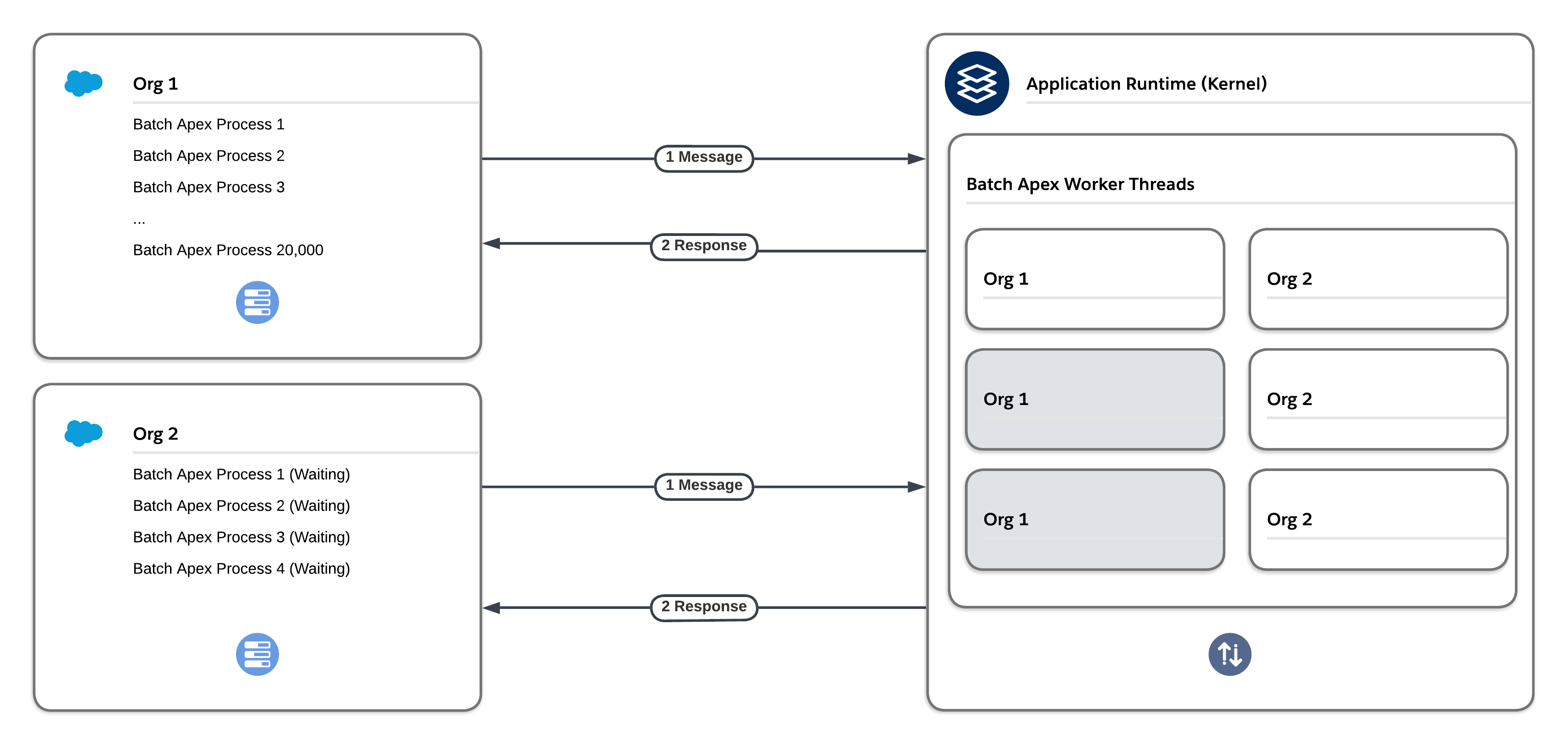 A benefit of using asynchronous Apex methods is that some governor limits, such as SOQL query limits and heap size limits, are higher. However, don’t rely too heavily on these methods. Due to the finite resources allocated to asynchronous infrastructure, heavy usage of Future, Queueable, and Batch Apex can cause processing delays that stem from limitations based on fair usage and flow control.
#### Special Considerations for Outbound Callouts via Asynchronous Apex
Outbound callouts that use asynchronous Apex count against the asynchronous Apex limit. The daily limit is currently 250,000 or 200 times the number of applicable user licenses, whichever is greater. This limit can be an issue for high-volume use cases. If you exceed the limit, your asynchronous Apex jobs and their associated outbound callouts will fail.
Additionally, because the platform has a finite number of asynchronous threads available, outbound integrations via asynchronous Apex have limited scalability. Any high-volume outbound integrations that exceed the number of available threads can have long processing times and lead to delays.
For high-volume use cases, consider these alternative approaches. API calls with these approaches count towards the daily API request limit, which is significantly higher than the daily asynchronous Apex limit. Thus, these approaches are more scalable. Note, however, that there are still physical limitations on the number of concurrent requests that any CPU can process.
- **Middleware Scheduled Pull.** Avoid delays associated with high-volume outbound integration jobs by using middleware to pull the data on a scheduled basis instead of pushing it via asynchronous Apex. Middleware, such as the MuleSoft Anypoint Platform, can use native SOAP API or REST API in a synchronous fashion so that few, if any, delays are introduced. Middleware can also use the native Bulk API for large data volumes.
A benefit of using asynchronous Apex methods is that some governor limits, such as SOQL query limits and heap size limits, are higher. However, don’t rely too heavily on these methods. Due to the finite resources allocated to asynchronous infrastructure, heavy usage of Future, Queueable, and Batch Apex can cause processing delays that stem from limitations based on fair usage and flow control.
#### Special Considerations for Outbound Callouts via Asynchronous Apex
Outbound callouts that use asynchronous Apex count against the asynchronous Apex limit. The daily limit is currently 250,000 or 200 times the number of applicable user licenses, whichever is greater. This limit can be an issue for high-volume use cases. If you exceed the limit, your asynchronous Apex jobs and their associated outbound callouts will fail.
Additionally, because the platform has a finite number of asynchronous threads available, outbound integrations via asynchronous Apex have limited scalability. Any high-volume outbound integrations that exceed the number of available threads can have long processing times and lead to delays.
For high-volume use cases, consider these alternative approaches. API calls with these approaches count towards the daily API request limit, which is significantly higher than the daily asynchronous Apex limit. Thus, these approaches are more scalable. Note, however, that there are still physical limitations on the number of concurrent requests that any CPU can process.
- **Middleware Scheduled Pull.** Avoid delays associated with high-volume outbound integration jobs by using middleware to pull the data on a scheduled basis instead of pushing it via asynchronous Apex. Middleware, such as the MuleSoft Anypoint Platform, can use native SOAP API or REST API in a synchronous fashion so that few, if any, delays are introduced. Middleware can also use the native Bulk API for large data volumes.
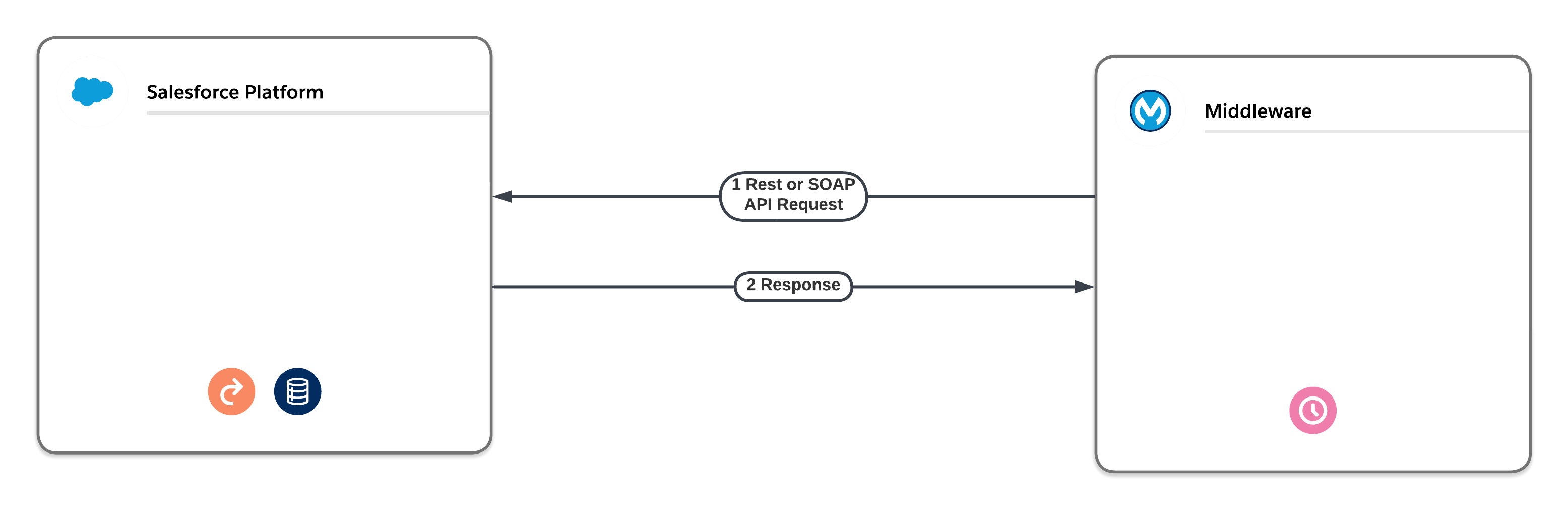 - **Middleware Pull via Platform Event Notification.** Instead of enqueuing Future, Queueable, or Batch asynchronous Apex to perform outbound integrations, you can use platform events. The platform event can either deliver the outbound information itself or instruct a middleware tool to pull the required information via a native API and deliver it to its final destination. Neither of these approaches are subject to the delays that asynchronous Apex is subject to. However, [platform event limits](https://developer.salesforce.com/docs/atlas.en-us.platform_events.meta/platform_events/platform_events_limits_default.htm) still apply.
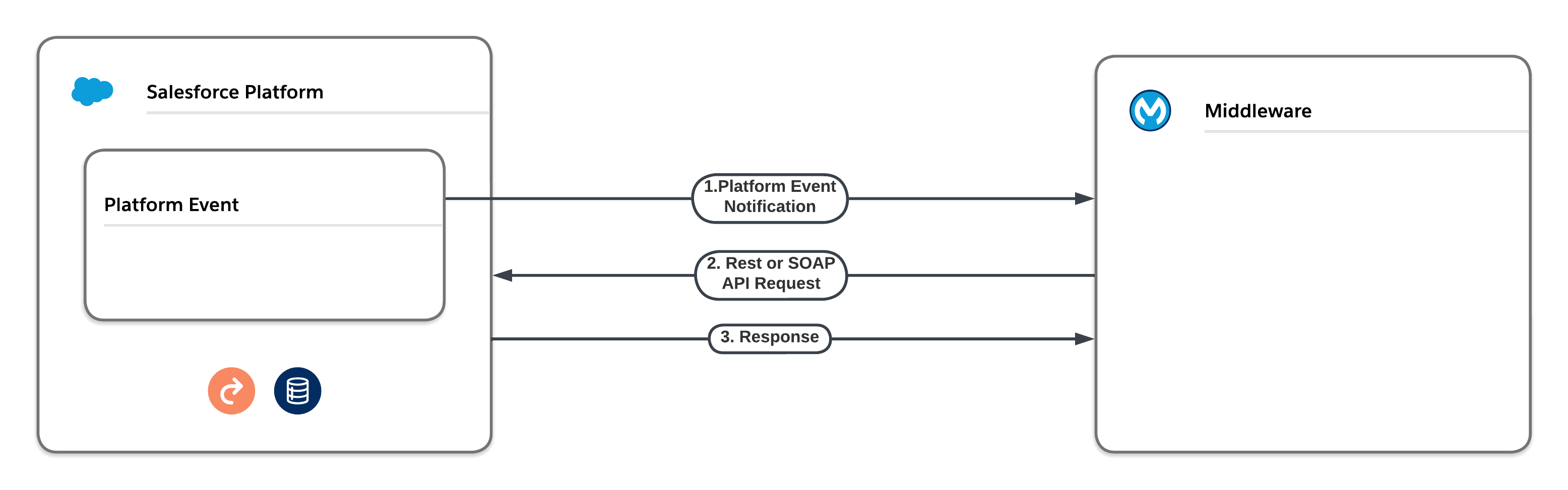 #### Asynchronous Apex Tradeoffs
| Product / Approach | Use Cases | Skills Required | Asynchronous with Respect to Client | Asynchronous with Respect to Server | Type of Platform Limits Enforced |
|---|---|---|---|---|---|
| Apex Future Methods | We recommend that you use Queueable Apex instead of Apex future methods. Queueables have the same use cases as future methods but offer additional benefits. | Pro-code | Yes | Yes | Asynchronous |
| Queueable Apex | We prefer this approach over future methods. Use for processes that involve long-running database operations or external web service callouts. Queueable Apex offers additional benefits over future methods, including job IDs, support for non-primitive types, and job chaining. | Pro-code | Yes | Yes | Asynchronous |
| Scheduled Apex | Execute Apex at a scheduled time defined by a cron expression. Although the act of scheduling Apex via the cron expression is an asynchronous process, the underlying code executes synchronously when the job starts. | Pro-code | Yes | Yes | Synchronous |
| Apex Continuation Callouts | Callouts from Apex methods running in a synchronous transaction context. | Pro-code | Yes | Yes | Synchronous |
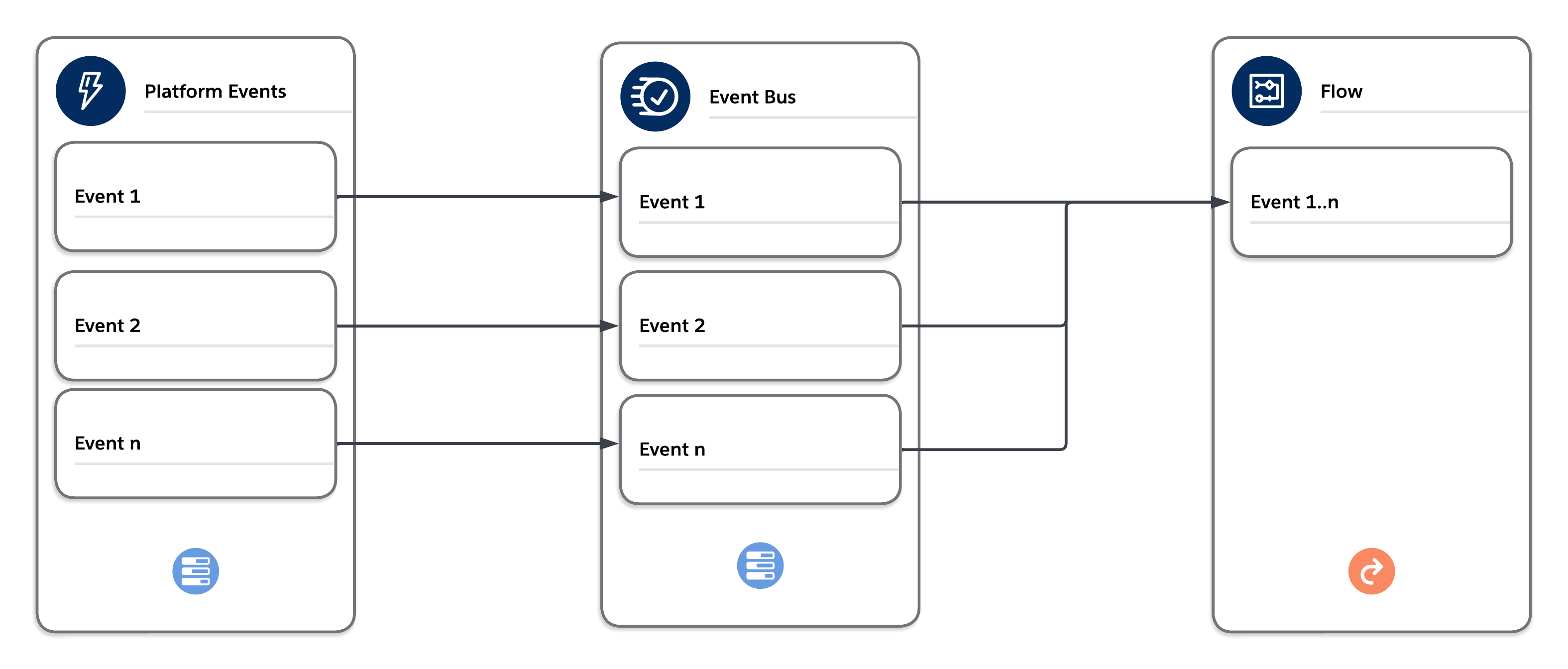 The events published to the bus via [publish after commit](https://developer.salesforce.com/docs/atlas.en-us.platform_events.meta/platform_events/platform_events_intro.htm) are delivered in order and can be bulk processed by the trigger or flow in a separate synchronous context. The context is synchronous and enforces all synchronous governor limits. Choose the platform event trigger/flow batch size carefully to avoid hitting limits.
| Product / Approach | Use Cases | Skills Required | Asynchronous with Respect to Client | Asynchronous with Respect to Server | Type of Platform Limits Enforced |
|---|---|---|---|---|---|
| Platform Event Triggers | Loosely couple Salesforce with external systems and communicate between asynchronous platform components. | Low-code + Pro-code | Yes | Yes | Synchronous |
| Product / Approach | Use Cases | Skills Required | Asynchronous with Respect to Client | Asynchronous with Respect to Server | Type of Platform Limits Enforced |
|---|---|---|---|---|---|
| Scheduled Path (After Commit Flows) | Execute at dynamically scheduled times after triggering events. | Low-code | Yes | Yes | Asynchronous |
| Asynchronous Path (Record-Triggered Flows) | Execute an operation that you want to run on its own time and to avoid mixed DML errors. | Low-code | Yes | Yes | Asynchronous |
| Product / Approach | Use Cases | Skills Required | Asynchronous with Respect to Client | Asynchronous with Respect to Server | Type of Platform Limits Enforced |
|---|---|---|---|---|---|
| Outbound Messages | Share data with third-party systems in near real time via the SOAP protocol | Low-code | N/A | Yes | N/A |
| Product / Approach | Use Cases | Skills Required | Asynchronous with Respect to Client | Asynchronous with Respect to Server | Type of Platform Limits Enforced |
|---|---|---|---|---|---|
| Email-to-Case | Automatically create cases and populate case fields based on values in incoming emails. | Low-code | Yes | Yes* | Synchronous |
| * Email-to-Case is handled as both sync and async, but with synchronous Apex limits | |||||
| Product / Approach | Use Cases | Skills Required | Asynchronous with Respect to Client | Asynchronous with Respect to Server | Type of Platform Limits Enforced |
|---|---|---|---|---|---|
| Batch Apex | Complex, long-running processes that involve thousands of records | Pro-code | Yes | Yes | Asynchronous |
| Schedule-Triggered Flows | Perform actions on a batch of records in the background at a specified time and at a repeated frequency via a flow. | Low-code | Yes | Yes | Synchronous |
| Bulk API | Insert, update, upsert, query, or delete many records asynchronously. | Pro-code | Yes | Yes | Asynchronous |
| In-Memory Object Store | Persistent Object Store v2 | |
|---|---|---|
| Location of Data | Local to the application only. | In the same region where the MuleSoft application was first deployed. |
| Shared Across Replicas? | No | Yes |
| Object Store Recovery in Applications | Data is lost; all in-memory data is lost on app restart, new deployment, or replica failure. | Data is not lost. unless the app is deleted. |
| Object Store Recovery within Region | Data is lost (same as above). | Data is not lost (same as above). |
| Regional Recovery | Same as above. | Data is unavailable. Even with an active-active DR configuration, Object Store is available only in the original deployment region. |
| Mitigation | Externalize data for regional recovery. | Data remains available while the original deployment region is available. For cross-region HA or DR, externalize data outside the object store. |
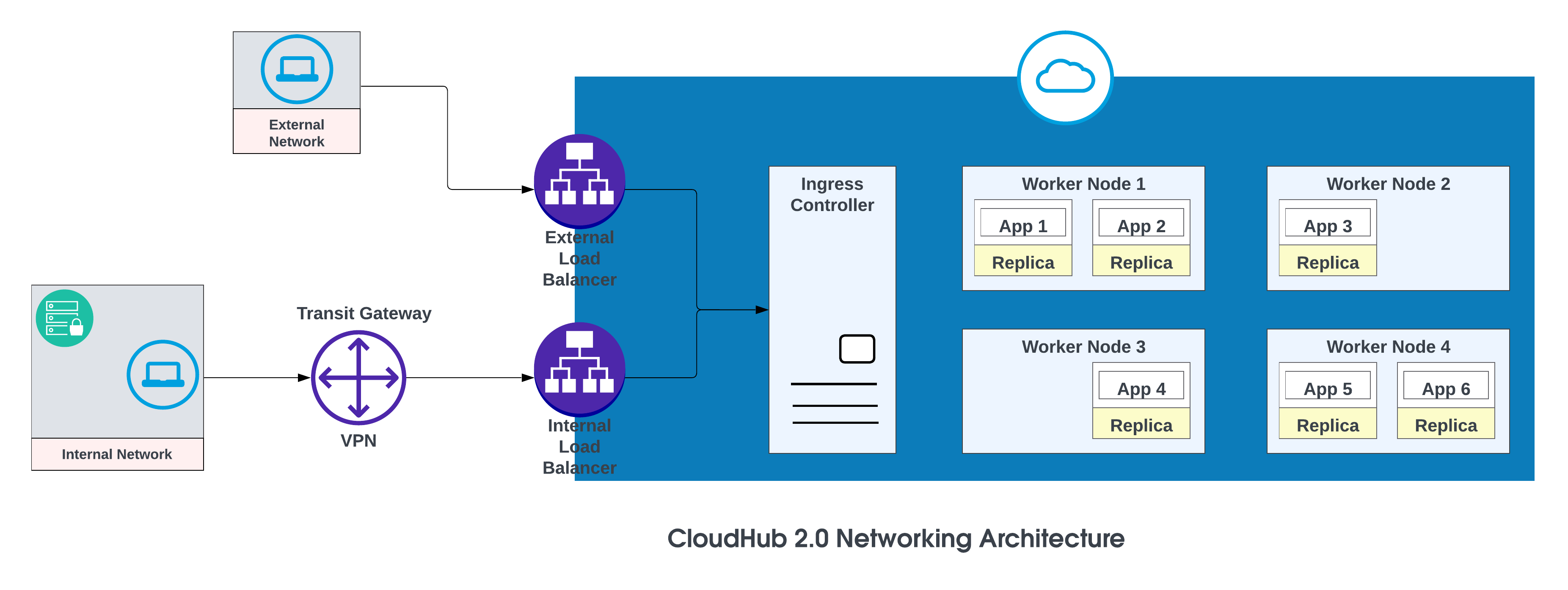 The basic components of the CloudHub 2.0 networking architecture are:
- An HTTP load balancer
- Mule replica DNS records
- Private spaces
- Regional services
For more details, see [CloudHub 2.0 Networking Architecture](https://docs.mulesoft.com/cloudhub-2/ch2-networking-guide).
**Vanity Domains**
When a Private Space is created, it receives a DNS target name in the format: \
The basic components of the CloudHub 2.0 networking architecture are:
- An HTTP load balancer
- Mule replica DNS records
- Private spaces
- Regional services
For more details, see [CloudHub 2.0 Networking Architecture](https://docs.mulesoft.com/cloudhub-2/ch2-networking-guide).
**Vanity Domains**
When a Private Space is created, it receives a DNS target name in the format: \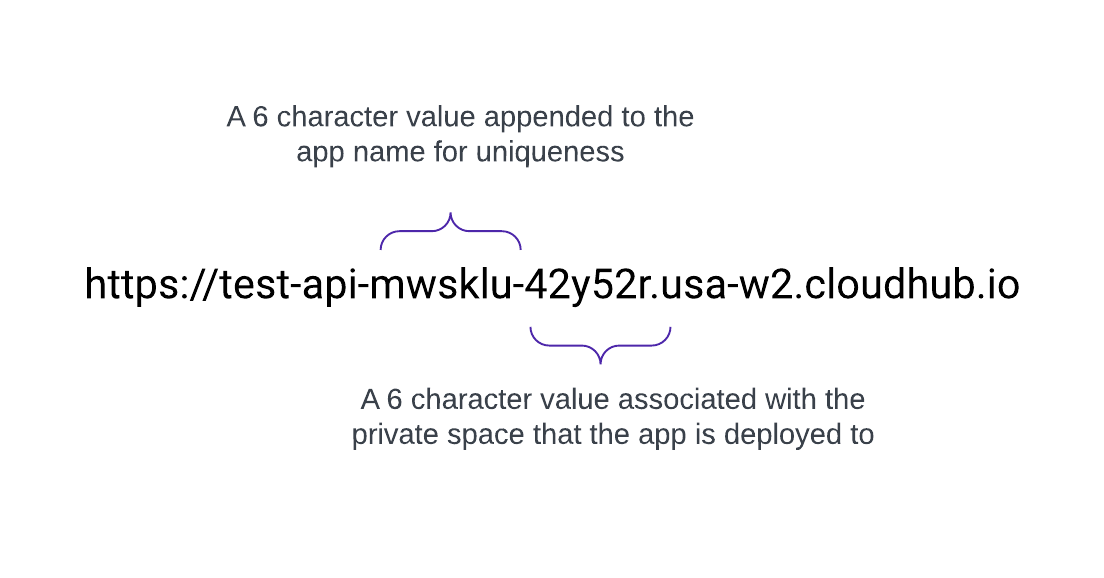 CloudHub 2.0 also supports custom, or vanity, domains by configuring them within a Private Space using TLS contexts and DNS records. To create a TLS context in Runtime Manager for a Private Space, upload the public certificate and private key, then add a custom endpoint in your application's settings to use that domain. Create a DNS record (such as a CNAME) that points your vanity domain to your private space's default hostname.
For example, an application named test-api deployed in us-west-2 with default DNS 42y52r.usa-w2.cloudhub.io has an API endpoint of:
https://test-api-mwsklu-42y52r.usa-w2.cloudhub.io
This URL does not use a vanity or custom domain. To use `acme.com` so that API URLs appear as `https://test-api.acme.com`, follow these steps.
1. Create TLS Context in Runtime Manager with public and private keys.
2. Add a vanity domain in the application's settings to use that domain.
3. Create a DNS record in AWS Route 53 and configure a simple routing policy (for example, CNAME) so that the vanity domain resolves to the private space’s default hostname.
For custom domains, you can use AWS Route 53 or any other global CDN services with routing policies. In the diagram below, AWS Route 53 is used with “simple” routing policy. When a consumer from a public (external) network requests acme.com, AWS Route 53 routes the request to the MuleSoft private space ingress controller.
CloudHub 2.0 also supports custom, or vanity, domains by configuring them within a Private Space using TLS contexts and DNS records. To create a TLS context in Runtime Manager for a Private Space, upload the public certificate and private key, then add a custom endpoint in your application's settings to use that domain. Create a DNS record (such as a CNAME) that points your vanity domain to your private space's default hostname.
For example, an application named test-api deployed in us-west-2 with default DNS 42y52r.usa-w2.cloudhub.io has an API endpoint of:
https://test-api-mwsklu-42y52r.usa-w2.cloudhub.io
This URL does not use a vanity or custom domain. To use `acme.com` so that API URLs appear as `https://test-api.acme.com`, follow these steps.
1. Create TLS Context in Runtime Manager with public and private keys.
2. Add a vanity domain in the application's settings to use that domain.
3. Create a DNS record in AWS Route 53 and configure a simple routing policy (for example, CNAME) so that the vanity domain resolves to the private space’s default hostname.
For custom domains, you can use AWS Route 53 or any other global CDN services with routing policies. In the diagram below, AWS Route 53 is used with “simple” routing policy. When a consumer from a public (external) network requests acme.com, AWS Route 53 routes the request to the MuleSoft private space ingress controller.
 ## Failover Strategy
Use this option when applications require failover: deploy one instance in the primary region (for example, us-west-2) and another in a secondary region (for example, us-east-1).
Use an existing environment in the secondary region when possible; creating a new environment requires additional effort.
**Example of Apps Deployed in one region (US West 2\) with a failover to another region ( US East 1\)**
## Failover Strategy
Use this option when applications require failover: deploy one instance in the primary region (for example, us-west-2) and another in a secondary region (for example, us-east-1).
Use an existing environment in the secondary region when possible; creating a new environment requires additional effort.
**Example of Apps Deployed in one region (US West 2\) with a failover to another region ( US East 1\)**
 | Record Name | Value/Route Traffic To | Routing Policy | Health Check ID |
| :---------: | :-----------------------: | :------------: | :-------------: |
| acme.com | 42y52r.usa-w2.cloudhub.io | Failover | 31s3wseq121 |
| acme.com | 31e51s.usa-e1.cloudhub.io | Failover | 43e131s131sq |
In this configuration, AWS Route 53 routes traffic to the ingress controllers for the private spaces in US West 2 and US East 1\. A failover routing policy is configured with a health check.
## High Availability and Low Latency
For lower latency along with high availability, use the deployment strategy described in the diagram. With this strategy, apps can be deployed in two regions (us-west-2 and us-east-1 in this example).
Use the latency routing policy in AWS Route 53 to route requests to the region that offers the lowest latency while retaining high availability. “latency” routing policy in AWS Route 53 to route the request for lower latency still having high availability.
**Apps Deployed in both region (US West 2 and US East 1\) for lower latency and high availability**
| Record Name | Value/Route Traffic To | Routing Policy | Health Check ID |
| :---------: | :-----------------------: | :------------: | :-------------: |
| acme.com | 42y52r.usa-w2.cloudhub.io | Failover | 31s3wseq121 |
| acme.com | 31e51s.usa-e1.cloudhub.io | Failover | 43e131s131sq |
In this configuration, AWS Route 53 routes traffic to the ingress controllers for the private spaces in US West 2 and US East 1\. A failover routing policy is configured with a health check.
## High Availability and Low Latency
For lower latency along with high availability, use the deployment strategy described in the diagram. With this strategy, apps can be deployed in two regions (us-west-2 and us-east-1 in this example).
Use the latency routing policy in AWS Route 53 to route requests to the region that offers the lowest latency while retaining high availability. “latency” routing policy in AWS Route 53 to route the request for lower latency still having high availability.
**Apps Deployed in both region (US West 2 and US East 1\) for lower latency and high availability**
 | Record Name | Value/ Route Traffic To | Routing Policy | Health Check ID |
| :---------: | :-----------------------: | :------------: | :-------------: |
| acme.com | 42y52r.usa-w2.cloudhub.io | Latency | 31s3wseq121 |
| acme.com | 31e51s.usa-e1.cloudhub.io | Latency | 43e131s131sq |
## Conclusion
MuleSoft CloudHub 2.0 provides a robust foundation for intra-region resilience, primarily leveraging automated replica redundancy and intelligent load balancing. Within a single cloud region, deploying applications with multiple replicas ensures that if one instance fails, others can immediately take over the workload. The integrated load balancer efficiently distributes incoming traffic across these healthy replicas, minimizing downtime and ensuring continuous service availability under normal operating conditions.
However, relying exclusively on this single-region architecture, even one with high redundancy, presents a significant risk of a widespread, catastrophic regional outage. History has shown that even the most highly reliable and technologically advanced cloud providers are susceptible to disruptive incidents that can affect an entire geographical region. These single points of failure, though rare, can arise from various events, including:
- Large-scale infrastructure incidents
- Major power failures
- Widespread network interruptions
Therefore, to achieve true high availability (HA) and disaster recovery (DR), an architecture must be designed to transcend the limitations of a single-region model. The recommended strategy is deployment across multiple, geographically distinct regions. This inter-region resilience ensures that if an entire cloud region becomes unavailable due to an unexpected disaster, traffic can be seamlessly failed over to an application instance running in a separate, unaffected region, guaranteeing minimal service disruption and achieving maximum uptime goals.
## References
[CloudHub 2.0 Networking Architecture](https://docs.mulesoft.com/cloudhub-2/ch2-networking-guide)
[Configuring Cross-Region Failover for Standard Queues](https://docs.mulesoft.com/mq/mq-failover)
[Object Store V2 Deployment Regions](https://docs.mulesoft.com/object-store/osv2-faq#osv2-regions)
[Your Object Store Deployment Region](https://docs.mulesoft.com/object-store/osv2-faq#is-object-store-v2-persistent-in-the-same-region-as-the-worker)
## About the Authors
Gulal Kumar is a Software Engineering Architect at Salesforce, with a focus on data and integration architecture. With over 20 years of experience in integration and APIs, modernization programs, security, and AIML initiatives, he brings a wealth of expertise. Gulal has been committed to advancing business transformation initiatives, enhancing security and resiliency, promoting architecture excellence, and leading AIML initiatives across various domains.
Ajay Nagaraju is an Enterprise Architect and Senior Director at MuleSoft with over 28 years of experience in enterprise architecture, system integration, and large-scale digital transformation. He has led architecture and delivery for complex, multi-million-dollar programs across Fortune 100 and Fortune 500 organizations, with deep expertise in API-led connectivity, SOA, cloud technologies, and enterprise integration patterns. Ajay has partnered closely with executive leadership to modernize business processes, data platforms, and integration ecosystems and is passionate about building scalable architectures, mentoring teams, and driving measurable business outcomes through technology.
# Data 360 Architecture
## Overview
Data platforms have been evolving for over three decades. Initially, the industry was dominated by on-premise, centralized, and structured (mostly relational), operational OLTP (online transaction processing) databases. The landscape then expanded to include data warehouses: OLAP (online analytical processing) / Big Data platforms that remained relational and centralized. Cloud storage drove distributed architectures like lakehouses and disaggregated storage. However, operations platforms and analytical platforms stayed separate. Today, cloud computing and the AI revolution are fundamentally changing the data platform architecture.
Enterprises already invest in mature Big Data platforms like Snowflake, Databricks, BigQuery, and Redshift. These platforms create data silos. Enterprises don’t derive business value from this data, because they can’t act directly on the data via business flows and applications. These platforms lack agentic AI processing and can't deliver data access in real time, so they're unable to deliver AI-driven personalization at the moment of customer engagement.
Future data platforms will be characterized by unified, flexible, accessible, and open data infrastructure. At the heart of Salesforce AIforce — a new architecture that opens every layer of the platform (data, business logic, orchestration, and engagement) to any agent, model, or tool — sits Data 360, the System of Context. Built on modern compute and storage capabilities — GPUs, large memory, NVMe SSDs, and cloud storage — this architecture integrates directly with cloud computing and AI. It delivers real-time insights, powers autonomous decision-making, and drives real-time applications. This architecture supports agentic AI, predictive AI, analytics, real-time high-scale OLTP databases, data lakes, and lakehouses. These modern data platforms are designed for simplicity, scalability, agility, performance, security, availability, and cost efficiency.
### Key Trends in Next-Generation Data Platform Architecture
The following data trends drive the next-generation data platform architecture.
- **AI, Machine Learning, and Analytics at the core**: Agentic AI understands conversation/query intent and can plan, generate workflows, and automate decision making. Short- and long-term agentic memory is constructed from conversation history, personalizing agent planning, decisions, and real-time conversation modeling. Agents assist in automating operational capabilities like data governance (security, compliance, trust), performance (auto scaling for concurrency, throughput, and latency), failover and availability, and observability and maintenance. Standard capabilities include AI-powered analytics, forecasting, analytics on unstructured data (PDFs, images, audio, video), and natural language processing (NLP), which enables users to ask questions in plain language, receive contextual follow-up clarifications, drill down into results interactively, and get explainable, citation-backed answers grounded in live data. AI Models (formerly Einstein Studio) is a simplified, centralized experience for building and managing machine learning models. New built-in AI functions including Forecasting, Clustering, Sentiment Detection, Text Classification, and Multiclass Classification are now available directly in the Data 360 data processing engine, accessible from DCSQL, Batch Data Transforms, and Flow.
- **Headless and API-First Architectures:** Agentic applications increasingly require programmatic access to data and orchestration. Data 360 now supports Hosted MCP Servers (Model Context Protocol), enabling tools like Claude, Cursor, and Databricks to connect natively — no browser required.
- **Decentralization of Data but Unified Data Access**: Agents need enterprise data to derive insights, to make decisions, and to automate business activities, but that data is inherently decentralized in enterprises across disparate applications and data platforms. Unifying data involves:
- **Data Sharing** — via ingestion or federation
- **Data Preparation** — harmonizing raw data and modeling it for analytical and AI processing
- **Storage & Management** — managing data at scale for efficient access with low cost to serve (CTS)
- **Data Access** — via query and analytics mechanisms and tools that are deeply integrated with the underlying storage and data access platforms
- **Cloud-based Open Lakehouses**: Cloud-based Big Data (OLAP) platforms are converging on adopting open file formats (for example, Parquet) and table formats (for example, Iceberg), enabling data federation (“data in”) and sharing (“data out”).
- **Unstructured Data Processing**: With the emergence of generative AI, enterprises are beginning to extract valuable insights from the enterprise corpus of data that constitutes large volumes of text documents, audio transcripts, video recordings, and other media. Unstructured data processing (including chunking, vectorization, semantic search, and knowledge graphs) makes these insights possible. Retrieval augmented generation (RAG) retrieves relevant data at query time to ground agent responses in enterprise context; cache augmented generation (CAG) reuses precomputed context to reduce latency on repeated queries. Together, they power fast, agentic search. Visual data in RAG now allows agents to extract insights from diagrams and flowcharts embedded in documents using LLM and Docling image processing.
- **Knowledge Management**: Knowledge goes beyond the raw content itself (documents, articles, videos). It includes augmentation of that content by deriving meaning, curating metadata, and placing it in context to develop a shared understanding of content across an organization or enterprise. Knowledge management includes content management, knowledge extraction, graph-based representation, and navigation.
- **Rich Data Access**: Data, analytics, and AI tools must be accessible to a variety of personas, including end users, business users, admins, and analysts. Accessibility requires mechanisms such as ensemble querying (with relational, keyword, and semantic query), natural language to SQL (NL2SQL) querying, and real-time access. AI Functions in SQL run sentiment analysis and classification directly in SQL within Data 360, bridging structured querying and AI-powered enrichment.
- **Real-Time Processing**: Agentic applications make real-time decisions based on current state and new events, personalizing responses and actions on the fly. This requires the underlying data platform to support up-to-date data access from both operational and analytical stores, with low latency (point lookups and queries), high data scale, and high throughput.
- **Data Security, Governance, and Residency**: The valuable customer and personal data that's stored and modeled for agentic applications must be secured and governed with well-defined access and sharing policies. Increasingly, customers must comply with regulations that require data residency in their own country or region, especially those *in* government or *working with* governments. Data 360 now supports Platform Encryption with Bring Your Own Key (BYOK), giving enterprises full control over their encryption keys.
Salesforce Data 360 is designed for the future, to address these data trends. Data 360 is a cloud-native, metadata-driven data platform that unifies siloed data across the enterprise, allowing companies to store, model, and process their data.
This document is a guide for enterprise architects and CTOs. It details the architecture, capabilities, design principles, and use cases of Data 360. It introduces the fundamentals of the Data 360 architecture as a primer, followed by a series of deep dives into its key differentiators such as interoperability with existing data platforms, including multi-org strategy, security, governance and privacy, real-time activation, and data clean rooms.
## Design Principles
Salesforce Data 360 is built on a core set of principles that make enterprise data operational, trusted, and real-time.
- **Openness and Interoperability**: Built for multi-cloud ecosystems. Federates with major cloud data platforms without duplication, extending Customer 360 while preserving existing investments. Supports Hosted MCP Servers enabling headless, API-first integration.
- **Storage-Compute Separation**: Scales storage and processing (batch, streaming, and interactive) independently. Delivers elasticity and efficiency for high-volume, high-performance workloads.
- **Multi-Model Storage and Processing**: Supports both structured and various unstructured data types like text, image, audio, and video. Provides efficient storage, real-time and batch processing, extensible indexing, unified search, querying and analysis.
- **Metadata-Driven Design**: Applications are defined by metadata instead of by code. Metadata is treated as a first-class asset, enabling unified governance, flexibility, and deep integration into the Salesforce platform.
- **Real-Time Hybrid Processing**: Allows you to simultaneously query and unify data from both ingested sources and zero-copy federated sources in real-time. This enables you to create Unified Individual profiles, segments, and activations by combining operational data with large-scale historical or analytical datasets, optimizing for both performance and cost.
- **Intelligent and Active Data**: Continuously ingests, analyzes, and pushes insights directly into business workflows. Powers no-code, low-code, pro-code and AI-driven automation with the most current context.
- **Governance and Privacy by Design**: Lineage, access control, residency, data encryption, audit trail, and compliance are built in. Trust and regulatory confidence are reinforced at every layer.
- **One-to-Many Tenancy**: A centralized Data 360 Org is the Single Source of Truth (SSOT) for Customer 360, seamlessly supporting multi-org Salesforce environments.
- **Cloud Provider Abstraction**: The complexity of underlying cloud environments is entirely hidden from client services, allowing them to focus purely on business logic. This principle provides a consistent API and operational experience regardless of the backend cloud substrate — enabling Data 360 to run across AWS, Azure, and GCP without exposing infrastructure details to users or applications.
These principles ensure that Data 360 makes data open, intelligent, and actionable in real time.
### Platform Capabilities
Salesforce Data 360 is a modern data platform built on design principles that address current data trends. Its architecture capabilities ensure that enterprise data is trusted, unified, and actionable in real time, aligning with its guiding principles.
- **Cloud-Native Foundation**: Salesforce Data 360 runs on Hyperforce, deployed on Hyperscalers (like AWS), with an immutable, microservices-based infrastructure. It provides elastic scaling, continuous delivery, and global compliance.
- **Salesforce (Core) Metadata-Driven**: Metadata is designed, modeled, and stored as Salesforce metadata, enabling immediate use by all Salesforce applications. It's stored in a fully ACID-compliant RDBMS. This metadata ensures governance, lifecycle consistency, and deep integration with Salesforce Lightning Platform.
- **Lakehouse Storage**: Built on Apache Iceberg and Parquet, this storage combines data lake scale with warehouse governance supporting schema evolution, time travel, and high-volume updates. Data 360 stores, models, and processes structured and unstructured data with extreme-scale storage with modern, open standards, and with rich transformation and data processing capabilities for batch and event-driven workloads.
- **End-to-End Data Pipeline with Flexible Ingestion**: Covers the full lifecycle—ingest, prepare, model, unify, analyze, and activate—reducing reliance on fragmented point solutions. Supports batch, near real-time, and streaming with 270+ connectors for common use cases, and MuleSoft for custom use cases. ELT-first approach enables fast data availability with downstream transformation flexibility.
- **Enterprise Data Interoperability with Open frameworks and Federation**: Unifies siloed data across the enterprise with bidirectional, zero-copy federation with Snowflake, Databricks, BigQuery, and Redshift, avoiding data migration or duplication.
- **Data Classification, Modeling, and Organization**: Data 360 organizes data as raw ingested data, cleaned and stored data, and data modeled conforming to a common information schema known as single source of truth (SSOT). SSOT objects form the basis for defining Semantic Data Models (SDM) and other curated and application-specific models.
- **Built-in Semantic Data Modeling:** A business-friendly abstraction layer that maps raw data to business concepts (customers, revenue, engagement scores), enabling both human analysts in Tableau Next and Agentforce agents to query data using natural language and consistent definitions. This open semantic query API layer powers application-specific analytics while allowing Agentforce agents to autonomously discover, understand, and act on unified enterprise data by reasoning about business terms.
- **High Performance SQL query engine:** Supports unified Data 360 SQL queries across structured, unstructured, and graph data.
- **Low-Latency Data Stores**: Key-value storage for hot data with millisecond response times, powering personalization and event-driven scenarios. Unifies identities, interactions, and conversations into a single, trusted unified individual profile and context graph.
- **Data 360 Sandboxes:** Data 360 supports full sandbox environments for building, testing, and deploying configurations with confidence. This includes Data Kit deployment across data spaces and migration of configurations from Sandbox to Production via CLI and APIs.
- **Unstructured Data Processing Pipelines** provide flexible and extensible support for unstructured data. These pipelines handle storage, chunking, embedding generation (vectorization), metadata extraction and augmentation, summarization, indexing, knowledge extraction, intelligent document processing, and both short-term and long-term conversation memory.
- **Native Keyword, Vector, and Hybrid Indexing** for accurate and efficient unstructured data access like fast and agentic search, RAG, knowledge extraction, and agentic memory derivation.
- **Profile, Personalization, Context services** for enabling AI/ML and agentic applications.
- **Built-in governance and security** at every layer for lineage tracking, data masking, data residency, auditing, and zero-trust security to provide compliance and trust.
- **Elastic Compute Fabric**: Kubernetes-native, multi-tenant compute fabric. Runs Spark for distributed processing and Hyper for SQL workloads. Scales elastically across diverse jobs and supports isolation for running untrusted code.
All of this runs on Hyperforce, Salesforce’s cloud foundation. Hyperforce provides:
- **Zero-trust security** with encryption, isolation, and least-privilege policies.
- **Resilience** through multi-AZ deployments and platform-level fault tolerance. Enterprise-grade disaster recovery builds on this with replayable ingestion pipelines, replication, and metadata-driven rehydration across dependent ecosystems.
- **Data Residency** through provisioning each org into a customer-selected country, keeping stored data in-region.
- **Observability** with monitoring, metrics, and tracing built in.
- **Automated scale and FinOps awareness** for efficiency without cost overflow.
Data 360 does not replace existing enterprise investments. Instead, Data 360 makes the data you already have trusted, governed, and actionable—delivering real-time, AI-driven engagement where it matters most.
The following figure illustrates the Data 360 Reference Architecture:

Let’s consider a hypothetical Agentforce Loan Agent layered on Data 360 to describe an example architecture flow. Say the Loan Agent is a customer-facing agent where customers (consumers) apply for loans and get instant loan approvals.
Data 360 performs these steps as scheduled, preparing data for use by the Loan Agent.
1. Data 360 ingests structured Customer Account data from CRM and stores it in the data lake.
2. Data 360 processes unstructured company loan and financial policy data.
3. Data 360 federates personal data from external data platforms and warehouses such as Snowflake, BigQuery, and Databricks.
4. Data 360 transforms and models ingested and federated data.
5. Data 360 builds and maintains the profile data graph.
Each time a customer applies for a loan, these actions are performed.
1. A customer signs into the Loan Agent, which begins a customer session in the real-time layer. The customer’s unified profile is pulled into the real-time layer from the ingested CRM data and zero copy from the data warehouse.
2. The customer completes a loan application by providing the required information.
3. The customer uploads financial documents (like tax returns, investments, bank statements) to Data 360 for unstructured data processing.
4. Uploaded data is chunked and vectorized (embedding generation), and indexes (keyword and vector) are created.
5. Next, the customer fills out the loan application document and uploads it. Data 360 extracts the loan amount and duration in real time.
6. The Loan Agent retrieves relevant financial data using Data 360 query and hybrid search over profile and other pre-created indexes.
7. The Loan Agent activates an Approval Agent with loan data and other financial profile data to make the loan approval decision.
8. The Loan Agent responds to the customer with a decision.
9. This entire interaction between the customer and the Loan Agent is also captured and stored in Data 360.
The above example provides an overview of Data 360 architecture components used to build an agentic application like a Loan Agent. In the next section we describe the Data 360 architecture layers and components.
## Data 360 Architecture
This section covers the building blocks of Salesforce Data 360, starting with its storage model and the mechanisms for connecting, ingesting, and preparing data. It then examines how structured and unstructured data is stored, modeled, and processed, then harmonized, unified, retrieved, and activated.

Data 360 is the foundation layer — the System of Context — in the AIforce architecture, serving every agentic, analytics, and AI workload on the Salesforce platform.
### Data 360 Storage
Salesforce Data 360 uses a tiered but integrated storage model that combines the strengths of a lakehouse with real-time storage. The lakehouse layer provides scalable, cost-efficient storage for large volumes of historical and batch data, enabling advanced analytics and machine learning use cases. Real-time storage, on the other hand, handles low-latency access and high-frequency updates, ensuring that customer interactions, profiles, and engagement signals are always current. Together, these tiers allow data to move fluidly between historical and real-time contexts—delivering both depth and immediacy in a unified data foundation for personalization, AI, and activation.
#### Data Encryption
Data 360 encrypts data at rest, with support for customer-managed keys via Salesforce Shield Platform Encryption. See the Data 360 Encryption: Bring Your Own Key (BYOK) section for details.
#### Lakehouse
Data 360 features a native lakehouse architecture based on Iceberg/Parquet, designed to handle large-scale data management and processing for batch, streaming, and real-time scenarios across both structured and unstructured data for AI and analytics applications.
In cloud-based data lakes like Azure, AWS, or GCP, the fundamental storage unit is a file, typically organized into folders and hierarchies. Lakehouse enhances this structure by introducing higher-level structural and semantic abstractions to facilitate operations like querying and AI/ML processing. The primary abstraction is a table with metadata that defines its structure and semantics, incorporating elements from open-source projects like Iceberg or Delta Lake, with additional semantic layers added by Data 360.
Data 360 Lakehouse supports B2C scale, real-time ingestion, processing, schema enforcement and evolution, snapshots, and uses open storage formats.

Abstraction Layers in Lakehouse:
1. **Parquet File Abstraction**: At the base, storage consists of data lake files (for example S3 in AWS or Blob in Azure) in Parquet format. Data for a source table is stored across multiple partitions as Parquet files, with each table being a collection of these files.
2. **Iceberg Table Abstraction**: Tables are organized as folders, with data partitions stored as Parquet files within these folders. Modifications to a partition result in new Parquet files as snapshots. Iceberg manages a metadata file for each table, detailing schemas, partition specs, and snapshots.
#### Real-Time Storage
To support real-time analytics and agentic applications, Data 360 augments the Lakehouse big data storage with Low Latency Store. Data 360 Real-Time Layer processes real-time signals and engagement data in memory. However, since the memory-based storage capacity is limited, all data cannot fit and processing may not be done in real-time. Data 360 adds a low latency store to remove such limitations, enabling scalable real-time processing.
The low latency store is a petabyte scale multi-availability zone cluster of NVMe (SSD) instances on the Lakehouse. Not all data needs to be kept in the low latency store. It is a durable cache. Most data eventually makes it to the Lakehouse for long term persistence. In-session data in the real-time layer can be flushed to the low latency store for subsequent fast access. For example, in an agentic conversation, recent messages can be processed in memory; older messages can be flushed to the low latency store. If a previous conversation is required, it can be accessed within a few milliseconds from the low latency store. NVMe based storage allows for large amounts of data to be stored and accessed at millisecond latencies.
In addition, data from Lakehouse that is required for real-time processing or to augment real-time experiences is fetched and kept in the low latency store. For example, customer Profile Context is pre-fetched or brought from the Lakehouse and cached in the low latency store. Also, any lakehouse objects and other objects that are required for real-time processing during in-session processing can also be cached in the low latency store.
The low latency store supports both Data Graph APIs (create/update/lookup Data Graphs) and session stores for the real-time layer. This creates a true three-tier storage hierarchy: Memory → NVMe SSD → Lakehouse Cloud Storage.
### Data Organization
Salesforce Data 360 is engineered to standardize, harmonize, and activate all customer data — structured and unstructured — following a rigorous lifecycle that transforms raw input into a unified, current data model. Data 360's data organization model ensures every AI agent, model, and tool operates against governed, semantically consistent data.
#### Raw Ingested Data and Initial Transformations
The lifecycle begins with raw data ingested as-is from source systems — including CRM, Marketing platforms, files, and other external inputs. Data 360 handles both full data loads and continuous change events (deltas), merging incoming updates with persisted data to maintain an always-current state. To establish a baseline level of data quality from the outset, inline transformations — such as trimming whitespace, normalizing values, and field concatenation — are applied immediately during ingestion. These operations ensure data meets a minimum cleanliness standard before any deeper processing or modeling.
#### Data Lake Objects (DLOs): The Persistent Layer
Data Lake Objects (DLOs) form the core persistent storage layer within Data 360 — the long-term repository for all customer information, regardless of origin. They store clean, transformed data from ingestion, federation, and processing pipelines in a consistent, queryable, and governable form, giving downstream harmonization, analytics, and AI workloads a stable foundation to build on.
Data 360 organizes DLOs into three distinct types, each designed to capture a different category of customer data:
- **Engagement DLOs** capture behavioral and interaction data — such as clicks, transactions, campaign responses, and other signals generated through customer touchpoints. These objects provide the time-series activity history that powers segmentation, journey analytics, and real-time personalization.
- **Profile DLOs** store core identity and attribute data about individuals and accounts — including demographic information, preferences, and relationship data sourced from CRM and other systems of record. Profile DLOs form the backbone of unified customer identity within Data 360.
- **Other DLOs** accommodate reference data, lookup tables, and supplementary datasets that support enrichment and context — such as product catalogs, geographic hierarchies, or third-party data assets that augment the core customer model.
Beyond ingested source data, advanced transformations — including joins, aggregations, and calculated insights — can be applied to source DLOs to produce derived DLOs: highly curated datasets tailored for specific analytics, AI, or activation use cases. Data made available through Zero Copy Data Federation is also represented directly as DLOs, allowing externally managed data to participate in the same unified model without duplication.
**Unstructured Data** Not all customer-relevant data arrives in structured form. For unstructured content (such as text, media, and documents), Data 360 incorporates this data by extracting and persisting its structured metadata within specialized objects called Unstructured Data Lake Objects (UDLOs). These objects function as directory tables, providing a map to the physical location and context of unstructured assets. This allows architects to relate unstructured metadata with the rest of the structured customer data model, enabling unified querying and harmonization across content types.
UDLOs can be related to structured DMOs via standard foreign keys, enabling agents to retrieve both structured profile context and unstructured document context in a single unified query — valuable for agentic and generative AI applications that reason across diverse data types.
#### Data Model Objects (DMOs): The Harmonized Layer
At the heart of Data 360's data architecture is the Data Model Object (DMO) layer — the final, harmonized, and structured representation of customer data. DMOs provide a consistent, platform-native view of customer information by mapping raw and processed data from Data Lake Objects (DLOs) — including source, derived, and unstructured metadata DLOs — to the standard Customer 360 Data Model. This harmonization step is what transforms disparate, multi-source data into a coherent, unified foundation that the rest of the platform can reliably build upon.
The DMO layer is the single source of truth (SSOT) for all customer data, enabling unified profile creation, segmentation, and activation across the broader Salesforce ecosystem. DMOs ensure that every product and team operates from the same consistent, well-structured model — reducing ambiguity and increasing confidence in the data powering decisions and experiences.
Standard DMOs are defined as Schema Interfaces built directly into the platform. As standard objects evolve across Salesforce releases, DMOs automatically update to reflect those changes — keeping the harmonized layer current without manual intervention. Both custom and standard DMOs point to the same underlying DLO, so existing reports and analytics continue to work without disruption.
Analytics and reporting can be built on standard DMOs for generative AI audit and feedback use cases across Tableau Next and other Salesforce products. To further reduce the complexity of setting up and maintaining this layer, Data 360 includes an ML-driven Auto Mapping feature that recommends appropriate DMOs and field-level mappings for selected DLOs. The pre-trained MPNet model considers field names, synonyms, and data type compatibility — reducing manual mapping effort and helping prevent incorrect DMO selection.
#### Data Space: The Logical Container
A data space is the fundamental logical container for organizing all data and metadata within Data 360, including all DLOs (structured and unstructured) and DMOs. Data spaces offer a secure, isolated environment for data processing and modeling.
Data spaces act as logical and governance boundaries, enabling internal multitenancy by separating data for distinct entities such as business units, regions, or brands while maintaining enterprise-wide visibility, lineage, and compliance. They also serve as the basis for defining coarse-grained access control. For example, a large enterprise may create a separate data space for each subsidiary company within the Salesforce org.
Isolation within data spaces is enforced at multiple layers of the platform:
- **Data-level isolation**: Each DLO/DMO belongs to a single data space, meaning that queries, transformations, and object mappings cannot cross data space boundaries unless explicitly authorized.
- **Access control integration**: Permission sets are natively tied to data spaces, allowing control over read, write, and administrative operations. These controls ensure that only authorized users and services can access objects, insights, and activations within a data space.
- **Governance and audit**: All operations within a data space are logged with enterprise-grade audit trails, enabling traceability for compliance, stewardship, and regulatory reporting.
By integrating data space boundaries with Data 360’s security and governance architecture, architects can confidently implement both centralized and decentralized governance strategies while maintaining consistency across multiple clouds and business domains.
#### Compute Fabric
Data 360 compute fabric provides a unified layer for managing and executing all big data workloads, simplifying underlying infrastructure complexities. It offers a unified, cloud-agnostic interface for submitting and managing data jobs, so teams work through a single Data 360 API without managing the underlying cloud infrastructure. It also provides built-in resilience — automatic failure handling, retries, and dynamic load balancing — so workloads run reliably without manual intervention.
The compute fabric provides strong security — TLS, PKI, IAM isolation, and automated patching — and supports multitenancy, enforcing Data 360 tenancy boundaries and resource separation. It ensures security and compliance by enforcing Salesforce-certified machine images, managing service-specific IAM roles, and guaranteeing encryption both in transit and at rest.
The compute fabric also enables easy usage and cost tracking, allowing cluster utilization and costs to be segmented by service for accurate accounting. Data 360 now supports custom tagging in the Digital Wallet, enabling teams to tag and track compute usage by service, team, use case, or data space — making cost attribution and chargeback models more granular and accurate.
### Data Processing in Data 360: From Raw to Actionable
Data 360 refines and enriches raw data, complementing the data object lifecycle by preparing complex data for activation and analysis. Data 360 supports various processing types, including Batch and Streaming Data Transforms, Batch and Streaming Calculated Insights, Unstructured Data Processing, and Identity Resolution. The processing layer keeps AI agent interactions trustworthy, ensuring agents operate on governed, incrementally fresh data. To enable these diverse operations efficiently, especially in near real-time and across massive datasets, a sophisticated mechanism is required to handle data changes effectively.
#### Powering Incremental Processing
To achieve efficient, near real-time processing on terabyte-scale tables with millions of potential updates, Data 360 needs to know precisely when data changes and then process only what changed. It does this with two complementary mechanisms: native change notifications that signal when something has changed, and snapshot-based change extraction that identifies exactly what changed. This matters for more than performance; it is foundational to agentic AI correctness. Identity resolution run on stale data, or segments evaluated against out-of-date profiles, produce incorrect agent actions. Reacting to changes as they commit, rather than polling potentially stale tables, keeps agents working from the latest state of enterprise data.
This shifts the platform from actively polling the data lake to passively reacting to atomic commit events, using a standardized event format and a high-throughput delivery system. Every successful write (INSERT, UPDATE, DELETE) to an Iceberg table ends in an atomic swap of the table's current metadata pointer in the catalog. Data 360 configures the underlying object storage layer to emit a native notification whenever a new metadata snapshot is written to the table's directory.

A standardized client library consumes these notifications and can enrich them with snapshot metadata on request.
This lets downstream pipelines (streaming calculated insights, identity resolution, and segmentation) subscribe and act only when data has changed, avoiding costly full-table scans. This native-notification path applies to data ingested into Data 360's managed lakehouse.
To process those changes efficiently, Data 360 uses Iceberg snapshots to generate the stream of changed records directly, so streaming transforms and streaming calculated insights process only the altered rows instead of running an expensive snapshot diff. For large datasets this lowers cost and latency, and enables incremental identity resolution. Real-Time Insights can also reference non-real-time DMO fields, so not every upstream object has to be real-time, broadening the scope of streaming analytics.
### Connect, Ingest, and Prepare
Data 360 provides native ingestion support for Salesforce products. For external sources, it provides extensive connectivity through over 270 connectors, APIs, SDKs, and MuleSoft. Data 360 features zero-copy federation, enabling BI and analytics without data duplication. Additionally, a new Connector Hub makes browsing and searching for all Data 360 connectors easier.
#### Data 360 Connector Framework
The Data 360 connector framework (DCF) is the foundation for Data 360 connectivity. It enables ingestion, federation, and egress through a unified architecture. DCF defines the standards for building and managing connectors, from the UI for setup and administration to metadata persistence, data extraction, and delivery into the Lakehouse or via live queries against external sources. It also supports private connectivity options (such as private links, VPNs, and secure tunnels) to ensure enterprise-grade data security and compliance when connecting to customer or partner environments. By providing a consistent approach across all connectors, DCF empowers Data 360 to connect to the broader ecosystem — ensuring extensibility, reliability, and secure integration across all connector types: ingestion (batch), federation (zero-copy), and egress/activation.
#### Data 360 Connectors
Data 360 provides connectivity to a vast ecosystem of data sources, supporting both native Salesforce products and numerous external systems. This connectivity unifies siloed enterprise data and enables AI/ML, advanced analytics, real-time user activations, and agentic applications.
Data 360 offers over 270 connectors natively or through MuleSoft, APIs, and SDKs to support its end-to-end data pipeline capabilities with batch, streaming, or real-time ingestion. These connectors can be broadly categorized by the type of source system they integrate.
**Salesforce Native Connectors**
These connectors provide native data flow from Salesforce products. Examples include connectors for Salesforce CRM, Data Cloud One, Marketing Cloud Engagement, Marketing Cloud Account Engagement, and B2C Commerce. The CRM Connector is the primary bridge from the CRM system of record, supporting both full loads and incremental change capture so the data layer continuously reflects the current state of CRM. For the detailed CRM ingestion patterns and stream customization, see the dedicated [Data 360 Integration Patterns guide](https://architect.salesforce.com/docs/architect/fundamentals/guide/data360_integration_patterns_and_practices.html#bulk-data-ingestion-from-salesforce-clouds).
**External Applications and SaaS**
Connectors for various business applications and cloud services allow data ingestion from external software platforms.
Examples include Adobe Marketo Engage, Microsoft Dynamics 365, Mailchimp, Power BI, Microsoft Fabric and Airtable.
**Databases and Data Warehouses**
Data 360 connects to many relational and cloud-based data storage platforms.
Examples include Amazon Redshift, Amazon DynamoDB, Amazon RDS (MySQL, PostgreSQL, Oracle), Google BigQuery, Snowflake, and Microsoft SQL Server.
**Cloud Object Storage and File Systems**
These connectors integrate with hyperscaler storage solutions for both structured and unstructured data.
Examples include Amazon S3, Google Cloud Storage (GCS), and Azure Blob Storage.
**Streaming and Messaging Services**
Connectors that handle continuous, real-time data streams support event-driven scenarios and real-time processing.
Examples include the Amazon Kinesis Connector.
**Integration Platforms**
The MuleSoft Anypoint Connector extends Data 360's reach by integrating it with a wider range of applications and databases via the Anypoint Exchange.
**Unstructured Data Connectors**
These connectors support ingesting and referencing unstructured data — data that lacks a pre-defined model — to power capabilities including analytics, search, AI-driven automation, and generative AI applications. All of these connectors are built on the Data 360 Connector Framework, providing a consistent experience across setup, administration, and data delivery.
Examples include Box, YouTube, GitHub, Jira, Helpjuice, Adobe Experience Manager (AEM), Microsoft SharePoint, Google Drive, and web crawlers.
Paid-media and advertising-performance data (impressions, clicks, spend, conversions) reaches Data 360 through Marketing Intelligence, which is built natively on Data 360. Rather than a separate category of the Data 360 Connector Framework, these are licensed Marketing Intelligence connectors that land ad-platform data as standard Data 360 data streams and DLOs, mapped to a marketing-specific semantic data model.
#### Data Transforms
Data transformation in Data 360 cleans, enriches, and shapes raw ingested data into normalized, actionable data assets aligned with the Customer 360 data model. It supports data harmonization, quality improvement, and readiness for downstream use cases like profile unification, segmentation, and activation. Transformations use both source data lake objects (DLOs) and Data Model Objects (DMOs) as input, writing the results to new DLOs or DMOs, respectively.
Data 360 provides two primary transformation paradigms to address different data velocity requirements: batch data transforms and streaming data transforms.
##### Batch Data Transforms
Batch Data Transforms are designed for high-volume processing based on a defined schedule or on-demand trigger. This engine handles complex, resource-intensive restructuring operations.
The Batch Transform process is configured using a visual, low-code pipeline canvas that enables users to define multi-stage transformation logic. This engine supports complex restructuring operations for canonical data model alignment: data structuring and normalization. This includes pivoting (decomposing denormalized records into multiple normalized records) and flattening (restructuring hierarchical data, like JSON, into structured tables). The system’s execution mode supports both full synchronization (processing all records) and a highly efficient incremental processing mode. The incremental mode reduces processing time and resource consumption by only processing records that have changed since the last successful run. Batch transforms are ideal for tasks where real-time updates are not essential, such as periodic aggregations and complex data restructuring.
Data 360 lets you create Engagement DLOs and DMOs directly within the batch transform editor, eliminating the need to exit your workflow to manually set up targets. Data Transforms can now be deployed into any Data Space via Data Kits, enabling multi-data-space transform management from Sandbox to Production via CLI and APIs.
##### Streaming Data Transforms
Streaming data transforms process data continuously and incrementally in near real-time as it flows into the system, making them suited to low-latency use cases.
The primary interface is an SQL-first approach, where transformations are defined as a SQL SELECT query that continuously executes against the incoming stream of record changes. This engine supports core transformation functions, including data cleansing and standardization (for example, validating PII and standardizing data formats) and data enrichment and merging (using Joins and Unions). Transform results can be written directly to Engagement DMOs in streaming transform mode, enabling immediate persistence of processed engagement signals without additional pipeline steps. The engine also supports Real-Time Insights over non-real-time DMOs.
The engine supports Streaming Lookup JOINs to enable real-time data enrichment and lookups against static or slowly changing reference data, producing instant profile updates. Streaming transforms suit use cases like event monitoring, immediate personalization, and real-time profile updates.
### Zero Copy Data Federation and Data Sharing
Data 360 supports Zero Copy federation and data sharing, which eliminates the need to move or duplicate data. This capability lets users directly access data from external sources and share data with external environments, reducing complexity and storage costs while working from the freshest data.

#### Data Federation
Data 360 supports zero-copy federation with external data warehouses (Snowflake, Redshift), lakehouses (Google BigQuery, Databricks, Azure Fabric), SQL databases and many other sources. Its abstraction layers enable direct querying of external data without duplication, reducing ingestion time and storage costs while keeping information up to date.
Data 360 simplifies access to external and federated data by providing a unified metadata layer that abstracts both Salesforce and external objects. This layer enables the entire Salesforce platform and its applications to use this data.
Data 360 supports both file and query-based federation, with live query and access acceleration as shown in the figure. Labels (1) and (2) illustrate Data 360’s query (including live query pushdowns) and file-based federation for accessing data from external data lakes/warehouses/data sources; and label (3) highlights acceleration of federated access from external data lakes/data sources.
##### Query Federation
The core of Data 360’s federation capability lies in its query federation layer, which manages the complex process of accessing external data and performing intelligent query pushdowns (illustrated by label 1). Data 360 connects to and retrieves data from sources using the JDBC protocol, enhanced with additional logic for improved efficiency. The Query Federation Layer understands and translates different SQL dialects, figuring out the optimal part of the query to be pushed down to external systems for efficient processing, retrieving the results, and performing any necessary further processing to derive final insights.
Data 360 provides an optional acceleration feature for its federated capabilities. When acceleration is activated, Data 360 caches the federated data (illustrated by label 3) to achieve faster access and lower costs—as it avoids repeated, direct access to external sources. This cache is treated as an acceleration layer and is incrementally updated to quickly reflect any changes in the external source data, ensuring the accelerated view remains near real-time.
##### File Federation
Data 360 supports file-based federation (illustrated by label 2) for accessing data from external data lakes and sources. The technical basis for this zero-copy capability relies on standardization: the underlying data must be in the Apache Parquet file format and use the Apache Iceberg tabular format. Data 360 can federate into any source that exposes an Iceberg REST Catalog (IRC) for metadata and storage access, ensuring governed access to files residing outside the platform.
File Federation currently supports querying Iceberg V1 tables, while querying Iceberg V2 tables that use Merge-on-Read (row-level or equality deletes) is not currently supported; this includes many managed Iceberg tables from Snowflake and Databricks. This is an important architectural consideration for Zero Copy federation patterns involving managed Iceberg sources.
With file-based federation, Data 360’s compute framework handles all data processing because it directly accesses the underlying storage. This eliminates the need for query pushdown and managing various SQL dialects, which are required with query-based federation.
The File Federation capability also extends to unstructured data sources like hyperscaler storage solutions (S3/GCS/Azure storage), Slack and Google Drive, which can be accessed by Data 360’s unstructured processing pipelines.
#### Data Sharing
Data 360 facilitates both query-based and file-based sharing of data it manages with external data lakes and warehouses (labels 4 and 5).
##### Query-Based Sharing
For query-based data sharing, Data 360 exposes a JDBC driver by which external engines and applications can get secure access to the data. This mechanism allows external systems to connect, authenticate, and execute live queries directly against the data within Data 360.
##### File-Based Sharing (Data Share & DaaS)
The primary mechanism for file-based sharing involves two concepts: data share and data share target, which use the DaaS (Data as a Service) API.
- Granular Control: The data share concept allows customers to precisely define what objects (DLOs, DMOs, CIOs etc.) are shared externally, preventing unintended data exposure.
- Secure Targeting: It also controls the data share target, making sure that data is only available to explicitly authorized external environments, accounts, or partner organizations (for example, sharing with a specific Redshift or Databricks instance).
DaaS API provides a secure and governed interface for external engines to consume data. It grants access to both the essential metadata and the underlying table storage while preserving all the Data 360 semantics. This ensures external engines access the data in a consistent and meaningful context in a secure way.
### Private Connectivity
Many security-sensitive customers (regulated industries, public sector, large enterprises) block all public-internet access to their data lakes, which otherwise prevents Data 360 and Agentforce from reaching those environments. Because Data 360 runs on AWS, reaching a customer data lake on another hyperscaler requires a private, cross-cloud network path.
#### Private Links
| Record Name | Value/ Route Traffic To | Routing Policy | Health Check ID |
| :---------: | :-----------------------: | :------------: | :-------------: |
| acme.com | 42y52r.usa-w2.cloudhub.io | Latency | 31s3wseq121 |
| acme.com | 31e51s.usa-e1.cloudhub.io | Latency | 43e131s131sq |
## Conclusion
MuleSoft CloudHub 2.0 provides a robust foundation for intra-region resilience, primarily leveraging automated replica redundancy and intelligent load balancing. Within a single cloud region, deploying applications with multiple replicas ensures that if one instance fails, others can immediately take over the workload. The integrated load balancer efficiently distributes incoming traffic across these healthy replicas, minimizing downtime and ensuring continuous service availability under normal operating conditions.
However, relying exclusively on this single-region architecture, even one with high redundancy, presents a significant risk of a widespread, catastrophic regional outage. History has shown that even the most highly reliable and technologically advanced cloud providers are susceptible to disruptive incidents that can affect an entire geographical region. These single points of failure, though rare, can arise from various events, including:
- Large-scale infrastructure incidents
- Major power failures
- Widespread network interruptions
Therefore, to achieve true high availability (HA) and disaster recovery (DR), an architecture must be designed to transcend the limitations of a single-region model. The recommended strategy is deployment across multiple, geographically distinct regions. This inter-region resilience ensures that if an entire cloud region becomes unavailable due to an unexpected disaster, traffic can be seamlessly failed over to an application instance running in a separate, unaffected region, guaranteeing minimal service disruption and achieving maximum uptime goals.
## References
[CloudHub 2.0 Networking Architecture](https://docs.mulesoft.com/cloudhub-2/ch2-networking-guide)
[Configuring Cross-Region Failover for Standard Queues](https://docs.mulesoft.com/mq/mq-failover)
[Object Store V2 Deployment Regions](https://docs.mulesoft.com/object-store/osv2-faq#osv2-regions)
[Your Object Store Deployment Region](https://docs.mulesoft.com/object-store/osv2-faq#is-object-store-v2-persistent-in-the-same-region-as-the-worker)
## About the Authors
Gulal Kumar is a Software Engineering Architect at Salesforce, with a focus on data and integration architecture. With over 20 years of experience in integration and APIs, modernization programs, security, and AIML initiatives, he brings a wealth of expertise. Gulal has been committed to advancing business transformation initiatives, enhancing security and resiliency, promoting architecture excellence, and leading AIML initiatives across various domains.
Ajay Nagaraju is an Enterprise Architect and Senior Director at MuleSoft with over 28 years of experience in enterprise architecture, system integration, and large-scale digital transformation. He has led architecture and delivery for complex, multi-million-dollar programs across Fortune 100 and Fortune 500 organizations, with deep expertise in API-led connectivity, SOA, cloud technologies, and enterprise integration patterns. Ajay has partnered closely with executive leadership to modernize business processes, data platforms, and integration ecosystems and is passionate about building scalable architectures, mentoring teams, and driving measurable business outcomes through technology.
# Data 360 Architecture
## Overview
Data platforms have been evolving for over three decades. Initially, the industry was dominated by on-premise, centralized, and structured (mostly relational), operational OLTP (online transaction processing) databases. The landscape then expanded to include data warehouses: OLAP (online analytical processing) / Big Data platforms that remained relational and centralized. Cloud storage drove distributed architectures like lakehouses and disaggregated storage. However, operations platforms and analytical platforms stayed separate. Today, cloud computing and the AI revolution are fundamentally changing the data platform architecture.
Enterprises already invest in mature Big Data platforms like Snowflake, Databricks, BigQuery, and Redshift. These platforms create data silos. Enterprises don’t derive business value from this data, because they can’t act directly on the data via business flows and applications. These platforms lack agentic AI processing and can't deliver data access in real time, so they're unable to deliver AI-driven personalization at the moment of customer engagement.
Future data platforms will be characterized by unified, flexible, accessible, and open data infrastructure. At the heart of Salesforce AIforce — a new architecture that opens every layer of the platform (data, business logic, orchestration, and engagement) to any agent, model, or tool — sits Data 360, the System of Context. Built on modern compute and storage capabilities — GPUs, large memory, NVMe SSDs, and cloud storage — this architecture integrates directly with cloud computing and AI. It delivers real-time insights, powers autonomous decision-making, and drives real-time applications. This architecture supports agentic AI, predictive AI, analytics, real-time high-scale OLTP databases, data lakes, and lakehouses. These modern data platforms are designed for simplicity, scalability, agility, performance, security, availability, and cost efficiency.
### Key Trends in Next-Generation Data Platform Architecture
The following data trends drive the next-generation data platform architecture.
- **AI, Machine Learning, and Analytics at the core**: Agentic AI understands conversation/query intent and can plan, generate workflows, and automate decision making. Short- and long-term agentic memory is constructed from conversation history, personalizing agent planning, decisions, and real-time conversation modeling. Agents assist in automating operational capabilities like data governance (security, compliance, trust), performance (auto scaling for concurrency, throughput, and latency), failover and availability, and observability and maintenance. Standard capabilities include AI-powered analytics, forecasting, analytics on unstructured data (PDFs, images, audio, video), and natural language processing (NLP), which enables users to ask questions in plain language, receive contextual follow-up clarifications, drill down into results interactively, and get explainable, citation-backed answers grounded in live data. AI Models (formerly Einstein Studio) is a simplified, centralized experience for building and managing machine learning models. New built-in AI functions including Forecasting, Clustering, Sentiment Detection, Text Classification, and Multiclass Classification are now available directly in the Data 360 data processing engine, accessible from DCSQL, Batch Data Transforms, and Flow.
- **Headless and API-First Architectures:** Agentic applications increasingly require programmatic access to data and orchestration. Data 360 now supports Hosted MCP Servers (Model Context Protocol), enabling tools like Claude, Cursor, and Databricks to connect natively — no browser required.
- **Decentralization of Data but Unified Data Access**: Agents need enterprise data to derive insights, to make decisions, and to automate business activities, but that data is inherently decentralized in enterprises across disparate applications and data platforms. Unifying data involves:
- **Data Sharing** — via ingestion or federation
- **Data Preparation** — harmonizing raw data and modeling it for analytical and AI processing
- **Storage & Management** — managing data at scale for efficient access with low cost to serve (CTS)
- **Data Access** — via query and analytics mechanisms and tools that are deeply integrated with the underlying storage and data access platforms
- **Cloud-based Open Lakehouses**: Cloud-based Big Data (OLAP) platforms are converging on adopting open file formats (for example, Parquet) and table formats (for example, Iceberg), enabling data federation (“data in”) and sharing (“data out”).
- **Unstructured Data Processing**: With the emergence of generative AI, enterprises are beginning to extract valuable insights from the enterprise corpus of data that constitutes large volumes of text documents, audio transcripts, video recordings, and other media. Unstructured data processing (including chunking, vectorization, semantic search, and knowledge graphs) makes these insights possible. Retrieval augmented generation (RAG) retrieves relevant data at query time to ground agent responses in enterprise context; cache augmented generation (CAG) reuses precomputed context to reduce latency on repeated queries. Together, they power fast, agentic search. Visual data in RAG now allows agents to extract insights from diagrams and flowcharts embedded in documents using LLM and Docling image processing.
- **Knowledge Management**: Knowledge goes beyond the raw content itself (documents, articles, videos). It includes augmentation of that content by deriving meaning, curating metadata, and placing it in context to develop a shared understanding of content across an organization or enterprise. Knowledge management includes content management, knowledge extraction, graph-based representation, and navigation.
- **Rich Data Access**: Data, analytics, and AI tools must be accessible to a variety of personas, including end users, business users, admins, and analysts. Accessibility requires mechanisms such as ensemble querying (with relational, keyword, and semantic query), natural language to SQL (NL2SQL) querying, and real-time access. AI Functions in SQL run sentiment analysis and classification directly in SQL within Data 360, bridging structured querying and AI-powered enrichment.
- **Real-Time Processing**: Agentic applications make real-time decisions based on current state and new events, personalizing responses and actions on the fly. This requires the underlying data platform to support up-to-date data access from both operational and analytical stores, with low latency (point lookups and queries), high data scale, and high throughput.
- **Data Security, Governance, and Residency**: The valuable customer and personal data that's stored and modeled for agentic applications must be secured and governed with well-defined access and sharing policies. Increasingly, customers must comply with regulations that require data residency in their own country or region, especially those *in* government or *working with* governments. Data 360 now supports Platform Encryption with Bring Your Own Key (BYOK), giving enterprises full control over their encryption keys.
Salesforce Data 360 is designed for the future, to address these data trends. Data 360 is a cloud-native, metadata-driven data platform that unifies siloed data across the enterprise, allowing companies to store, model, and process their data.
This document is a guide for enterprise architects and CTOs. It details the architecture, capabilities, design principles, and use cases of Data 360. It introduces the fundamentals of the Data 360 architecture as a primer, followed by a series of deep dives into its key differentiators such as interoperability with existing data platforms, including multi-org strategy, security, governance and privacy, real-time activation, and data clean rooms.
## Design Principles
Salesforce Data 360 is built on a core set of principles that make enterprise data operational, trusted, and real-time.
- **Openness and Interoperability**: Built for multi-cloud ecosystems. Federates with major cloud data platforms without duplication, extending Customer 360 while preserving existing investments. Supports Hosted MCP Servers enabling headless, API-first integration.
- **Storage-Compute Separation**: Scales storage and processing (batch, streaming, and interactive) independently. Delivers elasticity and efficiency for high-volume, high-performance workloads.
- **Multi-Model Storage and Processing**: Supports both structured and various unstructured data types like text, image, audio, and video. Provides efficient storage, real-time and batch processing, extensible indexing, unified search, querying and analysis.
- **Metadata-Driven Design**: Applications are defined by metadata instead of by code. Metadata is treated as a first-class asset, enabling unified governance, flexibility, and deep integration into the Salesforce platform.
- **Real-Time Hybrid Processing**: Allows you to simultaneously query and unify data from both ingested sources and zero-copy federated sources in real-time. This enables you to create Unified Individual profiles, segments, and activations by combining operational data with large-scale historical or analytical datasets, optimizing for both performance and cost.
- **Intelligent and Active Data**: Continuously ingests, analyzes, and pushes insights directly into business workflows. Powers no-code, low-code, pro-code and AI-driven automation with the most current context.
- **Governance and Privacy by Design**: Lineage, access control, residency, data encryption, audit trail, and compliance are built in. Trust and regulatory confidence are reinforced at every layer.
- **One-to-Many Tenancy**: A centralized Data 360 Org is the Single Source of Truth (SSOT) for Customer 360, seamlessly supporting multi-org Salesforce environments.
- **Cloud Provider Abstraction**: The complexity of underlying cloud environments is entirely hidden from client services, allowing them to focus purely on business logic. This principle provides a consistent API and operational experience regardless of the backend cloud substrate — enabling Data 360 to run across AWS, Azure, and GCP without exposing infrastructure details to users or applications.
These principles ensure that Data 360 makes data open, intelligent, and actionable in real time.
### Platform Capabilities
Salesforce Data 360 is a modern data platform built on design principles that address current data trends. Its architecture capabilities ensure that enterprise data is trusted, unified, and actionable in real time, aligning with its guiding principles.
- **Cloud-Native Foundation**: Salesforce Data 360 runs on Hyperforce, deployed on Hyperscalers (like AWS), with an immutable, microservices-based infrastructure. It provides elastic scaling, continuous delivery, and global compliance.
- **Salesforce (Core) Metadata-Driven**: Metadata is designed, modeled, and stored as Salesforce metadata, enabling immediate use by all Salesforce applications. It's stored in a fully ACID-compliant RDBMS. This metadata ensures governance, lifecycle consistency, and deep integration with Salesforce Lightning Platform.
- **Lakehouse Storage**: Built on Apache Iceberg and Parquet, this storage combines data lake scale with warehouse governance supporting schema evolution, time travel, and high-volume updates. Data 360 stores, models, and processes structured and unstructured data with extreme-scale storage with modern, open standards, and with rich transformation and data processing capabilities for batch and event-driven workloads.
- **End-to-End Data Pipeline with Flexible Ingestion**: Covers the full lifecycle—ingest, prepare, model, unify, analyze, and activate—reducing reliance on fragmented point solutions. Supports batch, near real-time, and streaming with 270+ connectors for common use cases, and MuleSoft for custom use cases. ELT-first approach enables fast data availability with downstream transformation flexibility.
- **Enterprise Data Interoperability with Open frameworks and Federation**: Unifies siloed data across the enterprise with bidirectional, zero-copy federation with Snowflake, Databricks, BigQuery, and Redshift, avoiding data migration or duplication.
- **Data Classification, Modeling, and Organization**: Data 360 organizes data as raw ingested data, cleaned and stored data, and data modeled conforming to a common information schema known as single source of truth (SSOT). SSOT objects form the basis for defining Semantic Data Models (SDM) and other curated and application-specific models.
- **Built-in Semantic Data Modeling:** A business-friendly abstraction layer that maps raw data to business concepts (customers, revenue, engagement scores), enabling both human analysts in Tableau Next and Agentforce agents to query data using natural language and consistent definitions. This open semantic query API layer powers application-specific analytics while allowing Agentforce agents to autonomously discover, understand, and act on unified enterprise data by reasoning about business terms.
- **High Performance SQL query engine:** Supports unified Data 360 SQL queries across structured, unstructured, and graph data.
- **Low-Latency Data Stores**: Key-value storage for hot data with millisecond response times, powering personalization and event-driven scenarios. Unifies identities, interactions, and conversations into a single, trusted unified individual profile and context graph.
- **Data 360 Sandboxes:** Data 360 supports full sandbox environments for building, testing, and deploying configurations with confidence. This includes Data Kit deployment across data spaces and migration of configurations from Sandbox to Production via CLI and APIs.
- **Unstructured Data Processing Pipelines** provide flexible and extensible support for unstructured data. These pipelines handle storage, chunking, embedding generation (vectorization), metadata extraction and augmentation, summarization, indexing, knowledge extraction, intelligent document processing, and both short-term and long-term conversation memory.
- **Native Keyword, Vector, and Hybrid Indexing** for accurate and efficient unstructured data access like fast and agentic search, RAG, knowledge extraction, and agentic memory derivation.
- **Profile, Personalization, Context services** for enabling AI/ML and agentic applications.
- **Built-in governance and security** at every layer for lineage tracking, data masking, data residency, auditing, and zero-trust security to provide compliance and trust.
- **Elastic Compute Fabric**: Kubernetes-native, multi-tenant compute fabric. Runs Spark for distributed processing and Hyper for SQL workloads. Scales elastically across diverse jobs and supports isolation for running untrusted code.
All of this runs on Hyperforce, Salesforce’s cloud foundation. Hyperforce provides:
- **Zero-trust security** with encryption, isolation, and least-privilege policies.
- **Resilience** through multi-AZ deployments and platform-level fault tolerance. Enterprise-grade disaster recovery builds on this with replayable ingestion pipelines, replication, and metadata-driven rehydration across dependent ecosystems.
- **Data Residency** through provisioning each org into a customer-selected country, keeping stored data in-region.
- **Observability** with monitoring, metrics, and tracing built in.
- **Automated scale and FinOps awareness** for efficiency without cost overflow.
Data 360 does not replace existing enterprise investments. Instead, Data 360 makes the data you already have trusted, governed, and actionable—delivering real-time, AI-driven engagement where it matters most.
The following figure illustrates the Data 360 Reference Architecture:

Let’s consider a hypothetical Agentforce Loan Agent layered on Data 360 to describe an example architecture flow. Say the Loan Agent is a customer-facing agent where customers (consumers) apply for loans and get instant loan approvals.
Data 360 performs these steps as scheduled, preparing data for use by the Loan Agent.
1. Data 360 ingests structured Customer Account data from CRM and stores it in the data lake.
2. Data 360 processes unstructured company loan and financial policy data.
3. Data 360 federates personal data from external data platforms and warehouses such as Snowflake, BigQuery, and Databricks.
4. Data 360 transforms and models ingested and federated data.
5. Data 360 builds and maintains the profile data graph.
Each time a customer applies for a loan, these actions are performed.
1. A customer signs into the Loan Agent, which begins a customer session in the real-time layer. The customer’s unified profile is pulled into the real-time layer from the ingested CRM data and zero copy from the data warehouse.
2. The customer completes a loan application by providing the required information.
3. The customer uploads financial documents (like tax returns, investments, bank statements) to Data 360 for unstructured data processing.
4. Uploaded data is chunked and vectorized (embedding generation), and indexes (keyword and vector) are created.
5. Next, the customer fills out the loan application document and uploads it. Data 360 extracts the loan amount and duration in real time.
6. The Loan Agent retrieves relevant financial data using Data 360 query and hybrid search over profile and other pre-created indexes.
7. The Loan Agent activates an Approval Agent with loan data and other financial profile data to make the loan approval decision.
8. The Loan Agent responds to the customer with a decision.
9. This entire interaction between the customer and the Loan Agent is also captured and stored in Data 360.
The above example provides an overview of Data 360 architecture components used to build an agentic application like a Loan Agent. In the next section we describe the Data 360 architecture layers and components.
## Data 360 Architecture
This section covers the building blocks of Salesforce Data 360, starting with its storage model and the mechanisms for connecting, ingesting, and preparing data. It then examines how structured and unstructured data is stored, modeled, and processed, then harmonized, unified, retrieved, and activated.

Data 360 is the foundation layer — the System of Context — in the AIforce architecture, serving every agentic, analytics, and AI workload on the Salesforce platform.
### Data 360 Storage
Salesforce Data 360 uses a tiered but integrated storage model that combines the strengths of a lakehouse with real-time storage. The lakehouse layer provides scalable, cost-efficient storage for large volumes of historical and batch data, enabling advanced analytics and machine learning use cases. Real-time storage, on the other hand, handles low-latency access and high-frequency updates, ensuring that customer interactions, profiles, and engagement signals are always current. Together, these tiers allow data to move fluidly between historical and real-time contexts—delivering both depth and immediacy in a unified data foundation for personalization, AI, and activation.
#### Data Encryption
Data 360 encrypts data at rest, with support for customer-managed keys via Salesforce Shield Platform Encryption. See the Data 360 Encryption: Bring Your Own Key (BYOK) section for details.
#### Lakehouse
Data 360 features a native lakehouse architecture based on Iceberg/Parquet, designed to handle large-scale data management and processing for batch, streaming, and real-time scenarios across both structured and unstructured data for AI and analytics applications.
In cloud-based data lakes like Azure, AWS, or GCP, the fundamental storage unit is a file, typically organized into folders and hierarchies. Lakehouse enhances this structure by introducing higher-level structural and semantic abstractions to facilitate operations like querying and AI/ML processing. The primary abstraction is a table with metadata that defines its structure and semantics, incorporating elements from open-source projects like Iceberg or Delta Lake, with additional semantic layers added by Data 360.
Data 360 Lakehouse supports B2C scale, real-time ingestion, processing, schema enforcement and evolution, snapshots, and uses open storage formats.

Abstraction Layers in Lakehouse:
1. **Parquet File Abstraction**: At the base, storage consists of data lake files (for example S3 in AWS or Blob in Azure) in Parquet format. Data for a source table is stored across multiple partitions as Parquet files, with each table being a collection of these files.
2. **Iceberg Table Abstraction**: Tables are organized as folders, with data partitions stored as Parquet files within these folders. Modifications to a partition result in new Parquet files as snapshots. Iceberg manages a metadata file for each table, detailing schemas, partition specs, and snapshots.
#### Real-Time Storage
To support real-time analytics and agentic applications, Data 360 augments the Lakehouse big data storage with Low Latency Store. Data 360 Real-Time Layer processes real-time signals and engagement data in memory. However, since the memory-based storage capacity is limited, all data cannot fit and processing may not be done in real-time. Data 360 adds a low latency store to remove such limitations, enabling scalable real-time processing.
The low latency store is a petabyte scale multi-availability zone cluster of NVMe (SSD) instances on the Lakehouse. Not all data needs to be kept in the low latency store. It is a durable cache. Most data eventually makes it to the Lakehouse for long term persistence. In-session data in the real-time layer can be flushed to the low latency store for subsequent fast access. For example, in an agentic conversation, recent messages can be processed in memory; older messages can be flushed to the low latency store. If a previous conversation is required, it can be accessed within a few milliseconds from the low latency store. NVMe based storage allows for large amounts of data to be stored and accessed at millisecond latencies.
In addition, data from Lakehouse that is required for real-time processing or to augment real-time experiences is fetched and kept in the low latency store. For example, customer Profile Context is pre-fetched or brought from the Lakehouse and cached in the low latency store. Also, any lakehouse objects and other objects that are required for real-time processing during in-session processing can also be cached in the low latency store.
The low latency store supports both Data Graph APIs (create/update/lookup Data Graphs) and session stores for the real-time layer. This creates a true three-tier storage hierarchy: Memory → NVMe SSD → Lakehouse Cloud Storage.
### Data Organization
Salesforce Data 360 is engineered to standardize, harmonize, and activate all customer data — structured and unstructured — following a rigorous lifecycle that transforms raw input into a unified, current data model. Data 360's data organization model ensures every AI agent, model, and tool operates against governed, semantically consistent data.
#### Raw Ingested Data and Initial Transformations
The lifecycle begins with raw data ingested as-is from source systems — including CRM, Marketing platforms, files, and other external inputs. Data 360 handles both full data loads and continuous change events (deltas), merging incoming updates with persisted data to maintain an always-current state. To establish a baseline level of data quality from the outset, inline transformations — such as trimming whitespace, normalizing values, and field concatenation — are applied immediately during ingestion. These operations ensure data meets a minimum cleanliness standard before any deeper processing or modeling.
#### Data Lake Objects (DLOs): The Persistent Layer
Data Lake Objects (DLOs) form the core persistent storage layer within Data 360 — the long-term repository for all customer information, regardless of origin. They store clean, transformed data from ingestion, federation, and processing pipelines in a consistent, queryable, and governable form, giving downstream harmonization, analytics, and AI workloads a stable foundation to build on.
Data 360 organizes DLOs into three distinct types, each designed to capture a different category of customer data:
- **Engagement DLOs** capture behavioral and interaction data — such as clicks, transactions, campaign responses, and other signals generated through customer touchpoints. These objects provide the time-series activity history that powers segmentation, journey analytics, and real-time personalization.
- **Profile DLOs** store core identity and attribute data about individuals and accounts — including demographic information, preferences, and relationship data sourced from CRM and other systems of record. Profile DLOs form the backbone of unified customer identity within Data 360.
- **Other DLOs** accommodate reference data, lookup tables, and supplementary datasets that support enrichment and context — such as product catalogs, geographic hierarchies, or third-party data assets that augment the core customer model.
Beyond ingested source data, advanced transformations — including joins, aggregations, and calculated insights — can be applied to source DLOs to produce derived DLOs: highly curated datasets tailored for specific analytics, AI, or activation use cases. Data made available through Zero Copy Data Federation is also represented directly as DLOs, allowing externally managed data to participate in the same unified model without duplication.
**Unstructured Data** Not all customer-relevant data arrives in structured form. For unstructured content (such as text, media, and documents), Data 360 incorporates this data by extracting and persisting its structured metadata within specialized objects called Unstructured Data Lake Objects (UDLOs). These objects function as directory tables, providing a map to the physical location and context of unstructured assets. This allows architects to relate unstructured metadata with the rest of the structured customer data model, enabling unified querying and harmonization across content types.
UDLOs can be related to structured DMOs via standard foreign keys, enabling agents to retrieve both structured profile context and unstructured document context in a single unified query — valuable for agentic and generative AI applications that reason across diverse data types.
#### Data Model Objects (DMOs): The Harmonized Layer
At the heart of Data 360's data architecture is the Data Model Object (DMO) layer — the final, harmonized, and structured representation of customer data. DMOs provide a consistent, platform-native view of customer information by mapping raw and processed data from Data Lake Objects (DLOs) — including source, derived, and unstructured metadata DLOs — to the standard Customer 360 Data Model. This harmonization step is what transforms disparate, multi-source data into a coherent, unified foundation that the rest of the platform can reliably build upon.
The DMO layer is the single source of truth (SSOT) for all customer data, enabling unified profile creation, segmentation, and activation across the broader Salesforce ecosystem. DMOs ensure that every product and team operates from the same consistent, well-structured model — reducing ambiguity and increasing confidence in the data powering decisions and experiences.
Standard DMOs are defined as Schema Interfaces built directly into the platform. As standard objects evolve across Salesforce releases, DMOs automatically update to reflect those changes — keeping the harmonized layer current without manual intervention. Both custom and standard DMOs point to the same underlying DLO, so existing reports and analytics continue to work without disruption.
Analytics and reporting can be built on standard DMOs for generative AI audit and feedback use cases across Tableau Next and other Salesforce products. To further reduce the complexity of setting up and maintaining this layer, Data 360 includes an ML-driven Auto Mapping feature that recommends appropriate DMOs and field-level mappings for selected DLOs. The pre-trained MPNet model considers field names, synonyms, and data type compatibility — reducing manual mapping effort and helping prevent incorrect DMO selection.
#### Data Space: The Logical Container
A data space is the fundamental logical container for organizing all data and metadata within Data 360, including all DLOs (structured and unstructured) and DMOs. Data spaces offer a secure, isolated environment for data processing and modeling.
Data spaces act as logical and governance boundaries, enabling internal multitenancy by separating data for distinct entities such as business units, regions, or brands while maintaining enterprise-wide visibility, lineage, and compliance. They also serve as the basis for defining coarse-grained access control. For example, a large enterprise may create a separate data space for each subsidiary company within the Salesforce org.
Isolation within data spaces is enforced at multiple layers of the platform:
- **Data-level isolation**: Each DLO/DMO belongs to a single data space, meaning that queries, transformations, and object mappings cannot cross data space boundaries unless explicitly authorized.
- **Access control integration**: Permission sets are natively tied to data spaces, allowing control over read, write, and administrative operations. These controls ensure that only authorized users and services can access objects, insights, and activations within a data space.
- **Governance and audit**: All operations within a data space are logged with enterprise-grade audit trails, enabling traceability for compliance, stewardship, and regulatory reporting.
By integrating data space boundaries with Data 360’s security and governance architecture, architects can confidently implement both centralized and decentralized governance strategies while maintaining consistency across multiple clouds and business domains.
#### Compute Fabric
Data 360 compute fabric provides a unified layer for managing and executing all big data workloads, simplifying underlying infrastructure complexities. It offers a unified, cloud-agnostic interface for submitting and managing data jobs, so teams work through a single Data 360 API without managing the underlying cloud infrastructure. It also provides built-in resilience — automatic failure handling, retries, and dynamic load balancing — so workloads run reliably without manual intervention.
The compute fabric provides strong security — TLS, PKI, IAM isolation, and automated patching — and supports multitenancy, enforcing Data 360 tenancy boundaries and resource separation. It ensures security and compliance by enforcing Salesforce-certified machine images, managing service-specific IAM roles, and guaranteeing encryption both in transit and at rest.
The compute fabric also enables easy usage and cost tracking, allowing cluster utilization and costs to be segmented by service for accurate accounting. Data 360 now supports custom tagging in the Digital Wallet, enabling teams to tag and track compute usage by service, team, use case, or data space — making cost attribution and chargeback models more granular and accurate.
### Data Processing in Data 360: From Raw to Actionable
Data 360 refines and enriches raw data, complementing the data object lifecycle by preparing complex data for activation and analysis. Data 360 supports various processing types, including Batch and Streaming Data Transforms, Batch and Streaming Calculated Insights, Unstructured Data Processing, and Identity Resolution. The processing layer keeps AI agent interactions trustworthy, ensuring agents operate on governed, incrementally fresh data. To enable these diverse operations efficiently, especially in near real-time and across massive datasets, a sophisticated mechanism is required to handle data changes effectively.
#### Powering Incremental Processing
To achieve efficient, near real-time processing on terabyte-scale tables with millions of potential updates, Data 360 needs to know precisely when data changes and then process only what changed. It does this with two complementary mechanisms: native change notifications that signal when something has changed, and snapshot-based change extraction that identifies exactly what changed. This matters for more than performance; it is foundational to agentic AI correctness. Identity resolution run on stale data, or segments evaluated against out-of-date profiles, produce incorrect agent actions. Reacting to changes as they commit, rather than polling potentially stale tables, keeps agents working from the latest state of enterprise data.
This shifts the platform from actively polling the data lake to passively reacting to atomic commit events, using a standardized event format and a high-throughput delivery system. Every successful write (INSERT, UPDATE, DELETE) to an Iceberg table ends in an atomic swap of the table's current metadata pointer in the catalog. Data 360 configures the underlying object storage layer to emit a native notification whenever a new metadata snapshot is written to the table's directory.

A standardized client library consumes these notifications and can enrich them with snapshot metadata on request.
This lets downstream pipelines (streaming calculated insights, identity resolution, and segmentation) subscribe and act only when data has changed, avoiding costly full-table scans. This native-notification path applies to data ingested into Data 360's managed lakehouse.
To process those changes efficiently, Data 360 uses Iceberg snapshots to generate the stream of changed records directly, so streaming transforms and streaming calculated insights process only the altered rows instead of running an expensive snapshot diff. For large datasets this lowers cost and latency, and enables incremental identity resolution. Real-Time Insights can also reference non-real-time DMO fields, so not every upstream object has to be real-time, broadening the scope of streaming analytics.
### Connect, Ingest, and Prepare
Data 360 provides native ingestion support for Salesforce products. For external sources, it provides extensive connectivity through over 270 connectors, APIs, SDKs, and MuleSoft. Data 360 features zero-copy federation, enabling BI and analytics without data duplication. Additionally, a new Connector Hub makes browsing and searching for all Data 360 connectors easier.
#### Data 360 Connector Framework
The Data 360 connector framework (DCF) is the foundation for Data 360 connectivity. It enables ingestion, federation, and egress through a unified architecture. DCF defines the standards for building and managing connectors, from the UI for setup and administration to metadata persistence, data extraction, and delivery into the Lakehouse or via live queries against external sources. It also supports private connectivity options (such as private links, VPNs, and secure tunnels) to ensure enterprise-grade data security and compliance when connecting to customer or partner environments. By providing a consistent approach across all connectors, DCF empowers Data 360 to connect to the broader ecosystem — ensuring extensibility, reliability, and secure integration across all connector types: ingestion (batch), federation (zero-copy), and egress/activation.
#### Data 360 Connectors
Data 360 provides connectivity to a vast ecosystem of data sources, supporting both native Salesforce products and numerous external systems. This connectivity unifies siloed enterprise data and enables AI/ML, advanced analytics, real-time user activations, and agentic applications.
Data 360 offers over 270 connectors natively or through MuleSoft, APIs, and SDKs to support its end-to-end data pipeline capabilities with batch, streaming, or real-time ingestion. These connectors can be broadly categorized by the type of source system they integrate.
**Salesforce Native Connectors**
These connectors provide native data flow from Salesforce products. Examples include connectors for Salesforce CRM, Data Cloud One, Marketing Cloud Engagement, Marketing Cloud Account Engagement, and B2C Commerce. The CRM Connector is the primary bridge from the CRM system of record, supporting both full loads and incremental change capture so the data layer continuously reflects the current state of CRM. For the detailed CRM ingestion patterns and stream customization, see the dedicated [Data 360 Integration Patterns guide](https://architect.salesforce.com/docs/architect/fundamentals/guide/data360_integration_patterns_and_practices.html#bulk-data-ingestion-from-salesforce-clouds).
**External Applications and SaaS**
Connectors for various business applications and cloud services allow data ingestion from external software platforms.
Examples include Adobe Marketo Engage, Microsoft Dynamics 365, Mailchimp, Power BI, Microsoft Fabric and Airtable.
**Databases and Data Warehouses**
Data 360 connects to many relational and cloud-based data storage platforms.
Examples include Amazon Redshift, Amazon DynamoDB, Amazon RDS (MySQL, PostgreSQL, Oracle), Google BigQuery, Snowflake, and Microsoft SQL Server.
**Cloud Object Storage and File Systems**
These connectors integrate with hyperscaler storage solutions for both structured and unstructured data.
Examples include Amazon S3, Google Cloud Storage (GCS), and Azure Blob Storage.
**Streaming and Messaging Services**
Connectors that handle continuous, real-time data streams support event-driven scenarios and real-time processing.
Examples include the Amazon Kinesis Connector.
**Integration Platforms**
The MuleSoft Anypoint Connector extends Data 360's reach by integrating it with a wider range of applications and databases via the Anypoint Exchange.
**Unstructured Data Connectors**
These connectors support ingesting and referencing unstructured data — data that lacks a pre-defined model — to power capabilities including analytics, search, AI-driven automation, and generative AI applications. All of these connectors are built on the Data 360 Connector Framework, providing a consistent experience across setup, administration, and data delivery.
Examples include Box, YouTube, GitHub, Jira, Helpjuice, Adobe Experience Manager (AEM), Microsoft SharePoint, Google Drive, and web crawlers.
Paid-media and advertising-performance data (impressions, clicks, spend, conversions) reaches Data 360 through Marketing Intelligence, which is built natively on Data 360. Rather than a separate category of the Data 360 Connector Framework, these are licensed Marketing Intelligence connectors that land ad-platform data as standard Data 360 data streams and DLOs, mapped to a marketing-specific semantic data model.
#### Data Transforms
Data transformation in Data 360 cleans, enriches, and shapes raw ingested data into normalized, actionable data assets aligned with the Customer 360 data model. It supports data harmonization, quality improvement, and readiness for downstream use cases like profile unification, segmentation, and activation. Transformations use both source data lake objects (DLOs) and Data Model Objects (DMOs) as input, writing the results to new DLOs or DMOs, respectively.
Data 360 provides two primary transformation paradigms to address different data velocity requirements: batch data transforms and streaming data transforms.
##### Batch Data Transforms
Batch Data Transforms are designed for high-volume processing based on a defined schedule or on-demand trigger. This engine handles complex, resource-intensive restructuring operations.
The Batch Transform process is configured using a visual, low-code pipeline canvas that enables users to define multi-stage transformation logic. This engine supports complex restructuring operations for canonical data model alignment: data structuring and normalization. This includes pivoting (decomposing denormalized records into multiple normalized records) and flattening (restructuring hierarchical data, like JSON, into structured tables). The system’s execution mode supports both full synchronization (processing all records) and a highly efficient incremental processing mode. The incremental mode reduces processing time and resource consumption by only processing records that have changed since the last successful run. Batch transforms are ideal for tasks where real-time updates are not essential, such as periodic aggregations and complex data restructuring.
Data 360 lets you create Engagement DLOs and DMOs directly within the batch transform editor, eliminating the need to exit your workflow to manually set up targets. Data Transforms can now be deployed into any Data Space via Data Kits, enabling multi-data-space transform management from Sandbox to Production via CLI and APIs.
##### Streaming Data Transforms
Streaming data transforms process data continuously and incrementally in near real-time as it flows into the system, making them suited to low-latency use cases.
The primary interface is an SQL-first approach, where transformations are defined as a SQL SELECT query that continuously executes against the incoming stream of record changes. This engine supports core transformation functions, including data cleansing and standardization (for example, validating PII and standardizing data formats) and data enrichment and merging (using Joins and Unions). Transform results can be written directly to Engagement DMOs in streaming transform mode, enabling immediate persistence of processed engagement signals without additional pipeline steps. The engine also supports Real-Time Insights over non-real-time DMOs.
The engine supports Streaming Lookup JOINs to enable real-time data enrichment and lookups against static or slowly changing reference data, producing instant profile updates. Streaming transforms suit use cases like event monitoring, immediate personalization, and real-time profile updates.
### Zero Copy Data Federation and Data Sharing
Data 360 supports Zero Copy federation and data sharing, which eliminates the need to move or duplicate data. This capability lets users directly access data from external sources and share data with external environments, reducing complexity and storage costs while working from the freshest data.

#### Data Federation
Data 360 supports zero-copy federation with external data warehouses (Snowflake, Redshift), lakehouses (Google BigQuery, Databricks, Azure Fabric), SQL databases and many other sources. Its abstraction layers enable direct querying of external data without duplication, reducing ingestion time and storage costs while keeping information up to date.
Data 360 simplifies access to external and federated data by providing a unified metadata layer that abstracts both Salesforce and external objects. This layer enables the entire Salesforce platform and its applications to use this data.
Data 360 supports both file and query-based federation, with live query and access acceleration as shown in the figure. Labels (1) and (2) illustrate Data 360’s query (including live query pushdowns) and file-based federation for accessing data from external data lakes/warehouses/data sources; and label (3) highlights acceleration of federated access from external data lakes/data sources.
##### Query Federation
The core of Data 360’s federation capability lies in its query federation layer, which manages the complex process of accessing external data and performing intelligent query pushdowns (illustrated by label 1). Data 360 connects to and retrieves data from sources using the JDBC protocol, enhanced with additional logic for improved efficiency. The Query Federation Layer understands and translates different SQL dialects, figuring out the optimal part of the query to be pushed down to external systems for efficient processing, retrieving the results, and performing any necessary further processing to derive final insights.
Data 360 provides an optional acceleration feature for its federated capabilities. When acceleration is activated, Data 360 caches the federated data (illustrated by label 3) to achieve faster access and lower costs—as it avoids repeated, direct access to external sources. This cache is treated as an acceleration layer and is incrementally updated to quickly reflect any changes in the external source data, ensuring the accelerated view remains near real-time.
##### File Federation
Data 360 supports file-based federation (illustrated by label 2) for accessing data from external data lakes and sources. The technical basis for this zero-copy capability relies on standardization: the underlying data must be in the Apache Parquet file format and use the Apache Iceberg tabular format. Data 360 can federate into any source that exposes an Iceberg REST Catalog (IRC) for metadata and storage access, ensuring governed access to files residing outside the platform.
File Federation currently supports querying Iceberg V1 tables, while querying Iceberg V2 tables that use Merge-on-Read (row-level or equality deletes) is not currently supported; this includes many managed Iceberg tables from Snowflake and Databricks. This is an important architectural consideration for Zero Copy federation patterns involving managed Iceberg sources.
With file-based federation, Data 360’s compute framework handles all data processing because it directly accesses the underlying storage. This eliminates the need for query pushdown and managing various SQL dialects, which are required with query-based federation.
The File Federation capability also extends to unstructured data sources like hyperscaler storage solutions (S3/GCS/Azure storage), Slack and Google Drive, which can be accessed by Data 360’s unstructured processing pipelines.
#### Data Sharing
Data 360 facilitates both query-based and file-based sharing of data it manages with external data lakes and warehouses (labels 4 and 5).
##### Query-Based Sharing
For query-based data sharing, Data 360 exposes a JDBC driver by which external engines and applications can get secure access to the data. This mechanism allows external systems to connect, authenticate, and execute live queries directly against the data within Data 360.
##### File-Based Sharing (Data Share & DaaS)
The primary mechanism for file-based sharing involves two concepts: data share and data share target, which use the DaaS (Data as a Service) API.
- Granular Control: The data share concept allows customers to precisely define what objects (DLOs, DMOs, CIOs etc.) are shared externally, preventing unintended data exposure.
- Secure Targeting: It also controls the data share target, making sure that data is only available to explicitly authorized external environments, accounts, or partner organizations (for example, sharing with a specific Redshift or Databricks instance).
DaaS API provides a secure and governed interface for external engines to consume data. It grants access to both the essential metadata and the underlying table storage while preserving all the Data 360 semantics. This ensures external engines access the data in a consistent and meaningful context in a secure way.
### Private Connectivity
Many security-sensitive customers (regulated industries, public sector, large enterprises) block all public-internet access to their data lakes, which otherwise prevents Data 360 and Agentforce from reaching those environments. Because Data 360 runs on AWS, reaching a customer data lake on another hyperscaler requires a private, cross-cloud network path.
#### Private Links
 On AWS, Data 360 connects to customer-managed sources (including third-party lakes such as Snowflake) through Private Connect for Data 360 (PC4DC), built on AWS PrivateLink, so traffic never traverses the public internet. PC4DC uses a **proxyless** architecture with a unique DNS per customer, deployed to a Data 360 functional domain (FD) for dedicated capacity and tenant isolation.
#### Private Interconnect
For multi-cloud customers, Private Connect Multicloud extends the same backbone-only, zero-internet-exposure path to data lakes in Azure or Google Cloud, under two deployment models:
- **Customer-Managed Interconnect**: integrate existing private circuits (Azure ExpressRoute, Google Cloud Interconnect, Equinix Fabric) directly with Data 360’s VPCs.
- **Salesforce-Managed Interconnect**: Salesforce provisions and operates the cross-cloud link via **Equinix Fabric Cloud Router (FCR)**, exposing private endpoints in the target cloud.
For the full private-connectivity framework (AWS PrivateLink specifics, compliance alignment such as ISO 27001/SOC 2/FedRAMP, and connector-by-connector support), see the dedicated [Data 360 Security Architecture guide](https://architect.salesforce.com/docs/architect/fundamentals/guide/data360_security_architecture.html#securing-cross-cloud-data-access-the-private-connectivity-framework).
### Data Governance in Data 360
Salesforce Data 360 provides a governance framework spanning data quality, security, and adherence to regulatory mandates across the entire data lifecycle.
On AWS, Data 360 connects to customer-managed sources (including third-party lakes such as Snowflake) through Private Connect for Data 360 (PC4DC), built on AWS PrivateLink, so traffic never traverses the public internet. PC4DC uses a **proxyless** architecture with a unique DNS per customer, deployed to a Data 360 functional domain (FD) for dedicated capacity and tenant isolation.
#### Private Interconnect
For multi-cloud customers, Private Connect Multicloud extends the same backbone-only, zero-internet-exposure path to data lakes in Azure or Google Cloud, under two deployment models:
- **Customer-Managed Interconnect**: integrate existing private circuits (Azure ExpressRoute, Google Cloud Interconnect, Equinix Fabric) directly with Data 360’s VPCs.
- **Salesforce-Managed Interconnect**: Salesforce provisions and operates the cross-cloud link via **Equinix Fabric Cloud Router (FCR)**, exposing private endpoints in the target cloud.
For the full private-connectivity framework (AWS PrivateLink specifics, compliance alignment such as ISO 27001/SOC 2/FedRAMP, and connector-by-connector support), see the dedicated [Data 360 Security Architecture guide](https://architect.salesforce.com/docs/architect/fundamentals/guide/data360_security_architecture.html#securing-cross-cloud-data-access-the-private-connectivity-framework).
### Data Governance in Data 360
Salesforce Data 360 provides a governance framework spanning data quality, security, and adherence to regulatory mandates across the entire data lifecycle.
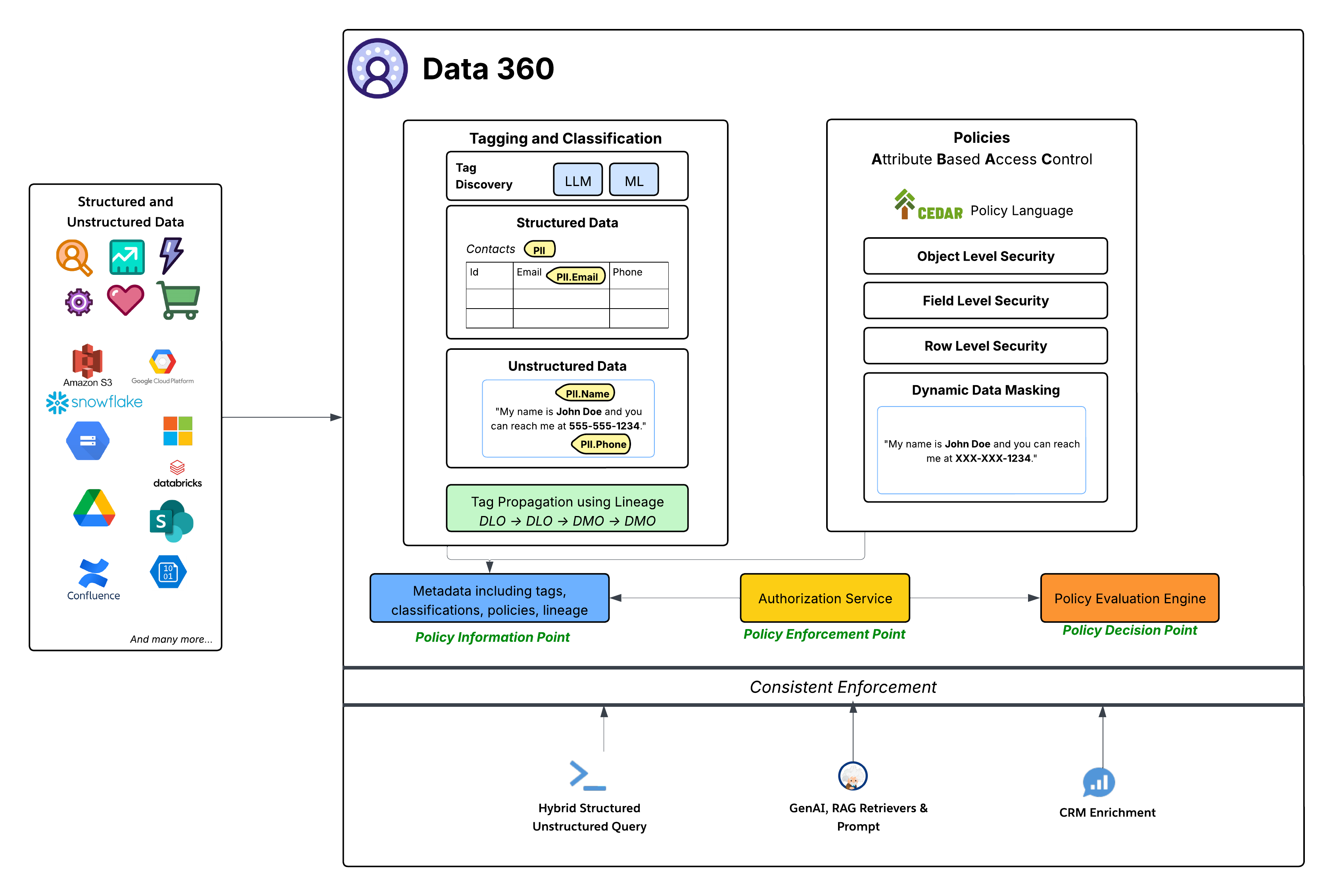 Data 360 adopts Attribute-Based Access Control (ABAC) as its core authorization model for fine-grained access, chosen over traditional Role-Based Access Control (RBAC) for the flexibility and scale that dynamic enterprise environments demand. Access decisions are evaluated at runtime from attributes of the user, the data (classification, sensitivity, data space), and the environment, rather than from pre-assigned roles alone. Policies are expressed in the CEDAR policy language and enforce object-, field-, and row-level security as well as dynamic data masking at the point of access. Automated LLM- and ML-driven tagging and classification (for example, PII.Email, PHI) propagate along data lineage (DLO → DLO → DMO), so sensitivity follows data through every transformation. Critically, this single ABAC framework enforces consistently across every consumption pattern (direct query, GenAI RAG retrieval, and CRM enrichment) and is administered natively with familiar Salesforce platform tools, avoiding a parallel governance stack.
For the full governance architecture (the Policy Information, Decision, and Enforcement Points, CEDAR policy authoring, and the tagging and classification pipeline), see the dedicated [Data 360 Security Architecture guide](https://architect.salesforce.com/docs/architect/fundamentals/guide/data360_security_architecture.html#data-governance-in-data-360-the-foundation-of-trust-control-and-intelligence).
### Data 360 Encryption: Bring Your Own Key (BYOK)
Data 360 encrypts all data at rest with Salesforce-managed keys by default. For regulated enterprises, Platform Encryption for Data 360 adds customer-managed encryption (Customer-Managed Keys, CMK), where the customer controls the root key through one of two methods. With External Key Management (EKM), the root key stays in the customer’s own AWS KMS and Data 360 calls out to it; with Bring Your Own Key (BYOK), the customer uploads their own root key material directly into Salesforce. In both cases Data 360 still generates and wraps the underlying data encryption keys, and the customer-managed root key protects data at rest and search indexes. Because no party (including Salesforce) can decrypt the data without that root key, it stays cryptographically protected even against a platform-level breach.
For setup, key rotation and lifecycle, and the EKM-versus-BYOK trade-offs, see the dedicated [Data 360 Security Architecture guide](https://architect.salesforce.com/docs/architect/fundamentals/guide/data360_security_architecture.html#foundation-of-protection-encryption-at-rest-and-in-transit).
### Data Residency and Regional Processing
Data 360 residency follows Hyperforce. Each org is provisioned into the Hyperforce region closest to the associated core Salesforce org, within a customer-selected country, and Data 360 runs on a subset of the [published Hyperforce regions](https://help.salesforce.com/s/articleView?id=000314281&type=1). Residency is set once, at provisioning, and is per-org: a single org's data resides in one region, and customers choose a country rather than a specific cloud region. Stored customer data remains in that region, with limited exceptions for operating the service (for example, support and operational access, Salesforce controller data that is not customer data, integrations to services not yet available on Hyperforce, and any movement the customer initiates).
Changing region is not an in-place operation. Data 360 cannot be migrated between regions; moving it requires de-provisioning and re-provisioning into the new region, effectively rebuilding the tenant. Data 360 also does not automatically follow its core org if that org is later migrated to a different region, so region alignment between CRM and Data 360 is an explicit provisioning concern rather than something that self-corrects. Cross-region replication, backup, and disaster recovery are provided through the Advanced Cross-Region Continuity add-on.
#### Regional Processing of AI and LLM Inference
Data-at-rest residency does not by itself guarantee that AI processing of that data stays in region. Einstein and Agentforce route generative-AI requests through geo-aware routing that prefers a model hosted in the org's own geography, but when the requested model is not available in region the request falls back to a region where that model is hosted (often the United States). The practical consequence is that an org whose stored data is pinned to, for example, an EU or Canadian region can still have prompts (and the grounding data sent with them) processed by a model hosted elsewhere, purely because the chosen model is not offered locally.
Architects designing for strict residency should treat per-region model availability as a first-class constraint, not an afterthought. Data 360 provides a Setup control that suppresses this final cross-region fallback: when it is enabled, a request that would otherwise route out of region returns an error instead, trading feature availability for a hard residency boundary. Coverage depends on the model provider, and the control prevents data from leaving rather than creating an in-region model where none exists. Where a stronger contractual boundary is required, the EU Operating Zone commits to keeping customer data within the EU, but satisfying that commitment with generative-AI features still depends on pinning to models that are actually hosted in region.
Finally, regional processing is distinct from the Einstein Trust Layer's data-handling guarantees. Zero data retention and prompt/response masking apply regardless of which region serves the request; they govern what a model provider may retain and see, not where the inference physically runs. Both matter for a residency assessment, but they answer different questions.
### Unstructured Data Storage and Processing
Data 360 supports storage and management of structured (tables), semi-structured (JSON), and unstructured data across data ingestion, processing, indexing, and query mechanisms. Data 360 supports unstructured data types beyond text, including audio, video, and images.
The image below illustrates the two sides of grounding (ingestion and retrieval).

Data 360 manages unstructured data by storing it in columns as text or in files for larger datasets. It supports data federation for unstructured content, which allows for the integration and management of data from multiple sources.
The data is then prepared and chunked, embeddings are generated, and both keyword and vector indexes are built. Data 360 hosts multiple out-of-the-box and pluggable models for chunking and embedding generation. Data 360 supports automated and configurable transcription of audio and video content for subsequent processing and indexing. The search service is used for keyword indexing. For vector indexing, Data 360 supports both native indexing (with Hyper) and dedicated vector databases. Data 360 also integrates with Salesforce Search platform to support keyword indexing on unstructured data. Such integrated multi-modal indexing in Data 360 powers search on any unstructured data, as discussed in the Agentforce Coworker section later in the document.
For retrieval, Data 360 provides APIs for search. The Hyper-based unified query facilitates ensemble queries across structured data, keyword indexes, and vector indexes, maintaining strict visibility and permissions, thus enhancing RAG and Search.
#### Extensible Pipelines
Data 360’s unstructured data indexing pipeline is a modular, extensible architecture.
**Pipeline Stages**
1. Parsing
2. Pre-Processing
3. Chunking
4. Post-Processing
5. Embedding
All stages also support LLM-based processing, letting customers write custom prompts. Both the pre-processing and post-processing phases can include multiple sequential steps, allowing complex transformations to be composed flexibly. Each stage is entirely metadata-driven, so every stage can be configured and extended from one place without code changes.
Examples of pre-processing include operations such as noise elimination, language normalization, and image understanding (optical character recognition and captioning), while post-processing stages may include metadata enrichment, semantic grouping, or advanced techniques such as Raptor chunking.
**Code Extension**
The pipeline fully supports Data 360 Code Extension, allowing enterprises to plug in custom logic at any stage. The code extension components are lightweight Python functions whose lifecycle (execution, scaling, and failure handling) is fully managed by Data 360. This lets domain-specific processing be introduced quickly while maintaining consistency and governance across the platform.
**Intelligent Context**
For setting up RAG with unstructured processing, two factors are key:
1. **Rapid Iteration**: The ability to quickly validate with sample test queries.
2. **Persona-Specific Content**: The capacity to configure content tailored to the consuming persona.
Intelligent Context is a tool designed to address both of these aspects. This interactive UI is powered by a Real-Time (RT) pipeline that executes all five previously outlined stages. The pipeline utilizes GPUs when necessary for tasks such as embedding generation and Optical Character Recognition (OCR). Furthermore, it allows customers to quickly test the RAG pipeline with an Agent before deploying the configuration for comprehensive content processing.
#### Document AI
Data 360 Document AI extracts structured, queryable data from unstructured and semi-structured documents such as invoices, resumes, lab reports, and purchase orders. Architects define an extraction schema (the fields, their types, and per-field extraction instructions) and choose between a batch pipeline over ingested documents and a transactional REST API that returns structured JSON synchronously; extracted data lands in Data Lake Objects that architects then model and route onward. For schema design, the batch-versus-transactional decision, governance, and a quick-start sequence, see the dedicated [Data 360 Document AI](https://architect.salesforce.com/docs/architect/fundamentals/guide/data360-document-ai) guide.
### Enterprise Knowledge
Enterprises possess knowledge spread across disparate systems like wikis, file shares, content management systems, internal databases, and more. This fragmentation makes it difficult for employees (especially service agents and sales reps) and customers to find relevant information efficiently. Key problems include:
- Lack of a single, unified search experience across all knowledge sources
- Inconsistent presentation and rendering of content from different sources
- Lack of access governance for sensitive information scattered across systems
- Difficulty using authoritative knowledge sources within core business workflows (for example, attaching relevant articles to a Case)
Enterprise Knowledge represents content that has been curated, either manually or automatically, from the broader pool of enterprise data. Manual curation involves deliberate actions, such as creating Salesforce Knowledge Articles or developing knowledge within external systems which is then ingested. Whether curated manually or automatically, internally within Salesforce or externally before ingestion, the outcome is value-added content distinct from raw data.
The Enterprise Knowledge Hub solution uses Data 360 capabilities for:
- **Ingestion and Storage**: CRM Connector ingests Salesforce knowledge articles, and data connector framework (DCF) unstructured connectors ingest raw content and metadata from external sources. The content is ingested into source-specific unstructured data lake objects (UDLOs) mapping to the content on SFDrive (or source in case of zero copy). Data 360 supports a variety of unstructured connectors, including web-based sources (Web Crawler, Sitemap), collaboration and file platforms (Microsoft SharePoint, Google Drive, Box), developer and support tools (GitHub, Jira, Confluence, Zendesk), knowledge management systems (Guru, Helpjuice), content platforms (Adobe Experience Manager, YouTube), and cloud storage providers (Amazon S3, Azure Storage, Google Cloud Storage).
- **Harmonization & Structuring**: The Harmonization Pipeline processes UDLO and file data, performing cleaning, normalization, enrichment (NLP, etc.), PII masking, and transformation into the harmonized intermediate format, stored in SF Drive and a harmonized UDLO (HUDLO) that maps to it.
- **Indexing**: Unstructured Pipeline (UDS) is triggered over the harmonized content and Search Indexes are configured for each harmonized UDMO (HUDMO).
- **Consumption**: Consuming applications include search, retrieval, rendering, and linking to business objects like Case. Engagement by consuming applications is collected to provide usage analytics (like clicks, reviews, etc.)
### Calculated Insights
Calculated insights (CIs) in Data 360 allow customers to define and generate aggregated metrics from their data. These metrics are then used for timely customer engagement, analysis, segmentation, and activation. CIs are defined either through no-code/low-code drag-and-drop or direct SQL authoring. The aggregated data computed by CIs is written to Lakehouse and represented as a calculated insight object (CIO).
There are two main types of calculated insights:
- **Batch Calculated Insights**: Designed for complex, high-volume data aggregation, where metrics can be computed immediately or periodically (for example, hourly, daily, or weekly).
- **Streaming Insights**: Provide the ability to generate metrics and actions from real-time event data, enabling immediate, low-latency customer engagement. Streaming CIs use Spark Structured Streaming and support windowed aggregations (for example, 60-minute tumbling windows) on high-velocity event data.
Calculated insights are defined on data model objects (DMOs) or on other calculated insight objects, and can surface real-time insights even from non-real-time DMOs. The calculated insights service manages the orchestration of both batch and streaming jobs.
Both batch and streaming computations run on Spark: batch as periodic scheduled jobs, streaming via Spark Structured Streaming. For cost efficiency, the calculated insights service groups CIs that share dependencies or source data objects into the same job.
Streaming Insights computation relies on incremental change processing: native change notifications signal when new data has arrived (avoiding costly full-table scans), and snapshot-based change extraction supplies the precise set of changed records for the engine to process incrementally.
### Identity Resolution
Identity resolution transforms disparate data from multiple sources into a single unified profile.
A unified profile isn’t a “golden record”, and identity resolution doesn’t pick winning values or override any existing data while unifying profiles. Unified profiles serve as a set of keys — often referred to as a "key ring" — that unlock your source data by identifying all matching records that relate to the same entity, within one data source or across many sources. With this information, you can select the right source system data to use for a given business use case. Data 360 Identity Resolution supports real-time engagement and activation — it is not a replacement for a Master Data Management (MDM) system like Informatica. MDM provides strict governance, stewardship workflows, and an immutable Golden Record for enterprise-wide systems of record. Data 360 IR is optimized for "best view for action right now" instead of a legally binding truth.
Identity resolution can consolidate a variety of record types, including Individuals, Accounts, and Households. It can also be used to match leads to existing accounts. Unification supports a complete Customer 360 view across both B2C and B2B scenarios.
The identity resolution pipeline is cloud-native and processes large data volumes continuously. The process involves four key stages, relying on a search index to manage matching:
- **Matching (Candidate Selection)**: The goal of the match process is to search for records that may belong to the same entity. Records are analyzed against a customizable set of rules, each of which contains a set of criteria that define what data to match at which level of strictness. To efficiently retrieve potential matches from the data store, the system generates indexes to find likely matching records using two techniques:
- **Blocking Keys**: A blocking key is a value generated from a record's data and match rules (like the first few letters of a name, normalized phone number, etc) to group potentially similar records together. Each record has multiple blocking keys that are indexed and stored as an inverted index, ensuring the system only performs detailed comparisons on small groups of records, rather than across the entire dataset.
- **Locality Sensitive Hashing (LSH)**: For match rules with fuzzy matching, hashes are generated based on embeddings from trained models.
- **Deep Matching**: After the candidate selection step creates smaller groups of potential matches, the system begins a more detailed comparison. In this stage, AI models and advanced algorithms analyze each pair of records to calculate a probabilistic match score. This score quantifies the likelihood that two records refer to the same entity by intelligently comparing fields that often contain misspellings, variations, or formatting differences. Supported match methods include Exact Match (high-fidelity identifiers like Party ID or email), Fuzzy Match (for names with variations, nicknames, or typos — scored using Jaro-Winkler and name variant algorithms), and Normalized Match (standardizes formatting, for example, stripping country codes and spaces from phone numbers before comparison).
- **Clustering and Unification**: Once matching records are identified from the candidates, they are grouped into a cluster. This process includes resolving transitive matches. For example, if Record A matches Record B, and Record B matches Record C, all three are linked into the same cluster even if A and C were never directly compared. These complete clusters form the foundational structure of the unified profile. This clustering process ensures that all related source records are correctly linked under a single, persistent identifier. The maximum supported cluster size is 50,000 records per profile. If exceeded, IR splits them into singleton profiles and logs a warning (ExceededMatchingRecordsPerCluster). This typically indicates bad data quality or overly relaxed match rules.
- **Reconciliation**: Data values from all clustered source records are evaluated using defined Reconciliation Rules (for example, *Most Frequent*, *Most Recent*, or *Source Priority*) to populate the resulting unified profile with an excerpt of profile data. Reconciliation doesn’t overwrite any existing data, as all source data is available using the keys linked to the unified profile.
#### Identity Resolution Types
The architecture supports the resolution of multiple entity types to fulfill a variety of use cases.
- **Individual Matching**: Focuses on creating the Unified Individual profiles, which link all known personal identifiers (emails, phone numbers, loyalty IDs, cookies) to a single person.
- **Account Matching**: Focuses on creating the Unified Account profiles, which link data about accounts. When matching on company names, the engine uses a finely tuned model when fuzzy matching.
- **Household Matching**: Extends the matching logic to aggregate Unified Individual records into groups of related individuals.
- **Cross Entity Matching**: Apart from unification, identity resolution also creates links between profile objects by using the same match rules. For instance, a Lead can be linked to an Account using fuzzy matching on Account Name.
#### Near Real-Time Processing
To keep the unified profile current, the identity resolution engine runs continuously in near real time. Under normal operations, identity resolution runs incrementally, processing only new or modified records, which keeps costs proportional to data change volume instead of total data size. A change to any field mapped to the profile DMOs triggers reprocessing (even fields not used in match rules); unmapped fields neither trigger it nor count toward credit consumption. Map only the fields needed for identity resolution and activation. While processing speed varies depending on how source data is received, small batches of changes can be processed by identity resolution as frequently as every 60 minutes to 24 hours for standard IR (depending on the data source), with real-time IR (Sub-Second Real-Time / SSRT) available for use cases that require profile updates within milliseconds — such as in-session personalization and live segmentation evaluation. It's important to understand the distinction between the two processing modes:
- **Near Real-Time IR (standard):** Processes new and changed records incrementally on a scheduled cadence (as frequently as every 60 minutes to 24 hours, depending on the data source). This is the default mode and is suitable for the vast majority of use cases including segmentation, activation, and Agentforce grounding. Segments and Calculated Insights run against the Data 360 Lakehouse and are updated on their own scheduled cadences (hourly, 6 hrs, 12 hrs, daily, weekly) — they are not automatically updated in sub-second time.
- **Real-Time IR (SSRT — Sub-Second Real-Time):** Enables profile updates, segment evaluation, and Calculated Insight computation within milliseconds of an event. This is a separately licensed capability (available under the Sub-Second Real-Time Profiles & Entities add-on) and is architecturally distinct from the standard near-real-time path. **Real-time segment evaluation and CI computation require the Sub-Second Real-Time Profiles & Entities add-on.**
#### Source Profile Linking
The system maintains identity link objects, specifically the IndividualIdentityLink DMO and PartyIdentificationIdentityLink DMO, that map every source record ID to its corresponding unified profile ID. This foundational data structure allows the engine to efficiently track relationships and quickly propagate changes and updates to the unified profile, ensuring that customer experiences (such as website personalization, next-best-action recommendations, and segmentation) always use the freshest available customer data. A source profile is defined as a group of records from the Individual DMOs and related objects, such as the Contact Points DMOs and Party Identifiers.
### Segmentation
Segmentation is the core process of transforming unified individual profiles into actionable audiences. The Data 360 Segmentation platform supports complex rules, aggregation-based filters, and window-based ranking at petabyte scale, over a data model of thousands of objects and relationships. Data 360 serves as the System of Context, with segmentation at the core of real-time audience evaluation.
#### Segmentation Types and Cadences
Data 360 supports various segment types to meet distinct business requirements for speed, complexity, and hierarchy:
1. **Standard Segment**: The primary, batch-processed segment type. It publishes on a customizable schedule, with a Standard Publish cadence of a minimum of 12 hours up to 24 hours, or a faster Rapid Publish cadence of 1 to 4 hours, which is optimized for recent engagement data. Rapid Segments are limited to processing 600 million total records and can publish a maximum of 24 times per day. The event lookback window for Rapid Segments is 7 days; segments error if the date range exceeds it.
2. **Real-Time Segment**: This segment completes on-demand in milliseconds for immediate action based on recent events and profile data. It is optimized for instant personalization but cannot utilize exclusion criteria or nested segments.
3. **Waterfall Segment**: A hierarchical structure of subsegments used to prioritize a customer into a single, most valuable segment if they qualify for multiple criteria.
4. **Nested Segment**: This allows for reusing an existing segment as a filter for a new, more specific segment (a refinement of a base segment), inheriting the schedule of the parent segment.
5. **Einstein Segment (AI-Generated):** Data 360 also supports Einstein Segments, where AI automatically generates segment criteria based on natural language prompts.
Data 360 surfaces two types of population counts during segment authoring:
- **Filter-Level Counts**, for direct attributes (1-to-1 traits where one match = one unique person). Use the "Calculate Population" option to identify restrictive filters causing audience drop-off.
- **Container-Level Counts**, for related attributes (groups multiple related events, for example, 50 orders, into unique individual occurrences). This count ensures that you're counting unique people rather than total transactions.
#### Segmentation Engine: Architecture Fundamentals
The segmentation engine operates on a cloud-native architecture that ensures speed, scale, and resilience.

Although Data 360 Query handles segmentation count computations, the Spark compute layer calculates the actual Segment membership. The Spark application executes Spark SQL queries on extensive customer data. This data can reside in the Data 360 Lakehouse, external systems via Zero Copy data federation, or a combination of both.
The architecture uses adaptive resource management, adjusting compute to workload size and complexity, and manages SLO adherence with adaptive durations and retry logic. Accelerated segment counts use sampling to provide rapid size estimates during segment creation, avoiding a full query run.
Observability and root-cause attribution rely on Spark execution metrics and automated error classification (for example, customer-side vs. system issues), reducing diagnosis time.
### Activation
Activation is the final step in the Data 360 lifecycle. Its core function is to transform static, segmented, unified individual profiles into actionable and enriched data and deliver this data to internal and external endpoints (such as Marketing Cloud, Commerce Cloud, and Adtech platforms like Facebook, LinkedIn, and Google). This process is designed to trigger personalized customer journeys and near real-time interactions. It supports advanced capabilities like related attributes, activation membership filtering, consent filtering, limiting, and ranking.
Activation offers three distinct methods for external delivery and channel compliance:
- **Batch Activation**: Designed for high-volume, scheduled operations such as large-scale email campaigns and advertising audience refreshes. Data is delivered by staging it to Secure Internal Buckets (Cloud Object Storage) or via Secure File Transfer, followed by an API ingest process initiated by the target system. Batch activations can utilize special refresh mode (incremental) to reduce volumes sent to and processed by Salesforce partners. Batch DMO Activations can also be published on-demand via the Connect API, eliminating reliance on manual activation scheduling.
- **Streaming Activation**: Optimized for near real-time use cases requiring event-driven automation. Delivery is achieved through direct API calls sent to the destination endpoint.
- **Activation-Triggered Flows (ATF)**: This highly platformized channel provides a no-code/low-code approach for integrating audience data with hundreds of API-enabled engagement platforms. Upon activation completion, Data 360 populates an Audience DMO, which then triggers a High Scale Flow. The Flow engine subsequently consumes the audience data and utilizes platform capabilities like External Services and Mule Outbound destinations to make calls to the final API-based destination. This method reduces the time to onboard new activation targets. ATF supports Batch DMO Activations, not just segment-based activations, allowing any DMO (Engagement, Profile, or Other category) to trigger a flow upon activation.
- **Flow-Orchestrated Activations (FOA):** FOA allows customers to call Data 360 Activations directly from the Flow canvas, using Flow's native logic (Decisions, Loops, Waits) to orchestrate fully automated, multi-channel journeys. Unlike traditional activations driven solely by segment publish schedules, FOA enables behavior-driven journeys where customers are automatically moved across channels based on real behavior (for example, email → ads → data systems).
Activation utilizes the same patterns as segmentation for job management, distributed execution, and monitoring. This includes the principles of the job orchestration service for lifecycle management and the compute layer (Spark) for processing, and relies on job telemetry for performance observability and service level objective (SLO) adherence.
Activation also includes several supporting capabilities:
**Activation Target Management** oversees the secure connections, credentials, and configurations for all destination endpoints. It guarantees that data formats and security protocols are standardized, ensuring dependable outbound delivery to various platforms, including Marketing Cloud, Adtech partners, and other external applications. Credentials are secured through Named Credentials and External Credentials, and for high-security environments, outbound connections can be restricted to Private Connect links, ensuring activation traffic remains within a private network.
Activation tailors the payload for specific targets. For Salesforce Marketing Cloud, this includes Business Unit (BU) Aware Filtering, Multi-EID support, and cross-pollination controls.
**Communication Governance** acts as a gatekeeper, ensuring data usage and communication are compliant with customer preferences and legal requirements. A centralized consent model unifies all customer preferences (from global opt-outs to channel- and purpose-specific consent) and stores them on the Unified Individual profile. During execution, the platform strictly enforces these policies by using exclusion filtering to automatically remove non-consenting individuals from the final payload. Consent flags evaluated include "Do Not Share," "Do Not Sell," and "Email Opt-Out," aligning with GDPR and CCPA requirements, with automated lineage and audit logs generated for each outbound activation event. Data 360 is also a HIPAA Covered Service under Salesforce's Business Associate Addendum, so activation supports protected health information (PHI) under a signed BAA, subject to the applicable restrictions such as PHI encryption.
Furthermore, the system applies contact point selection rules to ensure it uses the single, most compliant, and preferred contact point for the intended channel before any data is transmitted. Dynamic data masking and access controls protect sensitive data fields throughout activation.
**Auditability** provides administrators with visibility into activation events — who was included, which segment they belonged to, what consent flags were evaluated, and which target received the data. Each outbound activation generates a detailed audit log capturing the segment definition, execution timestamp, applied governance rules, and the resulting audience payload. Admins can trace individual records through the activation pipeline, from profile match to final delivery, using activation history views and data lineage tools. This supports accountability for compliance reviews, troubleshooting, and regulatory inquiries.
### Unified Query
Salesforce Data 360's Unified Query capability abstracts the complexities of diverse data stores behind a single query interface.
The Unified Query layer supports diverse consumption patterns:
- **Hybrid Structured & Unstructured Querying**: The Unified Query layer provides extensive SQL support to seamlessly query both structured data and the structured metadata of unstructured data. This is enhanced by operator extensibility via table functions, enabling specialized search across text, image, and spatial types. Hyper is extended to perform queries combining structured (relational), keyword (full-text) search, and semantic (vector) search, enabling hybrid search across all data types.
- **Accelerated Performance with Hyper**: Data 360 uses Hyper, a high-performance, in-memory engine, to accelerate complex analytical queries and interactive dashboards.
- **Unified Approach for AI & Personalization**: Unified access supports Retrieval Augmented Generation (RAG), grounding LLM responses in enterprise data.
- **Integration with Downstream Consumption**: This integration is the foundational data access layer for UI-driven experiences, APIs, Generative AI workflows, and CRM enrichment, connecting data to activation. As part of AIforce, the Connect REST API is the primary public API for headless, API-first, and MCP-based access to all Data 360 capabilities — enabling any agent, model, or tool to interact with Data 360 without a browser or UI.
### Data Actions
Data 360 is an active platform that supports the activation of pipelines in response to data events. For instance, an event, such as a drop in a customer’s account balance or a Calculated Insight detecting "High Churn Risk," can trigger a Salesforce Flow to orchestrate a corresponding action. Similarly, updates to key metrics, such as lifetime spend, can be automatically propagated to relevant applications.
Data Actions continuously monitor for data changes using native change notifications and snapshot-based change extraction. This data is evaluated against tenant-configured action rules, such as threshold monitoring or state changes. When these rules are met, a data action event, specifically a `DataObjectDataChgEvent`, is generated. This event is enriched with additional information (for example, customer loyalty status) and immediately sent to its configured destination, such as Salesforce Flow or an external application, to trigger business orchestrations.
Data 360 now includes monitoring alerts for Data Action failures. A "Data Actions Failure" alert surfaces errors in near-real-time integrations with platforms like MuleSoft and Marketing Cloud that can disrupt data synchronization across systems.
#### Customer Data Platform
Data 360 provides native CDP (Customer Data Platform) capabilities across both business-to-business (B2B) and business-to-consumer (B2C) models, building on the identity resolution and identity graphs described above. It is built natively into the Salesforce platform, letting Sales, Service, Marketing, and Commerce operate on a single unified data foundation.
Identity graphs enriched with engagement data from across channels feed the profile graphs used for analytics and segmentation.
#### Data Graphs
A key concept that supports the customer profile is the data graph. Data 360 offers an enterprise data graph in JSON format, which is a denormalized object derived from various Lakehouse tables and their interrelationships. Data Graphs can be refreshed on a batch schedule or via Streaming — an event-driven mode that provides near real-time, low-latency data propagation, keeping incrementally refreshed graphs complete even when related records arrive late or out of order.
This includes a "Profile" data graph created by CDP that encompasses a person’s purchase and browsing history, case history, product usage, and other calculated insights, and is extensible by customers and partners. Data Graphs support ABAC governance controls — access policies can restrict or filter what data is returned in queries, ensuring that even real-time profile retrieval respects row-level and field-level security.
These data graphs are tailored to specific applications and enhance generative AI prompt accuracy by providing relevant customer or user context. The real-time layer of Data 360 utilizes the Profile graph for real-time personalization and segmentation.
#### Data 360 and MCP
Data 360 is accessible as a Salesforce MCP server, allowing any AI agent, including Claude, ChatGPT, or custom-built agents, to connect directly to Data 360 capabilities without a browser or Salesforce UI. Data 360 defines what the agent knows; Agentforce defines what it's allowed to do; and the LLM defines how it reasons. Clean, unified, governed data in Data 360 ensures that agents connected via MCP don't inherit data quality issues from siloed systems.
### Real-Time Layer
Data 360’s real-time layer is backed by the Data 360 CDP and extends its concepts for real-time use cases, processing events such as web and mobile clickstreams, visits, cart data, and checkouts at millisecond latencies. It continuously monitors customer engagement and updates the unified individual profile with real-time engagement data, segments, and calculations for immediate personalization.
For example, when a consumer purchases an item on a shopping website, the real-time layer quickly detects and ingests this event, identifies the consumer, and enriches their profile with updated lifetime spend information. This allows for the personalization of their experience on the site with sub-second latency. Additionally, this layer includes capabilities for real-time triggering and responses, enabling immediate actions based on customer interactions.

Data 360's real-time platform combines a streaming pipeline, low-latency storage, and a sub-second processing layer. As interactive data is ingested from web and mobile channels, it goes through a series of rapid processes.
Web & Mobile SDKs (including a JavaScript tag-based Web SDK) and REST APIs collect behavioral and interaction data from web and mobile applications and transmit it to Data 360. Standard event types such as cart, order, catalog, and behavioral events are supported out of the box. From there, the data is routed along two parallel paths: to the Real-Time Layer for millisecond-latency processing, and to the Lakehouse Layer for integration with batch and streaming data pipelines.
The Real-Time Layer processes incoming data in the context of a user profile — whether anonymous or authenticated — updating attributes such as total spend or lifetime value to power in-session, real-time personalization. To meet strict latency requirements, the Real-Time Layer is backed by main memory and NVMe (SSD) storage, optimized for high-speed reads and writes of real-time data and customer profiles.
Once data lands in the Real-Time Layer, it passes through a series of processing steps before being committed to the Real-Time Data Graph:
- **Simple Ingest and Transformations**: The data is ingested and transformed for further processing.
- **Identity Resolution**: Exact match rules are applied to unify profiles with all existing match rules sets, so data-aware specialists don't have to create new identity resolution rules sets specifically for real-time.
- **Computed Insights**: Every engagement is evaluated; simple computations such as sum and count run in milliseconds and update the Real-Time Data Graph. Streaming Calculated Insights use Spark Structured Streaming with windowed aggregations (for example, 60-minute tumbling windows).
- **Real-Time Segments**: Every engagement data is evaluated to determine if it meets the criteria for defined real-time segments, and users are added to qualifying segments in milliseconds.
- **Real-Time Actions and Triggers**: Every engagement is evaluated against defined rules; when rules are met, a `DataObjectDataChgEvent` is generated in milliseconds and delivered to configured destinations such as Salesforce Flow (High Scale), Platform Events, Internal Webhook, or MuleSoft and external APIs.
- **Real-Time Data Graph and API**: Real-time data graph, which also includes a real-time API, allows brands to retrieve updated JSON-format data for each user, ensuring that all customer interactions are informed by the freshest data. The API delivers sub-second (P99 < 200ms) retrieval latency under normal operating conditions.
#### Personalization
Personalization is all about knowing who to target, when and where to deliver relevant content and recommendations, what to say and what frequency. Salesforce Personalization is the orchestrator of what decisions are made to optimize goal achievement through personalized experiences. It combines profile understanding via Profile Data Graphs with business context via Item Data Graphs (catalog, offers, promotions) to deliver personalized recommendations and content across channels.
Salesforce Personalization uses any data in Data 360 — including segments, real-time behavioral data, Calculated Insights, and affinities — to better target customers throughout their lifecycle.
**Personalization Services** integrates with Data 360 in the following ways:
- Interprets profile, activity, and asset data from Data 360 through a consistent set of models
- Writes engagement and interaction data back into Data 360 (as engagement DMOs), where analytics, reporting, and re-segmentation run
### Agentforce Coworker
Agentforce Coworker is the conversational AI experience built into Salesforce that understands the intent and context behind queries, surfaces the right information from across the entire enterprise, and puts plans into motion using Agentforce — all from inside the CRM search bar. It builds on existing Data 360 services and integrates deeply with Agentforce.
#### Using Data 360's Core Strengths
Our approach to Agentforce Coworker is based on these principles:
- Enterprise data is kept in siloed services or stores, with secure permissions needed for access. The ability to access this data and process it while maintaining the source permissions is vital to ensure trust.
- Cross-ranking and relevance across the complete corpus of data enable better results, which in turn can provide better context for agentic experiences.
To deliver these experiences, Agentforce Coworker is built on top of these key architectural components:
- **Connectors**: The broad set of connectors available in Data 360 enables one to access and ingest data from a wide variety of sources.
- **Unstructured Data Processing**: This is foundational for handling non-tabular content, enabling the system to derive meaning and context from diverse data. It also supports Docling parser (complex tables and layouts), LLM-Based parser (holistic document processing), Visual Data in RAG Responses (diagrams, flowcharts, infographics), and UDMO Context — enabling metadata such as Titles and URLs to be prepended directly to chunks for better agent retrieval accuracy.
- **Governance**: Ensuring enterprise-grade security, compliance, and access controls for all data consumed by search. Support for source visibility permissions ensures that the data is accessible only to authorized users, for both simple search and agentic experiences. To ensure fast retrieval, security permissions are evaluated and enforced natively by the search backends at the earliest stage of data access. For permission-aware sources, Data 360 ingests and automatically creates and applies governance policies, source permissions are inherited from the source. For non-permission-aware connectors, governance policies can be created manually using Data 360 ABAC capabilities
- **Unified Retrieval Layer**: To address the challenge of siloed data, the connectors feed into a comprehensive Unified Retrieval layer. This layer provides a single access point to all data, whether it remains in external systems accessed via Federated Search or is managed natively through advanced indexes for zero-copy and ingested data.
- **Intelligent Query Understanding**: Before retrieval, the system uses AI-powered mechanisms to interpret user intent. In addition to embedding representations of the query for semantic vector matching, it can rewrite and expand keyword-based searches to improve accuracy. The system also uses the Data 360 semantic layer (DMOs, Calculated Insights, Data Graphs) to translate natural language into precise, governed business logic, ensuring agents don't just retrieve rows, but retrieve contextually assembled entity packages.
- **Hybrid Search and Advanced Querying**: To find the most relevant information, the platform uses multiple strategies in parallel. Hybrid search provides precise keyword matching with semantic vector search on optimized chunks of data, while Full-record search simultaneously retrieves entire documents. Both are combined to ensure both semantic relevance and complete content coverage. The hybrid score is a relative relevance signal — it should not be used to compare scores across separate query executions, only within a single result set.
- **Hierarchical Ranking**: After data is retrieved, a multi-stage hierarchical ranking architecture scores, merges, and re-ranks the results from every source and method. This process creates a single, unified list that surfaces the most pertinent information for the user or agent.
#### Agentic Search Applications
Generative AI is shifting the primary consumer of enterprise search from human users to Large Language Models (LLMs). Data 360 Search is engineered from the ground up to serve both. It is optimized to handle the longer, more complex queries from agents and return the rich, contextual results necessary for programmatic consumption and reasoning loops. At the same time, the system can handle the shorter, often ambiguous queries typical of human users, providing features like snippets and highlighting for rapid assessment in a UI.
The ultimate delivery of agentic search experiences combines both approaches:
1. **Direct Search Results**: application can display a traditional list of ranked results by using a metadata-driven API built on the Data 360 unified search foundation.
2. **Agentic, multi-turn conversational answers**: agentic answers are implemented through native integration with Agentforce. This conversational experience is driven by a primary agent that orchestrates actions and queries, delegating all information retrieval tasks to a specialized, internal Search Agent.
This specialized Search Agent is optimized for enterprise information retrieval. It uses a reasoning loop to formulate and execute parallel searches to explore different facets of a user's request. It utilizes a powerful set of tools, including the Data 360 unified search for all data types and structured query languages to retrieve precise data from tables and entities. The Search Agent is grounded in the Data 360 unified search foundation, which combines keyword search and semantic vector search through Hybrid Search, ensuring both intent-based and exact-match queries are served accurately.
##### Advanced Retrieval Capabilities
The precision of agentic search is directly determined by retrieval quality. It introduced several capabilities that significantly improve retrieval accuracy for enterprise deployments:
- **Enhanced Retriever Pre-Filters**: Up to 10 pre-filters with compound AND/OR logic and LIKE operator support — a 10x increase in filtering capability. This reduces retrieval noise and keeps the AI context window focused on the most authoritative content. Pre-filters can be configured at setup time, tested in the Retriever Playground, and applied programmatically at query time.
- **Retriever Playground**: A dedicated testing environment allowing architects and data stewards to validate retriever behavior end-to-end against fully built search indexes, without invoking an LLM. Users can view retrieved chunks, scores, adjust settings, validate against ground truth, and save improved configurations.
- **Visual Data in RAG Responses**: LLM + Docling image processing enables agents to extract insights from diagrams, flowcharts, and infographics embedded in documents, not just text content.
- **Dynamic Retrievers**: A distinct retriever type whose filter values are populated from the prompt at query time, so a single retriever can serve many personas instead of requiring a separate retriever for each filter value.
### Agentic Context and Memory
By default an agent is stateless across sessions. It retains nothing from one conversation to the next, so any memory of a customer's prior preferences, decisions, or history must be rebuilt from source data or re-elicited from the user. Absent a shared substrate, each agent implements that memory itself (its own storage, retrieval, and access control), usually without inheriting the governance that applies to the underlying data. The Agentic Context Engine (ACE) is that shared substrate: a Data 360 service that provides agent memory as a governed, cross-session context store. Any agent (Agentforce or third-party) uses it instead of building and securing its own.
ACE is a headless context service: an agent registers with Data 360 and then stores and retrieves context through a consistent interface, without handling the underlying stores directly. Conversation history flows through the real-time layer and persists to the low-latency store, and the unstructured processing pipelines distill that history into durable memory (concise conversation summaries, plus profile-level facts and preferences). For each turn of a conversation, ACE assembles the relevant slice of this context and serves it to the agent — drawing on the unified individual profile for long-term, per-person context and on session state for the current interaction.
Because ACE is built on Data 360, agent memory inherits the platform's governance model. An agent operates in the security context of the user it serves, so it retrieves only the conversations and context that user is permitted to see, and memory is partitioned by data space like other Data 360 objects. (Encryption, residency, and subject-rights handling follow the platform-wide model covered in the dedicated [Data 360 Security Architecture guide](https://architect.salesforce.com/docs/architect/fundamentals/guide/data360_security_architecture.html).)
### Extending Data 360 with Custom Code
Extensibility is a key feature in the Salesforce platform. Code Extension, also referred to as Bring Your Own Code (BYOC), provides extensibility in Data 360, allowing pro-code users to run custom Python logic directly within the Data 360 environment, supplementing its rich declarative and low-code functionalities. Using Code Extension, users can securely extend Data 360 core capabilities like Batch Data Transforms and Custom chunking in Unstructured Data Pipelines (custom chunking).
Our design for Code Extension prioritizes flexibility, security, efficiency, and a streamlined developer experience. It supports two primary execution models, each tailored for specific architectural needs:
- **Script Model**:
- **Purpose**: For comprehensive custom logic requiring direct interaction with the Data 360 Lakehouse.
- **Functionality**: Customers write full Python scripts using the Code Extension SDK, enabling read and write access to the Lakehouse via SDK APIs. Scripts can read from multiple Data 360 objects, apply complex processing logic, and write results back to target objects. Ideal for custom/complex data preparation, or bespoke data manipulation, custom decryption logic, parsing of nested legacy formats (for example, XML), or complex financial calculations.
- **Isolation and Security:** While scripts access the Lakehouse, their execution is confined to a secure, isolated environment within the Data 360 runtime, preventing interference with other processes or unauthorized system access.
- **Function Model**:
- **Purpose**: Analogous to a serverless function, for modular, stateless computations invoked from existing Data 360 pipelines (for example, custom chunking in an Unstructured Pipeline).
- **Functionality**: Customer-provided functions take input, compute, and return output. Example use cases include chunking by HTML tags to preserve structural context, chunking by speaker turns to maintain conversational flow, or chunking by slide to retain presentation context — all critical for ensuring Agentforce agents retrieve the correct context from complex document structures.
- **Isolation and Security**: These functions are designed for strict isolation; they do not have direct Lakehouse access. Their execution is sandboxed, stateless, and resource-constrained, making them suitable for focused, stateless processing steps, ensuring security, predictable execution, and minimizing blast radius.
Data 360 adopts Attribute-Based Access Control (ABAC) as its core authorization model for fine-grained access, chosen over traditional Role-Based Access Control (RBAC) for the flexibility and scale that dynamic enterprise environments demand. Access decisions are evaluated at runtime from attributes of the user, the data (classification, sensitivity, data space), and the environment, rather than from pre-assigned roles alone. Policies are expressed in the CEDAR policy language and enforce object-, field-, and row-level security as well as dynamic data masking at the point of access. Automated LLM- and ML-driven tagging and classification (for example, PII.Email, PHI) propagate along data lineage (DLO → DLO → DMO), so sensitivity follows data through every transformation. Critically, this single ABAC framework enforces consistently across every consumption pattern (direct query, GenAI RAG retrieval, and CRM enrichment) and is administered natively with familiar Salesforce platform tools, avoiding a parallel governance stack.
For the full governance architecture (the Policy Information, Decision, and Enforcement Points, CEDAR policy authoring, and the tagging and classification pipeline), see the dedicated [Data 360 Security Architecture guide](https://architect.salesforce.com/docs/architect/fundamentals/guide/data360_security_architecture.html#data-governance-in-data-360-the-foundation-of-trust-control-and-intelligence).
### Data 360 Encryption: Bring Your Own Key (BYOK)
Data 360 encrypts all data at rest with Salesforce-managed keys by default. For regulated enterprises, Platform Encryption for Data 360 adds customer-managed encryption (Customer-Managed Keys, CMK), where the customer controls the root key through one of two methods. With External Key Management (EKM), the root key stays in the customer’s own AWS KMS and Data 360 calls out to it; with Bring Your Own Key (BYOK), the customer uploads their own root key material directly into Salesforce. In both cases Data 360 still generates and wraps the underlying data encryption keys, and the customer-managed root key protects data at rest and search indexes. Because no party (including Salesforce) can decrypt the data without that root key, it stays cryptographically protected even against a platform-level breach.
For setup, key rotation and lifecycle, and the EKM-versus-BYOK trade-offs, see the dedicated [Data 360 Security Architecture guide](https://architect.salesforce.com/docs/architect/fundamentals/guide/data360_security_architecture.html#foundation-of-protection-encryption-at-rest-and-in-transit).
### Data Residency and Regional Processing
Data 360 residency follows Hyperforce. Each org is provisioned into the Hyperforce region closest to the associated core Salesforce org, within a customer-selected country, and Data 360 runs on a subset of the [published Hyperforce regions](https://help.salesforce.com/s/articleView?id=000314281&type=1). Residency is set once, at provisioning, and is per-org: a single org's data resides in one region, and customers choose a country rather than a specific cloud region. Stored customer data remains in that region, with limited exceptions for operating the service (for example, support and operational access, Salesforce controller data that is not customer data, integrations to services not yet available on Hyperforce, and any movement the customer initiates).
Changing region is not an in-place operation. Data 360 cannot be migrated between regions; moving it requires de-provisioning and re-provisioning into the new region, effectively rebuilding the tenant. Data 360 also does not automatically follow its core org if that org is later migrated to a different region, so region alignment between CRM and Data 360 is an explicit provisioning concern rather than something that self-corrects. Cross-region replication, backup, and disaster recovery are provided through the Advanced Cross-Region Continuity add-on.
#### Regional Processing of AI and LLM Inference
Data-at-rest residency does not by itself guarantee that AI processing of that data stays in region. Einstein and Agentforce route generative-AI requests through geo-aware routing that prefers a model hosted in the org's own geography, but when the requested model is not available in region the request falls back to a region where that model is hosted (often the United States). The practical consequence is that an org whose stored data is pinned to, for example, an EU or Canadian region can still have prompts (and the grounding data sent with them) processed by a model hosted elsewhere, purely because the chosen model is not offered locally.
Architects designing for strict residency should treat per-region model availability as a first-class constraint, not an afterthought. Data 360 provides a Setup control that suppresses this final cross-region fallback: when it is enabled, a request that would otherwise route out of region returns an error instead, trading feature availability for a hard residency boundary. Coverage depends on the model provider, and the control prevents data from leaving rather than creating an in-region model where none exists. Where a stronger contractual boundary is required, the EU Operating Zone commits to keeping customer data within the EU, but satisfying that commitment with generative-AI features still depends on pinning to models that are actually hosted in region.
Finally, regional processing is distinct from the Einstein Trust Layer's data-handling guarantees. Zero data retention and prompt/response masking apply regardless of which region serves the request; they govern what a model provider may retain and see, not where the inference physically runs. Both matter for a residency assessment, but they answer different questions.
### Unstructured Data Storage and Processing
Data 360 supports storage and management of structured (tables), semi-structured (JSON), and unstructured data across data ingestion, processing, indexing, and query mechanisms. Data 360 supports unstructured data types beyond text, including audio, video, and images.
The image below illustrates the two sides of grounding (ingestion and retrieval).

Data 360 manages unstructured data by storing it in columns as text or in files for larger datasets. It supports data federation for unstructured content, which allows for the integration and management of data from multiple sources.
The data is then prepared and chunked, embeddings are generated, and both keyword and vector indexes are built. Data 360 hosts multiple out-of-the-box and pluggable models for chunking and embedding generation. Data 360 supports automated and configurable transcription of audio and video content for subsequent processing and indexing. The search service is used for keyword indexing. For vector indexing, Data 360 supports both native indexing (with Hyper) and dedicated vector databases. Data 360 also integrates with Salesforce Search platform to support keyword indexing on unstructured data. Such integrated multi-modal indexing in Data 360 powers search on any unstructured data, as discussed in the Agentforce Coworker section later in the document.
For retrieval, Data 360 provides APIs for search. The Hyper-based unified query facilitates ensemble queries across structured data, keyword indexes, and vector indexes, maintaining strict visibility and permissions, thus enhancing RAG and Search.
#### Extensible Pipelines
Data 360’s unstructured data indexing pipeline is a modular, extensible architecture.
**Pipeline Stages**
1. Parsing
2. Pre-Processing
3. Chunking
4. Post-Processing
5. Embedding
All stages also support LLM-based processing, letting customers write custom prompts. Both the pre-processing and post-processing phases can include multiple sequential steps, allowing complex transformations to be composed flexibly. Each stage is entirely metadata-driven, so every stage can be configured and extended from one place without code changes.
Examples of pre-processing include operations such as noise elimination, language normalization, and image understanding (optical character recognition and captioning), while post-processing stages may include metadata enrichment, semantic grouping, or advanced techniques such as Raptor chunking.
**Code Extension**
The pipeline fully supports Data 360 Code Extension, allowing enterprises to plug in custom logic at any stage. The code extension components are lightweight Python functions whose lifecycle (execution, scaling, and failure handling) is fully managed by Data 360. This lets domain-specific processing be introduced quickly while maintaining consistency and governance across the platform.
**Intelligent Context**
For setting up RAG with unstructured processing, two factors are key:
1. **Rapid Iteration**: The ability to quickly validate with sample test queries.
2. **Persona-Specific Content**: The capacity to configure content tailored to the consuming persona.
Intelligent Context is a tool designed to address both of these aspects. This interactive UI is powered by a Real-Time (RT) pipeline that executes all five previously outlined stages. The pipeline utilizes GPUs when necessary for tasks such as embedding generation and Optical Character Recognition (OCR). Furthermore, it allows customers to quickly test the RAG pipeline with an Agent before deploying the configuration for comprehensive content processing.
#### Document AI
Data 360 Document AI extracts structured, queryable data from unstructured and semi-structured documents such as invoices, resumes, lab reports, and purchase orders. Architects define an extraction schema (the fields, their types, and per-field extraction instructions) and choose between a batch pipeline over ingested documents and a transactional REST API that returns structured JSON synchronously; extracted data lands in Data Lake Objects that architects then model and route onward. For schema design, the batch-versus-transactional decision, governance, and a quick-start sequence, see the dedicated [Data 360 Document AI](https://architect.salesforce.com/docs/architect/fundamentals/guide/data360-document-ai) guide.
### Enterprise Knowledge
Enterprises possess knowledge spread across disparate systems like wikis, file shares, content management systems, internal databases, and more. This fragmentation makes it difficult for employees (especially service agents and sales reps) and customers to find relevant information efficiently. Key problems include:
- Lack of a single, unified search experience across all knowledge sources
- Inconsistent presentation and rendering of content from different sources
- Lack of access governance for sensitive information scattered across systems
- Difficulty using authoritative knowledge sources within core business workflows (for example, attaching relevant articles to a Case)
Enterprise Knowledge represents content that has been curated, either manually or automatically, from the broader pool of enterprise data. Manual curation involves deliberate actions, such as creating Salesforce Knowledge Articles or developing knowledge within external systems which is then ingested. Whether curated manually or automatically, internally within Salesforce or externally before ingestion, the outcome is value-added content distinct from raw data.
The Enterprise Knowledge Hub solution uses Data 360 capabilities for:
- **Ingestion and Storage**: CRM Connector ingests Salesforce knowledge articles, and data connector framework (DCF) unstructured connectors ingest raw content and metadata from external sources. The content is ingested into source-specific unstructured data lake objects (UDLOs) mapping to the content on SFDrive (or source in case of zero copy). Data 360 supports a variety of unstructured connectors, including web-based sources (Web Crawler, Sitemap), collaboration and file platforms (Microsoft SharePoint, Google Drive, Box), developer and support tools (GitHub, Jira, Confluence, Zendesk), knowledge management systems (Guru, Helpjuice), content platforms (Adobe Experience Manager, YouTube), and cloud storage providers (Amazon S3, Azure Storage, Google Cloud Storage).
- **Harmonization & Structuring**: The Harmonization Pipeline processes UDLO and file data, performing cleaning, normalization, enrichment (NLP, etc.), PII masking, and transformation into the harmonized intermediate format, stored in SF Drive and a harmonized UDLO (HUDLO) that maps to it.
- **Indexing**: Unstructured Pipeline (UDS) is triggered over the harmonized content and Search Indexes are configured for each harmonized UDMO (HUDMO).
- **Consumption**: Consuming applications include search, retrieval, rendering, and linking to business objects like Case. Engagement by consuming applications is collected to provide usage analytics (like clicks, reviews, etc.)
### Calculated Insights
Calculated insights (CIs) in Data 360 allow customers to define and generate aggregated metrics from their data. These metrics are then used for timely customer engagement, analysis, segmentation, and activation. CIs are defined either through no-code/low-code drag-and-drop or direct SQL authoring. The aggregated data computed by CIs is written to Lakehouse and represented as a calculated insight object (CIO).
There are two main types of calculated insights:
- **Batch Calculated Insights**: Designed for complex, high-volume data aggregation, where metrics can be computed immediately or periodically (for example, hourly, daily, or weekly).
- **Streaming Insights**: Provide the ability to generate metrics and actions from real-time event data, enabling immediate, low-latency customer engagement. Streaming CIs use Spark Structured Streaming and support windowed aggregations (for example, 60-minute tumbling windows) on high-velocity event data.
Calculated insights are defined on data model objects (DMOs) or on other calculated insight objects, and can surface real-time insights even from non-real-time DMOs. The calculated insights service manages the orchestration of both batch and streaming jobs.
Both batch and streaming computations run on Spark: batch as periodic scheduled jobs, streaming via Spark Structured Streaming. For cost efficiency, the calculated insights service groups CIs that share dependencies or source data objects into the same job.
Streaming Insights computation relies on incremental change processing: native change notifications signal when new data has arrived (avoiding costly full-table scans), and snapshot-based change extraction supplies the precise set of changed records for the engine to process incrementally.
### Identity Resolution
Identity resolution transforms disparate data from multiple sources into a single unified profile.
A unified profile isn’t a “golden record”, and identity resolution doesn’t pick winning values or override any existing data while unifying profiles. Unified profiles serve as a set of keys — often referred to as a "key ring" — that unlock your source data by identifying all matching records that relate to the same entity, within one data source or across many sources. With this information, you can select the right source system data to use for a given business use case. Data 360 Identity Resolution supports real-time engagement and activation — it is not a replacement for a Master Data Management (MDM) system like Informatica. MDM provides strict governance, stewardship workflows, and an immutable Golden Record for enterprise-wide systems of record. Data 360 IR is optimized for "best view for action right now" instead of a legally binding truth.
Identity resolution can consolidate a variety of record types, including Individuals, Accounts, and Households. It can also be used to match leads to existing accounts. Unification supports a complete Customer 360 view across both B2C and B2B scenarios.
The identity resolution pipeline is cloud-native and processes large data volumes continuously. The process involves four key stages, relying on a search index to manage matching:
- **Matching (Candidate Selection)**: The goal of the match process is to search for records that may belong to the same entity. Records are analyzed against a customizable set of rules, each of which contains a set of criteria that define what data to match at which level of strictness. To efficiently retrieve potential matches from the data store, the system generates indexes to find likely matching records using two techniques:
- **Blocking Keys**: A blocking key is a value generated from a record's data and match rules (like the first few letters of a name, normalized phone number, etc) to group potentially similar records together. Each record has multiple blocking keys that are indexed and stored as an inverted index, ensuring the system only performs detailed comparisons on small groups of records, rather than across the entire dataset.
- **Locality Sensitive Hashing (LSH)**: For match rules with fuzzy matching, hashes are generated based on embeddings from trained models.
- **Deep Matching**: After the candidate selection step creates smaller groups of potential matches, the system begins a more detailed comparison. In this stage, AI models and advanced algorithms analyze each pair of records to calculate a probabilistic match score. This score quantifies the likelihood that two records refer to the same entity by intelligently comparing fields that often contain misspellings, variations, or formatting differences. Supported match methods include Exact Match (high-fidelity identifiers like Party ID or email), Fuzzy Match (for names with variations, nicknames, or typos — scored using Jaro-Winkler and name variant algorithms), and Normalized Match (standardizes formatting, for example, stripping country codes and spaces from phone numbers before comparison).
- **Clustering and Unification**: Once matching records are identified from the candidates, they are grouped into a cluster. This process includes resolving transitive matches. For example, if Record A matches Record B, and Record B matches Record C, all three are linked into the same cluster even if A and C were never directly compared. These complete clusters form the foundational structure of the unified profile. This clustering process ensures that all related source records are correctly linked under a single, persistent identifier. The maximum supported cluster size is 50,000 records per profile. If exceeded, IR splits them into singleton profiles and logs a warning (ExceededMatchingRecordsPerCluster). This typically indicates bad data quality or overly relaxed match rules.
- **Reconciliation**: Data values from all clustered source records are evaluated using defined Reconciliation Rules (for example, *Most Frequent*, *Most Recent*, or *Source Priority*) to populate the resulting unified profile with an excerpt of profile data. Reconciliation doesn’t overwrite any existing data, as all source data is available using the keys linked to the unified profile.
#### Identity Resolution Types
The architecture supports the resolution of multiple entity types to fulfill a variety of use cases.
- **Individual Matching**: Focuses on creating the Unified Individual profiles, which link all known personal identifiers (emails, phone numbers, loyalty IDs, cookies) to a single person.
- **Account Matching**: Focuses on creating the Unified Account profiles, which link data about accounts. When matching on company names, the engine uses a finely tuned model when fuzzy matching.
- **Household Matching**: Extends the matching logic to aggregate Unified Individual records into groups of related individuals.
- **Cross Entity Matching**: Apart from unification, identity resolution also creates links between profile objects by using the same match rules. For instance, a Lead can be linked to an Account using fuzzy matching on Account Name.
#### Near Real-Time Processing
To keep the unified profile current, the identity resolution engine runs continuously in near real time. Under normal operations, identity resolution runs incrementally, processing only new or modified records, which keeps costs proportional to data change volume instead of total data size. A change to any field mapped to the profile DMOs triggers reprocessing (even fields not used in match rules); unmapped fields neither trigger it nor count toward credit consumption. Map only the fields needed for identity resolution and activation. While processing speed varies depending on how source data is received, small batches of changes can be processed by identity resolution as frequently as every 60 minutes to 24 hours for standard IR (depending on the data source), with real-time IR (Sub-Second Real-Time / SSRT) available for use cases that require profile updates within milliseconds — such as in-session personalization and live segmentation evaluation. It's important to understand the distinction between the two processing modes:
- **Near Real-Time IR (standard):** Processes new and changed records incrementally on a scheduled cadence (as frequently as every 60 minutes to 24 hours, depending on the data source). This is the default mode and is suitable for the vast majority of use cases including segmentation, activation, and Agentforce grounding. Segments and Calculated Insights run against the Data 360 Lakehouse and are updated on their own scheduled cadences (hourly, 6 hrs, 12 hrs, daily, weekly) — they are not automatically updated in sub-second time.
- **Real-Time IR (SSRT — Sub-Second Real-Time):** Enables profile updates, segment evaluation, and Calculated Insight computation within milliseconds of an event. This is a separately licensed capability (available under the Sub-Second Real-Time Profiles & Entities add-on) and is architecturally distinct from the standard near-real-time path. **Real-time segment evaluation and CI computation require the Sub-Second Real-Time Profiles & Entities add-on.**
#### Source Profile Linking
The system maintains identity link objects, specifically the IndividualIdentityLink DMO and PartyIdentificationIdentityLink DMO, that map every source record ID to its corresponding unified profile ID. This foundational data structure allows the engine to efficiently track relationships and quickly propagate changes and updates to the unified profile, ensuring that customer experiences (such as website personalization, next-best-action recommendations, and segmentation) always use the freshest available customer data. A source profile is defined as a group of records from the Individual DMOs and related objects, such as the Contact Points DMOs and Party Identifiers.
### Segmentation
Segmentation is the core process of transforming unified individual profiles into actionable audiences. The Data 360 Segmentation platform supports complex rules, aggregation-based filters, and window-based ranking at petabyte scale, over a data model of thousands of objects and relationships. Data 360 serves as the System of Context, with segmentation at the core of real-time audience evaluation.
#### Segmentation Types and Cadences
Data 360 supports various segment types to meet distinct business requirements for speed, complexity, and hierarchy:
1. **Standard Segment**: The primary, batch-processed segment type. It publishes on a customizable schedule, with a Standard Publish cadence of a minimum of 12 hours up to 24 hours, or a faster Rapid Publish cadence of 1 to 4 hours, which is optimized for recent engagement data. Rapid Segments are limited to processing 600 million total records and can publish a maximum of 24 times per day. The event lookback window for Rapid Segments is 7 days; segments error if the date range exceeds it.
2. **Real-Time Segment**: This segment completes on-demand in milliseconds for immediate action based on recent events and profile data. It is optimized for instant personalization but cannot utilize exclusion criteria or nested segments.
3. **Waterfall Segment**: A hierarchical structure of subsegments used to prioritize a customer into a single, most valuable segment if they qualify for multiple criteria.
4. **Nested Segment**: This allows for reusing an existing segment as a filter for a new, more specific segment (a refinement of a base segment), inheriting the schedule of the parent segment.
5. **Einstein Segment (AI-Generated):** Data 360 also supports Einstein Segments, where AI automatically generates segment criteria based on natural language prompts.
Data 360 surfaces two types of population counts during segment authoring:
- **Filter-Level Counts**, for direct attributes (1-to-1 traits where one match = one unique person). Use the "Calculate Population" option to identify restrictive filters causing audience drop-off.
- **Container-Level Counts**, for related attributes (groups multiple related events, for example, 50 orders, into unique individual occurrences). This count ensures that you're counting unique people rather than total transactions.
#### Segmentation Engine: Architecture Fundamentals
The segmentation engine operates on a cloud-native architecture that ensures speed, scale, and resilience.

Although Data 360 Query handles segmentation count computations, the Spark compute layer calculates the actual Segment membership. The Spark application executes Spark SQL queries on extensive customer data. This data can reside in the Data 360 Lakehouse, external systems via Zero Copy data federation, or a combination of both.
The architecture uses adaptive resource management, adjusting compute to workload size and complexity, and manages SLO adherence with adaptive durations and retry logic. Accelerated segment counts use sampling to provide rapid size estimates during segment creation, avoiding a full query run.
Observability and root-cause attribution rely on Spark execution metrics and automated error classification (for example, customer-side vs. system issues), reducing diagnosis time.
### Activation
Activation is the final step in the Data 360 lifecycle. Its core function is to transform static, segmented, unified individual profiles into actionable and enriched data and deliver this data to internal and external endpoints (such as Marketing Cloud, Commerce Cloud, and Adtech platforms like Facebook, LinkedIn, and Google). This process is designed to trigger personalized customer journeys and near real-time interactions. It supports advanced capabilities like related attributes, activation membership filtering, consent filtering, limiting, and ranking.
Activation offers three distinct methods for external delivery and channel compliance:
- **Batch Activation**: Designed for high-volume, scheduled operations such as large-scale email campaigns and advertising audience refreshes. Data is delivered by staging it to Secure Internal Buckets (Cloud Object Storage) or via Secure File Transfer, followed by an API ingest process initiated by the target system. Batch activations can utilize special refresh mode (incremental) to reduce volumes sent to and processed by Salesforce partners. Batch DMO Activations can also be published on-demand via the Connect API, eliminating reliance on manual activation scheduling.
- **Streaming Activation**: Optimized for near real-time use cases requiring event-driven automation. Delivery is achieved through direct API calls sent to the destination endpoint.
- **Activation-Triggered Flows (ATF)**: This highly platformized channel provides a no-code/low-code approach for integrating audience data with hundreds of API-enabled engagement platforms. Upon activation completion, Data 360 populates an Audience DMO, which then triggers a High Scale Flow. The Flow engine subsequently consumes the audience data and utilizes platform capabilities like External Services and Mule Outbound destinations to make calls to the final API-based destination. This method reduces the time to onboard new activation targets. ATF supports Batch DMO Activations, not just segment-based activations, allowing any DMO (Engagement, Profile, or Other category) to trigger a flow upon activation.
- **Flow-Orchestrated Activations (FOA):** FOA allows customers to call Data 360 Activations directly from the Flow canvas, using Flow's native logic (Decisions, Loops, Waits) to orchestrate fully automated, multi-channel journeys. Unlike traditional activations driven solely by segment publish schedules, FOA enables behavior-driven journeys where customers are automatically moved across channels based on real behavior (for example, email → ads → data systems).
Activation utilizes the same patterns as segmentation for job management, distributed execution, and monitoring. This includes the principles of the job orchestration service for lifecycle management and the compute layer (Spark) for processing, and relies on job telemetry for performance observability and service level objective (SLO) adherence.
Activation also includes several supporting capabilities:
**Activation Target Management** oversees the secure connections, credentials, and configurations for all destination endpoints. It guarantees that data formats and security protocols are standardized, ensuring dependable outbound delivery to various platforms, including Marketing Cloud, Adtech partners, and other external applications. Credentials are secured through Named Credentials and External Credentials, and for high-security environments, outbound connections can be restricted to Private Connect links, ensuring activation traffic remains within a private network.
Activation tailors the payload for specific targets. For Salesforce Marketing Cloud, this includes Business Unit (BU) Aware Filtering, Multi-EID support, and cross-pollination controls.
**Communication Governance** acts as a gatekeeper, ensuring data usage and communication are compliant with customer preferences and legal requirements. A centralized consent model unifies all customer preferences (from global opt-outs to channel- and purpose-specific consent) and stores them on the Unified Individual profile. During execution, the platform strictly enforces these policies by using exclusion filtering to automatically remove non-consenting individuals from the final payload. Consent flags evaluated include "Do Not Share," "Do Not Sell," and "Email Opt-Out," aligning with GDPR and CCPA requirements, with automated lineage and audit logs generated for each outbound activation event. Data 360 is also a HIPAA Covered Service under Salesforce's Business Associate Addendum, so activation supports protected health information (PHI) under a signed BAA, subject to the applicable restrictions such as PHI encryption.
Furthermore, the system applies contact point selection rules to ensure it uses the single, most compliant, and preferred contact point for the intended channel before any data is transmitted. Dynamic data masking and access controls protect sensitive data fields throughout activation.
**Auditability** provides administrators with visibility into activation events — who was included, which segment they belonged to, what consent flags were evaluated, and which target received the data. Each outbound activation generates a detailed audit log capturing the segment definition, execution timestamp, applied governance rules, and the resulting audience payload. Admins can trace individual records through the activation pipeline, from profile match to final delivery, using activation history views and data lineage tools. This supports accountability for compliance reviews, troubleshooting, and regulatory inquiries.
### Unified Query
Salesforce Data 360's Unified Query capability abstracts the complexities of diverse data stores behind a single query interface.
The Unified Query layer supports diverse consumption patterns:
- **Hybrid Structured & Unstructured Querying**: The Unified Query layer provides extensive SQL support to seamlessly query both structured data and the structured metadata of unstructured data. This is enhanced by operator extensibility via table functions, enabling specialized search across text, image, and spatial types. Hyper is extended to perform queries combining structured (relational), keyword (full-text) search, and semantic (vector) search, enabling hybrid search across all data types.
- **Accelerated Performance with Hyper**: Data 360 uses Hyper, a high-performance, in-memory engine, to accelerate complex analytical queries and interactive dashboards.
- **Unified Approach for AI & Personalization**: Unified access supports Retrieval Augmented Generation (RAG), grounding LLM responses in enterprise data.
- **Integration with Downstream Consumption**: This integration is the foundational data access layer for UI-driven experiences, APIs, Generative AI workflows, and CRM enrichment, connecting data to activation. As part of AIforce, the Connect REST API is the primary public API for headless, API-first, and MCP-based access to all Data 360 capabilities — enabling any agent, model, or tool to interact with Data 360 without a browser or UI.
### Data Actions
Data 360 is an active platform that supports the activation of pipelines in response to data events. For instance, an event, such as a drop in a customer’s account balance or a Calculated Insight detecting "High Churn Risk," can trigger a Salesforce Flow to orchestrate a corresponding action. Similarly, updates to key metrics, such as lifetime spend, can be automatically propagated to relevant applications.
Data Actions continuously monitor for data changes using native change notifications and snapshot-based change extraction. This data is evaluated against tenant-configured action rules, such as threshold monitoring or state changes. When these rules are met, a data action event, specifically a `DataObjectDataChgEvent`, is generated. This event is enriched with additional information (for example, customer loyalty status) and immediately sent to its configured destination, such as Salesforce Flow or an external application, to trigger business orchestrations.
Data 360 now includes monitoring alerts for Data Action failures. A "Data Actions Failure" alert surfaces errors in near-real-time integrations with platforms like MuleSoft and Marketing Cloud that can disrupt data synchronization across systems.
#### Customer Data Platform
Data 360 provides native CDP (Customer Data Platform) capabilities across both business-to-business (B2B) and business-to-consumer (B2C) models, building on the identity resolution and identity graphs described above. It is built natively into the Salesforce platform, letting Sales, Service, Marketing, and Commerce operate on a single unified data foundation.
Identity graphs enriched with engagement data from across channels feed the profile graphs used for analytics and segmentation.
#### Data Graphs
A key concept that supports the customer profile is the data graph. Data 360 offers an enterprise data graph in JSON format, which is a denormalized object derived from various Lakehouse tables and their interrelationships. Data Graphs can be refreshed on a batch schedule or via Streaming — an event-driven mode that provides near real-time, low-latency data propagation, keeping incrementally refreshed graphs complete even when related records arrive late or out of order.
This includes a "Profile" data graph created by CDP that encompasses a person’s purchase and browsing history, case history, product usage, and other calculated insights, and is extensible by customers and partners. Data Graphs support ABAC governance controls — access policies can restrict or filter what data is returned in queries, ensuring that even real-time profile retrieval respects row-level and field-level security.
These data graphs are tailored to specific applications and enhance generative AI prompt accuracy by providing relevant customer or user context. The real-time layer of Data 360 utilizes the Profile graph for real-time personalization and segmentation.
#### Data 360 and MCP
Data 360 is accessible as a Salesforce MCP server, allowing any AI agent, including Claude, ChatGPT, or custom-built agents, to connect directly to Data 360 capabilities without a browser or Salesforce UI. Data 360 defines what the agent knows; Agentforce defines what it's allowed to do; and the LLM defines how it reasons. Clean, unified, governed data in Data 360 ensures that agents connected via MCP don't inherit data quality issues from siloed systems.
### Real-Time Layer
Data 360’s real-time layer is backed by the Data 360 CDP and extends its concepts for real-time use cases, processing events such as web and mobile clickstreams, visits, cart data, and checkouts at millisecond latencies. It continuously monitors customer engagement and updates the unified individual profile with real-time engagement data, segments, and calculations for immediate personalization.
For example, when a consumer purchases an item on a shopping website, the real-time layer quickly detects and ingests this event, identifies the consumer, and enriches their profile with updated lifetime spend information. This allows for the personalization of their experience on the site with sub-second latency. Additionally, this layer includes capabilities for real-time triggering and responses, enabling immediate actions based on customer interactions.

Data 360's real-time platform combines a streaming pipeline, low-latency storage, and a sub-second processing layer. As interactive data is ingested from web and mobile channels, it goes through a series of rapid processes.
Web & Mobile SDKs (including a JavaScript tag-based Web SDK) and REST APIs collect behavioral and interaction data from web and mobile applications and transmit it to Data 360. Standard event types such as cart, order, catalog, and behavioral events are supported out of the box. From there, the data is routed along two parallel paths: to the Real-Time Layer for millisecond-latency processing, and to the Lakehouse Layer for integration with batch and streaming data pipelines.
The Real-Time Layer processes incoming data in the context of a user profile — whether anonymous or authenticated — updating attributes such as total spend or lifetime value to power in-session, real-time personalization. To meet strict latency requirements, the Real-Time Layer is backed by main memory and NVMe (SSD) storage, optimized for high-speed reads and writes of real-time data and customer profiles.
Once data lands in the Real-Time Layer, it passes through a series of processing steps before being committed to the Real-Time Data Graph:
- **Simple Ingest and Transformations**: The data is ingested and transformed for further processing.
- **Identity Resolution**: Exact match rules are applied to unify profiles with all existing match rules sets, so data-aware specialists don't have to create new identity resolution rules sets specifically for real-time.
- **Computed Insights**: Every engagement is evaluated; simple computations such as sum and count run in milliseconds and update the Real-Time Data Graph. Streaming Calculated Insights use Spark Structured Streaming with windowed aggregations (for example, 60-minute tumbling windows).
- **Real-Time Segments**: Every engagement data is evaluated to determine if it meets the criteria for defined real-time segments, and users are added to qualifying segments in milliseconds.
- **Real-Time Actions and Triggers**: Every engagement is evaluated against defined rules; when rules are met, a `DataObjectDataChgEvent` is generated in milliseconds and delivered to configured destinations such as Salesforce Flow (High Scale), Platform Events, Internal Webhook, or MuleSoft and external APIs.
- **Real-Time Data Graph and API**: Real-time data graph, which also includes a real-time API, allows brands to retrieve updated JSON-format data for each user, ensuring that all customer interactions are informed by the freshest data. The API delivers sub-second (P99 < 200ms) retrieval latency under normal operating conditions.
#### Personalization
Personalization is all about knowing who to target, when and where to deliver relevant content and recommendations, what to say and what frequency. Salesforce Personalization is the orchestrator of what decisions are made to optimize goal achievement through personalized experiences. It combines profile understanding via Profile Data Graphs with business context via Item Data Graphs (catalog, offers, promotions) to deliver personalized recommendations and content across channels.
Salesforce Personalization uses any data in Data 360 — including segments, real-time behavioral data, Calculated Insights, and affinities — to better target customers throughout their lifecycle.
**Personalization Services** integrates with Data 360 in the following ways:
- Interprets profile, activity, and asset data from Data 360 through a consistent set of models
- Writes engagement and interaction data back into Data 360 (as engagement DMOs), where analytics, reporting, and re-segmentation run
### Agentforce Coworker
Agentforce Coworker is the conversational AI experience built into Salesforce that understands the intent and context behind queries, surfaces the right information from across the entire enterprise, and puts plans into motion using Agentforce — all from inside the CRM search bar. It builds on existing Data 360 services and integrates deeply with Agentforce.
#### Using Data 360's Core Strengths
Our approach to Agentforce Coworker is based on these principles:
- Enterprise data is kept in siloed services or stores, with secure permissions needed for access. The ability to access this data and process it while maintaining the source permissions is vital to ensure trust.
- Cross-ranking and relevance across the complete corpus of data enable better results, which in turn can provide better context for agentic experiences.
To deliver these experiences, Agentforce Coworker is built on top of these key architectural components:
- **Connectors**: The broad set of connectors available in Data 360 enables one to access and ingest data from a wide variety of sources.
- **Unstructured Data Processing**: This is foundational for handling non-tabular content, enabling the system to derive meaning and context from diverse data. It also supports Docling parser (complex tables and layouts), LLM-Based parser (holistic document processing), Visual Data in RAG Responses (diagrams, flowcharts, infographics), and UDMO Context — enabling metadata such as Titles and URLs to be prepended directly to chunks for better agent retrieval accuracy.
- **Governance**: Ensuring enterprise-grade security, compliance, and access controls for all data consumed by search. Support for source visibility permissions ensures that the data is accessible only to authorized users, for both simple search and agentic experiences. To ensure fast retrieval, security permissions are evaluated and enforced natively by the search backends at the earliest stage of data access. For permission-aware sources, Data 360 ingests and automatically creates and applies governance policies, source permissions are inherited from the source. For non-permission-aware connectors, governance policies can be created manually using Data 360 ABAC capabilities
- **Unified Retrieval Layer**: To address the challenge of siloed data, the connectors feed into a comprehensive Unified Retrieval layer. This layer provides a single access point to all data, whether it remains in external systems accessed via Federated Search or is managed natively through advanced indexes for zero-copy and ingested data.
- **Intelligent Query Understanding**: Before retrieval, the system uses AI-powered mechanisms to interpret user intent. In addition to embedding representations of the query for semantic vector matching, it can rewrite and expand keyword-based searches to improve accuracy. The system also uses the Data 360 semantic layer (DMOs, Calculated Insights, Data Graphs) to translate natural language into precise, governed business logic, ensuring agents don't just retrieve rows, but retrieve contextually assembled entity packages.
- **Hybrid Search and Advanced Querying**: To find the most relevant information, the platform uses multiple strategies in parallel. Hybrid search provides precise keyword matching with semantic vector search on optimized chunks of data, while Full-record search simultaneously retrieves entire documents. Both are combined to ensure both semantic relevance and complete content coverage. The hybrid score is a relative relevance signal — it should not be used to compare scores across separate query executions, only within a single result set.
- **Hierarchical Ranking**: After data is retrieved, a multi-stage hierarchical ranking architecture scores, merges, and re-ranks the results from every source and method. This process creates a single, unified list that surfaces the most pertinent information for the user or agent.
#### Agentic Search Applications
Generative AI is shifting the primary consumer of enterprise search from human users to Large Language Models (LLMs). Data 360 Search is engineered from the ground up to serve both. It is optimized to handle the longer, more complex queries from agents and return the rich, contextual results necessary for programmatic consumption and reasoning loops. At the same time, the system can handle the shorter, often ambiguous queries typical of human users, providing features like snippets and highlighting for rapid assessment in a UI.
The ultimate delivery of agentic search experiences combines both approaches:
1. **Direct Search Results**: application can display a traditional list of ranked results by using a metadata-driven API built on the Data 360 unified search foundation.
2. **Agentic, multi-turn conversational answers**: agentic answers are implemented through native integration with Agentforce. This conversational experience is driven by a primary agent that orchestrates actions and queries, delegating all information retrieval tasks to a specialized, internal Search Agent.
This specialized Search Agent is optimized for enterprise information retrieval. It uses a reasoning loop to formulate and execute parallel searches to explore different facets of a user's request. It utilizes a powerful set of tools, including the Data 360 unified search for all data types and structured query languages to retrieve precise data from tables and entities. The Search Agent is grounded in the Data 360 unified search foundation, which combines keyword search and semantic vector search through Hybrid Search, ensuring both intent-based and exact-match queries are served accurately.
##### Advanced Retrieval Capabilities
The precision of agentic search is directly determined by retrieval quality. It introduced several capabilities that significantly improve retrieval accuracy for enterprise deployments:
- **Enhanced Retriever Pre-Filters**: Up to 10 pre-filters with compound AND/OR logic and LIKE operator support — a 10x increase in filtering capability. This reduces retrieval noise and keeps the AI context window focused on the most authoritative content. Pre-filters can be configured at setup time, tested in the Retriever Playground, and applied programmatically at query time.
- **Retriever Playground**: A dedicated testing environment allowing architects and data stewards to validate retriever behavior end-to-end against fully built search indexes, without invoking an LLM. Users can view retrieved chunks, scores, adjust settings, validate against ground truth, and save improved configurations.
- **Visual Data in RAG Responses**: LLM + Docling image processing enables agents to extract insights from diagrams, flowcharts, and infographics embedded in documents, not just text content.
- **Dynamic Retrievers**: A distinct retriever type whose filter values are populated from the prompt at query time, so a single retriever can serve many personas instead of requiring a separate retriever for each filter value.
### Agentic Context and Memory
By default an agent is stateless across sessions. It retains nothing from one conversation to the next, so any memory of a customer's prior preferences, decisions, or history must be rebuilt from source data or re-elicited from the user. Absent a shared substrate, each agent implements that memory itself (its own storage, retrieval, and access control), usually without inheriting the governance that applies to the underlying data. The Agentic Context Engine (ACE) is that shared substrate: a Data 360 service that provides agent memory as a governed, cross-session context store. Any agent (Agentforce or third-party) uses it instead of building and securing its own.
ACE is a headless context service: an agent registers with Data 360 and then stores and retrieves context through a consistent interface, without handling the underlying stores directly. Conversation history flows through the real-time layer and persists to the low-latency store, and the unstructured processing pipelines distill that history into durable memory (concise conversation summaries, plus profile-level facts and preferences). For each turn of a conversation, ACE assembles the relevant slice of this context and serves it to the agent — drawing on the unified individual profile for long-term, per-person context and on session state for the current interaction.
Because ACE is built on Data 360, agent memory inherits the platform's governance model. An agent operates in the security context of the user it serves, so it retrieves only the conversations and context that user is permitted to see, and memory is partitioned by data space like other Data 360 objects. (Encryption, residency, and subject-rights handling follow the platform-wide model covered in the dedicated [Data 360 Security Architecture guide](https://architect.salesforce.com/docs/architect/fundamentals/guide/data360_security_architecture.html).)
### Extending Data 360 with Custom Code
Extensibility is a key feature in the Salesforce platform. Code Extension, also referred to as Bring Your Own Code (BYOC), provides extensibility in Data 360, allowing pro-code users to run custom Python logic directly within the Data 360 environment, supplementing its rich declarative and low-code functionalities. Using Code Extension, users can securely extend Data 360 core capabilities like Batch Data Transforms and Custom chunking in Unstructured Data Pipelines (custom chunking).
Our design for Code Extension prioritizes flexibility, security, efficiency, and a streamlined developer experience. It supports two primary execution models, each tailored for specific architectural needs:
- **Script Model**:
- **Purpose**: For comprehensive custom logic requiring direct interaction with the Data 360 Lakehouse.
- **Functionality**: Customers write full Python scripts using the Code Extension SDK, enabling read and write access to the Lakehouse via SDK APIs. Scripts can read from multiple Data 360 objects, apply complex processing logic, and write results back to target objects. Ideal for custom/complex data preparation, or bespoke data manipulation, custom decryption logic, parsing of nested legacy formats (for example, XML), or complex financial calculations.
- **Isolation and Security:** While scripts access the Lakehouse, their execution is confined to a secure, isolated environment within the Data 360 runtime, preventing interference with other processes or unauthorized system access.
- **Function Model**:
- **Purpose**: Analogous to a serverless function, for modular, stateless computations invoked from existing Data 360 pipelines (for example, custom chunking in an Unstructured Pipeline).
- **Functionality**: Customer-provided functions take input, compute, and return output. Example use cases include chunking by HTML tags to preserve structural context, chunking by speaker turns to maintain conversational flow, or chunking by slide to retain presentation context — all critical for ensuring Agentforce agents retrieve the correct context from complex document structures.
- **Isolation and Security**: These functions are designed for strict isolation; they do not have direct Lakehouse access. Their execution is sandboxed, stateless, and resource-constrained, making them suitable for focused, stateless processing steps, ensuring security, predictable execution, and minimizing blast radius.
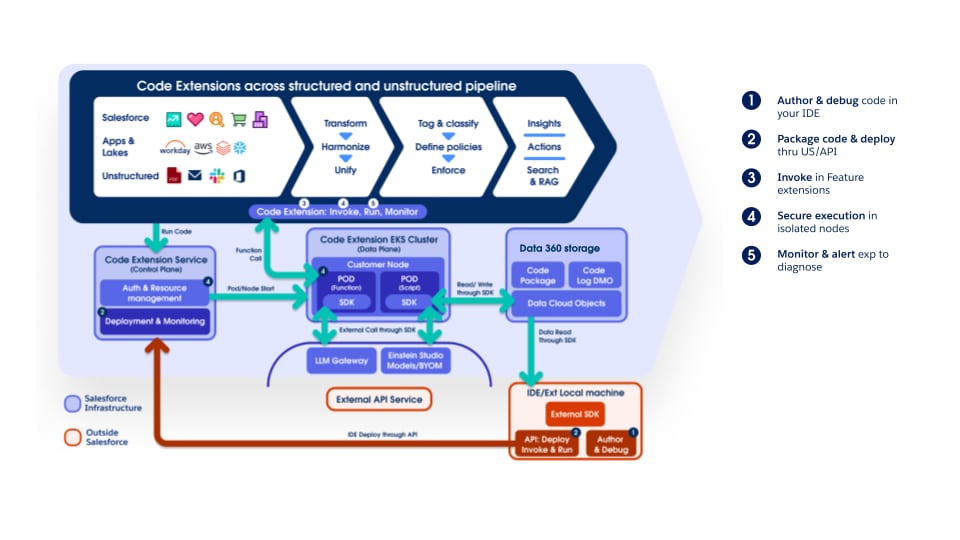 Both the Script and Function models securely execute customer code, preventing one tenant's code from affecting others or gaining unauthorized access to other tenants' data, Salesforce resources, or external resources. This layered (defense-in-depth) architecture provides an isolated execution environment for each tenant's custom code, incorporating guardrails such as logical isolation at the Kubernetes (K8s) level, network isolation, runtime sandboxing, and least-privilege permissions, all complemented by operational monitoring and incident-response readiness.
#### Securely Integrating External Calls
Beyond extending internal Data 360 features, Code Extension also enables secure invocation of external services directly from within the Data 360 execution environment. Using the Data 360 SDK, scripts and functions can invoke registered LLMs, AI/ML models (for example, a BYOM model registered in the AI Models tab), and registered external API endpoints — without data leaving the Salesforce trust boundary.
#### Developer Experience & Operational Visibility
To support a robust development lifecycle, Code Extension offers:
- **External Authoring and Debugging**: Developers can craft and debug Python code in familiar environments like VSCode, using the SDK.
- **Flexible Deployment**: Custom code can be packaged and deployed using SDK utilities, the Data 360 UI, or API, enabling integration into CI/CD.
- **Operational Logs**: Access to detailed execution logs provides transparency and aids troubleshooting in production.
### Extending Data 360 by Bringing Your Own AI Models
As enterprises accelerate AI adoption, most maintain heterogeneous ML ecosystems — including Amazon SageMaker, Google Vertex AI, Databricks and custom Python-based environments — hosting models that drive mission-critical predictions, such as credit risk scoring, churn propensity, product recommendations, and next-best-action decisions.
Traditionally, integrating these external models into Salesforce required bespoke API layers, ETL pipelines, or middleware orchestration, introducing data duplication, governance overhead, latency, and operational complexity—challenges that conflict with a unified, compliant, and real-time Customer Data Platform (CDP) vision.
**Bring Your Own Model (BYOM)**: Delivered via the AI Models tab in Data 360, addresses these challenges by enabling direct invocation of externally trained models within Salesforce workflows, Apex logic, and automation tools—without moving or replicating data. Through zero-copy federation, Data 360 is the governed single source of truth, exposing harmonized Customer 360 data for inference at external endpoints. Prediction outputs flow back in real time, powering business processes with scalable intelligence.
BYOM effectively closes the gap between data science and operational execution by decoupling model development, governed data, and consumption layers. It preserves platform independence, reduces integration complexity, accelerates AI deployment, and maintains governance over sensitive data through the Einstein Trust Layer — ensuring all BYOM model invocations route through Salesforce's trust boundary, with PII masking, audit trail, and zero data retention enforced.
The architecture operates as follows: Data 360 provides a unified customer 360 data foundation, while AI Models orchestrates connections to external ML platforms (SageMaker, Vertex AI, or custom endpoints). External models execute inference in real time, batch, or streaming modes. Salesforce layers—Flow, Apex, and Query APIs—consume outputs to deliver personalized, automated, and analytical insights across Sales, Service, Marketing, and Industry Clouds.
In addition to BYOM for connecting externally trained models, the AI Models tab now includes a no-code Model Builder for building predictive models natively within Data 360. Furthermore, a brand-new set of native AI functions is built directly into the Data 360 processing engine. These native AI functions are deeply integrated: they connect directly to DCSQL for use in the Tableau Next Semantic Layer, are available in Batch Data Transforms for Customer 360 enrichment, and can be invoked in Flow for intelligent automation.
**Bring Your Own LLM (BYO-LLM)**: Offers the same extensibility mechanism but for generative models. By enabling direct invocation of external LLMs, we allow customers to use them in the Agentforce Platform in place of Salesforce-provided models. All BYO-LLM requests route through the Einstein Trust Layer's LLM Gateway, ensuring PII masking, toxicity detection, audit trail logging, and TLS-encrypted communication are applied regardless of which external LLM is used. For enterprises, BYO-LLM allows:
- Access to fine-tuned models
- Integration of models not currently provided by Salesforce
- Usage of models in customer-provided accounts
### Data Collaboration
Modern enterprises operate within a complex data landscape characterized by two major architectural challenges:
1. **Intra-Enterprise Fragmentation**: Large organizations frequently utilize multiple Salesforce Orgs (often segmented by region, business unit, or historical acquisition) and numerous other data systems. This fragmentation creates internal data silos, making it impossible to establish a single, trusted, and unified view of the customer for real-time engagement across the business. The challenge is to unify this data without physically consolidating or duplicating it across all systems, and while keeping governance intact.
2. **Cross-Enterprise Collaboration**: Companies often need to share data with partners and suppliers for joint marketing, measurement, and business intelligence. The challenge is enabling this collaboration while protecting sensitive, proprietary data and adhering to privacy regulations like GDPR and CCPA, as well as competitive barriers.
Salesforce Data 360 addresses these challenges with a zero-copy, trust-by-design framework built on the principle of sharing access and insights instead of moving or duplicating data.
#### Data 360 Collaboration Mechanisms
Data 360 offers three collaboration mechanisms, each serving a different purpose. The right choice depends on whether the goal is centralized unification (Data Cloud One), selective cross-instance exchange (Data Sharing between Data 360 instances), or privacy-preserving collaboration across organizational boundaries (Clean Rooms).
##### Internal Enterprise Enablement with Data Cloud One
Data Cloud One is the foundational architectural solution for enterprises operating multiple Salesforce orgs. Its purpose extends beyond simple data sharing; it establishes a single, trusted customer view and enables full Data 360 platform capabilities across the entire organization.

This mechanism centers on a designated Home Org Data 360 instance, which serves as the central authority for data management and building the unified individual profile. The Home Org is the org that Data 360 is provisioned on. A Data Cloud One connection is established between Data 360 and other Salesforce orgs, called Companion Orgs. As part of the Data Cloud One connection, Data 360 shares one or more of its data spaces with each companion org, providing access to both data and metadata in each shared data space. This works through a zero-copy federation model and cross-org metadata synchronization.
Data Cloud One also allows Companion Orgs to use the Home Org’s Data 360 instance for their own activation, personalization, and intelligence needs. This strategy is essential for eliminating internal data fragmentation and ensuring all business units activate against the same, governed, and unified individual profile, maximizing the ROI of the core Data 360 implementation.
##### Data Sharing Between Data 360 Orgs
For distributed internal environments (where full centralization is not feasible) and for collaboration with trusted external partners, Data 360-to-Data 360 data sharing connects independent Data 360 instances.

This zero-copy sharing model establishes a connection between separate Data 360 tenants provisioned on different Salesforce orgs for the purpose of secure exchange of data objects (DLOs, DMOs, and CIOs). Once connected, the entire data object becomes accessible in the recipient Data 360. The recipient Data 360’s administrator can then set governance rules to manage user access to this data.
##### Privacy-First Collaboration with Data 360 Clean Room Collaboration
When collaboration requires the highest levels of privacy and compliance, or when competitive concerns forbid sharing raw data, Data 360 Clean Rooms let two or more data owners jointly analyze data and derive insights without exposing the underlying sensitive data or match identifiers.
Architecturally, Data 360 Clean Room Collaboration is built on top of the Zero-Copy Sharing framework used by Data 360-to-Data 360 data sharing, with additional layers of governance and computational constraints applied. Rather than copying data into a neutral third-party environment, computation executes in place within each participant’s governed data domain, and parties join their datasets on hashed or tokenized match keys without either party ever seeing the other’s raw identifiers.
Because Clean Rooms are natively embedded within Data 360, they reuse existing DMOs, identity resolution rules, consent models, and ABAC governance policies, eliminating duplicate security layers and reducing time-to-collaboration. External sources connected through zero-copy accelerated query federation, such as Snowflake or Databricks, can participate directly in a collaboration without first ingesting their data into Data 360. Collaborations are established either through the AppExchange, where providers publish Clean Room packages for consumers to discover and install, or through an Allow-List model for direct peer-to-peer invitations between known organizations.
For the privacy-enhancing mechanics — Private Joins, query-limiting use case templates, minimum-aggregation thresholds, and the full set of industry use cases — see the dedicated [Data 360 Clean Rooms guide](https://architect.salesforce.com/docs/architect/fundamentals/guide/data360-cleanrooms.html).
#### Data 360 and Informatica Integration
Informatica’s Intelligent Data Management Cloud (IDMC) acts as a powerful enterprise engine for feeding high-quality, reconciled data into Data 360. Through its advanced data integration capabilities, Informatica extracts, cleanses, and transforms complex data from diverse on-premises and multi-cloud systems before loading it into Data 360's Lakehouse. Furthermore, Informatica’s Master Data Management (MDM) works in tandem with Data 360 by matching, merging, and resolving identities across disparate enterprise systems to create a golden record. This record ensures that the unified individual profiles and identity resolution processes within Data 360 are built on accurate, deduplicated, and trusted enterprise-wide data.
On the governance and discoverability front, Informatica's Enterprise Data Catalog actively scans and indexes enterprise-wide metadata, providing a clear lineage of where data originates, its quality, and how it transforms. When integrated with Data 360, Informatica's catalog shares this rich technical and business metadata with Data 360's own metadata-driven architecture. This integration ensures that the data ingested or federated into Data 360 is fully governed and easily discoverable, empowering Data 360's Activation Layer, Semantic Layer and Data Governance controls to operate on trusted data assets.

## Conclusion
Data 360 is an extensible, trusted data fabric for powering next-generation AI. Its architecture addresses the problem of fragmented data, enabling organizations to unify, process, and activate all customer data at scale, using Data Federation for efficiency.
Its Data Organization establishes a harmonized view from DLOs (including unstructured data) to DMOs, all secured within partitioned Data Spaces. Data 360’s data processing capabilities (including batch and streaming transforms, calculated insights, unstructured data processing, and identity resolution) are powered by an incremental change-processing architecture, enabling efficient, near real-time processing and cost savings.
Extensibility is provided by the Code Extension architecture, securely enabling custom Python logic via Scripts or isolated Functions. A data governance framework built on attribute-based access control (ABAC) with CEDAR policies enforces granular security, dynamic data masking, and consistent enforcement across all data consumption. Segmentation and activation then translate unified individual profiles into multi-channel, real-time engagement.
Data 360's ability to unify vast, diverse data, provide real-time context via its unified query (including hybrid structured/unstructured search and Hyper acceleration), and enforce governance is central to powering AI agents. It provides the trusted, fresh, relevant data needed to ground Generative AI workflows (RAG) and to fuel the multi-turn, action-oriented capabilities of Agentforce-powered agents, so they operate with precision and accuracy.
# Overview
Enterprise data architecture is at an inflection point. Organizations must simultaneously support real-time AI systems, comply with increasingly strict privacy regulations, and collaborate with external partners who cannot share raw data. These requirements are fundamentally reshaping how data platforms are designed.
Traditional architectures built on ETL pipelines and centralized data warehouses struggle to meet these demands. Replicating data across systems increases latency, cost, and governance complexity. Each copy becomes a new compliance obligation, complicating consent management, deletion requests, and policy enforcement across distributed environments.
To address these challenges, the industry is shifting toward zero-copy, policy-enforced collaboration models. Data clean rooms have emerged as a key architectural capability, enabling multiple organizations to analyze shared signals without exposing or transferring raw data. Instead of moving data into centralized environments, computation executes within each participant’s governed domain, and only privacy-safe results are returned.
This architectural shift is increasingly visible across industries. For example, the acquisition of InfoSum by WPP, which is the largest company in marketing and advertising, reflects the growing importance of clean rooms as infrastructure for privacy-safe collaboration. Financial institutions use them to detect fraud across institutions, retailers to coordinate promotions with consumer brands, and healthcare organizations to analyze cross-provider patient cohorts, without sharing sensitive underlying records.
Salesforce Data 360 operationalizes this model through a zero-copy architecture built on Hyperforce. Data remains in its source systems while federated queries enforce privacy, consent, and residency policies at runtime. This approach enables real-time insights, cross-cloud collaboration, and AI-driven decisioning without expanding the risk surface created by data replication.
This document examines how data clean rooms function as a foundational architectural pattern for the modern enterprise, supporting AI innovation, regulatory compliance, and secure cross-domain collaboration simultaneously and at scale.
## Why Clean Rooms Matter Now
To understand why data clean rooms are necessary, enterprise architects must first confront the structural failure of legacy integration models. The industry is undergoing a decisive transition from monolithic, centralized data repositories to decentralized, federated ecosystems. Here, data is accessed, governed, and computed in place rather than physically moved. This shift isn’t incremental. It’s a direct response to systemic pressures around scale, privacy, and agility that traditional architectures can no longer absorb.
### Redefining Data Integrations in Modern Enterprise
For years, enterprises relied on ETL-driven architectures that copied data from CRM, ERP, and digital systems into centralized warehouses for reporting and analytics. This approach proved effective for historical analysis, but it was designed for a slower, batch-oriented world.
As digital interactions accelerated and AI-driven systems emerged, the limitations of this model became more apparent. ETL pipelines are inherently asynchronous, meaning insights often arrive hours or days after events occur. Such latency is increasingly incompatible with modern use cases like real-time personalization, adaptive decision-making, and AI systems that require immediate, contextual data.
Replication also introduces growing governance and security complexity. Each new copy of data requires additional policies, monitoring, and compliance controls. In regulated environments, frameworks such as the General Data Protection Regulation (GDPR) require organizations to manage deletion, consent, and usage restrictions everywhere the data exists—an operational challenge when datasets are duplicated across multiple systems.
At scale, this duplication compounds cost and operational overhead. Organizations repeatedly pay for ingestion, storage, security, and processing across multiple platforms while the marginal value of additional copies declines.
As a result, modern data architectures are shifting toward models that minimize data movement and enforce governance directly at the source. Zero-copy integration and federated data access enable organizations to generate insights without replicating sensitive datasets, providing a more scalable, secure, and policy-aligned approach to enterprise data collaboration.
### The Emergence of Data Mesh and Data Fabric
In response to these pressures, the industry has coalesced around two complementary architectural paradigms: Data Mesh and Data Fabric. Together, they represent a shift away from centralized control toward federated, domain-aware data architectures.
Data Mesh decentralizes data ownership to domain-aligned teams such as Sales, Marketing, or Supply Chain. Each domain treats its data as a product, with clearly defined contracts, quality standards, and service-level objectives. This model improves accountability and business alignment, but at enterprise scale it introduces new challenges around coordination, interoperability, and consistent governance across domains.
Data Fabric addresses these challenges by providing the connective layer that binds decentralized domains into a coherent system. It delivers shared metadata, common semantics, automated policy enforcement, lineage, and governance, enabling data to be discovered, accessed, and governed consistently without forcing physical consolidation into a single repository.
Together, Data Mesh and Data Fabric establish the foundation for federated data access. However, they stop short of solving a critical next-order problem: enabling secure, governed collaboration across domains and organizational boundaries, where data must be analyzed jointly without being copied or exposed.
### The Strategic Pivot to Clean Rooms
As enterprise data becomes more distributed and privacy regulations grow stricter, organizations face a core architectural challenge. How do they collaborate across teams, partners, and platforms without sharing raw data? Traditional data integration approaches weren’t designed for this level of distribution or regulatory scrutiny, which created tension between collaboration and compliance.
This challenge has led to a shift toward data clean rooms as a foundational architectural capability. Clean rooms move collaboration away from data transfer and toward governed computation. Instead of copying or exchanging datasets, analytics and AI workloads run where the data already lives by sharing the metadata. Queries are evaluated in real time against privacy, consent, and usage rules, and only approved, aggregated results are returned.
Both the Script and Function models securely execute customer code, preventing one tenant's code from affecting others or gaining unauthorized access to other tenants' data, Salesforce resources, or external resources. This layered (defense-in-depth) architecture provides an isolated execution environment for each tenant's custom code, incorporating guardrails such as logical isolation at the Kubernetes (K8s) level, network isolation, runtime sandboxing, and least-privilege permissions, all complemented by operational monitoring and incident-response readiness.
#### Securely Integrating External Calls
Beyond extending internal Data 360 features, Code Extension also enables secure invocation of external services directly from within the Data 360 execution environment. Using the Data 360 SDK, scripts and functions can invoke registered LLMs, AI/ML models (for example, a BYOM model registered in the AI Models tab), and registered external API endpoints — without data leaving the Salesforce trust boundary.
#### Developer Experience & Operational Visibility
To support a robust development lifecycle, Code Extension offers:
- **External Authoring and Debugging**: Developers can craft and debug Python code in familiar environments like VSCode, using the SDK.
- **Flexible Deployment**: Custom code can be packaged and deployed using SDK utilities, the Data 360 UI, or API, enabling integration into CI/CD.
- **Operational Logs**: Access to detailed execution logs provides transparency and aids troubleshooting in production.
### Extending Data 360 by Bringing Your Own AI Models
As enterprises accelerate AI adoption, most maintain heterogeneous ML ecosystems — including Amazon SageMaker, Google Vertex AI, Databricks and custom Python-based environments — hosting models that drive mission-critical predictions, such as credit risk scoring, churn propensity, product recommendations, and next-best-action decisions.
Traditionally, integrating these external models into Salesforce required bespoke API layers, ETL pipelines, or middleware orchestration, introducing data duplication, governance overhead, latency, and operational complexity—challenges that conflict with a unified, compliant, and real-time Customer Data Platform (CDP) vision.
**Bring Your Own Model (BYOM)**: Delivered via the AI Models tab in Data 360, addresses these challenges by enabling direct invocation of externally trained models within Salesforce workflows, Apex logic, and automation tools—without moving or replicating data. Through zero-copy federation, Data 360 is the governed single source of truth, exposing harmonized Customer 360 data for inference at external endpoints. Prediction outputs flow back in real time, powering business processes with scalable intelligence.
BYOM effectively closes the gap between data science and operational execution by decoupling model development, governed data, and consumption layers. It preserves platform independence, reduces integration complexity, accelerates AI deployment, and maintains governance over sensitive data through the Einstein Trust Layer — ensuring all BYOM model invocations route through Salesforce's trust boundary, with PII masking, audit trail, and zero data retention enforced.
The architecture operates as follows: Data 360 provides a unified customer 360 data foundation, while AI Models orchestrates connections to external ML platforms (SageMaker, Vertex AI, or custom endpoints). External models execute inference in real time, batch, or streaming modes. Salesforce layers—Flow, Apex, and Query APIs—consume outputs to deliver personalized, automated, and analytical insights across Sales, Service, Marketing, and Industry Clouds.
In addition to BYOM for connecting externally trained models, the AI Models tab now includes a no-code Model Builder for building predictive models natively within Data 360. Furthermore, a brand-new set of native AI functions is built directly into the Data 360 processing engine. These native AI functions are deeply integrated: they connect directly to DCSQL for use in the Tableau Next Semantic Layer, are available in Batch Data Transforms for Customer 360 enrichment, and can be invoked in Flow for intelligent automation.
**Bring Your Own LLM (BYO-LLM)**: Offers the same extensibility mechanism but for generative models. By enabling direct invocation of external LLMs, we allow customers to use them in the Agentforce Platform in place of Salesforce-provided models. All BYO-LLM requests route through the Einstein Trust Layer's LLM Gateway, ensuring PII masking, toxicity detection, audit trail logging, and TLS-encrypted communication are applied regardless of which external LLM is used. For enterprises, BYO-LLM allows:
- Access to fine-tuned models
- Integration of models not currently provided by Salesforce
- Usage of models in customer-provided accounts
### Data Collaboration
Modern enterprises operate within a complex data landscape characterized by two major architectural challenges:
1. **Intra-Enterprise Fragmentation**: Large organizations frequently utilize multiple Salesforce Orgs (often segmented by region, business unit, or historical acquisition) and numerous other data systems. This fragmentation creates internal data silos, making it impossible to establish a single, trusted, and unified view of the customer for real-time engagement across the business. The challenge is to unify this data without physically consolidating or duplicating it across all systems, and while keeping governance intact.
2. **Cross-Enterprise Collaboration**: Companies often need to share data with partners and suppliers for joint marketing, measurement, and business intelligence. The challenge is enabling this collaboration while protecting sensitive, proprietary data and adhering to privacy regulations like GDPR and CCPA, as well as competitive barriers.
Salesforce Data 360 addresses these challenges with a zero-copy, trust-by-design framework built on the principle of sharing access and insights instead of moving or duplicating data.
#### Data 360 Collaboration Mechanisms
Data 360 offers three collaboration mechanisms, each serving a different purpose. The right choice depends on whether the goal is centralized unification (Data Cloud One), selective cross-instance exchange (Data Sharing between Data 360 instances), or privacy-preserving collaboration across organizational boundaries (Clean Rooms).
##### Internal Enterprise Enablement with Data Cloud One
Data Cloud One is the foundational architectural solution for enterprises operating multiple Salesforce orgs. Its purpose extends beyond simple data sharing; it establishes a single, trusted customer view and enables full Data 360 platform capabilities across the entire organization.

This mechanism centers on a designated Home Org Data 360 instance, which serves as the central authority for data management and building the unified individual profile. The Home Org is the org that Data 360 is provisioned on. A Data Cloud One connection is established between Data 360 and other Salesforce orgs, called Companion Orgs. As part of the Data Cloud One connection, Data 360 shares one or more of its data spaces with each companion org, providing access to both data and metadata in each shared data space. This works through a zero-copy federation model and cross-org metadata synchronization.
Data Cloud One also allows Companion Orgs to use the Home Org’s Data 360 instance for their own activation, personalization, and intelligence needs. This strategy is essential for eliminating internal data fragmentation and ensuring all business units activate against the same, governed, and unified individual profile, maximizing the ROI of the core Data 360 implementation.
##### Data Sharing Between Data 360 Orgs
For distributed internal environments (where full centralization is not feasible) and for collaboration with trusted external partners, Data 360-to-Data 360 data sharing connects independent Data 360 instances.

This zero-copy sharing model establishes a connection between separate Data 360 tenants provisioned on different Salesforce orgs for the purpose of secure exchange of data objects (DLOs, DMOs, and CIOs). Once connected, the entire data object becomes accessible in the recipient Data 360. The recipient Data 360’s administrator can then set governance rules to manage user access to this data.
##### Privacy-First Collaboration with Data 360 Clean Room Collaboration
When collaboration requires the highest levels of privacy and compliance, or when competitive concerns forbid sharing raw data, Data 360 Clean Rooms let two or more data owners jointly analyze data and derive insights without exposing the underlying sensitive data or match identifiers.
Architecturally, Data 360 Clean Room Collaboration is built on top of the Zero-Copy Sharing framework used by Data 360-to-Data 360 data sharing, with additional layers of governance and computational constraints applied. Rather than copying data into a neutral third-party environment, computation executes in place within each participant’s governed data domain, and parties join their datasets on hashed or tokenized match keys without either party ever seeing the other’s raw identifiers.
Because Clean Rooms are natively embedded within Data 360, they reuse existing DMOs, identity resolution rules, consent models, and ABAC governance policies, eliminating duplicate security layers and reducing time-to-collaboration. External sources connected through zero-copy accelerated query federation, such as Snowflake or Databricks, can participate directly in a collaboration without first ingesting their data into Data 360. Collaborations are established either through the AppExchange, where providers publish Clean Room packages for consumers to discover and install, or through an Allow-List model for direct peer-to-peer invitations between known organizations.
For the privacy-enhancing mechanics — Private Joins, query-limiting use case templates, minimum-aggregation thresholds, and the full set of industry use cases — see the dedicated [Data 360 Clean Rooms guide](https://architect.salesforce.com/docs/architect/fundamentals/guide/data360-cleanrooms.html).
#### Data 360 and Informatica Integration
Informatica’s Intelligent Data Management Cloud (IDMC) acts as a powerful enterprise engine for feeding high-quality, reconciled data into Data 360. Through its advanced data integration capabilities, Informatica extracts, cleanses, and transforms complex data from diverse on-premises and multi-cloud systems before loading it into Data 360's Lakehouse. Furthermore, Informatica’s Master Data Management (MDM) works in tandem with Data 360 by matching, merging, and resolving identities across disparate enterprise systems to create a golden record. This record ensures that the unified individual profiles and identity resolution processes within Data 360 are built on accurate, deduplicated, and trusted enterprise-wide data.
On the governance and discoverability front, Informatica's Enterprise Data Catalog actively scans and indexes enterprise-wide metadata, providing a clear lineage of where data originates, its quality, and how it transforms. When integrated with Data 360, Informatica's catalog shares this rich technical and business metadata with Data 360's own metadata-driven architecture. This integration ensures that the data ingested or federated into Data 360 is fully governed and easily discoverable, empowering Data 360's Activation Layer, Semantic Layer and Data Governance controls to operate on trusted data assets.

## Conclusion
Data 360 is an extensible, trusted data fabric for powering next-generation AI. Its architecture addresses the problem of fragmented data, enabling organizations to unify, process, and activate all customer data at scale, using Data Federation for efficiency.
Its Data Organization establishes a harmonized view from DLOs (including unstructured data) to DMOs, all secured within partitioned Data Spaces. Data 360’s data processing capabilities (including batch and streaming transforms, calculated insights, unstructured data processing, and identity resolution) are powered by an incremental change-processing architecture, enabling efficient, near real-time processing and cost savings.
Extensibility is provided by the Code Extension architecture, securely enabling custom Python logic via Scripts or isolated Functions. A data governance framework built on attribute-based access control (ABAC) with CEDAR policies enforces granular security, dynamic data masking, and consistent enforcement across all data consumption. Segmentation and activation then translate unified individual profiles into multi-channel, real-time engagement.
Data 360's ability to unify vast, diverse data, provide real-time context via its unified query (including hybrid structured/unstructured search and Hyper acceleration), and enforce governance is central to powering AI agents. It provides the trusted, fresh, relevant data needed to ground Generative AI workflows (RAG) and to fuel the multi-turn, action-oriented capabilities of Agentforce-powered agents, so they operate with precision and accuracy.
# Overview
Enterprise data architecture is at an inflection point. Organizations must simultaneously support real-time AI systems, comply with increasingly strict privacy regulations, and collaborate with external partners who cannot share raw data. These requirements are fundamentally reshaping how data platforms are designed.
Traditional architectures built on ETL pipelines and centralized data warehouses struggle to meet these demands. Replicating data across systems increases latency, cost, and governance complexity. Each copy becomes a new compliance obligation, complicating consent management, deletion requests, and policy enforcement across distributed environments.
To address these challenges, the industry is shifting toward zero-copy, policy-enforced collaboration models. Data clean rooms have emerged as a key architectural capability, enabling multiple organizations to analyze shared signals without exposing or transferring raw data. Instead of moving data into centralized environments, computation executes within each participant’s governed domain, and only privacy-safe results are returned.
This architectural shift is increasingly visible across industries. For example, the acquisition of InfoSum by WPP, which is the largest company in marketing and advertising, reflects the growing importance of clean rooms as infrastructure for privacy-safe collaboration. Financial institutions use them to detect fraud across institutions, retailers to coordinate promotions with consumer brands, and healthcare organizations to analyze cross-provider patient cohorts, without sharing sensitive underlying records.
Salesforce Data 360 operationalizes this model through a zero-copy architecture built on Hyperforce. Data remains in its source systems while federated queries enforce privacy, consent, and residency policies at runtime. This approach enables real-time insights, cross-cloud collaboration, and AI-driven decisioning without expanding the risk surface created by data replication.
This document examines how data clean rooms function as a foundational architectural pattern for the modern enterprise, supporting AI innovation, regulatory compliance, and secure cross-domain collaboration simultaneously and at scale.
## Why Clean Rooms Matter Now
To understand why data clean rooms are necessary, enterprise architects must first confront the structural failure of legacy integration models. The industry is undergoing a decisive transition from monolithic, centralized data repositories to decentralized, federated ecosystems. Here, data is accessed, governed, and computed in place rather than physically moved. This shift isn’t incremental. It’s a direct response to systemic pressures around scale, privacy, and agility that traditional architectures can no longer absorb.
### Redefining Data Integrations in Modern Enterprise
For years, enterprises relied on ETL-driven architectures that copied data from CRM, ERP, and digital systems into centralized warehouses for reporting and analytics. This approach proved effective for historical analysis, but it was designed for a slower, batch-oriented world.
As digital interactions accelerated and AI-driven systems emerged, the limitations of this model became more apparent. ETL pipelines are inherently asynchronous, meaning insights often arrive hours or days after events occur. Such latency is increasingly incompatible with modern use cases like real-time personalization, adaptive decision-making, and AI systems that require immediate, contextual data.
Replication also introduces growing governance and security complexity. Each new copy of data requires additional policies, monitoring, and compliance controls. In regulated environments, frameworks such as the General Data Protection Regulation (GDPR) require organizations to manage deletion, consent, and usage restrictions everywhere the data exists—an operational challenge when datasets are duplicated across multiple systems.
At scale, this duplication compounds cost and operational overhead. Organizations repeatedly pay for ingestion, storage, security, and processing across multiple platforms while the marginal value of additional copies declines.
As a result, modern data architectures are shifting toward models that minimize data movement and enforce governance directly at the source. Zero-copy integration and federated data access enable organizations to generate insights without replicating sensitive datasets, providing a more scalable, secure, and policy-aligned approach to enterprise data collaboration.
### The Emergence of Data Mesh and Data Fabric
In response to these pressures, the industry has coalesced around two complementary architectural paradigms: Data Mesh and Data Fabric. Together, they represent a shift away from centralized control toward federated, domain-aware data architectures.
Data Mesh decentralizes data ownership to domain-aligned teams such as Sales, Marketing, or Supply Chain. Each domain treats its data as a product, with clearly defined contracts, quality standards, and service-level objectives. This model improves accountability and business alignment, but at enterprise scale it introduces new challenges around coordination, interoperability, and consistent governance across domains.
Data Fabric addresses these challenges by providing the connective layer that binds decentralized domains into a coherent system. It delivers shared metadata, common semantics, automated policy enforcement, lineage, and governance, enabling data to be discovered, accessed, and governed consistently without forcing physical consolidation into a single repository.
Together, Data Mesh and Data Fabric establish the foundation for federated data access. However, they stop short of solving a critical next-order problem: enabling secure, governed collaboration across domains and organizational boundaries, where data must be analyzed jointly without being copied or exposed.
### The Strategic Pivot to Clean Rooms
As enterprise data becomes more distributed and privacy regulations grow stricter, organizations face a core architectural challenge. How do they collaborate across teams, partners, and platforms without sharing raw data? Traditional data integration approaches weren’t designed for this level of distribution or regulatory scrutiny, which created tension between collaboration and compliance.
This challenge has led to a shift toward data clean rooms as a foundational architectural capability. Clean rooms move collaboration away from data transfer and toward governed computation. Instead of copying or exchanging datasets, analytics and AI workloads run where the data already lives by sharing the metadata. Queries are evaluated in real time against privacy, consent, and usage rules, and only approved, aggregated results are returned.
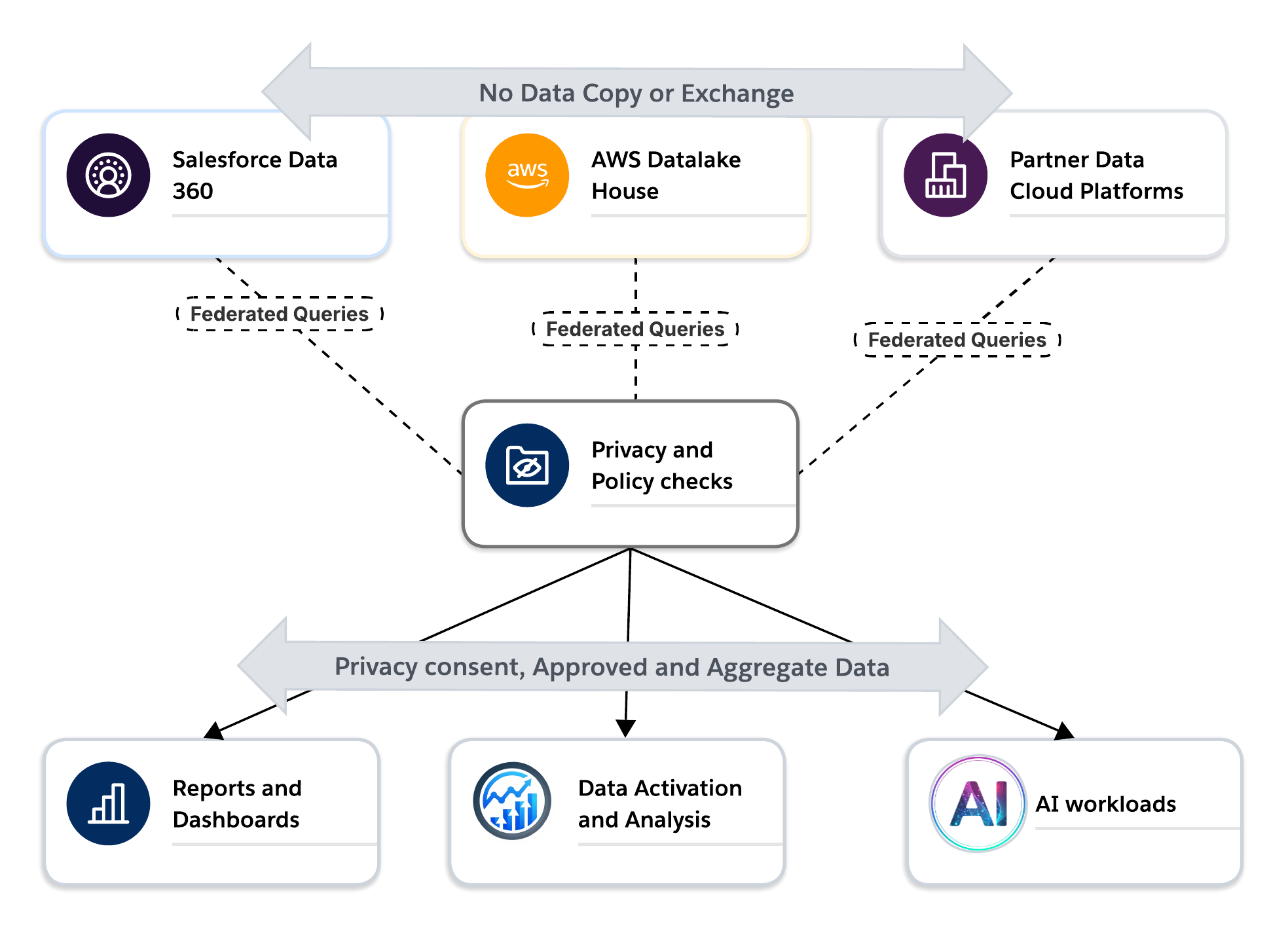 In this model, data clean rooms act as the trust boundary of modern data architectures. They allow organizations to work with partners and subsidiaries without losing control of their data, enforce privacy and consent through system controls rather than policy alone, and operate across clouds while respecting data residency and contractual limits.
For activation, analytics and AI use cases, clean rooms provide a secure way to generate insights from external data without exposing sensitive information. They enable a shift from data sharing to trusted collaboration. For Activation use cases, clean rooms provide a secure way to generate audiences that can be activated directly to an allowed destination. All this is achieved without exposing any personally identifiable information (PII) to either party.This marks a turning point in enterprise data architecture. Data clean rooms are no longer niche tools. They are becoming core infrastructure for federated, privacy-preserving, AI-ready data platforms.
## Stakeholder Personas and Technical Guardrails
A successful data clean room architecture is a multi-interface system designed to resolve the competing pressures of data utility, security, and speed. There are three primary personas whose distinct friction points must be addressed by the underlying technical design.
### The Privacy and Compliance Officer (The Risk Mitigator)
Privacy and compliance officers use the data clean room as a governance tool. Their primary concern is compliance drift, the risk that external collaboration environments fail to enforce the same rigorous standards as internal systems.
* **Friction Points:** Regulatory exposure (GDPR, CCPA, DMA) and "phishing" attacks where a partner attempts to triangulate a user's identity through repeated granular queries.
### The Data Scientist and Analyst (The Utility Optimizer)
Data scientists view the data clean room as a safe haven for advanced modeling. Their primary concern is utility preservation, ensuring that privacy measures don’t render the data statistically useless.
* **Friction Points:** High latency and restricted access to granular attributes needed for machine learning (ML), lookalike modeling, and churn prediction.
### The Marketing and Business User (The Value Realizer)
This persona is focused exclusively on time to value (TTV). Their concern is that data clean room projects often become technical bottlenecks requiring weeks of data engineering support.
* **Friction Points:** Complex setup processes, manual data cleaning, and the "blank page" problem of needing to write code to get simple overlap results.
### The “Business First” Persona Model
While traditional architectures focus on building the data layer before the user layer, our strategic approach, aligned with the "Business First" methodology, inverts this model. We prioritize a no-code to few-clicks approach that allows business users to generate insights and take immediate action.
**"Insight-to-Action" Workflow:** The architecture is designed as an active workspace rather than as a passive repository. By providing use case templates (for example, segment overlap, activation, and campaign performance), we enable business users to self-serve insights. This ensures that an insight, such as an optimized lookalike segment, is immediately available for activation across the marketing ecosystem without the need for a data engineer to manually move files.
**Zero-Copy Federation as a Strategic Asset:** To maximize TTV, the architecture adopts a zero-copy logic. Instead of the traditional ETL process, which introduces latency and security risks, our architecture federates queries directly to where the data resides (for example, Snowflake, BigQuery, or Amazon S3). This turns the organization's existing data investment into a strategic asset, allowing business users to act on the most current data in real-time while maintaining strict governance and eliminating the cost of data redundancy.
## Key Data Clean Room Use cases
Data clean rooms emerged in advertising as a response to cookie deprecation and privacy regulation, but have evolved beyond measurement into customer analytics, audience segmentation, and activation use cases across industries. According to the 2025 State of Retail Media report, 66% of organizations now use clean rooms in some capacity, driven by the need for privacy-safe collaboration that delivers measurable business outcomes.
The pattern is consistent across sectors: data stays with its owner, computation is governed, and only privacy-safe insights are shared.
### Marketing and Advertising: Measurement Without Third-Party Cookies
**The Challenge:** Marketers need to measure campaign effectiveness, avoid duplicate ad impressions, and optimize reach/frequency—but can no longer rely on third-party cookies or device identifiers.
**The Clean Room Solution:**
* Advertisers contribute hashed customer or campaign exposure data
* Publishers contribute impression and engagement signals
* Clean room computes reach, frequency, attribution, and lift
* Activation occurs via approved platforms without raw data exports
**Business Outcome:** Clean rooms provide closed-loop attribution linking ad impressions to actual transactions, incrementality analysis isolating true campaign lift, and unified measurement across channels —capabilities traditional digital advertising can’t offer.
**Industry Evidence:** Measurement is the most established clean room use case today, with major media networks like Pinterest, Disney, and Paramount creating their own clean rooms.
### Retail Media and CPG: Monetizing First-Party Data
**The Challenge:** CPG brands spend heavily on retail media but lack visibility into purchase outcomes. Retailers own rich point-of-sale data but can't expose it without violating privacy commitments.
**The Clean Room Solution:**
* Retailers and CPG companies combine point-of-sale data from retail locations with marketing data to optimize promotional activities
* Brands contribute hashed CRM or loyalty identifiers
* Clean room links ad exposure to in-store/online purchases
* Activation stays within retailer's media ecosystem
**Business Outcome:**
* Retailers monetize first-party data without selling raw customer information
* Brands gain closed-loop attribution showing which campaigns drove purchases
* Retail Media Networks scale without privacy risk
**Industry Evidence:** Retail Media Networks like Walmart's Luminate and Kroger Precision Marketing offer clean rooms that help CPG brands analyze customer behavior and optimize marketing strategies using retailer data.
### Financial Services: Collaborative Fraud Detection
**The Challenge:** Fraud networks operate across institutions, but banks can’t openly share customer or transaction data due to regulations like GLBA and emerging privacy laws.
**The Clean Room Solution:**
* Multiple banks pool anonymized data to identify patterns indicative of fraud, such as unusual cross-bank activity
* Federated analytics or models run across shared fraud signals
* No institution sees another's customer-level data
**Business Outcome:**
* Earlier detection of cross-institution fraud patterns
* Fewer false positives through richer signal sets
* Regulatory compliance without centralizing sensitive data
**Industry Evidence:** Financial services solutions from Experian and TransUnion offer clean room technologies enabling banks and insurers to collaborate on fraud detection and risk assessment while maintaining strict data privacy controls.
### Healthcare and Life Sciences: Research Without Patient Data Exposure
**The Challenge:** Pharmaceutical companies need real-world patient outcomes for drug development, but data resides in hospital EHR systems protected by HIPAA and similar regulations.
**The Clean Room Solution:**
* Doctors and pharmaceutical researchers share data within a clean room to learn how patients are reacting to treatments.
* Patient data remains within provider environments.
* Researchers run approved statistical analyses via a clean room.
* Differential privacy prevents re-identification.
**Business Outcome:**
* Statistically valid real-world evidence at scale
* Streamlined patient recruitment for clinical trials by matching anonymized patient data with trial criteria, finding eligible candidates without violating healthcare privacy laws
* Reduced dependence on limited clinical trial populations
**Industry Evidence:** Healthcare-focused clean rooms like Datavant provide HIPAA-compliant environments for researchers and healthcare organizations to securely analyze patient data for clinical trials and drug development.
### Cross-Industry Patterns: The Collaboration Imperative
Beyond these primary use cases, clean rooms enable:
* **Supply Chain Optimization:** Manufacturers and suppliers collaborate to share inventory details, production schedules, and demand forecasts, enabling better coordination while protecting proprietary information.
* **M&A Due Diligence:** When one company acquires another, due diligence requires examining financial projections and customer databases without sharing sensitive information directly; clean rooms reveal insights like customer segment alignment and compliance risks.
* **Media and Entertainment:** Publishers prove audience value to advertisers while protecting subscriber identities, enabling premium CPMs backed by trusted measurement instead of probabilistic targeting
Across AdTech, retail, financial services, healthcare, and media, Data Clean Rooms have become foundational trust infrastructure. They enable high-value collaboration that was previously blocked by privacy, regulatory, or competitive constraints. Clean rooms are **core architectural components** that enable secure, governed collaboration—unlocking insight and monetization without surrendering data control or compliance.
## Data Clean Rooms: The Foundation of Trusted Data Collaboration
A data clean room is a secure, governed environment that enables multiple parties to generate joint insights without exposing or exchanging raw data. Instead of replicating datasets, approved analytics, AI, and activation workloads execute in place, and only policy-compliant outputs are returned. Where activation requires individual-level records, data is delivered directly to the intended destination without being exposed to collaborating parties.
Architecturally, clean rooms shift collaboration from data sharing to controlled computation. Each participant retains custody of their data, while runtime enforcement governs query behavior, output constraints, consent, and usage policies.
Collaboration is further enabled through privacy-preserving identifier alignment mechanisms, allowing datasets from different parties to be correlated without exposing the underlying identifiers—a capability explained in more detail later in this document.
As a result, data clean rooms serve as foundational infrastructure for privacy-regulated, multi-cloud, AI-driven enterprises operating on zero-copy, federated data strategies.
In this model, data clean rooms act as the trust boundary of modern data architectures. They allow organizations to work with partners and subsidiaries without losing control of their data, enforce privacy and consent through system controls rather than policy alone, and operate across clouds while respecting data residency and contractual limits.
For activation, analytics and AI use cases, clean rooms provide a secure way to generate insights from external data without exposing sensitive information. They enable a shift from data sharing to trusted collaboration. For Activation use cases, clean rooms provide a secure way to generate audiences that can be activated directly to an allowed destination. All this is achieved without exposing any personally identifiable information (PII) to either party.This marks a turning point in enterprise data architecture. Data clean rooms are no longer niche tools. They are becoming core infrastructure for federated, privacy-preserving, AI-ready data platforms.
## Stakeholder Personas and Technical Guardrails
A successful data clean room architecture is a multi-interface system designed to resolve the competing pressures of data utility, security, and speed. There are three primary personas whose distinct friction points must be addressed by the underlying technical design.
### The Privacy and Compliance Officer (The Risk Mitigator)
Privacy and compliance officers use the data clean room as a governance tool. Their primary concern is compliance drift, the risk that external collaboration environments fail to enforce the same rigorous standards as internal systems.
* **Friction Points:** Regulatory exposure (GDPR, CCPA, DMA) and "phishing" attacks where a partner attempts to triangulate a user's identity through repeated granular queries.
### The Data Scientist and Analyst (The Utility Optimizer)
Data scientists view the data clean room as a safe haven for advanced modeling. Their primary concern is utility preservation, ensuring that privacy measures don’t render the data statistically useless.
* **Friction Points:** High latency and restricted access to granular attributes needed for machine learning (ML), lookalike modeling, and churn prediction.
### The Marketing and Business User (The Value Realizer)
This persona is focused exclusively on time to value (TTV). Their concern is that data clean room projects often become technical bottlenecks requiring weeks of data engineering support.
* **Friction Points:** Complex setup processes, manual data cleaning, and the "blank page" problem of needing to write code to get simple overlap results.
### The “Business First” Persona Model
While traditional architectures focus on building the data layer before the user layer, our strategic approach, aligned with the "Business First" methodology, inverts this model. We prioritize a no-code to few-clicks approach that allows business users to generate insights and take immediate action.
**"Insight-to-Action" Workflow:** The architecture is designed as an active workspace rather than as a passive repository. By providing use case templates (for example, segment overlap, activation, and campaign performance), we enable business users to self-serve insights. This ensures that an insight, such as an optimized lookalike segment, is immediately available for activation across the marketing ecosystem without the need for a data engineer to manually move files.
**Zero-Copy Federation as a Strategic Asset:** To maximize TTV, the architecture adopts a zero-copy logic. Instead of the traditional ETL process, which introduces latency and security risks, our architecture federates queries directly to where the data resides (for example, Snowflake, BigQuery, or Amazon S3). This turns the organization's existing data investment into a strategic asset, allowing business users to act on the most current data in real-time while maintaining strict governance and eliminating the cost of data redundancy.
## Key Data Clean Room Use cases
Data clean rooms emerged in advertising as a response to cookie deprecation and privacy regulation, but have evolved beyond measurement into customer analytics, audience segmentation, and activation use cases across industries. According to the 2025 State of Retail Media report, 66% of organizations now use clean rooms in some capacity, driven by the need for privacy-safe collaboration that delivers measurable business outcomes.
The pattern is consistent across sectors: data stays with its owner, computation is governed, and only privacy-safe insights are shared.
### Marketing and Advertising: Measurement Without Third-Party Cookies
**The Challenge:** Marketers need to measure campaign effectiveness, avoid duplicate ad impressions, and optimize reach/frequency—but can no longer rely on third-party cookies or device identifiers.
**The Clean Room Solution:**
* Advertisers contribute hashed customer or campaign exposure data
* Publishers contribute impression and engagement signals
* Clean room computes reach, frequency, attribution, and lift
* Activation occurs via approved platforms without raw data exports
**Business Outcome:** Clean rooms provide closed-loop attribution linking ad impressions to actual transactions, incrementality analysis isolating true campaign lift, and unified measurement across channels —capabilities traditional digital advertising can’t offer.
**Industry Evidence:** Measurement is the most established clean room use case today, with major media networks like Pinterest, Disney, and Paramount creating their own clean rooms.
### Retail Media and CPG: Monetizing First-Party Data
**The Challenge:** CPG brands spend heavily on retail media but lack visibility into purchase outcomes. Retailers own rich point-of-sale data but can't expose it without violating privacy commitments.
**The Clean Room Solution:**
* Retailers and CPG companies combine point-of-sale data from retail locations with marketing data to optimize promotional activities
* Brands contribute hashed CRM or loyalty identifiers
* Clean room links ad exposure to in-store/online purchases
* Activation stays within retailer's media ecosystem
**Business Outcome:**
* Retailers monetize first-party data without selling raw customer information
* Brands gain closed-loop attribution showing which campaigns drove purchases
* Retail Media Networks scale without privacy risk
**Industry Evidence:** Retail Media Networks like Walmart's Luminate and Kroger Precision Marketing offer clean rooms that help CPG brands analyze customer behavior and optimize marketing strategies using retailer data.
### Financial Services: Collaborative Fraud Detection
**The Challenge:** Fraud networks operate across institutions, but banks can’t openly share customer or transaction data due to regulations like GLBA and emerging privacy laws.
**The Clean Room Solution:**
* Multiple banks pool anonymized data to identify patterns indicative of fraud, such as unusual cross-bank activity
* Federated analytics or models run across shared fraud signals
* No institution sees another's customer-level data
**Business Outcome:**
* Earlier detection of cross-institution fraud patterns
* Fewer false positives through richer signal sets
* Regulatory compliance without centralizing sensitive data
**Industry Evidence:** Financial services solutions from Experian and TransUnion offer clean room technologies enabling banks and insurers to collaborate on fraud detection and risk assessment while maintaining strict data privacy controls.
### Healthcare and Life Sciences: Research Without Patient Data Exposure
**The Challenge:** Pharmaceutical companies need real-world patient outcomes for drug development, but data resides in hospital EHR systems protected by HIPAA and similar regulations.
**The Clean Room Solution:**
* Doctors and pharmaceutical researchers share data within a clean room to learn how patients are reacting to treatments.
* Patient data remains within provider environments.
* Researchers run approved statistical analyses via a clean room.
* Differential privacy prevents re-identification.
**Business Outcome:**
* Statistically valid real-world evidence at scale
* Streamlined patient recruitment for clinical trials by matching anonymized patient data with trial criteria, finding eligible candidates without violating healthcare privacy laws
* Reduced dependence on limited clinical trial populations
**Industry Evidence:** Healthcare-focused clean rooms like Datavant provide HIPAA-compliant environments for researchers and healthcare organizations to securely analyze patient data for clinical trials and drug development.
### Cross-Industry Patterns: The Collaboration Imperative
Beyond these primary use cases, clean rooms enable:
* **Supply Chain Optimization:** Manufacturers and suppliers collaborate to share inventory details, production schedules, and demand forecasts, enabling better coordination while protecting proprietary information.
* **M&A Due Diligence:** When one company acquires another, due diligence requires examining financial projections and customer databases without sharing sensitive information directly; clean rooms reveal insights like customer segment alignment and compliance risks.
* **Media and Entertainment:** Publishers prove audience value to advertisers while protecting subscriber identities, enabling premium CPMs backed by trusted measurement instead of probabilistic targeting
Across AdTech, retail, financial services, healthcare, and media, Data Clean Rooms have become foundational trust infrastructure. They enable high-value collaboration that was previously blocked by privacy, regulatory, or competitive constraints. Clean rooms are **core architectural components** that enable secure, governed collaboration—unlocking insight and monetization without surrendering data control or compliance.
## Data Clean Rooms: The Foundation of Trusted Data Collaboration
A data clean room is a secure, governed environment that enables multiple parties to generate joint insights without exposing or exchanging raw data. Instead of replicating datasets, approved analytics, AI, and activation workloads execute in place, and only policy-compliant outputs are returned. Where activation requires individual-level records, data is delivered directly to the intended destination without being exposed to collaborating parties.
Architecturally, clean rooms shift collaboration from data sharing to controlled computation. Each participant retains custody of their data, while runtime enforcement governs query behavior, output constraints, consent, and usage policies.
Collaboration is further enabled through privacy-preserving identifier alignment mechanisms, allowing datasets from different parties to be correlated without exposing the underlying identifiers—a capability explained in more detail later in this document.
As a result, data clean rooms serve as foundational infrastructure for privacy-regulated, multi-cloud, AI-driven enterprises operating on zero-copy, federated data strategies.
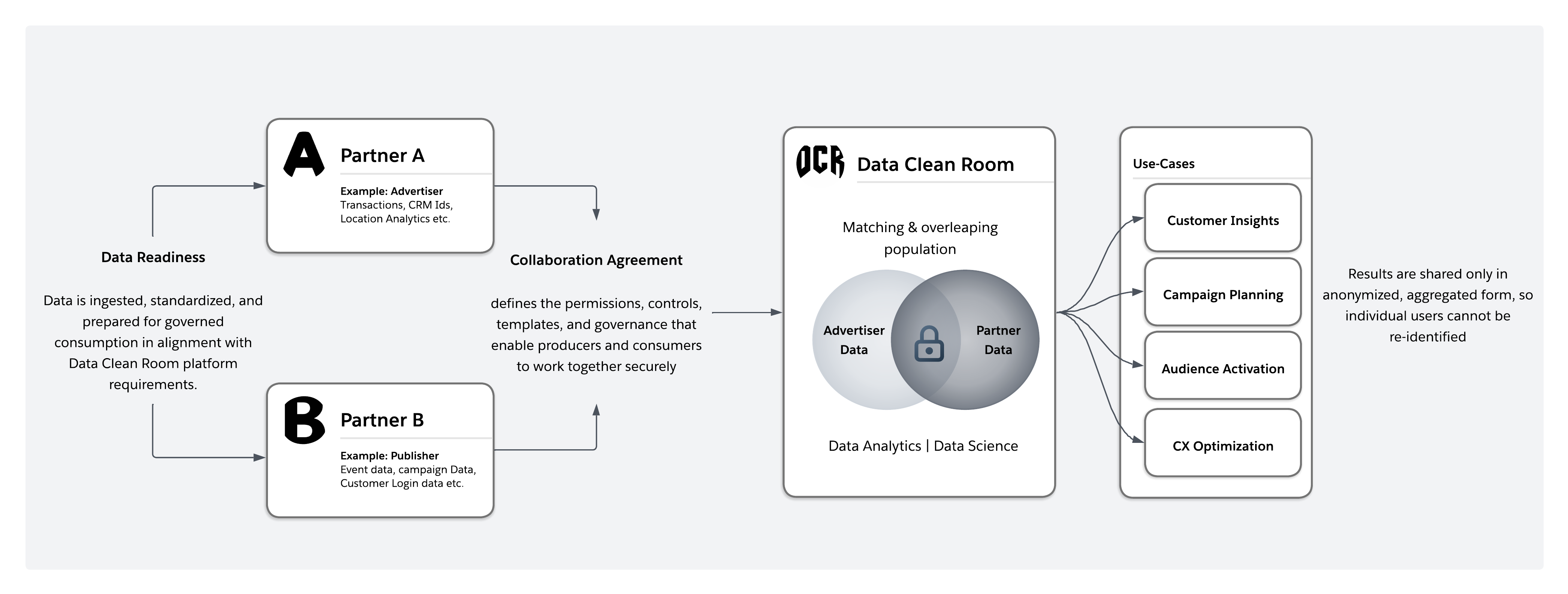 Early data clean rooms followed a centralized “bunker” model. All participants were required to copy data into a neutral third-party environment for analysis. While straightforward in concept, this approach introduced significant friction. Data movement increased latency and cost, complicated legal and compliance agreements, and forced organizations to give up direct control of sensitive data. In regulated industries, these tradeoffs often made collaboration impractical.
Modern data clean rooms have evolved toward a distributed, federated model. Data remains in the owner’s environment, and analytics are executed in place through federated queries. The clean room itself functions as a governance layer that intercepts each query, enforces privacy and policy controls at execution time, and returns only approved, aggregated outputs.
Early data clean rooms followed a centralized “bunker” model. All participants were required to copy data into a neutral third-party environment for analysis. While straightforward in concept, this approach introduced significant friction. Data movement increased latency and cost, complicated legal and compliance agreements, and forced organizations to give up direct control of sensitive data. In regulated industries, these tradeoffs often made collaboration impractical.
Modern data clean rooms have evolved toward a distributed, federated model. Data remains in the owner’s environment, and analytics are executed in place through federated queries. The clean room itself functions as a governance layer that intercepts each query, enforces privacy and policy controls at execution time, and returns only approved, aggregated outputs.
| Dimension | Traditional Clean Room ("Bunker" Model) | Modern Clean Room (Distributed/Federated Model) |
|---|---|---|
| Data Location | Data is copied into a centralized third-party environment | Data remains in the owner's environment |
| Data Movement | Requires physical transfer and duplication of datasets | No raw data movement, queries run in place |
| Control and Custody | Custody partially relinquished to third-party platform | Raw data ownership and custody retained by each party |
| Architecture Model | Centralized aggregation | Distributed, federated computation |
| Governance Enforcement | Policies applied after data is moved | Policies enforced at query execution time |
| Privacy Model | Relies heavily on contractual and procedural controls | Enforced technically through runtime controls and aggregation thresholds |
| Latency | Higher latency due to ingestion and synchronization | Lower latency, near real-time federated queries |
| Cost Structure | Higher storage, transfer, and duplication costs | Reduced duplication, ascompute occurs where data resides |
| Compliance Complexity | Complex legal agreements due to cross-boundary data movement | Simplified compliance since data doesn't leave source boundary |
| Scalability | Scaling requires more storage and data replication | Scales through distributed compute without duplicating data |
| Regulated Industry Fit | Often impractical due to custody and residency concerns | Better aligned with sovereignty, consent, and regulatory constraints |
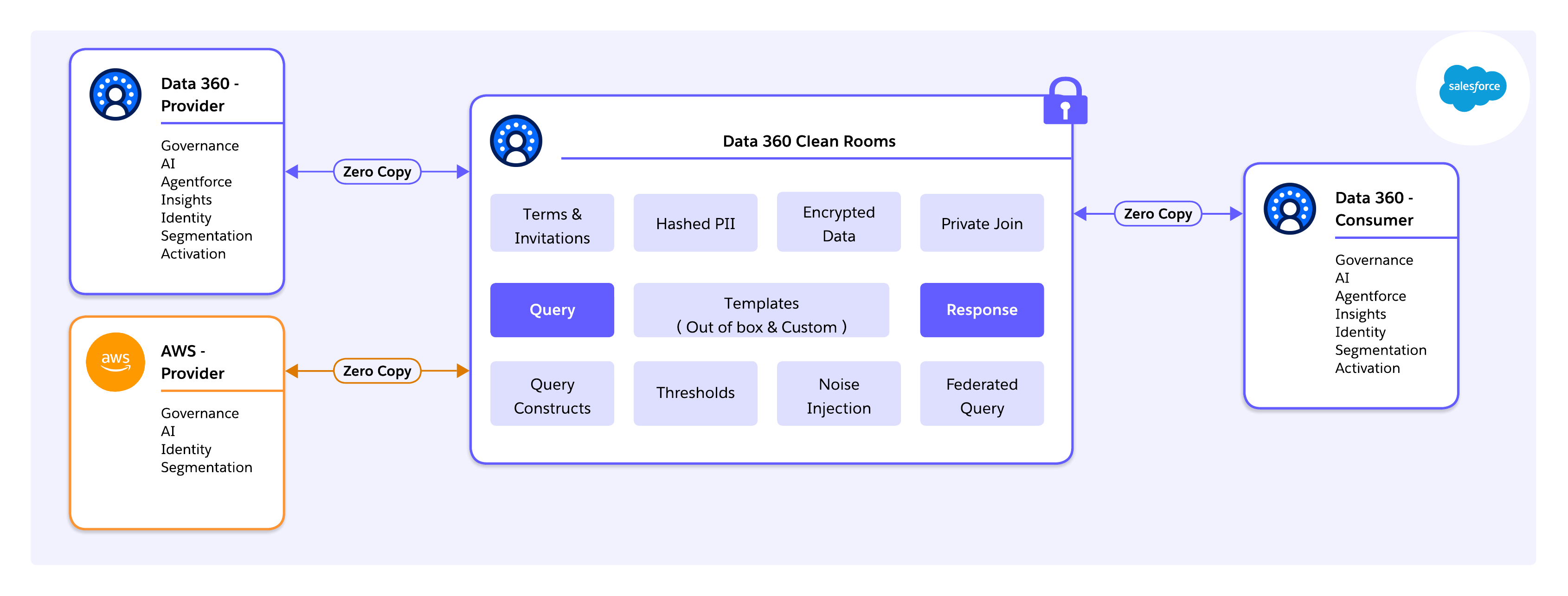 ### Platform Foundations for Scalable Data Clean Rooms
At the infrastructure layer, Salesforce Data 360 runs on Hyperforce, Salesforce’s cloud-native runtime that abstracts hyperscaler resources (AWS, Azure, GCP) behind a unified control plane. This architecture allows data to remain in-region to satisfy sovereignty and residency requirements, while enabling governed clean room operations globally.
Critically, this foundation enables cross-cloud clean room collaboration, including native interoperability with AWS Clean Rooms. Using Data 360 as the orchestration and governance layer, enterprises can collaborate with partners operating directly on AWS without forcing data migration into Salesforce-managed storage. Queries are pushed down to the source, privacy rules are enforced consistently, and only compliant, aggregated results are exchanged across platforms.
Compliance and trust are enforced at the infrastructure and execution boundary, rather than retrofitted at the application layer—providing a durable foundation for multi-cloud, multi-party collaboration at scale.
### The Data 360 Pipeline from Ingestion to Activation
Data 360 implements a traceable, end-to-end data pipeline, ensuring that clean room operations run over harmonized, governed, and identity-aware data rather than raw extracts.
Key stages include:
* **Connect**: Data ingestion and virtualization via out-of-the-box connectors, APIs, SDKs, MuleSoft, or zero-copy connectors
* **Persist**: Storage of raw data in native formats (Parquet / Iceberg)
* **Harmonize**: Mapping to canonical Data Model Objects (DMOs) for consistent joins
* **Unify**: Identity resolution creates Golden Records
* **Derive Insights**: Calculated insights compute aggregated metrics inside the governed boundary
* **Act**: Governed outputs flow to Salesforce Orgs, marketing platforms, ad networks, external data platforms, **or other clean rooms**, closing the insight-to-action loop
This pipeline ensures clean rooms operate on enterprise-grade data, not ad-hoc extracts.
### Native Integration and “Clicks-Not-Code”
Unlike standalone data clean room platforms that require separate provisioning and SQL development, Salesforce clean rooms are natively embedded into Data 360\. This enables reuse of DMOs, identity rules, consent models, and governance policies, eliminating duplicate security layers.
Salesforce’s template-driven clean room model is a key accelerator, using:
* **Out-of-the-box templates** to support common collaboration patterns such as audience overlap, suppression, reach, and lift measurement.
* **Custom templates** that allow architects and advanced users to define reusable analytical logic tailored to industry-specific or partner-specific needs—without exposing raw data or policy complexity.
This approach standardizes collaboration while still allowing flexibility, enabling clean rooms to scale as a repeatable enterprise capability, not a one-off analytics project.
### The “Golden Path”- Closing the Insight-to-Action Loop
Data 360 addresses a common failure mode of traditional clean rooms: the Activation Gap. Its Golden Path framework ensures that insights generated inside a clean room can be acted upon immediately, without exporting raw data.
* **Setup and Discovery**: Partners share schema metadata and leverage templates to evaluate feasibility before contracts are finalized.
* **Analysis**: Pre-built and custom templates drive overlap analysis, suppression, lookalike modeling, and lift measurement, all executed inside the governed boundary.
* **Activation**: Approved segments are pushed directly into Marketing Cloud, ad platforms, or partner systems, with only aggregate, compliant results shared.
Templates become opinionated execution paths, ensuring collaboration moves predictably from analysis to activation.
## A Playbook for Salesforce Data 360 Clean Rooms
Deploying a Salesforce Data 360 Clean Room isn't just a configuration exercise—it is a disciplined architectural workflow spanning data readiness, governance design, secure connectivity, and operational monitoring.
### Step 1: Define the Collaboration Use Case (Start with Intent)
Before touching data or configuration, architects must clearly define:
* What question are we trying to answer?
* What outcome is expected? (e.g., overlap analysis, lift measurement, suppression, fraud detection)
* What level of aggregation is required?
* What regulatory or contractual constraints apply?
* What activation path will consume the results?
Understanding the collaborator’s objective shapes everything that follows – join keys, identity rules, governance thresholds, and cost modeling. Clean Rooms are purpose-built environments. hey should be designed around a defined analytical goal, not generic data exposure.
### Step 2: Preparing the data for Clean Room Collaboration
Before collaboration can begin, enterprise data must be structurally and semantically prepared. Clean rooms amplify both strengths and weaknesses in underlying data. Garbage in, garbage out is all the more true here.
**Ingestion:** Connect source systems such as Salesforce CRM, Marketing Cloud, AWS S3, and Google Cloud Storage to Data 360\. Wherever possible, use zero-copy connectors (for example, Snowflake) to avoid unnecessary movement or duplication of data.
**Semantic Mapping:** Map data streams to the Customer 360 data model. Standardize key fields like phone numbers (E.164 format), country/state codes (ISO standards), and email addresses. Misalignment (for example, one party using “CA” and another “California”) can silently fail joins and reduce match rates.
**Identity Resolution:** Configure deterministic (exact match) and probabilistic (fuzzy match) rules to create a Unified Individual (Golden Record). This unified entity is the surface for clean room matching.
The quality of identity resolution directly impacts collaboration value. Higher match accuracy increases overlap rates, analytical confidence, and reduces false negatives.
### Step 3: Provisioning the Clean Room
Once data is harmonized, the clean room itself must be provisioned to define collaboration boundaries.
**License Validation:** Confirm that all participating organizations have the necessary Data 360 and clean room entitlements.
**Data Space Scoping:** Clean room objects must be scoped to a specific data space. Only objects mapped to that data space are visible to the clean room. This ensures collaboration is logically isolated without requiring the creation of a new data space solely for clean rooms.
**Define Governance Rules:** Establish policies declaratively before queries are executed:
* **Aggregation Thresholds:** for example, a minimum of 100 records per output
* **Join Keys:** for example, Email\_Hash\_SHA256
* **Allowed Operations:** only aggregate functions such as COUNT, SUM, AVG
* **Explicit Restrictions:** block row-level exports (SELECT \*)
Governance rules are enforced at execution time, making privacy and compliance system-level properties rather than procedural guidance.
### Step 4: Establishing Secure Multi-Party Connectivity
Clean rooms often span organizational and platform boundaries. Connectivity must be explicit and tightly controlled.
**Account Linking:**
* **Salesforce-to-Salesforce:** Use Data Cloud One or approved cross-org sharing mechanisms.
* **Multi-cloud scenarios:** Validate region alignment and residency before queries are enabled.
**Authentication and Authorization:** Configure OAuth-based access for dedicated integration users with the Principle of Least Privilege—limit access strictly to necessary data spaces and avoid administrative permissions.
Security failures often result from over-permissioned integration users rather than weaknesses in cryptography or platform controls.
### Step 5: Running, Monitoring, and Controlling Clean Room Workloads
Once live, focus shifts to operational oversight, query quality, and cost management.
**Query Execution:** Analysts or workflows perform overlap analysis and aggregations via Calculated Insights or approved SQL interfaces. All queries automatically enforce aggregation thresholds and privacy controls.
**Audit and Traceability :** Salesforce Data 360 clean rooms provide audit trails in the form of an audit data model object (DMO). This captures metadata about query activity, including who executed the query, when it was run, and what policies were applied. Audit DMO enables compliance reporting, governance validation, and forensic traceability — ensuring collaboration is both privacy-safe and reviewable.
**Consumption Monitoring:** Data Cloud uses a consumption-based credit model. Key drivers include:
* Rows processed (for example, 1M rows \= baseline credit unit)
* Query complexity
* Identity resolution operations (higher multiplier)
* Batch ingestion (lower multiplier)
**Digital Wallet and Alerts:** Use Digital Wallet to track real-time consumption and configure alerts at 50%, 75%, and 90% thresholds. Correlate spikes with specific workloads to avoid unexpected costs.
Note that zero-copy doesn’t eliminate compute costs. While physical duplication is removed, execution occurs at the source system. Architects must manage query patterns, join selectivity, and execution frequency to control cost and performance.
## Governance, Security, and Compliance
### Architecting Clean Rooms for Trust at Scale
In modern enterprises, trust isn't bolted onto a data clean room. It is an architectural outcome. Salesforce Data 360 enforces governance, security, and compliance continuously and automatically, shifting clean rooms from policy-driven environments to platform-governed systems.
Execution-time controls (locked identities, audit trails, and differential privacy) apply consistently whether collaboration occurs within Salesforce, across partners, or across clouds.
### Execution-Time Trust and Governance
The most important shift for architects is that trust is enforced during execution, not assumed beforehand. Salesforce Data 360 achieves this through a number of core platform controls:
* **Locked Identity:** Partner access is cryptographically tied to verified Salesforce Org identities, preventing spoofing or unauthorized participation.
* **Audit Trails:** Every query, join, segment overlap, and activation is logged for full auditability and regulatory compliance.
* **Differential Privacy:** Row-level inspection is structurally impossible. Outputs are aggregated and statistically bounded. Collaborators see only privacy-safe results, such as reach metrics or lift percentages, never individual transactions or identities.
These controls replace contractual trust with mathematical guarantees and platform-level enforcement, reducing operational and legal risk.
### AI Governance Through the Einstein Trust Layer
As AI agents increasingly interact with Clean Room data, Salesforce introduces the Einstein Trust Layer. It acts as an architectural airlock between sensitive enterprise data and external LLMs. This ensures clean room insights can safely power AI-driven decisioning without exposing underlying data.
**Key capabilities:**
* **Zero Data Retention:** Data sent to LLMs is ephemeral. Model providers can't store prompts or responses for training.
* **Toxic Language Detection and PII Masking:** Inputs and outputs are automatically scanned, and PII is masked according to Data Masking Policies configured in Data 360.
### Logical Isolation Through Data Spaces and Permission Sets
**Data spaces** provide logical isolation within an org and should align with regulatory, geographic, and partnership boundaries like:
* EU Data Space
* North America Data Space
Only datasets assigned to a data space are visible within its clean rooms, preventing accidental cross-boundary exposure.
Permission sets offer fine-grained control over who can create or manage clean rooms, execute queries, or activate segments. Data-aware permissions enforce field-level restrictions within data model objects—for example, marketers may see segment names and audience size but not income or health indicators.
Security is enforced at the semantic layer, allowing safe self-service for business users without constant IT oversight.
### Compliance and Consent by Design
Consent signals propagate automatically through Data 360 into clean room execution. Users who revoke consent are excluded from analysis and activation by default—ensuring compliance is system-enforced, not manually policed.
Salesforce Data 360 treats governance, security, and compliance as first-class architectural primitives, not optional add-ons. By combining execution-time auditability, locked identities, differential privacy, data spaces, consent-aware identity resolution, and the Einstein Trust Layer, enterprises can scale clean room collaboration across partners, multi-cloud systems, and AI-driven workloads—all without compromising trust, privacy, or regulatory compliance.
## Conclusion and Path Forward
### A Practical Path Forward for Architects
To capture the full value of data clean rooms, architects must treat them as core architectural infrastructure, not as isolated analytics tools. The following priorities define a pragmatic and scalable path forward:
**Make Collaboration a First-Class Architectural Concern :** External data collaboration should be designed with the same rigor as internal integration. Clean rooms should be embedded within enterprise reference architectures alongside data platforms, integration layers, and AI systems—not deployed as ad hoc extensions. As interoperability expands (for example, Data 360 clean room integration with AWS clean rooms and future cross-clean-room compatibility), architects must design collaboration patterns that anticipate multi-platform ecosystems rather than single-vendor silos.
**Design for Privacy by Default at Source**
**Design for Data Fluidity : **Rather than defaulting to heavy ETL and central replication, architects should first consider federation and zero-copy access. Moving computation to data (when appropriate) reduces unnecessary duplication, lowers cost, and preserves source-of-truth integrity. “Connect vs. copy” should be a conscious architectural decision, not an inherited habit.
**Close the Insight-to-Action Gap :** Clean rooms that stop at analysis fail to deliver business value. Architectures must natively connect clean room outputs to activation systems and AI workflows. Feedback loops, performance measurement, and downstream execution must be designed from the outset.
**Prepare for the Agentic Enterprise :** As AI agents increasingly use enterprise data, clean rooms will serve as controlled execution environments where agents can operate without exposing raw data. Architects who align clean room strategy with AI governance and trust frameworks will be best positioned for this next phase.
### Conclusion
Modern data clean rooms represent a fundamental shift in enterprise data architecture. They resolve the long-standing tension between data utility and privacy by enabling collaboration without data exposure.
Architectures such as Salesforce Data 360 demonstrate that this tradeoff is not an “either-or” consideration. By decoupling data storage from activation through zero-copy patterns, and by embedding privacy-enhancing technologies directly into execution, enterprises can collaborate on high-value analytics without relinquishing control of their data. Privacy moves from contractual obligation to architectural guarantee.
Most importantly, clean rooms transform data from a static, siloed asset into a governed, actionable resource. When connected natively to activation and AI layers, insights no longer stall in dashboards. They flow directly into decisions, campaigns, and autonomous systems—closing the loop between data, action, and outcomes at enterprise scale.
## About the Authors
**Yugandhar Bora** is a Software Engineering Architect at Salesforce, specializing in data architecture within the Data and Intelligence Applications platform. He leads enterprise architecture review board (EARB) initiatives focused on data governance and unified data models, while contributing to automated platform provisioning solutions.
**Birendra Kumar Singh** is a Principal Member of Technical Staff, specializing in platform and data architecture within the Data 360 at Salesforce. He is a core member of the Activation Platform and leads the Clean Room initiative focused on providing data clean room infrastructure to Data 360 customers.
**Priyanka Kshirsagar** is a Senior Product Manager at Salesforce, leading Data 360 Clean Rooms — a capability she built from the ground up to enable enterprise customers to collaborate on first-party data in a privacy-preserving environment. She drives the vision for agentic AI and ML-powered use cases, including lookalike modeling and identity enrichment on clean rooms, and has taken the product through General Availability and a Tier-1 Dreamforce launch.
## Overview
Enterprises handle a wide range of document types, including invoices, purchase orders, legal contracts, and technical manuals. Manual processing is slow, error-prone, and consumes an estimated 15–25% of employee time. Earlier automation approaches (for example, _Robotic Process Automation (RPA)_, _Optical Character Recognition (OCR)_, and workflow tools) reduced some of the burden, but produced rigid pipelines, high maintenance overhead, and siloed adoption across individual business teams.
Documents carry rich structural context (for example, table hierarchies, spatial field relationships, and cross-referenced sections) that flat-text processing can't preserve. Stripping a document to plain text discards the business context that makes extraction accurate and useful, which degrades the quality of downstream analytics, _Artificial Intelligence (AI)_ inference, and process automation.
To be effective, _Intelligent Document Processing (IDP)_ systems must classify documents by type, extract structured data accurately from variable layouts, and deliver that data in a governed, queryable form to downstream systems. IDPs must also handle document variability at scale without requiring per-template configuration for every new document format, and they must be centralized and accessible across business units. This challenge is compounded by the sheer volume of the key issue\: unstructured data accounts for approximately 80% of all enterprise data, and the majority accumulates in document form across file systems, Cloud storage, and content repositories that are outside the reach of _Customer Relationship Management (CRM)_ systems, AI agents, and analytics platforms.
_Data 360 Document AI_ is the Salesforce document processing capability within _Data 360_, which is designed to address this gap. It extracts, classifies, and analyzes unstructured and semi-structured document content using _Large Language Models (LLMs)_, _Optical Character Recognition (OCR)_, _Natural Language Processing (NLP)_, and _Machine Learning (ML)_. The output is structured, governed, and queryable data that integrates into the _Data 360_ pipeline where _Agentforce_ agents, analytics tools, and automation workflows can access it via standard interfaces without requiring custom extraction or transformation layers.
## Why Does Document AI Matter?
Enterprise data platforms process structured, tabular data. However, the majority of enterprise data arrives as documents and remains inaccessible to CRM, ERP, AI agents, and analytics pipelines until someone manually extracts it. This is an architectural gap, not a workflow problem.
### Limitations of Rules-Based Extraction
Earlier approaches combined manual re-keying, rules-based OCR, and RPA scripts. These methods worked on a small scale, but they couldn't handle the volume, variety, and velocity of the types of documents that modern enterprises generate. Rules-based tools require explicit templates per layout variant. Any format change breaks extraction and requires a developer, a new template, and a deployment cycle.
At scale, this produces fragile point solutions with no centralized governance, shared schema, and path to AI-readiness. Inconsistent extraction pipelines propagate downstream. In other words, analytics inherit data inconsistencies, AI models produce unreliable outputs, and regulated content like _Personal Health Information (PHI)_ and _Personally Identifiable Information (PII)_ lack systematic governance.
### AI-Native Document Processing
LLMs extract fields without explicit templates. A single schema configuration governs extraction across layout variants, languages, and formats, which adapts to the document rather than requiring the document to conform to a fixed structure. This shifts document processing from a maintenance-heavy, siloed operation to a governed, centralized capability.
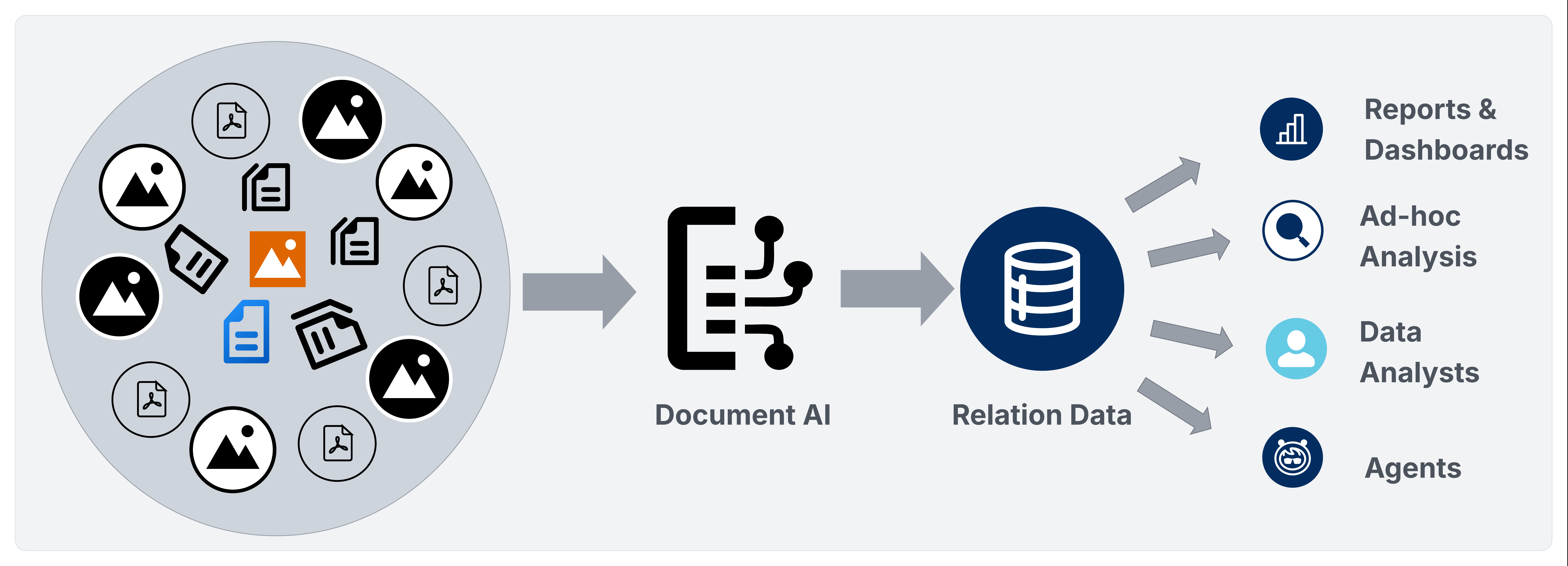
_Data 360 Document AI_ operationalizes document processing within the _Data 360_ platform via two pipelines.
- The _Batch Pipeline_ routes extracted data through ingestion, identity resolution, calculated insights, activations, analytics, and Agentforce activation.
- The _Transactional Processing Pipeline_ exposes a REST API that returns structured _JSON_ synchronously, which allows architects to route document-derived data to Salesforce _SObjects_, the _Data 360 Data Lake Object_/_Data Model Object (DLO/DMO)_ pipeline or external databases and warehouses without batch setup overhead.
In both cases, extracted data enters a governed, schema-driven model rather than a fragmented set of point tools.
## Product In Scope
[Data 360 Document AI](https://help.salesforce.com/s/articleView?id=data.c360_a_document_ai.htm&type=5) is the Salesforce native _Intelligent Document Processing (IDP)_ capability within the _Data 360_ platform. It converts unstructured and semi-structured document content into governed, queryable data that fully participates throughout the entire _Data 360_ lifecycle.
## What Is Data 360 Document AI?
[Data 360 Document AI](https://help.salesforce.com/s/articleView?id=data.c360_a_document_ai.htm&type=5) is the Salesforce native _Intelligent Document Processing (IDP)_ capability within _Data 360_. It ingests unstructured and semi-structured documents, extracts structured data using a declarative schema configuration, and delivers that data to the _Data 360_ pipeline for harmonization, identity resolution, analytics, and Agentforce activation.
Data 360 Document AI supports two processing modalities\:
- **Bulk batch Processing\:** Processes large document sets that are defined in _Unstructured Data Model Objects (UDMOs)_ on an event-driven basis.
- **Transactional Processing\:** Processes a single document via REST API and returns a structured _JSON_ payload synchronously. Architects can then route that payload to the _Data 360 DLO/DMO_ pipeline, Salesforce _SObjects_, or external databases and warehouses via _MuleSoft_, _Apex_ callouts, or _Einstein Trust Layer (ETL)_ pipelines. The target tier is an architectural decision driven by latency, governance, and data residency requirements.
Document AI currently supports PDF files, image files (JPEG, PNG), and handwritten documents.
## Core Components
_Data 360 Document AI_ assembles four processing technologies into a single governed pipeline. Each component handles a distinct stage of the document-to-data lifecycle\:
- **Optical Character Recognition (OCR)\:** Converts scanned images, handwritten content, and image-based PDFs into machine-readable text before LLM processing. A minimum of 150 DPI is recommended for reliable extraction.
- **Large Language Models (LLMs)\:** Route extraction through the _Einstein_ LLM gateway using the user-chosen model. The LLM receives OCR output alongside the _JSON_ schema configuration and returns a structured extraction payload. _Gemini_ and additional models are being planned for future implementation.
- **Natural Language Processing (NLP)\:** Performs contextual understanding, entity recognition, date parsing, and semantic field extraction directly within the LLM via structured prompt engineering—the schema-defined prompt and OCR output serve as the sole inputs. All LLM interactions are routed through the ETL, which enforces zero data retention with model providers and masks _PII_ in text-based inputs before they reach the model. No separate NLP engine is employed.
- **Multi-Modal Processing\:** Processes embedded images within PDFs as separate extraction inputs, which allows the LLM to extract data from diagrams, image-rendered tables, and mixed-content pages that OCR alone can't parse.
In addition to the four processing technologies, _Document AI_ also handles\:
- **Einstein Trust Layer\:** Routes all LLM interactions through the ETL, which enforces zero data retention with model providers and masks _PII_ before inputs reach the LLM with the exception of multimodal data (for example, attached documents that are processed via _Document AI_) where PII masking isn't currently supported and data is sent as-is to external models. The ETL only governs the LLM interaction path. Extracted data that's written to _Data Lake Objects (DLOs)_ is stored as-is; field-level masking at rest must be addressed through downstream data governance controls.
- **File Size Limits\:** _Document AI_ processes files up to 10MB per request. LLM context length limits may further constrain processing for dense, multi-page documents within this boundary.
## Key Architectural Principles
Enterprise architects that are deploying _Data 360 Document AI_ should apply these principles before committing to an implementation design.
- **Select the pipeline before designing the schema.** The _batch_ and _transactional_ processing pipelines differ in ingestion model, schema binding, target flexibility, and latency. It's important to confirm which pipeline each use case requires before defining the schema as retrofitting adds avoidable rework.
- **Design schemas at the document-type level.** Using a single, well-crafted schema per document type is more maintainable than using per-use-case configurations, and it's also the largest lever for extraction quality. Doing this correctly requires using a diverse set of documents—including edge cases—rather than designing from a single example. Use prompts iteratively at the _field_, _table_, and _schema_ levels to find gaps, and then test and refine them against multiple document samples before finalizing. Keep in mind that a schema that works well on one document may fall short on others, so breadth and iteration are essential. Schema flexibility—including removing columns that don't reliably extract across document types—is equally important. Holding on to fields that introduce noise or inconsistency undermines the overall extraction quality, so it's important to treat column removal as a first-class design decision.
- **Choose the correct target tier per field group.** Fields that are driving CRM workflows or approvals write to _SObjects_. Fields that are enriching the unified profile or feeding analytics belong in the _DLO/DMO_ pipeline. Fields that are serving external systems belong in the _RDBMS_ tier. Keep in mind that a single schema may fan out to multiple tiers simultaneously.
- **Enforce governance before processing regulated content.** Regulated data needs protection at every layer. That's why it's important to configure _PII_ masking, data classification tags, and _Attribute-Based Access Control (ABAC)_ after extracted data is stored in the output _Data Lake Objects (DLOs)._ This provides fine-tuned enforcement and context-aware access that's based on data classification, user role, and organizational context. _Governance_ is split across two paths\: the _ELT_ governs the LLM interaction, while the extracted data that's stored in DLOs must be governed separately—directly at the DLO and database levels—through _Data Space_ configurations, _Permission Sets_, and _ABAC_ policies. These controls must maintain consistency at the storage tier—not only the application layer—so access restrictions remain intact regardless of how data is accessed after ingestion. Keep in mind that gaps in any layer may expose regulated data downstream even when others are correctly configured.
- **Design for failure modes before production.** Address null field handling, OCR quality thresholds, file size pre-validation, LLM context overflow, RDBMS write idempotency, and credit budget limits before the first production batch run. These aren't edge cases—they're predictable failure surfaces that must be explicitly handled in pipeline design, not discovered during runtime.
- **Treat confidence scores as a first-class routing signal, not a diagnostic afterthought.** Extraction results carry field-level confidence values that are derived from the log probabilities (logprobs) of the underlying model output. For every extracted field, table, or column, the score reflects the model's token-level certainty of the extracted value. This makes confidence scores a statistically grounded signal that's reliable enough to serve as the primary gate for _Human-in-the-Loop (HITL)_ escalation thresholds. Use confidence scores to systematically identify low-quality extractions and initiate HITL checkpoints for low-confidence field values, ambiguous schema matches, or repeated pipeline failures instead of relying on heuristics or manual spot-checks. When automated recovery isn't possible, HITL-backed confidence scoring ensures that human judgment is applied exactly where it's needed.
- **Design activation paths in parallel with schema design.** The value of _Document AI_ comes from being able to activate extracted data within Salesforce workflows and agents. It allows you to design Agentforce _Actions_, _Flows_, and _Calculated Insights_ alongside extraction schema design, not after.
## Architecture\: Data 360 Document AI Pipeline
_Document AI_ operates within two pipelines\:
- A _batch_ pipeline for high-volume, UDMO-backed processing
- A _transactional_ _processing_ pipeline for real-time, API-driven extraction
Both pipelines share the same schema configuration contract and ETL governance, but they differ in how documents enter the system and where extracted data lands.
Let's take a closer look at each pipeline.
### Batch Processing Pipeline
The _batch_ pipeline processes recurring document sets that are defined by a UDMO. It suits scheduled or event-driven use cases where documents are ingested from enterprise storage, then pass through document extraction, and are delivered to the _Data 360 DLO/DMO_ pipeline for harmonization, identity resolution, and activation.
**Real-World Scenario**
Each day, an insurance carrier receives thousands of medical claim documents from provider portals that are uploaded as PDFs into _Amazon S3_. The UDMO defines the in-scope document set and sends all claim PDFs to the `/claims/incoming/` bucket within a 24-hour window.
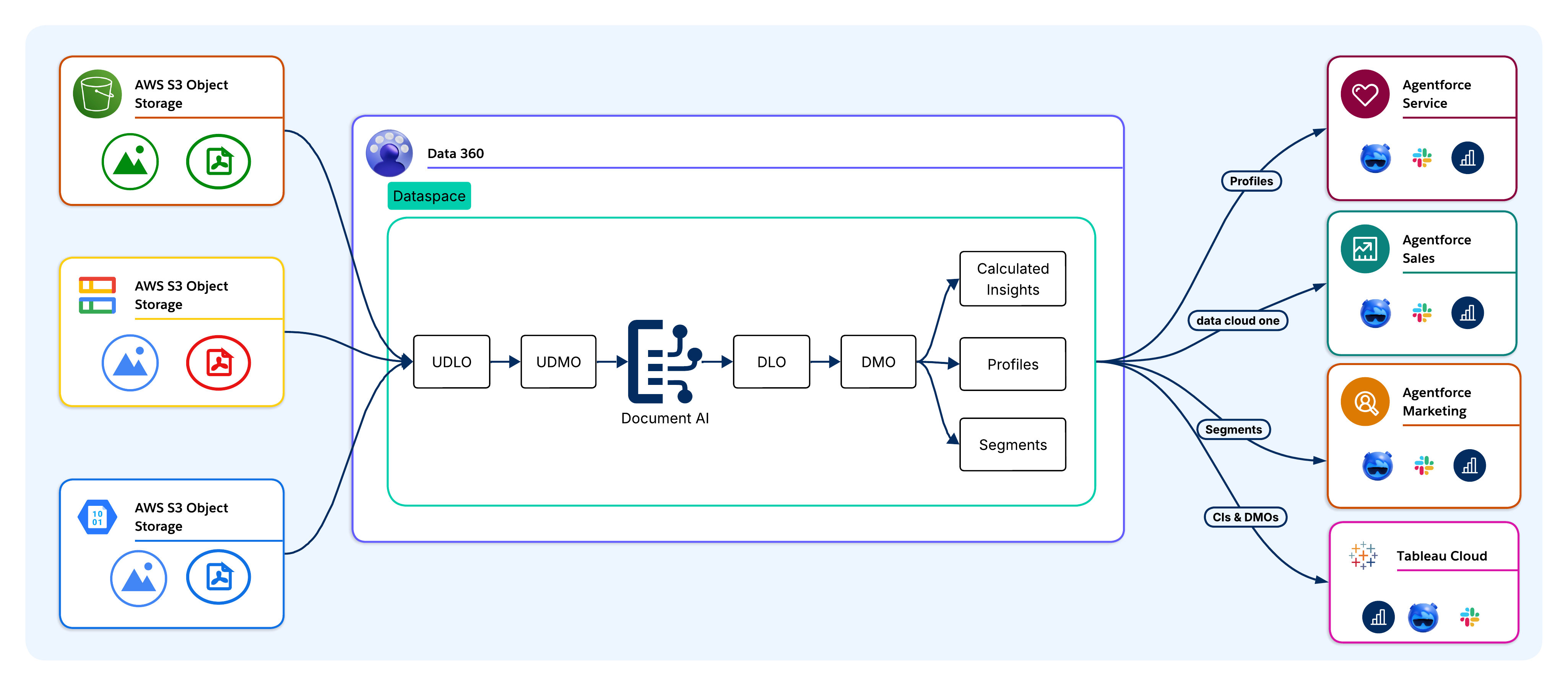
#### Stage 1\: Ingest
Documents are ingested into _Data 360_ from enterprise source systems without physical duplication. Supported sources include _Amazon S3_, _Google Cloud Storage_, Salesforce CRM file objects, _MuleSoft-orchestrated_ pipelines, and direct API uploads. In _AIforce_ deployments, documents are ingested via cloud storage connectors or the _Ingestion API_, which bypasses the CRM layer. The _Model Context Protocol (MCP)_ server exposes ingestion as a callable tool for external AI agents and LLM clients.
Upon ingestion, raw documents are stored as _Unstructured Data Lake Objects (UDLOs)_, which map to the physical location and metadata of each document without moving or transforming the source file.
**Example\:**
Claims PDFs are ingested from _S3_ into _Data 360_ via the cloud storage connector. Each document is stored as a UDLO that points to the _S3_ object. No physical duplication occurs.
#### Stage 2\: Extract
_Document AI_ processes each UDLO against a schema configuration that defines which fields to extract along with their target data types. The UDMO defines which documents are in scope. The LLM (_GPT-4o_, _Gemini_, or _Claude_) reads each document and returns a structured extraction payload.
**Example\:**
_Document AI_ processes each UDLO against a claims schema that defines fields like\: ClaimID, PatientName, DiagnosisCode, BillingAmount, and ServiceDate. LLMs then read each PDF and return a structured extraction payload.
#### Stage 3\: Persist
Once the data is extracted, it persists into DLOs, which are the raw storage layer of _Data 360_. DLOs retain extracted fields without imposing business logic, which preserves an accurate physical representation for downstream transformation and traceability. The UDLO retains a reference to the source document to enable field-level lineage at any point in the pipeline.
**Example\:**
All extracted fields land in a _Claims DLO_, which preserves a raw, accurate representation of each claim with full lineage that can be traced back to the source PDF.
#### Stage 4\: Harmonize
DLO fields map to DMOs that align with the standard _Customer 360 Data Model_. This is the boundary where document-derived data transitions from raw, extracted fields to business-meaningful entities. The _Invoice DLO_ maps to an _Invoice DMO_, and fields like _CustomerID_ and _BillingAmount_ become join keys and match attributes within the unified data model. Harmonized document data participates in segmentation, _Calculated Insights_, and activation via the same interfaces that are used by CRM and transactional data.
**Example\:**
The _Claims DLO_ maps to a _Claims DMO_. The PatientID and PolicyNumber fields become join keys that link claim records to unified patient profiles.
#### Stage 5\: Unify
Harmonized DMO data participates in identity resolution. Extracted fields (for example, customer names, email addresses, or account numbers) serve as match keys for linking document records to _Unified Individuals (Golden Records)_, which closes the document-to-profile gap.
**Example\:**
Extraction fields (for example, PatientName, DateOfBirth, and PolicyNumber) serve as match keys for identity resolution, which links claim records to the correct _Unified Individual_. This occurs even if the same patient appears under slightly different name spellings across documents.
#### Stage 6\: Derive Insights
Architects define _Calculated Insights_, which are aggregated metrics that are computed across harmonized document data (for example, the total spend from various invoice line items, contract renewal risk scores, and claim severity indices).
**Example\:**
_Calculated Insights_ compute TotalClaimsPerPatient, AverageClaimAmount, and HighRiskClaimScore across harmonized claim data for Agentforce queries.
#### Stage 7\: Act
Harmonized, identity-resolved data is accessible to Agentforce Agents, _Tableau_, marketing platforms, and Salesforce _SObjects_. The target tier is an architectural decision that's driven by latency, governance, and data residency requirements.
**Example\:**
A _Claims Adjudication Agentforce Agent_ queries the _Data 360_ DMOs and CIs to find high-risk claims for priority review. _Tableau_ dashboards show claim volume and anomaly trends. Approved claim records circle back to the _Claims SObject_ to initiate payment workflows.
In _AIforce_ architectures, activation routes directly to external systems via the _Query API_, _Pub/Sub API_, or Cloud data warehouse activation targets. Then, the MCP server finds harmonized document data and _Calculated Insights_ as callable tools for external AI agents.
### Transactional Processing Pipeline
The _transactional processing_ pipeline handles single-document extraction at runtime without a UDMO or pre-ingested UDLO, which suits event-driven use cases (for example, a customer uploading a form, an agent receiving a PDF, or an external system initiating extraction within a transactional processing workflow). ETL governance applies to both pipelines identically.
**Real-World Scenario**
While applying for a loan, a bank customer uploads a PDF of their utility bill via the bank's mobile app. The event initiates extraction in real time, which means that no pre-ingested UDLO or UDMO is involved.
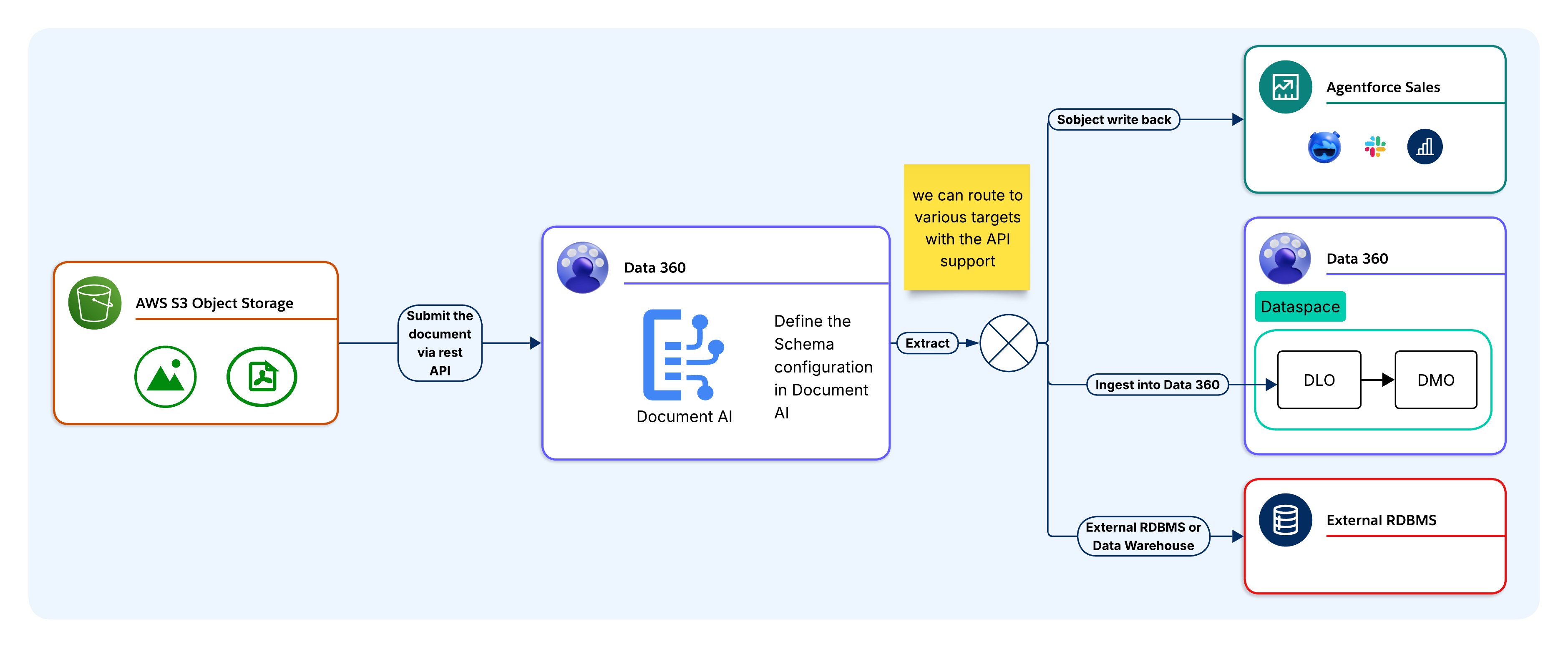
#### Stage 1\: Define Schema Configuration
Before invoking the API, architects must define and store a schema in _Data 360_ that specifies the fields, data types, and extraction instructions in _JSON Schema_ format. Each schema is assigned a unique _schema ID_. At runtime, the calling application references the schema ID to keep the extraction logic centralized in _Data 360_ rather than embedding it in application code.
**Example\:**
The bank's team has a pre-defined `ProofOfAddress` schema in _Data 360_, which specifies fields like `CustomerName`, `AddressLine1`, `City`, `PostCode`, and `DocumentDate`. This information is stored as a versioned configuration that can be referenced by a _schema ID_.
#### Stage 2\: Submit Documents
The calling application submits the document and schema ID in a single REST API request as a base64-encoded payload or file reference. No UDLO ingestion is required. _Document AI_ applies the document extraction and returns the structured output based on the provided schema.
**Example\:**
The mobile app submits the utility bill as a base64-encoded payload alongside the `ProofOfAddress` schema ID in a single REST API call. This process doesn't require a UDLO ingestion step.
#### Stage 3\: Extract
The LLM processes the OCR output against the schema and returns a structured JSON payload synchronously. Fields that aren't found in the document are returned as _null_. The caller owns the full JSON response and proceeds to routing.
**Example\:**
_Document AI_ applies OCR to the PDF and the LLM returns a structured JSON payload with extracted address fields. Fields that aren't found (for example, if the `PostCode` is missing from the bill) are returned as _null_.
#### Stage 4\: Route to Target (Optional)
Once extracted, the JSON payload can be routed to one or more target tiers depending on the use case\:
- **Salesforce SObject\:** Maps directly to _SObject_ fields via _Apex_ or _Flow_ for CRM workflows and approvals.
- **Data 360 DLO/DMO Pipeline\:** Routes into a DLO for harmonization, identity resolution, _Calculated Insights_, and Agentforce grounding.
- **External RDBMS or Data Warehouse\:** Routes via _MuleSoft_, _Apex_ callout, _Platform Events_, or ETL for systems that are outside of Salesforce.
- **Custom Integration\:** Returns structured JSON payloads to the calling application for storage in any external system or data store.
- **Downstream Flow or Agent\:** Passes the structured JSON output directly to a downstream flow or agent without any persistence into a _SObject_. This is a common pattern for customers who use _Document AI_ as a real-time extraction step within a larger automation or agentic workflow.
Keep in mind that a single schema may fan out to multiple tiers simultaneously, with different field groups routing to different targets from the same extraction point.
**Example\:**
A `ProofOfAddress` payload may fan out to three tiers at once (for example, `CustomerName` and `AddressLine1` write to the _Contact SObject_), which initiates an address verification _Flow_. Then, the full payload routes into a DLO for harmonization and risk scoring, and a copy routes to the bank's KYC system via _MuleSoft_ for regulatory compliance logging.
#### Stage 5\: Act
Once it's written, extracted data activates within the target system immediately. For _SObject_ targets, the triggers, flows, and approval processes are activated in the upserted record. For _DLO/DMO_ targets, data enters the _harmonization and identity resolution_ pipeline and Agentforce context. For external _RDBMS_ targets, data is available to downstream queries as soon as the write completes.
**Example\:**
The _address verification Flow_ immediately activates in the upserted _Contact_ record, which advances the loan application to the next stage. The Agentforce _loan officer Agent_ finds the verified address from the _Data 360_, and the KYC system records the document submission for audit purposes.
## When Should You Use Document AI?
_Document AI_ is best suited for specific architectural conditions. Applying it outside of those conditions introduces unnecessary complexity and additional costs.
As architects, it's important to evaluate this criteria before committing to _Document AI_ as the extraction mechanism.
**Use Document AI when\:**
- **Documents are the primary data source.** The required information exists only in document form and is unavailable from a structured API or database (for example, scanned contracts, lab reports, intake forms, or insurance claims).
- **Document layouts vary across sources.** The same document type arrives from multiple vendors, partners, or regions with different field positions and formats. Schema-driven LLM extraction adapts without per-layout maintenance.
- **Extracted data must feed Data 360 or Agentforce.** Extraction must participate in identity resolution, _Calculated Insights_, or Agentforce grounding. _Document AI_ is delivered directly into the _DLO/DMO_ pipeline without a separate ETL layer.
- **Volume justifies governed automation.** Document volume exceeds what manual processing can handle without measurable labor costs or data quality risks.
- **Documents contain regulated content.** _PHI_, _PII_, or financial data must route through a zero-data-retention, PII-masking layer before reaching an LLM. The ETL satisfies this natively. Customers who require no extracted content to be persisted at any point should also consider the _transactional API_ flow, which returns structured output directly to the calling application without writing to any _SObject_ or data store.
- **The use case is event-driven.** A document arrives at runtime (for example, a customer upload, an agent PDF attachment, or an external system trigger). The _transactional processing_ pipeline handles synchronous, single-document extraction without batch setup.
**Don't Use Document AI when\:**
- **Source data is already structured.** If the upstream system exposes a REST API, database table, or structured file (for example, CSV, JSON, or XML), use a standard _Data 360_ connector. Running structured data through an LLM extraction pipeline adds latency and credit costs without additional benefits.
- **Documents are machine-generated with a fixed schema.** System-generated PDFs from a known ERP or billing platform with a stable layout are better suited for a deterministic parser. LLM extraction is designed for variability, and applying it to fixed-schema documents wastes context and credits.
- **Accuracy requirements exceed LLM confidence thresholds.** _Document AI_ doesn't guarantee 100% extraction accuracy. Use cases where a missed or incorrect field value carries significant financial, legal, or clinical risk requires an HITL validation step. Don't use _Document AI_ as the sole extraction layer for high-stakes decisions without a validation workflow.
- **Documents exceed platform constraints.** The current 10MB file size limit and LLM context length constraints make _Document AI_ unsuitable for large or dense documents without pre-processing to split and reassemble them outside of the platform.
- **Note\:** At Salesforce, we're actively improving these acceptance guardrails to expand supported file sizes, page counts, and file extensions. Constraints will continue to evolve moving forward.
## Use cases\: Review The Patterns in Practice
### Batch Pipeline Use Cases
Let's take a closer look at several scenarios that use the _Document AI batch_ pipeline backed by a UDMO source object. In these instances, extracted data routes through the _Data 360 DLO/DMO_ pipeline for harmonization, identity resolution, _Calculated Insights_, and Agentforce activation. Each use case is best suited for scheduled or event-driven, high-volume document processing.
**Agentforce Sales\: Contract and Invoice Intelligence**
_Contract_ PDFs are ingested from Cloud storage via the _batch_ pipeline. The schema extracts ContractValue, RenewalDate, PaymentTerms, and CounterpartyName, and then maps them to the _Account_ and _Contract_ DMOs. _Calculated Insights_ derive renewal-risk scores. Agentforce alerts account executives before renewal windows close, which eliminates manual contract review and missed renewals.
**Agentforce Service\: Case Deflection and Knowledge Grounding**
_Survey_ PDFs and case attachments are ingested via the _batch_ pipeline. The schema extracts sentiment indicators, issue categories, and resolution notes, and then maps them to the _Case_ and _Knowledge Article_ DMOs. Agentforce queries the harmonized knowledge base when the case opens and locates relevant troubleshooting steps, which reduces Agent search overhead.
**Agentforce Health\: Clinical Document Processing**
Lab reports, intake PDFs, and handwritten clinical forms are ingested via the _batch_ pipeline. The schema extracts fields—including _PatientID_, _DiagnosisCode_, _MedicationName_, and _TestResult_—and then maps them to the _Health Cloud_ DMOs, which supports HIPAA-aligned care coordination and clinical research workflows.
**Financial Services\: Loan and Tax Document Automation**
Loan applications, tax returns, and income statements ingest via the batch pipeline. The schema extracts fields—including AnnualIncome, TaxYear, and EmployerName—and then maps them to the _Financial Account_ DMOs. _Calculated Insights_ join document-derived income data and CRM data to facilitate automated credit-risk scoring. Agentforce locates the extracted loan details inline during customer service interactions. This pattern directly supports the [Loan Prequalification Agent](https://developer.salesforce.com/developer-centers/agentic-enterprise-solutions) use case that's published on the Salesforce _Agentic Enterprise Solutions_ developer center.
**HR\: Workforce Document Processing**
Onboarding documents, tax forms, and certification PDFs are ingested via the _batch_ pipeline. The extracted fields are mapped to the _Employee Record_ DMOs, and then linked to the _Unified Employee_ profile. Specific _Flows_ initiate onboarding tasks and compliance checks based on the extracted data. This pattern directly supports the [Automate Resume Processing](https://developer.salesforce.com/developer-centers/agentic-enterprise-solutions) Agentic use case. _Document AI_ extracts skills, employment history, and qualifications from resume PDFs, which Agentforce then uses to match candidates against open-role criteria and route them to hiring workflows.
**Professional Services\: Proposal and Research Intelligence**
Proposal decks and research reports are ingested via the _batch_ pipeline. Extracted frameworks, benchmarks, and engagement summaries are mapped to custom DMOs, and then indexed for vector search. Agentforce retrieves contextually relevant recommendations at query time, which are grounded in extracted document content. This pattern extends the [Ground Agentforce on Website Content](https://developer.salesforce.com/developer-centers/agentic-enterprise-solutions) pattern. Documents are indexed via _Document AI_ and serve the same grounding function for Agent responses as website content that's indexed via _Data 360_ connectors.
**HIPAA Compliance Status\:**
The _Health Cloud_ patterns described in this paper apply ETL controls (for example, zero data retention and PHI masking) for text inputs. These controls alone don't constitute HIPAA certification. Architects that are designing for regulated clinical environments must confirm current HIPAA certification status with the Salesforce compliance team before committing to a _Document AI_-based architecture within those contexts.
### Transactional Processing Pipeline Use Cases
Let's take a closer look at several scenarios that invoke the _Document AI_ REST API with a schema that isn't bound to a UDMO. Extracted JSON payloads route directly to external systems synchronously at runtime.
**Supply Chain\: Vendor Invoice Processing to ERP**
When a _vendor invoice_ PDF arrives in a monitored storage bucket or email gateway, an event trigger calls the _Document AI_ REST API with the invoice and a pre-defined schema ID. The schema extracts the VendorID, InvoiceNumber, LineItems, TotalAmount, TaxAmount, and DueDate. The JSON payload routes via _MuleSoft_ to the _ERP Accounts Payable_ module with _null_ field validation and idempotent upsert logic, which eliminates template maintenance for supplier format variability.
**Legal Operations\: Contract Review to CLM**
When a _contract_ PDF is uploaded to the legal portal, the backend calls the _Document AI_ REST API synchronously. The schema extracts the GoverningLaw, IndemnityCapAmount, TerminationNoticePeriod, AutoRenewalClause, and CounterpartySignatory. The JSON payload routes via _Apex_ callout to the _Contract Lifecycle Management (CLM)_ system. Any fields that aren't found are returned as _null_, and the CLM applies the default obligation rules to the missing values.
**Insurance Claims\: First Notice of Loss Processing**
When a policyholder submits a _First Notice of Loss (FNOL)_ form, the backend portal calls the _Document AI_ REST API synchronously. The schema extracts the PolicyNumber, IncidentDate, IncidentLocation, DamageDescription, ClaimantName, and ContactPhone. The JSON payload routes to the _claims management_ database via _Apex_ callout or ETL, which creates a pre-populated claim record for adjusters to review before the formal claim is opened.
## Design Considerations and Failure Modes
Before you move to production, you must create designs for these failure scenarios.
- **Null Field Handling\:** The LLM returns _null_ for fields it can't locate or confidently extract. Validate null-handling logic at schema design and implement default value or rejection logic in the integration layer before writing to any targets with _NOT NULL_ constraints or required match keys.
- **OCR Quality Degradation\:** OCR accuracy degrades below 150 DPI, on irregular handwriting, or on noisy scans. Misreads propagate into LLM extraction as corrupted input without error signals. Enforce minimum scan quality at ingestion and implement confidence threshold checks on numeric and date fields.
- **Schema Version Mismatch\:** Updating a schema configuration after a batch job is scheduled causes in-flight documents to process against the previous version, which produces missing or renamed fields that break downstream mapping. Version schemas explicitly and coordinate updates with batch job schedules.
- **File Size Limits\:** Documents that exceed 10MB are rejected. Batch pipeline failures are silent without monitoring configured, and transactional callers receive a _4xx_ error. Pre-validate file sizes at ingestion and implement pre-processing to split or compress documents that regularly approach the limit.
- **LLM Context Overflow\:** Dense or multi-page documents may exceed the LLM context window within the 10MB limit. The LLM silently drops content that exceeds context. Implement a chunking strategy that splits documents by page range and reassembles the extracted fields before transferring them to the target.
- **Trust Layer Masking Affecting Extraction\:** The ETL operates at the prompt level—not the document level—so masking doesn't apply to document content that passes through _Document AI_. Schema fields that depend on _PII_ values in the document aren't affected by ETL-masking policies.
- **External RDBMS Write Idempotency\:** The _transactional processing_ pipeline doesn't have any built-in idempotency for external _RDBMS_ targets. _Integration layer_ retries create duplicate rows unless the write logic handles de-duplication explicitly. Implement idempotent upserts using a document fingerprint or external ID on all external write paths.
- **Credit Exhaustion Mid-Run\:** Large batch runs may exhaust _Digital Wallet_ credits before all documents are processed, which produces incomplete DLO datasets that downstream steps view as complete. Set consumption alerts to 75% and 90% of available credits and limit batch sizes to stay within the credit budget for each cycle.
- **Schema Field Limit — Architectural Constraint\:** _Document AI_ enforces a 50-field limit for root-level fields in a schema configuration. This is a design-time constraint—not a runtime error—and architects must account for it during data model and schema design.
- For use cases that require broader extraction\:
- Prioritize ruthlessly. Narrow the schema to fields that drive automation value, not exhaustive document coverage.
- Leverage nested objects (up to 3 levels; batch mode with source object only) to reduce the root-level field count without sacrificing extraction depth.
- Decompose complex documents across multiple _Document AI_ configurations that target distinct document sections, write results to separate DLOs that join downstream in _Data 360_.
- **API Rate Limits\:** _Document AI_ enforces a limit of 50 extraction API calls per minute per tenant. The theoretical ceiling is 300 calls per minute, which is governed by the _Einstein LLM Gateway_. High-volume transactional integrations must be designed with exponential backoff, request queuing, and tenant-level throughput budgeting. Don't assume that burst capacity is available in multi-tenant production environments.
- **API Latency Profile\:** _Document AI_ extraction APIs are fully synchronous. Typical response times range from 5–15 seconds, and they vary by file size and schema complexity.
- This has direct implications for integration architecture\:
- Set caller timeouts to a 30-second minimum.
- Don't invoke _Document AI_ in flows with sub-second SLA requirements.
- Factor latency into throughput calculations against the rate limit ceiling for _batch processing_ pipelines.
- **Encrypted and Password-Protected Documents\:** _Document AI_ doesn't process password-protected files (user passwords are required to open files) or PDFs that are encrypted with an owner/permissions password, including files that open normally but restrict copying, printing, or editing at the _PDF permissions_ layer.
- This constraint sits at the ingestion boundary\:
- Design _document intake_ pipelines to detect and route encrypted files to a _rejection_ or _manual processing_ path before they reach _Document AI_.
- Don't rely on runtime error handling as the primary gate.
## Well-Architected Alignment
_Data 360 Document AI_ aligns with several pillars of the Salesforce _Well-Architected Framework_.
- **Trust\:** The ETL enforces zero data retention with LLM providers, masks _PII_ inputs before they reach the model, and scans outputs for sensitive content. Architects must extend this posture to extracted data at rest. Field-level masking in DLOs isn't applied by the ETL, and it requires downstream _Data Space_ policies and _Permission Sets_.
- **Reliability\:** Each failure mode in the _Design Considerations_ section—null field extraction, OCR misread, schema version mismatch, file size breach, LLM context overflow, ETL masking interference, RDBMS write idempotency and credit exhaustion—represents a distinct failure class with a documented detection signal and resolution path.
- **Operational Excellence (change management)\:** The schema-driven extraction model decouples the extraction logic from the document layout. When a vendor changes an invoice format or a regulatory form is updated, architects only need to update one schema configuration rather than modifying integration code.
- **Operational Excellence (maintainability)\:** Centralizing schema configurations in _Data 360_ rather than embedding extraction logic in application code makes extraction intent explicit, versioned, and auditable. All downstream targets consume the same schema contract regardless of their target tier.
- **Operational Excellence (integration reuse)\:** _Document AI_ exposes extraction across multiple integration surfaces\: REST API, _Apex_, _Flow_, _MuleSoft_, Agentforce _Actions_, and the MCP server. A single schema configuration fans out to multiple target tiers simultaneously without rebuilding the extraction capability per consumer.
- **Resource and Cost Optimization\:** The pipeline selection guidance, 10MB file size boundary, and pre-assembly LLM context length constraints represent performance-aware design decisions. The _When to Use_ section formalizes the conditions for when _Document AI_ isn't the right tool (for example, sub-second latency requirements, fully-structured source data, and fixed-schema machine-generated documents).
## Quick-Start Guide for Architects
This is a structured starting point for configuring _Data 360 Document AI_ in a sandbox environment. Complete all phases in the sandbox before moving to production.
### Before You Begin
Before beginning configuration, you must confirm\:
- **File Size\:** Validate that the representative document sizes are under 10MB.
- **Pipeline\:** Confirm whether the use case requires the _batch_ pipeline (UDMO-backed, high-volume) or the _transactional processing_ pipeline (API-driven, single-document). This drives all subsequent configuration.
- **Target Tier\:** Confirm where the extracted data lands—Salesforce _SObject_, _Data 360_ DLO/DMO, external RDBMS, or a combination.
- **Agentforce Dependency\:** Before deploying any Agentforce-powered document processing, confirm that a supported [LLM](https://help.salesforce.com/s/articleView?id=ai.generative_ai_large_language_model_support.htm&type=5) (for example, _GPT-4o_) is enabled in your org via the ETL settings. Agentforce is a hard platform prerequisite for _Document AI_. The entire _Document AI_ feature surface—including all extraction APIs—is unavailable until Agentforce is active in the target org. Factor this into org readiness assessments and provisioning sequencing. Allow a few minutes for API availability to stabilize post-enablement.
- **Agentforce Disablement Impact\:** If Agentforce is disabled after _Document AI_ is configured and deployed, then all extraction processing (UI and API) will be blocked immediately. The same applies to model disablement. Disabling the underlying model has an equivalent effect on _Document AI_ availability. In both cases, the existing schema configurations are preserved and will remain visible—no configuration or data loss will occur—but the capability is fully inoperable until Agentforce and the model are re-enabled. Design operational runbooks to treat Agentforce availability and model enablement as _Document AI_ health dependencies.
- **Credit Consumption/Pricing\:** Use _Data 360_ credits or _Flex Credits_ for TCO estimates that are derived from representative sample documents.
#### Phase 1\: Schema and Pipeline Configuration
- **Create the schema configuration.** Define extraction fields, data types, and instructions in _JSON Schema_ format in the _Data 360 Document AI_ setup. For the _batch_ pipeline, bind it to a UDMO. For the _transactional processing_ pipeline, create it without a source object. Record the schema ID.
- **Align field names to the target tier.** Match field names to DLO column definitions, _SObject_ API names, or RDBMS column names. Misaligned names create mapping overhead in the integration layer.
- **Configure the UDMO source object (batch only).** Define documents in scope and configure ingestion source connectivity (for example, _S3_, _Google Cloud Storage_, _Salesforce Files_, or _MuleSoft)_. Confirm that the ingestion service account has the required _IAM_ or _OAuth_ credential scope.
- **Apply PII masking policies.** Configure _Data Masking_ policies in the ETL settings before processing any regulated content. Define which field types (_PHI_, _PII_, and financial identifiers) are masked before inputs reach the LLM. **Don't** defer this step.
- **Assign Data Space scope and Permission Sets.** Scope processing to the appropriate _Data Space_ and configure _Permission Sets_ to control schema creation, batch job execution, REST API invocation, and downstream activation.
- **Configure API authentication (transactional processing pipeline only).** Create a _Connected App_ with _OAuth_ scopes cdp_ingest_api and api. For org-internal callers, use a _Named Credential_ that links to an _External Credential_. For external callers, configure _OAuth 2.0_ client credentials or a JWT-bearer flow. Test and validate extraction before proceeding.
#### Phase 2\: Integration and Target Configuration
- **SObject write-back\:** Implement an _Apex_ (@InvocableMethod) or _Flow_ element that maps JSON response fields to _SObject_ fields. Use Database.upsert() with an external ID to prevent duplicates. Apply _Field-Level Security_ on target _SObject_ fields.
- **Data 360 DLO/DMO pipeline\:** Map extracted DLO fields to DMOs that align with the _Customer 360 Data Model_. Configure identity resolution rules to link document records to _Unified Individuals_. Define _Calculated Insights_ and add DMOs for Agentforce. For the transactional processing pipeline, route the JSON payload to a DLO via the _Ingestion_ API first.
- **External RDBMS or data warehouse\:** Select the integration pattern\: _MuleSoft_ (existing integration fabric), _Apex_ HTTP callout (lightweight, org-native), _Platform Events_ with the _Pub/Sub_ subscriber (event-driven), or ETL (high-volume batch). Implement idempotent upserts using a document fingerprint or external ID on all external write paths.
- **Activation paths\:** Connect Agentforce actions to schema configurations for interactive extraction. Configure _Flow_ or _Apex_ triggers for automated processing workflows and establish the activation targets for each field group.
- **Error handling (transactional processing pipeline only).** Configure the full HTTP response surface\: **200** (_successful_, including partial _null_ responses), **400** (_malformed request_ or _schema ID not found_), **413** (file exceeds 10MB), **5xx** (service error). Implement exponential backoff for _5xx_ retries with a maximum of 3 attempts. Log the raw JSON response and schema ID on every call.
#### Phase 3\: Validate and Prepare for Production
- **Test schemas against sample documents.** Submit representative samples via the _Document AI_ interface or REST API. Confirm extraction accuracy, field coverage, and null handling across layout variations.
- **Validate null field handling.** Confirm that all downstream targets can handle _null_ values for _fields not found_ in a document. Keep in mind that _NOT NULL_ constraints fail silently without explicit null handling.
- **Pre-validate file sizes.** Confirm that production documents stay under 10MB. Implement pre-processing to split or compress documents that regularly approach the limit.
- **Validate end-to-end extraction.** For the _batch_ pipeline, initiate a full run and confirm that the extracted fields land correctly in each target tier. For the _transactional processing_ pipeline, trace the JSON response through the _integration_ layer to the target. Verify the trigger and flow execution for the _SObject_ targets, the identity resolution linkage for the _DLO/DMO_ targets, and the idempotency for the _RDBMS_ targets.
- **Confirm Trust Layer behavior.** The ETL doesn't apply _PII_ masking to document content, so the LLM will return _PII_ data in extracted fields as-is. Confirm that your schema fields, data routing, and downstream storage are designed to handle PII-bearing output appropriately, and ensure that any compliance or retention requirements are addressed outside of the platform.
- **Set Digital Wallet alerts.** Configure consumption alerts at 75% and 90% of available credits. Establish batch size limits and ad-hoc rate estimates within the credit budget for each cycle.
- **Validate batch monitoring (batch pipeline only).** Review extraction success rates, null field rates, and job completion in the _Data 360_ monitoring console. Confirm the tag propagation from the UDLO through the DLO to the DMO in data lineage.
- **Validate API error handling (transactional processing pipeline only).** Test all error conditions\: **413** (documents over 10MB), **400** (invalid Schema IDs), **200** (valid extractions with partial nulls). Confirm that the retry logic fires on simulated **5xx** responses without creating duplicate writes.
## Conclusion
This document highlights the architectural foundations of _Data 360 Document AI_\:
- Two processing pipelines and when to use them
- The schema configuration model
- The target tier decision framework
- Core technology constraints
- Failure modes
- _Well-Architected Framework_ alignment
The [Quick-Start Guide for Architects](/docs/architect/fundamentals/guide/data360-document-ai#quick-start-guide-for-architects) provides the configuration sequence for a sandbox proof of concept.
The core architectural posture supports document-derived data that's governed at the _Schema_ layer, processed via an ETL-enforced LLM pipeline, and delivered to the same _Data 360_ data lifecycle that governs all of our other enterprise data.
Architects who apply these principles—selecting the correct pipeline, designing schemas at the document-type level, and designing for failure modes before production—build extraction capabilities that scale and endure under regulated industry governance requirements.
### About the Authors
**Yugandhar Bora** is a Software Engineering Architect at Salesforce who specializes in data architecture within the _Data and Intelligence Applications_ platform. He leads _Enterprise Architecture Review Board (EARB)_ initiatives that focus on data governance and unified data models, while also contributing to automated platform provisioning solutions.
**Ananth Anto** is a Director of Product Management at Salesforce _Data 360_ who leads _Document AI and Data Graph_ initiatives. Based in Bangalore, he works with enterprise customers to solve real-world document-processing and data-intelligence challenges. He enjoys exploring _Enterprise_ use cases for _Generative AI (Gen AI)_.
**Nishan Naseer** is a Software Engineering Architect at Salesforce who works on _Unstructured Data Processing_, _RAG_ pipelines, and _Document Intelligence_. He's passionate about harnessing the power of AI to tackle real-world challenges and find creative solutions to complex customer issues.
# Overview
Modern Salesforce integrations must support far more than simple data exchange. They are expected to power real-time customer experiences, coordinate actions across multiple systems, and operate reliably at enterprise scale—all while meeting strict security and compliance requirements. Choosing the right integration approach is therefore a critical architectural decision, not an implementation detail.
Consider a common enterprise scenario. A customer completes a purchase in a mobile app, triggering a real-time eligibility check for a personalized offer. At the same time, transaction data must be recorded in an ERP system, customer attributes updated in Salesforce, and analytics streamed to a data lake—without introducing latency, data duplication, or compliance risk. Scenarios like this are now typical in modern Salesforce environments, where Salesforce rarely operates in isolation and must integrate seamlessly with a broader ecosystem of applications and data platforms.
This guide exists to help architects and developers design those integrations with clarity and confidence. Rather than focusing on point-to-point implementations, it presents a set of **proven integration patterns** that address recurring enterprise scenarios—such as process orchestration, data synchronization, and real-time data access. Each pattern emphasizes architectural intent, trade-offs, and execution models, enabling teams to make informed design decisions that scale and endure.
Within this document, you’ll find:
* Integration patterns that represent common enterprise “archetypes” across process, data, and virtual access scenarios
* A pattern selection framework to help identify the right approach based on integration intent and execution timing
* Practical guidance on scalability, resiliency, governance, and security considerations
* Best practices drawn from real-world Salesforce and Data 360 implementations
The goal of this document is to provide a shared architectural language for integration, helping teams design solutions that balance performance, flexibility, and trust while aligning with enterprise data and governance strategies.
## Purpose and Scope
This document is for designers and architects who need to integrate data from other applications in their enterprise with Salesforce Data 360 (formerly Data Cloud). This content is a distillation of many successful implementations by Salesforce architects and partners.
To become familiar with integration capabilities and options available for large-scale adoption of Data 360, read Pattern Summary and Pattern Selection Guide sections below . Architects and developers should consider these pattern details and best practices during the design and implementation phase of data interaction projects into Data 360\.
If implemented properly, these patterns enable you to get to production as fast as possible and have the most stable, scalable, and maintenance-free set of applications possible. Salesforce’s own consulting architects use these patterns as reference points during architectural reviews and actively maintain and improve them.
As with all patterns, this content covers most integration scenarios, but not all. While Salesforce allows for user interface (UI) integration,-mashups, for example, such integration is outside the scope of this document.
### Pattern Template
Each integration pattern follows a consistent structure. This provides consistency in the information provided in each pattern and also makes it easier to compare patterns.
* **Name**: The pattern identifier that also indicates the type of integration contained in the pattern.
* **Context:** The overall integration scenario that the pattern addresses. Context provides information about what users are trying to accomplish and how the application behaves to support the requirements.
* **Problem:** Expressed as a question, this is the scenario that the pattern is designed to solve. Read this section to understand if the pattern is appropriate for your integration scenario.
* **Forces:** The constraints and circumstances that make the stated scenario difficult to solve.
* **Solution:** The recommended way to solve the integration scenario.
* **Sketch:** A UML sequence diagram that shows you how the solution addresses the scenario.
* **Results:** Explains the details of how to apply the solution to your integration scenario and how it resolves the forces associated with that scenario. This section also contains new challenges that can arise as a result of applying the pattern.
* **Sidebars:** Additional sections related to the pattern that contain key technical issues, variations of the pattern, pattern-specific concerns, and so on.
* **Example:** An Real world scenario that describes how the design pattern is used in a real-world Salesforce scenario. The example explains the integration goals and how to implement the pattern to achieve those goals.
## Pattern Summary
Use this table as a table of contents for the integration patterns contained in this document.
### List of Patterns
### Platform Foundations for Scalable Data Clean Rooms
At the infrastructure layer, Salesforce Data 360 runs on Hyperforce, Salesforce’s cloud-native runtime that abstracts hyperscaler resources (AWS, Azure, GCP) behind a unified control plane. This architecture allows data to remain in-region to satisfy sovereignty and residency requirements, while enabling governed clean room operations globally.
Critically, this foundation enables cross-cloud clean room collaboration, including native interoperability with AWS Clean Rooms. Using Data 360 as the orchestration and governance layer, enterprises can collaborate with partners operating directly on AWS without forcing data migration into Salesforce-managed storage. Queries are pushed down to the source, privacy rules are enforced consistently, and only compliant, aggregated results are exchanged across platforms.
Compliance and trust are enforced at the infrastructure and execution boundary, rather than retrofitted at the application layer—providing a durable foundation for multi-cloud, multi-party collaboration at scale.
### The Data 360 Pipeline from Ingestion to Activation
Data 360 implements a traceable, end-to-end data pipeline, ensuring that clean room operations run over harmonized, governed, and identity-aware data rather than raw extracts.
Key stages include:
* **Connect**: Data ingestion and virtualization via out-of-the-box connectors, APIs, SDKs, MuleSoft, or zero-copy connectors
* **Persist**: Storage of raw data in native formats (Parquet / Iceberg)
* **Harmonize**: Mapping to canonical Data Model Objects (DMOs) for consistent joins
* **Unify**: Identity resolution creates Golden Records
* **Derive Insights**: Calculated insights compute aggregated metrics inside the governed boundary
* **Act**: Governed outputs flow to Salesforce Orgs, marketing platforms, ad networks, external data platforms, **or other clean rooms**, closing the insight-to-action loop
This pipeline ensures clean rooms operate on enterprise-grade data, not ad-hoc extracts.
### Native Integration and “Clicks-Not-Code”
Unlike standalone data clean room platforms that require separate provisioning and SQL development, Salesforce clean rooms are natively embedded into Data 360\. This enables reuse of DMOs, identity rules, consent models, and governance policies, eliminating duplicate security layers.
Salesforce’s template-driven clean room model is a key accelerator, using:
* **Out-of-the-box templates** to support common collaboration patterns such as audience overlap, suppression, reach, and lift measurement.
* **Custom templates** that allow architects and advanced users to define reusable analytical logic tailored to industry-specific or partner-specific needs—without exposing raw data or policy complexity.
This approach standardizes collaboration while still allowing flexibility, enabling clean rooms to scale as a repeatable enterprise capability, not a one-off analytics project.
### The “Golden Path”- Closing the Insight-to-Action Loop
Data 360 addresses a common failure mode of traditional clean rooms: the Activation Gap. Its Golden Path framework ensures that insights generated inside a clean room can be acted upon immediately, without exporting raw data.
* **Setup and Discovery**: Partners share schema metadata and leverage templates to evaluate feasibility before contracts are finalized.
* **Analysis**: Pre-built and custom templates drive overlap analysis, suppression, lookalike modeling, and lift measurement, all executed inside the governed boundary.
* **Activation**: Approved segments are pushed directly into Marketing Cloud, ad platforms, or partner systems, with only aggregate, compliant results shared.
Templates become opinionated execution paths, ensuring collaboration moves predictably from analysis to activation.
## A Playbook for Salesforce Data 360 Clean Rooms
Deploying a Salesforce Data 360 Clean Room isn't just a configuration exercise—it is a disciplined architectural workflow spanning data readiness, governance design, secure connectivity, and operational monitoring.
### Step 1: Define the Collaboration Use Case (Start with Intent)
Before touching data or configuration, architects must clearly define:
* What question are we trying to answer?
* What outcome is expected? (e.g., overlap analysis, lift measurement, suppression, fraud detection)
* What level of aggregation is required?
* What regulatory or contractual constraints apply?
* What activation path will consume the results?
Understanding the collaborator’s objective shapes everything that follows – join keys, identity rules, governance thresholds, and cost modeling. Clean Rooms are purpose-built environments. hey should be designed around a defined analytical goal, not generic data exposure.
### Step 2: Preparing the data for Clean Room Collaboration
Before collaboration can begin, enterprise data must be structurally and semantically prepared. Clean rooms amplify both strengths and weaknesses in underlying data. Garbage in, garbage out is all the more true here.
**Ingestion:** Connect source systems such as Salesforce CRM, Marketing Cloud, AWS S3, and Google Cloud Storage to Data 360\. Wherever possible, use zero-copy connectors (for example, Snowflake) to avoid unnecessary movement or duplication of data.
**Semantic Mapping:** Map data streams to the Customer 360 data model. Standardize key fields like phone numbers (E.164 format), country/state codes (ISO standards), and email addresses. Misalignment (for example, one party using “CA” and another “California”) can silently fail joins and reduce match rates.
**Identity Resolution:** Configure deterministic (exact match) and probabilistic (fuzzy match) rules to create a Unified Individual (Golden Record). This unified entity is the surface for clean room matching.
The quality of identity resolution directly impacts collaboration value. Higher match accuracy increases overlap rates, analytical confidence, and reduces false negatives.
### Step 3: Provisioning the Clean Room
Once data is harmonized, the clean room itself must be provisioned to define collaboration boundaries.
**License Validation:** Confirm that all participating organizations have the necessary Data 360 and clean room entitlements.
**Data Space Scoping:** Clean room objects must be scoped to a specific data space. Only objects mapped to that data space are visible to the clean room. This ensures collaboration is logically isolated without requiring the creation of a new data space solely for clean rooms.
**Define Governance Rules:** Establish policies declaratively before queries are executed:
* **Aggregation Thresholds:** for example, a minimum of 100 records per output
* **Join Keys:** for example, Email\_Hash\_SHA256
* **Allowed Operations:** only aggregate functions such as COUNT, SUM, AVG
* **Explicit Restrictions:** block row-level exports (SELECT \*)
Governance rules are enforced at execution time, making privacy and compliance system-level properties rather than procedural guidance.
### Step 4: Establishing Secure Multi-Party Connectivity
Clean rooms often span organizational and platform boundaries. Connectivity must be explicit and tightly controlled.
**Account Linking:**
* **Salesforce-to-Salesforce:** Use Data Cloud One or approved cross-org sharing mechanisms.
* **Multi-cloud scenarios:** Validate region alignment and residency before queries are enabled.
**Authentication and Authorization:** Configure OAuth-based access for dedicated integration users with the Principle of Least Privilege—limit access strictly to necessary data spaces and avoid administrative permissions.
Security failures often result from over-permissioned integration users rather than weaknesses in cryptography or platform controls.
### Step 5: Running, Monitoring, and Controlling Clean Room Workloads
Once live, focus shifts to operational oversight, query quality, and cost management.
**Query Execution:** Analysts or workflows perform overlap analysis and aggregations via Calculated Insights or approved SQL interfaces. All queries automatically enforce aggregation thresholds and privacy controls.
**Audit and Traceability :** Salesforce Data 360 clean rooms provide audit trails in the form of an audit data model object (DMO). This captures metadata about query activity, including who executed the query, when it was run, and what policies were applied. Audit DMO enables compliance reporting, governance validation, and forensic traceability — ensuring collaboration is both privacy-safe and reviewable.
**Consumption Monitoring:** Data Cloud uses a consumption-based credit model. Key drivers include:
* Rows processed (for example, 1M rows \= baseline credit unit)
* Query complexity
* Identity resolution operations (higher multiplier)
* Batch ingestion (lower multiplier)
**Digital Wallet and Alerts:** Use Digital Wallet to track real-time consumption and configure alerts at 50%, 75%, and 90% thresholds. Correlate spikes with specific workloads to avoid unexpected costs.
Note that zero-copy doesn’t eliminate compute costs. While physical duplication is removed, execution occurs at the source system. Architects must manage query patterns, join selectivity, and execution frequency to control cost and performance.
## Governance, Security, and Compliance
### Architecting Clean Rooms for Trust at Scale
In modern enterprises, trust isn't bolted onto a data clean room. It is an architectural outcome. Salesforce Data 360 enforces governance, security, and compliance continuously and automatically, shifting clean rooms from policy-driven environments to platform-governed systems.
Execution-time controls (locked identities, audit trails, and differential privacy) apply consistently whether collaboration occurs within Salesforce, across partners, or across clouds.
### Execution-Time Trust and Governance
The most important shift for architects is that trust is enforced during execution, not assumed beforehand. Salesforce Data 360 achieves this through a number of core platform controls:
* **Locked Identity:** Partner access is cryptographically tied to verified Salesforce Org identities, preventing spoofing or unauthorized participation.
* **Audit Trails:** Every query, join, segment overlap, and activation is logged for full auditability and regulatory compliance.
* **Differential Privacy:** Row-level inspection is structurally impossible. Outputs are aggregated and statistically bounded. Collaborators see only privacy-safe results, such as reach metrics or lift percentages, never individual transactions or identities.
These controls replace contractual trust with mathematical guarantees and platform-level enforcement, reducing operational and legal risk.
### AI Governance Through the Einstein Trust Layer
As AI agents increasingly interact with Clean Room data, Salesforce introduces the Einstein Trust Layer. It acts as an architectural airlock between sensitive enterprise data and external LLMs. This ensures clean room insights can safely power AI-driven decisioning without exposing underlying data.
**Key capabilities:**
* **Zero Data Retention:** Data sent to LLMs is ephemeral. Model providers can't store prompts or responses for training.
* **Toxic Language Detection and PII Masking:** Inputs and outputs are automatically scanned, and PII is masked according to Data Masking Policies configured in Data 360.
### Logical Isolation Through Data Spaces and Permission Sets
**Data spaces** provide logical isolation within an org and should align with regulatory, geographic, and partnership boundaries like:
* EU Data Space
* North America Data Space
Only datasets assigned to a data space are visible within its clean rooms, preventing accidental cross-boundary exposure.
Permission sets offer fine-grained control over who can create or manage clean rooms, execute queries, or activate segments. Data-aware permissions enforce field-level restrictions within data model objects—for example, marketers may see segment names and audience size but not income or health indicators.
Security is enforced at the semantic layer, allowing safe self-service for business users without constant IT oversight.
### Compliance and Consent by Design
Consent signals propagate automatically through Data 360 into clean room execution. Users who revoke consent are excluded from analysis and activation by default—ensuring compliance is system-enforced, not manually policed.
Salesforce Data 360 treats governance, security, and compliance as first-class architectural primitives, not optional add-ons. By combining execution-time auditability, locked identities, differential privacy, data spaces, consent-aware identity resolution, and the Einstein Trust Layer, enterprises can scale clean room collaboration across partners, multi-cloud systems, and AI-driven workloads—all without compromising trust, privacy, or regulatory compliance.
## Conclusion and Path Forward
### A Practical Path Forward for Architects
To capture the full value of data clean rooms, architects must treat them as core architectural infrastructure, not as isolated analytics tools. The following priorities define a pragmatic and scalable path forward:
**Make Collaboration a First-Class Architectural Concern :** External data collaboration should be designed with the same rigor as internal integration. Clean rooms should be embedded within enterprise reference architectures alongside data platforms, integration layers, and AI systems—not deployed as ad hoc extensions. As interoperability expands (for example, Data 360 clean room integration with AWS clean rooms and future cross-clean-room compatibility), architects must design collaboration patterns that anticipate multi-platform ecosystems rather than single-vendor silos.
**Design for Privacy by Default at Source**
**Design for Data Fluidity : **Rather than defaulting to heavy ETL and central replication, architects should first consider federation and zero-copy access. Moving computation to data (when appropriate) reduces unnecessary duplication, lowers cost, and preserves source-of-truth integrity. “Connect vs. copy” should be a conscious architectural decision, not an inherited habit.
**Close the Insight-to-Action Gap :** Clean rooms that stop at analysis fail to deliver business value. Architectures must natively connect clean room outputs to activation systems and AI workflows. Feedback loops, performance measurement, and downstream execution must be designed from the outset.
**Prepare for the Agentic Enterprise :** As AI agents increasingly use enterprise data, clean rooms will serve as controlled execution environments where agents can operate without exposing raw data. Architects who align clean room strategy with AI governance and trust frameworks will be best positioned for this next phase.
### Conclusion
Modern data clean rooms represent a fundamental shift in enterprise data architecture. They resolve the long-standing tension between data utility and privacy by enabling collaboration without data exposure.
Architectures such as Salesforce Data 360 demonstrate that this tradeoff is not an “either-or” consideration. By decoupling data storage from activation through zero-copy patterns, and by embedding privacy-enhancing technologies directly into execution, enterprises can collaborate on high-value analytics without relinquishing control of their data. Privacy moves from contractual obligation to architectural guarantee.
Most importantly, clean rooms transform data from a static, siloed asset into a governed, actionable resource. When connected natively to activation and AI layers, insights no longer stall in dashboards. They flow directly into decisions, campaigns, and autonomous systems—closing the loop between data, action, and outcomes at enterprise scale.
## About the Authors
**Yugandhar Bora** is a Software Engineering Architect at Salesforce, specializing in data architecture within the Data and Intelligence Applications platform. He leads enterprise architecture review board (EARB) initiatives focused on data governance and unified data models, while contributing to automated platform provisioning solutions.
**Birendra Kumar Singh** is a Principal Member of Technical Staff, specializing in platform and data architecture within the Data 360 at Salesforce. He is a core member of the Activation Platform and leads the Clean Room initiative focused on providing data clean room infrastructure to Data 360 customers.
**Priyanka Kshirsagar** is a Senior Product Manager at Salesforce, leading Data 360 Clean Rooms — a capability she built from the ground up to enable enterprise customers to collaborate on first-party data in a privacy-preserving environment. She drives the vision for agentic AI and ML-powered use cases, including lookalike modeling and identity enrichment on clean rooms, and has taken the product through General Availability and a Tier-1 Dreamforce launch.
## Overview
Enterprises handle a wide range of document types, including invoices, purchase orders, legal contracts, and technical manuals. Manual processing is slow, error-prone, and consumes an estimated 15–25% of employee time. Earlier automation approaches (for example, _Robotic Process Automation (RPA)_, _Optical Character Recognition (OCR)_, and workflow tools) reduced some of the burden, but produced rigid pipelines, high maintenance overhead, and siloed adoption across individual business teams.
Documents carry rich structural context (for example, table hierarchies, spatial field relationships, and cross-referenced sections) that flat-text processing can't preserve. Stripping a document to plain text discards the business context that makes extraction accurate and useful, which degrades the quality of downstream analytics, _Artificial Intelligence (AI)_ inference, and process automation.
To be effective, _Intelligent Document Processing (IDP)_ systems must classify documents by type, extract structured data accurately from variable layouts, and deliver that data in a governed, queryable form to downstream systems. IDPs must also handle document variability at scale without requiring per-template configuration for every new document format, and they must be centralized and accessible across business units. This challenge is compounded by the sheer volume of the key issue\: unstructured data accounts for approximately 80% of all enterprise data, and the majority accumulates in document form across file systems, Cloud storage, and content repositories that are outside the reach of _Customer Relationship Management (CRM)_ systems, AI agents, and analytics platforms.
_Data 360 Document AI_ is the Salesforce document processing capability within _Data 360_, which is designed to address this gap. It extracts, classifies, and analyzes unstructured and semi-structured document content using _Large Language Models (LLMs)_, _Optical Character Recognition (OCR)_, _Natural Language Processing (NLP)_, and _Machine Learning (ML)_. The output is structured, governed, and queryable data that integrates into the _Data 360_ pipeline where _Agentforce_ agents, analytics tools, and automation workflows can access it via standard interfaces without requiring custom extraction or transformation layers.
## Why Does Document AI Matter?
Enterprise data platforms process structured, tabular data. However, the majority of enterprise data arrives as documents and remains inaccessible to CRM, ERP, AI agents, and analytics pipelines until someone manually extracts it. This is an architectural gap, not a workflow problem.
### Limitations of Rules-Based Extraction
Earlier approaches combined manual re-keying, rules-based OCR, and RPA scripts. These methods worked on a small scale, but they couldn't handle the volume, variety, and velocity of the types of documents that modern enterprises generate. Rules-based tools require explicit templates per layout variant. Any format change breaks extraction and requires a developer, a new template, and a deployment cycle.
At scale, this produces fragile point solutions with no centralized governance, shared schema, and path to AI-readiness. Inconsistent extraction pipelines propagate downstream. In other words, analytics inherit data inconsistencies, AI models produce unreliable outputs, and regulated content like _Personal Health Information (PHI)_ and _Personally Identifiable Information (PII)_ lack systematic governance.
### AI-Native Document Processing
LLMs extract fields without explicit templates. A single schema configuration governs extraction across layout variants, languages, and formats, which adapts to the document rather than requiring the document to conform to a fixed structure. This shifts document processing from a maintenance-heavy, siloed operation to a governed, centralized capability.

_Data 360 Document AI_ operationalizes document processing within the _Data 360_ platform via two pipelines.
- The _Batch Pipeline_ routes extracted data through ingestion, identity resolution, calculated insights, activations, analytics, and Agentforce activation.
- The _Transactional Processing Pipeline_ exposes a REST API that returns structured _JSON_ synchronously, which allows architects to route document-derived data to Salesforce _SObjects_, the _Data 360 Data Lake Object_/_Data Model Object (DLO/DMO)_ pipeline or external databases and warehouses without batch setup overhead.
In both cases, extracted data enters a governed, schema-driven model rather than a fragmented set of point tools.
## Product In Scope
[Data 360 Document AI](https://help.salesforce.com/s/articleView?id=data.c360_a_document_ai.htm&type=5) is the Salesforce native _Intelligent Document Processing (IDP)_ capability within the _Data 360_ platform. It converts unstructured and semi-structured document content into governed, queryable data that fully participates throughout the entire _Data 360_ lifecycle.
## What Is Data 360 Document AI?
[Data 360 Document AI](https://help.salesforce.com/s/articleView?id=data.c360_a_document_ai.htm&type=5) is the Salesforce native _Intelligent Document Processing (IDP)_ capability within _Data 360_. It ingests unstructured and semi-structured documents, extracts structured data using a declarative schema configuration, and delivers that data to the _Data 360_ pipeline for harmonization, identity resolution, analytics, and Agentforce activation.
Data 360 Document AI supports two processing modalities\:
- **Bulk batch Processing\:** Processes large document sets that are defined in _Unstructured Data Model Objects (UDMOs)_ on an event-driven basis.
- **Transactional Processing\:** Processes a single document via REST API and returns a structured _JSON_ payload synchronously. Architects can then route that payload to the _Data 360 DLO/DMO_ pipeline, Salesforce _SObjects_, or external databases and warehouses via _MuleSoft_, _Apex_ callouts, or _Einstein Trust Layer (ETL)_ pipelines. The target tier is an architectural decision driven by latency, governance, and data residency requirements.
Document AI currently supports PDF files, image files (JPEG, PNG), and handwritten documents.
## Core Components
_Data 360 Document AI_ assembles four processing technologies into a single governed pipeline. Each component handles a distinct stage of the document-to-data lifecycle\:
- **Optical Character Recognition (OCR)\:** Converts scanned images, handwritten content, and image-based PDFs into machine-readable text before LLM processing. A minimum of 150 DPI is recommended for reliable extraction.
- **Large Language Models (LLMs)\:** Route extraction through the _Einstein_ LLM gateway using the user-chosen model. The LLM receives OCR output alongside the _JSON_ schema configuration and returns a structured extraction payload. _Gemini_ and additional models are being planned for future implementation.
- **Natural Language Processing (NLP)\:** Performs contextual understanding, entity recognition, date parsing, and semantic field extraction directly within the LLM via structured prompt engineering—the schema-defined prompt and OCR output serve as the sole inputs. All LLM interactions are routed through the ETL, which enforces zero data retention with model providers and masks _PII_ in text-based inputs before they reach the model. No separate NLP engine is employed.
- **Multi-Modal Processing\:** Processes embedded images within PDFs as separate extraction inputs, which allows the LLM to extract data from diagrams, image-rendered tables, and mixed-content pages that OCR alone can't parse.
In addition to the four processing technologies, _Document AI_ also handles\:
- **Einstein Trust Layer\:** Routes all LLM interactions through the ETL, which enforces zero data retention with model providers and masks _PII_ before inputs reach the LLM with the exception of multimodal data (for example, attached documents that are processed via _Document AI_) where PII masking isn't currently supported and data is sent as-is to external models. The ETL only governs the LLM interaction path. Extracted data that's written to _Data Lake Objects (DLOs)_ is stored as-is; field-level masking at rest must be addressed through downstream data governance controls.
- **File Size Limits\:** _Document AI_ processes files up to 10MB per request. LLM context length limits may further constrain processing for dense, multi-page documents within this boundary.
## Key Architectural Principles
Enterprise architects that are deploying _Data 360 Document AI_ should apply these principles before committing to an implementation design.
- **Select the pipeline before designing the schema.** The _batch_ and _transactional_ processing pipelines differ in ingestion model, schema binding, target flexibility, and latency. It's important to confirm which pipeline each use case requires before defining the schema as retrofitting adds avoidable rework.
- **Design schemas at the document-type level.** Using a single, well-crafted schema per document type is more maintainable than using per-use-case configurations, and it's also the largest lever for extraction quality. Doing this correctly requires using a diverse set of documents—including edge cases—rather than designing from a single example. Use prompts iteratively at the _field_, _table_, and _schema_ levels to find gaps, and then test and refine them against multiple document samples before finalizing. Keep in mind that a schema that works well on one document may fall short on others, so breadth and iteration are essential. Schema flexibility—including removing columns that don't reliably extract across document types—is equally important. Holding on to fields that introduce noise or inconsistency undermines the overall extraction quality, so it's important to treat column removal as a first-class design decision.
- **Choose the correct target tier per field group.** Fields that are driving CRM workflows or approvals write to _SObjects_. Fields that are enriching the unified profile or feeding analytics belong in the _DLO/DMO_ pipeline. Fields that are serving external systems belong in the _RDBMS_ tier. Keep in mind that a single schema may fan out to multiple tiers simultaneously.
- **Enforce governance before processing regulated content.** Regulated data needs protection at every layer. That's why it's important to configure _PII_ masking, data classification tags, and _Attribute-Based Access Control (ABAC)_ after extracted data is stored in the output _Data Lake Objects (DLOs)._ This provides fine-tuned enforcement and context-aware access that's based on data classification, user role, and organizational context. _Governance_ is split across two paths\: the _ELT_ governs the LLM interaction, while the extracted data that's stored in DLOs must be governed separately—directly at the DLO and database levels—through _Data Space_ configurations, _Permission Sets_, and _ABAC_ policies. These controls must maintain consistency at the storage tier—not only the application layer—so access restrictions remain intact regardless of how data is accessed after ingestion. Keep in mind that gaps in any layer may expose regulated data downstream even when others are correctly configured.
- **Design for failure modes before production.** Address null field handling, OCR quality thresholds, file size pre-validation, LLM context overflow, RDBMS write idempotency, and credit budget limits before the first production batch run. These aren't edge cases—they're predictable failure surfaces that must be explicitly handled in pipeline design, not discovered during runtime.
- **Treat confidence scores as a first-class routing signal, not a diagnostic afterthought.** Extraction results carry field-level confidence values that are derived from the log probabilities (logprobs) of the underlying model output. For every extracted field, table, or column, the score reflects the model's token-level certainty of the extracted value. This makes confidence scores a statistically grounded signal that's reliable enough to serve as the primary gate for _Human-in-the-Loop (HITL)_ escalation thresholds. Use confidence scores to systematically identify low-quality extractions and initiate HITL checkpoints for low-confidence field values, ambiguous schema matches, or repeated pipeline failures instead of relying on heuristics or manual spot-checks. When automated recovery isn't possible, HITL-backed confidence scoring ensures that human judgment is applied exactly where it's needed.
- **Design activation paths in parallel with schema design.** The value of _Document AI_ comes from being able to activate extracted data within Salesforce workflows and agents. It allows you to design Agentforce _Actions_, _Flows_, and _Calculated Insights_ alongside extraction schema design, not after.
## Architecture\: Data 360 Document AI Pipeline
_Document AI_ operates within two pipelines\:
- A _batch_ pipeline for high-volume, UDMO-backed processing
- A _transactional_ _processing_ pipeline for real-time, API-driven extraction
Both pipelines share the same schema configuration contract and ETL governance, but they differ in how documents enter the system and where extracted data lands.
Let's take a closer look at each pipeline.
### Batch Processing Pipeline
The _batch_ pipeline processes recurring document sets that are defined by a UDMO. It suits scheduled or event-driven use cases where documents are ingested from enterprise storage, then pass through document extraction, and are delivered to the _Data 360 DLO/DMO_ pipeline for harmonization, identity resolution, and activation.
**Real-World Scenario**
Each day, an insurance carrier receives thousands of medical claim documents from provider portals that are uploaded as PDFs into _Amazon S3_. The UDMO defines the in-scope document set and sends all claim PDFs to the `/claims/incoming/` bucket within a 24-hour window.

#### Stage 1\: Ingest
Documents are ingested into _Data 360_ from enterprise source systems without physical duplication. Supported sources include _Amazon S3_, _Google Cloud Storage_, Salesforce CRM file objects, _MuleSoft-orchestrated_ pipelines, and direct API uploads. In _AIforce_ deployments, documents are ingested via cloud storage connectors or the _Ingestion API_, which bypasses the CRM layer. The _Model Context Protocol (MCP)_ server exposes ingestion as a callable tool for external AI agents and LLM clients.
Upon ingestion, raw documents are stored as _Unstructured Data Lake Objects (UDLOs)_, which map to the physical location and metadata of each document without moving or transforming the source file.
**Example\:**
Claims PDFs are ingested from _S3_ into _Data 360_ via the cloud storage connector. Each document is stored as a UDLO that points to the _S3_ object. No physical duplication occurs.
#### Stage 2\: Extract
_Document AI_ processes each UDLO against a schema configuration that defines which fields to extract along with their target data types. The UDMO defines which documents are in scope. The LLM (_GPT-4o_, _Gemini_, or _Claude_) reads each document and returns a structured extraction payload.
**Example\:**
_Document AI_ processes each UDLO against a claims schema that defines fields like\: ClaimID, PatientName, DiagnosisCode, BillingAmount, and ServiceDate. LLMs then read each PDF and return a structured extraction payload.
#### Stage 3\: Persist
Once the data is extracted, it persists into DLOs, which are the raw storage layer of _Data 360_. DLOs retain extracted fields without imposing business logic, which preserves an accurate physical representation for downstream transformation and traceability. The UDLO retains a reference to the source document to enable field-level lineage at any point in the pipeline.
**Example\:**
All extracted fields land in a _Claims DLO_, which preserves a raw, accurate representation of each claim with full lineage that can be traced back to the source PDF.
#### Stage 4\: Harmonize
DLO fields map to DMOs that align with the standard _Customer 360 Data Model_. This is the boundary where document-derived data transitions from raw, extracted fields to business-meaningful entities. The _Invoice DLO_ maps to an _Invoice DMO_, and fields like _CustomerID_ and _BillingAmount_ become join keys and match attributes within the unified data model. Harmonized document data participates in segmentation, _Calculated Insights_, and activation via the same interfaces that are used by CRM and transactional data.
**Example\:**
The _Claims DLO_ maps to a _Claims DMO_. The PatientID and PolicyNumber fields become join keys that link claim records to unified patient profiles.
#### Stage 5\: Unify
Harmonized DMO data participates in identity resolution. Extracted fields (for example, customer names, email addresses, or account numbers) serve as match keys for linking document records to _Unified Individuals (Golden Records)_, which closes the document-to-profile gap.
**Example\:**
Extraction fields (for example, PatientName, DateOfBirth, and PolicyNumber) serve as match keys for identity resolution, which links claim records to the correct _Unified Individual_. This occurs even if the same patient appears under slightly different name spellings across documents.
#### Stage 6\: Derive Insights
Architects define _Calculated Insights_, which are aggregated metrics that are computed across harmonized document data (for example, the total spend from various invoice line items, contract renewal risk scores, and claim severity indices).
**Example\:**
_Calculated Insights_ compute TotalClaimsPerPatient, AverageClaimAmount, and HighRiskClaimScore across harmonized claim data for Agentforce queries.
#### Stage 7\: Act
Harmonized, identity-resolved data is accessible to Agentforce Agents, _Tableau_, marketing platforms, and Salesforce _SObjects_. The target tier is an architectural decision that's driven by latency, governance, and data residency requirements.
**Example\:**
A _Claims Adjudication Agentforce Agent_ queries the _Data 360_ DMOs and CIs to find high-risk claims for priority review. _Tableau_ dashboards show claim volume and anomaly trends. Approved claim records circle back to the _Claims SObject_ to initiate payment workflows.
In _AIforce_ architectures, activation routes directly to external systems via the _Query API_, _Pub/Sub API_, or Cloud data warehouse activation targets. Then, the MCP server finds harmonized document data and _Calculated Insights_ as callable tools for external AI agents.
### Transactional Processing Pipeline
The _transactional processing_ pipeline handles single-document extraction at runtime without a UDMO or pre-ingested UDLO, which suits event-driven use cases (for example, a customer uploading a form, an agent receiving a PDF, or an external system initiating extraction within a transactional processing workflow). ETL governance applies to both pipelines identically.
**Real-World Scenario**
While applying for a loan, a bank customer uploads a PDF of their utility bill via the bank's mobile app. The event initiates extraction in real time, which means that no pre-ingested UDLO or UDMO is involved.

#### Stage 1\: Define Schema Configuration
Before invoking the API, architects must define and store a schema in _Data 360_ that specifies the fields, data types, and extraction instructions in _JSON Schema_ format. Each schema is assigned a unique _schema ID_. At runtime, the calling application references the schema ID to keep the extraction logic centralized in _Data 360_ rather than embedding it in application code.
**Example\:**
The bank's team has a pre-defined `ProofOfAddress` schema in _Data 360_, which specifies fields like `CustomerName`, `AddressLine1`, `City`, `PostCode`, and `DocumentDate`. This information is stored as a versioned configuration that can be referenced by a _schema ID_.
#### Stage 2\: Submit Documents
The calling application submits the document and schema ID in a single REST API request as a base64-encoded payload or file reference. No UDLO ingestion is required. _Document AI_ applies the document extraction and returns the structured output based on the provided schema.
**Example\:**
The mobile app submits the utility bill as a base64-encoded payload alongside the `ProofOfAddress` schema ID in a single REST API call. This process doesn't require a UDLO ingestion step.
#### Stage 3\: Extract
The LLM processes the OCR output against the schema and returns a structured JSON payload synchronously. Fields that aren't found in the document are returned as _null_. The caller owns the full JSON response and proceeds to routing.
**Example\:**
_Document AI_ applies OCR to the PDF and the LLM returns a structured JSON payload with extracted address fields. Fields that aren't found (for example, if the `PostCode` is missing from the bill) are returned as _null_.
#### Stage 4\: Route to Target (Optional)
Once extracted, the JSON payload can be routed to one or more target tiers depending on the use case\:
- **Salesforce SObject\:** Maps directly to _SObject_ fields via _Apex_ or _Flow_ for CRM workflows and approvals.
- **Data 360 DLO/DMO Pipeline\:** Routes into a DLO for harmonization, identity resolution, _Calculated Insights_, and Agentforce grounding.
- **External RDBMS or Data Warehouse\:** Routes via _MuleSoft_, _Apex_ callout, _Platform Events_, or ETL for systems that are outside of Salesforce.
- **Custom Integration\:** Returns structured JSON payloads to the calling application for storage in any external system or data store.
- **Downstream Flow or Agent\:** Passes the structured JSON output directly to a downstream flow or agent without any persistence into a _SObject_. This is a common pattern for customers who use _Document AI_ as a real-time extraction step within a larger automation or agentic workflow.
Keep in mind that a single schema may fan out to multiple tiers simultaneously, with different field groups routing to different targets from the same extraction point.
**Example\:**
A `ProofOfAddress` payload may fan out to three tiers at once (for example, `CustomerName` and `AddressLine1` write to the _Contact SObject_), which initiates an address verification _Flow_. Then, the full payload routes into a DLO for harmonization and risk scoring, and a copy routes to the bank's KYC system via _MuleSoft_ for regulatory compliance logging.
#### Stage 5\: Act
Once it's written, extracted data activates within the target system immediately. For _SObject_ targets, the triggers, flows, and approval processes are activated in the upserted record. For _DLO/DMO_ targets, data enters the _harmonization and identity resolution_ pipeline and Agentforce context. For external _RDBMS_ targets, data is available to downstream queries as soon as the write completes.
**Example\:**
The _address verification Flow_ immediately activates in the upserted _Contact_ record, which advances the loan application to the next stage. The Agentforce _loan officer Agent_ finds the verified address from the _Data 360_, and the KYC system records the document submission for audit purposes.
## When Should You Use Document AI?
_Document AI_ is best suited for specific architectural conditions. Applying it outside of those conditions introduces unnecessary complexity and additional costs.
As architects, it's important to evaluate this criteria before committing to _Document AI_ as the extraction mechanism.
**Use Document AI when\:**
- **Documents are the primary data source.** The required information exists only in document form and is unavailable from a structured API or database (for example, scanned contracts, lab reports, intake forms, or insurance claims).
- **Document layouts vary across sources.** The same document type arrives from multiple vendors, partners, or regions with different field positions and formats. Schema-driven LLM extraction adapts without per-layout maintenance.
- **Extracted data must feed Data 360 or Agentforce.** Extraction must participate in identity resolution, _Calculated Insights_, or Agentforce grounding. _Document AI_ is delivered directly into the _DLO/DMO_ pipeline without a separate ETL layer.
- **Volume justifies governed automation.** Document volume exceeds what manual processing can handle without measurable labor costs or data quality risks.
- **Documents contain regulated content.** _PHI_, _PII_, or financial data must route through a zero-data-retention, PII-masking layer before reaching an LLM. The ETL satisfies this natively. Customers who require no extracted content to be persisted at any point should also consider the _transactional API_ flow, which returns structured output directly to the calling application without writing to any _SObject_ or data store.
- **The use case is event-driven.** A document arrives at runtime (for example, a customer upload, an agent PDF attachment, or an external system trigger). The _transactional processing_ pipeline handles synchronous, single-document extraction without batch setup.
**Don't Use Document AI when\:**
- **Source data is already structured.** If the upstream system exposes a REST API, database table, or structured file (for example, CSV, JSON, or XML), use a standard _Data 360_ connector. Running structured data through an LLM extraction pipeline adds latency and credit costs without additional benefits.
- **Documents are machine-generated with a fixed schema.** System-generated PDFs from a known ERP or billing platform with a stable layout are better suited for a deterministic parser. LLM extraction is designed for variability, and applying it to fixed-schema documents wastes context and credits.
- **Accuracy requirements exceed LLM confidence thresholds.** _Document AI_ doesn't guarantee 100% extraction accuracy. Use cases where a missed or incorrect field value carries significant financial, legal, or clinical risk requires an HITL validation step. Don't use _Document AI_ as the sole extraction layer for high-stakes decisions without a validation workflow.
- **Documents exceed platform constraints.** The current 10MB file size limit and LLM context length constraints make _Document AI_ unsuitable for large or dense documents without pre-processing to split and reassemble them outside of the platform.
- **Note\:** At Salesforce, we're actively improving these acceptance guardrails to expand supported file sizes, page counts, and file extensions. Constraints will continue to evolve moving forward.
## Use cases\: Review The Patterns in Practice
### Batch Pipeline Use Cases
Let's take a closer look at several scenarios that use the _Document AI batch_ pipeline backed by a UDMO source object. In these instances, extracted data routes through the _Data 360 DLO/DMO_ pipeline for harmonization, identity resolution, _Calculated Insights_, and Agentforce activation. Each use case is best suited for scheduled or event-driven, high-volume document processing.
**Agentforce Sales\: Contract and Invoice Intelligence**
_Contract_ PDFs are ingested from Cloud storage via the _batch_ pipeline. The schema extracts ContractValue, RenewalDate, PaymentTerms, and CounterpartyName, and then maps them to the _Account_ and _Contract_ DMOs. _Calculated Insights_ derive renewal-risk scores. Agentforce alerts account executives before renewal windows close, which eliminates manual contract review and missed renewals.
**Agentforce Service\: Case Deflection and Knowledge Grounding**
_Survey_ PDFs and case attachments are ingested via the _batch_ pipeline. The schema extracts sentiment indicators, issue categories, and resolution notes, and then maps them to the _Case_ and _Knowledge Article_ DMOs. Agentforce queries the harmonized knowledge base when the case opens and locates relevant troubleshooting steps, which reduces Agent search overhead.
**Agentforce Health\: Clinical Document Processing**
Lab reports, intake PDFs, and handwritten clinical forms are ingested via the _batch_ pipeline. The schema extracts fields—including _PatientID_, _DiagnosisCode_, _MedicationName_, and _TestResult_—and then maps them to the _Health Cloud_ DMOs, which supports HIPAA-aligned care coordination and clinical research workflows.
**Financial Services\: Loan and Tax Document Automation**
Loan applications, tax returns, and income statements ingest via the batch pipeline. The schema extracts fields—including AnnualIncome, TaxYear, and EmployerName—and then maps them to the _Financial Account_ DMOs. _Calculated Insights_ join document-derived income data and CRM data to facilitate automated credit-risk scoring. Agentforce locates the extracted loan details inline during customer service interactions. This pattern directly supports the [Loan Prequalification Agent](https://developer.salesforce.com/developer-centers/agentic-enterprise-solutions) use case that's published on the Salesforce _Agentic Enterprise Solutions_ developer center.
**HR\: Workforce Document Processing**
Onboarding documents, tax forms, and certification PDFs are ingested via the _batch_ pipeline. The extracted fields are mapped to the _Employee Record_ DMOs, and then linked to the _Unified Employee_ profile. Specific _Flows_ initiate onboarding tasks and compliance checks based on the extracted data. This pattern directly supports the [Automate Resume Processing](https://developer.salesforce.com/developer-centers/agentic-enterprise-solutions) Agentic use case. _Document AI_ extracts skills, employment history, and qualifications from resume PDFs, which Agentforce then uses to match candidates against open-role criteria and route them to hiring workflows.
**Professional Services\: Proposal and Research Intelligence**
Proposal decks and research reports are ingested via the _batch_ pipeline. Extracted frameworks, benchmarks, and engagement summaries are mapped to custom DMOs, and then indexed for vector search. Agentforce retrieves contextually relevant recommendations at query time, which are grounded in extracted document content. This pattern extends the [Ground Agentforce on Website Content](https://developer.salesforce.com/developer-centers/agentic-enterprise-solutions) pattern. Documents are indexed via _Document AI_ and serve the same grounding function for Agent responses as website content that's indexed via _Data 360_ connectors.
**HIPAA Compliance Status\:**
The _Health Cloud_ patterns described in this paper apply ETL controls (for example, zero data retention and PHI masking) for text inputs. These controls alone don't constitute HIPAA certification. Architects that are designing for regulated clinical environments must confirm current HIPAA certification status with the Salesforce compliance team before committing to a _Document AI_-based architecture within those contexts.
### Transactional Processing Pipeline Use Cases
Let's take a closer look at several scenarios that invoke the _Document AI_ REST API with a schema that isn't bound to a UDMO. Extracted JSON payloads route directly to external systems synchronously at runtime.
**Supply Chain\: Vendor Invoice Processing to ERP**
When a _vendor invoice_ PDF arrives in a monitored storage bucket or email gateway, an event trigger calls the _Document AI_ REST API with the invoice and a pre-defined schema ID. The schema extracts the VendorID, InvoiceNumber, LineItems, TotalAmount, TaxAmount, and DueDate. The JSON payload routes via _MuleSoft_ to the _ERP Accounts Payable_ module with _null_ field validation and idempotent upsert logic, which eliminates template maintenance for supplier format variability.
**Legal Operations\: Contract Review to CLM**
When a _contract_ PDF is uploaded to the legal portal, the backend calls the _Document AI_ REST API synchronously. The schema extracts the GoverningLaw, IndemnityCapAmount, TerminationNoticePeriod, AutoRenewalClause, and CounterpartySignatory. The JSON payload routes via _Apex_ callout to the _Contract Lifecycle Management (CLM)_ system. Any fields that aren't found are returned as _null_, and the CLM applies the default obligation rules to the missing values.
**Insurance Claims\: First Notice of Loss Processing**
When a policyholder submits a _First Notice of Loss (FNOL)_ form, the backend portal calls the _Document AI_ REST API synchronously. The schema extracts the PolicyNumber, IncidentDate, IncidentLocation, DamageDescription, ClaimantName, and ContactPhone. The JSON payload routes to the _claims management_ database via _Apex_ callout or ETL, which creates a pre-populated claim record for adjusters to review before the formal claim is opened.
## Design Considerations and Failure Modes
Before you move to production, you must create designs for these failure scenarios.
- **Null Field Handling\:** The LLM returns _null_ for fields it can't locate or confidently extract. Validate null-handling logic at schema design and implement default value or rejection logic in the integration layer before writing to any targets with _NOT NULL_ constraints or required match keys.
- **OCR Quality Degradation\:** OCR accuracy degrades below 150 DPI, on irregular handwriting, or on noisy scans. Misreads propagate into LLM extraction as corrupted input without error signals. Enforce minimum scan quality at ingestion and implement confidence threshold checks on numeric and date fields.
- **Schema Version Mismatch\:** Updating a schema configuration after a batch job is scheduled causes in-flight documents to process against the previous version, which produces missing or renamed fields that break downstream mapping. Version schemas explicitly and coordinate updates with batch job schedules.
- **File Size Limits\:** Documents that exceed 10MB are rejected. Batch pipeline failures are silent without monitoring configured, and transactional callers receive a _4xx_ error. Pre-validate file sizes at ingestion and implement pre-processing to split or compress documents that regularly approach the limit.
- **LLM Context Overflow\:** Dense or multi-page documents may exceed the LLM context window within the 10MB limit. The LLM silently drops content that exceeds context. Implement a chunking strategy that splits documents by page range and reassembles the extracted fields before transferring them to the target.
- **Trust Layer Masking Affecting Extraction\:** The ETL operates at the prompt level—not the document level—so masking doesn't apply to document content that passes through _Document AI_. Schema fields that depend on _PII_ values in the document aren't affected by ETL-masking policies.
- **External RDBMS Write Idempotency\:** The _transactional processing_ pipeline doesn't have any built-in idempotency for external _RDBMS_ targets. _Integration layer_ retries create duplicate rows unless the write logic handles de-duplication explicitly. Implement idempotent upserts using a document fingerprint or external ID on all external write paths.
- **Credit Exhaustion Mid-Run\:** Large batch runs may exhaust _Digital Wallet_ credits before all documents are processed, which produces incomplete DLO datasets that downstream steps view as complete. Set consumption alerts to 75% and 90% of available credits and limit batch sizes to stay within the credit budget for each cycle.
- **Schema Field Limit — Architectural Constraint\:** _Document AI_ enforces a 50-field limit for root-level fields in a schema configuration. This is a design-time constraint—not a runtime error—and architects must account for it during data model and schema design.
- For use cases that require broader extraction\:
- Prioritize ruthlessly. Narrow the schema to fields that drive automation value, not exhaustive document coverage.
- Leverage nested objects (up to 3 levels; batch mode with source object only) to reduce the root-level field count without sacrificing extraction depth.
- Decompose complex documents across multiple _Document AI_ configurations that target distinct document sections, write results to separate DLOs that join downstream in _Data 360_.
- **API Rate Limits\:** _Document AI_ enforces a limit of 50 extraction API calls per minute per tenant. The theoretical ceiling is 300 calls per minute, which is governed by the _Einstein LLM Gateway_. High-volume transactional integrations must be designed with exponential backoff, request queuing, and tenant-level throughput budgeting. Don't assume that burst capacity is available in multi-tenant production environments.
- **API Latency Profile\:** _Document AI_ extraction APIs are fully synchronous. Typical response times range from 5–15 seconds, and they vary by file size and schema complexity.
- This has direct implications for integration architecture\:
- Set caller timeouts to a 30-second minimum.
- Don't invoke _Document AI_ in flows with sub-second SLA requirements.
- Factor latency into throughput calculations against the rate limit ceiling for _batch processing_ pipelines.
- **Encrypted and Password-Protected Documents\:** _Document AI_ doesn't process password-protected files (user passwords are required to open files) or PDFs that are encrypted with an owner/permissions password, including files that open normally but restrict copying, printing, or editing at the _PDF permissions_ layer.
- This constraint sits at the ingestion boundary\:
- Design _document intake_ pipelines to detect and route encrypted files to a _rejection_ or _manual processing_ path before they reach _Document AI_.
- Don't rely on runtime error handling as the primary gate.
## Well-Architected Alignment
_Data 360 Document AI_ aligns with several pillars of the Salesforce _Well-Architected Framework_.
- **Trust\:** The ETL enforces zero data retention with LLM providers, masks _PII_ inputs before they reach the model, and scans outputs for sensitive content. Architects must extend this posture to extracted data at rest. Field-level masking in DLOs isn't applied by the ETL, and it requires downstream _Data Space_ policies and _Permission Sets_.
- **Reliability\:** Each failure mode in the _Design Considerations_ section—null field extraction, OCR misread, schema version mismatch, file size breach, LLM context overflow, ETL masking interference, RDBMS write idempotency and credit exhaustion—represents a distinct failure class with a documented detection signal and resolution path.
- **Operational Excellence (change management)\:** The schema-driven extraction model decouples the extraction logic from the document layout. When a vendor changes an invoice format or a regulatory form is updated, architects only need to update one schema configuration rather than modifying integration code.
- **Operational Excellence (maintainability)\:** Centralizing schema configurations in _Data 360_ rather than embedding extraction logic in application code makes extraction intent explicit, versioned, and auditable. All downstream targets consume the same schema contract regardless of their target tier.
- **Operational Excellence (integration reuse)\:** _Document AI_ exposes extraction across multiple integration surfaces\: REST API, _Apex_, _Flow_, _MuleSoft_, Agentforce _Actions_, and the MCP server. A single schema configuration fans out to multiple target tiers simultaneously without rebuilding the extraction capability per consumer.
- **Resource and Cost Optimization\:** The pipeline selection guidance, 10MB file size boundary, and pre-assembly LLM context length constraints represent performance-aware design decisions. The _When to Use_ section formalizes the conditions for when _Document AI_ isn't the right tool (for example, sub-second latency requirements, fully-structured source data, and fixed-schema machine-generated documents).
## Quick-Start Guide for Architects
This is a structured starting point for configuring _Data 360 Document AI_ in a sandbox environment. Complete all phases in the sandbox before moving to production.
### Before You Begin
Before beginning configuration, you must confirm\:
- **File Size\:** Validate that the representative document sizes are under 10MB.
- **Pipeline\:** Confirm whether the use case requires the _batch_ pipeline (UDMO-backed, high-volume) or the _transactional processing_ pipeline (API-driven, single-document). This drives all subsequent configuration.
- **Target Tier\:** Confirm where the extracted data lands—Salesforce _SObject_, _Data 360_ DLO/DMO, external RDBMS, or a combination.
- **Agentforce Dependency\:** Before deploying any Agentforce-powered document processing, confirm that a supported [LLM](https://help.salesforce.com/s/articleView?id=ai.generative_ai_large_language_model_support.htm&type=5) (for example, _GPT-4o_) is enabled in your org via the ETL settings. Agentforce is a hard platform prerequisite for _Document AI_. The entire _Document AI_ feature surface—including all extraction APIs—is unavailable until Agentforce is active in the target org. Factor this into org readiness assessments and provisioning sequencing. Allow a few minutes for API availability to stabilize post-enablement.
- **Agentforce Disablement Impact\:** If Agentforce is disabled after _Document AI_ is configured and deployed, then all extraction processing (UI and API) will be blocked immediately. The same applies to model disablement. Disabling the underlying model has an equivalent effect on _Document AI_ availability. In both cases, the existing schema configurations are preserved and will remain visible—no configuration or data loss will occur—but the capability is fully inoperable until Agentforce and the model are re-enabled. Design operational runbooks to treat Agentforce availability and model enablement as _Document AI_ health dependencies.
- **Credit Consumption/Pricing\:** Use _Data 360_ credits or _Flex Credits_ for TCO estimates that are derived from representative sample documents.
#### Phase 1\: Schema and Pipeline Configuration
- **Create the schema configuration.** Define extraction fields, data types, and instructions in _JSON Schema_ format in the _Data 360 Document AI_ setup. For the _batch_ pipeline, bind it to a UDMO. For the _transactional processing_ pipeline, create it without a source object. Record the schema ID.
- **Align field names to the target tier.** Match field names to DLO column definitions, _SObject_ API names, or RDBMS column names. Misaligned names create mapping overhead in the integration layer.
- **Configure the UDMO source object (batch only).** Define documents in scope and configure ingestion source connectivity (for example, _S3_, _Google Cloud Storage_, _Salesforce Files_, or _MuleSoft)_. Confirm that the ingestion service account has the required _IAM_ or _OAuth_ credential scope.
- **Apply PII masking policies.** Configure _Data Masking_ policies in the ETL settings before processing any regulated content. Define which field types (_PHI_, _PII_, and financial identifiers) are masked before inputs reach the LLM. **Don't** defer this step.
- **Assign Data Space scope and Permission Sets.** Scope processing to the appropriate _Data Space_ and configure _Permission Sets_ to control schema creation, batch job execution, REST API invocation, and downstream activation.
- **Configure API authentication (transactional processing pipeline only).** Create a _Connected App_ with _OAuth_ scopes cdp_ingest_api and api. For org-internal callers, use a _Named Credential_ that links to an _External Credential_. For external callers, configure _OAuth 2.0_ client credentials or a JWT-bearer flow. Test and validate extraction before proceeding.
#### Phase 2\: Integration and Target Configuration
- **SObject write-back\:** Implement an _Apex_ (@InvocableMethod) or _Flow_ element that maps JSON response fields to _SObject_ fields. Use Database.upsert() with an external ID to prevent duplicates. Apply _Field-Level Security_ on target _SObject_ fields.
- **Data 360 DLO/DMO pipeline\:** Map extracted DLO fields to DMOs that align with the _Customer 360 Data Model_. Configure identity resolution rules to link document records to _Unified Individuals_. Define _Calculated Insights_ and add DMOs for Agentforce. For the transactional processing pipeline, route the JSON payload to a DLO via the _Ingestion_ API first.
- **External RDBMS or data warehouse\:** Select the integration pattern\: _MuleSoft_ (existing integration fabric), _Apex_ HTTP callout (lightweight, org-native), _Platform Events_ with the _Pub/Sub_ subscriber (event-driven), or ETL (high-volume batch). Implement idempotent upserts using a document fingerprint or external ID on all external write paths.
- **Activation paths\:** Connect Agentforce actions to schema configurations for interactive extraction. Configure _Flow_ or _Apex_ triggers for automated processing workflows and establish the activation targets for each field group.
- **Error handling (transactional processing pipeline only).** Configure the full HTTP response surface\: **200** (_successful_, including partial _null_ responses), **400** (_malformed request_ or _schema ID not found_), **413** (file exceeds 10MB), **5xx** (service error). Implement exponential backoff for _5xx_ retries with a maximum of 3 attempts. Log the raw JSON response and schema ID on every call.
#### Phase 3\: Validate and Prepare for Production
- **Test schemas against sample documents.** Submit representative samples via the _Document AI_ interface or REST API. Confirm extraction accuracy, field coverage, and null handling across layout variations.
- **Validate null field handling.** Confirm that all downstream targets can handle _null_ values for _fields not found_ in a document. Keep in mind that _NOT NULL_ constraints fail silently without explicit null handling.
- **Pre-validate file sizes.** Confirm that production documents stay under 10MB. Implement pre-processing to split or compress documents that regularly approach the limit.
- **Validate end-to-end extraction.** For the _batch_ pipeline, initiate a full run and confirm that the extracted fields land correctly in each target tier. For the _transactional processing_ pipeline, trace the JSON response through the _integration_ layer to the target. Verify the trigger and flow execution for the _SObject_ targets, the identity resolution linkage for the _DLO/DMO_ targets, and the idempotency for the _RDBMS_ targets.
- **Confirm Trust Layer behavior.** The ETL doesn't apply _PII_ masking to document content, so the LLM will return _PII_ data in extracted fields as-is. Confirm that your schema fields, data routing, and downstream storage are designed to handle PII-bearing output appropriately, and ensure that any compliance or retention requirements are addressed outside of the platform.
- **Set Digital Wallet alerts.** Configure consumption alerts at 75% and 90% of available credits. Establish batch size limits and ad-hoc rate estimates within the credit budget for each cycle.
- **Validate batch monitoring (batch pipeline only).** Review extraction success rates, null field rates, and job completion in the _Data 360_ monitoring console. Confirm the tag propagation from the UDLO through the DLO to the DMO in data lineage.
- **Validate API error handling (transactional processing pipeline only).** Test all error conditions\: **413** (documents over 10MB), **400** (invalid Schema IDs), **200** (valid extractions with partial nulls). Confirm that the retry logic fires on simulated **5xx** responses without creating duplicate writes.
## Conclusion
This document highlights the architectural foundations of _Data 360 Document AI_\:
- Two processing pipelines and when to use them
- The schema configuration model
- The target tier decision framework
- Core technology constraints
- Failure modes
- _Well-Architected Framework_ alignment
The [Quick-Start Guide for Architects](/docs/architect/fundamentals/guide/data360-document-ai#quick-start-guide-for-architects) provides the configuration sequence for a sandbox proof of concept.
The core architectural posture supports document-derived data that's governed at the _Schema_ layer, processed via an ETL-enforced LLM pipeline, and delivered to the same _Data 360_ data lifecycle that governs all of our other enterprise data.
Architects who apply these principles—selecting the correct pipeline, designing schemas at the document-type level, and designing for failure modes before production—build extraction capabilities that scale and endure under regulated industry governance requirements.
### About the Authors
**Yugandhar Bora** is a Software Engineering Architect at Salesforce who specializes in data architecture within the _Data and Intelligence Applications_ platform. He leads _Enterprise Architecture Review Board (EARB)_ initiatives that focus on data governance and unified data models, while also contributing to automated platform provisioning solutions.
**Ananth Anto** is a Director of Product Management at Salesforce _Data 360_ who leads _Document AI and Data Graph_ initiatives. Based in Bangalore, he works with enterprise customers to solve real-world document-processing and data-intelligence challenges. He enjoys exploring _Enterprise_ use cases for _Generative AI (Gen AI)_.
**Nishan Naseer** is a Software Engineering Architect at Salesforce who works on _Unstructured Data Processing_, _RAG_ pipelines, and _Document Intelligence_. He's passionate about harnessing the power of AI to tackle real-world challenges and find creative solutions to complex customer issues.
# Overview
Modern Salesforce integrations must support far more than simple data exchange. They are expected to power real-time customer experiences, coordinate actions across multiple systems, and operate reliably at enterprise scale—all while meeting strict security and compliance requirements. Choosing the right integration approach is therefore a critical architectural decision, not an implementation detail.
Consider a common enterprise scenario. A customer completes a purchase in a mobile app, triggering a real-time eligibility check for a personalized offer. At the same time, transaction data must be recorded in an ERP system, customer attributes updated in Salesforce, and analytics streamed to a data lake—without introducing latency, data duplication, or compliance risk. Scenarios like this are now typical in modern Salesforce environments, where Salesforce rarely operates in isolation and must integrate seamlessly with a broader ecosystem of applications and data platforms.
This guide exists to help architects and developers design those integrations with clarity and confidence. Rather than focusing on point-to-point implementations, it presents a set of **proven integration patterns** that address recurring enterprise scenarios—such as process orchestration, data synchronization, and real-time data access. Each pattern emphasizes architectural intent, trade-offs, and execution models, enabling teams to make informed design decisions that scale and endure.
Within this document, you’ll find:
* Integration patterns that represent common enterprise “archetypes” across process, data, and virtual access scenarios
* A pattern selection framework to help identify the right approach based on integration intent and execution timing
* Practical guidance on scalability, resiliency, governance, and security considerations
* Best practices drawn from real-world Salesforce and Data 360 implementations
The goal of this document is to provide a shared architectural language for integration, helping teams design solutions that balance performance, flexibility, and trust while aligning with enterprise data and governance strategies.
## Purpose and Scope
This document is for designers and architects who need to integrate data from other applications in their enterprise with Salesforce Data 360 (formerly Data Cloud). This content is a distillation of many successful implementations by Salesforce architects and partners.
To become familiar with integration capabilities and options available for large-scale adoption of Data 360, read Pattern Summary and Pattern Selection Guide sections below . Architects and developers should consider these pattern details and best practices during the design and implementation phase of data interaction projects into Data 360\.
If implemented properly, these patterns enable you to get to production as fast as possible and have the most stable, scalable, and maintenance-free set of applications possible. Salesforce’s own consulting architects use these patterns as reference points during architectural reviews and actively maintain and improve them.
As with all patterns, this content covers most integration scenarios, but not all. While Salesforce allows for user interface (UI) integration,-mashups, for example, such integration is outside the scope of this document.
### Pattern Template
Each integration pattern follows a consistent structure. This provides consistency in the information provided in each pattern and also makes it easier to compare patterns.
* **Name**: The pattern identifier that also indicates the type of integration contained in the pattern.
* **Context:** The overall integration scenario that the pattern addresses. Context provides information about what users are trying to accomplish and how the application behaves to support the requirements.
* **Problem:** Expressed as a question, this is the scenario that the pattern is designed to solve. Read this section to understand if the pattern is appropriate for your integration scenario.
* **Forces:** The constraints and circumstances that make the stated scenario difficult to solve.
* **Solution:** The recommended way to solve the integration scenario.
* **Sketch:** A UML sequence diagram that shows you how the solution addresses the scenario.
* **Results:** Explains the details of how to apply the solution to your integration scenario and how it resolves the forces associated with that scenario. This section also contains new challenges that can arise as a result of applying the pattern.
* **Sidebars:** Additional sections related to the pattern that contain key technical issues, variations of the pattern, pattern-specific concerns, and so on.
* **Example:** An Real world scenario that describes how the design pattern is used in a real-world Salesforce scenario. The example explains the integration goals and how to implement the pattern to achieve those goals.
## Pattern Summary
Use this table as a table of contents for the integration patterns contained in this document.
### List of Patterns
| Pattern level1 | Pattern level2 | Pattern | Secenario |
|---|---|---|---|
| Data Ingestion Patterns--Data Inbound | Batch Ingestion Patterns | Bulk Data Ingestion from Cloud Storage | Data is ingested from an enterprise cloud storage source such as Amazon S3, Azure Blob, or Google Cloud Storage into Data 360 in the form of large batches of raw data (e.g., transactions or product logs). |
| Bulk Data Ingestion from Salesforce Clouds | Data 360 receives CRM data in bulk from multiple Salesforce orgs (e.g., Sales Cloud, Service Cloud) to build unified customer profiles. | ||
| Streaming and Real Time Ingestion Patterns | Event Driven Ingestion via Ingestion API--Streaming | Data 360 subscribes to streaming ingestion endpoints that receive continuous event payloads (e.g., purchase events, IoT telemetry) from enterprise systems for real-time profile updates. | |
| Real Time Web and Mobile Behavior Ingestion | Data 360 collects and processes real-time website and mobile app behavioral data through SDKs to enrich engagement metrics and personalization models. | ||
| Near Real Time CRM Synchronization via Streaming | Data 360 receives CRM data updates (e.g., contact, case, opportunity changes) in nearReal-Time via event streams to maintain a continuously synchronized Customer 360 view. | ||
| Event Stream Ingestion from Cloud Messaging Platforms--Kinesis and MSK | Data 360 consumes streaming data directly from cloud event platforms like AWS Kinesis or Kafka (MSK) to process high-frequency operational or IoT events. | ||
| Zero Copy Patterns--Inbound and Outbound | Inbound Zero Copy--External Platforms to Data 360 | Data 360 queries external datasets (e.g., Snowflake, BigQuery) on demand through Zero Copy Ingestion, without physically moving data into Salesforce. | |
| Outbound Zero Copy--Data 360 to External Platforms | External systems such as Databricks or Tableau access enriched segments and insights in Data 360 via Zero Copy Outbound connections without data replication. | ||
| Unified Multi Org Data Platform with Data Cloud One | Data Cloud One unifies multiple Salesforce orgs and external data sources under a shared metadata and semantic model, providing a consistent Customer 360 without data duplication. | ||
| Data Activation Patterns--Data Outbound | Batch Activation Patterns | Segment Activation to Marketing and Advertising Platforms | Data 360 activates curated customer segments directly into Marketing Cloud, Meta, Google Ads, or other ad platforms for personalized campaign delivery |
| Data Export to Cloud Storage | Data 360 exports unified or filtered datasets (e.g., consented customer records) as CSV or Parquet files to enterprise cloud storage for analytics or compliance archiving. | ||
| On Demand API Based Activation | Custom Application Integration via Connect API | External applications invoke the Data 360 Connect API inReal-Time to retrieve or trigger personalized actions (e.g., loyalty balance check or AI offer generation) based on current customer data.Custom-built web or mobile applications retrieve harmonized Data 360 insights securely via the Connect REST API to display within enterprise or partner UIs. | |
| Complete Customer Profile Retrieval via Data Graph API | A system retrieves a customer’s unified profile using the Data Graph API, returning a pre-joined, real-time JSON representation of the complete 360° view for decisioning or personalization. | ||
| Real Time Data Actions | Real Time Data Action Turning Customer Signals into Instant Action | Data 360 detects and processes a live event (e.g., consent update, purchase trigger) and immediately invokes a connected system or Salesforce Flow for downstream action.A customer activity signal (e.g., churn risk detected) in Data 360 triggers an instant real-time action — such as updating CRM, invoking Einstein scoring, or launching a retention journey. |
| Type | Timing | Outbound Considerations |
|---|---|---|
| Data Integration | Asynchronous | Segment Activation to Marketing and Advertising Platforms |
| Process/Data Integration | Synchronous | Custom Application Integration via Connect API Complete Customer Profile Retrieval via Data Graph API |
| Data Integration | Synchronous | Real Time Data Action Turning Customer Signals into Instant Action |
| Virtual Integration (Using Zero Copy) | Asynchronous | Outbound Zero Copy--Data 360 to External Platforms |
| Virtual Integration | Asynchronous | Unified Multi Org Data Platform with Data Cloud One |
| Type | Timing | Inbound Considerations |
|---|---|---|
| Data Integration | Asynchronous | Bulk Data Ingestion from Cloud Storage Bulk Data Ingestion from Salesforce Clouds |
| Data Integration | Asynchronous | Event Stream Ingestion from Cloud Messaging Platforms--Kinesis and MSK Near Real Time CRM Synchronization via Streaming |
| Process Integration | Synchronous | Event Driven Ingestion via Ingestion API--Streaming Real Time Web and Mobile Behavior Ingestion |
| Virtual Integration | Asynchronous | Inbound Zero Copy--External Platforms to Data 360 |
| Term | Definition |
|---|---|
| Event Handling | Event handling refers to receiving, routing, and responding to identifiable occurrences from a source system or application. Middleware handles events by identifying the target endpoint, forwarding the event, and triggering the required business action (e.g., logging, retries, or activating downstream services). In Data 360 architectures, event handling is critical for real-time data ingestion, activation triggers, and publish/subscribe patterns. Events may originate from external systems (Kafka, AWS Kinesis) or Salesforce Platform Events and are routed by middleware or the Data 360 event bus for immediate processing. |
| Protocol Conversion | Protocol conversion allows communication between systems using different data transport standards. Middleware translates proprietary or legacy protocols (like AMQP, MQTT, FTP) into supported Data 360 protocols (REST, gRPC, or HTTPS). This ensures interoperability across heterogeneous systems. Since Data 360 doesn’t natively handle protocol conversion, middleware provides the adaptation layer, encapsulating or transforming messages into a format Data 360 APIs and connectors can interpret. |
| Translation and Transformation | Translation and transformation ensure interoperability by mapping one data format or schema to another. Middleware performs these transformations to align diverse data payloads (CSV, XML, JSON) with Data 360 data model objects (DMOs) and Unified Data Layer Objects (UDLOs). This includes cleansing, enriching, and applying semantic or ontology-based mapping before ingestion. While Salesforce offers transformation tools like Data Prep Recipes, complex transformations (especially for semantic harmonization) are best handled in middleware. |
| Queuing and Buffering | Queuing and buffering rely on asynchronous message passing to ensure resilient, decoupled communication. Middleware platforms (e.g., MuleSoft, Kafka, or Azure Event Hub) provide persistent queues that temporarily store data when Data 360 or downstream systems are busy or unreachable. This prevents data loss and supports near-real-time ingestion or activation retries. Data 360 supports streaming ingestion and flow-based outbound messaging, but durable queuing and guaranteed delivery are typically handled by middleware. |
| Synchronous Transport Protocols | Synchronous transport protocols involve blocking, real-time request/response operations. The sender waits for a reply before proceeding. In Data 360, these are used for on-demand API-based activations, real-time enrichment, or profile lookups, where responses are required immediately. Middleware ensures connection reliability and manages retries or fallback handling for synchronous Data 360 API calls. |
| Asynchronous Transport Protocols | Asynchronous transport protocols support non-blocking, decoupled communication where the sender continues processing without waiting for a response. Middleware handles asynchronous flows for batch activations, streaming ingestion, and event-driven activation. This allows high throughput and resilience — critical for event streaming and near-real-time data ingestion patterns in Data 360. |
| Mediation Routing | Mediation routing defines complex message flow between systems, ensuring that the right data or event reaches the correct consumer. Middleware acts as the mediator, handling routing logic based on rules, headers, content, or event type. In Data 360 integrations, mediation ensures events and profile updates from multiple systems are properly routed to Data Ingestion APIs, activation endpoints, or external consumers. This simplifies orchestration and supports multi-system data synchronization. |
| Process Choreography and Service Orchestration | Process choreography and orchestration coordinate multi-system processes. Choreography supports autonomous, asynchronous event-driven flows, where systems act based on shared rules without a central controller. Orchestration is a centrally managed flow that directs service execution. In Data 360 architectures, middleware manages orchestration for ingestion and activation across systems, while Salesforce workflows or Flows handle lightweight choreographies within the platform. Complex orchestration, requiring transaction coordination or state management, is recommended at the middleware layer. |
| Transactionality (Encryption, Signing, Reliable Delivery, Transaction Management) | Transactionality ensures atomic, consistent, isolated, and durable (ACID) operations across systems. Salesforce and Data 360 are transactional within their boundaries but don’t support distributed transactions across external systems. Middleware handles global transaction control, including encryption, message signing, rollback, compensation, and reliable delivery. For mission-critical data flows (e.g., financial or consent updates), middleware ensures end-to-end integrity and recovery across Data 360 and external systems. |
| Routing | Routing specifies the controlled flow of messages or data between components. It may be based on headers, content type, priority, or rules. Middleware handles routing logic for events and activations involving Data 360, such as directing enriched audience segments to different downstream systems (ad platforms, warehouses, CRM apps). Although routing can be implemented within Salesforce (Apex, Flows), middleware routing is preferred for scalability, flexibility, and governance. |
| Extract, Transform, and Load (ETL) | ETL involves extracting data from source systems, transforming it into a consistent schema, and loading it into a target (like Data 360). Middleware or ETL tools handle these operations before data ingestion. Data 360 can receive ETL outputs via APIs, connectors, or bulk ingestion pipelines, and also supports Change Data Capture (CDC) for near-real-time synchronization. Middleware ETL processes are essential for integrating legacy systems and ensuring data quality before unification in Data 360. |
| Long Polling | Long polling (Comet programming) is a method for maintaining open communication between systems for real-time updates. The client sends a request and the server holds it until an event occurs, then responds and reopens a new connection. Salesforce uses this in the Streaming API and CometD/Bayeux protocols for event-driven data synchronization. Middleware can subscribe to these events and forward them to Data 360 for real-time ingestion or activation triggers, ensuring minimal latency across enterprise systems. |
| Solution | Fit | Comments |
|---|---|---|
| Use Native Cloud Storage Connectors (Amazon S3, Google Cloud Storage, Azure Blob Storage) | Best | This is the recommended and most reliable pattern for large-scale, recurring file-based ingestion into Data 360\. Native connectors provide managed authentication, schema mapping, and secure data movement directly into Data 360’s Data Lake Objects (DLOs). Ideal for scheduled batch loads where latency is not critical (for example, scheduling hourly or daily). |
| Handling Large Datasets (Beyond Connector Limits) | Best with Preprocessing | Each connector enforces ingestion limits (for example, S3: 100M rows or 50 GB per object). For larger datasets, implement an ETL preprocessing step to partition data into smaller files/folders that fall under these thresholds. Then, configure multiple data streams to ingest each partition in parallel, and use the append node in a batch data transforms) within Data 360 to recombine the partitions into a unified dataset. |
| Security and Governance | Best | All connectors support secure authentication via cloud-native methods (IAM roles, service accounts, or access keys). For added control, restrict access to Data 360 IP ranges via the cloud provider’s allowlist. Data transfer occurs over encrypted channels, with files stored in a temporary, secure staging layer during ingestion. |
| When Not to Use | Suboptimal | This pattern is not optimal for:
|
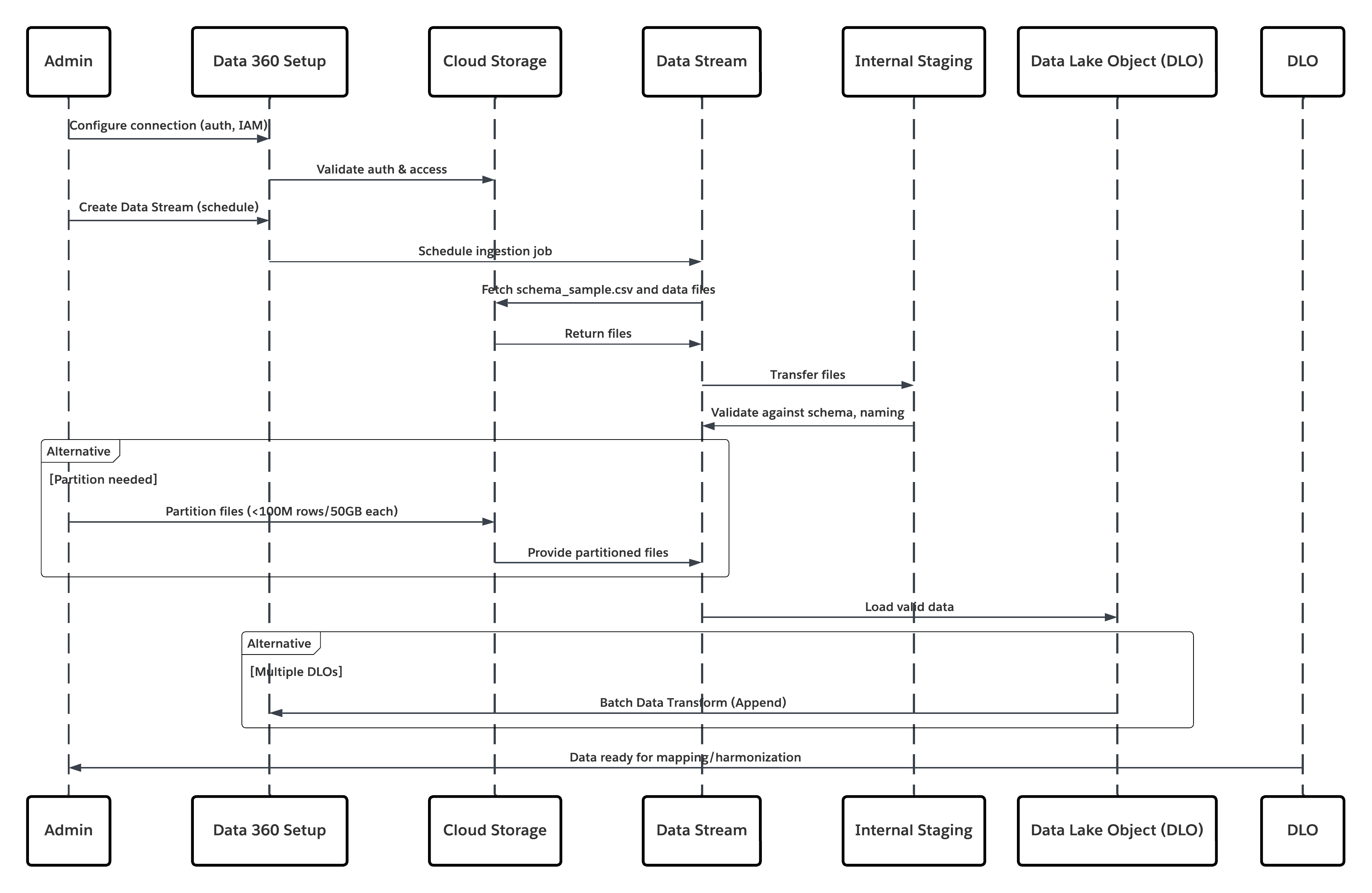 In this scenario:
* Admin configures a connection to cloud storage via the Data 360 Setup interface (specifying authentication, bucket details, IAM roles, and whitelisting).
* Data Cloud Setup interface authenticates with the Cloud Storage Platform, verifying credentials and access.
* Admin creates a data stream in Data 360, linking the data stream to the object/folder in Cloud Storage and defining the ingestion schedule.
* On schedule trigger, data stream requests source files (e.g., CSV, Parquet) from the Cloud Storage Platform.
* Cloud Storage Platform delivers files, including the required valid schema\_sample.csv and other data files compliant with naming conventions.
* Data Stream transfers files to the Internal Staging Environment within Data 360\.
* Data 360 Pipeline processes the files: Uses the schema definition from schema\_sample.csv Validates structure, field names, and divides the load if above ingestion thresholds (100 million rows/50 GB per file). If large files are detected, a preprocessing partitioning step (notified to admin for next run) is carried out externally.
* Records are imported from staging into a data lake object (DLO).
* If required and data is partitioned, use the append node in a batch data transform to combine multiple DLOs.
* Data 360 logs success/failure, updates status for monitoring, and signals that data is ready for mapping, harmonization, and unification.
##### Results
The application of this pattern enables secure, scheduled, and large-scale ingestion of structured or unstructured files from enterprise cloud storage platforms into Data 360\. The process is automated, scalable, and resilient — delivering raw data into data lake objects (DLOs) that serve as the foundation for harmonization and mapping to the Customer 360 Data Model.
###### Ingestion Mechanisms
The ingestion mechanism depends on the connector and scheduling strategy defined within Data 360\.
In this scenario:
* Admin configures a connection to cloud storage via the Data 360 Setup interface (specifying authentication, bucket details, IAM roles, and whitelisting).
* Data Cloud Setup interface authenticates with the Cloud Storage Platform, verifying credentials and access.
* Admin creates a data stream in Data 360, linking the data stream to the object/folder in Cloud Storage and defining the ingestion schedule.
* On schedule trigger, data stream requests source files (e.g., CSV, Parquet) from the Cloud Storage Platform.
* Cloud Storage Platform delivers files, including the required valid schema\_sample.csv and other data files compliant with naming conventions.
* Data Stream transfers files to the Internal Staging Environment within Data 360\.
* Data 360 Pipeline processes the files: Uses the schema definition from schema\_sample.csv Validates structure, field names, and divides the load if above ingestion thresholds (100 million rows/50 GB per file). If large files are detected, a preprocessing partitioning step (notified to admin for next run) is carried out externally.
* Records are imported from staging into a data lake object (DLO).
* If required and data is partitioned, use the append node in a batch data transform to combine multiple DLOs.
* Data 360 logs success/failure, updates status for monitoring, and signals that data is ready for mapping, harmonization, and unification.
##### Results
The application of this pattern enables secure, scheduled, and large-scale ingestion of structured or unstructured files from enterprise cloud storage platforms into Data 360\. The process is automated, scalable, and resilient — delivering raw data into data lake objects (DLOs) that serve as the foundation for harmonization and mapping to the Customer 360 Data Model.
###### Ingestion Mechanisms
The ingestion mechanism depends on the connector and scheduling strategy defined within Data 360\.
| Ingestion Mechanism | Description |
|---|---|
| Native Cloud Storage Connector (Amazon S3, GCS, Azure) | Recommended for direct ingestion of files in CSV or Parquet format from the enterprise’s cloud data lake. These connectors support incremental and full refresh schedules. For example, a bank can configure a daily sync of customer transaction files from an S3 bucket to a DLO. |
| Partitioned File Strategy | For very large datasets (beyond 100 million rows or 50 GB per object), the data is partitioned into smaller logical sets (e.g., by month or region). Each partition is managed as a separate Data Stream and later recombined using a Batch Data Transform with an Append node. |
| Automated Scheduled Sync | Data 360 provides a declarative scheduler (hourly, daily, or custom cadence) that triggers ingestion jobs automatically, ensuring data freshness without manual intervention. |
| Connector Type | Endpoint Requirements |
|---|---|
| Amazon S3 Connector | S3 bucket with appropriate IAM policy and schema\_sample.csv file defining the schema. |
| Google Cloud Storage Connector | Service account credentials and bucket access with uniform naming conventions. |
| Azure Storage Connector | Access key or SAS token–based authentication; blob or folder structure must follow Data 360 conventions. |
| Solution Area | Fit | Comments / Implementation Details |
|---|---|---|
| Solution Fit | Best | Use the native Salesforce CRM Connector and Marketing Cloud Engagement Connector in Data 360\. Start with Starter Data Bundles for standard use cases and accelerate onboarding. Use manual stream customization for bespoke or domain-specific data models. |
| Handling Highly Customized CRM Instances | Best with Mapping Workshop | Treat Starter Bundles as a baseline and conduct a mapping workshop to identify: Custom objects and relationships. Formula or computed fields. Managed package extensions. For heavy formula fields, compute values in a pre-stage ETL or inside Data 360 Transforms to minimize API load on source orgs. |
| When Not to Use | Suboptimal Scenarios | Avoid this pattern if: You need high-frequency or real-time event ingestion (instead, use Streaming Connectors, Platform Events, or Zero-Copy Federation). The source org has limited API capacity and cannot sustain scheduled extracts without throttling or queue delays. |
| Security & Governance | Mandatory Controls | Principle of Least Privilege - Use a dedicated integration user with minimal read access. Never use org-wide admins. Authentication — Use OAuth 2.0 and connected apps; rotate client secrets regularly and monitor refresh token usage. Audit & Traceability — Log all ingestion runs, schema changes, and connector events. Forward logs to SIEM or compliance systems for audit readiness. Data Classification — Apply PII/PHI tagging and Attribute-Based Access Control (ABAC) using CEDAR policies immediately post-ingestion to enforce masking, consent, and downstream compliance. |
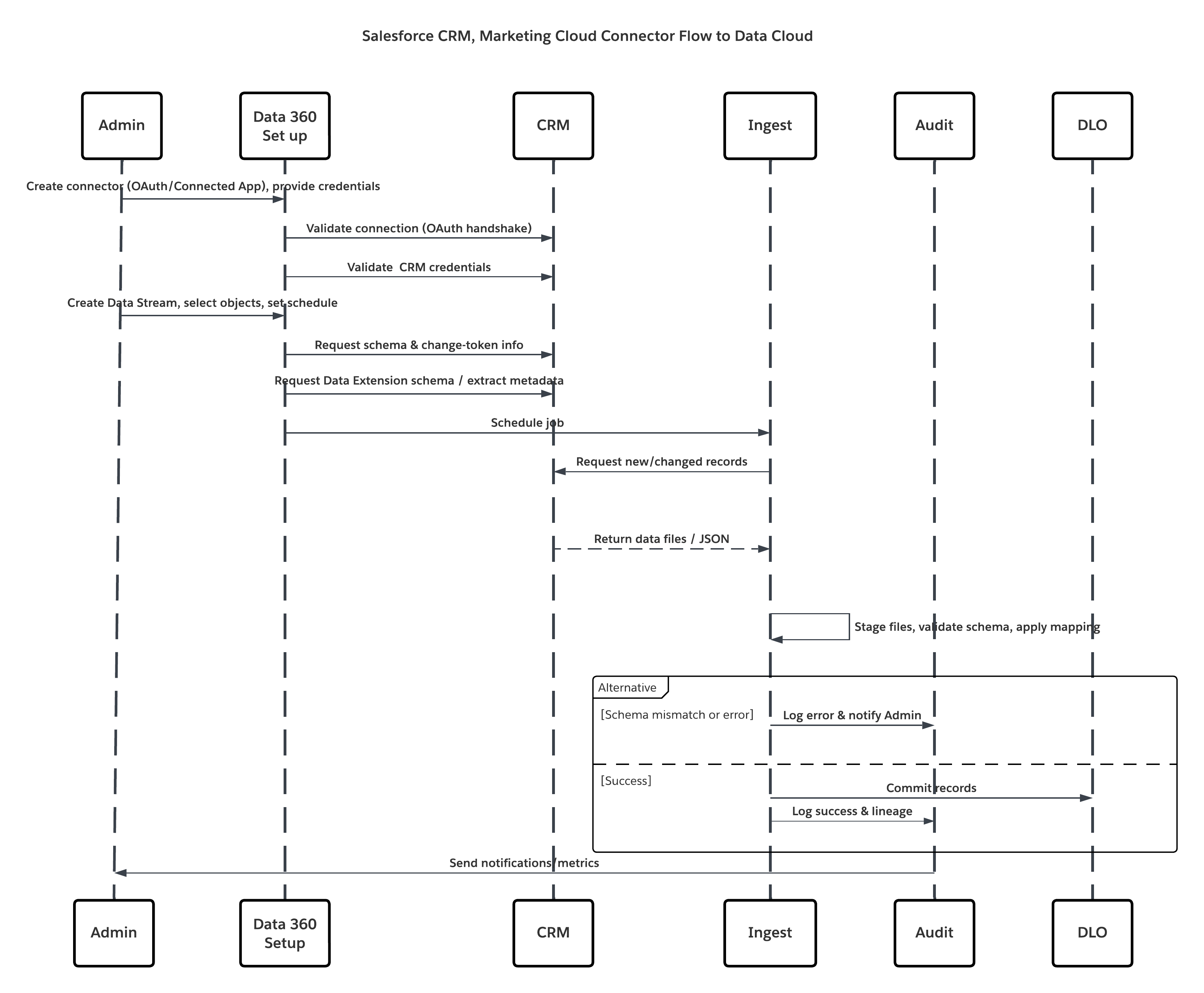 In this scenario:
* **Admin provisions integration users** and assigns connector permission sets in source org(s).
* **Admin configures connectors** in Data 360 Setup (connects to Salesforce CRM and Marketing Cloud via OAuth/connected app).
* **Admin creates Data Streams** selecting objects and Data Extensions, chooses full or delta refresh, and sets schedules.
* **On scheduled run**, Data 360 requests schema and delta tokens from the source(s).
* **Source systems return records** (delta or full payload). Marketing Cloud may deliver extracts; CRM may return JSON/Query results.
* **Data 360 stages files** in its internal secure staging area and validates against mapped schema.
* **If validation fails**, ingestion logs error, alerts admin, and halts commit. If validation succeeds, Data 360 commits records atomically to the target DLO.
* **Monitoring & audit logs** are updated with lineage, run duration, row counts, and credential usage. Alerts issued to admins if thresholds or errors triggered.
##### Results
Core customer relationship and marketing engagement data are ingested into Data 360 as Data Lake Objects (DLOs). This yields:
* **Unified dataset** containing profiles, cases, opportunities, and email/engagement metrics.
* **Foundation for identity resolution** and construction of Unified Individual Profiles.
* **Operational readiness** for downstream harmonization, enrichment, AI modeling, and activation while preserving governance and auditability.
###### Ingestion Mechanisms
The ingestion mechanism depends on the connector and scheduling strategy defined within Data 360\.
In this scenario:
* **Admin provisions integration users** and assigns connector permission sets in source org(s).
* **Admin configures connectors** in Data 360 Setup (connects to Salesforce CRM and Marketing Cloud via OAuth/connected app).
* **Admin creates Data Streams** selecting objects and Data Extensions, chooses full or delta refresh, and sets schedules.
* **On scheduled run**, Data 360 requests schema and delta tokens from the source(s).
* **Source systems return records** (delta or full payload). Marketing Cloud may deliver extracts; CRM may return JSON/Query results.
* **Data 360 stages files** in its internal secure staging area and validates against mapped schema.
* **If validation fails**, ingestion logs error, alerts admin, and halts commit. If validation succeeds, Data 360 commits records atomically to the target DLO.
* **Monitoring & audit logs** are updated with lineage, run duration, row counts, and credential usage. Alerts issued to admins if thresholds or errors triggered.
##### Results
Core customer relationship and marketing engagement data are ingested into Data 360 as Data Lake Objects (DLOs). This yields:
* **Unified dataset** containing profiles, cases, opportunities, and email/engagement metrics.
* **Foundation for identity resolution** and construction of Unified Individual Profiles.
* **Operational readiness** for downstream harmonization, enrichment, AI modeling, and activation while preserving governance and auditability.
###### Ingestion Mechanisms
The ingestion mechanism depends on the connector and scheduling strategy defined within Data 360\.
| Mechanism | When to use |
|---|---|
| Salesforce CRM Connector (native) | Best for standard/custom CRM objects; supports full and delta refresh. |
| Marketing Cloud Engagement Connector (native) | Best for Data Extensions, sends, and tracking extracts; supports full/delta modes. |
| Starter Data Bundles | Accelerate onboarding for common Sales/Service/Marketing objects. |
| Custom Streams + Preprocessing | Use when complex transforms or heavy schema normalization is required. |
| Connector | Endpoint Requirements |
|---|---|
| Salesforce CRM Connector | Source org must permit a Connected App, OAuth tokens, and a dedicated integration user with read permissions. |
| Marketing Cloud Connector | Marketing Cloud API credentials or installed package; Data Extensions must expose data via Extracts/API. |
| Solution Area | Fit | Comments / Implementation Details |
|---|---|---|
| Solution Fit | Best for low-latency event capture | Use the Data 360 Ingestion API (streaming JSON) for pushing single events or micro-batches. Configure the Ingestion API connector with a strict OAS 3.0 schema (.yaml). Use bulk CSV ingest for larger, less frequent syncs. |
| Handling Schema Changes | Strict / Managed | Schema changes are breaking: update OAS .yaml, version the connector, and perform contract testing. Implement rolling schema migration if producers cannot change simultaneously. |
| When Not to Use | Suboptimal | Not ideal if preprocessing is needed ( ex:deduplication, guaranteed order etc.) , or for extremely large bulk loads (use native bulk connectors or batch ETL). If the source cannot produce schema-valid payloads or cannot authenticate securely, use alternative ingestion methods. |
| Security & Governance | Mandatory | Use OAuth 2.0 with least-privilege scopes, rotate keys, log token usage. Enforce TLS 1.2+, validate client IPs if required, and ensure payload PII tagging. All events must carry provenance metadata (source, timestamp, schema version, idempotency key). |
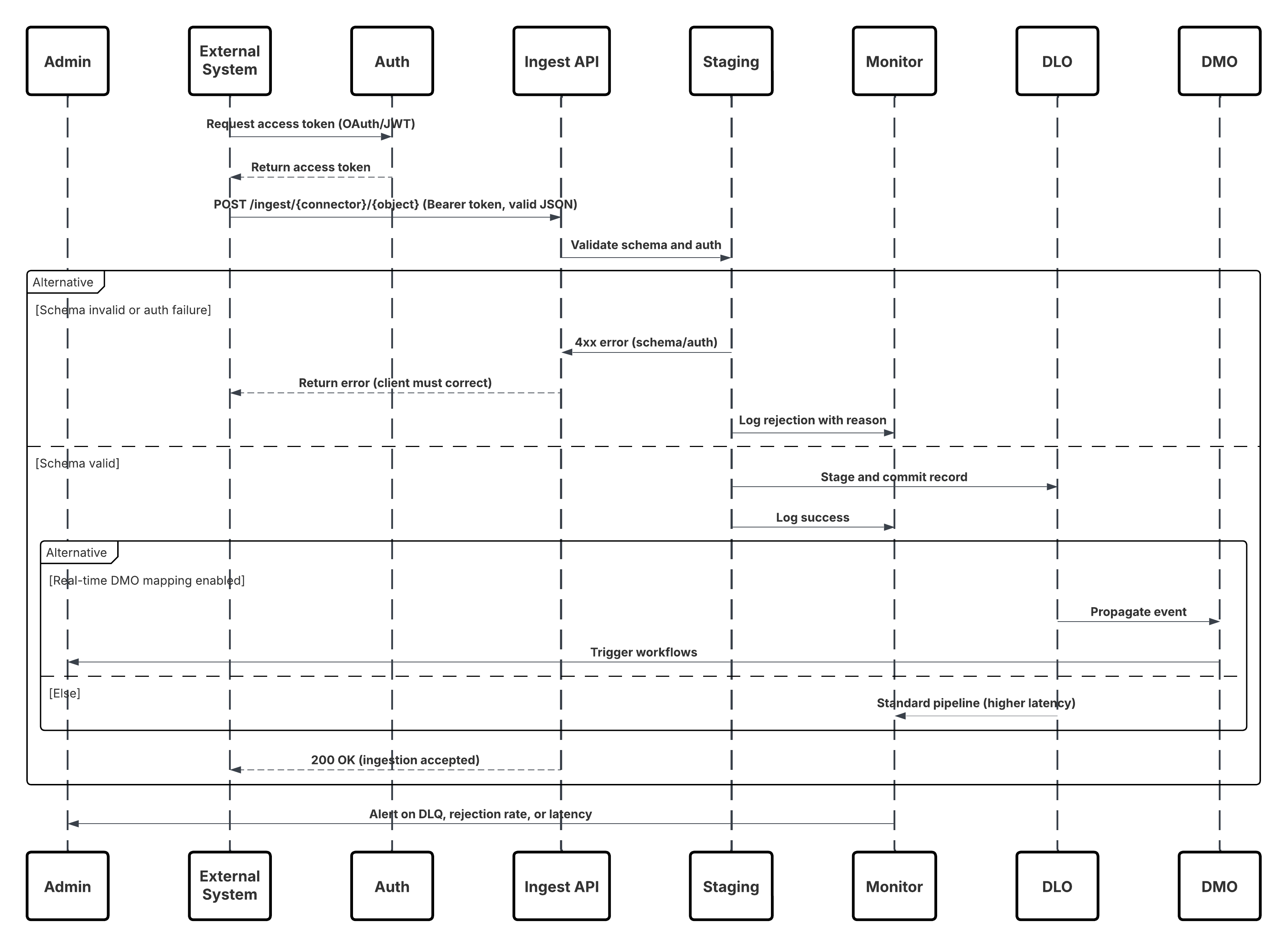 **In this scenario:**
* External System requests authentication via OAuth/JWT from Auth Server.
* Auth Server returns access token to External System.
* External System sends data ingestion POST request to Data 360 Ingestion API with authorization and JSON payload.
* Ingestion API validates request schema and authentication via Staging & Validation module.
* On schema/authentication failure:
* Error returned to External System.
* Rejection logged for monitoring and alerting.
* On successful validation:
* Records staged and committed into Data Lake Object (DLO).
* Success logged for monitoring.
* If enabled, data propagated to Real-Time Data Graph (DMO) triggering downstream workflows.
* Otherwise, data processed via standard batch or higher-latency pipeline.
* Ingestion API confirms success to External System.
* Monitoring components alert Admin on dead-letter queues, rejection rates, or latency issues.
##### Results
External event data is ingested into Data 360 DLOs with low latency. When the target DMO is part of the real-time graph, the data is available for instant segmentation, agent workflows, AI models, and operational activation. This enables rapid business responses to events originating from any connected system.
###### Ingestion Mechanisms
The ingestion mechanism depends on the connector and scheduling strategy defined within Data 360\.
**In this scenario:**
* External System requests authentication via OAuth/JWT from Auth Server.
* Auth Server returns access token to External System.
* External System sends data ingestion POST request to Data 360 Ingestion API with authorization and JSON payload.
* Ingestion API validates request schema and authentication via Staging & Validation module.
* On schema/authentication failure:
* Error returned to External System.
* Rejection logged for monitoring and alerting.
* On successful validation:
* Records staged and committed into Data Lake Object (DLO).
* Success logged for monitoring.
* If enabled, data propagated to Real-Time Data Graph (DMO) triggering downstream workflows.
* Otherwise, data processed via standard batch or higher-latency pipeline.
* Ingestion API confirms success to External System.
* Monitoring components alert Admin on dead-letter queues, rejection rates, or latency issues.
##### Results
External event data is ingested into Data 360 DLOs with low latency. When the target DMO is part of the real-time graph, the data is available for instant segmentation, agent workflows, AI models, and operational activation. This enables rapid business responses to events originating from any connected system.
###### Ingestion Mechanisms
The ingestion mechanism depends on the connector and scheduling strategy defined within Data 360\.
| Mechanism | When to use |
|---|---|
| Streaming JSON (Ingestion API) | Single events, micro-batches, behavioral events, clickstreams, IoT telemetry — when low latency is required. |
| Bulk CSV (Ingestion API bulk mode) | Larger, periodic uploads where latency requirements are relaxed. |
| Edge / Middleware | Use when you need validation, transformation, enrichment, or rate-limiting before pushing to the Ingestion API. |
| Solution Area | Fit | Comments / Implementation Details |
|---|---|---|
| SDK-based Event Capture | Best | Deploy the Salesforce Interactions SDK (web) or native SDK (mobile). These lightweight libraries capture and serialize user interactions inReal-Time, attaching metadata (session ID, timestamp, context). |
| Event Streaming Pipeline | Best | Events are sent to Marketing Cloud Personalization’s event streaming service over secure HTTPS. This layer is horizontally scalable and optimized for low-latency transmission (<2s). |
| Data 360 Integration | Best | Data 360’s Personalization Connector subscribes to the streaming feed, ingesting each event into a Data Lake Object (DLO) in nearReal-Time. |
| Data Model Mapping | Best Practice | The ingested DLO is mapped to Customer 360 Data Model Objects (DMOs). This enables linking anonymous and known users through Identity Resolution. |
| Real-Time Graph Enablement | Optional / Recommended | Include mapped DMOs in the real-time graph for instant segmentation, triggering personalized actions via Einstein or Agentforce workflows. |
| When Not to use | Suboptimal | This pattern is not ideal when: The source data is web client and events (use the Ingestion API instead). The organization lacks control over web/mobile clients. Real-time behavior tracking is not required (use batch ingestion). |
| Handling the schema Changes | Managed Evolution | Event schemas evolve as new interactions are added. SDKs should version event definitions. Backward-compatible changes (adding optional fields) are safe; breaking changes require connector reconfiguration and contract testing. |
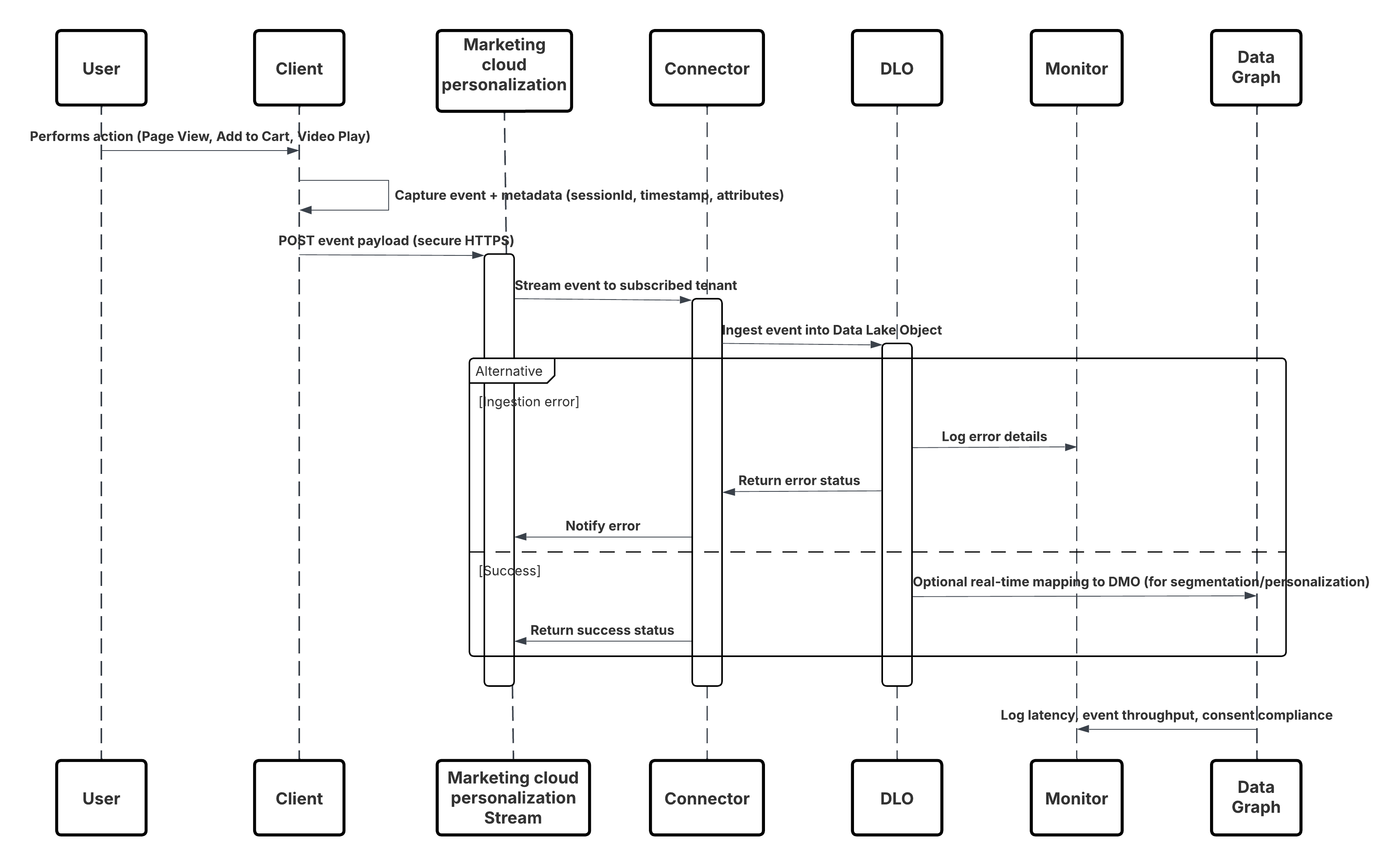 **In this scenario:**
* Deploy the SDK in web or mobile channels (user-interaction capture).
* Configure SDK with tenant ID, environment, and consent controls.
* Stream captured JSON events (metadata \+ attributes) to Marketing Cloud streaming endpoint.
* In Data 360 Setup, create & configure the Personalization Connector for the tenant.
* Ingest events into a DLO and map the DLO → DMO inside Data 360\.
* Enable the DMO in the real-time graph for immediate activation.
* Monitor latency, schema conformance, consent flags, throughput, error rates.
* Deploy to production and continually monitor.
##### Results
A continuous, low-latency stream of behavioral events flows from digital channels into Data 360\. Within seconds, each user action becomes available for real-time segmentation, predictive modeling, or triggered personalization, enabling truly adaptive customer experiences.
###### Ingestion Mechanisms
The ingestion mechanism depends on the connector and scheduling strategy defined within Data 360\.
**In this scenario:**
* Deploy the SDK in web or mobile channels (user-interaction capture).
* Configure SDK with tenant ID, environment, and consent controls.
* Stream captured JSON events (metadata \+ attributes) to Marketing Cloud streaming endpoint.
* In Data 360 Setup, create & configure the Personalization Connector for the tenant.
* Ingest events into a DLO and map the DLO → DMO inside Data 360\.
* Enable the DMO in the real-time graph for immediate activation.
* Monitor latency, schema conformance, consent flags, throughput, error rates.
* Deploy to production and continually monitor.
##### Results
A continuous, low-latency stream of behavioral events flows from digital channels into Data 360\. Within seconds, each user action becomes available for real-time segmentation, predictive modeling, or triggered personalization, enabling truly adaptive customer experiences.
###### Ingestion Mechanisms
The ingestion mechanism depends on the connector and scheduling strategy defined within Data 360\.
| Mechanism | When to Use |
|---|---|
| Interactions SDK (Web) | Real-time capture from web browsers and SPAs. |
| Mobile SDK | Real-time capture from native mobile applications. |
| Personalization Connector | Managed subscription between Marketing Cloud and Data 360\. |
| Real-Time Graph Mapping | Enables immediate activation in Segmentation, Einstein, and Journeys. |
| Solution Area | Fit | Comments / Implementation Details |
|---|---|---|
| CDC-based Streaming Connector | Best | Native Salesforce mechanism; fully managed and integrated with platform event infrastructure. |
| Event Subscription & Delivery | Best | Connector subscribes to ChangeEvent channels (e.g., /data/ContactChangeEvent) via durable replay IDs. |
| Data Mapping & Schema Evolution | Best Practice | Map streamed payloads to the corresponding DLO; handle schema versioning in metadata to prevent ingestion breaks. |
| Replay & Fault Recovery | Recommended | Utilize replay IDs and idempotency keys to avoid duplication and recover from transient errors. |
| Hybrid Mode (Streaming + Batch) | Optional | For unsupported objects or initial bulk load, use batch ingestion in combination with CDC streaming. |
| When Not to Use | Suboptimal | This pattern may be suboptimal when: The source object is not CDC-enabled. The use case does not require real-time updates (batch is sufficient). Network egress from the source org is restricted or event limits are exceeded. |
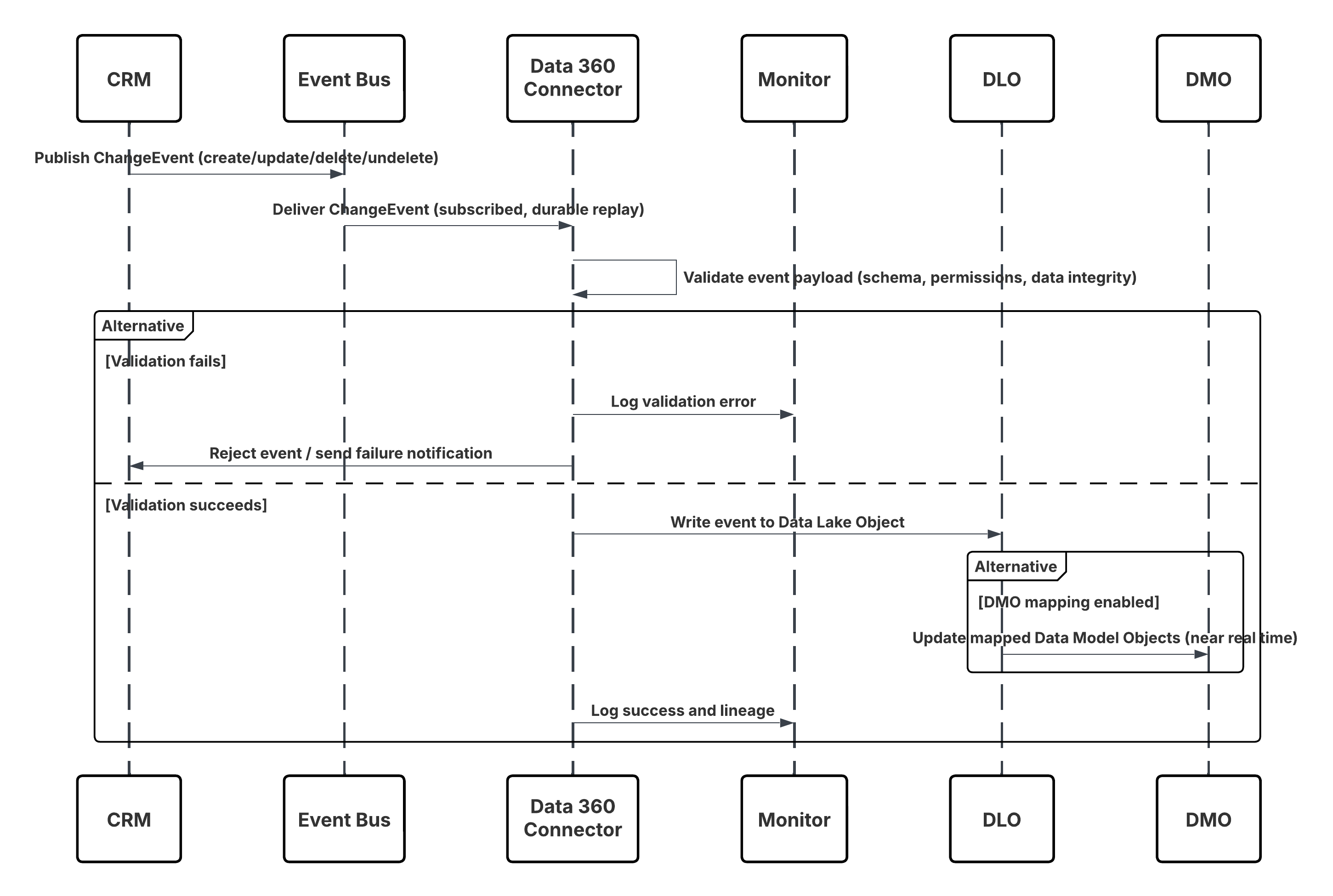 **In this scenario:**
* Change occurs in Salesforce CRM (create/update/delete/undelete).
* CDC publishes a ChangeEvent to the internal Salesforce Event Bus.
* Data 360 CRM Connector subscribes to the Event Bus using a durable replay cursor.
* Event payload is validated for schema, permissions, and data integrity.
* Data 360 writes the validated event into the mapped **Data Lake Object (DLO)**.
* If enabled, mapped **Data Model Objects (DMOs)** are updated in nearReal-Time, powering segmentation and activation.
##### Results
Data 360 maintains a continuously synchronized mirror of key CRM data.
This enables:
* Real-time triggers (e.g., Journey launches when a Case is created).
* Up-to-date segmentation (e.g., move customers to the “Gold” segment upon Account status change).
* More accurate analytics and personalization based on live CRM context.
###### Ingestion Mechanisms
The ingestion mechanism for this pattern is natively managed through the Salesforce CRM Connector with Change Data Capture (CDC) enabled. Data 360 acts as a subscriber to the CDC event stream, ensuring reliable, low-latency synchronization between the source CRM org and Data 360\.
**In this scenario:**
* Change occurs in Salesforce CRM (create/update/delete/undelete).
* CDC publishes a ChangeEvent to the internal Salesforce Event Bus.
* Data 360 CRM Connector subscribes to the Event Bus using a durable replay cursor.
* Event payload is validated for schema, permissions, and data integrity.
* Data 360 writes the validated event into the mapped **Data Lake Object (DLO)**.
* If enabled, mapped **Data Model Objects (DMOs)** are updated in nearReal-Time, powering segmentation and activation.
##### Results
Data 360 maintains a continuously synchronized mirror of key CRM data.
This enables:
* Real-time triggers (e.g., Journey launches when a Case is created).
* Up-to-date segmentation (e.g., move customers to the “Gold” segment upon Account status change).
* More accurate analytics and personalization based on live CRM context.
###### Ingestion Mechanisms
The ingestion mechanism for this pattern is natively managed through the Salesforce CRM Connector with Change Data Capture (CDC) enabled. Data 360 acts as a subscriber to the CDC event stream, ensuring reliable, low-latency synchronization between the source CRM org and Data 360\.
| Mechanism | When to Use |
|---|---|
| Streaming via CDC (Preferred) | For all supported Salesforce standard and custom objects where near-real-time synchronization is required. |
| Hybrid Mode (CDC + Batch) | For objects not yet CDC-enabled, or where initial historical load is required. |
| Replay Subscription Mode | For resynchronization after downtime or deployment. |
| Error Isolation Mode | For testing and validation environments. |
| Solution Area | Fit | Comments / Implementation Details |
|---|---|---|
| Kinesis Native Connector | Best | First-party integration with AWS Kinesis; supports continuous high-throughput ingestion. |
| MSK Native Connector | Best | Managed Kafka ingestion with OIDC and key-based authentication support. |
| Schema Mapping & Validation | Best Practice | Upload schema (.json/.avro) defining event structure; enforces consistency during ingestion. |
| IAM Configuration | Recommended | Assign least-privilege IAM role with read-only access to target Kinesis stream or MSK topic. |
| Private Network Routing | Optional | Configure PrivateLink/VPC endpoints for secure, internal routing. |
| Hybrid Pattern(Streaming + Batch) | Optional | Use streaming for deltas and batch ingestion for backfills or historical loads. |
| Error Isolation Mode | Recommended | Route schema rejects and transient errors to DLQ for replay |
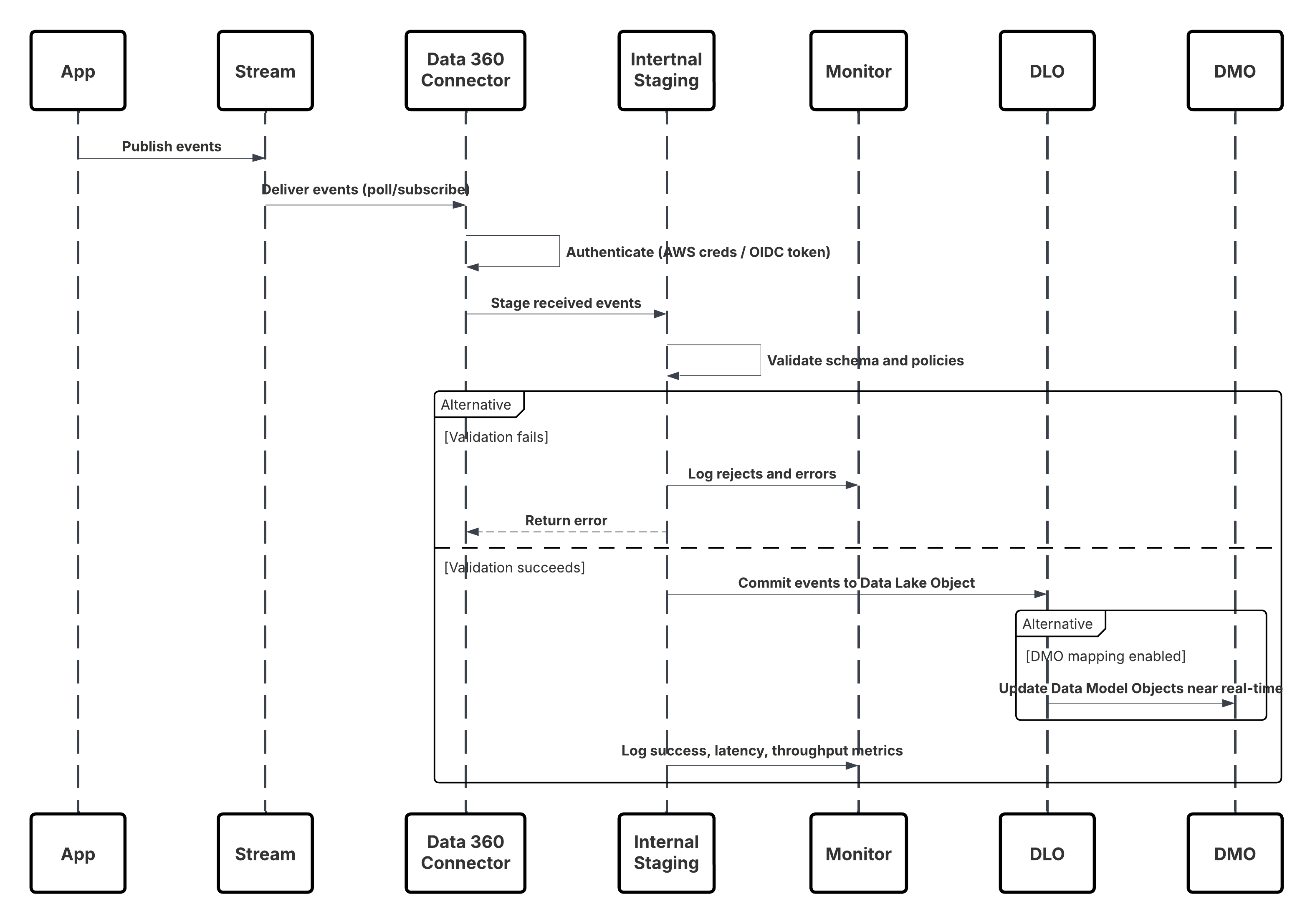 **In this scenario:**
* Applications or devices publish events to Kinesis Stream or MSK Topic.
* Data 360 Connector authenticates using AWS credentials or OIDC token.
* Connector continuously polls or subscribes to the stream.
* Events are staged, validated for schema and policy, then committed to Data Lake Object (DLO).
* If mapped, Data Model Objects (DMOs) are updated in near real-time for activation.
* Monitoring Layer tracks metrics, schema rejects, and latency.
##### Results
Continuous, low-latency ingestion of structured data directly from AWS Kinesis or MSK into Data 360\. Data is immediately available for:
* Identity Resolution
* Real-time Segmentation
* Einstein AI Activation
* Agentforce-driven Triggers
Eliminates dependency on batch ETL, enabling stream-based architectures aligned with enterprise event-driven designs.
###### Ingestion Mechanisms
**In this scenario:**
* Applications or devices publish events to Kinesis Stream or MSK Topic.
* Data 360 Connector authenticates using AWS credentials or OIDC token.
* Connector continuously polls or subscribes to the stream.
* Events are staged, validated for schema and policy, then committed to Data Lake Object (DLO).
* If mapped, Data Model Objects (DMOs) are updated in near real-time for activation.
* Monitoring Layer tracks metrics, schema rejects, and latency.
##### Results
Continuous, low-latency ingestion of structured data directly from AWS Kinesis or MSK into Data 360\. Data is immediately available for:
* Identity Resolution
* Real-time Segmentation
* Einstein AI Activation
* Agentforce-driven Triggers
Eliminates dependency on batch ETL, enabling stream-based architectures aligned with enterprise event-driven designs.
###### Ingestion Mechanisms
| Mechanism | When to Use |
|---|---|
| Kinesis Connector (Preferred) | For AWS-native streaming sources requiring continuous ingestion of high-volume, structured data. |
| MSK Connector | For organizations running event pipelines on Kafka-compatible platforms. |
| Hybrid(Streaming + Batch) | For incremental event ingestion combined with periodic bulk loads. |
| Solution Area | Fit | Comments / Implementation Details |
|---|---|---|
| Snowflake Zero Copy Connector | Best | First-party native integration; establishes live query federation via Snowflake’s Data Sharing or External Table APIs. |
| Databricks Zero Copy Connector | Best | Supports direct live access to tables/views in Delta Lake; pushdown queries execute in Databricks runtime. |
| File Federation (Apache Iceberg / Delta / Parquet) | Emerging Best Practice | Data 360 directly reads open table formats from object storage without external compute dependency. Ideal for massive datasets. |
| Private Network Configuration | Recommended | Use Salesforce Private Connect or VPC peering for secure network-level federation. |
| Authentication & Key Management | Best Practice | Implement secure key-based or OAuth-based authentication with periodic rotation and vault management. |
| Schema Registration | Required | Data 360 retrieves external schema and maps it to an External Data Lake Object (External DLO). |
| Governed Metadata | Recommended | All External DLOs inherit classification, consent, and lineage metadata for compliance visibility. |
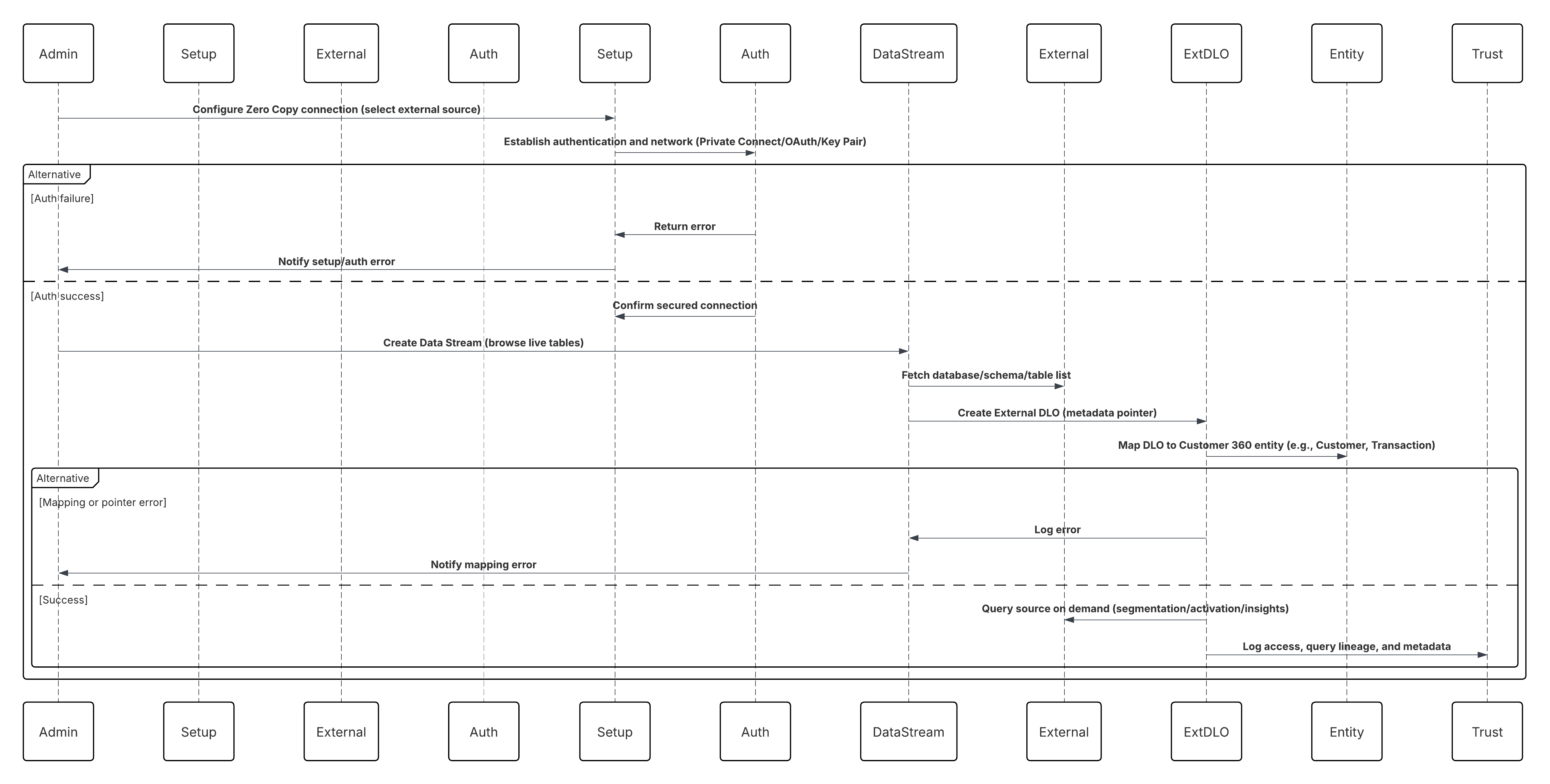 In this scenario:
* Administrator configures a Zero Copy connection in Data 360 Setup (Snowflake, Databricks, or File Federation).
* Secure authentication and network routing are established (Private Connect / OAuth / Key Pair).
* Admin creates a Data Stream selecting the external source — browsing live databases, schemas, and tables.
* Instead of copying data, Data 360 creates an External DLO (Data Lake Object) — a metadata pointer referencing the live table or Iceberg file.
* External DLOs are mapped to Customer 360 entities (e.g., Customer, Transaction, Product).
* Data 360 queries the source in place during segmentation, activation, or insight computation.
* All access, query lineage, and metadata are audited within the Data 360 Trust Layer.
##### Results
* External data remains in Snowflake, Databricks, or S3 — no ETL, no duplication, no additional storage.
* Data 360 gains real-time, read-time access to enterprise-scale data for identity resolution, calculated insights, and activation.
* Organizations maintain complete control under their existing governance, encryption, and compliance frameworks.
* This pattern enables a true Zero Copy architecture — combining the performance of local access with the governance of federated storage.
###### Calling Mechanisms
The calling mechanism depends on the solution chosen to implement this pattern.
In this scenario:
* Administrator configures a Zero Copy connection in Data 360 Setup (Snowflake, Databricks, or File Federation).
* Secure authentication and network routing are established (Private Connect / OAuth / Key Pair).
* Admin creates a Data Stream selecting the external source — browsing live databases, schemas, and tables.
* Instead of copying data, Data 360 creates an External DLO (Data Lake Object) — a metadata pointer referencing the live table or Iceberg file.
* External DLOs are mapped to Customer 360 entities (e.g., Customer, Transaction, Product).
* Data 360 queries the source in place during segmentation, activation, or insight computation.
* All access, query lineage, and metadata are audited within the Data 360 Trust Layer.
##### Results
* External data remains in Snowflake, Databricks, or S3 — no ETL, no duplication, no additional storage.
* Data 360 gains real-time, read-time access to enterprise-scale data for identity resolution, calculated insights, and activation.
* Organizations maintain complete control under their existing governance, encryption, and compliance frameworks.
* This pattern enables a true Zero Copy architecture — combining the performance of local access with the governance of federated storage.
###### Calling Mechanisms
The calling mechanism depends on the solution chosen to implement this pattern.
| Mechanism | When to Use |
|---|---|
| Snowflake Federation (Preferred) | For live, high-performance query federation with governed enterprise data warehouses. |
| Databricks Federation | For unified analytics and lakehouse environments with Delta or Parquet-backed datasets. |
| File Federation (Apache Iceberg / Delta Lake) | For large-scale datasets in object storage where compute detachment and cost optimization are key. |
| Hybrid Mode (Zero Copy + Ingestion) | When historical data needs one-time ingestion but live data is accessed via Zero Copy. |
| Solution Area | Fit | Comments / Implementation Details |
|---|---|---|
| Data Share Creation | Best | Administrator creates a Data Share within Data 360, adding selected DMOs and CIOs (e.g., Unified Individual, Customer Health Score). |
| Target Configuration | Best | Create a Data Share Target specifying Snowflake or Databricks account identifiers and authentication parameters. |
| Share Publishing | Best Practice | Link the Data Share to the Data Share Target to publish securely. |
| Warehouse Acceptance | Required | The external administrator accepts the share, materializing shared objects as read-only views/tables in the warehouse. |
| Granular Access Control | Recommended | Apply object- and role-based permissions within Data 360; align with warehouse-level role-based access control. |
| Federated Query Access | Best | Analysts query live shared data via standard SQL; joins with native warehouse data for downstream analytics and ML. |
| File Federation Option | Optional | For large datasets, leverage Apache Iceberg–based federation for direct S3 or Delta Lake reads without compute dependency. |
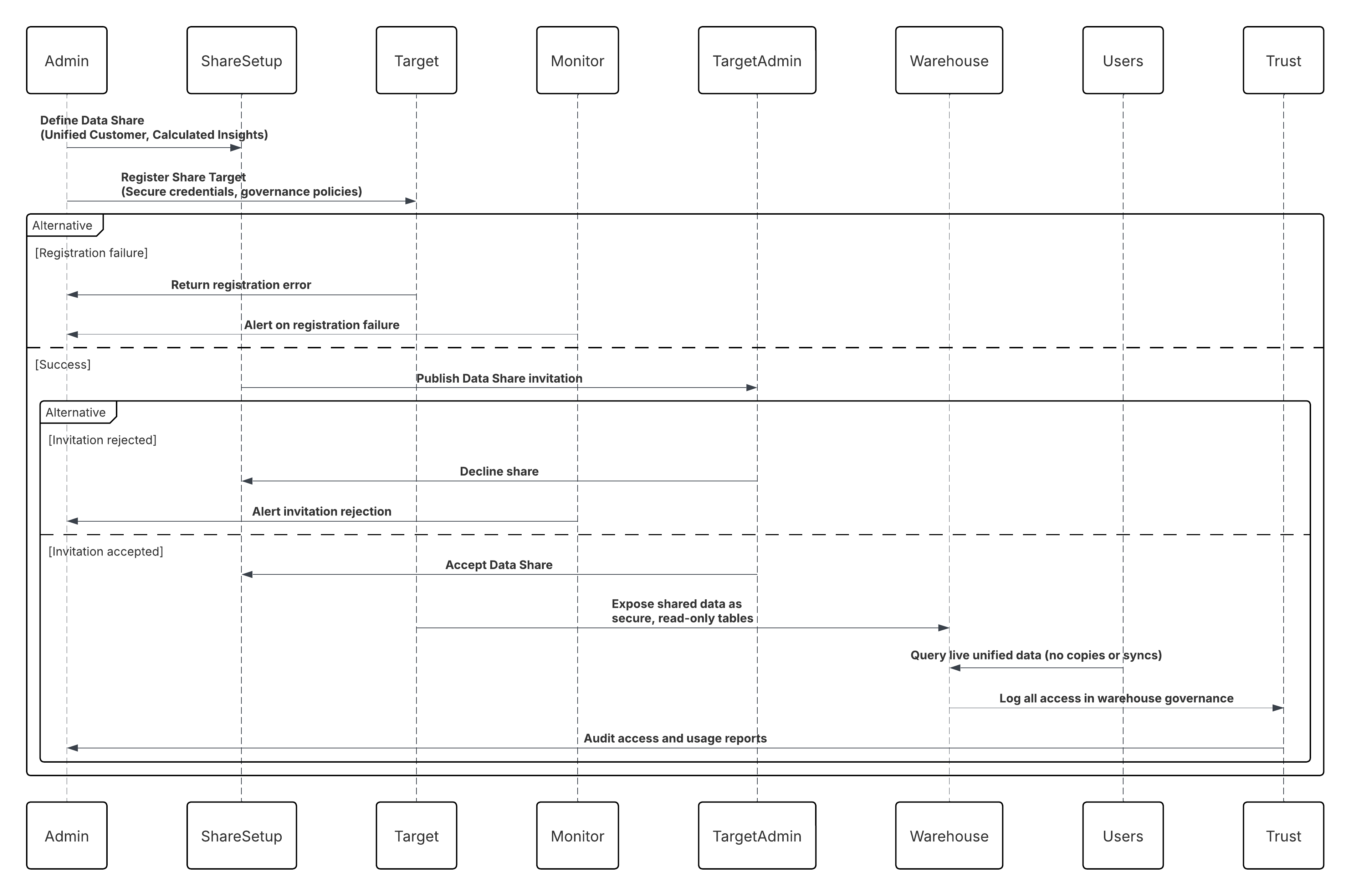 **In this scenario:**
* Data 360 Administrator defines a Data Share including Unified Customer and Calculated Insight objects.
* A Data Share Target (Snowflake or Databricks account) is registered with secure credentials and governance policies.
* Data 360 publishes the share; Snowflake/Databricks administrators accept it.
* Shared data appears as secure, read-only tables within the warehouse.
* Analysts, BI tools, or ML pipelines query the live, unified customer data without copying or syncing.
* All access is audited within the Data 360 Trust Layer and warehouse governance logs.
##### Results
* External warehouses gain real-time, queryable access to harmonized Data 360 data.
* Eliminates Reverse ETL pipelines, reducing operational burden and latency.
* Enables AI/ML training, predictive modeling, and advanced BI directly on unified data.
* Maintains zero duplication, strong governance, and secure-by-design access control.
* Completes the bi-directional Zero Copy loop, where inbound federation and outbound sharing coexist under a single governance model.
###### Calling Mechanisms
The calling mechanism depends on the solution chosen to implement this pattern.
**In this scenario:**
* Data 360 Administrator defines a Data Share including Unified Customer and Calculated Insight objects.
* A Data Share Target (Snowflake or Databricks account) is registered with secure credentials and governance policies.
* Data 360 publishes the share; Snowflake/Databricks administrators accept it.
* Shared data appears as secure, read-only tables within the warehouse.
* Analysts, BI tools, or ML pipelines query the live, unified customer data without copying or syncing.
* All access is audited within the Data 360 Trust Layer and warehouse governance logs.
##### Results
* External warehouses gain real-time, queryable access to harmonized Data 360 data.
* Eliminates Reverse ETL pipelines, reducing operational burden and latency.
* Enables AI/ML training, predictive modeling, and advanced BI directly on unified data.
* Maintains zero duplication, strong governance, and secure-by-design access control.
* Completes the bi-directional Zero Copy loop, where inbound federation and outbound sharing coexist under a single governance model.
###### Calling Mechanisms
The calling mechanism depends on the solution chosen to implement this pattern.
| Mechanism | When to Use |
|---|---|
| Snowflake Secure Data Share (Preferred) | Use when your enterprise warehouse is Snowflake and you need live, governed access to harmonized Data 360 datasets without data movement or duplication. Ideal for analytics, AI, and compliance-driven workloads requiring zero-latency sharing and native lineage enforcement. |
| Databricks Delta Share | Use when downstream consumers operate in Databricks or Delta Lake environments and require real-time, read-only access to unified or activated datasets via the open Delta Sharing protocol. |
| External Table Share (Apache Iceberg / Parquet) | Use when maintaining open-format architectures in object storage (S3, ADLS, or GCS) and needing interoperable, low-cost sharing across analytical engines such as Athena, BigQuery, or Snowflake-on-Iceberg. |
| Data Share API (Programmatic Access) | Use when custom apps or middleware (e.g., MuleSoft) must discover, subscribe, or consume shared datasets securely via APIs, with event-based refresh notifications and fine-grained access control. |
| Hybrid Share (Zero Copy + Outbound Share) | Use when implementing bidirectional exchange patterns — leveraging Zero Copy for inbound data and Outbound Data Share for publishing insights, ensuring semantic and governance consistency across enterprise data planes. |
| Solution Area | Fit | Comments / Implementation Details |
|---|---|---|
| Home Org Provisioning | Best | Designate one Salesforce org as the Home Org where Data 360 is provisioned; this becomes the central data repository and governance hub. |
| Companion Org Connection | Best | Configure Companion Connections from the Home Org to one or more Companion Orgs via the Data Cloud One app — no custom code required. |
| Data Space Definition | Best Practice | Define Data Spaces within the Home Org to logically segment data (e.g., Retail, Service, Marketing) and isolate access boundaries. |
| Data Space Sharing | Best | Explicitly share selected Data Spaces from the Home Org to Companion Orgs, ensuring governed, role-based visibility of unified data. |
| Access Configuration | Required | In Companion Orgs, enable the Data Cloud One app and assign user permissions for profile, insight, and segment access. |
| Governance & Policy Control | Recommended | Centralize all ingestion, identity resolution, and trust configurations in the Home Org, maintaining end-to-end governance. |
| Multi-Org Synchronization | Best | Data changes and calculated insights in the Home Org are reflected inReal-Time across Companion Orgs through managed sync pipelines. |
| Hybrid Deployment Option | Optional | For large enterprises, multiple Companion Orgs can connect to a single Home Org while maintaining local context and compliance boundaries. |
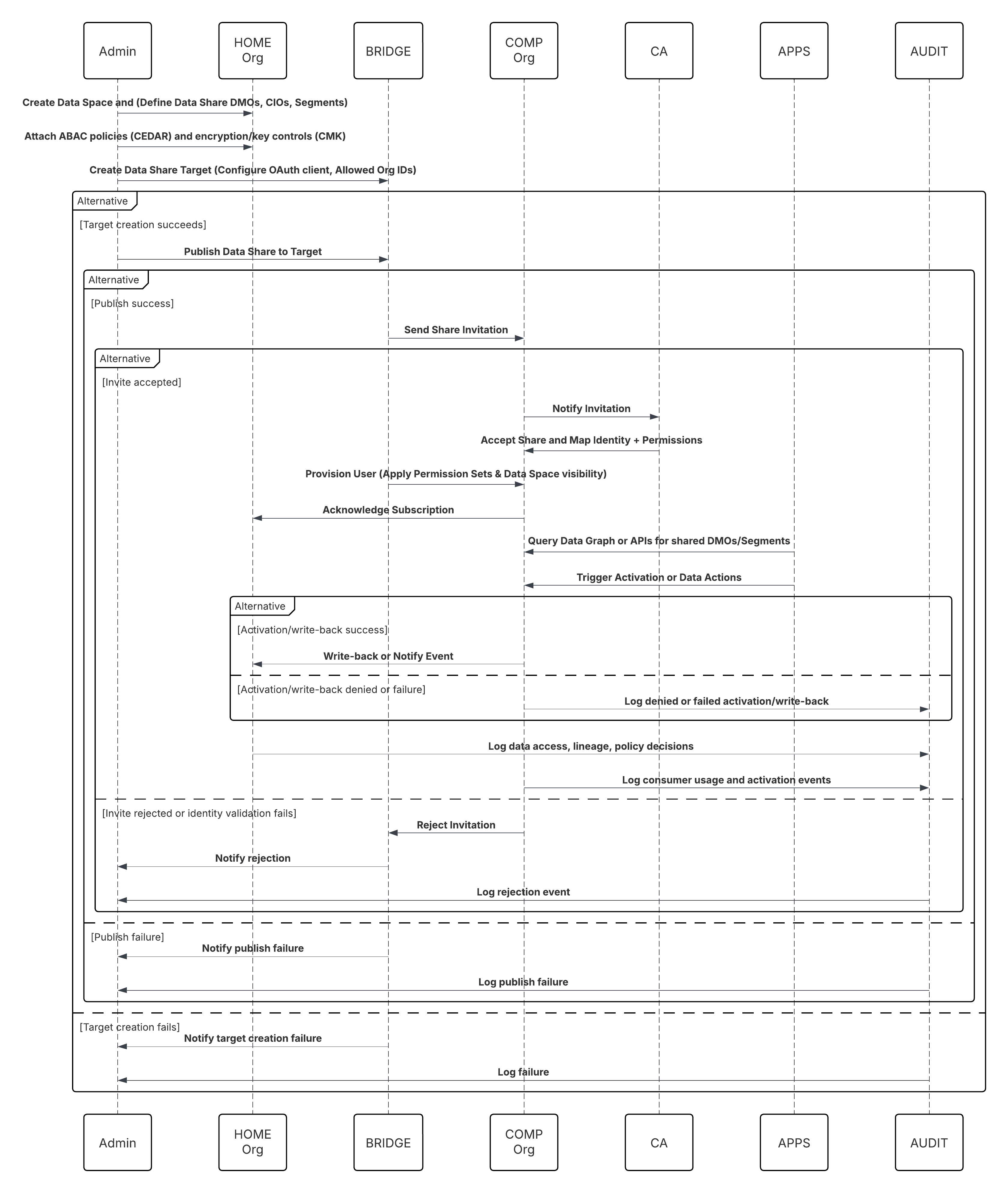 **In this scenario:**
* **Home Admin**: create Data Space and define Data Share (select DMOs/CIOs, segments).
* **Home Admin**: create Data Share Target for Companion Org(s) and configure trust (OAuth client, allowed org IDs).
* **Home Admin**: publish Data Share to target; attach ABAC policies (CEDAR) and encryption/key controls (CMK if needed).
* **Companion Org Admin**: receives invite, validates identity mapping, and accepts share.
* **Companion Org**: Data Cloud One Bridge provisions a Data Cloud One user and applies Permission Sets & Data Space visibility.
* **Companion Org Apps (Flows / Einstein / Apex)**: Query a data graph or call Data Cloud One APIs to read shared DMOs or segments.
* **Activation**: Companion org triggers activation or writes back via data actions (if permitted).
##### Results
* A **single source of truth** for customer data (Customer 360\) across all connected orgs — no redundant Data 360 instances.
* **A faster time to value.** companion orgs can access unified data and Data 360-powered features in minutes, not weeks of custom coding.
* **Controlled data sharing.** Only authorised data spaces are shared, preserving security and governance while enabling business agility.
* Business functions (sales, service, marketing) operate on the same unified data foundation, enabling consistent metrics, activation, and insights across the enterprise.
###### Calling Mechanisms
The calling mechanism depends on the solution chosen to implement this pattern.
**In this scenario:**
* **Home Admin**: create Data Space and define Data Share (select DMOs/CIOs, segments).
* **Home Admin**: create Data Share Target for Companion Org(s) and configure trust (OAuth client, allowed org IDs).
* **Home Admin**: publish Data Share to target; attach ABAC policies (CEDAR) and encryption/key controls (CMK if needed).
* **Companion Org Admin**: receives invite, validates identity mapping, and accepts share.
* **Companion Org**: Data Cloud One Bridge provisions a Data Cloud One user and applies Permission Sets & Data Space visibility.
* **Companion Org Apps (Flows / Einstein / Apex)**: Query a data graph or call Data Cloud One APIs to read shared DMOs or segments.
* **Activation**: Companion org triggers activation or writes back via data actions (if permitted).
##### Results
* A **single source of truth** for customer data (Customer 360\) across all connected orgs — no redundant Data 360 instances.
* **A faster time to value.** companion orgs can access unified data and Data 360-powered features in minutes, not weeks of custom coding.
* **Controlled data sharing.** Only authorised data spaces are shared, preserving security and governance while enabling business agility.
* Business functions (sales, service, marketing) operate on the same unified data foundation, enabling consistent metrics, activation, and insights across the enterprise.
###### Calling Mechanisms
The calling mechanism depends on the solution chosen to implement this pattern.
| Mechanism | When to Use |
|---|---|
| Data Cloud One Native Share (Preferred) | Use when multiple Salesforce Orgs (Sales, Service, or Industry Clouds) need real-time access to unified customer data directly from Data 360\. This eliminates replication and enables zero-latency access to Golden Records, segments, and calculated insights. |
| Org-to-Org Share via Data Cloud One Bridge | Use when multiple business units or subsidiaries operate in separate Salesforce Orgs but need shared access to common customer data and segments from a central Data 360 instance. Ideal for multi-org enterprises maintaining independent operational systems. |
| Einstein 1 Platform Query APIs | Use when Salesforce apps, Flow, or Einstein Copilot must query or activate Data 360 data programmatically. Enables real-time retrieval of unified profiles, metrics, or activation results into other Salesforce applications without batch exports. |
| Activation to Salesforce Channels | Use when Data 360 data (segments, insights, or attributes) must be activated to Marketing Cloud, Service Cloud, or Commerce Cloud for personalization, campaign execution, or agent assist experiences. |
| Data Graph Access (Semantic Query Layer) | Use when you need semantic-level access to the unified data model via the Salesforce Data Graph — supporting Copilot, AI workflows, and cross-cloud analytics inReal-Time, without manual joins or transformations. |
| Solution Area | Fit | Comments / Implementation Details |
|---|---|---|
| Segment Creation | Best | A marketer or analyst builds a segment in the visual segmentation canvas by applying filters across any data model object (DMO) or Calculated Insight Object (CIO). This defines the target audience for activation. |
| Activation Setup | Best | The user creates an activation and selects the segment they’ve just built as the source. This defines which audience Data 360 will export to downstream systems. |
| Activation Target Selection | Best Practice | The marketer selects a pre-configured activation target (e.g., Marketing Cloud, Google Ads, LinkedIn Ads). Each target is registered in Data 360 with authentication credentials and field mappings. |
| Payload Definition | Required | The marketer defines the payload by choosing contact identifiers (e.g., email, mobile, hashed ID) and selecting additional profile attributes (e.g., first name, loyalty tier, or CLV) for enrichment in the destination system. |
| Scheduling and Frequency | Recommended | Activations can be scheduled to run once or on a recurring basis (e.g., daily or weekly). Scheduling ensures downstream audiences remain synchronized and current. |
| Execution and Export | Best | When the activation job runs, Data 360 queries the segment, collects the selected attributes, applies consent filters, and exports the data to the target platform. For Marketing Cloud, this typically results in the creation or update of a Shared Data Extension. |
| Governance & Compliance | Required | The Trust Layer enforces schema validation, consent metadata, and policy controls to ensure compliance with data protection and marketing regulations (e.g., GDPR, CCPA). |
| Monitoring & Auditability | Best Practice | Every activation run is tracked with success/failure metrics, execution logs, and lineage visibility in the Trust Layer Monitoring Dashboard, enabling operational transparency and SLA assurance. |
 ##### Results
* Targeted, enriched audience segments from Data 360 are made available directly in downstream marketing and advertising platforms.
* Audiences are automatically refreshed and synchronized with the latest unified customer data, maintaining real-time campaign relevance.
* Marketers can use these activated audiences as entry sources for Marketing Cloud Journeys, email campaigns, or custom audiences in digital ad platforms such as Google Ads, Meta, or LinkedIn Ads.
* Every activation run maintains end-to-end lineage, ensuring compliance, traceability, and consistency between Data 360 and external systems.
* Business users can deliver highly personalized, data-driven experiences powered by a complete and trusted Customer 360 view.
###### Calling Mechanisms
The calling mechanism depends on the destination platform and activation target configuration.
##### Results
* Targeted, enriched audience segments from Data 360 are made available directly in downstream marketing and advertising platforms.
* Audiences are automatically refreshed and synchronized with the latest unified customer data, maintaining real-time campaign relevance.
* Marketers can use these activated audiences as entry sources for Marketing Cloud Journeys, email campaigns, or custom audiences in digital ad platforms such as Google Ads, Meta, or LinkedIn Ads.
* Every activation run maintains end-to-end lineage, ensuring compliance, traceability, and consistency between Data 360 and external systems.
* Business users can deliver highly personalized, data-driven experiences powered by a complete and trusted Customer 360 view.
###### Calling Mechanisms
The calling mechanism depends on the destination platform and activation target configuration.
| Mechanism | When to Use |
|---|---|
| Marketing Cloud Engagement Activation (Preferred) | Use when executing email or cross-channel journeys that require dynamic segments, personalized attributes, and real-time updates in Marketing Cloud. Data 360 exports directly into Shared Data Extensions for campaign activation. |
| Ad Platform Activation (Google Ads, LinkedIn Ads, Meta Ads) | Use when activating Data 360 segments as custom audiences in advertising platforms for retargeting or lookalike modeling. Supports hashed identifiers and consent-aware delivery. |
| CRM Activation (Sales or Service Cloud) | Use when sharing enriched customer data, insights, or propensity scores to CRM users for personalized sales engagement or service interactions. Data is made available as enriched records or insights via Data Actions or Unified Profile Components. |
| External Activation via MuleSoft or API | Use when activation needs to reach non-Salesforce systems such as loyalty, eCommerce, or third-party data warehouses. MuleSoft or the Data 360 Activation API ensures secure, policy-governed delivery with event-based refresh options. |
| Hybrid Activation (Batch + Event-Triggered) | Use when combining scheduled batch activations with event-based triggers — enabling “always-on” personalization for time-sensitive campaigns such as abandoned cart or churn risk alerts. |
| Solution Area | Fit | Comments / Implementation Details |
|---|---|---|
| Segment Selection | Best | Analysts select an existing Segment or Query definition within Data 360\. The segment determines which records and attributes are exported. |
| Activation Setup | Best | Users create a new Activation, choosing the Segment as the source and the Cloud Storage Target (e.g., S3) as the destination. |
| Activation Target Configuration | Required | Administrators preconfigure the target with credentials, IAM roles, and output path. Supported formats include CSV, Parquet, and JSON. |
| Payload Definition | Best Practice | Define the export schema by selecting the required attributes (e.g., ID, Name, Email, Region, Consent Flag). The system enforces attribute-level governance. |
| Scheduling & Frequency | Recommended | Exports can be scheduled to run on a defined cadence (daily, weekly, monthly) or triggered manually as needed. |
| Execution & Delivery | Best | On execution, Data 360 queries the segment, compiles the export file, encrypts it, and writes it to the configured bucket/folder using the cloud provider’s API. |
| Governance & Compliance | Required | Data 360’s Trust Layer ensures all exports adhere to consent policies, schema validation, and compliance filters. |
| Monitoring & Auditability | Best Practice | Each export is tracked in the Trust Layer Monitoring Dashboard with status, execution logs, and lineage metadata. |
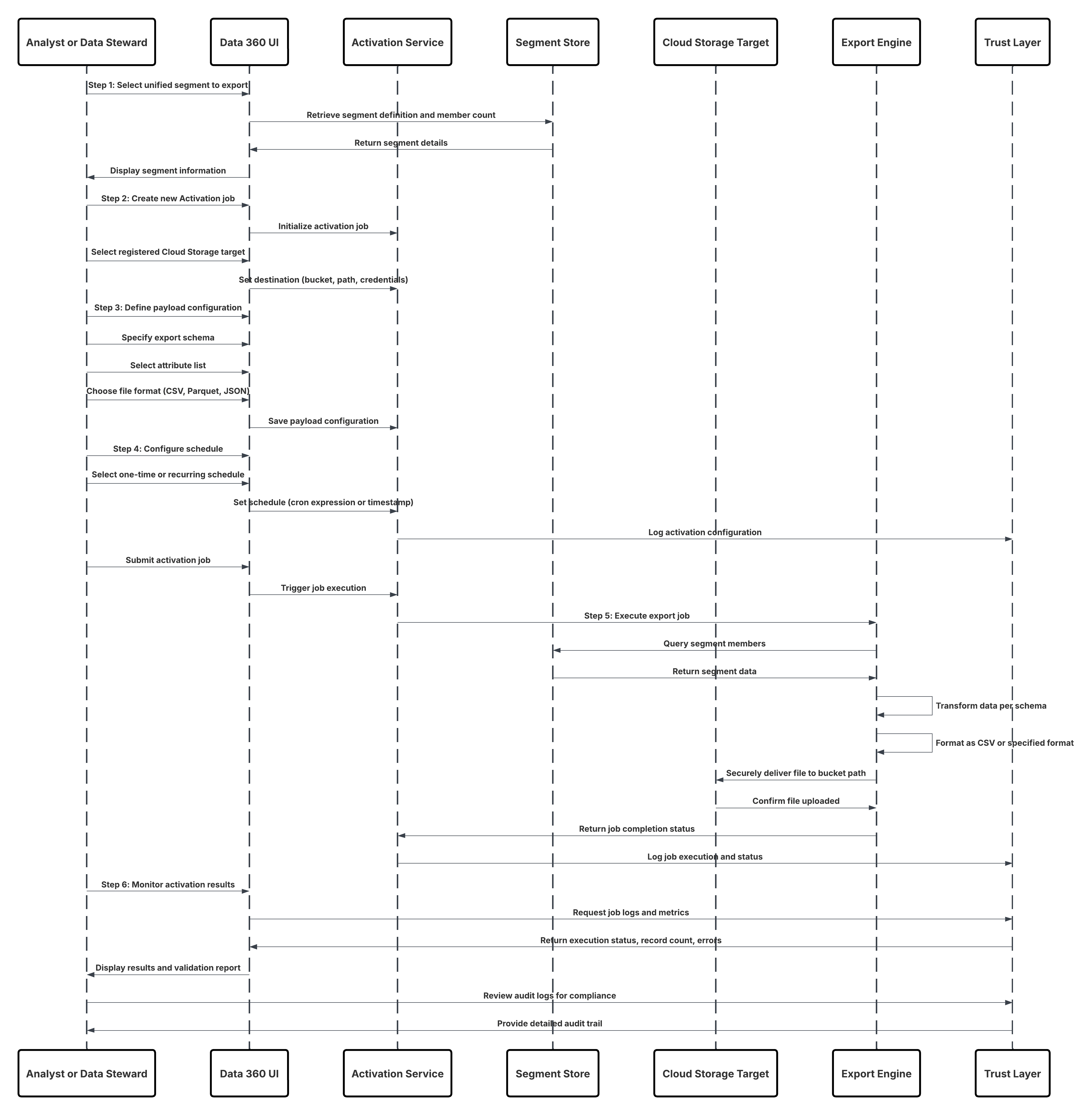 ##### Results
* Targeted, enriched audience segments from Data 360 are made available directly in downstream marketing and advertising platforms.
* Audiences are automatically refreshed and synchronized with the latest unified customer data, maintaining real-time campaign relevance.
* Marketers can use these activated audiences as entry sources for Marketing Cloud Journeys, email campaigns, or custom audiences in digital ad platforms such as Google Ads, Meta, or LinkedIn Ads.
* Every activation run maintains end-to-end lineage, ensuring compliance, traceability, and consistency between Data 360 and external systems.
* Business users can deliver highly personalized, data-driven experiences powered by a complete and trusted Customer 360 view.
###### Calling Mechanisms
The calling mechanism depends on the target cloud storage platform and activation configuration.
##### Results
* Targeted, enriched audience segments from Data 360 are made available directly in downstream marketing and advertising platforms.
* Audiences are automatically refreshed and synchronized with the latest unified customer data, maintaining real-time campaign relevance.
* Marketers can use these activated audiences as entry sources for Marketing Cloud Journeys, email campaigns, or custom audiences in digital ad platforms such as Google Ads, Meta, or LinkedIn Ads.
* Every activation run maintains end-to-end lineage, ensuring compliance, traceability, and consistency between Data 360 and external systems.
* Business users can deliver highly personalized, data-driven experiences powered by a complete and trusted Customer 360 view.
###### Calling Mechanisms
The calling mechanism depends on the target cloud storage platform and activation configuration.
| Mechanism | When to Use |
|---|---|
| Amazon S3 Activation | Use when your enterprise data lake is hosted on AWS. Data 360 writes directly to an S3 bucket using IAM roles or temporary credentials, ensuring secure and scalable export. |
| Azure Blob Storage Activation | Use when your organization operates on Microsoft Azure. Data 360 uses SAS tokens or service principals to write encrypted files to Blob containers. |
| Google Cloud Storage (GCS) Activation | Use when your data science or analytics workloads run on GCP. Data 360 uses OAuth credentials to export files to GCS buckets in CSV or Parquet format. |
| SFTP or External File Gateway | Use when regulatory or legacy systems require secure file delivery via SFTP endpoints or enterprise-managed file transfer platforms. |
| Hybrid Export (File + API) | Use when a downstream application needs both file-based export for analytics and an API trigger for workflow orchestration (e.g., MuleSoft flow). |
| Solution Area | Fit | Comments / Implementation Details |
|---|---|---|
| Authentication & App Registration | Required | Create a Connected App in Salesforce for OAuth 2.0-based authentication. Configure scopes for Data 360 API access. |
| Data Access (Profiles, Segments, Insights) | Best | Use Connect API endpoints (/services/data/vXX.X/connect) to query harmonized Data 360 data, unified profiles, and calculated insights. |
| UI Integration | Best | Front-end apps (React, Angular, iOS, Android) call the Connect API to render Data 360 data in dashboards, portals, or mobile interfaces. |
| Data Graph Querying | Recommended | Combine Connect API with the Data Graph API for semantic-level queries that simplify complex joins and relationships. |
| Real-Time Refresh | Optional | Use Connect API with WebSocket or streaming extensions for live data updates. |
| Security & Governance | Required | Enforce data visibility using OAuth scopes, Data 360 policies, and the Trust Layer audit framework. |
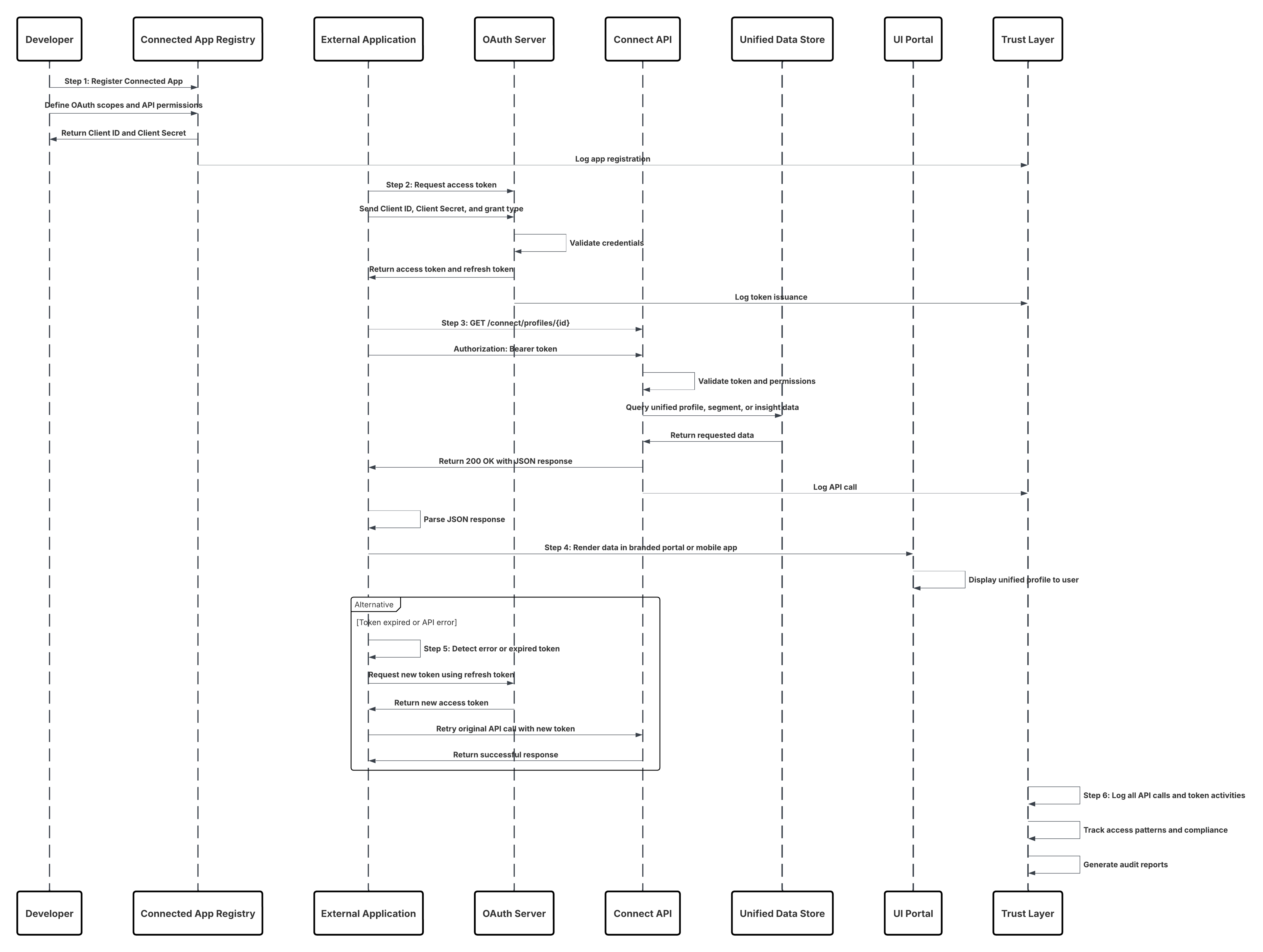 ##### Results
Developers can create secure, custom-branded applications that are tightly integrated with Data 360\. These apps can:
* Surface harmonized customer profiles and insights inReal-Time.
* Display Data 360 data alongside CRM or custom objects through unified APIs.
* Leverage consistent authentication, authorization, and audit controls via the Trust Layer.
* Provide business users or partners with seamless, governed access to trusted customer intelligence across experiences.
##### Calling Mechanisms
The calling mechanism depends on the target cloud storage platform and activation configuration.
##### Results
Developers can create secure, custom-branded applications that are tightly integrated with Data 360\. These apps can:
* Surface harmonized customer profiles and insights inReal-Time.
* Display Data 360 data alongside CRM or custom objects through unified APIs.
* Leverage consistent authentication, authorization, and audit controls via the Trust Layer.
* Provide business users or partners with seamless, governed access to trusted customer intelligence across experiences.
##### Calling Mechanisms
The calling mechanism depends on the target cloud storage platform and activation configuration.
| Mechanism | When to Use |
|---|---|
| Connect REST API (Preferred) | Use when building web, mobile, or third-party apps that require real-time access to Data 360 data in a UI-friendly JSON format. |
| Data Graph API | Use when the app needs to perform semantic-level queries across multiple objects (e.g., Customer → Transactions → Campaigns). |
| Query API | Use when executing SOQL-like queries to retrieve harmonized datasets with high precision. |
| Einstein 1 Platform APIs | Use when integrating AI-driven insights or Copilot-generated recommendations within custom UIs. |
| MuleSoft or Apex Gateway Wrappers | Use when additional orchestration, caching, or policy enforcement is required between the app and the Connect API. |
| Solution Area | Fit | Comments / Implementation Details |
|---|---|---|
| Data Graph Definition | Required | Architects define a Data Graph that combines multiple DMOs into a single semantic entity (e.g., UnifiedCustomerProfile). |
| Profile Lookup Retrieval | Best | Applications call GET /api/v1/dataGraph/{entity}/{id} to retrieve full, denormalized profiles by unique ID or key. |
| Live Parameter Usage | Optional | Append ?live=true to force fresh computation rather than cached retrieval; suitable for high-value decisions. |
| Authentication | Required | Use OAuth 2.0 via Connected Apps to authenticate API calls securely. |
| Response Parsing | Best Practice | Applications parse the JSON response directly into their UI or decisioning engine; no further joins required. |
| Caching Strategy | Recommended | Implement short-term local caching (e.g., in-memory or CDN) for repeated profile lookups. |
| Monitoring & Observability | Required | Use Trust Layer dashboards to monitor query performance, response times, and policy adherence. |
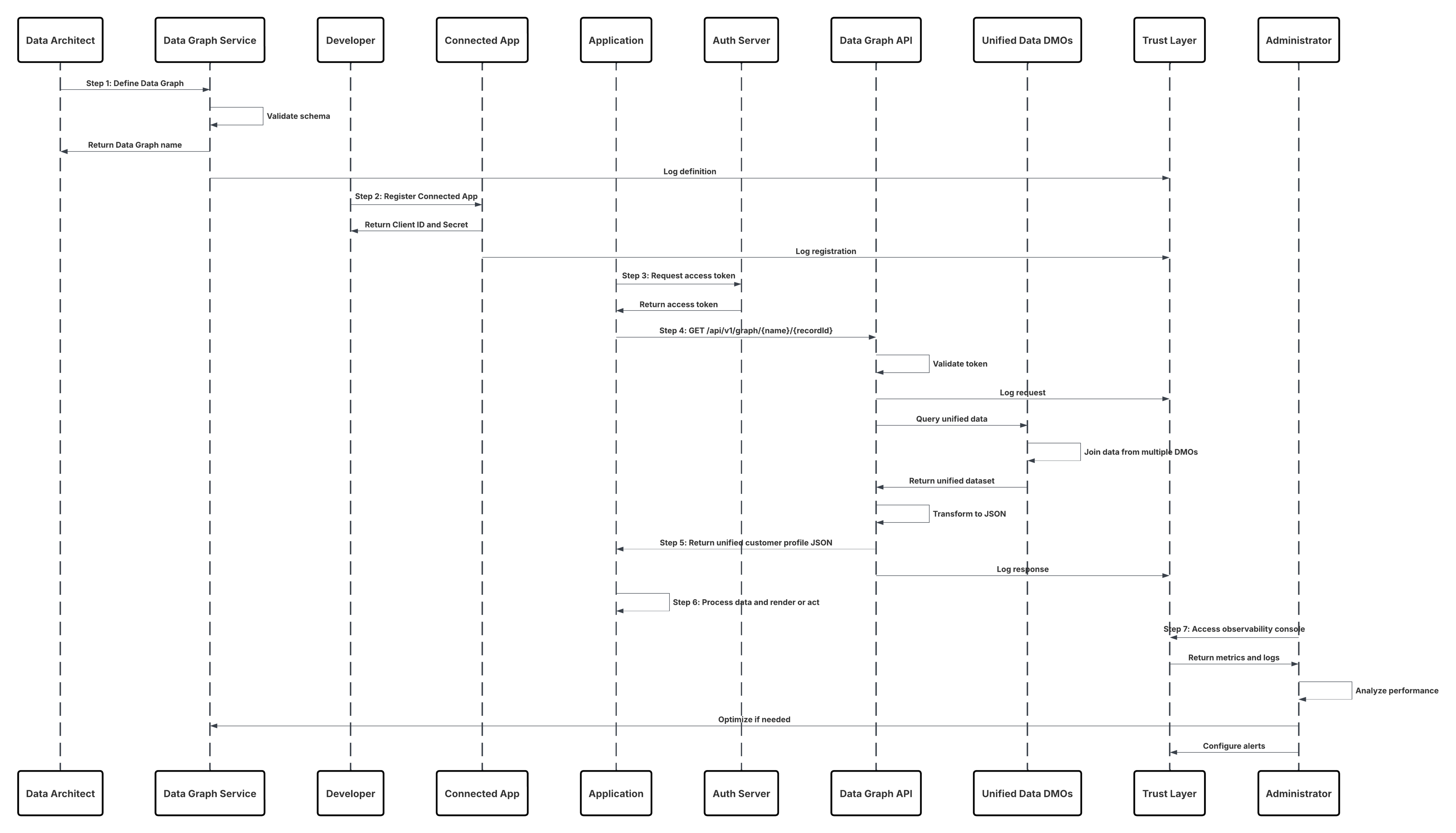 ##### Results
Applications can now retrieve a complete, pre-joined customer profile instantly, powering real-time interactions such as personalization, service, and decision automation.
This pattern ensures:
* Sub-second response times for in-the-moment decisioning.
* Consistent, governed data retrieval aligned with the Data 360 semantic model.
* Simplified application logic — no joins, no schema reconciliation.
* Traceable and compliant access via the Trust Layer for audit and observability.
###### Calling Mechanisms
The calling mechanism depends on the target cloud storage platform and activation configuration.
##### Results
Applications can now retrieve a complete, pre-joined customer profile instantly, powering real-time interactions such as personalization, service, and decision automation.
This pattern ensures:
* Sub-second response times for in-the-moment decisioning.
* Consistent, governed data retrieval aligned with the Data 360 semantic model.
* Simplified application logic — no joins, no schema reconciliation.
* Traceable and compliant access via the Trust Layer for audit and observability.
###### Calling Mechanisms
The calling mechanism depends on the target cloud storage platform and activation configuration.
| Mechanism | When to Use |
|---|---|
| Data Graph API (Preferred) | Use for retrieving complete, pre-materialized profiles instantly by ID or key. |
| Data Graph API with live=true | Use for high-value use cases (e.g., fraud detection, live offers) where the most current data is needed, accepting slightly higher latency. |
| Connect API (Fallback) | Use for composite app scenarios combining Data Graph retrievals with other Salesforce data. |
| Query API | Use when constructing ad hoc queries or analytical reads rather than instant profile retrieval. |
| MuleSoft API Proxy | Use when routing Data Graph calls through enterprise gateways or when additional orchestration/policy enforcement is required. |
| Solution Area | Fit | Comments / Implementation Details |
|---|---|---|
| Realtime Data Action | Best | Expose endpoint for single-record read/write and action triggers. Authenticate via OAuth/JWT. |
| Identity Resolution | Required | Resolve incoming identifiers (email, externalId, cookie) to Unified Individual ID in-line. Use a deterministic resolver with cache. |
| Policy Enforcement (CEDAR) | Best Practice | Evaluate consent, ABAC, and masking policies at request time; deny or mask fields per policy decisions. |
| Edge/Cache Layer | Recommended | Use short-TTL caches for profile fragments and computed insights to reduce latency; invalidate on change events. |
| Lightweight Transforms | Recommended | Apply simple enrichments or calculated fields in the action path; heavy transforms should be precomputed. |
| Action Orchestration | Best | Support synchronous single-step actions (e.g., return offer token) and asynchronous orchestrations (queue \+ webhook) for complex flows. |
| Observability & Tracing | Required | Log request/response, policy decisions, and lineage to the Trust Layer/ SIEM for audit and debugging. |
| Rate Limiting & Throttling | Required | Enforce client quotas and graceful degradation strategies for high-traffic moments. |
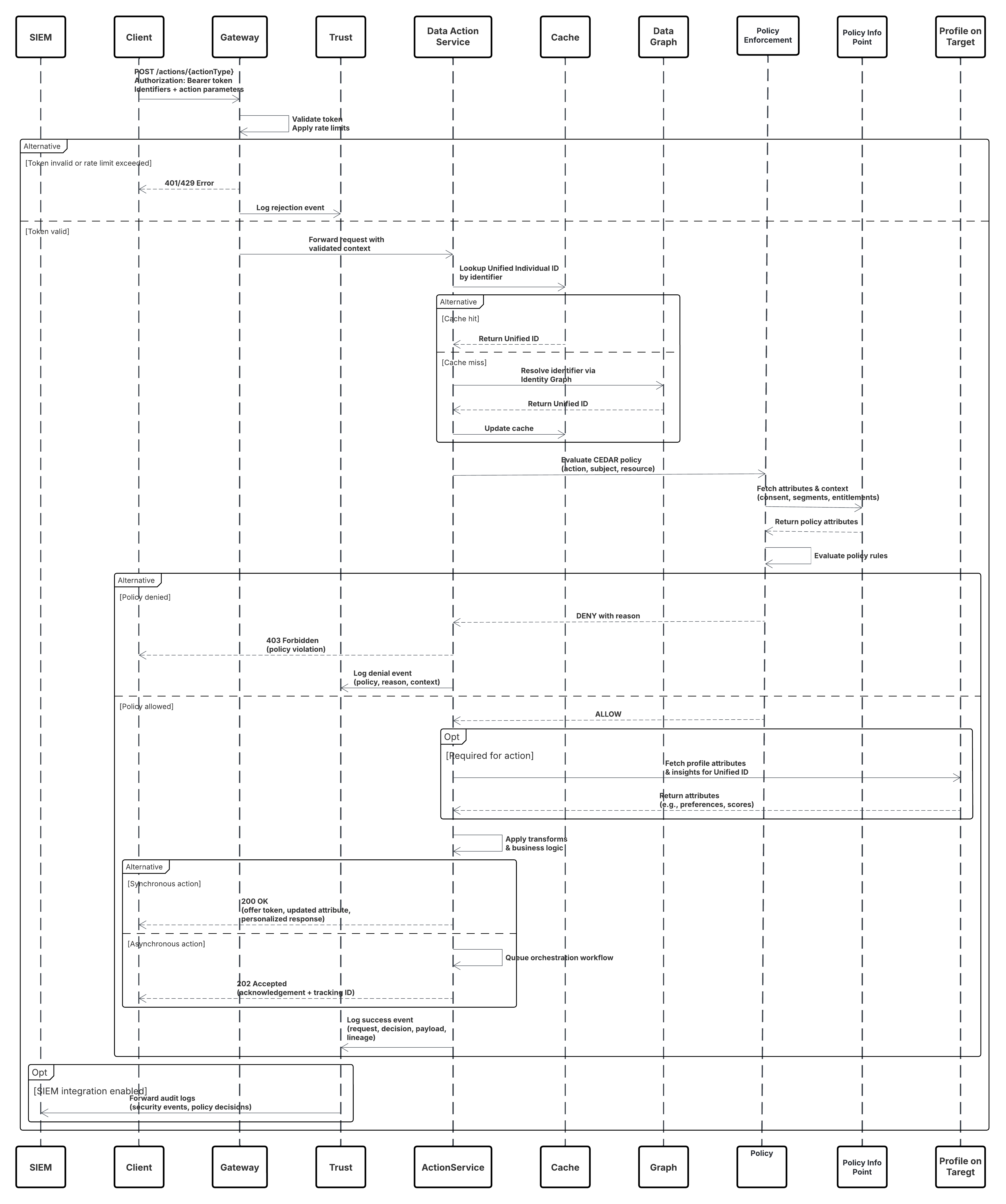 ##### Results
* Applications receive immediate, policy-governed access to unified profile reads/writes and action triggers with sub-second to second latency.
* Real-time personalization, decisioning, and operational workflows (e.g., offers, agent assist, inventory updates) are enabled without batch delays.
* All actions are auditable, consent-aware, and enforce attribute-level masking to maintain privacy and compliance.
###### Calling Mechanisms
The calling mechanism depends on the destination platform and activation target configuration.
##### Results
* Applications receive immediate, policy-governed access to unified profile reads/writes and action triggers with sub-second to second latency.
* Real-time personalization, decisioning, and operational workflows (e.g., offers, agent assist, inventory updates) are enabled without batch delays.
* All actions are auditable, consent-aware, and enforce attribute-level masking to maintain privacy and compliance.
###### Calling Mechanisms
The calling mechanism depends on the destination platform and activation target configuration.
| Mechanism | When to Use |
|---|---|
| RESTful Data Actions API | Preferred for web/mobile apps and middleware needing synchronous profile reads or action responses. |
| gRPC / Binary RPC | Use for ultra-low latency enterprise services or internal microservices with persistent connections. |
| GraphQL Single-Record Queries | Use when clients need flexible field selection and want to minimize payloads. |
| Event-Triggered Webhooks | Use for async workflows where action triggers downstream processes (e.g., start a journey). |
| Platform Events / PubSub | Use for fan-out scenarios where multiple systems must react to a single action event. |
| Edge SDK (client libs) | Use for low-latency clients that cache profile fragments and call the Data Actions API only when needed. |
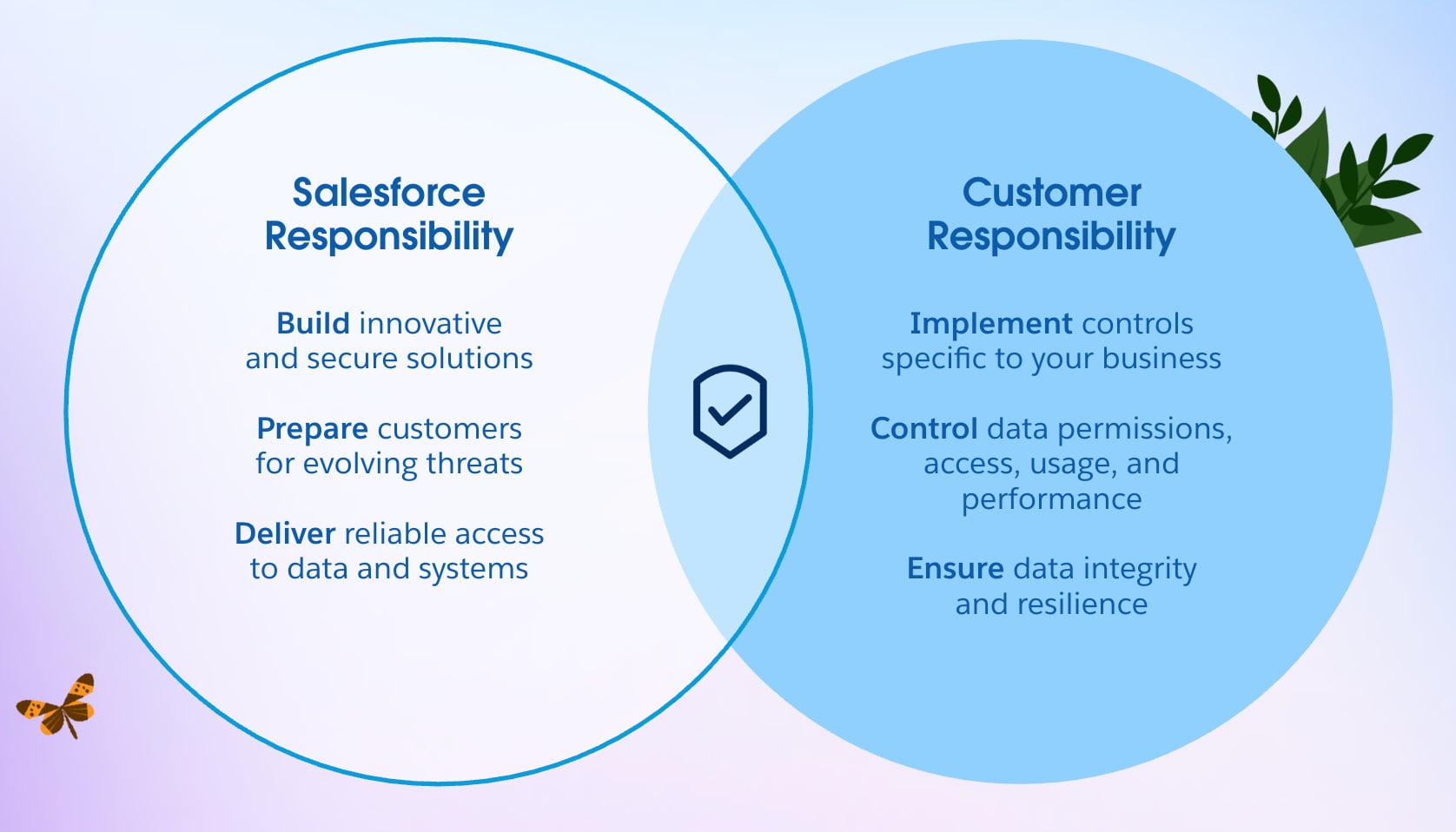 #### Salesforce: Security of the Cloud
Salesforce is accountable for securing and maintaining the integrity of the Data 360 platform and its global infrastructure. This includes:
* **Physical and Environmental Security:** Hyperforce is hosted on AWS infrastructure and Amazon has the delegated responsibility for protection of their global data centers through access controls, surveillance, and environmental safeguards.
* **Network and Perimeter Defense:** Distributed Denial of Service (DDoS) mitigation, intrusion detection, and encryption for all traffic in transit (TLS 1.2 and higher) and at rest (AES-256).
* **Platform Hardening and Patch Management:** Continuous vulnerability management, patch deployment, and OS-level security baselining.
* **Compliance and Certification:** Continuous audits against standards such as SOC 1/2/3, ISO 27001, ISO 27017, ISO 27018, and readiness for frameworks such as GDPR .
These controls ensure that the Data 360 platform remains secure, reliable, and compliant, enabling customers to focus on business logic and data management rather than infrastructure defense.
#### Customer: Security in the Cloud
Customers are responsible for securing their data, configurations, and operational processes within their Salesforce Data 360 orgs. Key areas of accountability include:
* **Identity and Access Management (IAM):** Define roles, enforce multi-factor authentication (MFA) and single sign-on (SSO), and apply the principle of least privilege.
* **Data Governance:** Classify sensitive data, apply masking where needed, and enforce object-, field-, and record-level access controls.
* **Integration Security:** Manage API access via OAuth 2.0, JSON Web Token JWT, and other authentication standards using named credentials and external credentials.
* **Monitoring and Response:** Use event monitoring and audit trails, and forward logs to a Security Information and Event Management (SIEM) system for advanced threat detection.
Salesforce provides the secure foundation, but customers determine their actual security posture through their configurations, controls, and vigilance.
#### Human-Centric Responsibility
Security is not just a technical construct, it’s an organizational discipline. Data protection in Salesforce Data 360 is achieved through collaboration between architecture, operations, and governance teams.
**Enterprises should:**
* Continuously review and retire unused or over-privileged accounts.
* Automate enforcement using policies as code and CI/CD pipelines.
* Conduct tabletop exercises simulating incidents such as unauthorized data activation or exfiltration to strengthen response readiness.
Data 360’s effectiveness scales not by features alone, but by how responsibly customers operationalize them.
#### Secure-by-Default: A Proactive Security Posture
Salesforce Data 360 embraces a secure-by-default philosophy, which is a shift from reactive control to preventive design. Instead of starting open and tightening later, every new Data 360 organization now begins in a “Deny All” state, enforcing zero trust principles from the first deployment.
#### From Reactive Control to Preventive Design
In older environments, customers inherited a permissive “Allow All” model for faster onboarding. While convenient, this created risk from accidental overexposure and misconfiguration.
The new secure-by-default architecture inverts this approach:
* No user or system has implicit access.
* All permissions must be explicitly granted.
* Data access, integration, and governance controls are enforced from Day 0\.
This enforces least privilege by design, drastically reducing the risk of accidental exposure or privilege escalation.
#### Operational and Governance Impact
This model has both technical and behavioral implications:
* Teams must plan access models deliberately, aligning permissions with compliance and business boundaries.
* Governance becomes a built-in design requirement, not an afterthought.
* Ownership and accountability for data are defined from the start.
For legacy Data 360 organizations still operating under “Allow All,” admins must manually tighten configurations to align with the new baseline, a critical step in any security modernization or Data 360 maturity program.
#### Trust by Design
By defaulting to zero access and requiring explicit policy definitions, Salesforce Data 360 establishes trust-by-design, a foundational evolution in enterprise data security.
This approach ensures that:
* Unauthorized access and data leakage risks are minimized.
* Governance frameworks are enforced structurally, not optionally.
* Enterprises gain a more predictable, auditable, and resilient security posture across environments.
In essence, security is no longer a feature you add. It’s the foundation you start with.
## Identity and Access Management: The Gateway to Your Data
Identity and Access Management (IAM) in **Salesforce Data 360** is the first and most critical layer of defense. It governs **who** can access the platform and **what** actions they can perform once inside. A well-implemented IAM framework is the single strongest control an enterprise has to protect its customer data and ensure operational integrity.
### Authentication: Verifying "Who You Are"
Authentication establishes **digital trust,** confirming that every user, service, or external system accessing Salesforce Data 360 is legitimate.
### Federated Identity Management
Data 360 supports **federated authentication** with enterprise-grade identity providers (IdPs) such as [**Microsoft Entra ID (Azure AD)**](https://learn.microsoft.com/en-us/entra/identity/saas-apps/salesforce-tutorial), [**Okta**](https://help.okta.com/en-us/content/topics/provisioning/salesforce/sfdc-provision.htm), or [**Ping Identity**](https://docs.pingidentity.com/configuration_guides/salesforce/config_saml_salesforce_pf.html) using [**SAML 2.0**](https://help.salesforce.com/s/articleView?id=xcloud.sso_saml.htm&type=5), OpenID Connect([**OIDC**](https://help.salesforce.com/s/articleView?id=xcloud.sso_provider_openid_connect.htm&type=5)), or system for cross-domain identity management ([**SCIM**](https://help.salesforce.com/s/articleView?id=xcloud.identity_scim_overview.htm&type=5)) .
This federation extends your corporate identity lifecycle directly into Salesforce. When an employee joins, transfers, or leaves the company, their access automatically adjusts, reducing orphaned accounts and improving compliance readiness.
### Single Sign-On (SSO)
With [**single sign-on (SSO)**](https://help.salesforce.com/s/articleView?id=xcloud.sso_about.htm&type=5), users authenticate once using their corporate credentials and gain secure access to Salesforce applications without separate passwords. This reduces credential fatigue and minimizes risks from password reuse or phishing.
### Adaptive and Conditional Access
The Identity Provider (IdP) becomes the single authority for authentication decisions, enforcing multi-factor authentication (MFA), conditional access, and risk-based controls. Authentication evolves from a single event to a continuous evaluation of trust, responsive to user behavior and context.
Federated authentication provides:
* **Centralized Policy Enforcement:** Authentication standards are managed in one place across all Salesforce environments.
* **End-to-End Traceability:** Unified audit trails link every action back to a verified identity.
* **Human-Centric Experience:** A frictionless, secure login process allows teams to focus on insights — not credentials.
### Authorization: Defining "What You Can Do"
Once a user is verified, authorization defines what they can access, view, or modify. It sets the operational boundaries that protect sensitive data and enforce least privilege.
**Principle of Least Privilege (PoLP):** Every user and system is granted only the permissions necessary for their job function, nothing more. This principle dramatically limits the potential damage from compromised credentials or misconfigurations.
**Role-Based Access Control (RBAC):** Salesforce Data 360 uses permission sets and permission set groups to assign granular capabilities aligned with business roles. For example:
* A Data Engineer can manage ingestion pipelines and transformations with the help of Data 360 Architect permission set.
* A Marketing Analyst can query harmonized data but cannot alter models with the help of Data 360 Activation Manager permission set..
* An Activation Manager can execute outbound campaigns but cannot access source data with the help of Data 360 Activation Manager permission set
Access is centrally managed and auditable, ensuring accountability throughout the data lifecycle. When integrated with IdPs such as Entra ID, Okta, or Ping Identity, access policies extend seamlessly across the enterprise via SCIM provisioning and SAML/SSO federation.
### Understanding Standard Roles and Permissions in Data 360
Salesforce provides predefined permission sets that encapsulate best practices for segregation of duties and compliance with industry standards such as ISO 27001\.
#### Salesforce: Security of the Cloud
Salesforce is accountable for securing and maintaining the integrity of the Data 360 platform and its global infrastructure. This includes:
* **Physical and Environmental Security:** Hyperforce is hosted on AWS infrastructure and Amazon has the delegated responsibility for protection of their global data centers through access controls, surveillance, and environmental safeguards.
* **Network and Perimeter Defense:** Distributed Denial of Service (DDoS) mitigation, intrusion detection, and encryption for all traffic in transit (TLS 1.2 and higher) and at rest (AES-256).
* **Platform Hardening and Patch Management:** Continuous vulnerability management, patch deployment, and OS-level security baselining.
* **Compliance and Certification:** Continuous audits against standards such as SOC 1/2/3, ISO 27001, ISO 27017, ISO 27018, and readiness for frameworks such as GDPR .
These controls ensure that the Data 360 platform remains secure, reliable, and compliant, enabling customers to focus on business logic and data management rather than infrastructure defense.
#### Customer: Security in the Cloud
Customers are responsible for securing their data, configurations, and operational processes within their Salesforce Data 360 orgs. Key areas of accountability include:
* **Identity and Access Management (IAM):** Define roles, enforce multi-factor authentication (MFA) and single sign-on (SSO), and apply the principle of least privilege.
* **Data Governance:** Classify sensitive data, apply masking where needed, and enforce object-, field-, and record-level access controls.
* **Integration Security:** Manage API access via OAuth 2.0, JSON Web Token JWT, and other authentication standards using named credentials and external credentials.
* **Monitoring and Response:** Use event monitoring and audit trails, and forward logs to a Security Information and Event Management (SIEM) system for advanced threat detection.
Salesforce provides the secure foundation, but customers determine their actual security posture through their configurations, controls, and vigilance.
#### Human-Centric Responsibility
Security is not just a technical construct, it’s an organizational discipline. Data protection in Salesforce Data 360 is achieved through collaboration between architecture, operations, and governance teams.
**Enterprises should:**
* Continuously review and retire unused or over-privileged accounts.
* Automate enforcement using policies as code and CI/CD pipelines.
* Conduct tabletop exercises simulating incidents such as unauthorized data activation or exfiltration to strengthen response readiness.
Data 360’s effectiveness scales not by features alone, but by how responsibly customers operationalize them.
#### Secure-by-Default: A Proactive Security Posture
Salesforce Data 360 embraces a secure-by-default philosophy, which is a shift from reactive control to preventive design. Instead of starting open and tightening later, every new Data 360 organization now begins in a “Deny All” state, enforcing zero trust principles from the first deployment.
#### From Reactive Control to Preventive Design
In older environments, customers inherited a permissive “Allow All” model for faster onboarding. While convenient, this created risk from accidental overexposure and misconfiguration.
The new secure-by-default architecture inverts this approach:
* No user or system has implicit access.
* All permissions must be explicitly granted.
* Data access, integration, and governance controls are enforced from Day 0\.
This enforces least privilege by design, drastically reducing the risk of accidental exposure or privilege escalation.
#### Operational and Governance Impact
This model has both technical and behavioral implications:
* Teams must plan access models deliberately, aligning permissions with compliance and business boundaries.
* Governance becomes a built-in design requirement, not an afterthought.
* Ownership and accountability for data are defined from the start.
For legacy Data 360 organizations still operating under “Allow All,” admins must manually tighten configurations to align with the new baseline, a critical step in any security modernization or Data 360 maturity program.
#### Trust by Design
By defaulting to zero access and requiring explicit policy definitions, Salesforce Data 360 establishes trust-by-design, a foundational evolution in enterprise data security.
This approach ensures that:
* Unauthorized access and data leakage risks are minimized.
* Governance frameworks are enforced structurally, not optionally.
* Enterprises gain a more predictable, auditable, and resilient security posture across environments.
In essence, security is no longer a feature you add. It’s the foundation you start with.
## Identity and Access Management: The Gateway to Your Data
Identity and Access Management (IAM) in **Salesforce Data 360** is the first and most critical layer of defense. It governs **who** can access the platform and **what** actions they can perform once inside. A well-implemented IAM framework is the single strongest control an enterprise has to protect its customer data and ensure operational integrity.
### Authentication: Verifying "Who You Are"
Authentication establishes **digital trust,** confirming that every user, service, or external system accessing Salesforce Data 360 is legitimate.
### Federated Identity Management
Data 360 supports **federated authentication** with enterprise-grade identity providers (IdPs) such as [**Microsoft Entra ID (Azure AD)**](https://learn.microsoft.com/en-us/entra/identity/saas-apps/salesforce-tutorial), [**Okta**](https://help.okta.com/en-us/content/topics/provisioning/salesforce/sfdc-provision.htm), or [**Ping Identity**](https://docs.pingidentity.com/configuration_guides/salesforce/config_saml_salesforce_pf.html) using [**SAML 2.0**](https://help.salesforce.com/s/articleView?id=xcloud.sso_saml.htm&type=5), OpenID Connect([**OIDC**](https://help.salesforce.com/s/articleView?id=xcloud.sso_provider_openid_connect.htm&type=5)), or system for cross-domain identity management ([**SCIM**](https://help.salesforce.com/s/articleView?id=xcloud.identity_scim_overview.htm&type=5)) .
This federation extends your corporate identity lifecycle directly into Salesforce. When an employee joins, transfers, or leaves the company, their access automatically adjusts, reducing orphaned accounts and improving compliance readiness.
### Single Sign-On (SSO)
With [**single sign-on (SSO)**](https://help.salesforce.com/s/articleView?id=xcloud.sso_about.htm&type=5), users authenticate once using their corporate credentials and gain secure access to Salesforce applications without separate passwords. This reduces credential fatigue and minimizes risks from password reuse or phishing.
### Adaptive and Conditional Access
The Identity Provider (IdP) becomes the single authority for authentication decisions, enforcing multi-factor authentication (MFA), conditional access, and risk-based controls. Authentication evolves from a single event to a continuous evaluation of trust, responsive to user behavior and context.
Federated authentication provides:
* **Centralized Policy Enforcement:** Authentication standards are managed in one place across all Salesforce environments.
* **End-to-End Traceability:** Unified audit trails link every action back to a verified identity.
* **Human-Centric Experience:** A frictionless, secure login process allows teams to focus on insights — not credentials.
### Authorization: Defining "What You Can Do"
Once a user is verified, authorization defines what they can access, view, or modify. It sets the operational boundaries that protect sensitive data and enforce least privilege.
**Principle of Least Privilege (PoLP):** Every user and system is granted only the permissions necessary for their job function, nothing more. This principle dramatically limits the potential damage from compromised credentials or misconfigurations.
**Role-Based Access Control (RBAC):** Salesforce Data 360 uses permission sets and permission set groups to assign granular capabilities aligned with business roles. For example:
* A Data Engineer can manage ingestion pipelines and transformations with the help of Data 360 Architect permission set.
* A Marketing Analyst can query harmonized data but cannot alter models with the help of Data 360 Activation Manager permission set..
* An Activation Manager can execute outbound campaigns but cannot access source data with the help of Data 360 Activation Manager permission set
Access is centrally managed and auditable, ensuring accountability throughout the data lifecycle. When integrated with IdPs such as Entra ID, Okta, or Ping Identity, access policies extend seamlessly across the enterprise via SCIM provisioning and SAML/SSO federation.
### Understanding Standard Roles and Permissions in Data 360
Salesforce provides predefined permission sets that encapsulate best practices for segregation of duties and compliance with industry standards such as ISO 27001\.
| Role | Primary Responsibility | Access Design Principle |
|---|---|---|
| System Administrator | Environment setup, provisioning, and configuration | No access to underlying datasets — ensures separation between system and data control |
| Data 360 Architect | Data ingestion, transformation, identity resolution, and modeling | Cannot perform data activation to maintain data exposure boundaries |
| Data 360 Activation Manager | Segment creation, channel management, and activation | View-only access to data models; no modification privileges |
| Data 360 User | Consumes analytics and insights | Read-only; zero modification privileges |
| Data 360 One User | Cross-org access via Companion Org | Governed by shared space permissions and scoped access policies |
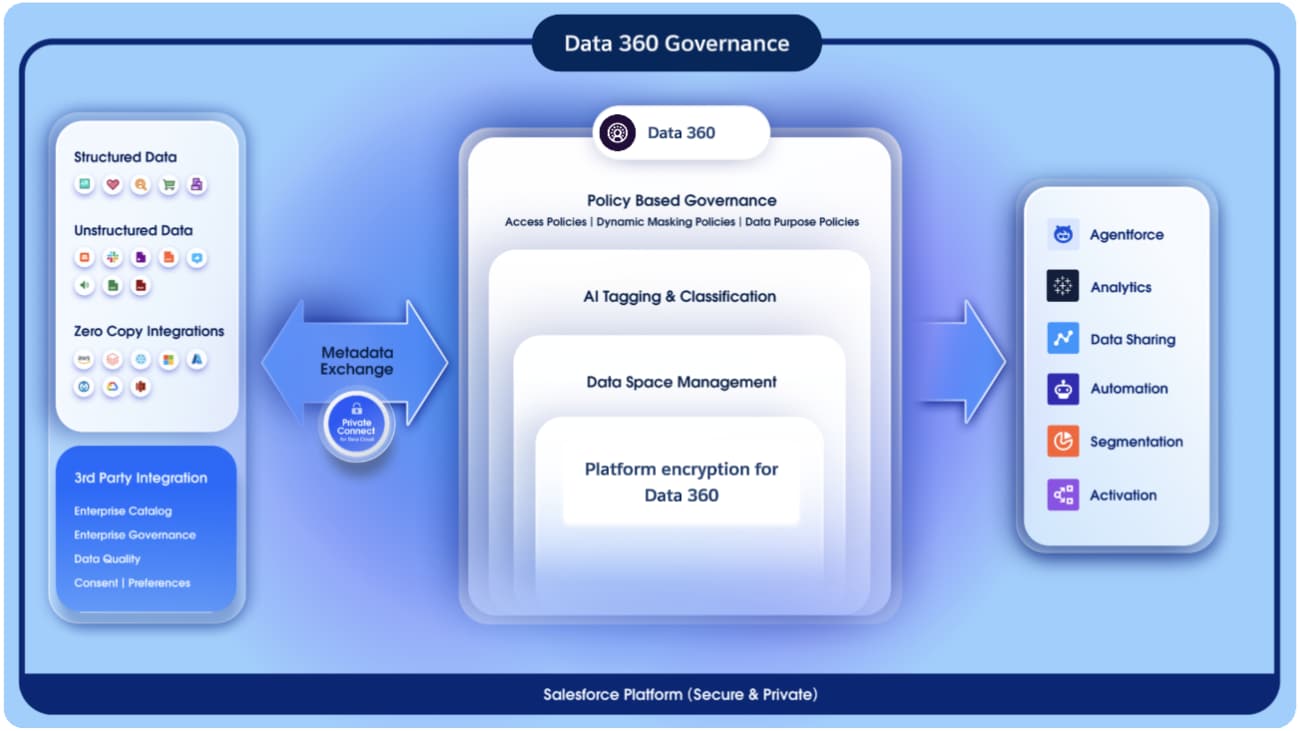 ### Governance as a Control Plane
Data 360 is architected around a governance-first model, ensuring that every data interaction, from ingestion to insight activation, is policy-aware, auditable, and compliant. Governance functions as the central control plane, managing how data is discovered, classified, and protected across its lifecycle.
This unified control plane ensures that:
* **Data access is contextually authorized**: only the right users, under the right policies, can act upon the right data.
* **Governance is embedded into both the semantic and operational layers**, ensuring consistency between how data is modeled and how it is protected.
* **Zero Trust and Least Privilege** principles are enforced: where identity, context, and policy are evaluated in real time before granting access.
Through this architecture, Salesforce Data 360 transforms governance from static permission management into a dynamic, policy-driven orchestration layer. One that continuously adapts to context, enforces compliance by design, and sustains trust at enterprise scale.
### Logical Data Segregation with Data Spaces
At the macro level, Data Spaces provide logical segregation and isolation of enterprise data domains, enabling organizations with multi-brand, multi-region, or multi-tenant operating models to manage data within a single unified platform. Data Spaces can be aligned to business domains (such as Sales, Marketing, or Customer Success) or to regulatory and geographic boundaries (such as EU, AMER, or APAC), allowing governance and access controls to mirror the organization’s operating and compliance structure without fragmenting the underlying data platform.
* Each data space acts as a virtual boundary, defining what data collections a user or team can see or interact with.
* Access within a data space is explicitly granted, ensuring no implicit permissions or cross-contamination of data visibility.
* This enables federated ownership: each business unit can govern its domain independently while maintaining centralized oversight and compliance.
By design, data spaces provide the first layer of governance, establishing structural clarity and accountability across the enterprise datasets.
### Governance as a Control Plane
Data 360 is architected around a governance-first model, ensuring that every data interaction, from ingestion to insight activation, is policy-aware, auditable, and compliant. Governance functions as the central control plane, managing how data is discovered, classified, and protected across its lifecycle.
This unified control plane ensures that:
* **Data access is contextually authorized**: only the right users, under the right policies, can act upon the right data.
* **Governance is embedded into both the semantic and operational layers**, ensuring consistency between how data is modeled and how it is protected.
* **Zero Trust and Least Privilege** principles are enforced: where identity, context, and policy are evaluated in real time before granting access.
Through this architecture, Salesforce Data 360 transforms governance from static permission management into a dynamic, policy-driven orchestration layer. One that continuously adapts to context, enforces compliance by design, and sustains trust at enterprise scale.
### Logical Data Segregation with Data Spaces
At the macro level, Data Spaces provide logical segregation and isolation of enterprise data domains, enabling organizations with multi-brand, multi-region, or multi-tenant operating models to manage data within a single unified platform. Data Spaces can be aligned to business domains (such as Sales, Marketing, or Customer Success) or to regulatory and geographic boundaries (such as EU, AMER, or APAC), allowing governance and access controls to mirror the organization’s operating and compliance structure without fragmenting the underlying data platform.
* Each data space acts as a virtual boundary, defining what data collections a user or team can see or interact with.
* Access within a data space is explicitly granted, ensuring no implicit permissions or cross-contamination of data visibility.
* This enables federated ownership: each business unit can govern its domain independently while maintaining centralized oversight and compliance.
By design, data spaces provide the first layer of governance, establishing structural clarity and accountability across the enterprise datasets.
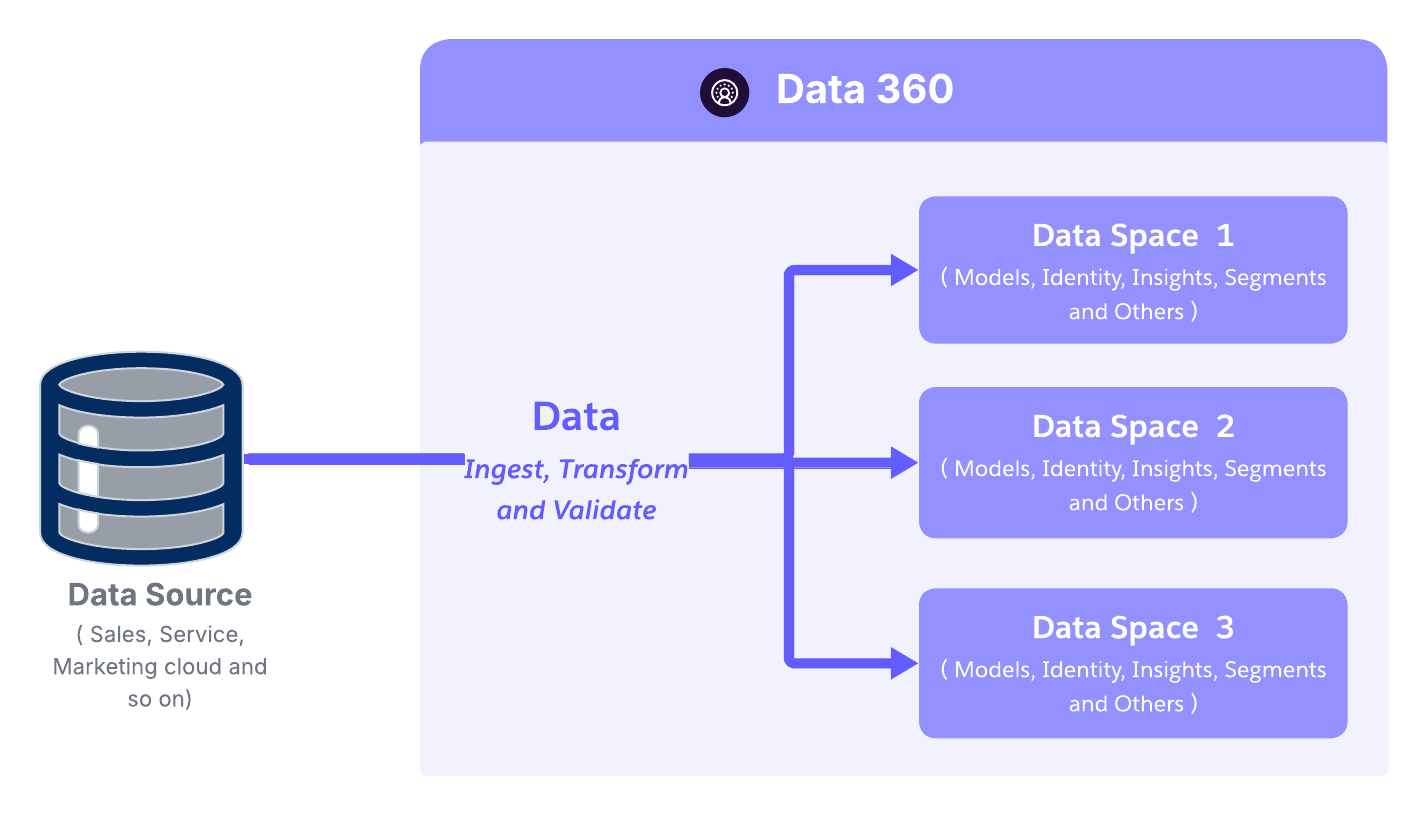 ### From RBAC to ABAC: Moving Toward Contextual Authorization
In Salesforce Data 360, RBAC and ABAC serve distinct but complementary purposes, and they are applied at different layers of the platform.
RBAC is used primarily for platform and capability access. It governs who can access Data 360 constructs and features such as Data Spaces, process creation, administrative capabilities, and tooling access. RBAC is implemented through permissions and permission sets, for example assigning users access to a Data Space with specific enabled features.
ABAC is used for data access enforcement. ABAC policies are fully responsible for determining who can access which data objects and attributes, including Object-Level Security (OLS), field-level access, and row-level constraints. These decisions are made dynamically by evaluating the action, user attributes, and resource attributes at runtime.
In ABAC, permissions remain part of the model, but the policy itself determines access, not the role alone. Policies evaluate context such as business unit, region, data sensitivity, purpose of use, or regulatory constraints to allow or deny access.
For example:
* RBAC allows a user to access a Data 360 Data Space and analytics features.
* ABAC determines whether that same user can read a specific customer dataset, which rows they can see, and which attributes are masked or restricted.
This clear separation enables Data 360 to scale securely:
* RBAC provides controlled access to platform capabilities and workflows.
* ABAC delivers fine-grained, policy-driven data access aligned with compliance, residency, and data protection requirements.
Together, they enable governed data democratization without conflating platform permissions with data authorization logic.
In essence, RBAC enforces access based on permission assignment, while ABAC evaluates permissions in context — combining action, user, and resource attributes to deliver adaptive, fine-grained access control across Salesforce Data 360
### ABAC: A Multi-Layered Security Hierarchy
At the heart of Salesforce Data 360’s fine-grained access control is attribute-Based access control (ABAC, powered by the CEDAR policy language.
Unlike static, role-based permissions, ABAC dynamically evaluates *who* is requesting access, *what* they’re trying to access, and *under what conditions* — ensuring every data interaction aligns with enterprise policies and trust boundaries.
#### Dynamic Policy Evaluation
Data 360’s ABAC engine evaluates access decisions based on a combination of three core attribute types:
* **User attributes:** department, location, clearance level
* **Data attributes:** classification, sensitivity (PII, PHI, Financial Data), data space
This flexible, policy-driven model allows enforcement to adapt automatically as user roles, data classifications, or operating conditions evolve, which is essential for large, distributed, and regulated enterprises.
### From RBAC to ABAC: Moving Toward Contextual Authorization
In Salesforce Data 360, RBAC and ABAC serve distinct but complementary purposes, and they are applied at different layers of the platform.
RBAC is used primarily for platform and capability access. It governs who can access Data 360 constructs and features such as Data Spaces, process creation, administrative capabilities, and tooling access. RBAC is implemented through permissions and permission sets, for example assigning users access to a Data Space with specific enabled features.
ABAC is used for data access enforcement. ABAC policies are fully responsible for determining who can access which data objects and attributes, including Object-Level Security (OLS), field-level access, and row-level constraints. These decisions are made dynamically by evaluating the action, user attributes, and resource attributes at runtime.
In ABAC, permissions remain part of the model, but the policy itself determines access, not the role alone. Policies evaluate context such as business unit, region, data sensitivity, purpose of use, or regulatory constraints to allow or deny access.
For example:
* RBAC allows a user to access a Data 360 Data Space and analytics features.
* ABAC determines whether that same user can read a specific customer dataset, which rows they can see, and which attributes are masked or restricted.
This clear separation enables Data 360 to scale securely:
* RBAC provides controlled access to platform capabilities and workflows.
* ABAC delivers fine-grained, policy-driven data access aligned with compliance, residency, and data protection requirements.
Together, they enable governed data democratization without conflating platform permissions with data authorization logic.
In essence, RBAC enforces access based on permission assignment, while ABAC evaluates permissions in context — combining action, user, and resource attributes to deliver adaptive, fine-grained access control across Salesforce Data 360
### ABAC: A Multi-Layered Security Hierarchy
At the heart of Salesforce Data 360’s fine-grained access control is attribute-Based access control (ABAC, powered by the CEDAR policy language.
Unlike static, role-based permissions, ABAC dynamically evaluates *who* is requesting access, *what* they’re trying to access, and *under what conditions* — ensuring every data interaction aligns with enterprise policies and trust boundaries.
#### Dynamic Policy Evaluation
Data 360’s ABAC engine evaluates access decisions based on a combination of three core attribute types:
* **User attributes:** department, location, clearance level
* **Data attributes:** classification, sensitivity (PII, PHI, Financial Data), data space
This flexible, policy-driven model allows enforcement to adapt automatically as user roles, data classifications, or operating conditions evolve, which is essential for large, distributed, and regulated enterprises.
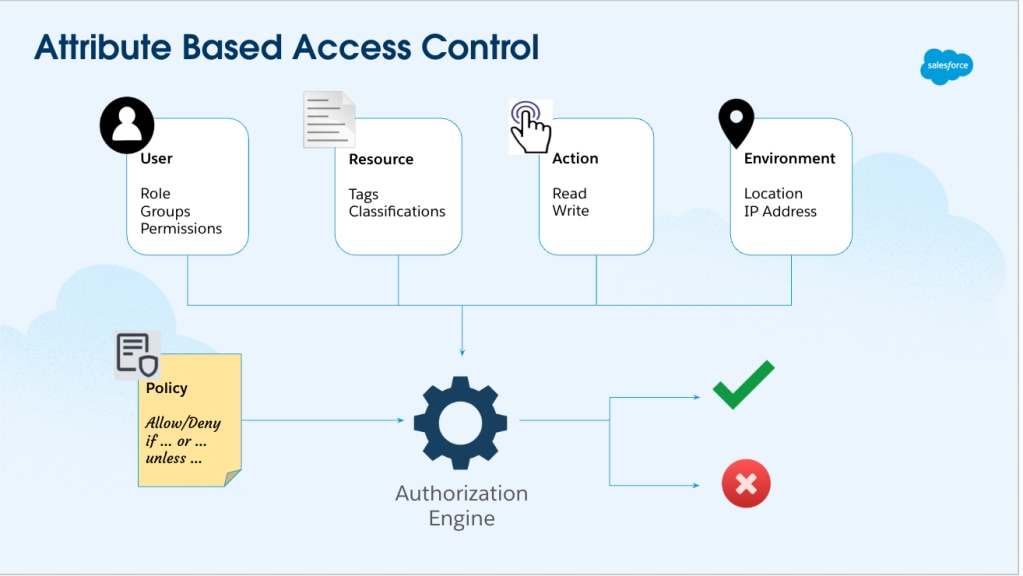 #### ABAC Architecture Components in Salesforce Data 360
Salesforce Data 360 implements a standards-based Attribute-Based Access Control (ABAC) architecture aligned with industry best practices for policy-driven data governance. It is composed of three primary functional components:
* **Policy Information Point (PIP) - Policies, Enriched Metadata and Classification:**
* Houses policy definitions themselves, including data access, classification, masking, retention, and usage policies that govern enterprise data.
* Maintains enriched metadata such as tags, classifications, business context, and end-to-end lineage.
* Utilizes LLM- and ML-driven classification to automatically tag sensitive data (e.g., PII.Email, PII.Phone, PHI).
* Tag propagation ensures classifications flow automatically along data lineage (DLO → DLO → DMO).
* Preserving sensitivity and compliance across transformations.
* **Policy Decision Point (PDP)**: The PDP is the decision engine that interprets CEDAR policies.
* Ingests contextual inputs from the PEP (user identity, request metadata) and reference attributes from the PIP.
* Evaluates policies deterministically to deliver consistent, explainable, and scalable access decisions.
* Supports both real-time and batch evaluations, ensuring performance and precision even in high-volume environments.
* **Policy Enforcement Point (PEP)**: The PEP is where authorization decisions are enforced at runtime.
* Intercepts data access requests across all interaction channels such as APIs, UI queries, CRM enrichment, or GenAI Retrieval-Augmented Generation (RAG) pipelines.
* Applies PDP outcomes instantly, ensuring that every query and retrieval is compliant with enterprise access policies.
Together, the PIP–PDP–PEP triad forms a distributed governance fabric, enforcing consistent, policy-based control across all Data 360 services and access modes.
Importantly, [ABAC](https://help.salesforce.com/s/articleView?id=data.c360_a_policy_based_governance_dg.htm&type=5) in Data 360 is configured, not built. Architects do not assemble custom control planes or enforcement logic. Instead, they populate and connect three native architectural components that operate together as a unified governance fabric.
At a practical level, implementation follows a simple progression: classify the data, define the policies, and let the platform enforce them automatically. Once configured, access control becomes a system behavior rather than a manual or procedural process.
This distributed governance fabric ensures **consistent policy enforcement across all access channels**, creating a unified trust boundary throughout Data 360\.
#### Multi-Level Policy Enforcement
Data 360’s ABAC framework supports layered access boundaries, ensuring that data is protected not only at the object level, but also within specific fields and records.
* **Object-Level Security (OLS)**: The outermost boundary of access control.
Governs access to entire data structures such as data lake objects (DLOs) or data model objects (DMOs).
Example: Granting access to the *Customer* object, but not to *Transactions*.
* **Field-Level Security (FLS)**: Controls access to specific fields within an object.
Example: A marketing user can see customer names but is restricted from viewing credit card numbers or national identifiers.
* **Record-Level Security (RLS)** : The most granular control layer.
Determines which individual records within a dataset a user can view or modify.
Example: A regional manager can access only customer data tied to their assigned region.
* **Dynamic Data Masking (DDM) :** Enables real time data protection. Complementing ABAC, DDM enforces policy-driven obfuscation of sensitive information without altering the underlying dataset. At query time, DDM automatically masks fields like PII or financial data based on user role, context, or compliance rules.
* Sensitive data stays protected across UI views, APIs, and AI workflows.
* Reduces data leakage risks by ensuring consistent masking across all consumption layers.
* Maintains auditability. Every masked query is logged and traceable within Data 360’s governance framework.
#### ABAC Architecture Components in Salesforce Data 360
Salesforce Data 360 implements a standards-based Attribute-Based Access Control (ABAC) architecture aligned with industry best practices for policy-driven data governance. It is composed of three primary functional components:
* **Policy Information Point (PIP) - Policies, Enriched Metadata and Classification:**
* Houses policy definitions themselves, including data access, classification, masking, retention, and usage policies that govern enterprise data.
* Maintains enriched metadata such as tags, classifications, business context, and end-to-end lineage.
* Utilizes LLM- and ML-driven classification to automatically tag sensitive data (e.g., PII.Email, PII.Phone, PHI).
* Tag propagation ensures classifications flow automatically along data lineage (DLO → DLO → DMO).
* Preserving sensitivity and compliance across transformations.
* **Policy Decision Point (PDP)**: The PDP is the decision engine that interprets CEDAR policies.
* Ingests contextual inputs from the PEP (user identity, request metadata) and reference attributes from the PIP.
* Evaluates policies deterministically to deliver consistent, explainable, and scalable access decisions.
* Supports both real-time and batch evaluations, ensuring performance and precision even in high-volume environments.
* **Policy Enforcement Point (PEP)**: The PEP is where authorization decisions are enforced at runtime.
* Intercepts data access requests across all interaction channels such as APIs, UI queries, CRM enrichment, or GenAI Retrieval-Augmented Generation (RAG) pipelines.
* Applies PDP outcomes instantly, ensuring that every query and retrieval is compliant with enterprise access policies.
Together, the PIP–PDP–PEP triad forms a distributed governance fabric, enforcing consistent, policy-based control across all Data 360 services and access modes.
Importantly, [ABAC](https://help.salesforce.com/s/articleView?id=data.c360_a_policy_based_governance_dg.htm&type=5) in Data 360 is configured, not built. Architects do not assemble custom control planes or enforcement logic. Instead, they populate and connect three native architectural components that operate together as a unified governance fabric.
At a practical level, implementation follows a simple progression: classify the data, define the policies, and let the platform enforce them automatically. Once configured, access control becomes a system behavior rather than a manual or procedural process.
This distributed governance fabric ensures **consistent policy enforcement across all access channels**, creating a unified trust boundary throughout Data 360\.
#### Multi-Level Policy Enforcement
Data 360’s ABAC framework supports layered access boundaries, ensuring that data is protected not only at the object level, but also within specific fields and records.
* **Object-Level Security (OLS)**: The outermost boundary of access control.
Governs access to entire data structures such as data lake objects (DLOs) or data model objects (DMOs).
Example: Granting access to the *Customer* object, but not to *Transactions*.
* **Field-Level Security (FLS)**: Controls access to specific fields within an object.
Example: A marketing user can see customer names but is restricted from viewing credit card numbers or national identifiers.
* **Record-Level Security (RLS)** : The most granular control layer.
Determines which individual records within a dataset a user can view or modify.
Example: A regional manager can access only customer data tied to their assigned region.
* **Dynamic Data Masking (DDM) :** Enables real time data protection. Complementing ABAC, DDM enforces policy-driven obfuscation of sensitive information without altering the underlying dataset. At query time, DDM automatically masks fields like PII or financial data based on user role, context, or compliance rules.
* Sensitive data stays protected across UI views, APIs, and AI workflows.
* Reduces data leakage risks by ensuring consistent masking across all consumption layers.
* Maintains auditability. Every masked query is logged and traceable within Data 360’s governance framework.
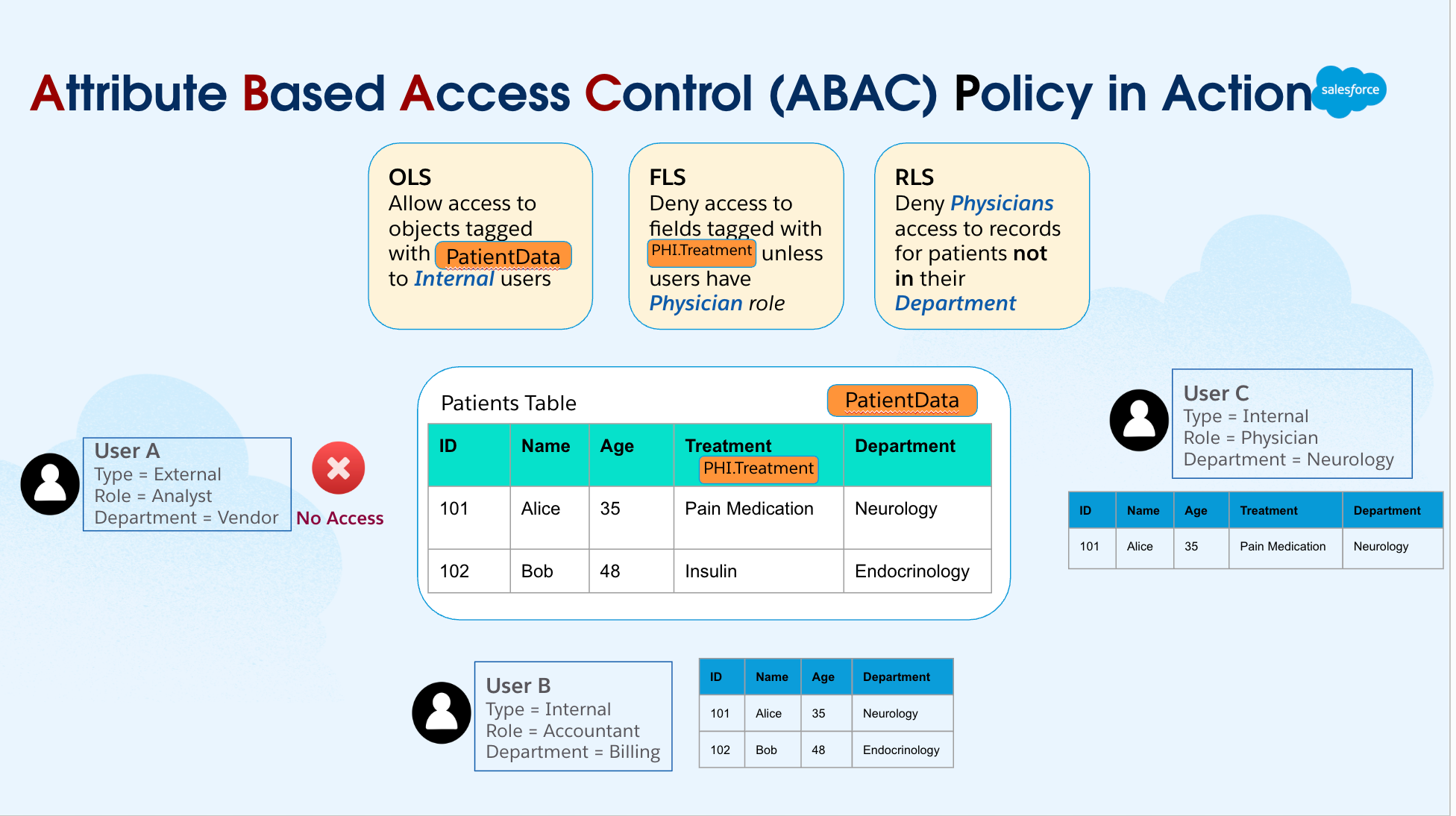 This architecture transforms access control from a static permission model into a dynamic, context-aware policy fabric. By combining RBAC’s structured simplicity with ABAC’s contextual depth, Salesforce Data 360 achieves:
* Consistent policy enforcement across ingestion, harmonization, and activation.
* Adaptive governance that evolves with data, roles, and compliance needs.
* Unified trust boundaries across the entire data lifecycle — from ingestion to AI activation.
#### Deep Integration with the Salesforce Platform
Salesforce Data 360’s governance model is natively embedded within the Salesforce Platform, enabling unified security, compliance, and access control across both operational and analytical data. By inheriting Salesforce’s core identity and access management capabilities—such as identity federation, permission sets, Centralised policy authoring and platform encryption—Data 360 applies consistent trust policies across clouds without introducing parallel governance stacks. Rather than treating isolation, authorization, and lineage as separate concerns, the platform integrates them into a single execution-aware trust fabric that spans the entire data lifecycle.
At a structural level, this governance fabric is formed by three complementary layers working in concert:
* **Data Spaces**, which establish clear logical boundaries for data isolation and regulatory segmentation
* **Attribute-Based Access Control (ABAC)**, which enables fine-grained, context-aware authorization decisions based on identity, purpose, and data attributes
* **Semantic lineage**, which preserves business meaning, sensitivity, and traceability as data moves from ingestion to insight and activation
Together, they create a governance model where access decisions are explainable, enforcement is automatic, and compliance is continuous rather than retrospective. The result is a platform where governance is no longer a limiting factor or an afterthought. Instead, it becomes an enabling layer—allowing architects to design data products and AI-driven workflows with confidence that trust, privacy, and regulatory requirements are being enforced by the system itself.
This compositional approach ensures that enterprise data remains not only usable, but responsibly actionable—supporting insight, activation, and automation at scale without compromising transparency, security, or control.
## Securing the Data Lifecycle: From Ingestion to Activation
In the age of AI-driven enterprises, securing data is not a one-time event but a continuous process that safeguards information from the moment it enters the ecosystem until it is activated for business or AI use.
Salesforce Data 360 embeds security and governance controls at every phase of the data lifecycle, ensuring that data integrity, confidentiality, and trust are preserved from ingestion to insight activation.
### Foundation of Protection: Encryption at Rest and in Transit
At the core of Salesforce Data 360’s protection model lies Platform Encryption for Data 360 — a transparent, high-performance encryption framework that secures data both at rest and in transit, without compromising usability or scalability.
#### Encryption at Rest: Storage Layer Security
Data persisted in the Data 360 Data Lake is **automatically encrypted at the storage tier**, ensuring that data remains unreadable even if physical or unauthorized access occurs. Key capabilities include:
* **Transparent Data Lake Encryption:** All data persisted in the Data Lake is encrypted at the storage tier using customer-managed keys (CMK). This ensures that even if unauthorized access to the physical storage occurs, the data remains unreadable and indecipherable.
* **Customer-Managed Keys (CMK):** Customers maintain full control over encryption keys — a crucial capability for regulated industries like financial services, healthcare, and government. CMK enables granular auditing, control, and proof of data sovereignty, directly aligning with regulatory mandates such as GDPR, HIPAA, and ISO 27001\.
* **External Key Management (EKM) :** With External Key Management, a feature of Platform Encryption for Data 360, customers will be able to encrypt data in Data 360 by using keys stored in the customers’ AWS KMS accounts. This gives customers more flexibility while keeping their data in Data 360 secure and protected.
* **Bring your own Key (BYOK):** Building on CMK and EKM, Data 360 now allows customers to upload their own key material directly within Salesforce to encrypt data at rest and search indexes. This enhancement provides an additional layer of protection for PII, sensitive, confidential, and proprietary data—without requiring customers to create or manage keys in AWS KMS.
* **Key Rotation and Lifecycle Management:** Key rotation is handled gracefully. New data is encrypted with the new key while older data remains encrypted with its original key, avoiding downtime or performance degradation. This rotation mechanism strengthens compliance without operational disruption.
#### Encryption in Transit: Network level Security
Every piece of data transmitted between Data 360 services, APIs, and connectors is protected using Transport Layer Security (TLS) 1.2 or higher, providing end-to-end encryption in motion.
This ensures that:
* Data can’t be intercepted or altered during transfer.
* Communications between Salesforce services, trusted connectors, and customer endpoints remain private and verifiable.
* Security extends consistently across ingestion pipelines, harmonization processes, activation workflows, and external API integrations.
By combining customer-managed encryption at rest with continuous encryption in transit, Salesforce Data 360 creates a defense-in-depth architecture that protects customer data from both external attacks and internal infrastructure threats.
### Secure System-to-System Integration (Data Integration) in Data 360
While encryption and access controls safeguard data within Salesforce Data 360, securing data movement across systems is equally critical. Modern enterprises operate in multi-cloud and hybrid environments, where sensitive data flows between Salesforce, analytics platforms, external APIs, and data lakes.
To address this, Salesforce has engineered a secure integration framework centered around named credentials (NCs) and external credentials (ECs) — delivering a policy-driven, zero trust–aligned foundation for secure connectivity.
#### Salesforce’s Secure Integration Framework
Salesforce has architectured a robust **[secure integration framework](https://developer.salesforce.com/docs/platform/named-credentials/guide/get-started.html)**, centered around named credentials (NCs) and external credentials (ECs). Together, they abstract away credential complexity, enforce least-privilege access, and enable consistent authentication management across all integrations — without exposing secrets in code or configuration.
This framework abstracts security complexities, enforces best practices, and establishes a **policy-driven control plane** for all external connections — aligning with Salesforce’s **Zero Trust** and **security-by-design** principles.
##### Named Credentials
Named credentials (NCs) are the cornerstone of Salesforce’s secure integration architecture. They provide a declarative, centralized mechanism to define external endpoints and their authentication parameters — eliminating the need to hard-code sensitive credentials such as usernames, passwords, or tokens in Apex code or configuration files. Instead, developers and administrators simply reference a named credential alias (for example, SnowflakeConnector\_NC), and Salesforce automatically handles the underlying authentication and connection management.
**Architectural and Security Advantages:**
* **Simplified Maintenance:** NCs consolidate external endpoint URLs and authentication parameters into a single managed record. Any updates — such as changing an endpoint or rotating credentials — require changes only to the NC record, avoiding redeployment of code or flows across environments.
* **Enhanced Security:** Credentials are securely stored in Salesforce’s encrypted secret store, preventing exposure in code repositories, configuration files, or logs. The authentication process itself is managed automatically at runtime, reducing human error and risk of leakage.
**Compliance Adherence:** The separation of credentials from business logic simplifies compliance with data protection regulations like **GDPR, HIPAA, and PCI DSS**. Auditors can easily verify that external data access adheres to enterprise security and governance policies.
* **Bypasses Remote Site Settings:** NCs eliminate the legacy requirement for remote site settings, streamlining configuration and deployment, particularly for large-scale or multi-environment enterprise implementations.
This architecture transforms access control from a static permission model into a dynamic, context-aware policy fabric. By combining RBAC’s structured simplicity with ABAC’s contextual depth, Salesforce Data 360 achieves:
* Consistent policy enforcement across ingestion, harmonization, and activation.
* Adaptive governance that evolves with data, roles, and compliance needs.
* Unified trust boundaries across the entire data lifecycle — from ingestion to AI activation.
#### Deep Integration with the Salesforce Platform
Salesforce Data 360’s governance model is natively embedded within the Salesforce Platform, enabling unified security, compliance, and access control across both operational and analytical data. By inheriting Salesforce’s core identity and access management capabilities—such as identity federation, permission sets, Centralised policy authoring and platform encryption—Data 360 applies consistent trust policies across clouds without introducing parallel governance stacks. Rather than treating isolation, authorization, and lineage as separate concerns, the platform integrates them into a single execution-aware trust fabric that spans the entire data lifecycle.
At a structural level, this governance fabric is formed by three complementary layers working in concert:
* **Data Spaces**, which establish clear logical boundaries for data isolation and regulatory segmentation
* **Attribute-Based Access Control (ABAC)**, which enables fine-grained, context-aware authorization decisions based on identity, purpose, and data attributes
* **Semantic lineage**, which preserves business meaning, sensitivity, and traceability as data moves from ingestion to insight and activation
Together, they create a governance model where access decisions are explainable, enforcement is automatic, and compliance is continuous rather than retrospective. The result is a platform where governance is no longer a limiting factor or an afterthought. Instead, it becomes an enabling layer—allowing architects to design data products and AI-driven workflows with confidence that trust, privacy, and regulatory requirements are being enforced by the system itself.
This compositional approach ensures that enterprise data remains not only usable, but responsibly actionable—supporting insight, activation, and automation at scale without compromising transparency, security, or control.
## Securing the Data Lifecycle: From Ingestion to Activation
In the age of AI-driven enterprises, securing data is not a one-time event but a continuous process that safeguards information from the moment it enters the ecosystem until it is activated for business or AI use.
Salesforce Data 360 embeds security and governance controls at every phase of the data lifecycle, ensuring that data integrity, confidentiality, and trust are preserved from ingestion to insight activation.
### Foundation of Protection: Encryption at Rest and in Transit
At the core of Salesforce Data 360’s protection model lies Platform Encryption for Data 360 — a transparent, high-performance encryption framework that secures data both at rest and in transit, without compromising usability or scalability.
#### Encryption at Rest: Storage Layer Security
Data persisted in the Data 360 Data Lake is **automatically encrypted at the storage tier**, ensuring that data remains unreadable even if physical or unauthorized access occurs. Key capabilities include:
* **Transparent Data Lake Encryption:** All data persisted in the Data Lake is encrypted at the storage tier using customer-managed keys (CMK). This ensures that even if unauthorized access to the physical storage occurs, the data remains unreadable and indecipherable.
* **Customer-Managed Keys (CMK):** Customers maintain full control over encryption keys — a crucial capability for regulated industries like financial services, healthcare, and government. CMK enables granular auditing, control, and proof of data sovereignty, directly aligning with regulatory mandates such as GDPR, HIPAA, and ISO 27001\.
* **External Key Management (EKM) :** With External Key Management, a feature of Platform Encryption for Data 360, customers will be able to encrypt data in Data 360 by using keys stored in the customers’ AWS KMS accounts. This gives customers more flexibility while keeping their data in Data 360 secure and protected.
* **Bring your own Key (BYOK):** Building on CMK and EKM, Data 360 now allows customers to upload their own key material directly within Salesforce to encrypt data at rest and search indexes. This enhancement provides an additional layer of protection for PII, sensitive, confidential, and proprietary data—without requiring customers to create or manage keys in AWS KMS.
* **Key Rotation and Lifecycle Management:** Key rotation is handled gracefully. New data is encrypted with the new key while older data remains encrypted with its original key, avoiding downtime or performance degradation. This rotation mechanism strengthens compliance without operational disruption.
#### Encryption in Transit: Network level Security
Every piece of data transmitted between Data 360 services, APIs, and connectors is protected using Transport Layer Security (TLS) 1.2 or higher, providing end-to-end encryption in motion.
This ensures that:
* Data can’t be intercepted or altered during transfer.
* Communications between Salesforce services, trusted connectors, and customer endpoints remain private and verifiable.
* Security extends consistently across ingestion pipelines, harmonization processes, activation workflows, and external API integrations.
By combining customer-managed encryption at rest with continuous encryption in transit, Salesforce Data 360 creates a defense-in-depth architecture that protects customer data from both external attacks and internal infrastructure threats.
### Secure System-to-System Integration (Data Integration) in Data 360
While encryption and access controls safeguard data within Salesforce Data 360, securing data movement across systems is equally critical. Modern enterprises operate in multi-cloud and hybrid environments, where sensitive data flows between Salesforce, analytics platforms, external APIs, and data lakes.
To address this, Salesforce has engineered a secure integration framework centered around named credentials (NCs) and external credentials (ECs) — delivering a policy-driven, zero trust–aligned foundation for secure connectivity.
#### Salesforce’s Secure Integration Framework
Salesforce has architectured a robust **[secure integration framework](https://developer.salesforce.com/docs/platform/named-credentials/guide/get-started.html)**, centered around named credentials (NCs) and external credentials (ECs). Together, they abstract away credential complexity, enforce least-privilege access, and enable consistent authentication management across all integrations — without exposing secrets in code or configuration.
This framework abstracts security complexities, enforces best practices, and establishes a **policy-driven control plane** for all external connections — aligning with Salesforce’s **Zero Trust** and **security-by-design** principles.
##### Named Credentials
Named credentials (NCs) are the cornerstone of Salesforce’s secure integration architecture. They provide a declarative, centralized mechanism to define external endpoints and their authentication parameters — eliminating the need to hard-code sensitive credentials such as usernames, passwords, or tokens in Apex code or configuration files. Instead, developers and administrators simply reference a named credential alias (for example, SnowflakeConnector\_NC), and Salesforce automatically handles the underlying authentication and connection management.
**Architectural and Security Advantages:**
* **Simplified Maintenance:** NCs consolidate external endpoint URLs and authentication parameters into a single managed record. Any updates — such as changing an endpoint or rotating credentials — require changes only to the NC record, avoiding redeployment of code or flows across environments.
* **Enhanced Security:** Credentials are securely stored in Salesforce’s encrypted secret store, preventing exposure in code repositories, configuration files, or logs. The authentication process itself is managed automatically at runtime, reducing human error and risk of leakage.
**Compliance Adherence:** The separation of credentials from business logic simplifies compliance with data protection regulations like **GDPR, HIPAA, and PCI DSS**. Auditors can easily verify that external data access adheres to enterprise security and governance policies.
* **Bypasses Remote Site Settings:** NCs eliminate the legacy requirement for remote site settings, streamlining configuration and deployment, particularly for large-scale or multi-environment enterprise implementations.
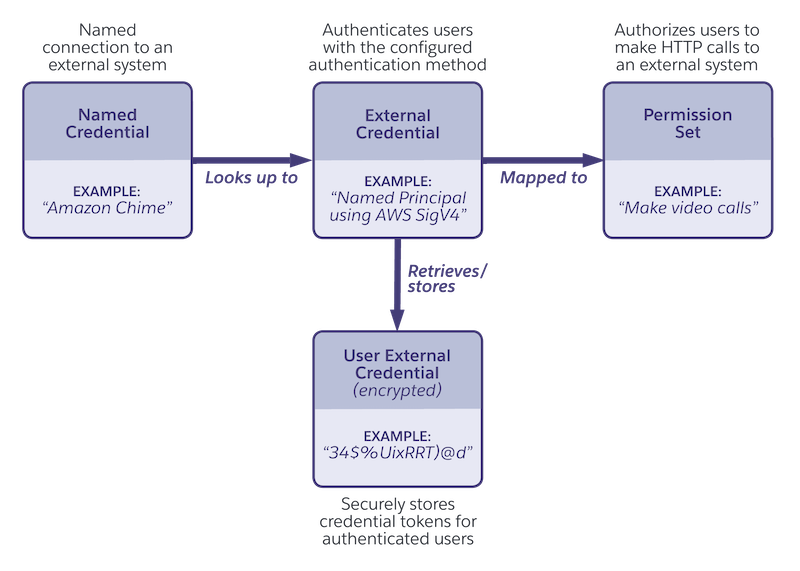 #### External Credentials
External credentials (ECs) define the authentication protocol and flow that Salesforce uses when connecting to an external service — effectively answering “how to authenticate.” A single EC can be reused across multiple NCs that share the same authentication type, promoting configuration reuse and consistent security enforcement.
**Supported Authentication Protocols:**
* OAuth 2.0 (all variants supported)
* JWT (JSON Web Token)
* Basic Authentication
* AWS Signature v4
* Custom Authentication
* No Authentication (for open APIs or public endpoints)
External Credentials and Named Credentials are designed around clear separation of duties. An External Credential defines how to authenticate — specifying the authentication protocol, token type, and refresh behavior for connecting to external systems. A Named Credential, on the other hand, defines where to connect — the endpoint URL and which External Credential to use for that connection. This design ensures that authentication logic and endpoint configuration remain decoupled, enabling Salesforce to support diverse integration protocols securely while maintaining centralized and consistent credential management across the enterprise.
### How Data 360 Connectors Leverage This Framework
While Data 360’s user interface abstracts much of the underlying configuration, the Named Credential and External Credential framework is frequently utilized under the hood by its native connectors and data streams.This means that, even when administrators are simply “adding a data connection” through a guided UI, Data 360 is still applying this standardized security model behind the scenes.
Architectural Implications:
* **Unified Security Model:** Every connector — whether to an external Database , AWS S3, or an enterprise API — benefits from the same encryption, authentication, and key management standards enforced by Named and External Credentials.
* **Developer Abstraction:** Developers and admins don’t need to manually handle authentication flows or credential rotation. Salesforce manages token lifecycle, expiry, and refresh automatically.
* **Consistent Policy Enforcement:** This framework ensures all connectors adhere to consistent authentication, audit, and logging policies — critical for large-scale, multi-source ingestion in regulated industries.
* **Future-Proof Extensibility:** As Salesforce enhances its authentication stack (e.g., to support new OAuth flows or FIDO2 standards), these improvements propagate automatically across all connectors without requiring refactoring or redeployment.
### Data 360 Connector Security and Governance
Salesforce Data 360 offers a large suite of out-of-the-box connectors that streamline data integration from various sources. This enables enterprises to consolidate and utilize their data efficiently. Salesforce provides multiple connector types including native Salesforce connectors, cloud storage connectors, database connectors, and application and API connectors. In addition to the connectors offered, zero ETL tools are also supported. Salesforce connectors enable seamless integration between Salesforce products, such as Sales Cloud, Service Cloud, and Marketing Cloud, with Data 360\. Additionally, a range of connectors to cloud storage providers, including Amazon S3, Google Cloud Storage, and Azure Data Lake are offered. The prebuilt connectors for databases such as Snowflake, Redshift, and BigQuery allow enterprises to link their existing data warehouses with Data 360\. Furthermore, Data 360 provides connectors for various third-party applications and APIs, such as Google ads, Facebook ads, and other marketing platforms. To enhance flexibility, Data 360 integrates with ETL tools such as MuleSoft and Informatica.
#### External Credentials
External credentials (ECs) define the authentication protocol and flow that Salesforce uses when connecting to an external service — effectively answering “how to authenticate.” A single EC can be reused across multiple NCs that share the same authentication type, promoting configuration reuse and consistent security enforcement.
**Supported Authentication Protocols:**
* OAuth 2.0 (all variants supported)
* JWT (JSON Web Token)
* Basic Authentication
* AWS Signature v4
* Custom Authentication
* No Authentication (for open APIs or public endpoints)
External Credentials and Named Credentials are designed around clear separation of duties. An External Credential defines how to authenticate — specifying the authentication protocol, token type, and refresh behavior for connecting to external systems. A Named Credential, on the other hand, defines where to connect — the endpoint URL and which External Credential to use for that connection. This design ensures that authentication logic and endpoint configuration remain decoupled, enabling Salesforce to support diverse integration protocols securely while maintaining centralized and consistent credential management across the enterprise.
### How Data 360 Connectors Leverage This Framework
While Data 360’s user interface abstracts much of the underlying configuration, the Named Credential and External Credential framework is frequently utilized under the hood by its native connectors and data streams.This means that, even when administrators are simply “adding a data connection” through a guided UI, Data 360 is still applying this standardized security model behind the scenes.
Architectural Implications:
* **Unified Security Model:** Every connector — whether to an external Database , AWS S3, or an enterprise API — benefits from the same encryption, authentication, and key management standards enforced by Named and External Credentials.
* **Developer Abstraction:** Developers and admins don’t need to manually handle authentication flows or credential rotation. Salesforce manages token lifecycle, expiry, and refresh automatically.
* **Consistent Policy Enforcement:** This framework ensures all connectors adhere to consistent authentication, audit, and logging policies — critical for large-scale, multi-source ingestion in regulated industries.
* **Future-Proof Extensibility:** As Salesforce enhances its authentication stack (e.g., to support new OAuth flows or FIDO2 standards), these improvements propagate automatically across all connectors without requiring refactoring or redeployment.
### Data 360 Connector Security and Governance
Salesforce Data 360 offers a large suite of out-of-the-box connectors that streamline data integration from various sources. This enables enterprises to consolidate and utilize their data efficiently. Salesforce provides multiple connector types including native Salesforce connectors, cloud storage connectors, database connectors, and application and API connectors. In addition to the connectors offered, zero ETL tools are also supported. Salesforce connectors enable seamless integration between Salesforce products, such as Sales Cloud, Service Cloud, and Marketing Cloud, with Data 360\. Additionally, a range of connectors to cloud storage providers, including Amazon S3, Google Cloud Storage, and Azure Data Lake are offered. The prebuilt connectors for databases such as Snowflake, Redshift, and BigQuery allow enterprises to link their existing data warehouses with Data 360\. Furthermore, Data 360 provides connectors for various third-party applications and APIs, such as Google ads, Facebook ads, and other marketing platforms. To enhance flexibility, Data 360 integrates with ETL tools such as MuleSoft and Informatica.
 #### Data Security and Salesforce Data 360 Connectors
The security of data stored within the Salesforce Data 360 has been at the forefront of many Data 360 related conversations. As part of Salesforce’s commitment to a defense-in-depth security approach, equal importance is placed on securing how data is ingested into the Data 360 environment.
Salesforce recognizes that businesses operate in diverse data ecosystems, often spanning multiple cloud platforms, storage solutions, and analytics tools. Our Data 360 Connectors serve as the bridge between these environments. The connector enables secure, scalable, and efficient data integration while maintaining Salesforce’s high security standards. These connectors facilitate seamless data flow without compromising integrity, or privacy.
The three essential components of Data 360 connector security are:
* **Authentication/Authorization Mapping**: Secure access management is foundational to data security. Different cloud connectors employ varying authentication and authorization mechanisms to validate and control user access. Authentication ensures that users or systems are legitimate entities, while authorization defines the level of access granted. Salesforce ensures that, wherever possible, its connectors are leverage industry standards.
* **Zero Copy (ZETL) Feature Interoperability**: Data duplication presents security and operational challenges. This also comes with unnecessary storage costs, data inconsistencies, and increased risk exposure. Salesforce’s Zero Extract, Transform, and Load (ZETL) approach ensures that real-time data sharing across platforms can occur without requiring physical data replication. This means that data can remain within its original environment while still being accessible for processing, reporting, and analytics. Furthermore, this also significantly reduces the attack surface and enhances potential compliance with data residency laws.
* **Data Federation Support**: In today's multi-cloud environments, organizations need comprehensive data access without unnecessary data movement. The Data 360 connector federated data model supports both file-based and query-based data federation, enabling enterprises to leverage external data sources in real time. Whether accessing structured databases, semi-structured logs, or unstructured files, Salesforce’s connectors ensure that data remains secure throughout its lifecycle.
Salesforce aims to provide its customers with the transparency needed to help navigate the complexities of data security and compliance, even with our integrations. Whether integrating with AWS S3, Google Cloud Storage, Snowflake, or other platforms, our Data 360 Connectors are designed to ensure trust, transparency, and control over critical business data.
##### Salesforce Data 360 Connector Security & Authentication Mapping
#### Data Security and Salesforce Data 360 Connectors
The security of data stored within the Salesforce Data 360 has been at the forefront of many Data 360 related conversations. As part of Salesforce’s commitment to a defense-in-depth security approach, equal importance is placed on securing how data is ingested into the Data 360 environment.
Salesforce recognizes that businesses operate in diverse data ecosystems, often spanning multiple cloud platforms, storage solutions, and analytics tools. Our Data 360 Connectors serve as the bridge between these environments. The connector enables secure, scalable, and efficient data integration while maintaining Salesforce’s high security standards. These connectors facilitate seamless data flow without compromising integrity, or privacy.
The three essential components of Data 360 connector security are:
* **Authentication/Authorization Mapping**: Secure access management is foundational to data security. Different cloud connectors employ varying authentication and authorization mechanisms to validate and control user access. Authentication ensures that users or systems are legitimate entities, while authorization defines the level of access granted. Salesforce ensures that, wherever possible, its connectors are leverage industry standards.
* **Zero Copy (ZETL) Feature Interoperability**: Data duplication presents security and operational challenges. This also comes with unnecessary storage costs, data inconsistencies, and increased risk exposure. Salesforce’s Zero Extract, Transform, and Load (ZETL) approach ensures that real-time data sharing across platforms can occur without requiring physical data replication. This means that data can remain within its original environment while still being accessible for processing, reporting, and analytics. Furthermore, this also significantly reduces the attack surface and enhances potential compliance with data residency laws.
* **Data Federation Support**: In today's multi-cloud environments, organizations need comprehensive data access without unnecessary data movement. The Data 360 connector federated data model supports both file-based and query-based data federation, enabling enterprises to leverage external data sources in real time. Whether accessing structured databases, semi-structured logs, or unstructured files, Salesforce’s connectors ensure that data remains secure throughout its lifecycle.
Salesforce aims to provide its customers with the transparency needed to help navigate the complexities of data security and compliance, even with our integrations. Whether integrating with AWS S3, Google Cloud Storage, Snowflake, or other platforms, our Data 360 Connectors are designed to ensure trust, transparency, and control over critical business data.
##### Salesforce Data 360 Connector Security & Authentication Mapping
| Connector Type | Connection Type Support | Primary Authentication Types | Key Security Aspects & Notes |
|---|---|---|---|
| Salesforce CRM | N/A (Internal) | Session-based (Internal) | Uses Salesforce's robust internal identity & access management (IAM) model. All data is encrypted in transit and at rest within the Salesforce infrastructure. |
| Marketing Cloud Engagement | Public Internet Only | OAuth 2.0, Username/Password | Standard OAuth 2.0 protocols are used for secure authentication. Data is encrypted in transit (TLS) over public internet. |
| B2C Commerce | Public Internet Only | OAuth 2.0 | Standard OAuth 2.0. Relies on secure public internet protocols (TLS) for data transfer. |
| Web & Mobile App | Public Internet Only | API Keys, OAuth 2.0 | Data ingested via APIs (Ingestion API, Streaming API). Security managed through API key management and standard web protocols. |
| Amazon S3 | Private Connect & Public | IAM Roles, External Credentials | Supports AWS PrivateLink for secure, private connection. Public connection uses secure credentials. Data is encrypted in transit and at rest (customer-managed keys in S3 optional). |
| Snowflake | Private Connect & Public | OAuth 2.0, Private Key Auth, Username/Password | Supports VPC private connection (AWS PrivateLink). Public connection available with secure authentication methods. Data can be encrypted with customer keys within Snowflake. |
| Amazon Redshift | Private Connect & Public | Username/Password, IAM Authentication | Supports private connection (AWS PrivateLink). Public connection uses standard security best practices. |
| Microsoft Azure (Storage/SQL) | Public Internet Only | SAS Tokens, OAuth 2.0, Username/Password | Connections rely on secure SAS Tokens or OAuth for authentication. Data traverses the public internet via encrypted channels (TLS). |
| Google Cloud Storage (GCS) | Public Internet Only | OAuth 2.0, Service Accounts | Connections rely on secure OAuth 2.0. Data traverses the public internet via encrypted channels (TLS). |
| MuleSoft (API) | Public Internet Only | OAuth 2.0, API Key | Connects via APIs. Security is managed through standard API authentication and robust governance policies implemented via MuleSoft Anypoint Platform. |
| Stage | Mechanism | Security / Governance Controls |
|---|---|---|
| Activation Configuration | Defined in Data 360 activation setup | Secured through Named Credentials & External Credentials |
| Data Preparation | Filtered and joined from DMOs | Consent & privacy metadata applied |
| Outbound Transfer | Encrypted via TLS / Private Connect | Policy enforcement and credential abstraction |
| External Delivery | SFTP / Cloud Storage / API | Access controlled and auditable delivery |
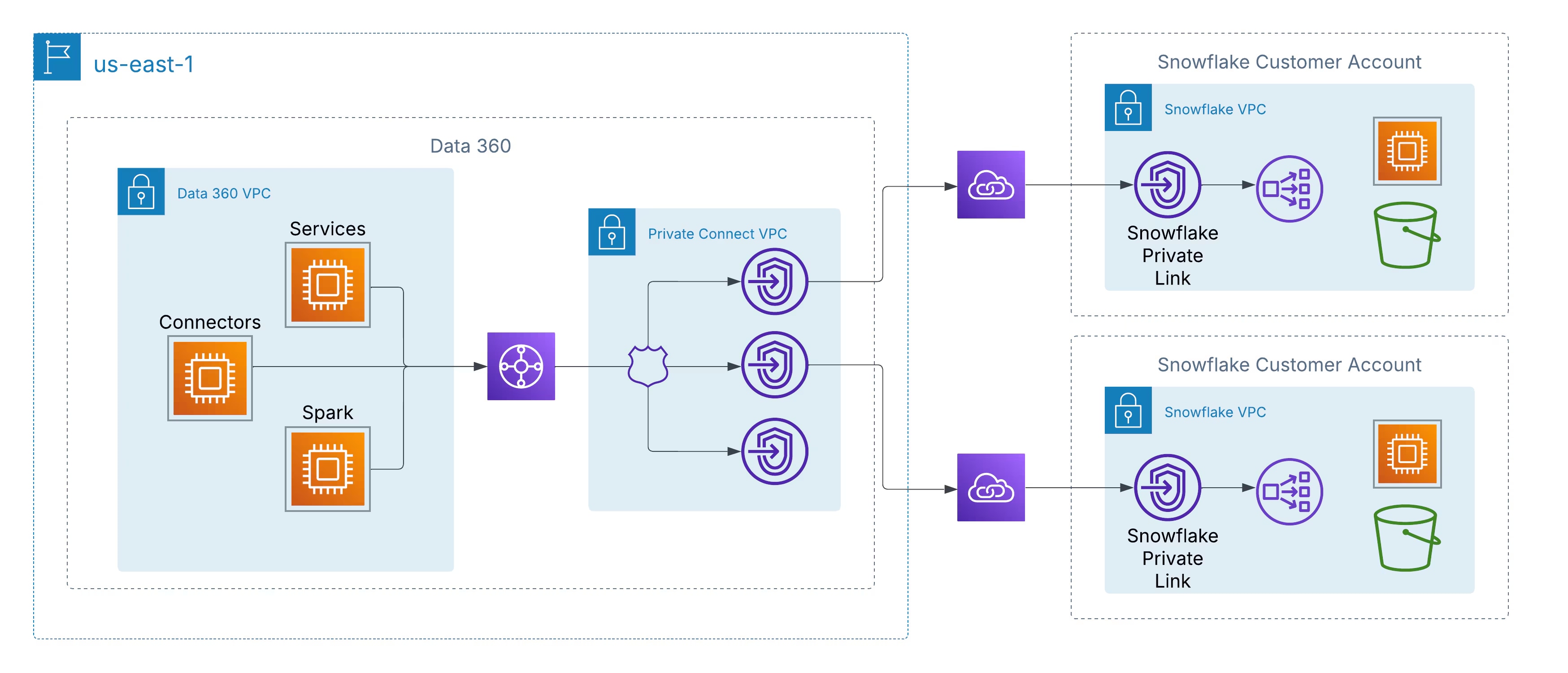 All communication stays within the AWS backbone, using private IP addressing and non-routable network paths, thereby eliminating the risk of data-in-transit interception and meeting stringent enterprise and regulatory security requirements.
This architecture ensures:
* **Zero Internet Exposure:** Data never leaves the AWS private network.
* **Private IP Communication:** Traffic remains isolated and unaddressable externally.
* **Compliance Alignment:** Satisfies security standards like ISO 27001, SOC 2, and FedRAMP.
#### Private Interconnect: Extending Security Across Clouds
To support customers operating in multi-cloud environments, Salesforce is extending the same security principles beyond AWS through Private Interconnect. This capability enables cross-cloud private connectivity between Data 360 and data lakes hosted in Azure or Google Cloud, maintaining the same guarantees of private routing, zero internet traversal, and encrypted backbone-only traffic.
Two architectural deployment models are available:
* **Customer-Managed Interconnect:** Customers integrate their existing private network circuits, such as Azure ExpressRoute, Google Cloud Interconnect, or Equinix Fabric, directly with Data 360 VPCs.
* **Salesforce-Managed Interconnect:** Salesforce provisions and manages the cross-cloud link, exposing private service endpoints in the customer’s target cloud environment for a turnkey setup.
### Securing the Gates: API Security Capabilities in Salesforce Data 360
Salesforce Data 360, a powerful platform for unifying enterprise data, is built with robust, multi-layered security controls. For customers, managing API security is a critical part of a comprehensive data protection strategy, enabling them to control access, manage integrations, and monitor usage effectively.
Here are the key capabilities and features available for customers to set up, control, and manage API security within Salesforce Data 360.
#### Key API Security Features and Capabilities
Customers can leverage several built-in Salesforce features to ensure secure API access to their Data 360 instances:
##### 1. Robust Authentication and Authorization (OAuth 2.0)
Salesforce mandates strict authentication for its Data 360 APIs, with OAuth 2.0 being the standard and recommended protocol.
* **Connected Apps**: Customers create and configure Connected Apps to manage external application access. This is the primary mechanism for authenticating and granting access to the Data 360 Ingestion and Query APIs.
* **OAuth Scopes**: Admins can define specific OAuth scopes (for example, cdp\_ingest\_api, api) to request the minimum required permissions, adhering to the principle of least privilege.
* **Multi-Factor Authentication (MFA)**: Salesforce Authenticator and other MFA solutions can be enforced, adding a vital layer of security and ensuring only verified users can access the system, including via API logins.
##### 2. Granular Access Control and Permissions
Customers have fine-grained control over which users and applications can access data and what actions they can perform.
* **API Access Control (Feature)**: Once enabled by Salesforce Support, this feature allows administrators to explicitly approve which Connected Apps can be used to access the APIs. All unapproved apps are automatically blocked, significantly reducing the risk of unauthorized data extraction.
* **Permission Sets and Profiles**: Admins manage API access by assigning the "API Enabled" permission via user profiles or dedicated permission sets. This ensures that users only have access relevant to their job functions.
* **Role-Based Access Control (RBAC)**: Within Data 360, customers can create and manage role-based access control policies to define data access levels (object, field, and record level security), ensuring consistency and control across the platform.
* **Dedicated Integration Users**: Best practices recommend creating specific "API Only" users for integrations, limiting their permissions to only what is necessary for the API call, rather than using a system administrator account.
##### 3. Network Security Controls
* **IP Whitelisting/Login IP Ranges**: Customers can restrict API access to a defined range of trusted IP addresses. Any login attempt from an unapproved IP range can be denied or challenged for verification.
* **Private Connect**: Built on AWS PrivateLink, this feature allows admins to manage sensitive data without exposing endpoints to the public internet, eliminating the risk of attacks on publicly visible endpoints.
* **Encryption in Transit and at Rest**: All data is encrypted in transit (using TLS) and at rest, protecting sensitive information from unauthorized access even if intercepted.
##### 4. Monitoring, Auditing, and Governance
Visibility is key to security. Salesforce provides extensive tools for monitoring and auditing API activity.
* **Event Monitoring**: Provides near real-time tracking of various events, including API calls and login attempts. Customers can use this data for auditing and to create transaction security policies.
* **Security Center**: This feature offers a single, consolidated view of the security health, compliance, and governance metrics across all Salesforce orgs, simplifying monitoring and management.
* **Field Audit Trail**: Helps customers track login and field history, monitor setup changes, and address auditing and data retention compliance obligations.
* **Data Governance Features**: Includes data tagging and classification, policy enforcement, and dynamic data masking to ensure consistent governance policies are applied across all data touchpoints, including those accessed via APIs.
#### Setting Up & Managing API Security: A Customer Journey
1. Enable Core Controls: Start by enabling organization-wide defaults like MFA and IP restrictions.
2. Request API Access Control: Log a case with Salesforce Support to enable the "API Access Control" feature in your org.
3. Configure Connected Apps: Create specific Connected Apps for each integration, defining the required OAuth scopes and assigning them to authorized profiles/permission sets.
4. Implement Least Privilege: Ensure all integration users have "API Only" permissions and minimal data access.
5. Monitor and Audit: Regularly use Event Monitoring and Security Center to review API usage, detect anomalies, and perform vulnerability assessments.
6. Enforce Best Practices: Always enforce TLS, securely store refresh tokens, rotate session IDs, and validate data inputs.
By leveraging these robust, customer-configurable features, businesses can maintain a secure and compliant environment for all API interactions within Salesforce Data 360.
### Compliance, Auditing, and Continuous Monitoring
#### Service Availability and Data Residency
Salesforce Data 360 is designed to meet global data residency and sovereignty requirements through its geographically distributed deployment model. The service is currently available across multiple regulated regions, including the United States, Canada, Brazil, Germany, India, Australia, and Japan.
Data residency is determined by mapping each customer’s Core Org instance to the nearest corresponding Data 360 regional instance. For example, Core Orgs located in the United States or Canada are paired with a Data 360 instance within the U.S. region, while core orgs within the European Union are mapped to an instance hosted in Germany. Similarly, Core Orgs in India, Australia, New Zealand, or Singapore are associated with a Data 360 instance hosted in India.
Salesforce’s Hyperforce infrastructure underpins this model, providing the foundation for geographic data control, security isolation, and regulatory compliance. Hyperforce ensures that customer data, including metadata, backups, and derived datasets, remains within defined regional boundaries. This architecture allows enterprises to meet local data residency and compliance mandates such as GDPR, FFIEC, HIPAA, and regional privacy laws across APAC and EMEA.
Salesforce continues to expand the availability of Data 360 to additional Hyperforce regions to align with evolving global privacy standards, regional compliance requirements, and customer expectations for sovereign data control.
#### Regulatory Compliance Enablement
Salesforce Data 360 is engineered to help enterprises meet stringent global privacy and regulatory requirements such as GDPR and CCPA. The platform provides native capabilities to manage Data Subject Rights (DSRs), including data access, export, and deletion (“Right to be Forgotten”), ensuring compliant handling of personal data throughout its lifecycle.
While the customer retains ultimate responsibility for compliance, Salesforce operates as a certified “service provider” under regulations like the CCPA, delivering the platform-level controls, security assurances, and contractual mechanisms that enable organizations to implement their compliance frameworks efficiently and at scale.
#### Foundational Trust: Certifications and Attestations
Trust is the cornerstone of Salesforce’s platform — and that trust is earned through independent validation. Salesforce maintains a broad portfolio of global security certifications and attestations that demonstrate its ongoing commitment to protecting customer data and upholding the highest standards of cloud security.
These certifications are not just checkboxes — they represent rigorous, recurring audits that verify the strength and consistency of Salesforce’s security controls, processes, and infrastructure. Together, they form the backbone of Salesforce’s foundational trust model.
**Key Certifications and Attestations Include:**
* **ISO/IEC 27001:** Validates Salesforce’s comprehensive information security management system.
* **ISO/IEC 27017:** Establishes best practices for cloud-specific security controls.
* **ISO/IEC 27018:** Focuses on safeguarding personally identifiable information (PII) in the cloud.
* **SOC 1, SOC 2, and SOC 3:** Independent reports confirming the design and operational effectiveness of Salesforce’s security and privacy controls.
* **PCI DSS:** Ensures the secure processing and storage of payment card information.
* **FedRAMP High & DoD Impact Level 4:** Certifies Salesforce Government Cloud for use by U.S. federal agencies managing sensitive workloads.
By maintaining this comprehensive set of certifications, Salesforce gives customers confidence that their data is managed within a platform that meets — and often exceeds — global compliance and security expectations.
### Maximizing Visibility: Logging, Monitoring, and Observability in Salesforce Data 360
In today's fast-paced digital landscape, having a 360-degree view of your customer data is crucial, but equally important is having a 360-degree view of the platform managing that data. Salesforce Data 360 provides robust, built-in logging, monitoring, and observability features that empower customers to ensure data quality, security, and performance.
These tools help you move from reactive problem-solving to proactive management, ensuring your Data 360 implementation runs smoothly and efficiently.
#### Proactive Threat Detection and Response
Security doesn’t end with prevention — it evolves with vigilance. In a constantly shifting threat landscape, Salesforce combines advanced platform monitoring capabilities with customer-managed review processes to ensure proactive, continuous protection.
Salesforce provides powerful native tools for visibility and threat detection:
* **Setup Audit Trail** captures a full history of administrative changes, helping teams trace configuration or policy updates.
* **Event Monitoring** delivers deep insight into user behavior, API activity, and data access patterns. This telemetry can be seamlessly integrated with a **Security Information and Event Management (SIEM)** solution for centralized analysis and correlation.
#### 1. Event Monitoring: The Pulse of Your Org
Event Monitoring, part of the Salesforce Shield offering, is the central hub for tracking detailed user activity and system performance data in your Salesforce org, including Data 360-specific actions. It captures a wide array of "events" into log files and objects for your analysis.
* **Event Log Files (ELFs):** These provide granular details of user activity and system events, available for download after a short delay (hourly or daily). You can access up to 30 days of data via API or the Event Log File browser, with the option to export for longer-term storage.
* **Real-Time Event Monitoring:** For immediate insights, real-time events are streamed as platform events, allowing you to monitor and detect activity in near real-time. This is vital for security and performance, enabling you to take immediate action if needed.
* **Data 360 Specific Events:** Event Monitoring includes event types specific to Data 360 usage, such as Lightning Page View, Lightning Interaction, and Report Event related to Data 360 pages and data.
* **Integration with External Tools:** Salesforce facilitates seamless integration with popular third-party monitoring solutions like Splunk, Datadog, New Relic, and Sumo Logic. You can stream or export Event Monitoring data to these platforms for consolidated observability across your entire tech stack.
#### 2. Performance Monitoring & Optimization
Understanding the performance of your Data 360 implementation is key to a great user experience.
* **Lightning Usage App:** This built-in app provides an aggregated view of performance metrics, such as page load times (Experienced Page Time or EPT) and browser performance, for Data 360 pages in Lightning Experience.
* **Custom Reports and Dashboards:** You can build custom reports and dashboards using Data 360 objects and Event Monitoring data, including using a free CRM Analytics templated app called Event Monitoring Plus. These visualizations help you spot trends and identify performance bottlenecks quickly.
But technology alone isn’t enough. True resilience requires a disciplined partnership between automated detection and human review. Automated alerts can surface real-time anomalies, but subtle or long-term threats, such as slow, unauthorized data exfiltration by a valid user, are often best identified through periodic audits and trend analysis.
Salesforce provides the telemetry, audit logs, and integration hooks; customers bring the process rigor, operational cadence, and context-specific intelligence. Together, they form a **defense-in-depth model** — blending automation, analytics, and human oversight to detect, investigate, and respond to threats before they become incidents.
### Driving Informed Decisions: Reports, Dashboards, Metrics, and Notifications in Salesforce Data 360
Salesforce Data 360 isn't just about unifying your customer data; it's about making that data intelligent and actionable. A core part of this value proposition is providing robust reporting, powerful dashboards, insightful metrics, and real-time notification features. These tools enable customers to monitor data health, track performance, and automate actions based on unified data, all within the familiar Salesforce environment.
#### Reports and Dashboards: Your Data Visualization Hub
Salesforce's native reporting and dashboard capabilities extend seamlessly into Data 360, allowing you to visualize and analyze your unified data without leaving the platform.
#### Building Reports on Unified Data
You can create standard and custom reports on data stored in Data 360, including unified data from various sources and calculated insights.
* **Standard & Custom Report Types:** Data 360 introduces new report types specifically for Data 360 objects, such as Data Streams, Segments, Activations, Identity Resolution, and Calculated Insights. This allows you to query your unified data with standard Salesforce report builders.
* **Granular Analysis:** Reports support up to 10 row groupings, allowing for finer segmentation and detailed analysis of customer attributes and trends.
* **Formulas and Summaries:** You can leverage row-level and summary formulas to evaluate each record or group of records, helping you track detailed metrics and high-level aggregate summaries within a single report.
#### Dynamic Dashboards for Holistic Views
Dashboards provide a visual display of key metrics and trends across your Data 360 implementation.
* **Unified View:** Combine data from multiple Data 360 reports, or even mix Data 360 reports with standard CRM reports, in a single dashboard for a holistic view of your operations and customer insights.
* **Customizable Widgets:** Use various chart types (bar, line, pie, gauge, etc.) and tables to display report data effectively.
* **Real-time Insights:** Dashboards can be refreshed to provide up-to-date information, aiding in fast, data-driven decision-making.
#### Metrics & KPIs: Measuring Success
Data 360 enables you to define and track key performance indicators (KPIs) that are relevant to your business goals. These can be generated through:
* **Calculated Insights:** Create powerful metrics using data processed in high-volume batches. For instance, calculate metrics like "Average Customer Lifetime Value" or "Total Active Contract Revenue" and use these as dimensions or measures in your reports and dashboards.
* **Streaming Insights:** Process data from streaming sources in near real-time to build time-series aggregations, such as website or mobile engagement data. These metrics can drive immediate orchestrations and data actions.
#### Notifications and Alerts: Staying Informed and Proactive
Salesforce offers powerful automation and notification features to ensure you're aware of critical events or data changes within Data 360\.
* **Flow-Based Notifications:** You can set up Process Flows to trigger actions and send notifications based on events in Data 360 objects like Data Streams, Segments, and Activations.
* **Custom Alerts:** Create custom notifications that trigger an email or appear in the Salesforce Notification Bell when specific conditions are met. For example, you can receive an alert if a data stream fails, an identity resolution rule encounters an error, or a key metric crosses a certain threshold.
* **Event Notification Service (ENS):** For developers, the API-first Event Notification Service allows external systems to receive notifications when certain events occur, enabling seamless integration and real-time reactions across your tech stack.
* **Data Actions:** Based on streaming insights, you can trigger data actions, which can be configured to send alerts, invoke platform events, or integrate with other SaaS applications via webhooks.
By leveraging these comprehensive capabilities, Salesforce Data 360 customers can effectively monitor their data ecosystem, visualize key metrics, and receive timely alerts to drive proactive engagement and operational excellence.
### Strategic Recommendations for Enterprise Adoption
Adopting Salesforce Data 360 at enterprise scale requires more than technical enablement — it demands a deliberate, security-first architecture. The following strategic recommendations provide CTOs and enterprise architects with a roadmap to build trust, resilience, and compliance into every layer of their Data 360 deployment.
* **Implement a “Secure-by-Design” Approach :** Security should not be retrofitted — it should be foundational. Start with Salesforce’s default *“Deny All”* policy and explicitly grant access as needed. Define governance, policies, and access frameworks before ingesting or activating data. Building security from day one eliminates the risk of hidden exposures and simplifies long-term compliance.
* **Enforce a Robust Identity and Access Management (IAM) Strategy :** Centralize identity through federated SSO and enforce Multi-Factor Authentication (MFA) to mitigate credential compromise. Restrict access by Login IP Ranges and use Salesforce’s Identity Provider (IdP) capabilities to establish end-to-end accountability across users and integrations. A unified IAM layer reduces operational complexity and hardens your authentication surface.
* **Apply the Principle of Least Privilege :** Design roles for precision, not convenience. Use Salesforce’s standard permission sets as the foundation for separation of duties, ensuring users only access what’s necessary. Avoid over-customization of permissions — each deviation increases maintenance overhead and the risk of unintended access.
* **Establish a Multi-Layered Data Governance Framework:** Segregate data by business unit or brand using Data Spaces, and enforce Attribute-Based Access Control (ABAC) with Object-, Field-, and Record-Level Security (OLS, FLS, RLS). Use Dynamic Data Masking to protect sensitive information in real-time without hindering analytics or usability. This layered model ensures governance remains consistent as data scales across domains.
* **Strategically Leverage Encryption and Secure Integrations :** For sensitive workloads, deploy Platform Encryption with Customer-Managed Keys (CMK) to maintain sovereignty over your encryption lifecycle. Use Named Credentials and Private Connect to secure all system-to-system integrations — eliminating hard-coded secrets and ensuring all traffic remains private, compliant, and auditable.
* **Build a Continuous Security Operations Program :** Security does not end with configuration — it thrives on operational discipline. Complement automated monitoring with regular audit reviews of event logs and access trails. Establish a dedicated Security Operations (SecOps) function to identify anomalies, investigate threats, and validate compliance. The goal: detect early, respond fast, and continuously improve posture.
### Path Forward: Building a Resilient, Trusted Data 360
The journey to a secure and intelligent enterprise does not end with deployment — it evolves through discipline, design, and trust. Salesforce Data 360 provides the architectural foundation, but the true value emerges when organizations operationalize security, governance, and intelligence as one unified motion.
Enterprises should approach Data 360 not as another data platform, but as a secure, composable trust layer that connects data, AI, and customer engagement under a single governance framework. By adopting a *secure-by-design* philosophy, enforcing least privilege at every layer, and extending private connectivity to all data flows, organizations transform compliance from a checkbox into a competitive advantage.
The next step is continuous modernization — embedding audit automation, policy enforcement, and encryption lifecycle management into day-to-day operations. As enterprises evolve toward agentic, AI-driven architectures, the same principles that protect data today will form the backbone of AI governance tomorrow — ensuring that every model, agent, and decision is explainable, policy-aware, and compliant by design.
Ultimately, trust becomes the new currency of digital transformation. With Salesforce Data 360, enterprises can confidently scale their data ecosystem — knowing that every byte, every connection, and every insight is secured, governed, and activated with integrity.
## About the Authors
**Krishna Chalamasandra** is a seasoned cybersecurity expert with 25+ years of experience in Information Security technology and compliance. At Salesforce, he serves as a trusted advisor to customers and a key leader in the Security and Compliance Customer Trust function within the CISO organization. Previously, Krishna spent 10 years at Cisco, leading security architecture across IAM, network security, and PKI, and driving key certifications including ISO 27001, SOC 1–3, PCI, FedRAMP, and FIPS 140-2. He also spent over 8 years at Novell implementing infrastructure-level controls and supporting complex security reviews for global, regulated customers.
**Yugandhar Bora** is a Software Engineering Architect at Salesforce, specializing in data architecture within the Data & Intelligence Applications platform. He leads enterprise architecture review board (EARB) initiatives focused on data governance and unified data models, while contributing to automated platform provisioning solutions.
## Overview
Most enterprise integration pipelines between Salesforce and external analytics platforms rely on custom code. They work until something breaks. Schema drift, API exhaustion, and hard-delete gaps require constant engineering intervention. As companies push toward agile, citizen-developer-enabled architectures, this model becomes a bottleneck\: analytics teams wait on engineering sprints to add a Salesforce field to a downstream schema, failed nightly loads delay Monday morning reporting, and simple configuration changes require code reviews and deployments.
CRM Analytics, the Salesforce native analytics and business intelligence platform, solves this problem by enabling companies to explore data, build interactive dashboards, and uncover AI-driven insights without leaving the Salesforce ecosystem. Central to this capability is a declarative, low-code data synchronization feature built natively into the platform\: CRM Analytics SyncOut and CRM Analytics SyncIn.
CRM Analytics SyncOut moves Salesforce records into external data stores on a configured schedule, using Change Data Capture (CDC) for incremental loads and built-in hard-delete tracking to flag permanently removed records. CRM Analytics SyncIn brings external data back into Salesforce, mapping columns to object fields and upserting records using Bulk API 2.0. Both are configured entirely through Salesforce Setup. No pipelines, no staging scripts, no custom monitoring. Administrators configure a sync job in a single Setup session; the platform handles execution, retry, error logging, and schema mapping automatically.
This guide explains the pattern, when to use it, how to implement it with Snowflake as a worked example, and the architectural considerations that determine whether it fits a given integration problem.
## Products in Scope
All communication stays within the AWS backbone, using private IP addressing and non-routable network paths, thereby eliminating the risk of data-in-transit interception and meeting stringent enterprise and regulatory security requirements.
This architecture ensures:
* **Zero Internet Exposure:** Data never leaves the AWS private network.
* **Private IP Communication:** Traffic remains isolated and unaddressable externally.
* **Compliance Alignment:** Satisfies security standards like ISO 27001, SOC 2, and FedRAMP.
#### Private Interconnect: Extending Security Across Clouds
To support customers operating in multi-cloud environments, Salesforce is extending the same security principles beyond AWS through Private Interconnect. This capability enables cross-cloud private connectivity between Data 360 and data lakes hosted in Azure or Google Cloud, maintaining the same guarantees of private routing, zero internet traversal, and encrypted backbone-only traffic.
Two architectural deployment models are available:
* **Customer-Managed Interconnect:** Customers integrate their existing private network circuits, such as Azure ExpressRoute, Google Cloud Interconnect, or Equinix Fabric, directly with Data 360 VPCs.
* **Salesforce-Managed Interconnect:** Salesforce provisions and manages the cross-cloud link, exposing private service endpoints in the customer’s target cloud environment for a turnkey setup.
### Securing the Gates: API Security Capabilities in Salesforce Data 360
Salesforce Data 360, a powerful platform for unifying enterprise data, is built with robust, multi-layered security controls. For customers, managing API security is a critical part of a comprehensive data protection strategy, enabling them to control access, manage integrations, and monitor usage effectively.
Here are the key capabilities and features available for customers to set up, control, and manage API security within Salesforce Data 360.
#### Key API Security Features and Capabilities
Customers can leverage several built-in Salesforce features to ensure secure API access to their Data 360 instances:
##### 1. Robust Authentication and Authorization (OAuth 2.0)
Salesforce mandates strict authentication for its Data 360 APIs, with OAuth 2.0 being the standard and recommended protocol.
* **Connected Apps**: Customers create and configure Connected Apps to manage external application access. This is the primary mechanism for authenticating and granting access to the Data 360 Ingestion and Query APIs.
* **OAuth Scopes**: Admins can define specific OAuth scopes (for example, cdp\_ingest\_api, api) to request the minimum required permissions, adhering to the principle of least privilege.
* **Multi-Factor Authentication (MFA)**: Salesforce Authenticator and other MFA solutions can be enforced, adding a vital layer of security and ensuring only verified users can access the system, including via API logins.
##### 2. Granular Access Control and Permissions
Customers have fine-grained control over which users and applications can access data and what actions they can perform.
* **API Access Control (Feature)**: Once enabled by Salesforce Support, this feature allows administrators to explicitly approve which Connected Apps can be used to access the APIs. All unapproved apps are automatically blocked, significantly reducing the risk of unauthorized data extraction.
* **Permission Sets and Profiles**: Admins manage API access by assigning the "API Enabled" permission via user profiles or dedicated permission sets. This ensures that users only have access relevant to their job functions.
* **Role-Based Access Control (RBAC)**: Within Data 360, customers can create and manage role-based access control policies to define data access levels (object, field, and record level security), ensuring consistency and control across the platform.
* **Dedicated Integration Users**: Best practices recommend creating specific "API Only" users for integrations, limiting their permissions to only what is necessary for the API call, rather than using a system administrator account.
##### 3. Network Security Controls
* **IP Whitelisting/Login IP Ranges**: Customers can restrict API access to a defined range of trusted IP addresses. Any login attempt from an unapproved IP range can be denied or challenged for verification.
* **Private Connect**: Built on AWS PrivateLink, this feature allows admins to manage sensitive data without exposing endpoints to the public internet, eliminating the risk of attacks on publicly visible endpoints.
* **Encryption in Transit and at Rest**: All data is encrypted in transit (using TLS) and at rest, protecting sensitive information from unauthorized access even if intercepted.
##### 4. Monitoring, Auditing, and Governance
Visibility is key to security. Salesforce provides extensive tools for monitoring and auditing API activity.
* **Event Monitoring**: Provides near real-time tracking of various events, including API calls and login attempts. Customers can use this data for auditing and to create transaction security policies.
* **Security Center**: This feature offers a single, consolidated view of the security health, compliance, and governance metrics across all Salesforce orgs, simplifying monitoring and management.
* **Field Audit Trail**: Helps customers track login and field history, monitor setup changes, and address auditing and data retention compliance obligations.
* **Data Governance Features**: Includes data tagging and classification, policy enforcement, and dynamic data masking to ensure consistent governance policies are applied across all data touchpoints, including those accessed via APIs.
#### Setting Up & Managing API Security: A Customer Journey
1. Enable Core Controls: Start by enabling organization-wide defaults like MFA and IP restrictions.
2. Request API Access Control: Log a case with Salesforce Support to enable the "API Access Control" feature in your org.
3. Configure Connected Apps: Create specific Connected Apps for each integration, defining the required OAuth scopes and assigning them to authorized profiles/permission sets.
4. Implement Least Privilege: Ensure all integration users have "API Only" permissions and minimal data access.
5. Monitor and Audit: Regularly use Event Monitoring and Security Center to review API usage, detect anomalies, and perform vulnerability assessments.
6. Enforce Best Practices: Always enforce TLS, securely store refresh tokens, rotate session IDs, and validate data inputs.
By leveraging these robust, customer-configurable features, businesses can maintain a secure and compliant environment for all API interactions within Salesforce Data 360.
### Compliance, Auditing, and Continuous Monitoring
#### Service Availability and Data Residency
Salesforce Data 360 is designed to meet global data residency and sovereignty requirements through its geographically distributed deployment model. The service is currently available across multiple regulated regions, including the United States, Canada, Brazil, Germany, India, Australia, and Japan.
Data residency is determined by mapping each customer’s Core Org instance to the nearest corresponding Data 360 regional instance. For example, Core Orgs located in the United States or Canada are paired with a Data 360 instance within the U.S. region, while core orgs within the European Union are mapped to an instance hosted in Germany. Similarly, Core Orgs in India, Australia, New Zealand, or Singapore are associated with a Data 360 instance hosted in India.
Salesforce’s Hyperforce infrastructure underpins this model, providing the foundation for geographic data control, security isolation, and regulatory compliance. Hyperforce ensures that customer data, including metadata, backups, and derived datasets, remains within defined regional boundaries. This architecture allows enterprises to meet local data residency and compliance mandates such as GDPR, FFIEC, HIPAA, and regional privacy laws across APAC and EMEA.
Salesforce continues to expand the availability of Data 360 to additional Hyperforce regions to align with evolving global privacy standards, regional compliance requirements, and customer expectations for sovereign data control.
#### Regulatory Compliance Enablement
Salesforce Data 360 is engineered to help enterprises meet stringent global privacy and regulatory requirements such as GDPR and CCPA. The platform provides native capabilities to manage Data Subject Rights (DSRs), including data access, export, and deletion (“Right to be Forgotten”), ensuring compliant handling of personal data throughout its lifecycle.
While the customer retains ultimate responsibility for compliance, Salesforce operates as a certified “service provider” under regulations like the CCPA, delivering the platform-level controls, security assurances, and contractual mechanisms that enable organizations to implement their compliance frameworks efficiently and at scale.
#### Foundational Trust: Certifications and Attestations
Trust is the cornerstone of Salesforce’s platform — and that trust is earned through independent validation. Salesforce maintains a broad portfolio of global security certifications and attestations that demonstrate its ongoing commitment to protecting customer data and upholding the highest standards of cloud security.
These certifications are not just checkboxes — they represent rigorous, recurring audits that verify the strength and consistency of Salesforce’s security controls, processes, and infrastructure. Together, they form the backbone of Salesforce’s foundational trust model.
**Key Certifications and Attestations Include:**
* **ISO/IEC 27001:** Validates Salesforce’s comprehensive information security management system.
* **ISO/IEC 27017:** Establishes best practices for cloud-specific security controls.
* **ISO/IEC 27018:** Focuses on safeguarding personally identifiable information (PII) in the cloud.
* **SOC 1, SOC 2, and SOC 3:** Independent reports confirming the design and operational effectiveness of Salesforce’s security and privacy controls.
* **PCI DSS:** Ensures the secure processing and storage of payment card information.
* **FedRAMP High & DoD Impact Level 4:** Certifies Salesforce Government Cloud for use by U.S. federal agencies managing sensitive workloads.
By maintaining this comprehensive set of certifications, Salesforce gives customers confidence that their data is managed within a platform that meets — and often exceeds — global compliance and security expectations.
### Maximizing Visibility: Logging, Monitoring, and Observability in Salesforce Data 360
In today's fast-paced digital landscape, having a 360-degree view of your customer data is crucial, but equally important is having a 360-degree view of the platform managing that data. Salesforce Data 360 provides robust, built-in logging, monitoring, and observability features that empower customers to ensure data quality, security, and performance.
These tools help you move from reactive problem-solving to proactive management, ensuring your Data 360 implementation runs smoothly and efficiently.
#### Proactive Threat Detection and Response
Security doesn’t end with prevention — it evolves with vigilance. In a constantly shifting threat landscape, Salesforce combines advanced platform monitoring capabilities with customer-managed review processes to ensure proactive, continuous protection.
Salesforce provides powerful native tools for visibility and threat detection:
* **Setup Audit Trail** captures a full history of administrative changes, helping teams trace configuration or policy updates.
* **Event Monitoring** delivers deep insight into user behavior, API activity, and data access patterns. This telemetry can be seamlessly integrated with a **Security Information and Event Management (SIEM)** solution for centralized analysis and correlation.
#### 1. Event Monitoring: The Pulse of Your Org
Event Monitoring, part of the Salesforce Shield offering, is the central hub for tracking detailed user activity and system performance data in your Salesforce org, including Data 360-specific actions. It captures a wide array of "events" into log files and objects for your analysis.
* **Event Log Files (ELFs):** These provide granular details of user activity and system events, available for download after a short delay (hourly or daily). You can access up to 30 days of data via API or the Event Log File browser, with the option to export for longer-term storage.
* **Real-Time Event Monitoring:** For immediate insights, real-time events are streamed as platform events, allowing you to monitor and detect activity in near real-time. This is vital for security and performance, enabling you to take immediate action if needed.
* **Data 360 Specific Events:** Event Monitoring includes event types specific to Data 360 usage, such as Lightning Page View, Lightning Interaction, and Report Event related to Data 360 pages and data.
* **Integration with External Tools:** Salesforce facilitates seamless integration with popular third-party monitoring solutions like Splunk, Datadog, New Relic, and Sumo Logic. You can stream or export Event Monitoring data to these platforms for consolidated observability across your entire tech stack.
#### 2. Performance Monitoring & Optimization
Understanding the performance of your Data 360 implementation is key to a great user experience.
* **Lightning Usage App:** This built-in app provides an aggregated view of performance metrics, such as page load times (Experienced Page Time or EPT) and browser performance, for Data 360 pages in Lightning Experience.
* **Custom Reports and Dashboards:** You can build custom reports and dashboards using Data 360 objects and Event Monitoring data, including using a free CRM Analytics templated app called Event Monitoring Plus. These visualizations help you spot trends and identify performance bottlenecks quickly.
But technology alone isn’t enough. True resilience requires a disciplined partnership between automated detection and human review. Automated alerts can surface real-time anomalies, but subtle or long-term threats, such as slow, unauthorized data exfiltration by a valid user, are often best identified through periodic audits and trend analysis.
Salesforce provides the telemetry, audit logs, and integration hooks; customers bring the process rigor, operational cadence, and context-specific intelligence. Together, they form a **defense-in-depth model** — blending automation, analytics, and human oversight to detect, investigate, and respond to threats before they become incidents.
### Driving Informed Decisions: Reports, Dashboards, Metrics, and Notifications in Salesforce Data 360
Salesforce Data 360 isn't just about unifying your customer data; it's about making that data intelligent and actionable. A core part of this value proposition is providing robust reporting, powerful dashboards, insightful metrics, and real-time notification features. These tools enable customers to monitor data health, track performance, and automate actions based on unified data, all within the familiar Salesforce environment.
#### Reports and Dashboards: Your Data Visualization Hub
Salesforce's native reporting and dashboard capabilities extend seamlessly into Data 360, allowing you to visualize and analyze your unified data without leaving the platform.
#### Building Reports on Unified Data
You can create standard and custom reports on data stored in Data 360, including unified data from various sources and calculated insights.
* **Standard & Custom Report Types:** Data 360 introduces new report types specifically for Data 360 objects, such as Data Streams, Segments, Activations, Identity Resolution, and Calculated Insights. This allows you to query your unified data with standard Salesforce report builders.
* **Granular Analysis:** Reports support up to 10 row groupings, allowing for finer segmentation and detailed analysis of customer attributes and trends.
* **Formulas and Summaries:** You can leverage row-level and summary formulas to evaluate each record or group of records, helping you track detailed metrics and high-level aggregate summaries within a single report.
#### Dynamic Dashboards for Holistic Views
Dashboards provide a visual display of key metrics and trends across your Data 360 implementation.
* **Unified View:** Combine data from multiple Data 360 reports, or even mix Data 360 reports with standard CRM reports, in a single dashboard for a holistic view of your operations and customer insights.
* **Customizable Widgets:** Use various chart types (bar, line, pie, gauge, etc.) and tables to display report data effectively.
* **Real-time Insights:** Dashboards can be refreshed to provide up-to-date information, aiding in fast, data-driven decision-making.
#### Metrics & KPIs: Measuring Success
Data 360 enables you to define and track key performance indicators (KPIs) that are relevant to your business goals. These can be generated through:
* **Calculated Insights:** Create powerful metrics using data processed in high-volume batches. For instance, calculate metrics like "Average Customer Lifetime Value" or "Total Active Contract Revenue" and use these as dimensions or measures in your reports and dashboards.
* **Streaming Insights:** Process data from streaming sources in near real-time to build time-series aggregations, such as website or mobile engagement data. These metrics can drive immediate orchestrations and data actions.
#### Notifications and Alerts: Staying Informed and Proactive
Salesforce offers powerful automation and notification features to ensure you're aware of critical events or data changes within Data 360\.
* **Flow-Based Notifications:** You can set up Process Flows to trigger actions and send notifications based on events in Data 360 objects like Data Streams, Segments, and Activations.
* **Custom Alerts:** Create custom notifications that trigger an email or appear in the Salesforce Notification Bell when specific conditions are met. For example, you can receive an alert if a data stream fails, an identity resolution rule encounters an error, or a key metric crosses a certain threshold.
* **Event Notification Service (ENS):** For developers, the API-first Event Notification Service allows external systems to receive notifications when certain events occur, enabling seamless integration and real-time reactions across your tech stack.
* **Data Actions:** Based on streaming insights, you can trigger data actions, which can be configured to send alerts, invoke platform events, or integrate with other SaaS applications via webhooks.
By leveraging these comprehensive capabilities, Salesforce Data 360 customers can effectively monitor their data ecosystem, visualize key metrics, and receive timely alerts to drive proactive engagement and operational excellence.
### Strategic Recommendations for Enterprise Adoption
Adopting Salesforce Data 360 at enterprise scale requires more than technical enablement — it demands a deliberate, security-first architecture. The following strategic recommendations provide CTOs and enterprise architects with a roadmap to build trust, resilience, and compliance into every layer of their Data 360 deployment.
* **Implement a “Secure-by-Design” Approach :** Security should not be retrofitted — it should be foundational. Start with Salesforce’s default *“Deny All”* policy and explicitly grant access as needed. Define governance, policies, and access frameworks before ingesting or activating data. Building security from day one eliminates the risk of hidden exposures and simplifies long-term compliance.
* **Enforce a Robust Identity and Access Management (IAM) Strategy :** Centralize identity through federated SSO and enforce Multi-Factor Authentication (MFA) to mitigate credential compromise. Restrict access by Login IP Ranges and use Salesforce’s Identity Provider (IdP) capabilities to establish end-to-end accountability across users and integrations. A unified IAM layer reduces operational complexity and hardens your authentication surface.
* **Apply the Principle of Least Privilege :** Design roles for precision, not convenience. Use Salesforce’s standard permission sets as the foundation for separation of duties, ensuring users only access what’s necessary. Avoid over-customization of permissions — each deviation increases maintenance overhead and the risk of unintended access.
* **Establish a Multi-Layered Data Governance Framework:** Segregate data by business unit or brand using Data Spaces, and enforce Attribute-Based Access Control (ABAC) with Object-, Field-, and Record-Level Security (OLS, FLS, RLS). Use Dynamic Data Masking to protect sensitive information in real-time without hindering analytics or usability. This layered model ensures governance remains consistent as data scales across domains.
* **Strategically Leverage Encryption and Secure Integrations :** For sensitive workloads, deploy Platform Encryption with Customer-Managed Keys (CMK) to maintain sovereignty over your encryption lifecycle. Use Named Credentials and Private Connect to secure all system-to-system integrations — eliminating hard-coded secrets and ensuring all traffic remains private, compliant, and auditable.
* **Build a Continuous Security Operations Program :** Security does not end with configuration — it thrives on operational discipline. Complement automated monitoring with regular audit reviews of event logs and access trails. Establish a dedicated Security Operations (SecOps) function to identify anomalies, investigate threats, and validate compliance. The goal: detect early, respond fast, and continuously improve posture.
### Path Forward: Building a Resilient, Trusted Data 360
The journey to a secure and intelligent enterprise does not end with deployment — it evolves through discipline, design, and trust. Salesforce Data 360 provides the architectural foundation, but the true value emerges when organizations operationalize security, governance, and intelligence as one unified motion.
Enterprises should approach Data 360 not as another data platform, but as a secure, composable trust layer that connects data, AI, and customer engagement under a single governance framework. By adopting a *secure-by-design* philosophy, enforcing least privilege at every layer, and extending private connectivity to all data flows, organizations transform compliance from a checkbox into a competitive advantage.
The next step is continuous modernization — embedding audit automation, policy enforcement, and encryption lifecycle management into day-to-day operations. As enterprises evolve toward agentic, AI-driven architectures, the same principles that protect data today will form the backbone of AI governance tomorrow — ensuring that every model, agent, and decision is explainable, policy-aware, and compliant by design.
Ultimately, trust becomes the new currency of digital transformation. With Salesforce Data 360, enterprises can confidently scale their data ecosystem — knowing that every byte, every connection, and every insight is secured, governed, and activated with integrity.
## About the Authors
**Krishna Chalamasandra** is a seasoned cybersecurity expert with 25+ years of experience in Information Security technology and compliance. At Salesforce, he serves as a trusted advisor to customers and a key leader in the Security and Compliance Customer Trust function within the CISO organization. Previously, Krishna spent 10 years at Cisco, leading security architecture across IAM, network security, and PKI, and driving key certifications including ISO 27001, SOC 1–3, PCI, FedRAMP, and FIPS 140-2. He also spent over 8 years at Novell implementing infrastructure-level controls and supporting complex security reviews for global, regulated customers.
**Yugandhar Bora** is a Software Engineering Architect at Salesforce, specializing in data architecture within the Data & Intelligence Applications platform. He leads enterprise architecture review board (EARB) initiatives focused on data governance and unified data models, while contributing to automated platform provisioning solutions.
## Overview
Most enterprise integration pipelines between Salesforce and external analytics platforms rely on custom code. They work until something breaks. Schema drift, API exhaustion, and hard-delete gaps require constant engineering intervention. As companies push toward agile, citizen-developer-enabled architectures, this model becomes a bottleneck\: analytics teams wait on engineering sprints to add a Salesforce field to a downstream schema, failed nightly loads delay Monday morning reporting, and simple configuration changes require code reviews and deployments.
CRM Analytics, the Salesforce native analytics and business intelligence platform, solves this problem by enabling companies to explore data, build interactive dashboards, and uncover AI-driven insights without leaving the Salesforce ecosystem. Central to this capability is a declarative, low-code data synchronization feature built natively into the platform\: CRM Analytics SyncOut and CRM Analytics SyncIn.
CRM Analytics SyncOut moves Salesforce records into external data stores on a configured schedule, using Change Data Capture (CDC) for incremental loads and built-in hard-delete tracking to flag permanently removed records. CRM Analytics SyncIn brings external data back into Salesforce, mapping columns to object fields and upserting records using Bulk API 2.0. Both are configured entirely through Salesforce Setup. No pipelines, no staging scripts, no custom monitoring. Administrators configure a sync job in a single Setup session; the platform handles execution, retry, error logging, and schema mapping automatically.
This guide explains the pattern, when to use it, how to implement it with Snowflake as a worked example, and the architectural considerations that determine whether it fits a given integration problem.
## Products in Scope
 |
CRM Analytics is the Salesforce native analytics and business intelligence platform, enabling users to explore data, build interactive dashboards, and uncover AI-driven insights—all within the Salesforce ecosystem. This platform moves data between Salesforce and external systems through two key capabilities\: CRM Analytics SyncOut and CRM Analytics SyncIn. CRM Analytics SyncOut pushes Salesforce object data to an external data platform, supporting both full and incremental (CDC) sync modes with built-in hard-delete tracking. CRM Analytics SyncIn completes the bidirectional loop by pulling data from an external platform back into Salesforce objects using Bulk API 2.0, ensuring large data volumes are handled reliably and efficiently. |
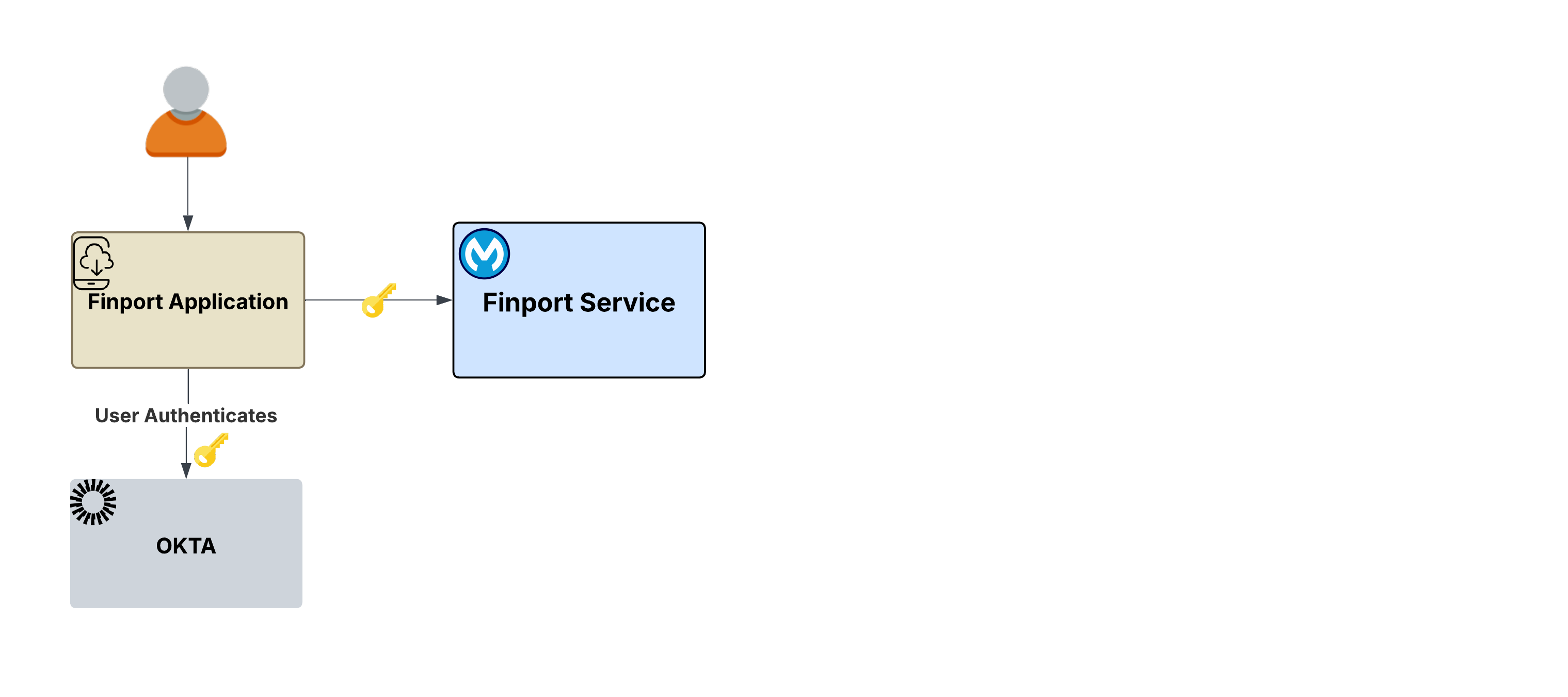 **The flow**:
1. The user opens Finport and is redirected to the IdP’s login page (for example, Okta) .
2. The user authenticates (username, password, SSO, multi-factor authentication (MFA), and any other requirements).
3. The IdP issues a signed JWT access token to the Finport application.
4. Finport now has a user token that represents the user's identity: who they are, what scopes they have been granted, and when the token expires. It can present it to any downstream service on behalf of this user.
**What this establishes**: This process follows the standard OAuth 2.0 architecture pattern. The initial user token, validated by a trusted IdP, serves as the essential foundation for all subsequent operations. Every subsequent scenario builds on this token.
**The ask**: Once authenticated, the user initiates actions such as fund transfers, market analysis, or portfolio reviews. These requests are processed through an Agent Broker and may involve multiple downstream agents or MCP servers. _This raises critical questions: How is the user's identity maintained across these distributed requests? What happens when a downstream service uses a completely different IdP?_
## Scenario 1 Propagating User Identity Through Agents
The user asks the Finport agent to _"Show me my portfolio."_ This interaction triggers a backend chain starting with the **Finport Agent Broker**, built using [MuleSoft Agent Broker](https://www.mulesoft.com/ai/agent-broker). The broker hands off the task to a **Portfolio Service Agent**, which in turn queries a **Portfolio MCP Server**. The user's initial authentication token must now travel through multiple hops to access the requested portfolio records.
**The flow**:
1. The user opens Finport and is redirected to the IdP’s login page (for example, Okta) .
2. The user authenticates (username, password, SSO, multi-factor authentication (MFA), and any other requirements).
3. The IdP issues a signed JWT access token to the Finport application.
4. Finport now has a user token that represents the user's identity: who they are, what scopes they have been granted, and when the token expires. It can present it to any downstream service on behalf of this user.
**What this establishes**: This process follows the standard OAuth 2.0 architecture pattern. The initial user token, validated by a trusted IdP, serves as the essential foundation for all subsequent operations. Every subsequent scenario builds on this token.
**The ask**: Once authenticated, the user initiates actions such as fund transfers, market analysis, or portfolio reviews. These requests are processed through an Agent Broker and may involve multiple downstream agents or MCP servers. _This raises critical questions: How is the user's identity maintained across these distributed requests? What happens when a downstream service uses a completely different IdP?_
## Scenario 1 Propagating User Identity Through Agents
The user asks the Finport agent to _"Show me my portfolio."_ This interaction triggers a backend chain starting with the **Finport Agent Broker**, built using [MuleSoft Agent Broker](https://www.mulesoft.com/ai/agent-broker). The broker hands off the task to a **Portfolio Service Agent**, which in turn queries a **Portfolio MCP Server**. The user's initial authentication token must now travel through multiple hops to access the requested portfolio records.
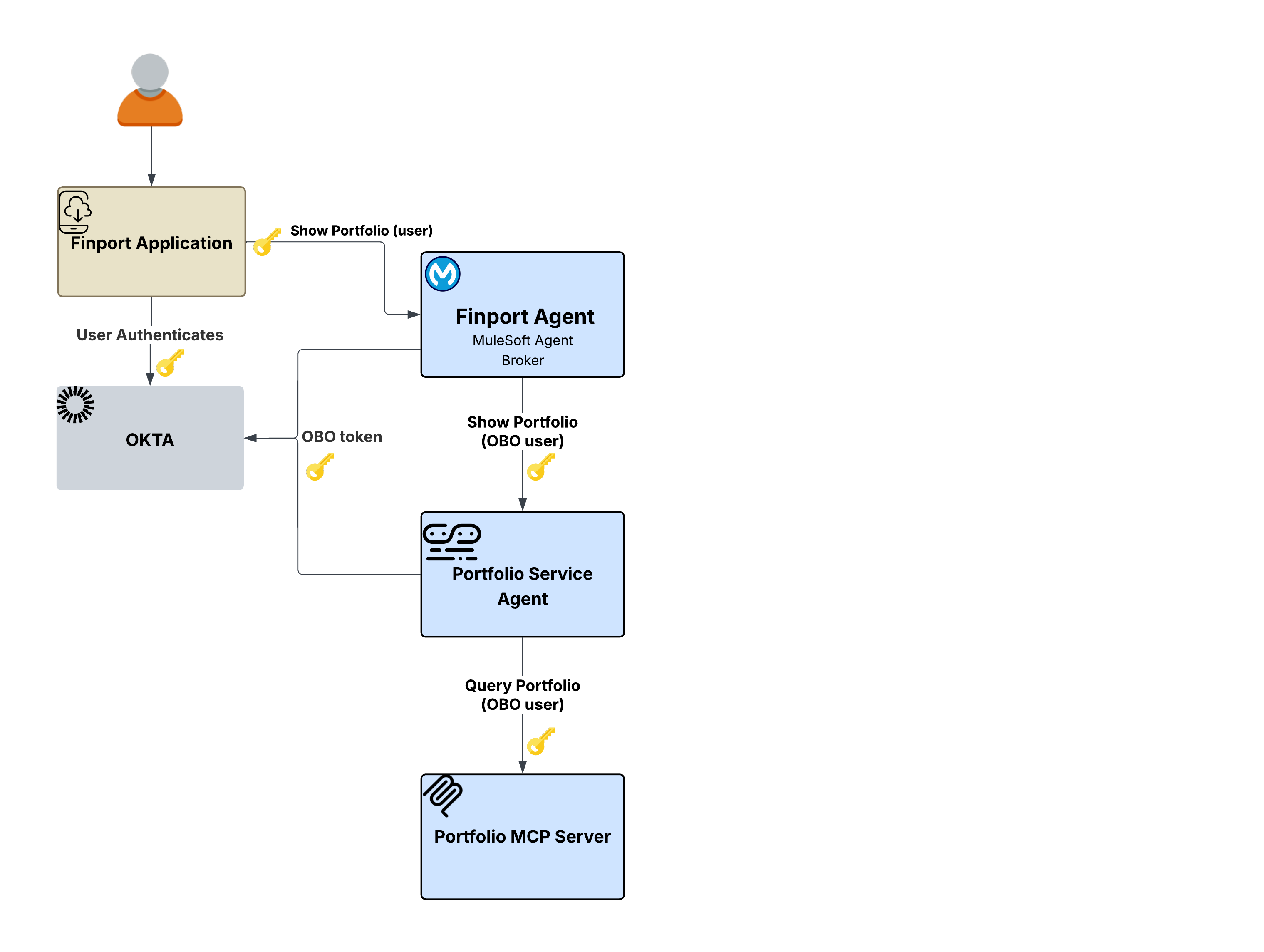 ### Problem
Passing the original token violates the principle of least privilege, while using a service account loses the user's identity.
The Finport Agent receives the user's token, but it cannot simply forward that same token to the Portfolio Service Agent, as it would violate the principle of least privilege and wouldn’t properly scope the request for the downstream service. Conversely, using a service account results in a total **loss of user identity**. The Portfolio Service Agent and the Portfolio MCP Server would have no way to know _which_ user's portfolio to return, and the audit trail would attribute every action to the broker's service identity rather than the end user.
### Solution
Flex Gateway resolves these identity propagation complexities transparently through its [**Outbound OAuth 2.0 Token Exchange policy**](https://docs.mulesoft.com/gateway/latest/policies-outbound-oauth-obo). This solution intercepts outbound requests at every hop in the call chain, exchanging the incoming user token with the IdP for a new credential scoped specifically for the downstream service. The On-Behalf-Of (OBO) policy supports both OAuth 2.0 Token Exchange ([RFC 8693](https://datatracker.ietf.org/doc/html/rfc8693)) and [Microsoft Entra ID On-Behalf-Of](https://learn.microsoft.com/en-us/entra/identity-platform/v2-oauth2-on-behalf-of-flow) protocols.
**Key architectural benefit**: This entire process is handled by [Flex Gateway outbound policy](https://docs.mulesoft.com/gateway/latest/policies-outbound-oauth-obo). The broker and agents contain _zero_ authentication logic. Instead, they focus purely on business logic while the gateway layer enforces identity propagation.
**The flow**:
1. The user authenticates with Okta and the Finport application sends a request through Flex Gateway.
2. The broker receives the validated user token and determines the Portfolio Service Agent is needed.
3. Flex Gateway's outbound OBO policy exchanges the user token with the IdP for a token scoped to the Portfolio Service Agent.
4. The Portfolio Service Agent receives a properly scoped token and calls the Portfolio MCP Server.
5. Flex Gateway again exchanges the token, this time scoped for the MCP Server.
6. The Portfolio MCP server returns the user's specific portfolio data.
7. A complete audit trail exists. Every hop is attributable to the original end user.
**Why this matters**: Without OBO token exchange, enterprises must choose between forwarding the original token, which violates least privilege, or using service accounts, which risks losing user identity. The OBO pattern eliminates this tradeoff since the user's identity is preserved at every hop, each token is scoped to its target, and the agents themselves remain completely unaware of the identity mechanics.
## Scenario 2 \- Server-to-Server (S2S): When User Identity Is Not Needed
Not every downstream service requires user context. The user asks the Finport agent, _"What are the current market trends?"_ Unlike the portfolio request in Scenario 1, market trend data is public when it does not vary by user. The downstream **Market Data Agent** and **Asset Market MCP Server** do not need, or expect, a user-scoped token.
### Problem
Passing the original token violates the principle of least privilege, while using a service account loses the user's identity.
The Finport Agent receives the user's token, but it cannot simply forward that same token to the Portfolio Service Agent, as it would violate the principle of least privilege and wouldn’t properly scope the request for the downstream service. Conversely, using a service account results in a total **loss of user identity**. The Portfolio Service Agent and the Portfolio MCP Server would have no way to know _which_ user's portfolio to return, and the audit trail would attribute every action to the broker's service identity rather than the end user.
### Solution
Flex Gateway resolves these identity propagation complexities transparently through its [**Outbound OAuth 2.0 Token Exchange policy**](https://docs.mulesoft.com/gateway/latest/policies-outbound-oauth-obo). This solution intercepts outbound requests at every hop in the call chain, exchanging the incoming user token with the IdP for a new credential scoped specifically for the downstream service. The On-Behalf-Of (OBO) policy supports both OAuth 2.0 Token Exchange ([RFC 8693](https://datatracker.ietf.org/doc/html/rfc8693)) and [Microsoft Entra ID On-Behalf-Of](https://learn.microsoft.com/en-us/entra/identity-platform/v2-oauth2-on-behalf-of-flow) protocols.
**Key architectural benefit**: This entire process is handled by [Flex Gateway outbound policy](https://docs.mulesoft.com/gateway/latest/policies-outbound-oauth-obo). The broker and agents contain _zero_ authentication logic. Instead, they focus purely on business logic while the gateway layer enforces identity propagation.
**The flow**:
1. The user authenticates with Okta and the Finport application sends a request through Flex Gateway.
2. The broker receives the validated user token and determines the Portfolio Service Agent is needed.
3. Flex Gateway's outbound OBO policy exchanges the user token with the IdP for a token scoped to the Portfolio Service Agent.
4. The Portfolio Service Agent receives a properly scoped token and calls the Portfolio MCP Server.
5. Flex Gateway again exchanges the token, this time scoped for the MCP Server.
6. The Portfolio MCP server returns the user's specific portfolio data.
7. A complete audit trail exists. Every hop is attributable to the original end user.
**Why this matters**: Without OBO token exchange, enterprises must choose between forwarding the original token, which violates least privilege, or using service accounts, which risks losing user identity. The OBO pattern eliminates this tradeoff since the user's identity is preserved at every hop, each token is scoped to its target, and the agents themselves remain completely unaware of the identity mechanics.
## Scenario 2 \- Server-to-Server (S2S): When User Identity Is Not Needed
Not every downstream service requires user context. The user asks the Finport agent, _"What are the current market trends?"_ Unlike the portfolio request in Scenario 1, market trend data is public when it does not vary by user. The downstream **Market Data Agent** and **Asset Market MCP Server** do not need, or expect, a user-scoped token.
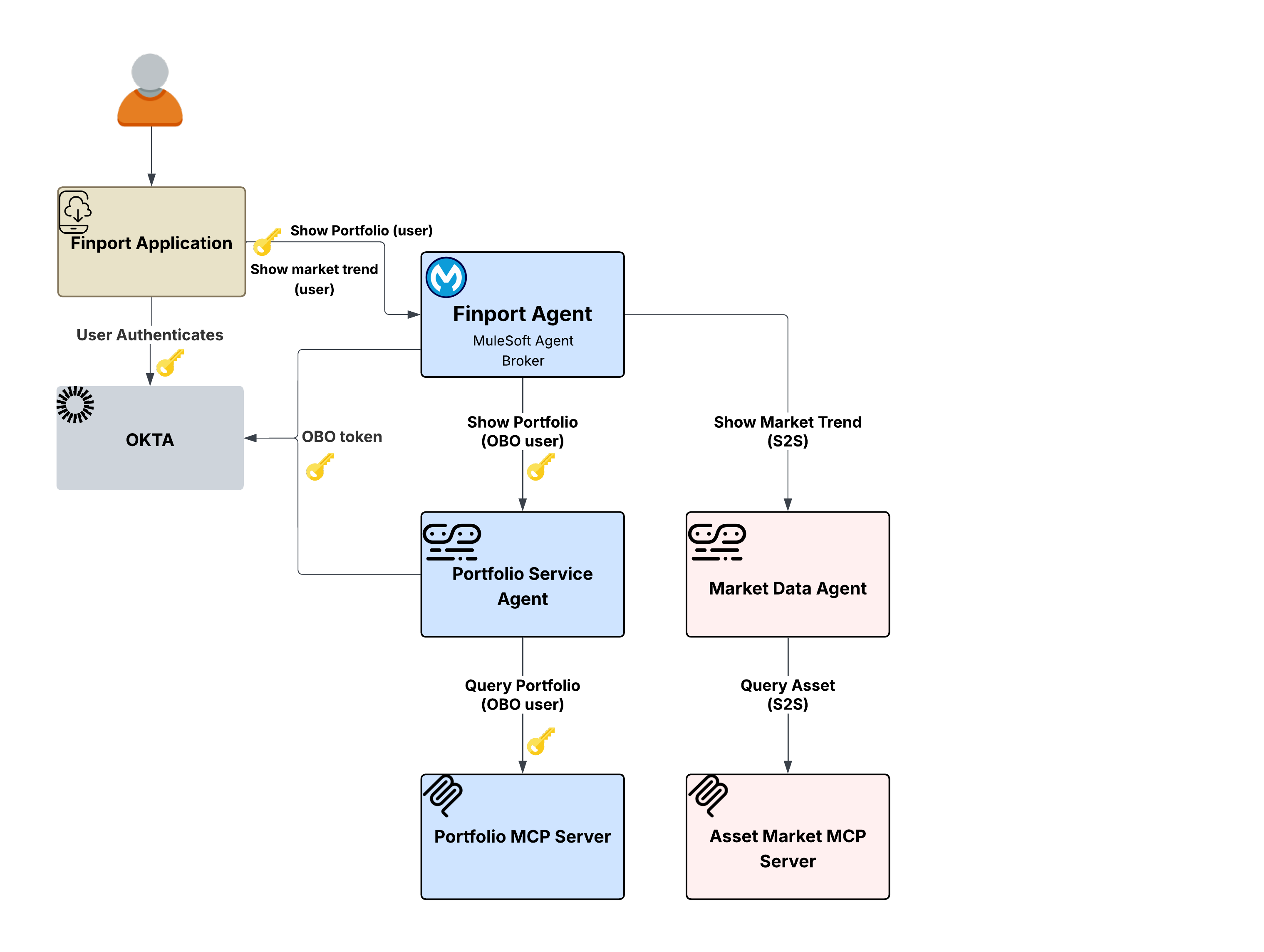 ### Problem
**Propagating user tokens where they are not needed expands the attack surface.**
If the Finport Agent Broker were to propagate the user's token to the Market Data Agent using the [OBO pattern](#scenario-1-propagating-user-identity-through-agents) from Scenario 1, it would work but would be unnecessary. Propagating user tokens where they are not needed expands the attack surface, creates unnecessary dependencies on the IdP for token exchanges, and violates the principle of least privilege. The Market Data Agent simply needs to know that the request comes from an authorized service, not which _user_ is asking.
### Solution
Flex Gateway’s [Outbound OAuth 2.0 Client Credentials policy](https://docs.mulesoft.com/gateway/latest/policies-outbound-oauth) handles this transparently. Instead of exchanging the user's token, the policy injects the broker's own service credentials via a client credentials grant into the outgoing request. The downstream Market Data Agent receives a properly authenticated service-level token where no user identity is propagated because none is needed.
**Key architectural benefit**: The identity propagation strategy is not one-size-fits-all, rather it’s determined per downstream route based on the nature of the data and the requirements of the target service. Flex Gateway's outbound policies make this configurable per route. The same Finport Agent Broker can participate in both OBO flows (in Scenario 1\) and S2S flows without any code changes. The policy configuration on the egress gateway determines which pattern applies to which downstream call.
**The flow:**
1. The user asks the Finport agent,_"What are the current market trends?"_
2. The broker determines that the Market Data Agent is needed to fulfill the request.
3. Flex Gateway's outbound Client Credentials policy obtains a service-level token using the broker's own credentials (no user token is exchanged or propagated).
4. The Market Data Agent receives a properly authenticated service request and calls the Asset Market MCP Server.
5. The Asset Market MCP Server returns the public market data.
6. No user identity is present in the chain by design because none is needed for this type of data.
**Why this matters**: Flex Gateway's policy-driven framework empowers architects to select the optimal identity model for every interaction, resolving the difficult choice between universal user token propagation—which increases overhead and security risks—and global service account usage, which sacrifices user context and compliance.
## Scenario 3 \- Crossing Trust Boundaries using A2A In-Task Authentication
The most complex identity scenario arises when an agent needs to interact with a system governed by a completely different IdP, one that does not recognize the existing user token.
**The scenario**: The Finport user asks the Finport Agent to _"Transfer \$5,000 to my external savings account."_ This request involves two distinct downstream paths:
1. The **Portfolio Service Agent** (OBO) path to verify the user's holdings
2. The **Transaction Agent → Transaction MCP Server → User's Bank** path to execute the actual transfer
### Problem
**Propagating user tokens where they are not needed expands the attack surface.**
If the Finport Agent Broker were to propagate the user's token to the Market Data Agent using the [OBO pattern](#scenario-1-propagating-user-identity-through-agents) from Scenario 1, it would work but would be unnecessary. Propagating user tokens where they are not needed expands the attack surface, creates unnecessary dependencies on the IdP for token exchanges, and violates the principle of least privilege. The Market Data Agent simply needs to know that the request comes from an authorized service, not which _user_ is asking.
### Solution
Flex Gateway’s [Outbound OAuth 2.0 Client Credentials policy](https://docs.mulesoft.com/gateway/latest/policies-outbound-oauth) handles this transparently. Instead of exchanging the user's token, the policy injects the broker's own service credentials via a client credentials grant into the outgoing request. The downstream Market Data Agent receives a properly authenticated service-level token where no user identity is propagated because none is needed.
**Key architectural benefit**: The identity propagation strategy is not one-size-fits-all, rather it’s determined per downstream route based on the nature of the data and the requirements of the target service. Flex Gateway's outbound policies make this configurable per route. The same Finport Agent Broker can participate in both OBO flows (in Scenario 1\) and S2S flows without any code changes. The policy configuration on the egress gateway determines which pattern applies to which downstream call.
**The flow:**
1. The user asks the Finport agent,_"What are the current market trends?"_
2. The broker determines that the Market Data Agent is needed to fulfill the request.
3. Flex Gateway's outbound Client Credentials policy obtains a service-level token using the broker's own credentials (no user token is exchanged or propagated).
4. The Market Data Agent receives a properly authenticated service request and calls the Asset Market MCP Server.
5. The Asset Market MCP Server returns the public market data.
6. No user identity is present in the chain by design because none is needed for this type of data.
**Why this matters**: Flex Gateway's policy-driven framework empowers architects to select the optimal identity model for every interaction, resolving the difficult choice between universal user token propagation—which increases overhead and security risks—and global service account usage, which sacrifices user context and compliance.
## Scenario 3 \- Crossing Trust Boundaries using A2A In-Task Authentication
The most complex identity scenario arises when an agent needs to interact with a system governed by a completely different IdP, one that does not recognize the existing user token.
**The scenario**: The Finport user asks the Finport Agent to _"Transfer \$5,000 to my external savings account."_ This request involves two distinct downstream paths:
1. The **Portfolio Service Agent** (OBO) path to verify the user's holdings
2. The **Transaction Agent → Transaction MCP Server → User's Bank** path to execute the actual transfer
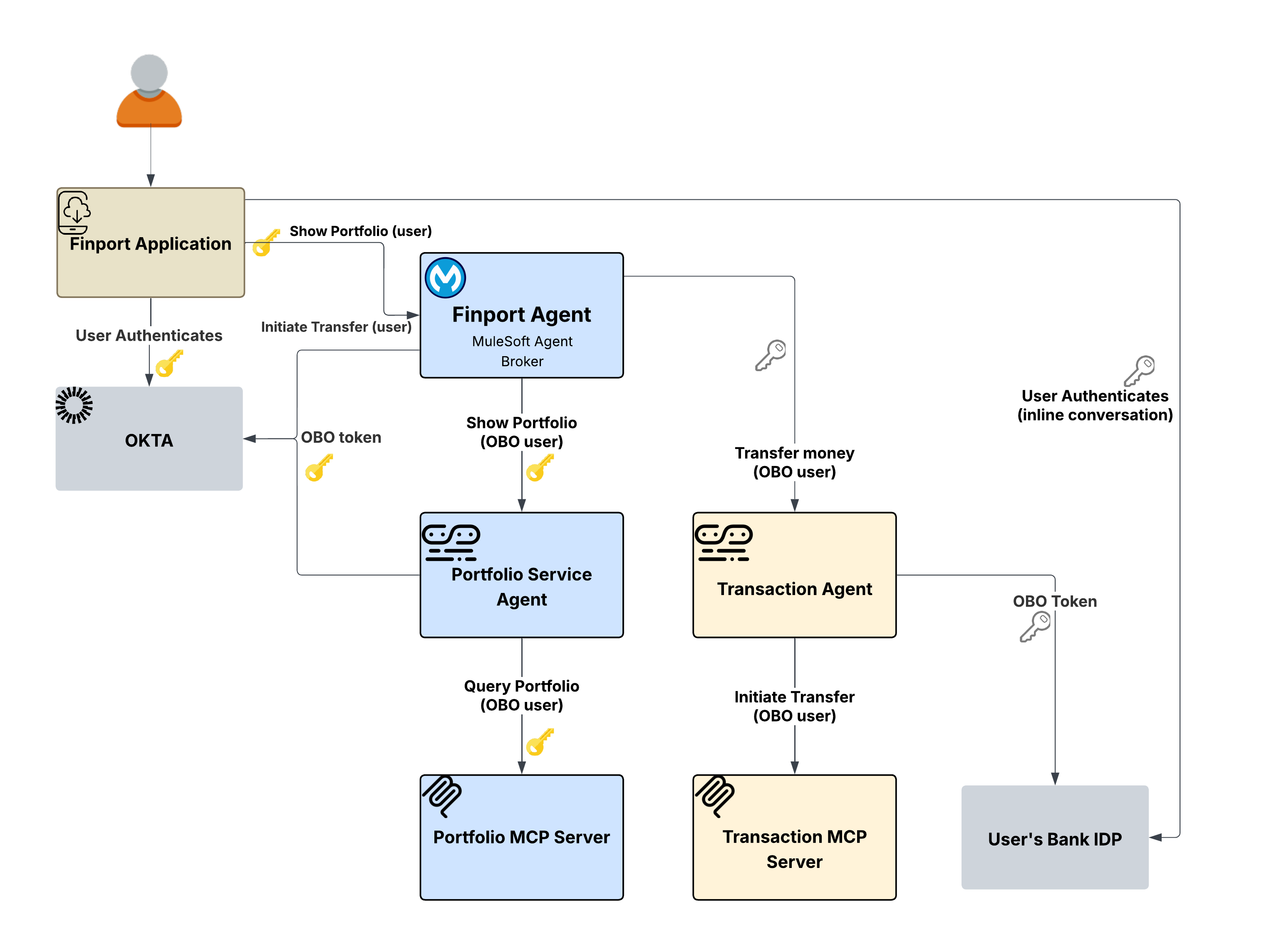 ### Problem
The Transaction Agent needs to interact with the user's bank, which uses its own IdP. The user's Okta token from Finport is meaningless to the bank's system, as the bank has no trust relationship with Finport's IdP. Neither the [OBO pattern](#scenario-1-propagating-user-identity-through-agents) (from Scenario 1\) nor the [S2S pattern](#scenario-2---server-to-server-s2s-when-user-identity-is-not-needed) (from Scenario 2\) can solve this. OBO exchanges tokens within the same IdP, and S2S uses service credentials that carry no user identity at all. The bank requires the user to authenticate directly with their own banking credentials, potentially including MFA.
### Solution
The [Outbound A2A In-Task Authorization Code policy](https://docs.mulesoft.com/gateway/latest/policies-outbound-a2a-intask-authorization-code) on Flex Gateway uses a challenge-response mechanism within the agent conversation. If a secondary token is missing when contacting the bank, the policy returns an auth-required challenge. This challenge includes all necessary details—such as endpoints, scopes, and PKCE parameters—for the client to initiate an OAuth 2.0 flow with the bank’s provider.
The Finport app then displays the bank's login inline for direct user authentication. Once completed, the client returns the token in the A2A request. The policy extracts this token for the bank's system and scrubs it from the message body to ensure security.
**Key architectural benefit**: The gateway policy layer orchestrates the entire cross-domain authentication process, ensuring that neither the broker nor the agents ever interact with raw credentials or require knowledge of the bank's IdP. By using this challenge-response framework, users maintain full control: they provide explicit consent to authenticate with external systems, while the resulting token is transmitted securely via the policy layer.
**The flow**:
1. The user asks Finport to initiate a transfer. The request flows through the broker.
2. The broker fans out, using the Portfolio (OBO) to verify holdings, and the Transaction (In-Task) to execute the transfer.
3. The Transaction path triggers an auth-required challenge from the In-Task policy on Flex Gateway.
4. The challenge propagates back to the Finport application, which presents the bank's login flow to the user inline.
5. The user authenticates with their bank, including MFA if required.
6. The bank token is included in the subsequent A2A request. The policy extracts it, sets it in the Authorization header, and forwards the request.
7. The Transaction MCP Server receives the request with the bank's token and executes the transfer.
**Why this matters:** Cross-domain identity is a major challenge in agentic architectures. Without in-task authentication, enterprises must either pre-establish complex trust relationships between every IdPin the network, or ask users to provide banking credentials to an agent. The In-Task pattern solves this by allowing direct user authentication with external providers; the policy manages token mechanics while keeping agents decoupled from external identity domains.
## Gateway-Enforced Identity Propagation
Across all three scenarios, a single architectural principle holds: **Identity propagation is enforced at the gateway layer, not within agents or services**. The agents and MCP servers contain zero authentication logic. Their role is restricted to processing authenticated requests and returning results, while the Flex Gateway outbound policy layer manages all identity-related operations.
### Problem
The Transaction Agent needs to interact with the user's bank, which uses its own IdP. The user's Okta token from Finport is meaningless to the bank's system, as the bank has no trust relationship with Finport's IdP. Neither the [OBO pattern](#scenario-1-propagating-user-identity-through-agents) (from Scenario 1\) nor the [S2S pattern](#scenario-2---server-to-server-s2s-when-user-identity-is-not-needed) (from Scenario 2\) can solve this. OBO exchanges tokens within the same IdP, and S2S uses service credentials that carry no user identity at all. The bank requires the user to authenticate directly with their own banking credentials, potentially including MFA.
### Solution
The [Outbound A2A In-Task Authorization Code policy](https://docs.mulesoft.com/gateway/latest/policies-outbound-a2a-intask-authorization-code) on Flex Gateway uses a challenge-response mechanism within the agent conversation. If a secondary token is missing when contacting the bank, the policy returns an auth-required challenge. This challenge includes all necessary details—such as endpoints, scopes, and PKCE parameters—for the client to initiate an OAuth 2.0 flow with the bank’s provider.
The Finport app then displays the bank's login inline for direct user authentication. Once completed, the client returns the token in the A2A request. The policy extracts this token for the bank's system and scrubs it from the message body to ensure security.
**Key architectural benefit**: The gateway policy layer orchestrates the entire cross-domain authentication process, ensuring that neither the broker nor the agents ever interact with raw credentials or require knowledge of the bank's IdP. By using this challenge-response framework, users maintain full control: they provide explicit consent to authenticate with external systems, while the resulting token is transmitted securely via the policy layer.
**The flow**:
1. The user asks Finport to initiate a transfer. The request flows through the broker.
2. The broker fans out, using the Portfolio (OBO) to verify holdings, and the Transaction (In-Task) to execute the transfer.
3. The Transaction path triggers an auth-required challenge from the In-Task policy on Flex Gateway.
4. The challenge propagates back to the Finport application, which presents the bank's login flow to the user inline.
5. The user authenticates with their bank, including MFA if required.
6. The bank token is included in the subsequent A2A request. The policy extracts it, sets it in the Authorization header, and forwards the request.
7. The Transaction MCP Server receives the request with the bank's token and executes the transfer.
**Why this matters:** Cross-domain identity is a major challenge in agentic architectures. Without in-task authentication, enterprises must either pre-establish complex trust relationships between every IdPin the network, or ask users to provide banking credentials to an agent. The In-Task pattern solves this by allowing direct user authentication with external providers; the policy manages token mechanics while keeping agents decoupled from external identity domains.
## Gateway-Enforced Identity Propagation
Across all three scenarios, a single architectural principle holds: **Identity propagation is enforced at the gateway layer, not within agents or services**. The agents and MCP servers contain zero authentication logic. Their role is restricted to processing authenticated requests and returning results, while the Flex Gateway outbound policy layer manages all identity-related operations.
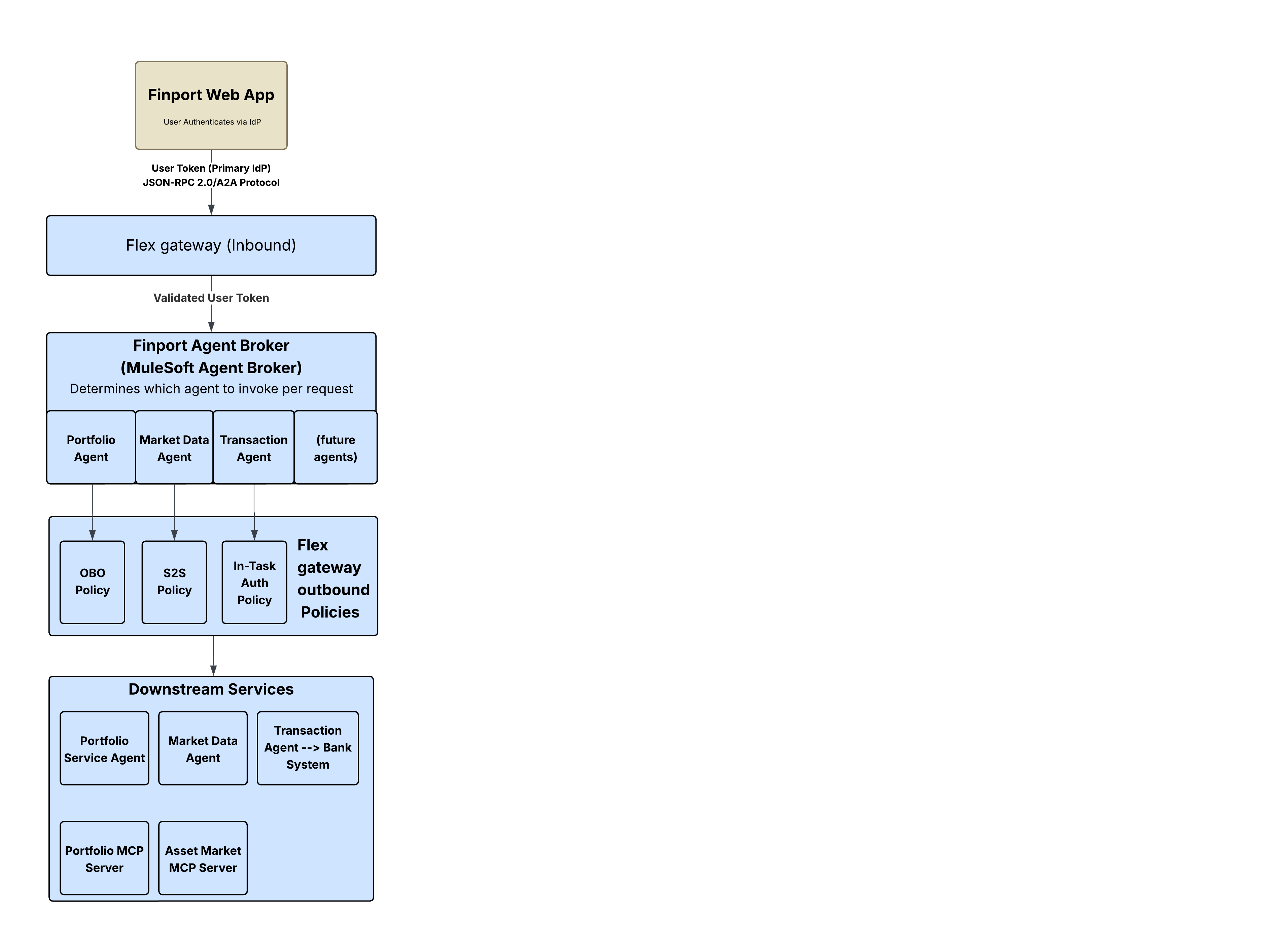 This works because Flex Gateway's [outbound authentication policies](https://docs.mulesoft.com/gateway/latest/policies-outbound-directory) intercept traffic at the right point: after the agent makes its routing decision, but before the request reaches the downstream service. The policy transforms the token–whether it’s an [OBO exchange](https://docs.mulesoft.com/gateway/latest/policies-outbound-oauth-obo), [client credentials injection](https://docs.mulesoft.com/gateway/latest/policies-outbound-oauth), or [in-task challenge-response](https://docs.mulesoft.com/gateway/latest/policies-outbound-a2a-intask-authorization-code)–and forwards a properly authenticated request. The downstream service never knows the difference, therefore the agent never has to care. Authentication logic is centralized at the gateway, not scattered across services. The backend services require no code changes and the same policy configuration can be reused across multiple routes.
This approach is also protocol agnostic. Because the policies operate at the HTTP layer, they apply consistently whether the agent communicates via REST, MCP, A2A, or webhooks. As documented in the [Agent Fabric Deep Dive](https://architect.salesforce.com/docs/architect/fundamentals/guide/mulesoft-agent-fabric-deep-dive), all A2A and MCP traffic is routed through Flex Gateway to ensure that policies are applied on every endpoint, which means identity propagation is enforced uniformly regardless of the communication protocol.
Three composable patterns cover the full spectrum of identity requirements in an agentic architecture:
| Pattern | Policy | User identity | User Interaction | Use Case |
| :----------------------------- | :---------------------------------------------------------------------------------------------------------------------------------- | :------------------- | :------------------------------ | :---------------------------------------------------------- |
| **On-Behalf-Of (OBO)** | [OAuth 2.0 OBO Credential Injection Policy](https://docs.mulesoft.com/gateway/latest/policies-outbound-oauth-obo) | Preserved | None (transparent) | User-specific data within the same trust domain |
| **Server-to-Server (S2S)** | [Outbound OAuth 2.0 Client Credentials](https://docs.mulesoft.com/gateway/latest/policies-outbound-directory) | Not propagated | None | Public data, system-level operations |
| **In-Task Authorization Code** | [Outbound A2A In-Task Authorization Code](https://docs.mulesoft.com/gateway/latest/policies-outbound-a2a-intask-authorization-code) | Primary \+ Secondary | Required (inline authentication | Cross-domain, multi-identity-provider, high-risk operations |
These patterns are not mutually exclusive. As the Finport scenarios show, a single Agent Broker can use OBO for one downstream call, S2S for another, and In-Task for a third. The policy configuration on each outbound route determines which pattern applies. There are no agent code changes and no service modification, only policy.
## Trusted Agent Identity as a Pillar of Agent Governance
The gateway-enforced patterns described above secure individual interactions, but identity propagation isn’t an isolated concern. It’s a foundational layer of the broader MuleSoft Agent Fabric governance model. As described in the [Agent Fabric Deep Dive](https://architect.salesforce.com/docs/architect/fundamentals/guide/mulesoft-agent-fabric-deep-dive), Agent Fabric is built on four pillars: [**Discover, Orchestrate, Govern, and Observe**](https://architect.salesforce.com/docs/architect/fundamentals/guide/mulesoft-agent-fabric-deep-dive#agent-fabric-four-pillars-together), and each one depends on a reliable identity chain to function effectively.
- **Discover**: The [Agent Registry](https://docs.mulesoft.com/general/learning-map-agent-fabric) catalogs agents and their capabilities. Agent metadata including authentication requirements enables brokers to understand which identity patterns each agent expects.
- **Orchestrate**: The Agent Broker coordinates multi-agent workflows. Flex Gateway transparently handles identity transformation at each hop, so the broker can focus on task decomposition and routing.
- **Govern**: All A2A and MCP traffic is routed through Flex Gateway, even if the target system is unsecured, to ensure that policies are applied on every endpoint. Outbound authentication policies are part of the governance layer.
- **Observe**: Agent Visualizer provides real-time observability through a dynamic, interactive map of agent interactions. With user identity preserved at every hop, traces and logs provide user-attributable audit trails across the agent network.
Without trusted identity propagation, governance is incomplete. You can catalog and orchestrate agents, but you cannot ensure they act within the boundaries of the user's authorization. Trusted Agent Identity closes this gap, ensuring that security and user context remain central to agentic workflows.
## Get Started
To implement these patterns:
1. **Understand the Outbound Policy Directory**. Review the complete set of [outbound authentication policies](https://docs.mulesoft.com/gateway/latest/policies-outbound-directory) available for Flex Gateway.
2. **Start with OBO**. The [OAuth 2.0 Token Exchange policy](https://docs.mulesoft.com/gateway/latest/policies-outbound-oauth-obo) addresses the most common identity propagation need: preserving user context across agent hops.
3. **Add In-Task for Cross-Domain Scenarios**: When your agent network crosses trust boundaries, the [A2A In-Task Authorization Code policy](https://docs.mulesoft.com/gateway/latest/policies-outbound-a2a-intask-authorization-code) provides the challenge-response mechanism for obtaining secondary credentials from the user.
4. **Leverage Agent Fabric**. Define your agent network in the [agent-network YAML](https://docs.mulesoft.com/anypoint-code-builder/af-project-files) with policy configurations that specify the identity model per route. The platform handles the rest.
## References
- [MuleSoft Trusted Agent Identity Announcement](https://www.mulesoft.com/ai/trusted-agent-identity/announcement)
- [Delegated Access Control in MuleSoft Agent Fabric](https://blogs.mulesoft.com/news/delegated-access-control-mulesoft-agent-fabric/)
- [Outbound Authentication Policies Directory](https://docs.mulesoft.com/gateway/latest/policies-outbound-directory)
- [Outbound OAuth 2.0 Token Exchange (OBO) Policy](https://docs.mulesoft.com/gateway/latest/policies-outbound-oauth-obo)
- [Outbound A2A In-Task Authorization Code Policy](https://docs.mulesoft.com/gateway/latest/policies-outbound-a2a-intask-authorization-code)
- [Architecting the Agentic Enterprise with MuleSoft](https://architect.salesforce.com/fundamentals/mulesoft-architecting-agentic-enterprise)
- [MuleSoft Agent Fabric Deep Dive](https://architect.salesforce.com/fundamentals/mulesoft-agent-fabric-deep-dive)
- [MuleSoft Agent Fabric Documentation](https://docs.mulesoft.com/agent-fabric/)
- [RFC 8693 — OAuth 2.0 Token Exchange](https://datatracker.ietf.org/doc/html/rfc8693)
_For detailed implementation guidance, refer to the [companion implementation guide](https://blogs.mulesoft.com/dev-guides/identity-propogation-mulesoft-agent-fabric/)._
## About the Authors
Nikhil Aggarwal is a Distinguished Engineer at Salesforce, where he leads architecture for MuleSoft and Salesforce Automation Clouds. Nikhil brings over 18 years of experience delivering large-scale products and is passionate about scalable architecture, intuitive developer experiences, and building high-performing teams. Prior to Salesforce, he led multiple initiatives in Microsoft Power Platform, Dataverse and Office 365 from concept to launch. His work continues to shape how modern enterprises connect systems, automate workflows, and unlock business value in the AI-first era.
Akash Trivedi is a Director of Engineering at Salesforce with over 18 years of experience building scalable, secure, high-performance enterprise systems. He works at the intersection of AI, enterprise architecture, and process intelligence, with a focus on cloud-native platforms and reliable solutions that operate at scale. Prior to Salesforce, he held engineering roles at Microsoft, where he contributed to products including Copilot, Dataverse, and Power Platform.
# About This Whitepaper
**Enterprise Agentic Architecture and Design Patterns** brings structure to the possibilities of multi-agent architectures, identifying and highlighting how capabilities novel to AI agents may be combined to deliver reliable, repeatable, scalable, and manageable agentic solutions. Taking inspiration from “Design Patterns” for Object Oriented programming, we lay out patterns that can be combined and extended to solve the many exciting challenges that prior to agentic technologies lay outside the scope of business systems built on traditional deterministic technologies.
Following discussion of the rationale for multi-agent architectures we introduce numerous agentic patterns, from simple patterns that leverage natural language processing to determine user intent, to multi-agent patterns that provide for separation of concerns between agents, to UX agentic patterns that bring agentic reasoning to the presentation and interaction with systems, information, and content.
## What Will You Get From This Document?
First and foremost you will get a new way of thinking about agents - agents as components, agents as composers, agents as actors, agents as collaborators, and most importantly agents within a larger architecture that act with intent and act within their individual scope of concerns.
You will get the pointers you need to conceive of rich agentic solutions that span user journeys and inform significant agentic experiences, experiences that have never been possible before.
The initial sections of this document provide the rationale for muti-agent architectures. Read these for a better understanding of the challenges and opportunities that multi-agent architectures present.
Following are definitions and descriptions of agentic patterns, from simple to complex, covering patterns that support interactions, patterns for specialist agents, patterns for background operations, and long-running patterns. Each pattern includes a diagram of the key components that realize the pattern, plus recommendations for usage and representative use cases.
Lastly, the appendix includes examples of how these patterns are combined into holistic agentic solutions supporting a larger agentic experience, for example, to support Customer Service or Brokered Sales. Reference this section to see how a rich agentic experience leverages decomposition and separation of concerns at the agent and action level to drive reuse at the interaction level, with shared agents supporting both internal and external constituents, in both assistive and autonomous modes.
## 1. Multi-Agent System Architecture
As enterprise architects integrate Generative AI into their ecosystems, they must address a common set of design questions:
- How many agents are required?
- How will agents interoperate?
- What’s the division of labor between agents and humans?
- How are these components assembled into a coherent system?
This document presents a pattern-based methodology for designing and building agentic solutions.
_Monolithic_ agents are the starting point for most agentic solutions. Agents—and more specifically, Agentforce agents—are capable performers across a range of topics. For common use cases, start with a single agent.
As your organization grows, multi-agent architectures are the preferred approach. _Multi-agent architecture_ enables greater scale, control, and flexibility compared to monolithic, single-agent systems.
Multi-agent architecture provides these key benefits:
- **Increased Performance & Complexity Breakdown**: A system of multiple, specialized agents provides increased capabilities and simplifies instruction adherence.
- **Modularity & Extensibility**:Individual agents can be added, replaced, modified, and tested with greater ease, which promotes agility.
- **Resilience & Fault Tolerance**: The failure of a single component doesn’t compromise the entire system, which leads to better overall resilience.
- **Decentralized Governance**: Troubleshooting and management can be isolated to specific agents and their corresponding applications, which simplifies maintenance and oversight.
This works because Flex Gateway's [outbound authentication policies](https://docs.mulesoft.com/gateway/latest/policies-outbound-directory) intercept traffic at the right point: after the agent makes its routing decision, but before the request reaches the downstream service. The policy transforms the token–whether it’s an [OBO exchange](https://docs.mulesoft.com/gateway/latest/policies-outbound-oauth-obo), [client credentials injection](https://docs.mulesoft.com/gateway/latest/policies-outbound-oauth), or [in-task challenge-response](https://docs.mulesoft.com/gateway/latest/policies-outbound-a2a-intask-authorization-code)–and forwards a properly authenticated request. The downstream service never knows the difference, therefore the agent never has to care. Authentication logic is centralized at the gateway, not scattered across services. The backend services require no code changes and the same policy configuration can be reused across multiple routes.
This approach is also protocol agnostic. Because the policies operate at the HTTP layer, they apply consistently whether the agent communicates via REST, MCP, A2A, or webhooks. As documented in the [Agent Fabric Deep Dive](https://architect.salesforce.com/docs/architect/fundamentals/guide/mulesoft-agent-fabric-deep-dive), all A2A and MCP traffic is routed through Flex Gateway to ensure that policies are applied on every endpoint, which means identity propagation is enforced uniformly regardless of the communication protocol.
Three composable patterns cover the full spectrum of identity requirements in an agentic architecture:
| Pattern | Policy | User identity | User Interaction | Use Case |
| :----------------------------- | :---------------------------------------------------------------------------------------------------------------------------------- | :------------------- | :------------------------------ | :---------------------------------------------------------- |
| **On-Behalf-Of (OBO)** | [OAuth 2.0 OBO Credential Injection Policy](https://docs.mulesoft.com/gateway/latest/policies-outbound-oauth-obo) | Preserved | None (transparent) | User-specific data within the same trust domain |
| **Server-to-Server (S2S)** | [Outbound OAuth 2.0 Client Credentials](https://docs.mulesoft.com/gateway/latest/policies-outbound-directory) | Not propagated | None | Public data, system-level operations |
| **In-Task Authorization Code** | [Outbound A2A In-Task Authorization Code](https://docs.mulesoft.com/gateway/latest/policies-outbound-a2a-intask-authorization-code) | Primary \+ Secondary | Required (inline authentication | Cross-domain, multi-identity-provider, high-risk operations |
These patterns are not mutually exclusive. As the Finport scenarios show, a single Agent Broker can use OBO for one downstream call, S2S for another, and In-Task for a third. The policy configuration on each outbound route determines which pattern applies. There are no agent code changes and no service modification, only policy.
## Trusted Agent Identity as a Pillar of Agent Governance
The gateway-enforced patterns described above secure individual interactions, but identity propagation isn’t an isolated concern. It’s a foundational layer of the broader MuleSoft Agent Fabric governance model. As described in the [Agent Fabric Deep Dive](https://architect.salesforce.com/docs/architect/fundamentals/guide/mulesoft-agent-fabric-deep-dive), Agent Fabric is built on four pillars: [**Discover, Orchestrate, Govern, and Observe**](https://architect.salesforce.com/docs/architect/fundamentals/guide/mulesoft-agent-fabric-deep-dive#agent-fabric-four-pillars-together), and each one depends on a reliable identity chain to function effectively.
- **Discover**: The [Agent Registry](https://docs.mulesoft.com/general/learning-map-agent-fabric) catalogs agents and their capabilities. Agent metadata including authentication requirements enables brokers to understand which identity patterns each agent expects.
- **Orchestrate**: The Agent Broker coordinates multi-agent workflows. Flex Gateway transparently handles identity transformation at each hop, so the broker can focus on task decomposition and routing.
- **Govern**: All A2A and MCP traffic is routed through Flex Gateway, even if the target system is unsecured, to ensure that policies are applied on every endpoint. Outbound authentication policies are part of the governance layer.
- **Observe**: Agent Visualizer provides real-time observability through a dynamic, interactive map of agent interactions. With user identity preserved at every hop, traces and logs provide user-attributable audit trails across the agent network.
Without trusted identity propagation, governance is incomplete. You can catalog and orchestrate agents, but you cannot ensure they act within the boundaries of the user's authorization. Trusted Agent Identity closes this gap, ensuring that security and user context remain central to agentic workflows.
## Get Started
To implement these patterns:
1. **Understand the Outbound Policy Directory**. Review the complete set of [outbound authentication policies](https://docs.mulesoft.com/gateway/latest/policies-outbound-directory) available for Flex Gateway.
2. **Start with OBO**. The [OAuth 2.0 Token Exchange policy](https://docs.mulesoft.com/gateway/latest/policies-outbound-oauth-obo) addresses the most common identity propagation need: preserving user context across agent hops.
3. **Add In-Task for Cross-Domain Scenarios**: When your agent network crosses trust boundaries, the [A2A In-Task Authorization Code policy](https://docs.mulesoft.com/gateway/latest/policies-outbound-a2a-intask-authorization-code) provides the challenge-response mechanism for obtaining secondary credentials from the user.
4. **Leverage Agent Fabric**. Define your agent network in the [agent-network YAML](https://docs.mulesoft.com/anypoint-code-builder/af-project-files) with policy configurations that specify the identity model per route. The platform handles the rest.
## References
- [MuleSoft Trusted Agent Identity Announcement](https://www.mulesoft.com/ai/trusted-agent-identity/announcement)
- [Delegated Access Control in MuleSoft Agent Fabric](https://blogs.mulesoft.com/news/delegated-access-control-mulesoft-agent-fabric/)
- [Outbound Authentication Policies Directory](https://docs.mulesoft.com/gateway/latest/policies-outbound-directory)
- [Outbound OAuth 2.0 Token Exchange (OBO) Policy](https://docs.mulesoft.com/gateway/latest/policies-outbound-oauth-obo)
- [Outbound A2A In-Task Authorization Code Policy](https://docs.mulesoft.com/gateway/latest/policies-outbound-a2a-intask-authorization-code)
- [Architecting the Agentic Enterprise with MuleSoft](https://architect.salesforce.com/fundamentals/mulesoft-architecting-agentic-enterprise)
- [MuleSoft Agent Fabric Deep Dive](https://architect.salesforce.com/fundamentals/mulesoft-agent-fabric-deep-dive)
- [MuleSoft Agent Fabric Documentation](https://docs.mulesoft.com/agent-fabric/)
- [RFC 8693 — OAuth 2.0 Token Exchange](https://datatracker.ietf.org/doc/html/rfc8693)
_For detailed implementation guidance, refer to the [companion implementation guide](https://blogs.mulesoft.com/dev-guides/identity-propogation-mulesoft-agent-fabric/)._
## About the Authors
Nikhil Aggarwal is a Distinguished Engineer at Salesforce, where he leads architecture for MuleSoft and Salesforce Automation Clouds. Nikhil brings over 18 years of experience delivering large-scale products and is passionate about scalable architecture, intuitive developer experiences, and building high-performing teams. Prior to Salesforce, he led multiple initiatives in Microsoft Power Platform, Dataverse and Office 365 from concept to launch. His work continues to shape how modern enterprises connect systems, automate workflows, and unlock business value in the AI-first era.
Akash Trivedi is a Director of Engineering at Salesforce with over 18 years of experience building scalable, secure, high-performance enterprise systems. He works at the intersection of AI, enterprise architecture, and process intelligence, with a focus on cloud-native platforms and reliable solutions that operate at scale. Prior to Salesforce, he held engineering roles at Microsoft, where he contributed to products including Copilot, Dataverse, and Power Platform.
# About This Whitepaper
**Enterprise Agentic Architecture and Design Patterns** brings structure to the possibilities of multi-agent architectures, identifying and highlighting how capabilities novel to AI agents may be combined to deliver reliable, repeatable, scalable, and manageable agentic solutions. Taking inspiration from “Design Patterns” for Object Oriented programming, we lay out patterns that can be combined and extended to solve the many exciting challenges that prior to agentic technologies lay outside the scope of business systems built on traditional deterministic technologies.
Following discussion of the rationale for multi-agent architectures we introduce numerous agentic patterns, from simple patterns that leverage natural language processing to determine user intent, to multi-agent patterns that provide for separation of concerns between agents, to UX agentic patterns that bring agentic reasoning to the presentation and interaction with systems, information, and content.
## What Will You Get From This Document?
First and foremost you will get a new way of thinking about agents - agents as components, agents as composers, agents as actors, agents as collaborators, and most importantly agents within a larger architecture that act with intent and act within their individual scope of concerns.
You will get the pointers you need to conceive of rich agentic solutions that span user journeys and inform significant agentic experiences, experiences that have never been possible before.
The initial sections of this document provide the rationale for muti-agent architectures. Read these for a better understanding of the challenges and opportunities that multi-agent architectures present.
Following are definitions and descriptions of agentic patterns, from simple to complex, covering patterns that support interactions, patterns for specialist agents, patterns for background operations, and long-running patterns. Each pattern includes a diagram of the key components that realize the pattern, plus recommendations for usage and representative use cases.
Lastly, the appendix includes examples of how these patterns are combined into holistic agentic solutions supporting a larger agentic experience, for example, to support Customer Service or Brokered Sales. Reference this section to see how a rich agentic experience leverages decomposition and separation of concerns at the agent and action level to drive reuse at the interaction level, with shared agents supporting both internal and external constituents, in both assistive and autonomous modes.
## 1. Multi-Agent System Architecture
As enterprise architects integrate Generative AI into their ecosystems, they must address a common set of design questions:
- How many agents are required?
- How will agents interoperate?
- What’s the division of labor between agents and humans?
- How are these components assembled into a coherent system?
This document presents a pattern-based methodology for designing and building agentic solutions.
_Monolithic_ agents are the starting point for most agentic solutions. Agents—and more specifically, Agentforce agents—are capable performers across a range of topics. For common use cases, start with a single agent.
As your organization grows, multi-agent architectures are the preferred approach. _Multi-agent architecture_ enables greater scale, control, and flexibility compared to monolithic, single-agent systems.
Multi-agent architecture provides these key benefits:
- **Increased Performance & Complexity Breakdown**: A system of multiple, specialized agents provides increased capabilities and simplifies instruction adherence.
- **Modularity & Extensibility**:Individual agents can be added, replaced, modified, and tested with greater ease, which promotes agility.
- **Resilience & Fault Tolerance**: The failure of a single component doesn’t compromise the entire system, which leads to better overall resilience.
- **Decentralized Governance**: Troubleshooting and management can be isolated to specific agents and their corresponding applications, which simplifies maintenance and oversight.
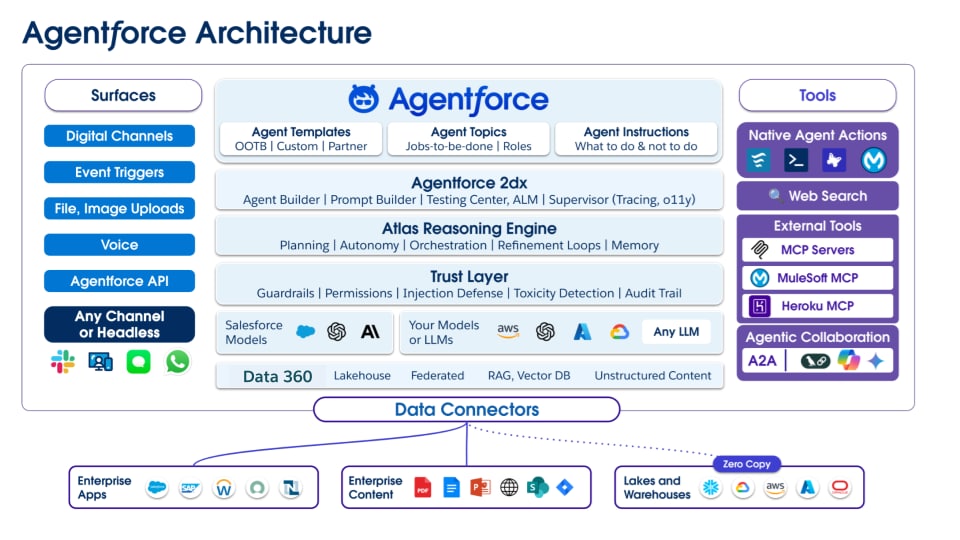 ## 2. Core Architectural Principles
Rationalizing a multi-agent architecture starts with projecting core architectural principles onto the capabilities and structure of agents. The resulting multi-agent architectures are then a manifestation of core system design and system architecture principles that are aligned with the unique “grain” of AI technologies.
Key principles that drive this architecture include:
- Manage complexity through decomposition
- Improve resilience and reduce brittleness through decoupling
- Improve dependability and efficiency through code reuse
- Improve agent reliability by limiting any one agent’s scope of concerns
- Improve system maintenance and evolution through modularity and extensibility
- Simplify agent management and accountability though specialization
Unlike more primitive agentic architectures (for example, those that focus on LLMs as the core architectural construct), _Agentforce was designed for multi-agent orchestration from its inception_. Multi-agent orchestration underlies the Atlas Reasoning engine and agentic reasoning to create dynamic, effective programming paths within an agentic response to dramatically expand the ability to deliver a broad, deep agentic augmentation to the user experience (UX).
Within Agentforce this type of coordination is enabled by these key open, interoperable protocols and Salesforce Products:
- **Agentforce** provide an Agent sub-system to encapsulate all of the key elements of an agent: topics, instructions, actions, guardrails, context, invocations, outputs, execution details, logs, etc.
- **Actions**: provide hooks to access data, call flows, invoke external systems, and call other agents.
- **Data 360**: provides a data virtualization layer to bring specific, individualized context to the agent (leveraging Data 360’s unified profile and key chain to pull specific information from across the enterprise).
And for agents across the enterprise or to access agents or resources, we support:
- **Model Context Protocol (MCP)**: is a secure communication layer that connects agents to enterprise tools, data, and knowledge to ensure contextual accuracy.
- **Agent-to-Agent (A2A) Protocol**: is a standardized handshake for inter-agent delegation that enables secure, governed coordination across systems, orgs, and vendors.
These principles provide the foundation for building a scalable, governable system of orchestrated intelligence.
### Additional Considerations
Robust agentic solutions require clear approaches to the non-functional requirements that underpin effective technology delivery:
- Security and Governance (Identity and Access Management, Data Privacy, Data Security, and Threat Modeling).
- Observability & Monitoring (Distributed tracing, Centralized Logging, Metrics, and Dashboards).
- Operationalization and Lifecycle Management (Specification, Test Case Generation, Testing, Feedback, Continual Learning, Deprecation).
These are key architectural considerations for building Enterprise Agentic solutions that aren’t covered in this whitepaper; however, they will be addressed in future publications.
## 3. Enterprise Agent Taxonomy
To manage an enterprise-wide agentic landscape, architects must classify agents through two complementary lenses: technical function and business impact.
### 3.1 Functional Role Classification
This taxonomy categorizes the functional roles that agents may assume within an architecture.
- **Channel/UX Roles**: Define the modality of interaction (for example, Headless, Prompt, Chats and Messages, or AI-Managed Workspaces).
- **Specialist Roles**: Encapsulate deep-domain knowledge (for example, Domain Expert, Knowledge Minion, Assistant, or Planner).
- **Utility Service Roles**: Perform discrete, transactional tasks (for example, Generation, Summarization, Transformation, or Configuration).
- **Maintenance & Proactive Service Roles**: Focus on data health and quality (for example, Curation, Conformation, Data Quality, or Data Enrichment).
- **Long-Running Roles**: Manage processes over extended periods of time (for example, Concierge, Project Manager, Nurturer, or Watcher/Alerter).
## 4. The Agentic Map Template
To facilitate clear design and communication, the **Agentic Map** is the standard template to describe agentic solutions. It defines key entities, systems, and interactions within a specific design pattern.
Here are the Agentic Map Template Components:
- **User Layers** define the human actors in the system (for example, Customers, Authenticated Employees (SF-Users), and Non-Authenticated Employees).
- **Agent Layers** describe required agents, exhibited patterns, relationships with one another, and instructions that are used to actualize specific patterns.
- **Context/Actions** are the resources, capabilities, or actions that the agent manages or accesses.
- **Sources** are the underlying data, applications, knowledge bases, and other systems that the agents connect to.
Appendices A and B illustrate system-level agentic patterns by demonstrating their composition within the Agentic Map Template swimlanes.
## 5. Agentic Pattern Frameworks
At Salesforce, we use a library of agent patterns to organize and deliver reliable, predictable agentic solutions. These patterns are our blueprints for solving common architectural problems.
They’re grouped into four primary categories:
- **Interaction Patterns**: Focus on agentic engagement and user experience (UX).
- **Specialist/Worker Patterns**: Encapsulate deep knowledge or specific skills within a particular domain.
- **Utility & Data Management Patterns**: Perform specific, often repeatable tasks that support other agents or processes.
- **Long-Running Patterns**: Manage processes and workflows that occur over extended periods, involving multiple steps.
The following sections detail key patterns from each category. Each pattern description provides an **Overview**, **Output Type**, **Pattern Use Guidance**, **Representative Use Cases**, and a **Solution Diagram**, as well as mapping to the **Salesforce Agentic Maturity Rubric**.
## 6. Interaction Patterns
_Interaction patterns_ are foundational designs that focus on agentic engagement and user experience.
### Greeter Pattern
- **Overview**: The _Greeter pattern_ is a simple, easy-to-implement pattern that uses natural language to determine user intent. Then, it routes the user to the appropriate human agent.
- **Output Type**: Hand-off/Escalate to the next resource.
- **Business Value**: Facilitate a seamless, efficient first contact for customers while maximizing intent resolution and context collection for service providers.
- **Pattern Use Guidance**: Configure the agent as the primary engagement resource for brand channels. Provide instructions on brand, products, and services that are paired with routing instructions based on user intent. The agent collects and summarizes intent to deliver a warm handoff.
- **Representative Use Case**: Imagine a web page that uses a chat bot to present a menu of options where users must click through all of the options before they’re routed to a human. To improve back-office productivity and efficiency, chatbots often use complex, complicated work paths and interactions. This leads to a “fill, choose, and click” fatigue scenario for customers that often results in frustration if their context lies outside of the available menu options. By replacing traditional chatbots with the _Agentic Front Door_—which uses natural language interactions—it eases the burden and provides a human-like interaction.
- **Agentforce Recipe**:
- Agentforce Service Agent: [Assemble a Service Agent with Agentforce Builder](https://trailhead.salesforce.com/content/learn/modules/quick-start-assemble-a-service-agent-with-agentforce-builder)
- The packaged Service Agent has configurable transfer capabilities that support transfer:
- To human agents
- To AI agents
- To external agents
- Industry specific patterns that contain code examples
- **Diagram**:
## 2. Core Architectural Principles
Rationalizing a multi-agent architecture starts with projecting core architectural principles onto the capabilities and structure of agents. The resulting multi-agent architectures are then a manifestation of core system design and system architecture principles that are aligned with the unique “grain” of AI technologies.
Key principles that drive this architecture include:
- Manage complexity through decomposition
- Improve resilience and reduce brittleness through decoupling
- Improve dependability and efficiency through code reuse
- Improve agent reliability by limiting any one agent’s scope of concerns
- Improve system maintenance and evolution through modularity and extensibility
- Simplify agent management and accountability though specialization
Unlike more primitive agentic architectures (for example, those that focus on LLMs as the core architectural construct), _Agentforce was designed for multi-agent orchestration from its inception_. Multi-agent orchestration underlies the Atlas Reasoning engine and agentic reasoning to create dynamic, effective programming paths within an agentic response to dramatically expand the ability to deliver a broad, deep agentic augmentation to the user experience (UX).
Within Agentforce this type of coordination is enabled by these key open, interoperable protocols and Salesforce Products:
- **Agentforce** provide an Agent sub-system to encapsulate all of the key elements of an agent: topics, instructions, actions, guardrails, context, invocations, outputs, execution details, logs, etc.
- **Actions**: provide hooks to access data, call flows, invoke external systems, and call other agents.
- **Data 360**: provides a data virtualization layer to bring specific, individualized context to the agent (leveraging Data 360’s unified profile and key chain to pull specific information from across the enterprise).
And for agents across the enterprise or to access agents or resources, we support:
- **Model Context Protocol (MCP)**: is a secure communication layer that connects agents to enterprise tools, data, and knowledge to ensure contextual accuracy.
- **Agent-to-Agent (A2A) Protocol**: is a standardized handshake for inter-agent delegation that enables secure, governed coordination across systems, orgs, and vendors.
These principles provide the foundation for building a scalable, governable system of orchestrated intelligence.
### Additional Considerations
Robust agentic solutions require clear approaches to the non-functional requirements that underpin effective technology delivery:
- Security and Governance (Identity and Access Management, Data Privacy, Data Security, and Threat Modeling).
- Observability & Monitoring (Distributed tracing, Centralized Logging, Metrics, and Dashboards).
- Operationalization and Lifecycle Management (Specification, Test Case Generation, Testing, Feedback, Continual Learning, Deprecation).
These are key architectural considerations for building Enterprise Agentic solutions that aren’t covered in this whitepaper; however, they will be addressed in future publications.
## 3. Enterprise Agent Taxonomy
To manage an enterprise-wide agentic landscape, architects must classify agents through two complementary lenses: technical function and business impact.
### 3.1 Functional Role Classification
This taxonomy categorizes the functional roles that agents may assume within an architecture.
- **Channel/UX Roles**: Define the modality of interaction (for example, Headless, Prompt, Chats and Messages, or AI-Managed Workspaces).
- **Specialist Roles**: Encapsulate deep-domain knowledge (for example, Domain Expert, Knowledge Minion, Assistant, or Planner).
- **Utility Service Roles**: Perform discrete, transactional tasks (for example, Generation, Summarization, Transformation, or Configuration).
- **Maintenance & Proactive Service Roles**: Focus on data health and quality (for example, Curation, Conformation, Data Quality, or Data Enrichment).
- **Long-Running Roles**: Manage processes over extended periods of time (for example, Concierge, Project Manager, Nurturer, or Watcher/Alerter).
## 4. The Agentic Map Template
To facilitate clear design and communication, the **Agentic Map** is the standard template to describe agentic solutions. It defines key entities, systems, and interactions within a specific design pattern.
Here are the Agentic Map Template Components:
- **User Layers** define the human actors in the system (for example, Customers, Authenticated Employees (SF-Users), and Non-Authenticated Employees).
- **Agent Layers** describe required agents, exhibited patterns, relationships with one another, and instructions that are used to actualize specific patterns.
- **Context/Actions** are the resources, capabilities, or actions that the agent manages or accesses.
- **Sources** are the underlying data, applications, knowledge bases, and other systems that the agents connect to.
Appendices A and B illustrate system-level agentic patterns by demonstrating their composition within the Agentic Map Template swimlanes.
## 5. Agentic Pattern Frameworks
At Salesforce, we use a library of agent patterns to organize and deliver reliable, predictable agentic solutions. These patterns are our blueprints for solving common architectural problems.
They’re grouped into four primary categories:
- **Interaction Patterns**: Focus on agentic engagement and user experience (UX).
- **Specialist/Worker Patterns**: Encapsulate deep knowledge or specific skills within a particular domain.
- **Utility & Data Management Patterns**: Perform specific, often repeatable tasks that support other agents or processes.
- **Long-Running Patterns**: Manage processes and workflows that occur over extended periods, involving multiple steps.
The following sections detail key patterns from each category. Each pattern description provides an **Overview**, **Output Type**, **Pattern Use Guidance**, **Representative Use Cases**, and a **Solution Diagram**, as well as mapping to the **Salesforce Agentic Maturity Rubric**.
## 6. Interaction Patterns
_Interaction patterns_ are foundational designs that focus on agentic engagement and user experience.
### Greeter Pattern
- **Overview**: The _Greeter pattern_ is a simple, easy-to-implement pattern that uses natural language to determine user intent. Then, it routes the user to the appropriate human agent.
- **Output Type**: Hand-off/Escalate to the next resource.
- **Business Value**: Facilitate a seamless, efficient first contact for customers while maximizing intent resolution and context collection for service providers.
- **Pattern Use Guidance**: Configure the agent as the primary engagement resource for brand channels. Provide instructions on brand, products, and services that are paired with routing instructions based on user intent. The agent collects and summarizes intent to deliver a warm handoff.
- **Representative Use Case**: Imagine a web page that uses a chat bot to present a menu of options where users must click through all of the options before they’re routed to a human. To improve back-office productivity and efficiency, chatbots often use complex, complicated work paths and interactions. This leads to a “fill, choose, and click” fatigue scenario for customers that often results in frustration if their context lies outside of the available menu options. By replacing traditional chatbots with the _Agentic Front Door_—which uses natural language interactions—it eases the burden and provides a human-like interaction.
- **Agentforce Recipe**:
- Agentforce Service Agent: [Assemble a Service Agent with Agentforce Builder](https://trailhead.salesforce.com/content/learn/modules/quick-start-assemble-a-service-agent-with-agentforce-builder)
- The packaged Service Agent has configurable transfer capabilities that support transfer:
- To human agents
- To AI agents
- To external agents
- Industry specific patterns that contain code examples
- **Diagram**:
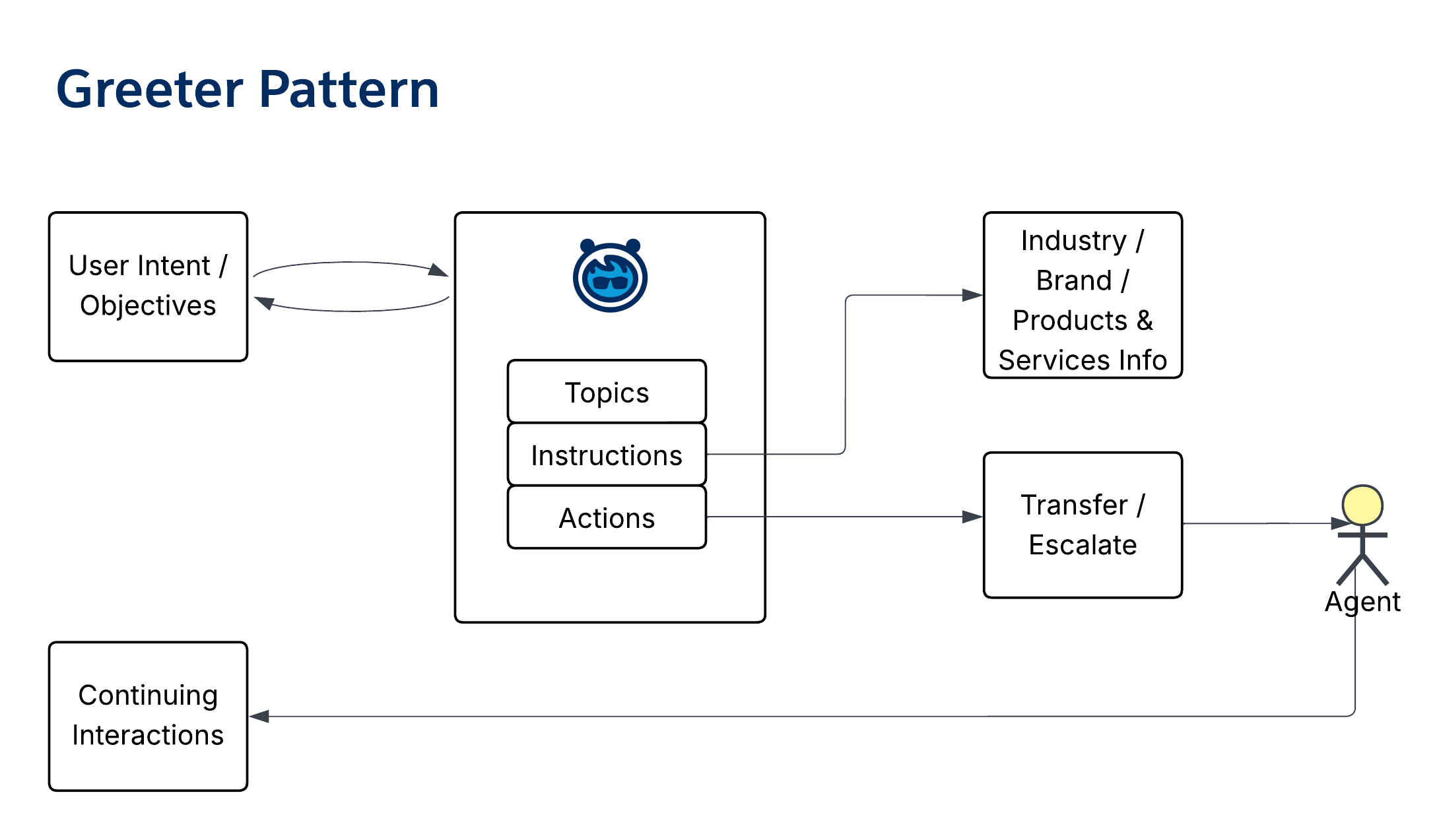 - **Salesforce Agentic Maturity**: Level 1 (or Level 0 if you use the Out-of-the-Box Service Agent with built in transfer and escalation)
### Operator Pattern
- **Overview**: The _Operator pattern_ builds on the _Greeter pattern_ by routing requests to the appropriate specialist agent or human and negotiating intent (if needed).
- **Output Type**: Hand-off/Transfer to the next resource.
- **Pattern Use Guidance**: Pair brand- and service-specific instructions with instructions on where to send the user based on intent. Define escalation resources, which may be humans or other agents.
- **Representative Use Case**: Use the _Agentic Front Door_ for scenarios where there’s a high degree of specialization among human or AI representatives.
- **Diagram**:
- **Salesforce Agentic Maturity**: Level 1 (or Level 0 if you use the Out-of-the-Box Service Agent with built in transfer and escalation)
### Operator Pattern
- **Overview**: The _Operator pattern_ builds on the _Greeter pattern_ by routing requests to the appropriate specialist agent or human and negotiating intent (if needed).
- **Output Type**: Hand-off/Transfer to the next resource.
- **Pattern Use Guidance**: Pair brand- and service-specific instructions with instructions on where to send the user based on intent. Define escalation resources, which may be humans or other agents.
- **Representative Use Case**: Use the _Agentic Front Door_ for scenarios where there’s a high degree of specialization among human or AI representatives.
- **Diagram**:
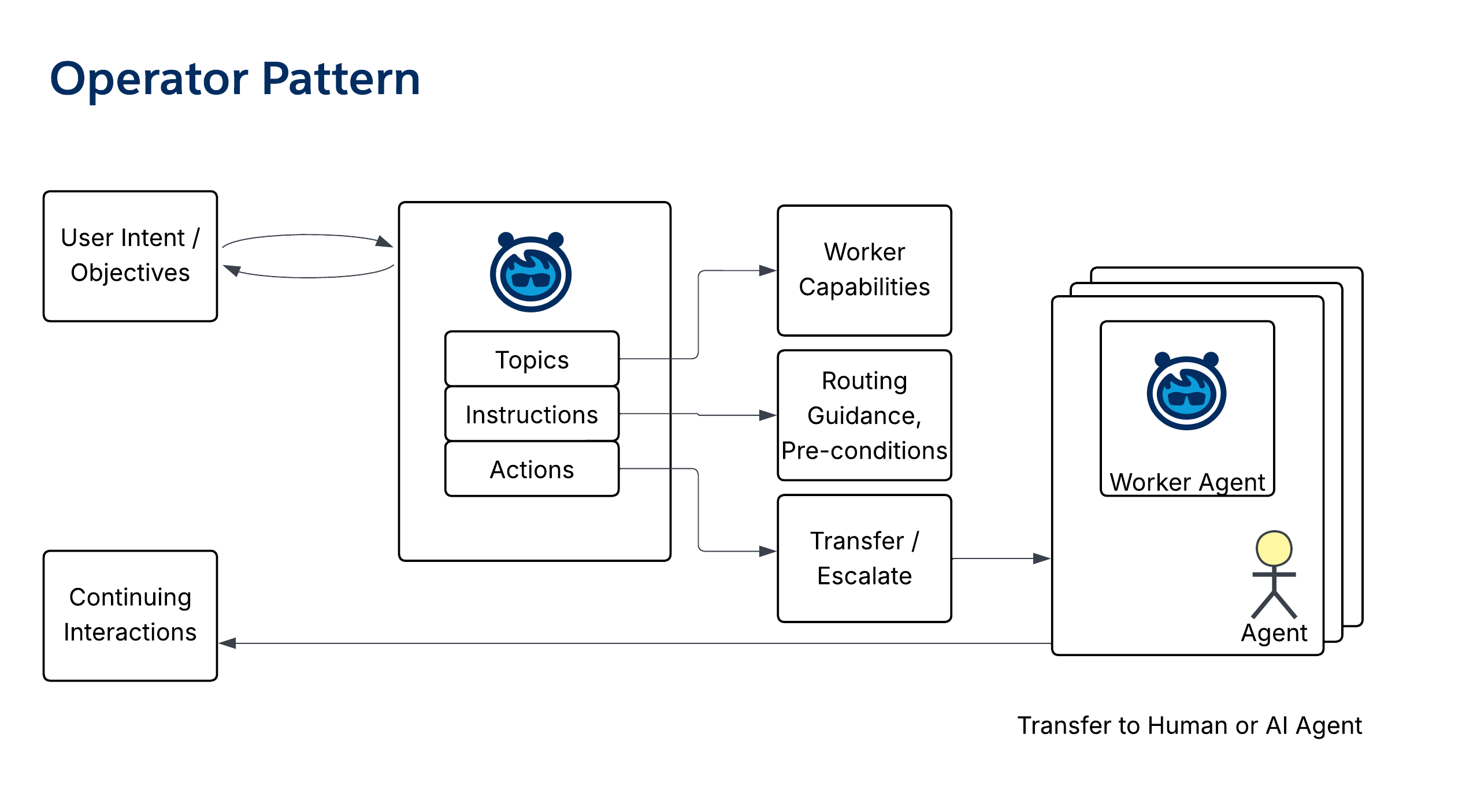 - **Salesforce Agentic Maturity**: Level 2
### Orchestrator Pattern
- **Overview**: The _Orchestrator pattern_ manages an AI Agent "Swarm." When it receives a user request, it passes the utterance to one or more specialist agents, and then aggregates the responses for the user. Unlike the _Operator pattern_, it remains the first point of contact (POC).
- **Output Type**: Collate and prepare response(s) from worker agents.
- **Pattern Use Guidance**: Configured as the primary engager. Provide instructions for each supporting worker agent (for example, a Prioritizer or Domain SME) that allows the orchestrator to relay utterances to them.
- **Representative Use Case**: Use the _Orchestrator Pattern_ as the agentic front door to assist customers who may need to discuss multiple topics per conversation, which requires multi-agent solutions and consistent interactions. In a multi-system architecture, consider the _Orchestrator Pattern_ to coordinate responses across systems and with the collaboration of external agents.
- **Diagram**:
- **Salesforce Agentic Maturity**: Level 2
### Orchestrator Pattern
- **Overview**: The _Orchestrator pattern_ manages an AI Agent "Swarm." When it receives a user request, it passes the utterance to one or more specialist agents, and then aggregates the responses for the user. Unlike the _Operator pattern_, it remains the first point of contact (POC).
- **Output Type**: Collate and prepare response(s) from worker agents.
- **Pattern Use Guidance**: Configured as the primary engager. Provide instructions for each supporting worker agent (for example, a Prioritizer or Domain SME) that allows the orchestrator to relay utterances to them.
- **Representative Use Case**: Use the _Orchestrator Pattern_ as the agentic front door to assist customers who may need to discuss multiple topics per conversation, which requires multi-agent solutions and consistent interactions. In a multi-system architecture, consider the _Orchestrator Pattern_ to coordinate responses across systems and with the collaboration of external agents.
- **Diagram**:
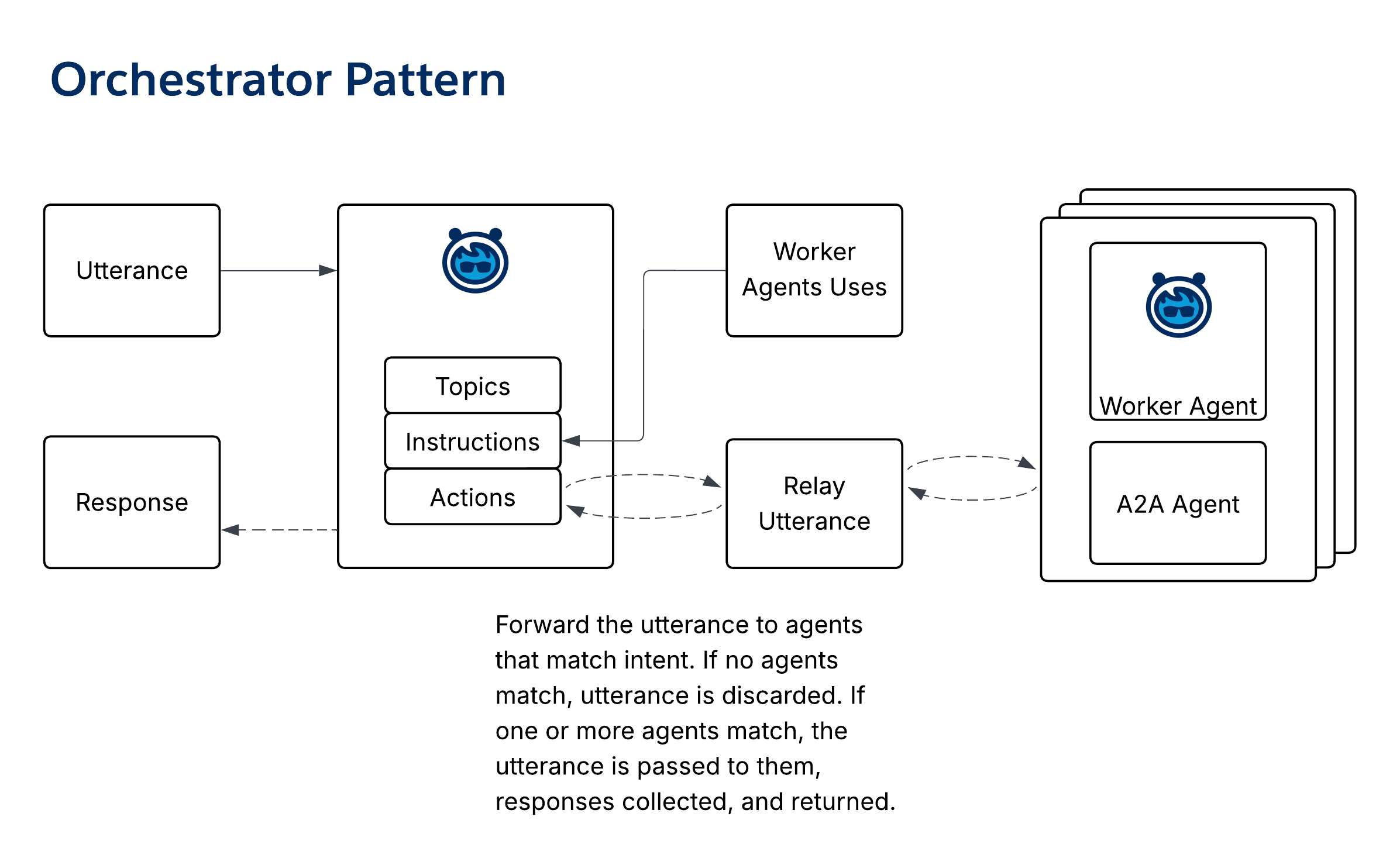 - **Salesforce Agentic Maturity**: Level 3
### Listener/Feed Pattern
- **Overview**: The _Listener/Feed pattern_ surfaces context and insights during the flow of a conversation. The _Listener_ is triggered during each conversational turn to find and display relevant information for an employee.
- **Output Type**: Provide relevant context based on conversation, which can be formatted for effect (for example, making comparisons or highlighting key points).
- **Pattern Use Guidance**: Attach the Listener to a turn-based channel (for example, chat, voice, or SMS). Define topics for each subject area. The agent consumes the transcript, identifies topics, and invokes actions to search for and post relevant content to a running feed for the employee.
- **Representative Use Case**: Use the _Universal Assistant_ to assist Customer Service or Sales representatives.
- **Diagram**:
- **Salesforce Agentic Maturity**: Level 3
### Listener/Feed Pattern
- **Overview**: The _Listener/Feed pattern_ surfaces context and insights during the flow of a conversation. The _Listener_ is triggered during each conversational turn to find and display relevant information for an employee.
- **Output Type**: Provide relevant context based on conversation, which can be formatted for effect (for example, making comparisons or highlighting key points).
- **Pattern Use Guidance**: Attach the Listener to a turn-based channel (for example, chat, voice, or SMS). Define topics for each subject area. The agent consumes the transcript, identifies topics, and invokes actions to search for and post relevant content to a running feed for the employee.
- **Representative Use Case**: Use the _Universal Assistant_ to assist Customer Service or Sales representatives.
- **Diagram**:
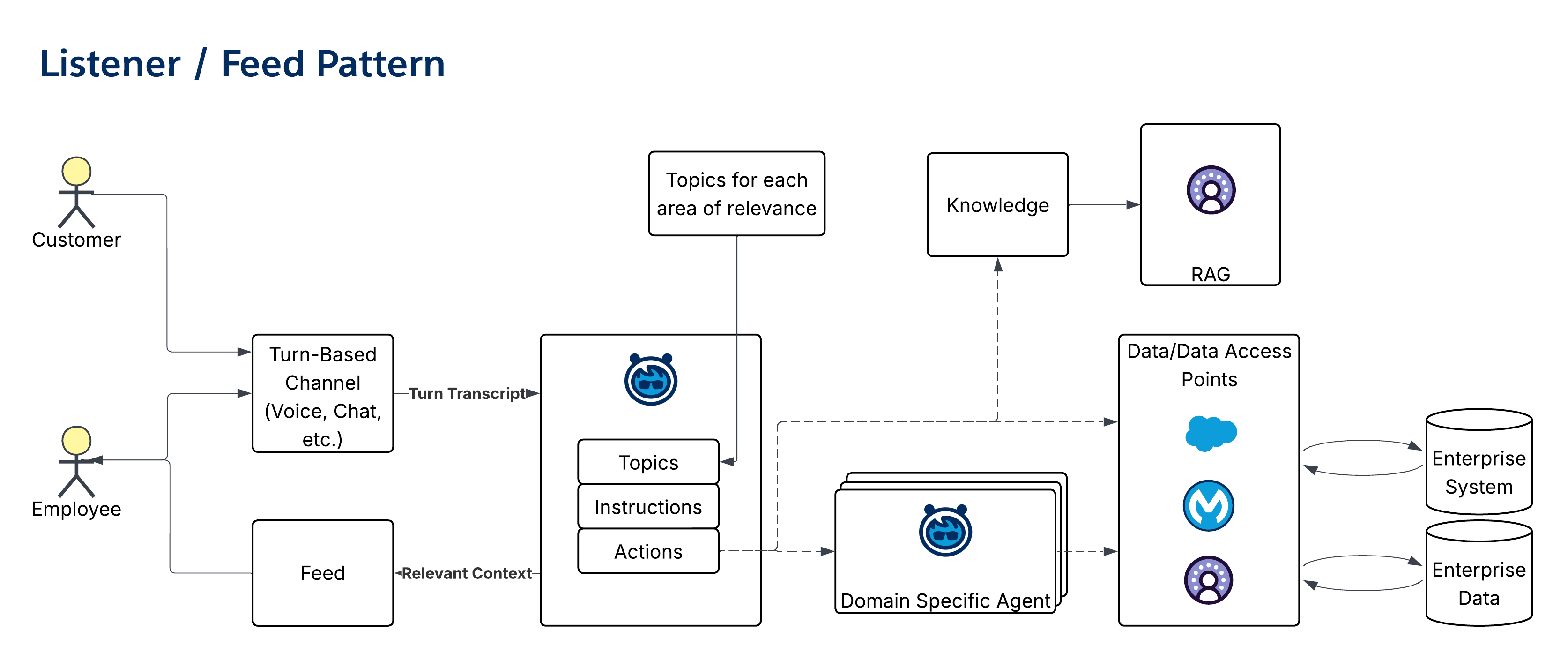 - **Salesforce Agentic Maturity**: Level 3
### Workspace (Radar O'Reilly) Pattern
- **Overview**: The _Workspace (Radar O’Reilly) pattern_ manages a responsive single-pane-of-glass UX in the flow of a conversation. It processes each utterance to update portions of the UX with relevant content.
- **Output Type**: Provide relevant context that’s located in a portlet within a larger single-pane-of-glass view.
- **Pattern Use Guidance**: An _Orchestrator_ agent passes utterances to a suite of _Topic_ agents. Each Topic agent assesses the statement to determine whether a UX update is necessary. If so, it pushes dynamic updates to the corresponding LWC.
- **Representative Use Case**: This functions like an advanced agentic front door.
- **Diagram**:
- **Salesforce Agentic Maturity**: Level 3
### Workspace (Radar O'Reilly) Pattern
- **Overview**: The _Workspace (Radar O’Reilly) pattern_ manages a responsive single-pane-of-glass UX in the flow of a conversation. It processes each utterance to update portions of the UX with relevant content.
- **Output Type**: Provide relevant context that’s located in a portlet within a larger single-pane-of-glass view.
- **Pattern Use Guidance**: An _Orchestrator_ agent passes utterances to a suite of _Topic_ agents. Each Topic agent assesses the statement to determine whether a UX update is necessary. If so, it pushes dynamic updates to the corresponding LWC.
- **Representative Use Case**: This functions like an advanced agentic front door.
- **Diagram**:
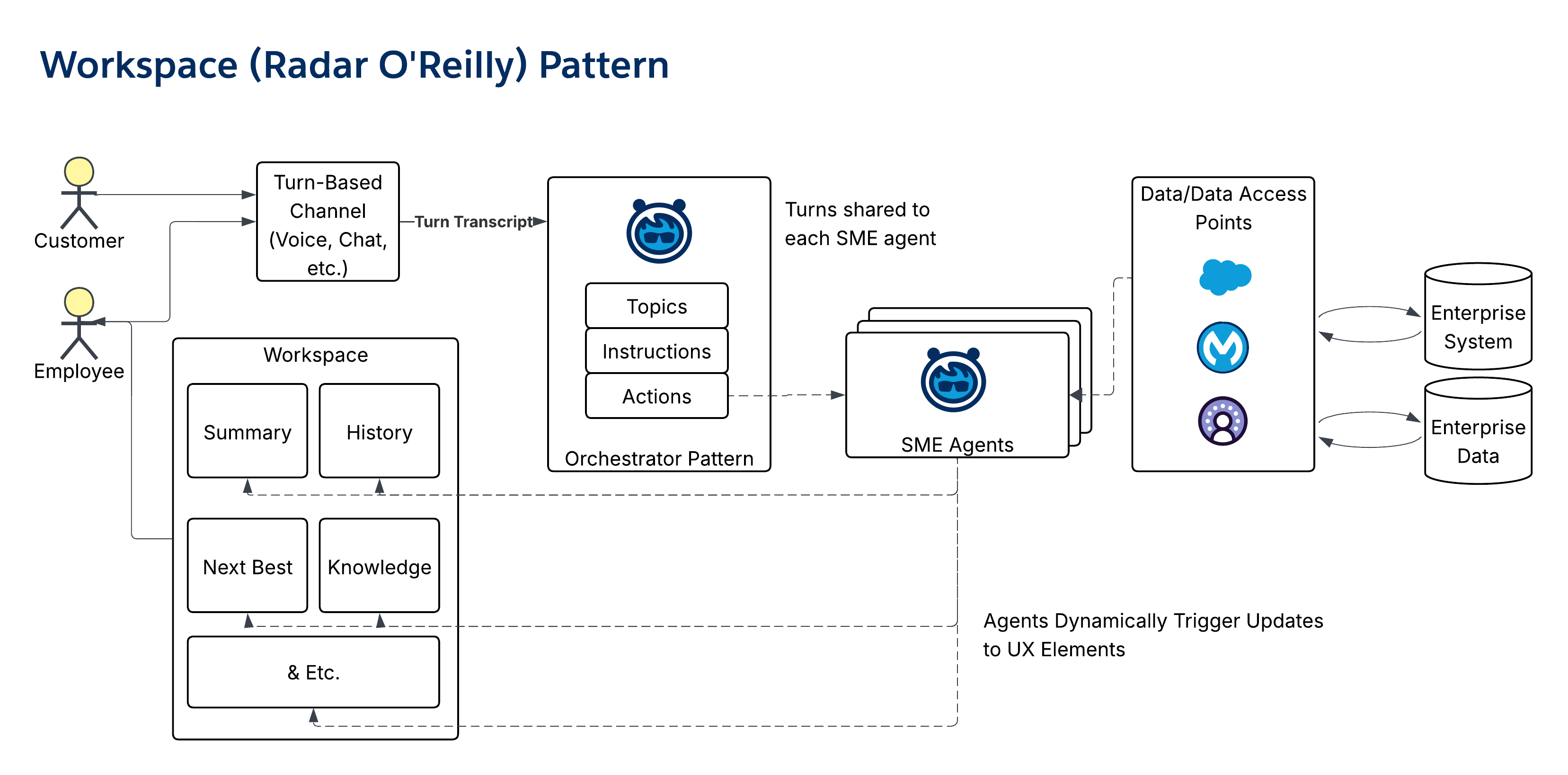 - **Salesforce Agentic Maturity**: Level 3
## 7. Specialist Patterns
_Specialist patterns_ encapsulate deep knowledge or skills in a particular domain, and they’re typically orchestrated by _Interaction patterns_.
### Answerbot Pattern
- **Overview**: The _Answerbot pattern_ is an effective pattern for self-service that uses GenAI to determine natural language for knowledge retrieval, not just keywords.
- **Output Type**: Summarized knowledge and references/citations to supporting materials.
- **Pattern Use Guidance**: Organize and ingest reliable source materials (for example, Knowledge Stores or FAQs) to configure the agent. Position the agent on corporate websites or within internal portals. Monitor questions to identify and address knowledge gaps.
- **Representative Use Case**: Facilitating natural language searches on a corporate website, interacting with an HR Benefits Bot, and providing self-service components for all constituents.
- **Diagram**:
- **Salesforce Agentic Maturity**: Level 3
## 7. Specialist Patterns
_Specialist patterns_ encapsulate deep knowledge or skills in a particular domain, and they’re typically orchestrated by _Interaction patterns_.
### Answerbot Pattern
- **Overview**: The _Answerbot pattern_ is an effective pattern for self-service that uses GenAI to determine natural language for knowledge retrieval, not just keywords.
- **Output Type**: Summarized knowledge and references/citations to supporting materials.
- **Pattern Use Guidance**: Organize and ingest reliable source materials (for example, Knowledge Stores or FAQs) to configure the agent. Position the agent on corporate websites or within internal portals. Monitor questions to identify and address knowledge gaps.
- **Representative Use Case**: Facilitating natural language searches on a corporate website, interacting with an HR Benefits Bot, and providing self-service components for all constituents.
- **Diagram**:
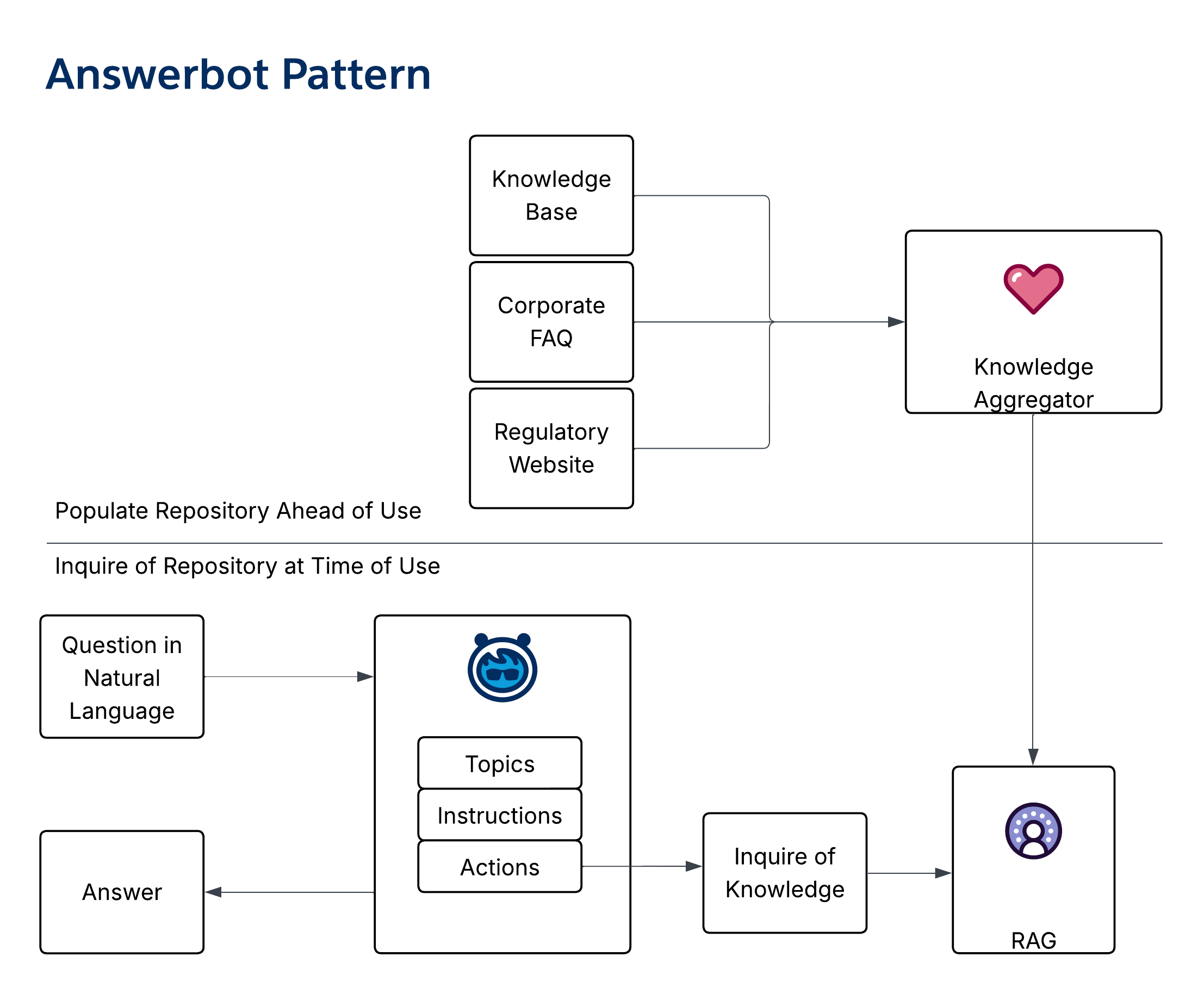 - **Salesforce Agentic Maturity**: Level 1
### Domain SME Pattern
- **Overview**: The _Domain SME pattern_ is a foundational pattern that provides a natural language front end for a business domain (for example, Orders or Claims).
- **Output Type**: Provide relevant content, topics, data, and formatted information about the domain.
- **Pattern Use Guidance**: Use this pattern to encapsulate a subject or business domain. Configure the agent with the ability to perform appropriate CRUD operations. Make these agents available through [_Interaction patterns_](/docs/architect/fundamentals/guide/enterprise-agentic-architecture#6-interaction-patterns) (for example, - Orchestrator or Listener).
- **Representative Use Case**: Gatekeeping a business data domain, providing an "Order Agent" or "Inventory Agent," and providing an agentic interface for a business domain.
- **Diagram**:
- **Salesforce Agentic Maturity**: Level 1
### Domain SME Pattern
- **Overview**: The _Domain SME pattern_ is a foundational pattern that provides a natural language front end for a business domain (for example, Orders or Claims).
- **Output Type**: Provide relevant content, topics, data, and formatted information about the domain.
- **Pattern Use Guidance**: Use this pattern to encapsulate a subject or business domain. Configure the agent with the ability to perform appropriate CRUD operations. Make these agents available through [_Interaction patterns_](/docs/architect/fundamentals/guide/enterprise-agentic-architecture#6-interaction-patterns) (for example, - Orchestrator or Listener).
- **Representative Use Case**: Gatekeeping a business data domain, providing an "Order Agent" or "Inventory Agent," and providing an agentic interface for a business domain.
- **Diagram**:
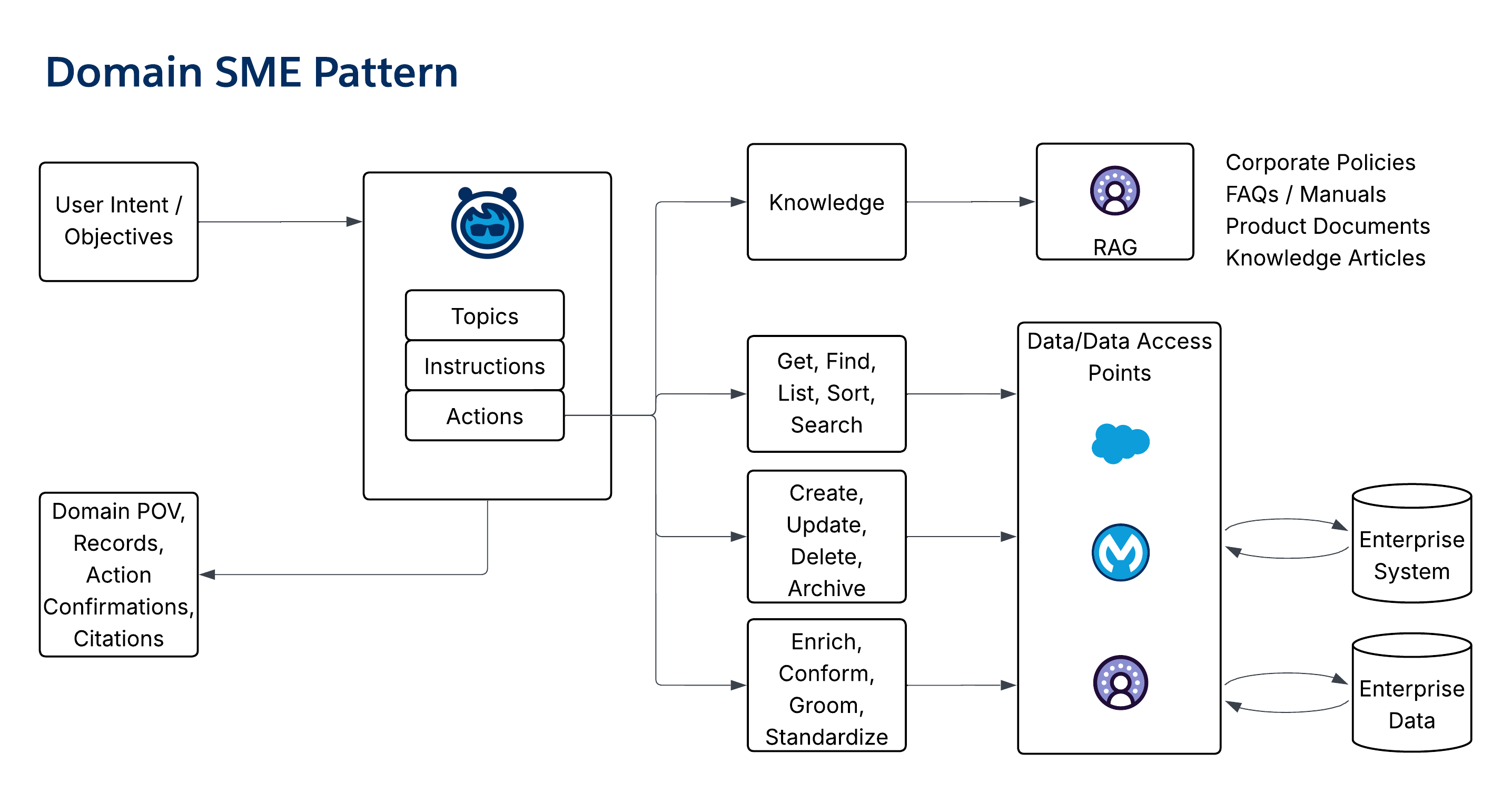 - **Salesforce Agentic Maturity**: Level 2
### Interrogator Pattern
- **Overview**: The _Interrogator pattern_ is an SME agent that can be interrogated on a topic to assemble context from multiple sources to answer questions. The key agentic capability leveraged is the ability to pull context and connect concepts across a body of content, in the way a human would after reading and internalizing the content. This pattern mitigates the need for "swivel-chair integration."
- **Output Type**: Provide answers to questions.
- **Pattern Use Guidance**: It’s often configured as a console widget that’s wired to the user's current context so they can ask questions directly. It’s also used in conjunction with knowledge resources like FAQs, Policies, and Product catalogs. Pair the _Interrogator pattern_ with standard prompts to scale common answers to common questions.
- **Representative Use Case**: Use as a contract assistant agent; Benefit inquiries assistant, or specialist worker agent in multi-agent patterns (for example, Listener or Workspace).
- **Diagram**:
- **Salesforce Agentic Maturity**: Level 2
### Interrogator Pattern
- **Overview**: The _Interrogator pattern_ is an SME agent that can be interrogated on a topic to assemble context from multiple sources to answer questions. The key agentic capability leveraged is the ability to pull context and connect concepts across a body of content, in the way a human would after reading and internalizing the content. This pattern mitigates the need for "swivel-chair integration."
- **Output Type**: Provide answers to questions.
- **Pattern Use Guidance**: It’s often configured as a console widget that’s wired to the user's current context so they can ask questions directly. It’s also used in conjunction with knowledge resources like FAQs, Policies, and Product catalogs. Pair the _Interrogator pattern_ with standard prompts to scale common answers to common questions.
- **Representative Use Case**: Use as a contract assistant agent; Benefit inquiries assistant, or specialist worker agent in multi-agent patterns (for example, Listener or Workspace).
- **Diagram**:
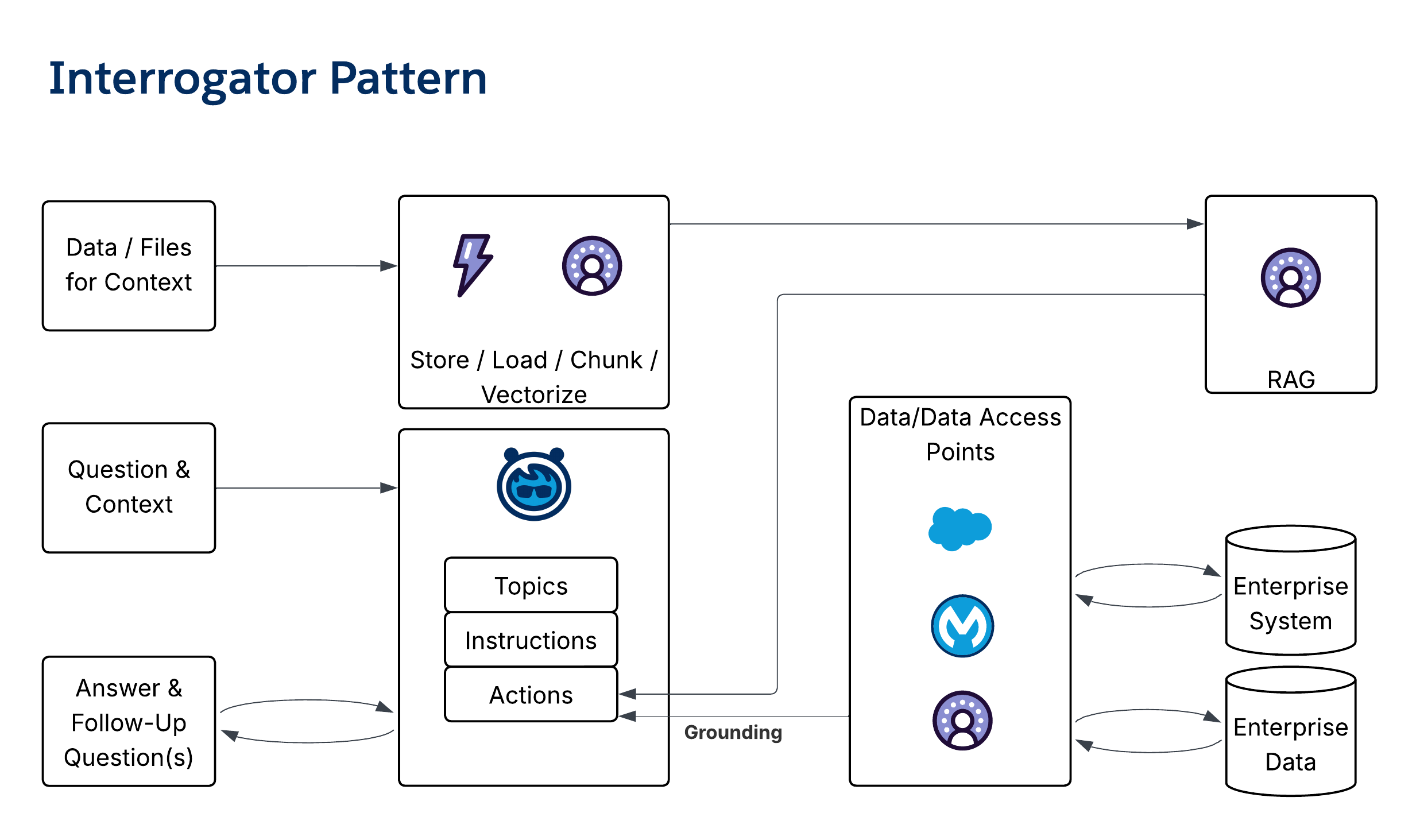 - **Salesforce Agentic Maturity**: Level 2
### Prioritizer Pattern
- **Overview**: The _Prioritizer pattern_ is used to order a set of tasks or work objects based on a defined objective. It leverages GenAI for qualitative analysis, unstructured data analysis, or integrative analysis across multiple data domains.
- **Output Type**: Provide generative insight.
- **Pattern Use Guidance**: Use natural language to describe the desired qualities for prioritization. Ground the agent using a set of selectable options. Combine with the Listener pattern to create a responsive "Next Best Action" in the flow of work.
- **Representative Use Case**: Use as a _Next Best Action_ generator or a specialist worker agent in long-running or multi-agent patterns.
- **Diagram**:
- **Salesforce Agentic Maturity**: Level 2
### Prioritizer Pattern
- **Overview**: The _Prioritizer pattern_ is used to order a set of tasks or work objects based on a defined objective. It leverages GenAI for qualitative analysis, unstructured data analysis, or integrative analysis across multiple data domains.
- **Output Type**: Provide generative insight.
- **Pattern Use Guidance**: Use natural language to describe the desired qualities for prioritization. Ground the agent using a set of selectable options. Combine with the Listener pattern to create a responsive "Next Best Action" in the flow of work.
- **Representative Use Case**: Use as a _Next Best Action_ generator or a specialist worker agent in long-running or multi-agent patterns.
- **Diagram**:
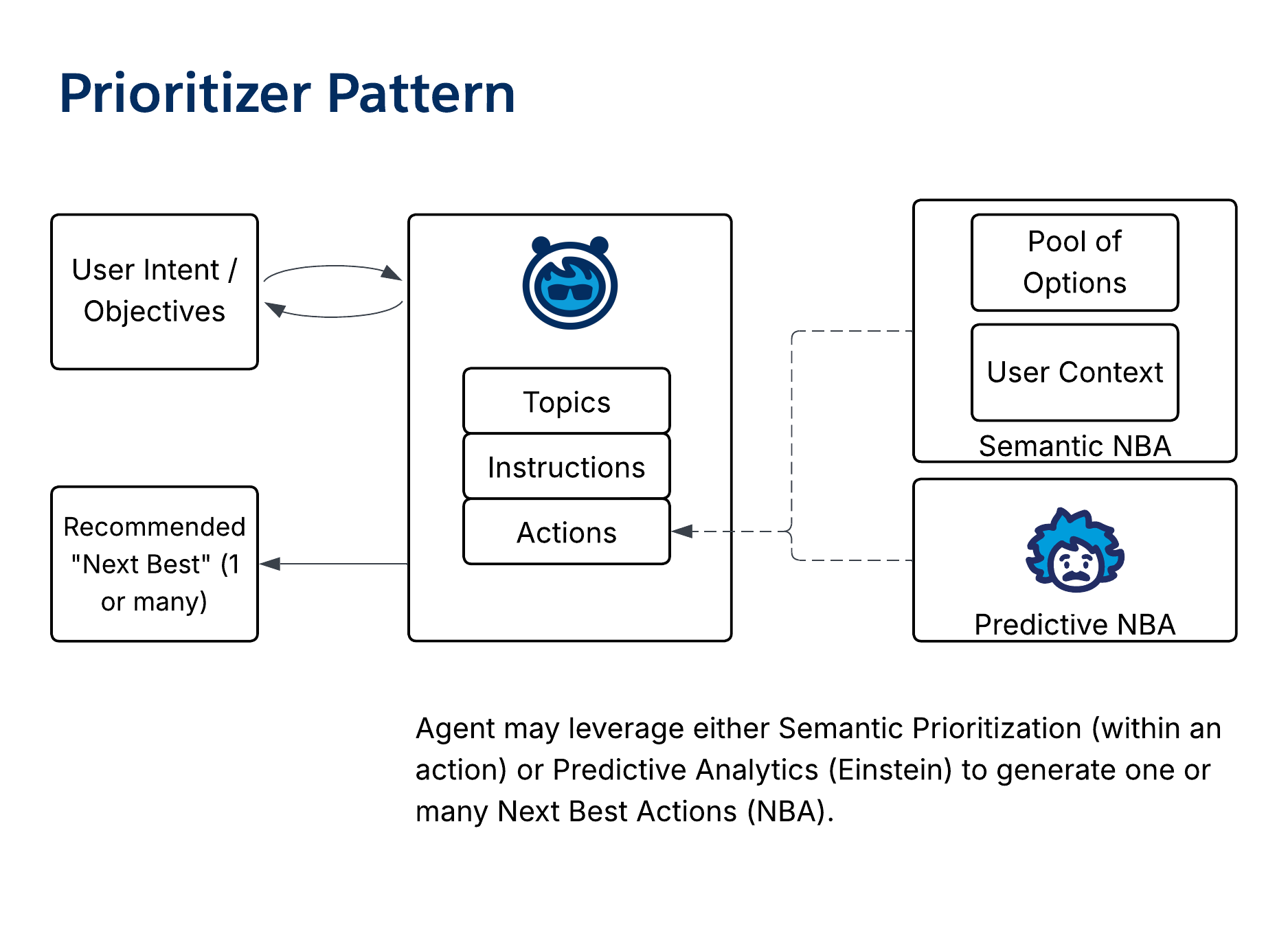 - **Salesforce Agentic Maturity**: Level 2
## 8. Utility and Data Patterns
_Utility patterns_ perform specific, repeatable tasks that support other agents or processes.
### Generator Pattern
- **Overview**: The _Generator pattern_ is a basic pattern for creating new content (for example, case summaries or email drafts) from existing inputs and standards. It’s often implemented as a prompt and may be embedded within other agents.
- **Output Type**: Provide generated content that conforms to the requested format and intent.
- **Pattern Use Guidance**: The _Generator pattern_ can be used within most other patterns or as a standalone. Context can be provided through the request, hydration during execution, or additional enrichment steps.
- **Representative Use Case**: Provide case summaries, email drafts, knowledge articles, or proposals/responses to QBRs.
- **Diagram**:
- **Salesforce Agentic Maturity**: Level 2
## 8. Utility and Data Patterns
_Utility patterns_ perform specific, repeatable tasks that support other agents or processes.
### Generator Pattern
- **Overview**: The _Generator pattern_ is a basic pattern for creating new content (for example, case summaries or email drafts) from existing inputs and standards. It’s often implemented as a prompt and may be embedded within other agents.
- **Output Type**: Provide generated content that conforms to the requested format and intent.
- **Pattern Use Guidance**: The _Generator pattern_ can be used within most other patterns or as a standalone. Context can be provided through the request, hydration during execution, or additional enrichment steps.
- **Representative Use Case**: Provide case summaries, email drafts, knowledge articles, or proposals/responses to QBRs.
- **Diagram**:
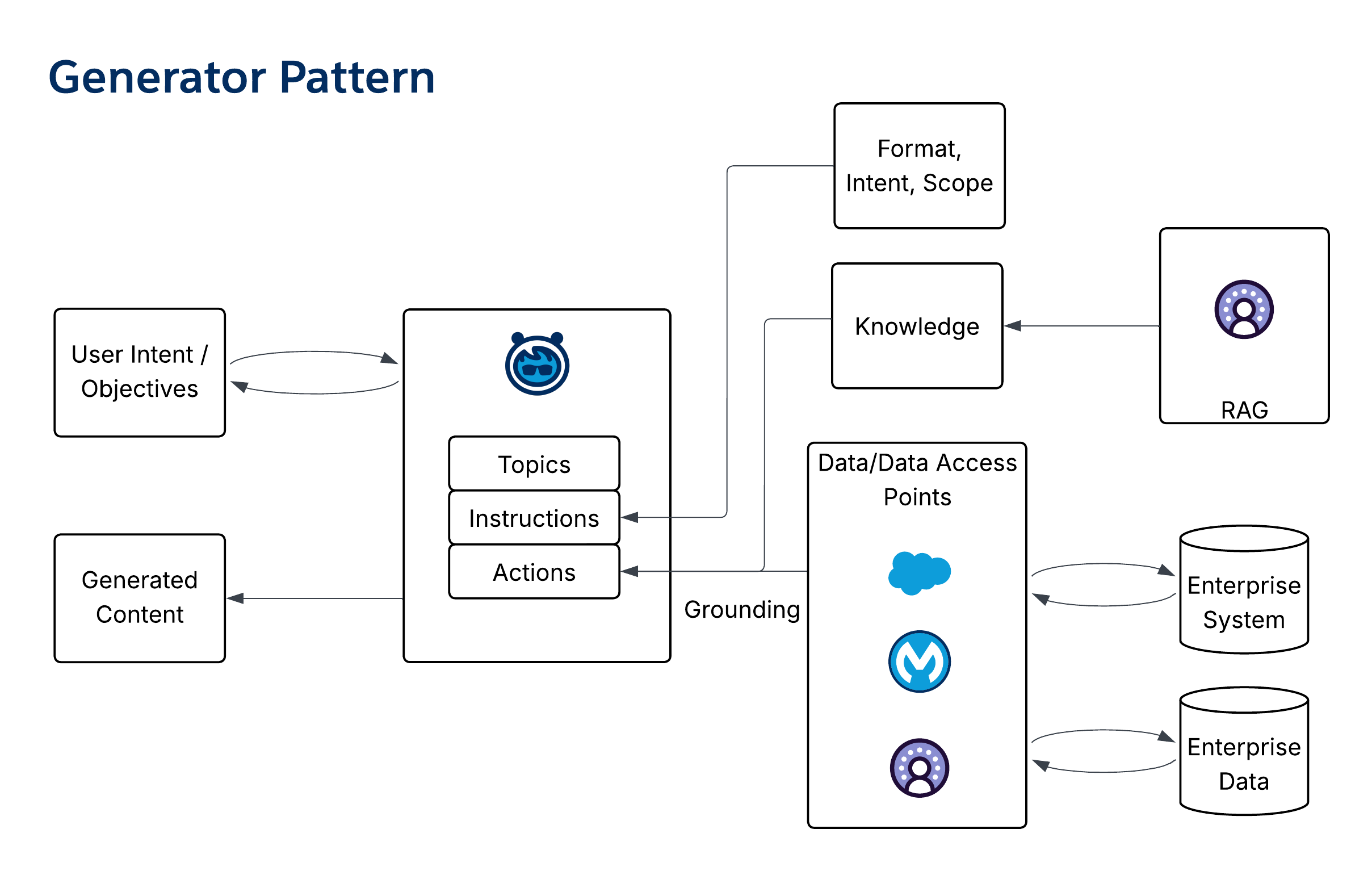 - **Salesforce Agentic Maturity**: Level 1
### Data Steward Pattern
- **Overview**: The _Data Steward pattern_ is an autonomous, background pattern that introduces an agentic step into data operations to ensure consistent data quality, conformance, and enrichment.
- **Output Type**: Provide updated record and data fields prior to saving.
- **Pattern Use Guidance**: Embed data quality at the point of data creation by adding data stewards that record trigger flows prior to saving data. Helps to ensure consistent application of categorization, summary, and state data.
- **Representative Use Case**: Ensuring consistent "Pizza-Tracker" style updates, enriching account data, and eliminating mismatched zip codes and addresses.
- **Diagram**:
- **Salesforce Agentic Maturity**: Level 1
### Data Steward Pattern
- **Overview**: The _Data Steward pattern_ is an autonomous, background pattern that introduces an agentic step into data operations to ensure consistent data quality, conformance, and enrichment.
- **Output Type**: Provide updated record and data fields prior to saving.
- **Pattern Use Guidance**: Embed data quality at the point of data creation by adding data stewards that record trigger flows prior to saving data. Helps to ensure consistent application of categorization, summary, and state data.
- **Representative Use Case**: Ensuring consistent "Pizza-Tracker" style updates, enriching account data, and eliminating mismatched zip codes and addresses.
- **Diagram**:
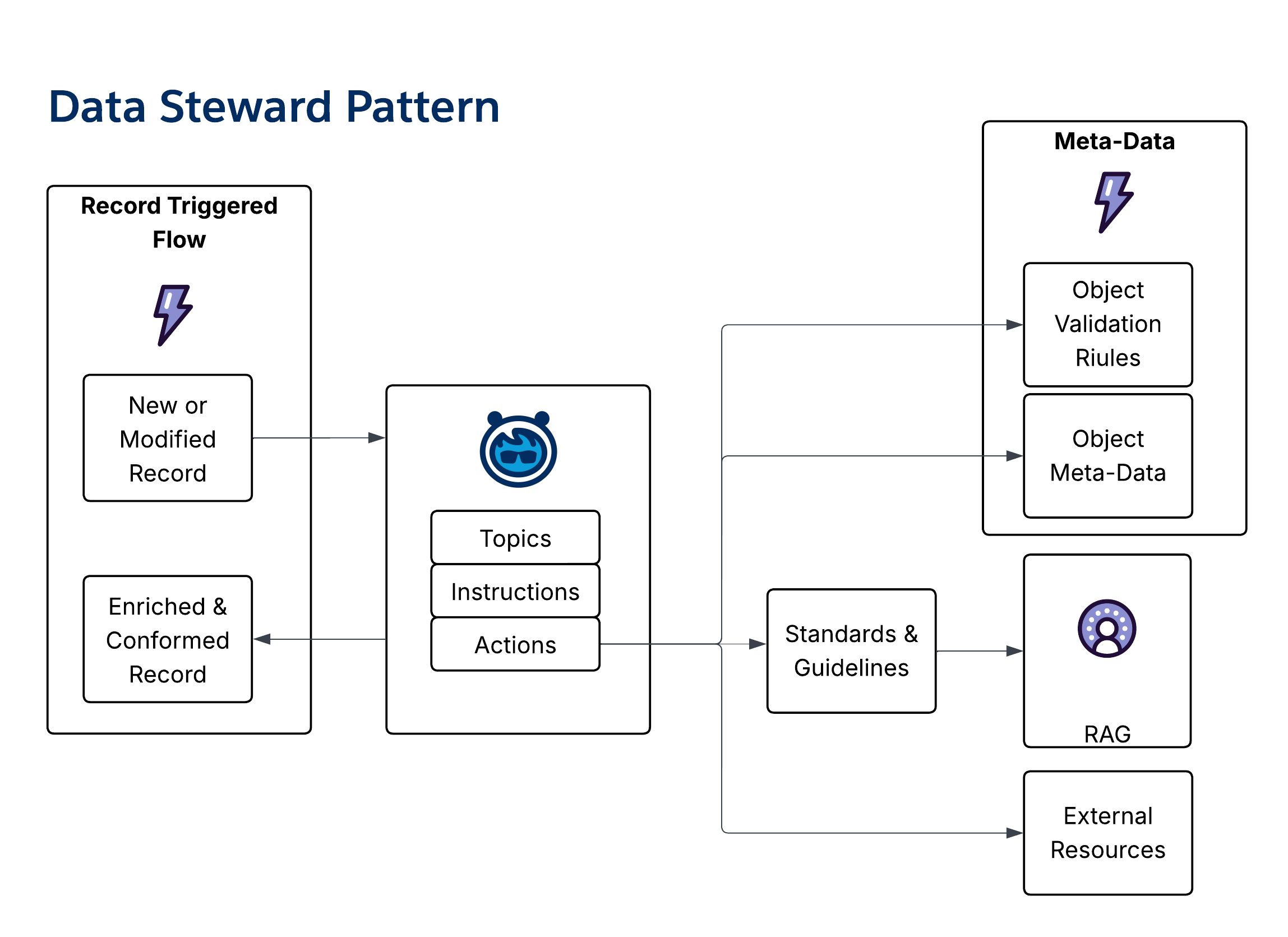 - **Salesforce Agentic Maturity**: Level 2
### Zen Data Gardener Pattern
- **Overview**: The _Zen Data Gardener pattern_ is a scheduled background pattern that’s used to groom and standardize data, leveraging low-cost reasoning to validate, enrich, and conform data across otherwise unconnected data domains.
- **Output Type**: Provide updated records and/or data management tasks.
- **Pattern Use Guidance**: Use the pattern to enable regular, periodic data review and validation. For slow-changing data, schedule the agent on a slow cadence (for example, monthly). Combine with the [Data Steward Pattern](/docs/architect/fundamentals/guide/enterprise-agentic-architecture#data-steward-pattern) to provide prospective and retrospective data quality operations.
- **Representative Use Case**: Ensuring alignment between sold benefits and the claims system, as well as periodic validation of broker licenses against national registries.
- **Diagram**:
- **Salesforce Agentic Maturity**: Level 2
### Zen Data Gardener Pattern
- **Overview**: The _Zen Data Gardener pattern_ is a scheduled background pattern that’s used to groom and standardize data, leveraging low-cost reasoning to validate, enrich, and conform data across otherwise unconnected data domains.
- **Output Type**: Provide updated records and/or data management tasks.
- **Pattern Use Guidance**: Use the pattern to enable regular, periodic data review and validation. For slow-changing data, schedule the agent on a slow cadence (for example, monthly). Combine with the [Data Steward Pattern](/docs/architect/fundamentals/guide/enterprise-agentic-architecture#data-steward-pattern) to provide prospective and retrospective data quality operations.
- **Representative Use Case**: Ensuring alignment between sold benefits and the claims system, as well as periodic validation of broker licenses against national registries.
- **Diagram**:
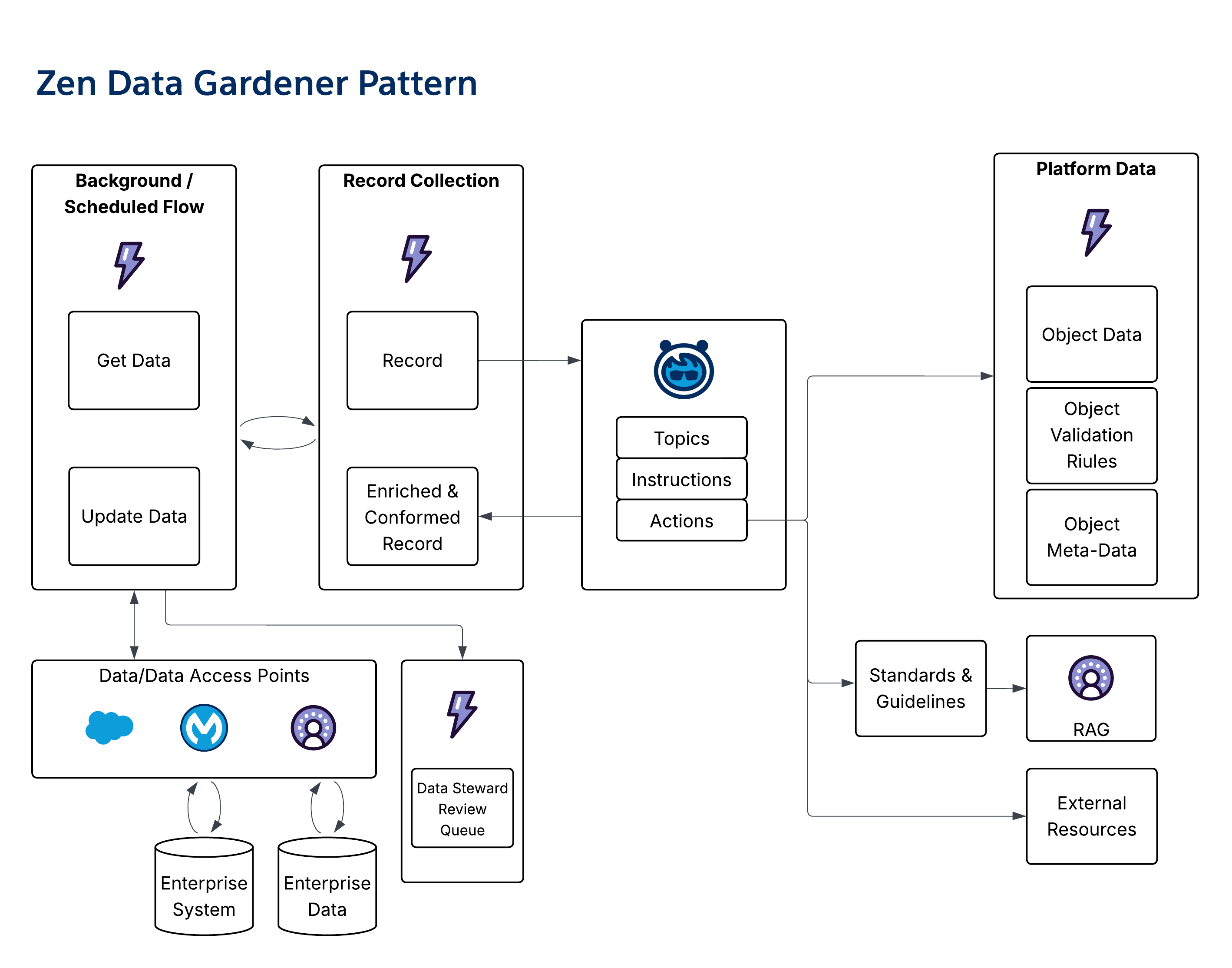 - **Salesforce Agentic Maturity**: Level 4
### Configurer Pattern
- **Overview**: The _Configurer pattern_ generates configuration artifacts (for example, SQL/SOQL, JSON, and CSVs) from natural language requirements. It can also run in reverse to validate an existing configuration against requirements.
- **Output Type**: Provide updated records, data management tasks, or build issues/errors for corrections.
- **Pattern Use Guidance**: Ground the agent using specific standards, guidelines, or examples. Configure build requirements using sources like contracts or product specs. Connect the _Configurer pattern_ to the target system to push the generated configuration.
- **Representative Use Case**: Generating product configuration records for health insurance products and validating contract/payment terms for health providers.
- **Diagram**:
- **Salesforce Agentic Maturity**: Level 4
### Configurer Pattern
- **Overview**: The _Configurer pattern_ generates configuration artifacts (for example, SQL/SOQL, JSON, and CSVs) from natural language requirements. It can also run in reverse to validate an existing configuration against requirements.
- **Output Type**: Provide updated records, data management tasks, or build issues/errors for corrections.
- **Pattern Use Guidance**: Ground the agent using specific standards, guidelines, or examples. Configure build requirements using sources like contracts or product specs. Connect the _Configurer pattern_ to the target system to push the generated configuration.
- **Representative Use Case**: Generating product configuration records for health insurance products and validating contract/payment terms for health providers.
- **Diagram**:
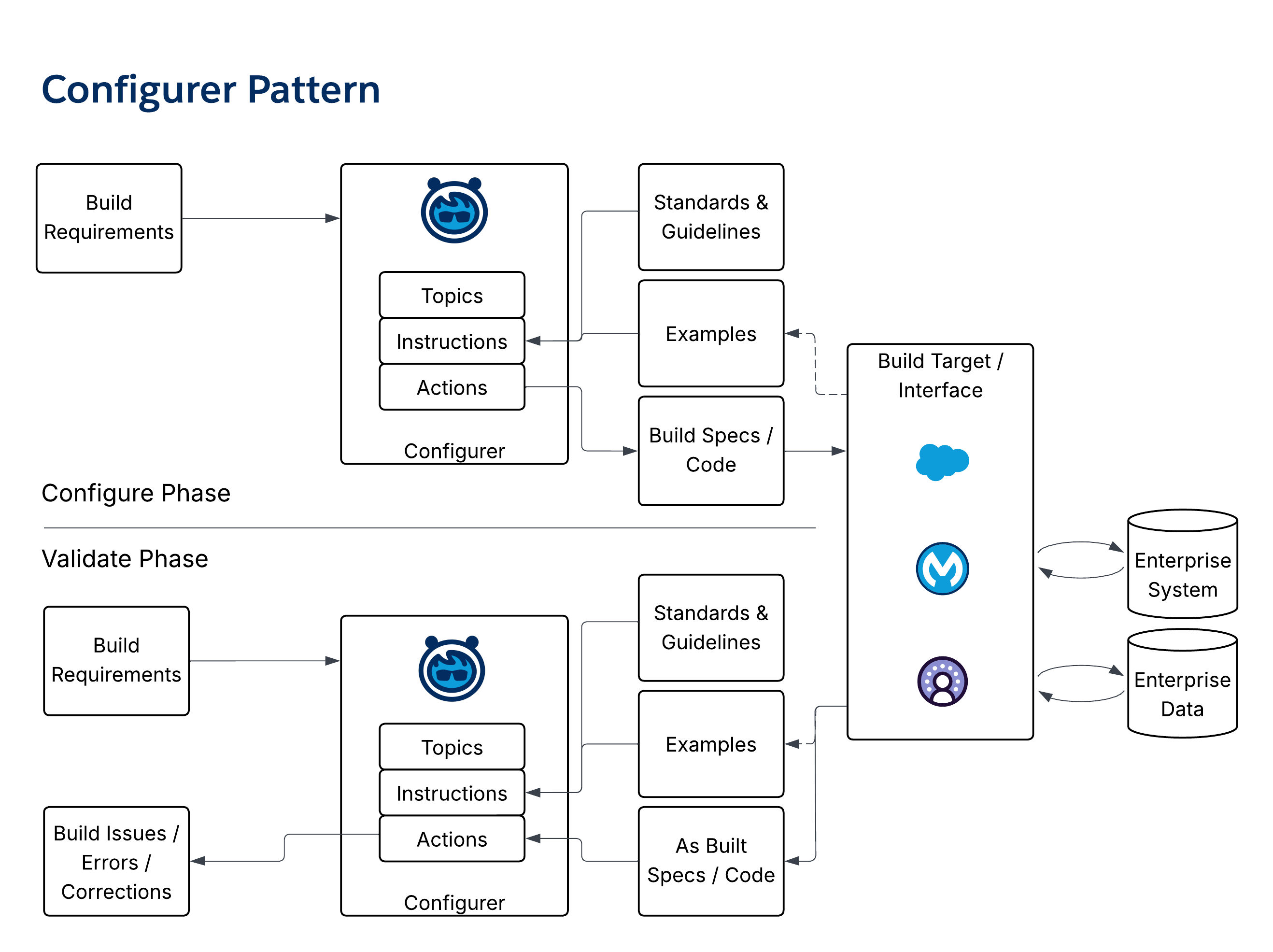 - **Salesforce Agentic Maturity**: Level 4
### Judge & Jury Pattern
- **Overview**: The _Judge & Jury pattern_ is designed to minimize hallucinations by using an ensemble of "juror" agents and a "judge" agent that assesses the congruence of responses to ensure they’re materially consistent and grounded.
- The _Ensemble Approach_ is embedded within Agentforce and the Atlas Reasoning engine to address response veracity and relevancy. The _Judge and Jury pattern_ builds on this capability when high levels of accuracy are essential.
- The combination of _Data Grounding_ (for example, “find your answer in these records/documents”) and _Prompt Engineering_ (for example, “only return an answer if it’s found in these records” or “validate your answer against this external source”) are also effective ways to minimize hallucinations.
- **Output Type**: Provide generative insight.
- **Pattern Use Guidance**: Use when there’s a strong need for consistent and grounded generative outputs. A _Judge agent_ compiles a grounded prompt and passes it to two or more _Juror agents_, and then the Judge assesses the responses. For best results, use different models (for example, one from OpenAI and another from Anthropic), for each Juror agent.
- **Representative Use Case**: Provide high-fidelity, factually-grounded responses to minimize hallucinations.
- **Diagram**:
- **Salesforce Agentic Maturity**: Level 4
### Judge & Jury Pattern
- **Overview**: The _Judge & Jury pattern_ is designed to minimize hallucinations by using an ensemble of "juror" agents and a "judge" agent that assesses the congruence of responses to ensure they’re materially consistent and grounded.
- The _Ensemble Approach_ is embedded within Agentforce and the Atlas Reasoning engine to address response veracity and relevancy. The _Judge and Jury pattern_ builds on this capability when high levels of accuracy are essential.
- The combination of _Data Grounding_ (for example, “find your answer in these records/documents”) and _Prompt Engineering_ (for example, “only return an answer if it’s found in these records” or “validate your answer against this external source”) are also effective ways to minimize hallucinations.
- **Output Type**: Provide generative insight.
- **Pattern Use Guidance**: Use when there’s a strong need for consistent and grounded generative outputs. A _Judge agent_ compiles a grounded prompt and passes it to two or more _Juror agents_, and then the Judge assesses the responses. For best results, use different models (for example, one from OpenAI and another from Anthropic), for each Juror agent.
- **Representative Use Case**: Provide high-fidelity, factually-grounded responses to minimize hallucinations.
- **Diagram**:
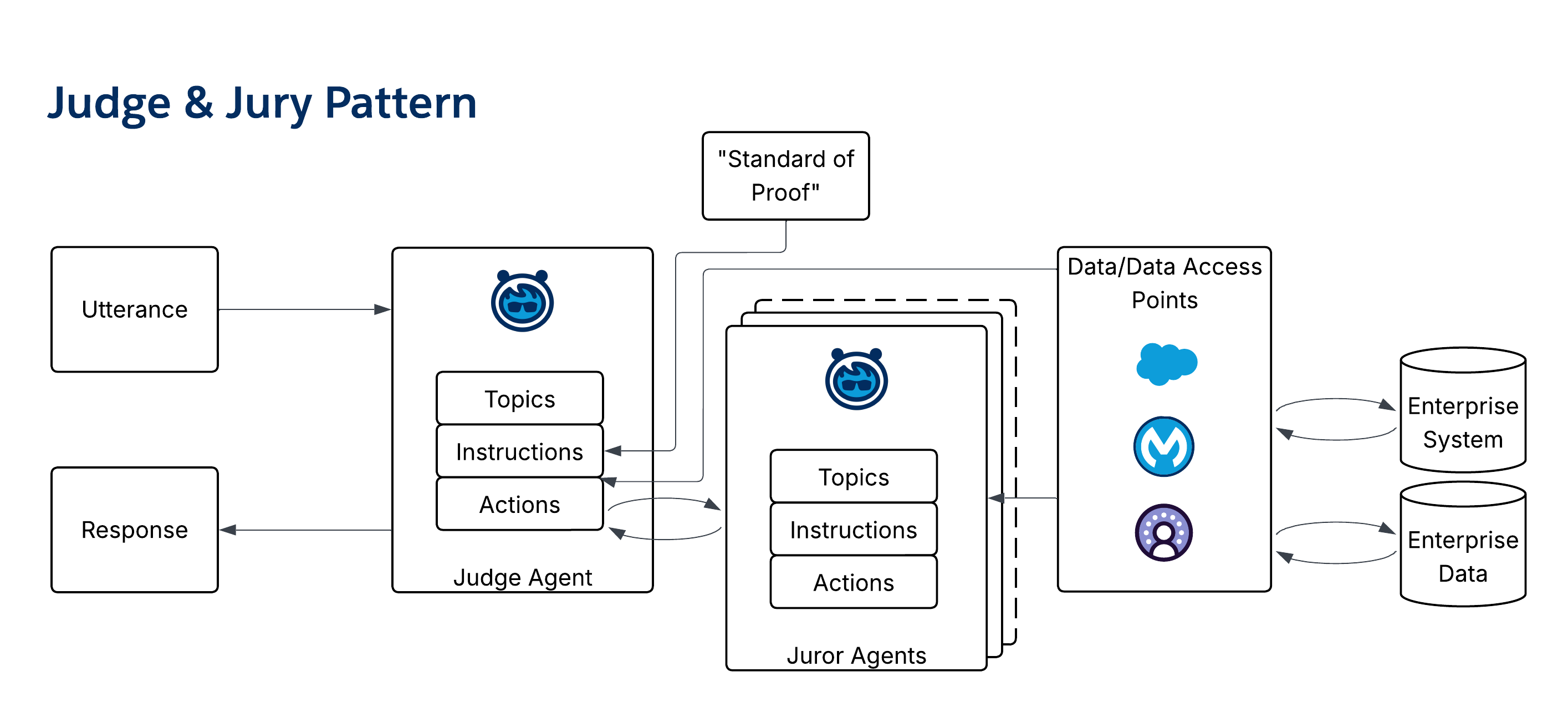 - **Salesforce Agentic Maturity**: Level 2
### Model of Models Pattern
- **Overview**: The _Model of Models pattern_ leverages multiple expert agents to generate a broad swath of perspectives, and then it extracts the consensus. Unlike the [Judge & Jury pattern](/docs/architect/fundamentals/guide/enterprise-agentic-architecture#judge--jury-pattern), this pattern embraces multiple points of view to enhance richness.
- This pattern may also be called the Panel of Experts pattern when there are expert models with different Points of View (POV) that it may be useful to tap.
- Unlike the Judge and Jury pattern where the intent is to ensure that the agentic response converges on a commonly accessible “truth,” the _Model of Models pattern_ extends the scope of the response by leveraging diversity in the agentic environment.
- This pattern assumes that there are additional agents that have a distinct POV. For example, in a multi-org, multi-agent environment, or an environment with multiple vendor-supplied agents across tech stacks, the _Model of Models pattern_ provides a structure for integrating multiple POVs.
- When considering this pattern also consider other, often more lightweight approaches:
- Instead of defining multiple expert agents, specify multiple prompts and have the system work as an ensemble of prompts.
- Leverage “grounding” through actions that access contextually appropriate data.
- **Output Type**: Provide generative insight.
- **Pattern Use Guidance**: An _Aggregator_ agent's role is to form and return a rich POV based on the key concepts that the Model agents returned. Model Agents determine a response based on their unique POV.
- **Representative Use Case**: Use in situations that may benefit from bringing together disparate viewpoints to add to the quality of the responses.
For example, a multi-system agentic environment where privileged agents (for example, an _ERP agent_) may have a POV that’s valuable and otherwise inaccessible.
- **Diagram**:
- **Salesforce Agentic Maturity**: Level 2
### Model of Models Pattern
- **Overview**: The _Model of Models pattern_ leverages multiple expert agents to generate a broad swath of perspectives, and then it extracts the consensus. Unlike the [Judge & Jury pattern](/docs/architect/fundamentals/guide/enterprise-agentic-architecture#judge--jury-pattern), this pattern embraces multiple points of view to enhance richness.
- This pattern may also be called the Panel of Experts pattern when there are expert models with different Points of View (POV) that it may be useful to tap.
- Unlike the Judge and Jury pattern where the intent is to ensure that the agentic response converges on a commonly accessible “truth,” the _Model of Models pattern_ extends the scope of the response by leveraging diversity in the agentic environment.
- This pattern assumes that there are additional agents that have a distinct POV. For example, in a multi-org, multi-agent environment, or an environment with multiple vendor-supplied agents across tech stacks, the _Model of Models pattern_ provides a structure for integrating multiple POVs.
- When considering this pattern also consider other, often more lightweight approaches:
- Instead of defining multiple expert agents, specify multiple prompts and have the system work as an ensemble of prompts.
- Leverage “grounding” through actions that access contextually appropriate data.
- **Output Type**: Provide generative insight.
- **Pattern Use Guidance**: An _Aggregator_ agent's role is to form and return a rich POV based on the key concepts that the Model agents returned. Model Agents determine a response based on their unique POV.
- **Representative Use Case**: Use in situations that may benefit from bringing together disparate viewpoints to add to the quality of the responses.
For example, a multi-system agentic environment where privileged agents (for example, an _ERP agent_) may have a POV that’s valuable and otherwise inaccessible.
- **Diagram**:
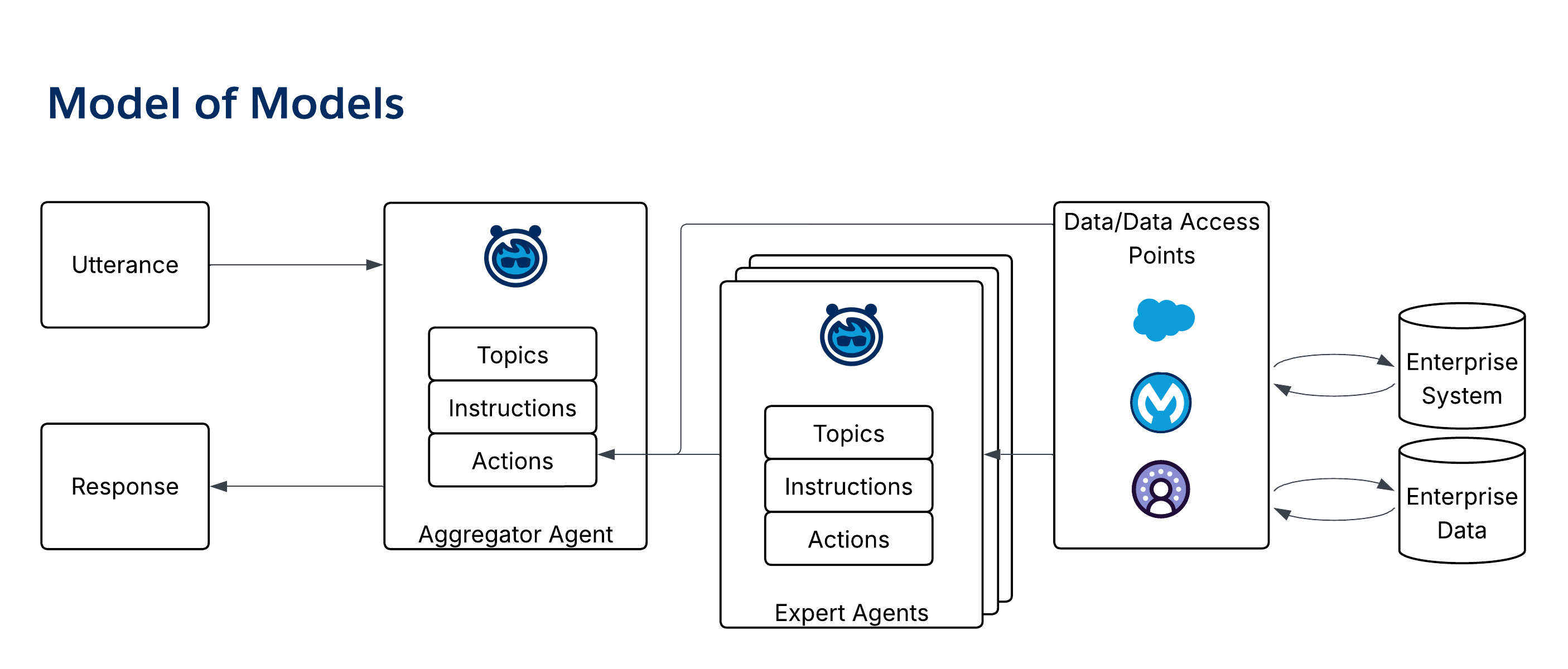 - **Salesforce Agentic Maturity**: Level 2
## 9. Long-Running Process Patterns
_Long-Running Process patterns_ manage processes that occur over extended periods and involve multiple steps and actors.
### Project Manager Pattern
- **Overview**: The _Project Manager pattern_ is a complex pattern that oversees a long-running project. It coordinates activities, tracks completion, notifies users, and represents project status to stakeholders.
- **Output Type**: There are multiple outputs (for example, cases, tasks, status updates, and notifications).
- **Pattern Use Guidance**: Use as an umbrella pattern to support regular, repeated, multi-step activities. The _Project Manager pattern_ takes an input template/outline of a project—includingtasks, roles, and dependencies—then it instantiates cases and activities and assigns them to users.
- **Representative Use Case**: Use for account installation management and enterprise sales engagement.
- **Diagram**:
- **Salesforce Agentic Maturity**: Level 2
## 9. Long-Running Process Patterns
_Long-Running Process patterns_ manage processes that occur over extended periods and involve multiple steps and actors.
### Project Manager Pattern
- **Overview**: The _Project Manager pattern_ is a complex pattern that oversees a long-running project. It coordinates activities, tracks completion, notifies users, and represents project status to stakeholders.
- **Output Type**: There are multiple outputs (for example, cases, tasks, status updates, and notifications).
- **Pattern Use Guidance**: Use as an umbrella pattern to support regular, repeated, multi-step activities. The _Project Manager pattern_ takes an input template/outline of a project—includingtasks, roles, and dependencies—then it instantiates cases and activities and assigns them to users.
- **Representative Use Case**: Use for account installation management and enterprise sales engagement.
- **Diagram**:
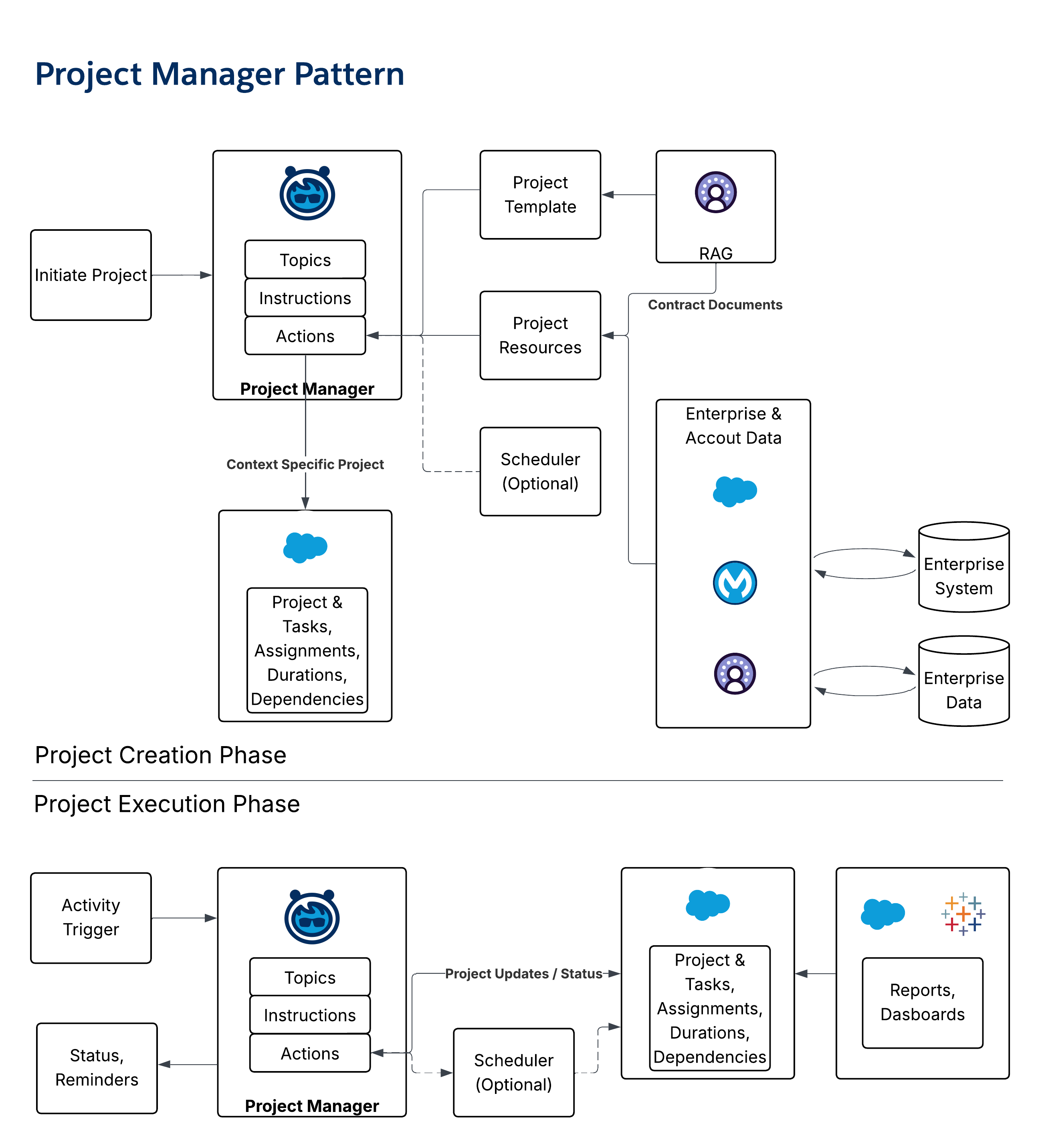 - **Salesforce Agentic Maturity**: Level 4
## 10. Enterprise Orchestration Archetypes
While patterns describe agent roles, _orchestration archetypes_ define the system-level blueprints for how a fleet of agents collaborate. These archetypes clarify the roles of _Agentforce_ as the orchestration brain and _MuleSoft_ as the universal connector and adapter.
**Archetype 1: SOMA (Single Org, Multiple Agents)**
- **Definition**: Multiple agents collaborate within one Salesforce org that uses shared governance and data.
- **Architectural Flow**: In Agentforce, a _Supervisor agent_ acts as a single front door, routing requests to _Specialist agents_ within the org. For external functionality, agents use the _Agentforce MCP Client_ with MuleSoft acting as an MCP-wrapper for non-MCP-enabled APIs.
- **Key Considerations**: This pattern centralizes the orchestration logic in Salesforce (similar to CRM context and Data 360) to preserve unified governance, identity, permissions, and observability.
**Archetype 2: MOMA (Multi Org, Multiple Agents)**
- **Definition**: Agents collaborate across multiple Salesforce orgs, which requires secure coordination across data and permission boundaries.
- **Architectural Flow**: A _Supervisor agent_ in one org delegates a task to an agent in another org via the standardized _agent-to-agent (A2A)_ protocol. This handshake ensures org-level trust, user identity flow, and shared conversation context.
- **Key Considerations**: This pattern preserves org autonomy while enabling enterprise-wide workflows, which provides a foundation for coherent agentic operations in complex, multi-org estates.
**Archetype 3: Multi-Vendor A2A (Salesforce-led Orchestration)**
- **Definition**: A _Supervisor agent_ in Salesforce coordinates work across a mix of Salesforce-native agents and agents from other vendors (for example, Google/Vertex or LangGraph) via the A2A protocol.
- **Architectural Flow**: The _Supervisor agent_ processes the request and orchestrates a plan, invoking internal and external vendor agents via the A2A protocol. For external systems that aren’t A2A-capable, _MuleSoft_ can expose a "lightweight agent facade" that wraps the existing tool and communicates with the A2A.
- **Key Considerations**: This archetype keeps the orchestration brain close to CRM and Data 360 by using A2A to produce clean, governable composition without a separate orchestration tier.
**Archetype 4: Multi-Vendor A2A (MuleSoft-led Orchestration)**
- **Definition**: Orchestration is initiated from a non-Salesforce entry point, which requires a neutral, external orchestrator to perform reasoning and routing.
- **Architectural Flow**: A _UI agent_ in an external system forwards the request to an orchestration service (conceptualized as _MuleSoft Conductor_), which interprets intent and plans the task. The conductor then uses the A2A to route calls to vendor agents, including Agentforce agents for CRM or service actions.
- **Key Considerations**: This pattern is for non-Salesforce entry points where a neutral orchestrator is architecturally preferable. It keeps the UX in the domain system while centralizing reasoning, governance, policy, and observability in MuleSoft.
## 11. Solution Assembly: Composing Patterns
These individual patterns and orchestration archetypes are architectural building blocks that are designed to be composed into end-to-end solutions. The Agentic Solution Map is used to visualize how these components are wired together.
- A _Member Services Solution_ for a healthcare provider is a standard implementation of the SOMA archetype. It uses an Answerbot for anonymous users, an _Orchestrator_ for authenticated members, and multiple _Domain SME agents_ (for example, Case, Claims, and Benefits) to handle specific requests.
- A _B2C Broker Portal_ is a complex composition that uses a Portal _Orchestrator_ agent to invoke a long-running _Project Manager agent_ for an RFP process, which in turn, uses _Headless_, _Data Steward_, and _Interrogator agents_ for back-office data operations.
## 12. Conclusion
An agentic design pattern methodology provides the architectural discipline required to build robust, scalable, and maintainable enterprise AI systems. By breaking down complexity and promoting modularity, these patterns enable architects to deliver reliable, predictable agentic solutions.
The choice of orchestration archetype is a strategic decision based on where users work, where context resides, and how the enterprise governs the interaction between humans, agents, and systems. By understanding the distinction between building agents and orchestrating them—and by leveraging open protocols like _MCP_ and _A2A_—architects can move beyond creating isolated bots to engineering a cohesive, governed, and distributed enterprise-reasoning system. This approach provides a shared language and a set of reusable blueprints to build a sustainable agentic architecture.
## Appendix: Solution Maps and System Architectures
This appendix provides concrete examples of how agentic patterns are composed into system-level solutions.
### Appendix A: Basic Pattern Composition Example
This diagram illustrates how five foundational patterns can be wired together to create a common customer service workflow.
- **Salesforce Agentic Maturity**: Level 4
## 10. Enterprise Orchestration Archetypes
While patterns describe agent roles, _orchestration archetypes_ define the system-level blueprints for how a fleet of agents collaborate. These archetypes clarify the roles of _Agentforce_ as the orchestration brain and _MuleSoft_ as the universal connector and adapter.
**Archetype 1: SOMA (Single Org, Multiple Agents)**
- **Definition**: Multiple agents collaborate within one Salesforce org that uses shared governance and data.
- **Architectural Flow**: In Agentforce, a _Supervisor agent_ acts as a single front door, routing requests to _Specialist agents_ within the org. For external functionality, agents use the _Agentforce MCP Client_ with MuleSoft acting as an MCP-wrapper for non-MCP-enabled APIs.
- **Key Considerations**: This pattern centralizes the orchestration logic in Salesforce (similar to CRM context and Data 360) to preserve unified governance, identity, permissions, and observability.
**Archetype 2: MOMA (Multi Org, Multiple Agents)**
- **Definition**: Agents collaborate across multiple Salesforce orgs, which requires secure coordination across data and permission boundaries.
- **Architectural Flow**: A _Supervisor agent_ in one org delegates a task to an agent in another org via the standardized _agent-to-agent (A2A)_ protocol. This handshake ensures org-level trust, user identity flow, and shared conversation context.
- **Key Considerations**: This pattern preserves org autonomy while enabling enterprise-wide workflows, which provides a foundation for coherent agentic operations in complex, multi-org estates.
**Archetype 3: Multi-Vendor A2A (Salesforce-led Orchestration)**
- **Definition**: A _Supervisor agent_ in Salesforce coordinates work across a mix of Salesforce-native agents and agents from other vendors (for example, Google/Vertex or LangGraph) via the A2A protocol.
- **Architectural Flow**: The _Supervisor agent_ processes the request and orchestrates a plan, invoking internal and external vendor agents via the A2A protocol. For external systems that aren’t A2A-capable, _MuleSoft_ can expose a "lightweight agent facade" that wraps the existing tool and communicates with the A2A.
- **Key Considerations**: This archetype keeps the orchestration brain close to CRM and Data 360 by using A2A to produce clean, governable composition without a separate orchestration tier.
**Archetype 4: Multi-Vendor A2A (MuleSoft-led Orchestration)**
- **Definition**: Orchestration is initiated from a non-Salesforce entry point, which requires a neutral, external orchestrator to perform reasoning and routing.
- **Architectural Flow**: A _UI agent_ in an external system forwards the request to an orchestration service (conceptualized as _MuleSoft Conductor_), which interprets intent and plans the task. The conductor then uses the A2A to route calls to vendor agents, including Agentforce agents for CRM or service actions.
- **Key Considerations**: This pattern is for non-Salesforce entry points where a neutral orchestrator is architecturally preferable. It keeps the UX in the domain system while centralizing reasoning, governance, policy, and observability in MuleSoft.
## 11. Solution Assembly: Composing Patterns
These individual patterns and orchestration archetypes are architectural building blocks that are designed to be composed into end-to-end solutions. The Agentic Solution Map is used to visualize how these components are wired together.
- A _Member Services Solution_ for a healthcare provider is a standard implementation of the SOMA archetype. It uses an Answerbot for anonymous users, an _Orchestrator_ for authenticated members, and multiple _Domain SME agents_ (for example, Case, Claims, and Benefits) to handle specific requests.
- A _B2C Broker Portal_ is a complex composition that uses a Portal _Orchestrator_ agent to invoke a long-running _Project Manager agent_ for an RFP process, which in turn, uses _Headless_, _Data Steward_, and _Interrogator agents_ for back-office data operations.
## 12. Conclusion
An agentic design pattern methodology provides the architectural discipline required to build robust, scalable, and maintainable enterprise AI systems. By breaking down complexity and promoting modularity, these patterns enable architects to deliver reliable, predictable agentic solutions.
The choice of orchestration archetype is a strategic decision based on where users work, where context resides, and how the enterprise governs the interaction between humans, agents, and systems. By understanding the distinction between building agents and orchestrating them—and by leveraging open protocols like _MCP_ and _A2A_—architects can move beyond creating isolated bots to engineering a cohesive, governed, and distributed enterprise-reasoning system. This approach provides a shared language and a set of reusable blueprints to build a sustainable agentic architecture.
## Appendix: Solution Maps and System Architectures
This appendix provides concrete examples of how agentic patterns are composed into system-level solutions.
### Appendix A: Basic Pattern Composition Example
This diagram illustrates how five foundational patterns can be wired together to create a common customer service workflow.
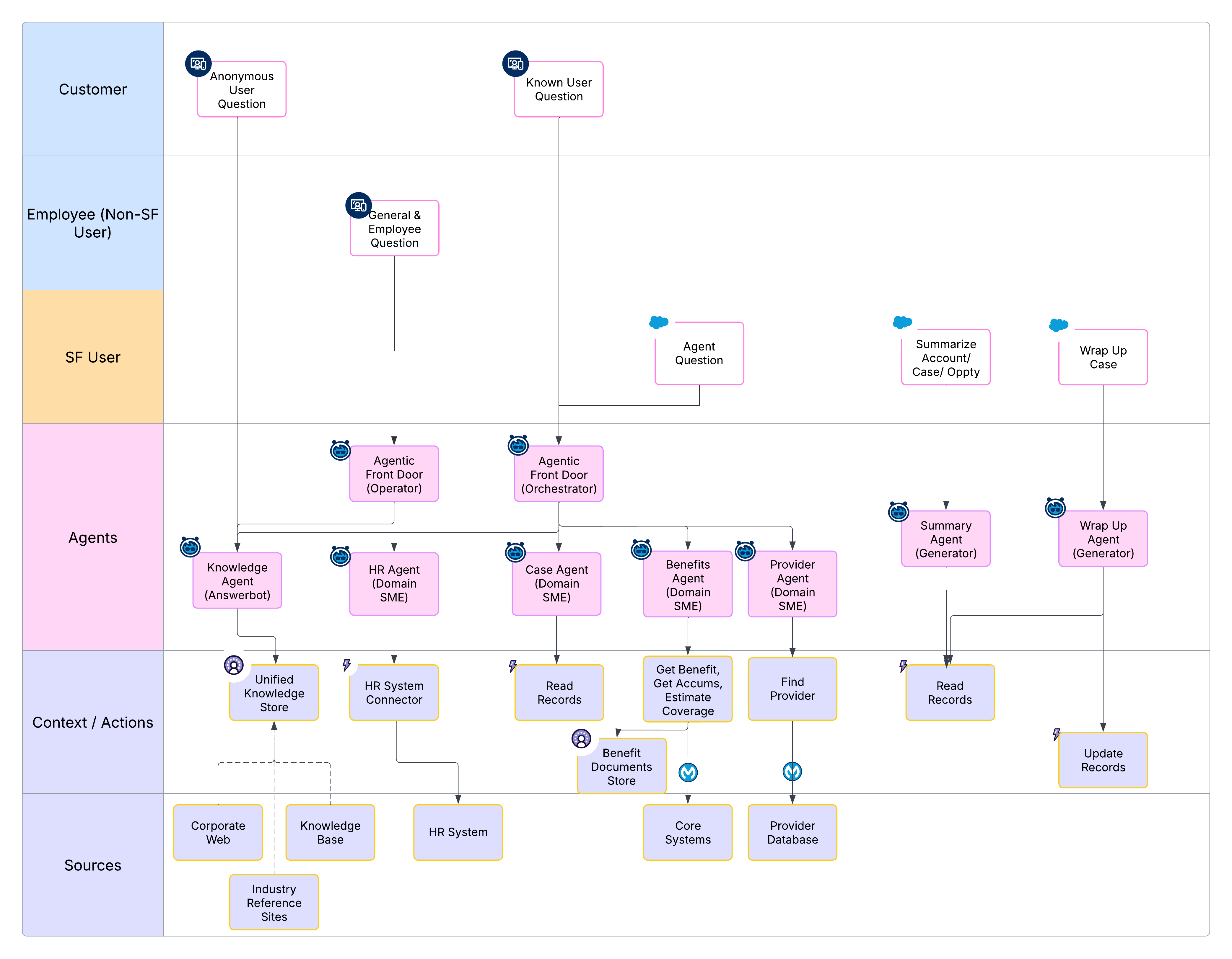 1. **Answerbot**: An anonymous user asks a question, which is handled by a knowledge-based agent.
2. **Operator**: An employee's question is triaged by an Operator, which fields the conversation and hands it off to a more specialized agent.
3. **Orchestrator**: An authenticated user (SF User) engages with an Orchestrator that coordinates multiple agents to handle a potentially multi-faceted inquiry.
4. **Domain SME**: Specialist agents (for example, HR Agents or Benefits Agents) are invoked by the orchestrator to perform subject matter updates and retrieve specific data.
5. **Generator**: Utility agents are used to summarize account details or wrap up a case after the interaction is complete.
### Appendix B: Agentic Solution Map - Member Services
This solution map details an agentic architecture for a Member Services use case, demonstrating the composition of multiple patterns.
- **User Profiles**: The solution serves three distinct user types: Anonymous User, Authenticated Member, and SF User (for example, a human CSR).
- **Interaction Patterns**: An _Answerbot_ handles anonymous "Find-A-Doc" queries, while an Orchestrator (Agentic Front Door) manages authenticated user inquiries. A _Listener/Feed pattern_ assists the SF User.
- **Domain Agent Reuse**: Specialized _Domain SME agents_ (for example, Case Agent, Claims Agent, or Benefits Agent) are reused across different interaction flows.
- **Autonomous & Assistive**: The system combines _autonomous agents_ (to direct user interaction) and _assistive agents_ (to augment human CSRs).
- **Data Sources**: The architecture integrates a mix of public and enterprise data sources, with extensive use of _Data 360_ and _MuleSoft_ for connectivity.
1. **Answerbot**: An anonymous user asks a question, which is handled by a knowledge-based agent.
2. **Operator**: An employee's question is triaged by an Operator, which fields the conversation and hands it off to a more specialized agent.
3. **Orchestrator**: An authenticated user (SF User) engages with an Orchestrator that coordinates multiple agents to handle a potentially multi-faceted inquiry.
4. **Domain SME**: Specialist agents (for example, HR Agents or Benefits Agents) are invoked by the orchestrator to perform subject matter updates and retrieve specific data.
5. **Generator**: Utility agents are used to summarize account details or wrap up a case after the interaction is complete.
### Appendix B: Agentic Solution Map - Member Services
This solution map details an agentic architecture for a Member Services use case, demonstrating the composition of multiple patterns.
- **User Profiles**: The solution serves three distinct user types: Anonymous User, Authenticated Member, and SF User (for example, a human CSR).
- **Interaction Patterns**: An _Answerbot_ handles anonymous "Find-A-Doc" queries, while an Orchestrator (Agentic Front Door) manages authenticated user inquiries. A _Listener/Feed pattern_ assists the SF User.
- **Domain Agent Reuse**: Specialized _Domain SME agents_ (for example, Case Agent, Claims Agent, or Benefits Agent) are reused across different interaction flows.
- **Autonomous & Assistive**: The system combines _autonomous agents_ (to direct user interaction) and _assistive agents_ (to augment human CSRs).
- **Data Sources**: The architecture integrates a mix of public and enterprise data sources, with extensive use of _Data 360_ and _MuleSoft_ for connectivity.
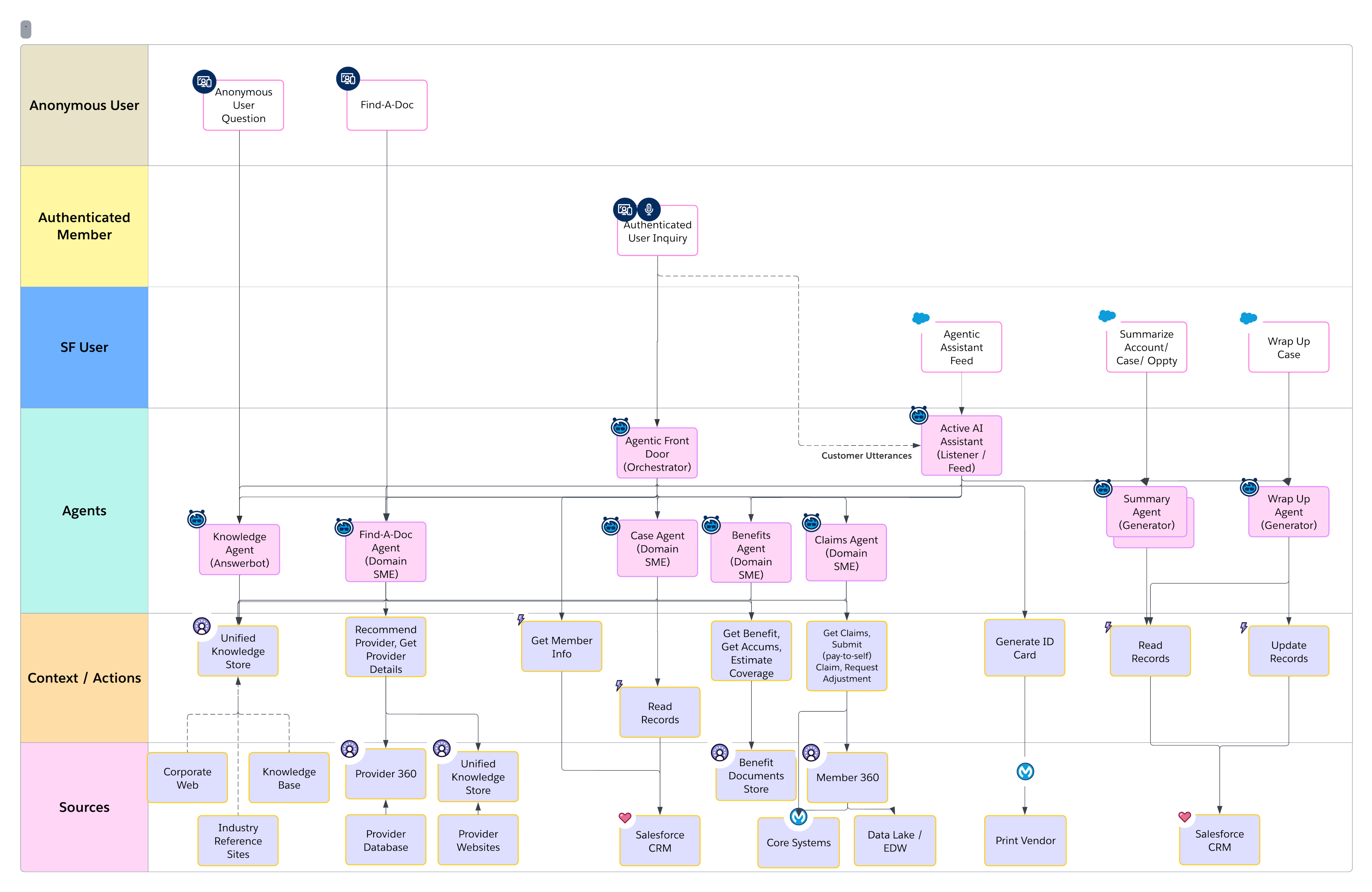 ### Appendix C: System Architecture - Contact Center
This diagram illustrates a logical architecture for an Assistive AI solution in a Contact Center, organized into functional layers.
- **Orchestrator Agents**: Manage user experiences for different personas (for example, Anonymous, External Member, or CSR) and orchestrate the overall interaction flow.
- **Worker Agents**: _Multiple SME agents_ are focused on core business domains like Knowledge, Case/Claims/Benefits, and Provider Directory. A _Next Best Action_ agent is also included.
- **Utility Agents**: Perform specific, reusable tasks such as Translation, Case Wrap-Up, and Call Summary.
Integration & Core Systems: The entire agentic system is connected via a cross-platform integration layer to unstructured data resources, structured data resources, and core enterprise systems.
- **Governance**: A governance layer provides observability, evaluation, and management for the LLMs/SLMs that are used by the agents.
### Appendix C: System Architecture - Contact Center
This diagram illustrates a logical architecture for an Assistive AI solution in a Contact Center, organized into functional layers.
- **Orchestrator Agents**: Manage user experiences for different personas (for example, Anonymous, External Member, or CSR) and orchestrate the overall interaction flow.
- **Worker Agents**: _Multiple SME agents_ are focused on core business domains like Knowledge, Case/Claims/Benefits, and Provider Directory. A _Next Best Action_ agent is also included.
- **Utility Agents**: Perform specific, reusable tasks such as Translation, Case Wrap-Up, and Call Summary.
Integration & Core Systems: The entire agentic system is connected via a cross-platform integration layer to unstructured data resources, structured data resources, and core enterprise systems.
- **Governance**: A governance layer provides observability, evaluation, and management for the LLMs/SLMs that are used by the agents.
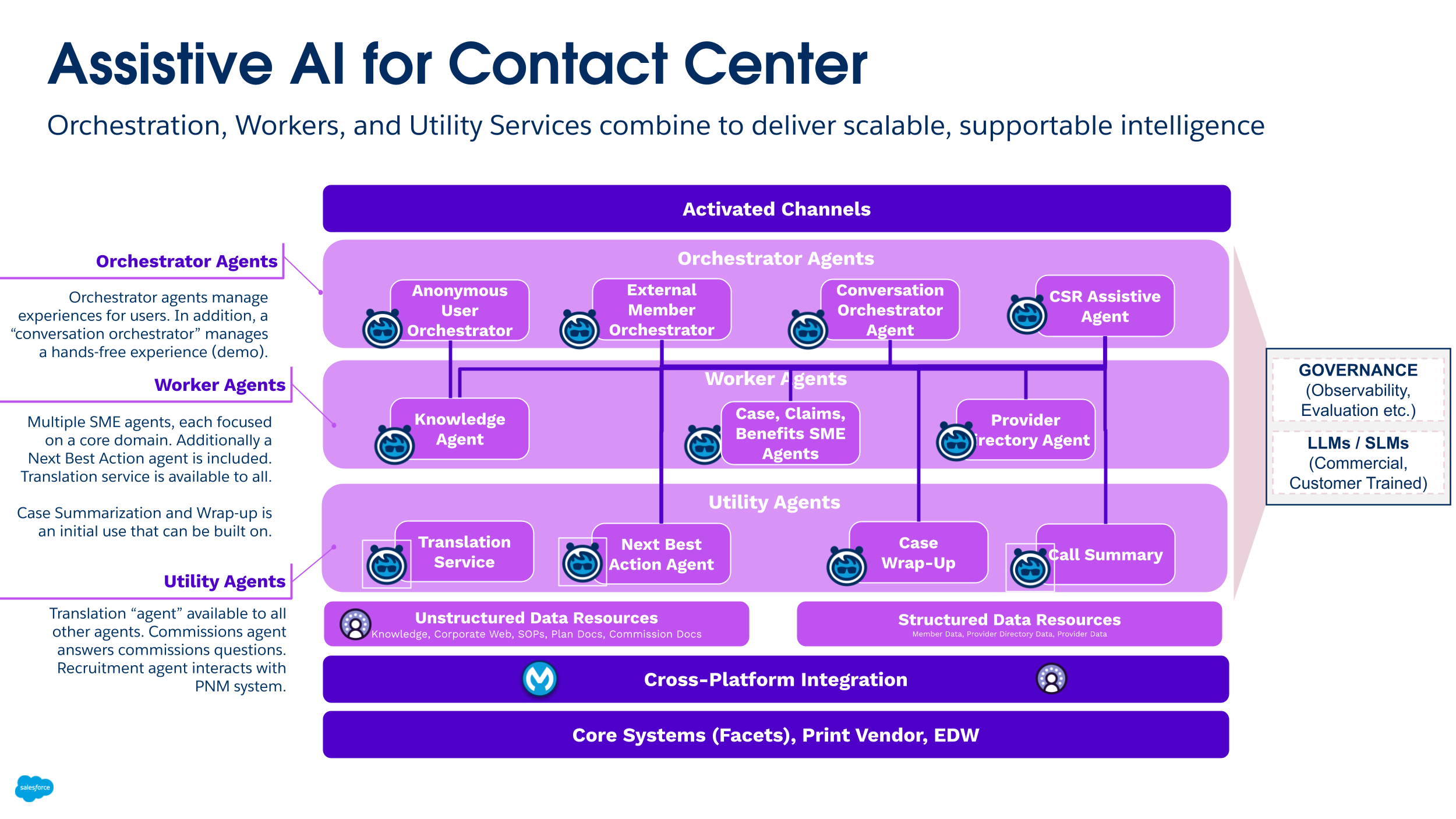 ### Appendix D: Agentic Solution Map - Broker Portal
This solution map details a complex, long-running agentic interaction for a B2B health insurance broker portal. The model includes a _Portal agent_ (_Orchestrator_) that facilitates the broker's journey through multiple steps (for example, submitting an RFP and receiving a proposal). This orchestrator invokes a _Project Manager_ agent, which in turn, coordinates several headless agents for back-office data quality and transformations, such as an RFP Extractor, Census Transform, and Data Steward.
### Appendix D: Agentic Solution Map - Broker Portal
This solution map details a complex, long-running agentic interaction for a B2B health insurance broker portal. The model includes a _Portal agent_ (_Orchestrator_) that facilitates the broker's journey through multiple steps (for example, submitting an RFP and receiving a proposal). This orchestrator invokes a _Project Manager_ agent, which in turn, coordinates several headless agents for back-office data quality and transformations, such as an RFP Extractor, Census Transform, and Data Steward.
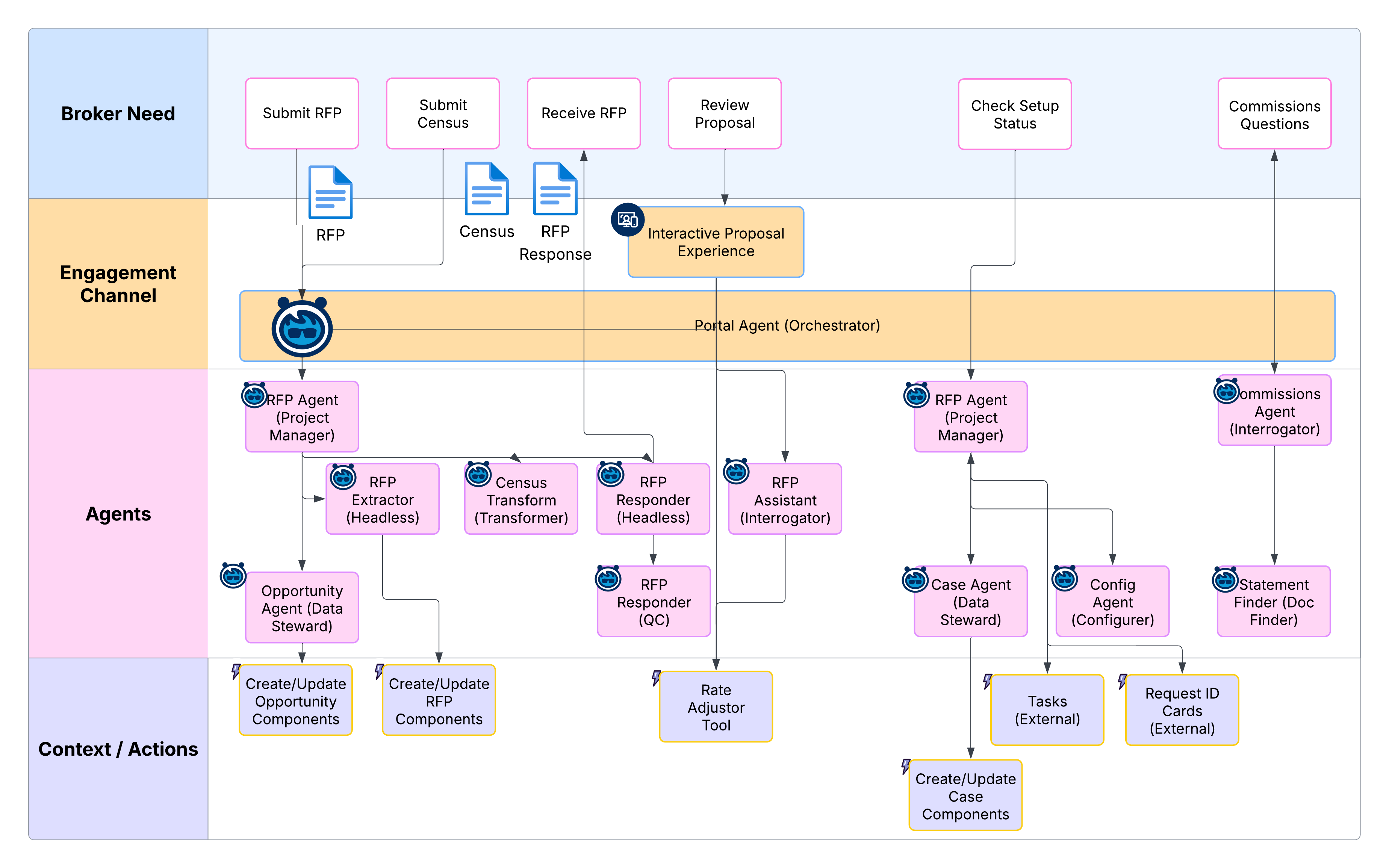 ### Appendix E: System Architecture - B2C Broker Agents
This diagram shows a logical architecture for a B2C Broker solution, which demonstrates a similar layered approach to the Contact Center. It includes _Orchestrator agents_ for different user personas, reusable _Worker agents_ for key domains (for example, Knowledge, Member Services, or Commissions), and _Utility agents_ for specific functions like translation and summarization.
### Appendix E: System Architecture - B2C Broker Agents
This diagram shows a logical architecture for a B2C Broker solution, which demonstrates a similar layered approach to the Contact Center. It includes _Orchestrator agents_ for different user personas, reusable _Worker agents_ for key domains (for example, Knowledge, Member Services, or Commissions), and _Utility agents_ for specific functions like translation and summarization.
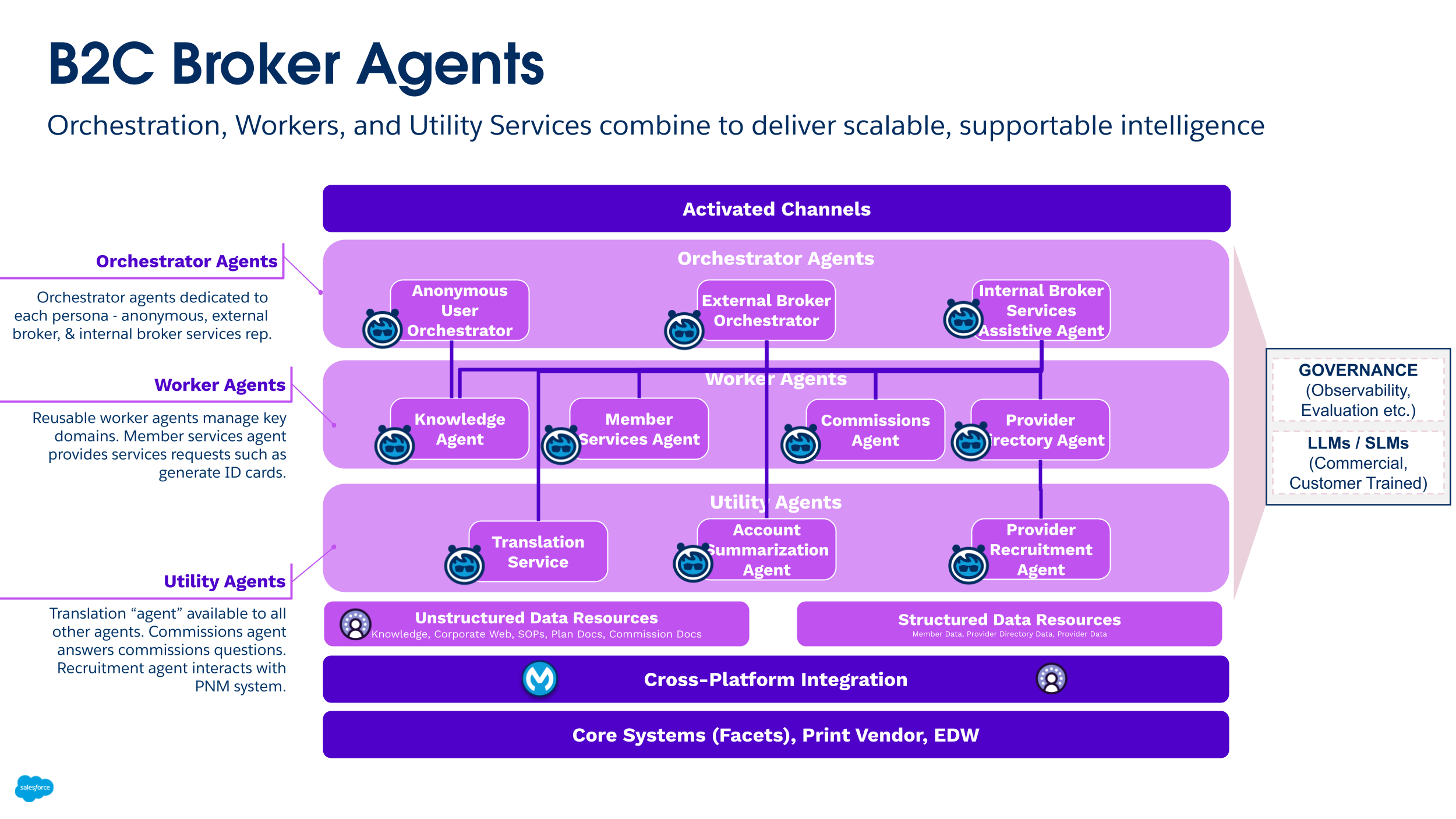 ### Appendix F: System Architecture - Provider Contracting
This diagram shows a logical architecture for a Provider Contracting solution. _Orchestrator_ agents manage complete interactions, _Worker agents_ manage specific intents within a domain (for example, a Contracting SME agent), and _Utility_ agents perform discrete tasks like comparing contracts or generating insights.
### Appendix F: System Architecture - Provider Contracting
This diagram shows a logical architecture for a Provider Contracting solution. _Orchestrator_ agents manage complete interactions, _Worker agents_ manage specific intents within a domain (for example, a Contracting SME agent), and _Utility_ agents perform discrete tasks like comparing contracts or generating insights.
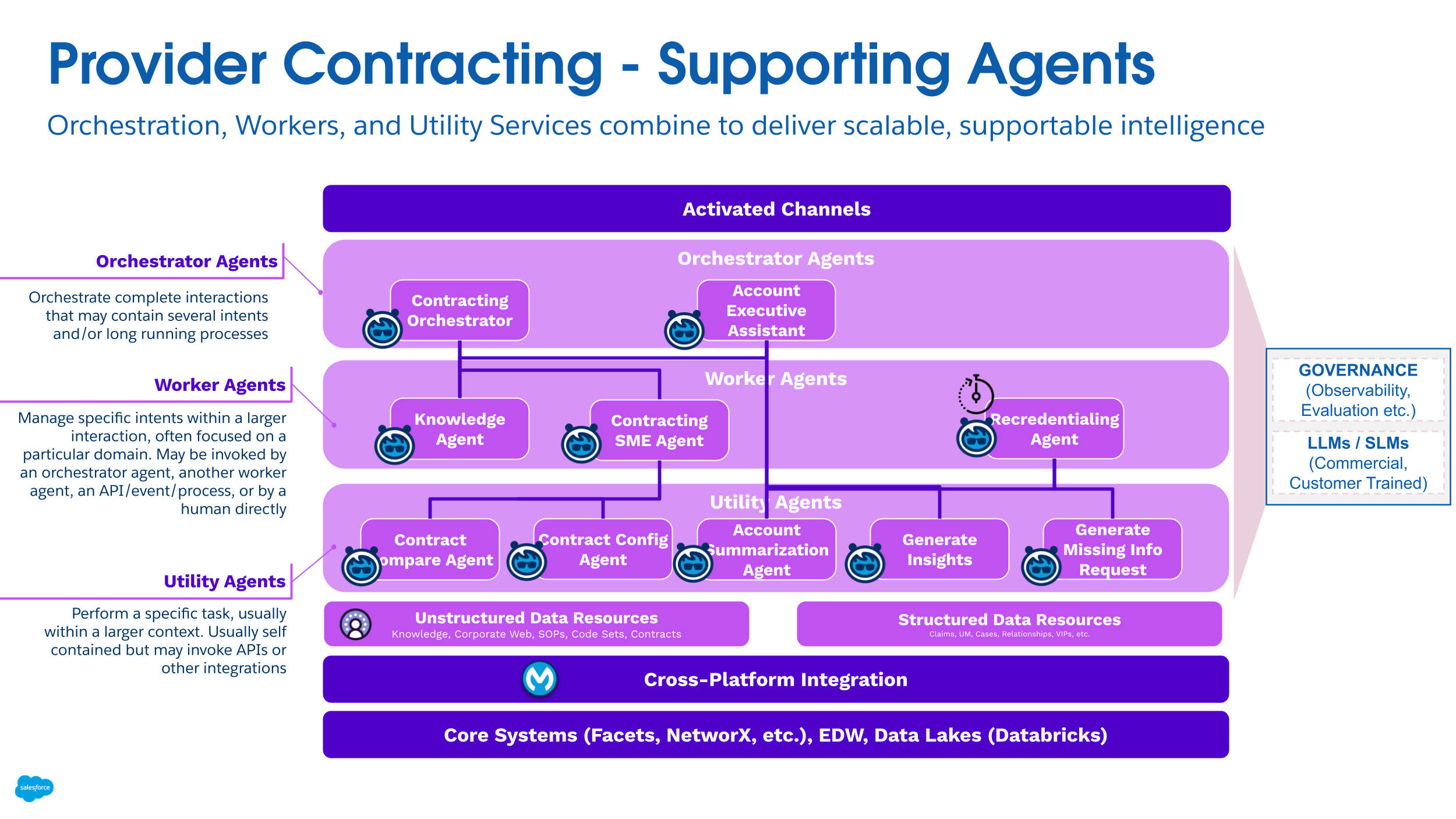 ### Appendix G: Interaction Patterns Summary Table
The following table summarizes several key interaction patterns, typical user experiences, and primary architectural purposes.
### Appendix G: Interaction Patterns Summary Table
The following table summarizes several key interaction patterns, typical user experiences, and primary architectural purposes.
| Pattern | User Experience (UX) | Purpose |
|---|---|---|
| Greeter | Turn-by-turn text (Chat, Voice, SMS, and so on) that ends with the responder transferring the interaction to a human | This is a simple pattern that’s used to determine user intent, and then route the user to the appropriate human agent. |
| Operator | Turn-by-turn text (Chat, Voice, SMS, and so on) that ends with the responder transferring the interaction to a human or Specialist agent | This is used to route requests to appropriate hybrid agents. Building upon the Greeter, it’s a simple pattern that negotiates intent, and then transfers the interaction to a specialized human or AI agent. |
| Orchestrator | Turn-by-turn text (Chat, Voice, SMS, and so on) with the responder collecting and aggregating Specialist agent responses and delivering it to the UX | This is used to coordinate a managed AI-Agent “Swarm” that responds to a conversation as it progresses. An Orchestrator agent passes each turn's text through to one or more specialist agents, and then it aggregates the responses from each one. |
| Answerbot | Prompt and response | This is a natural language interface that uses knowledge resources, FAQs, policies, and so on to form responses. |
| Interrogator | Prompt and response | This is a natural language interface that’s used to ask questions in a specific domain or area. |
| Listener / Feed | Turn-by-turn text (Chat, Voice, SMS, and so on) that ends with the Orchestrator pattern feeding a Linear Feed | This is used to surface context and insights in the flow of conversation. |
| Workspace (Radar O'Reilly) | Turn-by-turn text (Chat, Voice, SMS, and so on) that ends with an adaptive, single-pane-of-glass heads-up-display | This is used to manage a responsive, single-pane-of-glass UX in the flow of conversation. |
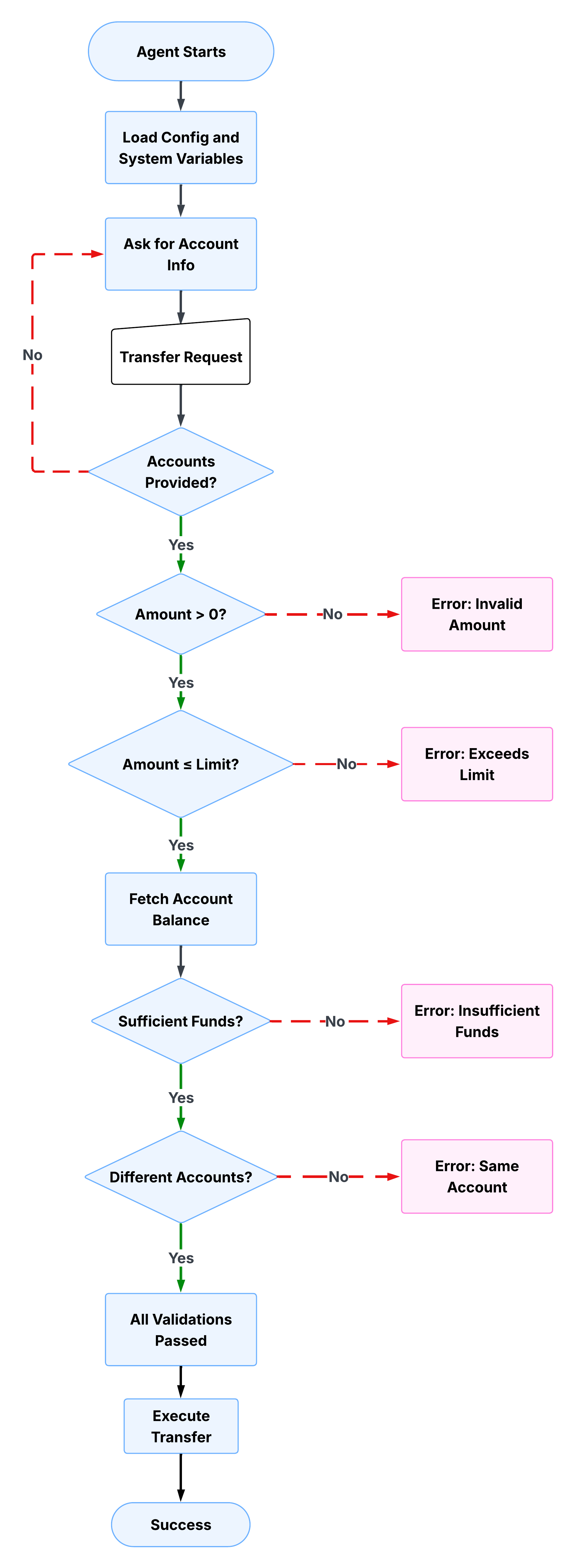 **Collect and validate inputs**
The first subagent collects the source account, destination account, and transfer amount from the user. It won't proceed until all three are present and valid. The Agent Script checks each field in sequence\: if the source account is missing, it asks. If the destination is missing, it asks. If the amount is zero or negative, it asks. The `validation_passed` variable is only set to `true` after all checks are clear.
The script below shows this in practice. Notice that `validation_passed` is explicitly set to `false` at each failure point, and the LLM is instructed not to proceed. The deterministic checks run unconditionally, while the prompt instructions handle the user-facing response.
```
instructions:->
| Always ensure to request the following data from the user, and to store it using {!@actions.store_details}
- source account number
- destination account number
- amount to transfer
Only after you have all the data, you can proceed with the next steps.
if not @variables.source_account:
set @variables.validation_information = "Missing source account"
set @variables.validation_passed = False
| You need the source account number before proceeding.
Ask the customer for the source account number.
else:
set @variables.validation_passed = True
if @variables.source_account and not @variables.destination_account:
set @variables.validation_information = "Missing destination account"
set @variables.validation_passed = False
| You need the destination account number before proceeding.
Ask the customer for the destination account number.
else:
set @variables.validation_passed = True
if not @variables.source_account or not @variables.destination_account:
| Do NOT proceed with the transfer yet.
if @variables.transfer_amount <= 0:
set @variables.validation_information = "Invalid transfer amount"
set @variables.validation_passed = False
| The transfer amount must be greater than zero. Ask the customer
how much they want to transfer.
Do NOT proceed with the transfer yet.
else:
set @variables.validation_passed = True
```
**Enforce business rules**
After the agent validates inputs, it checks whether the transfer amount exceeds the configured transfer limit. This is where business rules become code rather than instructions. The limit isn't something the LLM reasons about; it's a hard threshold defined in the script and checked deterministically on every parse.
If the amount exceeds the limit, `validation_passed` is set back to `false` and the LLM presents the user with three options\: transfer the maximum allowed amount, split into multiple transfers, or contact support for higher limits. The agent can't proceed until the user resolves the exception. Notice how the prompt instruction here is doing exactly what LLM reasoning is suited for\: presenting options conversationally and handling the user's response. The business rule itself is deterministic, but the conversation around it is not.
The script below shows how the limit check works. The deterministic condition evaluates the transfer amount against the limit variable, sets `validation_passed` to `false` if the threshold is breached, and delegates to a prompt instruction to handle the user-facing response.
```
instructions:->
if @variables.transfer_amount > @variables.transfer_limit:
set @variables.validation_information = "Amount exceeds transfer limit"
set @variables.validation_passed = False
| ⚠️ STOP: The requested amount (${!@variables.transfer_amount}) exceeds
the maximum transfer limit of ${!@variables.transfer_limit}.
Inform the customer and ask if they'd like to:
1. Transfer the maximum allowed amount (${!@variables.transfer_limit})
2. Split into multiple transfers
3. Contact support for higher limits
Do NOT proceed with the transfer.
```
**Apply guard clauses**
With amount and limit checks complete, the agent fetches the source account balance and confirms that sufficient funds are available. Guard clauses prevent the agent from attempting operations when preconditions aren't met. Unlike a prompt instruction that tells the LLM to check the balance, a guard clause in Agent Script makes the check unconditional. The LLM doesn't decide whether to run it.
If the balance is insufficient, the agent calculates the shortfall and presents the user with a concrete alternative. `validation_passed` is set to `false` until this check passes, which means the transfer action remains gated.
The script below shows a deterministic action call that fetches the balance, followed by a conditional check that evaluates it. The fetch only runs if the balance hasn't already been retrieved, avoiding redundant API calls on subsequent parses.
```
instructions:->
# Fetch balance if needed
if @variables.source_account and not @variables.source_balance:
run @actions.get_account_balance
with account_number = @variables.source_account
set @variables.source_balance = @outputs.balance
# Validate sufficient funds
if @variables.source_balance < @variables.transfer_amount:
set @variables.validation_information = "Insufficient funds"
set @variables.validation_passed = False
| ⚠️ STOP: Insufficient funds in the source account.
- Available balance: ${!@variables.source_balance}
- Requested transfer: ${!@variables.transfer_amount}
- Shortfall: ${!@variables.transfer_amount-@variables.source_balance}
Ask if they'd like to transfer a smaller amount.
Do NOT proceed with the transfer.
```
**Surface errors clearly**
Guard clauses set the state. Error messages communicate it. When `validation_passed` is `false`, the agent needs to give the user enough information to resolve the problem without restarting. Vague error messages create friction; structured ones close the loop faster.
The script below shows the insufficient funds error message in practice. It doesn't just tell the user the transfer failed. It shows the available balance, the requested amount, the calculated shortfall, and offers a concrete next step, all assembled from session variables rather than generated by the LLM.
```
| ⚠️ STOP: Insufficient funds.
- Available: ${!@variables.source_balance}
- Requested: ${!@variables.transfer_amount}
- Short by: ${!@variables.transfer_amount - @variables.source_balance}
Would you like to transfer ${!@variables.source_balance} instead?
```
The shortfall calculation happens in the script, not in the LLM. The suggested alternative, transferring the available balance, is deterministically derived from session state. The LLM's role here is purely presentational\: it delivers a message that the script has already structured.
**Gate the transfer action**
Every validation check in the preceding steps sets or clears the same variable\: `validation_passed`. That variable is now doing its most important job. The `execute_transfer` action is conditionally available, meaning it only appears in the LLM's tool list when `validation_passed` is `true`. Until every preceding check has passed and set that variable, the action doesn't exist from the LLM's perspective.
This is the pattern from the earlier gate section applied to a production workflow. The transfer action isn't hidden by a prompt instruction. It's hidden by the platform. No amount of conversational pressure or ambiguous phrasing can cause the LLM to invoke it before the preconditions are met.
The script below shows how the gate is configured. The `available when` clause references `validation_passed` directly, and the action parameters are bound to the session variables collected and validated in the preceding steps.
```
actions:
execute_transfer: @actions.execute_transfer
available when @variables.validation_passed
with from_account=@variables.source_account
with to_account=@variables.destination_account
with amount=@variables.transfer_amount
```
All three parameters, `from_account`, `to_account`, and `amount`, are passed deterministically from session variables. By the time this action becomes available, every value has been validated. The LLM isn't assembling the parameters from conversation context; it's reading them from the state.
**Track state throughout the workflow**
The patterns in the preceding sections only work because session state persists across the entire workflow. Account numbers captured in the first step are available in the fourth. Validation results set in one check gate actions in another. The conversation can deviate, the user can ask follow-up questions, and the agent will still know exactly where it is in the process.
The variables block below shows the full session state for this workflow. Each variable has a defined type, a default value, and a description. Two variables handle most of the orchestration work\: `validation_passed` controls action availability at every gate, and `validation_information` carries human-readable context about why a check failed, which the LLM can surface to the user without needing to reason about the underlying state.
```
variables:
source_account: mutable string = ""
description: "Account to transfer from"
destination_account: mutable string = ""
description: "Account to transfer to"
transfer_amount: mutable number = 0
description: "Amount to transfer"
source_balance: mutable number = 0
description: "Balance of source account"
transfer_limit: mutable number = 10000
description: "Maximum allowed transfer amount"
validation_passed: mutable boolean = False
description: "Whether all validations passed"
validation_information: mutable string = ""
description: "Human readable validation information"
```
Every variable starts in a known default state. Strings default to empty, numbers to zero, and the `validation_passed` boolean to `false`. This means the gate is closed by default. The workflow has to actively earn the right to proceed at each step, rather than starting with the gate open and relying on checks to close it.
## When to use deterministic logic
The bank transfer example illustrates where deterministic logic is the right tool, but it isn't always the best choice. Understanding the boundary is as important as understanding the patterns.
Deterministic logic is the right choice when the workflow requires a guaranteed execution sequence, when errors have significant consequences, when the process needs to produce a reproducible audit trail, or when business rules are well-defined enough to be expressed as conditions and thresholds. Finance, healthcare, and insurance workflows generally fall into this category.
Pure LLM reasoning without strict deterministic constraints makes more sense when the value of the interaction lies in flexibility rather than precision. Open-ended customer support, early-stage products where business processes are still evolving, and low-stakes informational queries are all cases where the variability of LLM reasoning is a feature, not a problem.
In practice, most production agents need both. The decision of where the boundary falls isn't a binary choice between deterministic and probabilistic; it's a design decision you make at the node level for every part of your agent's workflow.
| Use deterministic logic for | Use LLM reasoning for |
| ------------------------------------------- | --------------------------------------------------- |
| Input validation and sanitization | Natural language understanding and intent detection |
| Business rule enforcement | Generating conversational, empathetic responses |
| Sequential process orchestration | Handling ambiguous or unexpected inputs |
| State management and context preservation | Providing explanations and clarifications |
| Guard clauses preventing invalid operations | Adapting tone and messaging to user context |
**The boundary is the design decision**
The bank transfer example is an illustration of a design philosophy\: that the boundary between deterministic execution and LLM reasoning is the most consequential architectural decision you make when building a production agent.
Place a boundary that's too rigid and you'll end up with an agent that's rigid, expensive to maintain, and incapable of handling the natural variation of real conversations. Getting the boundary wrong in the other direction creates an agent that is flexible but unpredictable, performs well in testing but behaves differently in production, and can't produce a reliable audit trail or be trusted with a high-stakes transaction.
The new Agentforce model gives you the tools to place that boundary deliberately. Agent Script lets you express deterministic logic and prompt instructions in the same file, with an explicit syntax to make the boundary visible. The Atlas Reasoning Engine enforces logic and prompts at runtime. The `before_reasoning` and `after_reasoning` blocks give you guaranteed execution zones on either side of the LLM call. Conditional action availability ensures the LLM can only act when preconditions are met.
None of these features are in isolation. They work together to create a coherent architecture for building agents that enterprises can trust with mission-critical workflows. The hybrid reasoning model recognizes that determinism and flexibility both have roles in your architecture; it is the architect's job to decide precisely where each one applies.
## References
[Agent Script Recipes](https://developer.salesforce.com/sample-apps/agent-script-recipes)
[Agentforce Developer Guide](https://developer.salesforce.com/docs/ai/agentforce/guide/agent-script.html)
[Agentforce's Agent Graph\: Toward Guided Determinism with Hybrid Reasoning](https://engineering.salesforce.com/agentforces-agent-graph-toward-guided-determinism-with-hybrid-reasoning/)
## About the Authors
Gulal Kumar is a Software Engineering Architect at Salesforce with over 20 years of experience. His expertise spans AI, integration, APIs, and enterprise architecture, with a focus on driving business transformation through secure, resilient, and innovative AI solutions. Connect with him on [LinkedIn](https://www.linkedin.com/in/gulal/).
Miriam McCabe is Senior Director and leader of the Architect Evangelism team. Her work focuses on enabling the global Salesforce architect community to lead in the agentic era through deeply technical content, live programming, and community engagement. Follow her on [LinkedIn](https://www.linkedin.com/in/miriammccabe/).
# Integration Patterns Overview
Typically, when you implement Salesforce, you need to integrate it with other applications. Although each integration scenario is unique, there are common requirements and issues that developers and architects must resolve.
This document describes strategies (in the form of patterns) for these common integration scenarios. Each pattern describes the design and approach for a particular scenario rather than detailing a specific implementation. In this document you’ll find:
- A number of patterns that address key “archetype” integration scenarios
- A selection matrix to help determine which pattern best fits your scenario
- Integration tips and best practices
**Purpose and Scope**
This document is for designers and architects who need to integrate the Salesforce Platform with other applications in their enterprise. We have distilled this content from many successful implementations.
To become familiar with integration capabilities and options available for large-scale adoption of Salesforce-based applications, read the Pattern Summary and Pattern Selection Guide. Architects and developers should apply these pattern details and best practices during the design and implementation phase of a Salesforce integration project.
If implemented properly, these patterns enable you to get to production as fast as possible and have the most stable, scalable, and maintenance-free set of applications possible. Salesforce’s own consulting architects use these patterns as reference points during architectural reviews and actively maintain and improve them.
As with all patterns, this content covers most integration scenarios, but not all. While Salesforce allows for user interface (UI) integration, mashups, for example, such integration is outside the scope of this document.
**Pattern Template**
Each integration pattern follows a consistent structure. This structure makes it easier to compare patterns and locate relevant information.
_Name_
The pattern identifier that also indicates the type of integration contained in the pattern.
_Context_
The overall integration scenario that the pattern addresses. Context provides information about what users are trying to accomplish and how the application will behave to support the requirements.
_Problem_
The scenario or problem (expressed as a question) that the pattern is designed to solve. When reviewing the patterns, read this section to quickly understand if the pattern is appropriate for your integration scenario.
_Forces_
The constraints and circumstances that make the stated scenario difficult to solve.
_Solution_
The recommended way to solve the integration scenario.
_Sketch_
A UML sequence diagram that shows you how the solution addresses the scenario.
_Results_
Explains the details of how to apply the solution to your integration scenario and how it resolves the forces associated with that scenario. This section also contains new challenges that can arise as a result of applying the pattern.
_Sidebars_
Additional sections related to the pattern that contain key technical issues, variations of the pattern, pattern-specific concerns, and so on.
_Example_
An end-to-end scenario that describes how the design pattern is used in a real-world Salesforce scenario. The example explains the integration goals and how to implement the pattern to achieve those goals.
**Pattern Summary**
The following table lists the integration patterns contained in this document.
**List of Patterns**
| Patterns | Scenario |
| :------------------------------------------------------------------------------------------------------------------------------------------------------- | :--------------------------------------------------------------------------------------------------------------------------------------------------------------------------------------------------------------------------------------- |
| [Remote Process Invocation—Request and Reply](/docs/architect/fundamentals/guide/integration-patterns.html#remote-process-invocation--request-and-reply) | Salesforce invokes a process on a remote system, waits for completion of that process, and then tracks state based on the response from the remote system. |
| [Remote Process Invocation—Fire and Forget](/docs/architect/fundamentals/guide/integration-patterns.html#remote-process-invocation--fire-and-forget) | Salesforce invokes a process in a remote system but doesn't wait for completion of the process. Instead, the remote process receives and acknowledges the request and then hands off control back to Salesforce. |
| [Batch Data Synchronization](/docs/architect/fundamentals/guide/integration-patterns.html#batch-data-synchronization) | Data stored in Salesforce Platform is created or refreshed to reflect updates from an external system, and when changes from Salesforce Platform are sent to an external system. Updates in either direction are done in a batch manner. |
| [Remote Call-In](/docs/architect/fundamentals/guide/integration-patterns.html#remote-call-in) | Data stored in Salesforce Platform is created, retrieved, updated, or deleted by a remote system. |
| [UI Update Based on Data Changes](/docs/architect/fundamentals/guide/integration-patterns.html#ui-update-based-on-data-changes) | The Salesforce user interface must be automatically updated as a result of changes to Salesforce data. |
| [Data Virtualization](/docs/architect/fundamentals/guide/integration-patterns.html#data-virtualization) | Salesforce accesses external data in real time. This removes the need to persist data in Salesforce and then reconcile the data between Salesforce and the external system. |
**Pattern Approach**
The integration patterns in this document are classified into three categories:
- Data Integration: These patterns address the requirement to synchronize data that resides in two or more systems so that both systems always contain timely and meaningful data. Data integration is often the simplest type of integration to implement, but requires proper information management techniques to make the solution sustainable and cost effective. Such techniques often include aspects of master data management (MDM), data governance, mastering, de-duplication, data flow design, and others.
- Process Integration: The patterns in this category address the need for a business process to leverage two or more applications to complete its task. When you implement a solution for this type of integration, the triggering application has to call across process boundaries to other applications. Usually, these patterns also include both orchestration (where one application is the central “controller”) and choreography (where applications are multi-participants and there is no central “controller”). These integrations often require complex design, testing, and exception handling requirements. Also, such composite applications are typically more demanding on the underlying systems because they often support long-running transactions, and the ability to report on or manage process state.
- Virtual Integration: The patterns in this category address the need for a user to view, search, and modify data that’s stored in an external system. When you implement a solution for this type of integration, the triggering application has to call out to other applications and interact with their data in real time. This type of integration removes the need for data replication across systems, and means that users always interact with the most current data.
Choosing the best integration strategy for your system isn’t trivial. There are many aspects to consider and many tools that can be used, with some tools being more appropriate than others for certain tasks. Each pattern addresses specific critical areas including the capabilities of each of the systems, volume of data, failure handling, and transactionality.
**Pattern Selection Guide**
The selection matrix tables list the patterns and their key aspects to help you determine which pattern best fits your integration requirements. The patterns are categorized using these dimensions.
| Aspect | Description |
| :----- | :-------------------------------------------------------------------------------------------------------------------------------------------------------------------------------------------------------------------------------------------------------------------------------------------------------------------------------------------------------------------------------------------------------------------------------------------------------------------------------------------------------------------------------------------------------------------------------------------------------------------------------------------------------------------------------------------------------------------------------------------------------------------------------------------------------------------------------------------------------------------------------------------------------------------------------------------------------------------------------------------------------- |
| Type | Specifies the style of integration: **Process**, **Data**, or **Virtual**.
**Collect and validate inputs**
The first subagent collects the source account, destination account, and transfer amount from the user. It won't proceed until all three are present and valid. The Agent Script checks each field in sequence\: if the source account is missing, it asks. If the destination is missing, it asks. If the amount is zero or negative, it asks. The `validation_passed` variable is only set to `true` after all checks are clear.
The script below shows this in practice. Notice that `validation_passed` is explicitly set to `false` at each failure point, and the LLM is instructed not to proceed. The deterministic checks run unconditionally, while the prompt instructions handle the user-facing response.
```
instructions:->
| Always ensure to request the following data from the user, and to store it using {!@actions.store_details}
- source account number
- destination account number
- amount to transfer
Only after you have all the data, you can proceed with the next steps.
if not @variables.source_account:
set @variables.validation_information = "Missing source account"
set @variables.validation_passed = False
| You need the source account number before proceeding.
Ask the customer for the source account number.
else:
set @variables.validation_passed = True
if @variables.source_account and not @variables.destination_account:
set @variables.validation_information = "Missing destination account"
set @variables.validation_passed = False
| You need the destination account number before proceeding.
Ask the customer for the destination account number.
else:
set @variables.validation_passed = True
if not @variables.source_account or not @variables.destination_account:
| Do NOT proceed with the transfer yet.
if @variables.transfer_amount <= 0:
set @variables.validation_information = "Invalid transfer amount"
set @variables.validation_passed = False
| The transfer amount must be greater than zero. Ask the customer
how much they want to transfer.
Do NOT proceed with the transfer yet.
else:
set @variables.validation_passed = True
```
**Enforce business rules**
After the agent validates inputs, it checks whether the transfer amount exceeds the configured transfer limit. This is where business rules become code rather than instructions. The limit isn't something the LLM reasons about; it's a hard threshold defined in the script and checked deterministically on every parse.
If the amount exceeds the limit, `validation_passed` is set back to `false` and the LLM presents the user with three options\: transfer the maximum allowed amount, split into multiple transfers, or contact support for higher limits. The agent can't proceed until the user resolves the exception. Notice how the prompt instruction here is doing exactly what LLM reasoning is suited for\: presenting options conversationally and handling the user's response. The business rule itself is deterministic, but the conversation around it is not.
The script below shows how the limit check works. The deterministic condition evaluates the transfer amount against the limit variable, sets `validation_passed` to `false` if the threshold is breached, and delegates to a prompt instruction to handle the user-facing response.
```
instructions:->
if @variables.transfer_amount > @variables.transfer_limit:
set @variables.validation_information = "Amount exceeds transfer limit"
set @variables.validation_passed = False
| ⚠️ STOP: The requested amount (${!@variables.transfer_amount}) exceeds
the maximum transfer limit of ${!@variables.transfer_limit}.
Inform the customer and ask if they'd like to:
1. Transfer the maximum allowed amount (${!@variables.transfer_limit})
2. Split into multiple transfers
3. Contact support for higher limits
Do NOT proceed with the transfer.
```
**Apply guard clauses**
With amount and limit checks complete, the agent fetches the source account balance and confirms that sufficient funds are available. Guard clauses prevent the agent from attempting operations when preconditions aren't met. Unlike a prompt instruction that tells the LLM to check the balance, a guard clause in Agent Script makes the check unconditional. The LLM doesn't decide whether to run it.
If the balance is insufficient, the agent calculates the shortfall and presents the user with a concrete alternative. `validation_passed` is set to `false` until this check passes, which means the transfer action remains gated.
The script below shows a deterministic action call that fetches the balance, followed by a conditional check that evaluates it. The fetch only runs if the balance hasn't already been retrieved, avoiding redundant API calls on subsequent parses.
```
instructions:->
# Fetch balance if needed
if @variables.source_account and not @variables.source_balance:
run @actions.get_account_balance
with account_number = @variables.source_account
set @variables.source_balance = @outputs.balance
# Validate sufficient funds
if @variables.source_balance < @variables.transfer_amount:
set @variables.validation_information = "Insufficient funds"
set @variables.validation_passed = False
| ⚠️ STOP: Insufficient funds in the source account.
- Available balance: ${!@variables.source_balance}
- Requested transfer: ${!@variables.transfer_amount}
- Shortfall: ${!@variables.transfer_amount-@variables.source_balance}
Ask if they'd like to transfer a smaller amount.
Do NOT proceed with the transfer.
```
**Surface errors clearly**
Guard clauses set the state. Error messages communicate it. When `validation_passed` is `false`, the agent needs to give the user enough information to resolve the problem without restarting. Vague error messages create friction; structured ones close the loop faster.
The script below shows the insufficient funds error message in practice. It doesn't just tell the user the transfer failed. It shows the available balance, the requested amount, the calculated shortfall, and offers a concrete next step, all assembled from session variables rather than generated by the LLM.
```
| ⚠️ STOP: Insufficient funds.
- Available: ${!@variables.source_balance}
- Requested: ${!@variables.transfer_amount}
- Short by: ${!@variables.transfer_amount - @variables.source_balance}
Would you like to transfer ${!@variables.source_balance} instead?
```
The shortfall calculation happens in the script, not in the LLM. The suggested alternative, transferring the available balance, is deterministically derived from session state. The LLM's role here is purely presentational\: it delivers a message that the script has already structured.
**Gate the transfer action**
Every validation check in the preceding steps sets or clears the same variable\: `validation_passed`. That variable is now doing its most important job. The `execute_transfer` action is conditionally available, meaning it only appears in the LLM's tool list when `validation_passed` is `true`. Until every preceding check has passed and set that variable, the action doesn't exist from the LLM's perspective.
This is the pattern from the earlier gate section applied to a production workflow. The transfer action isn't hidden by a prompt instruction. It's hidden by the platform. No amount of conversational pressure or ambiguous phrasing can cause the LLM to invoke it before the preconditions are met.
The script below shows how the gate is configured. The `available when` clause references `validation_passed` directly, and the action parameters are bound to the session variables collected and validated in the preceding steps.
```
actions:
execute_transfer: @actions.execute_transfer
available when @variables.validation_passed
with from_account=@variables.source_account
with to_account=@variables.destination_account
with amount=@variables.transfer_amount
```
All three parameters, `from_account`, `to_account`, and `amount`, are passed deterministically from session variables. By the time this action becomes available, every value has been validated. The LLM isn't assembling the parameters from conversation context; it's reading them from the state.
**Track state throughout the workflow**
The patterns in the preceding sections only work because session state persists across the entire workflow. Account numbers captured in the first step are available in the fourth. Validation results set in one check gate actions in another. The conversation can deviate, the user can ask follow-up questions, and the agent will still know exactly where it is in the process.
The variables block below shows the full session state for this workflow. Each variable has a defined type, a default value, and a description. Two variables handle most of the orchestration work\: `validation_passed` controls action availability at every gate, and `validation_information` carries human-readable context about why a check failed, which the LLM can surface to the user without needing to reason about the underlying state.
```
variables:
source_account: mutable string = ""
description: "Account to transfer from"
destination_account: mutable string = ""
description: "Account to transfer to"
transfer_amount: mutable number = 0
description: "Amount to transfer"
source_balance: mutable number = 0
description: "Balance of source account"
transfer_limit: mutable number = 10000
description: "Maximum allowed transfer amount"
validation_passed: mutable boolean = False
description: "Whether all validations passed"
validation_information: mutable string = ""
description: "Human readable validation information"
```
Every variable starts in a known default state. Strings default to empty, numbers to zero, and the `validation_passed` boolean to `false`. This means the gate is closed by default. The workflow has to actively earn the right to proceed at each step, rather than starting with the gate open and relying on checks to close it.
## When to use deterministic logic
The bank transfer example illustrates where deterministic logic is the right tool, but it isn't always the best choice. Understanding the boundary is as important as understanding the patterns.
Deterministic logic is the right choice when the workflow requires a guaranteed execution sequence, when errors have significant consequences, when the process needs to produce a reproducible audit trail, or when business rules are well-defined enough to be expressed as conditions and thresholds. Finance, healthcare, and insurance workflows generally fall into this category.
Pure LLM reasoning without strict deterministic constraints makes more sense when the value of the interaction lies in flexibility rather than precision. Open-ended customer support, early-stage products where business processes are still evolving, and low-stakes informational queries are all cases where the variability of LLM reasoning is a feature, not a problem.
In practice, most production agents need both. The decision of where the boundary falls isn't a binary choice between deterministic and probabilistic; it's a design decision you make at the node level for every part of your agent's workflow.
| Use deterministic logic for | Use LLM reasoning for |
| ------------------------------------------- | --------------------------------------------------- |
| Input validation and sanitization | Natural language understanding and intent detection |
| Business rule enforcement | Generating conversational, empathetic responses |
| Sequential process orchestration | Handling ambiguous or unexpected inputs |
| State management and context preservation | Providing explanations and clarifications |
| Guard clauses preventing invalid operations | Adapting tone and messaging to user context |
**The boundary is the design decision**
The bank transfer example is an illustration of a design philosophy\: that the boundary between deterministic execution and LLM reasoning is the most consequential architectural decision you make when building a production agent.
Place a boundary that's too rigid and you'll end up with an agent that's rigid, expensive to maintain, and incapable of handling the natural variation of real conversations. Getting the boundary wrong in the other direction creates an agent that is flexible but unpredictable, performs well in testing but behaves differently in production, and can't produce a reliable audit trail or be trusted with a high-stakes transaction.
The new Agentforce model gives you the tools to place that boundary deliberately. Agent Script lets you express deterministic logic and prompt instructions in the same file, with an explicit syntax to make the boundary visible. The Atlas Reasoning Engine enforces logic and prompts at runtime. The `before_reasoning` and `after_reasoning` blocks give you guaranteed execution zones on either side of the LLM call. Conditional action availability ensures the LLM can only act when preconditions are met.
None of these features are in isolation. They work together to create a coherent architecture for building agents that enterprises can trust with mission-critical workflows. The hybrid reasoning model recognizes that determinism and flexibility both have roles in your architecture; it is the architect's job to decide precisely where each one applies.
## References
[Agent Script Recipes](https://developer.salesforce.com/sample-apps/agent-script-recipes)
[Agentforce Developer Guide](https://developer.salesforce.com/docs/ai/agentforce/guide/agent-script.html)
[Agentforce's Agent Graph\: Toward Guided Determinism with Hybrid Reasoning](https://engineering.salesforce.com/agentforces-agent-graph-toward-guided-determinism-with-hybrid-reasoning/)
## About the Authors
Gulal Kumar is a Software Engineering Architect at Salesforce with over 20 years of experience. His expertise spans AI, integration, APIs, and enterprise architecture, with a focus on driving business transformation through secure, resilient, and innovative AI solutions. Connect with him on [LinkedIn](https://www.linkedin.com/in/gulal/).
Miriam McCabe is Senior Director and leader of the Architect Evangelism team. Her work focuses on enabling the global Salesforce architect community to lead in the agentic era through deeply technical content, live programming, and community engagement. Follow her on [LinkedIn](https://www.linkedin.com/in/miriammccabe/).
# Integration Patterns Overview
Typically, when you implement Salesforce, you need to integrate it with other applications. Although each integration scenario is unique, there are common requirements and issues that developers and architects must resolve.
This document describes strategies (in the form of patterns) for these common integration scenarios. Each pattern describes the design and approach for a particular scenario rather than detailing a specific implementation. In this document you’ll find:
- A number of patterns that address key “archetype” integration scenarios
- A selection matrix to help determine which pattern best fits your scenario
- Integration tips and best practices
**Purpose and Scope**
This document is for designers and architects who need to integrate the Salesforce Platform with other applications in their enterprise. We have distilled this content from many successful implementations.
To become familiar with integration capabilities and options available for large-scale adoption of Salesforce-based applications, read the Pattern Summary and Pattern Selection Guide. Architects and developers should apply these pattern details and best practices during the design and implementation phase of a Salesforce integration project.
If implemented properly, these patterns enable you to get to production as fast as possible and have the most stable, scalable, and maintenance-free set of applications possible. Salesforce’s own consulting architects use these patterns as reference points during architectural reviews and actively maintain and improve them.
As with all patterns, this content covers most integration scenarios, but not all. While Salesforce allows for user interface (UI) integration, mashups, for example, such integration is outside the scope of this document.
**Pattern Template**
Each integration pattern follows a consistent structure. This structure makes it easier to compare patterns and locate relevant information.
_Name_
The pattern identifier that also indicates the type of integration contained in the pattern.
_Context_
The overall integration scenario that the pattern addresses. Context provides information about what users are trying to accomplish and how the application will behave to support the requirements.
_Problem_
The scenario or problem (expressed as a question) that the pattern is designed to solve. When reviewing the patterns, read this section to quickly understand if the pattern is appropriate for your integration scenario.
_Forces_
The constraints and circumstances that make the stated scenario difficult to solve.
_Solution_
The recommended way to solve the integration scenario.
_Sketch_
A UML sequence diagram that shows you how the solution addresses the scenario.
_Results_
Explains the details of how to apply the solution to your integration scenario and how it resolves the forces associated with that scenario. This section also contains new challenges that can arise as a result of applying the pattern.
_Sidebars_
Additional sections related to the pattern that contain key technical issues, variations of the pattern, pattern-specific concerns, and so on.
_Example_
An end-to-end scenario that describes how the design pattern is used in a real-world Salesforce scenario. The example explains the integration goals and how to implement the pattern to achieve those goals.
**Pattern Summary**
The following table lists the integration patterns contained in this document.
**List of Patterns**
| Patterns | Scenario |
| :------------------------------------------------------------------------------------------------------------------------------------------------------- | :--------------------------------------------------------------------------------------------------------------------------------------------------------------------------------------------------------------------------------------- |
| [Remote Process Invocation—Request and Reply](/docs/architect/fundamentals/guide/integration-patterns.html#remote-process-invocation--request-and-reply) | Salesforce invokes a process on a remote system, waits for completion of that process, and then tracks state based on the response from the remote system. |
| [Remote Process Invocation—Fire and Forget](/docs/architect/fundamentals/guide/integration-patterns.html#remote-process-invocation--fire-and-forget) | Salesforce invokes a process in a remote system but doesn't wait for completion of the process. Instead, the remote process receives and acknowledges the request and then hands off control back to Salesforce. |
| [Batch Data Synchronization](/docs/architect/fundamentals/guide/integration-patterns.html#batch-data-synchronization) | Data stored in Salesforce Platform is created or refreshed to reflect updates from an external system, and when changes from Salesforce Platform are sent to an external system. Updates in either direction are done in a batch manner. |
| [Remote Call-In](/docs/architect/fundamentals/guide/integration-patterns.html#remote-call-in) | Data stored in Salesforce Platform is created, retrieved, updated, or deleted by a remote system. |
| [UI Update Based on Data Changes](/docs/architect/fundamentals/guide/integration-patterns.html#ui-update-based-on-data-changes) | The Salesforce user interface must be automatically updated as a result of changes to Salesforce data. |
| [Data Virtualization](/docs/architect/fundamentals/guide/integration-patterns.html#data-virtualization) | Salesforce accesses external data in real time. This removes the need to persist data in Salesforce and then reconcile the data between Salesforce and the external system. |
**Pattern Approach**
The integration patterns in this document are classified into three categories:
- Data Integration: These patterns address the requirement to synchronize data that resides in two or more systems so that both systems always contain timely and meaningful data. Data integration is often the simplest type of integration to implement, but requires proper information management techniques to make the solution sustainable and cost effective. Such techniques often include aspects of master data management (MDM), data governance, mastering, de-duplication, data flow design, and others.
- Process Integration: The patterns in this category address the need for a business process to leverage two or more applications to complete its task. When you implement a solution for this type of integration, the triggering application has to call across process boundaries to other applications. Usually, these patterns also include both orchestration (where one application is the central “controller”) and choreography (where applications are multi-participants and there is no central “controller”). These integrations often require complex design, testing, and exception handling requirements. Also, such composite applications are typically more demanding on the underlying systems because they often support long-running transactions, and the ability to report on or manage process state.
- Virtual Integration: The patterns in this category address the need for a user to view, search, and modify data that’s stored in an external system. When you implement a solution for this type of integration, the triggering application has to call out to other applications and interact with their data in real time. This type of integration removes the need for data replication across systems, and means that users always interact with the most current data.
Choosing the best integration strategy for your system isn’t trivial. There are many aspects to consider and many tools that can be used, with some tools being more appropriate than others for certain tasks. Each pattern addresses specific critical areas including the capabilities of each of the systems, volume of data, failure handling, and transactionality.
**Pattern Selection Guide**
The selection matrix tables list the patterns and their key aspects to help you determine which pattern best fits your integration requirements. The patterns are categorized using these dimensions.
| Aspect | Description |
| :----- | :-------------------------------------------------------------------------------------------------------------------------------------------------------------------------------------------------------------------------------------------------------------------------------------------------------------------------------------------------------------------------------------------------------------------------------------------------------------------------------------------------------------------------------------------------------------------------------------------------------------------------------------------------------------------------------------------------------------------------------------------------------------------------------------------------------------------------------------------------------------------------------------------------------------------------------------------------------------------------------------------------------- |
| Type | Specifies the style of integration: **Process**, **Data**, or **Virtual**.| Calling Mechanism | Description |
|---|---|
| Enhanced External service embedded in a flow or Lightning component or Apex controllers |
Used when the remote process is triggered as part of an end-to-end process involving the user interface, and the result must be displayed or updated in a Salesforce record. For example, the submission of a credit card payment to an external payment gateway and the payment results are immediately returned and displayed to the user. |
| Apex triggers | Used primarily for invocation of remote processes using Apex callouts from DML-initiated events. For more information about this calling mechanism, see pattern Remote Process Invocation—Fire and Forget. |
| Apex batch classes | Used for invocation of remote processes in batch. For more information about this calling mechanism, see pattern Remote Process Invocation—Fire and Forget. |
 |
MuleSoft is Salesforce's leading integration platform. It enables organizations to connect applications, data, and devices across on-premises and cloud environments. MuleSoft gives IT the tools to unlock data across systems, develop scalable integration and automation frameworks, and create differentiated, connected experiences at speed. |
 |
Informatica is a leading enterprise data management and integration platform. It helps organizations collect, manage, integrate, and analyze data from diverse sources. It uses ETL (Extract, Transform, Load) processes to provide the connected, reliable data necessary to power modern analytics and autonomous AI agents. |
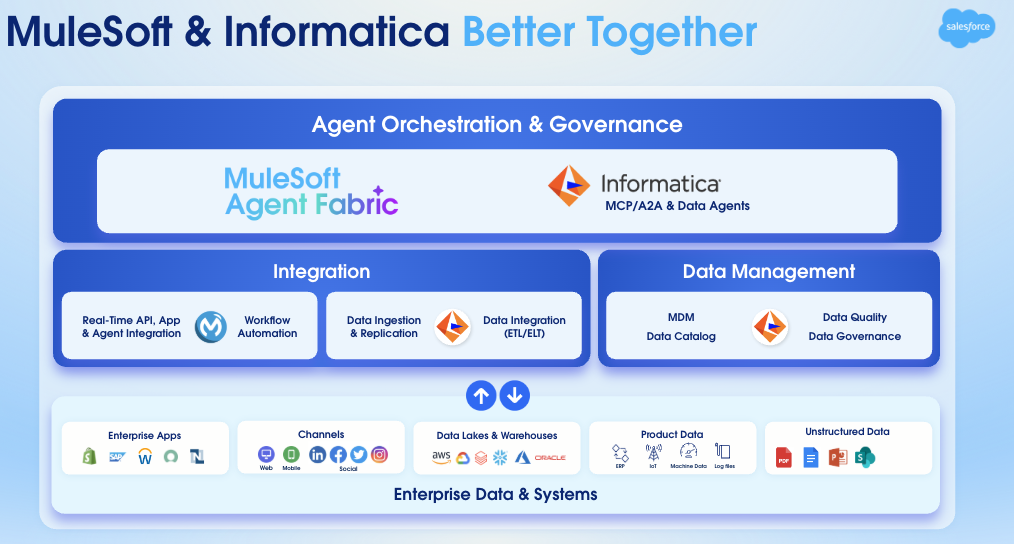 The following sections demonstrate how MuleSoft and Informatica work together across key foundational pillars–Integration, Data Management, and Agent Orchestration and Governance.
### Integration: Bridging Application and Data Silos
For every modern enterprise, successful operations rely on integrating applications and data planes. The application integration and data integration platforms are complementary, not interchangeable. Attempting to leverage one without the other creates operational blind spots and bottlenecks.
The shortcomings of siloed integration approaches are clear.
**1. Application Integration Without Robust Data Governance**
Connecting applications, or app integration, allows the enterprise to move processes and transactions quickly across systems. However, if this execution layer lacks a unified, governed, and trustworthy view of the underlying data, the resulting actions, no matter how fast, will be based on fragmented, inconsistent, or obsolete information.
Organizations can orchestrate processes quickly, but without trusted data, decisions remain high-risk. Inconsistent customer interactions, inventory management, and financial reporting stem from a lack of "single source of truth," leading to inefficiencies and regulatory exposure.
MuleSoft mitigates this risk by providing out-of-the-box compliance for highly regulated industries, carrying active certifications including FedRAMP, ISMAP, HITRUST, SOC 1/2/3, and ISO 27001. However, even when the application layer communicates securely, it may still share incoherent data.
**2. Data Integration and Management Without Agile Application Integration**
Prioritizing data integration and management platforms—especially through a powerful data warehouse or master data management (MDM) system—is essential for cleaning, standardizing, and unifying data. These platforms create a single source of truth: a reliable, holistic view of entities like customers, products, or vendors.
While the data is clean, consolidated, and trustworthy, the mechanisms to inject its derived intelligence back into live business processes and customer-facing applications are sluggish or non-existent. Without app integration, the enterprise cannot translate a single source of truth into real-time action. High-quality data sits in the background, unable to influence an in-the-moment sales decision, a personalized service interaction, or a critical supply chain adjustment. The intelligence exists, but the operational pipeline remains blocked.
**The Holistic Solution: MuleSoft and Informatica Together**
MuleSoft and Informatica provide an industry-leading, unified framework for data-driven business operations.
This architectural alignment ensures:
* **Real-Time Action**: MuleSoft provides the agile mechanism to expose this trusted data via secure APIs. Through API-led connectivity, it integrates Informatica’s single source of truth directly into critical business applications and processes. This allows the enterprise to act in real-time based on the foundation of the single source of truth provided by Informatica.
* **Trusted Context**: Informatica, as the leader in cloud data management, ensures the data flowing through the enterprise is clean, consistent, governed, and compliant. It creates trusted context by mastering data, enabling quality assurance, and facilitating enterprise data governance.
##### The "Data-to-Agent" Moment
This integration enables customers to own the data-to-agent moment. This is the ultimate goal: when an employee (agent) or an automated system must act, the system instantly provides the complete, trustworthy, and real-time context necessary for success. This powerful synergy transforms data from a mere historical asset into a dynamic, actionable intelligence stream, driving superior business outcomes and competitive advantage.
#### MuleSoft for Application Integration
MuleSoft provides an AI-powered, end-to-end integration lifecycle. With MuleSoft Vibes, Developers can use natural language prompts to design APIs, build integrations, and generate unit tests. The platform supports development in any IDE, including Cursor or VSCode, using local MCP servers to accelerate delivery.
The architecture centers on extensible connectivity: a universal bridge that connects AI agents, SaaS apps, legacy systems, and partners. This single platform makes sure that any asset can support the business in real time, regardless of where the asset lives.
Connectivity without oversight creates risk. That is why we allow teams to register, secure, and observe every asset and application. By providing a comprehensive AI toolset, we give IT the visibility and guardrails to manage the application lifecycle with total confidence.
MuleSoft also supports the broader ecosystem with enterprise B2B and EDI. This integration simplifies partner management while maintaining end-to-end compliance.
Ultimately, MuleSoft ensures that every part of the enterprise is not just connected, but governed and ready to act in real time.
#### Informatica for Data Integration
Business velocity requires a foundation of trust. Informatica ensures that the enterprise acts on trusted, high-quality data, avoiding the liability of fast, yet unreliable, insights.
The Informatica platform can transform raw data into enterprise-ready assets. Its low-code environment facilitates instant scaling without increasing headcount. With over 300 pre-built connectors supporting all integration styles—including ETL, ELT, and Reverse ETL—it can integrate, govern, and prepare virtually any existing data for AI-driven initiatives.
### The Trusted Data Management Foundation for AI
Informatica is the data management powerhouse, essential for AI success. It provides a complete suite of capabilities, from cataloging to governance, that transforms organizations from data-rich to insight-driven.
AI is only as effective as the data that feeds it, and for most organizations, this data is siloed, duplicated, and inconsistent. This represents a significant risk, as “dirty” data leads to untrustworthy AI output.
This is where Informatica MDM excels. Instead of merely connecting data, we unify it. It breaks down disconnected silos to create a 360-degree view of customers, products, and suppliers, establishing a single, trusted source of truth. This unified view allows teams to confidently make AI-driven decisions without debating data accuracy.
Informatica is crucial for both initiating AI and scaling a trusted AI foundation across the entire enterprise.
Best of all, Informatica has automated the heavy lifting. With CLAIRE GPT, the platform streamlines the match, merge, and governance processes. This delivers a single source of truth to customers at lightning speed while eliminating manual effort.
Achieving a single source of truth is the first step. As data flows into analytics, applications, and AI, a critical concern emerges for CDOs and CIOs: "Can we truly trust this data everywhere it is consumed?"
In the AI era, data governance and quality are essential. They must be automated and intrinsically built-in, a capability Informatica is designed to deliver. Informatica embeds a layer of trust, ensuring that data is accurate and compliant before it reaches a dashboard or an AI model.
Informatica tracks not only the data, but its lineage, precisely showing its origin and access history to establish confidence in its reliability. This certainty is required to operate at scale.
Ultimately, Informatica connects metadata with business context. When a customer launches an AI project, they aren't just moving quickly—they are moving with absolute certainty.
### Unlock the Agentic Enterprise
MuleSoft and Informatica offer complementary agent capabilities. MuleSoft Agent Fabric serves as the unified control plane, providing end-to-end governance, orchestration, and observability. Informatica’s data agents and MCP servers plug into this fabric, delivering trusted data access and governed data actions, such as feeding MDM data or catalog metadata to the ecosystem.
Together, they allow customers to scale their investments seamlessly. To operate this integrated ecosystem at enterprise scale, MuleSoft Agent Fabric provides a systematic, four-pillar framework:
1. **Discover:** Gain complete visibility into your agent ecosystem. The Agent Registry and built-in scanners automatically synchronize and catalog every A2A agent and MCP server—including Informatica assets and external agents from Amazon Bedrock or Google Vertex—ensuring instant discovery and reuse.
2. **Orchestrate:** Coordinate agents and APIs to execute complex workflows. The Agent Broker dynamically routes tasks to the correct agent or tool, eliminating manual handoffs and transforming scattered individual agents into a reliable, coordinated workforce.
3. **Govern:** Apply secure, policy-driven control to every interaction. Trusted Agent Identity and Flex Gateway enforce compliance and access controls across three levels: end-to-end interactions, model-layer LLM requests, and execution-layer actions.
4. **Observe:** Track agent reasoning, performance, and collaboration in real time. Agent Visualizer and centralized monitoring provide complete transparency, allowing IT teams to validate decisions, detect anomalies, and optimize agent outcomes.
The integration of MuleSoft’s control plane and Informatica’s data agents provides a unified framework for governed, real-time action. This synergy powers the agentic enterprise by anchoring agile orchestration in a foundation of trusted context.
## Learn More about MuleSoft and Informatica
To build a resilient agentic enterprise, organizations must move beyond treating data integration and application integration as isolated efforts. By leveraging Informatica to govern high-volume data assets and MuleSoft to orchestrate real-time application and agent workflows, enterprises establish a secure, scalable foundation.
Explore the dedicated resources for each platform to deepen your understanding. To learn more about real-time application connectivity, API-led integration, and the MuleSoft Agent Fabric for AI orchestration, explore the official [MuleSoft](https://www.salesforce.com/mulesoft/) product page. For comprehensive details on data management, governance, and Master Data Management MDM capabilities, visit the [Informatica](https://www.informatica.com/salesforce.html) resource hub. You’ll find detailed specifications on each platform’s features, which will help you map the right architecture to your specific environment.
# Introduction
In the evolving multi-agent landscape, agents are most effective when assigned specific, granular tasks. This necessitates a diverse network of reusable, specialized agents. The core challenge, however, is coordinating these numerous, heterogeneous agents, which can originate from various sources, to collaborate effectively toward common business objectives. Without a unified platform, this complexity leads to agent sprawl and a critical lack of governance.
These AI Agents are multiplying rapidly, embedded in SaaS platforms, developed in-house, or packaged with popular LLMs. This multiplication results in disconnected organizational silos. While an agent optimizes tasks within its native applications, it often lacks a holistic enterprise-view. This lack of visibility prevents agents from effectively orchestrating, securing, and governing actions across different domains and systems.
MuleSoft Agent Fabric addresses the challenge of managing "agent sprawl" and enabling the seamless orchestration of diverse agents, regardless of their origin. It establishes architectural best practices and provides the necessary tooling to create the Agent Network. An Agent Network refers to a coordinated collection of AI agents, tools, and resources that work together to execute complex, multi-step business processes.
## Components
MuleSoft Agent Fabric is a unified platform that gives every enterprise an easy way to discover, orchestrate, govern, and observe any agent regardless of where it's built.
The following sections demonstrate how MuleSoft and Informatica work together across key foundational pillars–Integration, Data Management, and Agent Orchestration and Governance.
### Integration: Bridging Application and Data Silos
For every modern enterprise, successful operations rely on integrating applications and data planes. The application integration and data integration platforms are complementary, not interchangeable. Attempting to leverage one without the other creates operational blind spots and bottlenecks.
The shortcomings of siloed integration approaches are clear.
**1. Application Integration Without Robust Data Governance**
Connecting applications, or app integration, allows the enterprise to move processes and transactions quickly across systems. However, if this execution layer lacks a unified, governed, and trustworthy view of the underlying data, the resulting actions, no matter how fast, will be based on fragmented, inconsistent, or obsolete information.
Organizations can orchestrate processes quickly, but without trusted data, decisions remain high-risk. Inconsistent customer interactions, inventory management, and financial reporting stem from a lack of "single source of truth," leading to inefficiencies and regulatory exposure.
MuleSoft mitigates this risk by providing out-of-the-box compliance for highly regulated industries, carrying active certifications including FedRAMP, ISMAP, HITRUST, SOC 1/2/3, and ISO 27001. However, even when the application layer communicates securely, it may still share incoherent data.
**2. Data Integration and Management Without Agile Application Integration**
Prioritizing data integration and management platforms—especially through a powerful data warehouse or master data management (MDM) system—is essential for cleaning, standardizing, and unifying data. These platforms create a single source of truth: a reliable, holistic view of entities like customers, products, or vendors.
While the data is clean, consolidated, and trustworthy, the mechanisms to inject its derived intelligence back into live business processes and customer-facing applications are sluggish or non-existent. Without app integration, the enterprise cannot translate a single source of truth into real-time action. High-quality data sits in the background, unable to influence an in-the-moment sales decision, a personalized service interaction, or a critical supply chain adjustment. The intelligence exists, but the operational pipeline remains blocked.
**The Holistic Solution: MuleSoft and Informatica Together**
MuleSoft and Informatica provide an industry-leading, unified framework for data-driven business operations.
This architectural alignment ensures:
* **Real-Time Action**: MuleSoft provides the agile mechanism to expose this trusted data via secure APIs. Through API-led connectivity, it integrates Informatica’s single source of truth directly into critical business applications and processes. This allows the enterprise to act in real-time based on the foundation of the single source of truth provided by Informatica.
* **Trusted Context**: Informatica, as the leader in cloud data management, ensures the data flowing through the enterprise is clean, consistent, governed, and compliant. It creates trusted context by mastering data, enabling quality assurance, and facilitating enterprise data governance.
##### The "Data-to-Agent" Moment
This integration enables customers to own the data-to-agent moment. This is the ultimate goal: when an employee (agent) or an automated system must act, the system instantly provides the complete, trustworthy, and real-time context necessary for success. This powerful synergy transforms data from a mere historical asset into a dynamic, actionable intelligence stream, driving superior business outcomes and competitive advantage.
#### MuleSoft for Application Integration
MuleSoft provides an AI-powered, end-to-end integration lifecycle. With MuleSoft Vibes, Developers can use natural language prompts to design APIs, build integrations, and generate unit tests. The platform supports development in any IDE, including Cursor or VSCode, using local MCP servers to accelerate delivery.
The architecture centers on extensible connectivity: a universal bridge that connects AI agents, SaaS apps, legacy systems, and partners. This single platform makes sure that any asset can support the business in real time, regardless of where the asset lives.
Connectivity without oversight creates risk. That is why we allow teams to register, secure, and observe every asset and application. By providing a comprehensive AI toolset, we give IT the visibility and guardrails to manage the application lifecycle with total confidence.
MuleSoft also supports the broader ecosystem with enterprise B2B and EDI. This integration simplifies partner management while maintaining end-to-end compliance.
Ultimately, MuleSoft ensures that every part of the enterprise is not just connected, but governed and ready to act in real time.
#### Informatica for Data Integration
Business velocity requires a foundation of trust. Informatica ensures that the enterprise acts on trusted, high-quality data, avoiding the liability of fast, yet unreliable, insights.
The Informatica platform can transform raw data into enterprise-ready assets. Its low-code environment facilitates instant scaling without increasing headcount. With over 300 pre-built connectors supporting all integration styles—including ETL, ELT, and Reverse ETL—it can integrate, govern, and prepare virtually any existing data for AI-driven initiatives.
### The Trusted Data Management Foundation for AI
Informatica is the data management powerhouse, essential for AI success. It provides a complete suite of capabilities, from cataloging to governance, that transforms organizations from data-rich to insight-driven.
AI is only as effective as the data that feeds it, and for most organizations, this data is siloed, duplicated, and inconsistent. This represents a significant risk, as “dirty” data leads to untrustworthy AI output.
This is where Informatica MDM excels. Instead of merely connecting data, we unify it. It breaks down disconnected silos to create a 360-degree view of customers, products, and suppliers, establishing a single, trusted source of truth. This unified view allows teams to confidently make AI-driven decisions without debating data accuracy.
Informatica is crucial for both initiating AI and scaling a trusted AI foundation across the entire enterprise.
Best of all, Informatica has automated the heavy lifting. With CLAIRE GPT, the platform streamlines the match, merge, and governance processes. This delivers a single source of truth to customers at lightning speed while eliminating manual effort.
Achieving a single source of truth is the first step. As data flows into analytics, applications, and AI, a critical concern emerges for CDOs and CIOs: "Can we truly trust this data everywhere it is consumed?"
In the AI era, data governance and quality are essential. They must be automated and intrinsically built-in, a capability Informatica is designed to deliver. Informatica embeds a layer of trust, ensuring that data is accurate and compliant before it reaches a dashboard or an AI model.
Informatica tracks not only the data, but its lineage, precisely showing its origin and access history to establish confidence in its reliability. This certainty is required to operate at scale.
Ultimately, Informatica connects metadata with business context. When a customer launches an AI project, they aren't just moving quickly—they are moving with absolute certainty.
### Unlock the Agentic Enterprise
MuleSoft and Informatica offer complementary agent capabilities. MuleSoft Agent Fabric serves as the unified control plane, providing end-to-end governance, orchestration, and observability. Informatica’s data agents and MCP servers plug into this fabric, delivering trusted data access and governed data actions, such as feeding MDM data or catalog metadata to the ecosystem.
Together, they allow customers to scale their investments seamlessly. To operate this integrated ecosystem at enterprise scale, MuleSoft Agent Fabric provides a systematic, four-pillar framework:
1. **Discover:** Gain complete visibility into your agent ecosystem. The Agent Registry and built-in scanners automatically synchronize and catalog every A2A agent and MCP server—including Informatica assets and external agents from Amazon Bedrock or Google Vertex—ensuring instant discovery and reuse.
2. **Orchestrate:** Coordinate agents and APIs to execute complex workflows. The Agent Broker dynamically routes tasks to the correct agent or tool, eliminating manual handoffs and transforming scattered individual agents into a reliable, coordinated workforce.
3. **Govern:** Apply secure, policy-driven control to every interaction. Trusted Agent Identity and Flex Gateway enforce compliance and access controls across three levels: end-to-end interactions, model-layer LLM requests, and execution-layer actions.
4. **Observe:** Track agent reasoning, performance, and collaboration in real time. Agent Visualizer and centralized monitoring provide complete transparency, allowing IT teams to validate decisions, detect anomalies, and optimize agent outcomes.
The integration of MuleSoft’s control plane and Informatica’s data agents provides a unified framework for governed, real-time action. This synergy powers the agentic enterprise by anchoring agile orchestration in a foundation of trusted context.
## Learn More about MuleSoft and Informatica
To build a resilient agentic enterprise, organizations must move beyond treating data integration and application integration as isolated efforts. By leveraging Informatica to govern high-volume data assets and MuleSoft to orchestrate real-time application and agent workflows, enterprises establish a secure, scalable foundation.
Explore the dedicated resources for each platform to deepen your understanding. To learn more about real-time application connectivity, API-led integration, and the MuleSoft Agent Fabric for AI orchestration, explore the official [MuleSoft](https://www.salesforce.com/mulesoft/) product page. For comprehensive details on data management, governance, and Master Data Management MDM capabilities, visit the [Informatica](https://www.informatica.com/salesforce.html) resource hub. You’ll find detailed specifications on each platform’s features, which will help you map the right architecture to your specific environment.
# Introduction
In the evolving multi-agent landscape, agents are most effective when assigned specific, granular tasks. This necessitates a diverse network of reusable, specialized agents. The core challenge, however, is coordinating these numerous, heterogeneous agents, which can originate from various sources, to collaborate effectively toward common business objectives. Without a unified platform, this complexity leads to agent sprawl and a critical lack of governance.
These AI Agents are multiplying rapidly, embedded in SaaS platforms, developed in-house, or packaged with popular LLMs. This multiplication results in disconnected organizational silos. While an agent optimizes tasks within its native applications, it often lacks a holistic enterprise-view. This lack of visibility prevents agents from effectively orchestrating, securing, and governing actions across different domains and systems.
MuleSoft Agent Fabric addresses the challenge of managing "agent sprawl" and enabling the seamless orchestration of diverse agents, regardless of their origin. It establishes architectural best practices and provides the necessary tooling to create the Agent Network. An Agent Network refers to a coordinated collection of AI agents, tools, and resources that work together to execute complex, multi-step business processes.
## Components
MuleSoft Agent Fabric is a unified platform that gives every enterprise an easy way to discover, orchestrate, govern, and observe any agent regardless of where it's built.
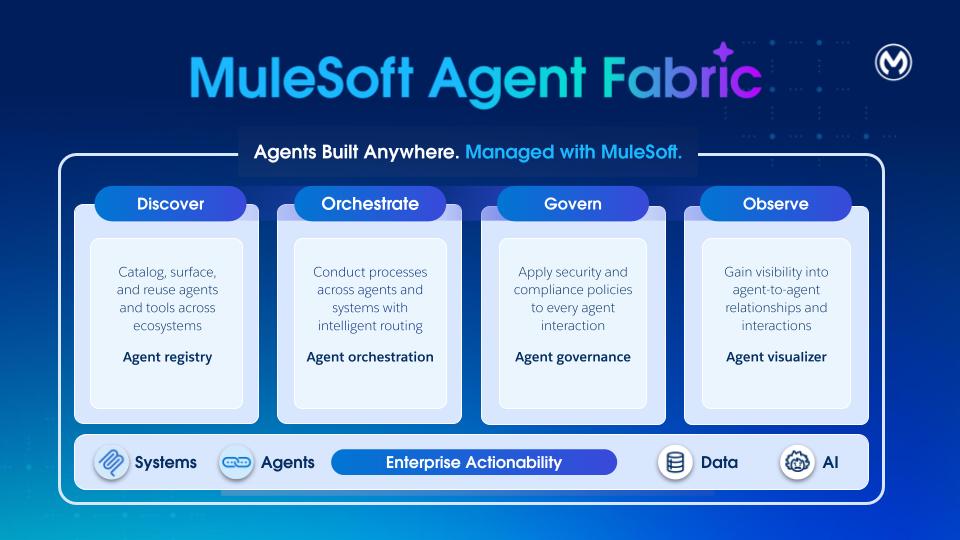 **Discover:** Agent Registry provides a centralized catalog of all AI agents and tools across the organization. It enables discovery and reuse of internally built, SaaS-embedded, and external assets. By providing a single source of truth for all agentic assets, Agent Registry eliminates redundancy and ensures developers can leverage existing capabilities at scale.
**Orchestrate:** MuleSoft Agent Broker is an intelligent routing solution that dynamically matches tasks to the best fit agent or tool. Powered by an LLM of your choice, it coordinates across agents and tools to ensure that complex multi-step requests and business processes are executed with high reliability and traceable outcomes.
**Govern:** [MuleSoft Agent Governance](https://www.mulesoft.com/platform/ai/ai-agent-governance) utilizes Flex Gateway and its support for [Model Context Protocol (MCP)](https://www.mulesoft.com/platform/ai/model-context-protocol) and [Agent2Agent (A2A) protocol](https://www.mulesoft.com/platform/ai/a2a-support). With Flex Gateway, enterprises can enforce security and compliance policies to every agent-agent and agent-tool interaction.
**Observe:** Agent Visualizer provides real-time observability through a dynamic, interactive map of agent interactions. It traces decisions, monitors system health, thus enabling continuous optimization and reliable oversight of the entire agent ecosystem.
Agent Fabric champions a specification-first (YAML) approach where users define agent networks through a metadata descriptor (the "YAML file"). This YAML file is agnostic to MuleSoft and it decouples the definition of the agent network from its execution.
## Agent Network Specification (Metadata Descriptor)
Each agent network (YAML) defines a specific functional area with its agentic assets, including their operational rules and policies. The YAML is used to enable the four Agent Fabric pillars:
1. Discover: Populate the Agent Registry with existing Agentic Assets such as:
1. Agents deployed across various platforms (MuleSoft or others)
2. MCP servers
3. LLM providers
2. Orchestrate: Create Agent Brokers for orchestration
3. Govern: Apply policies on the assets for security and governance
4. Observe: Define and reuse connections to the defined assets. Also, observability and monitoring capabilities are available for agent networks.
### Authoring
The user journey starts in Anypoint Code Builder. Use the new command available via command palette called “MuleSoft: Create an Agent Network Project” to create a new project. This command creates a new project (the ‘Agent Network’) containing two files.
- **agent-network.yaml:** This file defines configuration for the multi-agent system, enabling orchestration of AI agents with external tools (via MCP) and agents (via A2A protocol). This format provides a declarative way to define agent capabilities, dependencies, and integrations.
- **exchange.json:** All agent network projects also have an exchange.json file. This file contains asset metadata available in Anypoint Exchange after your agent network assets are published.
The development of your Agent Network follows a standard Software Development Lifecycle (SDLC) involving four main stages:
1. **Environment setup:** Setup runtime environment and gateways
2. **Project creation and design**: Create Agent Network project specification
3. **Building and publication:** Build and publish assets to the Agent Registry
4. **Deployment:** Deploy or promote the agent network to a given environment
After you build the project and generate the required MuleSoft application and assets, make them available in Exchange. Within Anypoint Code Builder, trigger the build and publish process by using the **_“MuleSoft: Publish Agent Broker Project to Exchange”_** command available via command palette.
The publish step transforms each agentic asset in the YAML file into an A2A, MCP or LLM specification and publishes it to Exchange.
Additionally, the system **publishes** the YAML to Exchange by using a new agent-network asset type. You can **view** this asset in the Agent Registry UI and **search** for it via the Exchange API.
### Example
Refer to an [Agent Network file](https://docs.mulesoft.com/anypoint-code-builder/af-project-files) that defines an agent network for an enterprise. This agent network activates the network for order fulfillment across Salesforce, Stripe, another order fulfillment agent and inventory MCP server with a single, policy-governed experience.
- **Discover**
Publish existing agents and tools (such as Salesforce, Stripe, Order Fulfillment, and Inventory) as Exchange assets for reuse. Also the order fulfillment definition (YAML) which is versioned and shareable, enabling rapid adaptation for roles, regions, or subsidiaries without rebuilding flows.
- **Orchestrate**
An agent broker uses an LLM to decompose the order fulfillment process into a sequence of tasks, such as verifying customer details, allocating inventory, and calculating shipping costs. It then executes this workflow by calling MCP and A2A agents, ensuring human-in-the-loop approvals are requested whenever required.
- **Govern**
Anypoint Flex Gateway enforces authentication, least‑privilege access, and guardrails. API Manager policies ensure consistent controls across all calls and data exchanges.
- **Observe**
Monitoring and traces give end‑to‑end visibility into progress, failures, and latency. Visualization shows which agents interacted and where bottlenecks occurred.
- **Trust and Compliance**
Centralized credentials, audit trails, and policy inheritance support security, privacy, and regulatory requirements (PII handling, approvals, and separation of duties).
The diagram shows the different nodes of the Agent Network (Metadata) defined in the YAML.
**Discover:** Agent Registry provides a centralized catalog of all AI agents and tools across the organization. It enables discovery and reuse of internally built, SaaS-embedded, and external assets. By providing a single source of truth for all agentic assets, Agent Registry eliminates redundancy and ensures developers can leverage existing capabilities at scale.
**Orchestrate:** MuleSoft Agent Broker is an intelligent routing solution that dynamically matches tasks to the best fit agent or tool. Powered by an LLM of your choice, it coordinates across agents and tools to ensure that complex multi-step requests and business processes are executed with high reliability and traceable outcomes.
**Govern:** [MuleSoft Agent Governance](https://www.mulesoft.com/platform/ai/ai-agent-governance) utilizes Flex Gateway and its support for [Model Context Protocol (MCP)](https://www.mulesoft.com/platform/ai/model-context-protocol) and [Agent2Agent (A2A) protocol](https://www.mulesoft.com/platform/ai/a2a-support). With Flex Gateway, enterprises can enforce security and compliance policies to every agent-agent and agent-tool interaction.
**Observe:** Agent Visualizer provides real-time observability through a dynamic, interactive map of agent interactions. It traces decisions, monitors system health, thus enabling continuous optimization and reliable oversight of the entire agent ecosystem.
Agent Fabric champions a specification-first (YAML) approach where users define agent networks through a metadata descriptor (the "YAML file"). This YAML file is agnostic to MuleSoft and it decouples the definition of the agent network from its execution.
## Agent Network Specification (Metadata Descriptor)
Each agent network (YAML) defines a specific functional area with its agentic assets, including their operational rules and policies. The YAML is used to enable the four Agent Fabric pillars:
1. Discover: Populate the Agent Registry with existing Agentic Assets such as:
1. Agents deployed across various platforms (MuleSoft or others)
2. MCP servers
3. LLM providers
2. Orchestrate: Create Agent Brokers for orchestration
3. Govern: Apply policies on the assets for security and governance
4. Observe: Define and reuse connections to the defined assets. Also, observability and monitoring capabilities are available for agent networks.
### Authoring
The user journey starts in Anypoint Code Builder. Use the new command available via command palette called “MuleSoft: Create an Agent Network Project” to create a new project. This command creates a new project (the ‘Agent Network’) containing two files.
- **agent-network.yaml:** This file defines configuration for the multi-agent system, enabling orchestration of AI agents with external tools (via MCP) and agents (via A2A protocol). This format provides a declarative way to define agent capabilities, dependencies, and integrations.
- **exchange.json:** All agent network projects also have an exchange.json file. This file contains asset metadata available in Anypoint Exchange after your agent network assets are published.
The development of your Agent Network follows a standard Software Development Lifecycle (SDLC) involving four main stages:
1. **Environment setup:** Setup runtime environment and gateways
2. **Project creation and design**: Create Agent Network project specification
3. **Building and publication:** Build and publish assets to the Agent Registry
4. **Deployment:** Deploy or promote the agent network to a given environment
After you build the project and generate the required MuleSoft application and assets, make them available in Exchange. Within Anypoint Code Builder, trigger the build and publish process by using the **_“MuleSoft: Publish Agent Broker Project to Exchange”_** command available via command palette.
The publish step transforms each agentic asset in the YAML file into an A2A, MCP or LLM specification and publishes it to Exchange.
Additionally, the system **publishes** the YAML to Exchange by using a new agent-network asset type. You can **view** this asset in the Agent Registry UI and **search** for it via the Exchange API.
### Example
Refer to an [Agent Network file](https://docs.mulesoft.com/anypoint-code-builder/af-project-files) that defines an agent network for an enterprise. This agent network activates the network for order fulfillment across Salesforce, Stripe, another order fulfillment agent and inventory MCP server with a single, policy-governed experience.
- **Discover**
Publish existing agents and tools (such as Salesforce, Stripe, Order Fulfillment, and Inventory) as Exchange assets for reuse. Also the order fulfillment definition (YAML) which is versioned and shareable, enabling rapid adaptation for roles, regions, or subsidiaries without rebuilding flows.
- **Orchestrate**
An agent broker uses an LLM to decompose the order fulfillment process into a sequence of tasks, such as verifying customer details, allocating inventory, and calculating shipping costs. It then executes this workflow by calling MCP and A2A agents, ensuring human-in-the-loop approvals are requested whenever required.
- **Govern**
Anypoint Flex Gateway enforces authentication, least‑privilege access, and guardrails. API Manager policies ensure consistent controls across all calls and data exchanges.
- **Observe**
Monitoring and traces give end‑to‑end visibility into progress, failures, and latency. Visualization shows which agents interacted and where bottlenecks occurred.
- **Trust and Compliance**
Centralized credentials, audit trails, and policy inheritance support security, privacy, and regulatory requirements (PII handling, approvals, and separation of duties).
The diagram shows the different nodes of the Agent Network (Metadata) defined in the YAML.
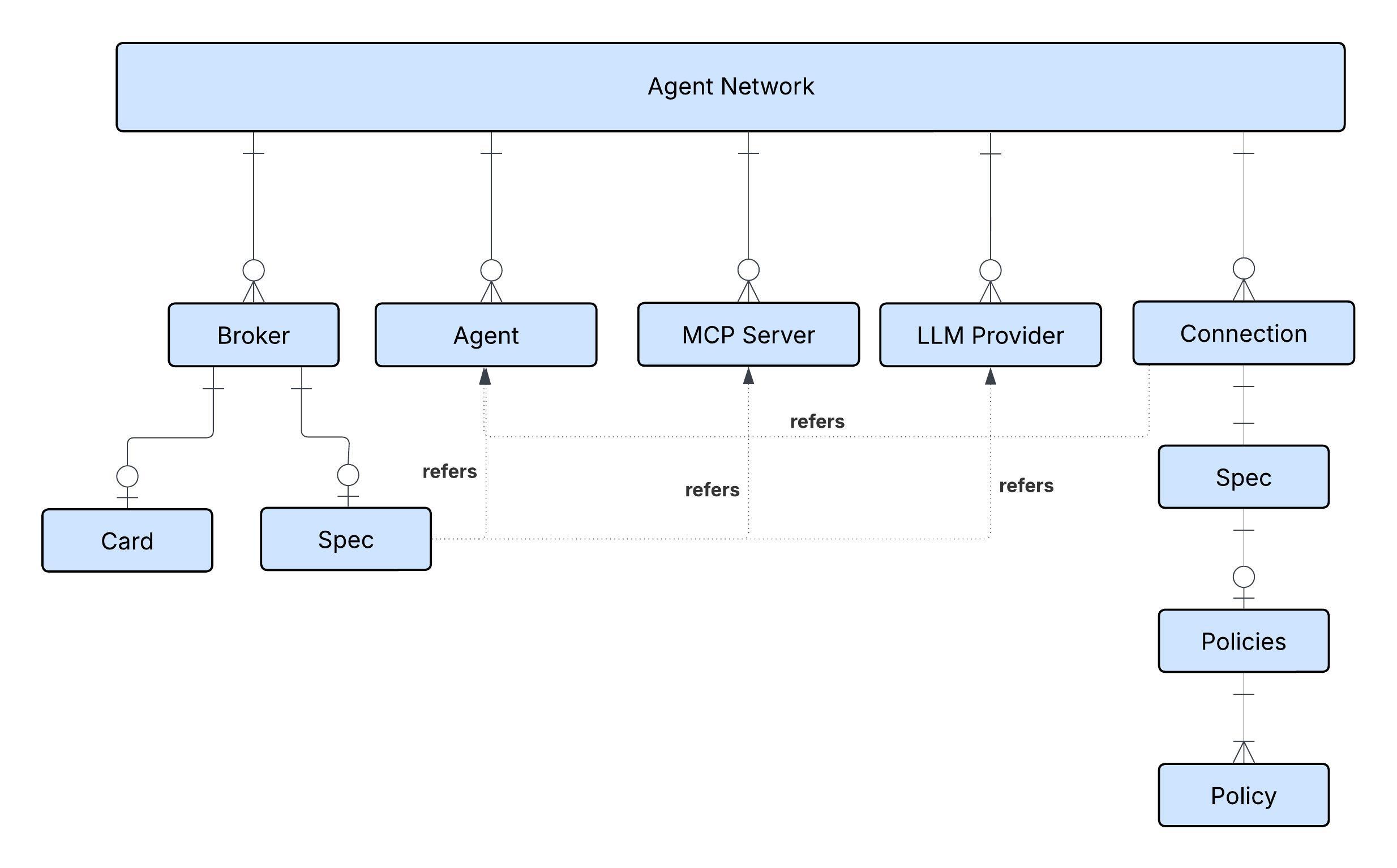 ## Agent Registry (Discover)
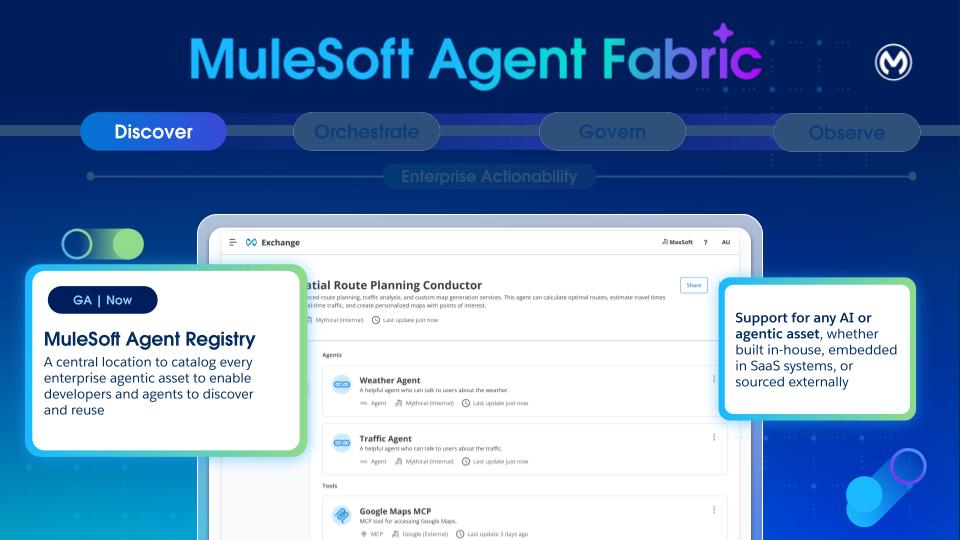 - **Purpose**: Exchange is the catalog for agents, tools, and other assets. Its primary goal is to solve "agent sprawl" by providing a single, governed catalog for the discovery, curation, and lifecycle management of heterogeneous agents. It enables developers to find and reuse agents, platform owners to maintain visibility, and orchestrators to discover capabilities.
- **Heterogeneous by Design**: Anypoint Exchange now supports three new assets \- Agents, MCPs, and LLMs. Exchange is designed to be a universal catalog, to register and manage any type of agent. It supports A2A-compliant Agents, MCP Servers, and LLM providers from any source, including third-party, Agentforce, and custom MuleSoft agents.
- **Core Metadata**: Every registered asset has a baseline set of immutable metadata, including a Unique Name and Version, Ownership and Publisher. Lifecycle states (development, staging, production, deprecated) are also tracked.
- **Discovery**:
- **Design-Time**: Developers can discover registered agents either through the existing Exchange UI or via natural language search with Vibes within the Anypoint Code Builder.
- **Tagging and Classification**: Assets can be classified by type (agent, MCP, LLM, broker) and domain (for example,HR, weather) by using a basic key-value tagging system, enabling dynamic linking, search, and selection policies.
- **Catalog**: The repository supports both private and internal catalog models for sharing agents within an organization.
- **Visualization**: Provides a visual tool to support network views, showing connections for single assets or the entire map of nodes and links across the organization, with filtering capabilities.
Brokers within an agent network can reference registered agents, MCP servers, and LLM providers stored in Anypoint Exchange. But if they’re not already registered, they can be declared in the metadata of Agent Network (YAML) and they get registered automatically. In the example, multiple agents, MCP servers, and LLM providers are declared and registered in Anypoint Exchange.
```
agents:
orders-agent:
label: Order Fulfilment Agent
metadata:
protocol: a2a
platform: OpenAI
salesforce-agent:
label: Salesforce Agent
metadata:
protocol: a2a
platform: OpenAI
stripe-agent:
label: Stripe Payment Agent
metadata:
protocol: a2a
platform: OpenAI
mcpServers:
inventory:
label: Inventory MCP
metadata:
transport:
kind: streamableHttp
path: /mcp
llmProviders:
open-ai:
label: OpenAI
description: OpenAI LLM Provider
metadata:
platform: OpenAI
```
## Agent Broker (Orchestrate)
- **Purpose**: Exchange is the catalog for agents, tools, and other assets. Its primary goal is to solve "agent sprawl" by providing a single, governed catalog for the discovery, curation, and lifecycle management of heterogeneous agents. It enables developers to find and reuse agents, platform owners to maintain visibility, and orchestrators to discover capabilities.
- **Heterogeneous by Design**: Anypoint Exchange now supports three new assets \- Agents, MCPs, and LLMs. Exchange is designed to be a universal catalog, to register and manage any type of agent. It supports A2A-compliant Agents, MCP Servers, and LLM providers from any source, including third-party, Agentforce, and custom MuleSoft agents.
- **Core Metadata**: Every registered asset has a baseline set of immutable metadata, including a Unique Name and Version, Ownership and Publisher. Lifecycle states (development, staging, production, deprecated) are also tracked.
- **Discovery**:
- **Design-Time**: Developers can discover registered agents either through the existing Exchange UI or via natural language search with Vibes within the Anypoint Code Builder.
- **Tagging and Classification**: Assets can be classified by type (agent, MCP, LLM, broker) and domain (for example,HR, weather) by using a basic key-value tagging system, enabling dynamic linking, search, and selection policies.
- **Catalog**: The repository supports both private and internal catalog models for sharing agents within an organization.
- **Visualization**: Provides a visual tool to support network views, showing connections for single assets or the entire map of nodes and links across the organization, with filtering capabilities.
Brokers within an agent network can reference registered agents, MCP servers, and LLM providers stored in Anypoint Exchange. But if they’re not already registered, they can be declared in the metadata of Agent Network (YAML) and they get registered automatically. In the example, multiple agents, MCP servers, and LLM providers are declared and registered in Anypoint Exchange.
```
agents:
orders-agent:
label: Order Fulfilment Agent
metadata:
protocol: a2a
platform: OpenAI
salesforce-agent:
label: Salesforce Agent
metadata:
protocol: a2a
platform: OpenAI
stripe-agent:
label: Stripe Payment Agent
metadata:
protocol: a2a
platform: OpenAI
mcpServers:
inventory:
label: Inventory MCP
metadata:
transport:
kind: streamableHttp
path: /mcp
llmProviders:
open-ai:
label: OpenAI
description: OpenAI LLM Provider
metadata:
platform: OpenAI
```
## Agent Broker (Orchestrate)
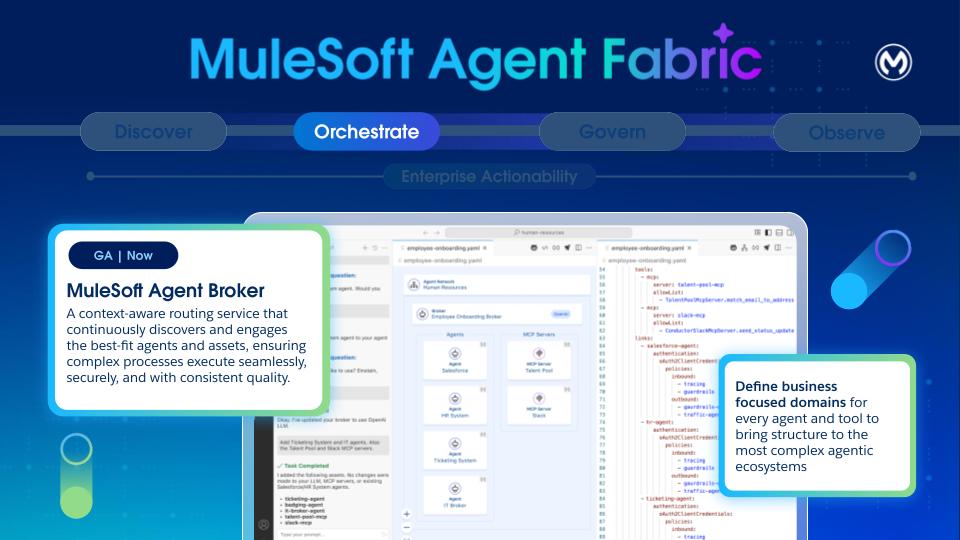 An agent broker is an intelligent routing agent that coordinates task delegation across specialized agents in an enterprise. It’s defined by the agents and MCP servers that it uses to accomplish tasks.
A broker is a specialized agent that appears in Anypoint Exchange after publishing an agent network asset and reuse by other brokers.
Brokers are defined in the _brokers_ section of the YAML. The defined brokers are transparently “compiled” into an application, without requiring any prior knowledge about Mule. This generated application gets deployed to CloudHub 2.0 (CH2), and leverages the robust CH2 infrastructure.
This means the Agent Brokers benefit from CloudHub 2.0's established performance characteristics, including its logging and metrics capabilities. Operational aspects, such as "Cost to Operate" and "Monitoring/Alerting/Tooling," are the same as any other workload.
For scenarios requiring human intervention (Human-in-the-Loop), the state of each interaction is maintained by using MuleSoft Object Store, a distributed solution designed for effective state management in highly concurrent environments.
A broker definition is made of two sections: card and spec.
### Card
The card section follows the [Agent-to-Agent (A2A) specification](https://a2a-protocol.org/v0.2.5/specification/). Among other things, it describes the broker agent's contract, skills, and capabilities. The card url is automatically populated with the value ${ingressgw.url}/broker-name. Upon deployment, the ${ingressgw.url} placeholder is automatically replaced with the url of the Anypoint Flex Gateway that’s fronting the agent ingress requests.
### Specification
The specification section configures the “source code” of the broker. Here, the developer can specify the LLM to use, instructions, available tools, error handling, and most importantly, the various agents and MCP tools that are available to this broker.
**LLM Providers**
This section is part of the specification in each broker. This is a reference to one of the LLMs defined in the services section. We can choose whether to share one LLM across all the brokers, or if needed have different brokers use the LLM that better suits its tasks.
Brokers can point to LLM providers. We can choose models of these providers depending on our needs.
```
llmProviders:
open-ai:
label: OpenAI
description: OpenAI LLM Provider
metadata:
platform: OpenAI
```
**Instructions**
This section is optional, and you can use it to specify instructions particular to this broker agent. These instructions often focus on specific business-oriented concerns. For example, imagine a customer service agent that coordinates management for customer reported incidents:
```
instructions:
- |
You are an Incident Management Orchestrator Agent. Your primary responsibility is to coordinate the resolution of incidents reported by customers.
The process for incident management is:
1. Fetch Salesforce Case Details: Retrieve the latest critical case details for the given customer.
2. Fetch Entitlement Details: Obtain the customer's entitlement information.
3. Fetch On-Call Engineer: Identify the current on-call engineer for the incident.
4. Create Slack War Room and invite on-call engineer: Set up a Slack war room channel and invite the on-call engineer.
5. Summarize Actions: Provide a clear, human-readable summary of the steps performed, including information about the created slack channel and the on-call engineer assigned
```
Notice that there’s no need to provide explicit instructions—such as **'split the prompt into tasks' or 'select the best tool'**—as the broker handles that on its own. These instructions are only necessary when describing specific business processes.
**Tools Configuration**
Tools provide agents with external capabilities. Whenever a broker needs to access an external system (that is not another agent, for example, an existing API or a SaaS service) it reaches out to an MCP (Model Context Protocol) server:
```
tools:
- mcp:
server: collaboration-mcp # MCP server reference
allowed: # Allowlist specific tools
- create_channel
- invite_user
```
The MCP server is referenced by the name of the exchange asset. The connectivity details for it are specified in the services section.
By default, the broker has access to all the tools available in the MCP server. Per our observation, the most modern LLMs can only handle around 20 \- 25 tools per context before starting to generate inaccuracies (or lose context). For this reason, it’s generally a good practice to limit the available tools to the bare minimum needed. You can apply that filtering through the allowed lists.
**Agent Links**
This section is the most important part of the entire definition. The links section enables inter-agent communication and orchestration. That means that this broker relies on the agents linked here to execute the appropriate actions to complete the user’s goal.
```
links:
- agent:
ref:
name: orders-agent
- agent:
ref:
name: salesforce-agent
- agent:
ref:
name: stripe-agent
```
In effect, this section defines an agent-network for collaboration.
## Flex Gateway (Govern)
An agent broker is an intelligent routing agent that coordinates task delegation across specialized agents in an enterprise. It’s defined by the agents and MCP servers that it uses to accomplish tasks.
A broker is a specialized agent that appears in Anypoint Exchange after publishing an agent network asset and reuse by other brokers.
Brokers are defined in the _brokers_ section of the YAML. The defined brokers are transparently “compiled” into an application, without requiring any prior knowledge about Mule. This generated application gets deployed to CloudHub 2.0 (CH2), and leverages the robust CH2 infrastructure.
This means the Agent Brokers benefit from CloudHub 2.0's established performance characteristics, including its logging and metrics capabilities. Operational aspects, such as "Cost to Operate" and "Monitoring/Alerting/Tooling," are the same as any other workload.
For scenarios requiring human intervention (Human-in-the-Loop), the state of each interaction is maintained by using MuleSoft Object Store, a distributed solution designed for effective state management in highly concurrent environments.
A broker definition is made of two sections: card and spec.
### Card
The card section follows the [Agent-to-Agent (A2A) specification](https://a2a-protocol.org/v0.2.5/specification/). Among other things, it describes the broker agent's contract, skills, and capabilities. The card url is automatically populated with the value ${ingressgw.url}/broker-name. Upon deployment, the ${ingressgw.url} placeholder is automatically replaced with the url of the Anypoint Flex Gateway that’s fronting the agent ingress requests.
### Specification
The specification section configures the “source code” of the broker. Here, the developer can specify the LLM to use, instructions, available tools, error handling, and most importantly, the various agents and MCP tools that are available to this broker.
**LLM Providers**
This section is part of the specification in each broker. This is a reference to one of the LLMs defined in the services section. We can choose whether to share one LLM across all the brokers, or if needed have different brokers use the LLM that better suits its tasks.
Brokers can point to LLM providers. We can choose models of these providers depending on our needs.
```
llmProviders:
open-ai:
label: OpenAI
description: OpenAI LLM Provider
metadata:
platform: OpenAI
```
**Instructions**
This section is optional, and you can use it to specify instructions particular to this broker agent. These instructions often focus on specific business-oriented concerns. For example, imagine a customer service agent that coordinates management for customer reported incidents:
```
instructions:
- |
You are an Incident Management Orchestrator Agent. Your primary responsibility is to coordinate the resolution of incidents reported by customers.
The process for incident management is:
1. Fetch Salesforce Case Details: Retrieve the latest critical case details for the given customer.
2. Fetch Entitlement Details: Obtain the customer's entitlement information.
3. Fetch On-Call Engineer: Identify the current on-call engineer for the incident.
4. Create Slack War Room and invite on-call engineer: Set up a Slack war room channel and invite the on-call engineer.
5. Summarize Actions: Provide a clear, human-readable summary of the steps performed, including information about the created slack channel and the on-call engineer assigned
```
Notice that there’s no need to provide explicit instructions—such as **'split the prompt into tasks' or 'select the best tool'**—as the broker handles that on its own. These instructions are only necessary when describing specific business processes.
**Tools Configuration**
Tools provide agents with external capabilities. Whenever a broker needs to access an external system (that is not another agent, for example, an existing API or a SaaS service) it reaches out to an MCP (Model Context Protocol) server:
```
tools:
- mcp:
server: collaboration-mcp # MCP server reference
allowed: # Allowlist specific tools
- create_channel
- invite_user
```
The MCP server is referenced by the name of the exchange asset. The connectivity details for it are specified in the services section.
By default, the broker has access to all the tools available in the MCP server. Per our observation, the most modern LLMs can only handle around 20 \- 25 tools per context before starting to generate inaccuracies (or lose context). For this reason, it’s generally a good practice to limit the available tools to the bare minimum needed. You can apply that filtering through the allowed lists.
**Agent Links**
This section is the most important part of the entire definition. The links section enables inter-agent communication and orchestration. That means that this broker relies on the agents linked here to execute the appropriate actions to complete the user’s goal.
```
links:
- agent:
ref:
name: orders-agent
- agent:
ref:
name: salesforce-agent
- agent:
ref:
name: stripe-agent
```
In effect, this section defines an agent-network for collaboration.
## Flex Gateway (Govern)
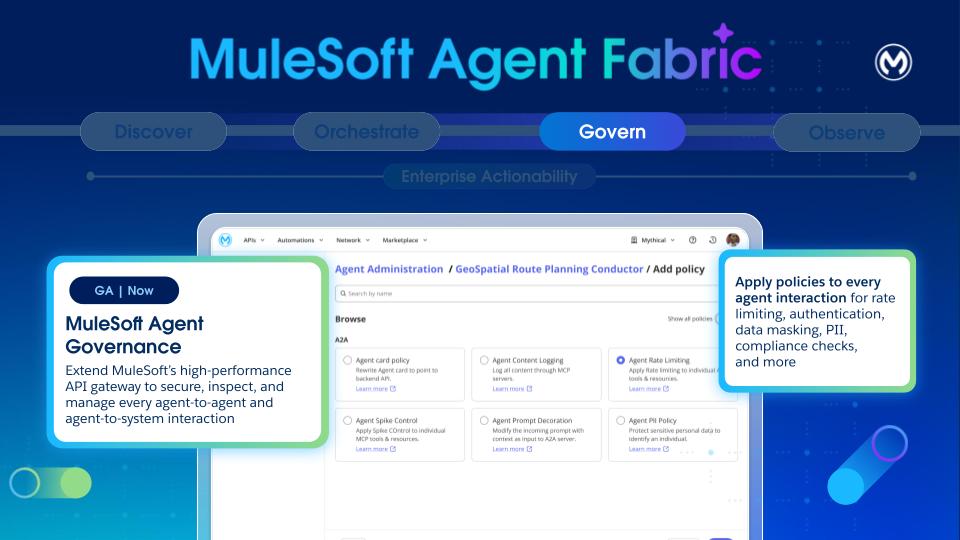 Agent Governance is a critical pillar for the Agent Fabric, foundational to building a trusted agent network and ensuring security and compliance.
For governance, a total of two Flex Gateways (1 ingress and 1 egress) are required within your private space.
Governance establishes the necessary structures, controls, and evidence to safely scale the entire Agentic Development Lifecycle (ADLC). Specifically, governance implements key processes such as agent certification, cataloging, lifecycle decisions, and the enforcement of runtime policies.
- **Cataloging:**
- Exchange: Supports recording of agent purposes, owners, environments, and data and classification boundaries. It also registers capabilities, tools, resources, prompts, and external dependencies with versions.
- **Versioning and Lifecycle:**
- Document and manage semantic versioning of agents, tools, and assets during the complete Agent Development Lifecycle.
- Versioning helps manage agent deprecation timelines and supports dual-run (where possible) ensuring smooth migrations.
- **Policy Enforcement**:
- Agentic AI architecture expands the attack surface (conversations interface, prompts, and new protocols like MCP). Any compromise to any components can lead to cascading effects to multiple systems providing components like protocol, prompt, API, or tool.
- Securing enterprise agentic AI deployments demands a specialized approach, as these autonomous and unpredictable environments inherently broaden the attack surface through agent-to-agent interactions. While existing security tools for static systems are essential, they’re no longer sufficient on their own. Enterprises must proactively plan and implement four specific security solutions, each directly addressing a critical business risk associated with agentic AI.
- Flex Gateway: All A2A and MCP traffic is routed through Flex Gateway, even if the target system is unsecured, to ensure that policies are applied on every endpoint. This routing is crucial for securing agent communications and integrating with Authorization Servers.
- Policy Bundles: Users can define and apply bundles of predefined policies to workflows before execution, enforcing a consistent set of security and operational policies.
- Types of policies: The platform supports various inbound and outbound policies, including:
- A2A Policies: Agent Card, PII Detector, Prompt Decorator, Schema Validation.
- MCP Policies: Attribute-Based Access Control, Schema Validation, MCP Support.
- LLM/AI Policies: AI Prompt Decorator, AI Prompt Guard (filtering harmful content), AI Prompt Template (applying predefined templates), AI Basic Token Rate Limiting.
- Telemetry Policies: A2A and MCP Telemetry to extend Open Telemetry solutions for log data collection and export.
- **Logging**: Thanks to auto-tracing, logs across the Agent Network are available to track every agent interaction, explaining behaviors and building trust.
The example depicts a policy for message logging, which is configured by using the agent network metadata. Orderfullfillment broker refers to an existing agent called Salesforce agent and the policy for the messaging is configured by using the metadata. Note that Agent Fabric automatically configures all the policies mentioned under the “spec” section on Flex Gateway. You don’t require extra steps.
```
salesforce-agent-connection:
kind: agent
ref:
name: salesforce-agent
spec:
url: ${salesforce-agent.cardUrl}
policies:
- ref:
name: message-logging
namespace: 68ef9520-24e9-4cf2-b2f5-620025690913
configuration:
loggingConfiguration:
- itemName: "Payload"
itemData:
message: "#[payload]"
firstSection: true
secondSection: true
level: "INFO"
- itemName: "Headers"
itemData:
message: "#[attributes.headers]"
firstSection: true
secondSection: true
level: "INFO"
```
## Agent Visualizer (Observe)
Agent Governance is a critical pillar for the Agent Fabric, foundational to building a trusted agent network and ensuring security and compliance.
For governance, a total of two Flex Gateways (1 ingress and 1 egress) are required within your private space.
Governance establishes the necessary structures, controls, and evidence to safely scale the entire Agentic Development Lifecycle (ADLC). Specifically, governance implements key processes such as agent certification, cataloging, lifecycle decisions, and the enforcement of runtime policies.
- **Cataloging:**
- Exchange: Supports recording of agent purposes, owners, environments, and data and classification boundaries. It also registers capabilities, tools, resources, prompts, and external dependencies with versions.
- **Versioning and Lifecycle:**
- Document and manage semantic versioning of agents, tools, and assets during the complete Agent Development Lifecycle.
- Versioning helps manage agent deprecation timelines and supports dual-run (where possible) ensuring smooth migrations.
- **Policy Enforcement**:
- Agentic AI architecture expands the attack surface (conversations interface, prompts, and new protocols like MCP). Any compromise to any components can lead to cascading effects to multiple systems providing components like protocol, prompt, API, or tool.
- Securing enterprise agentic AI deployments demands a specialized approach, as these autonomous and unpredictable environments inherently broaden the attack surface through agent-to-agent interactions. While existing security tools for static systems are essential, they’re no longer sufficient on their own. Enterprises must proactively plan and implement four specific security solutions, each directly addressing a critical business risk associated with agentic AI.
- Flex Gateway: All A2A and MCP traffic is routed through Flex Gateway, even if the target system is unsecured, to ensure that policies are applied on every endpoint. This routing is crucial for securing agent communications and integrating with Authorization Servers.
- Policy Bundles: Users can define and apply bundles of predefined policies to workflows before execution, enforcing a consistent set of security and operational policies.
- Types of policies: The platform supports various inbound and outbound policies, including:
- A2A Policies: Agent Card, PII Detector, Prompt Decorator, Schema Validation.
- MCP Policies: Attribute-Based Access Control, Schema Validation, MCP Support.
- LLM/AI Policies: AI Prompt Decorator, AI Prompt Guard (filtering harmful content), AI Prompt Template (applying predefined templates), AI Basic Token Rate Limiting.
- Telemetry Policies: A2A and MCP Telemetry to extend Open Telemetry solutions for log data collection and export.
- **Logging**: Thanks to auto-tracing, logs across the Agent Network are available to track every agent interaction, explaining behaviors and building trust.
The example depicts a policy for message logging, which is configured by using the agent network metadata. Orderfullfillment broker refers to an existing agent called Salesforce agent and the policy for the messaging is configured by using the metadata. Note that Agent Fabric automatically configures all the policies mentioned under the “spec” section on Flex Gateway. You don’t require extra steps.
```
salesforce-agent-connection:
kind: agent
ref:
name: salesforce-agent
spec:
url: ${salesforce-agent.cardUrl}
policies:
- ref:
name: message-logging
namespace: 68ef9520-24e9-4cf2-b2f5-620025690913
configuration:
loggingConfiguration:
- itemName: "Payload"
itemData:
message: "#[payload]"
firstSection: true
secondSection: true
level: "INFO"
- itemName: "Headers"
itemData:
message: "#[attributes.headers]"
firstSection: true
secondSection: true
level: "INFO"
```
## Agent Visualizer (Observe)
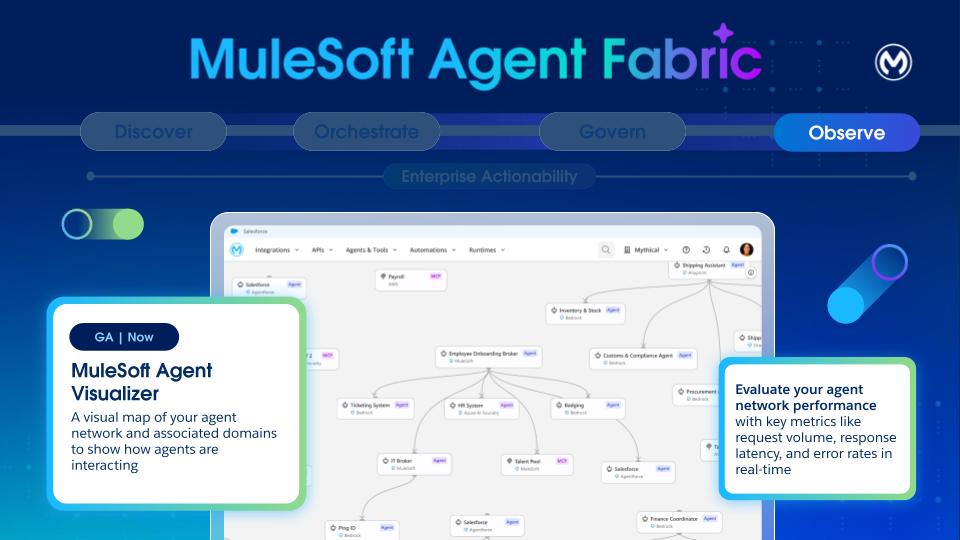 Given the non-deterministic nature and complexity of LLM agents and multi-agent deployments, observability, and monitoring are critical.
- **Basic Logs and Traces**: Reasoning and tool execution tracing are provided through logs. Logs and traces from workflow executions are viewable post-execution in Runtime Manager.
- **Metrics**: In the initial phase, the platform publishes a2a_total_calls and mcp_total_calls as counters with labels (such as, path, status, method, tool) to determine total, successful, and failed calls. These metrics are published from policy code by using Envoy's (Flex Gateway) native stats interface, preferably via existing policies like mcp_support_policy and a2a_agent_card_policy.
- **Enhanced Observability (Future)**: Plans include using Open Telemetry for distributed tracing in future versions. More advanced observability includes:
- **Detailed Request Tracing**: Gaining end-to-end visibility into requests, encompassing prompts, planner processes, invoked actions, and interactions with sub-agents.
- **Agent Health Monitoring**: Monitoring agent uptime, response latency, throughput, error rates, and underlying resource utilization (CPU, memory, network, GPU).
- **Multi-agent Coordination Monitoring**: Capturing success and failure rates of agent-to-agent interactions, detecting circular invocation patterns (loops), and tracking per-agent metrics like task completion and invocation count.
- **Cost Tracking**: Tracking token usage and associated costs for each LLM call, ideally per agent, with dashboards and alerts.
- **Cognitive Tracing**: Capturing and displaying a detailed trace of an agent's session, including internal thought processes and all tool calls, serving as an immutable audit trail.
- **Agent Session Playback**: A UI that allows visually "replaying" an agent's cognitive trace step-by-step for deep debugging.
- **DAG Visualization**: Providing a Directed Acyclic Graph (DAG) visualization of the agent workflow execution for complex multi-agent interactions.
Agent Visualizer is used to identify the parts of your agent network and see how they work together.
- Distinguish node types (agents and MCP servers).
- View the edges to see declared and runtime interactions.
- Use layers to focus views on specific environments
- Open details cards to inspect metadata and metrics for nodes and access logs and traces
- Review governance indicators such as Flex Gateway protection and applied policies.
Find details about the components of Agent Visualizer [here](https://docs.mulesoft.com/agent-visualizer/agent-visualizer-components).
## Agent Fabric: Four Pillars Together
With these four pillars together, MuleSoft Agent Fabric extends the security and control to any agent with built-in governance. It empowers agents to act anywhere by leveraging new protocols like A2A (Agent to Agent) and MCP (Model Context Protocol) to build and extend the business processes. We connect everything \- applications, data, and systems \- to empower and govern agents as they act across the entire business. Intelligent tooling supports the creation and extension of business processes or APIs by using AI natively, or by bringing third party AI tools.
Using all four pillars together isn’t required, but recommended. You can choose pillars independently as needed. For instance, you can leverage Agent Fabric for registry and governance, without using the orchestration layer. Similarly, you can use the broker to orchestrate agents that are governed through another platform.
The diagram shows how all the four components interact with each other:
Given the non-deterministic nature and complexity of LLM agents and multi-agent deployments, observability, and monitoring are critical.
- **Basic Logs and Traces**: Reasoning and tool execution tracing are provided through logs. Logs and traces from workflow executions are viewable post-execution in Runtime Manager.
- **Metrics**: In the initial phase, the platform publishes a2a_total_calls and mcp_total_calls as counters with labels (such as, path, status, method, tool) to determine total, successful, and failed calls. These metrics are published from policy code by using Envoy's (Flex Gateway) native stats interface, preferably via existing policies like mcp_support_policy and a2a_agent_card_policy.
- **Enhanced Observability (Future)**: Plans include using Open Telemetry for distributed tracing in future versions. More advanced observability includes:
- **Detailed Request Tracing**: Gaining end-to-end visibility into requests, encompassing prompts, planner processes, invoked actions, and interactions with sub-agents.
- **Agent Health Monitoring**: Monitoring agent uptime, response latency, throughput, error rates, and underlying resource utilization (CPU, memory, network, GPU).
- **Multi-agent Coordination Monitoring**: Capturing success and failure rates of agent-to-agent interactions, detecting circular invocation patterns (loops), and tracking per-agent metrics like task completion and invocation count.
- **Cost Tracking**: Tracking token usage and associated costs for each LLM call, ideally per agent, with dashboards and alerts.
- **Cognitive Tracing**: Capturing and displaying a detailed trace of an agent's session, including internal thought processes and all tool calls, serving as an immutable audit trail.
- **Agent Session Playback**: A UI that allows visually "replaying" an agent's cognitive trace step-by-step for deep debugging.
- **DAG Visualization**: Providing a Directed Acyclic Graph (DAG) visualization of the agent workflow execution for complex multi-agent interactions.
Agent Visualizer is used to identify the parts of your agent network and see how they work together.
- Distinguish node types (agents and MCP servers).
- View the edges to see declared and runtime interactions.
- Use layers to focus views on specific environments
- Open details cards to inspect metadata and metrics for nodes and access logs and traces
- Review governance indicators such as Flex Gateway protection and applied policies.
Find details about the components of Agent Visualizer [here](https://docs.mulesoft.com/agent-visualizer/agent-visualizer-components).
## Agent Fabric: Four Pillars Together
With these four pillars together, MuleSoft Agent Fabric extends the security and control to any agent with built-in governance. It empowers agents to act anywhere by leveraging new protocols like A2A (Agent to Agent) and MCP (Model Context Protocol) to build and extend the business processes. We connect everything \- applications, data, and systems \- to empower and govern agents as they act across the entire business. Intelligent tooling supports the creation and extension of business processes or APIs by using AI natively, or by bringing third party AI tools.
Using all four pillars together isn’t required, but recommended. You can choose pillars independently as needed. For instance, you can leverage Agent Fabric for registry and governance, without using the orchestration layer. Similarly, you can use the broker to orchestrate agents that are governed through another platform.
The diagram shows how all the four components interact with each other:
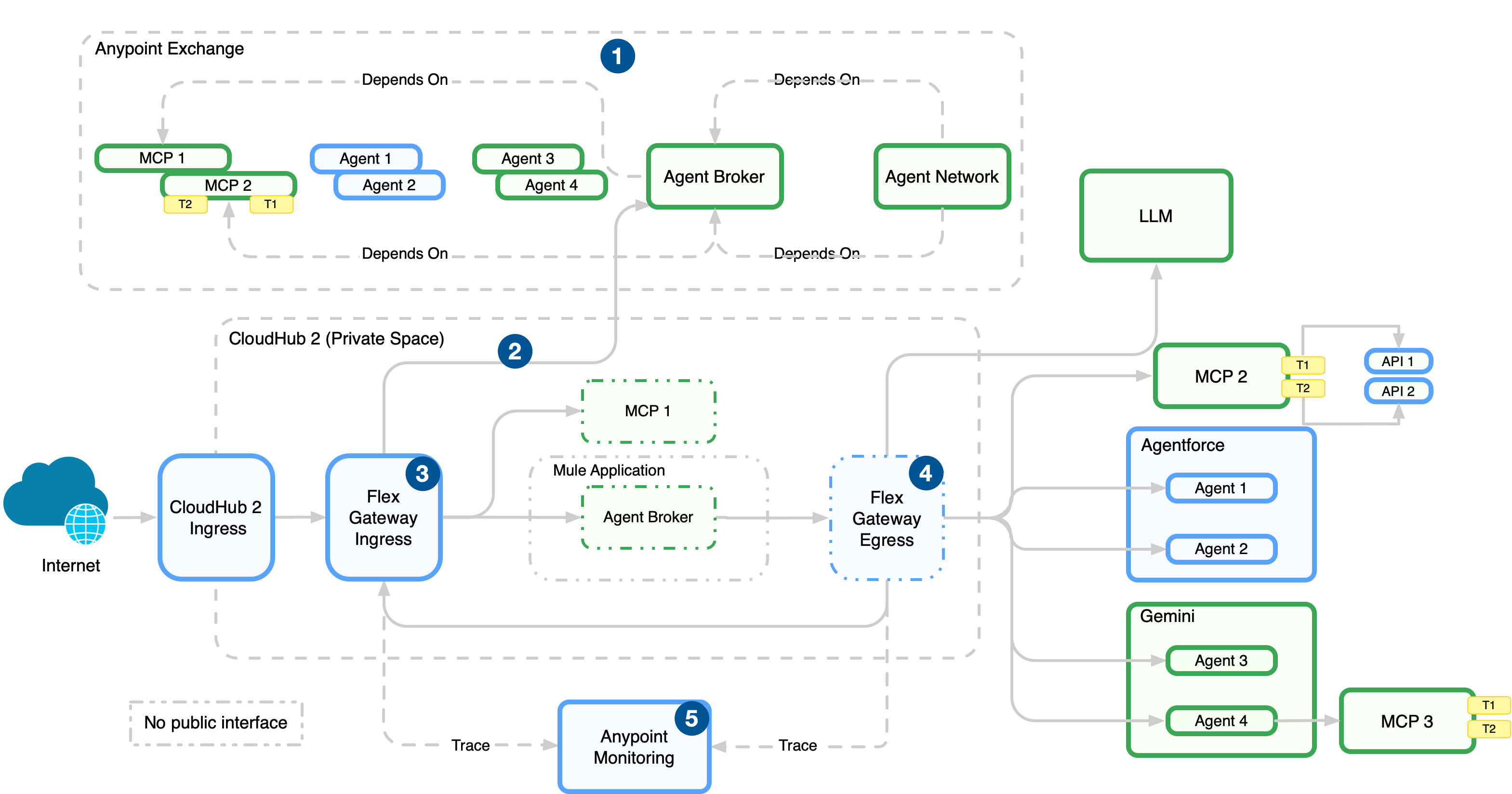 1. Publish the agentic assets to Anypoint Exchange for discovery and reuse after you define the agent network (brokers, agents, MCP servers) in the agent network YAML in Anypoint Code Builder.
2. Deploy the agentic assets to CloudHub 2.0 (managed in Runtime Manager).
3. Enforce policies on incoming traffic to the network with an ingress Flex Gateway, which sits in front of broker and API endpoints.
4. Enforce policies, manage connections, and emit telemetry data with an egress Flex Gateway. This gateway sits on outbound paths from brokers and agents to external services.
5. Collect logs, metrics, and traces from Flex Gateway and runtimes in Anypoint Monitoring.
## Agent Orchestration Design Patterns
It’s tempting to make every specialized agent immediately accessible in a flat, unrestricted architecture, with a single orchestrator capable of tackling any task by having access to every AI asset available. However, this approach quickly proves detrimental to the overall system's efficiency and reliability. Much like the principle applied to an excess of individual tools, many agent options introduce significant noise and complexity for the central **broker agent** (or orchestrator). This increased complexity directly leads to a noticeable drop in both the accuracy of the broker's decision-making ( selecting the right agent for the job) and the determinism of the system's response (predictable, consistent outcomes for similar queries). The broker agent effectively suffers from option paralysis, leading to slower, and less reliable routing.
Instead of a flat structure, we strongly advocate for a **multi-level hierarchical approach** to structuring the Agent Network. This organizational principle offers numerous critical advantages. First, it inherently favors **traceability and management**. A hierarchical structure mirrors established organizational best practices, making it easier to audit the flow of a request, debug issues by pinpointing the layer of failure, and manage the deployment and retirement of specific agents or sub-networks.
Secondly, and crucially in the context of large language models (LLMs) which power these agents, a hierarchy helps dramatically with **keeping context sizes in check**. By segmenting the agent landscape, the broker agent at any given layer only considers the limited set of agents or sub-brokers directly beneath it. This structure prevents the primary orchestrator from loading the description, capabilities, and historical context of _every agent_ into its working memory, **avoiding** the risk of quickly **exceeding** the LLM's context window limits, and **incurring** prohibitive costs and latency.
1. Publish the agentic assets to Anypoint Exchange for discovery and reuse after you define the agent network (brokers, agents, MCP servers) in the agent network YAML in Anypoint Code Builder.
2. Deploy the agentic assets to CloudHub 2.0 (managed in Runtime Manager).
3. Enforce policies on incoming traffic to the network with an ingress Flex Gateway, which sits in front of broker and API endpoints.
4. Enforce policies, manage connections, and emit telemetry data with an egress Flex Gateway. This gateway sits on outbound paths from brokers and agents to external services.
5. Collect logs, metrics, and traces from Flex Gateway and runtimes in Anypoint Monitoring.
## Agent Orchestration Design Patterns
It’s tempting to make every specialized agent immediately accessible in a flat, unrestricted architecture, with a single orchestrator capable of tackling any task by having access to every AI asset available. However, this approach quickly proves detrimental to the overall system's efficiency and reliability. Much like the principle applied to an excess of individual tools, many agent options introduce significant noise and complexity for the central **broker agent** (or orchestrator). This increased complexity directly leads to a noticeable drop in both the accuracy of the broker's decision-making ( selecting the right agent for the job) and the determinism of the system's response (predictable, consistent outcomes for similar queries). The broker agent effectively suffers from option paralysis, leading to slower, and less reliable routing.
Instead of a flat structure, we strongly advocate for a **multi-level hierarchical approach** to structuring the Agent Network. This organizational principle offers numerous critical advantages. First, it inherently favors **traceability and management**. A hierarchical structure mirrors established organizational best practices, making it easier to audit the flow of a request, debug issues by pinpointing the layer of failure, and manage the deployment and retirement of specific agents or sub-networks.
Secondly, and crucially in the context of large language models (LLMs) which power these agents, a hierarchy helps dramatically with **keeping context sizes in check**. By segmenting the agent landscape, the broker agent at any given layer only considers the limited set of agents or sub-brokers directly beneath it. This structure prevents the primary orchestrator from loading the description, capabilities, and historical context of _every agent_ into its working memory, **avoiding** the risk of quickly **exceeding** the LLM's context window limits, and **incurring** prohibitive costs and latency.
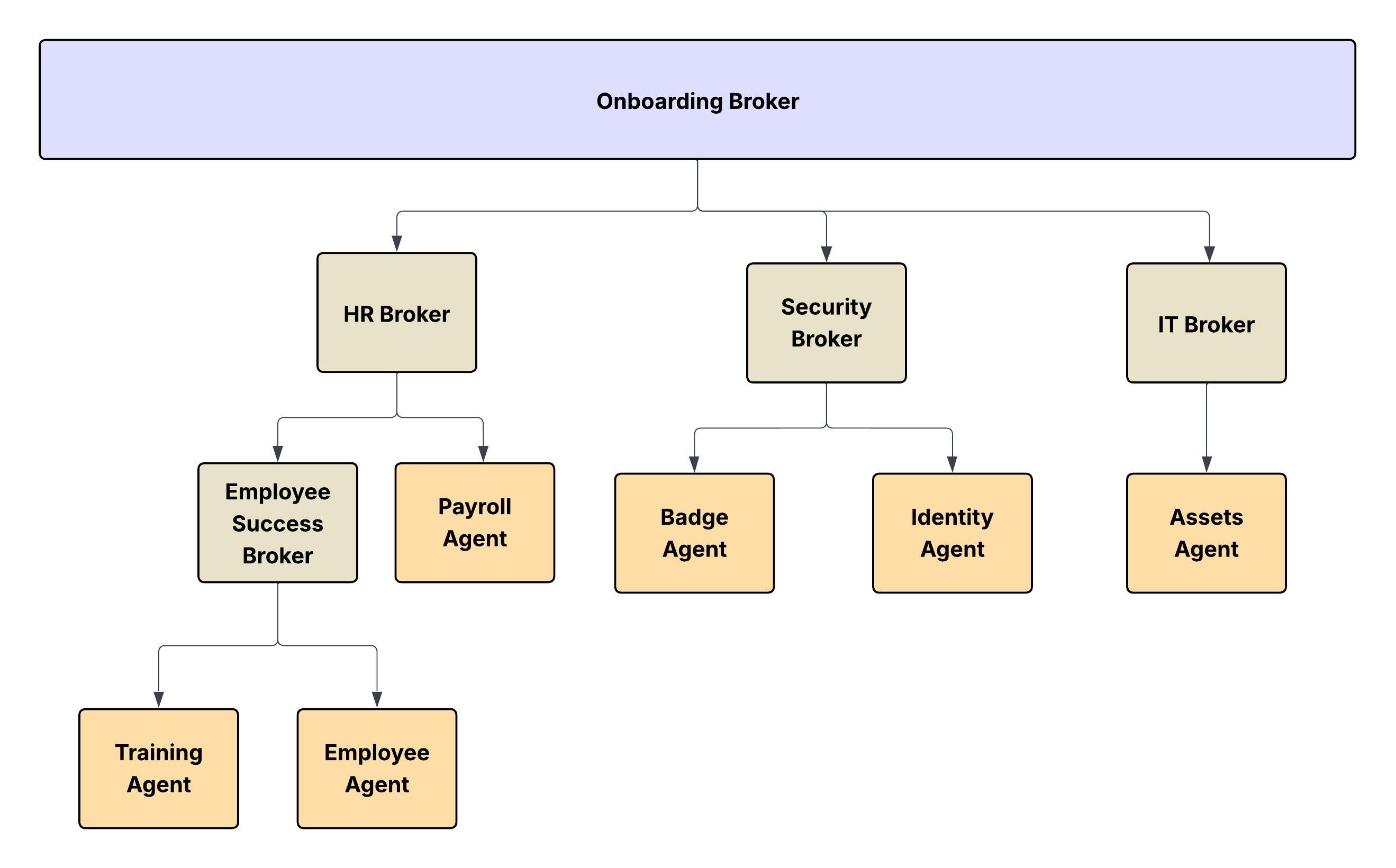 The agent network can be implemented in multiple ways. Two of them are:
1. Conway’s Law \- Intuitive way to map it to the real-world hierarchical structure.
2. Domain Driven Design \- More focused on business domains
## Option 1: Mapping with Real-World Hierarchical Structure
In a hierarchical organization, communication flows vertically \- from managers to subordinates \- and decisions are often centralized. According to Conway’s Law:
- The systems or software architectures built by such organizations tend to be layered and hierarchical as well.
- Each team tends to design subsystems that reflect its own boundaries and authorities.
- The interfaces between systems mirror the communication channels between the departments.
The Agent Network can also be intuitively mapped to the **real-world hierarchical structure of a large enterprise** following Conway's Law.
- **The Conceptual Model:** Just as a corporation has distinct divisions, departments, and layers of management (for example, C-suite, VPs, Directors, Managers), an agent network operating within a specific domain can be modeled as a parallel organizational chart.
- **The Nodes and Leaves:** In this hierarchy:
- **The Leaves** of the tree structure are the **Specialist Agents** or **MCPs**. They’re the functional units that perform the actual work (for example, a "Database Query Agent," a "Customer Authentication Agent," a "Sentiment Analysis Agent"). They represent the individual contributors or working units of the organization.
- **All Other Nodes** in the hierarchy, including the root and intermediate layers, are **Broker Agents** (or Sub-Orchestrators). These agents don’t perform the final task but are responsible for routing, delegation, aggregation, and conflict resolution within their specific domain or layer. A high-level broker delegates a task to a "Sales Domain Broker," which in turn delegates to an "Opportunity Management Broker," which performs the task via an "Opportunity Status Update Agent" (the leaf).
This structure makes sure that complexity is managed locally, context is contained, and the system scales predictably and reliably. You can introduce new specialist agents into specific, appropriate branches of the organizational tree.
The agent network can be implemented in multiple ways. Two of them are:
1. Conway’s Law \- Intuitive way to map it to the real-world hierarchical structure.
2. Domain Driven Design \- More focused on business domains
## Option 1: Mapping with Real-World Hierarchical Structure
In a hierarchical organization, communication flows vertically \- from managers to subordinates \- and decisions are often centralized. According to Conway’s Law:
- The systems or software architectures built by such organizations tend to be layered and hierarchical as well.
- Each team tends to design subsystems that reflect its own boundaries and authorities.
- The interfaces between systems mirror the communication channels between the departments.
The Agent Network can also be intuitively mapped to the **real-world hierarchical structure of a large enterprise** following Conway's Law.
- **The Conceptual Model:** Just as a corporation has distinct divisions, departments, and layers of management (for example, C-suite, VPs, Directors, Managers), an agent network operating within a specific domain can be modeled as a parallel organizational chart.
- **The Nodes and Leaves:** In this hierarchy:
- **The Leaves** of the tree structure are the **Specialist Agents** or **MCPs**. They’re the functional units that perform the actual work (for example, a "Database Query Agent," a "Customer Authentication Agent," a "Sentiment Analysis Agent"). They represent the individual contributors or working units of the organization.
- **All Other Nodes** in the hierarchy, including the root and intermediate layers, are **Broker Agents** (or Sub-Orchestrators). These agents don’t perform the final task but are responsible for routing, delegation, aggregation, and conflict resolution within their specific domain or layer. A high-level broker delegates a task to a "Sales Domain Broker," which in turn delegates to an "Opportunity Management Broker," which performs the task via an "Opportunity Status Update Agent" (the leaf).
This structure makes sure that complexity is managed locally, context is contained, and the system scales predictably and reliably. You can introduce new specialist agents into specific, appropriate branches of the organizational tree.
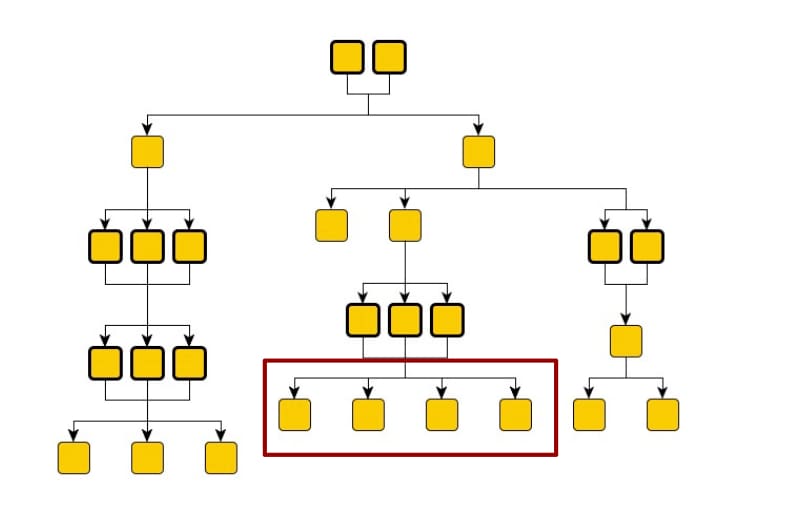 Consider the analogy of an org-chart for digital labor. Each YAML file represents each of the internal organizations (Employee Success, Security, Finance, and so on). Within each organization (agent-network) you may have a hierarchical structure through which actors collaborate, jobs are split into tasks and assigned. In the preceding diagram, communication flows from top to bottom. And the leaves aren’t restricted for consumption only by a set of broker agents.
## Option 2: Domain Driven Design and Agentic AI Implementation
Modeling agent networks based on the human organizational chart carries the risk of requiring frequent re-architecting, particularly in companies that undergo frequent re-organizations. An alternative approach is to organize agents by functional domain. This grouping may require crossing traditional human organizational boundaries. For example, new employee onboarding involves IT operations for hardware and user provisioning, while a sales motion requires both operations and marketing.
Consider the analogy of an org-chart for digital labor. Each YAML file represents each of the internal organizations (Employee Success, Security, Finance, and so on). Within each organization (agent-network) you may have a hierarchical structure through which actors collaborate, jobs are split into tasks and assigned. In the preceding diagram, communication flows from top to bottom. And the leaves aren’t restricted for consumption only by a set of broker agents.
## Option 2: Domain Driven Design and Agentic AI Implementation
Modeling agent networks based on the human organizational chart carries the risk of requiring frequent re-architecting, particularly in companies that undergo frequent re-organizations. An alternative approach is to organize agents by functional domain. This grouping may require crossing traditional human organizational boundaries. For example, new employee onboarding involves IT operations for hardware and user provisioning, while a sales motion requires both operations and marketing.
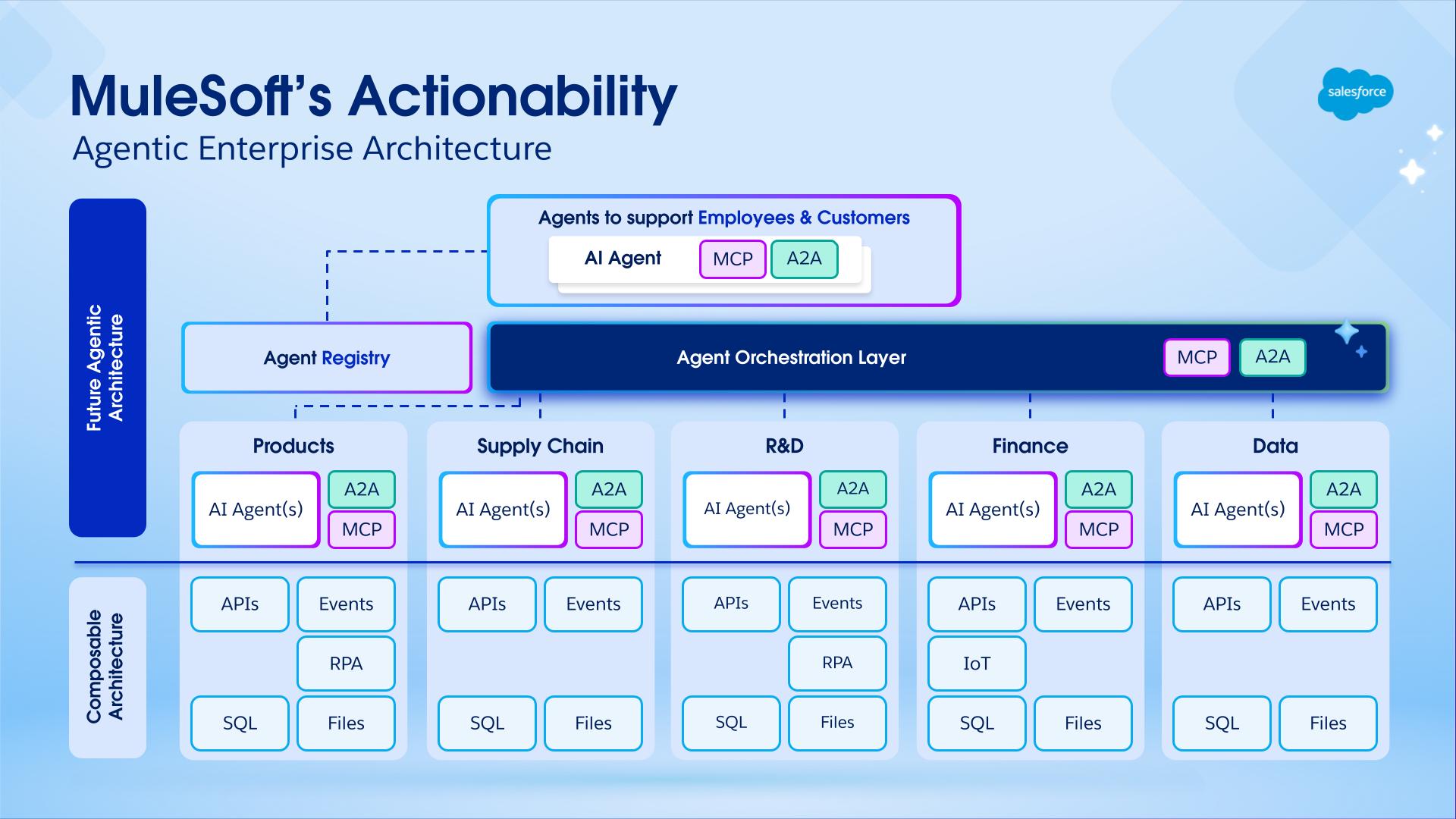 ## About the Authors
Nikhil Aggarwal is a Principal Architect at Salesforce, where he leads architecture for MuleSoft and Salesforce Automation Clouds. Nikhil brings over 18 years of experience delivering large-scale products and is passionate about scalable architecture, intuitive developer experiences, and building high-performing teams. Prior to Salesforce, he led multiple initiatives in Microsoft Power Platform, Dataverse, and Office 365 from concept to launch. His work continues to shape how modern enterprises connect systems, automate workflows, and unlock business value in the AI-first era.
Mariano Gonzalez joined MuleSoft in its early days back in 2011, specializing in mission-critical distributed systems, integration, PaaS, and cloud computing. Today, Mariano's focus is on advancing AI platforms, with particular attention to governance, orchestration, discovery, and observability. With over 20 years in the IT industry, Mariano has served as a software architect and team leader, designing and delivering BPM, ERP, and integration solutions across the agriculture, energy, government, IT, telecom, and content management sectors.
Pedro Colunga is a Software Engineer Architect at Salesforce, specializing in API and Metadata Architecture. With a focus on the full platform lifecycle, Pedro plays a key role in shaping how organizations interact with system intelligence, semantics, and metadata-driven solutions. Pedro's 20-year career, which includes entrepreneurial experience, spans companies such as Fuego, BEA Systems, Oracle, and TekGenesis, a company later acquired by MuleSoft, where he has consistently driven platform-wise architecture, providing deep expertise in areas like BPM, RAD, and Integrations.
Gulal Kumar is a Software Engineering Architect at Salesforce, with a focus on data and integration architecture. With over 20 years of experience in integration and APIs, modernization programs, security, and AIML initiatives, he brings a wealth of expertise. Gulal has been committed to advancing business transformation initiatives, enhancing security and resiliency, promoting architecture excellence, and leading AIML initiatives across various domains.
Every day, [hundreds of thousands of enterprises and millions of users](https://www.salesforce.com/customer-stories/) operate their business in the cloud using applications powered by the Salesforce Platform. Why is the platform so successful? Why can you trust it to support your business? What unique benefits does the platform provide for businesses like yours?
This technical brief explains how the Salesforce Platform delivers reliable, scalable, and easy-to-customize end-user experiences using its unique software architecture for cloud computing. After reading this brief, you’ll better understand the underlying technology that makes the Salesforce Platform a compelling choice for your business applications.
# Platform Overview
The Salesforce Platform is the preeminent example of a successful cloud computing platform and related ecosystem of applications. Since the turn of the millennium, the platform has been the enabling foundation for:
- Many popular [business-purpose applications](http://www.salesforce.com/products/) for common use cases such as sales and customer service
- [Industry-specific applications](https://www.salesforce.com/solutions/industries/) for more specialized use cases such as finance and healthcare
- Millions of [custom applications and application extensions](https://www.salesforce.com/products/platform/overview/) for unique use cases
In large part, the Salesforce Platform is so successful and popular because its unique software architecture supports applications that are easy to build, use, customize, and extend with exceptional [performance and reliability](http://trust.salesforce.com/trust/). The heart of the platform’s software architecture is its multitenant, metadata-driven design.
## About the Authors
Nikhil Aggarwal is a Principal Architect at Salesforce, where he leads architecture for MuleSoft and Salesforce Automation Clouds. Nikhil brings over 18 years of experience delivering large-scale products and is passionate about scalable architecture, intuitive developer experiences, and building high-performing teams. Prior to Salesforce, he led multiple initiatives in Microsoft Power Platform, Dataverse, and Office 365 from concept to launch. His work continues to shape how modern enterprises connect systems, automate workflows, and unlock business value in the AI-first era.
Mariano Gonzalez joined MuleSoft in its early days back in 2011, specializing in mission-critical distributed systems, integration, PaaS, and cloud computing. Today, Mariano's focus is on advancing AI platforms, with particular attention to governance, orchestration, discovery, and observability. With over 20 years in the IT industry, Mariano has served as a software architect and team leader, designing and delivering BPM, ERP, and integration solutions across the agriculture, energy, government, IT, telecom, and content management sectors.
Pedro Colunga is a Software Engineer Architect at Salesforce, specializing in API and Metadata Architecture. With a focus on the full platform lifecycle, Pedro plays a key role in shaping how organizations interact with system intelligence, semantics, and metadata-driven solutions. Pedro's 20-year career, which includes entrepreneurial experience, spans companies such as Fuego, BEA Systems, Oracle, and TekGenesis, a company later acquired by MuleSoft, where he has consistently driven platform-wise architecture, providing deep expertise in areas like BPM, RAD, and Integrations.
Gulal Kumar is a Software Engineering Architect at Salesforce, with a focus on data and integration architecture. With over 20 years of experience in integration and APIs, modernization programs, security, and AIML initiatives, he brings a wealth of expertise. Gulal has been committed to advancing business transformation initiatives, enhancing security and resiliency, promoting architecture excellence, and leading AIML initiatives across various domains.
Every day, [hundreds of thousands of enterprises and millions of users](https://www.salesforce.com/customer-stories/) operate their business in the cloud using applications powered by the Salesforce Platform. Why is the platform so successful? Why can you trust it to support your business? What unique benefits does the platform provide for businesses like yours?
This technical brief explains how the Salesforce Platform delivers reliable, scalable, and easy-to-customize end-user experiences using its unique software architecture for cloud computing. After reading this brief, you’ll better understand the underlying technology that makes the Salesforce Platform a compelling choice for your business applications.
# Platform Overview
The Salesforce Platform is the preeminent example of a successful cloud computing platform and related ecosystem of applications. Since the turn of the millennium, the platform has been the enabling foundation for:
- Many popular [business-purpose applications](http://www.salesforce.com/products/) for common use cases such as sales and customer service
- [Industry-specific applications](https://www.salesforce.com/solutions/industries/) for more specialized use cases such as finance and healthcare
- Millions of [custom applications and application extensions](https://www.salesforce.com/products/platform/overview/) for unique use cases
In large part, the Salesforce Platform is so successful and popular because its unique software architecture supports applications that are easy to build, use, customize, and extend with exceptional [performance and reliability](http://trust.salesforce.com/trust/). The heart of the platform’s software architecture is its multitenant, metadata-driven design.
| Pre-Query Selectivity Measurements | Write final database access query, forcing... | |
| User | Filter | |
| Low | Low | ... nested loops join, drive using view of rows that user can see |
| Low | High | ... use of index related to filter |
| High | Low | ... ordered hash join, drive using MT_DATA |
| High | High | ... use of index related filter |
 |
Salesforce Connect is the platform capability that enables Data Virtualization within Salesforce. It provides the adapter framework that translates SOQL queries into the query language of an external system, manages authenticated callouts, and maps result sets back to Salesforce field types. It powers External Objects, the Salesforce metadata construct that surfaces external data as queryable, platform-native entities without replicating data into Salesforce storage. External Objects behave like standard Salesforce objects — visible in page layouts, related lists, and reports, and accessible via SOQL and standard APIs — but hold no data. External Objects are a schema projection over the source system. |
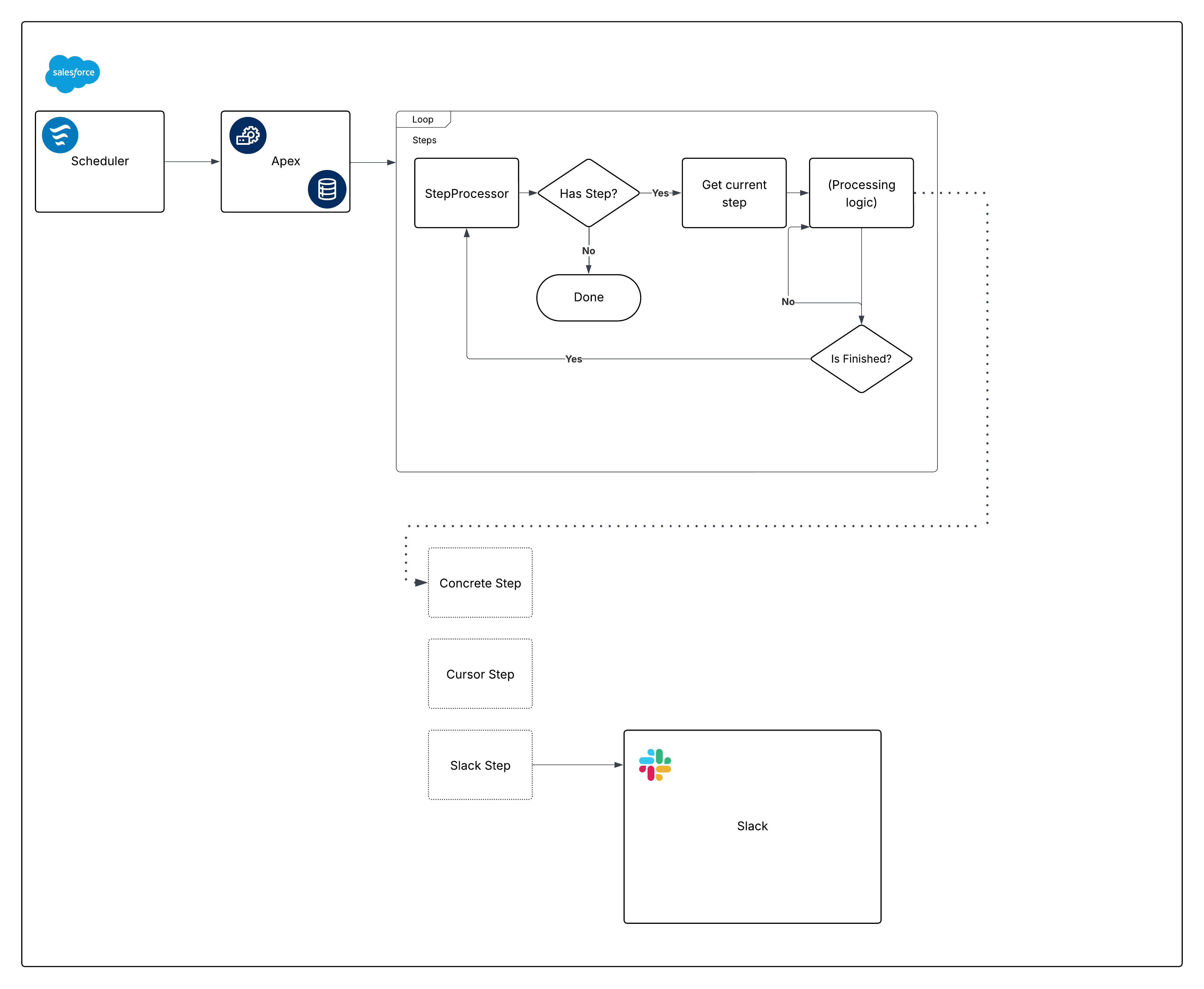 Now, break down that diagram and start building the pieces.
## Scheduling with Scheduled Flow
Scheduled Flow offers several advantages as a scheduling mechanism:
- Scheduled Flows can be packaged and deployed as metadata. This isn't true for jobs scheduled via Apex (or via the Scheduled Jobs page).
- The Wait element is critical for frameworks that require callouts. By using it in Flow, callouts aren’t necessary in the Invocable portion of the framework.
- Scheduling granularity meets the requirements: the minimum interval for Scheduled Flows is daily. If you need a higher frequency (for example, hourly), reconsider Scheduled Flow for this requirement.
Another consideration when configuring the Scheduled Flow is environment gating. Before invoking the Apex action, add a Decision element that evaluates the `{!$Api.Enterprise_Server_URL_100}` variable. This ensures the job runs only in the intended environments, such as UAT and Production. This pattern is important because sandboxes are frequently refreshed or newly created during the SDLC, and without an explicit environment check, a Scheduled Flow could unintentionally execute in environments where the framework is not meant to run. Using the `contains` operator in the Decision element makes the setup resilient to future sandbox creations or URL changes.
Finally, consider how the framework should capture failures. Always add a fault path when Flow calls any Action; for example, you can wire faults to [Nebula Logger’s](https://www.nebulalogger.com/) "Add Log Entry" action. Nebula Logger writes logs to custom objects, so customers should be aware that log data consumes org storage — by default, logs are stored for 14 days within an org, and then cleaned up; this retention period is configurable. Nebula Logger also uses Platform Events to publish logs, so log entries are saved independently from the main data-processing transaction — this ensures failures are captured even if the primary Flow or Apex action rolls back. Customers should evaluate expected log volume and retention requirements when considering the addition of a logging framework.
Here's what the Flow looks like:
Now, break down that diagram and start building the pieces.
## Scheduling with Scheduled Flow
Scheduled Flow offers several advantages as a scheduling mechanism:
- Scheduled Flows can be packaged and deployed as metadata. This isn't true for jobs scheduled via Apex (or via the Scheduled Jobs page).
- The Wait element is critical for frameworks that require callouts. By using it in Flow, callouts aren’t necessary in the Invocable portion of the framework.
- Scheduling granularity meets the requirements: the minimum interval for Scheduled Flows is daily. If you need a higher frequency (for example, hourly), reconsider Scheduled Flow for this requirement.
Another consideration when configuring the Scheduled Flow is environment gating. Before invoking the Apex action, add a Decision element that evaluates the `{!$Api.Enterprise_Server_URL_100}` variable. This ensures the job runs only in the intended environments, such as UAT and Production. This pattern is important because sandboxes are frequently refreshed or newly created during the SDLC, and without an explicit environment check, a Scheduled Flow could unintentionally execute in environments where the framework is not meant to run. Using the `contains` operator in the Decision element makes the setup resilient to future sandbox creations or URL changes.
Finally, consider how the framework should capture failures. Always add a fault path when Flow calls any Action; for example, you can wire faults to [Nebula Logger’s](https://www.nebulalogger.com/) "Add Log Entry" action. Nebula Logger writes logs to custom objects, so customers should be aware that log data consumes org storage — by default, logs are stored for 14 days within an org, and then cleaned up; this retention period is configurable. Nebula Logger also uses Platform Events to publish logs, so log entries are saved independently from the main data-processing transaction — this ensures failures are captured even if the primary Flow or Apex action rolls back. Customers should evaluate expected log volume and retention requirements when considering the addition of a logging framework.
Here's what the Flow looks like:
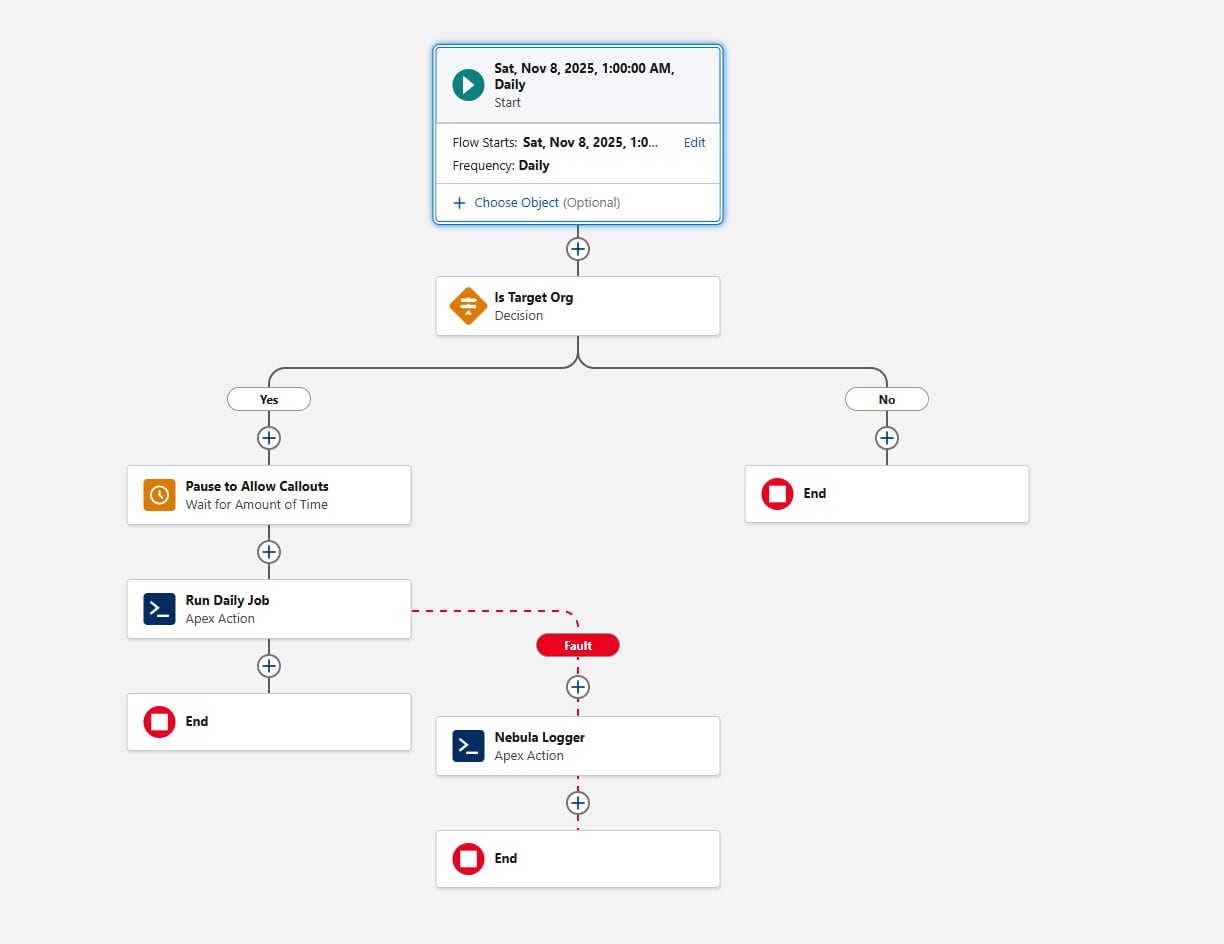 Let's move on to the first pieces of Apex code with the scheduling requirement now satisfied.
## Creating a Step Interface
Define a `Step` interface:
```java
public interface Step {
void execute();
void finalize();
String getName();
Boolean shouldRestart();
}
```
For this article, the `step` interface is shown as an outer class for clarity. The framework itself is flexible — teams can organize the interface and its implementations using any Apex packaging pattern they prefer, as long as all Step classes reference the same interface.
There are a few things to note about the methods defined within our interface:
- `execute`, though argument‑less at the moment, improves when we pass a `State` class (or interface) to orchestrate data between steps when order matters.
- `getName` could return a `System.Type` value instead of a `String`. The goal is to give the orchestration layer a way to log step names without exposing other properties.
Here’s the first concrete implementation to show how these pieces fit together. With one exception later, we recommend using Queueable Apex to implement asynchronous processing within Apex; Batch Apex is typically unnecessary (and `@future` methods are discouraged). Queueable Apex starts quickly and, with Apex Cursors, has many advantages over Batch Apex.
### An Apex Cursor-Like Implementation
[Apex Cursors](https://developer.salesforce.com/docs/atlas.en-us.apexcode.meta/apexcode/apex_cursors.htm) offer a modern alternative to the traditional Batch Apex model. Similar to Batch processing, a Cursor implementation can fetch records in chunks (up to 2,000 per batch). However, Cursors allow multiple fetches within a single transaction, enabling significantly higher throughput for large-volume operations.
When adopting Cursors as part of this framework, teams should be aware of current testing and mockability limitations. Cursor behavior in tests may differ from production behavior, so it’s important to design test strategies that avoid relying on Cursor internals and instead validate orchestration logic at the boundaries. As the platform evolves, these areas will continue to improve, but the core guidance remains: Cursors provide higher performance and reduced orchestration overhead compared to Batch Apex for many use cases.
To define a clear boundary between the system-provided Cursor and your own code, we recommend creating a Cursor‑like representation when implementing the `Step` interface. Consider this code:
```java
public inherited sharing abstract class CursorStep implements Step {
private static final Integer MAX_CHUNK_SIZE = 2000;
protected Cursor cursor;
private Integer chunkSize = System.Limits.getLimitDMLRows();
private Integer position = 0;
protected abstract Cursor getCursor();
protected abstract void innerExecute(List
Let's move on to the first pieces of Apex code with the scheduling requirement now satisfied.
## Creating a Step Interface
Define a `Step` interface:
```java
public interface Step {
void execute();
void finalize();
String getName();
Boolean shouldRestart();
}
```
For this article, the `step` interface is shown as an outer class for clarity. The framework itself is flexible — teams can organize the interface and its implementations using any Apex packaging pattern they prefer, as long as all Step classes reference the same interface.
There are a few things to note about the methods defined within our interface:
- `execute`, though argument‑less at the moment, improves when we pass a `State` class (or interface) to orchestrate data between steps when order matters.
- `getName` could return a `System.Type` value instead of a `String`. The goal is to give the orchestration layer a way to log step names without exposing other properties.
Here’s the first concrete implementation to show how these pieces fit together. With one exception later, we recommend using Queueable Apex to implement asynchronous processing within Apex; Batch Apex is typically unnecessary (and `@future` methods are discouraged). Queueable Apex starts quickly and, with Apex Cursors, has many advantages over Batch Apex.
### An Apex Cursor-Like Implementation
[Apex Cursors](https://developer.salesforce.com/docs/atlas.en-us.apexcode.meta/apexcode/apex_cursors.htm) offer a modern alternative to the traditional Batch Apex model. Similar to Batch processing, a Cursor implementation can fetch records in chunks (up to 2,000 per batch). However, Cursors allow multiple fetches within a single transaction, enabling significantly higher throughput for large-volume operations.
When adopting Cursors as part of this framework, teams should be aware of current testing and mockability limitations. Cursor behavior in tests may differ from production behavior, so it’s important to design test strategies that avoid relying on Cursor internals and instead validate orchestration logic at the boundaries. As the platform evolves, these areas will continue to improve, but the core guidance remains: Cursors provide higher performance and reduced orchestration overhead compared to Batch Apex for many use cases.
To define a clear boundary between the system-provided Cursor and your own code, we recommend creating a Cursor‑like representation when implementing the `Step` interface. Consider this code:
```java
public inherited sharing abstract class CursorStep implements Step {
private static final Integer MAX_CHUNK_SIZE = 2000;
protected Cursor cursor;
private Integer chunkSize = System.Limits.getLimitDMLRows();
private Integer position = 0;
protected abstract Cursor getCursor();
protected abstract void innerExecute(List