Act on release updates to keep your Salesforce org functioning at its best. Release updates replace the Critical Updates console and include more detailed information about upcoming changes.
Required Editions
| Available in: both Salesforce Classic (not available in all orgs) and Lightning Experience |
| Available in: all editions |
| User Permissions Needed | |
|---|---|
| To view release updates: | View Setup and Configuration |
| To enable or disable release updates: | Manage Release Updates OR Customize Application |
The Release Updates page provides a list of updates that affect your org. Each update includes step-by-step actions for you to take. To ensure a smooth transition, many release updates have test runs available. Use the test run option to activate or deactivate an update before the Complete Steps By date so that you can evaluate its impact on your org.

Warning Salesforce recommends testing each update by activating it in either your
developer sandbox or your production environment during off-peak hours.
- From Setup, in the Quick Find box, enter Release Updates, and then select Release Updates.
- On the Release Updates page, select an update.
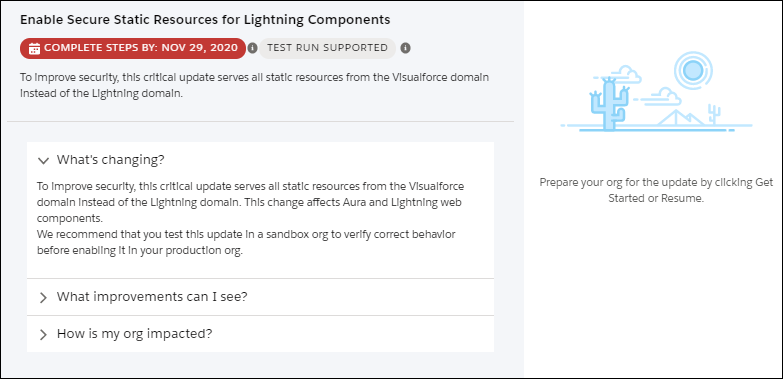
- Get quick information about an update without leaving the home page by clicking
View Details. Use the expandable sections to see details about the
changes, improvements you can expect, and impact on your org.
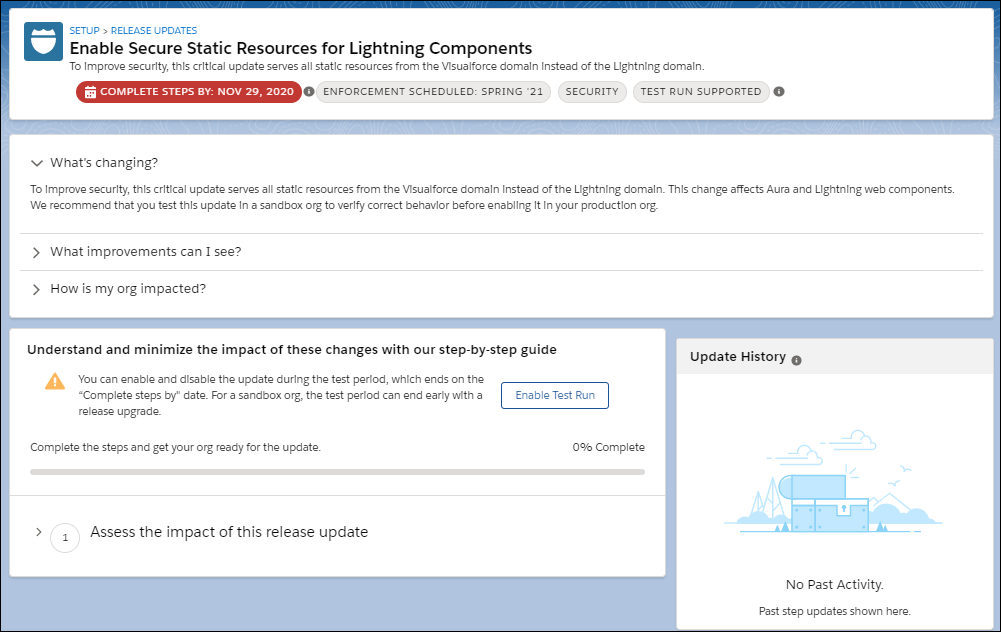
- Click Get Started to act on your update. From this page, you can
enable a test run if it’s available for your update, and review the specific steps to
take.
- If you enabled a test run and find in testing that you must disable the update, click
Disable Test Run. You can enable or disable test runs as often as
needed until the Complete Steps By date on your update. On sandbox orgs, the test run periods
can end earlier than the Complete Steps By date.
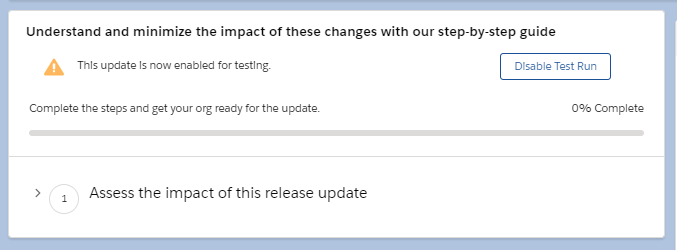
- If you enabled a test run and find in testing that you must disable the update, click
Disable Test Run. You can enable or disable test runs as often as
needed until the Complete Steps By date on your update. On sandbox orgs, the test run periods
can end earlier than the Complete Steps By date.
- After you finish the steps, click Done.
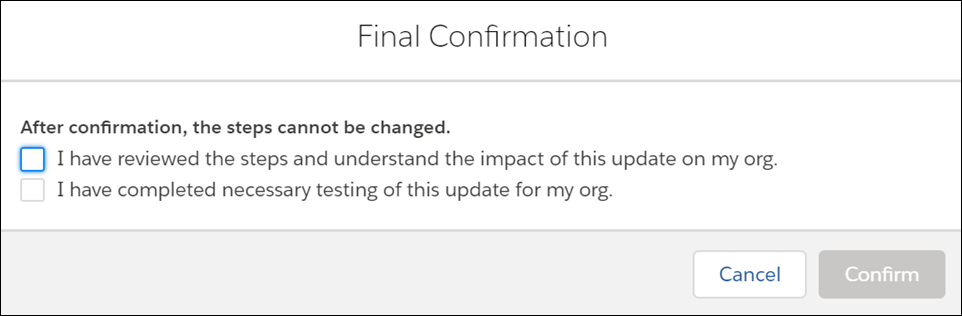
- Confirm that you reviewed and completed the update steps.