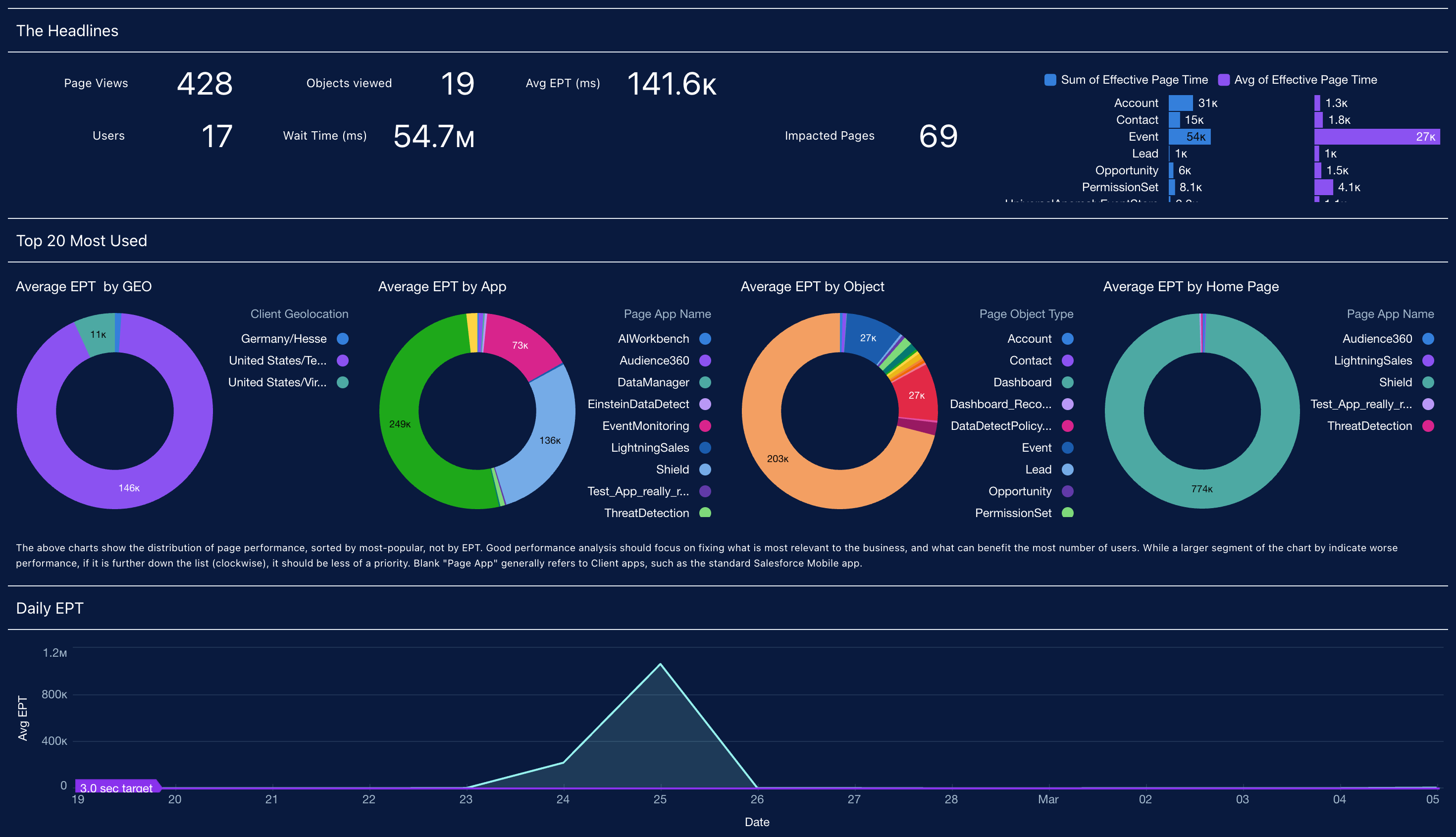
These analytic dashboards focus on proactively identifying, troubleshooting, and
resolving performance bottlenecks to ensure platform stability. Users can pinpoint specific slow
Lightning pages, inefficient Apex code, and problematic API integrations, allowing them to
optimize the user experience.
Required Editions
| Available in: Salesforce Classic (not available in all orgs), and Lightning
Experience |
| Available in: Enterprise, Performance, and Unlimited
Editions. |
| Requires Salesforce Shield or Salesforce Event Monitoring add-on
subscriptions. |
The following analytic dashboards are available to users:
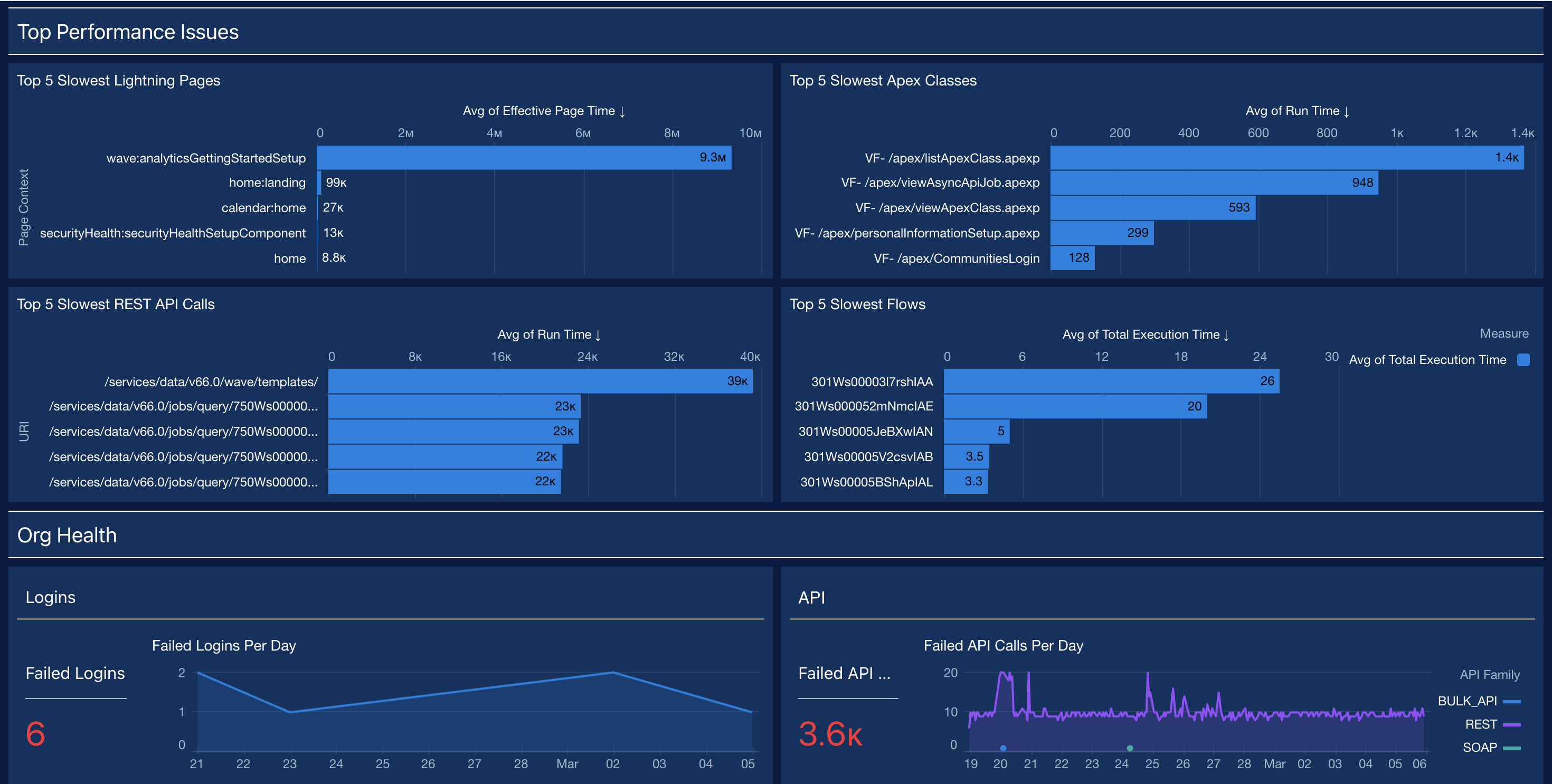
- Performance and Health: This dashboard provides a summary of the org's overall
health, tracking errors and slow performance for logins, API calls, Apex code, and Lightning assets.
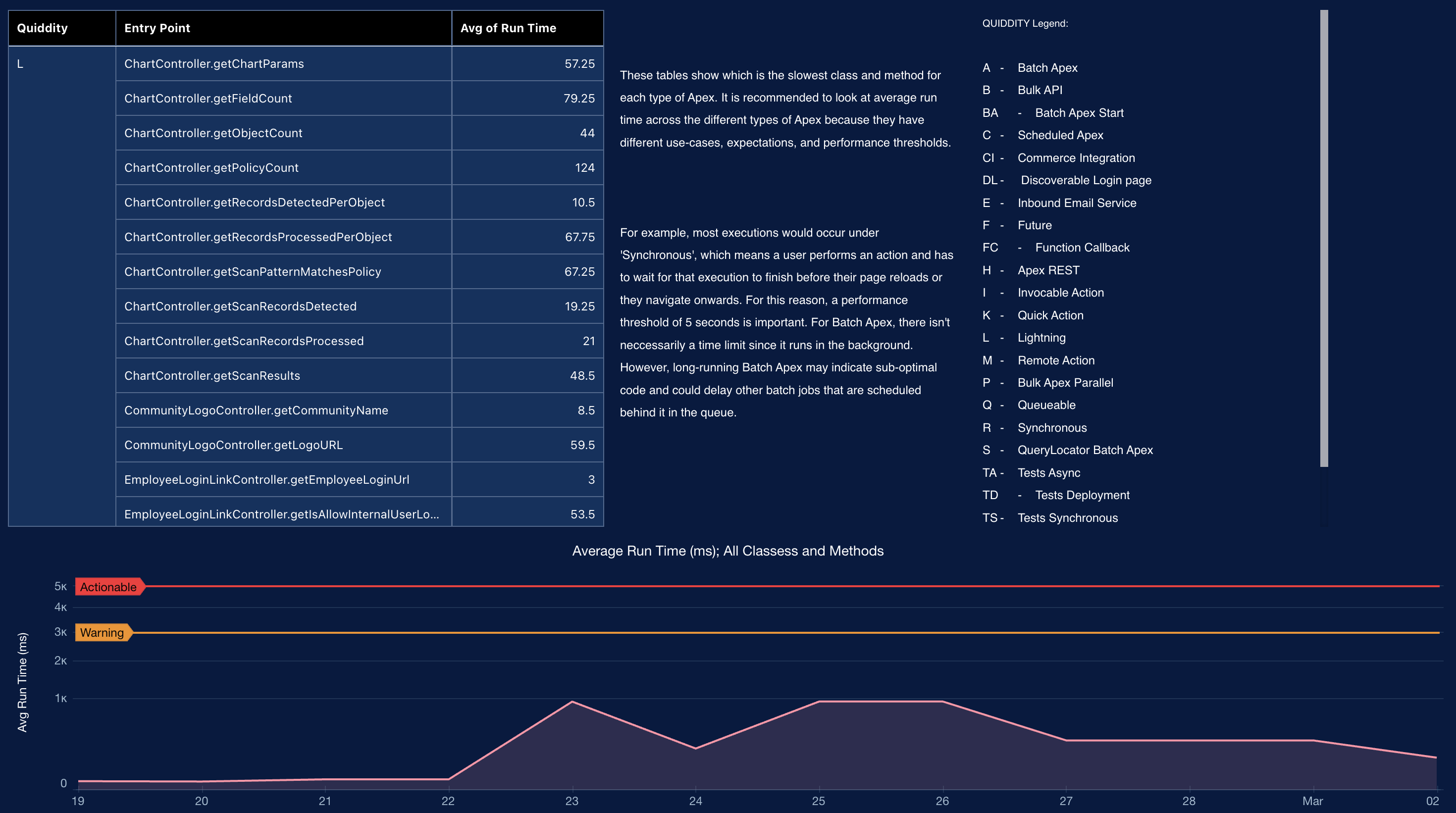
- Apex Performance: This dashboard supports dev teams by identifying errors and
optimizing both inefficient custom Apex classes and SOQL queries that may be slowing down
the system.
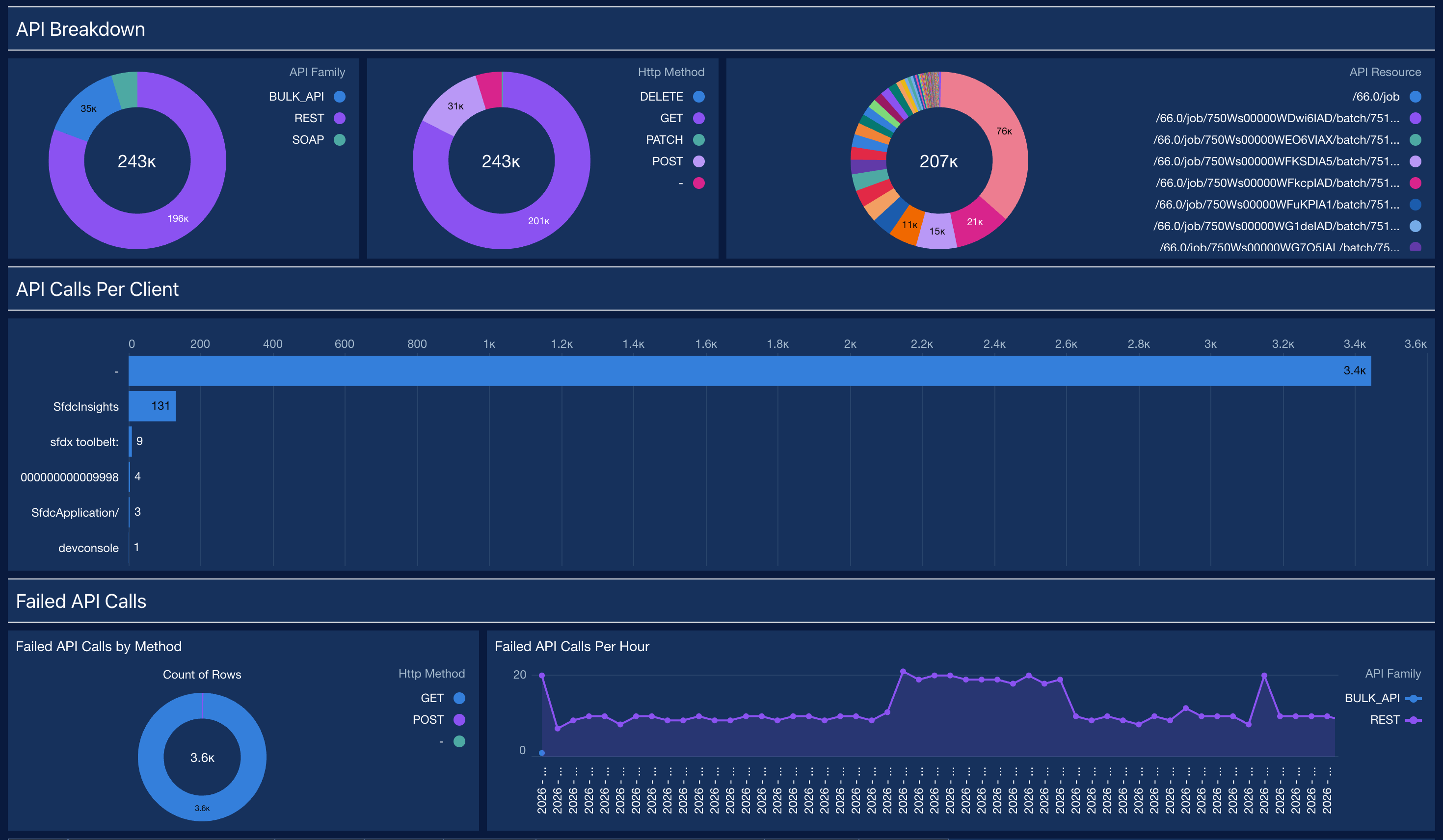
- API Summary: This dashboard provides a complete overview of API usage, health, and
performance. This is critical for managing all inbound and outbound integrations.
- Lightning Performance: This dashboard provides a deep dive into the user
experience, focusing on Lightning Effective Page Time (EPT). It shows the slowest pages and
helps identify the cause.