
To edit or delete a published template, you must first unpublish it.
To unpublish a template from the Template Library in Quip, you must have Edit Template permissions in the Quip Admin Console
- Go to https://admin.quip.com.
- Log in using your Quip admin email and password.
-
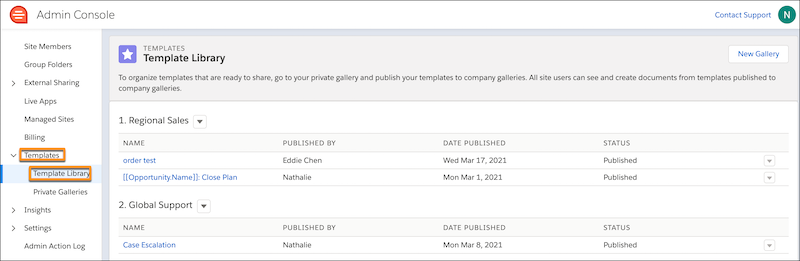
Under Templates, click Template Library.
-
Click the dropdown next to the template you want to edit or delete, and click
Unpublish Template.
The template is removed from the Template Library in Quip and readded to your Created by Me private gallery. You can also find the template in your Private folder in Quip.
- From Quip, unlock the template to make edits or delete it.