
As you set up your templates, use Template Records. When a user creates a document from your embedded template, the Salesforce template records automatically populate with the record’s data and continue to stay up to date. Control the fields that your users see to keep information relevant and boost Account Plan adoption.
Required Editions
| Available in: Lightning Experience |
| User Permissions Needed | |
|---|---|
| To configure the Salesforce Record live app: | Customize Application |

Important Salesforce Template Records are available only in templates. To use
template records, mark the document as a template
and make sure that the template is unlocked.
- In a document, enter @Salesforce Record. Click Insert.
-
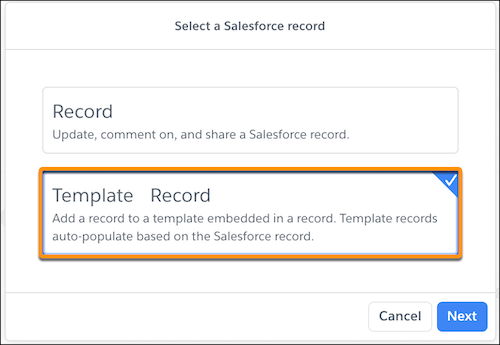
Select Template Record.
-
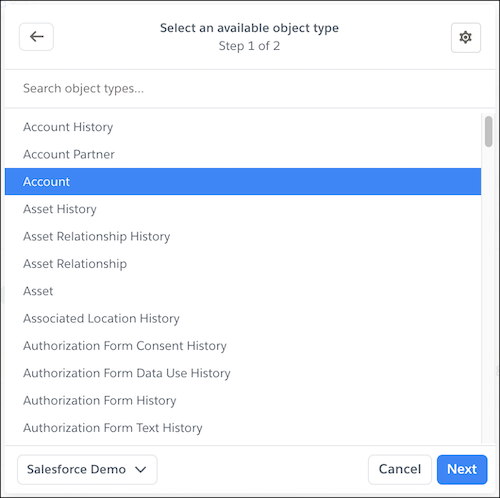
Select the object of the record your template is embedded in. For example, to set up an
Account Plan for an Account object, select Account, and then
Next.
-
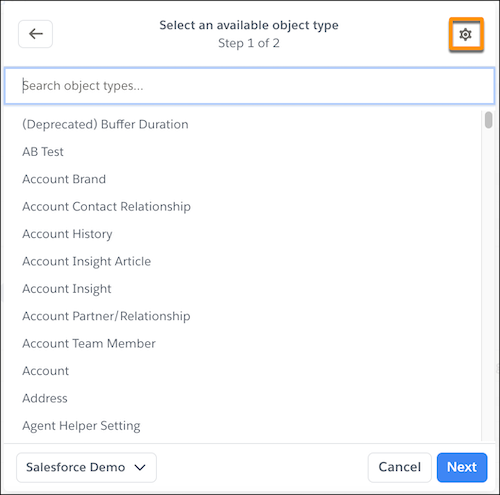
If you don’t see the object or to reference a related object, select Manual
Mode and enter the information manually.
-
To dynamically update the Salesforce Record live app based on a Salesforce field,
enter the Record ID with mail merge
syntax.
 Tip Mail merge syntax is case-sensitive. To auto-populate the Account Owner Id using mail merge syntax, enter [[Account.Owner.Id]] and not [[Account.Owner.ID]].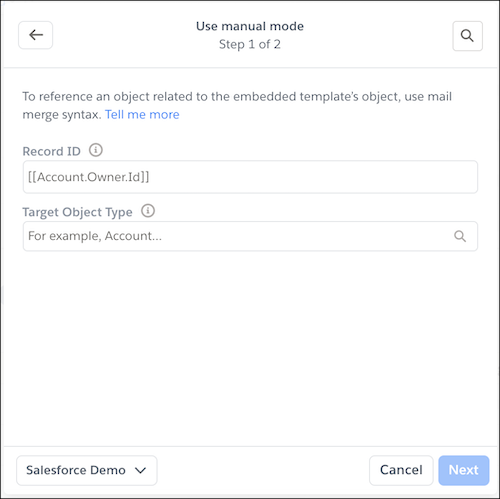
- To set up the Salesforce Record live app for an object related to the Record ID, select the target object type.
-
To return to List Mode, click
 .
.
-
To dynamically update the Salesforce Record live app based on a Salesforce field,
enter the Record ID with mail merge
syntax.
-
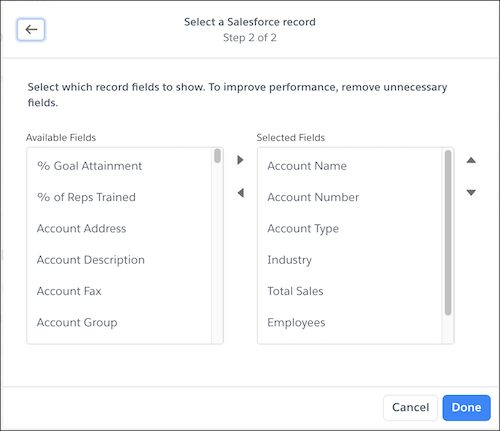
Select which fields to show and populate with Salesforce record data.
-
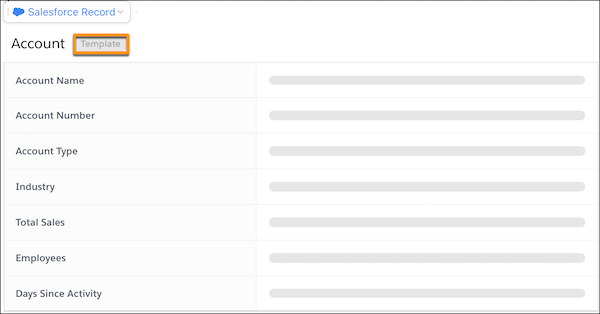
Click Done. After the template record is set up, the fields appear
but their values are blank.
- After you finish configuring your template, add it to the Quip Document component so that users can create documents that autopopulate with the record’s data, such as Account Plans.
As you add Salesforce template records to your templates, keep in mind these considerations:
- When you set up Salesforce template records, you see all available fields for an object type. The Salesforce Record live app doesn’t filter out fields not on the embedded record’s layout.