Lock edits for specific sections within a Quip document.
Required Editions
| Available in: Quip desktop app and Quip on web |
-
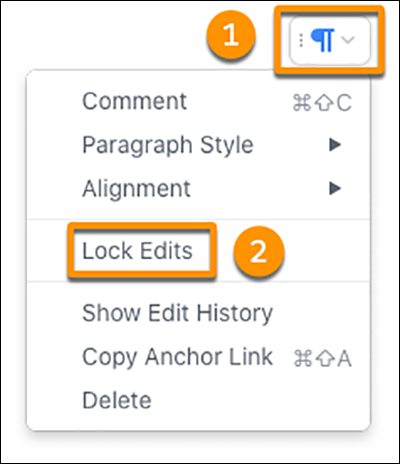
Put your cursor in the section that you want to lock.
-
Select the section menu, and then select Lock Edits.
To unlock the section, return to the section menu, select Lock Edits
again, and then confirm that you want to unlock edits.