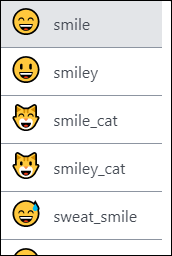
Add some fun to your comment, conversation message, document, or spreadsheet with emojis and GIFs. Required Editions Available in: Quip desktop app, Quip iOS mobile app, and Quip on web You can insert emojis and GIFs in two ways: In a comment or conversation message, use the emoji icon. In a document or spreadsheet, type a colon followed by the name of the emoji.
Add some fun to your comment, conversation message, document, or spreadsheet with emojis and GIFs. Required Editions Available in: Quip desktop app, Quip iOS mobile app, and Quip on web You can insert emojis and GIFs in two ways: In a comment or conversation message, use the emoji icon. In a document or spreadsheet, type a colon followed by the name of the emoji.