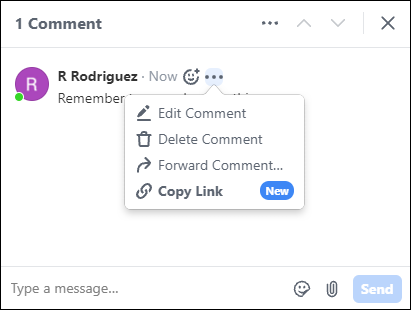
Did you mix up your emojis, @mention the wrong teammate, or change your mind about what
you wrote? No worries. Edit comments and messages from the conversation pane. You can also edit
comments inline.
Required Editions
| Available in: Quip desktop app, Quip iOS mobile app, and Quip
on web |
-
Hover over the comment or message.
-
Click the ellipsis or Message Options menu.
-
Click Edit Comment or Edit Message.
-
Modify the text as needed, and then click the check mark to save your changes.
If you @mention everyone when you edit a comment or message, Quip doesn’t send a
notification.