
Before you remove Salesforce orgs from your Quip allowlist, keep in mind these considerations. You can add a removed org to your allowlist again later.
Required Editions
| Available in: Lightning Experience |
Connection to Existing Salesforce Orgs
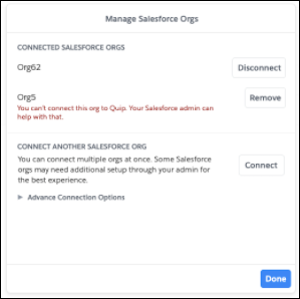
After a Salesforce org is removed from the allowlist, connected users see an error message telling them that the org is no longer allowed.
Salesforce SSO
After an org is removed from the allowlist, users can only use the Salesforce SSO associated with that org when they first join the Quip site. After that, users can create a Quip password or use another Salesforce SSO to log in to Quip.
Auto-Add Salesforce Orgs
If a Salesforce domain that was set to auto-add is removed from the allowlist, users from that Salesforce org are no longer auto-added to your Quip site.
New Salesforce Integrations
After a Salesforce org is removed from the allowlist, users can’t use Quip for Customer 360 features for that org. Features include logging a call, linking a document to a record from that org, or adding Salesforce reports and live apps connected to the removed org.
Existing Quip for Customer 360 Features
After a Salesforce org is removed from the allowlist, existing Salesforce integrations from that org behave in the following way:
- Salesforce Report: When the report refreshes, Salesforce data is removed.
- Salesforce Record live app: The data from before the org was removed stays visible. Users can’t refresh the live app for updated data or sync edits to Salesforce.
- Salesforce List live app: The data from before the org was removed stays visible. Users can’t refresh the live app for updated data or sync edits to Salesforce.
- Document-Record linking: Users can’t see which disconnected records the document is linked to.
Quip Lightning Components
After a Salesforce org is removed from the allowlist, Quip documents previously linked to a record remain accessible in Salesforce from the Quip Associated Documents component. Disallowing a Salesforce org doesn’t delete the Quip site’s linked documents in Salesforce.
External Sharing
If an org is disallowed in one Quip site but not another, a user from the site with the allowed org can share a document with Salesforce data with a user from the other Quip site.

User A from Quip site A can’t access Salesforce org A. Quip site B has access to Salesforce org A. User B from Quip site B creates a document with data from Salesforce org A and shares it with User A. User A can see the Salesforce data even if the org is not on the allowlist because it was shared externally.