
To test out your new Quip features with a sandbox org before you roll them out to your users, you have two options: use the same main Quip site with your sandbox and production Salesforce orgs or use a Quip managed site.
Required Editions
| Available in: Lightning Experience |
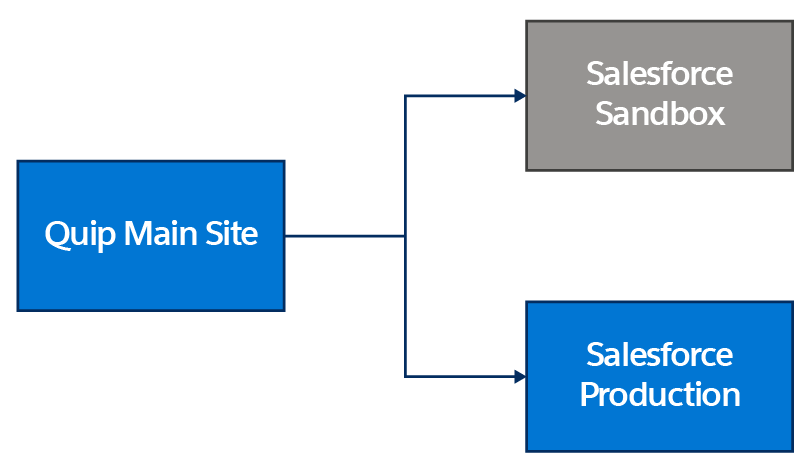
To reduce the number of steps and repetitive tasks, we recommend using the same main Quip site for your Sandbox and Production orgs. Using your main Quip site also doesn’t use extra licenses and doesn’t count against your license subscription.
- Use the same main Quip site your Sandbox and Production Salesforce orgs.
- Use a separate Quip managed site for Sandbox testing.
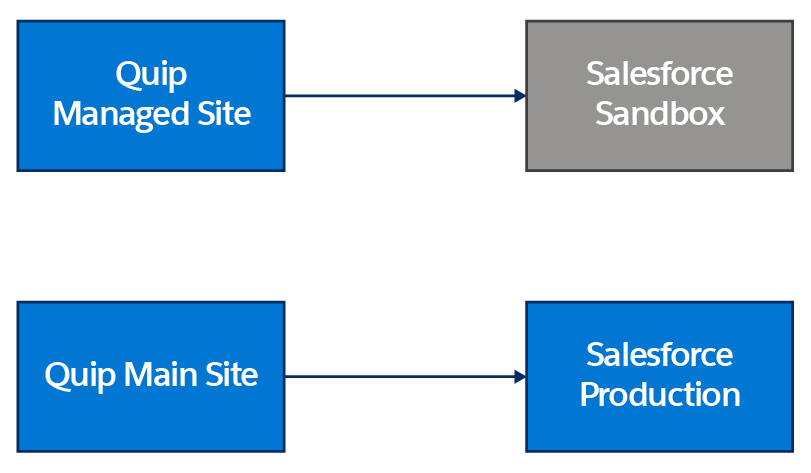
| Requirements for a Quip Managed Site | Requirements for a Shared Quip Main Site |
|---|---|
| Create a separate test site |

|
| Provision members to a separate site |
|
| Set up authentication |
|
| In Salesforce sandbox, connect to Quip test site | In Salesforce sandbox, connect to main Quip site |
| Create templates in Quip test site | Create templates in main Quip site |
| Point live apps to Salesforce sandbox | Point live apps to Salesforce Sandbox |
| Embed templates in Salesforce sandbox | Embed templates in Salesforce sandbox |
| Set up automations in Salesforce sandbox | Set up automations in Salesforce sandbox |
|
When ready to roll out:
|
When ready to roll out:
|