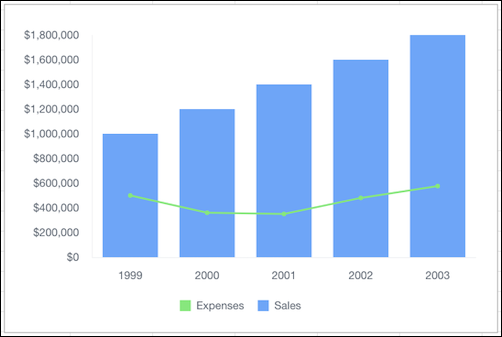
Combine a bar chart and a line chart to show more than one data series.
Required Editions
| Available in: Quip desktop app, Quip iOS mobile app, and Quip on web |
Data Options for Combo Charts
To customize data in combo charts, open the Chart Editor, and click the Customize tab.
- Style: Change the position of the chart legend, or hide it entirely. Select the colors for the chart’s background and border.
- Series: Apply data labels to show values directly in the chart, and set the labels’ position and color.
- Horizontal Axis: Give the axis a title, change the number formatting, display grid lines, and reverse the axis order.
- Vertical Axis: Give the axis a title, adjust its scale, set the number of tick marks shown, change the number formatting, and display grid lines.
Sample Data for Combo Charts
| Year | Sales | Expenses |
|---|---|---|
| 1999 | $1,000,000 | $500,000 |
| 2000 | $1,200,000 | $360,000 |
| 2001 | $1,400,000 | $350,000 |
| 2002 | $1,600,000 | $480,000 |
| 2003 | $1,800,000 | $576,000 |