
After you activate a consent template, turn it into a preference form.
Required Editions
| User Permissions Needed | |
|---|---|
| To use Preference Manager: | ManagePreferenceManager |

To create a preference form from a consent template:
- From the Preference Manager dashboard, select the Forms feature. Then click New Form.
- Select the Consent Template option, then choose a consent template. If you don’t see the
template that you want to use, make sure that template is activated.
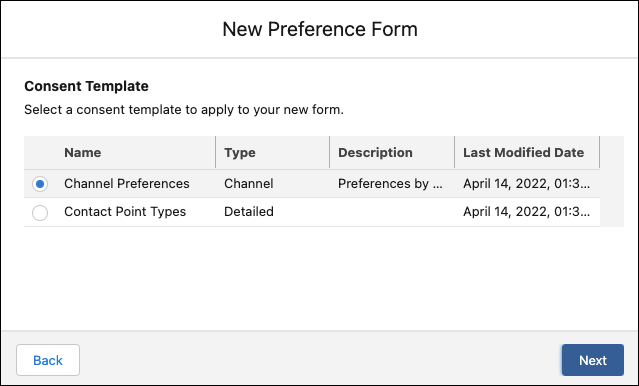
- Click Next. You’re taken to Preference Builder.
- Customize your form using the Properties panel. For more information on the customization options, see Customize Template-Based Forms in Preference Builder.
-
Save and publish your form in Preference Builder, or save your form and publish later from
the Preference Manager dashboard.
You can save multiple versions of the form and access all versions from the Preference Manager dashboard, but you can publish only one version of a preference form at a time.
After you publish, make your form accessible to customers. For instructions, see Make Your Preference Forms Accessible.