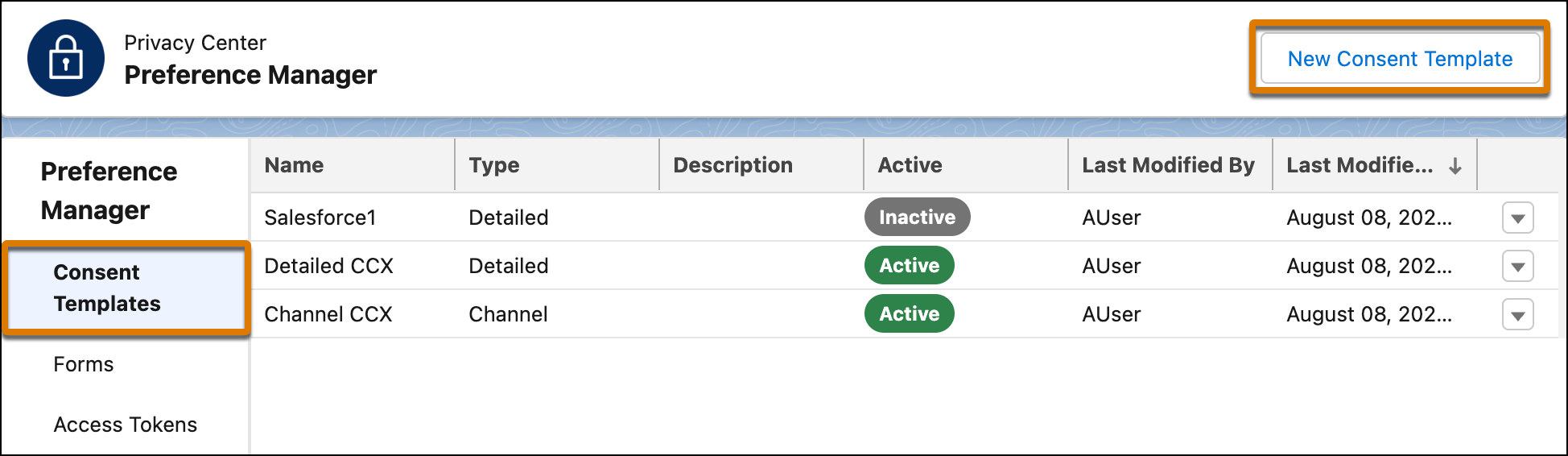
In the Preference Manager app, you can create and publish as many consent templates as
you want with the different template types. Then you use the activated templates to create the
preference forms.
Required Editions
| User Permissions Needed |
| To use Preference Manager: |
ManagePreferenceManager |
The Channel and Detailed consent template types use your existing brands and data use purposes
to create sections of your templates and preference forms. Before you create a template, make
sure to create your Data Use Purpose and Business Brands records.
To create a consent template:
- From the Preference Manager dashboard, under Preference Manager, click Consent
Templates. Then click New Consent Template.
- Choose a template type based on the consent preferences that you want to track.
- To add relevant filters and name your template, follow the prompts.
- Complete each section of the form, then click Save or
Save & Activate. You can activate, deactivate, edit, or delete your
templates from the Preference Manager dashboard.