
For the managed package runtime, when using the Lookup Element in Omniscript, the filtering of results is performed by the Lookup Query Configuration properties section. There are three main types of queries that can be built using this the Lookup Query Configuration properties section: AND join, OR join, and Deep query.
 This information is for Omnistudio for Managed Packages. For Omnistudio on standard runtime, see Omnistudio Help.
AND Join
To create AND Join and filter results on two or more fields set the sequence field value to the same value as the fields you want to join together in the query.
Example AND Join
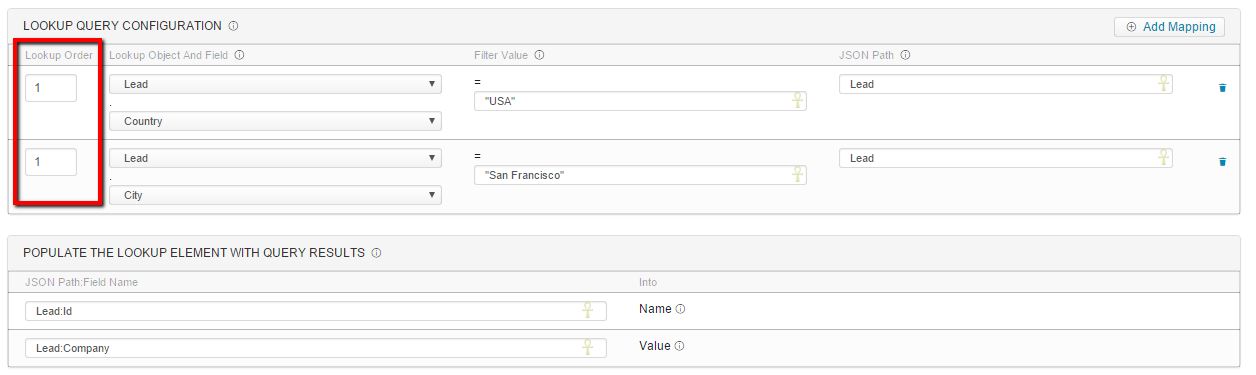
In this example, we search for Leads that have Country = "USA" AND City = "San Francisco". This is done by selecting the same Lookup order and populating the JSON Path with the same value.

The JSON path can be any text but a best practice is to name the JSON Path the object being referenced.
Deep Query
To create a Deep query, the Lookup Order is put in sequential order. Omniscript builds smaller query sets at each order set.
Example Deep Query
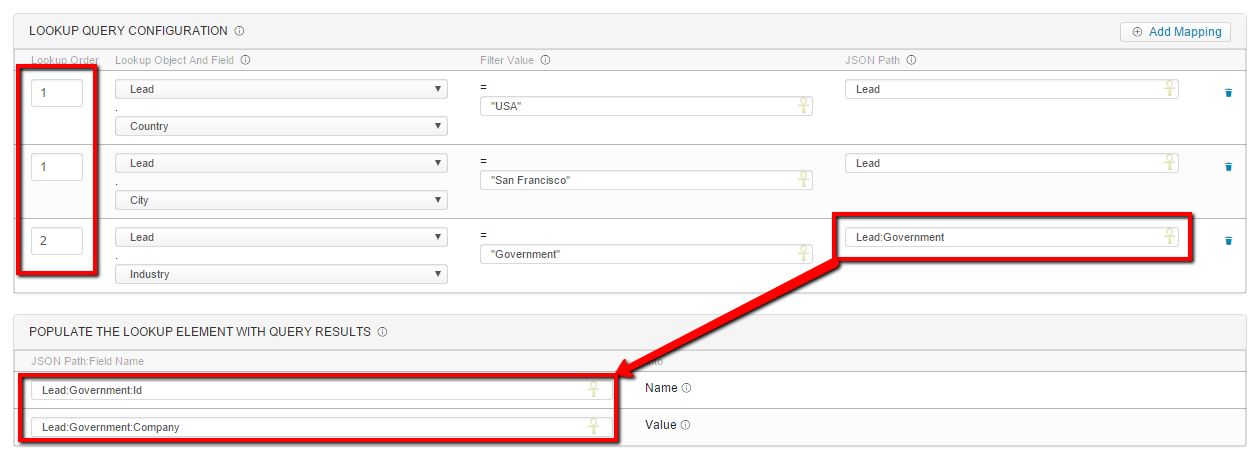
In the example Deep query we are search for Leads that have Country = "USA" AND City = "San Francisco".
The from that data set we also only display Leads that have Industry = "Government". Since we are performing a Deep Query the JSON Path Field Name needs to be updated to populate Accordingly.
The JSON path in the Field Population property section must match the text used in the JSON Path. A best practice is to separate the JSON Path with a colon to indicate the nested JSON Path.
OR Join
OR Joins are not currently supported from within the Omniscript editor so a workaround must be used to accomplish this functionality. To perform an OR Join, a custom formula field on the object can be implemented to accomplish the OR portion of the query such that the formula will return either a TRUE value if the OR query is met and FALSE if not.
Example with an OR Join
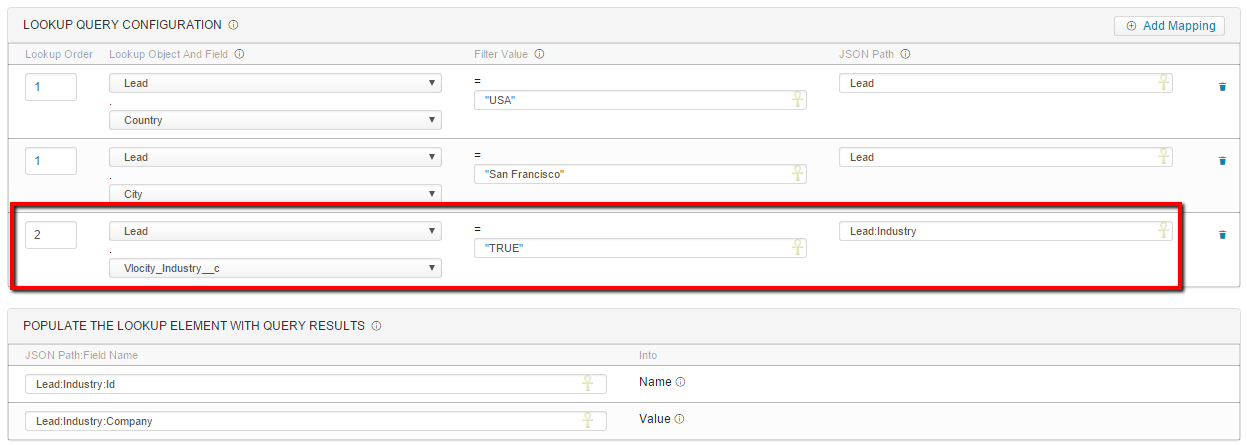
The Vlocity_Industry__c formula field example uses this syntax:
IF(
OR(
ISPICKVAL(Industry, "Government"),
ISPICKVAL(Industry, "Insurance"),
ISPICKVAL(Industry, "Communications")

),

"TRUE",

"FALSE")
This effectively allows for an OR join even though the Omniscript element doesn't support this functionality directly. In all instances, Filter Values must be text and wrapped in double quotations.