For the managed package runtime, Omniscript elements that have a conditional element aren’t prefilled by default, to maximize script performance.
To prefill a conditional element:
 This information is for Omnistudio for Managed Packages. For Omnistudio on standard runtime, see Omnistudio Help.
- Click the element you want to prefill.
-
Check the box labeled Available for Prefill When Hidden. If
the Available for Prefill When Hidden checkbox doesn’t exist on the element, set the
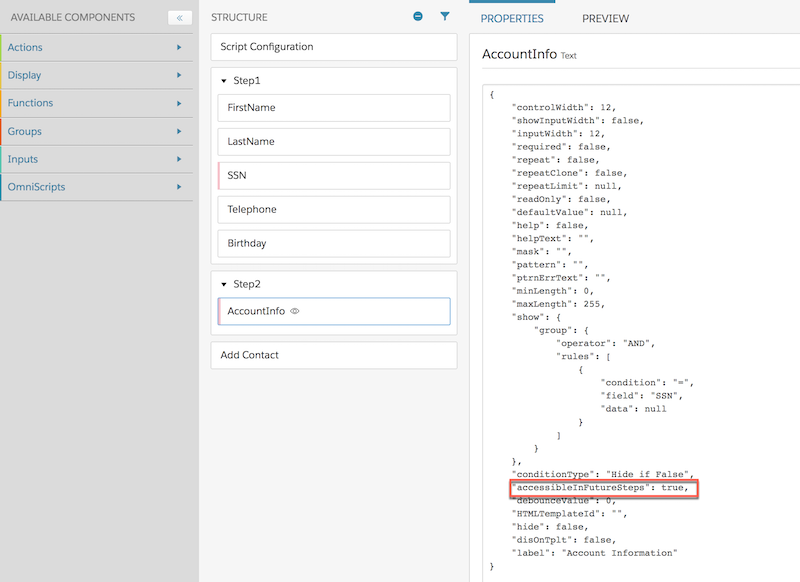
element's "accessibleInFutureSteps" property
to true:
- Load the Omniscript with the conditional element.
- Click the Conditional element.
- Click Edit as JSON.
- Change the property "accessibleInFutureSteps": false to "accessibleInFutureSteps": true.
The LookupText.json file is a sample conditional element and an Omnistudio Data Mapper Extract prefill with "accessibleInFutureSteps": true on the Employees2 element.