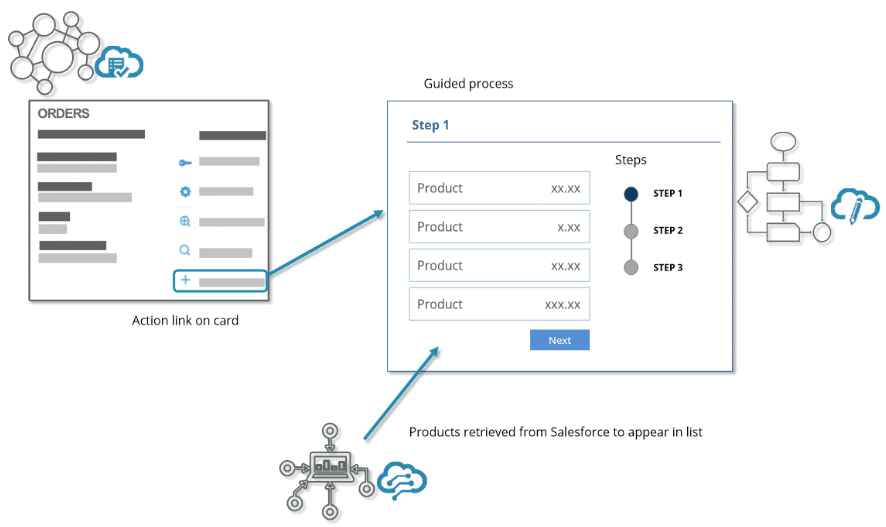
For the managed package runtime, use the Omnistudio applications together. Create guided interactions with Omniscripts; get and post data with Omnistudio Data Mappers and Integration Procedures; and display data and launch actions with Classic Cards or Flexcards.
 This information is for Omnistudio for Managed Packages. For Omnistudio on standard runtime, see Omnistudio Help.
Here's an example of Classic Cards or Flexcards, Omniscripts, and Data Mappers used together to:
-
Display and provide a context for information and actions
-
Complete a guided process
-
Retrieve the correct data for the process
The agent views order-related information and actions contained in the card. When the agent clicks the new order link on the card, an Omniscript launches to begin a guided process for purchasing products. Omniscript uses a Data Mapper to get a list of products for display. Then the agent can choose one or more products for purchase. When the purchasing process ends, the Omniscript returns the agent to the view that includes the Orders card.