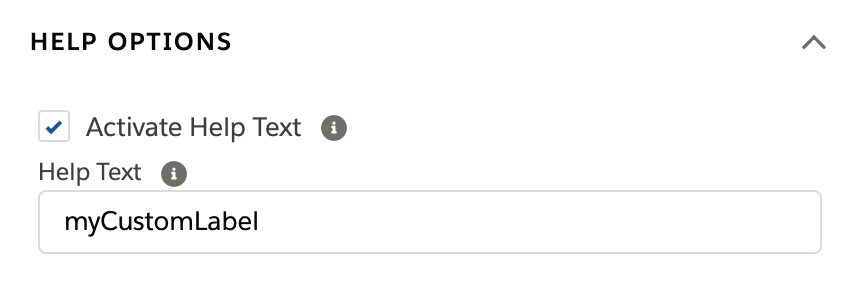
For the managed package runtime, display tooltip help text with multiple translations in multi-language LWC Omniscripts. You must use custom labels to add help text in multi-language Omniscripts. If a custom label is not defined for a help text tooltip, an error renders.
 This information is for Omnistudio for Managed Packages. For Omnistudio on standard runtime, see Omnistudio Help.
|
Required Versions |
|---|
|
Available beginning with Vlocity Insurance and Health Summer '20 and CME Fall '20. |
Before You Begin
Define custom labels for your help text. See Define Custom Label Translations in Multi-Language Omniscripts (Managed Package).
- In your Omniscript, select an element that requires help text translation.
- In the element's properties, click Help Options.
- Check Activate Help Text.
- In the Help Text field, enter the custom label.
-
Preview the Omniscript to render the custom labels.
 Note
NoteCustom labels do not render in design mode. You must preview the Omniscript to render the custom labels correctly.