
For the managed package runtime, using Vlocity Omniscript, you can dynamically populate a Select, Multi-Select, or Radio element with values from a picklist in your Salesforce org, or using a custom Apex class.
 This information is for Omnistudio for Managed Packages. For Omnistudio on standard runtime, see Omnistudio Help.
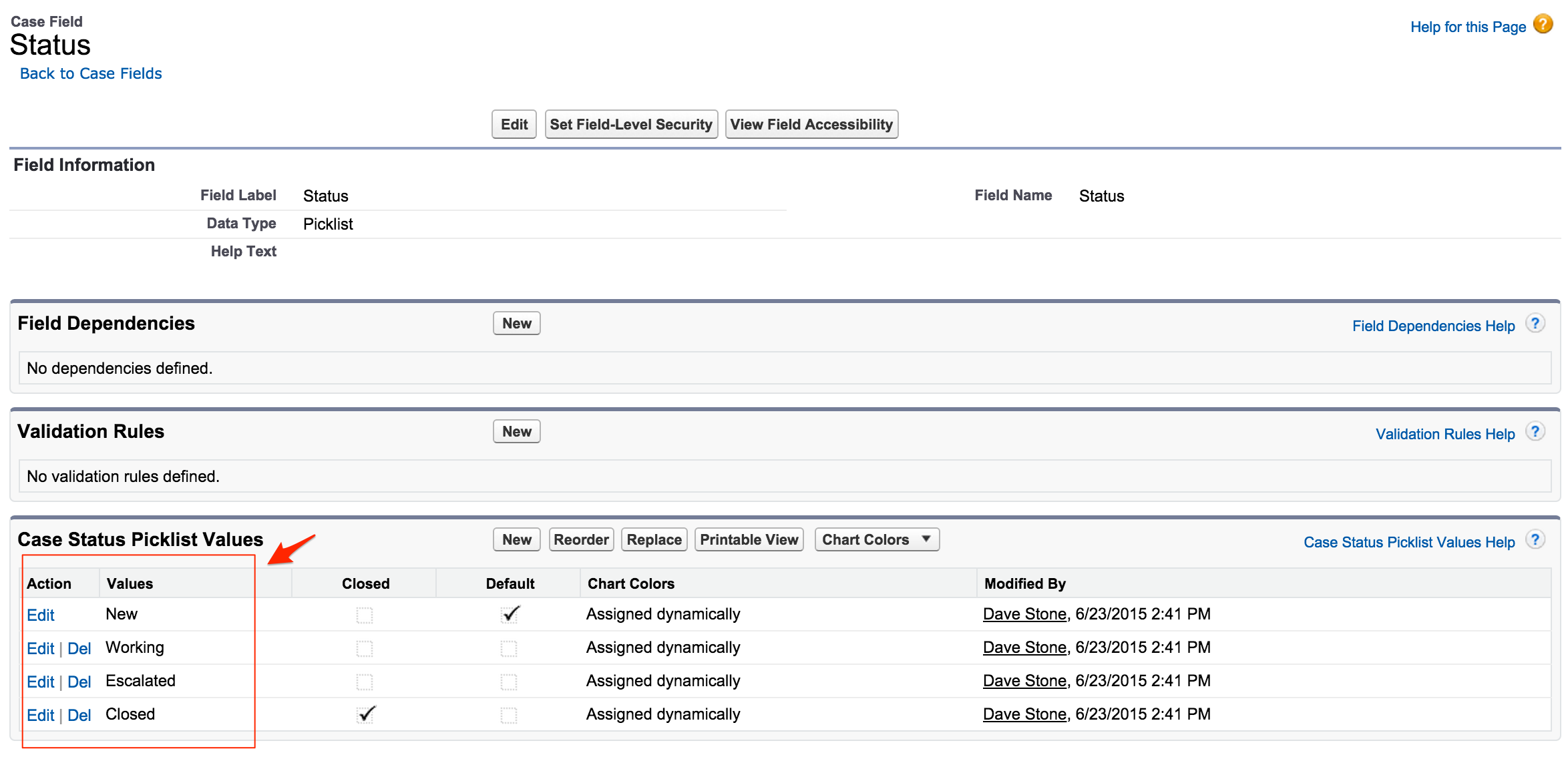
For example, an update Case Omniscript requires the Status element to dynamically populate based on these values from the Status field on the Case object:
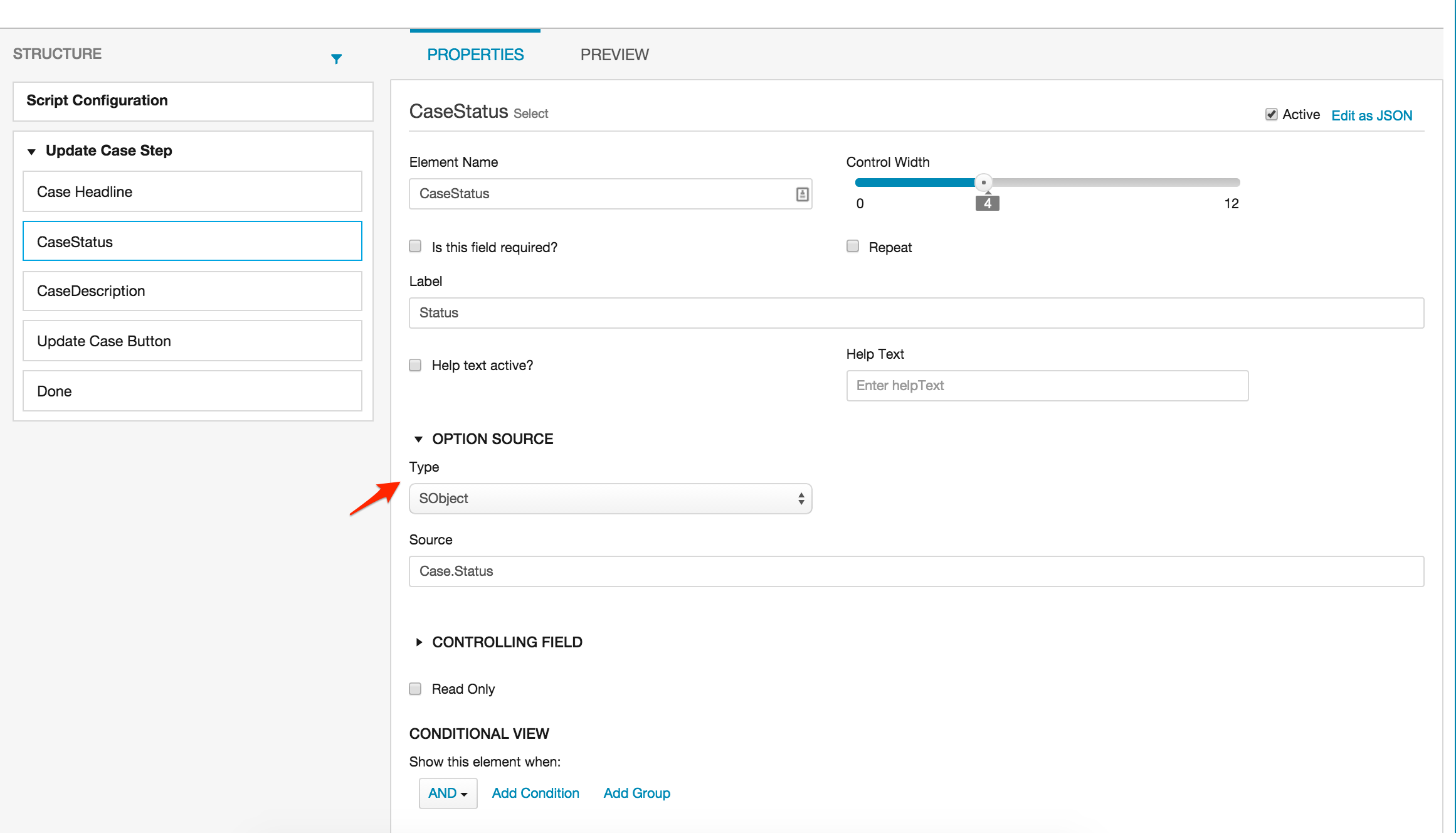
To do this, select SObject as the Option Source type and type Case.Status:
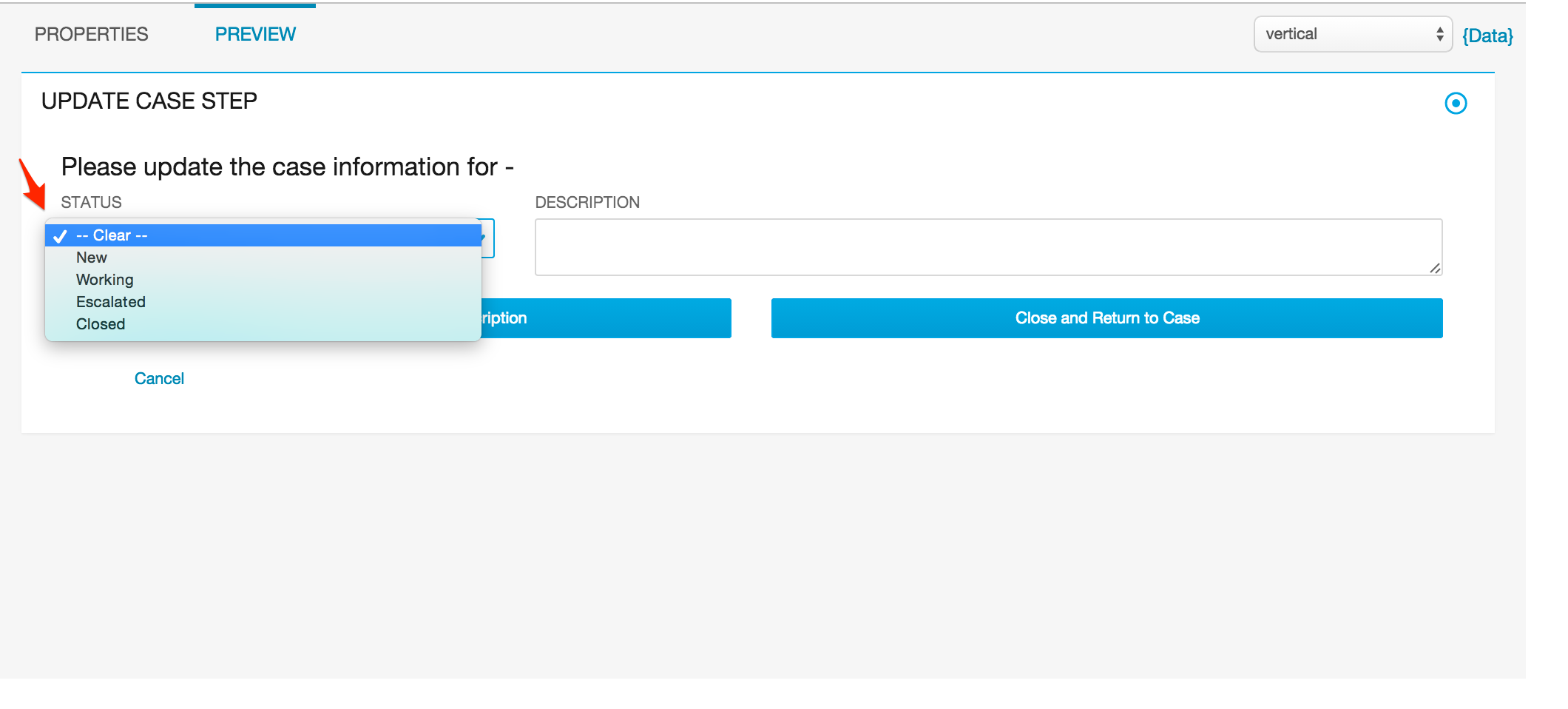
Now the form will retrieve and dynamically populate the list with values from Case.Status:
If the object or field name are custom, they must be preceded with the NameSpace of the package—for example, vlocity_cmt__Party__c.vlocity_cmt__Location__c or Case.vlocity_cmt__Amount__c.
You can also use a custom class to populate lists in Omniscripts. See the sample code for instructions on implementation.
If the values of the list are dependent on another field, add the information for that field in the Controlling Field section. Follow the instructions above to define the controlling field and also enter the element name for the field on the form.