
For the managed package runtime, scripts run in Horizontal Mode display an interactive sidebar.
 This information is for Omnistudio for Managed Packages. For Omnistudio on standard runtime, see Omnistudio Help.
The sidebar shows the status of each step and allows users to navigate the script by clicking on the step in the sidebar:
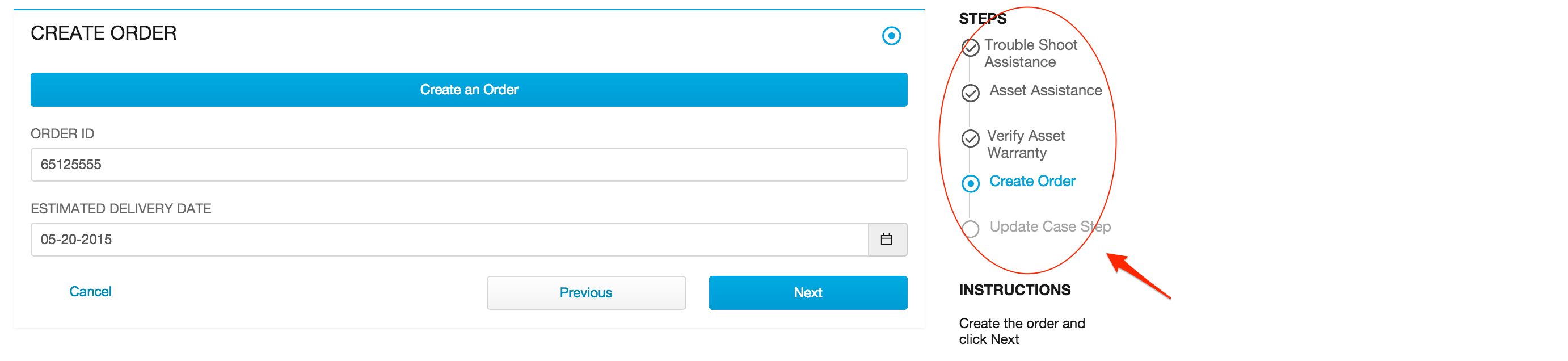
Step status icons:
-
Completed—step is complete with no validation errors.
-
Error—the step has validation errors.
-
Active—current step.
-
Pristine—the user has not navigated to step yet.

Users can always navigate to a previous step. To enable users to navigate to a future step, ensure there are no actions between steps. Users cannot navigate to a future step if the current step has validation errors - they must resolve all validation errors to be able to continue.
Click How to launch an activated script to get the specific URL syntax for launching your Omniscript in Horizontal Mode.