
For the managed package runtime, view and test your Omniscript and Flexcard before adding it to your application by running it in development mode. Use a jsForce connection to request data from your org.
Before you begin:
 This information is for Omnistudio for Managed Packages. For Omnistudio on standard runtime, see Omnistudio Help.
- Download your Lightning web component and add it to OmniOut. For Omniscripts, see Add an Omniscript Lightning Web Component to OmniOut (Managed Package). For Flexcards, see Add a Flexcard LWC to OmniOut (Managed Package).
- To enable a Salesforce API connection from your app, create a Salesforce Connected App. See Create a Connected App for OmniOut (Managed Package).
See jsForce on GitHub.
-
In the .src folder's index.html
file, locate
function
               JSForceConnectionExample()
. -
In the
const connectionobject, enter the Salesforce Connected App's access token and instance URL. See Access Token.const connection = new jsforce.Connection({ // Set your jsForce configuration here accessToken: '', instanceUrl: '' });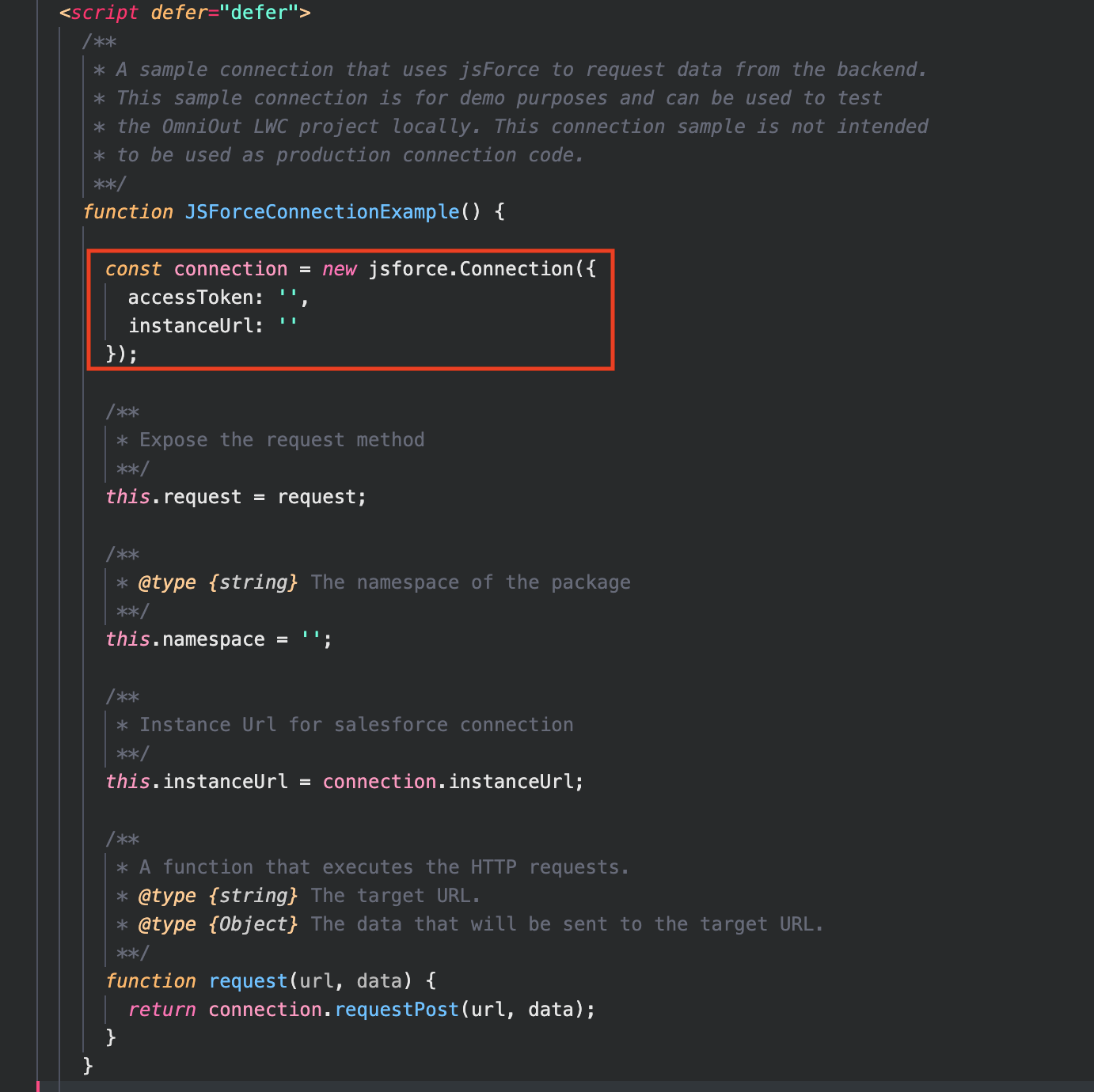
- Set this.namespace equal to the namespace of your package namespace.
- Save your file.
-
In the terminal, enter and run the command
npm run
                  watch
.
What’s next: Move OmniOut into Your App (Managed Package).