
For the managed package runtime, using relationship notation improves the performance of Omnistudio Data Mappers that retrieve data from a parent of the primary sObject. You use this notation in the Extract JSON Paths for the parent sObject's fields instead of adding a second sObject in the Data Mapper's Extract tab. Two examples illustrate how to use relationship notation.
 This information is for Omnistudio for Managed Packages. For Omnistudio on standard runtime, see Omnistudio Help.
Relationship notation in Data Mappers is based on relationship queries in Salesforce. For more information about relationship names and other relevant topics, see Relationship Queries in the Salesforce help. Data Mappers support only child-to-parent relationship queries.
Suppose you want to retrieve Contact data that includes the name of the Account with which the Contact is associated. (Account is a parent object of Contact.) You can use multiple extract steps or relationship notation.
To use multiple extract steps, first define extraction steps for Contact and Account objects on the Data Mapper's Extract tab.
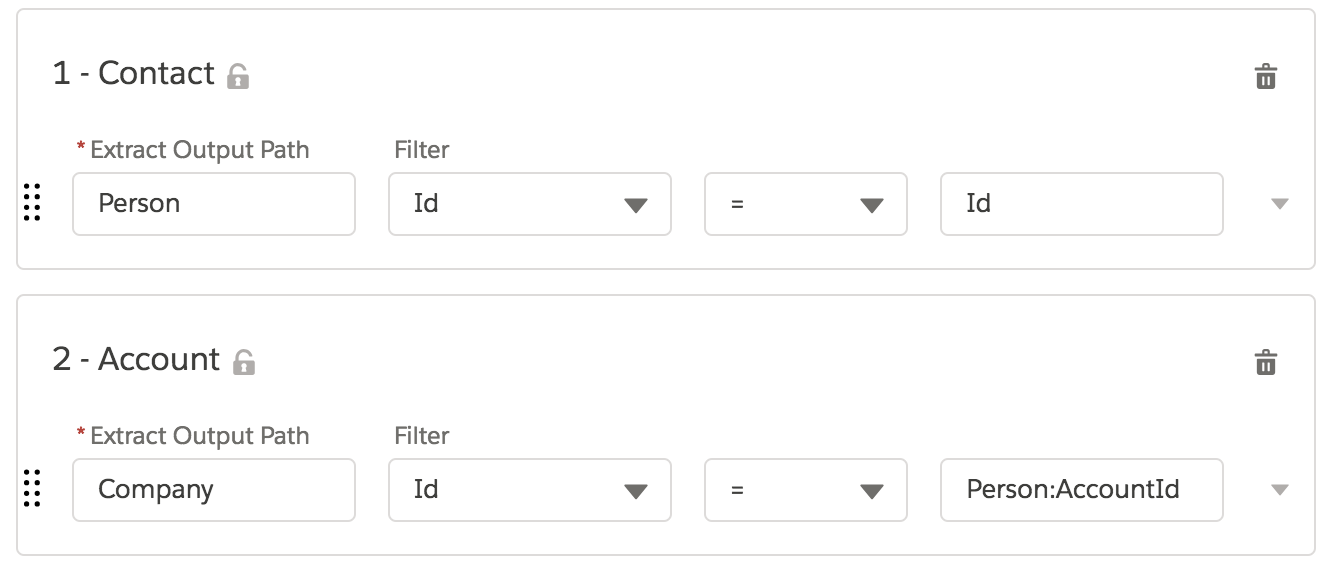
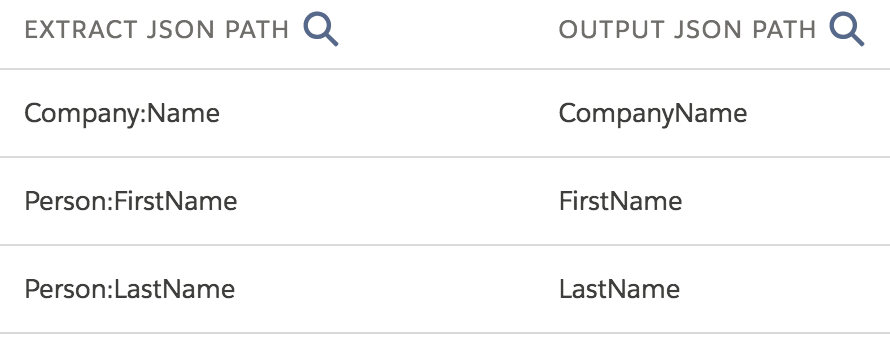
Then define Extract JSON Paths for the Contact and Account fields on the Data Mapper's Output tab.
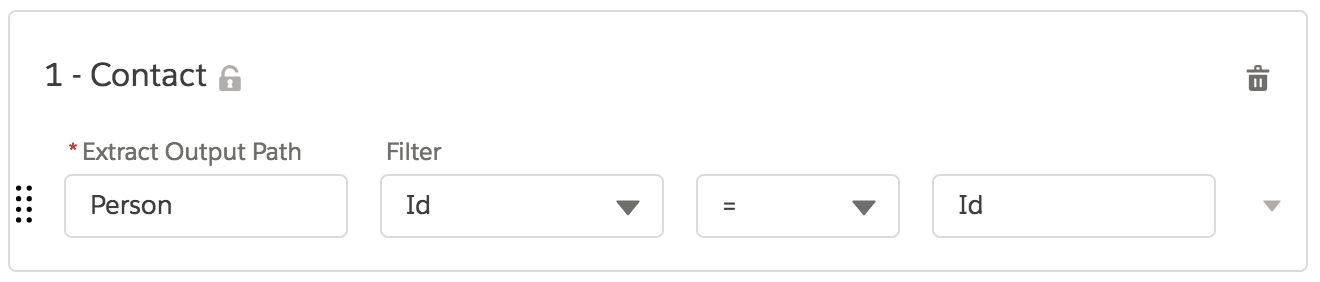
To use relationship notation, first define an extraction step for the Contact object on the Data Mapper's Extract tab.
Then Define Extract JSON Paths for the Contact and Account fields on the Data Mapper's Output tab.
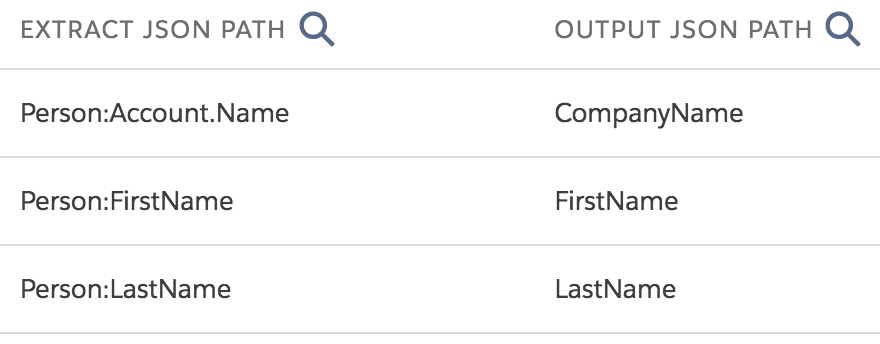
The Extract JSON Path for the Name field of the Account object is Account.Name. Account is the name of the relationship that the Contact object has with
the parent Account object. The relationship name is different from the name of the field
that references the parent object, which is AccountId. Most relationship names for
standard objects follow this convention and omit the Id suffix.
If you supply a Contact Id on the Preview tab, you get the same Response for that Contact for both Data Mappers:
{
  "CompanyName": "Acme",
  "LastName": "Tomlin",
  "FirstName": "Leanne"
}
However, if you look in the Debug Log, you see two SOQL queries for the Data Mapper that uses multiple extract steps:
SELECT id, accountid, firstname, lastname, name FROM Contact WHERE (Id = '0031U00000HUob9QAD')
SELECT id, name FROM Account WHERE (Id = '0011U00000KbYZAQA3')
You see only one SOQL query for the Data Mapper that uses relationship notation:
SELECT id, firstname, lastname, account.name FROM Contact WHERE (Id = '0031U00000HUob9QAD')

Running only one SOQL query per primary object is always noticeably faster than running two. A Data Mapper performs processing steps for each SOQL query that it runs, and Salesforce contributes overhead for each SOQL query as well. With one query rather than two, you have half the overhead.