
For the managed package runtime, view the LWC Omniscript's appearance and functionality by previewing the Omniscript in the LWC Omniscript designer.
 This information is for Omnistudio for Managed Packages. For Omnistudio on standard runtime, see Omnistudio Help.
Before you begin
-
Create an Omniscript. See Create an LWC Omniscript in the LWC Omniscript Designer (Managed Package).
-
Set up your Omniscript with optional settings. See Set Up an Omniscript in the LWC Omniscript Designer (Managed Package).
-
Add elements to your Omniscript. Build an LWC Omniscript with Elements in the LWC Omniscript Designer (Managed Package).
-
Configure your Omniscript elements. See Configure Elements in the LWC Omniscript Designer (Managed Package)
- In your Omniscript, click Preview.
-
For additional preview options, select these properties:
Context ID If your Omniscript does not have a Set Values Action that defines a ContextId, to preview the form with test data, enter a record ID.
Using Set Values Action to set the context ID only works in preview.
Confirm that a Context Id is defined in your data source. For example, if you have an Omnistudio Data Mapper Extract Action that gets account records, you must have an Input Parameter whose Data Source is ContextId, and whose Filter Value is the Data Mapper Extract's output name, such as AccountId.
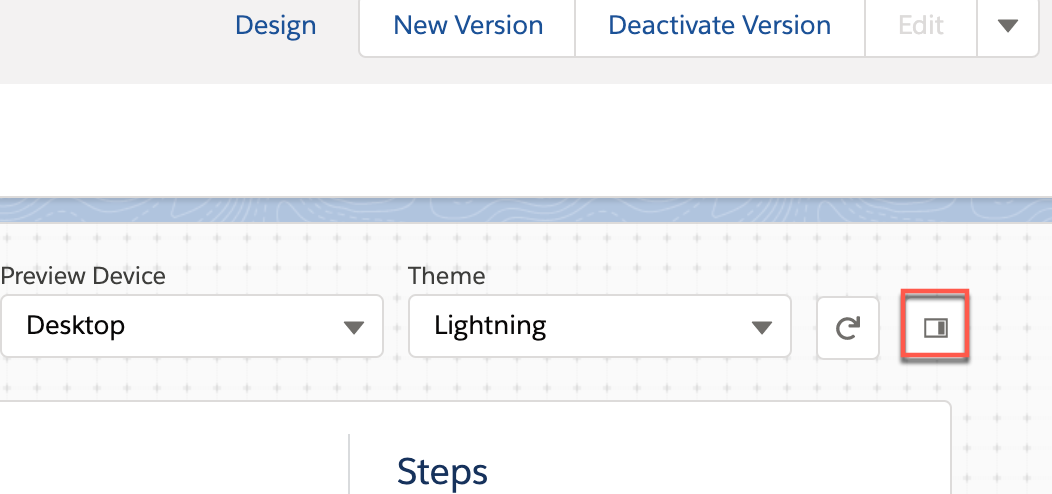
Preview Device To preview how your Omniscript appears on different devices, select Mobile, Tablet, or Desktop.
Theme Preview your Omniscript with a Lightning or Newport theme. Reset data fields To reset data fields in your Omniscript after making changes, click the reload icon. 
-
(Optional) Hide the Data JSON and Action Debugger by clicking
X. Display the Data JSON and Action again by clicking the
debug panel button that appears when the panel closes.
If you see the error "Omniscript is either inactive or has not been deployed," the Omniscript is too large. The Lightning web component for an Omniscript can't be larger than 4 MB because of a payload data limit with Aura components. Download the Omniscript LWC to check its size.