For the managed package runtime, a Vlocity Omniscript guides users through complex processes with fast, personalized, and consistent responses. For example, you can create an Omniscript to guide:
 This information is for Omnistudio for Managed Packages. For Omnistudio on standard runtime, see Omnistudio Help.
-
A customer service agent to add a new customer
-
An insurance agent to update a policy
-
An end user to complete a self-service interaction such as troubleshooting
You can create a guided interaction to match the flow of your process. Omniscript is a declarative scripting tool, meaning you create it with clicks, not code. To create the structure of an Omniscript, you drag and drop different types of elements to:
-
Add actions such as extract data or send an email
-
Group items together by creating a step or displaying a list of items the customer can select from
-
Create a function such as a formula
-
Add input fields and lookups for the user to enter data
-
Refine the display by using a headline or text block
-
Create branches that dynamically adjust the controls and enable or disable steps depending on choices the user makes in the guided process
-
Configure calculations and messages that provide immediate feedback and error checking to the user
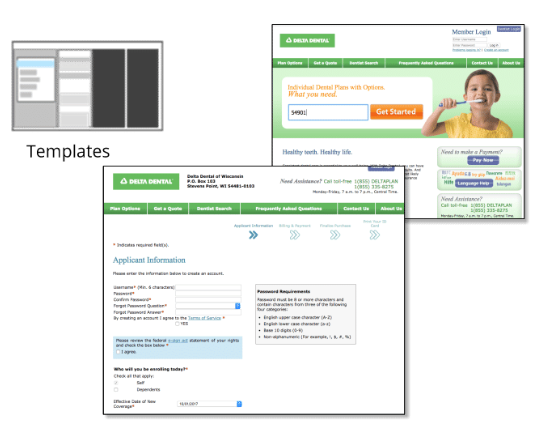
Templates control both the style and appearance of Omniscripts. You can customize whether your guided interaction has a horizontal or vertical mode, branding, and any other aspects you wish to change.
You can launch an Omniscript from anywhere, including:
-
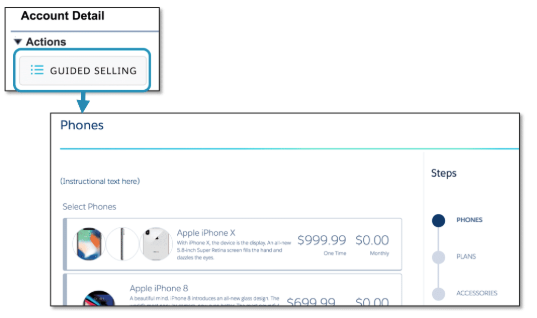
An action button such as the one shown here on the account page
-
An action link on a card