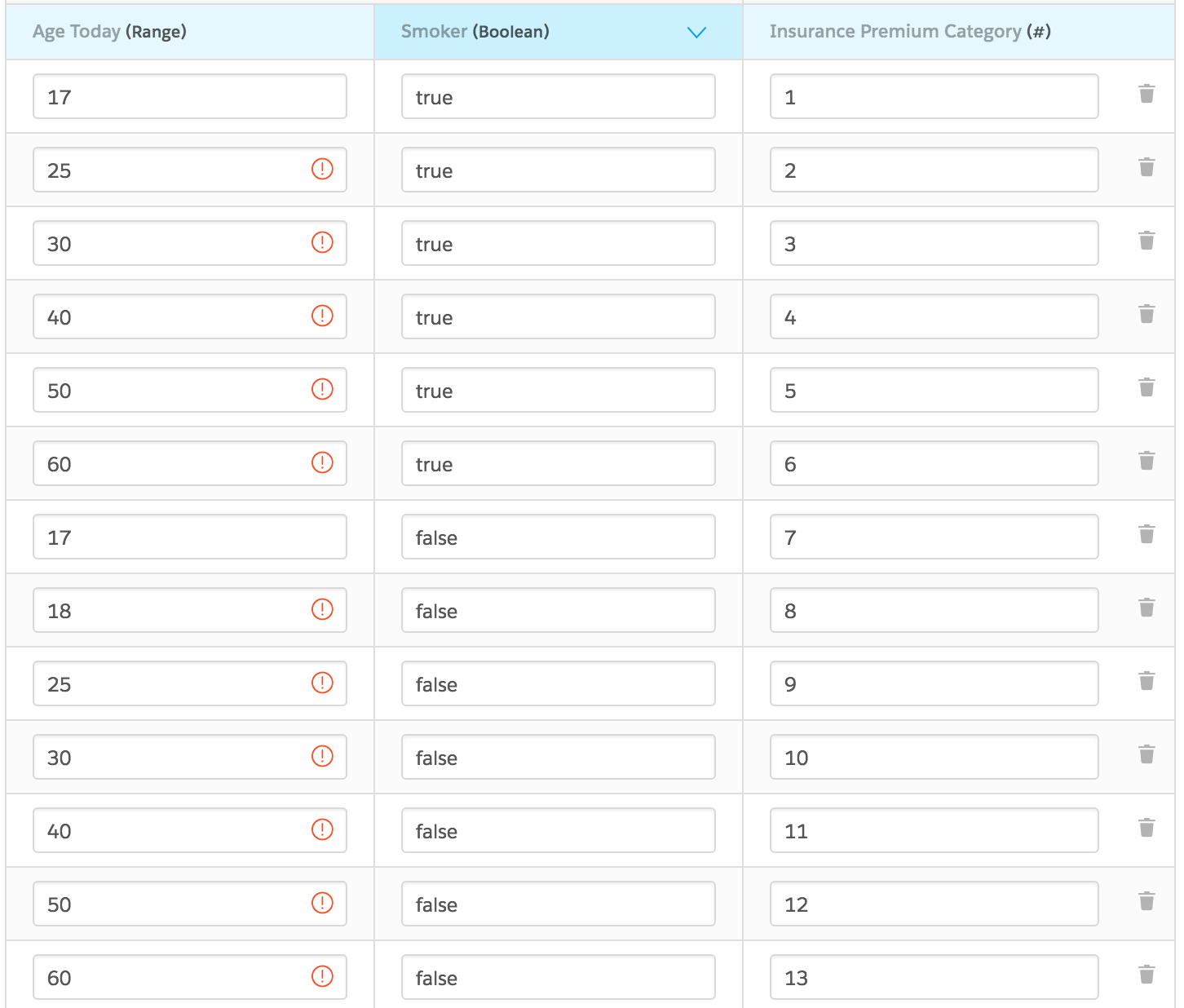
For the managed package runtime, when you configure numeric ranges for a matrix, values below the lowest level that you configure are treated as the lowest value, and values above the highest value that you configure are treated as the highest value configured for the matrix.
 This information is for Omnistudio for Managed Packages. For Omnistudio on standard runtime, see Omnistudio Help.
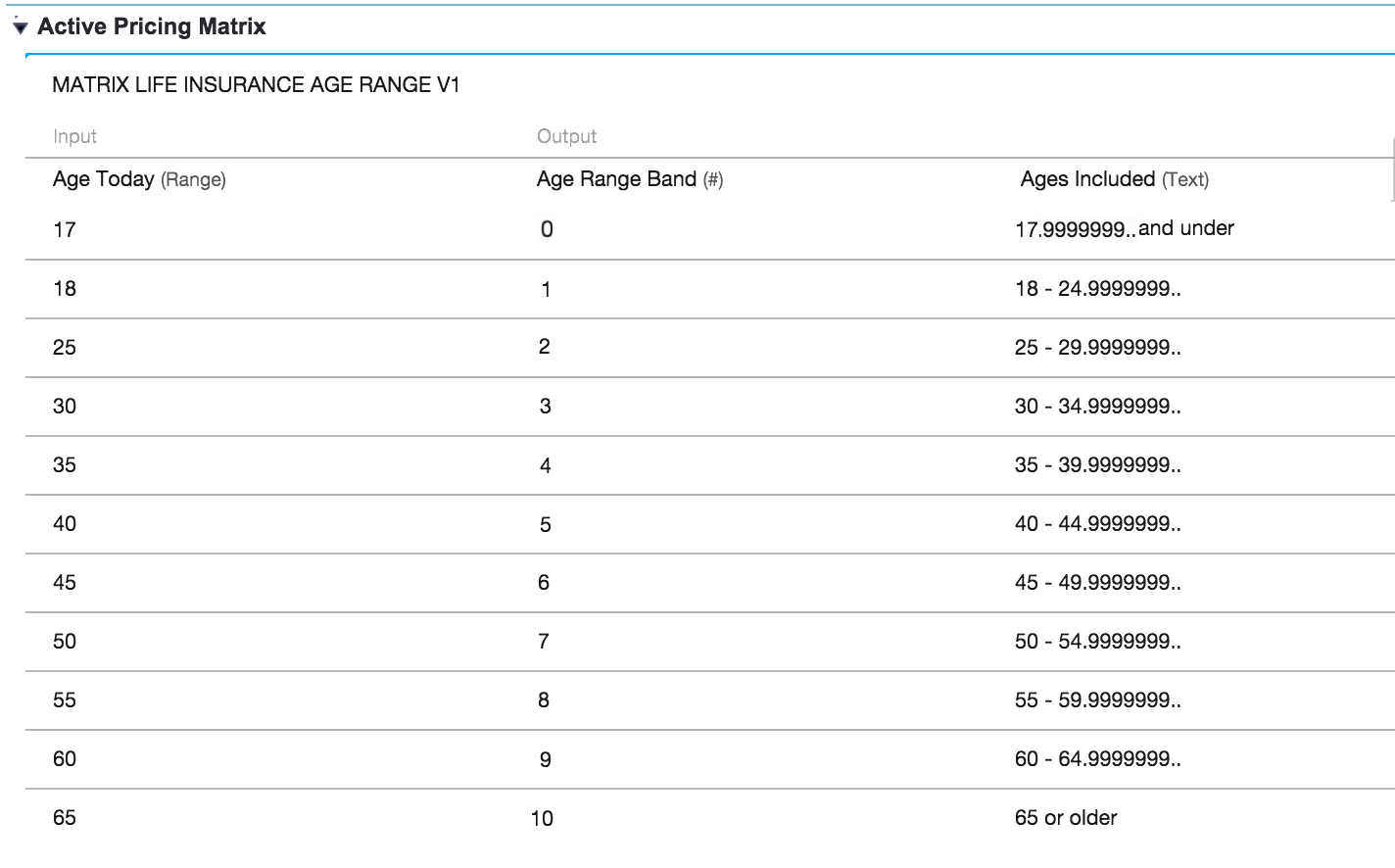
In the following example, the numeric range is defined in the Input column. The Age Range Band describes how values are treated: all values below 18 fall into the first band, values that are 18 or higher and below 25 fall into the second band, and so on. For example, for age 48, the matrix returns an Age Range Band of 6. For age 22, it returns an Age Range Band of 1.
When you have multiple inputs that include a range, define identical ranges for each variable value. For example: