Navigate to an Omniscript by Using a pageReference Type in Omnistudio for Managed Packages (Managed Package)
For the managed package runtime, when the Managed Package Runtime setting is enabled, navigate to an Omniscript by using the Vlocity Omniscript pageReference type. Omniscripts on Experience Cloud site pages must be accessed by using the Community Named Page pageReference type.
 This information is for Omnistudio for Managed Packages. For Omnistudio on standard runtime, see Omnistudio Help.
Before You Begin
Configure the Navigate Action's additional properties and view alternative pageReference types. For more information, see Navigate Action (Managed Package).
-
Enter the name of the Omniscript with a prefix of c: in the
LWC Omniscript field. The Omniscript's Type, SubType, and Language define the name of
the Omniscript, using the syntax typeSubTypeLanguage. For
example, an Omniscript with the properties Type=myType, SubType=Example, and
Language=English appears as a component using the syntax
myTypeExampleEnglish.
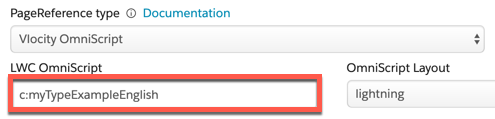
- Select an Omniscript Layout.
-
(Optional) For OmniScriptPrefill, pass parameters by using a URL query string
format. Parameters must have a c__ prefix. This field supports
Merge fields.

-
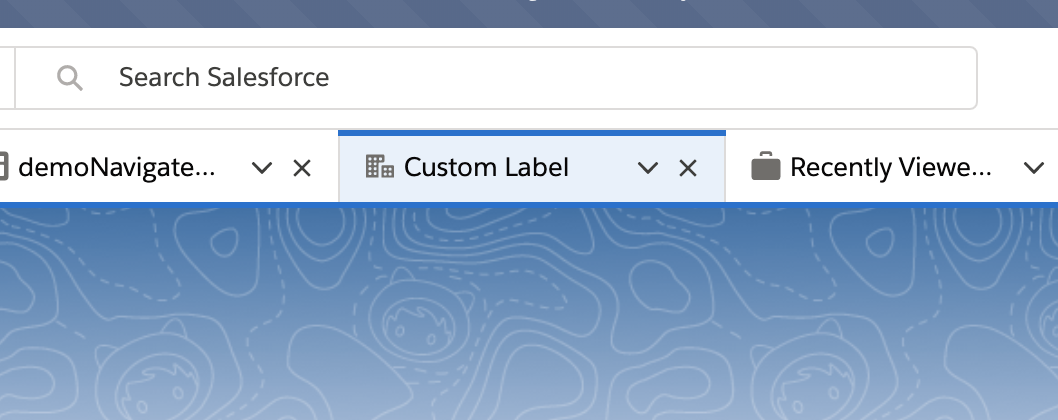
(Optional) When navigating to an Omniscript in a console app, add a Console Tab
Icon and a Console Tab Label by setting the c__tabIcon and c__tabLabel parameters.
The c__tabIcon accepts an SLDS Icon, and c__tabLabel accepts plain
text. For example, &c__tabLabel=Custom
Label&c__tabIcon=standard:account renders a console tab named
Custom Label.