
For the managed package runtime, generate a compiled dist folder to move OmniOut
into your app project before deploying your app to a content management system.
 This information is for Omnistudio for Managed Packages. For Omnistudio on standard runtime, see Omnistudio Help.
-
For Omniscripts, Add an Omniscript Lightning Web Component to OmniOut (Managed Package).
-
For Flexcards, Add a Flexcard LWC to OmniOut (Managed Package).
-
In your OmniOut project, run the command
npm run
                  build
in your Visual Studio Code terminal. The command compiles OmniOut into a dist folder.npm run build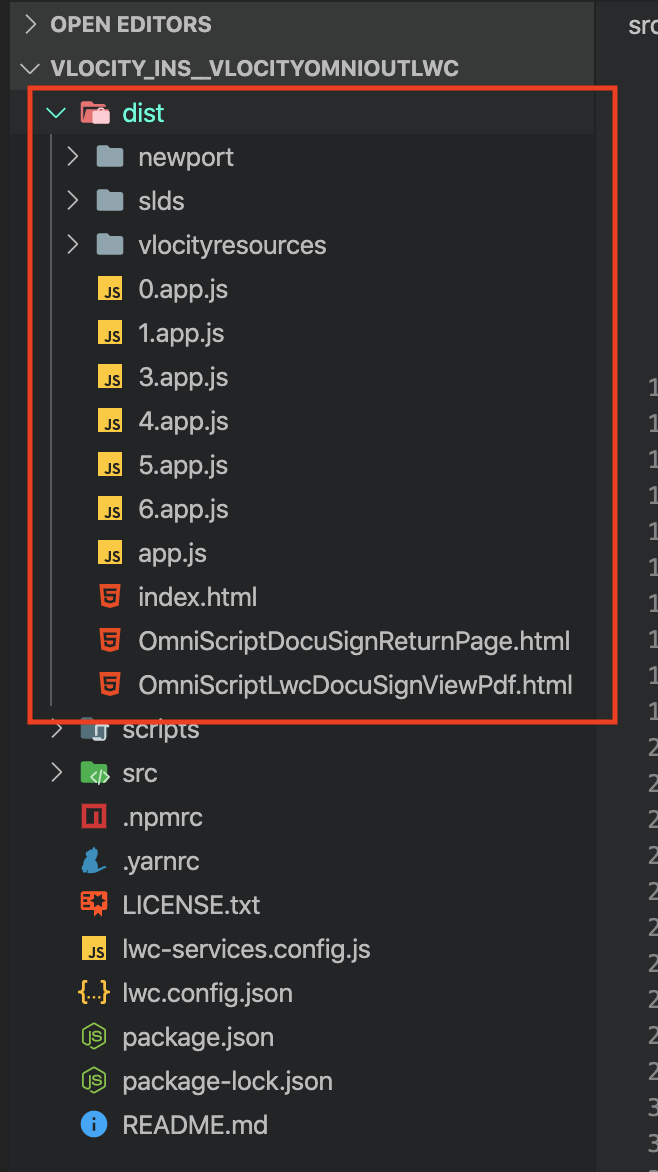
-
In the dist folder, copy the required Omniscript and
Flexcard files from the OmniOut project to your App.
File/Folder
Required?
Description
app.js files, including numbered app.js files, such as 0.app.js
Yes
The JavaScript files required for your Flexcard or Omniscript.
vlocityresources
Yes
The static resources required for your Flexcard or Omniscript.
index.html
Optional
A sample index.html file that shows how to run the OmniOut LWC project.
newport
Optional
This file is required if you’re using the default Newport theme. If your Omniscript has an Image or File element, or your Flexcard contains an Image element, you must also copy over the slds folder.
slds
Optional
This file is required if you’re using the Lightning theme. If your Omniscript contains an Image or File element, or your Flexcard contains an Image element, you must copy over the slds folder.
OmniScriptDocuSignReturnPage.html
Optional
This file is required if there’s a DocuSign Action in the Omniscript.
OmniScriptLwcDocuSignViewPdf.html
Optional
This file is required if there’s a DocuSign Action in the Omniscript.
-
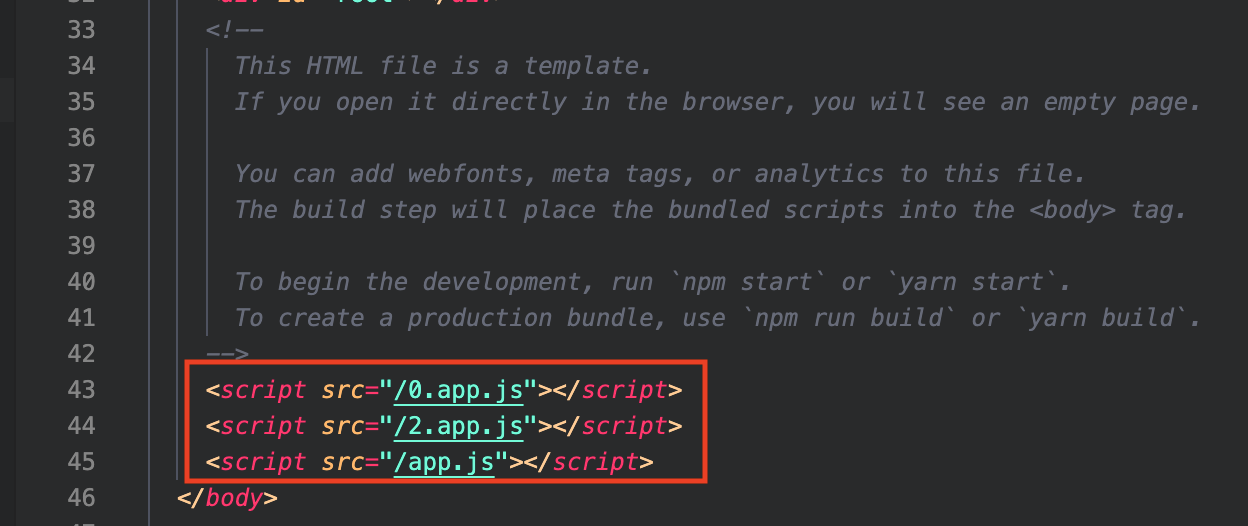
In the index.html file, select and copy the script tags
that reference app.js files into your app's index.html file.
-
In the index.html file, select and copy your Omniscript or
Flexcard component tag into your app's index.html file.
<vlocityomniscript-doc-example-english run-mode="localScriptDef"></vlocityomniscript-doc-example-english><flexcards-accountproducts run-mode="localScriptDef"></flexcards-accountproducts>
What’s next: Connect Your OmniOut App (Managed Package).