
For the managed package runtime, the Omniscript Matrix Action enables you to retrieve a value from a calculation matrix by specifying the required input parameters.
 This information is for Omnistudio for Managed Packages. For Omnistudio on standard runtime, see Omnistudio Help.
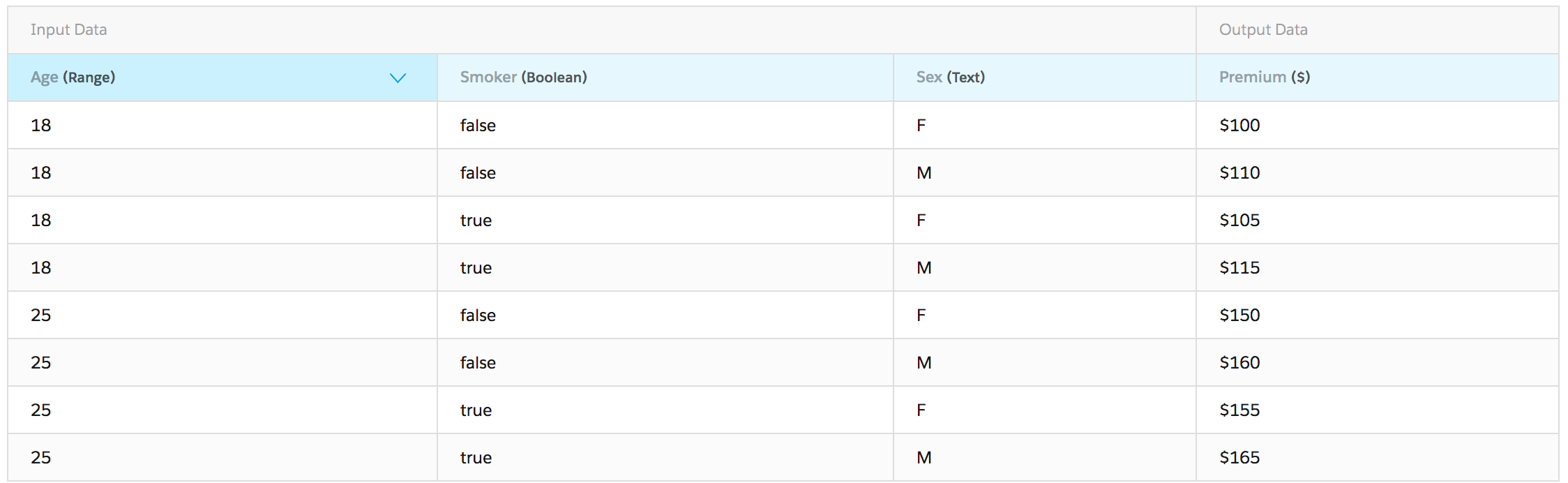
For example, the matrix shown below specifies insurance premiums based on age, sex and smoking status.
The Omniscript below collects the required data from the user, submits it to the matrix, and displays the resulting premium.
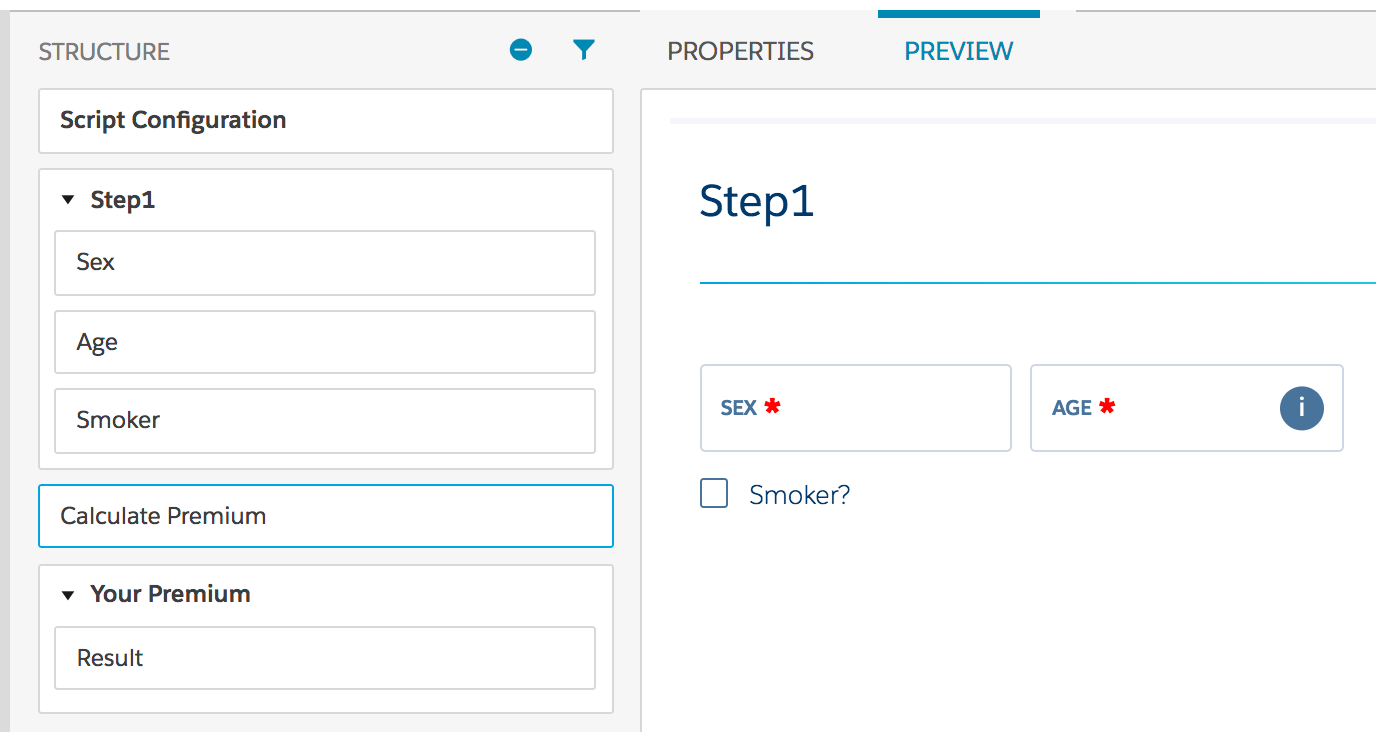
The matrix action element is configured as follows:
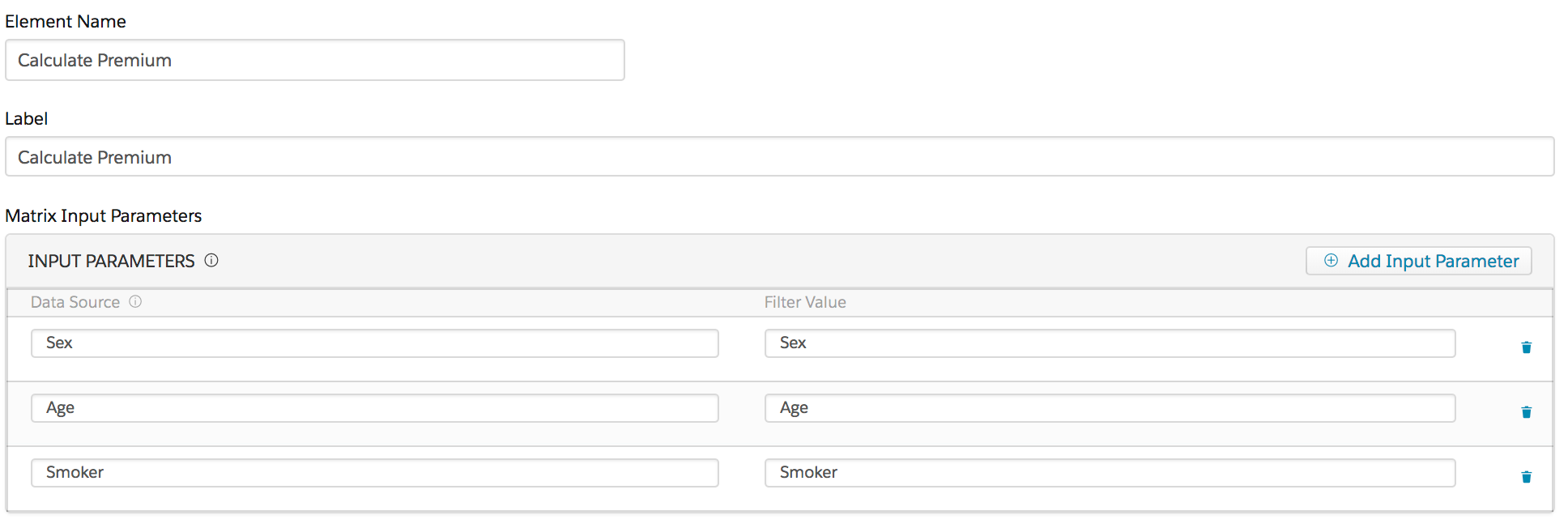
In the Matrix Input Parameters field, map data from the Data JSON (in the Data Source field) to the parameters that the matrix defines (in the Filter Value field). To specify the matrix to be used, choose it from the drop-down list in Remote Options.
To control when the matrix executes, enter a DateTime value in the Execution Date Time field. If the Execution Date Time field is left blank, the matrix executes immediately.
- Matrix Action Properties (Managed Package)
For the managed package runtime, this page contains information on Matrix Action Properties.