
For the managed package runtime, to make an Omniscript URL addressable using the vlocityLWCOmniWrapper:
 This information is for Omnistudio for Managed Packages. For Omnistudio on standard runtime, see Omnistudio Help.
- In your LWC Omniscript, click the How to Launch Activated Script button.
- In the How to Launch modal, click the LWC tab.
-
In the Vlocity Aura Wrapper section of the LWC tab, copy the relative path of the
URL.
https://MyDomainName--c.vf.force.com/lightning/cmp/namespace__vlocityLWCOmniWrapper?c__target=namespace:myLWCTestEnglish&c__layout=lightning - (Optional) Launch the Omniscript using a Newport layout by clicking Newport and copying the relative path.
-
(Optional) When using the URL path in a production org, you must replace the
namespace of your component. In the c__target parameter of the
URL, replace the namespace with c.
c__target=c:myLWCTestEnglish&c__layout=lightning -
(Optional) Prefill an Omniscript by assigning prefill values with the prefix
&c__ placed before the key. For example, to pass
"AccountName": "Acme"into an Omniscript's data JSON, add the parameter using the syntax &c__AccountName=Acme.lightning/cmp/NS__vlocityLWCOmniWrapper?c__target=c:myTypeExampleEnglish&c__AccountName=Acme -
(Optional) When using the wrapper in a console app, add a Console Tab Icon and a
Console Tab Label by setting the c__tabIcon and
c__tabLabel parameters. The c__tabIcon accepts an SLDS Icon , and c__tabLabel accepts plain text. For example,
&c__tabLabel=Custom
Label&c__tabIcon=standard:account renders the console tab shown in
this example image.
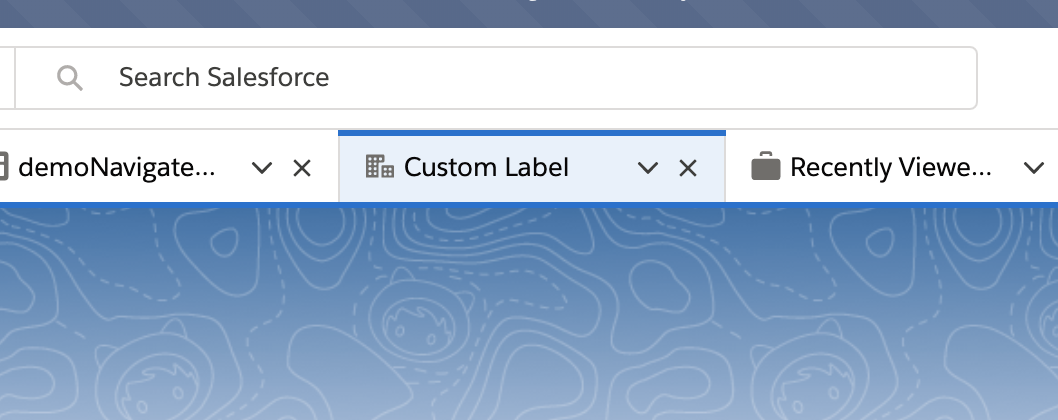
- (Optional) To view additional parameters for the vlocityLWCOmniWrapper, see Launch Lightning Web Component URLs with vlocityLWCWrapper (Managed Package).
-
(Optional) Fire events from the Navigate Action by passing an event to the
Omniscript in the URL parameter
c__vlocEvents. The Navigate Action element must have the checkbox property LWC PubSub Message? enabled to fire the event. - Paste the URL wherever you plan to invoke the Omniscript from and preview the functionality.