
For the managed package runtime, launch any LWC Omniscript on a Community Page by sending a URL to the Vlocity LWC Omniscript Wrapper component on the page.
 This information is for Omnistudio for Managed Packages. For Omnistudio on standard runtime, see Omnistudio Help.
To add the Vlocity LWC Omniscript Wrapper component to a Community page:
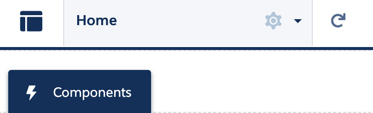
- On a Community Builder page, click on the Components tab.
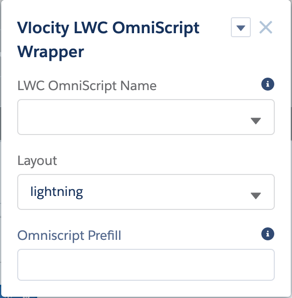
- Search for the Vlocity LWC Omniscript Wrapper component, and drag it onto the page.
- Leave the fields in the component blank.
-
(Optional) To test an Omniscript using the LWC Omniscript Wrapper in the Community Builder:
-
In the LWC Omniscript Wrapper, check the Stand Alone Mode checkbox.
-
In the LWC Omniscript Name field, enter the component name of your Omniscript with the prefix c:. The Omniscript's component name is a combination of the Type, SubType, and Language of your Omniscript without spaces.
c:customTestEnglish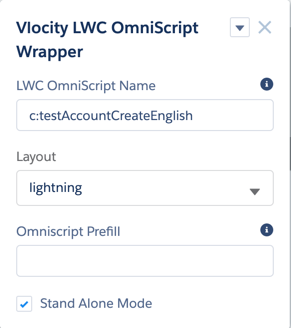
-
- Configure URL to Access Vlocity LWC Omniscript Wrapper Component (Managed Package)
For the managed package runtime, configure the URL to access the Vlocity LWC Omniscript Wrapper component. Launch any LWC Omniscript on a Community Page by sending a URL to the Vlocity LWC Omniscript Wrapper component on the page.