
For the managed package runtime, although relationship notation is different for standard and custom fields, it is exactly the same for standard and custom objects. This example extracts data from three custom fields of the vlocity_cmt__CatalogProductRelationship__c SObject.
 This information is for Omnistudio for Managed Packages. For Omnistudio on standard runtime, see Omnistudio Help.
To download a DataPack of this example, click here.
To use relationship notation:
-
On the Omnistudio Data Mapper's Extract tab, define an extraction step for the vlocity_cmt__CatalogProductRelationship__c object. Filter on the vlocity_cmt__CatalogId__c field as follows:
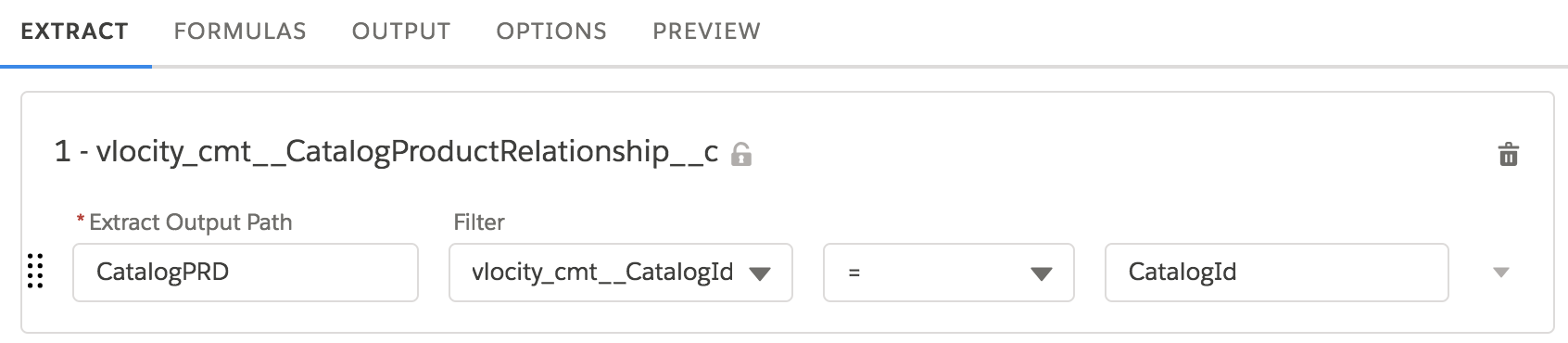
Note that you can use the Extract Output Path to shorten the object name for mapping.
-
Define Extract JSON Paths for the Catalog Name, Product Name, and Promotion Name fields on the Data Mapper's Output tab as follows:
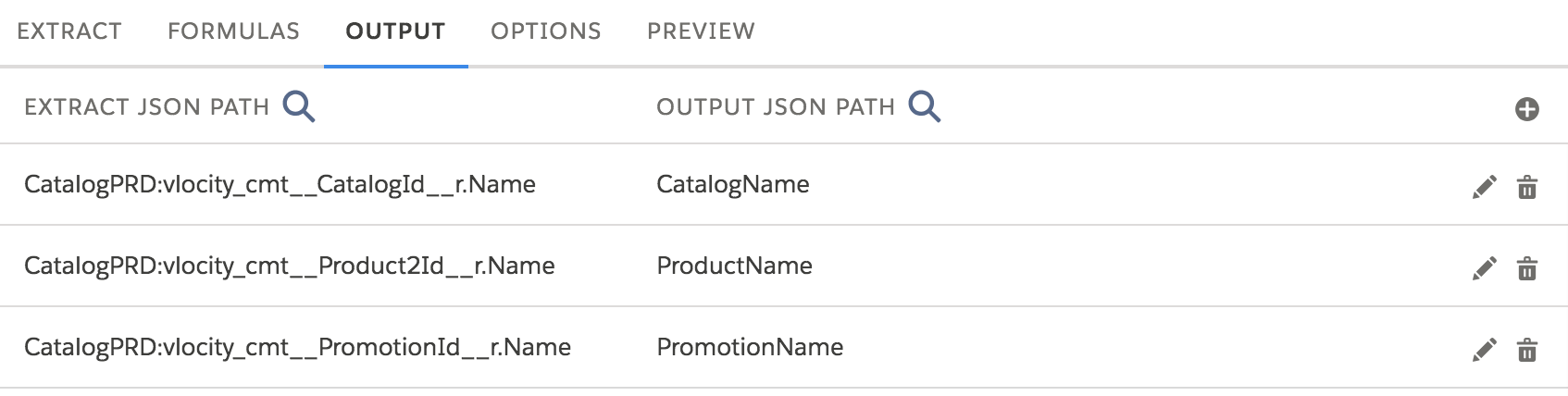
For these custom fields, the relationship names are the same as the field names except that the suffix is
__rinstead of__c. -
Supply a CatalogId on the Preview tab. You get a Response such as this one:
[ { "PromotionName": "Two for One", "CatalogName": "Phones" }, { "ProductName": "Samsung Galaxy S8 Active", "CatalogName": "Phones" }, { "PromotionName": "Free Case", "CatalogName": "Phones" }, { "ProductName": "Apple iPhone X", "CatalogName": "Phones" } ] -
See the SOQL query in the Debug Log. It looks like this:
SELECT id,vlocity_cmt__catalogid__c, vlocity_cmt__catalogid__r.name,
vlocity_cmt__product2id__r.name, vlocity_cmt__promotionid__r.name FROM
vlocity_cmt__CatalogProductRelationship__c WHERE (vlocity_cmt__CatalogId__c =
'a0c6g000000Q2XcAAK')