
For the managed package runtime, enable and disable data source types for an org, profile, or user level from the Card Framework Configuration custom setting. For example, disable Apex REST, Apex Remote, and other complex data sources for your entire org, or prevent system admins with limited permissions from using these data sources.
 This information is for Omnistudio for Managed Packages. For Omnistudio on standard runtime, see Omnistudio Help.
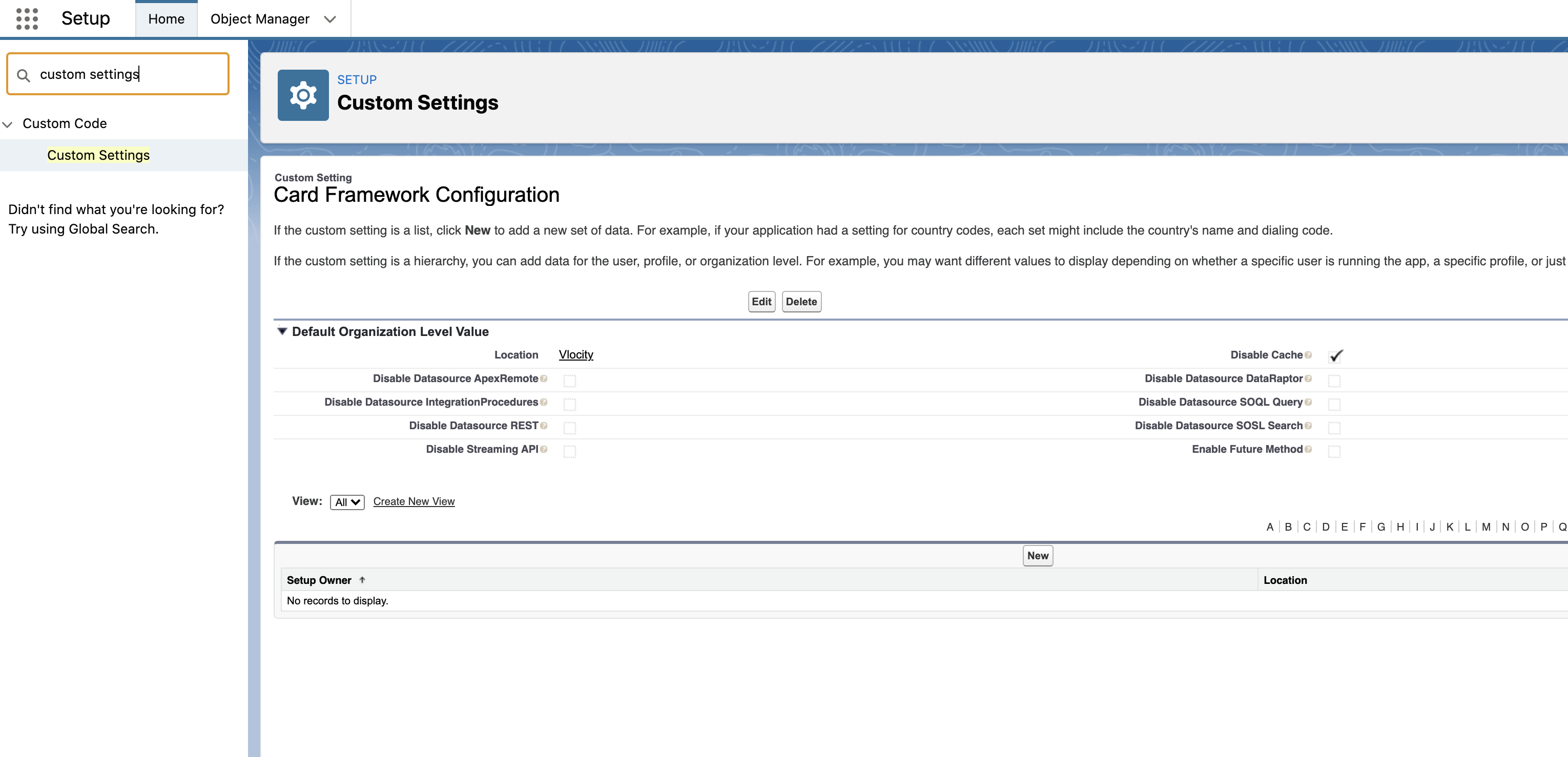
- Enable or Disable Data Sources for an Org (Managed Package)
For the managed package runtime, manually enable or disable a data source from Custom Settings in your org. By default, all data source types are enabled for an organization. - Enable or Disable Data Sources For a Profile or User (Managed Package)
For the managed package runtime, manually enable or disable a data source for a specific profile or user from Custom Settings in your org. For example, prevent system admins with limited permissions from using more complex data sources like an Apex REST or Apex Remote.