
For the managed package runtime, create an LWC card layout to enable Vlocity Lightning web components.
 This information is for Omnistudio for Managed Packages. For Omnistudio on standard runtime, see Omnistudio Help.
Beginning with the Vlocity Insurance and Health Summer '19 and Vlocity Communications, Media, and Energy Fall '19 releases, Vlocity supports the Salesforce Lightning Web Component programming model.
With Vlocity Lightning Web Components, use standard JavaScript and HTML to modify and extend Vlocity Cards, embed LWC Cards inside Omniscripts, and embed other Vlocity Lightning Web Components inside card states.
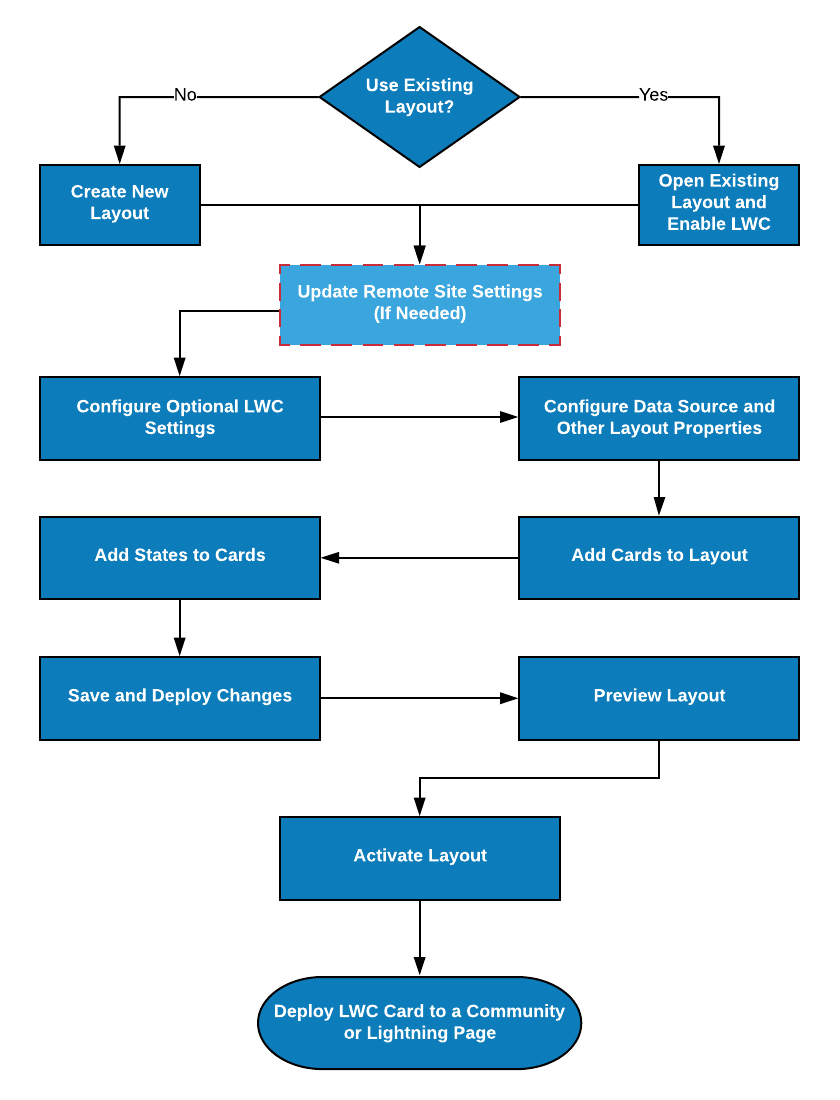
- Create a New LWC Card Layout (Managed Package)
For the managed package runtime, to create a new LWC Card Layout: - LWC Enable an Angular Card Layout (Managed Package)
For the managed package runtime, allow an Angular card to work with Lightning web components. - Remote Site URL Configuration (Managed Package)
For the managed package runtime, ensure that you configured the remote site URL correctly. - Lightning Web Component Settings Configuration (Managed Package)
For the managed package runtime, ensure that you configured Lightning Web component settings correctly.