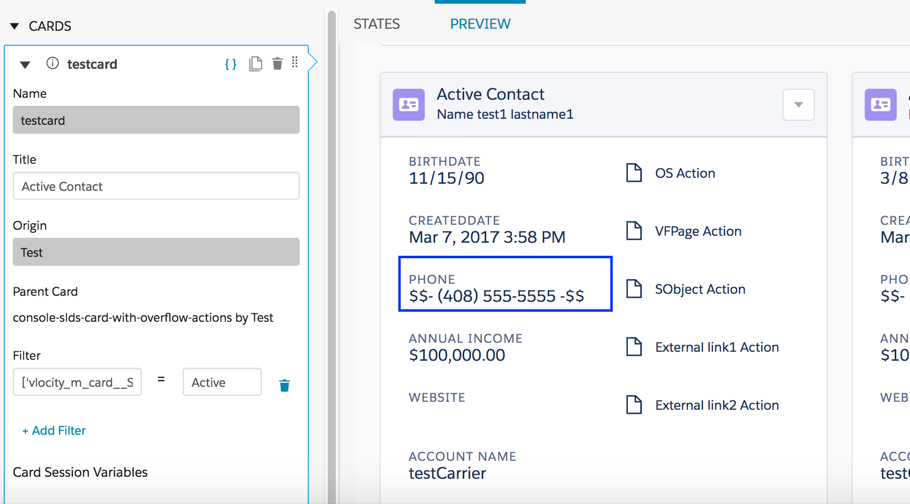
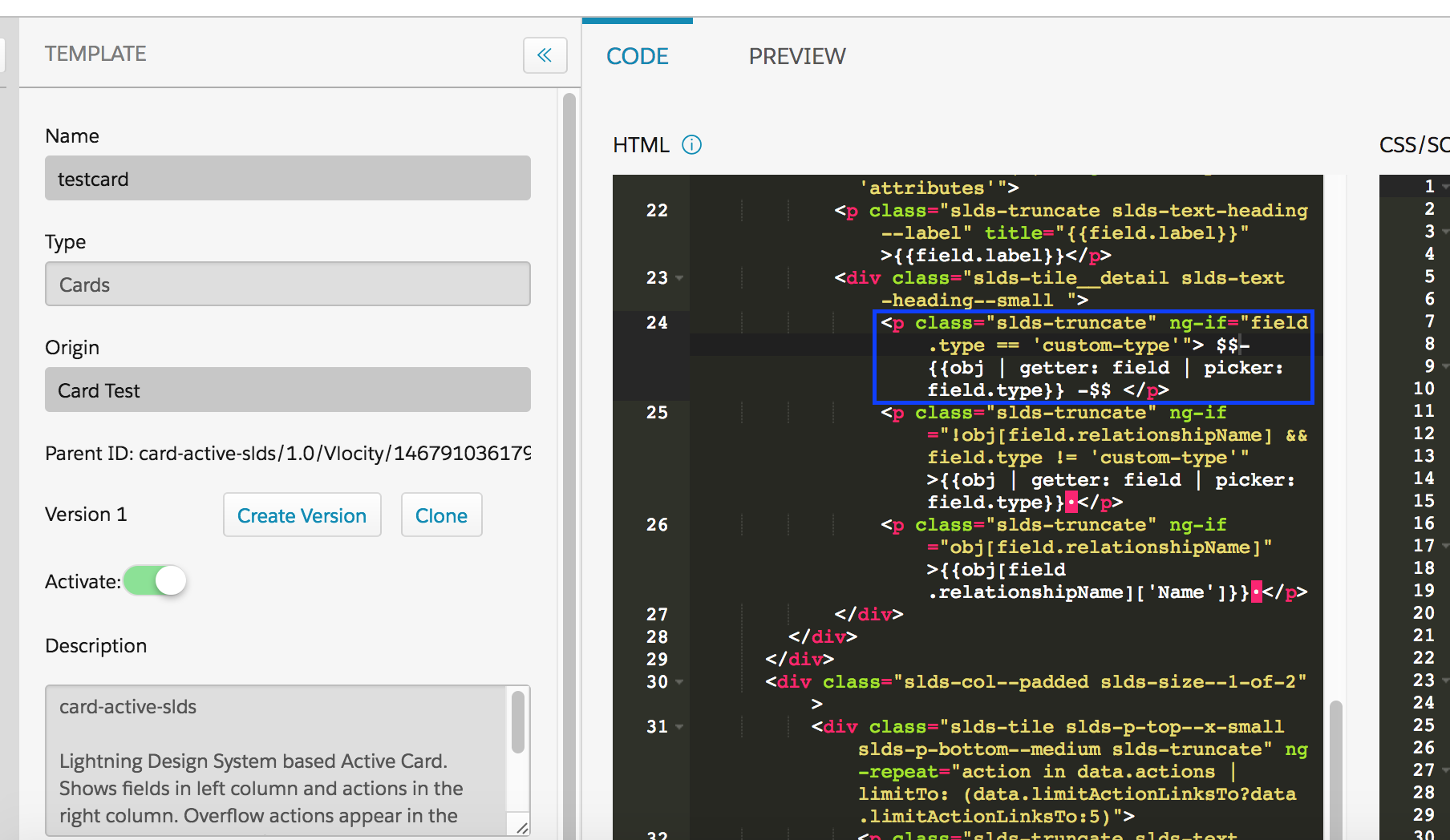
For the managed package runtime, you can create a custom State Field in the template for your layouts or cards by
entering 'custom-type' into the supporting HTML for the
template in the Template Designer, as follows:
 This information is for Omnistudio for Managed Packages. For Omnistudio on standard runtime, see Omnistudio Help.
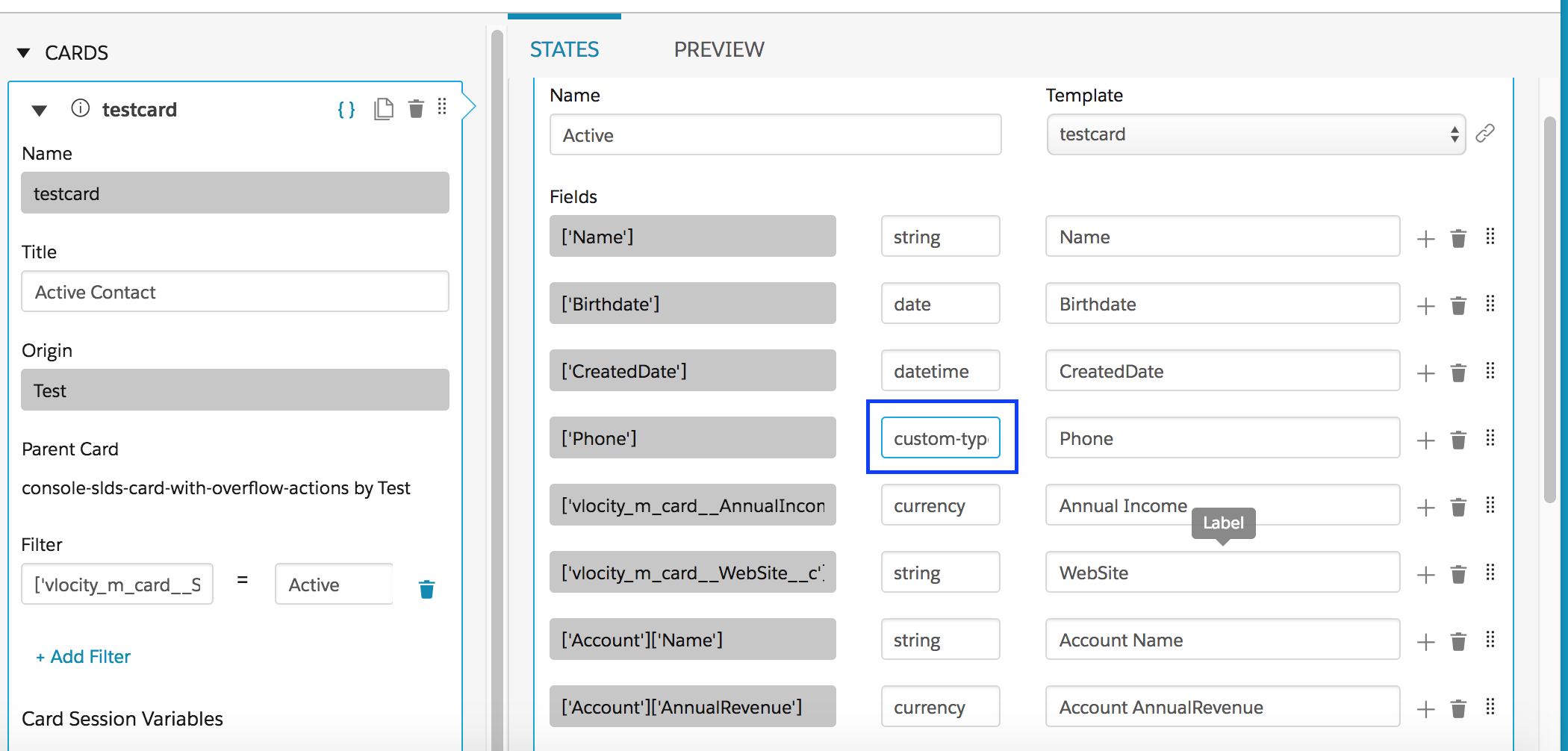
The custom-type appears in the State Field type in the Card Designer:
You can review the custom type's structure as entered in the Template Designer via the Preview tab in the Card Designer: