
For the managed package runtime, the parent Integration Procedure iterates through a list and calls the child Integration Procedure for each list item.
 This information is for Omnistudio for Managed Packages. For Omnistudio on standard runtime, see Omnistudio Help.
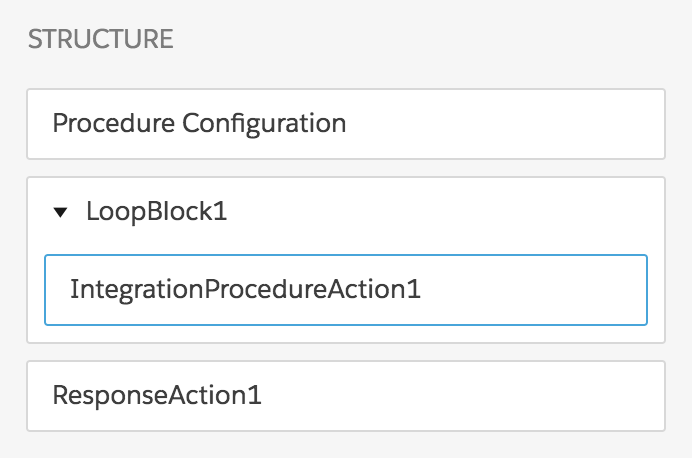
The parent Integration Procedure has these components:
-
A Loop Block component named LoopBlock1
-
An Integration Procedure Action component within the Loop Block named IntegrationProcedureAction1
-
A Response Action named ResponseAction1
The Structure panel looks like this:
- From the Vlocity Integration Procedures tab, click New.
- Provide an Integration Procedure Name, a Type, and a SubType, and click Save.
-
Drag a Loop Block into the Structure panel and give it the following settings:
Setting
Value
Loop List
InputListAdditional Loop Output
IntegrationProcedureAction1set to%IntegrationProcedureAction1% -
Drag an Integration Procedure Action within the Loop Block and give it the following settings:
Setting
Value
Integration Procedure
Documentation_ValueToKey
Send JSON Path
InputList -
Drag a Response Action below the Loop Block and give it the following settings:
Setting
Value
Send JSON Path
LoopBlock1:IntegrationProcedureAction1Send JSON Node
OutputList - Go to the Preview tab.
- Click Edit as JSON.
-
In the Input Parameters panel, provide input with the following structure:
{ "InputList": [ { "Key": "serial_number", "Value": "ABC1234" }, { "Key": "install_date", "Value": "20200101" } ] } -
Click Execute. The output should look something like this:
{
  "OutputList": [
    {
      "serial_number": "ABC1234"
    },
    {
      "install_date": "20200101"
    }
  ]
}