
For the managed package runtime, configure a data source on a card, layout, or flyout to retrieve data from a Salesforce object or an external database. Display the returned data on cards in a layout or flyout.
 This information is for Omnistudio for Managed Packages. For Omnistudio on standard runtime, see Omnistudio Help.
Cards can have data sources independent of the layout or flyout data source. Administrators can enable or disable data sources for an org, profile, and user level.
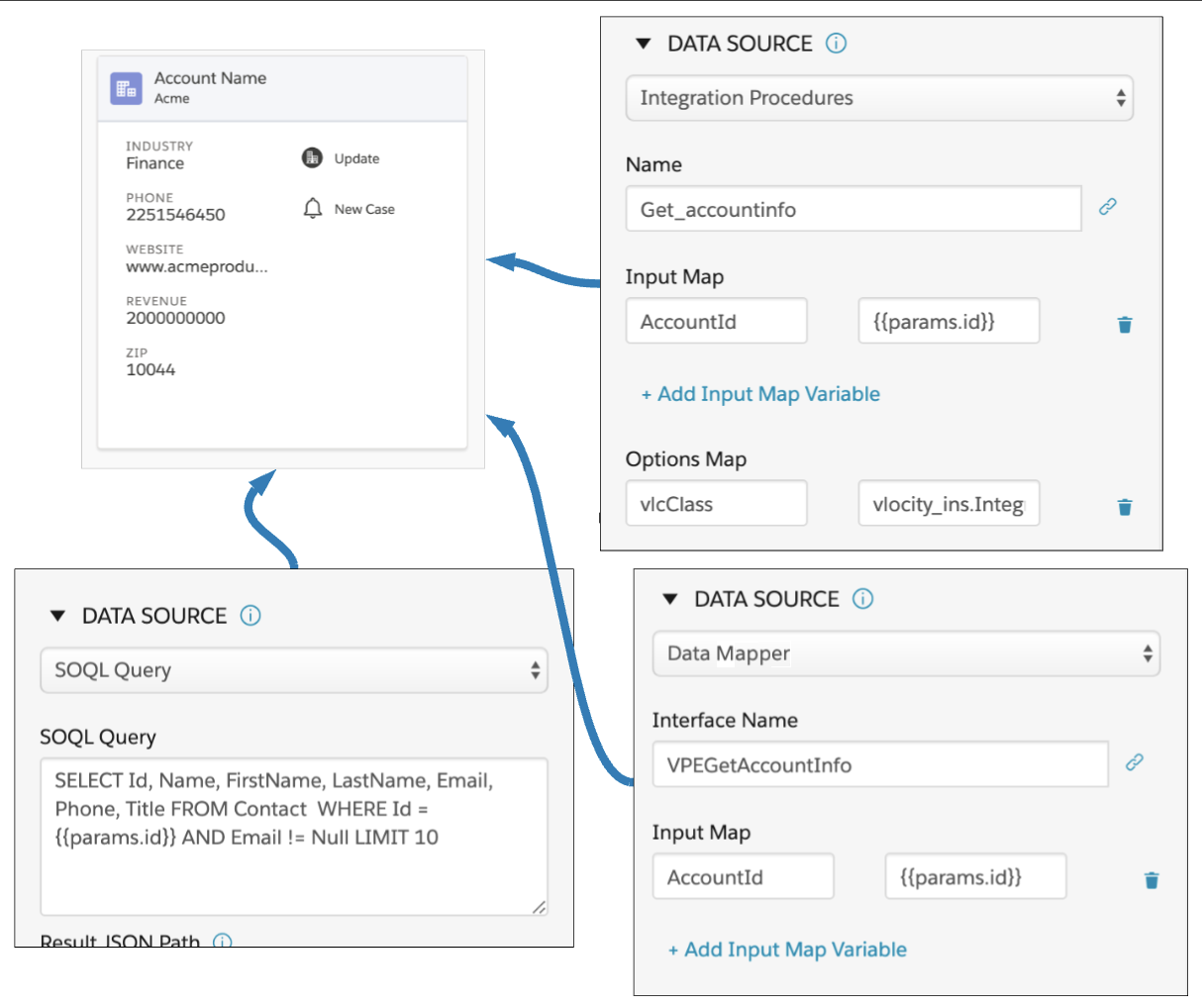
Data Source Types
Data sources available for card, layouts, and flyouts include:
|
Data Source Type |
Description |
Availability |
|---|---|---|
|
Uses an Integration Procedure to return data. Integration Procedures are declarative, server-side processes that execute multiple actions in a single server call. Using an Integration Procedure as a data source is recommended for optimal flexibility and easier implementation. |
Cards and Layouts |
|
|
Uses an Apex Remote class and method to return data. An Apex Remote class is a standard Apex class that implements the VlocityOpenInterface. |
Cards and Layouts |
|
|
Uses a REST endpoint of an Apex class to return data from a server or post data to a server. |
Cards and Layouts |
|
|
Uses an Omnistudio Data Mapper Extract interface to return data. Field-level security is fully supported. |
Cards and Layouts |
|
|
Combines Apex Remote and Apex REST technologies to support hybrid applications available for both web and mobile usage. For example, the Salesforce web environment uses Apex Remote technology while its parallel mobile App uses the Apex REST API, requiring configuration for multiple environments. |
Cards and Layouts |
|
|
Parent |
On the card or card layout of a flyout, the Parent data source uses data from the parent card or card layout that a flyout is assigned. |
Flyouts |
|
REST |
Uses the standard REST API call to return data. The Vlocity Rest types include:
 Note
Use +Add Header Variables to add any request headers. Most third-party APIs expect various headers such as tokens, public keys, and content-type. |
Cards and Layouts |
|
Uses a Salesforce Object Query Language
(SOQL) to search an org's Salesforce data for specific
information. For example, Note
If security is a concern, use a Data Mapper instead of a SOQL query, because Data Mappers fully support field-level security. |
Cards and Layouts |
|
|
Uses a Salesforce Object Search Language (SOSL) to construct text-based search queries against the search index. |
Cards and Layouts |
|
|
Sample |
Uses sample JSON to set up a card with a temporary data source, which will eventually be replaced with another data source. This allows you to embed the custom JSON directly into the layout without depending on external data. |
Cards and Layouts |
|
Streaming API |
Uses the Salesforce Streaming API to push notifications from the server to the client based on criteria that you define. The Vlocity Streaming API types include:
|
Cards and Layouts |
- Configuring an Integration Procedure Data Source (Managed Package)
For the managed package runtime, configure a data source to use a Vlocity Integration Procedure to execute multiple actions in a single server call. - Configuring a SOQL Query Data Source (Managed Package)
For the managed package runtime, configure a data source to use a Salesforce Object Query Language (SOQL) query to search an org's data for specific information. - Configuring a SOSL Search Data Source (Managed Package)
For the managed package runtime, construct text-based search queries against the search index with Salesforce Object Search Language (SOSL). - Configuring an Omnistudio Data Mapper Data Source (Managed Package)
For the managed package runtime, configure a Data Mapper data source to fetch data from a Data Mapper Extract. - Configuring a REST Web Data Source (Managed Package)
For the managed package runtime, configure a REST Web data source to get or post data from or to a public API. - Configuring a REST Data Source Using Named Credentials (Managed Package)
For the managed package runtime, configure a REST data source using Named Credentials to authenticate Apex callouts. - Configuring an Apex REST Data Source (Managed Package)
For the managed package runtime, configure a data source to use an Apex REST call to fetch data to populate fields on a Flexcard. - Configuring an Apex Remote Data Source (Managed Package)
For the managed package runtime, configure a data source to invoke an Apex Class and method to fetch data to populate a card. - Configuring Dual Data Sources (Managed Package)
For the managed package runtime, a dual data source combines Apex remote and Apex REST technologies to support hybrid applications for both web apps and mobile apps. The Salesforce web environment uses Apex remote technology, and the parallel mobile app uses the Apex REST API, requiring configuration for dual environments. - Vlocity Streaming API Data Sources (Managed Package)
For the managed package runtime, streaming API lets you push a stream of notifications from Salesforce to client apps based on criteria that you define. It has a persistent connection that continues to deliver new data as it becomes available, rather than using client polling. Polling is the most traditional way to get data from a data source that produces the stream of events and updates. The client makes requests periodically, and the server sends data if there is a response. In case there is no data to be sent by the server, an empty response is returned. - Testing Data Source Settings (Managed Package)
For the managed package runtime, add runtime variables to fetch and test your data source.