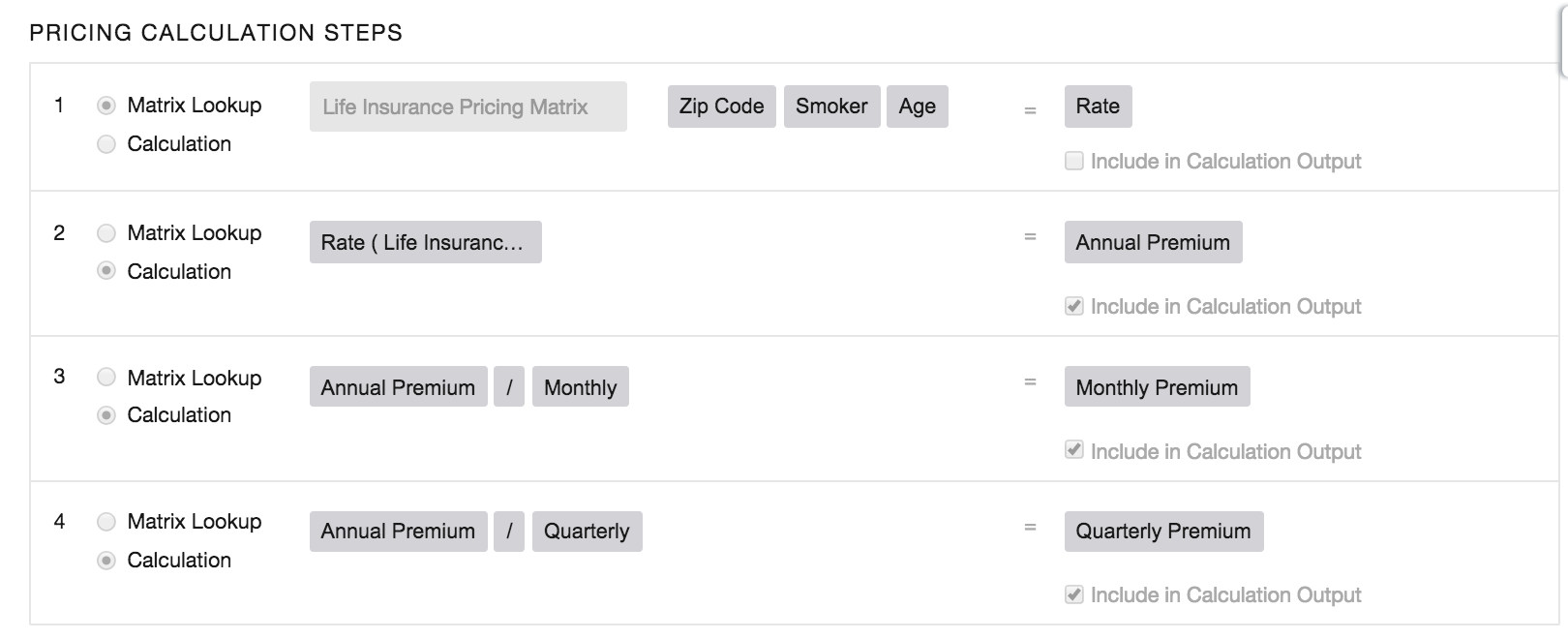
For the managed package runtime, to provide an accurate quote, an agent must know a person’s age, home ZIP code, and whether they smoke. First, a form prompts for the needed data, from an agent or web self-service. When the form is submitted, a calculation procedure defined for that form runs. The first procedure step is a Matrix Lookup, which looks across the matrix input fields—Smoker, ZIP, and Age—to find the corresponding output (Rate).
 This information is for Omnistudio for Managed Packages. For Omnistudio on standard runtime, see Omnistudio Help.
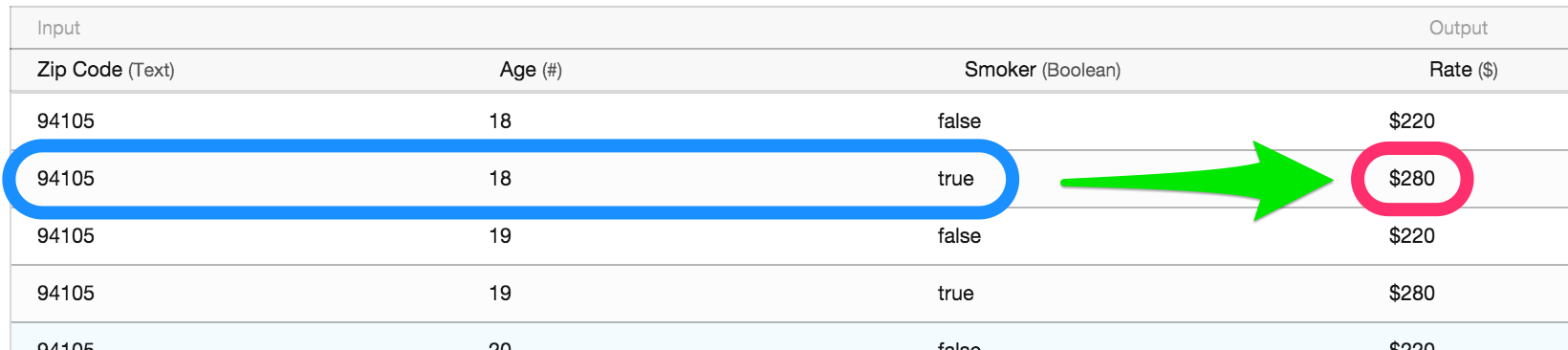

After the first procedural step, the second procedural step runs. This step takes the Rate that is the output of the first procedural step, divides it by a constant, and outputs the Monthly Rate. Subsequent steps can perform additional math on the data submitted—Smoker, ZIP, Age—or use inputs from other data sources, such as policies currently held, or current health status, to perform additional calculations and return a variety of quotes.