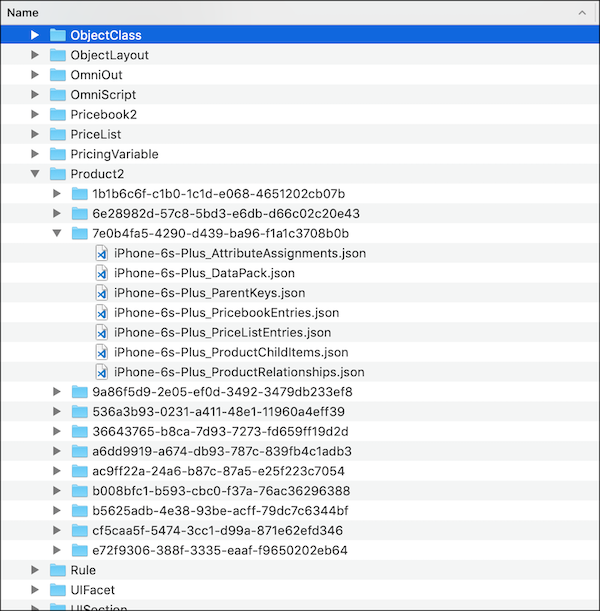
For the managed package runtime, each data pack has a data pack key that represents its unique name in the data pack system. After a data pack is exported, the data pack key matches the folder name of the data pack.
 This information is for Omnistudio for Managed Packages. For Omnistudio on standard runtime, see Omnistudio Help.
For Product2 data packs, the data pack key is built using vlocity_namespace__GlobalKey__c. Given the Product2:
{
    "%vlocity_namespace%__GlobalKey__c": "7e0b4fa5-4290-d439-ba96-f1a1c3708b0b",
    "Family": "Phones",
    "IsActive": true,
    "Name": "iPhone 6s Plus",
    "VlocityDataPackType": "SObject",
    "VlocityRecordSObjectType": "Product2"
}
The data pack key is Product2/7e0b4fa5-4290-d439-ba96-f1a1c3708b0b. It’s also the folder name of the
Product2 data pack. The GlobalKey__c of the Product2 must be a unique
field, and folders must have unique names.
Here’s an example of an iPhone 6s Plus Product2 data pack in its folder with the same data pack key.