
For the managed package runtime, to add a property to a Target Name:
 This information is for Omnistudio for Managed Packages. For Omnistudio on standard runtime, see Omnistudio Help.
-
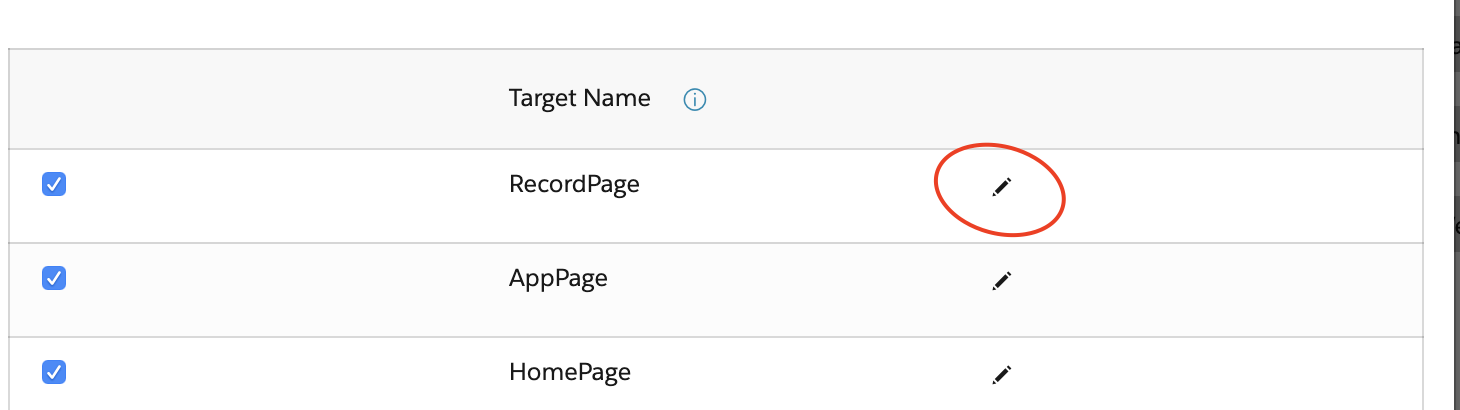
Click the pencil icon.
-
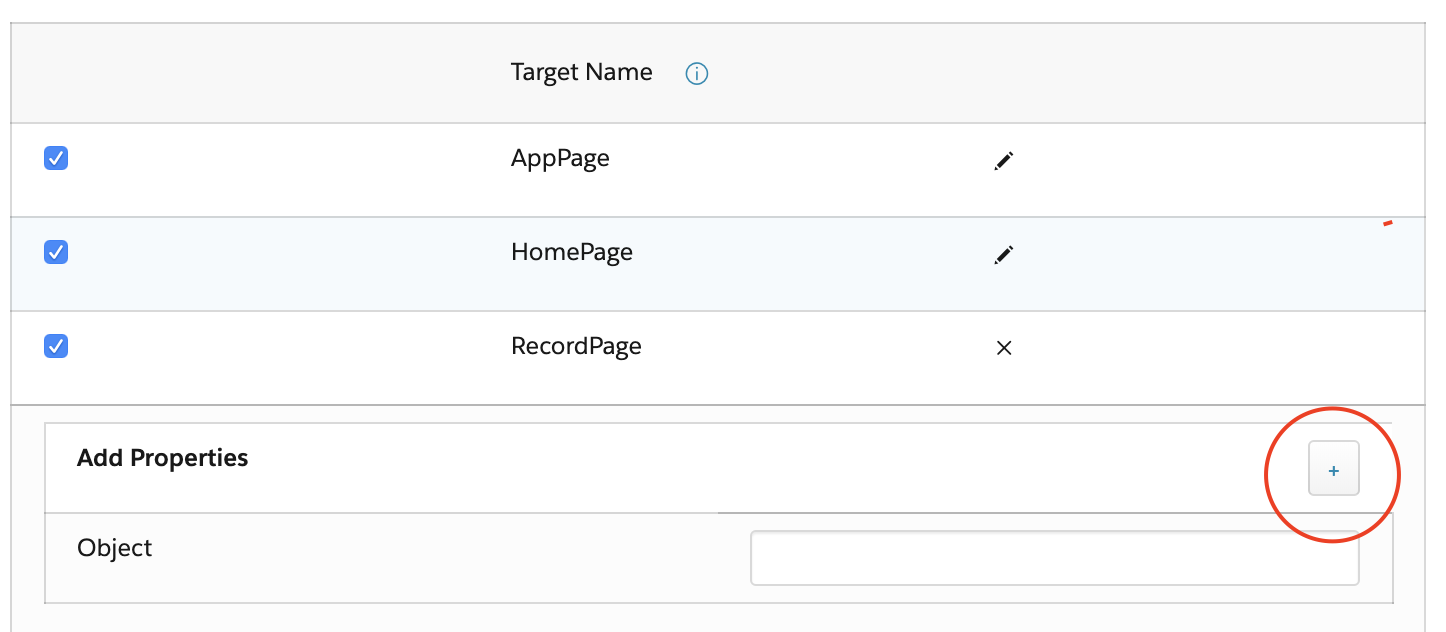
Click the + icon next to Add
Properties.
-
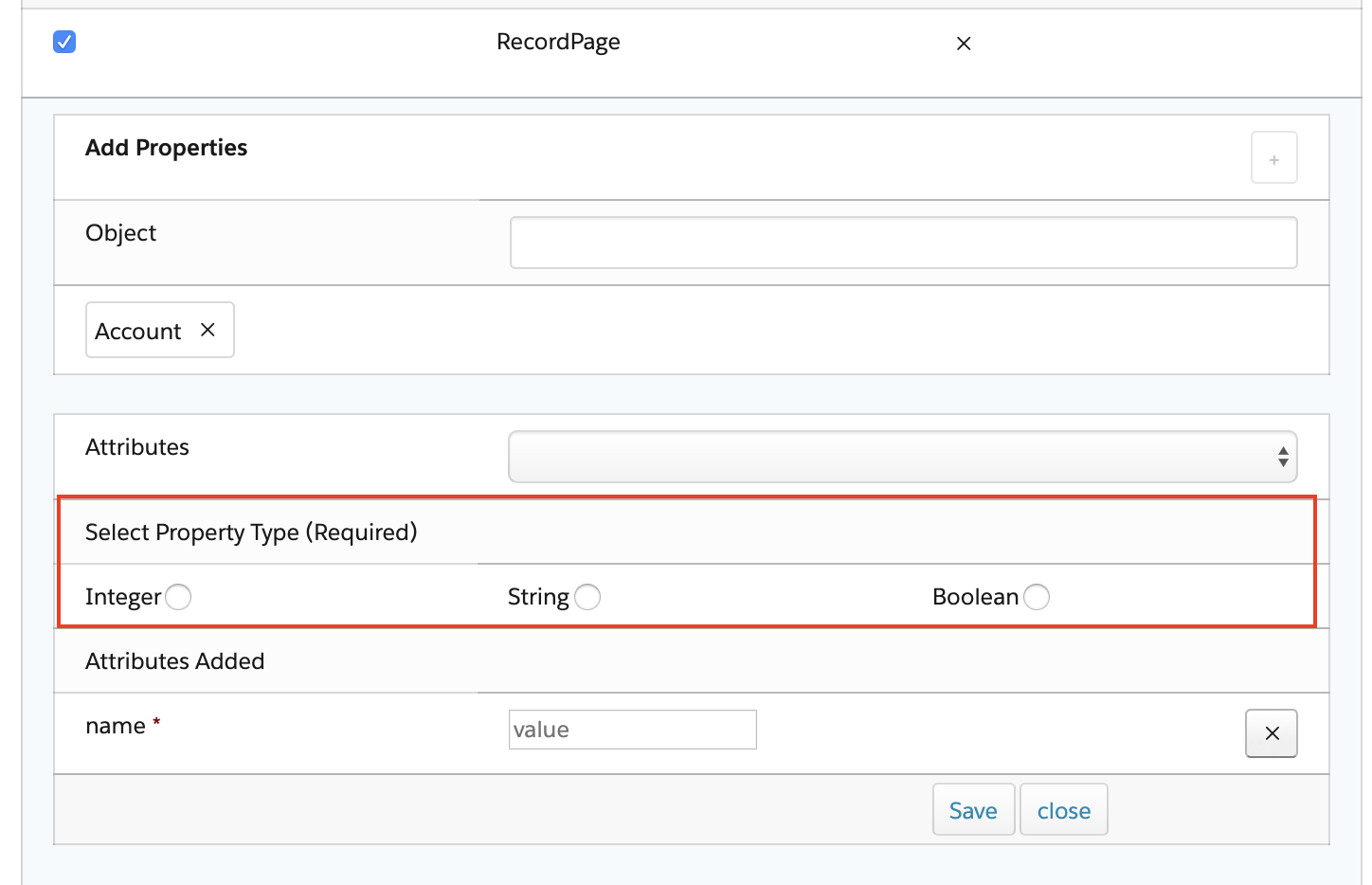
In the Select Property Type (Required) field, to specify
the property data type, select Integer,
String, or Boolean.
-
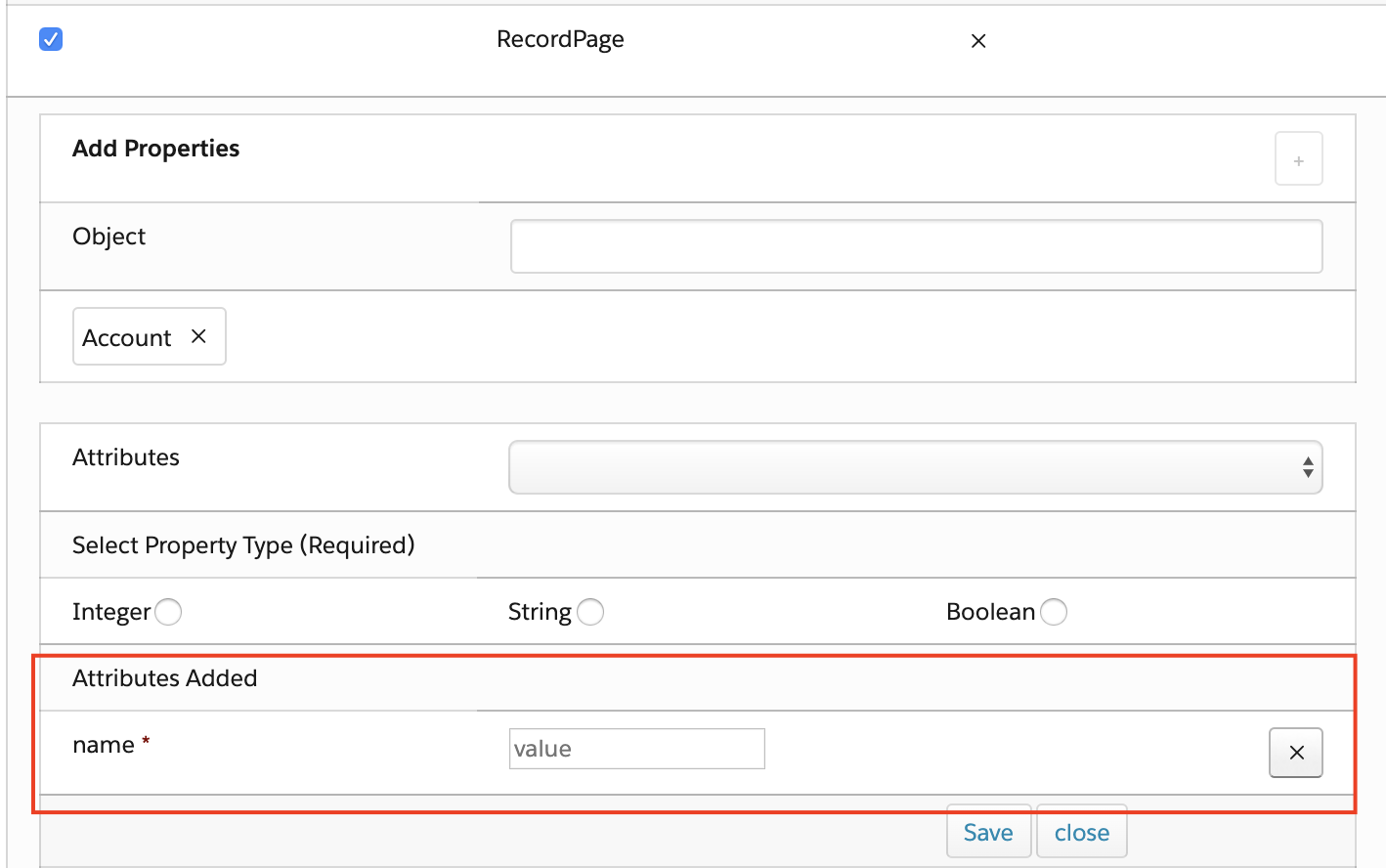
In the Attributes Added section, enter a variable name for
the name attribute, such as debug. The
name attribute is required for each property.
-
Select additional attributes to add to your property from the
Attributes dropdown list. See Configuration File Tags for descriptions of
each available attribute.
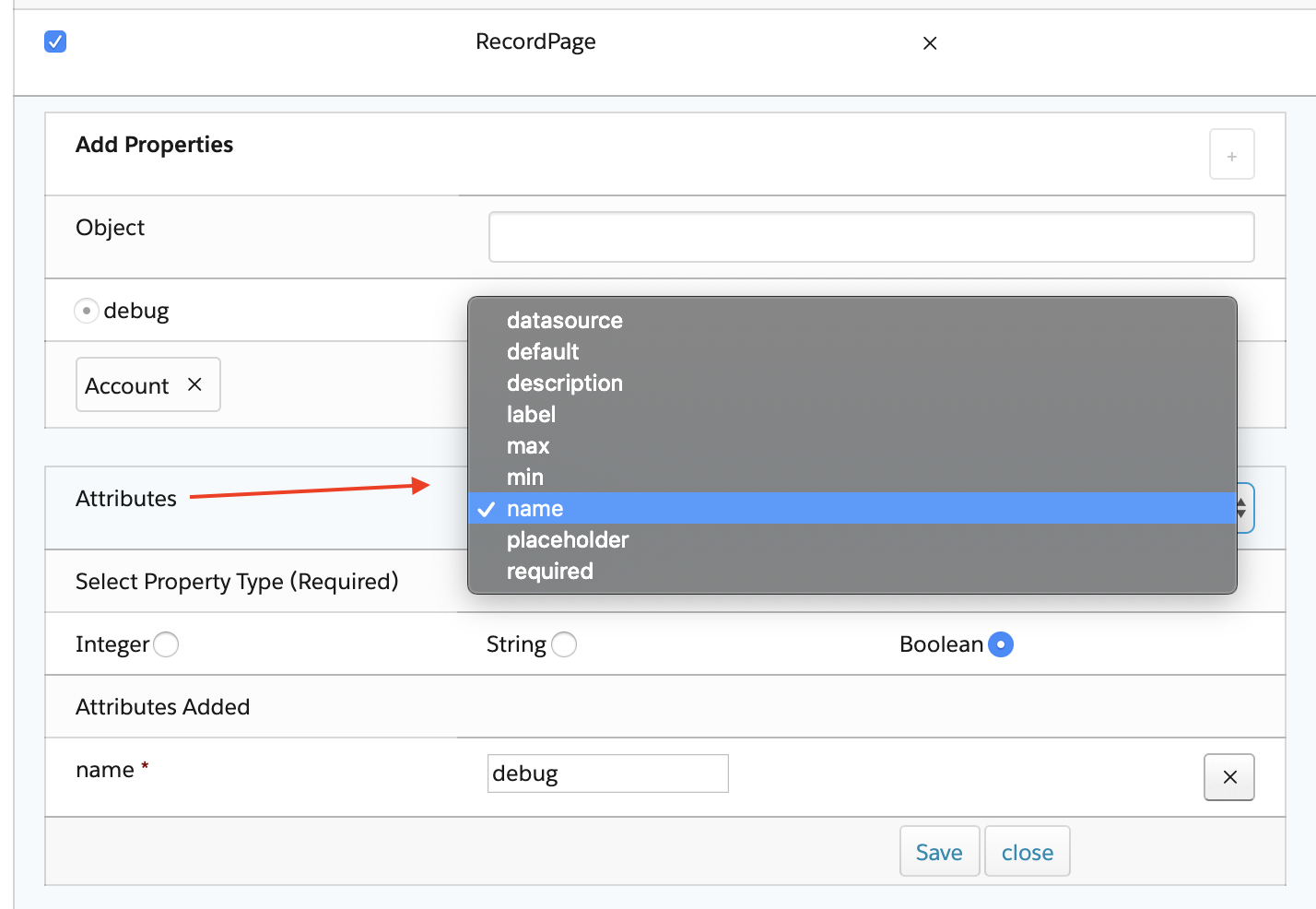
- Enter a value for each additional attribute.
-
(Optional) If your Target Name is RecordPage, click into
the Object field to select an object from the picklist.
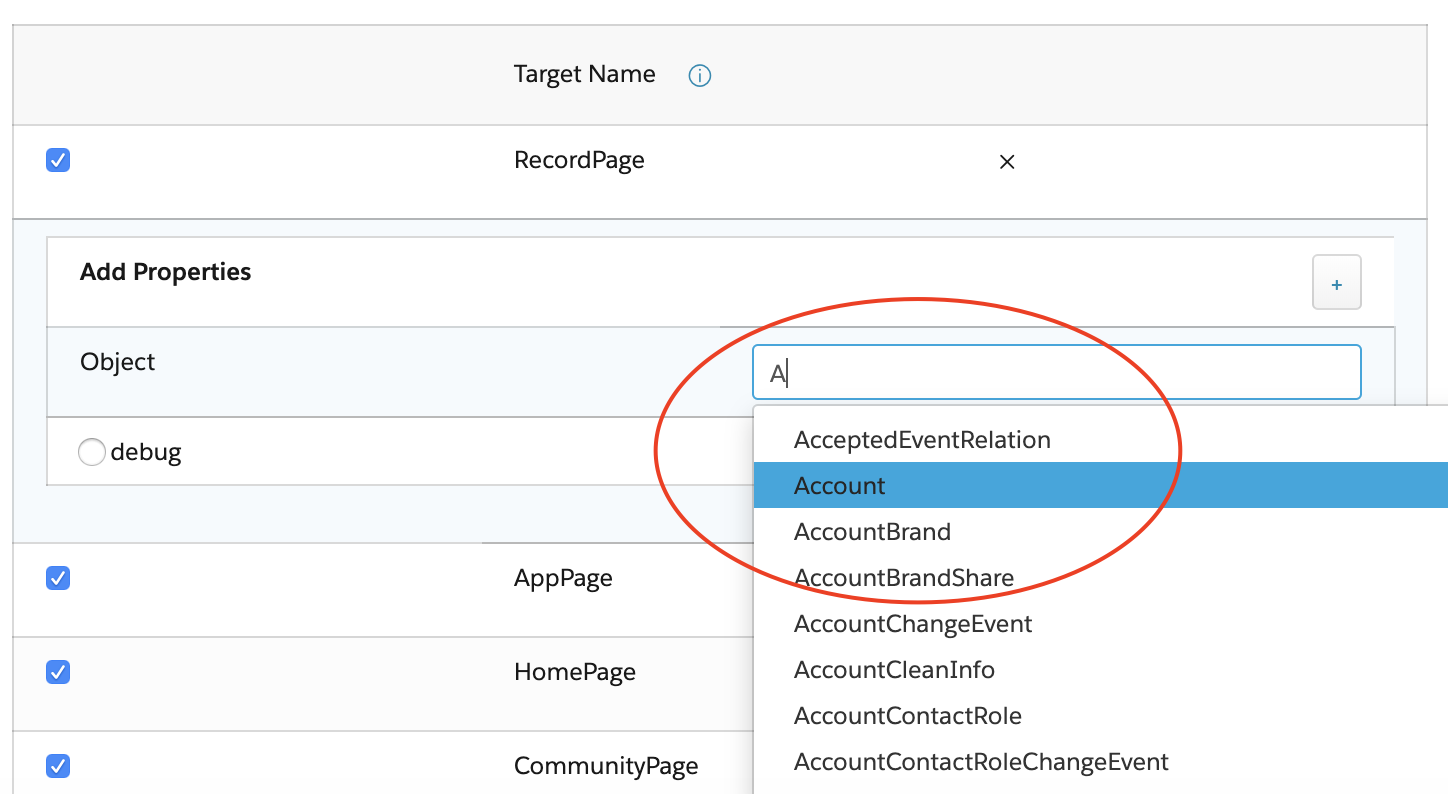
- Click Save.
- Edit or Delete a Target Name Property (Managed Package)
For the managed package runtime, edit or delete an existing property for a Target Name. - Remove an Attribute from a Target Name Property (Managed Package)
For the managed package runtime, remove an attribute from an existing property of a Target Name.