
For the managed package runtime, when you run a Test Procedure in the Preview tab, JSON data for debugging is included
in the Errors/Debug Output pane. To include this debugging data in VlocityTrackingEntry__c object records under the StepDebugInfo JSON node, you can set the value of the
OmniAnalyticsTrackingDebug custom setting to True.
 This information is for Omnistudio for Managed Packages. For Omnistudio on standard runtime, see Omnistudio Help.

Although OmniAnalytics manages the data collection, the Test Framework uses the data. The OmniAnalyticsTrackingDebug custom setting isn’t dependent on the OmniAnalyticsEnabled custom setting.
These steps apply if you use Omnistudio for Managed Packages.
-
Go to Setup.
-
In Lightning Experience, click the gear icon and select Setup from the menu.
-
In Salesforce Classic, click the user menu and select Setup from the menu.
-
- In the Quick Find field, enter Custom Settings.
- Click Custom Settings.
-
Click the letter G in the index across the top.
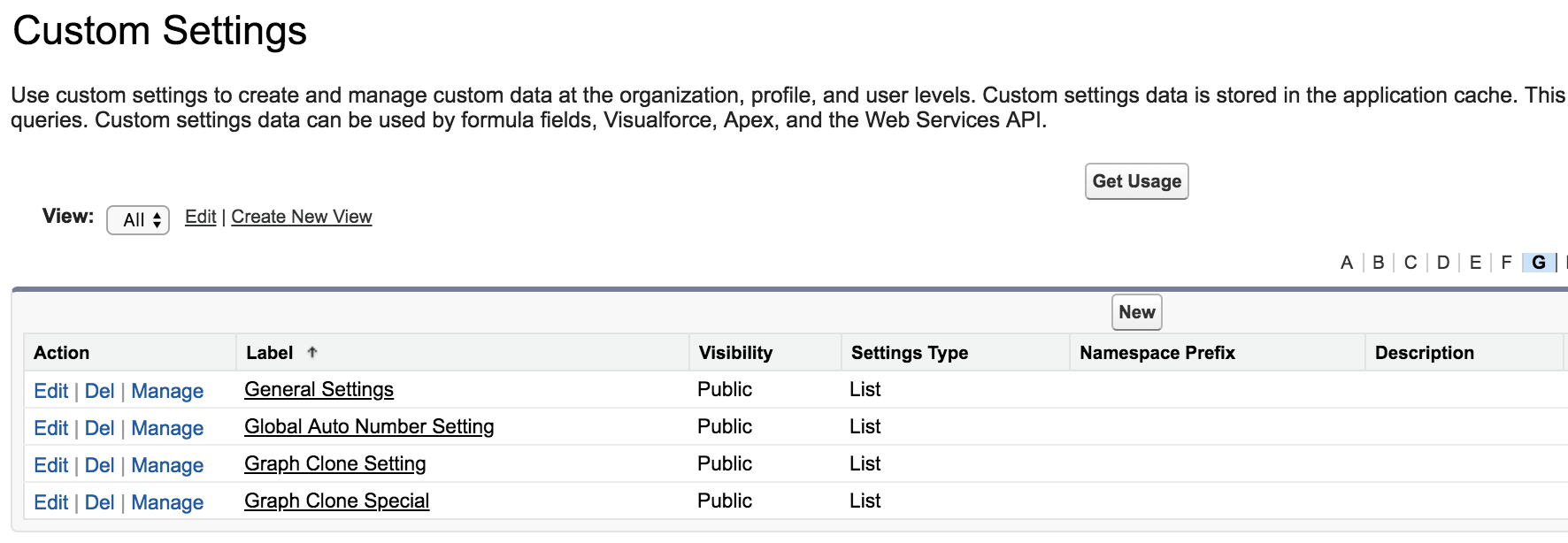
-
To the left of General Settings, click
Manage.
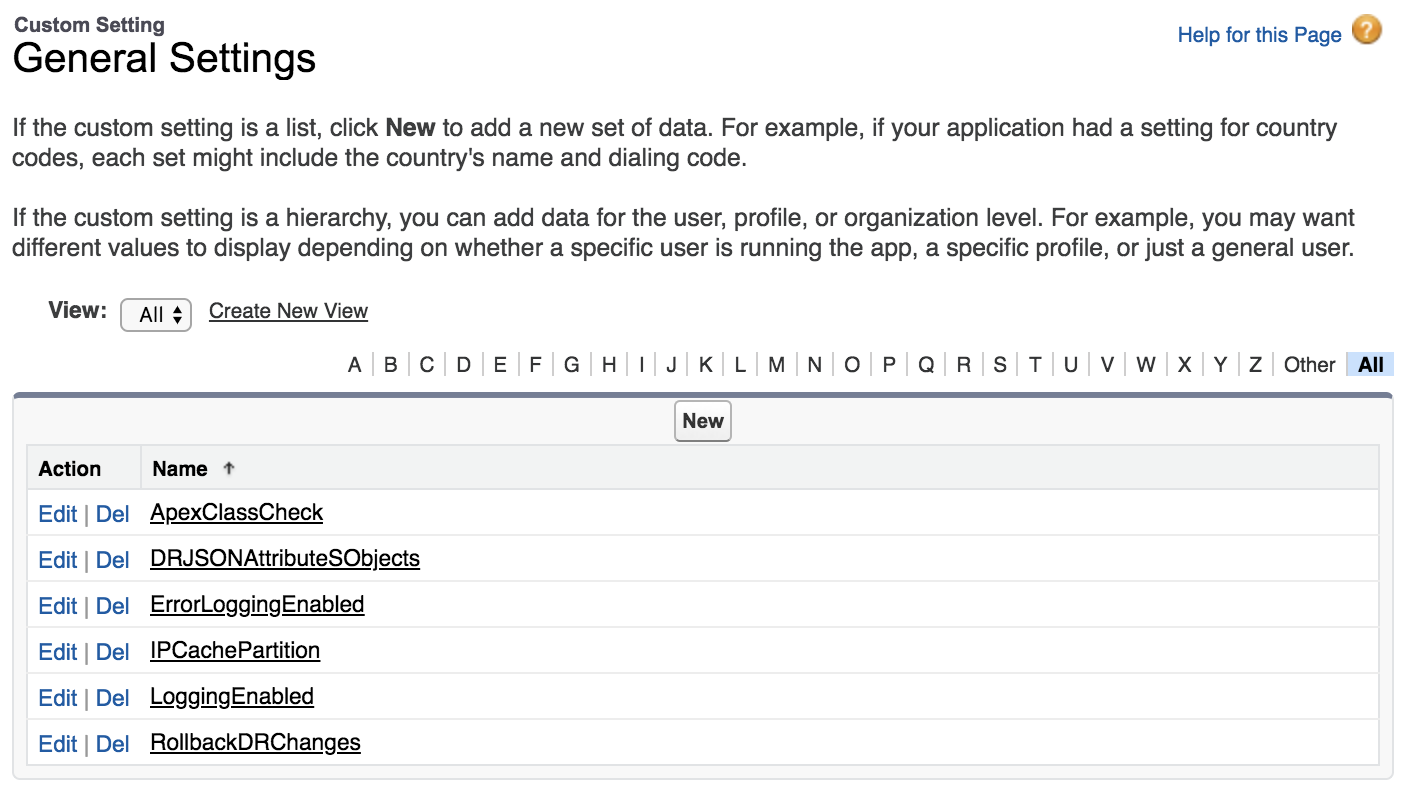
- Click New.
- Enter a Name of OmniAnalyticsTrackingDebug and a Value of True.
- Click Save.