
For the managed package runtime, prior to Vlocity Insurance and Health Summer ’20, add cancel functionality to an LWC Omniscript by using the Navigate Action.
 This information is for Omnistudio for Managed Packages. For Omnistudio on standard runtime, see Omnistudio Help.
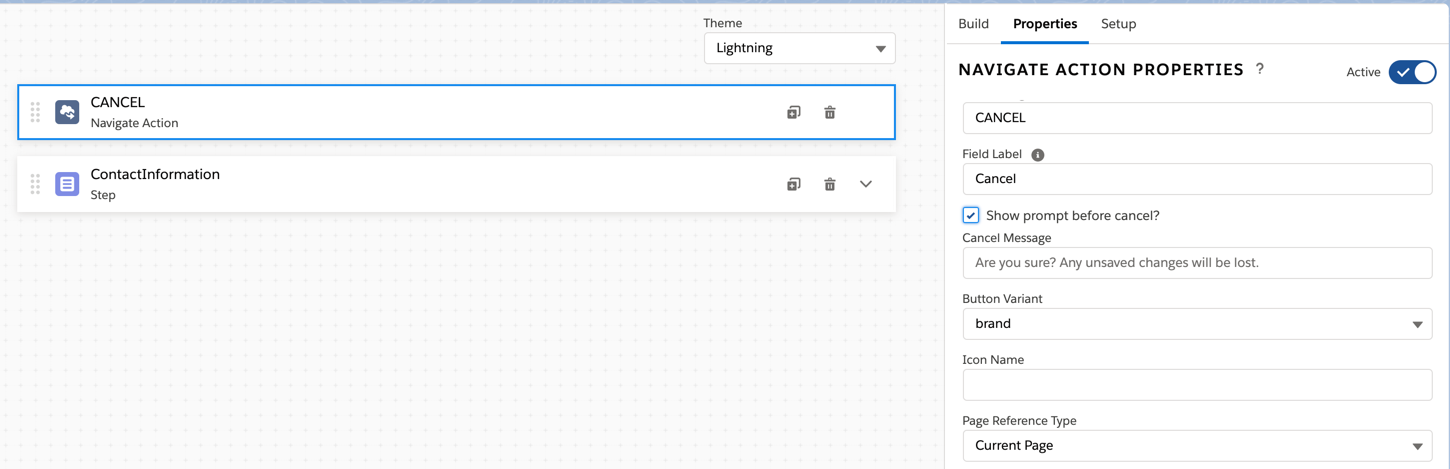
- Add a Navigate Action before the first Step in the Omniscript.
-
In the Navigate Action’s Element Name field, enter
CANCEL in all uppercase letters. Ensure that the
CANCEL OPTIONS property section is present in the Navigate
Action after you set the Element Name.
-
In the Label field, enter the Cancel option’s display text. The text displays as a
clickable link in every Step.
 Note
NoteCancel functionality can’t be activated or deactivated for individual steps.
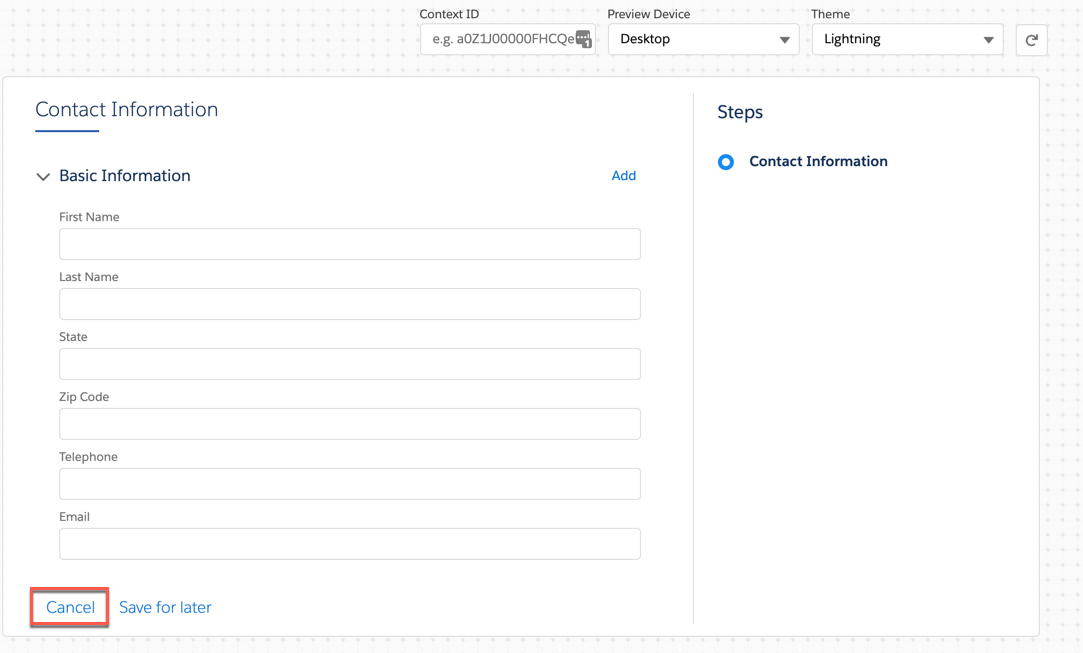
- (Optional) Prevent confirmation prompts from being displayed to users by deselecting Prompt before cancel?.
- (Optional) In the Cancel Message field, enter a custom message to display to users in the confirmation prompt.
- (Optional) To collapse the script and view the current page, set the Navigate Action’s PageReference type to Current Page with no additional configuration.
- (Optional) Determine where the cancel option directs users by configuring the Navigate Action.
What’s next: Deploy the Omniscript and add it to a page to test the cancel functionality. See Deploying an Omniscript (Managed Package).