---
schema_version: "1"
id: 2bf7835806f93f06a5db3fb21f969a237d69e66c9b6f2759373cdd9a226520a0
title: Publish and Manage a Data Management Policy
collection: admin
version: current
locale: en-us
portal_url: https://docs.salesforce.com/admin/current/en-us/xcloud/264-0-0/manage_data_management_policies.md
canonical_url: https://help.salesforce.com/s/articleView?id=xcloud.manage_data_management_policies.htm&release=264.0.0&type=5
source_site: help.salesforce.com
content_type: documentation
content_hash: 3df8246c091630fcea3acabf8610d86e28a69276e0d33ea4aff84c6bcf49a606
description: To add your policy to the job queue, publish it. You can also edit, delete, or immediately run a policy.
products:
- Security
- Cross Cloud
release: "264"
---
# Publish and Manage a Data Management Policy
To add your policy to the job queue, publish it. You can also edit, delete, or immediately run a policy.
### Required Editions
Available in: Developer, Enterprise, Performance, and Unlimited Editions. Requires the Privacy Center license.
User Permissions Needed
To create, edit, and schedule Data Management Policies:
Manage Privacy Center Policies
To manage your policy:
1. From the Privacy Policies page, select the policy that you want to manage.
2. Select an option for your policy.
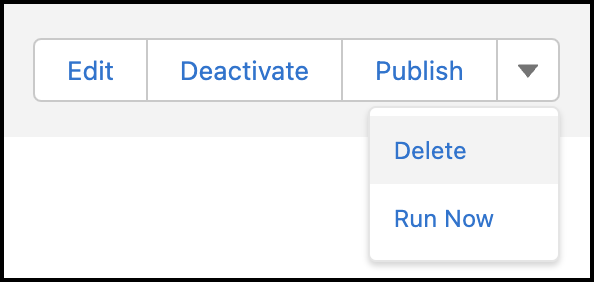
- **Edit** opens a window where you can change the policy name, description, and run frequency. Additionally, under Action on Associated Records, you can manage policy-level record deletion settings.

Note If a setting is enabled at the policy level, it’s applied to all objects on the policy, and you can no longer edit the setting at the object level. If you want to apply the setting only to certain objects, don’t select it at the policy level. For more information, see [Mask or Delete Records on an Object](https://help.salesforce.com/s/articleView?id=xcloud.mask_delete_data_management_policies.htm&release=264.0.0&type=5 "Define how an object’s records are masked or deleted from your org, and determine how related files and attachments are handled.").
- **Publish** saves any recent changes to your policy and puts it in the job queue. Make sure to publish your policy each time you update it. Publishing also reactivates policies that were previously deactivated.

Note The Publish action can sometimes take a minute or longer. A confirmation message appears when the process completes.
- **Deactivate** removes the policy from the job queue. The policy doesn’t execute until you republish it. You can only deactivate policies that are published.
- **Delete** removes the policy from your org. Deleted policies can’t be recovered.
- **Run Now** creates a new job session for the policy. If there’s no other job in progress, the new job starts running within five minutes after it’s created. If another job is already in progress, the new job starts running afterwards.