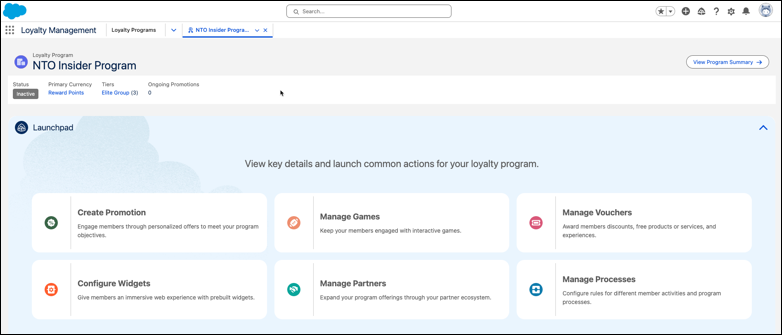
The loyalty program home page allows you to view the primary details of a loyalty
program and manage the day-to-day activities such as creating promotions, and managing games,
vouchers, partners and processes with a single click.
Required Editions
| Available in: Lightning Experience in Enterprise, Performance,
Developer, and Unlimited Editions that have Loyalty Management
enabled.
|
To view the home page of a loyalty program, click a program name on the Loyalty Programs list
page.
The home page displays the following details:
- Status: The current status of the loyalty program.
- Primary Currency: The primary currency of the loyalty program that the automated processes
use for crediting or debiting.
- Tiers: The tier group and the number of tiers.
- Ongoing Promotions: The number of active promotions.
To view the configuration summary of the program, click View Program
Summary.